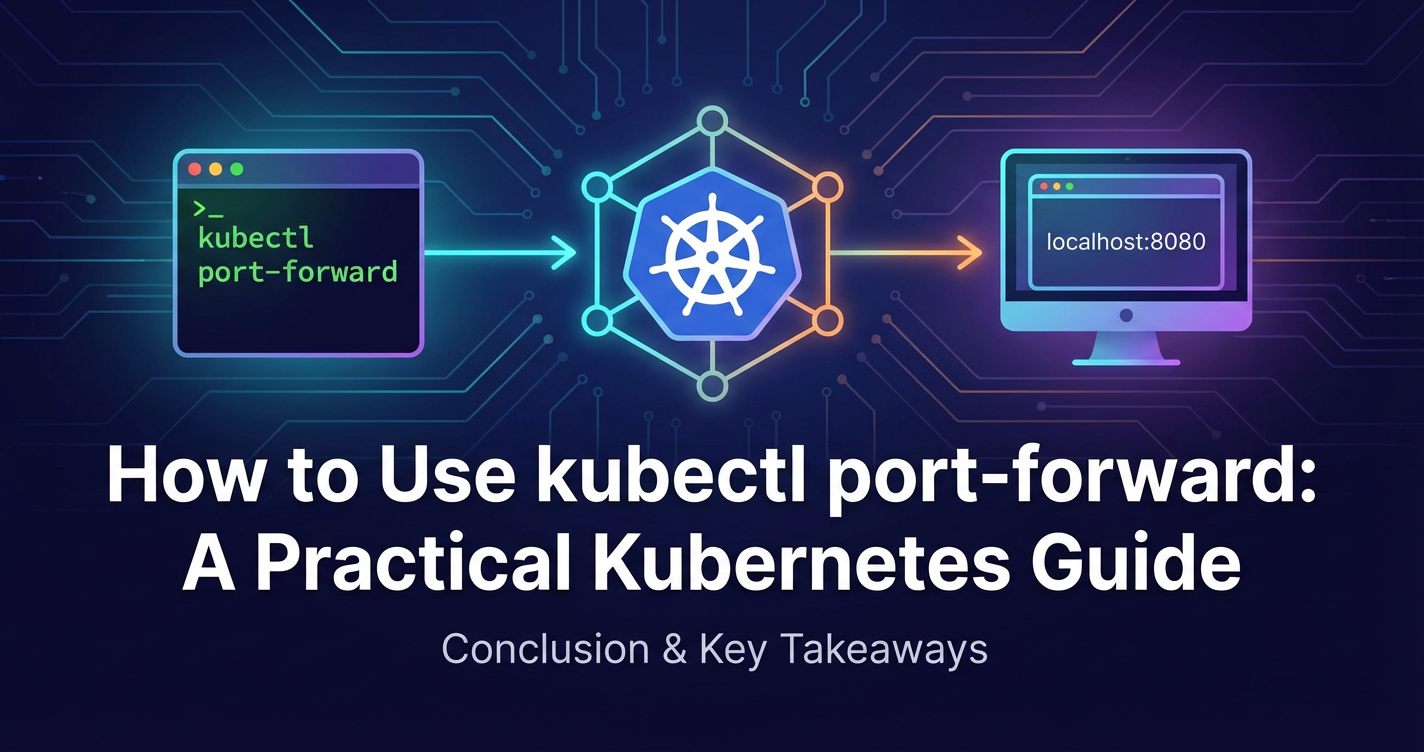
How to Use kubectl port-forward: A Practical Kubernetes Guide


In the rapidly evolving landscape of container orchestration, Kubernetes stands as the undisputed champion, enabling developers to deploy, scale, and manage their applications with unprecedented efficiency. However, the very architecture that grants Kubernetes its power – its emphasis on isolation, abstraction, and distributed networking – can sometimes pose challenges, particularly during the crucial phases of development and debugging. When your application components reside within isolated Pods, behind a labyrinth of internal network rules, accessing them directly from your local machine can feel like an insurmountable task. This is precisely where kubectl port-forward emerges as an indispensable tool, a veritable lifeline for anyone working with Kubernetes.
kubectl port-forward isn't just a command; it's a bridge, a temporary, secure tunnel that connects a specific port on your local machine to a port on a Pod, Service, Deployment, or other resource within your Kubernetes cluster. It allows you to interact with services running inside your cluster as if they were running on your localhost, completely bypassing the complexities of ingress controllers, load balancers, and internal network policies. This guide aims to demystify kubectl port-forward, transforming it from a cryptic command into a cornerstone of your Kubernetes development workflow. We will delve deep into its mechanics, explore practical use cases, discuss advanced techniques, and highlight crucial security considerations, ensuring you gain a comprehensive understanding of this powerful utility. By the end of this extensive exploration, you will not only know how to use kubectl port-forward but also truly appreciate its strategic importance in maintaining agility and control over your distributed applications.
Navigating the Kubernetes Network Maze: Why port-forward is Essential
To truly appreciate the utility of kubectl port-forward, it's vital to grasp the foundational principles of Kubernetes networking. Kubernetes, by design, isolates application components (Pods) within its cluster network. Each Pod is assigned its own IP address, and these Pods can communicate with each other using these internal IPs. However, this internal network is typically not directly accessible from outside the cluster. Kubernetes provides several abstractions to expose services, each with its own trade-offs:
- ClusterIP: This is the default Service type, exposing a Service on an internal IP within the cluster. It's only reachable from within the cluster, making it ideal for internal microservice communication but inaccessible from your local machine.
- NodePort: This type exposes the Service on a static port on each Node's IP address. While it allows external access, it consumes a dedicated port on every node and is generally not suitable for production use due to security and port management complexities.
- LoadBalancer: This type exposes the Service externally using a cloud provider's load balancer. It's robust for production environments but incurs cost and isn't instant for development.
- Ingress: Ingress acts as an HTTP/S router, providing external access to services within the cluster, often with features like SSL termination and name-based virtual hosting. While powerful, configuring Ingress for every development scenario can be cumbersome and overkill for simple debugging tasks.
These standard exposure mechanisms are perfectly suited for deployed, production-ready applications. However, they introduce significant overhead for a developer who simply needs to inspect a database, interact with a nascent microservice, or test a UI component that relies on a backend running inside a Pod. Imagine you're developing a new feature locally, and it needs to connect to an internal API service that is only exposed via ClusterIP within your Kubernetes cluster. You wouldn't want to deploy an Ingress or a LoadBalancer just for a few hours of local testing. The latency, the permission requirements, and the sheer configuration effort would stifle productivity. This is precisely the gap that kubectl port-forward fills, offering a direct, no-fuss pathway to interact with your containerized applications, making it an indispensable tool for local development, debugging, and ad-hoc troubleshooting within your Kubernetes environment. It’s a temporary bypass, a surgical strike capability that allows you to reach deep into the cluster’s network fabric without disturbing its overall architecture.
The Anatomy of kubectl port-forward: Deconstructing the Command
At its core, kubectl port-forward is deceptively simple, yet remarkably powerful. It establishes a direct, secure tunnel between your local machine and a designated resource within your Kubernetes cluster. The basic syntax is straightforward:
kubectl port-forward <resource-type>/<resource-name> <local-port>:<remote-port> [options]
Let's break down each component of this command to understand its role and flexibility:
1. <resource-type>
This specifies the type of Kubernetes resource you want to forward a port from. The most common resource types used with port-forward include:
pod: This is the most granular and direct way to forward a port. You target a specific Pod by its name. This is ideal when you need to interact with a particular instance of an application or a specific container within that Pod. For instance, if you have multiple replicas of a service, usingpodallows you to pick one for debugging.service: When you forward a port to a Service,kubectlwill automatically select a healthy Pod that the Service routes traffic to and establish the tunnel to that Pod. This is incredibly convenient because you don't need to know the specific Pod name, and if the chosen Pod dies,kubectlwill often automatically re-establish the connection to another healthy Pod targeted by the Service. This is the preferred method when you want to interact with any instance of a service, rather than a specific one.deployment: You can also target a Deployment. In this case,kubectlwill identify the Pods managed by that Deployment and forward to one of them, similar to how it works with a Service. This offers a higher level of abstraction.statefulset: For stateful applications, forwarding to a StatefulSet can also be done, targeting one of its managed Pods.replicaset: Similar to Deployment, targeting a ReplicaSet will forward to one of its Pods.
Choosing the right resource type depends on your specific debugging needs. If you're investigating an issue specific to a single Pod instance, target the pod. If you want to interact with any available instance of a service, using service is generally more robust and convenient.
2. <resource-name>
This is the exact name of the Kubernetes resource you wish to target. For a pod, it would be something like my-app-pod-abcdefg. For a service, it could be my-app-service. You can get these names using kubectl get pods or kubectl get services. It's crucial that the name is correct, otherwise, kubectl will report an error indicating the resource cannot be found.
3. <local-port>
This is the port number on your local machine that you want to open. When you access localhost:<local-port> in your browser or through a local client, the traffic will be tunneled to the Kubernetes cluster. You can choose any available port on your local machine. If this port is already in use by another application, kubectl will inform you and refuse to establish the connection, prompting you to choose a different local port.
4. <remote-port>
This is the port number that the application inside the target Pod is listening on. This is typically the containerPort defined in your Pod specification or the targetPort defined in your Service definition. It's crucial that the application inside the Pod is actually listening on this port, otherwise, the connection will be established but attempts to connect will fail with a "connection refused" error from the remote end.
5. [options]
kubectl port-forward also supports several useful options, though often less frequently used in basic scenarios:
-n <namespace>or--namespace <namespace>: Specifies the Kubernetes namespace where the resource resides. If you don't specify this,kubectlwill use your current context's default namespace. Always good practice to explicitly define the namespace to avoid errors.--address <address>: By default,port-forwardbinds tolocalhost(127.0.0.1). You can specify a different address if you want to make the forwarded port accessible from other machines on your local network (e.g.,0.0.0.0for all interfaces). Use this with caution, as it broadens the exposure.--pod-running-timeout duration: The maximum amount of time to wait for a Pod to be running and ready before giving up. Defaults to 1 minute.--disable-filter: If you want to bypass filtering of ports.--verbose: For more detailed output, useful for debugging theport-forwarditself.
Understanding these components allows you to craft precise and effective port-forward commands tailored to your specific debugging and development needs. The command establishes a secure WebSocket connection or a SPDY stream to the Kubernetes API server, which then proxies the connection to the target Pod. This architecture means that no direct network routing between your machine and the Pod is necessary, only access to the Kubernetes API server. This is a significant security advantage, as it avoids opening up wider network access to your cluster.
Practical Use Cases: Harnessing the Power of port-forward
The true power of kubectl port-forward shines through in its myriad practical applications, transforming complex Kubernetes debugging tasks into straightforward local interactions. Let's explore some common and impactful scenarios where this command proves invaluable.
1. Debugging a Database Running in a Pod
One of the most frequent use cases involves accessing a database that's running inside a Pod within your Kubernetes cluster. Imagine you have a PostgreSQL, MongoDB, or Redis instance deployed as a StatefulSet or a standalone Pod. You need to connect to it with your local SQL client (e.g., DBeaver, pgAdmin), a NoSQL client, or simply a command-line tool like psql or mongo to inspect data, run ad-hoc queries, or verify schema migrations.
Scenario: You have a PostgreSQL database running in a Pod named my-postgres-0 in the default namespace, and it's listening on its standard port, 5432.
Command:
kubectl port-forward pod/my-postgres-0 5432:5432
Explanation: This command opens port 5432 on your local machine and tunnels any traffic directed to localhost:5432 to port 5432 of the my-postgres-0 Pod. Now, you can open your preferred PostgreSQL client, connect to localhost:5432, and interact with the database as if it were running directly on your machine. This completely bypasses the need for an external database service or complex network configurations, making local data inspection incredibly efficient and secure. This is particularly useful when you're developing locally and need a live view of the data without exposing the database publicly.
2. Accessing Internal Microservices During Local Development
Developing microservices often involves building one service that depends on another. If your new service is running locally, but its dependencies are deployed in Kubernetes, port-forward provides the necessary bridge. This allows you to test your local code against a live, in-cluster dependency without deploying your new service to the cluster or modifying network configurations.
Scenario: You are developing a local frontend application or another backend microservice. This local service needs to communicate with an internal user-service deployed in your Kubernetes cluster, which exposes an API on port 8080.
Command:
kubectl port-forward service/user-service 8080:8080
Explanation: By forwarding port 8080 from the user-service to your local machine, your local frontend or microservice can now send requests to http://localhost:8080, and these requests will be securely routed to the actual user-service Pod within your Kubernetes cluster. This setup is invaluable for rapid iteration and debugging, as it allows developers to quickly test integrations without the overhead of redeploying multiple services. You can set breakpoints in your local code and step through interactions with the live backend, simulating a production environment without actually deploying everything. This is where port-forward truly shines in facilitating agile development of applications composed of many small, interconnected apis.
3. Testing Web Applications and UI Components
When developing or debugging a web application or a specific UI component, you might need to access its backend API or even the UI itself from your local browser. port-forward offers an immediate way to do this, allowing you to visually inspect the application without any public exposure.
Scenario: You have a web application running in a Pod, exposed via a service called my-webapp-service on port 3000. You want to test it in your local browser.
Command:
kubectl port-forward service/my-webapp-service 8000:3000
Explanation: This command forwards port 3000 from the my-webapp-service to port 8000 on your local machine. Now, you can open your web browser and navigate to http://localhost:8000. The browser will interact with the web application running inside your Kubernetes cluster. This is particularly useful for frontend developers who need to quickly see changes reflected or debug UI interactions against a live backend, saving considerable time that would otherwise be spent on deployment cycles. It also helps in validating that the application starts correctly and serves content as expected within the cluster environment.
4. Interacting with Admin Interfaces and Monitoring Tools
Many applications and tools come with web-based administration interfaces or dashboards (e.g., Prometheus, Grafana, custom admin panels, message queue dashboards). These are often exposed via ClusterIP Services for internal access, and port-forward provides a simple way to temporarily access them from your local machine.
Scenario: You have a custom admin panel running as part of your order-processing service, which listens on port 8081. You need to access it to perform some administrative tasks.
Command:
kubectl port-forward service/order-processing 9000:8081
Explanation: By forwarding order-processing's port 8081 to your local port 9000, you can access the admin panel via http://localhost:9000 in your browser. This enables secure and direct access to internal management tools without exposing them to the wider internet, adhering to security best practices. For instance, if your Prometheus server is inside the cluster, you can use port-forward to access its UI and debug scrape targets or query metrics. This keeps sensitive internal dashboards isolated while still making them readily available to authorized developers and operators.
5. Local Development with Remote Dependencies (A Holistic View)
Consider a common developer workflow where you are working on a new feature in a microservice. This microservice needs to interact with: * A database (e.g., PostgreSQL) * An authentication API service * A caching layer (e.g., Redis) * Potentially, an internal event gateway or message queue.
All these dependencies are running in your Kubernetes cluster. Instead of trying to run local instances of all these dependencies (which can be resource-intensive and prone to version mismatches), you can use kubectl port-forward to connect to each one.
Commands (simultaneously in separate terminal windows):
kubectl port-forward service/my-postgres 5432:5432
kubectl port-forward service/auth-api 8080:8080
kubectl port-forward service/my-redis 6379:6379
kubectl port-forward service/event-gateway 9092:9092 # Assuming Kafka or similar
Explanation: With these four commands running concurrently, your local microservice can now connect to localhost:5432 for PostgreSQL, localhost:8080 for the authentication api, localhost:6379 for Redis, and localhost:9092 for the event gateway. This creates a powerful development environment where your local code interacts with live, authentic dependencies in a secure, isolated manner, mirroring the production environment much more closely than purely local setups. This drastically reduces environment-related bugs and speeds up the development feedback loop.
6. Bridging to an API Gateway's Backend Services
While kubectl port-forward is not typically used to expose an external API Gateway itself, it becomes incredibly useful for debugging the backend services that an API Gateway routes traffic to. Before an api service is fully integrated and exposed through a comprehensive API Gateway, developers often need to ensure its internal functionality is flawless.
Scenario: You're developing a new version of your product-catalog service, which exposes several API endpoints. This service will eventually sit behind an API Gateway like Nginx Ingress or a dedicated solution. You want to test the raw API endpoints directly from your local machine before the API Gateway configuration is updated.
Command:
kubectl port-forward service/product-catalog 8080:8080
Explanation: This command allows you to send requests directly to http://localhost:8080/products or http://localhost:8080/categories from tools like Postman, curl, or your local frontend. You are effectively bypassing the API Gateway to interact directly with the backend service. This is critical for isolating issues: if the api works via port-forward but fails through the API Gateway, the problem likely lies in the gateway's configuration, not the api itself. Conversely, if it fails even with port-forward, the issue is within the service's logic. This direct line of sight is indispensable for validating the api's core functionality before introducing the complexities of an API Gateway.
7. Debugging a Custom Gateway Implementation
In some complex architectures, you might build your own custom gateway components within the Kubernetes cluster, perhaps for specific data transformation, protocol translation, or specialized routing. These custom gateway services might not be exposed directly via standard Ingress and would benefit immensely from direct access during development and testing.
Scenario: You're building a custom data gateway service that sits in front of several legacy systems, translating their proprietary protocols into a unified API for modern applications. This gateway is deployed as a Pod called custom-data-gateway-xyz and listens on port 9999.
Command:
kubectl port-forward pod/custom-data-gateway-xyz 9999:9999
Explanation: By forwarding port 9999, you can directly send test requests to your custom-data-gateway from your local machine. This allows you to rapidly iterate on the gateway's logic, test its translation capabilities, and debug any integration issues with the legacy systems it connects to. Without port-forward, you would need a more complex deployment or testing strategy just to interact with this internal gateway component, significantly slowing down development. The ability to isolate and directly test such crucial intermediary components like a custom gateway is a testament to port-forward's versatility.
Advanced port-forward Techniques and Considerations
While the basic syntax covers most scenarios, kubectl port-forward offers additional flexibility and comes with considerations for more complex situations or troubleshooting.
1. Specifying Resource Types: Pod vs. Service
We touched upon this earlier, but it warrants a deeper dive. * Targeting a pod directly: kubectl port-forward pod/my-app-pod-12345 8080:8080 * Pros: Guarantees you're connecting to a specific instance. Useful for debugging Pod-specific issues (e.g., a Pod stuck in a bad state, memory leak in one instance). * Cons: If the Pod dies or is rescheduled, your port-forward session will terminate, and you'll need to manually restart it, potentially targeting a new Pod name. Requires knowing the exact Pod name, which can change. * Targeting a service: kubectl port-forward service/my-app-service 8080:8080 * Pros: kubectl automatically selects a healthy Pod that the service points to. If that Pod dies, kubectl often attempts to re-establish the connection to another available Pod, providing more resilience for longer sessions. You don't need to know individual Pod names. * Cons: You don't control which Pod you connect to. If you need to debug a specific problematic instance, this might not be sufficient.
For general development and testing where any healthy instance will do, forwarding to a service is usually the more robust choice. For deep, instance-specific debugging, forwarding to a pod is necessary.
2. Multiple Port Forwards
You can forward multiple ports for the same resource or different resources in a single command or by running multiple port-forward commands concurrently.
Single command, multiple ports for one resource:
kubectl port-forward service/my-app-service 8000:8080 8001:8081
This command would forward local port 8000 to remote port 8080 and local port 8001 to remote port 8081 of the my-app-service. This is incredibly useful if your service exposes multiple api endpoints or an api along with an admin interface.
Multiple commands for different resources: (as shown in the "Local Development with Remote Dependencies" section). This typically involves opening multiple terminal windows or using job control in your shell.
3. Backgrounding the Process
Running kubectl port-forward keeps your terminal occupied. For longer sessions or to free up your terminal, you can run it in the background:
- Using
&(on Linux/macOS):bash kubectl port-forward service/my-app-service 8080:8080 &This will run the command in the background, printing the job ID. You can bring it back to the foreground withfgor kill it withkill %<job-id>. - Using
nohup(on Linux/macOS, for more persistent backgrounding):bash nohup kubectl port-forward service/my-app-service 8080:8080 > /dev/null 2>&1 &This runs the command in the background, redirects output to/dev/null, and allows it to persist even if you close your terminal session. You'll need to manually find and kill the process later if needed (e.g.,ps aux | grep port-forward, thenkill <pid>). - Using
kubectl port-forward --address 0.0.0.0withtmuxorscreen: A more controlled approach is to use a terminal multiplexer liketmuxorscreen. You can startkubectl port-forwardin one pane/window and detach from it, returning later. The--address 0.0.0.0option is for when you want to access the forwarded port from other machines on your local network, not just localhost.
4. Troubleshooting Common Issues
Despite its simplicity, port-forward can encounter issues. Here's how to debug them:
error: unable to listen on any of the requested ports: [8080]: This means thelocal-port(8080 in this example) is already in use on your machine.- Solution: Choose a different local port (e.g.,
8081:8080) or find and kill the process currently using that port (lsof -i :8080on Linux/macOS,netstat -ano | findstr :8080on Windows, thentaskkill /PID <pid> /F).
- Solution: Choose a different local port (e.g.,
error: Pod "my-app-pod-xyz" not foundorerror: Service "my-app-service" not found: You've misspelled the resource name or it doesn't exist.- Solution: Double-check the name with
kubectl get podsorkubectl get services. Ensure you're in the correct namespace (-n <namespace>).
- Solution: Double-check the name with
Forwarding from 127.0.0.1:8080 -> 8080... but "connection refused" when connecting:- Likely Cause 1: Remote port is incorrect. The application inside the Pod is not listening on the
<remote-port>you specified.- Solution: Verify the correct port by inspecting the Pod's
containerPortor the Service'stargetPortusingkubectl describe pod <pod-name>orkubectl describe service <service-name>.
- Solution: Verify the correct port by inspecting the Pod's
- Likely Cause 2: Application inside Pod is not running or healthy. The Pod might be in a crash loop, pending, or the application itself hasn't started listening on the port yet.
- Solution: Check Pod status with
kubectl get pods, logs withkubectl logs <pod-name>, and events withkubectl describe pod <pod-name>. Wait for the Pod to beRunningandReady.
- Solution: Check Pod status with
- Likely Cause 3: Firewall issues within the Pod or Node. Less common, but sometimes network policies or host firewalls can block internal Pod-to-Pod communication even for localhost.
- Solution: Check Kubernetes network policies and host firewall rules.
- Likely Cause 1: Remote port is incorrect. The application inside the Pod is not listening on the
error: unable to connect to the server: x509: certificate signed by unknown authority: This indicates an issue with yourkubectlconfiguration's ability to authenticate with the Kubernetes API server, often due to an expired kubeconfig or incorrect certificate paths.- Solution: Verify your
kubeconfigfile (~/.kube/config) and ensure your cluster context is correctly set (kubectl config current-context). You might need to refresh your authentication token or certificates.
- Solution: Verify your
By systematically going through these troubleshooting steps, you can quickly diagnose and resolve most port-forward related issues, ensuring uninterrupted development workflow.
APIPark is a high-performance AI gateway that allows you to securely access the most comprehensive LLM APIs globally on the APIPark platform, including OpenAI, Anthropic, Mistral, Llama2, Google Gemini, and more.Try APIPark now! 👇👇👇
Security Considerations for kubectl port-forward
While kubectl port-forward is an incredibly useful tool, it's crucial to acknowledge and manage its security implications. Because it creates a direct tunnel into your cluster, bypassing standard network layers like Ingress and Network Policies, it can, if misused or improperly secured, create vulnerabilities.
1. Bypassing Network Policies and Firewalls
The primary security concern is that port-forward inherently circumvents Kubernetes Network Policies. These policies are designed to control traffic flow between Pods and namespaces, enforcing segmentation and least-privilege access. When you use port-forward, you're effectively creating an external pathway directly into a Pod, which can bypass these protective layers. * Implication: A malicious actor who gains kubectl access (or access to a machine with kubectl configured) could use port-forward to reach services that are otherwise internally isolated. For example, they could forward a port to a database Pod that should only be accessible by specific application Pods, bypassing all defined Network Policies. * Mitigation: This emphasizes the importance of robust Role-Based Access Control (RBAC) for kubectl access. Users should only have port-forward permissions to resources they explicitly need to access.
2. Exposure on Localhost or Broader Network
By default, kubectl port-forward binds to 127.0.0.1 (localhost) on your machine. This means only applications on your machine can access the forwarded port. However, if you use the --address 0.0.0.0 option, the forwarded port becomes accessible from any machine on your local network that can reach your IP address. * Implication: Using --address 0.0.0.0 without understanding its consequences can inadvertently expose internal cluster services to your entire local network, or even the internet if your machine has a public IP. * Mitigation: Avoid using --address 0.0.0.0 unless absolutely necessary and ensure your local machine's firewall is configured to restrict access if you do. For collaborative debugging, consider more robust solutions like shared development environments rather than broadcasting internal cluster services.
3. Least Privilege for kubectl Access
The most critical security measure relates directly to kubectl permissions. A user or service account needs the get, list, and create verbs on the pods/portforward resource (and get for the specific Pod/Service) to execute kubectl port-forward. * Implication: Granting overly broad kubectl access (e.g., cluster-admin privileges) to developers for convenience can be a severe security risk. If a developer's machine is compromised, an attacker gains direct port-forward capabilities into the cluster. * Mitigation: Implement strict RBAC policies. Users should only have port-forward permissions to specific namespaces and resource types that are absolutely required for their work. Regularly audit kubectl access and revoke permissions promptly when roles change or are no longer needed. Use short-lived authentication tokens where possible.
4. Ephemeral Nature and Session Management
kubectl port-forward sessions are temporary. They last as long as the command is running in the foreground or background. However, failing to terminate unnecessary port-forward sessions can leave open channels. * Implication: A forgotten port-forward session to a sensitive service, especially one bound to 0.0.0.0, could remain active and vulnerable if your machine's security posture changes. * Mitigation: Develop habits to explicitly terminate port-forward sessions when they are no longer needed (e.g., Ctrl+C in the foreground, kill for background processes). Consider using automation or scripts that manage the lifecycle of port-forward commands for specific tasks, ensuring they are cleanly shut down.
In essence, kubectl port-forward is a powerful key to unlock internal cluster access. Like any powerful tool, it demands respect and responsible usage. By adhering to strong RBAC, understanding network exposure, and managing sessions diligently, you can leverage its immense utility without compromising the security of your Kubernetes environment.
APIPark: Streamlining API Management Beyond port-forward
While kubectl port-forward is an invaluable tool for direct, temporary access during development and debugging, a mature application architecture often requires robust, long-term solutions for managing its exposed services. This is especially true for APIs that will be consumed by external applications or other microservices. As your ecosystem of services grows, managing authentication, traffic, and versions becomes crucial, far beyond what a temporary port-forward tunnel can provide. This is where dedicated API Gateway solutions and comprehensive API management platforms become indispensable, transforming raw service endpoints into governable, secure, and scalable API products.
Imagine you've successfully used kubectl port-forward to debug your internal user-profile-api and ensure its core logic is sound. Now, that api needs to be integrated into a broader application ecosystem. It will require robust authentication, rate limiting, traffic routing, versioning, and potentially integration with AI models for advanced functionalities like sentiment analysis on user comments. Managing all these aspects manually across numerous microservices quickly becomes an operational nightmare. This is the domain where platforms like ApiPark excel, offering a sophisticated layer of API governance and intelligent orchestration.
APIPark - Open Source AI Gateway & API Management Platform provides an all-in-one, open-source solution designed to manage, integrate, and deploy both traditional REST APIs and advanced AI services with remarkable ease. While port-forward helps you peek inside your services and test them in isolation, APIPark helps you build and govern the elegant external interfaces that make your services consumable and secure. It complements the debugging capabilities of port-forward by addressing the complexities of the full API lifecycle, from design to decommissioning.
Here's how APIPark extends capabilities beyond the temporary tunnels of port-forward, particularly in the context of api and gateway management:
- Unified API Format & AI Model Integration: After you've debugged your individual API services using
port-forward, APIPark allows you to quickly integrate over 100 AI models and standardize the request data format across all your AI and REST APIs. This ensures consistency and simplifies interaction, a significant step up from manually connecting to diverse services. - Prompt Encapsulation into REST API: Imagine you've debugged a custom AI backend with
port-forward. APIPark enables you to encapsulate AI models with custom prompts into new REST APIs (e.g., a sentiment analysisapior a translationapi), making these complex AI capabilities easily consumable for developers. This transforms raw model access into governableapiproducts. - End-to-End API Lifecycle Management: Once your services are ready for wider consumption, APIPark assists with managing the entire lifecycle of your
apis, including design, publication, invocation, and decommission. This includes regulating management processes, handling traffic forwarding, load balancing, and versioning for publishedapis – crucial aspects thatport-forwarddoesn't address. - API Service Sharing within Teams: While
port-forwardoffers individual access, APIPark centralizes the display of allapiservices, making it easy for different departments and teams to find and use requiredapiservices efficiently. It becomes a central gateway for all internal and external service consumption. - Performance Rivaling Nginx: For production-grade API Gateway needs, APIPark delivers high performance, capable of achieving over 20,000 TPS on modest hardware, supporting cluster deployment to handle large-scale traffic. This robust performance ensures that your carefully debugged
apis can handle real-world load. - Detailed API Call Logging & Data Analysis: Beyond basic connectivity, APIPark provides comprehensive logging of every API call, aiding in troubleshooting and ensuring system stability. It also analyzes historical call data to display long-term trends and performance changes, offering powerful insights that go far beyond what a
port-forwardsession can reveal.
In essence, while kubectl port-forward empowers individual developers to directly interact with services inside Kubernetes for debugging and local development, APIPark provides the essential infrastructure for organizations to transform those internal services into scalable, secure, and manageable API products. It acts as the robust API Gateway and management platform that your applications need once they move beyond the debugging stage and into production-ready deployments. By seamlessly bridging the gap between raw backend services and consumable apis, APIPark allows teams to leverage the full potential of their microservices architecture and AI capabilities.
Beyond port-forward: Complementary Tools and The Bigger Picture
While kubectl port-forward is undeniably powerful and fundamental, it's essential to understand its place within the broader ecosystem of Kubernetes development tools. It excels at providing direct, temporary access for specific debugging or local testing needs. However, for more complex local development environments, continuous integration, or mimicking the entire cluster locally, other tools can complement or even offer alternatives to port-forward.
1. kubectl proxy
Often confused with port-forward, kubectl proxy serves a different purpose. It runs a proxy on your local machine that exposes the Kubernetes API server itself, not a specific Pod or Service. Any request made to your local proxy port is authenticated and forwarded to the Kubernetes API server. * Use Case: Accessing the Kubernetes dashboard, interacting with the raw Kubernetes API (e.g., curl localhost:8001/api/v1/pods), or developing custom controllers that interact directly with the API server. * Difference from port-forward: port-forward creates a direct tunnel to your application inside a Pod/Service. kubectl proxy creates a proxy to the Kubernetes control plane.
2. Telepresence
For developers who need to run their local services as if they were inside the Kubernetes cluster, Telepresence is a game-changer. It allows you to develop a service locally while it transparently connects to dependencies (databases, other microservices) within your remote Kubernetes cluster. This means your local service can "see" and be "seen" by services in the cluster. * Use Case: Developing a microservice locally that needs to consume many other in-cluster services, or where other in-cluster services need to consume your local service. It's like an advanced, bi-directional port-forward that modifies your local network stack. * Complements port-forward: While port-forward is about simple, direct access to one service, Telepresence creates a more integrated local development experience, often for more complex, interdependent microservice architectures.
3. Skaffold
Skaffold focuses on continuous development for Kubernetes applications. It handles the workflow for building, pushing, and deploying your application to Kubernetes, and then provides live reloading as you make code changes. * Use Case: Streamlining the inner development loop, from code changes to seeing updates in the cluster. * Complements port-forward: Skaffold often uses port-forward internally or alongside other techniques to facilitate local debugging and testing as part of its development loop. It automates the "run and see" cycle, making tools like port-forward even more efficient.
4. Kubeconfig and Context Management
While not a direct alternative, effective management of your kubeconfig file and contexts is crucial for efficient and secure use of kubectl port-forward. Tools like kubectx and kubens (from ahmetb/kubectx) make switching between clusters and namespaces much faster and less error-prone. * Relevance to port-forward: Ensures you are always port-forwarding to the correct environment and prevents accidental connections to production or unintended clusters.
port-forward's Enduring Value
Despite these powerful alternatives, kubectl port-forward retains its unique and enduring value due to its simplicity, reliability, and precision. * It's a single, standalone command that requires no complex setup or daemon processes. * It's ideal for quick, ad-hoc debugging sessions where you just need to poke a single service or Pod. * Its lightweight nature means minimal overhead, making it fast to establish and tear down connections. * It's universally available wherever kubectl is installed, requiring no additional tools for basic functionality.
In summary, while other tools offer more comprehensive solutions for local Kubernetes development, kubectl port-forward remains the fundamental building block for direct interaction. Mastering it empowers you to quickly diagnose problems, test new features, and understand the internal workings of your applications within the Kubernetes environment, making you a more efficient and effective Kubernetes practitioner.
Conclusion: Mastering the Art of kubectl port-forward
As we draw this comprehensive guide to a close, it should be abundantly clear that kubectl port-forward is far more than just another command-line utility; it is a cornerstone of effective Kubernetes development and debugging. In an ecosystem where application components are deliberately isolated behind layers of abstraction, port-forward serves as an essential, surgical tool, enabling developers and operators to pierce through the network boundaries and interact directly with their containerized workloads. From the nuanced debugging of a database to the agile testing of nascent API services, or even the intricate validation of a custom internal gateway, port-forward provides the immediate, secure, and low-overhead access that is indispensable for rapid iteration and problem resolution.
We have delved into the intricacies of Kubernetes networking, highlighting why traditional service exposure mechanisms fall short for development needs. We meticulously dissected the kubectl port-forward command, clarifying each parameter and its role in establishing precise tunnels. Our exploration of practical use cases showcased its versatility, demonstrating how it can streamline workflows for accessing databases, testing microservices, interacting with web applications, and leveraging internal admin interfaces. Furthermore, we ventured into advanced techniques, discussing the strategic choice between forwarding to Pods versus Services, managing multiple tunnels, and gracefully backgrounding processes to enhance productivity. Crucially, we addressed the security implications, emphasizing the paramount importance of robust RBAC and responsible usage to prevent unintended exposures and safeguard your cluster's integrity.
Throughout this journey, we also recognized that while port-forward is perfect for immediate access, the broader landscape of managing a growing suite of APIs and services requires more sophisticated platforms. This is where solutions like APIPark - Open Source AI Gateway & API Management Platform step in, providing the necessary API Gateway capabilities and management framework to transform individual, debugged services into scalable, secure, and governable API products. APIPark complements the direct access provided by port-forward by offering end-to-end lifecycle management, unified API formats, AI model integration, and powerful analytics, thereby bridging the gap between local development efficiency and enterprise-grade API governance.
Ultimately, mastering kubectl port-forward empowers you to unlock unprecedented levels of control and insight into your Kubernetes applications. It’s a skill that will save you countless hours, reduce frustration, and accelerate your development cycles. By understanding its mechanics, leveraging its practical applications, and being mindful of its security implications, you equip yourself with an invaluable capability that will undoubtedly elevate your proficiency as a Kubernetes practitioner. Embrace port-forward, and you embrace a more efficient, insightful, and enjoyable journey through the complex yet rewarding world of Kubernetes.
Frequently Asked Questions (FAQs)
1. What is the primary purpose of kubectl port-forward? The primary purpose of kubectl port-forward is to create a secure, temporary tunnel between a local port on your machine and a specific port on a Pod, Service, or other resource within your Kubernetes cluster. This allows you to access services running inside the cluster from your local machine as if they were running locally, bypassing external exposure mechanisms like LoadBalancers or Ingress controllers, which is ideal for development, debugging, and ad-hoc troubleshooting.
2. What's the difference between forwarding to a Pod and forwarding to a Service? When should I use each? When you forward to a Pod, you connect directly to a specific instance of your application. This is useful when you need to debug an issue specific to that particular Pod. However, if that Pod restarts or is deleted, your port-forward session will break. When you forward to a Service, kubectl automatically selects a healthy Pod associated with that Service. This is generally more robust for development and testing as kubectl may attempt to re-establish the connection to another healthy Pod if the initially selected one becomes unavailable, providing resilience without needing to know specific Pod names. Use a Pod target for instance-specific debugging; use a Service target for general access to any available instance.
3. Is kubectl port-forward secure for production access? kubectl port-forward is generally secure because it typically binds to localhost (127.0.0.1) on your local machine, meaning only processes on your machine can access the forwarded port. However, it should not be used as a production access method for end-users, as it bypasses Kubernetes' native network policies and security controls. If you use --address 0.0.0.0, the forwarded port becomes accessible from any machine on your local network, which can be a security risk if not properly managed. For production, services should be exposed via Ingress, LoadBalancers, or a dedicated API Gateway (like APIPark) with appropriate authentication and authorization.
4. Can I forward multiple ports with a single kubectl port-forward command? Yes, you can forward multiple ports in a single command. Simply list the local-port:remote-port pairs separated by spaces. For example: kubectl port-forward service/my-app 8000:8080 8001:8081 would forward local port 8000 to remote port 8080, and local port 8001 to remote port 8081 for the my-app service. This is very useful when a service exposes multiple endpoints or different protocols on various ports.
5. What should I do if kubectl port-forward says the local port is already in use? If kubectl port-forward reports that the local port is already in use, it means another application on your machine is currently listening on that port. You have two main options: a. Choose a different local port: Simply modify the local-port in your command (e.g., if 8080:8080 fails, try 8081:8080). b. Identify and terminate the conflicting process: On Linux/macOS, you can use lsof -i :<port-number> (e.g., lsof -i :8080) to find the process ID (PID) and then kill <PID>. On Windows, use netstat -ano | findstr :<port-number> to find the PID and then taskkill /PID <PID> /F.
🚀You can securely and efficiently call the OpenAI API on APIPark in just two steps:
Step 1: Deploy the APIPark AI gateway in 5 minutes.
APIPark is developed based on Golang, offering strong product performance and low development and maintenance costs. You can deploy APIPark with a single command line.
curl -sSO https://download.apipark.com/install/quick-start.sh; bash quick-start.sh

In my experience, you can see the successful deployment interface within 5 to 10 minutes. Then, you can log in to APIPark using your account.

Step 2: Call the OpenAI API.