Mastering Async JavaScript with REST APIs
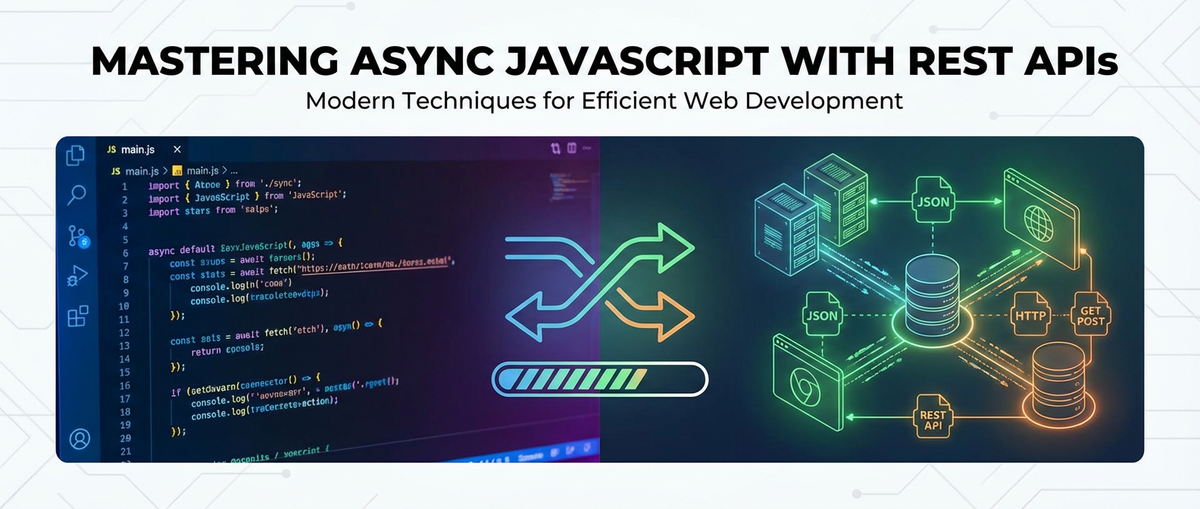


In the intricate tapestry of modern web development, the ability to weave together disparate data sources and services is not merely an advantage; it is an absolute necessity. At the heart of this integration lies the humble yet incredibly powerful concept of the Application Programming Interface, or API. Specifically, Representational State Transfer (REST) APIs have emerged as the de facto standard for building scalable, stateless web services that allow different software systems to communicate seamlessly over HTTP. However, the nature of network requests—inherently slow and unpredictable—introduces a critical challenge: how do we prevent our applications from freezing, becoming unresponsive, or delivering a subpar user experience while waiting for data? This is where asynchronous JavaScript steps onto the stage, transforming potentially blocking operations into non-blocking, fluid interactions that keep the user interface alive and dynamic.
The journey to building truly responsive and high-performance web applications, therefore, inextricably links the consumption of REST APIs with a profound understanding of asynchronous programming paradigms in JavaScript. From the foundational callback functions that first enabled non-blocking operations, through the more structured and elegant Promises, to the remarkably readable and maintainable async/await syntax, JavaScript has continuously evolved to empower developers with increasingly sophisticated tools for managing concurrent tasks. Beyond merely fetching data, mastering these asynchronous patterns involves a holistic approach to error handling, optimizing performance, enhancing user experience through visual feedback, and effectively managing the state derived from external data sources.
As the complexity of web applications escalates, often relying on dozens or even hundreds of interconnected services, the efficient management and governance of these APIs become as crucial as their client-side consumption. The proliferation of microservices, each exposing its own API, necessitates robust solutions for routing, security, monitoring, and versioning. This is where concepts like an API gateway and adherence to standards such as OpenAPI truly shine, providing a layer of abstraction and control that simplifies the developer experience and fortifies the system's overall integrity. This comprehensive guide will embark on a deep dive, exploring the nuances of asynchronous JavaScript, dissecting the anatomy of REST API interactions, uncovering advanced patterns for robust consumption, and finally, examining the broader landscape of API management that underpins scalable application development. By the end, readers will possess the knowledge and practical insights to architect sophisticated web applications that are not only performant and resilient but also a pleasure for users to interact with.
Part 1: The Foundations of Asynchronous JavaScript
Modern web applications, with their rich interactive interfaces and real-time data needs, fundamentally rely on the ability to perform operations without halting the entire user experience. This requirement brings us face-to-face with the paradigm of asynchronous programming, a cornerstone of effective JavaScript development. Before delving into how we interact with REST APIs, it is imperative to establish a strong understanding of why asynchronous operations are essential and how JavaScript handles them.
The Synchronous World's Limitations: A Blocking Bottleneck
Imagine a chef working in a small kitchen. In a synchronous world, this chef can only perform one task at a time. If a customer orders a complex dish that requires simmering for an hour, the chef must stand by the pot, stirring occasionally, and cannot start any other order or even chop vegetables until that dish is entirely complete. Any new customer arriving during this hour would have to wait, their order completely unacknowledged, until the first dish is served.
This analogy perfectly illustrates the inherent limitation of synchronous JavaScript execution in a single-threaded environment, which is how JavaScript primarily operates in the browser. When the browser's JavaScript engine encounters a synchronous operation, it executes it immediately and waits for its completion before moving on to the next line of code. If this operation is time-consuming—such as a complex calculation, a file read, or crucially, a network request to an api—the entire execution thread becomes blocked. The browser's rendering engine, which often shares this same thread, freezes. Users experience an unresponsive interface: buttons don't click, animations halt, and the screen might even grey out, signaling a frustrating "not responding" state. This blocking behavior is catastrophic for user experience, making applications feel sluggish, broken, and unreliable. It's akin to the chef completely ignoring new customers while meticulously focusing on a single, long-cooking meal.
Introducing Asynchronicity: The Art of Non-Blocking Execution
To overcome the tyranny of blocking operations, JavaScript embraces asynchronicity. Asynchronous operations are tasks that are initiated immediately but completed at some point in the future, without blocking the main thread of execution. Think of it like our chef now having an assistant or a sophisticated timer. When a long-cooking dish is ordered, the chef prepares it, puts it on a timer, and then immediately moves on to preparing other dishes or taking new orders. When the timer for the long-cooking dish goes off, the chef (or assistant) attends to it, finishing it up without having wasted precious time waiting idly.
In JavaScript, this concept allows tasks like fetching data from a REST api, reading files, or handling user input to run in the background. While these operations are pending, the main thread remains free to execute other JavaScript code, update the UI, respond to user interactions, and keep the application feeling fluid and responsive. This fundamental shift from a rigid, sequential execution model to one that allows for concurrent and non-blocking tasks is what enables the rich, interactive experiences we expect from modern web applications. Understanding how JavaScript achieves this, through mechanisms like the event loop, callback queue, and web APIs, is crucial for truly mastering its power in conjunction with external data sources. The evolution of asynchronous patterns in JavaScript reflects a continuous effort to make this non-blocking behavior easier to write, read, and manage, ensuring that developers can focus on application logic rather than wrestling with complex concurrency issues.
Callback Functions: The Early Days of Non-Blocking JavaScript
Before the advent of Promises and async/await, callback functions were the primary mechanism for handling asynchronous operations in JavaScript. A callback function is simply a function that is passed as an argument to another function, and it is intended to be executed at a later time, typically once an asynchronous operation has completed. This pattern allowed developers to specify what should happen after a long-running task, without explicitly waiting for it.
How Callbacks Work: When you initiate an asynchronous task, you provide a callback function. The initiating function performs its work (e.g., fetching data from an api), and when that work is done, it "calls back" the provided function, often passing the result of the operation or any errors encountered as arguments. This means the main execution flow doesn't pause; instead, it delegates the "what to do next" instruction to the callback.
Example with setTimeout (a common async browser API):
console.log("Start of script");

function fetchData(callback) {
    console.log("Fetching data...");
    setTimeout(() => {
        const data = { message: "Data fetched successfully!" };
        callback(null, data); // Call the callback with potential error (null) and data
    }, 2000); // Simulate network delay of 2 seconds
}

function processData(error, data) {
    if (error) {
        console.error("Error fetching data:", error);
    } else {
        console.log("Processing data:", data.message);
    }
}

fetchData(processData);

console.log("End of script (continues without waiting for fetch)");
In this example, fetchData simulates an api call. When fetchData(processData) is invoked, fetchData immediately returns, allowing console.log("End of script...") to execute. After 2 seconds, processData is called with the fetched data. This demonstrates non-blocking behavior.
Pros of Callbacks: 1. Simplicity for Single Asynchronous Operations: For a single, isolated asynchronous task, callbacks are straightforward and easy to understand. They directly answer the question: "What should I do after this task is finished?" 2. Ubiquitous in Older JavaScript APIs: Many older browser APIs (like XMLHttpRequest) and Node.js modules were built heavily around the callback pattern, making it a fundamental part of the JavaScript ecosystem for a long time.
Cons: The Infamous "Callback Hell" and Other Pitfalls: While effective for simple cases, callbacks quickly become unwieldy when dealing with sequences of asynchronous operations that depend on each other. This leads to several significant challenges:
- Callback Hell (or Pyramid of Doom): When you have multiple nested asynchronous calls, each depending on the previous one's result, the code indents deeper and deeper, forming a pyramid shape. This makes the code extremely difficult to read, understand, and maintain.
javascript fetchUser(userId, function(error, user) { if (error) { /* handle error */ return; } fetchUserPosts(user.id, function(error, posts) { if (error) { /* handle error */ return; } fetchCommentsForPosts(posts, function(error, comments) { if (error) { /* handle error */ return; } renderPage(user, posts, comments); }); }); });Imagine the complexity of adding more steps or error handling at each level. - Inversion of Control: When you pass a callback to another function, you give up control over when and how that callback is executed. You rely on the called function to invoke your callback correctly, precisely once, and with the right arguments. If the called function is buggy or malicious, it could call your callback multiple times, never at all, or with incorrect data, leading to unpredictable behavior. This makes testing and debugging more challenging.
- Error Handling Complexities: Managing errors across multiple nested callbacks can be a nightmare. Each asynchronous step might require its own error check, leading to repetitive and verbose error handling logic. A forgotten error check in one callback could propagate silent failures or crash the application. Traditional
try...catchblocks do not work directly across asynchronous calls because the callback executes on a different turn of the event loop. - Race Conditions: In complex scenarios with multiple independent asynchronous operations, determining the order of execution and handling potential race conditions (where the outcome depends on the non-deterministic sequence of events) becomes incredibly difficult to manage with callbacks alone.
These limitations highlighted the need for a more structured and robust approach to asynchronous programming, paving the way for the evolution of Promises.
Promises: A Structured Approach to Asynchronicity
Promises emerged as a fundamental improvement over callbacks, providing a more structured and predictable way to handle asynchronous operations. A Promise is essentially an object representing the eventual completion (or failure) of an asynchronous operation and its resulting value. Instead of immediately returning the final value, an asynchronous function returns a Promise object, which acts as a placeholder for the future result.
The States of a Promise: A Promise object can be in one of three mutually exclusive states:
- Pending: The initial state. The asynchronous operation has not yet completed. The Promise is neither fulfilled nor rejected.
- Fulfilled (or Resolved): The operation completed successfully, and the Promise now has a resulting value.
- Rejected: The operation failed, and the Promise now has a reason (an error object) for the failure.
Once a Promise is fulfilled or rejected, it is considered settled. A settled Promise cannot change its state again; it is immutable. This immutability is a key feature that makes Promises more reliable than callbacks.
Creating a Promise: You typically create a Promise using the new Promise() constructor, which takes an "executor" function as an argument. The executor function itself takes two arguments: resolve and reject, both of which are functions.
function simulatedApiCall(shouldSucceed = true) {
    return new Promise((resolve, reject) => {
        setTimeout(() => {
            if (shouldSucceed) {
                const data = { id: 1, name: "Alice", status: "active" };
                resolve(data); // Operation succeeded, fulfill the Promise
            } else {
                const error = new Error("Failed to fetch user data.");
                reject(error); // Operation failed, reject the Promise
            }
        }, 1500);
    });
}
Consuming Promises: .then(), .catch(), and .finally(): Once you have a Promise, you can register callback functions to handle its eventual fulfillment or rejection using the .then(), .catch(), and .finally() methods.
.then(onFulfilled, onRejected):```javascript simulatedApiCall(true) .then(userData => { console.log("User data received:", userData); return userData.name; // Return value for chaining }) .then(userName => { console.log("User name extracted:", userName); }) .catch(error => { console.error("An error occurred during API call:", error.message); });simulatedApiCall(false) // This will trigger the catch block .then(userData => { console.log("This will not be logged for failure."); }) .catch(error => { console.error("Failed API call caught:", error.message); }); ```onFulfilled: A function called if the Promise is fulfilled. It receives the resolved value.onRejected: (Optional) A function called if the Promise is rejected. It receives the reason for rejection (the error). You can also use.then()with only theonFulfilledhandler, and chain.catch()separately for error handling. This is often preferred for readability.
.catch(onRejected): This is a specialized version of.then(null, onRejected). It's the standard way to handle errors in Promise chains. A.catch()block will handle any rejection that occurs in the preceding.then()calls within the chain.javascript simulatedApiCall(false) .then(data => console.log("Success:", data)) .catch(error => console.error("Caught in catch:", error.message));.finally(onSettled): Thefinally()method schedules a function to be executed when the Promise is settled (either fulfilled or rejected). It's useful for cleanup tasks, such as hiding a loading spinner, regardless of the operation's outcome. Thefinallycallback does not receive any arguments.javascript console.log("Initiating API call..."); simulatedApiCall(true) .then(data => console.log("Operation successful:", data)) .catch(error => console.error("Operation failed:", error.message)) .finally(() => { console.log("API call completed (whether success or failure). Hiding loading spinner."); });
Chaining Promises for Sequential Operations: One of the most powerful features of Promises is their ability to be chained. When an onFulfilled handler in a .then() method returns a value, that value is automatically wrapped in a new Promise and passed to the next .then() in the chain. If it returns another Promise, the chain waits for that Promise to settle before proceeding. This elegantly solves callback hell.
function getUser(id) {
    return simulatedApiCall(true); // Returns a Promise
}

function getUserPosts(userId) {
    return new Promise((resolve, reject) => {
        setTimeout(() => {
            if (userId === 1) {
                resolve([{ postId: 101, title: "My First Post" }]);
            } else {
                reject(new Error("No posts found for user."));
            }
        }, 1000);
    });
}

getUser(1)
    .then(user => {
        console.log("User fetched:", user.name);
        return getUserPosts(user.id); // Return another Promise
    })
    .then(posts => {
        console.log("Posts fetched:", posts);
        // More operations can be chained here
    })
    .catch(error => {
        console.error("Error in chain:", error.message);
    });
Handling Multiple Promises Concurrently: Promises provide static methods to manage multiple asynchronous operations in parallel or with specific conditions:
Promise.all(iterable): Takes an array of Promises and returns a new Promise. This new Promise fulfills when all the Promises in the iterable have fulfilled. Its fulfillment value is an array of the fulfillment values, in the same order as the input Promises. If any of the input Promises reject,Promise.allimmediately rejects with the reason of the first rejected Promise.```javascript const p1 = Promise.resolve(3); const p2 = 42; // Non-promise values are treated as immediately resolved Promises const p3 = new Promise((resolve, reject) => { setTimeout(resolve, 100, 'foo'); });Promise.all([p1, p2, p3]) .then(values => { console.log("All values:", values); // [3, 42, "foo"] }) .catch(error => { console.error("One of the promises rejected:", error); });``Promise.all` is ideal when you need all results from a set of independent asynchronous operations to proceed.Promise.race(iterable): Also takes an array of Promises and returns a new Promise. This new Promise settles (fulfills or rejects) as soon as any of the Promises in the iterable settles, with the value or reason from that first settled Promise.```javascript const pSlow = new Promise(resolve => setTimeout(resolve, 500, 'slow')); const pFast = new Promise(resolve => setTimeout(resolve, 100, 'fast'));Promise.race([pSlow, pFast]) .then(value => { console.log("The winner is:", value); // "fast" });``Promise.race` is useful for scenarios where you want to respond to the quickest operation, for example, fetching data from multiple mirrors and taking the first response, or implementing a timeout for an API request.Promise.allSettled(iterable)(ES2020): Returns a Promise that fulfills after all of the given Promises have either fulfilled or rejected. It returns an array of objects, each describing the outcome of an input Promise (either{ status: 'fulfilled', value: result }or{ status: 'rejected', reason: error }). This is invaluable when you want to perform a series of asynchronous operations and collect all their outcomes, regardless of individual success or failure.```javascript const promise1 = Promise.resolve(3); const promise2 = new Promise((resolve, reject) => setTimeout(reject, 100, 'foo')); // Rejects const promise3 = Promise.resolve('bar');Promise.allSettled([promise1, promise2, promise3]) .then(results => { console.log("All results settled:", results); // Example output: // [ // { status: 'fulfilled', value: 3 }, // { status: 'rejected', reason: 'foo' }, // { status: 'fulfilled', value: 'bar' } // ] }); ``` This is perfect for dashboard widgets that load independently, where some might fail but you still want to display the successful ones.Promise.any(iterable)(ES2021): Returns a Promise that fulfills as soon as any of the Promises in the iterable fulfills, with the value of that Promise. If all of the Promises reject, then the returned Promise rejects with anAggregateErrorcontaining an array of all the rejection reasons.```javascript const pError1 = new Promise((resolve, reject) => setTimeout(reject, 500, 'Error 1')); const pError2 = new Promise((resolve, reject) => setTimeout(reject, 1000, 'Error 2')); const pSuccess = new Promise((resolve) => setTimeout(resolve, 200, 'Success from Any!'));Promise.any([pError1, pError2, pSuccess]) .then(value => console.log("First success:", value)) // "Success from Any!" .catch(error => console.error("All rejected:", error.errors)); // Will only hit if all reject``Promise.any` is useful when you need at least one of several competing asynchronous operations to succeed, such as fetching a resource from multiple mirror servers.
Promises provided a significant leap forward in managing asynchronicity, making code more readable, predictable, and easier to debug than nested callbacks. However, the syntax, especially for complex chains, could still feel somewhat verbose, leading to the next evolution: async/await.
Async/Await: Syntactic Sugar for Promises
async/await is a powerful syntactic feature introduced in ECMAScript 2017 (ES8) that makes working with Promises even more straightforward and readable. It allows you to write asynchronous code that looks and behaves much like synchronous code, while still maintaining the non-blocking nature that Promises provide. It is, at its core, syntactic sugar built on top of Promises, not a replacement for them.
How async Functions Work: An async function is a function declared with the async keyword. It implicitly returns a Promise. The value returned from an async function will be the fulfillment value of that Promise, or if an error is thrown inside the async function, the Promise will be rejected with that error.
async function greet() {
    return "Hello, Async!"; // This is wrapped in Promise.resolve("Hello, Async!")
}

greet().then(message => console.log(message)); // Output: Hello, Async!

async function throwError() {
    throw new Error("Something went wrong in async!"); // This rejects the Promise
}

throwError().catch(error => console.error(error.message)); // Output: Something went wrong in async!
How await Pauses Execution: The await keyword can only be used inside an async function. When await is placed before a Promise, it pauses the execution of the async function until that Promise settles (either fulfills or rejects). * If the Promise fulfills, await returns the fulfilled value. * If the Promise rejects, await throws an error, which can then be caught by a try...catch block.
This pause is non-blocking to the main thread. The async function itself is paused, but the JavaScript runtime continues executing other tasks in the event loop.
Example: Simplifying an Asynchronous Sequence with async/await Let's revisit the getUser and getUserPosts example from the Promises section:
// Assume simulatedApiCall, getUser, and getUserPosts are defined as before,
// but now they return Promises (which async functions inherently do).

async function fetchAndRenderUserData(userId) {
    console.log("Starting data fetch...");
    try {
        const user = await getUser(userId); // Pause until getUser Promise resolves
        console.log("User fetched:", user.name);

        const posts = await getUserPosts(user.id); // Pause until getUserPosts Promise resolves
        console.log("Posts fetched:", posts);

        // Imagine rendering logic here
        console.log("Rendering complete with user and posts data.");
        return { user, posts };
    } catch (error) {
        console.error("An error occurred during fetchAndRenderUserData:", error.message);
        // Handle UI feedback for error, e.g., display error message
        throw error; // Re-throw to propagate the error if needed
    } finally {
        console.log("Fetch operation finished (success or failure).");
        // Hide loading indicator
    }
}

// Call the async function
fetchAndRenderUserData(1)
    .then(data => {
        if (data) {
            console.log("Successfully retrieved user and posts.");
        }
    })
    .catch(() => console.log("Fetch operation failed or was re-thrown."));

// Example with failure:
// fetchAndRenderUserData(99) // Assuming user 99 will cause an error
//     .catch(() => console.log("Handled fetch operation failure."));
In this async function, the code reads almost like synchronous code, making the flow of execution much easier to follow than deeply nested .then() chains. The try...catch block provides a familiar and intuitive way to handle errors that occur during any of the awaited Promise rejections. The finally block also works just as expected, executing regardless of success or failure.
Comparing async/await to Raw Promises:
| Feature | Promises (.then()/.catch()) |
async/await (Built on Promises) |
|---|---|---|
| Readability | Can become complex with deep chaining, requires understanding of callback flow. | Reads like synchronous code, linear execution flow. Easier to follow. |
| Error Handling | Requires .catch() at appropriate points in the chain. Errors propagate down. |
Uses standard try...catch blocks, familiar to synchronous error handling. |
| Debugging | Stack traces can be less intuitive; errors might not point directly to the problematic then block. |
Debugging is closer to synchronous code, making stack traces clearer and breakpoints more effective. |
| Chaining Logic | Explicit chaining of .then() and returns. |
Implicit chaining through await statements. |
| Boilerplate | Can be more verbose with .then() and explicit Promise creation. |
Reduces boilerplate, especially for sequential asynchronous tasks. |
| Parallel Execution | Requires Promise.all(), Promise.race(), etc., for concurrent tasks. |
Still relies on Promise.all() for true parallel execution, but await for sequential. |
Pitfalls and Best Practices with async/await:
- Don't
awaiteverything sequentially if it can run in parallel: A common mistake is toawaitindependent Promises sequentially when they could run in parallel. This unnecessarily prolongs the total execution time.```javascript // BAD: Sequential execution for independent calls async function fetchDataSequentially() { const users = await fetch('/api/users'); // Waits for users const products = await fetch('/api/products'); // Then waits for products // Total time = time(users) + time(products) }// GOOD: Parallel execution using Promise.all() async function fetchDataInParallel() { const [usersResponse, productsResponse] = await Promise.all([ fetch('/api/users'), fetch('/api/products') ]); const users = await usersResponse.json(); const products = await productsResponse.json(); // Total time = max(time(users), time(products)) } ``` - Always handle errors with
try...catch: An unhandled rejected Promise within anasyncfunction will cause the Promise returned by theasyncfunction itself to reject, potentially leading to an unhandled promise rejection error in the global scope if not caught. awaitcan only be used insideasyncfunctions: You cannot useawaitat the top level of a module outside anasyncfunction (without specific environments supporting top-level await). If you need to useawaitat the top level, you'd typically wrap it in an immediately invokedasyncfunction expression (IIAFE) or ensure your environment supports top-level await (e.g., in ES modules in Node.js or modern browsers).javascript // (async () => { // await somePromise(); // })();
async/await significantly improves the readability and maintainability of asynchronous code, making it the preferred syntax for modern JavaScript applications. It elegantly bridges the gap between the perceived simplicity of synchronous code and the complex realities of non-blocking execution, especially when interacting with external resources like REST APIs.
Part 2: Interacting with REST APIs
Having established a solid foundation in asynchronous JavaScript, we can now pivot our focus to the practical application of these concepts: interacting with REST APIs. REST (Representational State Transfer) has become the architectural style of choice for building web services, offering a simple, stateless approach to communication between client and server.
Understanding RESTful Principles
REST is not a protocol but an architectural style that defines a set of constraints for how web services communicate. Adhering to these principles results in web services that are lightweight, scalable, and maintainable.
- Client-Server Architecture: REST separates the user interface (client) from the data storage (server). This separation of concerns means that clients and servers can evolve independently, without one affecting the other. The client is responsible for the user interface and user experience, while the server handles data and business logic.
- Statelessness: Each request from a client to the server must contain all the information necessary to understand the request. The server should not store any client context between requests. This means the server treats each request as independent, improving scalability and reliability, as any server can handle any request. Client sessions are managed on the client side.
- Cacheability: Responses from the server can be designated as cacheable or non-cacheable. Clients can cache responses to improve performance and reduce server load, provided the server explicitly allows it (e.g., via HTTP cache-control headers).
- Layered System: A client typically cannot tell whether it's connected directly to the end server or to an intermediary (like a load balancer, proxy, or api gateway). This layered approach allows for greater flexibility and scalability, as components can be added or removed without impacting clients.
- Uniform Interface (Key to REST's Success): This is the most crucial constraint, simplifying the overall system architecture and improving visibility. It mandates four sub-constraints:
- Identification of Resources: Everything that can be addressed is a resource. Resources are identified by Unique Resource Identifiers (URIs), which are typically URLs. For example,
/userscould be a collection of users, and/users/123could be a specific user. - Manipulation of Resources Through Representations: Clients interact with resources by exchanging representations of those resources (e.g., JSON or XML). When a client requests a resource, the server sends a representation of its current state. The client can then modify this representation and send it back to the server to update the resource.
- Self-Descriptive Messages: Each message includes enough information to describe how to process the message. For instance, HTTP headers indicate the content type (e.g.,
application/json), authorization details, and cache directives. - Hypermedia as the Engine of Application State (HATEOAS): The concept that client interactions should be driven by hypermedia controls provided dynamically by the server. Responses should contain links that guide the client on what actions are possible next. While a core REST principle, HATEOAS is often overlooked in practical implementations, leading to "REST-like" or "HTTP API" services rather than pure REST.
- Identification of Resources: Everything that can be addressed is a resource. Resources are identified by Unique Resource Identifiers (URIs), which are typically URLs. For example,
Resources and URIs: In REST, data is organized into resources. A resource can be anything that can be named, like a user, a product, an order, or a collection of these. Each resource is identified by a Uniform Resource Identifier (URI), which is a string of characters used to identify a resource. In web contexts, URIs are typically URLs (Uniform Resource Locators).
GET /users: Retrieve a list of all users.GET /users/123: Retrieve a specific user with ID 123.POST /users: Create a new user.PUT /users/123: Update user with ID 123 (replace entirely).PATCH /users/123: Partially update user with ID 123.DELETE /users/123: Delete user with ID 123.
HTTP Methods (Verbs): RESTful APIs leverage standard HTTP methods (verbs) to perform operations on resources. These methods are commonly referred to as CRUD operations:
- GET: Retrieve data from the server. (Read) - Idempotent and safe.
- POST: Submit data to the server, typically creating a new resource. (Create) - Not idempotent, not safe.
- PUT: Update an existing resource or create a new one if it doesn't exist, replacing the entire resource with the new data. (Update/Replace) - Idempotent, not safe.
- PATCH: Partially update an existing resource. (Partial Update) - Not idempotent, not safe.
- DELETE: Remove a specified resource. (Delete) - Idempotent, not safe.
HTTP Status Codes: The server communicates the outcome of a request using standard HTTP status codes:
- 2xx (Success):
200 OK: General success.201 Created: Resource successfully created (typically for POST).204 No Content: Request processed successfully, but no content is returned (e.g., for DELETE).
- 3xx (Redirection):
301 Moved Permanently: Resource has permanently moved.
- 4xx (Client Error):
400 Bad Request: Client sent an invalid request.401 Unauthorized: Authentication required or failed.403 Forbidden: Client does not have permission to access the resource.404 Not Found: Resource does not exist.405 Method Not Allowed: HTTP method used is not supported for the resource.409 Conflict: Request conflicts with the current state of the server.429 Too Many Requests: Client has sent too many requests in a given amount of time (rate limiting).
- 5xx (Server Error):
500 Internal Server Error: Generic server-side error.502 Bad Gateway: Server acting as a gateway received an invalid response.503 Service Unavailable: Server is temporarily unable to handle the request.
Understanding these principles is crucial for effectively designing, implementing, and consuming RESTful services, ensuring that interactions are predictable and robust.
Making HTTP Requests in JavaScript
With a grasp of REST fundamentals, the next step is to understand how JavaScript applications actually send and receive data from these services. Historically, the XMLHttpRequest object was the go-to, but modern JavaScript offers more streamlined alternatives.
XMLHttpRequest (XHR): The Original Workhorse (Brief Mention)
XMLHttpRequest (XHR) was the pioneering api that enabled web pages to make asynchronous HTTP requests without requiring a full page refresh. It was instrumental in the development of "Ajax" (Asynchronous JavaScript and XML) applications, paving the way for more dynamic web experiences. However, its callback-based api is notoriously verbose and cumbersome, especially for complex sequences of requests, often contributing to "callback hell." While still available and functional, it has largely been superseded by more modern and developer-friendly alternatives.
Fetch API: The Modern Standard
The Fetch API provides a modern, Promise-based interface for making network requests. It offers a more powerful and flexible feature set than XHR and integrates seamlessly with async/await. Fetch is a global method, fetch(), available in all modern browsers and Node.js (since v17.5 via built-in fetch or earlier via polyfills/packages).
Basic Usage of fetch(): The fetch() function takes one mandatory argument: the URL of the resource to fetch. It returns a Promise that resolves to the Response object, not directly to the JSON data.
fetch('https://api.example.com/data')
    .then(response => {
        // Check if the request was successful (HTTP status code 2xx)
        if (!response.ok) {
            // Throw an error for non-2xx status codes
            throw new Error(`HTTP error! status: ${response.status}`);
        }
        // Parse the JSON body of the response
        return response.json();
    })
    .then(data => {
        console.log('Fetched data:', data);
    })
    .catch(error => {
        // Handle network errors or errors thrown in the .then() block
        console.error('There was a problem with the fetch operation:', error);
    });
Request Options (Method, Headers, Body): The fetch() function can take an optional second argument: an init object, which allows you to configure various aspects of the request, such as the HTTP method, headers, and request body.
async function postData(url = '', data = {}) {
    const response = await fetch(url, {
        method: 'POST', // *GET, POST, PUT, DELETE, etc.
        headers: {
            'Content-Type': 'application/json',
            'Authorization': 'Bearer YOUR_TOKEN_HERE' // Example for authentication
        },
        // body data type must match "Content-Type" header
        body: JSON.stringify(data) // body for POST/PUT requests
    });

    if (!response.ok) {
        throw new Error(`HTTP error! status: ${response.status}`);
    }
    return await response.json(); // Parses JSON response body
}

// Example usage:
postData('https://api.example.com/users', { name: 'John Doe', job: 'Developer' })
    .then(data => {
        console.log('Successfully created user:', data);
    })
    .catch(error => {
        console.error('Failed to create user:', error);
    });
Handling JSON Responses (.json()): The Response object returned by fetch has several methods for extracting the response body, such as json(), text(), blob(), formData(), and arrayBuffer(). Crucially, response.json() itself returns a Promise that resolves with the parsed JSON data. This is why you often see .then(response => response.json()) chained in fetch requests.
Error Handling with fetch: A significant point of confusion with fetch is its error handling. The fetch Promise only rejects for network errors (e.g., no internet connection, DNS resolution failure) or if there's an issue with the request itself (e.g., malformed URL). It does not reject for HTTP error status codes (like 404 Not Found or 500 Internal Server Error). For these, the response.ok property (a boolean indicating if the HTTP status code is in the 200-299 range) must be manually checked.
async function fetchUser(userId) {
    const response = await fetch(`https://api.example.com/users/${userId}`);

    if (!response.ok) { // Check for non-2xx status codes
        const errorData = await response.json().catch(() => ({})); // Attempt to parse error body
        throw new Error(`Failed to fetch user ${userId}: ${response.status} ${response.statusText}. Details: ${JSON.stringify(errorData)}`);
    }

    return await response.json();
}

fetchUser(1)
    .then(user => console.log('User 1:', user))
    .catch(error => console.error(error.message));

fetchUser(999) // Assume 999 is a non-existent user, leading to a 404
    .then(user => console.log('User 999:', user))
    .catch(error => console.error(error.message));
AbortController for Cancelling Requests: In single-page applications, users might navigate away from a component while a fetch request is still pending. Continuing to process the response might lead to errors or wasted resources. AbortController provides a way to cancel a fetch request.
const controller = new AbortController();
const signal = controller.signal;

async function fetchWithCancellation(url) {
    try {
        const response = await fetch(url, { signal });
        if (!response.ok) throw new Error(`HTTP error! status: ${response.status}`);
        return await response.json();
    } catch (error) {
        if (error.name === 'AbortError') {
            console.log('Fetch aborted by user or timeout.');
        } else {
            console.error('Fetch error:', error);
        }
        throw error;
    }
}

// Initiate the fetch
const userPromise = fetchWithCancellation('https://api.example.com/long-running-data');

// Sometime later, if needed, abort the request
// controller.abort(); // Uncomment to test cancellation

userPromise
    .then(data => console.log('Data received (if not aborted):', data))
    .catch(error => console.log('Promise caught an error or abort.', error.message));

// Example for timeout
setTimeout(() => {
    controller.abort();
}, 500); // Abort after 0.5 seconds if not resolved
This pattern is critical for improving application responsiveness and preventing memory leaks or unwanted side effects from stale requests, especially in reactive frameworks.
Axios (Third-Party Library): A Popular Alternative
While Fetch API is native and robust, many developers prefer using the Axios library for making HTTP requests. Axios is a Promise-based HTTP client for the browser and Node.js that offers a more streamlined developer experience and additional features not natively available with fetch.
Why Use Axios? Developers often choose Axios for several reasons:
- Automatic JSON Transformation: Axios automatically transforms JSON data in requests and responses, so you don't need to call
JSON.stringify()on your request body orresponse.json()on the response. - Better Error Handling: Axios rejects its Promise for any response outside the 2xx status code range, simplifying error handling compared to
fetch. It also provides more detailed error objects. - Interceptors: Axios allows you to intercept requests or responses before they are handled by
thenorcatch. This is incredibly powerful for tasks like adding authentication tokens, logging requests, or handling global error conditions. - Cancellation Support: Axios has built-in cancellation support (though now also available in Fetch via
AbortController). - XSRF Protection: Client-side XSRF protection.
- Progress Tracking: For uploads/downloads.
- Legacy Browser Support: Can be used in older browsers via polyfills.
Installation:
npm install axios
# or
yarn add axios
Basic Usage:
import axios from 'axios';

async function fetchWithAxios(url) {
    try {
        const response = await axios.get(url); // GET request
        console.log('Axios GET data:', response.data); // Data is directly in response.data
        return response.data;
    } catch (error) {
        if (axios.isAxiosError(error)) {
            // This is an Axios-specific error
            console.error('Axios error details:', error.response?.status, error.response?.data);
            throw new Error(`Axios request failed: ${error.message}`);
        } else {
            // General JavaScript error
            console.error('Non-Axios error:', error);
            throw error;
        }
    }
}

async function postWithAxios(url, payload) {
    try {
        const response = await axios.post(url, payload, {
            headers: {
                'Content-Type': 'application/json',
                'X-Custom-Header': 'foobar'
            }
        });
        console.log('Axios POST data:', response.data);
        return response.data;
    } catch (error) {
        if (axios.isAxiosError(error)) {
            console.error('Axios POST error:', error.response?.status, error.response?.data);
            throw new Error(`Axios POST request failed: ${error.message}`);
        }
        throw error;
    }
}

fetchWithAxios('https://api.example.com/posts/1');
postWithAxios('https://api.example.com/posts', { title: 'Axios Post', body: 'This is a test.', userId: 1 });
Configuration: You can create an Axios instance with a base URL and default headers, which is very useful for multiple requests to the same api.
import axios from 'axios';

const api = axios.create({
    baseURL: 'https://api.example.com',
    timeout: 10000, // 10 seconds
    headers: {
        'Accept': 'application/json',
        'X-Requested-With': 'XMLHttpRequest'
    }
});

async function getUserAxios(userId) {
    try {
        const response = await api.get(`/users/${userId}`);
        return response.data;
    } catch (error) {
        console.error("Error fetching user with configured instance:", error.message);
        throw error;
    }
}

getUserAxios(2).then(user => console.log("Configured Axios User:", user));
Interceptors: Interceptors allow you to run code before requests are sent or before responses are handled.
// Request interceptor: Add authorization token to every request
api.interceptors.request.use(config => {
    const token = localStorage.getItem('authToken');
    if (token) {
        config.headers.Authorization = `Bearer ${token}`;
    }
    console.log('Request sent:', config.method, config.url);
    return config;
}, error => {
    return Promise.reject(error);
});

// Response interceptor: Handle global errors or refresh tokens
api.interceptors.response.use(response => {
    console.log('Response received:', response.status, response.config.url);
    return response;
}, error => {
    if (error.response?.status === 401) {
        console.error('Unauthorized! Redirecting to login...');
        // Example: Redirect to login page or refresh token
        // window.location.href = '/login';
    }
    return Promise.reject(error);
});
Interceptors significantly simplify common tasks like authentication and error handling, making Axios a powerful tool for complex applications.
Integrating Async/Await with Fetch/Axios for REST API Calls
The true power of async/await comes to life when combined with Fetch or Axios for making REST API calls. This combination provides the most readable, maintainable, and robust way to interact with web services in modern JavaScript.
Structuring API Client Modules: For larger applications, it's best practice to encapsulate your api interaction logic into dedicated modules or service files. This keeps your components clean, promotes reusability, and makes api logic easier to test and maintain.
Let's create a simple API client using Axios and async/await:
// api.js
import axios from 'axios';

const API_BASE_URL = 'https://jsonplaceholder.typicode.com'; // A public test API

const apiClient = axios.create({
    baseURL: API_BASE_URL,
    headers: {
        'Content-Type': 'application/json',
        'Accept': 'application/json',
    },
});

// Request interceptor: Log outgoing requests
apiClient.interceptors.request.use(config => {
    console.log(`[API Request] ${config.method.toUpperCase()} ${config.url}`);
    return config;
}, error => {
    console.error(`[API Request Error]`, error);
    return Promise.reject(error);
});

// Response interceptor: Log and handle common errors
apiClient.interceptors.response.use(response => {
    console.log(`[API Response] ${response.status} ${response.config.url}`);
    return response;
}, error => {
    if (axios.isAxiosError(error)) {
        const { response } = error;
        if (response) {
            console.error(`[API Error] Status: ${response.status}, Message: ${response.data.message || response.statusText}`);
            // Global error handling, e.g., display a toast notification
            // toast.error(`Operation failed: ${response.data.message || response.statusText}`);
            if (response.status === 401) {
                // Handle unauthorized, e.g., redirect to login
                // window.location.href = '/login';
            }
        } else if (error.request) {
            // The request was made but no response was received
            console.error('[API Network Error] No response received:', error.message);
            // toast.error('Network error. Please check your internet connection.');
        } else {
            // Something happened in setting up the request that triggered an Error
            console.error('[API Request Setup Error]', error.message);
            // toast.error('An unexpected error occurred during API request setup.');
        }
    } else {
        console.error('[API Unknown Error]', error);
        // toast.error('An unknown error occurred.');
    }
    return Promise.reject(error);
});

// CRUD operations using async/await
export const postsService = {
    getAllPosts: async () => {
        const response = await apiClient.get('/posts');
        return response.data;
    },

    getPostById: async (id) => {
        const response = await apiClient.get(`/posts/${id}`);
        return response.data;
    },

    createPost: async (postData) => {
        const response = await apiClient.post('/posts', postData);
        return response.data;
    },

    updatePost: async (id, postData) => {
        const response = await apiClient.put(`/posts/${id}`, postData);
        return response.data;
    },

    deletePost: async (id) => {
        const response = await apiClient.delete(`/posts/${id}`);
        // For delete, you might not get data back, just a status.
        return response.status === 200 || response.status === 204;
    },
};

// You can export other services similarly
export const usersService = {
    getAllUsers: async () => {
        const response = await apiClient.get('/users');
        return response.data;
    },
    getUserById: async (id) => {
        const response = await apiClient.get(`/users/${id}`);
        return response.data;
    }
};
Consuming the API Client in Your Application:
// main.js (or a React/Vue component, etc.)
import { postsService, usersService } from './api';

async function fetchAndDisplayData() {
    try {
        console.log("Fetching all posts...");
        const allPosts = await postsService.getAllPosts();
        console.log("All Posts:", allPosts.slice(0, 5)); // Log first 5 posts

        console.log("\nFetching a specific post (ID 1)...");
        const singlePost = await postsService.getPostById(1);
        console.log("Single Post (ID 1):", singlePost);

        console.log("\nCreating a new post...");
        const newPost = await postsService.createPost({
            title: 'My Async Await Post',
            body: 'This is the body of my new post.',
            userId: 1,
        });
        console.log("New Post Created:", newPost);

        console.log("\nUpdating an existing post (ID 1)...");
        const updatedPost = await postsService.updatePost(1, {
            id: 1, // API might require ID in body for PUT
            title: 'Updated Async Await Post',
            body: 'This post has been updated.',
            userId: 1,
        });
        console.log("Post Updated (ID 1):", updatedPost);

        // console.log("\nDeleting a post (ID 1)...");
        // const isDeleted = await postsService.deletePost(1);
        // if (isDeleted) {
        //     console.log("Post 1 deleted successfully.");
        // } else {
        //     console.log("Failed to delete post 1.");
        // }

        console.log("\nFetching all users...");
        const allUsers = await usersService.getAllUsers();
        console.log("All Users:", allUsers.slice(0, 3)); // Log first 3 users

    } catch (error) {
        console.error("Caught error in fetchAndDisplayData:", error.message);
        // Display user-friendly error message in UI
    }
}

fetchAndDisplayData();
This structure makes API interactions clean, readable, and highly maintainable. The async/await syntax removes the complexity of nested callbacks or explicit .then() chaining, allowing developers to focus on the business logic rather than the mechanics of asynchronous operations. Interceptors provide a robust mechanism for centralizing common concerns like authentication, logging, and error handling, making the client code even leaner and more focused.
APIPark is a high-performance AI gateway that allows you to securely access the most comprehensive LLM APIs globally on the APIPark platform, including OpenAI, Anthropic, Mistral, Llama2, Google Gemini, and more.Try APIPark now! 👇👇👇
Part 3: Advanced Patterns and Best Practices for Async API Consumption
Mastering asynchronous JavaScript and REST API interaction goes beyond merely sending and receiving data. To build truly performant, resilient, and user-friendly applications, developers must employ advanced patterns and adhere to best practices that address common challenges like excessive requests, data consistency, error resilience, and user feedback.
Debouncing and Throttling API Calls
One of the most common performance pitfalls in web applications arises from making too many API requests in rapid succession, often triggered by user input events. Debouncing and throttling are two distinct but related techniques used to control the rate at which a function is executed.
- Debouncing: Debouncing ensures that a function is not called until a certain amount of time has passed since the last time it was invoked. It's ideal for scenarios where you want to execute an action only once the user has finished performing an action, such as typing in a search bar or resizing a window. If the function is called again within the specified delay, the timer is reset, and the previous pending execution is canceled.Use Case: Search input fields. You don't want to send an API request to a search endpoint for every single keystroke. Instead, you want to send a request only after the user has paused typing for a short duration (e.g., 300ms).```javascript function debounce(func, delay) { let timeout; return function(...args) { const context = this; clearTimeout(timeout); timeout = setTimeout(() => func.apply(context, args), delay); }; }const searchApi = async (query) => { if (!query.trim()) { console.log("Search query is empty, not calling API."); return; } console.log(
Searching for: ${query}... (API call)); try { // Simulate API call const response = await new Promise(resolve => setTimeout(() => resolve(Results for "${query}"), 500)); console.log(response); } catch (error) { console.error("Search API error:", error); } };const debouncedSearch = debounce(searchApi, 500); // Wait 500ms after last keystroke// Example usage: // Imagine this is called on every 'input' event from a search box // debouncedSearch('a'); // Start timer // debouncedSearch('ap'); // Reset timer // debouncedSearch('api'); // Reset timer // (Wait 500ms) // Output: "Searching for: api... (API call)", "Results for "api"" ``` - Throttling: Throttling ensures that a function is called at most once within a specified period, regardless of how many times it's triggered. If the function is called multiple times within the delay, all but the first (or last, depending on implementation) invocation are ignored.Use Case: Scroll events, window resize events. For these, you might want to perform an action (e.g., update layout, lazy load images) only a few times per second, not hundreds of times per second.```javascript function throttle(func, delay) { let inThrottle; let lastFn; let lastTime; return function(...args) { const context = this; if (!inThrottle) { func.apply(context, args); lastTime = Date.now(); inThrottle = true; } else { clearTimeout(lastFn); lastFn = setTimeout(() => { if (Date.now() - lastTime >= delay) { func.apply(context, args); lastTime = Date.now(); } }, Math.max(delay - (Date.now() - lastTime), 0)); } }; }const expensiveScrollHandler = (e) => { console.log(
Scrolling... (API call or heavy DOM manipulation): ${window.scrollY}); // Simulate an API call to log scroll position // This could be an API call to track user behavior, but it should be throttled };const throttledScroll = throttle(expensiveScrollHandler, 200); // Max once every 200ms// Example usage: // window.addEventListener('scroll', throttledScroll); ```
Both debouncing and throttling are essential tools for optimizing performance and preventing excessive API calls, leading to a smoother user experience and reduced load on backend servers.
Caching API Responses
Caching is a critical strategy to improve application performance, reduce network traffic, and enhance responsiveness by storing copies of data so that future requests for that data can be served faster.
- Client-Side Caching Strategies:
- In-Memory Caching: Storing API responses directly in JavaScript variables or object maps. This is the fastest form of caching but data is lost on page refresh. Ideal for data that is frequently accessed and doesn't change often within a single user session. Libraries like
react-queryorSWRmanage this elegantly. localStorage/sessionStorage: Persistent storage mechanisms available in the browser.localStoragepersists data across browser sessions, whilesessionStorageclears data when the browser tab is closed. Suitable for non-sensitive data that needs to persist beyond a single page load.``javascript async function getCachedData(key, fetcher) { const cached = localStorage.getItem(key); if (cached) { const { data, timestamp } = JSON.parse(cached); // Simple cache invalidation: e.g., cache expires after 5 minutes if (Date.now() - timestamp < 5 * 60 * 1000) { console.log(Returning cached data for ${key}); return data; } } console.log(Fetching fresh data for ${key}`); const freshData = await fetcher(); localStorage.setItem(key, JSON.stringify({ data: freshData, timestamp: Date.now() })); return freshData; }// Usage: // getCachedData('my-user-list', postsService.getAllPosts).then(data => console.log(data));`` * **IndexedDB:** A low-level **api** for client-side storage of large amounts of structured data, including files/blobs. It's more complex thanlocalStorage` but offers powerful querying capabilities and much larger storage limits.
- In-Memory Caching: Storing API responses directly in JavaScript variables or object maps. This is the fastest form of caching but data is lost on page refresh. Ideal for data that is frequently accessed and doesn't change often within a single user session. Libraries like
- HTTP Caching Headers: Servers can use HTTP headers to instruct browsers (and proxy servers) on how to cache responses.
Cache-Control: The most important header. Directives likemax-age=<seconds>,no-cache,no-store,public,privatecontrol caching behavior.max-age: Specifies how long a resource can be cached.no-cache: Forces caches to revalidate with the server before using a cached response.no-store: Caches must not store any part of the client request or server response.
ETag(Entity Tag): A unique identifier for a specific version of a resource. The client can send thisETagback in subsequent requests (If-None-Matchheader). If theETagmatches, the server can respond with304 Not Modified, telling the client to use its cached version, saving bandwidth.Last-Modified/If-Modified-Since: Similar toETagbut based on the last modification timestamp of the resource.
- Service Workers for Offline Capabilities and Caching: Service Workers are programmable proxies between the browser and the network. They can intercept network requests and respond with cached assets, enabling offline experiences and providing advanced caching strategies (e.g., Cache-First, Network-First, Stale-While-Revalidate). This is crucial for Progressive Web Apps (PWAs) that aim to provide a native-app-like experience.```javascript // Example: service-worker.js (simplified) const CACHE_NAME = 'my-app-cache-v1'; const urlsToCache = [ '/', '/index.html', '/styles.css', '/script.js', // Add more critical assets ];self.addEventListener('install', event => { event.waitUntil( caches.open(CACHE_NAME) .then(cache => cache.addAll(urlsToCache)) ); });self.addEventListener('fetch', event => { event.respondWith( caches.match(event.request) .then(response => { // Cache hit - return response if (response) { return response; } // No cache hit - fetch from network return fetch(event.request); }) ); }); ```
Strategic use of caching significantly enhances application speed and user satisfaction, especially for data that changes infrequently.
Error Handling Strategies
Robust error handling is paramount for building reliable applications. When interacting with APIs, various types of errors can occur, from network connectivity issues to server-side bugs or invalid client requests.
- Granular Error Handling:Using
try...catchwithasync/awaitprovides a clean way to handle these:javascript async function fetchDataWithDetailedErrorHandling(url) { try { const response = await fetch(url); if (!response.ok) { const errorBody = await response.json().catch(() => ({})); // Try to parse error details throw new Error(`API Error: ${response.status} ${response.statusText}. Details: ${JSON.stringify(errorBody)}`); } const data = await response.json(); if (data.status === 'error') { // Example for application-specific error throw new Error(`Application Error: ${data.message}`); } return data; } catch (error) { console.error("Caught error:", error.message); // Display user-friendly message based on error type if (error.message.includes("Network Error")) { // Axios specific // toast.error("Could not connect to the server. Please check your internet."); } else if (error.message.includes("401")) { // toast.error("You are not authorized. Please log in."); } else { // toast.error(`An unexpected error occurred: ${error.message}`); } throw error; // Re-throw to propagate for higher-level handling } }- Network Errors: Occur when the client cannot even reach the server (e.g., no internet, DNS issues).
fetchpromises reject for these. Axios catches them aserror.request. - Server Errors (HTTP 5xx): Indicate a problem on the server's side. The server failed to fulfill a valid request.
- Client Errors (HTTP 4xx): Indicate that the client sent an invalid request (e.g., 400 Bad Request, 404 Not Found, 401 Unauthorized, 403 Forbidden). These often require specific UI feedback (e.g., "Invalid input," "Please log in again").
- Application-Specific Errors: Even with a 200 OK status, the API might return an error message within the response body (e.g.,
{ success: false, message: "User not found" }). This requires custom logic to check the response data.
- Network Errors: Occur when the client cannot even reach the server (e.g., no internet, DNS issues).
- Global Error Handlers: For unhandled Promise rejections or uncaught exceptions, you can set up global error handlers to prevent the application from crashing and to log errors for debugging.```javascript window.addEventListener('unhandledrejection', (event) => { console.error('Unhandled Promise Rejection:', event.reason); // Send error to an analytics or error tracking service // Sentry.captureException(event.reason); event.preventDefault(); // Prevent default browser behavior (e.g., logging to console) });window.addEventListener('error', (event) => { console.error('Uncaught Error:', event.error, event.message, event.lineno, event.colno, event.filename); // Sentry.captureException(event.error); event.preventDefault(); });
`` While useful, these should not replace granulartry...catch` blocks for expected asynchronous errors. - Retries with Exponential Backoff: For transient network errors or server issues (e.g., 502, 503, 429), retrying the request can often lead to success. Exponential backoff is a strategy where you wait for progressively longer periods between retries (e.g., 1s, 2s, 4s, 8s) to avoid overwhelming the server and allow it time to recover.
``javascript async function retry(fn, retries = 3, delay = 1000) { try { return await fn(); } catch (error) { if (retries === 0) { throw error; } console.warn(Retrying in ${delay / 1000}s... (${retries} attempts left)`); await new Promise(resolve => setTimeout(resolve, delay)); return retry(fn, retries - 1, delay * 2); // Exponential backoff } }// Usage: // retry(() => apiClient.get('/sometimes-flaky-endpoint'), 5) // .then(data => console.log('Flaky endpoint data:', data)) // .catch(error => console.error('Flaky endpoint failed after retries:', error)); ``` - Circuit Breakers (Concept): A circuit breaker pattern can prevent an application from repeatedly trying to access a failing service, which can worsen the problem. When a service fails repeatedly, the circuit breaker "trips," opening the circuit and failing subsequent calls immediately. After a configured period, it enters a "half-open" state, allowing a limited number of requests to pass through to test if the service has recovered. While more common in backend microservices, the concept can be applied to client-side API calls for resilience.
By implementing these strategies, applications become far more robust and user-friendly, gracefully handling the inevitable failures that occur in distributed systems.
Loading States and User Experience
A crucial aspect of mastering async API consumption is effectively communicating the state of asynchronous operations to the user. Without proper visual feedback, users might perceive the application as slow, unresponsive, or broken.
- Implementing Loading Spinners, Skeletons, and Progress Bars:```javascript // Example in a UI component (pseudocode) const [isLoading, setIsLoading] = useState(false); const [data, setData] = useState(null); const [error, setError] = useState(null);const fetchData = async () => { setIsLoading(true); setError(null); try { const result = await postsService.getAllPosts(); setData(result); } catch (err) { setError(err); } finally { setIsLoading(false); } };// JSX/HTML: // { isLoading &&} // { error &&} // { data &&} // { !isLoading && !data && !error &&Load Data} ```
- Loading Spinners/Indicators: Simple visual cues (e.g., rotating icons, animated dots) to indicate that an operation is in progress. These are ideal for short waits or when the exact content structure is unknown.
- Skeleton Screens: Placeholder UI elements that mimic the structure of the content that will eventually load. They provide a perception of faster loading by showing content structure immediately, reducing cognitive load compared to a blank screen or spinner.
- Progress Bars: Show the percentage of completion for a task, useful for long-running operations where an estimation of time is possible (e.g., file uploads, large data downloads).
- Disabling UI Elements During Requests: To prevent users from submitting the same form multiple times or initiating conflicting actions while an API call is in progress, disable relevant UI elements (e.g., submit buttons, input fields).
javascript <button type="submit" disabled={isLoading}> {isLoading ? 'Saving...' : 'Save Changes'} </button> - Optimistic UI Updates: For operations where success is highly probable (e.g., "liking" a post, adding an item to a cart), you can update the UI immediately before the API call returns. If the API call fails, you then revert the UI change and inform the user of the error. This creates a perception of instantaneous feedback and greatly improves responsiveness.
javascript async function toggleLike(postId) { // Optimistic update updateUILikeStatus(postId, true); // Assume success try { await apiClient.post(`/posts/${postId}/like`); // UI is already updated, no further action needed on success } catch (error) { updateUILikeStatus(postId, false); // Revert UI on failure console.error("Failed to like post:", error); // Show error notification } }This pattern requires careful error handling and rollback logic but can dramatically improve the perceived performance of an application.
By thoughtfully incorporating these UX patterns, developers can transform potentially frustrating waiting times into engaging and informative interactions, fostering a sense of control and responsiveness for the user.
Concurrency Control and Request Prioritization
In applications making numerous API calls, managing concurrency and prioritizing requests becomes important to prevent resource exhaustion, network congestion, and ensure critical operations are handled promptly.
- Prioritizing Critical Requests: In some applications, certain API calls are more critical than others (e.g., saving user input vs. fetching analytical data in the background). You might want to ensure that critical requests are initiated and completed before less critical ones, especially under network constraints. This can involve having separate queues or using techniques like
fetch'spriorityhint (though browser support varies) or custom logic in an api gateway to prioritize traffic. On the client, this typically means:- Initiating critical requests immediately.
- Delaying non-critical requests until critical ones complete or until the application is idle.
- Cancelling non-critical pending requests if a critical one needs the bandwidth.
Limiting Concurrent Requests: Browsers historically had limits on the number of concurrent HTTP connections to a single domain (e.g., 6 connections). While modern browsers and HTTP/2 alleviate some of these concerns, making too many simultaneous requests can still strain the client's network resources or hit server-side rate limits. You might want to implement a queue or a semaphore pattern to limit how many requests are active at any given time.```javascript class ConcurrencyLimiter { constructor(limit) { this.limit = limit; this.active = 0; this.queue = []; }
async enqueue(task) {
    return new Promise((resolve, reject) => {
        this.queue.push({ task, resolve, reject });
        this.runNext();
    });
}

runNext() {
    if (this.active < this.limit && this.queue.length > 0) {
        this.active++;
        const { task, resolve, reject } = this.queue.shift();
        Promise.resolve(task()) // Ensure task is a Promise or returns one
            .then(resolve)
            .catch(reject)
            .finally(() => {
                this.active--;
                this.runNext(); // Try to run another task
            });
    }
}
}const limiter = new ConcurrencyLimiter(3); // Allow max 3 concurrent tasksconst fetchData = async (id, delay) => { console.log(Starting fetch ${id}...); await new Promise(r => setTimeout(r, delay)); console.log(Finished fetch ${id}); return Data ${id}; };// Example usage: // for (let i = 1; i <= 10; i++) { // limiter.enqueue(() => fetchData(i, Math.random() * 2000 + 500)) // .then(data => console.log('Resolved:', data)) // .catch(error => console.error('Failed:', error)); // } ```
These strategies contribute to a more stable and efficient application, especially under heavy load or limited network conditions.
State Management with API Data
Managing the application's state, particularly data retrieved from APIs, is a central challenge in modern web development. Asynchronous operations populate the application with dynamic data, which then needs to be efficiently stored, updated, and made accessible to various components.
- Simple Local Component State: For smaller applications or isolated data fetches, managing API data directly within a component's local state (e.g.,
useStatein React,datain Vue) is straightforward.```javascript // React example // function MyComponent() { // const [items, setItems] = useState([]); // const [loading, setLoading] = useState(true);// useEffect(() => { // const fetchItems = async () => { // try { // const data = await postsService.getAllPosts(); // setItems(data); // } catch (error) { // console.error("Error fetching items:", error); // } finally { // setLoading(false); // } // }; // fetchItems(); // }, []);// if (loading) returnLoading items...; // return ( //// ); // } ```- // {items.map(item =>
- {item.title}
- )} //
- Global State Management Libraries (Redux, Vuex, Zustand, Recoil): For complex applications with shared state across many components, global state management libraries provide a centralized store for all application state. API data is typically fetched in actions or effects and then dispatched to update the central store, from which components can subscribe to relevant pieces of state. This helps avoid "prop drilling" and ensures a single source of truth.
- Pros: Centralized, predictable state changes, powerful debugging tools.
- Cons: Can introduce boilerplate, learning curve.
- Data Fetching Libraries (React Query / TanStack Query, SWR): These libraries are specifically designed to manage the complexities of asynchronous data fetching, caching, revalidation, and synchronization with the server. They abstract away much of the manual work of managing loading, error, and success states, and handle issues like stale data, optimistic updates, and retries out of the box.```javascript // React Query example (conceptual) // import { useQuery } from '@tanstack/react-query';// function PostsList() { // const { data: posts, isLoading, isError, error } = useQuery({ // queryKey: ['posts'], // queryFn: postsService.getAllPosts // });// if (isLoading) returnLoading posts...; // if (isError) returnError: {error.message};// return ( //// ); // } ``` These libraries represent a modern and highly efficient approach to managing asynchronous data flow, significantly reducing the amount of boilerplate code and improving developer experience for applications heavily reliant on APIs.
- // {posts.map(post =>
- {post.title}
- )} //
- Managing Derived State and Complex Data Flows: Often, the data retrieved from an API isn't used directly but needs to be transformed, filtered, or combined with other data to create "derived state." Effective state management also involves:
- Selectors: Functions that extract specific pieces of data from the store, often transforming it.
- Memoization: Caching the results of expensive computations (like selectors) so they are only re-run when their inputs change, preventing unnecessary re-renders.
- Normalization: For complex nested API responses, flattening the data into a "normalized" structure (e.g., mapping entities by ID) can simplify updates and prevent data duplication.
By choosing the right state management strategy and applying these advanced patterns, developers can create applications that are not only performant and resilient but also easy to reason about and scale.
Part 4: The Role of API Management and Gateways
While mastering the client-side consumption of REST APIs with asynchronous JavaScript is crucial for building responsive applications, the other side of the coin—the management and governance of the APIs themselves—is equally, if not more, critical for the long-term success, security, and scalability of an entire ecosystem. As applications grow and rely on numerous services, often spread across different teams or even organizations, the need for a robust API management strategy becomes paramount.
Why API Management Matters
Modern software architectures, particularly those adopting microservices, often involve a proliferation of APIs. Each microservice might expose its own api, leading to a complex web of interactions. Without proper management, this complexity can quickly become overwhelming, introducing significant challenges:
- Security: How do you ensure only authorized clients access your APIs? How do you protect against common web vulnerabilities?
- Scalability: How do you handle increasing traffic to your APIs? How do you load balance requests across multiple service instances?
- Observability: How do you monitor the health, performance, and usage of your APIs? How do you detect and troubleshoot issues quickly?
- Developer Experience: How do you make it easy for internal and external developers to discover, understand, and integrate with your APIs?
- Lifecycle Governance: How do you manage the entire lifecycle of an API, from design and publication to versioning and eventual deprecation?
- Cost Management: How do you track and potentially monetize API usage, especially for AI services?
API management platforms provide a centralized control plane to address these challenges, ensuring that APIs are secure, performant, documented, and easy to consume.
Introducing API Gateway: The Front Door to Your Services
An API gateway is a single entry point for all client requests into an application's backend services. Instead of clients making direct requests to individual microservices, they send requests to the API gateway, which then routes them to the appropriate backend service. This architectural pattern is fundamental to modern microservice deployments and provides numerous benefits.
Key Functions of an API Gateway:
- Request Routing: The gateway intelligently routes incoming requests to the correct backend service based on defined rules (e.g., path, headers, query parameters).
- Authentication and Authorization: It acts as an enforcement point for security, authenticating clients and authorizing their access to specific APIs before forwarding requests. This offloads security concerns from individual microservices.
- Rate Limiting: Protects backend services from being overwhelmed by excessive requests by limiting the number of requests a client can make within a certain timeframe.
- Traffic Management: Handles load balancing, ensuring requests are distributed evenly across multiple instances of a service. It can also manage traffic shaping, caching, and circuit breakers to enhance resilience.
- Logging and Monitoring: Centralizes logging of all API traffic, providing a single source for analytics, auditing, and troubleshooting.
- Request/Response Transformation: Can modify requests before sending them to services (e.g., adding headers, transforming data formats) or modify responses before sending them back to clients.
- Protocol Translation: Can translate between different communication protocols (e.g., HTTP to gRPC).
- API Versioning: Simplifies management of different API versions, allowing clients to consume older versions while new versions are being developed.
Benefits of an API Gateway:
- Simplified Client Code: Clients only need to know about one endpoint (the gateway), abstracting away the complexity of the backend microservice landscape.
- Enhanced Security: Centralized security policies and enforcement.
- Improved Performance: Caching, load balancing, and efficient routing contribute to faster response times.
- Increased Scalability and Resilience: Protects backend services from traffic spikes and failures.
- Centralized Control and Observability: A single point for applying policies, monitoring usage, and debugging issues.
- Consistent API Access: Ensures a uniform interface for all clients, regardless of the underlying service implementations.
In essence, an API gateway acts as a powerful intermediary, significantly simplifying the interaction between clients and complex backend systems, much like a well-organized reception desk in a large office building directs visitors to the right department.
OpenAPI Specification: Describing Your APIs
For developers, one of the biggest challenges when consuming an api is understanding how to use it. What endpoints are available? What HTTP methods do they support? What parameters do they expect? What do the responses look like? This is where the OpenAPI Specification (formerly Swagger Specification) comes into play.
The OpenAPI Specification is a language-agnostic, human-readable, and machine-readable interface description language for RESTful APIs. It allows developers to describe the structure of their APIs in a standardized JSON or YAML format.
Key Information Described by OpenAPI:
- Available Endpoints: All API endpoints (
/users,/products/{id}, etc.) - HTTP Methods: The operations supported for each endpoint (GET, POST, PUT, DELETE, etc.)
- Parameters: Input parameters for each operation (path parameters, query parameters, headers, request body), including their data types, formats, and whether they are required.
- Request Body Schemas: Detailed descriptions of the expected data structure for request bodies.
- Response Schemas: Detailed descriptions of the expected data structure for responses, including different HTTP status codes (200, 400, 404, etc.).
- Authentication Methods: How clients can authenticate (e.g., API keys, OAuth2).
- Contact Information, License, Terms of Use, etc.
Benefits of OpenAPI:
- Documentation Generation (Swagger UI): The most immediate benefit. Tools like Swagger UI can take an OpenAPI definition and automatically generate interactive, browsable api documentation. Developers can explore endpoints, understand their parameters, and even make test calls directly from the documentation. This drastically improves the developer experience.
- Code Generation: With an OpenAPI definition, tools can automatically generate client SDKs (Software Development Kits) in various programming languages (JavaScript, Python, Java, C#, etc.). This means client-side developers can use pre-generated code to interact with the api, reducing manual effort and potential errors. Server stubs can also be generated.
- Automated Testing: OpenAPI definitions can be used to generate test cases or validate API responses, ensuring that the api behaves as expected.
- Design-First API Development: Encourages an api-first approach, where the api contract is defined and agreed upon before implementation begins, facilitating better collaboration between front-end and back-end teams.
- API Discovery and Understanding: Provides a clear, unambiguous contract for the api, making it easier for new developers to onboard and understand how to integrate.
- Integration with API Gateways and Management Platforms: OpenAPI definitions are often integrated into api gateway solutions to automatically configure routing rules, validation, and documentation, ensuring consistency between the api's definition and its runtime behavior.
The OpenAPI Specification is a cornerstone of modern api governance, transforming the challenge of api documentation into a streamlined, automated process that benefits both API providers and consumers.
APIPark: An Advanced Solution for API Management
As applications grow and rely on numerous APIs, managing them effectively becomes paramount. This is where comprehensive API management platforms truly shine. For instance, an APIPark acts as an open-source AI gateway and API management platform, designed to simplify the entire lifecycle of both AI and REST services. It offers a robust suite of features that directly address the complexities discussed, making it easier for developers and enterprises to integrate, manage, and deploy their services securely and efficiently.
APIPark's capabilities are particularly relevant in the context of mastering async JavaScript with REST APIs because a well-managed backend API, facilitated by such a platform, inherently simplifies client-side consumption. When the API is stable, performant, and well-documented through a platform, the client-side developer spends less time wrestling with integration issues and more time building features.
Let's delve into how APIPark's features align with the challenges and solutions discussed:
- End-to-End API Lifecycle Management: APIPark helps regulate API management processes from design to decommission. This means that as a JavaScript developer consuming APIs, you benefit from consistent versioning, clear documentation (potentially derived from
OpenAPIdefinitions), and a predictable environment. When an API evolves, APIPark ensures smooth transitions and backward compatibility, reducing the likelihood of breaking changes impacting your client-side application. It assists with traffic forwarding, load balancing, and versioning of published APIs, which are critical api gateway functionalities that ensure the reliability and scalability of the backend services your JavaScript application depends on. - Unified API Format for AI Invocation & Prompt Encapsulation into REST API: While our focus has been on traditional REST APIs, the integration of AI services into applications is rapidly growing. APIPark simplifies this by standardizing the request data format across various AI models and allowing users to quickly combine AI models with custom prompts to create new REST APIs (e.g., for sentiment analysis or translation). This is a huge win for front-end developers, as it means they can interact with powerful AI capabilities using familiar RESTful HTTP requests, rather than needing to learn complex, model-specific SDKs or protocols. This makes consuming AI as straightforward as consuming any other RESTful api.
- API Service Sharing within Teams & Independent API and Access Permissions for Each Tenant: In larger organizations, different teams or departments might need access to a shared pool of APIs. APIPark provides a centralized display of all API services, making discovery and usage seamless. Furthermore, its multi-tenant architecture allows for independent applications, data, user configurations, and security policies for each team while sharing underlying infrastructure. From a client-side perspective, this ensures that the JavaScript application always connects to the correct, authorized API endpoints, and that access tokens are managed properly according to defined security policies, reducing the risk of unauthorized access.
- API Resource Access Requires Approval: Enhancing security, APIPark allows for subscription approval features, meaning callers must subscribe to an API and await administrator approval before invocation. This granular control prevents unauthorized API calls and potential data breaches, offering an additional layer of security assurance for the JavaScript client consuming the API.
- Performance Rivaling Nginx: With impressive benchmarks of over 20,000 TPS on modest hardware and support for cluster deployment, APIPark ensures that the API gateway itself is not a bottleneck. This directly benefits client-side applications by providing consistently fast response times, regardless of traffic volume. When your JavaScript application makes an
apicall, you want that request to be processed by a high-performance api gateway that adds minimal latency, and APIPark delivers on that promise. - Detailed API Call Logging & Powerful Data Analysis: Comprehensive logging capabilities, recording every detail of each API call, are invaluable for troubleshooting. For a JavaScript developer, if an
apicall fails, APIPark's logs can quickly pinpoint whether the issue was client-side (e.g., invalid request payload), network-related, or a backend service error. Beyond troubleshooting, powerful data analysis tools that display long-term trends and performance changes help with preventive maintenance. This ensures that the APIs your application relies on remain stable and performant, reducing unexpected client-side errors due to backend issues.
By integrating such a comprehensive API management solution, enterprises can build a robust, secure, and highly performant api ecosystem. This, in turn, directly facilitates the development of responsive and reliable web applications using asynchronous JavaScript, as the underlying api infrastructure is solid, well-governed, and optimized for consumption. APIPark embodies the principles of effective API governance, bridging the gap between sophisticated backend services and seamless client-side integration.
Conclusion
The journey through mastering asynchronous JavaScript with REST APIs reveals a fundamental truth about modern web development: responsiveness and robustness are not luxuries but core requirements. We've traversed the evolutionary landscape of asynchronous programming, starting from the foundational callback functions, navigating the structured elegance of Promises, and finally embracing the clarity and conciseness offered by async/await. This powerful syntax, when coupled with modern HTTP clients like the Fetch API or the feature-rich Axios library, empowers developers to interact with REST APIs in a way that is both efficient and intuitive, transforming potentially blocking network operations into seamless, non-disruptive experiences for the end-user.
Our exploration extended beyond mere mechanics, delving into advanced patterns and best practices crucial for building resilient and high-performance applications. We examined how techniques like debouncing and throttling can prevent overwhelming servers with excessive requests, how intelligent caching strategies can drastically improve perceived performance, and how comprehensive error handling ensures graceful degradation in the face of inevitable failures. Furthermore, we highlighted the importance of user experience through thoughtful loading states and optimistic UI updates, alongside the critical need for concurrency control and effective state management when dealing with dynamic API data.
Finally, we broadened our perspective to encompass the strategic role of API management and gateways. The increasing complexity of modern architectures, particularly with the proliferation of microservices, necessitates robust solutions for security, scalability, and lifecycle governance. The API gateway emerges as an indispensable component, centralizing concerns like authentication, routing, and rate limiting, thereby simplifying client-side development and fortifying the entire system. Complementing this, the OpenAPI Specification stands as a beacon for clarity, offering a standardized, machine-readable description of API contracts that streamlines documentation, facilitates code generation, and enhances collaboration. In this intricate landscape, platforms like APIPark provide a comprehensive, open-source solution, acting as an advanced AI gateway and API management platform that unifies the complexities of AI and REST service management. By offering end-to-end lifecycle control, high performance, sophisticated logging, and robust security features, APIPark ensures that the APIs driving our applications are not just available, but also governable, scalable, and reliable.
The continuous evolution of JavaScript and API best practices ensures that developers have an ever-expanding toolkit to construct dynamic, interactive, and data-rich applications. By diligently applying the principles and practices outlined in this guide, developers can confidently master the art of asynchronous API consumption, laying the groundwork for web applications that are not only powerful and efficient but also a delight for users to engage with, proving that a deep understanding of these intertwined concepts is indeed paramount for success in the modern digital landscape.
Frequently Asked Questions (FAQs)
1. What is the fundamental difference between Promise.all() and Promise.race()? Promise.all() is designed for scenarios where you need all asynchronous operations in a given iterable to successfully complete before you can proceed. It returns a single Promise that fulfills with an array of all the individual Promise's fulfillment values (in order) once every Promise in the input iterable has fulfilled. If even one Promise in the iterable rejects, Promise.all() immediately rejects with the reason of the first rejected Promise. In contrast, Promise.race() is concerned only with speed. It returns a single Promise that settles (either fulfills or rejects) as soon as any of the Promises in the input iterable settles, with the value or reason from that first settled Promise. It's like a race where the first one to finish dictates the outcome for Promise.race(), whereas Promise.all() waits for everyone to cross the finish line successfully.
2. Why is client-side API error handling so important, and what are common types of errors? Client-side API error handling is crucial for building resilient and user-friendly applications. Without it, your application might crash, display cryptic messages, or freeze, leading to a poor user experience. Common types of errors include: * Network Errors: Occur when the client cannot establish a connection to the server (e.g., no internet, DNS issues). * HTTP 4xx Client Errors: Indicate issues with the client's request (e.g., 400 Bad Request for invalid input, 401 Unauthorized for missing credentials, 404 Not Found for a non-existent resource, 403 Forbidden for insufficient permissions). * HTTP 5xx Server Errors: Indicate a problem on the server's side (e.g., 500 Internal Server Error, 503 Service Unavailable). * Application-Specific Errors: Even with a successful HTTP status (2xx), the API might return an error message within the response body based on business logic. Proper handling involves distinguishing these types of errors and providing appropriate feedback to the user and logging for debugging.
3. When should I use the Fetch API versus a library like Axios for making HTTP requests? The Fetch API is the native, Promise-based browser API for making network requests. It's lightweight, requires no external dependencies, and integrates perfectly with async/await. Use Fetch when you prefer to rely on native browser features, keep your bundle size small, or need fine-grained control over request/response processing (e.g., streaming responses). However, Fetch has some quirks, like not rejecting its Promise for HTTP error status codes (e.g., 404, 500), requiring manual response.ok checks. Axios, on the other hand, is a third-party library that offers a more feature-rich and developer-friendly experience. It automatically transforms JSON data, rejects Promises for any non-2xx HTTP status code (simplifying error handling), provides request/response interceptors for global logic (e.g., authentication, logging), and has better cancellation support. Choose Axios for larger projects, when you need advanced features like interceptors, or when you prioritize a slightly more streamlined API for common tasks.
4. How do API gateways contribute to mastering async JavaScript with REST APIs? While an API gateway operates on the backend, it significantly simplifies the client-side JavaScript developer's job. By acting as a single entry point for all client requests, an API gateway: * Simplifies Client Code: JavaScript applications only need to know one endpoint, abstracting away the complexity of multiple backend microservices. * Enhances Security: Centralizes authentication, authorization, and rate limiting, ensuring the APIs consumed by your JavaScript app are protected. * Improves Performance: Handles load balancing, caching, and efficient routing, leading to faster and more reliable responses for your client. * Provides Stability: Manages API versioning and applies traffic policies, ensuring your client app interacts with stable and predictable API endpoints. Essentially, a well-managed API through a gateway makes the backend a more reliable and easier-to-integrate partner for your async JavaScript code.
5. What is OpenAPI and why is it important for API consumption? OpenAPI (formerly Swagger Specification) is a standardized, language-agnostic interface description for RESTful APIs. It allows API providers to describe their API's endpoints, operations, parameters, and responses in a structured, machine-readable format (JSON or YAML). For API consumption, OpenAPI is crucial because: * Generates Interactive Documentation: Tools like Swagger UI automatically create browsable, interactive API documentation, making it incredibly easy for JavaScript developers to understand how to use an API without guesswork. * Facilitates Code Generation: Client SDKs (Software Development Kits) can be automatically generated from an OpenAPI definition. This means JavaScript developers can get pre-written code to interact with the API, saving development time and reducing errors. * Improves Collaboration: Provides a clear contract between front-end and back-end teams, ensuring everyone is working with a consistent understanding of the API's behavior. In essence, OpenAPI provides a common language for APIs, making them much easier to discover, understand, and integrate into asynchronous JavaScript applications.
🚀You can securely and efficiently call the OpenAI API on APIPark in just two steps:
Step 1: Deploy the APIPark AI gateway in 5 minutes.
APIPark is developed based on Golang, offering strong product performance and low development and maintenance costs. You can deploy APIPark with a single command line.
curl -sSO https://download.apipark.com/install/quick-start.sh; bash quick-start.sh

In my experience, you can see the successful deployment interface within 5 to 10 minutes. Then, you can log in to APIPark using your account.

Step 2: Call the OpenAI API.