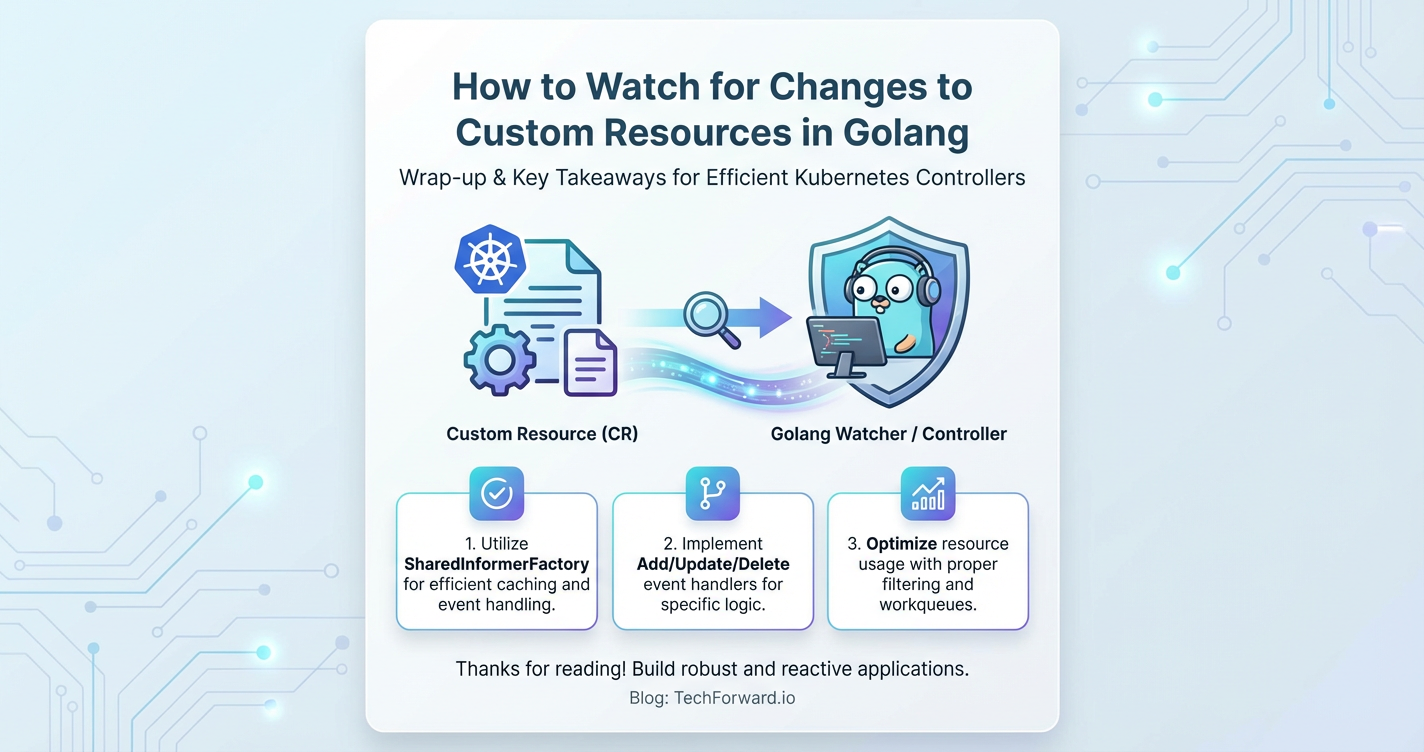
How to Watch for Changes to Custom Resources in Golang


In the dynamic and highly distributed landscape of modern cloud-native applications, the ability to automate, orchestrate, and react to system state changes is paramount. Kubernetes, as the de facto standard for container orchestration, provides powerful primitives for managing workloads. However, its true extensibility shines through its Custom Resource Definition (CRD) mechanism, which allows users to extend the Kubernetes API itself with their own domain-specific objects. These Custom Resources (CRs) enable developers to define higher-level abstractions, encapsulating complex infrastructure or application logic into simple, declarative API objects.
Building robust and intelligent systems that leverage these Custom Resources requires a sophisticated mechanism to monitor their lifecycle. An application or a Kubernetes controller needs to be able to detect when a Custom Resource is created, updated, or deleted, and then react accordingly. This process, often referred to as "watching" for changes, forms the backbone of custom Kubernetes operators and control loops. For developers working with Kubernetes in Golang, the client-go library provides the foundational tools to achieve this with efficiency and reliability.
This comprehensive guide will delve deep into the intricacies of watching for changes to Custom Resources in Golang. We will embark on a journey starting from the fundamental concepts of CRDs and CRs, exploring the core components of client-go such as Informers and Listers, demonstrating how to generate Golang types for your custom resources, and finally, showing how to construct a robust controller that intelligently reacts to these changes. Furthermore, we will touch upon the controller-runtime framework as a higher-level abstraction, discuss best practices for building production-ready operators, and strategically integrate the concepts of api, gateway, and api gateway to demonstrate how these Kubernetes-native operators fit into a broader ecosystem of service exposure and management. Our goal is to provide a detailed, human-centric explanation that equips you with the knowledge to build powerful and responsive Kubernetes solutions.
Understanding Custom Resources (CRs) and Custom Resource Definitions (CRDs)
Before we dive into the mechanics of watching, it's essential to have a solid grasp of what Custom Resources and Custom Resource Definitions are and why they are so fundamental to extending Kubernetes.
The Power of Custom Resource Definitions (CRDs)
Kubernetes comes with a rich set of built-in resources like Pods, Deployments, Services, and ConfigMaps. These resources cover a wide range of common use cases. However, real-world applications often have unique requirements that go beyond these standard abstractions. This is where CRDs come into play.
A Custom Resource Definition (CRD) is a powerful Kubernetes API extension that allows you to define your own resource types. Think of a CRD as a schema or a blueprint for a new kind of object that Kubernetes will recognize and manage. When you define a CRD, you are essentially telling the Kubernetes API server: "Hey, I'm introducing a new type of object with this specific structure and behavior."
Key aspects of a CRD:
- API Extension: CRDs extend the Kubernetes API, making your custom objects first-class citizens alongside native resources. This means you can interact with them using
kubectl, client libraries, and standard Kubernetes patterns. - Declarative Schema: Each CRD defines a schema (often using OpenAPI v3 schema) that dictates the structure and validation rules for instances of that custom resource. This ensures consistency and prevents invalid configurations.
- Versioned API: CRDs can support multiple API versions, allowing for graceful evolution of your custom resource's schema over time without breaking compatibility for older clients.
- Scope: CRDs can be either
Namespaced(meaning instances of the custom resource live within a specific namespace, like Pods) orCluster(meaning instances exist across the entire cluster, like Nodes).
For example, imagine you are building an operator to manage databases. Instead of creating a Pod, a Service, and a PersistentVolumeClaim every time you need a database, you could define a Database CRD. This CRD would specify fields like spec.engine (e.g., MySQL, PostgreSQL), spec.version, spec.storageSize, and spec.users. When you create an instance of this Database Custom Resource, your operator would then provision and manage the underlying Kubernetes resources to bring that database to life.
Custom Resources (CRs): Instances of Your Definitions
Once a CRD is registered with the Kubernetes API server, you can start creating Custom Resources (CRs). A CR is an actual instance of the resource type defined by your CRD. Following our Database example, a MySQLDatabase object with spec.engine: MySQL and spec.storageSize: 10Gi would be a Custom Resource.
CRs are just like any other Kubernetes object:
- They are declarative: You define the desired state, and Kubernetes (with the help of your operator) works to achieve that state.
- They are stored in
etcd, Kubernetes's distributed key-value store. - They can be retrieved, updated, and deleted via the Kubernetes API.
The beauty of CRDs and CRs lies in their ability to abstract away complexity. Users of your system don't need to understand the intricate details of setting up a database; they simply create a Database CR, and your operator handles the rest. This declarative, API-driven approach is a cornerstone of cloud-native development and enables powerful automation.
The Indispensable Need for Watching
With Custom Resources defined and instances created, the next critical step is to build logic that reacts to their presence and changes. Why can't we simply poll the API server periodically to check for updates? While technically possible, polling is an incredibly inefficient and unreliable strategy for several reasons:
- Inefficiency and API Server Load: Constantly querying the API server, even for small changes, generates a significant amount of network traffic and puts unnecessary load on the
kube-apiserver. In a large cluster with many custom resources, this can quickly become a bottleneck and degrade overall cluster performance. - Latency: Polling introduces inherent latency. Your controller will only detect a change after its polling interval expires, potentially leading to slow reactions to critical events. This can be unacceptable for systems requiring real-time responsiveness.
- Complex State Management: Polling requires your controller to maintain a full state of all resources it's interested in, then compare it with the new state fetched from the API server to identify differences. This logic is prone to errors and difficult to manage consistently.
The Kubernetes Control Loop and Event-Driven Architecture
Kubernetes operates on a principle of reconciliation, often described as a control loop. Each controller continuously observes the current state of a set of resources and compares it to the desired state (as defined by users in their resource manifests). If there's a discrepancy, the controller takes action to bring the current state closer to the desired state. This cycle repeats indefinitely.
To make this control loop efficient and responsive, Kubernetes employs an event-driven architecture. Instead of polling, controllers "watch" for events from the API server. When a resource is created, updated, or deleted, the API server pushes an event notification to all registered watchers. This push-based model significantly reduces latency and API server load.
In the context of watching Custom Resources, this means:
- When a user creates a new
DatabaseCR, anAddevent is fired. Your operator receives this event and starts provisioning the database. - If the user updates the
spec.storageSizeof an existingDatabaseCR, anUpdateevent is fired. Your operator receives this, detects the change, and resizes the underlying storage. - If the user deletes a
DatabaseCR, aDeleteevent is fired. Your operator receives this and tears down the associated resources.
This event-driven approach is fundamental to building scalable, responsive, and robust Kubernetes operators. It allows controllers to react instantly and precisely to changes, ensuring the cluster's state always converges towards the desired configuration.
Core Golang Libraries for Kubernetes Interaction (client-go)
To implement this watching mechanism in Golang, the official and most comprehensive library is client-go. client-go provides a robust, idiomatic Golang interface for interacting with the Kubernetes API. It's the same library used by Kubernetes itself, ensuring compatibility and reliability.
While client-go is powerful, it can also be complex due to its low-level nature and the sheer breadth of Kubernetes API objects it exposes. However, for watching Custom Resources effectively, you'll primarily interact with a few key components.
Key Components of client-go
Clientset:- This is the entry point for interacting with standard Kubernetes resources (Pods, Deployments, Services, etc.).
client-goprovides generatedClientsets for each Kubernetes API group.- For Custom Resources, you'll often generate a custom
Clientsetbased on your CRD's Golang types.
DynamicClient:- A generic client that can interact with any Kubernetes resource, including Custom Resources, without requiring specific Golang types.
- It operates on
unstructured.Unstructuredobjects, which are essentiallymap[string]interface{}representations of Kubernetes resources. - Useful when you don't have generated types for a CRD or need to work with arbitrary resources.
RESTClient:- The lowest-level client in
client-go, providing direct HTTP access to the Kubernetes API server. - It's generally not used directly for watching but forms the foundation upon which
ClientsetandDynamicClientare built.
- The lowest-level client in
InformerandSharedInformerFactory:- These are the heroes for efficient watching. An
Informercombines the "List" and "Watch" operations of the Kubernetes API into a single, cohesive mechanism. - Instead of constantly hitting the API server, an
Informerperforms an initialListto populate an in-memory cache, and then maintains this cache by processingWatchevents. - The
SharedInformerFactoryis a factory that producesInformers and can share a singleInformerinstance (and thus a single cache andWatchstream) across multiple controllers within the same process, significantly reducing resource consumption and API server load.
- These are the heroes for efficient watching. An
Lister:- A
Listerprovides read-only access to theInformer's in-memory cache. - Once an
Informerhas populated its cache, controllers can use aListerto retrieve resources without making further calls to the Kubernetes API server, making read operations extremely fast and efficient.
- A
Workqueue:- Not strictly part of
client-goitself but a common pattern used withclient-goInformers. - A
Workqueue(oftenk8s.io/client-go/util/workqueue) is a thread-safe queue used to decouple the event handling logic (received from Informers) from the actual processing logic (reconciliation). - When an event is received, instead of processing it immediately, the object's key (e.g.,
namespace/name) is added to the workqueue. A separate worker goroutine then picks items from the workqueue for processing. This pattern ensures that events are processed sequentially for a given object, preventing race conditions.
- Not strictly part of
Architecture of a Typical Operator/Controller using client-go
A typical Kubernetes operator built with client-go follows a well-established architecture:
- Configuration and Client Initialization: Set up Kubernetes client configuration (e.g., from
~/.kube/configor in-cluster service account). Initialize aClientset(orDynamicClient) and aSharedInformerFactory. - Informer Setup: Create
Informers for all resource types the operator needs to watch (both standard Kubernetes resources and Custom Resources). - Event Handlers: Register event handlers (
AddFunc,UpdateFunc,DeleteFunc) with eachInformer. These handlers typically push the key of the affected object into aWorkqueue. - Workqueue and Worker Goroutines: Start worker goroutines that continuously pull items (object keys) from the
Workqueue. - Reconciliation Logic: For each item pulled from the
Workqueue, the worker goroutine:- Retrieves the latest state of the object from the
Lister(cache). - Compares the current state with the desired state.
- Performs necessary actions (e.g., creating Pods, updating ConfigMaps, interacting with external
apis). - Updates the status of the Custom Resource if necessary.
- Handles errors and retries.
- Retrieves the latest state of the object from the
- Leader Election (Optional but Recommended): For high availability, a mechanism like leader election ensures that only one instance of the controller is active at any given time in a multi-replica deployment.
- Signal Handling: Gracefully shut down the controller upon receiving termination signals.
This architecture ensures that your operator is reactive, efficient, and resilient, capable of managing complex Custom Resources effectively within the Kubernetes environment.
Deep Dive into Informers and Listers
Let's unpack Informers and Listers further, as they are the cornerstone of efficient resource watching in client-go.
What is an Informer?
An Informer is a sophisticated component that addresses the challenges of watching Kubernetes resources by intelligently combining two fundamental API operations: List and Watch.
- Initial
ListOperation: When anInformerstarts, it first performs aListoperation on the Kubernetes API server for the specific resource type it's configured to watch. This fetches the current state of all existing resources of that type and populates an in-memory cache. This ensures the controller has an up-to-date view from the beginning. - Continuous
WatchOperation: After the initialListis complete, theInformerestablishes a long-livedWatchconnection to the API server. Any subsequent changes (creations, updates, or deletions) to the watched resources are pushed directly from the API server to theInformervia this connection. - In-Memory Cache Maintenance: As
Watchevents arrive, theInformerautomatically updates its internal in-memory cache to reflect the latest state. This cache is crucial because it allows controllers to perform read operations without directly querying the API server, significantly reducing latency and API load. - Event Handlers: The
Informerprovides an interface to register event handlers (AddFunc,UpdateFunc,DeleteFunc). When an event occurs and the cache is updated, these user-defined functions are invoked, allowing your controller to react to the change.
Benefits of Informers:
- Reduced API Server Load: By maintaining a local cache and only relying on
Watchevents for updates, Informers drastically cut down the number ofListrequests to the API server. - Low Latency:
Watchevents provide near real-time notifications of changes, enabling quick reactions. - Consistency: The in-memory cache ensures a consistent view of resources for your controller, simplifying reconciliation logic.
- Automatic Resynchronization: Informers often have a periodic resync mechanism (configurable interval) that re-lists all resources. This acts as a safety net, ensuring that the cache doesn't drift too far from the actual API server state, even if some
Watchevents were missed due to network issues or API server restarts.
SharedInformerFactory: Efficiency at Scale
In a complex operator, you might need to watch multiple types of resources (e.g., your Custom Resource, associated Pods, Services, ConfigMaps). If each controller component instantiated its own Informer for each resource type, it would lead to:
- Multiple
Listcalls for the same resource type. - Multiple
Watchconnections, consuming more network resources and API server connections. - Duplication of in-memory caches, consuming more memory.
The SharedInformerFactory (from k8s.io/client-go/informers) solves this problem. It acts as a central factory for creating Informers. When you request an Informer for a specific resource type from the factory, it checks if an Informer for that type already exists. If it does, it returns the shared instance. If not, it creates a new one.
This sharing mechanism is incredibly efficient, especially for operators that manage a variety of resources or when multiple components within a single process need to observe the same resource types.
Listers: Accessing the Cache
Once an Informer has populated and is maintaining its cache, you'll need a way to access the objects within that cache. This is where Listers come in.
A Lister (from k8s.io/client-go/listers) provides a thread-safe, read-only interface to query the Informer's cache. Instead of directly accessing the raw cache, which can be prone to race conditions if not handled carefully, Listers offer methods like Get(name string) and List(selector labels.Selector) to retrieve objects.
Advantages of Listers:
- Extreme Speed: Retrieving objects from an in-memory cache is orders of magnitude faster than making a network call to the API server.
- Reduced API Server Load: Avoids unnecessary
GETrequests to the API server. - Consistency: Always returns objects from the informer's latest cached state.
- Type Safety: For custom resources with generated types, Listers return typed objects, simplifying your code.
Practical Example: Setting up a Basic Informer for Pods
Let's illustrate the basic pattern with a standard Kubernetes resource like Pods. This will lay the groundwork before we tackle Custom Resources.
package main

import (
    "context"
    "fmt"
    "os"
    "os/signal"
    "syscall"
    "time"

    "k8s.io/apimachinery/pkg/util/runtime"
    "k8s.io/client-go/informers"
    "k8s.io/client-go/kubernetes"
    "k8s.io/client-go/tools/cache"
    "k8s.io/client-go/tools/clientcmd"
    "k8s.io/klog/v2"
)

func main() {
    klog.InitFlags(nil)
    defer klog.Flush()

    // 1. Load Kubernetes configuration
    kubeconfig := os.Getenv("KUBECONFIG")
    if kubeconfig == "" {
        kubeconfig = clientcmd.RecommendedHomeFile
    }
    config, err := clientcmd.BuildConfigFromFlags("", kubeconfig)
    if err != nil {
        klog.Fatalf("Error building kubeconfig: %v", err)
    }

    // 2. Create a Kubernetes Clientset
    clientset, err := kubernetes.NewForConfig(config)
    if err != nil {
        klog.Fatalf("Error creating clientset: %v", err)
    }

    // 3. Create a SharedInformerFactory
    // We'll resync every 30 seconds as a safety net, although watches are real-time.
    factory := informers.NewSharedInformerFactory(clientset, time.Second*30)

    // 4. Get an Informer for Pods
    podsInformer := factory.Core().V1().Pods().Informer()

    // 5. Register event handlers
    podsInformer.AddEventHandler(cache.ResourceEventHandlerFuncs{
        AddFunc: func(obj interface{}) {
            key, err := cache.MetaNamespaceKeyFunc(obj)
            if err != nil {
                klog.Errorf("Error getting key for added object: %v", err)
                return
            }
            klog.Infof("Pod added: %s", key)
            // In a real controller, you would add this key to a workqueue
            // and process it in a separate goroutine.
        },
        UpdateFunc: func(oldObj, newObj interface{}) {
            key, err := cache.MetaNamespaceKeyFunc(newObj)
            if err != nil {
                klog.Errorf("Error getting key for updated object: %v", err)
                return
            }
            // You can compare oldObj and newObj here to detect specific changes
            klog.Infof("Pod updated: %s", key)
        },
        DeleteFunc: func(obj interface{}) {
            key, err := cache.MetaNamespaceKeyFunc(obj)
            if err != nil {
                klog.Errorf("Error getting key for deleted object: %v", err)
                return
            }
            klog.Infof("Pod deleted: %s", key)
        },
    })

    // 6. Set up a context for graceful shutdown
    stopCh := make(chan struct{})
    ctx, cancel := context.WithCancel(context.Background())
    defer cancel()

    // Handle OS signals for graceful shutdown
    sigCh := make(chan os.Signal, 1)
    signal.Notify(sigCh, syscall.SIGINT, syscall.SIGTERM)
    go func() {
        <-sigCh
        klog.Info("Received termination signal, shutting down informers...")
        close(stopCh) // Signal informers to stop
        cancel()     // Signal context to cancel
    }()

    // 7. Start the factory's informers. This blocks until stopCh is closed.
    // This also starts the internal goroutines for listing and watching.
    klog.Info("Starting informers...")
    factory.Start(stopCh)

    // 8. Wait for all caches to be synced. This is crucial before starting controller logic.
    klog.Info("Waiting for informer caches to sync...")
    if !cache.WaitForCacheSync(stopCh, podsInformer.HasSynced) {
        runtime.HandleError(fmt.Errorf("failed to sync Pods cache"))
        return
    }
    klog.Info("Informer caches synced successfully!")

    // 9. Keep the main goroutine alive until the context is cancelled
    <-ctx.Done()
    klog.Info("Application gracefully stopped.")
}
To run this example, ensure you have a kubeconfig file configured to access a Kubernetes cluster. You can then try creating, updating, or deleting a Pod and observe the log output. This simple program demonstrates the core mechanics: client setup, informer creation, event handler registration, and graceful shutdown. The next step is to apply this pattern to Custom Resources.
Defining a Custom Resource Definition (CRD) in Kubernetes
To watch a Custom Resource, you first need to define its schema using a CRD. Let's create a hypothetical CRD for managing Application deployments, which might provision a Deployment and a Service.
Here's an example application.yaml for our CRD:
apiVersion: apiextensions.k8s.io/v1
kind: CustomResourceDefinition
metadata:
  name: applications.example.com
spec:
  group: example.com
  versions:
    - name: v1
      served: true
      storage: true
      # Schema validation:
      schema:
        openAPIV3Schema:
          type: object
          properties:
            spec:
              type: object
              properties:
                image:
                  type: string
                  description: The container image to deploy.
                replicas:
                  type: integer
                  format: int32
                  minimum: 1
                  description: Number of desired pods.
                port:
                  type: integer
                  format: int32
                  minimum: 1
                  maximum: 65535
                  description: The port the application listens on.
              required:
                - image
                - replicas
                - port
            status:
              type: object
              properties:
                availableReplicas:
                  type: integer
                  format: int32
                  description: Total number of available pods (ready for use).
                conditions:
                  type: array
                  items:
                    type: object
                    properties:
                      type:
                        type: string
                        description: Type of condition (e.g., "Available", "Ready").
                      status:
                        type: string
                        enum: ["True", "False", "Unknown"]
                        description: Status of the condition.
                      lastTransitionTime:
                        type: string
                        format: date-time
                        description: Last time the condition transitioned from one status to another.
                      reason:
                        type: string
                        description: Reason for the condition's last transition.
                      message:
                        type: string
                        description: Human-readable message indicating details about the transition.
                  description: Conditions of the Application.
  scope: Namespaced # Applications will be created in specific namespaces
  names:
    plural: applications
    singular: application
    kind: Application
    shortNames:
      - app
You would apply this CRD to your Kubernetes cluster using kubectl apply -f application.yaml.
This CRD defines: * group: example.com: The API group for our custom resources. * version: v1: The API version. * kind: Application: The type name of our custom resource. * scope: Namespaced: Instances of Application will belong to a namespace. * spec: The desired state of the application, including image, replicas, and port. * status: The observed state, including availableReplicas and conditions. Controllers will update the status, and users will read it.
APIPark is a high-performance AI gateway that allows you to securely access the most comprehensive LLM APIs globally on the APIPark platform, including OpenAI, Anthropic, Mistral, Llama2, Google Gemini, and more.Try APIPark now! 👇👇👇
Watching Custom Resources with client-go (The Core Implementation)
Now comes the core task: writing Golang code to watch our Application Custom Resources. This involves several steps: generating Golang types, creating a custom clientset, setting up a custom informer, and integrating with a workqueue for robust reconciliation.
1. Generating Golang Types for Your CRD
Working with unstructured.Unstructured objects from DynamicClient is flexible but lacks type safety and compile-time checks. For building robust controllers, it's highly recommended to generate Golang types from your CRD. The controller-gen tool (part of sigs.k8s.io/controller-tools) is the standard way to do this.
First, you need to define your Custom Resource's struct in Golang, along with Kubernetes-specific tags. Create a file like api/v1/application_types.go:
package v1

import (
    metav1 "k8s.io/apimachinery/pkg/apis/meta/v1"
)

// EDIT THIS FILE!  THIS IS SCAFFOLDING FOR YOU TO OWN!
// NOTE: json tags are required.  Any new fields you add must have json tags at least for the Crd for each of the fields to be able to get their values from the yaml for crd
// +genclient
// +k8s:deepcopy-gen:interfaces=k8s.io/apimachinery/pkg/runtime.Object

// Application is the Schema for the applications API
type Application struct {
    metav1.TypeMeta   `json:",inline"`
    metav1.ObjectMeta `json:"metadata,omitempty"`

    Spec   ApplicationSpec   `json:"spec,omitempty"`
    Status ApplicationStatus `json:"status,omitempty"`
}

// +k8s:deepcopy-gen:interfaces=k8s.io/apimachinery/pkg/runtime.Object

// ApplicationList contains a list of Application
type ApplicationList struct {
    metav1.TypeMeta `json:",inline"`
    metav1.ListMeta `json:"metadata,omitempty"`
    Items           []Application `json:"items"`
}

// ApplicationSpec defines the desired state of Application
type ApplicationSpec struct {
    Image    string `json:"image"`
    Replicas int32  `json:"replicas"`
    Port     int32  `json:"port"`
}

// ApplicationStatus defines the observed state of Application
type ApplicationStatus struct {
    AvailableReplicas int32             `json:"availableReplicas"`
    Conditions        []ApplicationCondition `json:"conditions,omitempty"`
}

// ApplicationCondition describes the state of an application at a certain point.
type ApplicationCondition struct {
    Type               ApplicationConditionType `json:"type"`
    Status             metav1.ConditionStatus   `json:"status"`
    LastTransitionTime metav1.Time              `json:"lastTransitionTime,omitempty"`
    Reason             string                   `json:"reason,omitempty"`
    Message            string                   `json:"message,omitempty"`
}

// ApplicationConditionType is a valid value for ApplicationCondition.Type
type ApplicationConditionType string

const (
    // ApplicationAvailable means the Application controller has observed the
    // application running successfully.
    ApplicationAvailable ApplicationConditionType = "Available"
    // ApplicationProgressing means the Application is currently being deployed
    // or updated.
    ApplicationProgressing ApplicationConditionType = "Progressing"
    // ApplicationDegraded means the Application is running, but there is an
    // issue preventing it from reaching its desired state.
    ApplicationDegraded ApplicationConditionType = "Degraded"
)

func init() {
    SchemeBuilder.Register(&Application{}, &ApplicationList{})
}
You'll also need a doc.go in api/v1 (for API group info) and a register.go in api/v1 (to register with runtime.Scheme):
api/v1/doc.go:
// Package v1 contains API Schema definitions for the example v1 API group
// +kubebuilder:object:generate=true
// +groupName=example.com
package v1
api/v1/register.go:
package v1

import (
    metav1 "k8s.io/apimachinery/pkg/apis/meta/v1"
    "k8s.io/apimachinery/pkg/runtime"
    "k8s.io/apimachinery/pkg/runtime/schema"
)

// SchemeGroupVersion is group version used to register these objects
var SchemeGroupVersion = schema.GroupVersion{Group: "example.com", Version: "v1"}

// Kind takes an unqualified kind and returns back a Group qualified GroupKind
func Kind(kind string) schema.GroupKind {
    return SchemeGroupVersion.WithKind(kind).GroupKind()
}

// Resource takes an unqualified resource and returns a Group qualified GroupResource
func Resource(resource string) schema.GroupResource {
    return SchemeGroupVersion.WithResource(resource).GroupResource()
}

var (
    // SchemeBuilder initializes a scheme builder
    SchemeBuilder = runtime.NewSchemeBuilder(addKnownTypes)
    // AddToScheme is a global function that registers this API group with a given scheme
    AddToScheme = SchemeBuilder.AddToScheme
)

// addKnownTypes adds the set of types defined in this package to the supplied scheme.
func addKnownTypes(scheme *runtime.Scheme) error {
    scheme.AddKnownTypes(SchemeGroupVersion,
        &Application{},
        &ApplicationList{},
    )
    metav1.AddToGroupVersion(scheme, SchemeGroupVersion)
    return nil
}
Now, run controller-gen (ensure it's installed, e.g., go install sigs.k8s.io/controller-tools/cmd/controller-gen@latest):
# From your project root, where 'api' directory resides
controller-gen object:headerFile="hack/boilerplate.go.txt" paths="./..."
# You'll need a boilerplate.go.txt file with license header comments, or skip headerFile for now.
# This generates deepcopy methods and `zz_generated.deepcopy.go` files for your types.
Next, you need to generate client, informer, and lister for your custom types. For this, you typically use k8s.io/code-generator. This is a more involved process often managed by Makefile targets in operator SDKs. For simplicity, here's a conceptual command (you'd replace YOUR_MODULE_PATH with your actual Go module path):
# This command is conceptual; in a real project, use a Makefile.
# From your project root
go get k8s.io/code-generator@v0.29.0 # or preferred version matching your client-go
# Assuming your module is e.g. "github.com/yourorg/yourrepo"
# and your API definitions are in "github.com/yourorg/yourrepo/api/v1"

# Create a script like generate-clients.sh
# generate-clients.sh:
#!/bin/bash
set -o errexit
set -o nounset
set -o pipefail

# Path to the code-generator repo
CODEGEN_PKG=$(dirname $(go env GOMOD))/pkg/mod/k8s.io/code-generator@v0.29.0

# Generate deepcopy, clients, informers, listers for your API types
"$CODEGEN_PKG"/techblog/en/generate-groups.sh \
  all \
  github.com/yourorg/yourrepo/pkg/client \
  github.com/yourorg/yourrepo/api \
  "example.com:v1" \
  --output-base "$(dirname $(go env GOMOD))/src" \
  --go-header-file "hack/boilerplate.go.txt"
After running this, pkg/client in your project will contain clientset, informers, and listers subdirectories with generated Golang code tailored for your Application CRD.
2. Creating a Custom Clientset
The generated pkg/client/clientset/versioned will contain a Clientset that knows how to interact with your example.com/v1 Application resources. You will instantiate this much like the standard kubernetes.Clientset.
3. Setting up a Custom Resource Informer
Now we combine our generated types and the client-go informer pattern to watch Application resources.
package main

import (
    "context"
    "fmt"
    "os"
    "os/signal"
    "syscall"
    "time"

    "k8s.io/apimachinery/pkg/util/runtime"
    "k8s.io/client-go/tools/cache"
    "k8s.io/client-go/tools/clientcmd"
    "k8s.io/client-go/util/workqueue"
    "k8s.io/klog/v2"

    // Import your generated clientset and informers
    clientset "github.com/yourorg/yourrepo/pkg/client/clientset/versioned"
    informers "github.com/yourorg/yourrepo/pkg/client/informers/externalversions"

    appv1 "github.com/yourorg/yourrepo/api/v1" // Your Custom Resource API types
)

const (
    // maxRetries is the number of times a Application will be retried before dropping it.
    // This is to prevent a constantly failing Application from filling up the workqueue.
    maxRetries = 5
)

// Controller demonstrates how to use the generated informer and clientset.
type Controller struct {
    clientset *clientset.Clientset
    informer  cache.SharedIndexInformer // Our Custom Resource informer
    lister    appv1.ApplicationLister   // Our Custom Resource lister
    workqueue workqueue.RateLimitingInterface
}

// NewController creates a new Controller.
func NewController(
    clientset *clientset.Clientset,
    informerFactory informers.SharedInformerFactory) *Controller {

    // Get the informer for our Application custom resource
    appInformer := informerFactory.Example().V1().Applications()

    controller := &Controller{
        clientset: clientset,
        informer:  appInformer.Informer(),
        lister:    appInformer.Lister(),
        workqueue: workqueue.NewRateLimitingQueueWithConfig(
            workqueue.DefaultControllerRateLimiter(),
            workqueue.RateLimitingQueueConfig{Name: "applications"},
        ),
    }

    klog.Info("Setting up event handlers...")
    // Register event handlers for our Application informer
    appInformer.Informer().AddEventHandler(cache.ResourceEventHandlerFuncs{
        AddFunc: controller.handleAddApplication,
        UpdateFunc: func(oldObj, newObj interface{}) {
            controller.handleUpdateApplication(oldObj, newObj)
        },
        DeleteFunc: controller.handleDeleteApplication,
    })

    return controller
}

// Run starts the controller.
func (c *Controller) Run(stopCh <-chan struct{}) {
    defer runtime.HandleCrash()
    defer c.workqueue.ShutDown()

    klog.Info("Starting Application controller")

    // Start the informers.
    go c.informer.Run(stopCh)

    // Wait for all involved caches to be synced, before processing items from the queue is started.
    klog.Info("Waiting for informer caches to sync...")
    if !cache.WaitForCacheSync(stopCh, c.informer.HasSynced) {
        runtime.HandleError(fmt.Errorf("failed to sync Application caches"))
        return
    }
    klog.Info("Informer caches synced successfully!")

    // Start a worker goroutine to process items from the workqueue.
    go c.runWorker(stopCh)

    <-stopCh
    klog.Info("Shutting down Application controller")
}

// runWorker is a long-running function that will continually call the
// processNextWorkItem function in order to read and process a message on the workqueue.
func (c *Controller) runWorker(stopCh <-chan struct{}) {
    for c.processNextWorkItem() {
        select {
        case <-stopCh:
            return
        default:
            // Continue processing
        }
    }
}

// processNextWorkItem will read a single item from the workqueue and
// attempt to process it, by calling the reconcile function.
func (c *Controller) processNextWorkItem() bool {
    obj, shutdown := c.workqueue.Get()
    if shutdown {
        return false
    }

    // We wrap this block in a func so we can defer c.workqueue.Done.
    err := func(obj interface{}) error {
        defer c.workqueue.Done(obj)
        var key string
        var ok bool
        if key, ok = obj.(string); !ok {
            // As the item in the workqueue is actually of type string, we cast it.
            runtime.HandleError(fmt.Errorf("expected string in workqueue but got %#v", obj))
            return nil
        }
        // Run the syncHandler, passing the resource key to be reconciled.
        if err := c.reconcile(key); err != nil {
            // Put the item back on the workqueue with a delay, so we can retry it later.
            // This mechanism ensures that if an error occurs, we don't drop the item
            // immediately. We also track retries to prevent infinite loops.
            if c.workqueue.NumRequeues(key) < maxRetries {
                klog.Warningf("Error reconciling Application '%s', retrying: %v", key, err)
                c.workqueue.AddRateLimited(key)
                return nil // Don't forget to return nil here to indicate success in handling the error.
            }
            runtime.HandleError(fmt.Errorf("dropping Application '%s' out of workqueue after %d retries: %v", key, maxRetries, err))
            c.workqueue.Forget(key) // We've exhausted retries, drop the item.
            return nil
        }
        // If no error occurs, we Forget this item so it's not retried again.
        c.workqueue.Forget(key)
        klog.V(2).Infof("Successfully synced Application '%s'", key)
        return nil
    }(obj)

    if err != nil {
        runtime.HandleError(err)
        return true
    }

    return true
}

// reconcile is the main reconciliation logic for the Application controller.
func (c *Controller) reconcile(key string) error {
    namespace, name, err := cache.SplitMetaNamespaceKey(key)
    if err != nil {
        runtime.HandleError(fmt.Errorf("invalid resource key: %s", key))
        return nil
    }

    // Get the Application resource from the lister.
    // This retrieves the object from the informer's cache.
    application, err := c.lister.Applications(namespace).Get(name)
    if err != nil {
        // The Application resource may no longer exist, in which case we stop processing.
        if _, exists := err.(*appv1.NotFound); exists {
            klog.V(4).Infof("Application '%s' in workqueue no longer exists", key)
            return nil
        }
        return fmt.Errorf("failed to get Application '%s': %w", key, err)
    }

    // --- Your actual reconciliation logic goes here ---
    // This is where you compare application.Spec with the actual state of
    // underlying Kubernetes resources (Deployments, Services, etc.) and
    // make changes to bring the cluster to the desired state.
    // You would use `c.clientset.AppsV1().Deployments(namespace).Create/Update/Delete(...)`
    // and `c.clientset.CoreV1().Services(namespace).Create/Update/Delete(...)` here.

    // For demonstration, let's just log its spec.
    klog.Infof("Reconciling Application: %s/%s, Image: %s, Replicas: %d, Port: %d",
        application.Namespace, application.Name, application.Spec.Image,
        application.Spec.Replicas, application.Spec.Port)

    // You would also update the Application's status here based on the observed state.
    // For example:
    // updatedApp := application.DeepCopy()
    // updatedApp.Status.AvailableReplicas = 1 // Simplified
    // _, err = c.clientset.ExampleV1().Applications(namespace).UpdateStatus(context.TODO(), updatedApp, metav1.UpdateOptions{})
    // if err != nil {
    //     return fmt.Errorf("failed to update Application status: %w", err)
    // }

    return nil
}

// handleAddApplication adds the Application object's key to the workqueue.
func (c *Controller) handleAddApplication(obj interface{}) {
    key, err := cache.MetaNamespaceKeyFunc(obj)
    if err != nil {
        runtime.HandleError(fmt.Errorf("couldn't get key for object %#v: %v", obj, err))
        return
    }
    c.workqueue.Add(key)
    klog.V(4).Infof("Added Application: %s", key)
}

// handleUpdateApplication adds the Application object's key to the workqueue.
// It performs a check to see if the resource version has changed, to avoid unnecessary reconciliations.
func (c *Controller) handleUpdateApplication(oldObj, newObj interface{}) {
    oldApp := oldObj.(*appv1.Application)
    newApp := newObj.(*appv1.Application)

    if oldApp.ResourceVersion == newApp.ResourceVersion {
        // If the resource version hasn't changed, it means only metadata changed (e.g., finalizers)
        // and we probably don't need to reconcile if the spec or status hasn't changed.
        // However, it's safer to always add to the queue and let the reconcile loop determine
        // if actual work is needed. For CRDs, often only spec changes trigger reconciliation.
        klog.V(5).Infof("Update event for Application '%s/%s' without resource version change; will check for spec/status changes.", newApp.Namespace, newApp.Name)
    }

    key, err := cache.MetaNamespaceKeyFunc(newObj)
    if err != nil {
        runtime.HandleError(fmt.Errorf("couldn't get key for object %#v: %v", newObj, err))
        return
    }
    c.workqueue.Add(key)
    klog.V(4).Infof("Updated Application: %s", key)
}

// handleDeleteApplication adds the Application object's key to the workqueue.
// Note: When an object is deleted, it might still be in the informer's cache for a short period.
// The reconcile function should handle the case where the object no longer exists.
func (c *Controller) handleDeleteApplication(obj interface{}) {
    // Deleted objects might be of type cache.DeletedFinalStateUnknown.
    // We need to extract the actual object from it.
    finalStateObj, ok := obj.(cache.DeletedFinalStateUnknown)
    if ok {
        obj = finalStateObj.Obj
    }

    key, err := cache.MetaNamespaceKeyFunc(obj)
    if err != nil {
        runtime.HandleError(fmt.Errorf("couldn't get key for object %#v: %v", obj, err))
        return
    }
    c.workqueue.Add(key)
    klog.V(4).Infof("Deleted Application: %s", key)
}


func main() {
    klog.InitFlags(nil)
    defer klog.Flush()

    // 1. Load Kubernetes configuration
    kubeconfig := os.Getenv("KUBECONFIG")
    if kubeconfig == "" {
        kubeconfig = clientcmd.RecommendedHomeFile
    }
    config, err := clientcmd.BuildConfigFromFlags("", kubeconfig)
    if err != nil {
        klog.Fatalf("Error building kubeconfig: %v", err)
    }

    // 2. Create the custom Clientset for our Application CRD
    appClientset, err := clientset.NewForConfig(config)
    if err != nil {
        klog.Fatalf("Error creating custom clientset: %v", err)
    }

    // 3. Create a SharedInformerFactory for our custom resources
    // The resync period here is generally a fallback; real-time updates come from watches.
    // For production, you might make this very long or disable it if your reconciliation is idempotent.
    informerFactory := informers.NewSharedInformerFactory(appClientset, time.Second*60)

    // 4. Create and run our controller
    controller := NewController(appClientset, informerFactory)

    // Set up context for graceful shutdown
    stopCh := make(chan struct{})
    ctx, cancel := context.WithCancel(context.Background())
    defer cancel()

    // Handle OS signals for graceful shutdown
    sigCh := make(chan os.Signal, 1)
    signal.Notify(sigCh, syscall.SIGINT, syscall.SIGTERM)
    go func() {
        <-sigCh
        klog.Info("Received termination signal, shutting down controller...")
        close(stopCh) // Signal controller to stop
        cancel()     // Signal context to cancel
    }()

    // Start the informers (this starts the internal list-watch goroutines).
    // They must be started *before* the controller's Run method that waits for sync.
    informerFactory.Start(stopCh)

    // Run the controller. This blocks until stopCh is closed.
    controller.Run(stopCh)

    <-ctx.Done() // Wait for the main goroutine to exit gracefully
    klog.Info("Application gracefully stopped.")
}
To make the code above runnable, you need to: 1. Replace github.com/yourorg/yourrepo with your actual Go module path. 2. Ensure controller-gen and code-generator have been run successfully to generate the pkg/client directory and the api/v1/zz_generated.deepcopy.go file. 3. Create hack/boilerplate.go.txt if you use the headerFile flag with controller-gen.
This example provides a complete, albeit simplified, controller that watches Application Custom Resources. The reconcile function is where your specific application logic would reside, provisioning or updating the actual Kubernetes resources (Deployments, Services) based on the Application.Spec.
Integrating with controller-runtime (Simplified Approach)
While client-go provides the raw power, frameworks like sigs.k8s.io/controller-runtime offer a higher-level, opinionated approach to building Kubernetes operators. controller-runtime abstracts away much of the client-go boilerplate, making it faster and easier to write controllers. It's the foundation of popular operator development tools like Kubebuilder and Operator SDK.
Advantages of controller-runtime
- Boilerplate Reduction: Automatically handles informer setup, cache syncing, workqueue management, leader election, and graceful shutdown.
- Opinionated Structure: Enforces a consistent and well-understood structure for controllers (the
Reconcilerinterface). - Simpler API: Provides a more user-friendly API for common controller tasks.
- Metrics and Webhooks: Seamlessly integrates with Prometheus metrics and webhook admission controllers.
- Manager Abstraction: The
Managercomponent orchestrates all controllers, webhooks, and shared resources in a single process.
Key Components of controller-runtime
Manager: The central orchestrator. It sets upclient-goclients,SharedInformerFactory, and starts all registered controllers and webhooks.Controller: A lightweight wrapper around aReconcilerthat manages its lifecycle, including event source registration (watching resources) and workqueue integration.Reconciler: The core interface (Reconcile(ctx context.Context, req ctrl.Request) (ctrl.Result, error)) where your controller's business logic resides. It receives aRequest(containing namespace and name of the object to reconcile) and returns aResultindicating if requeueing is needed.
Example: Implementing a CRD Watch with controller-runtime
Let's adapt our Application controller using controller-runtime.
package main

import (
    "context"
    "fmt"
    "os"
    "os/signal"
    "syscall"
    "time"

    "k8s.io/apimachinery/pkg/runtime"
    utilruntime "k8s.io/apimachinery/pkg/util/runtime"
    clientgoscheme "k8s.io/client-go/kubernetes/scheme"
    _ "k8s.io/client-go/plugin/pkg/client/auth" // Import to enable all Kubernetes client auth plugins
    ctrl "sigs.k8s.io/controller-runtime"
    "sigs.k8s.io/controller-runtime/pkg/log/zap"
    "sigs.k8s.io/controller-runtime/pkg/manager"
    "sigs.k8s.io/controller-runtime/pkg/metrics/server" // For metrics support, optional

    appv1 "github.com/yourorg/yourrepo/api/v1" // Your Custom Resource API types
)

var (
    scheme   = runtime.NewScheme()
    setupLog = ctrl.Log.WithName("setup")
)

func init() {
    // Register the standard Kubernetes scheme
    utilruntime.Must(clientgoscheme.AddToScheme(scheme))
    // Register our custom resource scheme
    utilruntime.Must(appv1.AddToScheme(scheme))
    // +kubebuilder:scaffold:scheme
}

// ApplicationReconciler reconciles an Application object
type ApplicationReconciler struct {
    Client ctrl.Client
    Scheme *runtime.Scheme
}

// +kubebuilder:rbac:groups=example.com,resources=applications,verbs=get;list;watch;create;update;patch;delete
// +kubebuilder:rbac:groups=example.com,resources=applications/status,verbs=get;update;patch
// +kubebuilder:rbac:groups=apps,resources=deployments,verbs=get;list;watch;create;update;patch;delete
// +kubebuilder:rbac:groups="",resources=services,verbs=get;list;watch;create;update;patch;delete

// Reconcile is part of the main kubernetes reconciliation loop which aims to
// move the current state of the cluster closer to the desired state.
// For more details, check Reconcile and its Result here:
// - https://pkg.go.dev/sigs.k8s.io/controller-runtime@v0.17.0/pkg/reconcile
func (r *ApplicationReconciler) Reconcile(ctx context.Context, req ctrl.Request) (ctrl.Result, error) {
    log := ctrl.Log.WithValues("application", req.NamespacedName)

    var application appv1.Application
    if err := r.Client.Get(ctx, req.NamespacedName, &application); err != nil {
        log.Error(err, "unable to fetch Application")
        // We'll ignore not-found errors, since they can happen
        // when an object is deleted before reconciliation.
        return ctrl.Result{}, client.IgnoreNotFound(err)
    }

    log.Info("Reconciling Application",
        "Image", application.Spec.Image,
        "Replicas", application.Spec.Replicas,
        "Port", application.Spec.Port)

    // --- Your reconciliation logic would go here ---
    // You would use r.Client.Create, r.Client.Update, r.Client.Delete
    // to manage Deployments, Services, etc., based on application.Spec.

    // Example: Always update status (simplified)
    if application.Status.AvailableReplicas != application.Spec.Replicas { // Example condition
        application.Status.AvailableReplicas = application.Spec.Replicas
        log.Info("Updating Application status...", "AvailableReplicas", application.Status.AvailableReplicas)
        if err := r.Client.Status().Update(ctx, &application); err != nil {
            log.Error(err, "unable to update Application status")
            return ctrl.Result{}, err
        }
    }


    return ctrl.Result{}, nil // Requeue after some time if needed, or if an error occurred.
}

// SetupWithManager sets up the controller with the Manager.
func (r *ApplicationReconciler) SetupWithManager(mgr ctrl.Manager) error {
    return ctrl.NewControllerManagedBy(mgr).
        For(&appv1.Application{}).        // Watch Application resources
        Owns(&appsv1.Deployment{}).       // Watch Deployments created by this controller
        Owns(&corev1.Service{}).          // Watch Services created by this controller
        Complete(r)
}

func main() {
    // Configure logger
    ctrl.SetLogger(zap.New(zap.UseFlagOptions(&zap.Options{
        Development: true,
    })))

    mgr, err := ctrl.NewManager(ctrl.GetConfigOrDie(), ctrl.Options{
        Scheme: scheme,
        Metrics: server.Options{
            BindAddress: "0", // Disable metrics temporarily if not needed or provide a valid address
        },
        // Leader election settings (optional for single instance, recommended for HA)
        LeaderElection:   false,
        LeaderElectionID: "your-application-controller-leader-election",
    })
    if err != nil {
        setupLog.Error(err, "unable to start manager")
        os.Exit(1)
    }

    if err = (&ApplicationReconciler{
        Client: mgr.GetClient(),
        Scheme: mgr.GetScheme(),
    }).SetupWithManager(mgr); err != nil {
        setupLog.Error(err, "unable to create controller", "controller", "Application")
        os.Exit(1)
    }
    // +kubebuilder:scaffold:builder

    setupLog.Info("starting manager")
    // Handle OS signals for graceful shutdown
    stopCh := make(chan os.Signal, 1)
    signal.Notify(stopCh, syscall.SIGINT, syscall.SIGTERM)

    ctx, cancel := context.WithCancel(context.Background())
    defer cancel()

    go func() {
        <-stopCh
        setupLog.Info("Received termination signal, stopping manager...")
        cancel() // Signal context to cancel, which will stop the manager
    }()


    if err := mgr.Start(ctx); err != nil {
        setupLog.Error(err, "problem running manager")
        os.Exit(1)
    }
}
To make this controller-runtime example runnable, you would also need to: 1. Replace github.com/yourorg/yourrepo with your actual Go module path. 2. Add imports for k8s.io/api/apps/v1 (for Deployment) and k8s.io/api/core/v1 (for Service) for the Owns method. 3. Run go mod tidy to ensure all dependencies are resolved. 4. Consider running go mod vendor if deploying to a restricted environment.
This controller-runtime example is significantly more concise. The SetupWithManager method explicitly defines which resources the controller watches (For) and which resources it manages (Owns). The Reconcile method then gets invoked whenever Application resources change or when owned Deployment/Service resources change. The framework handles all the underlying client-go informer and workqueue management, allowing you to focus purely on the reconciliation logic.
Comparison: client-go vs. controller-runtime
Choosing between client-go and controller-runtime depends on your specific needs and project complexity.
| Feature / Aspect | client-go (Raw) |
controller-runtime (Framework) |
|---|---|---|
| Control Level | Low-level, fine-grained control | High-level abstraction, opinionated |
| Boilerplate Code | Significant (informer setup, workqueue, shutdown) | Minimal, framework handles most boilerplate |
| Flexibility | Maximum flexibility, direct API interaction | Opinionated, less flexible but covers most cases |
| Learning Curve | Steeper, requires understanding client-go internals |
Easier to get started, leverages established patterns |
| Feature Set | Basic client interaction, list/watch | Includes client, informer, workqueue, leader election, metrics, webhooks |
| Code Volume | More lines of code for a full-featured controller | Fewer lines, focuses on reconciliation logic |
| Community / Ecosystem | Foundation for all Go-based K8s interactions | Actively developed, widely adopted (Kubebuilder, Operator SDK) |
| Use Cases | Custom tools, one-off scripts, deep integration | Robust Kubernetes operators and controllers |
Table 1: Comparison of client-go and controller-runtime for Kubernetes Controllers
For most new Kubernetes operators, controller-runtime is the recommended choice due to its productivity benefits and best-practice adherence. However, understanding client-go fundamentals is invaluable for debugging and for highly specialized use cases.
Handling Edge Cases and Best Practices
Building a reliable Kubernetes operator involves more than just watching resources. You need to consider various edge cases and follow best practices to ensure robustness, scalability, and security.
1. Resource Versioning: Detecting Actual Changes Efficiently
Kubernetes objects have a metadata.resourceVersion field. This is an opaque value used internally by Kubernetes to uniquely identify the version of an object. When an object is updated, its resourceVersion changes.
In your UpdateFunc handlers (for both client-go and implicitly in controller-runtime), you often receive both oldObj and newObj. Comparing their ResourceVersion is a quick way to determine if a genuine change occurred or if it's a "no-op" update (e.g., only metadata or internal fields were touched). While an operator should ideally be idempotent (meaning running it multiple times with the same input produces the same result), avoiding unnecessary reconciliation cycles for no-op updates can save CPU and API calls. However, always defer to the main reconciliation logic to perform a full diff, as resourceVersion might not always tell the whole story for complex objects.
2. Finalizers: Ensuring Clean Resource Deletion
When you delete a Custom Resource, your operator often needs to perform cleanup operations on external systems or associated Kubernetes resources (e.g., deleting a provisioned database, tearing down a Deployment). Without a mechanism to block deletion until these cleanups are complete, Kubernetes might delete the CR prematurely, leaving orphaned resources.
Finalizers solve this. You add a finalizer string (e.g., application.example.com/finalizer) to your Custom Resource's metadata.finalizers list. When you attempt to delete a CR with a finalizer, Kubernetes sets the metadata.deletionTimestamp field but does not actually delete the object. Your operator's Reconcile function will observe this deletionTimestamp. It then performs the necessary cleanup, and only after cleanup is complete, your operator removes the finalizer string from the CR. Once the last finalizer is removed, Kubernetes finally deletes the object.
3. Status Subresource: Updating CR Status Independently
A Custom Resource typically has two main sections: spec (desired state, managed by the user) and status (observed state, managed by the controller).
It's a best practice to configure your CRD to enable the status subresource. This allows your controller to update only the status section of a CR without incrementing the resourceVersion of the spec. This is important for a few reasons:
- Concurrency: It reduces contention. If multiple controllers or users update different parts of the CR, enabling the status subresource allows them to update independently.
- Efficiency: It prevents unnecessary reconciliation cycles. If only the
statuschanges, thespecremains untouched, potentially avoiding a full reconciliation if the controller only cares aboutspecchanges. - Permissions: You can grant different RBAC permissions for updating
specversusstatus, enforcing stricter security.
When using client-go, you'd use clientset.ExampleV1().Applications(namespace).UpdateStatus(...). With controller-runtime, you use r.Client.Status().Update(ctx, &application).
4. Leader Election: For Highly Available Controllers
If you deploy multiple replicas of your operator for high availability, you must ensure that only one instance is actively performing reconciliation at any given time. Otherwise, multiple controllers might fight over the same resources, leading to race conditions and unexpected behavior.
Leader Election is the mechanism to achieve this. Kubernetes provides a standard way to perform leader election using ConfigMaps or Endpoints. Only the "leader" replica will run the reconciliation loop, while others stand by, ready to take over if the leader fails. controller-runtime has built-in support for leader election, making it easy to configure.
5. Rate Limiting: Protecting External APIs and the Kubernetes API Server
Controllers often interact with both the Kubernetes API and external APIs (e.g., cloud provider APIs, third-party services). Excessive or rapid requests can overload these APIs, leading to throttling or service degradation.
client-go's workqueue.RateLimitingInterface (and controller-runtime's ctrl.Result{RequeueAfter: ...} or ctrl.Result{Requeue: true} with custom rate limiters) helps manage this. You can configure rate limiters to:
- Delay retries: Use exponential backoff for failed reconciliations.
- Limit total requests: Prevent a controller from overwhelming external services.
This is particularly important when your operator is interacting with an API Gateway or other external api endpoints. A poorly rate-limited operator could inadvertently launch a Denial-of-Service attack on an upstream api service.
6. Testing: Unit, Integration, and End-to-End Testing
Robust controllers require comprehensive testing:
- Unit Tests: Test individual functions and components in isolation (e.g., a helper function that generates a Deployment from an Application spec).
- Integration Tests: Test the interaction between your controller and a mock Kubernetes API server (or a lightweight in-memory API server).
controller-runtimeprovides excellent utilities for writing integration tests. - End-to-End (E2E) Tests: Deploy your controller and CRD to a real Kubernetes cluster and verify its behavior by creating/updating/deleting CRs and observing the resulting cluster state.
7. Security Considerations: RBAC for Controllers, Service Accounts
Your controller needs permissions to interact with Kubernetes resources. You must define a ServiceAccount, Role (or ClusterRole), and RoleBinding (or ClusterRoleBinding) to grant it the minimum necessary privileges.
- Principle of Least Privilege: Only grant your controller the specific permissions it needs (e.g.,
get,list,watch,create,update,patch,deletefor its own CRs and any dependent resources like Deployments, Services). - Secret Management: If your controller handles sensitive information (e.g.,
apikeys for external services), ensure secure management using Kubernetes Secrets.
8. Observability: Logging, Metrics, Tracing
A production-ready operator must be observable:
- Logging: Use structured logging (e.g.,
klogorzapfromcontroller-runtime) to provide context-rich information about controller actions, errors, and events. - Metrics: Expose Prometheus-compatible metrics (e.g., reconciliation duration, workqueue depth, error counts) to monitor controller health and performance.
controller-runtimeautomatically exposes many useful metrics. - Tracing: Integrate with distributed tracing systems (e.g., OpenTelemetry) to track requests across different components, especially if your operator interacts with multiple external services or
apis.
These best practices ensure that your Golang-based Kubernetes controllers are not only functional but also resilient, scalable, and manageable in production environments.
Advanced Use Cases and Scalability
As your Kubernetes deployments grow and your operators become more sophisticated, you might encounter advanced scenarios that demand careful consideration for scalability and performance.
Watching Multiple Resource Types (CRs and Standard K8s Resources)
Many operators need to react to changes in both their Custom Resources and standard Kubernetes resources. For instance, our Application controller might need to watch Application CRs, the Deployments it creates, and the Services it exposes. This allows the controller to reconcile not just on Application changes, but also if an underlying Deployment is manually deleted, or if a Service changes its IP.
client-go: You would create multipleInformers (one for each resource type) from theSharedInformerFactoryand register them with yourController. Each informer's event handlers would push the relevant object's key into the sameWorkqueue(or separate, dedicated workqueues if isolation is needed), and thereconcilefunction would then retrieve and process all relevant objects.controller-runtime: TheSetupWithManagermethod simplifies this. You useFor(&MyCRD{})to watch your custom resource andOwns(&MyStandardResource{})to watch resources that your controller creates and manages. The framework handles the informers and workqueue integration for all specified types.
Cross-Resource Reconciliation
The core of a Kubernetes operator is cross-resource reconciliation. An Application CR defines the desired state, but to achieve that, the controller might create/update/delete Deployment, Service, ConfigMap, Secret, or even other Custom Resources (e.g., a Database CR for a backend).
The reconcile function needs to: 1. Fetch the Application CR (desired state). 2. Fetch all related Kubernetes resources (current state). 3. Compare desired vs. current. 4. Apply changes to Kubernetes resources (create, update, delete). 5. Update the Application CR's status to reflect the observed state.
This involves making API calls to the Kubernetes Clientset (or controller-runtime's Client) for each related resource type.
Handling Large Clusters and High Event Rates
In very large clusters with thousands of nodes and hundreds of thousands of resources, or environments with very high event churn, operator performance becomes critical.
- Efficient Informer Configuration: Ensure your informer's resync period is appropriate. While watches provide real-time updates, the resync acts as a fallback. A very short resync can unnecessarily increase API server load.
- Minimize Reconciliation Work: Make your
reconcilefunction as efficient as possible. Avoid unnecessary API calls by doing smart diffing and only applying changes when strictly necessary. - Caching and Indexers:
client-goInformers have an internal cache. For more complex lookups (e.g., finding all Pods with a specific label not managed by a particular Deployment), you can useIndexers. AnIndexerallows you to build custom indices on the informer's cache, enabling very fast lookups based on arbitrary fields or labels without iterating through the entire cache. - Sharding: For extremely high-scale scenarios, you might consider sharding your controller, where different instances are responsible for different sets of Custom Resources (e.g., based on namespace, labels, or a hashing scheme). This requires careful design and often leader election within each shard.
- Watch Caching with the Kubernetes API Server: Kubernetes itself uses a watch cache to reduce the load on
etcd. Ensure yourclient-goclients are configured to leverage this.
Using Cache and Indexers for Efficient Lookups
Let's expand on Indexers. Suppose your Application CR creates Pods that need to be managed. Your controller might need to quickly find all Pods belonging to a specific Application. Instead of iterating through all Pods in the cluster, you can use an Indexer.
// In your controller initialization, after setting up the Pods informer:
podInformer := factory.Core().V1().Pods()
podInformer.Informer().AddIndexers(cache.Indexers{
    "byApplication": func(obj interface{}) ([]string, error) {
        pod, ok := obj.(*corev1.Pod)
        if !ok {
            return nil, fmt.Errorf("expected *corev1.Pod, got %T", obj)
        }
        // Assuming your Pods have a label like "app.example.com/name: <application-name>"
        appName := pod.Labels["app.example.com/name"]
        if appName == "" {
            return nil, nil // Not associated with an Application
        }
        return []string{pod.Namespace + "/techblog/en/" + appName}, nil
    },
})

// In your reconcile function, you can then use:
pods, err := podInformer.Informer().GetIndexer().ByIndex("byApplication", application.Namespace+"/techblog/en/"+application.Name)
// 'pods' will now contain all Pods associated with this specific application from the cache, very efficiently.
controller-runtime provides similar capabilities through its client.Reader and client.List methods, which leverage the underlying shared informers and caches.
By carefully considering these advanced aspects, you can build Kubernetes operators that not only function correctly but also scale effectively to meet the demands of enterprise-grade cloud-native environments.
Connecting to the Broader API Ecosystem (Integrating Keywords)
While the core task of watching custom resources in Golang focuses on internal Kubernetes mechanisms, the ultimate purpose of many operators is to manage external resources or expose services that interact with the wider API ecosystem. For instance, a custom resource might define the configuration for a new service, an AI model, or a data transformation pipeline. Once an operator provisions or updates such a resource based on its CR definition, there's often a need to expose this functionality to external consumers. This is where the concept of an API Gateway becomes crucial.
An API Gateway acts as a single entry point for all API requests, handling tasks like routing, load balancing, authentication, and rate limiting. An operator watching a Custom Resource that defines a new AI service, for example, might subsequently call an API Gateway's management API to register and expose this new service, applying appropriate security policies and usage limits. This allows developers to interact with the service through a standardized API endpoint without needing to know the underlying complexities of the Kubernetes deployment or the specific AI model.
Consider an Application Custom Resource that not only deploys a microservice but also intends to expose that microservice to the internet. The Golang operator watching this Application CR would, as part of its reconciliation logic, not just create a Kubernetes Service and Deployment, but also interact with an external API Gateway. It would register the newly deployed microservice with the api gateway, configuring details such as:
- Routing Rules: Mapping an external
apipath (e.g.,/my-app/v1) to the internal Kubernetes service. - Authentication & Authorization: Applying
APIkey validation, JWT verification, or other security policies. - Rate Limiting: Enforcing limits on the number of requests clients can make to prevent abuse.
- Transformation: Modifying request/response payloads to meet external
apicontracts.
This integration point is vital because Kubernetes services are often internal to the cluster. An API Gateway bridges this gap, providing a secure, managed, and performant facade for external access.
For organizations looking to manage a multitude of APIs – both RESTful and AI-driven – and to provide a robust gateway solution, platforms like ApiPark offer comprehensive capabilities. An operator could, for example, define a Custom Resource describing an AI inference endpoint. Upon creation or update of this Custom Resource, the Golang operator could then programmatically interact with APIPark's management api to publish this AI service as a managed API, leveraging APIPark's features for quick integration of 100+ AI models, unified API format for AI invocation, prompt encapsulation into REST APIs, and end-to-end API lifecycle management. This integration ensures that the services orchestrated by your Custom Resources are not just running effectively within Kubernetes, but are also securely and efficiently exposed to their intended consumers through a powerful API Gateway.
In such a scenario, the Custom Resource acts as the declarative source of truth for your application or AI model's deployment and its external exposure. The Golang operator continuously watches this CR, ensuring that both the internal Kubernetes state and the external API Gateway configuration remain synchronized with the desired state defined in the Custom Resource. This creates a powerful, self-healing, and fully automated api management lifecycle, where the infrastructure and api exposure are driven entirely by Kubernetes-native declarations.
The synergy between a Kubernetes operator and an API Gateway is a perfect illustration of how cloud-native principles extend beyond just container orchestration to encompass the entire application delivery and api management pipeline.
Conclusion
The journey of building intelligent, reactive systems on Kubernetes often leads to the powerful capabilities of Custom Resources. These user-defined extensions to the Kubernetes API empower developers to model complex application-specific concepts directly within the cluster, enabling a truly declarative and automated infrastructure.
In this extensive guide, we have thoroughly explored the essential techniques for "How to Watch for Changes to Custom Resources in Golang." We began by understanding the fundamental roles of Custom Resource Definitions (CRDs) and Custom Resources (CRs) in extending Kubernetes. We then delved into the core client-go library, highlighting the crucial Informer and Lister patterns that provide efficient, event-driven mechanisms for monitoring resource changes. We walked through the process of generating type-safe Golang clients for your CRDs and built a foundational client-go based controller, emphasizing the importance of the workqueue for robust reconciliation.
Furthermore, we introduced controller-runtime as a sophisticated framework that simplifies operator development by abstracting away much of the client-go boilerplate, providing a more streamlined approach to controller creation. A detailed comparison helped delineate when to choose each tool. Crucially, we discussed a range of best practices—from finalizers for clean resource deletion and status subresources for independent state updates, to leader election for high availability and rate limiting for responsible api interactions—all designed to ensure your operators are production-ready.
Finally, we connected the dots between Kubernetes-native operations and the broader api ecosystem. We illustrated how Golang operators, by watching Custom Resources, can intelligently provision and manage not only internal cluster resources but also programmatically interact with an API Gateway like ApiPark. This integration allows operators to expose the services they manage as secure, controlled, and well-governed APIs, completing the automation loop from internal deployment to external api consumption. APIPark, as an open-source AI gateway and API management platform, offers an excellent solution for unifying API formats, managing API lifecycles, and ensuring efficient api exposure, whether for REST services or a multitude of AI models.
By mastering the art of watching Custom Resources in Golang, you gain the ability to build sophisticated, self-managing systems that dynamically respond to desired state declarations. This skill is indispensable for anyone looking to unlock the full potential of Kubernetes and create truly autonomous, cloud-native applications that seamlessly integrate with the global API landscape. The future of cloud-native development increasingly relies on such intelligent automation, and the knowledge shared here forms a solid foundation for your journey.
Frequently Asked Questions (FAQ)
1. What is the primary difference between client-go and controller-runtime when watching Custom Resources? The primary difference lies in their level of abstraction. client-go provides low-level, foundational primitives for interacting with the Kubernetes API, including Informers and Listers for watching. It requires more boilerplate code for a full-fledged controller. controller-runtime, on the other hand, is a higher-level framework that builds upon client-go, abstracting away much of the boilerplate for informer setup, workqueue management, leader election, and other common controller patterns. It simplifies controller development, allowing you to focus more directly on the reconciliation logic.
2. Why is using an Informer better than just polling the Kubernetes API for resource changes? Polling is inefficient, introduces latency, and puts unnecessary load on the Kubernetes API server. An Informer is superior because it combines an initial List operation with continuous Watch events, maintaining an efficient in-memory cache of resources. This push-based, event-driven approach provides near real-time updates, significantly reduces API server load, and allows your controller to react immediately to changes, which is crucial for responsive and scalable operators.
3. What is the purpose of a Workqueue in a client-go based controller? A Workqueue is used to decouple the event handling logic (from Informers) from the actual reconciliation processing. When an Informer detects a change, it adds the object's key to the Workqueue. Separate worker goroutines then pull items from this queue for processing. This pattern helps prevent race conditions by ensuring that only one reconciliation for a given object happens at a time, provides a mechanism for retries with rate limiting, and allows the event handlers to quickly return, keeping the watch stream active.
4. How can I ensure my operator cleans up resources when a Custom Resource is deleted? You should use Finalizers. When you add a finalizer string to your Custom Resource's metadata.finalizers list, Kubernetes will not actually delete the object when requested. Instead, it marks it for deletion by setting metadata.deletionTimestamp. Your controller's reconciliation logic detects this timestamp, performs the necessary cleanup (e.g., deleting associated Deployments, Services, or external resources), and then removes the finalizer. Only after all finalizers are removed will Kubernetes proceed with the final deletion of the Custom Resource.
5. How do Kubernetes operators integrate with API Gateways like APIPark? Kubernetes operators often manage services that need to be exposed externally. While operators handle the internal deployment and lifecycle within Kubernetes, an API Gateway provides the secure and managed entry point for external consumers. An operator can, as part of its reconciliation logic after deploying a service (e.g., an AI model defined by a Custom Resource), programmatically call the API Gateway's management API. It would configure routing, authentication, rate limiting, and other policies on the gateway to expose the newly managed service as a public API. Platforms like APIPark offer a comprehensive API Gateway and management platform that can be integrated this way, providing a unified and secure layer for all APIs orchestrated by your Kubernetes operators.
🚀You can securely and efficiently call the OpenAI API on APIPark in just two steps:
Step 1: Deploy the APIPark AI gateway in 5 minutes.
APIPark is developed based on Golang, offering strong product performance and low development and maintenance costs. You can deploy APIPark with a single command line.
curl -sSO https://download.apipark.com/install/quick-start.sh; bash quick-start.sh

In my experience, you can see the successful deployment interface within 5 to 10 minutes. Then, you can log in to APIPark using your account.

Step 2: Call the OpenAI API.