Implementing Long Polling with Python HTTP Requests
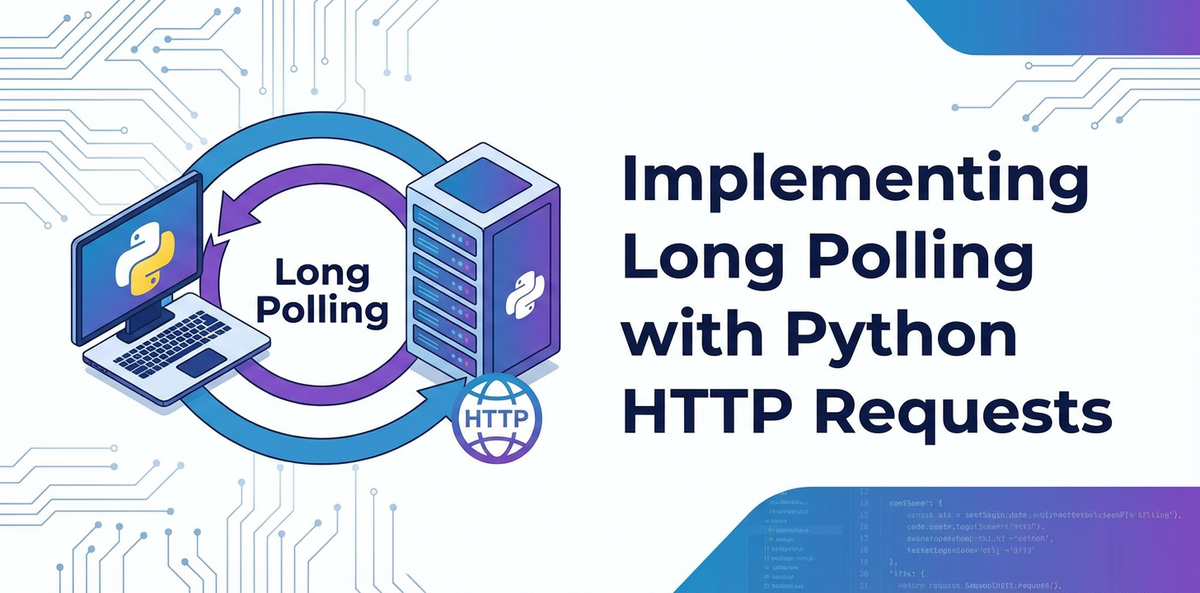


In the dynamic landscape of modern web applications, the demand for real-time or near real-time data updates is ever-present. From instant messaging platforms and live sports scoreboards to financial trading applications and collaborative editing tools, users expect immediate feedback and synchronized information. While the core of the web, HTTP, is inherently stateless and request-response driven, various techniques have evolved to bridge this gap and simulate a more persistent, event-driven interaction model. Among these techniques, long polling stands out as a pragmatic and widely adopted approach for achieving push-like notifications over standard HTTP connections, offering a compelling balance between simplicity and efficiency. This comprehensive guide delves deep into the intricacies of implementing long polling using Python's powerful requests library, exploring its mechanisms, best practices, and the critical role of supporting infrastructure, including the indispensable api gateway.
Understanding how to effectively implement long polling is crucial for developers building applications that require timely updates without the overhead or complexity of full-duplex communication protocols like WebSockets. This article will not only walk you through the client-side Python implementation but also touch upon the conceptual server-side logic, real-world considerations, and the architectural benefits brought by an intelligent gateway solution in managing these persistent connections. By the end, you will possess a robust understanding of long polling, equipped with the knowledge to integrate this powerful pattern into your Python-based systems, ensuring your applications remain responsive and your users well-informed.
Understanding Polling Mechanisms: A Spectrum of Real-time Communication
Before we dive into the specifics of long polling, it's essential to contextualize it within the broader landscape of techniques used to achieve real-time or near real-time communication on the web. Each method comes with its own set of trade-offs, making the choice dependent on specific application requirements, infrastructure capabilities, and performance expectations.
Short Polling: The Traditional, Resource-Intensive Approach
Short polling is perhaps the simplest and most intuitive method for a client to check for updates from a server. In this model, the client repeatedly sends an HTTP request to the server at fixed intervals, asking "Are there any updates for me?" The server responds immediately, either with new data if available or with an empty response indicating no new information. Once the client receives a response, it processes the data and then waits for the predefined interval before sending another request.
How it Works:
- Client sends an HTTP GET request to the server.
- Server processes the request and immediately sends a response.
- If new data is available, it's included in the response. If not, an empty or "no updates" response is sent (e.g., HTTP 200 OK with an empty JSON object).
- Client receives the response, processes it, and then waits for
Nseconds. - After
Nseconds, the client repeats the process from step 1.
Pros of Short Polling:
- Simplicity: It's incredibly straightforward to implement on both the client and server sides, leveraging standard HTTP requests and responses. There are no complex connection management patterns or special protocols required.
- Widespread Compatibility: It works seamlessly across virtually all browsers, proxies, and firewalls, as it relies on standard HTTP GET requests.
Cons of Short Polling:
- High Network Traffic: Even when there's no new data, the client is constantly sending requests and receiving responses. This generates a significant amount of unnecessary network traffic, consuming bandwidth and increasing latency.
- Wasted Server Resources: The server has to process each incoming request, even if it has no data to send. This can lead to increased CPU and memory usage, particularly under heavy load, as it continually queries its data sources for updates that might not exist.
- Inherent Latency: The update frequency is directly tied to the polling interval. If the interval is too long, updates will be delayed. If it's too short, it exacerbates the network traffic and resource consumption issues. It's a constant balancing act between responsiveness and efficiency, often leading to compromises.
- Inefficient for Sparse Updates: For applications where updates are infrequent but crucial when they occur, short polling is particularly inefficient. Most requests will result in empty responses, making the majority of the communication overhead redundant.
Long Polling (Comet Programming): The Elegant Compromise
Long polling, often referred to as "Comet programming," presents a more efficient alternative to short polling by essentially inverting the immediate response characteristic. Instead of the server responding immediately with "no data," it holds the client's request open until new data becomes available or a predefined timeout occurs.
How it Works:
- Client sends an HTTP GET request to the server, similar to short polling. This request typically includes some identifier or timestamp indicating the last known state of the client's data.
- Server receives the request. If new data is immediately available for that client, the server responds instantly with the data, and the connection closes.
- If no new data is available, the server does not immediately send an empty response. Instead, it places the client's connection into a pending state and holds it open, effectively pausing the response until:
- New data becomes available for that client.
- A server-side timeout period elapses.
- When new data becomes available, the server pushes the data through the pending connection as the response, and the connection closes.
- If the timeout occurs before data is available, the server sends an empty or "no updates" response, and the connection closes.
- Upon receiving any response (data or timeout), the client processes the response, then immediately sends a new long polling request to re-establish the connection and await further updates.
Pros of Long Polling:
- Reduced Network Traffic: Unlike short polling, requests are not sent unless the previous one has completed. This significantly reduces the total number of HTTP requests and responses exchanged, as empty responses are less frequent.
- Lower Latency for Updates: Updates are delivered almost immediately once they become available, without waiting for a fixed polling interval. This provides a much more responsive user experience than short polling.
- More Efficient Server Resource Usage (for client-side updates): While connections are held open, the server isn't constantly processing new requests for updates. It only responds when there's actual data to send, or a timeout occurs, potentially reducing CPU cycles associated with request handling compared to short polling.
- Standard HTTP Compliant: Like short polling, long polling utilizes standard HTTP requests, making it compatible with existing HTTP infrastructure, proxies, and firewalls without requiring special protocols or server configurations.
Cons of Long Polling:
- Increased Server Resource Consumption (for open connections): The server has to maintain a potentially large number of open connections simultaneously. Each open connection consumes memory and socket resources, which can become a bottleneck for very high-scale applications if not properly managed.
- Complexity: Implementing robust long polling on the server side requires careful management of client connections, data availability queues, and timeouts. This is notably more complex than short polling.
- Timeout Handling: Both client and server need to correctly handle timeouts. The server must eventually send a response to prevent connections from hanging indefinitely, and the client must gracefully reconnect.
- Proxy/Firewall Timeouts: Intermediate proxies or firewalls might have their own timeout policies, which can prematurely close long-held connections, requiring the client to reconnect more frequently than desired.
- Not Truly Real-time: While significantly better than short polling, it's still not a continuous, full-duplex communication channel. Each update requires the connection to be re-established, introducing a small but noticeable overhead compared to persistent connections.
WebSockets: The Full-Duplex, Persistent Solution
WebSockets represent a fundamental shift in web communication, offering a true full-duplex, persistent connection between client and server. After an initial HTTP handshake, the connection is upgraded to a WebSocket protocol, allowing both client and server to send and receive messages at any time without the overhead of repeated HTTP request/response cycles.
How it Works:
- Client sends an HTTP GET request with an
Upgradeheader to the server. - Server responds with an
Upgradeheader, acknowledging the request. - The connection is then "upgraded" from HTTP to a WebSocket protocol.
- Both client and server can send messages to each other at any time over this single, persistent connection.
Pros of WebSockets:
- Truly Real-time: Provides immediate, bidirectional communication with extremely low latency, making it ideal for highly interactive applications.
- Minimal Overhead: Once established, WebSocket frames are very lightweight, leading to significantly less overhead compared to HTTP requests, especially for frequent small messages.
- Efficient Resource Usage (per message): The persistent nature means no repeated connection setup/teardown, making it highly efficient for a high volume of small, frequent updates.
Cons of WebSockets:
- More Complex Implementation: Requires dedicated WebSocket server infrastructure (e.g.,
wslibrary in Node.js,websocketsin Python, or frameworks like Socket.IO). The client-sideWebSocketAPI is also distinct from standardXMLHttpRequestorfetch. - Proxy/Firewall Challenges: Some older proxies or firewalls might not correctly handle WebSocket connections, potentially blocking them or degrading performance, although this is becoming less common.
- State Management: Managing the state of numerous persistent connections can be more complex than stateless HTTP requests, requiring robust server-side logic for connection tracking, message broadcasting, and error recovery.
When to Choose Long Polling Over WebSockets
Given the apparent superiority of WebSockets for "true" real-time communication, why would one opt for long polling?
- Simpler Infrastructure: If your existing server infrastructure is primarily HTTP-based and you want to avoid introducing a new WebSocket server or libraries, long polling leverages standard HTTP, making it easier to integrate.
- Intermittent Updates: For applications where updates are critical but relatively infrequent, long polling provides an excellent balance. It avoids the continuous overhead of short polling while not requiring the dedicated persistent server resources of WebSockets for potentially long periods of inactivity.
- Legacy System Integration: If you are integrating with an existing api or backend that doesn't natively support WebSockets, long polling can be a practical bridge.
- Browser/Client Compatibility: While modern browsers all support WebSockets, if you need to support very old clients or environments where WebSocket support might be flaky, long polling offers wider compatibility.
- Proxy/Network Constraints: In enterprise environments with strict proxy configurations or firewalls, long polling often fares better because it masquerades as a regular HTTP request.
In essence, long polling is an excellent choice when you need push-like notifications with low latency but aren't building a truly streaming, high-throughput interactive application. It acts as a robust middle ground, providing significant improvements over short polling without the full architectural commitment of WebSockets.
Core Concepts of Long Polling: The Client-Server Dance
The effectiveness of long polling hinges on a synchronized dance between the client and server. Each plays a distinct role in maintaining the illusion of real-time updates over the request-response paradigm of HTTP. Understanding these core concepts is paramount for a successful implementation.
Client-Side Logic: The Persistent Listener
The client's role in long polling is to initiate the request, patiently await a response, process any received data, and then immediately re-establish the connection. This continuous cycle forms the backbone of the client-side implementation.
- Initiating the Request: The client sends a standard HTTP GET request to a specific api endpoint designed for long polling. Crucially, this request often includes a
timeoutparameter, either implicitly through the client's HTTP library or explicitly via a header that the server will interpret. It also commonly includes a parameter (e.g.,last_message_id,timestamp, orversion) that tells the server the client's current data state. This helps the server determine if there's any new data since the client's last successful update. - Handling the Response:
- Data Received: If the server responds with new data (e.g., a JSON payload containing updates), the client must parse this data, update its internal state or UI, and then immediately send a new long polling request. The key is to avoid any significant delay before re-establishing the connection to minimize latency for subsequent updates.
- Timeout Response: If the server responds because its own internal timeout elapsed (without new data becoming available), the client should simply treat this as "no new data" and, crucially, immediately send a new long polling request. This ensures the client remains connected and ready for future updates.
- Network Errors/Server-Side Issues: The client must be robust enough to handle network disconnections, server errors (e.g., HTTP 500), or unexpected response formats. In such cases, it should implement retry logic, possibly with an exponential backoff strategy, to avoid overwhelming the server during transient issues.
- Re-establishing the Connection: The core principle is continuous connection. As soon as one long polling request completes (whether with data or a timeout), the client must initiate another one. This creates a continuous loop of waiting and receiving.
- Error Handling and Robustness: A client designed for long polling cannot be brittle. It must account for various failure modes:
- Connection Timeouts: Client-side HTTP libraries often have their own default timeouts. It's important to configure these to be slightly longer than the server's expected long polling timeout to ensure the server has a chance to respond.
- Network Failures: Loss of internet connectivity, DNS resolution issues, or general network flakiness.
- Server Errors: The server might return HTTP 4xx or 5xx errors if something goes wrong on its end.
- Data Corruption: Malformed JSON or unexpected response structures.
- Robust error handling should include logging, intelligent retries, and potentially user notifications.
Server-Side Logic (Conceptual): The Patient Gatekeeper
The server's role is more complex, acting as a gatekeeper that patiently holds client connections until an event occurs or a timeout expires.
- Receiving Requests: The server receives a long polling HTTP GET request from a client. It extracts any parameters (like
last_message_id) to understand the client's current state. - Checking for Immediate Data: The server first checks its internal data sources or message queues to see if there's any new, relevant data immediately available for that specific client. This check should be very fast.
- Holding Connections (If No Immediate Data): If no new data is immediately available, this is where the "long" in long polling comes into play. The server does not respond. Instead, it places the client's request into a pending state. This typically involves:
- Storing the Request Context: Keeping track of the client's HTTP request object, so it can be used to send a response later.
- Associating with Events/Data: Registering the client's request with a mechanism that monitors for new data or events relevant to that client. This could be a listener on a message queue (e.g., Redis Pub/Sub, Kafka), a database change feed, or an in-memory queue of pending events.
- Setting a Server-Side Timeout: Crucially, the server sets a maximum duration for holding the connection open (e.g., 30-60 seconds). This prevents connections from lingering indefinitely, consuming resources, and ensures that clients eventually receive a response, even if it's just an empty one.
- Notifying Clients (When Data Becomes Available): When new data relevant to a pending client becomes available (e.g., a new message arrives in a chat room the client is subscribed to), the server retrieves the stored request context for that client. It then crafts a response containing the new data and sends it back to the client, effectively closing that specific HTTP connection.
- Handling Server-Side Timeouts: If the server-side timeout period elapses before any new data becomes available for a pending client, the server sends an empty response (e.g., HTTP 200 OK with an empty JSON object, or a simple "no updates" message). This signals to the client that it should re-poll, preventing the connection from staying open indefinitely and freeing up server resources.
- Managing Client Queues/Subscriptions: For scalability and efficiency, a robust long polling server often uses a messaging system (like Redis Pub/Sub or Apache Kafka) as a backend. Clients subscribe to topics or channels, and when events occur, the server publishes to these channels. The long polling handler then listens to these channels and responds to clients whose requests are pending for that specific event.
The server's internal architecture needs to be designed to handle concurrent requests efficiently. Traditional synchronous web servers might struggle with many open connections, as each connection consumes a worker thread. Asynchronous web frameworks (like Python's asyncio with aiohttp or FastAPI, or Node.js's Express) are often better suited for long polling, as they can manage many connections with fewer threads. Furthermore, behind the scenes, a powerful api gateway can significantly offload much of the traffic management and security concerns from the individual long polling servers, allowing them to focus solely on event detection and response.
Implementing Long Polling Client with Python HTTP Requests
Python's requests library is the de facto standard for making HTTP requests, offering a clean, user-friendly API. It's perfectly suited for building a robust long polling client. This section will guide you through setting up your environment, making basic long polling requests, handling responses, and incorporating advanced features for resilience.
Setting up the Environment
First, ensure you have Python installed (version 3.7 or higher is recommended). Then, install the requests library if you haven't already:
pip install requests
Basic Long Polling Request: The Heart of the Client
The core idea is to send a request with a specified timeout and continuously loop, re-sending the request after each response (or timeout).
Let's assume we have a hypothetical long polling api endpoint at http://localhost:5000/poll_for_updates. This endpoint is designed to hold the connection for up to, say, 25 seconds if no data is available.
import requests
import time
import json

def long_poll(api_url, timeout_seconds=30, last_event_id=None):
    """
    Implements a basic long polling client.

    Args:
        api_url (str): The URL of the long polling API endpoint.
        timeout_seconds (int): The client-side timeout for the HTTP request.
                                Should be slightly longer than the server's timeout.
        last_event_id (str, optional): An identifier for the last event received,
                                       to tell the server what updates are needed.
    """
    print(f"Starting long polling from {api_url}...")
    while True:
        try:
            params = {}
            if last_event_id:
                params['last_event_id'] = last_event_id

            print(f"[{time.strftime('%H:%M:%S')}] Sending request (last_event_id: {last_event_id})...")
            # The timeout parameter in requests specifies the total time
            # the client will wait for the server to send *any* response.
            # This should be greater than the server's expected long poll duration.
            response = requests.get(api_url, params=params, timeout=timeout_seconds)
            response.raise_for_status() # Raise HTTPError for bad responses (4xx or 5xx)

            if response.status_code == 200:
                data = response.json()
                if data:
                    print(f"[{time.strftime('%H:%M:%S')}] Received data: {json.dumps(data, indent=2)}")
                    # Process the data (e.g., update UI, log, etc.)
                    # Assuming the server sends an 'event_id' to track progress
                    if 'event_id' in data:
                        last_event_id = data['event_id']
                    else:
                        print("Warning: 'event_id' not found in response. Subsequent polls might receive old data.")
                else:
                    print(f"[{time.strftime('%H:%M:%S')}] No new data received (empty response). Re-polling immediately.")
            else:
                print(f"[{time.strftime('%H:%M:%S')}] Unexpected status code: {response.status_code}. Response: {response.text}")

        except requests.exceptions.Timeout:
            print(f"[{time.strftime('%H:%M:%S')}] Request timed out after {timeout_seconds} seconds. Re-polling.")
            # This is expected for long polling when no new data is available.
            # Immediately re-send the request.
            pass
        except requests.exceptions.ConnectionError as e:
            print(f"[{time.strftime('%H:%M:%S')}] Connection error: {e}. Retrying in 5 seconds...")
            time.sleep(5)
        except requests.exceptions.HTTPError as e:
            print(f"[{time.strftime('%H:%M:%S')}] HTTP error: {e}. Status code: {e.response.status_code}. Retrying in 10 seconds...")
            time.sleep(10)
        except json.JSONDecodeError as e:
            print(f"[{time.strftime('%H:%M:%S')}] JSON decoding error: {e}. Response text: {response.text}. Retrying in 5 seconds...")
            time.sleep(5)
        except Exception as e:
            print(f"[{time.strftime('%H:%M:%S')}] An unexpected error occurred: {e}. Retrying in 15 seconds...")
            time.sleep(15)

# Example usage:
if __name__ == "__main__":
    # For testing, you'd need a simple Flask or FastAPI server that implements long polling.
    # A placeholder URL for demonstration.
    TEST_API_URL = "http://localhost:5000/poll_for_updates"
    long_poll(TEST_API_URL, timeout_seconds=30)
In this basic example:
- The
timeoutparameter inrequests.get()is crucial. It dictates how long the client will wait for the server to respond. For long polling, this value should be slightly longer than the server's expected maximum hold time for a connection. This ensures the client gracefully receives a server-side timeout response rather than experiencing its own connection timeout. - We use a
while Trueloop to ensure continuous polling. response.raise_for_status()is a convenient way to immediately detect and raise anHTTPErrorfor 4xx or 5xx responses, simplifying error handling.requests.exceptions.Timeoutis caught specifically, as this is an expected outcome in long polling when no new data arrives within the server's (and thus the client's) timeout window.last_event_idis passed as a query parameter. This is a common pattern for the client to tell the server what data it has already seen, allowing the server to send only new updates.
Handling Server Responses
When data is received, it's typically in JSON format. Your client needs to:
- Parse the JSON:
response.json()handles this automatically if theContent-Typeheader isapplication/json. - Extract relevant information: Identify and extract the actual data or event details.
- Update client state: Use the
event_idor similar unique identifier to update thelast_event_idparameter for the next poll, ensuring you don't receive duplicate or old data. - Perform actions: Update UI, log the event, trigger other internal processes.
Exponential Backoff and Jitter
While the basic loop works, in a production environment, you need more robust error handling and retry mechanisms. If the server is experiencing issues or network connectivity is flaky, repeatedly hammering the server with immediate retries can worsen the problem (a "thundering herd" effect).
Exponential backoff means increasing the delay between retries exponentially after each failed attempt. Jitter means adding a small, random amount of time to that delay to prevent multiple clients from retrying at the exact same moment, which can create synchronized peaks of load.
import requests
import time
import json
import random

def long_poll_with_backoff(api_url, timeout_seconds=30, last_event_id=None,
                            max_retries=10, initial_backoff_time=1):
    """
    Implements a long polling client with exponential backoff and jitter for retries.
    """
    print(f"Starting long polling with backoff from {api_url}...")
    retries = 0
    current_backoff_time = initial_backoff_time

    while True:
        try:
            params = {}
            if last_event_id:
                params['last_event_id'] = last_event_id

            print(f"[{time.strftime('%H:%M:%S')}] Sending request (last_event_id: {last_event_id}, retry: {retries})...")
            response = requests.get(api_url, params=params, timeout=timeout_seconds)
            response.raise_for_status()

            if response.status_code == 200:
                data = response.json()
                if data:
                    print(f"[{time.strftime('%H:%M:%S')}] Received data: {json.dumps(data, indent=2)}")
                    if 'event_id' in data:
                        last_event_id = data['event_id']
                    else:
                        print("Warning: 'event_id' not found. Subsequent polls might receive old data.")
                    retries = 0 # Reset retries on successful data reception
                    current_backoff_time = initial_backoff_time # Reset backoff
                else:
                    print(f"[{time.strftime('%H:%M:%S')}] No new data (empty response). Re-polling immediately.")
                    retries = 0 # Reset retries on successful empty response (expected timeout)
                    current_backoff_time = initial_backoff_time # Reset backoff

        except requests.exceptions.Timeout:
            print(f"[{time.strftime('%H:%M:%S')}] Request timed out after {timeout_seconds}s. Re-polling.")
            retries = 0 # Timeout is an expected event, not a failure that needs backoff
            current_backoff_time = initial_backoff_time
            pass
        except (requests.exceptions.ConnectionError,
                requests.exceptions.HTTPError,
                json.JSONDecodeError) as e:
            retries += 1
            if retries > max_retries:
                print(f"[{time.strftime('%H:%M:%S')}] Max retries ({max_retries}) exceeded for {type(e).__name__}: {e}. Exiting.")
                break # Or implement a more sophisticated recovery/alerting

            # Calculate backoff time with jitter
            wait_time = min(current_backoff_time * (2 ** (retries - 1)), 60) # Cap at 60 seconds
            jitter = random.uniform(0, wait_time / 2) # Add random jitter up to half of wait_time
            sleep_for = wait_time + jitter

            print(f"[{time.strftime('%H:%M:%S')}] Error ({type(e).__name__}): {e}. Retrying in {sleep_for:.2f} seconds (retry {retries}/{max_retries})...")
            time.sleep(sleep_for)
            current_backoff_time = sleep_for # Update backoff base for next retry if needed
        except Exception as e:
            print(f"[{time.strftime('%H:%M:%S')}] An unhandled error occurred: {e}. Exiting.")
            break # Catch all for unexpected errors

# Example usage:
if __name__ == "__main__":
    # Replace with your actual long polling API endpoint
    TEST_API_URL = "http://localhost:5000/poll_for_updates"
    long_poll_with_backoff(TEST_API_URL, timeout_seconds=30, max_retries=10, initial_backoff_time=1)
In this enhanced version:
max_retriesandinitial_backoff_timecontrol the retry behavior.retriescounter is reset on any successful response (either data or an empty response due to server timeout), indicating the connection is healthy.- The
wait_timeexponentially increases, capped at 60 seconds to prevent excessively long delays. random.uniform()adds jitter, spreading out retries.- A maximum retry limit (
max_retries) is set to prevent infinite loops during persistent errors.
Connection Management and Retries with requests.Session
For even more robust and efficient client-side operations, especially when making multiple requests to the same host, requests.Session is highly recommended. A Session object persists certain parameters across requests, such as cookies, default headers, and connection pooling. It also allows you to configure adapters for more advanced retry logic for network-level issues.
import requests
from requests.adapters import HTTPAdapter
from urllib3.util.retry import Retry
import time
import json
import random

def long_poll_session_with_backoff(api_url, timeout_seconds=30, last_event_id=None,
                                    max_retries=5, backoff_factor=0.5):
    """
    Implements a robust long polling client using requests.Session,
    HTTPAdapter for automatic retries, exponential backoff, and jitter.
    """
    print(f"Starting long polling with Session and advanced retries from {api_url}...")

    # Configure Retry strategy for connection-level errors (e.g., DNS, connection refused)
    retry_strategy = Retry(
        total=max_retries,
        backoff_factor=backoff_factor, # Base delay for exponential backoff
        status_forcelist=[429, 500, 502, 503, 504], # HTTP status codes to retry on
        allowed_methods=["HEAD", "GET", "OPTIONS"], # Methods for which to retry
        # Using a custom backoff_factor allows for finer control over the sleep duration
        # {backoff_factor} * (2 ** ({number of previous retries} - 1))
        # Example: 0.5 * (2^0) = 0.5s, 0.5 * (2^1) = 1s, 0.5 * (2^2) = 2s, etc.
        jitter=0.1 # Add a small random jitter to the retry delay
    )
    adapter = HTTPAdapter(max_retries=retry_strategy)

    with requests.Session() as session:
        session.mount("http://", adapter)
        session.mount("https://", adapter)

        # Custom counter for application-level retries (e.g., JSON decode errors)
        app_retries = 0
        app_current_backoff_time = backoff_factor * 2 # Start with a small backoff

        while True:
            try:
                params = {}
                if last_event_id:
                    params['last_event_id'] = last_event_id

                print(f"[{time.strftime('%H:%M:%S')}] Sending request (last_event_id: {last_event_id}, app_retries: {app_retries})...")

                # The timeout here is for the actual long polling duration, not retries
                response = session.get(api_url, params=params, timeout=timeout_seconds)
                response.raise_for_status()

                if response.status_code == 200:
                    data = response.json()
                    if data:
                        print(f"[{time.strftime('%H:%M:%S')}] Received data: {json.dumps(data, indent=2)}")
                        if 'event_id' in data:
                            last_event_id = data['event_id']
                        else:
                            print("Warning: 'event_id' not found. Subsequent polls might receive old data.")
                        app_retries = 0 # Reset app-level retries
                        app_current_backoff_time = backoff_factor * 2
                    else:
                        print(f"[{time.strftime('%H:%M:%S')}] No new data (empty response). Re-polling immediately.")
                        app_retries = 0 # Reset app-level retries
                        app_current_backoff_time = backoff_factor * 2

            except requests.exceptions.Timeout:
                print(f"[{time.strftime('%H:%M:%S')}] Request timed out after {timeout_seconds}s. Re-polling.")
                app_retries = 0 # Timeout is expected, not an app-level error
                app_current_backoff_time = backoff_factor * 2
                pass # Immediately re-send
            except (requests.exceptions.RequestException, json.JSONDecodeError) as e:
                # This block handles exceptions not handled by HTTPAdapter's retries,
                # or when HTTPAdapter's retries have been exhausted.
                # json.JSONDecodeError is an application-level error.
                app_retries += 1
                if app_retries > max_retries:
                    print(f"[{time.strftime('%H:%M:%S')}] Max application retries ({max_retries}) exceeded for {type(e).__name__}: {e}. Exiting.")
                    break

                # Manual backoff calculation for app-level retries
                wait_time = min(app_current_backoff_time * (2 ** (app_retries - 1)), 60) # Cap at 60s
                jitter_val = random.uniform(0, wait_time / 2)
                sleep_for = wait_time + jitter_val

                print(f"[{time.strftime('%H:%M:%S')}] Application error ({type(e).__name__}): {e}. Retrying in {sleep_for:.2f} seconds (app_retry {app_retries}/{max_retries})...")
                time.sleep(sleep_for)
                app_current_backoff_time = sleep_for # Update for next potential app retry
            except Exception as e:
                print(f"[{time.strftime('%H:%M:%S')}] An unhandled error occurred: {e}. Exiting.")
                break

# Example usage:
if __name__ == "__main__":
    TEST_API_URL = "http://localhost:5000/poll_for_updates"
    long_poll_session_with_backoff(TEST_API_URL, timeout_seconds=30)
In this advanced client:
requests.Session()is used to enable connection pooling, which reuses underlying TCP connections, reducing overhead, especially in a continuous polling scenario.urllib3.util.retry.Retry(whichrequestsuses internally) is configured with anHTTPAdapter. This setup automatically retries requests for specific HTTP status codes (like 500, 502, 503, 504) and connection-level errors (like DNS lookups, connection refused) using exponential backoff beforerequestseven raises an exception to your maintry...exceptblock.- We still maintain a separate
app_retriescounter and backoff for application-specific errors likejson.JSONDecodeErroror if theHTTPAdapterexhausts its retries forrequests.exceptions.RequestException(which is the base class forConnectionError,HTTPError, etc.). This layered approach ensures comprehensive error handling.
Authentication and Headers
Most real-world api interactions require authentication. With requests, this is straightforward:
# ... inside your long_poll function, before session.get() ...
headers = {
    "Authorization": "Bearer YOUR_API_TOKEN",
    "X-Client-ID": "my-python-app"
}
response = session.get(api_url, params=params, headers=headers, timeout=timeout_seconds)

# Alternatively, for session-wide authentication:
# session.headers.update({"Authorization": "Bearer YOUR_API_TOKEN"})
# Then subsequent calls to session.get() will include this header.
An api gateway typically plays a crucial role here. Instead of each client needing to know how to construct specific authorization headers, an api gateway can:
- Enforce Authentication: Validate tokens or API keys before forwarding requests to the backend.
- Transform Headers: Add, modify, or remove headers to conform to backend expectations, abstracting away security concerns from the client.
- Rate Limiting: Protect your backend long polling api from being overwhelmed by too many client requests, even with sophisticated client-side backoff.
By using requests.Session with proper retry strategies and explicit timeout management, your Python long polling client becomes resilient and efficient, capable of maintaining stable connections to receive timely updates from a long polling api.
Simulating a Long Polling Server (Conceptual/Flask Example)
While this article focuses on the client, understanding the server's perspective is crucial for designing a robust long polling system. A server needs to manage pending requests, detect events, and respond either with data or a timeout. For demonstration, we'll outline a conceptual server using Flask, a lightweight Python web framework, emphasizing the long polling logic.
Basic Flask Server Setup
First, install Flask:
pip install Flask
A minimal Flask app:
from flask import Flask, request, jsonify
import time
import threading
import uuid
import queue

app = Flask(__name__)

# Simple in-memory storage for events and pending requests
# In a real application, this would be a message queue (Redis, Kafka) or a database
# A dictionary where keys are 'event_id' and values are event data
global_events = {}
# A dictionary where keys are client IDs, and values are Queues for their pending requests
# This is a simplification; a real system would use more sophisticated structures
global_pending_requests = {}
global_event_id_counter = 0
global_lock = threading.Lock() # To protect global_events and global_event_id_counter

def get_next_event_id():
    """Generates a simple incremental event ID."""
    global global_event_id_counter
    with global_lock:
        global_event_id_counter += 1
        return str(global_event_id_counter)

@app.route('/')
def home():
    return "Long Polling Server is Running!"

# Helper to simulate adding a new event
def add_new_event_simulated(data):
    """Simulates a background process adding new data."""
    event_id = get_next_event_id()
    event_payload = {"event_id": event_id, "data": data, "timestamp": time.time()}
    with global_lock:
        global_events[event_id] = event_payload
        # Notify all pending requests
        for client_id in list(global_pending_requests.keys()): # Iterate over copy to avoid issues during modification
            req_queue = global_pending_requests.get(client_id)
            if req_queue:
                # Add the new event to all relevant pending requests
                req_queue.put(event_payload)
    print(f"[{time.strftime('%H:%M:%S')}] Server added new event: {event_payload}")
    # Cleanup pending requests that were just notified
    # In a real system, you'd have more granular control, e.g., per-client notification.
    # For this simple demo, we just clear for all (implying all get same event).
    with global_lock:
        global_pending_requests.clear() # Clears all pending requests after a global event

# Background thread to add new events periodically
def event_generator():
    i = 0
    while True:
        time.sleep(random.randint(5, 15)) # Simulate event occurring every 5-15 seconds
        add_new_event_simulated(f"Important update {i}")
        i += 1

# Start the event generator in a separate thread
event_thread = threading.Thread(target=event_generator, daemon=True)
event_thread.start()
Implementing Long Polling Logic on Server
The core long polling endpoint will:
- Receive the client's
last_event_id. - Check for new events immediately.
- If no new events, hold the request.
- Respond when an event occurs or a timeout is reached.
# ... (previous Flask setup code) ...

@app.route('/poll_for_updates', methods=['GET'])
def poll_for_updates():
    client_id = request.args.get('client_id', 'anonymous') # A simple client identifier
    last_event_id = request.args.get('last_event_id', '0')

    # Server-side timeout for holding the connection open
    SERVER_LONG_POLL_TIMEOUT = 25 # seconds

    # Check for new events immediately
    new_events = []
    with global_lock:
        for event_id_str in sorted(global_events.keys(), key=int):
            if int(event_id_str) > int(last_event_id):
                new_events.append(global_events[event_id_str])

    if new_events:
        print(f"[{time.strftime('%H:%M:%S')}] Server: Immediate response with {len(new_events)} new event(s) for client {client_id}.")
        # In a real scenario, you'd typically send only the *next* single event
        # or a batch of events starting from last_event_id.
        # For this simple demo, we send all found new events.
        return jsonify(new_events[0]), 200 # Sending just the first one for simplicity, real-world might batch

    # If no immediate events, add the request to pending queue and wait
    print(f"[{time.strftime('%H:%M:%S')}] Server: No immediate events for client {client_id}. Holding request...")

    # Create a queue specifically for this client's request
    # This queue will be used to signal when an event is available
    req_queue = queue.Queue()
    with global_lock:
        # A real system would map client_id to an Event object or similar,
        # not directly to a queue. This is a very simplified example.
        global_pending_requests[client_id] = req_queue

    try:
        # Wait for an event to be put into the queue, or for the timeout
        event_payload = req_queue.get(timeout=SERVER_LONG_POLL_TIMEOUT)
        print(f"[{time.strftime('%H:%M:%S')}] Server: Event occurred for client {client_id}. Responding with: {event_payload['event_id']}")
        return jsonify(event_payload), 200
    except queue.Empty:
        # Timeout occurred, no new events during the wait period
        print(f"[{time.strftime('%H:%M:%S')}] Server: Timeout for client {client_id}. Responding with no data.")
        return jsonify({}), 200 # Empty JSON indicates no new data
    finally:
        # Clean up the pending request
        with global_lock:
            # In a real system, you'd only remove this specific request,
            # not clear the whole global_pending_requests.
            # This simplification shows the server has processed the request.
            if client_id in global_pending_requests:
                del global_pending_requests[client_id]

if __name__ == '__main__':
    # You might want to run with gunicorn for a more robust production setup
    # gunicorn -w 4 -b 0.0.0.0:5000 server_app:app
    app.run(debug=True, port=5000)
Explanation of the Server Logic:
global_eventsandglobal_pending_requests: These are simplified in-memory structures.global_eventsacts as our data source, storing new events.global_pending_requestsis a temporary holding place for thequeue.Queueobjects associated with each client's currently open long-polling request. When an event occurs, the server puts the event into these queues.
event_generator: A background thread periodically adds new "updates" toglobal_events, simulating a data change in the backend.poll_for_updatesendpoint:- It first checks if there are any events after the
last_event_idprovided by the client. If so, it responds immediately. - If not, it creates a
queue.Queuefor the current request, stores it inglobal_pending_requests, and then callsreq_queue.get(timeout=SERVER_LONG_POLL_TIMEOUT). This function blocks until either an event is put into the queue or theSERVER_LONG_POLL_TIMEOUTexpires. - If an event is received, it responds with the data.
- If a
queue.Emptyexception occurs, it means the timeout elapsed, and it responds with an empty JSON object. - The
finallyblock attempts to clean up the pending request entry.
- It first checks if there are any events after the
Challenges and Considerations for Server-Side Long Polling
Building a scalable and robust long polling server is significantly more complex than the client.
- Scalability (Many Open Connections): Each open long polling connection consumes server resources (memory, file descriptors, network sockets). Traditional synchronous servers (like the default Flask development server) handle requests sequentially and might struggle with thousands of concurrent open connections.
- Asynchronous Frameworks: For high concurrency, asynchronous server frameworks (e.g.,
FastAPIwithUvicorn,aiohttp,Node.jswithExpress) are preferred. They use an event loop model to manage many concurrent I/O operations (like waiting for a database query or a pending client connection) without blocking the main thread. - State Management: The server needs to efficiently track which client is waiting for what data. This state cannot be simply in-memory if you have multiple server instances.
- Backend Eventing System: A powerful and scalable backend for event detection is essential.
- Message Queues: Technologies like Redis Pub/Sub, Apache Kafka, or RabbitMQ are ideal. When an event occurs in your application, it's published to a topic/channel. Your long polling servers then subscribe to these topics, and upon receiving an event, they can notify the relevant pending clients.
- Database Change Feeds: Some databases offer change data capture (CDC) features (e.g., PostgreSQL's
NOTIFY/LISTEN, MongoDB Change Streams) that can be used to trigger events.
- Load Balancing and Session Affinity: If you have multiple long polling servers behind a load balancer, you might need "sticky sessions" (session affinity) to ensure a client's subsequent requests (after a timeout or data receipt) go back to the same server that holds its pending request context. This is often managed by an api gateway or load balancer.
- Heartbeats: Proxies and firewalls can aggressively close idle connections. Servers might need to send small "heartbeat" packets over long polling connections to keep them alive, although this adds complexity.
- Error Handling and Graceful Shutdown: A production server needs robust error handling, detailed logging, and the ability to gracefully shut down, ensuring all pending connections are properly closed or handed off.
While the Flask example provides a conceptual understanding, real-world long polling servers require careful design and often leverage specialized tools and architectural patterns to handle scale and reliability.
APIPark is a high-performance AI gateway that allows you to securely access the most comprehensive LLM APIs globally on the APIPark platform, including OpenAI, Anthropic, Mistral, Llama2, Google Gemini, and more.Try APIPark now! 👇👇👇
Real-World Use Cases and Scenarios
Long polling, despite the emergence of WebSockets, continues to be a relevant and practical solution for many applications that require immediate updates without the full commitment to a persistent, full-duplex connection. Its compatibility with standard HTTP infrastructure makes it an attractive choice in various scenarios.
Chat Applications (Simpler Versions)
For simpler chat features where the volume of simultaneous messages isn't overwhelmingly high and the absolute lowest latency isn't the primary concern, long polling can effectively power message delivery. When a user sends a message, it's pushed to a backend system. Other users' clients, currently long polling, will then receive that message as their connection resolves, and they immediately re-establish a new poll. This works well for internal team communication tools or support chat widgets where the architectural overhead of WebSockets might be considered overkill.
Example: A customer support chat widget embedded on a website. The agent's interface might use WebSockets for richer interaction, but the customer's lightweight widget could use long polling to receive agent replies, given that a single customer session typically involves intermittent message exchanges.
Live Dashboards and Monitoring Tools
Many dashboards display real-time metrics, logs, or status updates (e.g., server health, job progress, financial tickers). While truly streaming dashboards might opt for WebSockets or Server-Sent Events (SSE), long polling provides a robust alternative for scenarios where updates arrive periodically (e.g., every few seconds to a minute) but need to be displayed promptly. The client polls for new data, and when a new metric reading or log entry is available, the server responds.
Example: A system monitoring dashboard that updates CPU usage, memory consumption, or active user counts every 10-15 seconds. Instead of constantly hammering the server every second (short polling), long polling ensures updates are delivered as soon as new data points are recorded, reducing unnecessary network traffic.
Asynchronous Job Completion Notifications
When a client initiates a long-running background task (e.g., video encoding, large data processing, report generation), they often need to be notified when the task completes or reaches a specific milestone. Instead of continuously querying a "status" api endpoint (short polling), the client can long poll a notification endpoint. The server holds the connection until the job's status changes to "completed" or "failed," or until an intermediate progress update is available.
Example: A user uploads a large video file for processing. Their client can long poll an endpoint like /job-status/<job_id>. The server will only respond when the video processing is done, or if an error occurs, providing an immediate notification without wasting client and server resources on constant status checks.
Server-Sent Events (SSE) vs. Long Polling
It's worth briefly noting Server-Sent Events (SSE) as another "push-like" HTTP technique. SSE establishes a single, long-lived HTTP connection over which the server can continuously push data to the client. Unlike long polling where the connection closes and re-opens for each event, SSE keeps the connection open.
Key Differences:
- Unidirectional: SSE is strictly from server to client. The client can't send messages back over the same connection (though it can use separate HTTP requests).
- Persistent Connection: The connection remains open.
- Automatic Reconnection: Browsers natively support automatic reconnection for SSE if the connection drops.
When to choose SSE over Long Polling: If your primary need is a continuous stream of data from the server to the client, and the client doesn't need to send frequent messages back to the server over the same channel, SSE is generally a simpler and more efficient choice than long polling. It avoids the overhead of repeatedly setting up and tearing down connections. However, if browser support for SSE is a concern for very old clients, or if you need to send client-specific parameters with every poll (which is easier with long polling's repeated requests), long polling might still be considered.
When Long Polling is a Good Choice Compared to WebSockets
Revisiting this crucial point:
- Existing HTTP Infrastructure: If your entire backend, including proxies and firewalls, is optimized for HTTP and introducing a new WebSocket layer adds too much complexity or requires significant infrastructure changes.
- Infrequent, But Important, Updates: When updates are not continuous streams but rather sporadic events that need to be delivered quickly. Long polling is efficient in this sparse update scenario.
- Simplicity and Compatibility: For applications that prioritize ease of implementation and maximum compatibility across various network environments.
- "Push-Lite" Requirements: You need "push" notifications but don't require the full-duplex, low-latency, and high-throughput capabilities of WebSockets, especially if your message volume is moderate.
In conclusion, long polling remains a valuable tool in a developer's arsenal for achieving near real-time interactivity. Its ability to provide immediate updates over standard HTTP, with careful management, makes it a pragmatic solution for a wide array of application requirements, often serving as a robust bridge between traditional request-response and advanced real-time communication.
The Role of an API Gateway in Long Polling
When you start to deploy long polling solutions at scale, or integrate them into a broader ecosystem of microservices and client applications, the need for a robust api gateway becomes not just beneficial but absolutely critical. An api gateway acts as a single entry point for all client requests, sitting between client applications and your backend services. It performs a multitude of functions that are particularly valuable when dealing with the unique characteristics of long polling. This is precisely where a powerful and flexible platform like APIPark shines, providing comprehensive api management features that enhance the performance, security, and manageability of your long polling implementations.
Centralized Management and Routing
An api gateway provides a unified interface for all your APIs, regardless of their underlying implementation (REST, GraphQL, long polling, etc.).
- Single Entry Point: Clients interact with the gateway's endpoint, not directly with your backend long polling servers. This simplifies client configuration and network topology.
- Intelligent Routing: The gateway can intelligently route incoming long polling requests to the correct backend service based on paths, headers, or query parameters. This is essential in a microservices architecture where different services might handle different types of events.
- API Versioning: Manage different versions of your long polling api (e.g.,
/v1/poll,/v2/poll) without impacting older clients, as the gateway handles the routing and potential transformations.
APIPark excels in this domain by offering end-to-end API lifecycle management, assisting with design, publication, invocation, and decommission. It helps regulate API management processes, manage traffic forwarding, load balancing, and versioning of published APIs. This means you can define and manage your long polling endpoints alongside traditional REST APIs within a single, coherent system.
Load Balancing
Long polling servers need to handle a large number of concurrent open connections. An api gateway is inherently designed to manage traffic distribution.
- Distributing Requests: It can distribute incoming long polling requests across a cluster of backend long polling servers, ensuring no single server becomes overwhelmed.
- Sticky Sessions (Session Affinity): For long polling, it might be beneficial to route subsequent requests from the same client to the same backend server, especially if the server maintains in-memory state for that client (though ideally, long polling servers are stateless, relying on backend message queues). An api gateway can be configured to enforce sticky sessions based on client IP, cookies, or custom headers.
Security and Access Control
Security is paramount for any api, and long polling endpoints are no exception. An api gateway acts as the first line of defense.
- Authentication and Authorization: The gateway can authenticate client requests (e.g., validate API keys, OAuth tokens, JWTs) before forwarding them to the backend. This offloads authentication logic from your long polling servers, allowing them to focus on event processing.
- APIPark provides robust features like API resource access requires approval, ensuring callers must subscribe to an API and await administrator approval, preventing unauthorized API calls and potential data breaches. It also supports independent API and access permissions for each tenant, crucial for multi-team or multi-departmental deployments.
- Rate Limiting: Protect your backend servers from being overloaded by malicious or overly zealous clients by enforcing request limits. This is crucial for long polling, where continuous re-polling could otherwise consume significant resources.
- DDoS Protection: Advanced gateway features can help mitigate Distributed Denial of Service attacks by filtering suspicious traffic.
- Input Validation: Sanitize and validate incoming request parameters to prevent common vulnerabilities like SQL injection or cross-site scripting.
Traffic Management and Quality of Service
Beyond basic routing, an api gateway offers advanced traffic controls.
- Throttling: Control the rate at which clients can access your api, even below rate limits, to ensure fair usage and prevent resource exhaustion.
- Circuit Breaking: Automatically stop routing traffic to unhealthy backend servers, preventing cascading failures.
- Caching (Limited for Long Polling): While less relevant for real-time updates, for other traditional api endpoints, caching can significantly improve performance.
Monitoring and Analytics
Understanding how your APIs are being used and performing is critical. An api gateway is perfectly positioned to provide comprehensive insights.
- Centralized Logging: Capture detailed logs of every request and response, including connection duration, client details, and backend responses. This is invaluable for debugging and auditing long polling connections.
- APIPark offers detailed API call logging, recording every detail of each API call, allowing businesses to quickly trace and troubleshoot issues, ensuring system stability and data security.
- Performance Metrics: Monitor latency, error rates, and throughput for your long polling endpoints.
- Data Analysis: Aggregate and analyze historical api call data to identify trends, bottlenecks, and usage patterns.
- APIPark provides powerful data analysis to display long-term trends and performance changes, helping businesses with preventive maintenance before issues occur.
APIPark's Specific Value for Long Polling and Beyond
When dealing with a multitude of APIs, especially those involving real-time or near real-time updates like long polling, an effective api gateway becomes indispensable. Platforms like APIPark offer a comprehensive solution for managing the entire API lifecycle, from development to deployment and beyond.
Imagine you're building an application that leverages various AI models for different functionalities, some of which might need immediate feedback simulated through long polling for process completion. APIPark helps with:
- Quick Integration of 100+ AI Models: You can integrate various AI models, and then expose them as standard APIs through APIPark. If an AI job is asynchronous, you can build a long polling mechanism over the status endpoint, all managed by APIPark.
- Unified API Format for AI Invocation: It standardizes the request data format across all AI models. This means your long polling client doesn't need to worry about AI-specific nuances; it just interacts with a standardized gateway endpoint.
- Prompt Encapsulation into REST API: Users can quickly combine AI models with custom prompts to create new APIs. If these prompt-generated APIs have asynchronous operations, long polling can be implemented for status updates, with APIPark ensuring secure and managed access to these custom APIs.
- Performance Rivaling Nginx: With just an 8-core CPU and 8GB of memory, APIPark can achieve over 20,000 TPS, supporting cluster deployment to handle large-scale traffic. This robust performance is crucial for managing potentially thousands of concurrent long polling connections and the associated overhead.
By sitting in front of your long polling services, APIPark takes on the heavy lifting of security, traffic management, and observability, allowing your backend servers to focus purely on the long polling logic and event detection. This modular approach significantly enhances the maintainability, scalability, and security of your real-time api solutions, making the implementation of long polling not just possible, but practically manageable in complex enterprise environments.
Advanced Considerations and Best Practices
While the core principles of long polling are straightforward, building a production-grade system requires attention to several advanced considerations and best practices to ensure reliability, scalability, and efficiency.
Heartbeats: Preventing Idle Connection Timeouts
Intermediate network devices (proxies, load balancers, firewalls) often have aggressive idle connection timeouts. If a long polling connection remains silent for too long (i.e., no data or timeout response is sent), these devices might prematurely terminate the connection, leading to unexpected disconnections on the client side.
- Server-Side Heartbeats: The server can periodically send a small, empty response or a special "heartbeat" message (e.g., an HTTP 200 with an empty JSON object, or a custom HTTP header) before its main long polling timeout expires. This keeps the connection "alive" in the eyes of intermediate network devices. The client treats this as a regular timeout response and immediately re-polls.
- Reduced Long Poll Timeout: Alternatively, you can simply use a shorter
SERVER_LONG_POLL_TIMEOUT(e.g., 20-30 seconds) to ensure connections are regularly refreshed, implicitly acting as a heartbeat. This is often the simplest and most effective approach for long polling.
Idempotency: Ensuring Safe Retries
Idempotency means that making the same request multiple times has the same effect as making it once. For long polling, this primarily applies to how the client requests data and how the server manages its last_event_id or similar cursor.
- Client
last_event_id: Always include thelast_event_id(or timestamp, sequence number, ETag) in your long polling requests. This tells the server exactly what the client has already seen. - Server Logic: The server should use this
last_event_idto determine precisely which new events to send. If a client reconnects and sends the samelast_event_iddue to a network error where it didn't receive the previous successful response, the server should be able to resend the appropriate missing data or confirm that there's nothing new beyond that ID. This prevents data loss or duplicate processing.
Robust Error Handling and Logging
Comprehensive error handling is non-negotiable for stable long polling.
- Client-Side: As demonstrated in the Python
requestsexamples, catch specific exceptions (requests.exceptions.Timeout,requests.exceptions.ConnectionError,json.JSONDecodeError) and implement appropriate retry logic (with exponential backoff and jitter). Log errors with sufficient detail (timestamps, error type, message, request URL, response status/body if available). - Server-Side:
- Detailed Logging: Log every incoming request, event detection, response (data or timeout), and any internal server errors. This is crucial for debugging production issues.
- Monitoring: Integrate with monitoring systems to track connection counts, average long poll duration, error rates, and resource consumption.
- Health Checks: Provide health check endpoints that can be used by load balancers or container orchestrators to determine the health of your long polling services.
Client State Management
The client needs to reliably maintain its state (e.g., the last_event_id) across polling cycles and even across application restarts.
- Persistent Storage: For web applications,
localStorageorsessionStoragecan store thelast_event_id. For desktop applications or background services, a file, database, or environment variable can serve this purpose. - Graceful Recovery: If the application crashes and restarts, it should ideally be able to retrieve its last known
last_event_idand resume polling from where it left off, minimizing data loss.
Security: Protecting Data in Transit and Access Control
Security considerations extend beyond basic authentication.
- HTTPS/TLS: Always use HTTPS to encrypt data in transit, protecting against eavesdropping and tampering. This is a fundamental requirement for any modern api.
- Authentication & Authorization: As discussed, rely on an api gateway or strong backend mechanisms for verifying client identity and permissions. Tokens (JWTs, OAuth tokens) are preferred over API keys embedded directly in application code.
- Data Sanitization: Ensure any data received from the server (or sent to it) is properly sanitized and validated to prevent injection attacks or unexpected behavior.
- Least Privilege: Ensure your long polling endpoints only have access to the data they absolutely need to serve.
Scalability for High Traffic: Architectural Considerations
Achieving high scalability with long polling on the server side requires careful architectural planning.
- Asynchronous I/O: Use asynchronous web frameworks (e.g.,
asynciowithFastAPI/aiohttpin Python, Node.js, Go) that can efficiently handle thousands of concurrent open connections with minimal thread usage. - Distributed Eventing System: Decouple your long polling servers from your event producers using a robust message queue (Redis Pub/Sub, Kafka, RabbitMQ). This allows events to be published once and consumed by multiple long polling servers, ensuring that no event is missed and load is distributed.
- Stateless Long Polling Servers: Ideally, your long polling server instances should be stateless. All necessary state (like
last_event_idmappings to available events) should reside in a shared, distributed backend (e.g., the message queue, a shared cache like Redis). This allows you to horizontally scale your long polling servers by simply adding more instances. - Connection Pooling (Client-Side): As shown with
requests.Session, client-side connection pooling helps reduce the overhead of repeatedly establishing TCP connections to the gateway or backend. - Microservices Architecture: In a microservices environment, long polling often becomes a dedicated "notification service" or "event listener service," separate from core business logic services. This allows independent scaling and management.
By diligently addressing these advanced considerations, developers can transform a basic long polling implementation into a resilient, scalable, and secure system capable of delivering real-time updates efficiently in diverse production environments. The strategic placement and configuration of an api gateway like APIPark further simplifies and strengthens these best practices by providing a centralized, high-performance layer for managing traffic, security, and observability.
Comparing Polling Techniques: A Summary Table
To consolidate our understanding, here's a comparative overview of the three primary polling techniques discussed, highlighting their key characteristics and ideal use cases.
| Feature | Short Polling | Long Polling | WebSockets |
|---|---|---|---|
| Mechanism | Client repeatedly sends requests at intervals. Server responds immediately. | Client sends request. Server holds connection until data or timeout. Client reconnects. | Client and server establish persistent, full-duplex connection. |
| Latency | High (depends on poll interval) | Low (near real-time) | Very Low (true real-time) |
| Network Traffic | High (many requests, many empty responses) | Moderate (fewer requests, fewer empty responses) | Low (minimal overhead after handshake) |
| Server Resource | Moderate (CPU for many short-lived requests) | High (memory/sockets for many open connections) | Moderate (memory for persistent connections, but efficient per message) |
| Complexity (Client) | Low (standard HTTP GET) | Moderate (timeout, retry, reconnect logic) | Moderate (dedicated WebSocket API, event listeners) |
| Complexity (Server) | Low (standard HTTP handlers) | High (managing pending requests, event notification, timeouts) | High (dedicated WebSocket server, state management, broadcasting) |
| Compatibility | Excellent (standard HTTP) | Excellent (standard HTTP) | Good (modern browsers, may require specific proxy config) |
| Data Flow | Unidirectional (request-response) | Unidirectional (request-response simulation) | Bidirectional (full-duplex) |
| Primary Use Cases | Infrequent, non-critical updates; very simple apps. | Sporadic, but critical updates; chat, dashboards, job notifications. | High-volume, interactive real-time applications; gaming, collaborative editing, streaming. |
| Pros | Simple, compatible | More efficient than short polling, lower latency, HTTP compatible | True real-time, very low latency, highly efficient for continuous streams |
| Cons | Inefficient, high traffic, high latency | Server resource intensive for many connections, more complex than short polling | More complex server infrastructure, potential proxy/firewall issues |
This table underscores that no single technique is universally superior. The optimal choice is always a function of your application's specific requirements, expected traffic patterns, and existing infrastructure. Long polling carves out a significant niche by offering a powerful, yet HTTP-friendly, solution for a wide range of near real-time communication needs.
Conclusion
Implementing long polling with Python's requests library provides a pragmatic and effective solution for achieving near real-time data updates in web applications without fully committing to the complexities of WebSockets. Throughout this comprehensive guide, we've dissected the fundamental concepts of long polling, contrasting it with its short polling predecessor and the more advanced WebSockets, to clearly delineate its place in the landscape of real-time communication techniques.
We explored the intricate client-side logic, demonstrating how to construct a robust Python client using requests.Session, incorporating essential features like exponential backoff, jitter, and sophisticated retry mechanisms to handle network flakiness and server-side errors gracefully. On the server side, we conceptually outlined the requirements for managing pending connections and efficiently detecting events, emphasizing the shift towards asynchronous architectures and robust backend eventing systems for scalability.
Furthermore, we delved into the myriad real-world applications where long polling excels, from simpler chat functionalities and live dashboards to asynchronous job completion notifications. Crucially, we highlighted the indispensable role of an api gateway in modern architectures. Platforms like APIPark emerge as vital components, centralizing api management, enhancing security, performing load balancing, and providing invaluable monitoring and analytics for long polling endpoints. Such a gateway abstracts away much of the underlying infrastructure complexity, allowing developers to focus on core business logic while ensuring their real-time api solutions are secure, performant, and scalable.
Finally, we discussed advanced best practices, including heartbeats to prevent idle connection timeouts, idempotency for safe retries, meticulous error handling, robust client state management, and critical security considerations. By adhering to these guidelines, developers can build reliable and efficient long polling systems that deliver timely updates to users, maintaining responsiveness and enhancing user experience. While WebSockets offer true full-duplex communication, long polling remains a powerful and compatible option for scenarios demanding low-latency updates over standard HTTP, especially when strategically backed by a comprehensive api gateway solution.
Frequently Asked Questions (FAQ)
1. What is the primary difference between long polling and short polling? The primary difference lies in how the server responds when no new data is available. In short polling, the client sends requests at fixed intervals, and the server responds immediately, often with an empty response if there's no data. This leads to high network traffic and wasted server resources. In long polling, the server holds the client's request open until new data becomes available or a server-side timeout occurs. This significantly reduces network traffic and provides lower latency for updates, as the client isn't constantly re-polling empty responses.
2. When should I choose long polling over WebSockets? You should consider long polling when: * Your application requires push-like notifications but not continuous, high-volume, bidirectional streaming. * Your existing infrastructure is primarily HTTP-based, and introducing a dedicated WebSocket server adds undesirable complexity or requires significant changes. * Updates are sporadic but critical, and you want to avoid the constant overhead of short polling while maintaining HTTP compatibility. * You need to support older clients or environments where WebSocket support might be limited or unreliable. An api gateway can also simplify managing these HTTP-based long polling connections.
3. What are the main challenges in implementing long polling on the server side? Server-side long polling presents several challenges: * Resource Consumption: Managing a large number of concurrent open connections consumes significant memory and socket resources. * Complexity: Efficiently tracking pending client requests, notifying them when relevant data becomes available, and handling timeouts requires complex server logic. * Scalability: Ensuring the server can handle a growing number of simultaneous clients without performance degradation often requires asynchronous programming models and distributed eventing systems (like message queues). * Load Balancing: Proper load balancing and potentially session affinity are crucial when running multiple long polling server instances behind an api gateway.
4. How does an API Gateway like APIPark benefit long polling implementations? An api gateway like APIPark brings numerous benefits: * Centralized Management: Provides a single entry point, simplifying routing and versioning for long polling APIs. * Enhanced Security: Handles authentication, authorization, rate limiting, and DDoS protection, offloading these concerns from backend services. * Load Balancing: Efficiently distributes long polling requests across multiple backend servers to prevent overload. * Monitoring & Analytics: Offers comprehensive logging and data analysis for all API calls, including long polling connections, aiding in debugging and performance tracking. * Performance: High-performance gateways can handle the sustained connections and traffic generated by long polling at scale.
5. What is "exponential backoff with jitter" and why is it important for a long polling client? Exponential backoff is a strategy where a client increases the waiting time between retries after consecutive failed attempts (e.g., 1 second, then 2, then 4, etc.). This prevents the client from hammering a struggling server. Jitter involves adding a small, random delay to this calculated backoff time. It's important for a long polling client because: * It prevents a "thundering herd" problem where many clients retry simultaneously, potentially overwhelming a recovering server. * It provides resilience against transient network issues or temporary server unavailability. * It reduces unnecessary load on the server during periods of high error rates, allowing it to recover more quickly.
🚀You can securely and efficiently call the OpenAI API on APIPark in just two steps:
Step 1: Deploy the APIPark AI gateway in 5 minutes.
APIPark is developed based on Golang, offering strong product performance and low development and maintenance costs. You can deploy APIPark with a single command line.
curl -sSO https://download.apipark.com/install/quick-start.sh; bash quick-start.sh

In my experience, you can see the successful deployment interface within 5 to 10 minutes. Then, you can log in to APIPark using your account.

Step 2: Call the OpenAI API.