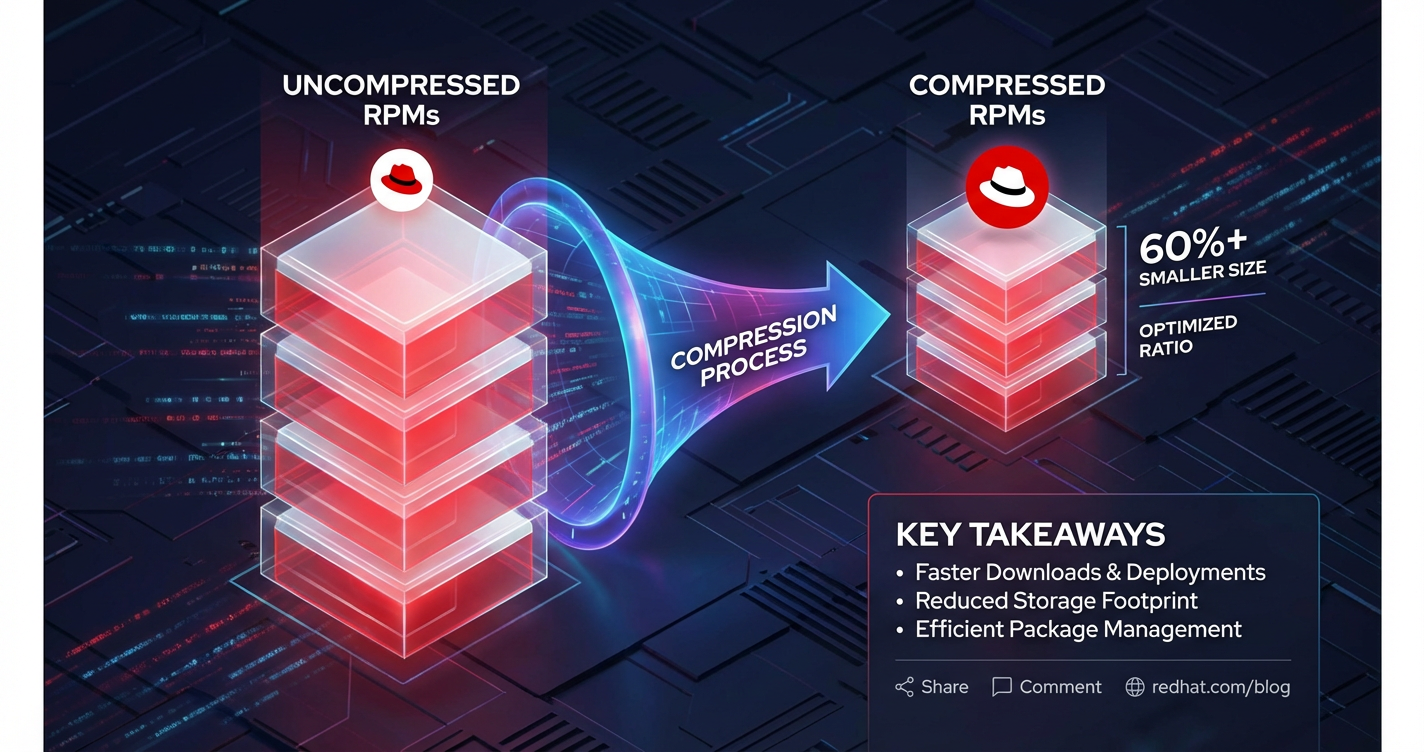
Red Hat RPM Compression Ratio Explained


In the intricate world of Linux system administration and software distribution, the Red Hat Package Manager (RPM) stands as a foundational pillar. It provides a robust, standardized, and verifiable system for managing software packages on Red Hat-based distributions like RHEL, CentOS, Fedora, and their derivatives. At the heart of RPM's efficiency and widespread adoption lies a critical, yet often underestimated, component: compression. The compression ratio achieved by RPM packages directly impacts everything from network bandwidth consumption during downloads to the storage footprint on local machines and the overall speed of software deployment. Understanding the nuances of RPM compression — how it works, the algorithms involved, and the factors influencing its effectiveness — is not just a technical curiosity but a practical necessity for system administrators, developers, and anyone involved in the software supply chain.
This comprehensive exploration delves into the mechanics of RPM package compression, dissecting the various algorithms, their strengths and weaknesses, and the tangible implications of different compression ratios. We will journey through the evolution of compression within RPM, uncover the variables that dictate a package's ultimate size, and provide insights into how these factors translate into real-world performance benefits and trade-offs. Beyond the raw technical details, we will also consider the strategic importance of optimal compression in modern IT infrastructures, where efficient resource utilization is paramount. From the earliest days of gzip to the sophisticated xz algorithm, the story of RPM compression is one of continuous optimization, balancing the ever-present tension between file size, processing speed, and resource expenditure. For those tasked with maintaining stable and performant Red Hat environments, mastering the intricacies of RPM compression is a powerful tool in their arsenal, enabling more streamlined operations and a deeper appreciation for the engineering marvel that is the Red Hat Package Manager.
The Foundational Structure of RPM Packages: An Architectural Overview
Before one can fully grasp the intricacies of compression within an RPM package, it is essential to understand the fundamental architecture of an RPM file itself. An RPM package, at its core, is a carefully structured archive designed not only to encapsulate software components but also to manage their installation, verification, upgrade, and removal in a consistent and reliable manner. This structure is far more sophisticated than a simple .tar.gz archive, incorporating metadata, scripts, and checksums that facilitate a robust package management ecosystem.
An RPM file (.rpm) is typically composed of three primary sections: the Lead, the Signature, and the Header, followed by the Payload. Each section plays a distinct role in ensuring the integrity, authenticity, and functionality of the software contained within.
The Lead section is the very first part of an RPM file, acting as a small, fixed-size data structure that identifies the file as an RPM package. It contains magic numbers that allow utilities to quickly recognize the file type, along with basic version information about the RPM format itself. This initial byte sequence is crucial for early validation and ensures that a file is indeed a valid RPM archive before parsing more complex structures. Its small size means it’s never subjected to compression, as its primary role is quick identification.
Following the Lead is the Signature section. This is a highly critical component for security and authenticity. The Signature contains cryptographic information, typically a digital signature (often GPG/PGP based), and various checksums (like SHA256 or MD5) for the package. The primary purpose of the signature is to verify that the package has not been tampered with since it was signed by the package maintainer or distribution, and that it genuinely originates from a trusted source. This mechanism is vital for preventing the installation of malicious or corrupted software. The integrity checks often cover the Header and the Payload, ensuring that both the metadata and the actual software files are verifiable. This section, too, is not compressed; its raw, verifiable state is paramount for cryptographic validation. The process of signature verification often involves an api call to the system's cryptographic libraries, highlighting how even fundamental package integrity relies on well-defined interfaces for security operations.
The Header section is arguably the most information-dense part of an RPM package, excluding the payload itself. It's a complex data structure that contains all the metadata associated with the package. This metadata includes, but is not limited to: * Package Name, Version, Release, and Architecture: These fields uniquely identify the software package. * Description and Summary: Human-readable text providing details about the package's purpose and contents. * Dependencies: A list of other packages that must be installed for this package to function correctly (e.g., Requires, BuildRequires, Provides, Conflicts). These dependency relationships form a complex graph, managed by the RPM system to ensure system stability. * File List: A comprehensive manifest of every file included in the package, along with its installation path, permissions, ownership, and checksums. This granular detail allows RPM to track individual files and manage conflicts. * Scripts: Pre-installation (%pre), post-installation (%post), pre-uninstallation (%preun), and post-uninstallation (%postun) scripts that execute specific commands during various stages of the package lifecycle. These scripts are crucial for tasks like creating users, configuring services, or updating system configurations. * Changelog: A historical record of changes made to the package over different releases. * Build Information: Details about how and when the package was built, including the build host and build tools used.
The Header section itself is typically stored in a compressed format, often using gzip or xz, depending on the RPM version and build configuration. While the compression applied to the header is usually less aggressive than for the main payload due to its critical role in initial package parsing, it still contributes to overall size reduction. The ability of the RPM system to quickly parse this compressed header is a testament to its efficient design, allowing package managers to extract vital metadata without fully decompressing the entire payload.
Finally, we arrive at the Payload. This is where the actual software files, libraries, documentation, configuration files, and other assets that constitute the application reside. The payload is essentially a cpio archive (Cpio being a command-line utility for copying files to and from archives) that has been compressed using one of several common algorithms. Historically, gzip was the default, but modern Red Hat systems predominantly use xz for its superior compression ratios. When an RPM package is installed, the cpio archive is decompressed and its contents are extracted to their designated locations on the filesystem. The files within the payload are organized according to the Filesystem Hierarchy Standard (FHS), ensuring consistency across Linux distributions. The vast majority of the RPM file's size is attributable to this payload, making its efficient compression the primary target for size reduction. The choice of compression algorithm for the payload is thus the most impactful decision affecting the RPM's overall compression ratio and associated performance characteristics.
In summary, an RPM package is a sophisticated container where each component serves a specific purpose. From the basic identification in the Lead to the cryptographic assurance of the Signature, the rich metadata in the Header, and the actual software in the compressed Payload, every part is meticulously designed. Understanding this structure is the first step towards appreciating how compression is applied, where it yields the most benefit, and why different algorithms are chosen for different parts of the package, ultimately shaping the efficiency and integrity of software management on Red Hat systems.
The Imperative Role of Compression in RPMs: Why Every Byte Matters
Compression is not merely an optional feature for RPM packages; it is an intrinsic and indispensable component that underpins their efficiency, deployability, and overall utility in modern computing environments. The decision to compress the bulk of an RPM package, primarily its payload and often its header, stems from a fundamental need to optimize various aspects of software distribution and management. In a world where software footprints continue to grow, and network resources, while abundant, are never limitless, the ability to reduce file size without compromising data integrity is paramount.
One of the most immediate and tangible benefits of compression is the significant reduction in storage footprint. Operating systems, applications, and their dependencies can consume vast amounts of disk space. For large software projects, a single uncompressed RPM could easily swell to hundreds of megabytes or even gigabytes. When multiplied across hundreds or thousands of packages on a typical server, or across a fleet of thousands of servers in an enterprise, the cumulative storage requirement becomes immense. By compressing the payload, RPMs allow for more software to be stored on the same physical media, making more efficient use of expensive storage resources. This is particularly crucial for embedded systems, virtual machines with constrained disk space, or environments where disk provisioning needs to be tightly managed. The ability to store more software locally also means faster access during installation or updates, as the data is readily available.
Secondly, compression dramatically improves network bandwidth efficiency. In today's interconnected world, software packages are rarely installed from local media; instead, they are almost universally downloaded from remote repositories. Every kilobyte saved in an RPM package translates directly into less data that needs to traverse the network. For end-users with limited internet bandwidth, this means faster downloads and a more responsive update experience. For large organizations managing thousands of client machines or servers, the cumulative effect on network traffic can be staggering. Reduced network load means less congestion, faster synchronization with mirrors, and lower operational costs associated with bandwidth usage. In situations where software updates need to be pushed rapidly to a global distributed infrastructure, the efficiency gained from highly compressed RPMs can be the difference between timely security patches and vulnerable systems, or between rapid feature deployments and slow, bottlenecked rollouts.
Beyond storage and network considerations, compression also plays a role in optimizing installation speed, albeit with a nuanced trade-off. While decompressing a package consumes CPU cycles, the reduction in disk I/O and network transfer times often outweighs the decompression overhead, especially for larger packages. Modern CPUs are highly optimized for decompression tasks, and the parallel processing capabilities of multi-core systems can often decompress data faster than it can be read from a slow disk or downloaded over a congested network. For instance, decompressing a 1GB package to 5GB on a fast SSD might still be quicker overall than reading the full 5GB directly from a slower network share or hard drive. This balance is critical in environments requiring rapid provisioning of new systems or quick recovery from failures, where every minute saved in the installation process contributes to higher operational efficiency.
The evolution of default compression algorithms within RPM reflects a continuous quest for this optimal balance. * Gzip (GNU zip), based on the Deflate algorithm, was the earliest and longest-standing default compression method for RPMs. It offered a good balance between compression ratio and speed, and its ubiquitous presence on Linux systems made it a natural choice. Its effectiveness, combined with relatively low computational overhead, meant it became the workhorse for packaging for many years. Most legacy RPMs or systems configured for broad compatibility still rely on gzip. * As computational power increased and the demand for even greater efficiency grew, Bzip2 emerged as a popular alternative. Utilizing the Burrows-Wheeler Transform, bzip2 offered significantly better compression ratios than gzip, though at the cost of increased compression and decompression times and higher memory consumption during the process. For scenarios where ultimate file size reduction was paramount, such as large archives or public download mirrors, bzip2 became a favored choice. However, its slower performance meant it was not universally adopted as the default for all distributions or use cases. * The current state-of-the-art for RPM compression on most modern Red Hat systems is XZ, which employs the LZMA2 algorithm. XZ consistently delivers the highest compression ratios among the commonly used algorithms, often reducing file sizes by an additional 10-30% compared to bzip2, and even more significantly over gzip. This superior compression comes at the expense of considerably longer compression and decompression times and greater memory usage during these operations. Despite these performance trade-offs, the enduring benefits of extremely small package sizes for network distribution and long-term storage have made XZ the default for contemporary RPM builds on Fedora, RHEL 7+, and CentOS 7+. The decision to shift to XZ highlights a prevailing industry trend: for most server-side and long-term distribution contexts, the gains in storage and bandwidth efficiency often outweigh the increased CPU expenditure during package creation and installation, especially with the prevalence of powerful multi-core processors.
In essence, compression is a strategic engineering decision within the RPM framework. It is a critical enabler for efficient software distribution, allowing for the widespread, rapid, and economical deployment of applications across diverse computing landscapes. The journey from gzip to xz underscores a continuous commitment to optimizing resource utilization, a principle that remains central to the design and operation of robust package management systems like RPM.
Deep Dive into Compression Algorithms Used in RPM
The effectiveness of RPM compression hinges entirely on the underlying algorithms employed to shrink the payload. Over the years, Red Hat-based distributions and the RPM utility itself have supported several key compression methods, each with distinct characteristics regarding compression ratio, speed, and resource consumption. Understanding these algorithms is crucial for anyone looking to optimize package sizes or troubleshoot installation performance.
Gzip: The Ubiquitous Workhorse (Deflate Algorithm)
Gzip, short for GNU zip, has historically been the most widespread compression utility on Unix-like systems and served as the default for RPM packages for many years. It implements the Deflate algorithm, which is a combination of LZ77 (Lempel-Ziv 1977) coding and Huffman coding.
- How Deflate Works:
- LZ77 Component: Deflate first uses LZ77 to identify and replace repeated sequences of data (strings) with "back-references." A back-reference indicates how far back in the already processed data a identical string can be found and how long that string is. For example, if the word "compression" appears multiple times, subsequent occurrences can be replaced with a reference like "copy 11 bytes from 150 bytes ago." This is highly effective for reducing redundancy, especially in text files or binary files with repetitive patterns.
- Huffman Coding Component: After the LZ77 stage, the output, which consists of literal bytes and back-references, is then subjected to Huffman coding. Huffman coding is a variable-length encoding scheme where frequently occurring symbols (bytes or back-references) are assigned shorter bit sequences, while less frequent symbols receive longer ones. This further reduces the total number of bits required to represent the data. The combination of LZ77's pattern matching and Huffman coding's optimal symbol encoding makes Deflate a powerful and efficient general-purpose compression algorithm.
- Characteristics:
- Speed: Gzip is relatively fast for both compression and decompression. Its algorithms are computationally efficient, making it suitable for scenarios where speed is a priority, such as real-time data streaming or situations with less powerful CPUs.
- Compression Ratio: Offers a good, but not outstanding, compression ratio. It's generally sufficient for many applications, especially when compared to uncompressed data, but it falls short of more modern algorithms for maximum density.
- Memory Usage: Relatively low memory footprint during both compression and decompression, making it suitable for systems with limited RAM.
- Ubiquity: Almost universally available on Unix-like systems, ensuring broad compatibility.
Gzip typically uses a compression level from 1 (fastest, least compression) to 9 (slowest, best compression), with a default of 6. While -9 offers the best ratio, the performance difference often isn't substantial enough to warrant the extra CPU time compared to -6 for most RPM builds.
Bzip2: The Higher-Density Alternative (Burrows-Wheeler Transform)
Bzip2 emerged as a popular alternative to gzip, specifically designed to achieve better compression ratios at the cost of increased computational resources. It employs a fundamentally different approach based on the Burrows-Wheeler Transform (BWT), followed by move-to-front (MTF) encoding and Huffman coding.
- How Burrows-Wheeler Transform Works:
- BWT: The BWT is a reversible permutation that reorders the input data to group similar characters together. It doesn't compress data itself but transforms it into a form that is much easier for subsequent compression algorithms to handle. Imagine taking a text file and rearranging its characters so that all 'a's are near other 'a's, all 'b's near other 'b's, and so on. This creates long runs of identical characters, which are highly compressible by run-length encoding (RLE) or Huffman coding. The beauty of BWT is that this transformation is reversible, allowing the original data to be perfectly reconstructed.
- Move-To-Front (MTF) Encoding: After BWT, the data is processed by MTF encoding, which replaces characters with their rank in a dynamically updated list of characters. This further enhances local redundancy.
- Run-Length Encoding (RLE) and Huffman Coding: Finally, the output from MTF is compressed using RLE to exploit the long runs of similar characters, and then Huffman coding to assign variable-length codes.
- Characteristics:
- Speed: Significantly slower than gzip for both compression and decompression. The BWT is computationally intensive, and the multi-stage process adds overhead.
- Compression Ratio: Generally offers superior compression ratios compared to gzip, typically 10-20% smaller for the same data. This makes it attractive for static archives or data that needs to be stored or transmitted only once.
- Memory Usage: Higher memory consumption than gzip, especially during compression. This can be a concern on systems with limited RAM.
- CPU Demands: Both compression and decompression require more CPU cycles than gzip.
Bzip2 also offers compression levels from 1 to 9, with 9 being the highest. Due to its higher resource demands, bzip2 was often used for specific package builds where maximum compression was prioritized, even if it meant longer build times and slightly slower installation.
XZ: The Modern Champion (LZMA2 Algorithm)
XZ, the default compression for modern RPMs on Red Hat-based systems (RHEL 7+, Fedora), represents the cutting edge in general-purpose compression. It utilizes the LZMA2 algorithm, which is an improved version of LZMA (Lempel-Ziv-Markov chain-Algorithm).
- How LZMA2 Works:
- LZ77-based Dictionary Compression: LZMA2 starts with a dictionary-based LZ77 compression scheme, similar to Deflate, but with much larger dictionaries (up to 4GB) and sophisticated parsing. This allows it to find and replace much longer and more complex repeating patterns across vast stretches of data. The larger dictionary size means it can "remember" more of the previously seen data, leading to better redundancy detection.
- Context-Adaptive Binary Arithmetic Coding: Instead of Huffman coding, LZMA2 uses an advanced technique called context-adaptive binary arithmetic coding. Arithmetic coding is a form of entropy encoding that can achieve compression ratios closer to the theoretical limit than Huffman coding. "Context-adaptive" means that the coding process adapts to the local characteristics of the data, further enhancing its efficiency. This combination makes LZMA2 exceptionally good at shrinking data.
- Characteristics:
- Speed: The slowest among the three for both compression and decompression. The intricate dictionary matching and arithmetic coding are computationally very intensive. Compression times, especially at higher levels, can be significantly longer than bzip2 or gzip.
- Compression Ratio: Consistently delivers the highest compression ratios, often 10-30% better than bzip2 and substantially better than gzip. This makes it ideal for environments where disk space and network bandwidth are primary concerns.
- Memory Usage: Highest memory consumption, particularly during compression, which can range from tens of megabytes to several gigabytes depending on the dictionary size and input data. Decompression also uses more memory than gzip or bzip2, though generally less than compression.
- CPU Demands: High CPU usage for both compression and decompression. However, modern multi-core processors can mitigate some of the decompression slowdowns, as disk I/O often remains the bottleneck during installation.
XZ compression levels range from 0 (fastest, least compression) to 9 (slowest, best compression), with xz -9 being an extremely aggressive option often used for distribution archives. The default for RPM builds usually strikes a balance, typically around -6 or similar.
Comparison Table: Gzip, Bzip2, and XZ
To provide a clear overview, here's a comparison of the three primary compression algorithms used in RPM packages:
| Feature | Gzip (Deflate) | Bzip2 (Burrows-Wheeler Transform) | XZ (LZMA2) |
|---|---|---|---|
| Algorithm Family | LZ77 + Huffman Coding | BWT + MTF + RLE + Huffman Coding | LZ77-based dictionary + Arithmetic Coding |
| Compression Ratio | Good | Better (10-20% better than Gzip) | Best (10-30% better than Bzip2) |
| Compression Speed | Fast | Slower than Gzip | Slowest |
| Decompression Speed | Fast | Slower than Gzip | Slowest |
| Memory Usage (Comp.) | Low | Moderate to High | High to Very High |
| Memory Usage (Decomp.) | Low | Moderate | Moderate to High |
| CPU Usage (Comp.) | Low | Moderate | High |
| CPU Usage (Decomp.) | Low | Moderate | High |
| Primary Use Cases | General-purpose, real-time, low-resource systems | Archiving, when size is critical, moderate resources | Archiving, distribution, when maximum size reduction is paramount, powerful systems |
| Typical RPM Use | Older RPMs, some custom builds | Some intermediate-era RPMs, specific projects | Modern default for RHEL/Fedora RPMs (RHEL 7+) |
| Redundancy Type | Local string repetition | Character frequency, block sorting | Long-range pattern matching, context-adaptive |
| Implementation | gzip command, zlib library |
bzip2 command, libbzip2 library |
xz command, liblzma library |
The choice of compression algorithm for an RPM package is a strategic decision that balances the desire for minimal file size against the computational resources available for package creation and installation. While gzip remains a versatile and fast option, xz has emerged as the clear winner in terms of compression density, making it the preferred choice for modern distributions where network bandwidth and storage efficiency are key considerations. The shift towards xz also reflects the increasing power of modern CPUs, which can handle the more complex decompression tasks without becoming a prohibitive bottleneck during software deployment.
Factors Influencing RPM Compression Ratio
The final compression ratio achieved by an RPM package is not solely determined by the chosen algorithm; it is a complex interplay of several factors inherent to the package's content and the compression process itself. Understanding these variables allows for a more informed approach to package creation and optimization.
Content Type: The Nature of the Data
The most significant factor influencing how well a file compresses is its content type. Compression algorithms exploit redundancy in data. Therefore, the inherent structure and repetitiveness of the files within an RPM payload dictate the potential for size reduction.
- Text Files: Plain text files (e.g., source code, documentation, configuration files, log files, man pages) typically compress exceptionally well. They contain many repeated words, phrases, and character sequences. The more verbose and repetitive the text, the higher the compression ratio. Even structured text formats like XML or JSON, with their repeating tags and keys, compress effectively. For instance, a 1MB text file might easily shrink to 100KB or less, achieving a 90% or greater reduction.
- Binary Executables and Libraries: These files (e.g.,
.bin,.so,.a) also contain a significant amount of redundancy, particularly in their symbol tables, padding, and repeating code patterns. While not as compressible as pure text, they still yield good compression ratios, often reducing by 50-70%. Debug symbols, if included, add a lot of redundant information and can significantly improve compression if stripped. - Already Compressed Data: Files that have already been subjected to a compression algorithm are notoriously difficult to re-compress effectively, and attempting to do so can sometimes even increase their size. Examples include:
- Images: JPEG, PNG, GIF files are already compressed (lossy for JPEG, lossless for PNG/GIF). Re-compressing a JPEG will likely yield minimal, if any, additional reduction and might even increase the file size due to the overhead of the second compression layer.
- Audio/Video: MP3, MP4, MKV files are highly compressed using specialized algorithms.
- Other Archives: Zipped archives (
.zip,.tar.gz),.isoimages, or even other RPMs embedded within a package. Including a large number of such pre-compressed assets in an RPM payload will severely limit the overall achievable compression ratio for the entire package, as the compressor will spend resources trying to find redundancy that isn't there.
- Random Data: Truly random data, by definition, contains no discernible patterns or redundancy. Compression algorithms cannot find anything to replace or encode more efficiently, leading to almost no compression. While pure random data is rare in typical software packages, highly encrypted files or certain forms of obfuscated data can behave similarly.
File Redundancy: Patterns Within the Payload
Beyond the general content type, the specific level of redundancy within the collection of files in the payload plays a crucial role. A compressor like LZMA2, with its large dictionary, can detect and exploit repeating patterns across different files within the same payload. * Identical Files: If the same library or configuration file appears multiple times within the payload (e.g., due to different symlinks or hard links pointing to it), the compressor will treat these as highly redundant, leading to excellent compression for those instances. * Similar Files: Files that share common code blocks, data structures, or text segments (e.g., different versions of a library that have minor changes, or multiple locale files with similar structures) will also contribute to better overall compression as the algorithm learns and applies patterns across the entire dataset. * Sparse Files: Files containing long sequences of null bytes (e.g., virtual disk images or some database files) are highly compressible, as these null runs can be very efficiently encoded.
Payload Size: Larger Files, Better Opportunities
Generally, larger payloads tend to achieve better compression ratios than smaller ones. This is because: * Overhead Amortization: All compression algorithms have some fixed overhead (e.g., headers, dictionary initialization). For very small files, this overhead can represent a significant portion of the total compressed size, reducing the effective ratio. For larger files, this overhead becomes negligible. * Increased Redundancy Pool: A larger dataset provides a greater opportunity for the compression algorithm to find repeating patterns and build a more effective dictionary. The more data it sees, the better it can learn and apply its compression logic. For instance, a small 10KB text file might compress to 5KB (50% reduction), but a 10MB text file might compress to 500KB (95% reduction) because of the cumulative redundancy.
Compression Level: The Aggressiveness Setting
Most compression algorithms, including Deflate (gzip), Bzip2, and LZMA2 (xz), offer configurable compression levels. These levels represent a trade-off between compression ratio and the computational resources (CPU time, memory) expended during the compression process. * Lower Levels (e.g., gzip -1, xz -0): Prioritize speed. They use simpler, faster compression strategies, smaller dictionaries, or fewer passes over the data. This results in quicker compression times but a lower compression ratio (larger output file). * Higher Levels (e.g., gzip -9, xz -9): Prioritize maximum compression ratio. They employ more aggressive and complex algorithms, larger dictionaries, more extensive pattern searching, and multiple passes. This yields the smallest possible output file but requires significantly more CPU time and memory during compression. * Defaults: RPM typically uses a reasonable default compression level (e.g., gzip -6, xz -6) that balances good compression with acceptable build times. For custom RPMs, package maintainers might opt for higher levels if the resulting package size is critical for distribution, acknowledging the longer build process.
Metadata Overhead: The Uncompressible Parts
While the payload is the primary target for compression, it's important to remember the metadata overhead of the RPM package itself. The Lead and Signature sections are never compressed. The Header section, while often compressed, still contains critical information that cannot be shrunk indefinitely. This metadata, even if small in absolute terms, contributes to the overall size and is a fixed component. For very small RPMs, the header and signature overhead can represent a noticeable percentage of the total file size, slightly depressing the "effective" compression ratio for the entire .rpm file compared to just the payload.
Other Minor Factors
- Processor Architecture: While not directly influencing the algorithm's compression ratio, the target architecture (e.g., x86_64, aarch64) might indirectly influence the size of binaries and libraries, which in turn affects the payload size and therefore the compression outcome.
- Build Environment Tools: The specific versions of
gzip,bzip2,xzutilities and libraries used during the RPM build process can sometimes introduce minor variations in the final compressed size, due to algorithmic improvements or bug fixes.
In conclusion, achieving an optimal RPM compression ratio is a multifaceted challenge. It requires a careful consideration of the package's contents, a strategic choice of compression algorithm, and an awareness of the trade-offs involved with different compression levels. Package maintainers must weigh the benefits of a smaller package (faster downloads, less storage) against the costs of longer build times and increased CPU usage during installation. This intricate balance is a hallmark of efficient software engineering in the Red Hat ecosystem.
APIPark is a high-performance AI gateway that allows you to securely access the most comprehensive LLM APIs globally on the APIPark platform, including OpenAI, Anthropic, Mistral, Llama2, Google Gemini, and more.Try APIPark now! 👇👇👇
Measuring and Analyzing RPM Compression Ratios
Understanding the theoretical aspects of RPM compression is one thing; practically measuring and analyzing the compression ratios of actual RPM packages is another. This section will guide you through the tools and techniques available on Red Hat-based systems to inspect RPM packages, identify their compression methods, and determine their effective compression ratios. This hands-on knowledge is invaluable for system administrators and developers seeking to optimize their package management workflows.
Inspecting RPM Package Information
The primary tool for interacting with RPM packages is, unsurprisingly, the rpm command itself. It provides several subcommands and query formats that allow you to extract detailed information, including compression data, without needing to install the package.
- Querying Basic Package Information: To get a quick overview of an RPM package, you can use
rpm -qpi <package_file.rpm>:bash rpm -qpi httpd-2.4.57-1.el9.x86_64.rpmThe output will include the package name, version, release, architecture, summary, description, and importantly, information about its size. Look for lines likeSize(the uncompressed size of the payload) andPacked Size(the compressed size of the payload). TheSignatureline might also indicate the compression used for the header if it's different from the payload.Example Output Snippet:Name : httpd Version : 2.4.57 Release : 1.el9 Architecture: x86_64 Install Date: (not installed) Group : System Environment/Daemons Size : 5883733 <-- Uncompressed payload size in bytes License : ASL 2.0 Signature : RSA/SHA256, Mon 01 Jan 2024 10:00:00 AM CST, Key ID ABCDEF1234567890 Source RPM : httpd-2.4.57-1.el9.src.rpm Build Date : Thu 28 Dec 2023 03:00:00 PM CST Build Host : x86-64-redhat-linux Relocations : (not relocatable) Summary : Apache HTTP Server Description : The Apache HTTP Server is a powerful, flexible, and extensible, open-source HTTP server.Wait,rpm -qpionly showsSizewhich refers to the uncompressed size. It doesn't directly show the compressed payload size. To get both, we need a custom query format.%{NAME},%{VERSION},%{RELEASE},%{ARCH}: Standard package identification.%{PAYLOADCOMPRESSOR}: This is crucial. It tells you which compression program (e.g.,xz,gzip,bzip2) was used for the main payload.%{PAYLOADFLAGS}: Provides additional flags or compression levels used (e.g.,9.0forxzindicating level 9, or6.0forgzipindicating level 6).%{SIZE}: The total uncompressed size of the package's payload in bytes.%{PACKEDSIZE}: The total compressed size of the package's payload in bytes (the size on disk).
Using Custom Query Formats for Detailed Compression Info: The rpm command allows for highly customizable query outputs using the --queryformat option. This is the most precise way to extract compression-specific details. bash rpm -qp --queryformat "%{NAME}: %{VERSION}-%{RELEASE} %{ARCH}\nPayload Compressor: %{PAYLOADCOMPRESSOR}\nPayload Flags: %{PAYLOADFLAGS}\nUncompressed Size: %{SIZE} bytes\nCompressed Size: %{PACKEDSIZE} bytes\n" <package_file.rpm> Let's break down the queryformat specifiers:Example Output for httpd-2.4.57-1.el9.x86_64.rpm: httpd: 2.4.57-1.el9 x86_64 Payload Compressor: xz Payload Flags: 9.0 Uncompressed Size: 5883733 bytes Compressed Size: 1667020 bytes From this output, we can immediately see that xz with a level of 9.0 was used.
Calculating the Compression Ratio
Once you have the Uncompressed Size and Compressed Size, calculating the compression ratio is straightforward:Compression Ratio = (Uncompressed Size / Compressed Size) : 1 or, often expressed as a percentage of reduction: Reduction Percentage = ((Uncompressed Size - Compressed Size) / Uncompressed Size) * 100%Using the httpd example: * Uncompressed Size: 5,883,733 bytes * Compressed Size: 1,667,020 bytesCompression Ratio = 5,883,733 / 1,667,020 ≈ 3.53:1 Reduction Percentage = ((5,883,733 - 1,667,020) / 5,883,733) * 100% ≈ 71.66%This means the httpd package payload was reduced to approximately 28.34% of its original size.
Advanced Analysis: Extracting and Inspecting the Payload
For a deeper inspection, you might want to extract the payload and analyze its contents. The rpm2cpio utility is designed for this purpose. It extracts the cpio archive from the RPM package, which can then be piped to cpio for extraction.
- Extracting the Payload:
bash rpm2cpio <package_file.rpm> | cpio -idmvThis command will decompress the payload and extract all its files into the current directory, respecting their original paths (e.g.,/usr/bin/httpdwould be extracted to./usr/bin/httpd).rpm2cpio <package_file.rpm>: Extracts the compressedcpioarchive from the RPM.| cpio -idmv: Pipes the compressedcpioarchive tocpiofor extraction.-i: Extract.-d: Create leading directories where needed.-m: Retain previous file modification times.-v: Verbose output, listing files as they are extracted.
- Analyzing Extracted Content: Once extracted, you can use standard Linux tools to analyze the individual files:This granular analysis allows you to identify specific components within a package that might be exceptionally large or poorly compressing (e.g., large pre-compressed assets). If you're building custom RPMs, this information can inform decisions about whether to strip debug symbols, re-compress existing assets with more efficient algorithms (if possible and sensible), or exclude unnecessary large files.
du -sh <extracted_directory>: To get the total uncompressed size of the extracted content, which should match the%{SIZE}from therpmquery.file <extracted_file>: To determine the type of individual files (e.g., "ELF 64-bit LSB executable, x86-64", "ASCII text"). This helps understand why certain files compressed better or worse.ls -lh <extracted_file>: To see the human-readable size of individual files.
Why is this Analysis Important?
- Optimization for Package Maintainers: For those creating RPM packages, understanding the compression ratio of their builds is critical for optimizing distribution. A poor ratio might indicate the inclusion of already compressed assets, lack of stripping debug symbols, or an opportunity to switch to a more aggressive compressor like
xz. - Troubleshooting Installation Issues: If an installation is unexpectedly slow, analyzing the compression method and ratio can provide clues. A package compressed with a very high
xzlevel might take longer to decompress than one withgzip, especially on older or resource-constrained hardware. - Resource Planning: Knowing the compressed size helps in planning repository storage and network bandwidth requirements. The uncompressed size is essential for estimating disk space needs on target systems.
- Benchmarking: When comparing different build processes or compression utilities, accurate measurement of compression ratios is fundamental for benchmarking performance.
The ability to query RPM packages for their compression details and even extract and inspect their contents provides a powerful api for interacting with the package management system's internal workings. This programmatic access to package attributes is a cornerstone of automated system management and auditing. By leveraging these tools, administrators and developers gain a deeper insight into the efficiency of their software distribution, enabling them to make informed decisions that impact system performance, storage, and network utilization.
Impact of Compression Ratio on System Performance
The compression ratio of an RPM package is not merely an abstract number; it has profound and measurable impacts on various aspects of system performance throughout the software lifecycle. From initial deployment to ongoing operations, the choices made in package compression ripple through the entire IT infrastructure. Understanding these effects is crucial for system administrators, DevOps engineers, and anyone responsible for maintaining efficient and responsive Red Hat environments.
Installation Speed: The Decompression-Disk I/O Trade-off
One of the most immediate impacts of compression ratio is on installation speed. When an RPM package is installed, its compressed payload must first be decompressed before its contents can be written to the filesystem. This introduces a computational overhead:
- Decompression Time: More aggressive compression (e.g.,
xz -9) results in smaller files but requires more CPU cycles and potentially more memory for decompression. Conversely, less aggressive compression (e.g.,gzip -1) decompresses faster but yields larger files. On a modern multi-core CPU, the decompression of even heavily compressedxzpayloads is often surprisingly fast, as these operations are highly optimized and can leverage multiple cores. - Disk I/O: The larger the compressed package, the more data needs to be read from the storage medium (SSD or HDD) and passed to the decompression algorithm. After decompression, the even larger uncompressed data then needs to be written to disk. A higher compression ratio means a smaller compressed package, requiring less data to be read from storage initially. However, the final uncompressed data that needs to be written to disk remains the same. The bottleneck during installation often shifts between CPU (for decompression) and disk I/O (for reading the compressed data and writing the uncompressed data). On systems with slow storage (e.g., traditional HDDs or slow network storage), a smaller compressed package (higher ratio) can significantly reduce the amount of data read from the bottlenecked storage, thus speeding up the overall process, even if decompression takes slightly longer. On systems with very fast storage (e.g., NVMe SSDs), the CPU decompression might become the dominant factor.
For example, installing a 1GB xz-compressed RPM that expands to 5GB might take less wall-clock time than installing a 2GB gzip-compressed RPM that also expands to 5GB, especially if network download or initial disk read is the primary bottleneck. The smaller xz package downloads faster and reads less initial data from disk.
Storage Footprint: Direct and Cumulative Impact
This is perhaps the most obvious and direct impact. A higher compression ratio means a smaller package file on disk. This affects:
- Local Cache (
/var/cache/dnfor/var/cache/yum): When packages are downloaded, they are stored in a local cache. Smaller files mean the cache can hold more packages, or consume less overall disk space. This is critical for systems with limited storage, such as embedded devices or minimal server installations. - Software Repositories and Mirrors: For package maintainers and repository hosts, the size of RPMs directly translates to the total storage required for their repositories. A 20% improvement in compression ratio can mean a 20% reduction in storage costs, which, for large repositories containing tens of thousands of packages across multiple architectures and versions, can amount to terabytes of savings.
- Backup and Archiving: Smaller RPM files require less space when backed up or archived, reducing backup times and storage costs.
The cumulative effect across an entire enterprise can be substantial. Thousands of servers, each with a cache of downloaded packages, collectively benefit from smaller RPMs.
Network Transfer Efficiency: Bandwidth and Download Times
In today's cloud-native and distributed environments, software is almost exclusively delivered over networks. The compression ratio directly dictates network transfer efficiency:
- Faster Downloads: Smaller RPM packages download faster, leading to a more responsive user experience and quicker software deployment. This is crucial for environments with limited or expensive network bandwidth.
- Reduced Network Congestion: Less data traversing the network means less congestion, which benefits all network traffic. For large-scale deployments or automatic updates across a fleet of servers, this can prevent network bottlenecks.
- Lower Bandwidth Costs: For organizations paying for egress bandwidth (e.g., cloud providers), smaller packages directly translate to lower operational costs.
- Repository Synchronization: Mirroring and synchronizing repositories across geographically dispersed data centers is faster and more bandwidth-efficient when packages are highly compressed. This also touches upon the broader concept of data flow optimization, where platforms like APIPark, an open-source AI gateway and API management platform, become vital. While APIPark focuses on managing API services and AI models, its underlying principles of efficient data handling, secure access, and streamlined delivery are analogous to the goals of optimized RPM distribution. Just as APIPark ensures that API calls and AI model invocations are handled with peak efficiency and security, effective RPM compression ensures that software deployments consume minimal network resources and are delivered reliably. Both aim to minimize resource expenditure while maximizing the reliability and speed of information flow, whether that information is an API payload or a software package.
CPU Usage: The Decompression Burden
While modern CPUs are highly efficient, decompression does consume CPU cycles. The impact varies:
- During Installation/Upgrade: Decompression requires CPU, potentially causing a temporary spike in CPU utilization on the target system. For systems under heavy load, this could lead to minor performance degradation during the package installation phase. However, as noted, for most large packages, disk I/O or network speed is often the bottleneck, allowing the CPU to decompress without significant delays.
- During Package Creation: The most significant CPU burden is typically during the compression phase when the RPM is built. Aggressive compression levels (e.g.,
xz -9) can take substantial time and CPU resources, extending build times. This is a trade-off that package maintainers must consider: longer build times for smaller distributed packages.
Overall System Stability and Reliability
While less direct, optimal compression contributes to overall system stability and reliability:
- Faster Patching: Quicker downloads and installations mean security patches and critical bug fixes can be deployed more rapidly, reducing the window of vulnerability.
- Reduced Failure Points: Efficient network transfers are less prone to timeouts or corruption, leading to more reliable package downloads.
- Consistent Software Deployment: By standardizing on efficient compression, organizations can ensure more consistent and predictable software deployment times across their infrastructure.
In conclusion, the compression ratio of an RPM package is a critical performance parameter. It necessitates a careful balancing act between the desire for minimal file size and the computational costs of compression and decompression. Modern Red Hat distributions increasingly favor high-ratio compression (like xz) because the gains in storage and network efficiency, especially for large-scale deployments, generally outweigh the increased CPU expenditure during package creation and installation, thanks to the continuous advancements in processor technology. This strategic choice underscores the overarching goal of efficient resource utilization across the entire software delivery pipeline.
Best Practices and Configuration for RPM Compression
Optimizing RPM compression involves more than just selecting an algorithm; it requires a strategic approach to package creation and configuration. For system administrators, developers, and build engineers, adhering to best practices and understanding the available configuration options can significantly impact package efficiency and deployment performance.
Choosing the Right Compression Algorithm
The first and most critical decision is the choice of compression algorithm for the RPM payload. This choice should be informed by the target environment and the primary goals:
- Default for Modern Systems (XZ): For most new RPM builds targeting RHEL 7+, CentOS 7+, Fedora, or similar modern Red Hat-based distributions,
xzis the recommended default. It offers the best compression ratios, leading to smaller package sizes, which is paramount for network distribution and long-term storage. The increased CPU cost during compression and decompression is generally acceptable on modern hardware. - Compatibility Needs (Gzip): If compatibility with very old systems (RHEL 6 or older), resource-constrained embedded devices, or systems with extremely slow CPUs is a primary concern,
gzipmight still be a viable, albeit less efficient, option. Its faster decompression speed and lower memory footprint can be advantageous in niche scenarios. However, for general-purpose use,xzis superior. - No Longer Recommended (Bzip2): While
bzip2offers better compression thangzip, its performance characteristics (slower thangzip, not as good ratio asxz) often place it in an awkward middle ground, making it a less compelling choice for new builds.
Setting Compression Levels in ~/.rpmmacros
For those building RPM packages, the compression algorithm and its level can be configured using ~/.rpmmacros file. This file acts as a configuration hub for the rpmbuild command, allowing developers to customize various aspects of the build process.
The relevant macro definitions are:
%_source_file_compression: Specifies the compression program to use for source archives (e.g.,tar.xz,tar.gz) within the%prepsection. This is for the source tarball that goes into the SRPM, not the final binary RPM payload.%_source_file_compressor: Specifies the command used for%_source_file_compression.%_binary_payload_compressor: This is the crucial macro for the final binary RPM payload. It defines the compression program for the CPIO archive containing the package's files. Common values arexz,gzip, orbzip2.%_binary_payload_compression: Specifies the compression level or flags for the%_binary_payload_compressor. Forxz, typical values are-9(maximum compression) or-6(balanced). Forgzip,-9is common.
Example ~/.rpmmacros Configuration:
# Use xz for source tarballs
%_source_file_compression xz
%_source_file_compressor "xz -9"

# Use xz for the binary RPM payload with high compression
%_binary_payload_compressor xz
%_binary_payload_compression "-9"
This configuration ensures that both the source archive (if using tar.xz) and the final binary RPM payload are compressed with xz at the highest (-9) level. It's important to balance this with build times; -6 or -7 might offer a better trade-off for very large packages that take a long time to build with -9.
Optimizing Package Content for Better Compression
Beyond algorithmic choices, the content of the package itself can be optimized:
- Strip Debug Symbols: Debug symbols (
-debuginfopackages) are highly verbose and repetitive, adding significantly to the size of executables and libraries. Stripping them from the main binary RPMs (%_build_id_links_rpmmacro handles this automatically in modern RPM builds) and distributing them in separate debuginfo packages (often automatically generated) is a standard practice. This drastically reduces the size of the primary RPMs. - Remove Unnecessary Files: Ensure that the RPM does not include temporary build artifacts, redundant documentation, or large example files that are not strictly necessary for the software's runtime. Review the
%filessection of the.specfile carefully. - Avoid Re-compressing Compressed Data: If your package includes assets that are already compressed (e.g., JPEG images, MP3 audio, pre-compressed static web assets), do not attempt to re-compress them with the RPM payload compressor. This adds overhead and yields little to no benefit. Ensure these files are packaged directly. If the source assets are large and uncompressed, consider pre-compressing them with specialized tools before adding them to the RPM, or use formats that inherently handle compression well.
- Consolidate Redundant Data: If possible, structure your package to minimize redundant copies of files or data within the payload. Leverage hard links or symlinks where appropriate within the build process, as compression algorithms are good at detecting and collapsing such redundancies.
Testing and Benchmarking
Before deploying new compression configurations, it's crucial to test and benchmark their impact:
- Build Time: Measure the time taken to build the RPM with different compression levels.
- Package Size: Compare the final
.rpmfile sizes. - Installation Time: Install the generated RPMs on representative target systems (e.g., a virtual machine, a physical server) and measure the installation time. Pay attention to both network download time and on-host installation time, especially on systems with varying CPU and disk I/O capabilities.
- CPU and Memory Usage: Monitor CPU and memory consumption during both build and installation processes.
This iterative testing helps find the sweet spot that meets your organization's specific requirements for build efficiency, distribution efficiency, and deployment performance.
Considerations for Enterprise Environments
In large-scale enterprise environments, managing software distribution is a critical function. While RPM compression directly optimizes individual packages, the overarching strategy for software delivery often involves more sophisticated platforms. This is where products like APIPark come into play. While APIPark's primary focus is on AI Gateway and API Management, its value proposition around efficient integration, unified API formats, end-to-end lifecycle management, and performance rivaling Nginx underscores a broader need for robust infrastructure in modern IT. Just as carefully chosen RPM compression ratios contribute to efficient software updates, an API management platform ensures that the services delivered by that software (be it internal tools, microservices, or AI models) are accessible, secure, and performant. For instance, an enterprise might use RPMs to deploy the backend services that expose APIs, and APIPark would then manage the secure and efficient exposure of those APIs to consumers. Both components, RPM for deployment and APIPark for service management, form part of a comprehensive solution for efficient and secure software lifecycle governance.
By meticulously applying these best practices and configurations, organizations can significantly enhance the efficiency of their Red Hat-based software distribution, leading to faster deployments, reduced resource consumption, and a more robust overall IT infrastructure. The ongoing evolution of compression technology, combined with smart packaging strategies, ensures that RPM remains a highly effective and adaptable package management system.
Advanced Topics and Future Trends in RPM Compression
The landscape of software distribution and system management is constantly evolving, driven by new hardware capabilities, changing deployment models, and the continuous demand for greater efficiency. While xz (LZMA2) currently represents the pinnacle of RPM compression on modern Red Hat systems, it's essential to look ahead at advanced topics and emerging trends that might shape the future of package compression.
Considerations for Modern Hardware Architectures
Modern hardware profoundly influences the trade-offs in compression:
- Multi-core CPUs: The prevalence of multi-core processors means that the CPU cost of decompression, while higher for
xzthangzip, is often less of a bottleneck than disk I/O or network speed. Decompression algorithms can increasingly leverage multiple cores, allowing for faster processing. This shifts the balance further towards higher compression ratios, as the overhead can be parallelized and absorbed. - Faster Storage (SSDs, NVMe): The advent of solid-state drives (SSDs) and especially NVMe drives has dramatically reduced disk I/O latency and increased throughput. On systems with fast storage, the bottleneck during RPM installation is more likely to be CPU decompression rather than reading the compressed package from disk or writing the uncompressed payload. This scenario might, paradoxically, make extremely aggressive compression levels slightly less appealing if raw installation speed is the absolute top priority, as the CPU might not keep up with the storage's write speed post-decompression. However, the benefits for network transfer and repository storage usually still dominate.
- Increased RAM: Larger amounts of available RAM reduce concerns about memory consumption during compression and decompression, particularly for
xzwhich can utilize significant memory for its dictionaries. This allows builders to safely use higher compression levels without worrying about out-of-memory issues during the build process.
The trend is clear: as CPU and RAM become more abundant and faster, the emphasis continues to shift towards maximizing compression ratio to save on network bandwidth and storage, assuming decompression remains adequately fast.
Containerization and its Impact on Traditional RPM Usage
The rise of container technologies like Docker and Kubernetes has significantly altered how software is packaged and deployed, which in turn has implications for RPMs:
- Layered Filesystems: Containers utilize layered filesystems (e.g., OverlayFS). Each layer represents a change, and images are built by stacking these layers. While RPMs are still used within base container images (e.g.,
ubi8orfedoraimages are built using RPMs), the focus shifts from individual RPM file sizes to the size of container image layers. - De-emphasis on On-Disk RPM Size: For base images, smaller RPMs still contribute to smaller initial image sizes. However, for applications deployed inside containers, the specific RPM file's compressed size on disk might be less critical than the overall image size and the efficiency of layer caching. Once installed in a layer, the uncompressed files are what matter for container startup.
- Build-Once, Run-Many: Container images are typically built once and then distributed. This means the CPU cost of highly aggressive compression during the RPM build (which contributes to the base image) is amortized over many deployments. This further reinforces the value of
xzfor base image RPMs. - Microcontainers and
dnf5(oryumindnf)install --squash: Efforts likednf5are exploring ways to reduce the final size of container images built from RPMs by "squashing" layers or using alternative metadata formats. While not directly about RPM compression, these initiatives aim to address the same core problem of efficient software distribution in a containerized world.
Despite the shift towards containers, RPMs remain fundamental for building the operating system base layers, demonstrating their enduring relevance even in modern deployment paradigms.
Potential for New Compression Algorithms: Zstandard, Brotli, and Beyond
While xz is currently dominant, the field of data compression is always advancing. New algorithms offer different performance profiles:
- Zstandard (Zstd): Developed by Facebook, Zstd is a relatively new algorithm that has gained significant traction. It offers a remarkable balance between high compression ratios (often competitive with
xz) and extremely fast compression and decompression speeds (often comparable togzipor even faster). This "best of both worlds" capability makes Zstd a compelling candidate for future RPM compression, especially in scenarios where both small file size and rapid installation are critical. Its scalability across different compression levels is also a strong point. Some distributions (e.g., Arch Linux) have started using Zstd for their packages, and there's growing interest in the broader Linux ecosystem. - Brotli: Developed by Google, Brotli is highly effective for web content (text, fonts, HTML, CSS, JS). It offers very good compression ratios, often superior to
gzipand sometimesbzip2, particularly for text-heavy data. Its decompression speed is also good. While primarily used for HTTP compression, its general effectiveness on text could make it a contender for RPM payloads, especially for packages dominated by documentation or configuration files. However, it's less general-purpose thanxzorZstdfor binary data. - Multithreaded Compressors: Tools like
pixz(parallelxz) orpigz(parallelgzip) leverage multi-core CPUs to speed up compression (and sometimes decompression) by splitting the data into blocks and processing them in parallel. Whilerpmbuilditself might not directly integrate these as the core compressor, using them to create compressed source tarballs (.tar.xz) can significantly accelerate the initial stages of RPM creation.
The adoption of new compression algorithms into the RPM ecosystem would require significant effort, including changes to the rpm utilities, underlying libraries, and potentially the package format itself. However, the potential gains in efficiency could justify such an evolution, especially if an algorithm like Zstd can genuinely offer superior speed-to-ratio trade-offs. This transition would be managed by a Metadata Control Protocol (MCP) for the RPM structure, ensuring that any changes to compression methods or metadata encoding are handled consistently and reversibly across different RPM versions and tools. Such a protocol would define how metadata is stored, compressed, and accessed, ensuring backward and forward compatibility while allowing for innovation in underlying technologies.
In conclusion, the journey of RPM compression is far from over. As hardware continues to advance and deployment models shift, the quest for ever more efficient software distribution will continue. While xz remains the gold standard for now, an eye on emerging algorithms and the evolving needs of containerized and cloud-native environments suggests that the next generation of RPM compression could bring even greater speed and compactness, continuously refining the balance between resource consumption and performance.
Conclusion
The Red Hat Package Manager (RPM) stands as a testament to robust and efficient software distribution on Linux systems. At its core, the intricate mechanisms of package compression play an indispensable role, directly shaping the performance, scalability, and economic viability of deploying and managing software across diverse computing environments. From the early days of gzip to the sophisticated xz algorithm, the evolution of compression within RPM reflects a continuous drive to optimize the delicate balance between minimizing file size and managing the computational overheads of package creation and installation.
We have meticulously dissected the architecture of an RPM package, revealing how its Lead, Signature, Header, and Payload sections each contribute to a secure and functional software container. The payload, comprising the vast majority of an RPM's size, is where compression yields its most significant benefits. Our deep dive into gzip, bzip2, and xz illuminated their distinct algorithmic approaches, revealing why modern Red Hat distributions predominantly favor xz for its superior compression ratios, even with its higher CPU and memory demands. This choice underscores a strategic prioritization of network bandwidth and storage efficiency in an era of distributed systems and cloud deployments.
Furthermore, we explored the multifaceted factors that influence an RPM's final compression ratio, from the inherent redundancy in different content types (text, binaries, pre-compressed data) to the overall payload size and the chosen compression level. The ability to precisely measure and analyze these ratios using tools like rpm -qpi and custom rpm --queryformat commands empowers administrators and developers to make informed decisions. These decisions, in turn, have tangible impacts on system performance, influencing installation speed, storage footprint, network transfer efficiency, and CPU utilization.
Best practices for RPM compression extend beyond algorithm selection to include meticulous content optimization, such as stripping debug symbols and avoiding the re-compression of already compressed assets. Strategic configuration via ~/.rpmmacros enables package maintainers to tailor compression settings to specific needs, balancing build times against distribution efficiency. In a broader context, the drive for efficiency in RPMs mirrors the goals of modern IT infrastructure management, where platforms like APIPark provide crucial infrastructure for managing the secure and efficient delivery of various services, including those enabled by effectively deployed software. Just as RPMs optimize software binaries, APIPark optimizes the API traffic that applications depend on, collectively ensuring a streamlined digital ecosystem.
Looking ahead, the landscape of software distribution continues to evolve with containerization and the emergence of new, high-performance compression algorithms like Zstandard. These trends challenge and refine the traditional role of RPMs, but their fundamental importance in building the very base layers of operating systems remains undiminished. The ongoing pursuit of optimal compression underscores a foundational principle in software engineering: every byte matters. By mastering the intricacies of Red Hat RPM compression, administrators and developers contribute directly to more efficient, reliable, and performant computing environments, ensuring that the software crucial to our digital world is delivered with precision and economy.
Frequently Asked Questions (FAQs)
- What is the primary purpose of compression in Red Hat RPM packages? The primary purpose of compression in Red Hat RPM packages is to significantly reduce the file size of the software payload. This reduction leads to faster downloads over networks, decreased storage requirements on repositories and local systems, and potentially quicker overall installation times due to reduced disk I/O, especially on slower storage mediums.
- Which compression algorithms are commonly used for RPMs, and which is currently preferred by Red Hat? Historically,
gzip(Deflate algorithm) was the default due to its speed and broad compatibility.bzip2was also used for its better compression ratios. However, modern Red Hat-based distributions (RHEL 7+, Fedora, CentOS 7+) primarily usexz(LZMA2 algorithm) as the default for its superior compression ratios, yielding the smallest package sizes, despite its slower compression and decompression speeds and higher memory usage. - How can I determine the compression algorithm and ratio of an existing RPM package? You can determine the compression algorithm and ratio using the
rpmcommand with a custom query format. For example:rpm -qp --queryformat "%{NAME}: %{VERSION}\nPayload Compressor: %{PAYLOADCOMPRESSOR}\nUncompressed Size: %{SIZE} bytes\nCompressed Size: %{PACKEDSIZE} bytes\n" <package_file.rpm>ThePAYLOADCOMPRESSORfield will show the algorithm, and you can calculate the ratio fromSIZE(uncompressed) andPACKEDSIZE(compressed). - What factors most significantly influence an RPM's compression ratio? The most significant factors are:
- Content Type: Text files compress very well; pre-compressed files (like JPEGs, MP3s) compress poorly.
- File Redundancy: More repetitive data within the package leads to higher compression.
- Payload Size: Larger payloads generally offer better compression ratios due to amortization of overhead and more opportunities for pattern matching.
- Compression Level: Higher compression levels (e.g.,
xz -9) yield smaller files but take longer to compress and decompress.
- What are the trade-offs between choosing a high compression ratio (e.g.,
xz -9) versus a lower one (e.g.,gzip -1) for RPMs? A high compression ratio (e.g.,xz -9) results in the smallest possible RPM file, saving significant network bandwidth and storage. However, it requires much more CPU time and memory during package creation (longer build times) and slightly longer decompression times during installation. A lower compression ratio (e.g.,gzip -1) results in a larger RPM file but offers significantly faster compression and decompression. The trade-off is between distribution efficiency (smaller files) and processing efficiency (faster compression/decompression). Modern systems often favor higher compression due to powerful CPUs and the paramount need for bandwidth/storage savings.
🚀You can securely and efficiently call the OpenAI API on APIPark in just two steps:
Step 1: Deploy the APIPark AI gateway in 5 minutes.
APIPark is developed based on Golang, offering strong product performance and low development and maintenance costs. You can deploy APIPark with a single command line.
curl -sSO https://download.apipark.com/install/quick-start.sh; bash quick-start.sh

In my experience, you can see the successful deployment interface within 5 to 10 minutes. Then, you can log in to APIPark using your account.

Step 2: Call the OpenAI API.