JWT.io Tutorial: Create, Decode & Verify JSON Web Tokens
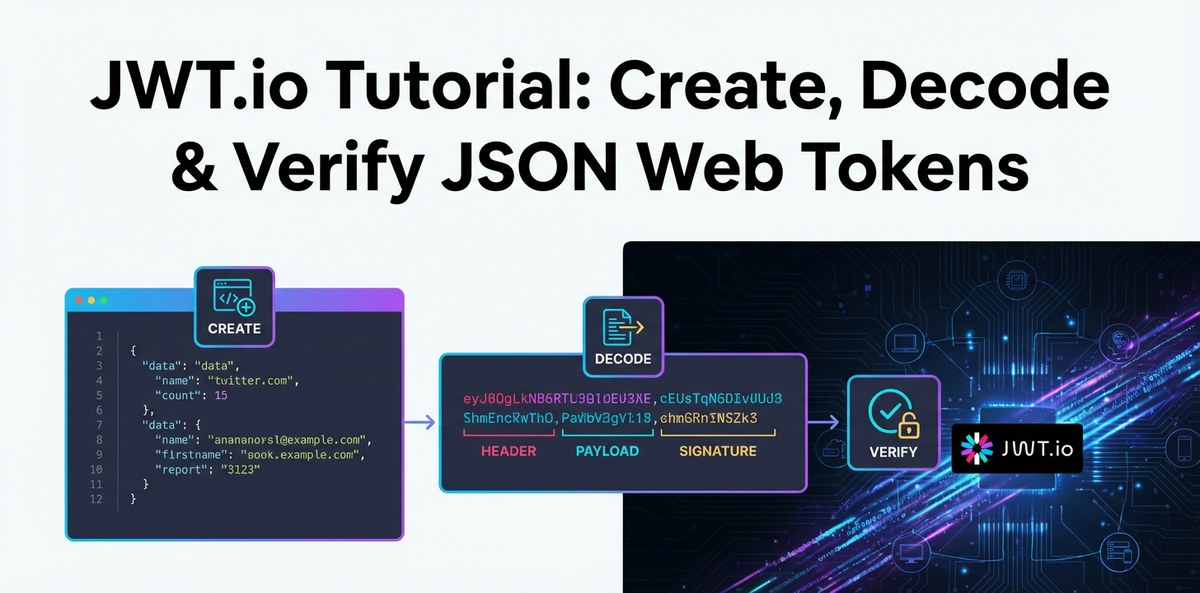


In the modern digital landscape, where applications constantly communicate across a myriad of services and devices, the need for secure, efficient, and stateless authentication and information exchange mechanisms has never been more critical. This is where JSON Web Tokens (JWTs) emerge as a cornerstone technology, offering a robust solution for ensuring that data shared between parties is both trusted and untampered. From authenticating users to authorizing access to sensitive resources, JWTs have become an indispensable component in securing distributed systems, microservices architectures, and various web APIs.
This comprehensive tutorial delves deep into the world of JWTs, guiding you through the intricate process of understanding their structure, creating them from scratch, accurately decoding their contents, and, most crucially, verifying their authenticity and integrity. We will leverage JWT.io, an invaluable online tool that serves as a developer's best friend for inspecting, debugging, and experimenting with JWTs. Beyond mere mechanics, we'll explore the underlying principles, best practices, and the critical role JWTs play in enhancing the security posture of your applications. Whether you're a seasoned developer architecting complex systems or a curious newcomer eager to grasp the fundamentals of modern web security, this guide aims to equip you with the knowledge and practical skills necessary to master JSON Web Tokens. We will also touch upon how robust API management solutions, including advanced API gateways, are essential partners in leveraging JWTs effectively across an enterprise's digital footprint.
Chapter 1: Understanding JSON Web Tokens (JWTs)
At its core, a JSON Web Token (JWT) is a compact, URL-safe means of representing claims to be transferred between two parties. These claims are pieces of information about an entity (typically, a user) and additional metadata. The beauty of JWTs lies in their self-contained nature; they carry all the necessary information within the token itself, reducing the need for constant database lookups for session information. This statelessness is a significant advantage, especially in distributed systems and microservice architectures, where individual services might not share a common session store.
1.1 What is a JWT? The Triumvirate of Parts
A JWT is not a monolithic block of data but rather a neatly structured string composed of three distinct parts, separated by dots (.):
- Header: This section typically consists of two fields: the type of the token, which is
JWT, and the signing algorithm being used, such asHS256orRS256. It tells the recipient how the token is structured and what algorithm was used to secure it. - Payload: This is the heart of the JWT, containing the "claims." Claims are statements about an entity (usually the user) and additional data. There are different types of claims:
- Registered claims: Predefined claims that are recommended but not mandatory, providing a set of useful, interoperable claims (e.g.,
issfor issuer,expfor expiration time). - Public claims: Claims defined by users for public consumption, often to avoid collisions.
- Private claims: Custom claims created to share information between parties, requiring mutual agreement on their names and meanings.
- Registered claims: Predefined claims that are recommended but not mandatory, providing a set of useful, interoperable claims (e.g.,
- Signature: This critical part is used to verify the sender of the JWT and to ensure that the message hasn't been tampered with. The signature is created by taking the encoded header, the encoded payload, a secret (or a private key), and the algorithm specified in the header, then signing them. If the token is signed with a secret, the recipient uses the same secret to verify the signature. If it's signed with a private key (asymmetric algorithm), the recipient uses the corresponding public key.
These three parts are Base64Url-encoded and then concatenated with dots to form the final JWT string, making it compact and URL-safe, suitable for transmission in HTTP headers, URL query parameters, or POST body parameters.
1.2 Why Use JWTs? Unpacking the Advantages
The adoption of JWTs stems from several compelling benefits they offer over traditional session-based authentication methods:
- Statelessness: This is perhaps the most significant advantage. With JWTs, the server doesn't need to maintain a session state. Once a user authenticates, a JWT is issued, and subsequent requests include this token. The server can verify the token's authenticity without needing to query a session database, vastly simplifying server-side logic and improving scalability. This is particularly beneficial in microservices architectures where many independent services might need to authenticate requests without a shared session store.
- Security: When signed, JWTs provide a strong guarantee of integrity and authenticity. The signature ensures that the token hasn't been altered by a malicious actor and that it indeed originated from a trusted source. Encryption (JWE) can further protect the confidentiality of the claims, though JWS (signed JWTs) is more common for authentication.
- Compactness: JWTs are small and concise. Because they are Base64Url-encoded, they are easily transmitted through URLs, POST parameters, or HTTP headers. This compactness means less overhead in network traffic.
- URL-Safe: The Base64Url encoding means that JWTs can be easily passed in URLs without requiring additional URL encoding.
- Decentralization: JWTs allow for a decentralized authentication mechanism. An Identity Provider (IdP) can issue tokens, and multiple service providers can consume and validate them using the same shared secret or public key. This is fundamental to Single Sign-On (SSO) systems.
- Client-side Storage: Tokens can be stored client-side (e.g., in local storage or HttpOnly cookies), allowing clients to include them in requests without server interaction to retrieve session data.
1.3 JWT vs. Session Tokens: A Paradigm Shift
Traditionally, web applications relied on server-side sessions for user authentication. When a user logged in, the server would create a session, store user-specific data (like user ID, roles) on its end, and send a session ID (often stored in a cookie) back to the client. Subsequent requests would include this session ID, prompting the server to look up the session data.
While functional, this approach presents challenges:
- Scalability Issues: In a clustered environment, session stickiness (routing a user's requests to the same server where their session resides) is often required, or a shared session store (like Redis) becomes necessary. Both add complexity and potential bottlenecks.
- Cross-Domain Limitations: Sharing session cookies across different subdomains or separate applications can be tricky.
- CORS Pre-flights: Session cookies often trigger Cross-Origin Resource Sharing (CORS) pre-flight requests, adding latency.
JWTs elegantly bypass these issues by shifting the session state from the server to the client. The client holds the token, and the server validates it independently with each request. This statelessness significantly improves scalability, simplifies multi-domain architectures, and fits perfectly with the distributed nature of modern microservices. It's a fundamental shift from "the server remembers who you are" to "you tell the server who you are, and the server verifies it."
1.4 Use Cases for JWTs: Beyond Simple Authentication
While authentication is a primary use case, JWTs capabilities extend much further:
- Authentication: The most common scenario. After a user successfully logs in, a JWT is issued and returned to the client. The client then includes this JWT in the
Authorizationheader of subsequent requests (e.g.,Authorization: Bearer <token>) to access protected routes. The server validates the token to authenticate the user for each request. - Authorization: Beyond just knowing who the user is, JWTs can carry information about what the user is allowed to do. Claims in the payload can include user roles (
admin,editor,viewer), permissions (create-post,delete-user), or scope (read:profile,write:data). This allows the receiving API to make fine-grained authorization decisions based on the token's contents without additional database queries. - Information Exchange: JWTs are an excellent way to securely transmit information between parties. Because tokens can be signed, you can be sure that senders are who they say they are and that the data hasn't been tampered with. For instance, a third-party application might send a signed JWT containing user preferences to your application, knowing you can trust the origin and integrity of the data.
- Single Sign-On (SSO): In an SSO system, a user logs in once to an identity provider and receives a JWT. This token can then be used to access multiple service providers within the same ecosystem without needing to re-authenticate with each one. The IdP issues the token, and service providers independently verify it.
- API Security: In a world dominated by APIs, JWTs provide a streamlined method for securing access to them. Whether it's a public API requiring an
apikey and token, or an internalapi gatewayprotecting backend microservices, JWTs offer a flexible and robust solution for access control and authentication. An API Gateway, for example, can be configured to validate JWTs at the network edge, ensuring that only authenticated requests reach the backend services, thereby acting as a crucial securitygateway.
1.5 The Different Types of JWTs: JWS vs. JWE (Briefly)
It's important to briefly distinguish between the two primary ways JWTs are used:
- JSON Web Signature (JWS): This is the more common type and what most people refer to when they talk about JWTs. A JWS token is digitally signed, ensuring its integrity and authenticity. The header and payload are Base64Url-encoded, and then a signature is generated using a cryptographic algorithm (like HMAC, RSA, or ECDSA) and a secret/key. The content (payload) of a JWS is not encrypted, meaning anyone who intercepts the token can decode the Base64Url segments to read the claims.
- JSON Web Encryption (JWE): A JWE token is used when the confidentiality of the claims is paramount. Instead of just signing, the entire payload is encrypted using a cryptographic key. This means that only the intended recipient, possessing the corresponding decryption key, can read the contents of the token. JWEs are more complex to implement and are used in scenarios where sensitive information must be kept confidential even from intermediaries.
For the purpose of this tutorial and the vast majority of practical use cases involving authentication and authorization, we will primarily focus on JWS tokens, where the integrity and authenticity provided by the signature are key.
Chapter 2: The Components of a JWT – A Deep Dive
To truly master JWTs, one must understand the individual roles and implications of each of its three segments: the Header, the Payload, and the Signature. Each part contributes uniquely to the token's functionality, security, and utility.
2.1 The Header: Metadata for the Token
The header, also known as the JWS Header for signed tokens, is a JSON object that specifies the type of the token and the cryptographic algorithm used to sign it. This information is crucial for the recipient to correctly parse and verify the token.
A typical header looks like this:
{
  "alg": "HS256",
  "typ": "JWT"
}
Let's break down its common fields:
alg(Algorithm): This mandatory claim identifies the cryptographic algorithm used for signing the token. This field tells the recipient what algorithm to expect and how to go about verifying the signature. Common algorithms include:HS256(HMAC with SHA-256): A symmetric algorithm that uses a single secret key for both signing and verification. This is simpler to implement but requires both parties to securely possess the same secret. It's often used in scenarios where a single application issues and verifies its own tokens, or in simple client-server setups where the server holds the secret.RS256(RSA Signature with SHA-256): An asymmetric algorithm that uses a private key for signing and a public key for verification. This is ideal for distributed systems and SSO scenarios where an Identity Provider (IdP) signs tokens with its private key, and multiple service providers (who only have the public key) can verify them without needing access to the secret private key.ES256(ECDSA Signature with P-256 and SHA-256): Another asymmetric algorithm, Elliptic Curve Digital Signature Algorithm, which offers similar security properties to RSA but often with smaller key sizes and signatures, potentially leading to better performance.none: This algorithm should almost never be used in production. It signifies that the token is unsigned, making it highly vulnerable to tampering. While it exists for testing or specific non-security-critical internal uses, its presence in a token that is meant to be secure is a severe security flaw. We'll discuss this vulnerability later.
typ(Type): This optional but commonly included claim indicates the type of the token. For JWTs, this value is almost alwaysJWT. It helps in distinguishing JWTs from other types of signed or encrypted objects.
The header is the first part to be Base64Url-encoded, forming the first segment of the JWT.
2.2 The Payload (Claims): The Data Carrier
The payload, also known as the JWS Payload or JWT Claims Set, is a JSON object containing the actual information (claims) about the entity or additional metadata. This is where you store data that needs to be securely transmitted and read by the recipient.
Claims are essentially key-value pairs. They can be categorized into three types:
- Registered Claims: These are a set of predefined, non-mandatory claims that provide interoperability when working with JWTs. They are standardized by the IANA (Internet Assigned Numbers Authority) and include:
iss(Issuer): Identifies the principal that issued the JWT. Often a URL or a unique identifier for the issuing authority.sub(Subject): Identifies the principal that is the subject of the JWT. This is typically the user ID or a unique identifier for the authenticated user.aud(Audience): Identifies the recipients that the JWT is intended for. Each principal intended to process the JWT must identify itself with a value in the audience claim.exp(Expiration Time): Identifies the expiration time on or after which the JWT MUST NOT be accepted for processing. It's a Unix timestamp (seconds since epoch). This is crucial for limiting the lifespan of a token and mitigating the risk of stolen tokens.nbf(Not Before): Identifies the time before which the JWT MUST NOT be accepted for processing. Also a Unix timestamp. Useful for preventing tokens from being used before a specific time.iat(Issued At): Identifies the time at which the JWT was issued. Again, a Unix timestamp. Useful for determining the age of the token.jti(JWT ID): Provides a unique identifier for the JWT. Can be used to prevent replay attacks or for token blacklisting.
- Public Claims: These are claims defined by the JWT users for publicly-defined claims, often in an IANA Registry or specified in an application-specific context to avoid collisions. Examples include email, name, profile URL, etc. It's good practice to either make your public claims unique to your application or register them with the IANA.
- Private Claims: These are custom claims created to share information between parties that agree to use them. They are not registered or public, and you must ensure there are no collisions with registered or public claims. For example, you might include a user's
role,department, or specific application permissions (accessLevel: 'admin') as private claims.
Importance of Minimizing Sensitive Data in the Payload: It's critical to remember that for JWS tokens (which are signed but not encrypted), the payload is simply Base64Url-encoded. This means anyone who gets their hands on a JWT can easily decode the header and payload to read its contents. Therefore, you should never put highly sensitive information (like passwords, personally identifiable information (PII) that shouldn't be publicly visible, or private medical data) directly into a JWS payload. If confidentiality is required for specific claims, then JWE (JSON Web Encryption) should be used, or sensitive data should only be referenced by an ID in the JWT, with the actual data stored securely server-side.
The payload is the second part to be Base64Url-encoded, forming the second segment of the JWT.
2.3 The Signature: The Guardian of Integrity and Authenticity
The signature is the most critical part of a JWT from a security perspective. Its sole purpose is to verify that the token has not been tampered with since it was issued and that it was indeed created by the expected sender. Without a valid signature, a JWT is merely a piece of data that cannot be trusted.
Here's how the signature is generated and its purpose explained:
- Input for Signature: The signature is created by taking:The format for the data that is signed is always
base64UrlEncode(header) + "." + base64UrlEncode(payload).- The Base64Url-encoded header.
- A dot separator (
.). - The Base64Url-encoded payload.
- A cryptographic algorithm specified in the header (
alg). - A secret key (for symmetric algorithms like HS256) or a private key (for asymmetric algorithms like RS256/ES256).
- Generation Process:
- Symmetric Algorithms (e.g., HS256): The algorithm takes the encoded header and payload, and a shared secret key. It then computes a cryptographic hash (e.g., SHA-256) of the combined data using the secret key. The output of this hash function is the signature. The same secret key is used by the recipient to re-compute the signature and compare it with the one provided in the token. If they match, the token is deemed valid and untampered.
- Asymmetric Algorithms (e.g., RS256, ES256): These algorithms involve a pair of keys: a private key and a public key. The issuer uses its private key to digitally sign the encoded header and payload. The signature is then generated. The recipient, who only possesses the corresponding public key, uses this public key to verify the signature. Because the public key cannot be used to generate signatures, it allows for verification without needing to share the sensitive private key. This is a fundamental security advantage for distributed systems where many parties need to verify tokens from a single issuer.
- Purpose:
- Integrity: If even a single character in the header or payload is changed by an unauthorized party, the signature verification will fail. This immediately flags the token as tampered with, preventing malicious modification of claims.
- Authenticity: The signature also guarantees that the token was issued by the legitimate sender who possesses the secret key or private key. If someone tries to forge a token with fake claims, they won't be able to generate a valid signature unless they also possess the secret/private key.
The signature is then Base64Url-encoded and appended as the third segment of the JWT, completing the header.payload.signature structure.
Understanding these three components is foundational to working with JWTs effectively and securely. Each part plays a specific, indispensable role in the overall integrity and functionality of the token, paving the way for reliable authentication and authorization in modern web applications and APIs.
Chapter 3: Getting Started with JWT.io – Your Essential Tool
While understanding the theory behind JWTs is crucial, practical experience is what truly solidifies that knowledge. This is where JWT.io shines as an indispensable online tool for developers. It provides a visual, interactive platform to create, decode, and verify JSON Web Tokens, making it an ideal companion for learning, debugging, and testing.
3.1 What is JWT.io? Its Features and Utility
JWT.io is a popular web application that offers a straightforward interface for interacting with JSON Web Tokens. It's a free, open-source tool that demystifies the complex process of JWT handling, providing instant feedback and clarity.
Its primary features include:
- JWT Decoder: Paste any JWT into the left pane, and JWT.io will instantly decode and display its header and payload in a human-readable JSON format in the right pane. This is incredibly useful for inspecting tokens received from an API or an identity provider, allowing you to quickly understand the claims it contains.
- JWT Encoder/Creator: You can manually edit the header and payload JSON directly within the interface. As you type, JWT.io dynamically generates the corresponding Base64Url-encoded segments and the full JWT string. You can also select the signing algorithm and input a secret key (or a public/private key pair for asymmetric algorithms), and the tool will compute the signature, giving you a complete, valid JWT.
- JWT Verifier: This is arguably the most critical feature. Once you have a JWT, you can paste it into the input field. Then, based on the
algspecified in the token's header, you provide the appropriate secret key or public key. JWT.io will then attempt to verify the signature. It will tell you immediately whether the signature is valid or invalid, providing invaluable feedback during development and debugging.
3.2 Navigating the JWT.io Interface: A Quick Tour
When you visit jwt.io, you'll be greeted by a clean, three-column layout:
- Left Column (Encoded): This is where the complete JWT string is displayed or where you paste a token you want to inspect. As you make changes in the "Decoded" section, this column updates in real-time.
- Middle Column (Decoded): This column is split into two sections:
- Header (Alg & Type): Shows the decoded JSON for the header. You can edit the
algandtypfields here. - Payload (Data): Shows the decoded JSON for the payload (claims). You can add, remove, or modify claims here.
- Header (Alg & Type): Shows the decoded JSON for the header. You can edit the
- Right Column (Verify Signature): This crucial column allows you to:
- Select the
Algorithm(which should match thealgin your header). - Input the
Secret(for symmetric algorithms like HS256) or thePublic Key(for asymmetric algorithms like RS256/ES256). - It will then display a clear message: "Signature Verified" in green, or "Invalid Signature" in red, along with the expected signature if it's invalid.
- Select the
Additionally, at the bottom of the "Verify Signature" column, there's often a section for "Sample Code" in various languages. While basic, this can provide a quick reference for how to implement JWT operations programmatically.
3.3 Why JWT.io is Indispensable for Developers
For anyone working with JWTs, JWT.io offers several significant advantages:
- Learning and Experimentation: It's an excellent sandbox for beginners to understand how JWTs are structured, how claims are represented, and how the signature is generated and verified. You can play with different algorithms, secrets, and claims to see their immediate impact on the token.
- Debugging: When an
apirequest fails due to an "invalid token" error, JWT.io is your first stop. You can paste the problematic token, decode it to ensure the claims are correct, and then use the verifier with your known secret or public key to quickly diagnose if the signature is invalid or if the token has expired. This saves immense time compared to digging through server logs or code. - Testing: Developers can rapidly generate valid test tokens with specific claims (e.g., an admin user token, a token with specific permissions) to test various authorization scenarios in their applications or against an
api gateway. This accelerates the development and testing cycles. - Collaboration: When working in teams, sharing a JWT through JWT.io can help align everyone on the expected token structure and contents, ensuring that clients and servers are generating and consuming tokens correctly.
- Education: As a tool, it helps in demonstrating JWT concepts visually, which can be far more impactful than purely theoretical explanations.
While JWT.io is a powerful tool, always exercise caution with sensitive data. As discussed, the payload of a JWS is visible to anyone who decodes it. Never paste JWTs containing highly sensitive, unencrypted private information into any online tool, including JWT.io, in a production context. For development and testing with dummy data, it's perfectly safe and incredibly useful.
With JWT.io as our workbench, we are now ready to dive into the practical aspects of creating, decoding, and verifying JSON Web Tokens.
Chapter 4: Creating JWTs – A Step-by-Step Guide with JWT.io and Code Examples
Creating a JWT involves structuring the header and payload, and then signing them with a chosen algorithm and a secret or private key. This process ensures the token is correctly formatted and secured for transmission. We’ll first explore how to do this manually using JWT.io, followed by practical code examples in popular programming languages.
4.1 Manual Creation on JWT.io
JWT.io provides an intuitive interface for constructing JWTs. This is an excellent way to grasp the interplay between the header, payload, and signature.
- Inputting Header:
- On the JWT.io website, locate the "Header (Alg & Type)" section in the middle column.
- By default, it often contains:
json { "alg": "HS256", "typ": "JWT" } - You can change the
algvalue if you intend to use a different algorithm. For symmetric keys,HS256is a common choice. For asymmetric, you might chooseRS256. Let's stick withHS256for simplicity. Thetypshould remainJWT.
- Inputting Payload (Claims):
- Below the header, find the "Payload (Data)" section. This is where you define your claims.
- Start by adding some standard registered claims and perhaps a private claim or two. For instance:
json { "sub": "1234567890", "name": "John Doe", "iat": 1516239022, "exp": 1516242622, "role": "admin" } - Notice
iat(issued at) andexp(expiration time) are Unix timestamps. You can use an online Unix timestamp converter to get these values or estimate them. Theexpclaim is crucial for token validity. - As you type, the encoded header and payload in the left column will update in real-time.
- Choosing Algorithm and Secret/Key:
- Navigate to the "Verify Signature" section in the right column.
- Ensure the selected
Algorithmdropdown matches thealgspecified in your header (e.g.,HS256). - In the "Secret" textbox, enter a strong, random secret key. For example,
your-super-secret-key-that-no-one-should-guess. In a real application, this secret must be kept absolutely confidential and not hardcoded. - If you chose an asymmetric algorithm like
RS256, you would input the private key in the appropriate field (and later the public key for verification). ForHS256, a simple secret string is sufficient.
- Observing the Generated Token:
- As soon as you provide the secret, JWT.io will compute the signature and display the complete, valid JWT in the left column. This token is now ready to be used for testing.
This manual process gives you immediate visual feedback on how each component contributes to the final JWT.
4.2 Programmatic Creation (Examples in Multiple Languages)
While JWT.io is excellent for testing and debugging, in production applications, JWTs are generated programmatically by your server-side code or identity provider. Most languages have well-supported libraries for this.
4.2.1 JavaScript (Node.js using jsonwebtoken library)
The jsonwebtoken library is a popular choice for Node.js applications.
First, install it:
npm install jsonwebtoken
Then, generate a token:
const jwt = require('jsonwebtoken');

// Your secret key (should be strong and stored securely, e.g., in environment variables)
const secret = 'your-super-secret-key-that-no-one-should-guess';

// Payload (claims) for the token
const payload = {
  sub: '1234567890',
  name: 'John Doe',
  iat: Math.floor(Date.now() / 1000), // Issued At: current timestamp in seconds
  exp: Math.floor(Date.now() / 1000) + (60 * 60), // Expiration: 1 hour from now
  role: 'admin'
};

// Options for signing (header fields)
const options = {
  algorithm: 'HS256', // Specifies the algorithm explicitly
  issuer: 'my-app.com', // Registered claim: issuer
  audience: 'your-api-audience' // Registered claim: audience
};

// Create the JWT
const token = jwt.sign(payload, secret, options);

console.log('Generated JWT:', token);
This script will output a JWT string similar to what JWT.io generates. Note how iat, exp, issuer, and audience can be managed as part of the payload or as options for the sign function, which then adds them to the payload.
4.2.2 Python (PyJWT)
The PyJWT library is a robust choice for Python.
First, install it:
pip install PyJWT
Then, generate a token:
import jwt
import datetime
import time

# Your secret key
secret = 'your-super-secret-key-that-no-one-should-guess'

# Payload (claims) for the token
payload = {
    'sub': '1234567890',
    'name': 'Jane Doe',
    'iat': datetime.datetime.utcnow(), # Issued At
    'exp': datetime.datetime.utcnow() + datetime.timedelta(hours=1), # Expiration: 1 hour from now
    'role': 'user'
}

# Encode the JWT
token = jwt.encode(payload, secret, algorithm='HS256')

print("Generated JWT:", token)
In PyJWT, datetime objects are automatically converted to Unix timestamps for iat and exp.
4.2.3 Java (using java-jwt or Auth0's java-jwt)
For Java, the java-jwt library by Auth0 is widely used.
Add the dependency to your pom.xml (Maven) or build.gradle (Gradle):
Maven:
<dependency>
    <groupId>com.auth0</groupId>
    <artifactId>java-jwt</artifactId>
    <version>4.4.0</version> <!-- Use the latest version -->
</dependency>
Gradle:
implementation 'com.auth0:java-jwt:4.4.0' // Use the latest version
Then, generate a token:
import com.auth0.jwt.JWT;
import com.auth0.jwt.algorithms.Algorithm;
import java.util.Date;
import java.util.HashMap;
import java.util.Map;

public class JwtCreator {
    public static void main(String[] args) {
        String secret = "your-super-secret-key-that-no-one-should-guess";
        Algorithm algorithm = Algorithm.HMAC256(secret);

        long nowMillis = System.currentTimeMillis();
        Date now = new Date(nowMillis);
        Date expiration = new Date(nowMillis + (1000 * 60 * 60)); // 1 hour from now

        String token = JWT.create()
                .withIssuer("my-java-app.com")
                .withSubject("12345")
                .withAudience("api-users")
                .withClaim("name", "Alice Wonderland")
                .withClaim("role", "developer")
                .withIssuedAt(now)
                .withExpiresAt(expiration)
                .sign(algorithm);

        System.out.println("Generated JWT: " + token);
    }
}
4.2.4 Highlighting the Parameters and Secure Secret Management
- Header Parameters: The algorithm (
alg) is crucial. Libraries usually allow you to specify it when signing. - Payload Parameters: Your application-specific claims (user ID, roles, permissions) go here. Registered claims like
exp,iat,sub,iss,audare best practices. - Secret/Key: The secret key (for HS256) or private key (for RS256) is paramount.
- NEVER hardcode secrets in your source code.
- Store them in environment variables, secure key vaults (like AWS Secrets Manager, Azure Key Vault, HashiCorp Vault), or configuration management systems.
- Rotate your secrets periodically.
- Ensure they are sufficiently long and random.
Creating JWTs is the first step in establishing a secure communication channel. These tokens will then be sent to clients, who will include them in subsequent requests to your APIs.
The Role of API Gateways: In modern microservices architectures, where multiple APIs might be exposed, an api gateway often plays a pivotal role in centralizing concerns like authentication and authorization. While the actual creation of a user-specific JWT is typically handled by an authentication service or Identity Provider (IdP) after a successful login, an APIPark api gateway can be configured to integrate with such services. For example, it might proxy requests to an IdP, or, in more advanced scenarios, it could even be responsible for adding additional claims to an existing token or for generating specific internal tokens for backend services based on an initial user token. An api gateway acts as the single entry point for all API calls, simplifying security policies. It ensures that only requests with valid authentication tokens (JWTs) proceed to your backend microservices. This means your backend services don't each need to implement complex JWT creation logic; instead, they rely on the gateway to handle initial authentication and often, subsequent authorization decisions based on the token.
APIPark is a high-performance AI gateway that allows you to securely access the most comprehensive LLM APIs globally on the APIPark platform, including OpenAI, Anthropic, Mistral, Llama2, Google Gemini, and more.Try APIPark now! 👇👇👇
Chapter 5: Decoding JWTs – Understanding the Data Within
Decoding a JWT allows you to inspect its header and payload. It's a fundamental operation for understanding what information a token carries, crucial for debugging, auditing, and making authorization decisions. It's vital to remember that decoding a JWT does NOT verify its authenticity or integrity. Anyone can decode the Base64Url-encoded parts of a JWT; only verification (using the signature) confirms its legitimacy.
5.1 Using JWT.io to Decode
Decoding a JWT with JWT.io is incredibly straightforward and often the first step when you encounter an unfamiliar or problematic token.
- Paste a Token: Take any JWT string (e.g., one you generated, or one received from an API).
- Paste into the Encoded Column: Paste the entire JWT string into the large textbox in the left-hand "Encoded" column on JWT.io.
- Analyze the Decoded Header and Payload: Instantly, the "Decoded" middle column will populate with the JSON representations of the header and payload.
- You'll see the
alg(algorithm) andtyp(type) in the header. - You'll see all the claims (registered, public, and private) in the payload. This allows you to quickly check if the expected user ID, roles, expiration time, or other custom data are present and correctly formatted.
- You'll see the
- Identifying Common Issues (Malformed Tokens):
- If the token is malformed (e.g., missing a dot separator, incorrectly encoded segment), JWT.io will likely show an error or incomplete parsing. This indicates a problem during the token's creation or transmission, which is a common debugging point.
- Sometimes, an API might return a string that looks like a JWT but isn't. Pasting it into JWT.io helps confirm if it's a valid JWT structure or just some other form of encoded string.
This immediate visual feedback makes JWT.io an invaluable tool for rapidly understanding the contents of any JWT.
5.2 Programmatic Decoding (Examples)
While JWT.io is great for manual inspection, your application will need to decode tokens programmatically to access the claims and make decisions. Most JWT libraries provide methods for this.
5.2.1 JavaScript (Node.js using jsonwebtoken library)
The jsonwebtoken library can decode tokens. Note that jwt.decode() only decodes; it does not verify the signature.
const jwt = require('jsonwebtoken');

const token = 'eyJhbGciOiJIUzI1NiIsInR5cCI6IkpXVCJ9.eyJzdWIiOiIxMjM0NTY3ODkwIiwibmFtZSI6IkpvaG4gRG9lIiwiaWF0IjoxNTE2MjM5MDIyLCJleHAiOjE1MTYyNDI2MjIsInJvbGUiOiJhZG1pbiJ9.q-VbW1J-bM-K-Y-K-Y-K-Y-K-Y-K-Y-K-Y-K-Y-K-Y-K-Y-K-Y-K-Y-K-Y-K-Y-K-Y-K-Y-K-Y-K-Y-K-Y-K-Y-K-Y'; // Example token

try {
  const decodedPayload = jwt.decode(token);
  console.log('Decoded Header:', jwt.decode(token, { complete: true }).header); // To get header
  console.log('Decoded Payload:', decodedPayload);
  // Access claims:
  console.log('User Name:', decodedPayload.name);
  console.log('User Role:', decodedPayload.role);
} catch (error) {
  console.error('Error decoding token:', error.message);
}
The complete: true option is used to retrieve both the header and the payload. Without it, jwt.decode returns only the payload by default.
5.2.2 Python (PyJWT)
The PyJWT library also has a decode method. Crucially, the default behavior of jwt.decode() is to verify the signature. To only decode without verification (which is generally discouraged in production for security reasons, but useful for inspection), you need to explicitly disable verification or use a specific function for "unverified" decoding.
import jwt

token = 'eyJhbGciOiJIUzI1NiIsInR5cCI6IkpXVCJ9.eyJzdWIiOiIxMjM0NTY3ODkwIiwibmFtZSI6IkpvaG4gRG9lIiwiaWF0IjoxNTE2MjM5MDIyLCJleHAiOjE1MTYyNDI2MjIsInJvbGUiOiJhZG1pbiJ9.q-VbW1J-bM-K-Y-K-Y-K-Y-K-Y-K-Y-K-Y-K-Y-K-Y-K-Y-K-Y-K-Y-K-Y-K-Y-K-Y-K-Y-K-Y-K-Y-K-Y-K-Y-K-Y' # Example token

# To decode without verifying the signature (for inspection ONLY, not production use!)
try:
    # Use options to tell it to not verify signature
    decoded_payload = jwt.decode(token, options={"verify_signature": False})
    print("Decoded Payload (unverified):", decoded_payload)

    # To get the header too, you can use the PyJWT internal _decode function or split manually
    # Or, often, a full decode function will return header and payload if requested
    header = jwt.get_unverified_header(token)
    print("Decoded Header (unverified):", header)

except jwt.PyJWTError as e:
    print(f"Error decoding token: {e}")
For production scenarios, always perform full verification, which the decode method does by default when a secret and algorithms are provided. We will cover this in the next chapter.
5.2.3 Java (using java-jwt)
The java-jwt library also allows decoding without verification, primarily for inspection purposes.
import com.auth0.jwt.JWT;
import com.auth0.jwt.interfaces.DecodedJWT;
import com.fasterxml.jackson.databind.ObjectMapper; // For pretty printing JSON

public class JwtDecoder {
    public static void main(String[] args) {
        String token = "eyJhbGciOiJIUzI1NiIsInR5cCI6IkpXVCJ9.eyJzdWIiOiIxMjM0NTY3ODkwIiwibmFtZSI6IkpvaG4gRG9lIiwiaWF0IjoxNTE2MjM5MDIyLCJleHAiOjE1MTYyNDI2MjIsInJvbGUiOiJhZG1pbiJ9.q-VbW1J-bM-K-Y-K-Y-K-Y-K-Y-K-Y-K-Y-K-Y-K-Y-K-Y-K-Y-K-Y-K-Y-K-Y-K-Y-K-Y-K-Y-K-Y-K-Y-K-Y-K-Y"; // Example token

        try {
            DecodedJWT jwt = JWT.decode(token);

            System.out.println("Decoded Header:");
            ObjectMapper mapper = new ObjectMapper();
            System.out.println(mapper.writerWithDefaultPrettyPrinter().writeValueAsString(jwt.getHeaderClaims()));

            System.out.println("\nDecoded Payload:");
            System.out.println(mapper.writerWithDefaultPrettyPrinter().writeValueAsString(jwt.getClaims()));

            // Access specific claims
            System.out.println("\nUser Name: " + jwt.getClaim("name").asString());
            System.out.println("User Role: " + jwt.getClaim("role").asString());

        } catch (Exception e) {
            System.err.println("Error decoding token: " + e.getMessage());
            e.printStackTrace();
        }
    }
}
You'll need com.fasterxml.jackson.core:jackson-databind for ObjectMapper if you want pretty-printed JSON output for claims.
5.2.4 Emphasize that Decoding Does NOT Verify Authenticity
This point cannot be overstressed. While decoding helps you read the data, it provides absolutely no guarantee about: * Who issued the token: A malicious actor could create a token with any claims they desire and encode it. * Whether the token has been tampered with: The decoded header and payload could have been altered after issuance. * Whether the token is expired: You can read the exp claim, but you still need logic to check if Date.now() is past exp.
Decoding is merely a parsing operation. For security, verification is the indispensable step, which we will delve into next. Any production api endpoint that receives a JWT for authentication or authorization must verify it.
Chapter 6: Verifying JWTs – The Cornerstone of Security
Verification is the single most important step when handling JWTs in any secure application. It's the process by which a recipient ensures the token is authentic, untampered, and valid for use. Without robust verification, JWTs offer no security benefits and can even become a major vulnerability.
6.1 Why Verification is Crucial: Preventing Tampering and Ensuring Authenticity
Imagine a scenario where a user, after logging in, receives a JWT with a claim indicating their role: "user". If this token is merely decoded by a backend api, a malicious user could potentially intercept the token, change the role claim to role: "admin", re-encode the parts, and send it back. If the backend only decodes, it would incorrectly grant administrative privileges.
Verification prevents this by:
- Signature Check: The primary purpose of verification is to validate the signature. If the computed signature using the known secret/public key matches the signature provided in the token, it proves that:
- The token was issued by the legitimate party (who holds the secret/private key).
- The header and payload have not been altered since the token was signed.
- Claim Validation: Beyond the signature, verification involves checking critical claims like expiration (
exp), "not before" (nbf), audience (aud), and issuer (iss). This ensures the token is currently active, intended for the correct recipient, and issued by a trusted source.
Without verification, your system is vulnerable to impersonation, privilege escalation, and data manipulation. Every api request protected by a JWT must pass a rigorous verification process.
6.2 Verification Steps: A Multi-faceted Process
A comprehensive JWT verification process typically involves several checks:
- Signature Validity: This is the first and most critical step. The recipient re-computes the signature using the token's header and payload, and the shared secret (for HS algorithms) or the issuer's public key (for RS/ES algorithms). If the re-computed signature does not match the signature provided in the token, the token is immediately rejected as invalid.
- Expiration Time (
exp) Check: The system checks if the current time is past theexpclaim's timestamp. Ifcurrent_time > exp, the token is expired and must be rejected. This limits the window of opportunity for attackers to use stolen tokens. - Not Before Time (
nbf) Check: The system checks if the current time is before thenbfclaim's timestamp. Ifcurrent_time < nbf, the token is not yet valid and must be rejected. This can be useful for scenarios where a token should only become active at a future point. - Audience (
aud) Check: The system verifies that theaudclaim in the token matches the identifier of the intended recipient (your application orapi). If yourapiismy-api.com, and theaudclaim isanother-api.com, the token is not for yourapiand should be rejected. This prevents tokens intended for one service from being used on another. - Issuer (
iss) Check: The system verifies that theissclaim matches a trusted issuer (e.g., your known Identity Provider's URL). This ensures the token originated from an authorized source. - JWT ID (
jti) Check (Optional but Recommended): If thejticlaim is present, it can be stored in a blacklist or revocation list. If an incoming token'sjtiis found in the list, it's rejected, providing a mechanism for immediate token revocation.
All these checks collectively establish a strong security posture for your JWT-protected resources.
6.3 Using JWT.io for Verification
JWT.io provides an easy way to verify tokens.
- Inputting Token, Secret/Public Key:
- Paste the JWT into the "Encoded" column on the left.
- In the "Verify Signature" column on the right:
- Ensure the selected
Algorithmmatches thealgin the token's header. - If using
HS256(symmetric), enter theSecretkey that was used to sign the token. - If using
RS256orES256(asymmetric), enter the correspondingPublic Keyin the designated field. (For RS256, this will be the public part of the key pair).
- Ensure the selected
- Interpreting the Verification Result:
- "Signature Verified" (Green): This means the token's signature is valid, and its integrity is intact. JWT.io will also check
expandnbfand indicate if the token is expired or not yet valid based on the current time. - "Invalid Signature" (Red): This is a critical indicator. It means either:
- The token was tampered with after issuance.
- The wrong secret or public key was used for verification.
- The token was signed with a different algorithm than the one specified in the header or chosen for verification.
- If the signature is invalid, the token should be rejected.
- "Signature Verified" (Green): This means the token's signature is valid, and its integrity is intact. JWT.io will also check
JWT.io's instant feedback is invaluable for quickly identifying problems during development and debugging.
6.4 Programmatic Verification (Examples)
In a production environment, your application will handle JWT verification programmatically. Libraries streamline this process by performing all the necessary signature and claim checks.
6.4.1 JavaScript (Node.js using jsonwebtoken library)
The jsonwebtoken library's verify method is designed for robust verification.
const jwt = require('jsonwebtoken');

const token = 'eyJhbGciOiJIUzI1NiIsInR5cCI6IkpXVCJ9.eyJzdWIiOiIxMjM0NTY3ODkwIiwibmFtZSI6IkpvaG4gRG9lIiwiaWF0IjoxNTE2MjM5MDIyLCJleHAiOjE1MTYyNDI2MjIsInJvbGUiOiJhZG1pbiJ9.q-VbW1J-bM-K-Y-K-Y-K-Y-K-Y-K-Y-K-Y-K-Y-K-Y-K-Y-K-Y-K-Y-K-Y-K-Y-K-Y-K-Y-K-Y-K-Y-K-Y-K-Y-K-Y'; // Example token
const secret = 'your-super-secret-key-that-no-one-should-guess'; // Must be the same secret used for signing

const options = {
  algorithms: ['HS256'], // Specify expected algorithms
  issuer: 'my-app.com', // Expected issuer
  audience: 'your-api-audience' // Expected audience
};

try {
  const verifiedPayload = jwt.verify(token, secret, options);
  console.log('Token is valid. Decoded Payload:', verifiedPayload);
  // Proceed with authorization based on verifiedPayload.role, etc.
} catch (error) {
  if (error instanceof jwt.TokenExpiredError) {
    console.error('Token Expired:', error.message);
  } else if (error instanceof jwt.NotBeforeError) {
    console.error('Token not active yet:', error.message);
  } else if (error instanceof jwt.JsonWebTokenError) {
    console.error('Invalid Token:', error.message);
  } else {
    console.error('Verification failed:', error.message);
  }
}
The verify method automatically checks the signature, exp, nbf, aud, and iss claims according to the provided secret and options. It throws an error if any check fails, making robust error handling essential.
6.4.2 Python (PyJWT)
PyJWT's decode function performs verification by default when you provide the secret and algorithms.
import jwt
import datetime
import time

token = 'eyJhbGciOiJIUzI1NiIsInR5cCI6IkpXVCJ9.eyJzdWIiOiIxMjM0NTY3ODkwIiwibmFtZSI6IkpvaG4gRG9lIiwiaWF0IjoxNTE2MjM5MDIyLCJleHAiOjE1MTYyNDI2MjIsInJvbGUiOiJhZG1pbiJ9.q-VbW1J-bM-K-Y-K-Y-K-Y-K-Y-K-Y-K-Y-K-Y-K-Y-K-Y-K-Y-K-Y-K-Y-K-Y-K-Y-K-Y-K-Y-K-Y-K-Y-K-Y-K-Y' # Example token
secret = 'your-super-secret-key-that-no-one-should-guess'

try:
    decoded_payload = jwt.decode(
        token,
        secret,
        algorithms=['HS256'], # Specify allowed algorithms
        issuer='my-app.com', # Expected issuer
        audience='your-api-audience', # Expected audience
        options={'require_iat': True} # Example: require iat claim
    )
    print("Token is valid. Decoded Payload:", decoded_payload)
    # Access claims
    print("User role:", decoded_payload.get('role'))

except jwt.ExpiredSignatureError:
    print("Token has expired!")
except jwt.InvalidAudienceError:
    print("Invalid audience!")
except jwt.InvalidIssuerError:
    print("Invalid issuer!")
except jwt.InvalidTokenError as e:
    print(f"Invalid token: {e}")
except Exception as e:
    print(f"An unexpected error occurred: {e}")
PyJWT raises specific exceptions for different validation failures, allowing for granular error handling.
6.4.3 Java (using java-jwt)
The java-jwt library uses a JWTVerifier to perform verification.
import com.auth0.jwt.JWT;
import com.auth0.jwt.JWTVerifier;
import com.auth0.jwt.algorithms.Algorithm;
import com.auth0.jwt.exceptions.JWTVerificationException;
import com.auth0.jwt.interfaces.DecodedJWT;

public class JwtVerifier {
    public static void main(String[] args) {
        String token = "eyJhbGciOiJIUzI1NiIsInR5cCI6IkpXVCJ9.eyJzdWIiOiIxMjM0NTY3ODkwIiwibmFtZSI6IkpvaG4gRG9lIiwiaWF0IjoxNTE2MjM5MDIyLCJleHAiOjE1MTYyNDI2MjIsInJvbGUiOiJhZG1pbiJ9.q-VbW1J-bM-K-Y-K-Y-K-Y-K-Y-K-Y-K-Y-K-Y-K-Y-K-Y-K-Y-K-Y-K-Y-K-Y-K-Y-K-Y-K-Y-K-Y-K-Y-K-Y-K-Y"; // Example token
        String secret = "your-super-secret-key-that-no-one-should-guess";
        Algorithm algorithm = Algorithm.HMAC256(secret);

        try {
            // Build the verifier with expected claims
            JWTVerifier verifier = JWT.require(algorithm)
                    .withIssuer("my-app.com")
                    .withAudience("your-api-audience")
                    .build(); // Reusable verifier instance

            DecodedJWT jwt = verifier.verify(token);
            System.out.println("Token is valid. Subject: " + jwt.getSubject());
            System.out.println("User Role: " + jwt.getClaim("role").asString());

        } catch (JWTVerificationException exception) {
            // Invalid signature/claims
            System.err.println("JWT verification failed: " + exception.getMessage());
            // More specific error handling can be done by checking exception type
            // e.g., if (exception instanceof TokenExpiredException)
        }
    }
}
The Java library promotes building a JWTVerifier instance with all the expected parameters (issuer, audience, algorithm, etc.), which is then used to verify tokens.
6.4.4 Reiterate APIPark's Relevance: Centralized JWT Verification
For organizations managing a multitude of APIs and microservices, decentralizing JWT verification logic across every backend service can lead to inconsistencies, security gaps, and maintenance headaches. This is precisely where an api gateway becomes an indispensable part of your infrastructure.
An api gateway, such as APIPark, is perfectly positioned to centralize JWT verification at the network edge. When a client sends a request to your API, the gateway intercepts it. Before forwarding the request to any backend service, the api gateway can:
- Validate the JWT Signature: Using the configured secret or public key, it verifies the token's signature.
- Check Claims: It enforces policies based on
exp,nbf,aud,iss, and even custom claims (role,permissions). - Reject Invalid Tokens: If verification fails at any stage (invalid signature, expired token, wrong audience, etc.), the
gatewayimmediately rejects the request, preventing unauthorized or malicious traffic from ever reaching your backend services. - Extract Claims for Downstream Services: Upon successful verification, the
gatewaycan optionally extract relevant claims (e.g., user ID, roles) and inject them as custom HTTP headers into the request before forwarding it. This way, backend services receive pre-authenticated requests and can trust the identity and authorization information provided by thegateway, simplifying their own security logic.
This centralized approach offered by an api gateway like APIPark ensures that all incoming api requests are authenticated and authorized consistently and efficiently, significantly strengthening your overall api security posture. It acts as the frontline gateway, enforcing your security policies before any sensitive business logic is engaged. This not only enhances security but also offloads repetitive authentication tasks from your microservices, allowing them to focus solely on their core business functions.
Chapter 7: Advanced JWT Concepts and Best Practices
Beyond the fundamental creation, decoding, and verification, there are several advanced concepts and best practices that are crucial for building secure, scalable, and maintainable systems utilizing JWTs. Neglecting these can lead to significant security vulnerabilities or operational challenges.
7.1 Token Revocation: A Critical Challenge
One of the often-cited challenges with JWTs, particularly long-lived ones, is revocation. Since JWTs are stateless, once issued, they typically cannot be "unissued" or invalidated before their natural expiration time without some additional mechanism. This contrasts with session tokens, which can easily be revoked on the server by deleting the session data.
Strategies for token revocation include:
- Short-lived Tokens with Refresh Tokens: This is the most common and recommended approach.
- Access Token: A short-lived JWT (e.g., 5-15 minutes) used for accessing protected resources. Its short lifespan minimizes the window of opportunity for a compromised token to be misused.
- Refresh Token: A long-lived, often opaque (non-JWT) token, stored securely (e.g., HttpOnly cookie, server-side database). When the access token expires, the client sends the refresh token to an authorization server to obtain a new access token.
- Revocation: Refresh tokens can be revoked on the server side (e.g., when a user logs out, changes their password, or an administrator manually revokes access). This effectively blocks future access token issuance, even if an old access token is still valid for a short period.
- Blacklisting/Denylist: For truly immediate revocation of an access token, you can maintain a server-side denylist (or blacklist) of
jti(JWT ID) claims of compromised or revoked tokens. Whenever anapireceives a JWT, it first checks if itsjtiis on the denylist. This adds a stateful lookup to an otherwise stateless system and can introduce performance overhead, especially for high-traffic APIs. It's generally reserved for critical security events (e.g., immediate account compromise). - Short-lived Tokens Only (without Refresh Tokens): For highly sensitive operations or very short-lived sessions, simply issuing very short-lived JWTs and forcing re-authentication after expiration might be acceptable. This simplifies revocation management but increases user friction.
7.2 Storing JWTs Securely: HttpOnly Cookies vs. Local Storage
Where you store JWTs on the client side has significant security implications:
- HttpOnly Cookies:
- Pros: Immune to client-side JavaScript access (
document.cookiecannot read them), making them highly resistant to Cross-Site Scripting (XSS) attacks. Can be set withSameSiteattribute (e.g.,Lax,Strict) for CSRF protection. - Cons: Vulnerable to Cross-Site Request Forgery (CSRF) if not properly protected with
SameSiteor anti-CSRF tokens. Automatically sent with every request to the domain, potentially making them susceptible to network-level attacks if not used with HTTPS. - Best for: Access tokens that are shorter-lived, and refresh tokens. For refresh tokens, they are typically stored in HttpOnly cookies and sent to a specific
/refresh-tokenendpoint, not all API endpoints.
- Pros: Immune to client-side JavaScript access (
- Local Storage (or Session Storage):
- Pros: Accessible by client-side JavaScript, offering flexibility for single-page applications (SPAs) to manually attach tokens to requests. Immune to CSRF attacks by default because they aren't automatically sent with requests.
- Cons: Highly vulnerable to XSS attacks. If an attacker injects malicious JavaScript into your site, they can easily read the token from local storage and use it to impersonate the user.
- Best for: Less sensitive data, or for applications where the risk of XSS is meticulously mitigated and understood. Generally not recommended for storing authentication JWTs for critical applications.
Recommendation: For robust security, use HttpOnly, Secure, SameSite=Lax (or Strict) cookies for refresh tokens, and pass short-lived access tokens (potentially fetched via the refresh token flow) in the Authorization: Bearer header. The access token itself could be stored in memory or in a highly restricted JS variable if absolutely necessary, but not local storage if sensitive.
7.3 Algorithm Selection Considerations
The choice of signing algorithm (alg) has direct security implications:
- HS256 (Symmetric): Easier to implement, but requires secure sharing of the secret key between all parties that sign and verify tokens. Suitable for single-application authentication or internal microservices where keys can be securely distributed.
- RS256/ES256 (Asymmetric): More complex setup, but offers superior security for distributed systems. The issuer keeps the private key confidential, and all verifiers only need the public key. This prevents an attacker from forging tokens even if they compromise a verifier's public key. Ideal for SSO, OAuth 2.0, and scenarios with multiple service providers.
- Avoid
none: As discussed, never use thenonealgorithm in production. It makes tokens trivial to forge. Implementations should explicitly denynoneor only allow specific algorithms.
7.4 Key Management: Rotation and Secure Storage
- Key Rotation: Regularly rotate your signing secrets or private keys. If a key is compromised, rotating it ensures that new tokens are signed with a fresh key, invalidating tokens signed with the old, compromised key (assuming a short
expon tokens). - Secure Storage: Signing secrets/private keys must be stored in extremely secure locations:
- Environment variables (for secrets that are not highly sensitive)
- Dedicated key management services (e.g., AWS KMS, Azure Key Vault, HashiCorp Vault)
- Hardware Security Modules (HSMs) for the highest level of security.
- Access Control: Implement strict access control to your keys. Only authorized services should have permission to read or use them.
7.5 Scalability and Performance with JWTs
JWTs inherently promote scalability due to their stateless nature. Servers don't need to maintain sessions, making it easy to scale horizontally by adding more instances. However, performance considerations remain:
- Token Size: Keep the payload (claims) as small as possible. Large JWTs increase network overhead and processing time. Only include necessary information.
- Algorithm Speed: While modern cryptographic algorithms are fast, very high-throughput
apiservices might see minor differences. HS256 is generally faster than asymmetric algorithms because it's a simpler hash operation. For most applications, the performance difference is negligible compared to network latency. - Centralized Verification: As discussed, utilizing an
api gatewayfor centralized JWT verification can offload this task from individual microservices, improving their performance and simplifying their codebase. Thegatewaycan cache public keys or secrets, further optimizing verification.
7.6 Security Vulnerabilities and Mitigation
- "None" Algorithm Vulnerability: Attackers could change the
algin the header tononeand remove the signature, then send the token. If the server doesn't explicitly check for and rejectnone, it might process the token as valid.- Mitigation: Always specify a whitelist of allowed algorithms (e.g.,
algorithms: ['HS256', 'RS256']) when verifying tokens in your code. Never allownoneunless for very specific, controlled internal use cases.
- Mitigation: Always specify a whitelist of allowed algorithms (e.g.,
- Key Disclosure: If your signing secret or private key is compromised, an attacker can forge any token they want.
- Mitigation: Strong key management practices (secure storage, rotation, access control).
- Side-channel Attacks: While less common for typical web apps, it's a theoretical concern.
- Lack of Encryption: Remember, JWS tokens are not encrypted. If you put sensitive PII or confidential data into the payload, it's readable by anyone who decodes the Base64Url parts.
- Mitigation: Use JWE for confidential data, or only reference sensitive data by ID in the JWT and retrieve the actual data from a secure backend store.
- Cross-Site Scripting (XSS): If an XSS vulnerability exists, an attacker can steal JWTs stored in local storage.
- Mitigation: Strong XSS prevention measures (input sanitization, content security policies), and ideally, store tokens in HttpOnly cookies where appropriate.
- Cross-Site Request Forgery (CSRF): While JWTs in local storage are immune, if JWTs are stored in regular cookies (even if not HttpOnly), they are vulnerable to CSRF.
- Mitigation: Use HttpOnly cookies with
SameSiteattribute, and/or implement CSRF tokens in conjunction with cookies.
- Mitigation: Use HttpOnly cookies with
By diligently applying these advanced concepts and best practices, developers can harness the power of JWTs to build secure, efficient, and resilient applications that stand up to modern security challenges.
Chapter 8: JWTs in the API Ecosystem – A Holistic View
The true power and widespread adoption of JWTs are most evident within the broader API ecosystem. As architectures evolve towards microservices and distributed systems, JWTs provide a standardized, scalable solution for authentication and authorization. At the heart of managing and securing these interactions often stands an API Gateway, acting as a critical control point.
8.1 How JWTs Fit into Microservices Architectures
Microservices architectures emphasize independent, loosely coupled services. In such an environment, traditional session-based authentication becomes a significant hurdle:
- Shared Session State: Maintaining session state across numerous independent services is complex and often introduces a single point of failure or bottleneck (e.g., a shared Redis store for sessions).
- Cross-Service Authentication: Each service would need to understand how to validate the session and retrieve user information.
JWTs elegantly solve these problems by enabling stateless authentication:
- Centralized Authentication (often via an Identity Provider or Auth Service): When a user logs in, they interact with a dedicated authentication service. This service validates credentials and, upon success, issues a JWT.
- Client-Side Storage: The client (e.g., a web browser, mobile app) receives the JWT and stores it securely.
- Token in Every Request: For subsequent requests to any microservice, the client includes the JWT in the
Authorization: Bearer <token>header. - Decentralized Verification: Each microservice (or more commonly, an
api gatewayin front of them) can independently verify the JWT's signature and claims without needing to communicate with the authentication service for every request. This is possible because all necessary information (claims and signature for verification) is self-contained within the token itself. - Authorization Decisions: Based on the verified claims (e.g.,
role,permissions), individual microservices can make their own authorization decisions about whether the user is allowed to access specific resources or perform certain actions.
This model reduces inter-service communication overhead for authentication, improves scalability, and allows microservices to remain truly independent.
8.2 Integrating JWTs with OAuth 2.0 and OpenID Connect
JWTs are fundamental to the modern OAuth 2.0 and OpenID Connect (OIDC) protocols:
- OAuth 2.0 (Authorization Framework): OAuth 2.0 is an authorization framework that allows a user to grant a third-party application limited access to their resources (e.g., Facebook photos) without sharing their credentials. While OAuth 2.0 defines how to get an access token, it doesn't specify the token format. However, JWTs are the de facto standard for access tokens in modern OAuth 2.0 implementations.
- OpenID Connect (Authentication Layer): OIDC builds on top of OAuth 2.0 to provide identity verification (authentication). When a user authenticates with an OIDC provider (like Google, Auth0), they receive two types of tokens:
- ID Token: This is always a JWT. It contains claims about the authenticated user (e.g.,
sub,name,email). The ID Token is primarily for the client to verify the user's identity. - Access Token: This is typically also a JWT. It grants access to specific resources (e.g.,
apiendpoints) and is sent to the resource server (yourapi).
- ID Token: This is always a JWT. It contains claims about the authenticated user (e.g.,
In both cases, JWTs provide the verifiable, self-contained payload necessary for these protocols to function efficiently and securely across different services and applications.
8.3 The Role of an API Gateway in Handling JWTs
An api gateway is a central entry point for all client requests to an application. It acts as a reverse proxy, routing requests to appropriate microservices, and often handles cross-cutting concerns. When it comes to JWTs, the api gateway becomes an incredibly powerful and efficient enforcement point.
Here are key functions an api gateway performs in relation to JWTs:
- Authentication: The
api gatewaycan be configured to intercept all incoming requests, extract the JWT from theAuthorizationheader, and perform a full verification (signature,exp,nbf,iss,audchecks) before any request reaches a backend service. This offloads authentication from individual microservices, simplifying their development. - Authorization: Beyond basic authentication, the
gatewaycan read claims from a verified JWT (e.g.,role,permissions) and apply fine-grained authorization policies. For instance, it can deny access to anadminendpoint if the token'sroleclaim isuser, or enforce scope-based access (read:profilevswrite:profile). - Traffic Management: Based on claims in the JWT, an
api gatewaycan apply rate limiting, routing logic (e.g., route users with apremiumclaim to high-performance services), or A/B testing configurations. - Logging and Monitoring: The
gatewaycan log information from decoded (and verified) JWTs for auditing, analytics, and security monitoring, providing valuable insights into API usage patterns. - Token Transformation/Enrichment: In some scenarios, the
gatewaymight transform an incoming JWT into an internal token format for backend services, or add additional internal claims before forwarding the request, further abstracting internal implementation details from external clients. - Simplified Client Interaction: Clients only need to know how to interact with the
gateway, which then handles the complexities of routing and securing requests to various backend services.
8.4 How a Robust API Gateway Solution, like APIPark, Elevates JWT Management
A well-designed api gateway dramatically simplifies the operational complexities of managing JWTs across an enterprise's api landscape. Let's consider how a platform like APIPark can provide significant value in this context:
APIPark - Open Source AI Gateway & API Management Platform is designed as an all-in-one AI gateway and API developer portal. While it excels at AI integration, its core api gateway capabilities are equally potent for traditional REST api management and JWT handling.
Here's how APIPark aligns with and enhances JWT management:
- Centralized Authentication & Authorization: APIPark acts as the single entry point, allowing you to define global JWT verification policies. This means all
apirequests pass through APIPark, where their JWTs are validated consistently against configured secrets or public keys. This ensures that only requests with legitimate, unexpired, and correctly signed tokens reach your backend services, centralizing security enforcement. This is a criticalgatewayfunction, streamlining how you manageapiaccess. - Unified API Format for AI Invocation (and REST): While focusing on AI models, APIPark's ability to standardize request formats extends to general API calls. This standardization can ensure that JWTs are always expected in a specific header, simplifying downstream processing.
- End-to-End API Lifecycle Management: From design to deployment and decommissioning, APIPark helps manage the entire API lifecycle. This includes integrating JWT-based security requirements at the design phase, publishing APIs with enforced JWT validation, and monitoring their usage. It helps regulate API management processes and manage traffic forwarding with security built-in.
- API Service Sharing within Teams: APIPark centralizes the display of all
apiservices. This means that internal teams can easily discover and consume APIs, with APIPark ensuring that all access is secured via JWTs as per defined policies. Thegatewayhandles the security layer, making API consumption simpler for authorized internal users. - API Resource Access Requires Approval: APIPark's subscription approval features directly enhance JWT-based authorization. Even with a valid JWT, if a caller hasn't subscribed to an
apior awaits administrator approval, APIPark can block the call. This adds an extra layer of access control beyond just token validity, preventing unauthorizedapicalls and potential data breaches. - Performance Rivaling Nginx: With high-performance capabilities (over 20,000 TPS with 8-core CPU, 8GB memory), APIPark can handle the computational load of JWT verification at scale, ensuring that adding security doesn't become a bottleneck for high-traffic APIs. This robust performance is essential for any enterprise-grade
gateway. - Detailed API Call Logging and Powerful Data Analysis: APIPark records every detail of
apicalls, including insights gleaned from JWT claims. This is invaluable for tracing issues, understanding user behavior, and identifying potential security anomalies related to JWT usage. Historical call data analysis helps with preventive maintenance and security auditing, crucial when dealing with authentication tokens.
By deploying APIPark, organizations can establish a robust gateway that not only manages API traffic and integrates AI models but also acts as a vigilant sentinel for JWT-based security. It takes on the heavy lifting of authentication and authorization, freeing up individual services to focus on their core logic, ultimately leading to more efficient, secure, and scalable api ecosystems.
Conclusion
JSON Web Tokens have fundamentally reshaped the landscape of modern web security and API management. Their compact, URL-safe, and self-contained nature offers an unparalleled advantage for stateless authentication and secure information exchange in distributed systems, microservices, and diverse API environments. Through this extensive tutorial, we've journeyed from the foundational understanding of JWT structure—the ingenious interplay of Header, Payload, and Signature—to the critical, practical operations of creating, decoding, and verifying these tokens.
We leveraged JWT.io as our essential workbench, demonstrating how this intuitive online tool can simplify learning, debugging, and testing, making the complex aspects of JWTs accessible to all. We explored programmatic token generation and validation across popular languages, emphasizing the indispensable role of robust libraries in real-world applications. Crucially, we delved into the cornerstone of JWT security: verification. Understanding that decoding merely reveals data, while verification confirms integrity and authenticity, is paramount for safeguarding your applications against tampering and impersonation.
Beyond the basics, we discussed advanced concepts such as token revocation strategies, secure client-side storage, algorithm selection, and rigorous key management, all of which are vital for building resilient and secure systems. Finally, we placed JWTs within their broader context, highlighting their integration with OAuth 2.0 and OpenID Connect, and, most significantly, their symbiotic relationship with api gateway solutions.
An api gateway stands as a crucial architectural component, centralizing JWT verification, authorization policies, and traffic management at the network edge. Solutions like APIPark, an open-source AI gateway and API management platform, exemplify how a robust gateway can streamline JWT handling, enhance security, and optimize performance across an entire api ecosystem. By offloading authentication and authorization concerns from individual microservices, an api gateway empowers developers to focus on core business logic while maintaining a strong, consistent security posture.
Mastering JWTs is no longer an optional skill but a necessity for any developer or architect navigating the complexities of modern application development. By adhering to best practices, leveraging powerful tools like JWT.io, and strategically deploying an api gateway for centralized control, you can harness the full potential of JSON Web Tokens to build secure, scalable, and high-performing digital experiences.
Frequently Asked Questions (FAQ)
1. What is the main difference between JWT and traditional session-based authentication? The main difference lies in statefulness. Traditional session-based authentication relies on the server to maintain a session state (e.g., in a database or memory) corresponding to a session ID sent to the client. This makes servers stateful. JWTs, conversely, are self-contained and stateless. The server doesn't store any session information; instead, all necessary user data and verification information are encrypted within the token itself. This allows servers to scale horizontally more easily as they don't need to share session state, making JWTs ideal for microservices architectures and distributed systems.
2. Is it safe to store sensitive information in a JWT payload? No, generally not for JWS (JSON Web Signature) tokens, which are the most common type of JWT. The payload of a JWS token is only Base64Url-encoded, not encrypted. This means anyone who obtains the token can easily decode its header and payload to read all the claims. Therefore, you should never put highly sensitive, unencrypted Personal Identifiable Information (PII) or confidential data directly into a JWS payload. If confidentiality is required for specific claims, you should use JSON Web Encryption (JWE) or store sensitive data securely on the server, referencing it only by an ID within the JWT.
3. How do you handle JWT revocation, especially since they are stateless? JWT revocation is a key challenge due to their stateless nature. The most common and recommended approach is to use short-lived access tokens in conjunction with long-lived refresh tokens. The access token (a JWT) has a very short expiration time (e.g., 5-15 minutes), limiting the window of exposure if compromised. When the access token expires, the client uses a refresh token (often an opaque, server-side-managed token) to obtain a new access token from an authentication server. Refresh tokens can be revoked server-side (e.g., on logout, password change), effectively blocking future access token issuance. For immediate revocation of an active access token, a server-side denylist/blacklist of JWT IDs (jti claim) can be used, but this introduces statefulness and performance overhead.
4. What role does an API Gateway play in JWT security? An api gateway is crucial for centralizing and enforcing JWT security policies in microservices and API-driven architectures. It acts as the single entry point for all client requests. The gateway intercepts incoming requests, extracts the JWT, and performs comprehensive verification (signature, expiration, audience, issuer checks). If the token is valid, the gateway can then route the request to the appropriate backend service, potentially injecting verified claims as custom headers. If the token is invalid, the gateway rejects the request, preventing unauthorized access. This offloads authentication and initial authorization logic from individual services, ensuring consistent security, reducing code duplication, and improving overall system performance and scalability. For instance, an api gateway like APIPark offers robust capabilities for this.
5. What is the none algorithm vulnerability, and how can it be mitigated? The none algorithm vulnerability refers to a security flaw where an attacker can modify a JWT's header to specify "alg": "none" and then remove its signature. If the server-side verification logic implicitly trusts the alg claim from the token's header without explicitly checking or whitelisting allowed algorithms, it might process the unsigned token as valid. This allows attackers to forge tokens with arbitrary claims. To mitigate this, always explicitly specify a whitelist of allowed algorithms (e.g., ['HS256', 'RS256']) when verifying JWTs in your application code or api gateway configuration. Never allow the none algorithm for tokens requiring security.
🚀You can securely and efficiently call the OpenAI API on APIPark in just two steps:
Step 1: Deploy the APIPark AI gateway in 5 minutes.
APIPark is developed based on Golang, offering strong product performance and low development and maintenance costs. You can deploy APIPark with a single command line.
curl -sSO https://download.apipark.com/install/quick-start.sh; bash quick-start.sh

In my experience, you can see the successful deployment interface within 5 to 10 minutes. Then, you can log in to APIPark using your account.

Step 2: Call the OpenAI API.