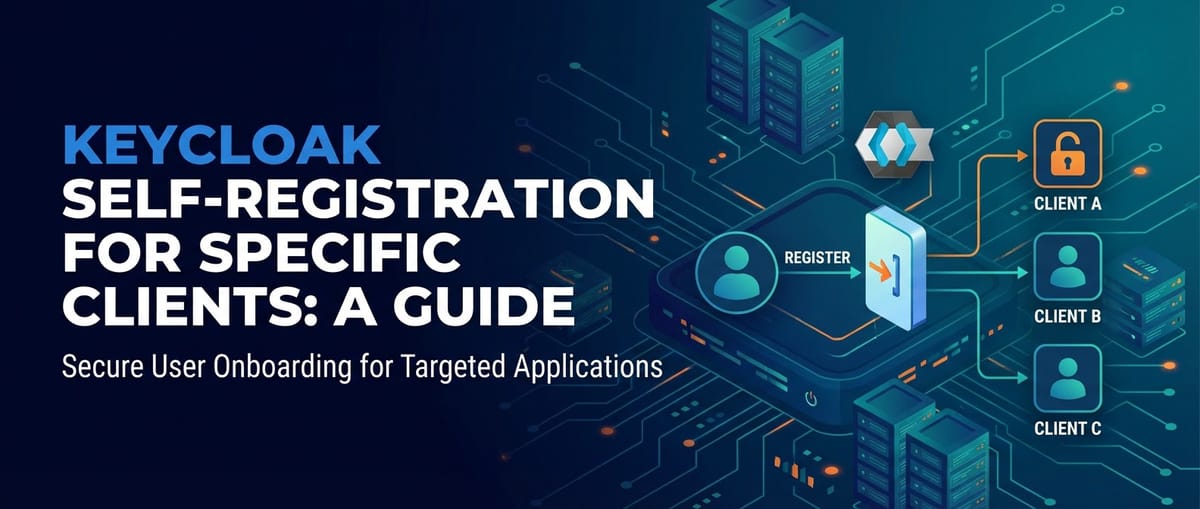
Keycloak Self-Registration for Specific Clients: A Guide


In the rapidly evolving landscape of digital services, where user convenience often battles with stringent security requirements, the ability to effectively manage identity and access has become paramount. Organizations, from nascent startups to multinational corporations, grapple with the twin challenges of onboarding new users efficiently while simultaneously safeguarding sensitive resources. This delicate balancing act forms the core of modern Identity and Access Management (IAM), a domain where platforms like Keycloak shine brightly. As an Open Platform and an open-source solution, Keycloak offers a robust and highly configurable framework for handling authentication and authorization across diverse applications and services.
Among the myriad features Keycloak provides, user self-registration stands out as a critical component for scalable user acquisition. However, a blanket "open for all" self-registration policy rarely fits the nuanced requirements of enterprise environments. Many scenarios demand a more refined approach: self-registration that is specifically tailored and restricted to particular clients or applications. Imagine a Software-as-a-Service (SaaS) provider wanting to allow new customers to sign up directly for their flagship product, but not for an internal administrative tool. Or a developer portal needing to onboard new users specifically for access to its suite of APIs, distinct from a public-facing blog. These are the intricate needs that standard self-registration mechanisms often fail to address without extensive customization.
This comprehensive guide delves into the specifics of implementing client-specific self-registration within Keycloak. We will navigate through the core concepts, dissect the "why" and "how" of this crucial feature, and provide a detailed, step-by-step methodology to configure Keycloak to meet these precise demands. By the end of this journey, readers will possess the knowledge to architect and deploy a secure, user-friendly, and highly controlled self-registration process that empowers specific applications while maintaining an ironclad grip on identity management, thereby enhancing both security posture and operational efficiency. We will explore how Keycloak, as a foundational identity layer, integrates with and supports broader ecosystem components, including how a robust API gateway can leverage Keycloak's output to secure access to digital assets.
Understanding Keycloak's Core Concepts: The Building Blocks of Identity
Before embarking on the intricate configuration of client-specific self-registration, a solid grasp of Keycloak's fundamental concepts is indispensable. Keycloak operates on a hierarchical and modular structure, each component playing a vital role in defining and enforcing identity and access policies. Understanding these building blocks is akin to knowing the grammar of a language before attempting to write complex sentences.
Realms: The Isolated Domains of Identity
At the very top of Keycloak's organizational hierarchy are Realms. A realm serves as an isolated namespace, a self-contained domain for managing users, clients, roles, and all associated configurations. Think of a realm as a separate identity world. Each realm has its own set of authentication flows, user attributes, security policies, and even its own administrative users. This isolation is crucial for multi-tenant environments or for organizations wishing to separate different business units or application landscapes. For instance, a company might have one realm for its customer-facing applications (e.g., customer-realm) and another for its internal employee applications (e.g., employee-realm). This separation ensures that users from one realm cannot authenticate against clients in another, providing a robust security boundary. All configurations for self-registration, clients, and user management are scoped within a specific realm, making it the primary administrative unit. When we discuss client-specific self-registration, we are always operating within the context of a particular realm.
Clients: The Applications and Services Relying on Keycloak
In Keycloak's lexicon, a Client is any application or service that needs to authenticate users or obtain access tokens from Keycloak. These clients are not necessarily "customers" in the business sense but rather technical entities – web applications, mobile apps, single-page applications (SPAs), microservices, or even other identity providers – that delegate their authentication responsibilities to Keycloak. Each client is registered within a specific realm and is assigned a unique client ID. Key attributes of a client include its redirect URIs (where Keycloak sends the user back after authentication), its public or confidential nature (depending on its ability to securely store secrets), and the authentication flow types it supports (e.g., Authorization Code Flow, Implicit Flow, Client Credentials Flow). The entire premise of "client-specific self-registration" hinges on Keycloak being able to identify the requesting client and apply distinct rules based on that identification. Without clients, Keycloak would have no applications to protect, and thus no mechanism to facilitate user access.
Users: The Individuals Accessing Services
Users are the individuals who interact with the applications protected by Keycloak. Each user has a unique username, password, and a set of attributes (e.g., first name, last name, email address). Keycloak manages user credentials, performs authentication, and maintains user profiles. Users can be created manually by administrators, imported from external identity sources (like LDAP), or, critically for our topic, allowed to register themselves. When a user registers, Keycloak creates a new user entry in the selected realm, storing their provided information. Effective management of user lifecycles, from registration to eventual deprovisioning, is a central function of Keycloak.
Roles and Groups: For Fine-Grained Authorization
While users define who is accessing the system, Roles and Groups define what they are allowed to do. * Roles represent a specific set of permissions or responsibilities. A user can be assigned one or more roles. Roles can be realm roles (available across all clients in a realm) or client roles (specific to a particular client). For example, a "user" role might grant basic access, while an "admin" role grants administrative privileges. * Groups are collections of users. Users belonging to a group automatically inherit any roles assigned to that group. Groups simplify user management, especially in larger organizations, by allowing administrators to assign roles to groups rather than individually to hundreds or thousands of users. During self-registration, it's often desirable to automatically assign newly registered users to a default group or role, which can then grant them initial access rights.
Identity Providers (IdPs): Connecting External Identity Sources
Keycloak itself acts as an Identity Provider, but it can also federate with other external Identity Providers (IdPs). This allows users to authenticate using their existing accounts from services like Google, Facebook, GitHub, or corporate IdPs like ADFS or another Keycloak instance. This significantly enhances user convenience and reduces the burden of managing new credentials. When configuring self-registration, Keycloak can present options for both local registration (creating a new Keycloak account) and registration via an external IdP, depending on the desired user experience and integration strategy. This flexibility makes Keycloak an incredibly versatile Open Platform for identity.
User Federation: Bridging to Existing User Stores
For organizations with existing user directories, User Federation is a powerful feature. Keycloak can be configured to connect to external user stores such as LDAP, Active Directory, or custom databases. This means that users managed in these external systems can authenticate through Keycloak without their credentials being migrated. Keycloak queries the external store for user information and authentication. While self-registration typically creates users directly within Keycloak's internal database, user federation allows for a hybrid approach where some users are internal and others external, depending on the business requirements.
Authentication Flows: The Configurable Steps of Login and Registration
At the heart of Keycloak's flexibility lies its concept of Authentication Flows. These are sequences of configurable "executions" (individual authentication steps) that define how users authenticate or register. Keycloak provides several built-in flows, such as "Browser" (for web applications), "Direct Grant" (for backend services), and crucially, "Registration." Each flow can be customized by adding, removing, or reordering executions. Examples of executions include "Username Password Form," "Cookie," "OTP Form," "Verify Email," and "User Registration." The power of authentication flows becomes evident when we need to implement conditional logic – such as only showing the registration form if a request originates from a specific client – which is precisely what we will leverage for client-specific self-registration. This highly modular approach allows administrators to precisely control the user journey through Keycloak.
Self-Registration: Its Default Behavior and Why Customization is Needed
Keycloak offers a straightforward self-registration feature that, when enabled, presents a "Register" link on the login page. Clicking this link directs the user to a form where they can create a new account. By default, this registration option is open to anyone who lands on the login page of a realm where it's enabled, irrespective of the client that initiated the authentication request.
While this default behavior is suitable for fully public applications, it falls short in scenarios demanding controlled access. An open self-registration invites potential issues: * Spam Registrations: Bots or malicious actors can flood the system with fake accounts, impacting performance and data integrity. * Unauthorized Access: If newly registered users automatically gain access to certain resources, an open registration creates a security vulnerability. * Misleading User Experience: Presenting a registration option for an application that is not actually intended for public sign-up can confuse users. * Lack of Specificity: Different applications may require different registration fields, different post-registration actions (e.g., assigning different default roles), or different email verification policies. The default flow is largely uniform.
The need for customization arises from these limitations. Organizations require the ability to: * Enable registration for Client A, but disable it for Client B. * Present a modified registration form for Client C. * Automatically assign specific roles/groups upon registration for Client D. * Integrate additional verification steps (e.g., approval workflows) for sensitive clients.
Addressing these nuances requires diving into Keycloak's advanced authentication flow configuration, particularly leveraging conditional logic based on the originating client. This level of control transforms Keycloak from a generic identity provider into a finely tuned instrument capable of orchestrating complex identity management scenarios.
The Necessity and Challenges of Client-Specific Self-Registration
The rationale for implementing client-specific self-registration extends far beyond mere aesthetic preference; it addresses fundamental aspects of security, user experience, operational efficiency, and regulatory compliance. In a world where digital boundaries are increasingly permeable, controlled access is not just a best practice but a business imperative.
Why Default Self-Registration is Often Insufficient
As previously touched upon, Keycloak's default self-registration is a blunt instrument. It's a "one-size-fits-all" approach that makes the registration option available globally for a given realm. While this simplicity is valuable for truly public applications like open-source community portals or general-purpose utility apps, it quickly becomes problematic for more specialized or sensitive use cases.
Consider a scenario where an organization manages dozens of applications within a single Keycloak realm. Some are public-facing marketing sites where broad user registration is desired. Others are internal tools, partner portals, or specialized customer API consumption gateways that require strict control over who can create an account. If the default self-registration is enabled, anyone attempting to log in to any of these applications will see the "Register" link. This could lead to: * Security Gaps: Unintended access if new users are automatically granted default roles that are too permissive. * Data Integrity Issues: Manual clean-up of spam accounts and potentially misleading user data. * Confusion and Frustration: Users attempting to register for an application not intended for public sign-up, leading to support requests and a poor initial experience. * Lack of Granularity: Inability to customize the registration process (e.g., required fields, email verification) differently for various applications, forcing a lowest-common-denominator approach.
The limitations of the default configuration highlight the critical need for a more granular, client-aware approach to user self-registration.
Use Cases: Where Client-Specific Registration Shines
The applications of client-specific self-registration are broad and varied, reflecting the diverse needs of modern digital ecosystems. Here are several prominent use cases:
- SaaS Applications Onboarding New Customers: A SaaS provider might have multiple products or tiers. They want new customers to self-register for their flagship product directly from its landing page. However, they might have other internal tools (e.g., billing portal, analytics dashboard) for existing customers or internal staff only. Client-specific registration ensures that only the main product's login page offers the self-registration option, streamlining customer acquisition while maintaining security for other services. Upon registration, Keycloak can automatically assign roles specific to the new customer, granting initial access to the SaaS product features.
- Partner Portals: Businesses often create dedicated portals for their partners (resellers, distributors, integrators). Self-registration here might be limited to specific partner organizations, perhaps even requiring a pre-registration code or an invitation. Allowing only approved partners to register prevents unauthorized entities from gaining access to proprietary information or resources, while still providing a self-service onboarding path for legitimate partners. This controlled environment is crucial for maintaining B2B relationships.
- B2B Integrations and API Access: In scenarios involving business-to-business integrations, partners might need to register their applications to consume your APIs. Keycloak can be configured such that only requests originating from a specific partner's developer portal or an authorized integration client enable self-registration for new API consumers. This ensures that new API accounts are created only for approved partners, who might then be assigned roles granting access to specific API scopes. This becomes especially important when an API gateway manages numerous APIs, and access needs to be tightly controlled based on the calling application.
- Developer Portals for API Access: Many organizations expose APIs to third-party developers, fostering innovation and extending their reach. A developer portal is typically where developers sign up, browse documentation, and register their client applications. Client-specific self-registration allows the developer portal itself to offer user registration, creating Keycloak accounts for developers. These accounts are then used to generate tokens for API access. Other internal applications, however, would not present a "developer sign-up" option. This clear separation ensures a focused onboarding experience for developers without opening up other internal systems.
- Internal Tools Requiring Specific Department Access: Larger organizations often have numerous internal applications. Some might be company-wide, while others are restricted to specific departments (e.g., HR, Finance, Engineering). Client-specific registration could allow, for instance, only employees logging into the "HR System" client to see a registration option (perhaps for specific roles like "new HR staff"), while general employees logging into a different client (e.g., "Company Intranet") would not. This granular control over internal access is crucial for departmental autonomy and data security.
- Hybrid Onboarding Models: A business might want to allow self-registration for its basic tier of service but require an administrator approval workflow or an invitation for premium tiers. Client-specific rules can be set up such that the basic application's login page enables immediate self-registration, while the premium application's login page either disables registration or redirects to an "apply for access" form, which is then manually processed.
Security Implications: Preventing Unauthorized Access and Spam
The most significant driver for controlled self-registration is security. An unrestricted registration form is a ripe target for: * Bot Attacks: Automated scripts can flood your system with fake user accounts, consuming resources, potentially exhausting user ID ranges, and muddying your user data. These accounts can also be used for phishing attempts or other malicious activities. * Unauthorized Resource Consumption: If newly registered users are automatically granted any form of access or provisioned with resources (e.g., free trial accounts), spam registrations can lead to significant operational costs and potential service degradation. * Exploiting Default Permissions: If new users are assigned default roles that grant even minimal access to sensitive information or capabilities, unauthorized accounts could probe for vulnerabilities or collect data. * Identity Theft and Impersonation: While Keycloak robustly handles authentication, the initial point of entry (registration) must be secure to prevent the creation of fraudulent identities that could later be used to gain unauthorized access to an application.
Client-specific registration acts as a powerful deterrent. By ensuring that the registration option only appears for intended applications, it significantly reduces the attack surface. Furthermore, the ability to integrate additional security steps (like CAPTCHA or email verification) specifically within these client-driven flows enhances resilience against automated threats.
Compliance Requirements: GDPR, HIPAA, and Controlled Data Collection
Regulatory compliance mandates a high degree of control over user data, especially during the collection process. Regulations like GDPR (General Data Protection Regulation) and HIPAA (Health Insurance Portability and Accountability Act) impose strict rules on consent, data minimization, and purpose limitation. * Data Minimization: Different applications may require different sets of user information during registration. For a public blog, only an email and username might be needed. For a financial application, extensive personal details are required. Client-specific registration allows you to tailor the registration form and required fields to collect only the data necessary for that specific client, adhering to data minimization principles. * Consent Management: Some applications might require specific consent checkboxes (e.g., "I agree to terms for financial services"). Client-specific flows enable the inclusion of these bespoke consent forms only when relevant to the registering client, ensuring clear and informed consent. * Audit Trails: When registration is tied to a specific client, the audit trail in Keycloak (and potentially integrated logging systems) clearly shows which application initiated the user creation, aiding in compliance reporting and forensic analysis.
By providing granular control over the registration process, Keycloak helps organizations meet their diverse compliance obligations by ensuring that data collection and consent mechanisms are precisely aligned with the legal and operational requirements of each specific application.
User Experience: Tailoring Registration Forms and Post-Registration Actions
Beyond security and compliance, client-specific registration significantly enhances the user experience. A well-designed onboarding process is critical for user adoption and satisfaction. * Relevant Forms: Instead of a generic form, users encounter a registration form that is relevant to the application they are trying to access. This reduces cognitive load and frustration. For example, a developer portal might ask for a "company name" and "developer type," whereas a consumer app might ask for "interests." * Consistent Branding: Keycloak allows for extensive theme customization. With client-specific flows, you can ensure that the registration page's branding (logos, colors, copy) matches the specific client application, creating a seamless and trustworthy experience. * Tailored Post-Registration Actions: Immediately after registration, different applications might require different actions. A new SaaS user might be redirected directly to their dashboard. A partner might need to wait for an administrator's approval. A developer might be guided to the API documentation. Keycloak's flow customization allows for these varied post-registration redirections and actions, improving the user journey. * Reduced Friction: By only presenting the registration option where it's truly intended, friction points are minimized. Users aren't confused by irrelevant options, leading to a smoother path to access the desired service.
In essence, client-specific self-registration transforms Keycloak into a highly adaptive identity management tool, allowing organizations to fine-tune their onboarding processes to meet the unique demands of each application while upholding the highest standards of security and compliance.
Step-by-Step Guide: Implementing Client-Specific Self-Registration
Implementing client-specific self-registration in Keycloak requires a methodical approach, leveraging its flexible authentication flow engine. We will walk through the process from basic setup to advanced customizations, focusing on how to configure Keycloak to conditionally display the registration option based on the requesting client.
A. Basic Keycloak Setup (Prerequisites)
Before diving into the core configuration, ensure you have a running Keycloak instance and a basic understanding of its administration console.
- Keycloak Installation:
- Docker (Recommended for development/testing):
bash docker run -p 8080:8080 -e KEYCLOAK_ADMIN=admin -e KEYCLOAK_ADMIN_PASSWORD=admin -e KC_HOSTNAME_STRICT_HTTPS=false quay.io/keycloak/keycloak:23.0.7 start-devThis command starts Keycloak in development mode, accessible athttp://localhost:8080. - Standalone/Production Deployment: For production, follow the official Keycloak documentation for deploying with a proper database, reverse proxy, and robust security settings.
- Docker (Recommended for development/testing):
- Access Admin Console: Navigate to
http://localhost:8080(or your Keycloak URL), then click "Administration Console." Log in with your admin credentials (e.g.,admin/admin). - Creating a Realm: If you haven't already, create a new realm for your applications.
- In the top-left corner, click
Masterrealm name dropdown, thenCreate realm. - Give it a descriptive name (e.g.,
MyApplicationRealm). - Click
Create. - Switch to your newly created realm. All subsequent configurations will be performed within this realm.
- In the top-left corner, click
- Initial Client Setup (e.g., a Web Application): You'll need at least one client to test the self-registration feature.
- In your realm, navigate to
Clientsin the left sidebar. - Click
Create client. - Client ID:
web-app-client(or a name descriptive of your application) - Root URL:
http://localhost:8081(This should be the base URL of your application) - Home URL:
http://localhost:8081 - Click
Next. - Client authentication:
On - Authorization:
Off - Authentication flow: Ensure
Standard flowisOn. Also, ensureDirect Access GrantsisOnfor easier testing with a simplecurlor Postman, though not strictly required for self-registration. - Click
Next. - Valid redirect URIs: Add
http://localhost:8081/*(or the specific redirect URI of your application). - Web origins: Add
http://localhost:8081. - Click
Save. - Go to the
Credentialstab for this client and make a note of theClient secretifClient authenticationis enabled (for confidential clients).
- In your realm, navigate to
B. Configuring Default Self-Registration (as a baseline)
To understand the impact of our client-specific modifications, let's first enable the default self-registration and observe its behavior.
- Enable "User registration" in Realm settings:
- In your realm, navigate to
Realm settingsin the left sidebar. - Go to the
Logintab. - Toggle
User registrationtoOn. - Click
Save.
- In your realm, navigate to
- Test the default behavior:
- Open your browser in an incognito/private window.
- Navigate to the Keycloak login page for your client. A typical URL would be:
http://localhost:8080/realms/MyApplicationRealm/protocol/openid-connect/auth?client_id=web-app-client&redirect_uri=http://localhost:8081&response_type=code&scope=openid - You should now see a "Register" link below the login form. Clicking it will take you to the default registration form. This confirms the default, realm-wide self-registration is active.
C. Customizing the Authentication Flow for Specific Clients (The Core Solution)
This is the most critical part of implementing client-specific self-registration. We will create a custom authentication flow that uses conditional logic to decide whether to display the registration option.
1. Duplicating the Browser Flow: The Foundation of Customization
It's a best practice never to modify Keycloak's built-in authentication flows directly. Instead, duplicate them and modify the copy. This preserves the original flows for fallback and easier upgrades.
- In your realm, navigate to
Authenticationin the left sidebar. - Go to the
Flowstab. - From the dropdown menu (usually showing "Browser"), select
Browser. - Click the
Duplicatebutton next to the "Browser" flow. - Name the new flow
Client Specific Browser Flow(or something descriptive). - Click
Duplicate.
Now you have a copy of the default browser flow. Next, we need to tell Keycloak to use this new flow for your realm.
- On the
Flowstab, at the top, change theBrowser Flowdropdown toClient Specific Browser Flow. - Click
Save.
Test this change: log out from your incognito browser, then try to access your client's login page again. It should still function identically to before, as our custom flow is currently an exact copy.
2. Adding Conditional Authentication Executions: The Decision Point
Here's where we introduce the logic to check the client ID.
- In the
Client Specific Browser Flow(underAuthentication > Flows), click on theActionsdropdown for theFormsexecution (or thebrowser formssubflow). This is typically where the login and registration forms are presented. - Select
Add execution. - Choose
Condition - Client IDfrom the dropdown list. - Click
Add. - You will see the
Condition - Client IDexecution added to the flow. Now, configure it:- Click
Actionsnext toCondition - Client ID, thenConfig. - In the
Client IDsfield, enter the client ID for which you want to enable self-registration (e.g.,web-app-client). If you have multiple clients, separate them with commas. - For the
Negateoption, ensure it'sOff. This means the condition passes if the client ID matches one of the listed IDs. - Click
Save.
- Click
Now, set the requirement for Condition - Client ID to REQUIRED. This means Keycloak must evaluate this condition.
3. Integrating the "User Registration" Form: Placing it Within the Conditional Block
The "User Registration" execution needs to be placed inside the conditional block created by Condition - Client ID. This ensures it's only active when the condition passes.
- Move
User Registration:- Locate the
User Registrationexecution within theFormssubflow (it was likely already there as part of the duplicated flow). - Click the
Actionsdropdown next toUser Registration, and thenConfig. - Make sure
Display Nameis set toRegistration Form. - Click
Save. - Now, click the
↑(up arrow) button next toUser Registrationrepeatedly until it is directly under theCondition - Client IDexecution. It should also be indented, indicating it's a child of the condition.
- Locate the
- Set requirement for
User Registration:- Click
Actionsnext to theUser Registrationexecution and set its requirement toALTERNATIVE. ALTERNATIVEmeans that if this execution is successful, the flow continues. If it fails (e.g., the user doesn't choose to register), the nextALTERNATIVEorREQUIREDexecution in the same flow is attempted. In combination with theCondition - Client ID, this ensures that the registration form is available as an alternative when the client condition is met.
- Click
Now, let's configure the other authentication steps relative to the condition:
- Default Login Form: The
Username Password Formshould always be available for authentication.- Ensure
Username Password Formis placed after theCondition - Client IDand afterUser Registration(but still within theFormssubflow). - Set its requirement to
REQUIRED. This ensures that even if registration is offered, users can still log in normally.
- Ensure
Your Forms subflow should now look something like this (exact order might vary slightly based on Keycloak version, but the key is Condition - Client ID above User Registration):
| Execution Name | Requirement |
|---|---|
| Identity Provider Redirector | ALTERNATIVE |
| Username Password Form | REQUIRED |
| Condition - Client ID | REQUIRED |
| User Registration | ALTERNATIVE |
| Credential Locality | ALTERNATIVE |
| OTP Form | ALTERNATIVE |
| WebAuthn Register authenticator | ALTERNATIVE |
| WebAuthn Authenticator | ALTERNATIVE |
(Note: The actual Forms subflow might contain other executions. The crucial part is the Condition - Client ID followed by User Registration as its child, both set correctly.)
Test the conditional registration:
- Test with
web-app-client:- Open an incognito browser.
- Go to the login URL for
web-app-client:http://localhost:8080/realms/MyApplicationRealm/protocol/openid-connect/auth?client_id=web-app-client&redirect_uri=http://localhost:8081&response_type=code&scope=openid - You should still see the "Register" link. Click it, and you should see the registration form. Complete a test registration if desired.
- Test with a new, different client (where registration should be disabled):
- Go back to the Keycloak Admin Console.
- Navigate to
Clients. - Click
Create client. - Client ID:
internal-tool-client - Root URL:
http://localhost:8082(or any dummy URL) - Home URL:
http://localhost:8082 - Click
Next, ensureStandard flowisOn,Next, addhttp://localhost:8082/*toValid redirect URIs,Save. - Now, open a new incognito browser window.
- Go to the login URL for
internal-tool-client:http://localhost:8080/realms/MyApplicationRealm/protocol/openid-connect/auth?client_id=internal-tool-client&redirect_uri=http://localhost:8082&response_type=code&scope=openid - Crucially, you should NOT see the "Register" link. This confirms that self-registration is now conditionally enabled only for
web-app-client.
This demonstrates the core mechanism for client-specific self-registration.
4. Post-Registration Actions (Optional but important for CX and security):
After a user successfully registers, you often want to perform additional actions. Keycloak provides "Required Actions" and can be extended with SPIs for more complex logic.
- Email Verification: This is a crucial security step to confirm the user's email address is valid.
- In your realm, go to
Realm settings > Email. Configure your SMTP server settings. - Go to
Authentication > Required Actions. - Ensure
Verify Emailis enabled and set toDefault Action. Newly registered users will be forced to verify their email before they can fully log in. This prevents using fake email addresses during registration.
- In your realm, go to
- Require Terms and Conditions:
- In
Authentication > Required Actions, enableTerms and Conditions. - Keycloak will display a default T&C page that users must accept. For client-specific T&C, you might need custom themes or a custom
Terms and ConditionsSPI.
- In
- Assigning Default Roles/Groups after Registration: This allows you to grant initial access rights to newly registered users based on the client they used to register.
- Create a Role/Group: If you don't have one, create a realm role (e.g.,
default-new-user-role) or a group (e.g.,RegisteredUsers). - Using
User Attributeor Custom Logic: For assigning roles/groups based on the client, you often need to combine theUser Registrationflow with a custom Keycloak Event Listener SPI or a customUser RegistrationSPI.- Simple Approach (using
Default Rolesin Realm Settings): This assigns roles to all new users, regardless of client. Go toRealm settings > Roles > Default Roles. Adddefault-new-user-rolehere. This is simpler but not client-specific. - Advanced Client-Specific Role Assignment (requires custom SPI): For truly client-specific role assignment upon registration, you'd typically develop a custom Keycloak SPI (Service Provider Interface). This SPI would listen for
REGISTERevents, identify the client from the event context, and then programmatically assign specific roles or add the user to specific groups. This requires Java development and deploying a custom JAR to Keycloak. - Alternatively, for less critical use cases, the application itself (after successful login with the new user) could make an API call to Keycloak's Admin API to assign roles based on its own logic. This offloads the complexity from Keycloak's registration flow. This is a point where a platform like APIPark could be mentioned. An application could be designed to call an internal API after successful Keycloak login (post-registration) to provision resources or update user roles. This internal API could be managed and secured by APIPark, ensuring only authorized applications can trigger such role changes or resource provisioning. APIPark as an
Open Source AI Gateway & API Management Platformfacilitates the secure and controlled exposure of such internalapis, ensuring that these post-registration provisioning steps are robustly managed.
- Simple Approach (using
- Create a Role/Group: If you don't have one, create a realm role (e.g.,
D. Advanced Customization & Enhancements
For even more refined control and a superior user experience, Keycloak offers further avenues for customization.
1. Custom Registration Forms: Tailoring Data Collection
- Using Themes: Keycloak allows for extensive theme customization. You can modify the
register.ftltemplate within a custom theme to change the appearance of the registration form, add static text, or rearrange existing fields. This is suitable for cosmetic changes and basic field reordering. - Custom User Storage SPIs: For adding completely new, custom fields that Keycloak doesn't support out-of-the-box (e.g., a "department ID" that needs validation against an external system), you would implement a custom User Storage Provider SPI. This is an advanced development task that allows you to store and retrieve custom user attributes from external systems or Keycloak's extended storage.
2. Captcha Integration: Mitigating Bot Registrations
To protect against automated spam registrations, integrate CAPTCHA.
- In
Authentication > Flows, within yourClient Specific Browser Flow(specifically within theFormssubflow whereUser Registrationis located), clickAdd execution. - Select
Captcha. - Set its requirement to
REQUIREDand place it above theUser Registrationexecution. - In
Realm settings > Security Defenses > Brute Force Detection, you can configure thresholds for temporary user lockouts. - In
Realm settings > Captcha, configure your Google reCAPTCHA settings (Site Key and Secret Key). This will then be integrated into your registration forms.
3. Email Blacklisting/Whitelisting: Further Control
While Keycloak doesn't have built-in blacklisting/whitelisting for email domains during registration, you can achieve this with:
- Custom Event Listener SPI: An SPI can intercept
REGISTERevents and check the email domain against a blacklist/whitelist. If it violates the rules, the registration can be rejected. - Custom Authentication Flow Execution: You could create a custom authentication execution that checks the email domain after the user has submitted the registration form but before the user account is fully created.
4. Registration by Invitation Link: A More Controlled Approach
For highly sensitive clients, you might want to bypass open self-registration entirely and only allow users to register via an invitation link.
- Disable "User registration" globally (or for specific clients as discussed).
- Generate an Invitation Token: When an administrator invites a user, generate a unique, time-limited token. This token can be stored in a custom database or generated with a cryptographically secure method.
- Custom Authentication Flow/Page:
- Create a custom theme or an external application that handles the invitation link.
- When the user clicks the invitation link (e.g.,
https://my-app.com/invite?token=XYZ), your custom page/flow verifies the token. - If the token is valid, it can then redirect the user to Keycloak's registration page, perhaps pre-filling some details or using a specific authentication flow designed only for invitation-based registrations, which bypasses the
Condition - Client IDcheck for general public registration. This might involve setting a customAuthentication Flow Overridefor the client. - Upon successful registration, invalidate the token.
5. Integrating with External Systems (e.g., CRM): Using Keycloak Events
Beyond Keycloak's internal actions, you often need to synchronize new user registrations with external systems like CRM, marketing automation platforms, or provisioning systems.
- Keycloak Event Listener SPI: Implement a custom Keycloak Event Listener SPI that listens for
REGISTERevents. When a new user registers, the SPI can capture user details and client information.- This SPI can then make an outbound API call to your CRM or provisioning system to create a corresponding entry or trigger a workflow.
- The management of these outbound API calls, especially if they are to internal microservices or partner systems, is where an API gateway becomes invaluable. For instance, APIPark (
https://apipark.com/) could serve as the centralizedgatewayfor these internalapis. The Keycloak event listener would send its notification through APIPark, which can then apply policies like rate limiting, authentication for the calling Keycloak SPI, logging, and routing to the correct backend service (e.g.,/user-provisioningservice). This ensures that even internal system integrations are robust, secure, and observable. APIPark's unifiedapiformat and end-to-endapilifecycle management capabilities make it an excellent choice for securing and orchestrating such integrations within an enterprise's broaderOpen Platformstrategy.
The flexibility of Keycloak's authentication flows, combined with its SPIs, offers an incredibly powerful toolkit for crafting sophisticated and highly customized self-registration experiences, precisely tailored to the needs of each client application.
APIPark is a high-performance AI gateway that allows you to securely access the most comprehensive LLM APIs globally on the APIPark platform, including OpenAI, Anthropic, Mistral, Llama2, Google Gemini, and more.Try APIPark now! 👇👇👇
Securing the Registration Process: Beyond Conditional Access
While client-specific self-registration is a significant step towards securing user onboarding, a holistic security strategy demands additional layers of defense. Protecting the registration process goes hand-in-hand with securing the entire identity lifecycle.
Rate Limiting: Defending Against Brute-Force and Spam
One of the most common attacks against registration forms is brute-force account creation or spamming. Rate limiting is an essential defense mechanism. * Keycloak's Brute Force Detection: Keycloak has built-in brute force detection that can temporarily lock out user accounts or IP addresses after a certain number of failed login attempts. While primarily for login, it indirectly helps prevent rapid registration attempts from the same IP if those attempts trigger other failures (e.g., invalid input leading to an "attempt" count). * Navigate to Realm settings > Security Defenses > Brute Force Detection. * Configure Max failures, Permanent lockout, Wait increment, Max temporary lockout age. * External Rate Limiting (API Gateway / Reverse Proxy): For more robust, application-level rate limiting on the registration endpoint itself, it's often more effective to implement this at an API gateway or a reverse proxy (like Nginx, HAProxy, or a cloud-native gateway service) sitting in front of Keycloak. This can limit the number of requests to the /auth/realms/{realm}/registrations endpoint per IP address within a time window, before the request even reaches Keycloak. This is an excellent complement to Keycloak's internal defenses, offloading common attack vectors from the identity server. A solution like APIPark, functioning as an API gateway, can provide these advanced rate-limiting capabilities, protecting the Keycloak registration endpoints from volumetric attacks.
Email Verification: Confirming Identity at the Source
Email verification is a simple yet incredibly effective way to prevent registrations with fake or unauthorized email addresses. * Verify Email Required Action: As mentioned earlier, enabling the Verify Email required action in Authentication > Required Actions for your realm ensures that newly registered users cannot fully log in until they click a verification link sent to their registered email address. * Secure SMTP Configuration: Ensure your Keycloak's SMTP settings (Realm settings > Email) are correctly configured and use secure connections (TLS/SSL) to prevent email interception. * Email Domain Validation: Consider implementing logic (via a custom SPI or an external API call managed by an API gateway like APIPark) to validate email domains against known disposable email services or restricted lists, further enhancing verification integrity.
Strong Password Policies: Enforcing Robust Credentials
Even with controlled registration, users must be encouraged (or forced) to create strong, unique passwords to prevent credential stuffing attacks. * Keycloak's Password Policy: * Navigate to Realm settings > Security Defenses > Password Policy. * Configure policies such as Minimum length, Require Uppercase, Require Lowercase, Require Digit, Require Special Character, Not Username, Not Email, Hash iterations (which impacts password hashing strength), and Password History to prevent password reuse. * Educate Users: Provide clear password strength indicators and guidance on the registration form to help users create compliant passwords.
MFA Enrollment after Registration: Adding a Layer of Security
For sensitive applications, requiring Multi-Factor Authentication (MFA) enrollment shortly after registration adds a crucial layer of security. * Configure OTP / WebAuthn Register Required Actions: In Authentication > Required Actions, you can enable Configure OTP (for TOTP/HOTP) or WebAuthn Register (for FIDO2/WebAuthn devices) and set them as default actions. This will prompt new users to set up MFA during their first login after registration, significantly increasing their account's resilience against credential compromise.
Audit Logs and Monitoring: Vigilance and Forensics
Comprehensive logging and monitoring are non-negotiable for any secure system. * Keycloak Event Logs: Keycloak generates detailed audit events for all major actions, including REGISTER, LOGIN, LOGOUT, UPDATE_PROFILE, REVOKE_GRANT, etc. * Access these logs in Realm settings > Events > Events. * Configure Enabled Event Types to ensure you're capturing all relevant security events. * Externalizing Logs: For production environments, it's vital to configure Keycloak to export these events to an external logging system (e.g., ELK Stack, Splunk, SIEM). This allows for centralized monitoring, alerting, long-term storage, and correlation with other system logs. An API gateway like APIPark also offers detailed api call logging and powerful data analysis, complementing Keycloak's event logs by providing insights into access patterns and potential misuse of apis protected by Keycloak-issued tokens. * Monitor for Anomalies: Set up alerts for unusual registration patterns (e.g., sudden spikes in registrations from specific IPs, registrations with suspicious email addresses).
Protecting the Keycloak Admin Console Itself: The Nerve Center
The Keycloak Admin Console is the ultimate control panel. Its security is paramount. * Strong Admin Credentials: Use extremely strong, unique passwords for administrator accounts. * MFA for Admins: Enable MFA for all administrative users. * Restricted Access: Limit access to the Admin Console to a dedicated IP range or VPN. Never expose it directly to the public internet without additional layers of security. * Least Privilege: Assign administrative roles with the principle of least privilege. Not every administrator needs full master realm privileges.
By meticulously implementing these security measures in conjunction with client-specific self-registration, organizations can construct a formidable defense against a wide array of threats, ensuring that user onboarding is both convenient and secure.
Best Practices for Deploying and Managing Client-Specific Self-Registration
Implementing client-specific self-registration is not a one-time setup; it requires continuous management, testing, and adherence to best practices to ensure its effectiveness and maintain a secure, high-performing identity solution.
Testing Thoroughly: The Cornerstone of Reliability
Before deploying any configuration changes to production, rigorous testing is indispensable. * Unit Testing (for custom SPIs): If you've developed custom SPIs (e.g., for custom registration fields, post-registration actions, or email validation), ensure they are unit-tested thoroughly. * Integration Testing: Test the entire registration flow with your actual client applications. * Verify that self-registration appears only for the intended clients. * Verify it is absent for clients where it should be disabled. * Test successful registration, including email verification, password policies, and any post-registration role assignments. * Test edge cases: invalid input, missing required fields, attempting to register with an existing username/email. * Test registration from different browsers and devices. * Performance Testing: While self-registration typically isn't a high-volume endpoint, if you anticipate large registration events, test the performance impact on Keycloak. This is especially relevant if your custom SPIs perform external API calls. * Security Testing: Conduct penetration testing and vulnerability assessments focused on the registration endpoint to identify potential weaknesses (e.g., injection flaws, bypass techniques, rate limit bypass).
Theme Customization for Branding: A Seamless User Experience
Keycloak's theming capabilities are powerful, allowing you to tailor the look and feel of your login and registration pages to match your client applications' branding. * Consistent Identity: A branded registration experience builds trust and provides a seamless journey for users transitioning from your application to Keycloak's identity pages. * Create Custom Themes: * Copy one of Keycloak's built-in themes (e.g., keycloak or base). * Modify login.ftl to change the layout, and messages.properties for text customization. * Import CSS and images to apply your brand's styling. * In Realm settings > Themes, select your custom theme for the Login Theme. * Client-Specific Themes (Advanced): While not directly supported via a simple dropdown in the UI, you can dynamically select a theme based on the client using a custom ThemeSelector SPI. This is useful if different clients within the same realm require entirely different branding on their login/registration pages.
High Availability Setup: Ensuring Uninterrupted Service
For production environments, Keycloak must be deployed in a high-availability (HA) configuration to prevent single points of failure. * Clustering: Deploy multiple Keycloak instances in a cluster, typically backed by a shared database (PostgreSQL, MySQL) and a distributed cache (Infinispan via JGroups). * Load Balancer: Place a load balancer (e.g., Nginx, HAProxy, cloud load balancer) in front of the Keycloak cluster to distribute traffic and handle failover. The load balancer should also manage sticky sessions to ensure a user's session remains with the same Keycloak node during their authentication flow. * Database Redundancy: Ensure your chosen database is also deployed in a highly available and redundant manner. * Geographic Redundancy: For disaster recovery, consider deploying Keycloak across multiple data centers or regions.
Regular Backups: Protecting Your Identity Data
User identity data is among the most critical assets an organization possesses. Regular, verified backups are non-negotiable. * Database Backups: Implement a robust backup strategy for Keycloak's database. Test restoration procedures regularly to ensure backups are viable. * Configuration Backups: While Keycloak stores most configurations in the database, it's good practice to export realm configurations using the kc.sh export command (or the Admin API) to a version control system. This provides a human-readable and versionable record of your settings.
Monitoring Keycloak Performance and Logs: Proactive Management
Proactive monitoring is key to maintaining a healthy and secure Keycloak instance. * Performance Metrics: Monitor JVM metrics (heap usage, garbage collection), database connection pools, request latency, and throughput. Use tools like Prometheus/Grafana, JMX, or cloud monitoring services. * Log Analysis: Regularly review Keycloak server logs and audit event logs for errors, warnings, and suspicious activities. Integrate logs with a centralized logging solution (e.g., ELK Stack, Splunk) for easier analysis and alerting. Look for: * Authentication failures. * Spikes in registration attempts. * Errors related to database connectivity or cache. * Unauthorized access attempts to the Admin Console. * Alerting: Set up alerts for critical errors, security events, and performance degradations to ensure rapid response.
Version Control for Keycloak Configurations: Managing Change
Treat Keycloak configurations as code. * Declarative Configuration: Use Keycloak's import/export features or community tools (e.g., keycloak-config-cli) to manage realm configurations as declarative files (JSON, YAML). * Git Integration: Store these configuration files in a Git repository. This allows for version control, collaborative changes, code reviews, and an auditable history of all configuration modifications. * Automated Deployment: Integrate configuration management with your CI/CD pipeline to automate the deployment of Keycloak configurations, reducing manual errors and ensuring consistency across environments.
Considering a Broader "Open Platform" Strategy for Identity
Keycloak, as an Open Platform itself, thrives when integrated into a larger ecosystem. * Integration with DevOps Tools: Use Keycloak as part of your CI/CD pipelines to manage service accounts and automate client registrations. * Centralized Identity Hub: Position Keycloak as the central identity hub for all your applications, both internal and external. This simplifies user management, improves security, and provides a unified authentication experience. * Leveraging Open Standards: Keycloak's adherence to open standards like OAuth 2.0 and OpenID Connect ensures interoperability with a vast array of applications, services, and other identity providers, fostering an open and extensible identity architecture. This makes it an ideal choice for organizations building a flexible, future-proof digital infrastructure.
By adhering to these best practices, organizations can ensure that their client-specific self-registration implementation is not only secure and functional but also scalable, maintainable, and aligned with broader enterprise IT strategies.
Keycloak in the Broader Ecosystem: Supporting API Security
Keycloak's role extends beyond merely authenticating users for web applications. It is a critical component in the broader ecosystem of securing modern distributed systems, particularly in conjunction with APIs and API gateways. Understanding this synergy is crucial for building a robust and secure digital infrastructure.
How Keycloak Issues Tokens that API Gateways and Microservices Consume
At its core, Keycloak functions as an Authorization Server conforming to the OAuth 2.0 and OpenID Connect (OIDC) standards. When a user authenticates with Keycloak (through any of its flows, including our client-specific self-registration), Keycloak issues a set of tokens: * ID Token: An OIDC-specific JWT (JSON Web Token) containing information about the authenticated user (e.g., sub - subject ID, name, email, roles). This is primarily for the client application to know who the user is. * Access Token: An OAuth 2.0 JWT (often) that represents the user's authorization to access protected resources (e.g., APIs). This token contains scopes, roles, and other claims that backend services use to make authorization decisions. Access tokens are typically short-lived. * Refresh Token: Used to obtain new access tokens (and optionally ID tokens) after the current access token expires, without requiring the user to re-authenticate. Refresh tokens are longer-lived and should be handled with extreme care.
These JWTs are signed by Keycloak, allowing any resource server (like a microservice or an API gateway) to verify their authenticity and integrity without needing to communicate back to Keycloak for every request. The claims within the token provide the necessary context for authorization decisions. For instance, an access token might contain a roles claim indicating ["customer", "premium-user"], which an API can then use to determine if the user has permission to invoke a specific endpoint.
Role of Keycloak as an Authorization Server
As an Authorization Server, Keycloak is responsible for: * User Authentication: Verifying user credentials. * Consent Management: Obtaining user consent for requested scopes. * Token Issuance: Generating and signing ID tokens, access tokens, and refresh tokens. * Token Introspection/Revocation: Providing endpoints to check the validity of tokens or revoke them. * Client Management: Registering and managing the client applications that request tokens. * User Management: Creating, updating, and deleting user accounts (including through self-registration).
This central role means that all applications and APIs delegate their authentication and initial authorization concerns to Keycloak, creating a single source of truth for identity and access management.
Protecting APIs with Keycloak (OAuth 2.0, OIDC)
Microservices and APIs consume Keycloak-issued access tokens to protect their endpoints. The typical flow is: 1. A user authenticates with Keycloak via a client application (e.g., a web app). 2. Keycloak issues an access token to the client. 3. The client application sends this access token in the Authorization header (as a Bearer token) with every request to a protected API. 4. The API (or an API gateway in front of it) intercepts the request: * It validates the access token (signature, expiration, issuer). * It extracts claims (roles, scopes) from the token. * It makes an authorization decision based on these claims. * If valid and authorized, the request proceeds to the API's business logic.
This standard approach (often implemented using libraries like Spring Security, node-oauth2-server, or jwt-decode in various languages) ensures that only authenticated and authorized users can access sensitive API resources.
The Relationship between Keycloak (Identity) and API Gateways (Traffic Management, Policy Enforcement)
While Keycloak is an Identity Provider and Authorization Server, it is not typically an API gateway in the traditional sense. An API gateway sits at the edge of your network, acting as a single entry point for all API requests. Its primary responsibilities include: * Traffic Management: Routing requests, load balancing, caching. * Policy Enforcement: Rate limiting, quotas, circuit breaking. * Security Enforcement: Authentication (consuming Keycloak tokens), authorization, threat protection, IP whitelisting. * Monitoring and Analytics: Collecting metrics, logging requests and responses. * Transformation: Request/response manipulation.
The relationship between Keycloak and an API gateway is highly complementary:
- Keycloak provides the "who" and "what": It authenticates users and issues tokens that attest to their identity and permissions.
- The API gateway enforces policies based on Keycloak's output: It consumes the access tokens issued by Keycloak, validates them, and then applies various policies (rate limiting, fine-grained authorization, logging) before forwarding the request to the backend microservice.
This architecture creates a powerful defense-in-depth strategy. Keycloak handles the complex identity logic, and the API gateway acts as the front-line enforcer for all API interactions.
Introducing APIPark: Enhancing the API Security Ecosystem
While Keycloak excels at identity management, enterprises often require a robust API gateway to manage, secure, and monitor their APIs comprehensively. This is where solutions like APIPark come into play. APIPark, an Open Source AI Gateway & API Management Platform, complements Keycloak by acting as a central point for all API traffic. It integrates seamlessly with Keycloak's token-based authentication by allowing you to configure policies to validate Keycloak-issued JWTs. Once validated, APIPark can then apply a rich set of additional policies:
- Unified Authentication and Authorization: APIPark can enforce Keycloak-issued tokens, ensuring that only authenticated and authorized users (managed by Keycloak) can access specific APIs. It translates the claims (like roles or scopes) from Keycloak's access tokens into granular access policies for your API endpoints.
- Traffic Control: It provides advanced rate limiting, throttling, and quotas, protecting your backend services from overload and abuse, even from legitimate users. This is crucial for safeguarding APIs, particularly those exposed externally or used for partner integrations.
- Lifecycle Management: APIPark assists with managing the entire lifecycle of APIs, including design, publication, invocation, and decommission. It helps regulate API management processes, manage traffic forwarding, load balancing, and versioning of published APIs, providing a comprehensive solution often beyond the scope of an identity server.
- Detailed Logging and Analytics: APIPark provides comprehensive logging capabilities, recording every detail of each API call. This data, combined with powerful analysis tools, offers deep insights into API usage, performance trends, and potential security incidents, complementing Keycloak's event logs. This helps businesses quickly trace and troubleshoot issues in API calls, ensuring system stability and data security.
- Developer Portal: APIPark offers API service sharing within teams, enabling a centralized display of all API services, making it easy for different departments and teams to find and use the required API services. This enhances discoverability and usability for developers, who are authenticated via Keycloak.
- Quick Integration of AI Models: With its focus as an AI gateway, APIPark also offers capabilities to integrate a variety of AI models with a unified management system, standardizing API formats for AI invocation and allowing prompt encapsulation into REST
apis. This is particularly relevant in modern applications that might expose both traditional RESTapis and AI-driven services, all secured under a common API gateway architecture.
By leveraging an API gateway like APIPark in conjunction with Keycloak, organizations can create a highly secure, performant, and manageable API ecosystem. Keycloak handles the who and what of identity, while APIPark controls the how and where of API access, ensuring that digital assets are protected at every layer. This comprehensive approach is foundational for an Open Platform strategy, where interoperability and security are paramount.
Conclusion
The journey through configuring Keycloak for client-specific self-registration underscores a fundamental truth in modern identity management: flexibility and granular control are not luxuries but necessities. In an era where digital services proliferate and user expectations for seamless interaction are at an all-time high, the ability to tailor the user onboarding experience for specific applications, while rigorously maintaining security, stands as a critical capability. Keycloak, as a versatile and Open Platform identity and access management solution, empowers organizations to achieve this delicate balance.
We've explored how Keycloak's architectural components – realms, clients, authentication flows, and executions – can be orchestrated to create a highly sophisticated, conditional self-registration process. By leveraging the Condition - Client ID execution within a duplicated browser flow, administrators gain the power to precisely dictate which applications present the option for new users to sign up, and how that registration process unfolds. This granular control directly addresses pervasive challenges such as preventing spam registrations, mitigating unauthorized access, ensuring compliance with data privacy regulations, and delivering a tailored, positive user experience for each specific client.
Furthermore, we delved into the broader security landscape surrounding self-registration, emphasizing the importance of layers like rate limiting, email verification, strong password policies, and MFA enrollment. These measures, when combined with diligent monitoring and robust operational practices, fortify the identity infrastructure against a myriad of threats. The discussion also extended to Keycloak's pivotal role in the wider ecosystem, highlighting its function as an Authorization Server that issues tokens consumed by API gateways and microservices. We saw how this collaboration creates a powerful defense-in-depth strategy, where Keycloak manages the identity who and what, and an API gateway like APIPark (https://apipark.com/) acts as the frontline enforcer, applying comprehensive policies for api traffic management, security, and analytics. APIPark, as an Open Source AI Gateway & API Management Platform, offers the necessary tools to secure and manage all api interactions, complementing Keycloak's identity services with robust api governance and traffic control.
In conclusion, mastering client-specific self-registration in Keycloak transforms identity management from a generic function into a strategic asset. It enables organizations to scale their user base efficiently and securely, adapt to diverse application requirements, and build a cohesive, trust-centered digital experience. As the digital world continues to evolve, the principles and practices outlined in this guide will remain foundational for any enterprise striving for an Open Platform architecture that balances innovation with uncompromising security and operational excellence.
Frequently Asked Questions (FAQ)
- What is client-specific self-registration in Keycloak and why is it important? Client-specific self-registration in Keycloak refers to the ability to enable or disable the user registration option, or customize its behavior, specifically for individual client applications within a Keycloak realm. It's crucial because it allows organizations to control who can sign up for which application, preventing spam, unauthorized access to sensitive services, ensuring compliance with data regulations (like GDPR), and providing a tailored user experience for different applications. Without it, self-registration would be a global "on" or "off" for an entire realm, which is rarely suitable for diverse application portfolios.
- How do I configure Keycloak to enable self-registration for only one specific client? You achieve this by customizing Keycloak's authentication flows. The core steps involve:
- Duplicating the default "Browser" authentication flow.
- Assigning this new custom flow as the realm's "Browser Flow."
- Within the custom flow's
Formssubflow, adding aCondition - Client IDexecution. - Configuring this condition with the specific client ID(s) for which you want to enable registration.
- Placing the
User Registrationexecution directly under thisCondition - Client IDexecution, setting its requirement toALTERNATIVE. This ensures the registration option only appears when the specified client ID is detected.
- Can I have different registration forms or required fields for different clients? Yes, to a certain extent. While the core "User Registration" execution is singular, you can achieve variation. For different visual appearances or simple field rearrangements, you can use Keycloak's theming capabilities, potentially combining it with custom
ThemeSelectorSPIs if clients need drastically different look and feel. For truly different required fields or custom validation logic (e.g., validating against an external system), you would need to develop a custom Keycloak User Storage Provider SPI or a custom authentication flow execution that integrates additional steps conditionally. - What security measures should I implement alongside client-specific self-registration? Beyond the conditional access itself, crucial security measures include:
- Rate Limiting: To protect against brute-force and spam attempts (can be handled by an API gateway like APIPark or Keycloak's built-in brute force detection).
- Email Verification: To confirm the legitimacy of user email addresses.
- Strong Password Policies: To enforce robust password creation.
- CAPTCHA Integration: To deter bot registrations.
- MFA Enrollment: Encouraging or requiring multi-factor authentication for new users.
- Audit Logging and Monitoring: To track registration events and detect anomalies.
- Protection of the Keycloak Admin Console: Ensuring the management interface itself is highly secure.
- How does Keycloak integrate with an API gateway for securing APIs after user registration? Keycloak acts as the Identity Provider and Authorization Server, issuing secure access tokens (JWTs) to users upon successful authentication (including post-registration). An API gateway (like APIPark) then sits in front of your microservices and APIs. When a client application (using a user who registered via Keycloak) attempts to access an API, it sends the Keycloak-issued access token. The API gateway intercepts this request, validates the token (checks signature, expiration, issuer), extracts claims (such as user roles or permissions), and then enforces its own set of policies (e.g., rate limiting, fine-grained authorization, logging) before routing the request to the appropriate backend API. This combined approach ensures comprehensive security for all API interactions, leveraging Keycloak for identity and the API gateway for traffic management and policy enforcement.
🚀You can securely and efficiently call the OpenAI API on APIPark in just two steps:
Step 1: Deploy the APIPark AI gateway in 5 minutes.
APIPark is developed based on Golang, offering strong product performance and low development and maintenance costs. You can deploy APIPark with a single command line.
curl -sSO https://download.apipark.com/install/quick-start.sh; bash quick-start.sh

In my experience, you can see the successful deployment interface within 5 to 10 minutes. Then, you can log in to APIPark using your account.

Step 2: Call the OpenAI API.