kubectl port-forward Explained: A Practical Guide


In the intricate and often labyrinthine world of Kubernetes, where applications reside within pods, isolated behind layers of network abstraction, connecting a local development environment to a specific service running inside the cluster can frequently feel like a monumental task. Developers, testers, and operations teams alike constantly seek efficient, secure, and temporary ways to peer into their containerized applications, debug issues, or interact with databases and message queues that are not exposed to the public internet. This is precisely where kubectl port-forward emerges as an indispensable and elegantly simple utility. Far more than just a command, it is a lifeline, a direct conduit that bridges the gap between your local workstation and a designated pod or service within your Kubernetes cluster, effectively creating a secure, bidirectional tunnel for traffic.
Without kubectl port-forward, debugging a microservice, developing a frontend that relies on a Kubernetes-hosted backend, or simply accessing an internal dashboard would often require complex service exposures, VPNs, or cumbersome kubectl exec commands followed by command-line interactions. It simplifies these challenges by enabling direct, local access to remote resources, bypassing the intricate network policies and service discovery mechanisms that govern inter-service communication within a cluster. It’s a tool designed for the individual developer's immediate needs, facilitating rapid iteration and troubleshooting without impacting the broader cluster's networking architecture or security posture.
This comprehensive guide will delve deep into the mechanics of kubectl port-forward, exploring its underlying principles, practical applications, advanced usage patterns, and crucial best practices. We will unravel how it meticulously establishes a secure channel, differentiate its purpose from other Kubernetes service exposure methods, and demonstrate its utility across a myriad of real-world scenarios, from accessing a database to debugging a cutting-edge LLM Proxy. Furthermore, we will contextualize its role within the broader landscape of api management, touching upon how it complements more robust solutions like API Gateway platforms, ensuring you possess a holistic understanding of this fundamental Kubernetes utility. Prepare to master kubectl port-forward and significantly enhance your Kubernetes development and debugging workflow.
Understanding the Core Concept: How kubectl port-forward Works
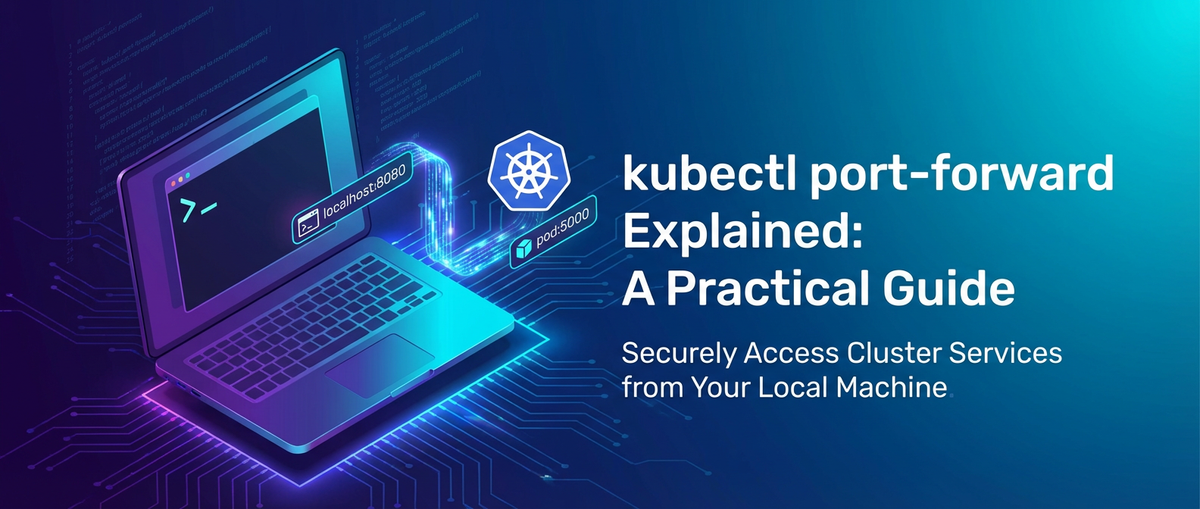
At its heart, kubectl port-forward is a masterful exercise in network proxying, creating a temporary, secure, and direct connection from your local machine to a specific port within a pod or service running inside your Kubernetes cluster. It's akin to having a dedicated, private hotline to your application, bypassing the public internet and the cluster's external ingress points. To truly appreciate its power, one must first grasp the intricate dance between your kubectl client, the Kubernetes API server, and the kubelet agent running on the node hosting your target pod.
The fundamental mechanism involves establishing a secure, bidirectional tunnel. When you execute a kubectl port-forward command, your local kubectl client initiates a request to the Kubernetes API server. This request isn't about exposing a service to the world; rather, it's a specific instruction to the API server to create a proxy connection to a designated port within a specific pod. The API server then acts as a central orchestrator, directing this request to the kubelet agent that is managing the pod on its respective worker node. The kubelet, the agent that runs on each node and ensures containers are running in a pod, is responsible for fulfilling this request. It establishes a connection to the specified port of the application running inside the target pod. From that point onward, any traffic directed to the local port you specified on your machine is then securely forwarded through this tunnel: first from your local machine to your kubectl client, then to the Kubernetes API server, then to the kubelet on the target node, and finally directly into the pod's specified port. The response traffic follows the exact reverse path, completing the secure, private circuit.
Imagine you have a PostgreSQL database running in a pod within your Kubernetes cluster, listening on its default port 5432. You want to connect to it using a local GUI tool like DataGrip or pgAdmin. Instead of exposing this database publicly (a significant security risk), kubectl port-forward allows you to create a tunnel. You might run kubectl port-forward my-postgres-pod 5432:5432. Now, when your local DataGrip client tries to connect to localhost:5432, kubectl intercepts this traffic, sends it securely through the Kubernetes api server and kubelet, and delivers it directly to the PostgreSQL process inside my-postgres-pod on port 5432. The database receives the request as if it originated from a client running on the same machine, and its responses are tunneled back to your local client. This entire operation happens without ever exposing port 5432 of the database pod to the broader cluster network in an open fashion, let alone the public internet.
This tunneling mechanism is crucial because it bypasses the standard Kubernetes networking model for service exposure. Kubernetes offers several mechanisms to expose services:
- ClusterIP: Exposes the Service on an internal IP in the cluster. This type makes the Service only reachable from within the cluster.
- NodePort: Exposes the Service on each Node's IP at a static port (the
NodePort). AClusterIPService, to which theNodePortService routes, is automatically created. You can contact theNodePortService from outside the cluster by requesting<NodeIP>:<NodePort>. - LoadBalancer: Exposes the Service externally using a cloud provider's load balancer.
NodePortandClusterIPServices are automatically created, and the external load balancer routes to them. - Ingress: An
apiobject that manages external access to services in a cluster, typically HTTP(S), offering routing rules, SSL termination, and more advanced features.
kubectl port-forward operates distinctly from all these. It does not alter the service definition, nor does it create a persistent network exposure. It's a temporary, client-side tunnel that exists only as long as the kubectl process is running on your local machine. This characteristic underscores its primary utility: a developer-centric tool for direct, on-demand interaction rather than a long-term solution for production service exposure. Its security implications are also tied to this: traffic traverses the authenticated and authorized Kubernetes api server, leveraging existing role-based access control (RBAC) to ensure only authorized users can establish these tunnels. It provides a surgical approach to network access, allowing you to interact with services precisely where they live, when you need to, and then cleanly disconnecting once your task is complete.
Basic Usage and Syntax
Mastering kubectl port-forward begins with understanding its fundamental syntax and the various ways to target a resource within your cluster. The command itself is remarkably straightforward, yet it offers sufficient flexibility to cover a wide array of common development and debugging scenarios.
The most common and basic form of the command establishes a direct tunnel to a specific pod:
kubectl port-forward <pod-name> <local-port>:<pod-port>
Let's break down each component:
kubectl port-forward: This is the command initiator, tellingkubectlyou intend to create a port forwarding tunnel.<pod-name>: This is the exact name of the pod you wish to connect to. Pod names in Kubernetes are unique within a namespace and often include a hash or random string (e.g.,my-app-deployment-5f9c5d7c8-abcde). You can find pod names usingkubectl get pods.<local-port>: This is the port on your local machine that you want to listen on. When you connect tolocalhost:<local-port>, your traffic will be routed through the tunnel. You can choose any available port on your local system.<pod-port>: This is the target port inside the pod that the application you want to reach is listening on. For instance, a web server might listen on 80, a database on 5432, or a customapiservice on 8080.
Example 1: Targeting a Pod Directly
Suppose you have a pod named my-web-app-7b8f9d6c5-xyz12 running a web server that listens on port 8080. You want to access it from your local browser at http://localhost:9000.
kubectl port-forward my-web-app-7b8f9d6c5-xyz12 9000:8080
Once executed, kubectl will remain active in your terminal, indicating that the forwarding is established. You can then open your browser and navigate to http://localhost:9000, and your requests will be seamlessly directed to the web server inside the pod.
Example 2: Specifying the Namespace
Kubernetes clusters are often organized into namespaces to logically separate resources. If your pod is not in the default namespace, you must specify its namespace using the -n or --namespace flag:
kubectl port-forward -n my-namespace my-database-pod-abcde 5432:5432
This command connects to my-database-pod-abcde within the my-namespace namespace, forwarding local port 5432 to the pod's port 5432.
Example 3: Targeting a Deployment
Instead of a specific pod name, which can change due to scaling or restarts, you can target a Deployment directly. kubectl will intelligently pick one of the active pods managed by that deployment for forwarding. This is often more convenient and resilient.
kubectl port-forward deployment/my-backend-deployment 8000:8000
Here, kubectl finds a pod associated with my-backend-deployment and forwards local port 8000 to port 8000 within that pod.
Example 4: Targeting a Service
Similarly, you can target a Kubernetes Service. When targeting a service, kubectl resolves the service to its backing endpoints (pods) and picks one of them to establish the tunnel. This is particularly useful if your service has multiple replicas, as kubectl will ensure a connection to an active pod.
kubectl port-forward service/my-api-service 80:80
This command forwards local port 80 to port 80 of a pod backing my-api-service. Note that <service-port> here refers to the target port defined in the Service object that maps to a pod's containerPort. If your service port is 80 and your target container port is 8080, you would use kubectl port-forward service/my-api-service 80:8080. The command needs to know which port inside the pod it's supposed to connect to.
Running in the Background
By default, kubectl port-forward runs in the foreground, blocking your terminal. For continuous access or when you need to perform other tasks, you can run it in the background.
On Linux/macOS, a simple & can suffice:
kubectl port-forward my-pod 8080:8080 &
However, this still ties the process to your current terminal session. If you close the terminal, the process might be killed. For more robust background execution, especially in scripts or automated environments, nohup or a process manager like screen or tmux is often preferred:
nohup kubectl port-forward my-pod 8080:8080 > /dev/null 2>&1 &
This command detaches the process from the terminal and redirects its output, making it run more persistently. To manage background kubectl port-forward processes, you can use jobs command (if run with &) or ps aux | grep "kubectl port-forward" to find the process ID (PID) and then kill <PID> to terminate it.
Dynamic Local Port Selection
If you don't care which local port is used and simply want an available one, you can omit the local port specification or use 0:
kubectl port-forward my-pod :8080
# or
kubectl port-forward my-pod 0:8080
kubectl will then print the randomly assigned local port, which is quite convenient when you're experimenting or unsure which local ports are free.
Common Error Handling:
- "Unable to listen on port X: listen tcp 127.0.0.1:X: bind: address already in use.": This means another application on your local machine is already using the specified
<local-port>. Choose a different local port or identify and terminate the conflicting process. - "error: Pod 'X' not found.": Double-check the pod name for typos and ensure you're in the correct namespace or have specified it with
-n. - "error: error forwarding port X: unable to listen on any of the requested ports: [ports]": This can indicate issues with local machine permissions, network configuration, or firewalls preventing
kubectlfrom binding to the specified local port. - "error: unable to connect to remote host: EOF": This often means the pod either doesn't exist anymore, has restarted, or the application inside the pod isn't actually listening on the
<pod-port>you specified. Check the pod's status (kubectl get pod <pod-name>) and logs (kubectl logs <pod-name>) to diagnose.
By understanding these basic forms and common pitfalls, you lay a solid foundation for leveraging kubectl port-forward effectively in your Kubernetes development workflow.
Advanced Scenarios and Practical Applications
The true power of kubectl port-forward shines in its versatility across a multitude of advanced scenarios, moving beyond simple connectivity to become an integral part of modern cloud-native development and debugging. It empowers developers to interact with their Kubernetes workloads in ways that accelerate development cycles and simplify troubleshooting.
Debugging Microservices and Backend Components
One of the most frequent and critical applications of kubectl port-forward is in debugging microservices. In a distributed architecture, services often rely on other internal services or data stores that are not exposed externally.
- Accessing a Database Pod: Imagine a scenario where your application's
apiservice relies on a PostgreSQL database running in a dedicated Kubernetes pod. This database is typically secured and not exposed outside the cluster. If you need to inspect the database, run ad-hoc queries, or modify data directly from your local machine using a GUI client (like DataGrip, DBeaver, or Azure Data Studio),kubectl port-forwardis your go-to tool.bash kubectl port-forward postgres-db-pod-12345 5432:5432Now, your local database client can connect tolocalhost:5432as if PostgreSQL were running directly on your machine. This eliminates the need to expose the database via aNodePortorLoadBalancer, which are generally considered insecure for internal databases. - Connecting to a Cache/Message Queue: Similarly, if your microservice uses a Redis cache or a Kafka broker within the cluster,
port-forwardprovides direct access.bash kubectl port-forward redis-cache-pod-abcde 6379:6379 # Or for Kafka (typically Zookeeper and Broker ports) kubectl port-forward kafka-broker-0-pod 9092:9092This allows local tools likeredis-clior Kafka clients to connect directly to the in-cluster instances, facilitating data inspection or message publication/consumption during development. - Debugging a Backend Service with a Local Frontend: Consider a situation where you're developing a new feature for a frontend application locally, but this frontend relies on a backend
apiservice that is already deployed in Kubernetes. Instead of deploying your frontend to the cluster for every change, you can useport-forwardto connect your local frontend directly to the Kubernetes backend.bash kubectl port-forward service/my-backend-api-service 8080:8080Your local frontend, running onhttp://localhost:3000, can now makeapicalls tohttp://localhost:8080, and these requests will be routed to themy-backend-api-servicein Kubernetes. This creates a highly efficient local development loop, allowing for rapid iteration without full cluster deployments. - Distributed Tracing and Logging: Tools like Jaeger for distributed tracing or Loki for logs often have web UIs that might not be publicly exposed. If you've deployed Jaeger in your cluster, you can access its UI via
port-forward:bash kubectl port-forward service/jaeger-query 16686:16686Now you can openhttp://localhost:16686in your browser to inspect traces without altering your cluster's ingress configuration.
Developing Frontend Applications with Kubernetes Backends
The scenario mentioned above for local frontend development is a critical application. Modern web development often involves a single-page application (SPA) running locally that communicates with a remote api. kubectl port-forward makes this remote api feel local, simplifying configuration and reducing latency compared to hitting a publicly exposed, often throttled or rate-limited, production endpoint. It allows developers to test their frontend against the most up-to-date backend code running in a development or staging cluster.
Accessing Internal Tools and Dashboards
Many Kubernetes ecosystem tools deploy internal dashboards or management interfaces that are not meant for external exposure. Examples include:
- Prometheus and Grafana: For monitoring and visualization.
bash kubectl port-forward service/prometheus-k8s 9090:9090 -n monitoring kubectl port-forward service/grafana 3000:3000 -n monitoringAccesshttp://localhost:9090for Prometheus andhttp://localhost:3000for Grafana. - Kubernetes Dashboard: If you still use the classic Kubernetes Dashboard, it's typically accessed internally.
bash kubectl port-forward service/kubernetes-dashboard 8443:443 -n kubernetes-dashboardThen navigate tohttps://localhost:8443(note the HTTPS). - Service Mesh Dashboards (e.g., Kiali for Istio):
bash kubectl port-forward service/kiali 20001:20001 -n istio-systemAccesshttp://localhost:20001/kialito visualize your service mesh.
These scenarios illustrate how port-forward allows authorized users to gain direct access to powerful diagnostic and management tools without creating permanent, potentially insecure, external exposures.
Temporary External Access (with Caution)
While kubectl port-forward is primarily designed for local machine access, it is technically possible to expose the forwarded port to other machines on your local network. This is achieved by binding the local port to 0.0.0.0 instead of the default 127.0.0.1.
kubectl port-forward <pod-name> 8080:8080 --address 0.0.0.0
With --address 0.0.0.0, any machine on your local network (that can reach your workstation's IP address) can now access http://<your-workstation-ip>:8080, and this traffic will be forwarded to the Kubernetes pod.
However, this practice comes with significant security caveats:
- Increased Attack Surface: Your local machine becomes an intermediary, and any device on your local network can potentially access the forwarded service.
- Bypassed Policies: This still bypasses Kubernetes
apigateways, network policies, and firewall rules within the cluster, relying solely on your local machine's network security. - Not for Production: Never use this for production environments or for exposing critical services. It's strictly for temporary, controlled collaboration within a trusted local network segment.
Multiple Port Forwards
You might frequently need to forward multiple ports simultaneously, for example, a backend api and its associated database. You can achieve this by running multiple kubectl port-forward commands in separate terminal windows, or by running them in the background.
# Terminal 1
kubectl port-forward service/my-backend 8080:8080

# Terminal 2
kubectl port-forward service/my-database 5432:5432
Each command establishes an independent tunnel. Ensure that you use distinct local ports for each forward if the target pod ports are the same, or if you're forwarding from different pods to the same local port. For instance, you couldn't forward two different pods' port 8080 to your local port 8080 simultaneously.
Using Port-Forward for Kubernetes Operator Development
Developers building Kubernetes Operators often need to debug their controller logic which runs inside a pod. port-forward can be used to connect a debugger running locally (e.g., VS Code's Go debugger) to the Go application inside the operator pod. This usually involves forwarding a debug port (e.g., Delve's default 2345) from the pod to your local machine, allowing your IDE to attach to the remote process.
These advanced applications underscore the flexibility and critical role kubectl port-forward plays in enabling seamless interaction with Kubernetes services during the entire development and debugging lifecycle.
APIPark is a high-performance AI gateway that allows you to securely access the most comprehensive LLM APIs globally on the APIPark platform, including OpenAI, Anthropic, Mistral, Llama2, Google Gemini, and more.Try APIPark now! 👇👇👇
Integrating with Modern Kubernetes Ecosystems: API Management, Gateways, and LLM Proxies
While kubectl port-forward is an invaluable tool for developers to establish direct, temporary connections for debugging and local development, it’s essential to understand its place within the broader Kubernetes ecosystem, especially concerning production-grade service exposure, api management, and the emerging field of AI services. For these more complex and persistent needs, api management platforms and specialized gateway solutions come into play, offering functionalities far beyond what port-forward is designed to provide.
The Broader Context of API Management and API Gateways
In a microservices architecture, services often expose apis for consumption by other services, frontend applications, or external partners. Managing these apis—their lifecycle, security, traffic, and documentation—becomes a critical challenge. This is where an API Gateway steps in as a fundamental architectural component.
An API Gateway acts as the single entry point for all client requests, routing them to the appropriate backend service. It's much more than just a proxy; it performs a myriad of functions that are crucial for robust production environments:
- Request Routing: Directs incoming
apirequests to the correct upstream service based on predefined rules. - Authentication and Authorization: Secures
apis by validating client credentials and ensuring clients have the necessary permissions. - Rate Limiting and Throttling: Protects backend services from being overwhelmed by controlling the number of requests clients can make.
- Traffic Management: Handles load balancing, circuit breaking, and retry mechanisms to ensure resilience and high availability.
- Policy Enforcement: Applies various policies like caching, transformation, and validation to
apirequests and responses. - Monitoring and Analytics: Collects metrics and logs all
apicalls, providing insights intoapiusage and performance. - Developer Portal: Offers documentation and tools for
apiconsumers, making it easy to discover and integrate with services.
Contrast this with kubectl port-forward: port-forward is a point-to-point, ephemeral connection for a single user, bypassing all these API Gateway functionalities. It's for development and debugging, not for managing production traffic or ensuring enterprise-grade api governance. However, port-forward can still be incredibly useful even when an API Gateway is present. For instance, if you're debugging a specific microservice behind the API Gateway that isn't behaving as expected, port-forward allows you to bypass the gateway and interact directly with that service instance to diagnose issues without affecting the production traffic flowing through the gateway. You might port-forward to a configuration service or a particular api endpoint that isn't publicly exposed by the gateway but is crucial for an internal diagnostic tool.
The Rise of LLM Proxy and AI API Management
The recent explosion in the capabilities and adoption of Large Language Models (LLMs) has introduced a new layer of complexity to api management. Integrating various LLMs (OpenAI, Google Gemini, Anthropic Claude, custom models) into applications often means dealing with disparate api formats, different authentication mechanisms, varying rate limits, and inconsistent pricing models. This complexity necessitates a specialized kind of gateway: an LLM Proxy.
An LLM Proxy serves as an intelligent intermediary between your applications and diverse LLM providers. Its core functionalities include:
- Unified API Format: Standardizes requests and responses across multiple LLM providers, abstracting away vendor-specific
apidifferences. This means your application writes to oneapispecification, and theLLM Proxytranslates it to the appropriate LLM provider. - Cost Management and Tracking: Monitors and controls spending on LLM
apis, often implementing token limits or budget caps. - Caching: Caches LLM responses for common prompts to reduce latency and costs.
- Rate Limiting and Load Balancing: Distributes requests across multiple LLM instances or providers to prevent bottlenecks and ensure availability.
- Security: Adds an extra layer of security, such as
apikey management and input/output filtering, for sensitive data. - Prompt Management: Allows for versioning, testing, and A/B testing of prompts, and can even encapsulate prompts into custom RESTful
apis. - Observability: Provides detailed logging and metrics on LLM
apiusage, performance, and errors.
An LLM Proxy is essentially a specialized API Gateway tailored for AI workloads. Just as with a general API Gateway, kubectl port-forward isn't a replacement for an LLM Proxy; rather, it's a complementary tool. If you're developing or debugging an LLM Proxy itself within Kubernetes, you might use port-forward to access its internal configuration api, monitor its metrics endpoint, or test a new LLM integration directly before exposing it through the proxy's external endpoints. For example, if your LLM Proxy has a diagnostics endpoint on port 9090, you could port-forward to llm-proxy-pod 9090:9090 to access it locally.
Bridging the Gap with APIPark
For more comprehensive and production-ready api management, especially in the evolving landscape of AI services and microservices, solutions like APIPark emerge as crucial components. While kubectl port-forward provides immediate, direct access for developers, APIPark steps in to offer an open-source, enterprise-grade platform for managing, integrating, and deploying AI and REST services at scale.
APIPark functions as an all-in-one AI gateway and API management platform. It embodies the robust features expected of an API Gateway, such as end-to-end api lifecycle management, traffic forwarding, load balancing, and detailed api call logging, ensuring high performance rivalling that of Nginx. Beyond traditional RESTful apis, APIPark shines in the AI domain, effectively acting as a sophisticated LLM Proxy. It facilitates the quick integration of over 100 AI models, providing a unified api format for AI invocation. This standardization means that changes in underlying AI models or prompts do not disrupt your applications or microservices, significantly simplifying AI usage and reducing maintenance costs. Developers can even encapsulate custom prompts into new RESTful apis, enabling rapid creation of specialized AI services like sentiment analysis or translation apis.
Think of it this way: kubectl port-forward is your precision scalpel for immediate, specific needs during development—a direct, private tunnel to a single service. APIPark, on the other hand, is the fully equipped, intelligent control tower for all your apis, both traditional and AI-driven. It provides the security, scalability, observability, and management capabilities that transform a collection of individual services into a governed, enterprise-ready api ecosystem. For instance, while you might port-forward to debug a specific api backend, APIPark would be handling the authentication, rate limiting, and routing for all external and internal consumers of that api in production, offering a centralized display for service sharing within teams and independent access permissions for each tenant, ensuring robust governance and security across your entire api landscape.
Best Practices and Caveats
While kubectl port-forward is an incredibly useful tool, it's crucial to employ it with an understanding of its limitations and to follow best practices to ensure security and efficiency. Misuse or over-reliance on port-forward can lead to security vulnerabilities or inefficient workflows.
Security Considerations
kubectl port-forward creates a direct, authenticated tunnel, but this also means it bypasses certain layers of security designed for production traffic.
- Temporary Access Only:
port-forwardis strictly for temporary development, debugging, and administrative access. Never use it as a long-term solution for exposing services or for production traffic. For persistent external access, always use KubernetesServicetypes likeLoadBalancerorIngresscontrollers, which integrate with network policies, firewalls, andAPI Gatewaysolutions for robust security. - Bypasses Network Policies: The tunnel established by
port-forwardgoes directly to the pod. This means it can bypass Kubernetes Network Policies that might otherwise restrict traffic to that pod. Ensure that the user establishing theport-forwardhas appropriate RBAC permissions and that their local machine is secure. - Local Machine Security: The forwarded port essentially exposes the remote service on your local machine. If your local machine is compromised, the forwarded service could become vulnerable. Always work on secure workstations, especially when dealing with sensitive services.
- Principle of Least Privilege: Grant only the necessary RBAC permissions for
port-forwardto users. Thepods/portforwardpermission is what's required. Do not grant broadgetorexecpermissions if onlyport-forwardis needed. - Revoke Access After Use: Always terminate
port-forwardsessions when no longer needed. Leaving them running unnecessarily prolongs potential exposure.
Performance and Reliability
kubectl port-forward is not designed for high-throughput, low-latency, or highly available production traffic.
- Not for High Traffic: The overhead introduced by proxying through the
kubectlclient, the Kubernetes API server, and the kubelet makesport-forwardunsuitable for production-level traffic. It adds latency and isn't optimized for concurrent connections or large data transfers. - Ephemeral Nature: The connection is tied to the
kubectlprocess running on your local machine. If yourkubectlprocess crashes, your local machine goes offline, the pod restarts, or the pod is rescheduled to another node, theport-forwardconnection will break. You'll need to re-establish it. This makes it unreliable for continuous service availability. - Single Point of Failure: Your local machine and the specific
kubectlprocess become a single point of failure for the forwarded connection.
Alternatives and When Not to Use kubectl port-forward
Understanding when not to use port-forward is as important as knowing when to use it.
- For Exposing Services to External Users:
- Use an
IngressController (e.g., Nginx Ingress, Traefik, Istio IngressGateway) for HTTP/HTTPS traffic to manage routing, SSL termination, and host-based/path-based routing for publicapis and web applications. - Use a
LoadBalancerService for exposing TCP/UDP services (non-HTTP/HTTPS) externally, especially in cloud environments where it provisions an external cloud load balancer. - Use a
NodePortService for direct exposure through worker node IPs, often used for testing or specific scenarios where aLoadBalanceris overkill or unavailable. - Consider a full-fledged
API Gateway(like APIPark) for comprehensiveapimanagement, security, and traffic control in production.
- Use an
- For Inter-Service Communication within the Cluster:
- Leverage Kubernetes' native DNS-based Service Discovery. Services should communicate with each other using
service-name.namespace.svc.cluster.localor simplyservice-name(within the same namespace). This is efficient, resilient, and the standard approach.
- Leverage Kubernetes' native DNS-based Service Discovery. Services should communicate with each other using
- For Persistent, Secure External Access to Internal Resources:
- Implement a VPN (Virtual Private Network) solution to provide secure network access to your cluster network.
- Use secure
API Gatewaysolutions with strong authentication and authorization mechanisms. - For highly sensitive applications, consider zero-trust network access solutions.
Table: kubectl port-forward vs. Other Service Exposure Methods
To clarify the distinct roles, here's a comparative table:
| Feature | kubectl port-forward |
ClusterIP Service |
NodePort Service |
LoadBalancer Service |
Ingress Controller |
|---|---|---|---|---|---|
| Purpose | Local Dev/Debug, Temporary Access | Internal Cluster Communication | Expose to Cluster Nodes' IPs | Expose to External Load Balancer | HTTP(S) Routing & External Access |
| Scope of Access | Local Machine (or local network with --address 0.0.0.0) |
Internal to Cluster | Any client that can reach Node IP | Public Internet (via cloud provider LB) | Public Internet (HTTP/S) |
| Persistence | Ephemeral (tied to kubectl process) |
Persistent (as long as Service exists) | Persistent (as long as Service exists) | Persistent (as long as Service exists) | Persistent (as long as Ingress exists) |
| Security | Relies on kubectl RBAC + local machine security |
Relies on K8s Network Policy, internal security | Relies on Node firewall + K8s Network Policy | Relies on Cloud LB security + K8s Network Policy | Relies on Ingress controller config, WAF, Certs |
| Traffic Type | TCP (direct tunnel) | TCP/UDP | TCP/UDP | TCP/UDP | HTTP/HTTPS (L7) |
| Management Overhead | Low (single command) | Low (Service YAML) | Medium (Service YAML) | Medium (Service YAML + Cloud Provider config) | High (Ingress YAML, Controller config, DNS) |
| Primary User | Developers, Debuggers, Administrators | Internal Services | Specific internal/external scenarios | External Applications, Public Services | Web Applications, APIs |
| Network Address | localhost:<local-port> |
service-name.namespace.svc.cluster.local |
<node-ip>:<node-port> |
<external-ip>:<service-port> |
<domain-name>/<path> |
By adhering to these best practices and understanding the context of kubectl port-forward within the broader Kubernetes networking landscape, you can leverage its power effectively and securely without introducing unnecessary risks or complexities into your deployments.
Troubleshooting Common Issues
Even with a clear understanding of kubectl port-forward, you might occasionally encounter issues. Knowing how to diagnose and resolve these common problems can save significant time and frustration.
1. "Unable to listen on port X: listen tcp 127.0.0.1:X: bind: address already in use."
This is by far the most frequent error. It means that the local port you specified (e.g., 8080) is already being used by another process on your local machine.
- Diagnosis: The error message is quite explicit.
- Solution 1: Choose a different local port. Simply pick an unused local port, for example,
9000:8080instead of8080:8080. If you don't care about the specific local port, you can letkubectlchoose one automatically by using:8080or0:8080. - Solution 2: Identify and terminate the conflicting process.
- On Linux/macOS:
bash sudo lsof -i :<local-port> # Find process using the port kill <PID> # Terminate the process (replace <PID> with the process ID) - On Windows (PowerShell):
powershell Get-NetTCPConnection -LocalPort <local-port> | Select-Object OwningProcess, State Stop-Process -Id <OwningProcessPID>Once the conflicting process is terminated, you can retry thekubectl port-forwardcommand.
- On Linux/macOS:
2. "error: Pod 'X' not found."
This error indicates that kubectl cannot locate the target pod.
- Diagnosis:
- Is the pod name spelled correctly? Pod names often include hashes (e.g.,
my-app-7b8f9d6c5-xyz12). - Are you in the correct Kubernetes namespace?
- Is the pod name spelled correctly? Pod names often include hashes (e.g.,
- Solution:
- List all pods in the current namespace to verify the name:
kubectl get pods. - If the pod is in a different namespace, specify it with
-n <namespace>:kubectl port-forward -n my-namespace my-pod-name 8080:8080. - If you're targeting a
DeploymentorService, ensure its name is correct:kubectl port-forward deployment/my-deployment 8080:8080.
- List all pods in the current namespace to verify the name:
3. "error: error forwarding port X: unable to listen on any of the requested ports: [ports]"
This error is less common but suggests an issue with kubectl's ability to bind to the specified local port, usually due to system-level restrictions or firewalls.
- Diagnosis: This isn't usually a port conflict but rather a deeper permission or network configuration issue on your local machine.
- Solution:
- Check local firewall settings. Ensure your firewall isn't blocking
kubectlfrom opening a local port. Temporarily disabling the firewall (if safe to do so) can help diagnose. - Run
kubectlwith elevated privileges (as a last resort and with caution). On Linux/macOS, trysudo kubectl port-forward.... This might be necessary if you're trying to forward to a privileged port (e.g., ports below 1024), which is generally discouraged for development. - Check for conflicting network software. VPN clients, specific proxy software, or virtualization tools might interfere with local port binding.
- Check local firewall settings. Ensure your firewall isn't blocking
4. "error: unable to connect to remote host: EOF" or "Error from server: error dialing backend: EOF"
These errors usually mean that kubectl successfully established the tunnel, but the connection within the cluster to the pod's port failed or was terminated.
- Diagnosis:
- Is the pod still running? The pod might have crashed, restarted, or been evicted.
- Is the application inside the pod listening on the specified port? The application might not have started correctly, or it's listening on a different port than you specified as
<pod-port>. - Is the pod healthy? Check pod status and readiness probes.
- Kubernetes Network Policy issues: While
port-forwardgenerally bypasses network policies for the tunnel itself, if the pod itself has stringent network policies preventing any incoming connections, it might still refuse the kubelet's connection.
- Solution:
- Check pod status:
kubectl get pod <pod-name>. Look forRunningstatus andReadyconditions. - Check pod logs:
kubectl logs <pod-name>. Look for application startup errors or messages indicating which port it's actually listening on. - Check pod events:
kubectl describe pod <pod-name>. Look for events that might explain why the pod restarted or isn't healthy. - Verify application port: Double-check the container definition (in the Deployment/Pod YAML) to confirm the container port. You can use
kubectl describe pod <pod-name>and look forContainers: -> Ports:.
- Check pod status:
5. Connection Established, but No Data Received/Sent (Silent Failure)
Sometimes kubectl port-forward appears to work, but your local client cannot connect to localhost:<local-port>, or no data is exchanged.
- Diagnosis:
- Is the application truly listening inside the pod? Even if the pod is
Running, the application might not have bound to its port. - Firewall on the Pod's Node: While less common for default Kubernetes setups, specific custom network configurations or host firewalls on the worker node could be blocking kubelet's connection to the pod's network interface.
- Application-level issues: The issue might be with your local client or the remote application logic, not the
port-forwardtunnel itself.
- Is the application truly listening inside the pod? Even if the pod is
- Solution:
- Exec into the pod and verify the listener:
bash kubectl exec -it <pod-name> -- /bin/bash # or sh, depending on the image netstat -tulnp # inside the pod, see if the port is open (requires net-tools) # or ss -tulnp (for newer images)If the port is not open, the application within the pod is the problem. - Check
localhostbinding within the pod: Some applications are configured to listen only on127.0.0.1inside the container. Forkubectl port-forwardto work, the application must listen on0.0.0.0or the pod's IP address. - Test with
curlortelnetlocally: Usecurl localhost:<local-port>ortelnet localhost <local-port>to ensure the local end of the tunnel is active and responsive.
- Exec into the pod and verify the listener:
By systematically working through these troubleshooting steps, you can effectively diagnose and resolve most issues encountered while using kubectl port-forward, ensuring a smoother development and debugging experience within your Kubernetes clusters.
Conclusion
kubectl port-forward stands as an unassuming yet profoundly impactful utility in the Kubernetes toolkit. It is the bridge that allows developers, testers, and administrators to effortlessly traverse the complex networking landscape of a Kubernetes cluster, establishing a direct, secure, and temporary connection between their local workstation and any designated service or pod within. From debugging nascent microservices to accessing internal dashboards, from facilitating local frontend development against remote backends to inspecting databases and message queues, its applications are as diverse as the workloads running within Kubernetes itself.
We have journeyed through its fundamental mechanics, understanding how it ingeniously proxies traffic through the Kubernetes API server and kubelet to create a private tunnel. We've explored its basic syntax, demonstrating how to target pods, deployments, and services, and ventured into more advanced use cases that empower agile development and efficient troubleshooting. Crucially, we've also placed kubectl port-forward within the broader context of modern api management, differentiating its temporary, developer-centric purpose from the robust, production-grade capabilities of API Gateway solutions and specialized LLM Proxy platforms like APIPark. While port-forward is a surgical tool for immediate access, solutions like APIPark provide the comprehensive governance, security, and scalability required for managing the entire lifecycle of apis and AI services in an enterprise environment, moving beyond direct connection to holistic api orchestration.
Mastering kubectl port-forward is not merely about memorizing a command; it's about internalizing a critical paradigm shift in how you interact with cloud-native applications. It liberates developers from the cumbersome overhead of deploying every change or navigating complex network configurations, thereby significantly accelerating the development cycle. However, with this power comes the responsibility to adhere to best practices, recognizing its limitations and security implications, and understanding when to opt for more permanent and secure Kubernetes service exposure mechanisms. By doing so, you ensure that kubectl port-forward remains a powerful ally in your daily Kubernetes endeavors, empowering you to build, debug, and deploy with unparalleled efficiency and confidence.
Frequently Asked Questions (FAQs)
1. What is the primary purpose of kubectl port-forward?
kubectl port-forward is primarily used for temporarily accessing a service or pod running inside a Kubernetes cluster directly from your local machine. It creates a secure, bidirectional tunnel, enabling developers and administrators to debug applications, interact with databases, or access internal dashboards without exposing these services to the public internet or altering the cluster's network configuration.
2. Is kubectl port-forward suitable for production traffic?
No, kubectl port-forward is explicitly not suitable for production traffic. It's an ephemeral, developer-centric tool with inherent overhead due to proxying through the kubectl client, API server, and kubelet. It lacks the scalability, reliability, and advanced features (like load balancing, traffic management, and robust security policies) required for production environments. For production, Kubernetes Service types like LoadBalancer or Ingress controllers, often combined with an API Gateway like APIPark, are the appropriate solutions.
3. How does kubectl port-forward differ from NodePort or LoadBalancer services?
kubectl port-forward creates a temporary, local tunnel to a specific pod or service, primarily for individual developer use. It doesn't modify the cluster's network configuration. In contrast, NodePort and LoadBalancer are Kubernetes Service types that create persistent, cluster-wide exposures. A NodePort exposes a service on a static port on every worker node's IP, while a LoadBalancer provisions an external load balancer (in cloud environments) to expose the service to the public internet. These Service types are designed for broader access and production use cases, whereas port-forward is for direct, temporary access.
4. Can I use kubectl port-forward to access multiple services simultaneously?
Yes, you can use kubectl port-forward to access multiple services simultaneously. This is typically done by running multiple kubectl port-forward commands, either in separate terminal windows or in the background. Each command will establish an independent tunnel. It's crucial to ensure that each command uses a unique local port on your machine if you're trying to forward to different services, or even to the same service from different pods, to avoid "address already in use" errors.
5. What are the main security considerations when using kubectl port-forward?
The primary security considerations for kubectl port-forward include: * Bypasses Network Policies: The direct tunnel bypasses many Kubernetes network policies, so ensure the user has appropriate RBAC permissions. * Local Machine Security: The forwarded port exposes the remote service on your local machine; a compromised local machine could expose the service. * Temporary Use: It should never be used for long-term or production exposure. * --address 0.0.0.0: Using --address 0.0.0.0 exposes the forwarded port to your entire local network, significantly increasing the attack surface. This should only be done with extreme caution and in trusted, controlled environments. Always terminate the forward immediately after use.
🚀You can securely and efficiently call the OpenAI API on APIPark in just two steps:
Step 1: Deploy the APIPark AI gateway in 5 minutes.
APIPark is developed based on Golang, offering strong product performance and low development and maintenance costs. You can deploy APIPark with a single command line.
curl -sSO https://download.apipark.com/install/quick-start.sh; bash quick-start.sh

In my experience, you can see the successful deployment interface within 5 to 10 minutes. Then, you can log in to APIPark using your account.

Step 2: Call the OpenAI API.