kubectl port-forward: Master Local Kubernetes Access
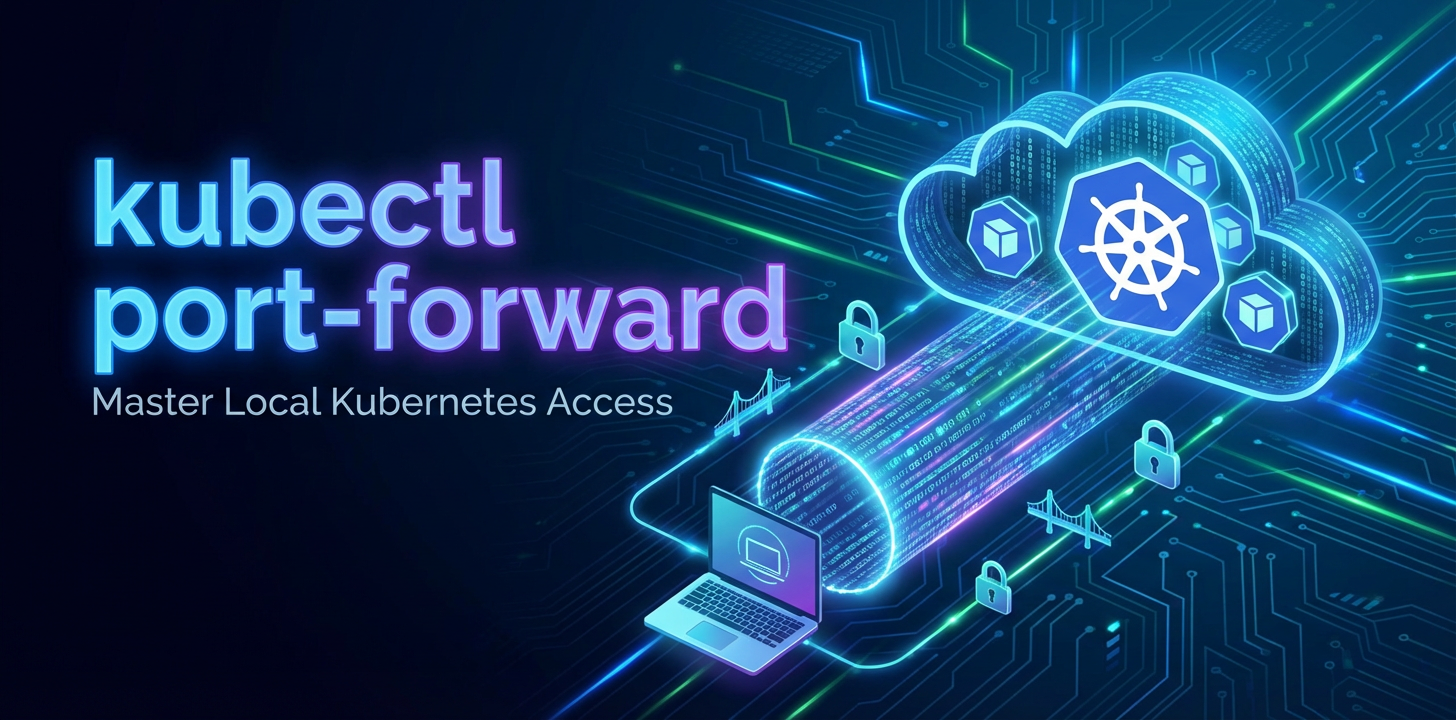


The sprawling, dynamic world of Kubernetes has revolutionized how applications are deployed, scaled, and managed. Its declarative nature and robust orchestration capabilities provide an unparalleled platform for modern, cloud-native workloads. However, with this power comes a certain degree of complexity, particularly when it comes to the seemingly straightforward task of accessing your services for local development or debugging. The inherent isolation and sophisticated networking abstractions of Kubernetes, while crucial for security and stability, often create a chasm between your local development environment and the remote services humming within your cluster. Bridging this gap efficiently and securely is not merely a convenience; it is a fundamental requirement for any developer or operator working with Kubernetes.
In this intricate landscape, kubectl port-forward emerges as an indispensable utility, a veritable Swiss Army knife for establishing temporary, direct connections to resources inside your Kubernetes cluster from your local machine. It acts as a secure tunnel, punching a hole through the layers of network abstraction to bring a remote service's network port directly to a port on your localhost. This capability transforms the often-daunting task of debugging an internal microservice, testing a database connection, or simply interacting with an api endpoint into a fluid, local experience. Without port-forward, developers would be forced into cumbersome cycles of deploying test clients to the cluster, modifying Ingress rules, or exposing services publicly — all of which introduce unnecessary friction, security risks, and latency into the development workflow. This article will meticulously explore the profound utility of kubectl port-forward, delving into its mechanics, practical applications, security implications, and its pivotal role in streamlining local Kubernetes access, ultimately empowering you to master your interaction with the cluster's internal workings.
Chapter 1: Understanding the Kubernetes Networking Landscape
Before diving into the specifics of kubectl port-forward, it's crucial to grasp the fundamental complexities of Kubernetes networking that make such a tool so invaluable. Kubernetes is designed with a strong emphasis on isolation and dynamic scaling, which inherently creates a unique networking paradigm.
At its core, Kubernetes assigns each Pod a unique IP address within a flat network space. This means all Pods can communicate with each other directly without NAT. However, these Pod IPs are ephemeral; they come and go as Pods are rescheduled, scaled, or replaced. Furthermore, these Pod IPs are typically part of a private, cluster-internal network range that is not directly routable from outside the Kubernetes cluster, including your local development machine. This isolation is a feature, not a bug, ensuring security and preventing accidental exposure of internal services.
To address the ephemeral nature of Pods and provide a stable endpoint for applications, Kubernetes introduces the Service abstraction. A Service groups a set of Pods and provides a stable DNS name and IP address (ClusterIP) that other Pods within the cluster can use to communicate with them. Services also handle basic load balancing across their backend Pods. While a Service provides internal stability, its ClusterIP is also typically only reachable from within the cluster.
For exposing services to the outside world, Kubernetes offers several mechanisms:
- NodePort: This exposes a
Serviceon a specific port on every node's IP address. While it allows external access, the port range is limited, and you need to know the IP address of one of your cluster nodes, which might not be static. It's often used for development or testing within a restricted network. - LoadBalancer: This automatically provisions an external
load balancerfrom the cloud provider (e.g., AWS ELB, GCP Load Balancer) to expose theServicewith a public IP address. This is ideal for production workloads requiring external access but can be costly and isn't suitable for purely local development or debugging of internal components. - Ingress: This is an
apiobject that manages external access to services in a cluster, typically HTTP and HTTPS. Ingress provides features like host-based and path-based routing, SSL termination, and name-based virtual hosting. It requires an Ingress controller to be deployed in the cluster. While powerful for HTTPapis, it's an HTTP-specific solution and often too heavy-handed for quick local debugging of non-HTTP services or individual Pods.
The common thread among these external exposure methods is that they are designed for sustained, potentially public access. They involve infrastructure provisioning, configuration, and sometimes DNS updates. For a developer who simply needs to test a new feature on a remote api endpoint, inspect a database, or debug a specific Pod's behavior without exposing it to the entire internet or configuring complex routing, these methods are overkill, inefficient, and often insecure for their specific use case. This is precisely where kubectl port-forward steps in, offering a direct, temporary, and localized solution to the problem of accessing internal Kubernetes resources. It meticulously carves out a direct communication channel, bypassing the need for public IPs, load balancers, or complex Ingress rules, bringing the remote service directly to your local machine as if it were running natively.
Chapter 2: What is kubectl port-forward? A Deep Dive
At its essence, kubectl port-forward is a powerful command-line utility within the Kubernetes client toolkit that enables developers and operators to create a secure, temporary tunnel from their local machine to a specific port on a Pod, Service, Deployment, or other selectable resource within a Kubernetes cluster. It's akin to establishing a private, encrypted conduit that allows traffic destined for a local port to be securely redirected to a specified port on a remote resource within the cluster, and vice-versa. This mechanism effectively makes an internal cluster resource appear as if it's running directly on your localhost, making it accessible to local applications and tools without exposing it to the wider network.
The fundamental principle behind port-forward is deceptively simple yet incredibly effective. When you execute the command, kubectl establishes a connection to the Kubernetes API server. It then instructs the API server to open a direct, authenticated stream to the target Pod's kubelet agent. This stream is then used to proxy TCP traffic between your local machine's specified port and the target Pod's specified port. It's not a VPN in the traditional sense, as it doesn't provide full network access to the cluster; instead, it creates a point-to-point tunnel for a specific port. This focused approach ensures minimal exposure while maximizing utility for development and debugging.
Syntax and Basic Usage
The general syntax for kubectl port-forward is straightforward:
kubectl port-forward TYPE/NAME [LOCAL_PORT:]REMOTE_PORT
Let's break down each component of this command:
kubectl: The command-line tool for controlling Kubernetes clusters.port-forward: The specific subcommand to initiate the port forwarding process.TYPE: This specifies the type of Kubernetes resource you want to target. Common types includepod,service,deployment,replicaset, andstatefulset.NAME: This is the specific name of the resource you are targeting (e.g.,my-app-pod-abc12,my-database-service).[LOCAL_PORT:]: This is the optional local port on your machine that you want to bind to. If you omitLOCAL_PORT(e.g.,8080),kubectlwill use theREMOTE_PORTas the local port by default. If theLOCAL_PORTis already in use,kubectlwill usually inform you and exit. You can specify a different local port, for instance,8080:80, to map local port 8080 to remote port 80.REMOTE_PORT: This is the port number on the target resource (Pod, Service) within the Kubernetes cluster that you wish to forward traffic to. This is the port your application inside the Pod is actually listening on.
Core Use Cases of kubectl port-forward
The versatility of port-forward makes it an indispensable tool across various development and operational scenarios:
- Local Development Against Remote Services: Imagine you're developing a new feature for a frontend application running locally on your machine. This frontend needs to consume an
apiendpoint provided by a microservice deployed in your Kubernetes development cluster. Instead of deploying your frontend to the cluster or configuring complex Ingress rules, you can useport-forwardto bring the microservice'sapidirectly to your localhost. Your local frontend can then interact withhttp://localhost:[LOCAL_PORT]as if theapiservice were running natively on your machine, drastically speeding up the development feedback loop. This capability is particularly crucial when dealing with anapi gatewayor a set of internalapis that are not meant for external exposure but are vital for internal communication.port-forwardallows you to test interactions with theseapis as if they were local, bypassing thegatewayfor direct service-level interaction when debugging. - Debugging Services and Applications: When an application misbehaves in a Kubernetes Pod, direct access for debugging tools can be challenging.
port-forwardenables you to connect a local debugger, adatabase client, or a message queue client directly to a specific Pod. For example, if a Pod is failing to connect to its internal database, you canport-forwardto the database Pod's port and use your localdatabase client(e.g.,psql,mysql client) to verify connectivity, inspect data, or run queries. This is far more efficient than SSHing into nodes or deploying temporary debugging containers. - Accessing Internal Databases, Message Queues, and Caches: Many applications rely on internal data stores like PostgreSQL, MySQL, Redis, or Kafka. These services are typically deployed with
ClusterIPServices, meaning they are only accessible from within the cluster.port-forwardprovides a secure, on-demand way to access these internal resources directly from your local machine. This is invaluable for data migration, ad-hoc queries, cache inspection, or message queue monitoring during development and testing phases. You can connect your favorite GUIdatabasetool (DBeaver, DataGrip, etc.) directly to the remotedatabasePod vialocalhost. - Bypassing Ingress or LoadBalancer for Direct Service Access: Sometimes, you need to test a specific version of a service without going through the public
IngressorLoadBalancer. Perhaps theIngressisn't yet configured, or you suspect an issue with theIngresscontroller itself.port-forwardallows you to directly reach the underlyingServiceor Pod, isolating your test from external routing mechanisms. This is especially useful for testing newapiendpoints before they are fully exposed through anapi gatewayor publicIngress. - Accessing Internal Management Interfaces: Many applications, especially those from third-party vendors or complex frameworks, expose internal management interfaces, dashboards, or metrics endpoints (e.g., Prometheus scraping targets, application health checks, admin panels) on specific ports. These are often not meant for external exposure but are critical for internal monitoring and troubleshooting.
port-forwardoffers a safe way to access these interfaces from your local browser or monitoring tools.
In summary, kubectl port-forward serves as a critical bridge, allowing developers and operators to interact with their Kubernetes-deployed services with the same ease and directness as if those services were running locally. Its transient nature and secure tunneling capabilities make it an ideal solution for a multitude of local development and debugging needs, significantly enhancing productivity and reducing the overhead associated with complex Kubernetes networking.
Chapter 3: Practical Applications and Scenarios
To truly appreciate the power of kubectl port-forward, let's explore its practical applications with detailed examples for various Kubernetes resource types. Each scenario illuminates a common use case and demonstrates how the command adapts to different needs.
Forwarding to a Pod
The most granular way to use port-forward is by targeting a specific Pod. This is particularly useful when you need to interact with a particular instance of an application or a sidecar container within a Pod.
Scenario: You have a web application Pod named my-web-app-7c7d45d9-xbz2l that listens on port 80. You want to access it from your local browser on localhost:8080.
Steps:
- Identify the Pod: You first need the exact name of the Pod. You can find this using
kubectl get pods.bash kubectl get pods # Output might look like: # NAME READY STATUS RESTARTS AGE # my-web-app-7c7d45d9-xbz2l 1/1 Running 0 5m # another-service-abc12345-defgh 1/1 Running 0 3m - Execute the
port-forwardcommand:bash kubectl port-forward pod/my-web-app-7c7d45d9-xbz2l 8080:80This command will stay active in your terminal, outputting a message similar to:Forwarding from 127.0.0.1:8080 -> 80 Forwarding from [::1]:8080 -> 80Now, if you open your web browser and navigate tohttp://localhost:8080, you will be hitting themy-web-appPod directly.
Why this is useful: Direct Pod forwarding is invaluable for debugging a specific Pod instance that might be exhibiting unique behavior, or when you want to bypass a Service abstraction to interact with a single instance. It's also critical when a Pod has multiple containers, and you need to access a specific port on one of them (assuming the Pod itself exposes that port via its network namespace).
Forwarding to a Service
Forwarding to a Kubernetes Service is often preferred over forwarding to a Pod because Services provide a stable abstraction. When you port-forward to a Service, kubectl handles the routing to one of the backend Pods associated with that Service, even if the underlying Pods restart or scale. This means your port-forward session remains stable as long as the Service itself is operational and has healthy backend Pods.
Scenario: You have a Service named my-api-service that exposes an api on port 3000. You want to access this api from your local machine on localhost:8000.
Steps:
- Identify the Service:
bash kubectl get services # Output might look like: # NAME TYPE CLUSTER-IP EXTERNAL-IP PORT(S) AGE # my-api-service ClusterIP 10.96.10.123 <none> 3000/TCP 10m # kubernetes ClusterIP 10.96.0.1 <none> 443/TCP 2d - Execute the
port-forwardcommand:bash kubectl port-forward service/my-api-service 8000:3000This command establishes a tunnel. Any requests tohttp://localhost:8000will now be routed to port3000of one of the Pods backingmy-api-service. This is particularly useful when developing a client that consumes an internalapiendpoint.
Why this is useful: Using Service forwarding provides resilience. If a Pod backing the Service crashes and a new one is created, your port-forward session will typically continue to function seamlessly, routing to the new healthy Pod. This makes it ideal for sustained local development against a dynamic set of backend Pods. It's also the method you'd use if you're trying to debug or interact with a specific api endpoint managed by an internal api gateway or a specific microservice.
Forwarding to a Deployment or ReplicaSet
While you don't directly port-forward to a Deployment or ReplicaSet in the same way you do a Pod or Service, kubectl offers a convenient shorthand. When you specify a Deployment or ReplicaSet name, kubectl intelligently selects one of the healthy Pods managed by that resource and forwards to it.
Scenario: You have a Deployment named my-backend-deployment that manages Pods listening on port 5000. You want to access one of its Pods on localhost:9000.
Steps:
- Identify the Deployment:
bash kubectl get deployments # Output might look like: # NAME READY UP-TO-DATE AVAILABLE AGE # my-backend-deployment 3/3 3 3 1h - Execute the
port-forwardcommand:bash kubectl port-forward deployment/my-backend-deployment 9000:5000kubectlwill pick one of the Pods controlled bymy-backend-deploymentand establish the tunnel.
Caveats: This method is convenient, but be aware that kubectl will pick any available Pod. If you need to debug a specific Pod instance, it's better to explicitly forward to that Pod by its name. If the selected Pod restarts, kubectl port-forward might not automatically re-establish the connection to a new Pod, unlike when forwarding to a Service.
Forwarding to a StatefulSet
StatefulSets are used for stateful applications where Pods have stable, unique network identities and persistent storage. When using port-forward with a StatefulSet, you'll typically want to target a specific Pod within it by its generated, stable name (e.g., my-stateful-app-0, my-stateful-app-1).
Scenario: You have a StatefulSet named my-database-statefulset, and you want to access the database Pod my-database-statefulset-0 which listens on port 5432 (PostgreSQL) from your local machine on localhost:5432.
Steps:
- Identify the StatefulSet Pod:
bash kubectl get pods -l app=my-database-statefulset # Output might include: # NAME READY STATUS RESTARTS AGE # my-database-statefulset-0 1/1 Running 0 2h # my-database-statefulset-1 1/1 Running 0 2h - Execute the
port-forwardcommand:bash kubectl port-forward pod/my-database-statefulset-0 5432:5432You can then use your local PostgreSQL client to connect tolocalhost:5432.
Why this is useful: For stateful applications, targeting a specific Pod is often crucial, especially if different Pods hold different data or roles (e.g., primary/replica in a database cluster). port-forward allows precise interaction with these specific instances.
Advanced Scenarios and Options
- Multiple Port Forwards in One Command: You can forward multiple ports for the same resource in a single command.
bash kubectl port-forward service/my-service 8080:80 9000:90This will forward local port8080to remote port80, and local port9000to remote port90on themy-service's backend Pod. - Backgrounding the Process: By default,
port-forwardruns in the foreground and blocks your terminal. To run it in the background, you can append&to the command (on Linux/macOS):bash kubectl port-forward pod/my-pod 8080:80 &To stop a backgrounded process, you'll need to find its process ID (PID) usingps aux | grep 'kubectl port-forward'and thenkill <PID>. Alternatively, usefgto bring it to the foreground and thenCtrl+C. - Specifying Target IP Address (
--address): By default,port-forwardbinds to127.0.0.1(localhost) and[::1](IPv6 localhost). If you need to bind to a different local IP address (e.g., an internal network interface for sharing with other VMs on your local machine), you can use the--addressflag.bash kubectl port-forward pod/my-pod --address 0.0.0.0 8080:80This makes the forwarded port accessible from any network interface on your local machine. Be cautious with this in shared environments, as it increases local exposure. - Troubleshooting Network Connectivity within the Cluster: Sometimes,
port-forwardcan indirectly help in diagnosing internal cluster network issues. If you canport-forwardto a Pod, but two Pods within the cluster cannot communicate, it suggests the issue lies in the cluster's internal network policies (like NetworkPolicies) or service discovery, rather than the application itself not listening on the correct port. - Accessing Metrics Endpoints: Many microservices expose
/metricsendpoints for Prometheus or other monitoring systems. You can useport-forwardto quickly inspect these metrics from your local browser orcurlwithout setting up a full monitoring stack locally.bash kubectl port-forward service/my-prometheus-target 9090:9090 # Then access http://localhost:9090/metrics
kubectl port-forward is a versatile and indispensable tool for any developer or operator interacting with Kubernetes. Its ability to create direct, temporary tunnels dramatically simplifies local development, debugging, and observation of services within the cluster, making the often-abstract world of Kubernetes networking tangible and accessible.
Chapter 4: Security Considerations and Best Practices
While kubectl port-forward is an incredibly powerful and convenient tool, its very nature of bridging internal cluster services to your local machine necessitates a careful consideration of security implications. Misuse or unmanaged use of port-forward can inadvertently create security vulnerabilities. Understanding these risks and adhering to best practices is paramount to maintaining a secure and efficient development and operational workflow.
Security Implications
- Opening Internal Services to Local Machine: The primary function of
port-forwardis to make an internal cluster service accessible on your local machine. This means that any service that was previously isolated within the Kubernetes network, potentially behind multiple layers of security (e.g., network policies, private subnets), now has a direct conduit to your potentially less-secure local environment. If your local machine is compromised, the forwarded service becomes an accessible target. - Potential for Unauthorized Access: While
port-forwarditself requireskubectlaccess, once the tunnel is established, any application or user on your local machine (or any machine that can reach your local IP if you use--address 0.0.0.0) can interact with the forwarded service. If the forwarded service lacks its own authentication or authorization mechanisms, it could be susceptible to unauthorized access from your local environment. This is particularly concerning for internalapis, databases, or sensitive management interfaces. - Not for Production External Exposure: It bears repeating:
kubectl port-forwardis absolutely not designed for exposing production services to external users. It's a debugging and development tool. Its sessions are temporary, tied to thekubectlprocess, and lack the robustness, scalability, and security features (like WAF, DDoS protection, advancedapi gatewayfeatures) required for production traffic. Relying on it for anything beyond local, temporary access creates a significant single point of failure and security hole.
Best Practices for Secure and Responsible Use
- Use for Development and Debugging ONLY: Strictly limit the use of
kubectl port-forwardto non-production environments and for specific development and debugging tasks. Never use it to provide permanent or public access to any service. For exposing productionapis, always leverage KubernetesServicetypes likeLoadBalancerorIngresswith appropriate security layers, such as anapi gateway. - Limit RBAC Permissions: Implement granular Role-Based Access Control (RBAC) in your Kubernetes cluster to control who can use
port-forward. The ability toport-forwardis tied to permissions togetandcreateresources in thepods/portforwardsubresource. ```yaml # Example RBAC Role snippet apiVersion: rbac.authorization.k8s.io/v1 kind: Role metadata: name: port-forward-user rules:- apiGroups: [""] resources: ["pods", "pods/portforward"] verbs: ["get", "list", "create"] #
createverb onpods/portforwardis key ``` Grant these permissions only to trusted developers and operators who genuinely need them. This prevents unauthorized users from creating tunnels to internal services.
- apiGroups: [""] resources: ["pods", "pods/portforward"] verbs: ["get", "list", "create"] #
- Be Mindful of What Services You Expose: Before forwarding a port, consider the sensitivity of the data or functionality exposed by the target service. Avoid forwarding to highly sensitive services (e.g., a root
databaseconnection, admin dashboards without strong authentication) unless absolutely necessary and with extreme caution. Always verify that the forwarded service itself has proper authentication and authorization enabled. - Cleanup
port-forwardSessions: Always terminateport-forwardsessions when they are no longer needed. If running in the foreground,Ctrl+Cis sufficient. If backgrounded, ensure you kill the corresponding process (kill <PID>). Lingering sessions, especially if--address 0.0.0.0was used, can unnecessarily keep a local port open to internal services. - Combine with
kubectl execfor Granular Control/Inspection: For scenarios where you need to inspect files or run commands inside a Pod,kubectl execis often a safer and more appropriate choice thanport-forward.port-forwardis for network access;execis for command execution. Sometimes, a combination is needed:execto diagnose and thenport-forwardto connect a local tool. - Use
httpsforapis if Available: If theapiservice you are forwarding supportshttps, always prefer to connect to it usinghttpsfrom your local client. Whilekubectl port-forwardcreates a secure tunnel between your local machine and the Pod, encrypting the traffic within the tunnel adds another layer of defense and prepares your client for interacting with productionapis that are typicallyhttps-only. - Consider Local Firewall Rules: Ensure your local machine's firewall is properly configured. While
port-forwardby default binds tolocalhost, if you use--address 0.0.0.0, the forwarded port becomes accessible from your local network. A properly configured firewall can restrict who on your local network can access that port. - Understand Your Environment: Be aware of the cluster's network policies. Even if you establish a
port-forwardtunnel, the target Pod might still be restricted by NetworkPolicies from communicating with other internal services it needs, leading to unexpected behavior. Whileport-forwardbypasses external network issues, it doesn't bypass internal cluster network policies.
By diligently following these security guidelines, developers and operators can harness the immense utility of kubectl port-forward while mitigating potential risks. It transforms from a potential vulnerability into a controlled, tactical instrument for interacting with Kubernetes services, ensuring that productivity gains do not come at the cost of security.
APIPark is a high-performance AI gateway that allows you to securely access the most comprehensive LLM APIs globally on the APIPark platform, including OpenAI, Anthropic, Mistral, Llama2, Google Gemini, and more.Try APIPark now! 👇👇👇
Chapter 5: Comparison with Other Access Methods
Understanding kubectl port-forward's strengths also means understanding its place within the broader spectrum of Kubernetes service exposure methods. While it's invaluable for specific use cases, it's not a one-size-fits-all solution. Comparing it with other common methods helps clarify when to use port-forward and when to opt for an alternative.
| Feature | kubectl port-forward |
NodePort | LoadBalancer | Ingress | kubectl proxy |
|---|---|---|---|---|---|
| Purpose | Local, temporary, direct access for dev/debug | Expose service on all nodes' IPs, typically for internal testing | Provision cloud Load Balancer for public external access | HTTP/HTTPS routing, host/path based for public access | Proxy to Kubernetes API server |
| Access Scope | Local machine only (by default localhost) | Any machine that can reach node IP and port | Public internet (global) | Public internet (global) | Local machine only (to API server) |
| Security | Requires kubectl auth, temporary tunnel. Not production. |
Basic, often requires network ACLs. Node IP exposed. | Robust, depends on cloud provider security. | Robust, via Ingress controller & WAF. | Requires kubectl auth, direct to API server. |
| Complexity | Low, single command | Medium, requires Service YAML |
Medium, requires cloud provider, Service YAML |
High, requires Ingress controller, Ingress YAML, DNS config |
Low, single command |
| Cost | Free | Free (Kubernetes overhead) | Can be significant (cloud Load Balancer charges) | Free for controller, but can incur Load Balancer costs for traffic | Free |
| Traffic Type | TCP, UDP | TCP, UDP | TCP, UDP (HTTP/S usually via higher layer) | HTTP/HTTPS only | HTTP/S (to API server) |
| Stability | Session-based, terminates with kubectl process |
Stable port on node, tied to Service lifetime |
Stable public IP, tied to Service lifetime |
Stable FQDN, tied to Ingress & Service lifetime |
Session-based, terminates with kubectl process |
| Primary Use Case | Debugging Pods, local dev against microservices (apis) |
Testing, simple internal apps, services without cloud Load Balancer | Production public apis, web apps |
Production HTTP/S services, api gateway functionality |
Accessing Kubernetes API from local scripts/tools |
| APIPark Relevance | Debugging upstream services before api gateway |
Less relevant for dev/debug; APIPark is a more robust gateway |
APIPark sits behind or replaces this for api management |
APIPark can use Ingress as underlying infra for api exposure |
Not directly related; APIPark manages application apis |
When to Use port-forward vs. Others:
kubectl port-forward: This is your go-to for temporary, local, direct access to a specific Pod or Service. Use it when you are:- Developing a local application that needs to connect to a remote
apior database in Kubernetes. - Debugging a particular Pod's behavior or an internal
apiendpoint. - Accessing an internal management interface or metrics endpoint that shouldn't be publicly exposed.
- Testing a service directly, bypassing external
load balancers oringresscontrollers. - Verifying internal cluster connectivity (e.g., can I reach a
databasePod from my machine that's behind a service?). It excels in scenarios where you need a quick, no-fuss way to tunnel into the cluster for development or troubleshooting without altering cluster configuration.
- Developing a local application that needs to connect to a remote
- NodePort: Choose NodePort when you need external access from within your network for a service, but you don't require a public IP or advanced routing. It's often used in development or staging environments where a dedicated cloud
load balancerisn't needed or available, or when you need to access services from a machine within the same physical network as your Kubernetes nodes. It's more permanent thanport-forwardbut still generally not for production public access due to its reliance on node IPs and restricted port range. - LoadBalancer: This is the standard for exposing production-ready, publicly accessible services that require a dedicated public IP address and external
load balancing. Ideal for high-traffic web applications, publicapis, or any service that needs to be broadly available over TCP/UDP without relying on HTTP/S specific routing. - Ingress: Use Ingress when you need to expose multiple HTTP/HTTPS services under a single external IP address, with features like host-based routing, path-based routing, SSL termination, and virtual hosting. It's an essential component for complex web applications and public
apis, often working in conjunction with aLoadBalancerfor the Ingress controller itself. Ingress acts as anapi gatewayfor HTTP/S traffic, centralizing routing rules. kubectl proxy: This command serves a very different purpose. It creates a proxy server on your local machine that allows you to access the Kubernetes API server directly. It's used by local tools or scripts that need to interact with the Kubernetes control planeapis (e.g., getting cluster information, creating/modifying resources), not for accessing your application services running within Pods.
In essence, kubectl port-forward is a surgical tool for immediate, precise access. Other methods are broader infrastructure components for managed, scalable, and typically public exposure. The choice among them depends entirely on the permanence, scope, and nature of the access required.
Chapter 6: Troubleshooting Common port-forward Issues
Even with its straightforward nature, kubectl port-forward can sometimes throw unexpected errors or fail to establish a connection. Understanding common pitfalls and their solutions can save significant debugging time. Here's a rundown of frequent issues and how to troubleshoot them effectively.
1. Local Port Already in Use
Symptom: The port-forward command fails with an error message indicating that the local port is already in use.
E0308 10:30:45.123456 12345 portforward.go:400] error listening on 8080: listen tcp4 127.0.0.1:8080: bind: address already in use
Cause: Another process on your local machine is already listening on the LOCAL_PORT you specified. This could be another port-forward session, a local web server, or any other application.
Solution: * Choose a different local port: The simplest solution is to pick a different LOCAL_PORT that is not currently in use. For example, if 8080 is busy, try 8081:80. * Identify and terminate the conflicting process: * Linux/macOS: Use lsof -i :<LOCAL_PORT> (e.g., lsof -i :8080) to find the process using the port, then kill <PID>. * Windows: Use netstat -ano | findstr :<LOCAL_PORT> to find the PID, then taskkill /PID <PID> /F.
2. Service/Pod Not Found
Symptom: The command returns an error saying the specified Pod or Service cannot be found.
Error from server (NotFound): pods "my-nonexistent-pod" not found
Cause: You've made a typo in the resource name, or the resource doesn't exist in the current Kubernetes context/namespace.
Solution: * Double-check the resource name: Carefully verify the spelling of the Pod, Service, Deployment, or StatefulSet name. * Verify the namespace: Ensure you are targeting the correct namespace. If the resource is in a different namespace, either switch your current context using kubectl config set-context --current --namespace=<your-namespace> or specify the namespace in the command: kubectl -n <your-namespace> port-forward .... * Check resource existence: Use kubectl get pods -n <your-namespace> or kubectl get services -n <your-namespace> to confirm the resource actually exists and is spelled correctly.
3. Target Port Not Listening Inside the Container
Symptom: The port-forward command establishes successfully, but when you try to connect to localhost:LOCAL_PORT, you get a connection refused or timeout error, even though the port-forward process is running.
Cause: The application inside the target Pod is not actually listening on the REMOTE_PORT you specified, or it's listening on a different interface (e.g., 127.0.0.1 instead of 0.0.0.0).
Solution: * Verify the application's listening port: * Use kubectl describe pod <pod-name> to check the container's exposed ports or image configuration. * Use kubectl exec -it <pod-name> -- ss -tuln (or netstat -tuln) to see which ports the application inside the Pod is actually listening on. Ensure the REMOTE_PORT matches one of these. * Check application configuration: Ensure the application within the Pod is configured to listen on 0.0.0.0 (all interfaces) and not just 127.0.0.1 (localhost within the Pod), as port-forward connects to the Pod's network interface. * Check application logs: kubectl logs <pod-name> might reveal startup errors or configuration issues preventing the application from binding to its port.
4. Firewall Issues
Symptom: Connection timeouts or refusals, even if the port-forward command seems to run successfully, and you've verified the application port.
Cause: A firewall on your local machine, or within the Kubernetes cluster (e.g., NetworkPolicies), is blocking the connection.
Solution: * Local machine firewall: Temporarily disable your local firewall (e.g., ufw, firewalld, Windows Defender Firewall) to see if it resolves the issue. If it does, you'll need to add a rule to allow connections to your LOCAL_PORT. * Kubernetes NetworkPolicies: If NetworkPolicies are in place, they might be preventing the port-forward connection even within the cluster (though this is less common for port-forward's direct tunneling). If you suspect this, you might need to adjust or temporarily disable NetworkPolicies for the target Pod's namespace, or ensure the Pod has a policy allowing ingress from the kubelet (which is typically handled by default for port-forward).
5. Authentication/Authorization Errors (RBAC)
Symptom: kubectl port-forward fails with an authorization error.
Error from server (Forbidden): pods "my-pod" is forbidden: User "your-user" cannot create portforward on resource "pods" in API group "" in the namespace "default"
Cause: Your Kubernetes user account (or the service account kubectl is using) lacks the necessary Role-Based Access Control (RBAC) permissions to create portforward on the pods/portforward subresource.
Solution: * Request RBAC permissions: Contact your cluster administrator to grant your user account (or the service account) the appropriate permissions. You need get and create verbs on pods and pods/portforward resources in the target namespace. (See Chapter 4 for an RBAC example). * Check current context: Ensure you're using the correct kubectl context with the expected user and permissions. kubectl config current-context and kubectl auth can-i create portforward/pods --as=your-user-name -n <namespace> can help diagnose.
6. Pod is Not Running or Pending
Symptom: port-forward fails because the target Pod is not in a Running state.
Error from server (BadRequest): pod my-pod is not running, current phase is Pending
Cause: The target Pod is still starting up, is in a Pending state, or has crashed and is not Running.
Solution: * Check Pod status: Use kubectl get pods <pod-name> or kubectl describe pod <pod-name> to check the Pod's current status and events. * Wait for Pod to be Ready: If the Pod is Pending or ContainerCreating, wait a moment for it to transition to Running and Ready. * Diagnose Pod issues: If the Pod is stuck in a non-running state, use kubectl describe pod <pod-name> and kubectl logs <pod-name> to understand why it's not starting.
7. Connection Reset by Peer / Broken Pipe
Symptom: The port-forward session unexpectedly terminates with a "connection reset by peer" or "broken pipe" error.
Cause: This usually indicates that the underlying connection to the Pod or the kubelet was lost. This could be due to: * The target Pod restarting or crashing. * The node hosting the Pod becoming unhealthy or shutting down. * Network instability between your local machine and the Kubernetes cluster. * The port-forward connection timing out due to inactivity (less common, but possible).
Solution: * Check Pod status: Use kubectl get pods <pod-name> to see if the Pod has restarted or changed state. * Check node status: Use kubectl get nodes to ensure the node is healthy. * Re-run the command: If the Pod is healthy, simply re-running the port-forward command will often re-establish the connection. * Consider forwarding to a Service: If you're forwarding to a Pod directly and it's prone to restarts, consider forwarding to its Service instead, as this provides more resilience (see Chapter 3).
Using -v for Verbose Output
When troubleshooting, adding the -v flag (e.g., -v=6 or higher) to your kubectl command can provide verbose debugging output, showing more details about the connection establishment and traffic flow, which can be invaluable in pinpointing the exact failure point.
By systematically going through these troubleshooting steps, you can effectively diagnose and resolve most common kubectl port-forward issues, ensuring smooth and uninterrupted local access to your Kubernetes services.
Chapter 7: kubectl port-forward in the Ecosystem of API Management
The modern software landscape is increasingly dominated by microservices architectures, where applications are composed of numerous small, independently deployable services, each often exposing its own api endpoint. This paradigm, while offering immense flexibility and scalability, also introduces complexities in api management, security, and integration. It's in this intricate ecosystem that kubectl port-forward plays a crucial, albeit tactical, role, particularly in conjunction with more strategic solutions like api gateways.
For individual developers working on a specific microservice, kubectl port-forward is a lifesaver. When you're developing a new feature or fixing a bug, you often need to test your service's api endpoints directly. Imagine your service provides a /users api. During local development, you can use port-forward to expose this internal api on your localhost, allowing you to use curl, Postman, or a local client application to hit http://localhost:8080/users. This direct access simplifies the inner development loop, letting you quickly iterate and verify the behavior of your api without the overhead of deploying and configuring external access points. It ensures that the api contract is met and the business logic functions as expected before it's integrated into the broader system.
However, as the number of microservices grows, and as these services begin to consume each other's apis, a more holistic approach to api management becomes essential. This is where an api gateway steps in. An api gateway acts as a single entry point for all client requests, routing them to the appropriate backend service. It provides cross-cutting concerns such as authentication, authorization, rate limiting, logging, and monitoring, effectively abstracting the underlying microservices from the clients.
While kubectl port-forward provides an excellent tactical solution for local debugging and development of individual services, particularly when dealing with the api endpoints they expose, the broader challenge of managing a fleet of APIs, especially in a microservices landscape or when integrating AI services, requires a more strategic platform. This is where tools like APIPark come into play.
APIPark, an open-source AI gateway and API management platform, offers comprehensive features for the entire API lifecycle. Imagine you're developing a service that will eventually be managed by APIPark; during its initial development and debugging phase in Kubernetes, kubectl port-forward allows you to directly access its internal api endpoints. This direct access is invaluable for ensuring the core functionality of your service's api is robust before it's placed behind a powerful gateway. Once your service is stable, APIPark then takes over, providing unified management, authentication, and traffic control for these apis, even encapsulating AI models into REST apis for easier consumption.
Consider a scenario where you have multiple microservices, some of which might be AI-powered, exposed through APIPark as your central api gateway. During development, kubectl port-forward allows you to tunnel directly to any of these upstream services behind APIPark. This is critical for: 1. Isolating upstream service issues: If a client request fails through APIPark, you can use port-forward to test the individual upstream service api directly, bypassing the gateway to determine if the problem lies with the service itself or with the gateway's configuration (e.g., routing, authentication). 2. Developing apis for APIPark: When creating new apis or modifying existing ones that will eventually be published and managed by APIPark, port-forward allows developers to locally test their api logic and contract conformance against a remote Kubernetes instance of their service. 3. Testing api versioning: If APIPark is managing different versions of an api, port-forward lets you directly interact with specific versions of the backend service Pods, ensuring they behave as expected before routing through the gateway.
So, while kubectl port-forward solves the immediate "how do I access this service api now?" problem, APIPark addresses the long-term "how do I manage, secure, and scale all my apis, including AI services, efficiently?" question, acting as a crucial gateway for all your service interactions. APIPark's capabilities, from quick integration of 100+ AI models and unified api formats for AI invocation to end-to-end api lifecycle management and powerful data analysis, demonstrate a strategic vision for api governance that complements the tactical benefits of kubectl port-forward. It allows teams to centralize api sharing, manage independent apis and access permissions for each tenant, and ensure resource access requires approval, all while delivering performance rivaling Nginx and detailed call logging. In essence, port-forward helps you craft the individual apis, and APIPark helps you orchestrate and govern them effectively across your enterprise.
Chapter 8: Future Trends and Evolution
The landscape of cloud-native development is in constant flux, with new tools and paradigms emerging regularly. While kubectl port-forward remains a steadfast utility, it's worth considering how evolving trends might influence its usage or necessitate new approaches to local Kubernetes access.
One significant trend is the rise of Service Mesh technologies like Istio, Linkerd, and Consul Connect. Service meshes introduce a programmable network layer to handle inter-service communication, providing features such as traffic management, observability, security, and reliability. For local development, service meshes often provide their own local proxies or development tools that can simplify connecting to cluster services. For example, Istio's istioctl dashboard or istioctl proxy-config commands, combined with its sidecar proxies, might offer alternative ways to inspect or route traffic to services. Some service mesh offerings might reduce the direct need for port-forward in specific scenarios by providing more integrated ways to route local traffic into the mesh, offering a more controlled and observable tunnel. However, port-forward will likely retain its niche for direct, raw TCP tunneling to a specific Pod, bypassing the mesh for low-level debugging or when the mesh itself is misconfigured.
Cloud-native development environments are another area of rapid evolution. Tools like Loft, Telepresence, and Garden are striving to create more seamless local development experiences. These tools often aim to create "bi-directional connections" or "personal development spaces" that allow developers to run parts of their application locally while seamlessly connecting to dependencies running in a remote Kubernetes cluster. This often involves intelligently routing traffic, synchronizing files, and managing environment variables. In many ways, these tools abstract away or build upon the underlying mechanisms that port-forward provides, offering a more integrated and automated developer experience. They might use port-forward as a building block but present a higher-level interface. For example, Telepresence allows you to run a service locally and intercept traffic intended for a remote service in the cluster, making it appear as if your local service is part of the cluster.
Furthermore, the increasing adoption of WebAssembly (Wasm) in cloud-native environments and api gateways, as seen in projects like Proxy-Wasm, could introduce new ways of extending and securing api interactions. While not directly replacing port-forward, it changes how api logic might be executed and observed, potentially impacting what developers need to debug and how they debug it.
The push towards zero-trust networking and enhanced security postures across cloud-native environments might lead to stricter default network policies, making direct port-forwarding more challenging without explicit RBAC and network policy configurations. This would underscore the importance of proper security practices around port-forward usage.
Despite these advancements, the fundamental need for a simple, direct, and temporary way to access a specific port on a remote Kubernetes resource will likely persist. kubectl port-forward is a low-level, unopinionated tool that provides a robust, no-frills tunnel. While higher-level tools may emerge to streamline development workflows, port-forward will likely remain an essential fallback and diagnostic utility for engineers who need to understand and interact directly with the underlying Kubernetes network. It's the equivalent of a reliable wrench in a toolbox full of power tools – sometimes, the simplest tool is precisely what's required for a precise job. Its role will evolve from a primary access method to a foundational debugging and verification mechanism, complementing the more sophisticated platforms and frameworks that abstract Kubernetes networking complexities.
Conclusion
In the intricate and ever-expanding universe of Kubernetes, where services reside within isolated networks and communicate through sophisticated abstractions, the ability to establish direct, temporary connections from a local development environment is not merely a convenience but a critical necessity. kubectl port-forward stands as an indispensable utility, a testament to Kubernetes' thoughtful design that empowers developers and operators to bridge the gap between their local machines and the remote cluster with remarkable ease and precision.
Throughout this extensive exploration, we've meticulously dissected kubectl port-forward, unraveling its core mechanics, demonstrating its versatility across various Kubernetes resource types—from granular Pods to resilient Services—and showcasing its practical applications in local development, debugging, and system inspection. We’ve highlighted how it enables developers to interact with internal api endpoints, databases, and management interfaces as if they were running natively on localhost, thereby dramatically accelerating the development feedback loop and simplifying troubleshooting efforts.
Crucially, we've also delved into the paramount importance of security, emphasizing that while port-forward is powerful, it must be wielded responsibly. Adhering to best practices such as limiting RBAC permissions, being judicious about what services are exposed, and promptly terminating sessions is vital to prevent unintended security vulnerabilities. We contrasted port-forward with other Kubernetes service exposure methods, underscoring its unique niche as a tactical tool for transient, direct access, distinct from the strategic, permanent exposure offered by NodePort, LoadBalancer, and Ingress.
Moreover, we examined port-forward's role within the broader ecosystem of api management, particularly in microservices architectures. We illustrated how it complements comprehensive api gateway solutions like APIPark, allowing developers to meticulously debug and verify individual api services upstream before they are orchestrated, secured, and scaled by a robust platform. kubectl port-forward handles the immediate, granular need for connection, while APIPark addresses the holistic, lifecycle management of all apis, including the burgeoning field of AI apis.
As Kubernetes continues to evolve and new tools emerge to streamline cloud-native development, kubectl port-forward will undoubtedly maintain its foundational importance. It is the reliable conduit that allows engineers to peek behind the curtain of complex cluster networking, offering clarity and control in an otherwise abstracted environment. By mastering kubectl port-forward, you not only gain a powerful tool for daily tasks but also deepen your understanding of Kubernetes networking, ultimately becoming more proficient and productive in your cloud-native journey. It remains a cornerstone for efficient, direct, and secure local Kubernetes access, an essential skill for anyone navigating the complexities of modern application deployment.
5 FAQs about kubectl port-forward
Q1: What is the primary purpose of kubectl port-forward?
A1: The primary purpose of kubectl port-forward is to create a secure, temporary, and direct tunnel from your local machine to a specific port on a resource (like a Pod or Service) inside a Kubernetes cluster. This allows developers and operators to access internal cluster services as if they were running on their localhost, facilitating local development, debugging, and inspection without exposing the services publicly or configuring complex routing. It's a bridge that bypasses Kubernetes' inherent network isolation for specific, temporary access needs.
Q2: How does kubectl port-forward differ from NodePort, LoadBalancer, or Ingress?
A2: kubectl port-forward provides temporary, local, direct access for development and debugging, binding a remote cluster port to your localhost. NodePort exposes a service on a static port across all nodes, allowing access from any machine that can reach the node IPs, typically for internal network testing. LoadBalancer provisions a cloud provider's external load balancer to give the service a public IP, ideal for production public access. Ingress manages external HTTP/S access to multiple services under a single IP with advanced routing rules (host/path-based), also for production public exposure. Unlike port-forward, these other methods are designed for more permanent, scalable, and potentially public exposure of services, involving more cluster configuration and potentially external infrastructure.
Q3: Is kubectl port-forward secure enough to expose production services?
A3: Absolutely not. kubectl port-forward is explicitly designed for development and debugging purposes only and should never be used to expose production services. Its sessions are temporary, tied to the kubectl process, and lack the robustness, scalability, monitoring, and advanced security features (like WAF, DDoS protection, advanced api gateway functionality) required for production traffic. Relying on it for external production access creates significant security vulnerabilities, operational fragility, and a single point of failure. Always use Kubernetes Service types like LoadBalancer or Ingress with appropriate api gateway solutions for production exposure.
Q4: What are some common reasons kubectl port-forward might fail?
A4: Common reasons for kubectl port-forward failures include: 1. Local port already in use: Another process on your local machine is already listening on the chosen local port. 2. Service/Pod not found: The specified resource name or namespace is incorrect, or the resource doesn't exist. 3. Target port not listening: The application inside the Pod is not actually listening on the specified remote port, or it's listening on 127.0.0.1 instead of 0.0.0.0. 4. RBAC permissions issues: Your Kubernetes user account lacks the necessary create permission on the pods/portforward subresource. 5. Pod not running: The target Pod is in a Pending or CrashLoopBackOff state and not in a Running state. Troubleshooting often involves checking port availability, verifying resource names/namespaces, inspecting Pod logs and status, and reviewing RBAC permissions.
Q5: How does kubectl port-forward integrate with api gateway solutions like APIPark?
A5: kubectl port-forward complements api gateway solutions like APIPark by providing a tactical tool for debugging and local development of individual upstream api services. Before an api is fully managed, secured, and exposed through an api gateway like APIPark, developers can use port-forward to directly access and test its internal api endpoints within the Kubernetes cluster. This allows them to verify the api's functionality, logic, and contract conformance in isolation, bypassing the gateway for initial development and troubleshooting. Once the individual api service is stable, APIPark then provides the strategic, comprehensive platform for api lifecycle management, security, traffic control, and unified integration of various services, including AI models, enhancing the overall governance and performance of the api ecosystem.
🚀You can securely and efficiently call the OpenAI API on APIPark in just two steps:
Step 1: Deploy the APIPark AI gateway in 5 minutes.
APIPark is developed based on Golang, offering strong product performance and low development and maintenance costs. You can deploy APIPark with a single command line.
curl -sSO https://download.apipark.com/install/quick-start.sh; bash quick-start.sh

In my experience, you can see the successful deployment interface within 5 to 10 minutes. Then, you can log in to APIPark using your account.

Step 2: Call the OpenAI API.