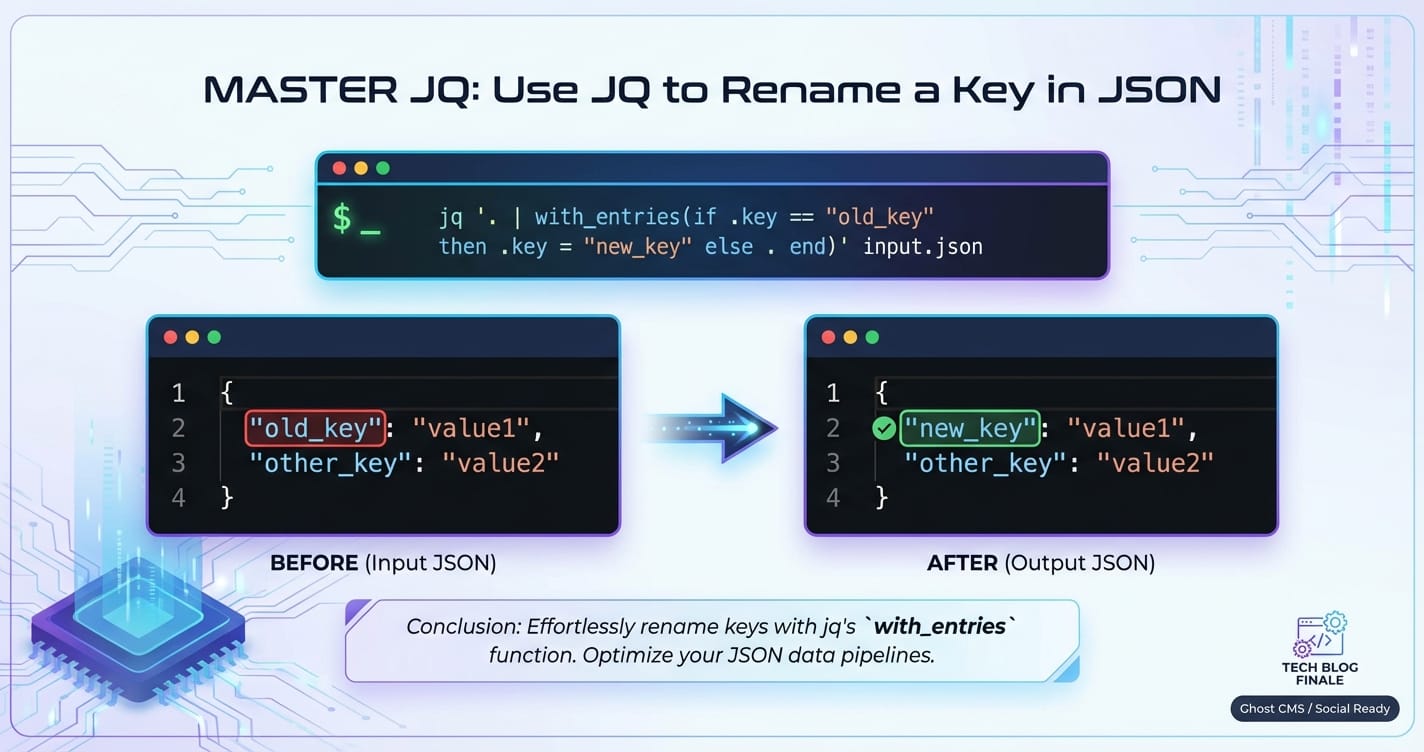
Master JQ: Use JQ to Rename a Key in JSON



In the vast and interconnected landscape of modern software development, data is the lifeblood, and JSON has emerged as its universal lingua franca. From web services and mobile applications to configuration files and serverless functions, JSON (JavaScript Object Notation) provides a lightweight, human-readable, and machine-parsable format for data interchange. Its simplicity and flexibility have made it indispensable, but with this ubiquity comes the inevitable need for robust tools to manipulate, query, and transform JSON data efficiently. Enter JQ, often heralded as the "sed for JSON" – a powerful, flexible, and surprisingly expressive command-line JSON processor that empowers developers to tackle virtually any JSON-related task with elegance and precision.
The ability to process JSON on the command line is not just a convenience; it's a fundamental skill for anyone working with APIs, microservices, or data pipelines. Imagine receiving a JSON payload from an external API Gateway that uses a particular naming convention, but your internal service expects a slightly different one. Or perhaps you're working with an LLM Gateway that needs to standardize input formats for various large language models, requiring key names to be harmonized across diverse data sources. In such scenarios, manually editing JSON files is impractical and error-prone, while writing custom scripts can be overkill for routine transformations. JQ steps into this gap, offering a succinct yet potent solution for these everyday challenges and many more complex ones.
This comprehensive guide will embark on a journey to master JQ, with a specific focus on one of its most common and critical applications: renaming keys within JSON objects. While JQ doesn't offer a single, direct "rename_key" function, it provides a rich set of operators and filters that, when combined creatively, allow for highly flexible and powerful key renaming operations. We will explore the fundamental principles of JQ, delve into various techniques for renaming keys, from simple top-level changes to complex conditional and deep recursive transformations. Furthermore, we will contextualize these techniques within real-world scenarios, demonstrating their relevance in environments ranging from API Gateway transformations and LLM Gateway payload standardization to Multi-Cloud Platform (MCP) configuration management. By the end of this article, you will not only be proficient in renaming JSON keys with JQ but will also possess a deeper understanding of JQ's capabilities, enabling you to confidently navigate and transform JSON data across diverse applications.
Understanding JQ: The Swiss Army Knife for JSON
JQ is a lightweight and flexible command-line JSON processor. It's designed to make slicing, filtering, mapping, and transforming structured data as easy as sed, awk, or grep make it for unstructured text. However, unlike these general-purpose text utilities, JQ is purpose-built for JSON, understanding its structure and allowing for complex queries and transformations without resorting to fragile regex patterns that often break with minor schema changes. Think of it as a domain-specific language optimized for JSON, offering a functional programming paradigm for data manipulation.
Why JQ? Power, Flexibility, and Expressiveness
The reasons for JQ's widespread adoption are manifold:
- JSON-Native Processing: JQ operates directly on the JSON abstract syntax tree, meaning it understands objects, arrays, strings, numbers, booleans, and nulls as distinct data types. This eliminates the pitfalls of text-based parsing, where a missing comma or an extra whitespace can derail an entire operation.
- Concise Syntax: JQ's filter language is incredibly compact yet powerful. Complex transformations can often be expressed in a single line, making scripts readable and maintainable.
- Powerful Filtering and Selection: It allows you to precisely select specific parts of a JSON document based on keys, values, or even conditional logic, extracting exactly what you need.
- Transformation Capabilities: Beyond just filtering, JQ can construct new JSON objects and arrays, modify existing values, delete keys, and perform arithmetic or string operations. This makes it a full-fledged transformation engine.
- Piping and Chaining: JQ's functional nature encourages chaining filters together using pipes (
|), allowing for a sequential application of transformations that build upon each other, much like standard Unix command-line tools. - Ubiquitous Availability: JQ is typically available in most package managers across Linux, macOS, and even Windows (via Cygwin, WSL, or directly), making it easy to install and integrate into almost any environment.
Basic Installation and Usage
Getting started with JQ is straightforward. For most systems, a simple package manager command will suffice:
- macOS (Homebrew):
brew install jq - Debian/Ubuntu:
sudo apt-get install jq - Fedora:
sudo dnf install jq - Windows: Download the executable from the official JQ website and add it to your PATH.
Once installed, you can use JQ by piping JSON data into it or providing a filename. The basic syntax is jq '<filter>' [file...].
Let's consider a simple example:
Input JSON (data.json):
{
  "name": "Alice",
  "age": 30,
  "city": "New York"
}
JQ Command and Output: To extract just the name:
cat data.json | jq '.name'
# Output: "Alice"
To format the output pretty:
echo '{"foo": 1, "bar": {"baz": 2}}' | jq '.'
# Output:
# {
#   "foo": 1,
#   "bar": {
#     "baz": 2
#   }
# }
Core Concepts: Filters, Pipes, Objects, Arrays, Values
At the heart of JQ is the concept of a "filter." A filter is a program that takes an input (a JSON value) and produces an output (another JSON value).
- Identity Filter (
.): The simplest filter is.which represents the entire input JSON value. It's often used for pretty-printing or as a starting point for more complex filters. - Object Access (
.keyor.[ "key" ]): To access a specific key within an object, you use the dot operator. For keys with special characters or spaces, square bracket notation with string literals is necessary..name.["first name"]
- Array Access (
.[index]or.[start:end]): To access elements in an array, use zero-based indexing. Slicing works similarly to Python..[0].[2:5][](to iterate over all elements)
- Constructors (
{}and[]): You can construct new objects and arrays.{ "newKey": .name, "oldKey": .age }creates a new object.[ .name, .age ]creates a new array.
- Pipes (
|): The pipe operator takes the output of the filter on its left and feeds it as input to the filter on its right. This allows for powerful chaining of operations..users | .[0] | .name(select users array, then first element, then its name)
- Assignment (
=): You can assign values to keys, create new keys, or update existing ones..age = 31.new_key = "some_value"
- Functions: JQ provides many built-in functions like
length,keys,has,del,map,with_entries,walk, etc., which greatly extend its capabilities.
By combining these fundamental building blocks, JQ allows for incredibly sophisticated JSON manipulations, making it an indispensable tool for developers, DevOps engineers, and data scientists alike.
The Landscape of JSON Key Renaming: Why and When
The need to rename keys within JSON documents is a surprisingly common and critical task across various domains of software development and data management. While seemingly a minor syntactic change, it often reflects deeper architectural or semantic requirements. Understanding the "why" behind key renaming illuminates its importance in maintaining system interoperability, data consistency, and developer efficiency.
Common Scenarios for Key Renaming
- API Versioning and Schema Evolution: As APIs evolve, their underlying data models often change. A common strategy for
API Gateways is to introduce new versions, but sometimes a gradual transition or a backward-compatible transformation is required. For instance, an older API might have useduser_id, while a newer version standardizes onid. AnAPI Gatewaycan use JQ-like logic to rename keys on the fly, translating requests or responses between different API versions without requiring all clients or backend services to update simultaneously. This is crucial for maintaining service continuity and reducing friction during migrations. - Integration with Legacy Systems: Modern applications often need to interact with older, perhaps proprietary, systems that adhere to different naming conventions (e.g., PascalCase, snake_case, or camelCase). When consuming data from such systems or preparing data for them, key renaming is essential to bridge the semantic gap. For example, a legacy system might output
FirstName, but your modern microservice expectsfirstName. Renaming keys ensures smooth data flow and prevents errors related to mismatched fields. - Data Normalization for Analytics and Reporting: When aggregating data from multiple disparate sources for business intelligence, analytics, or logging, it's common to encounter varying key names for semantically identical data points. To facilitate unified querying and reporting, these keys need to be normalized to a consistent standard. For instance, one data source might use
order_date, anotherpurchaseDate, and a thirdtransaction_timestamp. Renaming them all to a standardizedevent_timestampsimplifies downstream analysis. - Enhancing Readability or Consistency: Sometimes, key names might be poorly chosen, ambiguous, or inconsistent within a larger dataset. Renaming them to more descriptive or standardized terms can significantly improve the readability of JSON payloads and the maintainability of code that processes them. A key named
cntcould be renamed tocount, oraddrtoaddress, improving clarity for human developers and machine parsers alike. - Compliance and Data Privacy Requirements: In scenarios involving sensitive data, compliance regulations (like GDPR or HIPAA) might necessitate anonymization or pseudonymization of certain data fields. This could involve renaming keys that implicitly reveal sensitive information (e.g., changing
national_idtoidentifier) or more complex transformations to obfuscate data. Key renaming is a preliminary step in managing data sensitivity and ensuring regulatory adherence. API GatewayTransformations:API Gateways sit at the front of your microservices architecture, acting as an entry point for all API requests. A critical function of anAPI Gatewayis payload transformation. This can involve enriching requests, validating schemas, or, notably, modifying the structure of JSON payloads to align with the requirements of various backend services or external clients. Renaming keys is a frequent requirement here. For instance, an external partner might sendproductIdin their request, but your internal service expectsitem_id. TheAPI Gatewaycan transparently handle this key renaming using configuration rules, often backed by JQ-like logic, ensuring that neither the client nor the backend service needs to adapt to the other's specific naming conventions. This capability significantly enhances the flexibility and robustness ofAPI Gatewaydeployments.LLM GatewayContext: The burgeoning field of large language models (LLMs) often involves integrating diverse models and exposing them through a unifiedLLM Gateway. Different LLMs or even different versions of the same LLM might expect slightly varied input structures. For example, one model might expect the user prompt under a key namedprompt, while another preferstext_input, and a third might even usequery. AnLLM Gatewayneeds to normalize these inputs. By employing key renaming, theLLM Gatewaycan present a consistent API to client applications, abstracting away the underlying LLM's specific input schema requirements. This standardization ensures that applications can seamlessly switch between models without code changes, reducing development overhead and improving future-proofing. Similarly, output keys (e.g.,model_responsevs.generated_text) might need harmonization.Multi-Cloud Platform(MCP) Configuration: In complex multi-cloud environments, managing configurations across different cloud providers, services, and regions becomes a significant challenge. AManagement Control Plane(MCP) is often employed to orchestrate and unify these diverse resources. Configuration files for various cloud services, Kubernetes deployments, or infrastructure-as-code tools (like Terraform) are frequently represented in JSON or YAML (which is often converted to JSON for processing). These configurations might use varying key names for identical concepts across different cloud providers. For example, one cloud's IAM policy might useprincipalId, while another usesmember_arn. JQ can be invaluable inMCPworkflows to automatically transform configuration JSONs, ensuring consistency and correctness when deploying resources or policies across aMulti-Cloud Platform, reducing manual errors and streamlining operations.
The common thread across all these scenarios is the need for flexible, automated, and robust JSON transformation. JQ provides precisely this capability, allowing developers and operators to confidently reshape JSON data to fit their specific needs, enhancing interoperability, manageability, and efficiency across complex systems.
Fundamental JQ Techniques for Key Manipulation
JQ, while powerful, does not have a single, direct "rename" function in the traditional sense. Instead, renaming a key is typically achieved by a two-step process: creating a new key with the desired name and assigning it the value of the old key, then deleting the old key. This approach, while seemingly indirect, offers immense flexibility, allowing for conditional renaming, deep transformations, and more complex logic. Let's delve into the fundamental techniques for key manipulation in JQ that form the basis of key renaming.
Accessing Keys
Before we can rename a key, we need to know how to access it. JQ provides straightforward ways to do this:
- Dot operator (
.): Used for direct access to keys that are valid identifiers (no spaces, special characters, or leading numbers).json { "name": "John Doe", "age": 42 }jq '.name'would output"John Doe". - Square bracket notation (
.[ "key" ]): Used when the key name contains spaces, special characters, or is not a valid identifier. It's also useful when the key name is stored in a variable or needs to be dynamically constructed.json { "first name": "Jane", "last-name": "Doe" }jq '."first name"'would output"Jane".jq '.["last-name"]'would output"Doe".
Creating New Keys
New keys can be added to an object using the assignment operator (=). If the key doesn't exist, it's created. If it does, its value is updated.
Input JSON:
{
  "id": "123",
  "name": "Widget A"
}
JQ Command: To add a new key status with value "active":
echo '{"id": "123", "name": "Widget A"}' | jq '.status = "active"'
Output:
{
  "id": "123",
  "name": "Widget A",
  "status": "active"
}
You can also assign the value of an existing key to a new one:
echo '{"id": "123", "name": "Widget A"}' | jq '.product_name = .name'
Output:
{
  "id": "123",
  "name": "Widget A",
  "product_name": "Widget A"
}
Deleting Keys
The del() function is used to remove keys from an object. It takes one or more paths to the keys to be deleted.
Input JSON:
{
  "id": "123",
  "name": "Widget A",
  "description": "A very useful widget."
}
JQ Command: To delete the description key:
echo '{"id": "123", "name": "Widget A", "description": "A very useful widget."}' | jq 'del(.description)'
Output:
{
  "id": "123",
  "name": "Widget A"
}
You can delete multiple keys by separating them with commas: jq 'del(.key1, .key2)'.
The Problem of Direct Renaming
As mentioned, JQ doesn't offer a singular filter like rename_key("old_key", "new_key"). The philosophical reason often cited is that JQ's functional nature encourages building transformations from simpler, more atomic operations. Renaming is essentially a "create new key and delete old key" operation. This composition allows for greater flexibility, as you can insert other transformations between the creation and deletion steps if needed.
Method 1: Simple Object with Single Key Renaming
This is the most common and straightforward method for renaming a single key at the top level of an object. It combines the creation of a new key with the value of the old key, followed by the deletion of the old key.
Scenario: We have a product object where the key item_name needs to be renamed to productName for consistency with a new API specification.
Input JSON (product.json):
{
  "item_id": "P001",
  "item_name": "Deluxe Gadget",
  "price": 99.99
}
JQ Command:
jq '.productName = .item_name | del(.item_name)' product.json
Detailed Explanation: 1. .productName = .item_name: This part first accesses the value of the existing item_name key (.item_name). Then, it assigns this value to a new key named productName. If productName already exists, its value is overwritten; otherwise, it's created. The output of this sub-filter is the object with both item_name and productName keys. 2. |: The pipe operator takes the modified object from the first step and passes it as input to the next filter. 3. del(.item_name): This part then deletes the original item_name key from the object. The result is an object where item_name has been effectively renamed to productName.
Output:
{
  "item_id": "P001",
  "productName": "Deluxe Gadget",
  "price": 99.99
}
Handling Nested Objects
The same principle applies to keys within nested objects. You just need to specify the path correctly.
Scenario: Rename user_email to email inside the contact object.
Input JSON:
{
  "id": "U001",
  "profile": {
    "username": "johndoe",
    "contact": {
      "user_email": "john.doe@example.com",
      "phone": "555-1234"
    }
  }
}
JQ Command:
jq '.profile.contact.email = .profile.contact.user_email | del(.profile.contact.user_email)'
Output:
{
  "id": "U001",
  "profile": {
    "username": "johndoe",
    "contact": {
      "phone": "555-1234",
      "email": "john.doe@example.com"
    }
  }
}
Edge Cases: What if old_key doesn't exist?
If the old_key does not exist, assigning .old_key to .new_key will assign null to .new_key. The del(.old_key) part will simply do nothing if the key isn't present. This behavior is generally robust but might not be desired in all cases. We'll explore conditional renaming later to handle this more gracefully.
Method 2: Using map for Array of Objects
Often, you'll need to rename a key in multiple objects within an array. The map(filter) function is perfect for this. It applies a filter to each element of an array and returns a new array containing the results.
Scenario: We have an array of users, and for each user, the full_name key needs to be renamed to displayName. This is a common requirement when standardizing payloads for an API Gateway that aggregates data from different microservices, or within an LLM Gateway that processes lists of user interactions.
Input JSON (users.json):
[
  {
    "id": "1",
    "full_name": "Alice Smith",
    "age": 28
  },
  {
    "id": "2",
    "full_name": "Bob Johnson",
    "age": 35
  },
  {
    "id": "3",
    "full_name": "Charlie Brown",
    "age": 22
  }
]
JQ Command:
jq 'map(.displayName = .full_name | del(.full_name))' users.json
Detailed Explanation: 1. map(...): This filter iterates over each element in the input array. For each element (which will be an individual user object), the inner filter is applied. 2. (.displayName = .full_name | del(.full_name)): This is the same renaming logic we used in Method 1, applied to the current object being processed by map. It creates displayName from full_name and then deletes full_name. The map function then collects all these transformed objects into a new array.
Output:
[
  {
    "id": "1",
    "age": 28,
    "displayName": "Alice Smith"
  },
  {
    "id": "2",
    "age": 35,
    "displayName": "Bob Johnson"
  },
  {
    "id": "3",
    "age": 22,
    "displayName": "Charlie Brown"
  }
]
Complexity with Nested Arrays
If you have arrays of objects nested within other objects, you might need to combine map with object access. For instance, if the users array was inside a data object: jq '.data | map(.displayName = .full_name | del(.full_name))' (if you want to replace the whole data array with the transformed one) or jq '.data = (.data | map(.displayName = .full_name | del(.full_name)))' (if you want to update the data key in the original object).
Method 3: Iterating with with_entries for Dynamic Renaming (More Advanced)
The with_entries filter is incredibly powerful when you need to transform object keys or values dynamically, or when you don't know the exact key names beforehand. It converts an object into an array of {key: ..., value: ...} objects, allows you to transform these, and then converts the array back into an object. This is particularly useful in MCP (Management Control Plane) scenarios where configuration files might have dynamically generated or pattern-based keys that need renaming.
Scenario: We have a configuration object where keys with the prefix legacy_ need to be renamed by removing that prefix. For example, legacy_setting1 should become setting1.
Input JSON (config.json):
{
  "id": "cfg001",
  "legacy_setting1": "value1",
  "legacy_setting2": "value2",
  "unrelated_key": "some_data"
}
JQ Command:
jq 'with_entries(
  if .key | startswith("legacy_") then
    .key |= sub("legacy_"; "")
  else
    .
  end
)' config.json
Detailed Explanation: 1. with_entries(...): This filter takes an object, transforms it into an array like [{"key": "id", "value": "cfg001"}, {"key": "legacy_setting1", "value": "value1"}, ...], applies the inner filter to each of these {key, value} objects, and then reconstructs the object from the modified array. 2. if .key | startswith("legacy_") then ... else ... end: This is a conditional statement applied to each {key, value} pair. * .key | startswith("legacy_"): Checks if the current key (represented by .key within with_entries) starts with the string "legacy_". * then .key |= sub("legacy_"; ""): If the condition is true, it modifies the .key field. |= is an update assignment operator. sub("legacy_"; "") replaces the first occurrence of "legacy_" in the key string with an empty string, effectively removing the prefix. The .value remains unchanged. * else .: If the condition is false (the key doesn't start with legacy_), the {key, value} pair is passed through unchanged (.).
Output:
{
  "id": "cfg001",
  "setting1": "value1",
  "setting2": "value2",
  "unrelated_key": "some_data"
}
This method is incredibly versatile for batch renaming or pattern-based renaming of keys, providing a powerful tool for maintaining consistency across complex, dynamically generated configurations often found in Multi-Cloud Platform environments.
APIPark is a high-performance AI gateway that allows you to securely access the most comprehensive LLM APIs globally on the APIPark platform, including OpenAI, Anthropic, Mistral, Llama2, Google Gemini, and more.Try APIPark now! 👇👇👇
Advanced JQ Key Renaming Scenarios
Beyond the fundamental techniques, JQ offers sophisticated features to handle more complex key renaming requirements. These advanced scenarios often involve conditional logic, recursive traversal of JSON structures, or pattern-based matching, extending JQ's utility to robust data transformation pipelines, especially in dynamic environments like API Gateways and LLM Gateways.
Conditional Renaming
Sometimes, you only want to rename a key if certain conditions are met, such as the key existing, its value matching a pattern, or other keys having specific values.
Renaming Only if the Key Exists
If you try to access a non-existent key, JQ will yield null. While del(.non_existent_key) has no effect, assigning null to a new key might be undesirable. We can use if has("key") then ... else . end to perform the rename only if the old key is present.
Scenario: Rename oldKey to newKey, but only if oldKey is actually present in the object.
Input JSON:
# Object 1 (has oldKey)
{ "field1": "value1", "oldKey": "data" }
# Object 2 (does not have oldKey)
{ "field1": "value2", "anotherField": "moreData" }
JQ Command:
jq 'if has("oldKey") then .newKey = .oldKey | del(.oldKey) else . end'
Output:
{
  "field1": "value1",
  "newKey": "data"
}
{
  "field1": "value2",
  "anotherField": "moreData"
}
Explanation: The has("oldKey") function returns true if the input object has the key oldKey, and false otherwise. The else . ensures that if the key isn't present, the object is passed through unchanged.
Renaming Based on the Value of the Key
You might want to rename a key only if its associated value meets a specific criterion.
Scenario: Rename status_code to httpStatus only if status_code has a numeric value greater than or equal to 200.
Input JSON:
{ "event": "start", "status_code": 200 }
{ "event": "error", "status_code": "failed" }
{ "event": "info", "status_code": 404 }
JQ Command:
jq 'if (.status_code | type) == "number" and .status_code >= 200 then .httpStatus = .status_code | del(.status_code) else . end'
Output:
{
  "event": "start",
  "httpStatus": 200
}
{
  "event": "error",
  "status_code": "failed"
}
{
  "event": "info",
  "httpStatus": 404
}
Explanation: This filter combines type checking (.status_code | type) with numerical comparison. Only objects satisfying both conditions will have status_code renamed to httpStatus. This level of conditional logic is vital for API Gateways validating or transforming specific fields based on their content.
Renaming Multiple Keys Simultaneously
When multiple keys need to be renamed within the same object, you can chain the simple renaming operations. For a larger number of keys, a more organized approach using with_entries with a mapping or reduce might be cleaner.
Chaining Assignments and Deletions
This is an extension of Method 1 for multiple keys.
Scenario: Rename firstName to first and lastName to last.
Input JSON:
{
  "id": "ABC",
  "firstName": "Anna",
  "lastName": "Bell"
}
JQ Command:
jq '.first = .firstName | del(.firstName) | .last = .lastName | del(.lastName)'
Output:
{
  "id": "ABC",
  "first": "Anna",
  "last": "Bell"
}
While functional, this can become verbose for many renames.
Using reduce or with_entries with a Map for Multiple Renames
For a more structured approach, especially useful when the key mappings are defined externally or are numerous, with_entries can be combined with a lookup object.
Scenario: Use a mapping object to rename email_address to contactEmail and phone_number to contactPhone.
Input JSON:
{
  "id": "XYZ",
  "email_address": "user@example.com",
  "phone_number": "123-456-7890",
  "city": "London"
}
JQ Command:
jq '
  {
    "email_address": "contactEmail",
    "phone_number": "contactPhone"
  } as $rename_map |
  with_entries(
    if $rename_map[.key] then
      .key = $rename_map[.key]
    else
      .
    end
  )
'
Explanation: 1. {...} as $rename_map: Defines a JQ variable $rename_map containing the old-to-new key mappings. This makes the filter reusable and cleaner. 2. with_entries(...): Iterates over each {key, value} pair. 3. if $rename_map[.key] then .key = $rename_map[.key] else . end: Checks if the current key (.key) exists as a key in $rename_map. If it does, the .key field of the {key, value} pair is updated to its corresponding value from $rename_map. Otherwise, the pair is passed through unchanged.
Output:
{
  "id": "XYZ",
  "contactEmail": "user@example.com",
  "contactPhone": "123-456-7890",
  "city": "London"
}
This method is incredibly powerful for complex API Gateway transformations where a predefined set of key remappings is applied to incoming or outgoing payloads.
Renaming Keys in Nested Structures (Deep Renaming)
Renaming keys that can appear at any depth within a JSON document requires a recursive approach. The walk filter is JQ's answer to this. It applies a filter to every element and container within a JSON value, deeply traversing the structure.
Scenario: Rename _id to id wherever it appears in a deeply nested JSON structure. This is a common requirement when standardizing document identifiers from NoSQL databases (which often use _id) for consumption by other services.
Input JSON:
{
  "user": {
    "_id": "U1",
    "details": {
      "address": {
        "street_id": "S101",
        "zip": "10001"
      },
      "preferences": [
        { "_id": "P1", "setting": "theme" },
        { "_id": "P2", "setting": "notifications" }
      ]
    }
  },
  "audit": {
    "timestamp": "...",
    "entity_id": { "_id": "E1", "type": "User" }
  }
}
JQ Command:
jq '
  walk(
    if type == "object" and has("_id") then
      .id = ._id | del(._id)
    else
      .
    end
  )
'
Detailed Explanation: 1. walk(filter): This filter recursively traverses the input JSON. For each JSON value it encounters (object, array, string, number, boolean, null), it applies the filter. The filter receives the current segment of the JSON as its input. 2. if type == "object" and has("_id") then ... else . end: This is the filter applied at each step of the walk. * type == "object": Ensures that the current value is an object (we only want to rename keys within objects). * has("_id"): Checks if this object specifically contains the key _id. * .id = ._id | del(._id): If both conditions are true, the renaming logic is applied to the current object. * else .: If the current value is not an object or doesn't have _id, it is passed through unchanged.
Output:
{
  "user": {
    "id": "U1",
    "details": {
      "address": {
        "street_id": "S101",
        "zip": "10001"
      },
      "preferences": [
        {
          "setting": "theme",
          "id": "P1"
        },
        {
          "setting": "notifications",
          "id": "P2"
        }
      ]
    }
  },
  "audit": {
    "timestamp": "...",
    "entity_id": {
      "type": "User",
      "id": "E1"
    }
  }
}
The walk filter is exceptionally powerful for applying consistent transformations across an entire JSON document, irrespective of depth. This is invaluable for maintaining schema consistency across distributed systems managed by an MCP or for standardizing complex data payloads for an LLM Gateway that might receive varied nested structures.
Renaming Keys with Regex (using sub)
When key names follow specific patterns, regular expressions can be used with with_entries and the sub function to perform pattern-based renaming. This is particularly useful for standardizing prefixes, suffixes, or cleaning up automatically generated key names.
Scenario: Keys that start with v1_ (e.g., v1_name, v1_description) need to have the v1_ prefix removed.
Input JSON:
{
  "v1_name": "Product X",
  "v1_description": "First version of product X",
  "category": "Electronics",
  "v2_identifier": "XYZ"
}
JQ Command:
jq 'with_entries(.key |= sub("^v1_"; ""))'
Detailed Explanation: 1. with_entries(...): As before, transforms the object into an array of {key, value} pairs. 2. .key |= sub("^v1_"; ""): This is the core of the pattern-based renaming. * .key |=: Update assignment on the .key field of the current pair. * sub("^v1_"; ""): The sub(regex; replacement) function replaces the first occurrence of regex in a string with replacement. * "^v1_": This is the regular expression. ^ anchors the match to the beginning of the string, ensuring only keys starting with v1_ are affected. * "": Replaces the matched pattern with an empty string, effectively removing the prefix.
Output:
{
  "name": "Product X",
  "description": "First version of product X",
  "category": "Electronics",
  "v2_identifier": "XYZ"
}
If you wanted to replace a pattern anywhere in the key, you would remove the ^ anchor. For more complex regex scenarios, JQ also offers gsub for global replacement (all occurrences).
This table summarizes the various key renaming scenarios and their corresponding JQ solutions, highlighting the flexibility and power of JQ for JSON transformations.
| Scenario | Input JSON Example | JQ Filter | Output JSON Example | Description |
|---|---|---|---|---|
| Simple Rename | { "oldKey": "value", "other": 1 } |
'.newKey = .oldKey | del(.oldKey)' |
{ "newKey": "value", "other": 1 } |
Renames a single top-level key by creating a new key with the old key's value, then deleting the old key. Ideal for one-off, direct renames. |
| Rename in Array | [{ "k1": "v1" }, { "k1": "v2" }] |
'map(.k2 = .k1 | del(.k1))' |
[{ "k2": "v1" }, { "k2": "v2" }] |
Applies a simple rename operation to each object within an array. Crucial for standardizing lists of items, e.g., in API Gateway responses. |
| Conditional Rename (Key Exists) | { "a": 1, "oldKey": "data" }, { "a": 2 } |
'if has("oldKey") then .newKey = .oldKey | del(.oldKey) else . end' |
{ "a": 1, "newKey": "data" }, { "a": 2 } |
Renames a key only if it is present in the object, preventing unintended null assignments if the key might not exist. |
| Conditional Rename (Value-Based) | { "status": 200 }, { "status": "Error" } |
'if .status | type == "number" then .code = .status | del(.status) else . end' |
{ "code": 200 }, { "status": "Error" } |
Renames a key only if its value meets a specified condition (e.g., is a number). Useful for refining data types or transforming based on content. |
| Multiple Keys (Chained) | { "fn": "Alice", "ln": "Smith" } |
'.firstName = .fn | del(.fn) | .lastName = .ln | del(.ln)' |
{ "firstName": "Alice", "lastName": "Smith" } |
Chains multiple simple rename operations. Suitable for a small, fixed number of renames. |
| Multiple Keys (Mapped) | { "legacyId": 1, "legacyName": "Item" } |
'{ "legacyId": "id", "legacyName": "name" } as $m | with_entries(if $m[.key] then .key = $m[.key] else . end)' |
{ "id": 1, "name": "Item" } |
Uses a lookup map to rename multiple keys dynamically. Highly flexible for many renames, especially if the mapping is external or complex. Ideal for API Gateways adapting to different versions. |
| Deep Rename (Recursive) | { "data": { "_id": "a" }, "items": [{ "_id": "b" }] } |
'walk(if type == "object" and has("_id") then .id = ._id | del(._id) else . end)' |
{ "data": { "id": "a" }, "items": [{ "id": "b" }] } |
Renames a specific key (e.g., _id to id) wherever it appears at any depth within the JSON structure. Essential for consistent data standardization across complex nested schemas, as might be found in an LLM Gateway or MCP. |
| Pattern-Based Rename (Prefix) | { "old_name": "product", "old_sku": "123" } |
'with_entries(.key |= sub("^old_"; "new_"))' |
{ "new_name": "product", "new_sku": "123" } |
Renames keys by replacing a pattern (e.g., a prefix) using regular expressions. Excellent for bulk renaming of keys following a naming convention, often seen in Multi-Cloud Platform configurations. |
Mastering these JQ techniques transforms a developer's ability to manipulate JSON data, making seemingly arduous tasks trivial and unlocking new levels of automation and flexibility in data processing workflows.
Integrating JQ with Other Tools and Workflows
JQ's strength lies not just in its standalone capabilities but also in its seamless integration with other command-line tools and broader development workflows. Its ability to act as a powerful JSON parser and transformer makes it a versatile component in shell scripts, CI/CD pipelines, and even as a conceptual model for internal data transformation engines within platforms like API Gateways.
Shell Scripting: Piping JQ Output
The most common way to integrate JQ is by piping JSON data into it or out of it within shell scripts. This allows JQ to become a crucial step in a sequence of operations.
Example: Fetch data from an API, extract specific fields, rename a key, and then save it to a new JSON file.
#!/bin/bash

# Fetch data from a dummy API
curl -s 'https://jsonplaceholder.typicode.com/users/1' | \
  jq '.username = .name | del(.name)' | \
  jq '{id: .id, newUsername: .username, email: .email}' > user_profile.json

echo "Transformed user profile saved to user_profile.json"
cat user_profile.json
This script demonstrates how curl fetches data, the first jq renames name to username, and the second jq structures the output with a different key newUsername for clarity. This chained processing is typical in data ingestion or processing pipelines.
CI/CD Pipelines: Automated Data Transformations
In Continuous Integration/Continuous Deployment (CI/CD) pipelines, JQ can automate various JSON-related tasks, such as:
- Configuration File Transformations: Modifying
package.json,appsettings.json, or Kubernetes manifests (often YAML, which can be converted to JSON) to inject environment-specific variables, update version numbers, or rename configuration keys for deployment to different environments. For example, ensuring that a database connection string key matches the schema expected by a specific environment. - API Contract Validation: Extracting specific fields from API responses during integration tests and validating their structure or values. If an
API Gatewayexposes multiple versions of an API, JQ can transform responses from an older version to match a newer contract for testing purposes, ensuring backward compatibility. - Generating Release Notes: Extracting specific fields from Git commit messages (if stored as JSON) or issue tracker API responses to dynamically generate release notes or changelogs.
Monitoring and Logging: Filtering and Transforming Log Data
Log data, especially from microservices, is increasingly structured as JSON. JQ is invaluable for parsing, filtering, and transforming these logs on the fly for analysis or forwarding to monitoring systems.
Example: Filtering NGINX access logs (if configured to output JSON) to extract specific request details and rename request_uri to path.
# Assuming NGINX logs are outputting JSON lines to access.log
tail -f /var/log/nginx/access.log | \
  jq -c 'select(.status >= 400) | {timestamp: .time_local, path: .request_uri, status: .status} | .path = (.path | sub("\\?.*$"; ""))'
This command tails the log, filters for errors (status >= 400), constructs a new object, and renames request_uri to path while stripping query parameters, providing cleaner data for error analysis.
API Gateways and LLM Gateways in Practice
The principles and power of JQ-like transformations are not limited to the command line. They are often embedded within the core functionalities of platforms that manage data flow, such as API Gateways and LLM Gateways. These platforms need robust mechanisms to manipulate JSON payloads in real-time.
Take, for instance, APIPark, an open-source AI gateway and API management platform. APIPark explicitly addresses the challenge of data transformation through several key features that conceptually parallel JQ's capabilities:
- Unified API Format for AI Invocation: This feature in APIPark directly tackles the problem of diverse input/output schemas across various AI models. If one AI model expects a key named
user_inputand anotherprompt_text, APIPark can internally translateuser_inputtoprompt_text(a key renaming operation) before forwarding the request to the specific AI model. Similarly, it can unify disparate response keys (e.g.,model_responsevs.generated_output) back into a single standardized format for the client application. This significantly simplifies AI usage and maintenance, insulating applications from underlying model changes. - Prompt Encapsulation into REST API: When users combine AI models with custom prompts to create new APIs (e.g., a sentiment analysis API), APIPark needs to map incoming REST request parameters to the specific prompt variables and the AI model's expected input structure. This mapping frequently involves renaming request body keys to match the internal structure required by the AI model or the prompt template.
- End-to-End API Lifecycle Management: As part of managing the API lifecycle,
API Gateways like APIPark need to handle API versioning and schema changes. This often means transforming requests or responses between different API versions, where key renaming is a fundamental operation. For example, if av1API usedcustomer_idandv2usesclientId, APIPark can be configured to rename this key transparently for clients still usingv1or backend services expectingv1payloads.
The internal logic within APIPark's transformation engine, while likely implemented in a high-performance language, conceptually performs the same kind of JSON transformations that JQ allows you to prototype and execute on the command line. By providing powerful, configurable transformation capabilities, platforms like APIPark reduce the burden on developers to handle schema differences, enhance interoperability, and provide a seamless experience for integrating diverse services, particularly in the rapidly evolving AI landscape. The performance of such gateways, as indicated by APIPark's capability to achieve over 20,000 TPS with just an 8-core CPU and 8GB of memory, is critical for real-time data transformations.
Configuration Management (MCP context)
In a Multi-Cloud Platform (MCP) environment, consistency across configurations is paramount. Configuration files for infrastructure-as-code tools (like Terraform, CloudFormation), Kubernetes manifests, or cloud-specific service definitions are often in JSON or YAML. JQ can be a vital tool for:
- Normalizing Configuration Schema: Ensuring that configuration objects across different cloud providers or services use a consistent naming convention for keys (e.g., always
resource_nameinstead ofNameoridentifier). This is critical for centralized management systems orManagement Control Planes that need a unified view. - Dynamic Configuration Generation: Generating specific configuration snippets by transforming a base JSON template, for example, renaming resource tags or security group rule keys based on environment-specific parameters.
- Auditing and Validation: Extracting specific configuration values and validating them against policies, potentially renaming keys to a canonical format before validation.
JQ, therefore, acts as a versatile workhorse, enabling developers and operations teams to automate, standardize, and streamline JSON data processing across a multitude of tools and environments, from local development to large-scale distributed systems.
Best Practices, Performance, and Troubleshooting
Mastering JQ is not just about knowing the filters; it's also about applying them effectively, considering performance implications, and being able to troubleshoot when things go awry. Adhering to best practices ensures your JQ scripts are readable, robust, and efficient.
Best Practices
- Start Simple and Build Up: For complex transformations, don't try to write the entire JQ filter in one go. Start with a small part, verify its output, then pipe it to the next logical step. This iterative approach makes debugging much easier.
- Example: Instead of
jq '.users | map(.firstName = .name.first | del(.name.first) | .lastName = .name.last | del(.name.last))', start withjq '.users | map(.firstName = .name.first)', then adddel(.name.first), and so on.
- Example: Instead of
- Use Variables for Reusability and Clarity: When you have complex values or mappings that are used multiple times, assign them to variables using
as $variable_name. This improves readability and makes the filter easier to maintain.jq '{ "old_id": "new_id", "old_name": "new_name" } as $rename_map | with_entries( if $rename_map[.key] then .key = $rename_map[.key] else . end )' - Prioritize Functional Purity: JQ is a functional language. Aim for filters that produce output solely based on their input, avoiding side effects. This makes filters predictable and easier to test.
- Test with Representative Data: Always test your JQ filters with a diverse set of input JSONs, including edge cases:
- Empty objects/arrays.
- Objects missing the key you're trying to rename.
- Keys with
nullvalues. - Deeply nested structures if
walkis used.
- Comment Your JQ Filters (for complex ones): While JQ syntax is concise, complex filters can become opaque. Use
#for single-line comments or embed explanations in accompanying scripts. - Use
-rfor Raw Output when appropriate: If your JQ filter outputs a string and you want the raw string (without quotes), use the-r(raw) flag. This is common when extracting specific string values for use in other shell commands.bash echo '{"token": "xyz123"}' | jq -r '.token' # Output: xyz123 (without quotes) - Use
-cfor Compact Output: For scripting or when processing large files where whitespace is irrelevant, the-c(compact) flag outputs each JSON object on a single line, minimizing file size and speeding up line-by-line processing.
Performance Considerations
While JQ is highly optimized, certain operations can be resource-intensive, especially with very large JSON files (tens or hundreds of MBs or GBs).
- Avoid Unnecessary Traversals: Filters like
walkare powerful but involve traversing the entire JSON tree. If you only need to modify a top-level key, don't usewalk. - Filter Early, Filter Often: If you can reduce the size of the JSON data early in your pipeline, subsequent operations will be faster. For example, if you're processing an array of objects but only care about objects meeting a certain criteria, use
select()early.jq # Less efficient (maps all, then selects) '.users | map(...) | select(.active == true)' # More efficient (selects first, then maps smaller subset) '.users | select(.active == true) | map(...)' - Understand
with_entriesvs. Direct Access: For simple, known key renames, direct assignment (.new = .old | del(.old)) is usually faster and simpler thanwith_entries, which involves converting the object to an array of pairs and back.with_entriesshines for dynamic or pattern-based renames. - Input/Output Speed: When dealing with extremely large files, the I/O operations (reading from disk, writing to disk) can be a bottleneck, not just JQ's processing speed. Ensure efficient disk access.
- Memory Usage: JQ typically loads the entire JSON document into memory. For very large files, this can lead to high memory consumption. If you're encountering memory issues, you might need to process the JSON in chunks using tools that stream JSON or resort to custom scripts in languages like Python that can handle large files more carefully.
Troubleshooting
When your JQ filter isn't producing the expected output, here are some debugging techniques:
- Run Iteratively: Break down your complex filter into smaller, pipe-separated steps. Run
jqwith just the first step, then the first two, and so on. This helps identify exactly where the transformation goes wrong.bash cat data.json | jq '.users' cat data.json | jq '.users | map(.id)' cat data.json | jq '.users | map(.id = .originalId | del(.originalId))' - Inspect Intermediate Output: Insert the identity filter
.ordebugat various points in your pipeline to see the JSON state at that stage.debugprints the current input to standard error and then passes it through.bash jq '.initial_filter | debug | .next_filter' - Check Filter Syntax: A common error is incorrect filter syntax. JQ provides helpful error messages, but they can sometimes be cryptic. Pay close attention to parentheses, quotes, and operator placement. For example,
(.)is different from.. - Verify Input Data Structure: Ensure your input JSON is valid and matches the structure your filter expects. If your filter assumes an array of objects but receives a single object, it will behave differently.
jq '.'(the identity filter) is great for pretty-printing and verifying basic validity. - Use
typeto Understand Data: If you're unsure what data type JQ is currently processing, use thetypefilter.bash echo '123' | jq '. | type' # Output: "number" echo '{"a":1}' | jq '. | type' # Output: "object" error()Function: For more advanced debugging within a filter, you can useerror("Your custom error message")to explicitly halt processing and print a message if an unexpected condition is met.
By systematically applying these practices and debugging strategies, you can harness JQ's full potential, ensuring your JSON transformations are not only powerful and flexible but also reliable and efficient.
Conclusion
The journey to master JQ for renaming keys in JSON reveals much more than just a trick for data manipulation; it uncovers a profound paradigm for interacting with structured data. In an ecosystem dominated by JSON, where API Gateways orchestrate communication, LLM Gateways standardize AI interfaces, and Multi-Cloud Platforms homogenize configurations, the ability to precisely and efficiently transform JSON documents is not merely a convenience—it is a fundamental necessity.
We've delved into JQ's robust architecture, understanding its filters, pipes, and fundamental concepts that empower developers to treat JSON as a first-class citizen on the command line. From the straightforward task of renaming a single top-level key to the intricate dance of conditional, deep, and pattern-based transformations, JQ offers a rich palette of tools. Techniques like map() for arrays, with_entries() for dynamic key modifications, and walk() for recursive deep structure traversal exemplify JQ's versatility in adapting to almost any JSON reshaping challenge. These capabilities are directly transferable to and reflect in the internal workings of advanced platforms like APIPark, which provides robust API Gateway and LLM Gateway functionalities, simplifying complex data transformations for enterprise solutions.
Moreover, we've explored how JQ integrates seamlessly into broader development workflows—from shell scripting and CI/CD pipelines to log analysis and the critical configuration management within Management Control Planes. Its power to streamline these processes, ensuring data consistency, reducing manual errors, and accelerating development cycles, is undeniable. Adhering to best practices in filter construction, considering performance implications, and employing systematic troubleshooting techniques further solidifies JQ as an indispensable tool in any modern developer's arsenal.
Ultimately, mastering JQ is about empowering yourself with the ability to speak the language of data fluently. It's about taking control of your JSON, bending it to your will, and ensuring that your applications, services, and systems can communicate without friction. As the digital landscape continues to evolve, the demand for flexible and powerful data transformation tools will only grow. JQ, with its elegance and potency, stands ready to meet that challenge, making you a more effective and efficient architect of the data-driven future. Embrace JQ, and unlock a new realm of possibilities in JSON mastery.
5 Frequently Asked Questions (FAQs) about JQ and JSON Key Renaming
Q1: Why is JQ considered the "sed for JSON" if it doesn't have a direct rename function? A1: JQ is called the "sed for JSON" because, like sed for text, it's a command-line utility designed for powerful and concise stream editing of JSON data. While sed uses regular expressions for pattern matching and replacement, JQ operates on the structured nature of JSON. Although it lacks a single rename function, it provides a functional programming approach where renaming is achieved by composing simpler operations: creating a new key with the desired name and the value of the old key, then explicitly deleting the old key. This composition offers more flexibility for conditional or complex renaming scenarios than a single, atomic "rename" operation would typically provide.
Q2: Can JQ rename keys in deeply nested JSON structures, or only at the top level? A2: Yes, JQ is fully capable of renaming keys in deeply nested JSON structures, not just at the top level. For simple, known paths, you can chain dot-operators (e.g., .parent.child.old_key). For more generic or recursive renaming where a key might appear at any arbitrary depth, JQ's powerful walk() filter is the ideal solution. The walk(if type == "object" and has("old_key") then .new_key = .old_key | del(.old_key) else . end) pattern allows you to apply renaming logic to every object and sub-object within the entire JSON document.
Q3: How does JQ-like key renaming help in an API Gateway or LLM Gateway context? A3: In an API Gateway or LLM Gateway context, JQ-like key renaming is crucial for interoperability and standardization. An API Gateway often needs to transform incoming requests or outgoing responses to match the schema requirements of different backend services or client applications (e.g., productId from a client to item_id for a service). Similarly, an LLM Gateway like APIPark must standardize diverse input prompts (e.g., user_input for one AI model, text_prompt for another) into a unified format for the underlying AI models, and then normalize their responses. Key renaming allows the gateway to act as an abstraction layer, shielding consumers and providers from each other's specific naming conventions and facilitating seamless integration across varied systems and AI models, thereby simplifying complex Multi-Cloud Platform (MCP) architectures.
Q4: Is it possible to rename keys based on a pattern using regular expressions in JQ? A4: Absolutely! JQ supports regular expressions for pattern-based key renaming. This is typically achieved using the with_entries() filter in conjunction with the sub() or gsub() functions. For example, jq 'with_entries(.key |= sub("^legacy_"; ""))' would rename all keys that start with "legacy_" by removing that prefix. This approach is highly effective for standardizing large sets of keys that follow certain naming conventions, especially useful in Management Control Plane scenarios for consistent configuration across a Multi-Cloud Platform.
Q5: What are some performance considerations when renaming keys with JQ, especially for large JSON files? A5: For large JSON files, performance is a valid concern. JQ generally loads the entire JSON document into memory, so very large files (multiple gigabytes) can lead to high memory consumption. To optimize performance: 1. Filter Early: Apply filters that reduce the data size (e.g., select()) as early as possible in your JQ pipeline. 2. Avoid Unnecessary Deep Traversal: Use walk() only when truly necessary for deep modifications; direct path access is faster for known top-level or specific nested keys. 3. Choose the Right Method: For simple, known key renames, direct assignment (.new = .old | del(.old)) is often more efficient than with_entries(), which involves object-to-array conversion. 4. Compact Output (-c): When scripting, using the -c flag can reduce output size and potentially speed up subsequent command-line processing by other tools. By being mindful of these considerations, you can ensure JQ performs efficiently even with substantial JSON datasets.
🚀You can securely and efficiently call the OpenAI API on APIPark in just two steps:
Step 1: Deploy the APIPark AI gateway in 5 minutes.
APIPark is developed based on Golang, offering strong product performance and low development and maintenance costs. You can deploy APIPark with a single command line.
curl -sSO https://download.apipark.com/install/quick-start.sh; bash quick-start.sh

In my experience, you can see the successful deployment interface within 5 to 10 minutes. Then, you can log in to APIPark using your account.

Step 2: Call the OpenAI API.