Master JWTs with jwt.io: Decode, Verify, Secure


In the intricate tapestry of modern web and application development, where services communicate seamlessly across networks and diverse platforms, the fundamental requirement for secure and reliable interaction stands paramount. At the heart of this security architecture lies a sophisticated yet elegantly simple mechanism: JSON Web Tokens, or JWTs. These compact, URL-safe representations of claims serve as the invisible guardians of authentication and authorization, facilitating trust between client applications, backend services, and a myriad of APIs. Understanding JWTs is not merely an academic exercise; it is an essential skill for any developer building robust, scalable, and secure applications. This comprehensive guide embarks on a journey to demystify JWTs, exploring their anatomy, decoding their secrets, meticulously verifying their authenticity, and ultimately, mastering the art of securing your applications with them. Our trusted companion on this expedition will be jwt.io, an indispensable online debugger and learning tool that illuminates the inner workings of these powerful tokens.
The Unseen Guardians of Modern Web Security: Why JWTs Matter
The digital landscape has evolved dramatically from monolithic applications to highly distributed microservices architectures. In such an environment, traditional session-based authentication, which relies on server-side state, often becomes a bottleneck. JWTs offer an elegant, stateless alternative. Imagine a scenario where a user logs into an application. Instead of the server maintaining a session ID, it issues a JWT. This token, a cryptographic proof of the user's identity and permissions, is then presented with every subsequent request. The receiving service, without needing to query a centralized session store, can independently verify the token's authenticity and validity. This stateless nature not only enhances scalability but also significantly simplifies the design and deployment of APIs, allowing disparate services to trust each other based on cryptographically signed information.
JWTs are particularly vital in securing APIs, which are the backbone of almost all modern applications, from mobile apps fetching data to single-page web applications interacting with backend services. Every time your phone app pulls up your social media feed or your banking app displays your account balance, an API call is likely being made, and more often than not, a JWT is silently vouching for your identity. The ability to decode these tokens allows developers to peer into the information they carry, verifying their structure and content. Verification ensures that the token hasn't been tampered with and originates from a trusted source, a critical step in preventing unauthorized access. Finally, securing applications with JWTs involves implementing robust strategies for token issuance, storage, revocation, and validation, ensuring that even in a decentralized system, integrity and confidentiality are maintained. jwt.io serves as the perfect laboratory for dissecting these tokens, providing an immediate visual breakdown of their components and the status of their cryptographic signatures, making the abstract concepts tangible and understandable.
Understanding the Anatomy of a JWT: More Than Just a String
At first glance, a JWT appears to be a long, seemingly random string of characters, typically divided into three parts by dots. However, beneath this unassuming facade lies a meticulously structured piece of information, designed for efficiency and security. To truly master JWTs, one must first grasp their fundamental composition.
What is a JWT? A Deeper Dive
A JSON Web Token (JWT) is defined by an open standard (RFC 7519) that outlines a compact and self-contained way for securely transmitting information between parties as a JSON object. The "self-contained" aspect is particularly powerful: all the necessary information about the user (or the entity) and the token's metadata is encapsulated within the token itself. This means that once a JWT is issued, the receiving server doesn't need to consult a database for user details or session state, reducing latency and simplifying multi-service architectures. The "compact" nature ensures that these tokens can be easily transmitted through URL parameters, HTTP headers, or within the body of a POST request without incurring significant overhead. And "securely transmitted" refers to the cryptographic signature that prevents tampering and allows the recipient to verify the sender's identity, ensuring integrity and authenticity.
The Three Pillars: Header, Payload, Signature
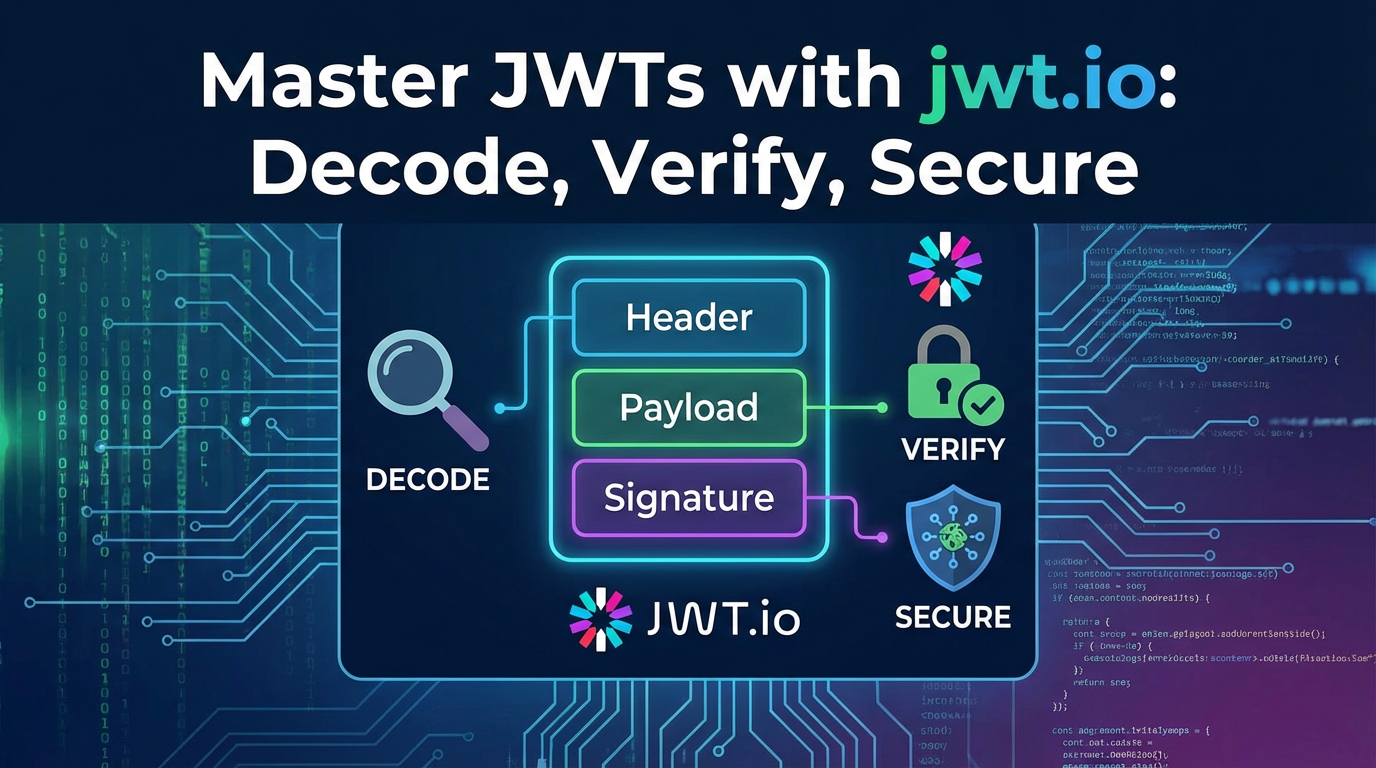
Every JWT is composed of three distinct parts, separated by dots (.): the Header, the Payload, and the Signature. Each part plays a crucial role in the token's functionality and security.
1. The Header: The Token's Metadata
The header, also known as the alg (algorithm) and typ (type), is the first part of a JWT. It is a JSON object that typically contains two fields:
alg(Algorithm): This field specifies the cryptographic algorithm used to sign the JWT. Common algorithms includeHS256(HMAC with SHA-256), which uses a shared secret key for signing and verification, andRS256(RSA Signature with SHA-256), which employs a private key for signing and a public key for verification. The choice of algorithm profoundly impacts the security model and key management strategy. For instance,HS256is simpler for single-application scenarios, whileRS256is often preferred in distributed systems, especially when anapi gatewayneeds to verify tokens signed by multiple distinct services using their respective public keys.typ(Type): This field typically indicates that the object is a JWT, with the literal value "JWT". While seemingly trivial, this helps parsers identify the token type.
When encoded, this JSON header is Base64Url-encoded, forming the first segment of the JWT string. For example:
{
  "alg": "HS256",
  "typ": "JWT"
}
2. The Payload (Claims): The Heart of the Information
The payload, the second part of the JWT, is also a JSON object. It contains the "claims" – statements about an entity (typically the user) and additional data. Claims are essentially key-value pairs that convey information. There are three categories of claims:
- Registered Claims: These are a set of predefined claims that are neither mandatory nor recommended, but provide a useful, interoperable set of claims. They offer guidance for commonly used functionalities and help prevent collisions. Understanding these claims is critical for implementing standard JWT-based authentication flows.
iss(Issuer): Identifies the principal that issued the JWT. For example, "your-auth-service.com" or "APIPark Authentication Gateway". This claim helps the receivingapiverify that the token originated from a trusted source.sub(Subject): Identifies the principal that is the subject of the JWT. This is often a user ID or an identifier for a client application. It uniquely identifies who the token is about.aud(Audience): Identifies the recipients that the JWT is intended for. This can be a string or an array of strings. For instance, if a token is meant for your "orders-api", theaudclaim might be "orders-api". This helps prevent tokens from being used by unintended services orapis. A robustapi gatewaywill always validate theaudclaim to ensure the request is directed to its intended destination.exp(Expiration Time): Identifies the expiration time on or after which the JWT MUST NOT be accepted for processing. The value is a NumericDate (Unix timestamp). This is arguably one of the most crucial claims for security, preventing long-lived tokens from being indefinitely valid, which would increase the risk in case of compromise.nbf(Not Before): Identifies the time before which the JWT MUST NOT be accepted for processing. Also a NumericDate. This can be useful for issuing tokens that become valid at a future point.iat(Issued At): Identifies the time at which the JWT was issued. This can be used to determine the age of the JWT.jti(JWT ID): Provides a unique identifier for the JWT. This claim can be used to prevent the JWT from being replayed. While not strictly part of the basic JWT specification's validation requirements, it is often employed in conjunction with a blacklist mechanism to enable token revocation, especially when managing access to sensitiveapis.
- Public Claims: These are claims defined by those who use JWTs. To avoid collision, they should be registered in the IANA JSON Web Token Claims Registry or be defined in a collision-resistant namespace. They allow for expanding the basic set of claims to cover specific, broadly applicable use cases without inventing new registered claims.
- Private Claims: These are custom claims created to share information between parties that agree to use them. For example, an application might include a "user_role" claim (
"user_role": "admin") or a "department_id" claim ("department_id": "engineering"). While highly flexible, it's crucial to remember that these claims are visible to anyone who decodes the token (even without verification of the signature). Therefore, sensitive information that should not be exposed should not be placed directly in the payload. Instead, only identifiers or references to sensitive data should be included, allowing the receiving service to fetch the full sensitive data from a secure backend store.
Like the header, the payload is Base64Url-encoded to form the second segment of the JWT. Example payload:
{
  "sub": "user123",
  "name": "Jane Doe",
  "admin": true,
  "iss": "https://auth.example.com",
  "aud": "https://api.example.com",
  "exp": 1678886400,
  "iat": 1678800000,
  "user_role": ["editor", "marketing"]
}
Here's a quick reference table for Registered Claims:
| Claim Name | Description | Type | Example Value | Common Use Case |
|---|---|---|---|---|
iss |
Issuer of the JWT | String | https://auth.example.com |
Verify token origin |
sub |
Subject of the JWT (e.g., user ID) | String | user_12345 |
Identify the user/entity the token is about |
aud |
Audience for whom the JWT is intended | String/Array | https://api.example.com |
Ensure token is used by the correct api or service |
exp |
Expiration time after which the JWT must not be accepted | NumericDate | 1678886400 |
Prevent indefinite token validity |
nbf |
Time before which the JWT must not be accepted | NumericDate | 1678799900 |
Token becomes valid at a future time |
iat |
Time at which the JWT was issued | NumericDate | 1678800000 |
Check token age, useful for refresh token strategies |
jti |
Unique identifier for the JWT | String | a7b8c9d0e1f2g3h4 |
Used for token revocation/blacklist, preventing replay |
3. The Signature: The Seal of Authenticity
The signature is the final and most critical part for ensuring the integrity and authenticity of the JWT. It is created by taking the Base64Url-encoded header, the Base64Url-encoded payload, concatenating them with a dot, and then cryptographically signing the resulting string using the algorithm specified in the header and a secret key (for symmetric algorithms) or a private key (for asymmetric algorithms).
The formula is conceptually:
signature = algorithm(base64UrlEncode(header) + "." + base64UrlEncode(payload), secret_or_private_key)
- Integrity: If any part of the header or payload is tampered with, the re-computed signature on the receiving end will not match the signature provided in the token, thus immediately invalidating the token. This is a fundamental security guarantee.
- Authenticity: Only the party possessing the secret key (or the private key in an asymmetric pair) can generate a valid signature. This ensures that the token genuinely originates from the expected issuer, preventing malicious entities from forging tokens.
The integrity of the JWT means that the receiving api can confidently rely on the information contained within the payload, knowing that it has not been altered since it was signed. This is particularly valuable when an api gateway performs initial validation and then forwards the token to multiple downstream microservices, each of which can independently trust the token's claims without re-validating with a central authority.
The Full JWT Structure
When these three parts are assembled, they form the complete JWT string, looking something like this:
eyJhbGciOiJIUzI1NiIsInR5cCI6IkpXVCJ9.eyJzdWIiOiJ1c2VyMTIzIiwibmFtZSI6IkphbmUgRG9lIiwiYWRtaW4iOnRydWUsImlzcyI6Imh0dHBzOi8vYXV0aC5leGFtcGxlLmNvbSIsImF1ZCI6Imh0dHBzOi8vYXBpLmV4YW1wbGUuY29tIiwiZXhwIjoxNjc4ODg2NDAwLCJpYXQiOjE2Nzg4MDAwMDAsInVzZXJfcm9sZSI6WyJlZGl0b3IiLCJtYXJrZXRpbmciXX0.H7c5f8g7h9i0j1k2l3m4n5o6p7q8r9s0t1u2v3w4x5y6z7A8B9C0D1E2F3G4H5I6J
Each segment, separated by a dot, corresponds to the Base64Url-encoded Header, Payload, and Signature, respectively. This structure is precisely what jwt.io helps us dissect and understand.
Decoding JWTs with jwt.io: Peeling Back the Layers
Having understood the theoretical components of a JWT, the next natural step is to see these theories in action. This is where jwt.io truly shines as an invaluable companion for developers. It's not just a tool; it's an interactive workbench that transforms abstract Base64Url-encoded strings into readable JSON objects, making the learning and debugging process incredibly intuitive.
The Power of jwt.io: Your Online Debugger
jwt.io is a free, open-source online debugger that allows you to paste a JWT and immediately see its decoded header and payload. More importantly, it provides a crucial interface for verifying the token's signature. Its user-friendly interface is divided into three main panes: "Encoded" (where you paste your token), "Decoded" (showing the parsed header and payload), and "Verify Signature" (where you enter the secret or public key). This direct visualization is immensely helpful for beginners trying to grasp JWT structure and for experienced developers debugging token-related issues.
How to Use jwt.io for Decoding: A Step-by-Step Guide
Using jwt.io for decoding is straightforward:
- Navigate to
jwt.io: Open your web browser and go tohttps://jwt.io/. - Locate the "Encoded" Section: On the left side of the page, you'll see a large text area labeled "Encoded." This is where you will input your JWT.
- Paste Your Token: Copy the full JWT string (the one with three dot-separated parts) from your application, network request, or wherever you obtained it, and paste it into the "Encoded" text area.
- Observe the Automatically Parsed Data: As soon as you paste a valid JWT,
jwt.ioautomatically parses and decodes the first two segments (Header and Payload) and displays them in the "Decoded" section on the right-hand side.- Header (Alg & Typ): You will see the JSON object containing the
alg(algorithm) andtyp(type) fields. - Payload (Data): Below the header, you will see another JSON object containing all the claims (registered, public, and private) that were embedded in the token.
jwt.iowill also intelligently highlight and interpret common claims likeexp(expiration time), indicating if the token is already expired based on the current system time.
- Header (Alg & Typ): You will see the JSON object containing the
- Interpret the Decoded Data: Now you can inspect the contents of the token. What is the algorithm used? Who issued the token? What is the subject? What roles or permissions are encoded? When does it expire? This immediate visibility is crucial for understanding what information your
apis are receiving and processing.
Practical Scenarios for Decoding
Decoding a JWT isn't just a party trick; it's a fundamental debugging and analysis technique with numerous practical applications:
- Debugging Authentication Issues: If a user is unable to access a protected resource, one of the first troubleshooting steps is to decode their JWT. You can check if the correct user ID (
sub) is present, if the necessary roles or permissions are encoded in private claims, or if the token has already expired (exp). - Inspecting Claims Sent by an
api: When an authentication service or anapi gatewayissues a JWT, you might want to confirm that it contains all the expected claims. Decoding allows you to verify that theiss(issuer),aud(audience), and any custom claims (likeuser_idortenant_id) are correctly populated. This is vital for ensuring your downstreamapis receive the necessary context for authorization. - Understanding Token Expiration:
jwt.ioconveniently calculates and displays the remaining time until a token expires, or indicates if it has already expired. This is incredibly useful for diagnosing "token expired" errors and understanding the lifecycle of your tokens. - Analyzing Custom Data Within the Payload: If your application uses private claims to store specific data (e.g., subscription tier, language preference), decoding allows you to quickly verify if this data is being correctly included in the token. This helps in ensuring that your
apis can receive the necessary contextual information to tailor responses or enforce business logic. - Educational Purposes: For developers new to JWTs,
jwt.ioprovides an unparalleled learning experience. It turns the abstract into concrete, helping to solidify understanding of token structure and data encapsulation.
Security Implications of Decoding: A Crucial Distinction
It is paramount to understand that decoding a JWT is not the same as verifying it. Anyone with access to a JWT can decode its header and payload because these parts are merely Base64Url-encoded, not encrypted. This means that any information you put into the header or payload should be considered publicly visible.
Decoded information is visible, but its integrity is not guaranteed by decoding alone. The signature is what ensures integrity and authenticity. A malicious actor could take a valid decoded payload, change some claims (e.g., change "admin": false to "admin": true), encode it, and then try to use it. Without signature verification, an application might erroneously trust this manipulated token. Therefore, while decoding is excellent for inspection, it never replaces the critical step of signature verification performed on the server-side.
Verifying JWTs: Ensuring Authenticity and Integrity
While decoding provides transparency into a JWT's contents, the true security value of a JWT lies in its signature. Verification is the process by which a receiving service confirms that a token has not been tampered with and was indeed issued by a trusted entity. Without robust verification, JWTs offer no more security than plain text. This step is the cornerstone of trust in a stateless authentication system.
Why Verification is Crucial: The Bedrock of Trust
Imagine a system where tokens are merely decoded. A malicious user could intercept a legitimate token, alter its payload to grant themselves administrative privileges, and then re-encode it. If the api only decoded the token and read the claims, it would mistakenly grant access. Verification prevents this. By validating the signature, the receiving api can confidently assert two things:
- Integrity: The header and payload of the token have not been altered since the token was signed.
- Authenticity: The token was signed by the legitimate issuer who possesses the secret or private key.
These assurances are fundamental for any secure api and application, especially in microservices architectures where tokens might traverse multiple services, all needing to trust the original issuer.
The Verification Process: A Server-Side Imperative
The verification process typically occurs on the server-side (e.g., within an api gateway or individual api service) and involves several steps:
- Retrieve the Token: The service extracts the JWT from the incoming request (usually from the
Authorizationheader, prefixed withBearer). - Decode Header and Payload: The header and payload are Base64Url-decoded to reveal their JSON content.
- Obtain the Key: Based on the
alg(algorithm) specified in the header, the service retrieves the appropriate secret key (for symmetric algorithms) or public key (for asymmetric algorithms) that corresponds to the token's issuer. This key must be securely stored and managed. - Re-compute the Signature: The service takes the original Base64Url-encoded header and payload (as they appear in the token) and applies the signing algorithm (from the header) using the retrieved key to generate a new signature.
- Compare Signatures: The newly computed signature is compared byte-for-byte with the signature segment provided in the original JWT.
- If they match, the token's integrity and authenticity are confirmed.
- If they do not match, the token has been tampered with or was signed by an unknown entity, and it MUST be rejected.
- Validate Claims: Even if the signature is valid, additional claims must be validated to ensure the token is still usable and intended for the current context. This includes checking
exp,nbf,iss,aud, and potentiallyjti.
Using jwt.io for Verification
jwt.io makes the verification process visually understandable:
- Input Your Token: As before, paste your full JWT into the "Encoded" section.
- Locate the "Verify Signature" Section: Scroll down to the bottom right of the
jwt.iopage. - Enter the Secret (for HS256) or Public Key (for RS256):
- For HS256 (HMAC SHA256): If the token's algorithm is symmetric (e.g., HS256), you need to enter the exact same secret string that was used to sign the token into the "your-secret" field. Case sensitivity and encoding (e.g., UTF-8) are crucial.
- For RS256 (RSA SHA256) or ES256 (ECDSA SHA256): If the token's algorithm is asymmetric, you'll typically need to paste the corresponding public key (often in PEM format, starting with
-----BEGIN PUBLIC KEY-----and ending with-----END PUBLIC KEY-----) into the "Public Key" field.
- Observe the Verification Result:
jwt.iowill instantly attempt to verify the signature.- "Signature Verified": A green message indicating that the signature is valid and matches. This means the token is authentic and untampered, given the secret/public key you provided is correct.
- "Invalid Signature": A red message signifying that the signature is invalid. This could mean you've entered the wrong secret/public key, the token has been tampered with, or it was signed by an unknown entity.
- Other Errors:
jwt.iomight also show errors related to malformed tokens or incorrect key formats.
Symmetric vs. Asymmetric Signatures: Key Management Choices
The choice of signing algorithm is a significant architectural decision, impacting key management and the overall security model.
- HS256 (HMAC with SHA-256):
- Mechanism: Uses a single, shared secret key for both signing the token and verifying its signature.
- Pros: Simpler to implement and often faster.
- Cons: The same secret must be securely shared between the issuer and all verifying services. This can be challenging in large microservices architectures. If the secret is compromised, all tokens signed with it are at risk.
- Use Cases: Ideal for single-application setups or scenarios where the issuer and verifier are tightly coupled and can easily share a secret, for example, a monolithic application or a small set of microservices managed by a single team.
- RS256 (RSA Signature with SHA-256) and ES256 (ECDSA Signature with SHA-256):
- Mechanism: Uses a public/private key pair. The private key is used by the issuer to sign the token, while the corresponding public key is used by any recipient to verify the signature.
- Pros: Enhanced security and scalability for distributed systems. The private key remains securely with the issuer, and only the public key (which can be widely distributed) is needed for verification. This means that multiple
apis can verify tokens without needing access to the sensitive private key. Anapi gatewaycan easily manage public keys from various identity providers and quickly verify incoming tokens. - Cons: More complex key management (generating, storing, and rotating key pairs). Verification can be slightly slower than symmetric algorithms.
- Use Cases: Highly recommended for large-scale microservices architectures, public APIs, or any scenario where multiple services need to verify tokens issued by a central authentication service or an external identity provider without sharing secrets.
api gatewaysfrequently leverage asymmetric signing for centralized JWT validation.
Claim Validation Beyond Signature
A valid signature is a necessary but not sufficient condition for accepting a JWT. Once the signature is verified, the claims within the payload must also be validated against application-specific rules and policies. Neglecting claim validation is a common and dangerous oversight.
exp(Expiration): Always check that the token has not expired. Reject tokens with anexpclaim in the past.jwt.iohelps visualize this, but your server-side code must enforce it.nbf(Not Before): If present, ensure the current time is not before thenbftime. Reject tokens used prematurely.iss(Issuer): Verify that the token was issued by the expected authority. If your application expects tokens fromhttps://auth.example.com, reject any token with a differentiss. This is a critical check for anapi gateway.aud(Audience): Ensure the token is intended for your specific service or application. If yourapiis "payments-api", it should only accept tokens with"aud": "payments-api". This prevents tokens meant for one service from being used on another. Anapi gatewaycan perform this check before routing the request.jti(JWT ID): While optional,jtican be used to implement token revocation. By maintaining a blacklist ofjtis for compromised or logged-out tokens, you can prevent replay attacks or continued use of invalidated tokens.
Thorough claim validation, in conjunction with signature verification, forms a robust defense against various attack vectors and ensures that your apis only process legitimate and contextually valid requests.
APIPark is a high-performance AI gateway that allows you to securely access the most comprehensive LLM APIs globally on the APIPark platform, including OpenAI, Anthropic, Mistral, Llama2, Google Gemini, and more.Try APIPark now! 👇👇👇
Securing Your Applications with JWTs: Best Practices and Advanced Concepts
Implementing JWTs effectively extends far beyond simply issuing and verifying them. It requires a holistic approach to security, encompassing how tokens are stored, managed, and revoked, as well as how they integrate with your application's authorization logic. Adhering to best practices is paramount to harnessing the power of JWTs without introducing vulnerabilities.
Token Storage Strategies: Where Do Tokens Reside?
The way a client-side application stores a JWT is a critical security consideration, as improper storage can expose tokens to attacks like Cross-Site Scripting (XSS) or Cross-Site Request Forgery (CSRF).
HttpOnlyCookies:- Pros: Tokens stored in
HttpOnlycookies are inaccessible to client-side JavaScript, significantly mitigating XSS risks. They are automatically sent with every request to the domain they were set for, simplifyingapicalls.Securecookies (sent only over HTTPS) further enhance security. - Cons: Still vulnerable to CSRF attacks if not adequately protected (e.g., using anti-CSRF tokens in conjunction). Cannot be directly accessed or manipulated by client-side JavaScript, which might be a limitation for certain front-end frameworks that expect direct token access.
- Best for: Web applications where the server manages cookie issuance and validation, often coupled with CSRF protection mechanisms. An
api gatewaycan be configured to manage these cookies efficiently.
- Pros: Tokens stored in
localStorage/sessionStorage:- Pros: Easily accessible by client-side JavaScript, providing flexibility for single-page applications (SPAs) to manage tokens.
- Cons: Highly vulnerable to XSS attacks. If an attacker successfully injects malicious JavaScript, they can easily steal the JWT from
localStorageand impersonate the user. No built-in protection against CSRF. - Avoid for sensitive access tokens. While convenient, the XSS risk often outweighs the benefits for critical authentication tokens. If used, extreme care must be taken to prevent XSS vulnerabilities throughout the application.
- Memory (JavaScript variables):
- Pros: Least vulnerable to persistent storage attacks, as tokens are held in volatile memory and disappear upon page refresh or tab closure.
- Cons: Requires re-authentication more frequently or a refresh token mechanism. Less convenient for long user sessions.
- Best for: Very short-lived tokens or in combination with a robust refresh token flow, where the actual access token has a very brief lifespan and is never persisted.
The consensus generally leans towards HttpOnly cookies for primary access tokens in web applications, often complemented by a refresh token strategy.
Token Revocation: The Necessary Evil
One of the often-cited challenges with JWTs is their stateless nature. Once issued and signed, a JWT is typically valid until its expiration time. This raises a crucial question: What happens if a user logs out, their account is compromised, or their permissions change before the token expires? Without a revocation mechanism, such tokens could continue to grant access, posing a significant security risk.
- Why it's Needed:
- User Logout: When a user logs out, their current active token should be immediately invalidated.
- Compromised Tokens: If a token is stolen or leaked, it needs to be revoked instantly to prevent unauthorized access.
- Permission Changes: If a user's roles or permissions are downgraded, their active tokens should ideally be revoked to enforce the new permissions immediately.
- Mechanisms:
- Blacklists/Whitelists: The most common approach involves maintaining a server-side list of revoked JWTs (blacklisting) or a list of currently active JWTs (whitelisting). When an
apireceives a JWT, it first checks this list. If the token'sjti(JWT ID) is on the blacklist, it's rejected. This introduces a stateful component, typically a fast in-memory store like Redis, which somewhat diminishes the "stateless" advantage of JWTs but is often a necessary trade-off for security. Anapi gatewaycan be configured to manage and consult such blacklists centrally. - Short-Lived Tokens with Refresh Tokens: This is the most widely recommended approach for a balance of security and user experience.
- Blacklists/Whitelists: The most common approach involves maintaining a server-side list of revoked JWTs (blacklisting) or a list of currently active JWTs (whitelisting). When an
Refresh Tokens: Balancing Security and User Experience
Short-lived access tokens (e.g., expiring in 5-15 minutes) are good for security because they limit the window of opportunity for attackers. However, frequent re-authentication can be disruptive to the user. Refresh tokens solve this problem.
- How They Work:
- Upon successful login, the server issues two tokens: a short-lived Access Token and a longer-lived Refresh Token.
- The Access Token is used to access protected
apiresources. It is typically stored securely (e.g., in anHttpOnlycookie or memory). - When the Access Token expires, the client sends the Refresh Token to a designated
/refreshendpoint. - The server validates the Refresh Token (which is typically a unique, cryptographically secure ID stored in a secure database) and, if valid, issues a new Access Token and potentially a new Refresh Token.
- Refresh tokens are usually single-use, meaning a new one is issued with each refresh, and the old one is invalidated. They are often tied to specific devices or IP addresses for added security.
- Securing Refresh Tokens: Refresh tokens are highly sensitive because they can grant new access tokens. They should be:
- Stored securely on the client (e.g., in
HttpOnlycookies for web apps, secure storage for mobile apps). - Stored securely on the server (e.g., hashed in a database, associated with user and device).
- Single-use or rotated.
- Revocable. If a refresh token is compromised, it should be immediately invalidated.
- Stored securely on the client (e.g., in
Implementing JWTs in Backend APIs
Integrating JWTs into your backend apis requires careful consideration of how authentication and authorization are performed.
- Middleware for
apiAuthentication: Most web frameworks offer middleware or interceptors that can be configured to process incoming requests. This middleware is the ideal place to:- Extract the JWT from the
Authorizationheader. - Validate the JWT's signature using the correct secret/public key.
- Validate essential claims (
exp,iss,aud,nbf). - Check for token revocation (if a blacklist is in use).
- If validation succeeds, parse the claims and attach the user's identity and permissions to the request object, making them available to downstream
apihandlers. - If validation fails, reject the request with an appropriate HTTP status code (e.g., 401 Unauthorized, 403 Forbidden).
- Extract the JWT from the
- Role-Based Access Control (RBAC) and Claim-Based Authorization: Once the token is validated and its claims are extracted, your
apiendpoints can use these claims for fine-grained authorization.- RBAC: A claim like
"user_role": ["admin", "editor"]allows yourapito check if the user has the necessary role to access a specific resource or perform an action. - Claim-Based: Beyond roles, you can use any claim for authorization, e.g., checking
"tenant_id": "org_abc"to ensure a user only accesses resources belonging to their organization. - It's important to keep authorization logic in the
apiitself, using the claims as trusted input, rather than purely relying on thegatewayto handle all authorization, which might require more context than thegatewaypossesses.
- RBAC: A claim like
Securing Your Secret/Private Key: The Crown Jewels
The secret key (for HS256) or the private key (for RS256/ES256) used to sign your JWTs is the most critical asset in your JWT security model. Its compromise leads to total system compromise, as an attacker could then forge valid tokens for any user.
- Never Hardcode: Do not hardcode secrets directly into your application's source code.
- Environment Variables: Use environment variables to inject secrets into your application at runtime.
- Key Management Systems (KMS): For production environments, utilize dedicated Key Management Systems (AWS KMS, Azure Key Vault, HashiCorp Vault, etc.) to securely store, manage, and rotate cryptographic keys. Your application should only retrieve the key from the KMS when needed.
- Access Control: Implement strict access control to who can retrieve or manage these keys.
- Rotation: Regularly rotate your signing keys to minimize the impact of a potential compromise.
Rate Limiting and Throttling: Protecting Your API Gateway and Services
Even with perfectly valid and signed JWTs, your apis and especially your api gateway are susceptible to abuse through excessive requests. Rate limiting and throttling are essential layers of defense.
- Rate Limiting: Restricts the number of requests a user or client can make to an
apiwithin a specific timeframe (e.g., 100 requests per minute). - Throttling: Controls the rate at which
apiconsumers can call anapi, often used to prevent resource exhaustion or to manage traffic based on subscription tiers. - Implementation: An
api gatewayis an ideal place to implement these policies. It can inspect thesub(subject) orclient_idclaims from the JWT to identify the requester and enforce limits before requests even reach your backend services. This protects your downstreamapis from being overwhelmed.
APIPark: Streamlining JWT Management and API Security
In complex ecosystems with numerous APIs, especially those leveraging AI models, managing authentication and authorization becomes a formidable task. This is precisely where a sophisticated API gateway like APIPark demonstrates its immense value. APIPark is an open-source AI gateway and API management platform designed to streamline the entire API lifecycle, from integration to secure deployment, and it inherently enhances JWT-based security practices.
An API gateway serves as the single entry point for all API requests, acting as a crucial control plane. It can centralize many of the JWT management tasks, significantly reducing the burden on individual microservices. With APIPark, you can:
- Centralized JWT Validation: APIPark can be configured to perform signature verification and critical claim validations (
exp,iss,aud) for all incoming requests before they are routed to your backend services. This offloads the validation logic from each individualapi, ensuring consistent security policies across your entireapilandscape. If a token is invalid or expired, APIPark can reject it at thegatewaylevel, preventing illegitimate traffic from reaching your valuable resources. - Unified Authentication & Authorization: APIPark's "Unified API Format for AI Invocation" and its end-to-end API lifecycle management capabilities inherently rely on robust security. It can integrate with various authentication methods, including JWTs, to manage
apiaccess. This means you can define authorization rules based on JWT claims directly within thegateway, controlling which users or client applications can access specific APIs or functionalities. - API Access Permissions and Approval: APIPark enables "API Resource Access Requires Approval" features, where callers must subscribe to an
apiand await administrator approval. This can work in conjunction with JWTs, where an administrator might issue or enable JWTs for approved subscribers, with specificaudor custom claims indicating their approved access. This provides an additional layer of control, preventing unauthorized API calls and potential data breaches. - Detailed Logging for Security Audits: APIPark provides "Detailed API Call Logging," recording every detail of each
apicall. This is invaluable for security audits, allowing you to trace who accessed what, when, and with what token. Such logs are crucial for identifying suspicious activities and troubleshooting security incidents related to JWT usage. - Performance and Scalability: With performance rivaling Nginx (over 20,000 TPS with modest resources), APIPark can handle the high traffic volumes of modern
apis while consistently enforcing JWT security policies, ensuring both performance and protection for your digital assets. - Prompt Encapsulation into REST API: Even when creating new APIs by combining AI models with custom prompts (e.g., sentiment analysis), the resulting
apis still need to be secured. APIPark ensures that access to these newly createdapis is governed by the same robust authentication and authorization mechanisms, typically leveraging JWTs, maintaining a consistent security posture.
By deploying APIPark, organizations can centralize their api security posture, simplify JWT management, and gain granular control over who accesses their valuable apis, whether they are traditional REST services or cutting-edge AI models. It acts as a powerful front-line defense, ensuring that only authenticated and authorized requests, bearing valid JWTs, proceed to your backend services.
Common JWT Pitfalls and How to Avoid Them
Even with a solid understanding of JWTs and best practices, developers can still fall into common traps that compromise security. Awareness of these pitfalls is crucial for building truly resilient applications.
1. "None" Algorithm Vulnerability: The Danger of Unsigned Tokens
One of the most infamous JWT vulnerabilities is the "none" algorithm attack. The JWT specification allows for an alg value of "none," indicating an unsigned token. If a server-side library or api is poorly implemented and accepts tokens with alg: "none" while expecting a signed token, an attacker can simply take a legitimate JWT's payload, set the algorithm to "none," remove the signature, and send it. The server would then process the (potentially modified) payload as if it were valid, granting the attacker unauthorized access.
- Avoidance: Always explicitly blacklist or disallow the
alg: "none"value in your server-side JWT validation logic. Your validation library should enforce that thealgclaim matches the expected signing algorithm and reject any token claiming "none" when signing is required.
2. Exposing Secrets: Hardcoding and Poor Key Management
As discussed, the security of symmetric JWTs (HS256) relies entirely on the confidentiality of the shared secret. For asymmetric JWTs (RS256), the private key must remain secret.
- Avoidance:
- Never hardcode secrets or private keys directly into your application's source code, configuration files, or version control.
- Use environment variables, secure configuration management tools, or dedicated Key Management Systems (KMS) for key storage.
- Rotate keys regularly.
- Implement strict access control to your key management infrastructure.
3. Lack of Claim Validation: The Blind Trust Syndrome
Verifying the signature is only half the battle. Many developers, after confirming the signature, trust the token's payload implicitly. However, critical claims like exp, iss, and aud must always be explicitly validated.
- Avoidance: Implement comprehensive claim validation:
- Always check
expto ensure the token hasn't expired. - Validate
issto ensure the token came from your expected issuer. - Verify
audto confirm the token is intended for yourapior application. - Check
nbfif you issue tokens with future validity. - Consider implementing
jtiwith a blacklist for token revocation.
- Always check
4. Long-Lived Access Tokens Without Revocation: A Large Attack Surface
Issuing access tokens with very long expiration times (e.g., hours, days, or weeks) without a robust revocation mechanism creates a significant attack surface. If such a token is compromised, an attacker has a long window to exploit it.
- Avoidance:
- Keep access tokens short-lived (e.g., 5-15 minutes).
- Implement a refresh token mechanism for better user experience. Refresh tokens should be long-lived, securely stored, single-use, and revocable.
- For highly sensitive actions, consider implementing on-demand token revocation via a blacklist or by shortening the access token's lifetime even further and requiring re-authentication or step-up authentication.
5. Storing Sensitive Data in Payload: Decoding vs. Encryption
Remember that JWT payloads are only Base64Url-encoded, not encrypted. Anyone who intercepts a JWT can easily decode its header and payload using tools like jwt.io.
- Avoidance: Never put sensitive, personally identifiable information (PII), or confidential data directly into the JWT payload.
- Instead, include only non-sensitive identifiers (e.g.,
user_id,tenant_id) in the token. The receivingapican then use these identifiers to fetch the sensitive data from a secure, authorized backend database if necessary. - If you genuinely need to transmit encrypted data, consider using JWE (JSON Web Encryption) in conjunction with JWTs, or transmit sensitive data through separate, encrypted channels.
- Instead, include only non-sensitive identifiers (e.g.,
6. JWT vs. Session Tokens: Understanding When to Use Which
While JWTs are excellent for stateless api authentication, they are not a silver bullet for all authentication scenarios. Traditional session tokens still have their place.
- When to Use JWTs:
- Stateless APIs: Microservices, mobile
apis, single-page applications. - Cross-Domain/Cross-Service Authentication: When multiple services need to verify identity without a shared session store.
- Authorization: Encoding roles and permissions directly in the token.
- Stateless APIs: Microservices, mobile
- When to Consider Session Tokens:
- Traditional Web Applications (Server-Side Rendered): Where server-side state is natural and CSRF protection is simpler with session-bound cookies.
- Strong Revocation Requirements: When immediate and guaranteed token revocation is a paramount concern for every request without any additional stateful mechanisms.
Choosing the right authentication mechanism depends on your application's architecture, security requirements, and scalability needs. Often, a hybrid approach with JWTs for apis and traditional sessions for specific web UI parts might be optimal.
The Role of JWTs in Modern API Gateways
In today's interconnected digital ecosystems, the api gateway has emerged as a critical component, acting as the centralized entry point for all client requests to backend services. This architecture is particularly prevalent in microservices, where dozens or even hundreds of independent services collaborate to deliver an application. Within this context, JWTs play an absolutely pivotal role in simplifying and securing inter-service communication and client access.
An api gateway, such as the robust APIPark platform, is far more than just a proxy; it is an intelligent traffic cop, a security enforcer, and a policy manager for your apis. Its strategic position makes it the ideal place to handle many cross-cutting concerns, with JWT validation and authorization being among the most important.
Centralized JWT Validation: Offloading Burden from Microservices
One of the primary benefits of an api gateway is its ability to centralize JWT validation. Instead of each individual microservice being responsible for: 1. Extracting the token. 2. Verifying the signature. 3. Validating claims (exp, iss, aud). 4. Checking for revocation (if applicable).
The api gateway can perform these critical steps once, at the very edge of your network. * Consistency: This ensures a consistent approach to JWT validation across all your services, preventing individual service implementations from having different or lax security checks. * Efficiency: Valid requests (with valid JWTs) are allowed to proceed, while invalid or unauthorized requests are rejected immediately, saving precious computational resources in your downstream services. * Simplicity for Developers: Backend api developers can trust that any request reaching their service has already passed authentication and basic authorization checks, allowing them to focus on business logic rather than re-implementing JWT validation. The gateway can even enrich the request with decoded JWT claims, making them easily accessible to the microservice.
Authorization Checks Based on JWT Claims
Beyond mere authentication (is the token valid?), an api gateway can also enforce authorization policies based on the claims within the JWT. * Role-Based Routing: The gateway can inspect claims like "user_role": "admin" or "user_scope": ["read", "write"] and route requests to specific api versions, restrict access to certain endpoints, or even modify the request based on the user's permissions. For instance, a user with only "read" scope might be allowed to access GET endpoints but blocked from POST/PUT/DELETE methods by the gateway. * Tenant Isolation: For multi-tenant applications, a claim like "tenant_id": "org_xyz" can be used by the gateway to ensure requests are only routed to apis or data stores associated with that specific tenant, providing powerful isolation at the edge. * API-Specific Access: The aud (audience) claim is particularly useful here. An api gateway can ensure that a token with "aud": "payments-api" is only routed to the payments service and rejected if it tries to access the user-profile service.
Enforcing Security Policies Before Requests Reach Upstream API Services
The api gateway acts as the first line of defense, intercepting all requests. This strategic position allows it to enforce a wide array of security policies proactively, using JWTs as the foundation: * Rate Limiting and Throttling: As mentioned, the gateway can identify users/clients via JWT claims (sub, client_id) and apply granular rate limits, protecting apis from abuse and DDoS attacks. * IP Whitelisting/Blacklisting: While not directly JWT-related, combining IP-based restrictions with JWT validation enhances overall security. * Schema Validation: The gateway can validate request bodies against predefined schemas, protecting apis from malformed or malicious input. * Request/Response Transformation: It can transform requests or responses, adding security headers, stripping sensitive information from responses, or injecting additional claims derived from the JWT into the request before forwarding it to a backend service.
Integrating with Identity Providers to Issue JWTs
While JWT verification is a core gateway function, some api gateways can also integrate directly with identity providers (IdPs) or act as an authentication server themselves to issue JWTs. * This simplifies the overall architecture, as the gateway becomes a central point for both issuance and verification, especially for internal apis or when consolidating multiple authentication sources. * It provides a unified experience for developers and consumers alike, as all authentication flows go through a single, well-defined endpoint.
Auditing and Logging of JWT Usage
An api gateway provides a single point for comprehensive logging of all api traffic, including details related to JWTs. * Centralized Logs: Detailed logs of every request, including the JWTs received, their validation status, and the claims extracted, are invaluable for security monitoring, auditing, and compliance. * Troubleshooting: When issues arise (e.g., "invalid token" errors), these logs can quickly pinpoint whether the problem lies with token issuance, transmission, or gateway validation. * Security Incident Response: In the event of a security breach or suspected misuse, the gateway logs provide a clear audit trail of who accessed what and when, based on their authenticated JWTs. APIPark's "Detailed API Call Logging" and "Powerful Data Analysis" features are designed precisely for this, offering long-term trends and helping with preventive maintenance.
In summary, the api gateway acts as the crucial enforcement point for JWT-based security. By centralizing validation, enforcing authorization policies, and providing comprehensive logging, it empowers organizations to build secure, scalable, and manageable api ecosystems, with JWTs serving as the trusted passport for digital interactions. The strategic deployment of a powerful gateway solution like APIPark transforms complex api security into a manageable, efficient, and robust operation.
Conclusion: Empowering Secure API Development
Our journey through the world of JSON Web Tokens has revealed them to be much more than simple strings; they are a sophisticated and indispensable component of modern web and API security. From their compact, self-contained structure comprising a header, payload, and cryptographic signature, to their role in enabling stateless authentication and fine-grained authorization, JWTs are fundamental to building scalable and secure distributed systems.
We've delved into the specifics of decoding JWTs, using jwt.io as our immediate visual aid to unveil the hidden information within. This crucial first step, while not a guarantee of security, provides invaluable transparency for debugging, inspection, and understanding. More importantly, we meticulously explored the rigorous process of verifying JWTs, emphasizing that the signature is the unyielding seal of authenticity and integrity. Without proper signature verification using the correct secret or public key, JWTs are merely encoded data, easily forged and dangerously misleading. Furthermore, we underscored the critical importance of validating all relevant claims—expiration, issuer, and audience—to ensure the token's contextual validity.
Beyond the mechanics, we've outlined a comprehensive set of best practices for securing applications with JWTs: from choosing appropriate token storage strategies that mitigate XSS and CSRF risks, to implementing robust revocation mechanisms and the powerful refresh token flow that balances security with user experience. We highlighted the imperative of safeguarding your signing keys as the crown jewels of your system and discussed how to integrate JWT validation seamlessly into your backend apis and api gateways. We also addressed common pitfalls, arming you with the knowledge to avoid vulnerabilities such as the "none" algorithm attack or the exposure of sensitive data in payloads.
The strategic role of an API gateway in managing JWTs cannot be overstated. By centralizing JWT validation, enforcing security policies, and providing comprehensive auditing, a robust gateway solution like APIPark acts as the ultimate guardian for your apis. It ensures that only authenticated and authorized requests, bearing cryptographically verified JWTs, ever reach your valuable backend services, simplifying security for individual microservices and enhancing the overall resilience of your architecture.
As you continue to build and secure your applications, let the principles of JWTs guide you. Use jwt.io as your persistent companion for learning and debugging. Adopt best practices diligently. And leverage the power of advanced api gateway solutions to streamline your security operations. By mastering JWTs—decoding their secrets, verifying their authenticity, and securing your implementation—you empower yourself to build the next generation of robust, scalable, and inherently secure digital experiences.
Frequently Asked Questions (FAQs)
1. What is the fundamental difference between encoding and encrypting a JWT payload? Encoding a JWT payload (using Base64Url) merely transforms the data into a different format that is safe for transmission across various systems (like URLs), but it offers no security or confidentiality. Anyone can easily decode an encoded payload using readily available tools like jwt.io to reveal its original content. In contrast, encrypting a payload scrambles the data using a cryptographic key, making it unreadable without the corresponding decryption key. Encryption provides confidentiality, ensuring that only authorized parties can read the content. JWTs themselves (JWS - JSON Web Signature) are only encoded and signed for integrity and authenticity; for confidentiality, you would need to use JWE (JSON Web Encryption).
2. Why is the "none" algorithm a security vulnerability, and how can I prevent it? The "none" algorithm vulnerability arises when a server accepts a JWT with alg: "none" without a signature, even though it expects a signed token. An attacker can modify a legitimate token's claims, set alg to "none", strip the signature, and send it. If the server doesn't explicitly check for and reject alg: "none" when signing is required, it will process the tampered token as valid. To prevent this, your JWT validation library or custom logic on the server-side must explicitly disallow or blacklist the "none" algorithm if signed tokens are expected. Always ensure your code verifies that the alg claim matches the actual cryptographic algorithm used by your system.
3. How do JWTs handle user logout or account compromise, given their stateless nature? Since JWTs are stateless and generally valid until expiration, explicit server-side mechanisms are needed for immediate revocation upon logout or compromise. The most common methods are: a. Blacklisting: Storing the unique JWT ID (jti claim) of revoked tokens in a server-side store (e.g., Redis). Before granting access, the api or api gateway checks if the token's jti is on the blacklist. b. Short-lived Access Tokens with Refresh Tokens: Access tokens are given a very short expiry (e.g., 5-15 minutes). Users are given a separate, longer-lived refresh token. On logout, the refresh token is revoked immediately, preventing the issuance of new access tokens. This minimizes the window of opportunity for a compromised access token.
4. What are the key considerations for storing JWTs securely on the client-side (web browser)? Secure client-side storage is critical to prevent token theft via XSS or CSRF. a. HttpOnly, Secure Cookies: This is generally recommended for web applications. The HttpOnly flag prevents client-side JavaScript from accessing the cookie, mitigating XSS risks. The Secure flag ensures the cookie is only sent over HTTPS. CSRF protection (e.g., using anti-CSRF tokens in conjunction) is still necessary. b. Avoid localStorage and sessionStorage for Access Tokens: These are highly vulnerable to XSS, as malicious JavaScript can easily read tokens stored there. They are generally unsuitable for storing sensitive access tokens. c. Memory Storage: Storing access tokens in JavaScript memory variables (and having a refresh token flow) is the most secure for access tokens, but requires re-fetching tokens after every page refresh or tab closure, which might impact user experience.
5. How does an API Gateway like APIPark enhance JWT security for my microservices? An API Gateway acts as a central enforcement point, significantly strengthening JWT security by: a. Centralized Validation: It performs signature verification and essential claim validations (exp, iss, aud) for all incoming requests, offloading this burden from individual microservices and ensuring consistent security. b. Policy Enforcement: It can enforce authorization policies based on JWT claims (e.g., role-based access, tenant isolation) before requests even reach your backend services. c. Rate Limiting & Throttling: It uses JWT claims (sub, client_id) to apply granular rate limits, protecting your APIs from abuse. d. Auditing & Logging: It provides comprehensive logs of JWT usage, validation outcomes, and API calls, which are crucial for security monitoring and incident response. e. Simplification: It streamlines API development by allowing microservices developers to assume incoming requests are already authenticated and authorized, fostering faster and more secure development cycles.
🚀You can securely and efficiently call the OpenAI API on APIPark in just two steps:
Step 1: Deploy the APIPark AI gateway in 5 minutes.
APIPark is developed based on Golang, offering strong product performance and low development and maintenance costs. You can deploy APIPark with a single command line.
curl -sSO https://download.apipark.com/install/quick-start.sh; bash quick-start.sh

In my experience, you can see the successful deployment interface within 5 to 10 minutes. Then, you can log in to APIPark using your account.

Step 2: Call the OpenAI API.