Master Your Okta Dashboard: Essential Guide & Tips


In today's intricate digital landscape, where applications proliferate and access points multiply, the ability to effectively manage identity and access is not merely a convenience—it is a fundamental pillar of operational security and efficiency. Businesses, from burgeoning startups to sprawling global enterprises, grapple with the challenge of providing seamless yet secure access to a myriad of resources, all while safeguarding sensitive data and maintaining regulatory compliance. This is precisely where a robust Identity and Access Management (IAM) solution becomes indispensable. Among the leading contenders in this crucial domain stands Okta, a cloud-native platform celebrated for its comprehensive capabilities in user authentication, authorization, and lifecycle management.
At the heart of the Okta ecosystem lies the Okta Dashboard, a versatile interface that serves as both a personalized application launchpad for end-users and a powerful command center for IT administrators. For the average employee, it's the gateway to their daily productivity tools, streamlining access with the simplicity of Single Sign-On (SSO). For the IT professional, however, the Okta Admin Console—the administrative facet of the dashboard—is a sophisticated toolkit, an intricate control panel that dictates the very fabric of an organization's digital access. It's the nerve center from which policies are crafted, users are managed, applications are integrated, and the security posture of an entire enterprise is defined and enforced.
Navigating this critical interface effectively is paramount for any organization leveraging Okta. A superficial understanding risks not only inefficiencies in daily operations but also potential security vulnerabilities that could compromise sensitive information and erode trust. Conversely, a deep mastery of the Okta Dashboard empowers IT teams to optimize workflows, enhance user experience, and erect an unyielding defense against evolving cyber threats. This comprehensive guide is meticulously crafted to empower you, whether you're a seasoned IT administrator, a security analyst, or a curious power user, to unlock the full potential of your Okta Dashboard. We will embark on a journey from foundational concepts to advanced configurations, explore best practices, and uncover invaluable tips that will transform your interaction with Okta from mere usage into genuine mastery. By the conclusion of this extensive exploration, you will possess the knowledge and strategic insights necessary to harness Okta's full power, ensuring a secure, efficient, and user-friendly access environment for your entire organization.
Chapter 1: Understanding the Okta Dashboard Ecosystem
The Okta Dashboard is more than just a landing page; it's a dynamic, two-sided interface catering to distinct user groups with vastly different needs and permissions. To truly master Okta, it's essential to understand both its end-user manifestation and its administrative counterpart, the Admin Console, and how they collectively form a cohesive identity and access management ecosystem.
1.1 What is the Okta Dashboard? A Dual Perspective
From an architectural standpoint, the Okta Dashboard isn't a singular entity but rather a suite of interconnected web interfaces designed to facilitate different aspects of identity and access management. Its genius lies in its ability to present a tailored experience based on the user's role, ensuring relevance and minimizing complexity.
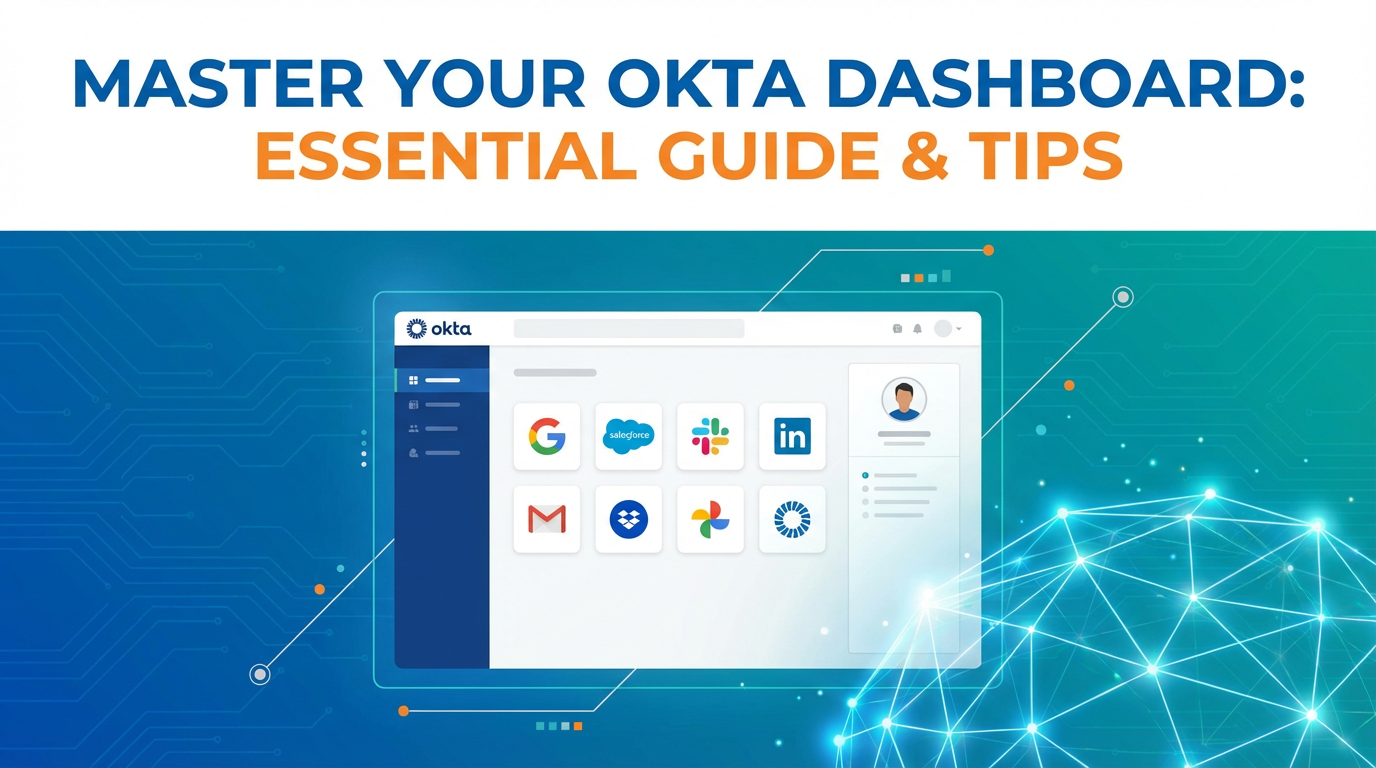
For end-users, the Okta Dashboard is their personalized digital launchpad. Imagine a highly customized homepage for all their work applications, accessible with a single set of credentials. This dashboard simplifies their daily routine by eliminating the need to remember multiple usernames and passwords, fostering a frictionless experience that enhances productivity. It's a testament to Okta's commitment to user-centric design, making secure access intuitive rather than a cumbersome barrier. The user's dashboard is typically accessed via yourcompany.okta.com and provides direct links (or "tiles") to all applications they have been granted access to. This centralized access point reduces friction, enhances user satisfaction, and decreases the number of support tickets related to forgotten passwords or application URLs.
For administrators, the Okta Dashboard transforms into the Okta Admin Console. This is the sophisticated control panel where IT professionals configure, manage, and monitor every aspect of their organization's identity infrastructure. It's a powerful tool that offers granular control over user accounts, group memberships, application integrations, security policies, and audit logs. The Admin Console is the operational hub for securing the digital perimeter, orchestrating access across disparate systems, and ensuring compliance with organizational and regulatory mandates. It's typically accessed by appending /admin to the organization's Okta URL (e.g., yourcompany.okta.com/admin), requiring elevated privileges for entry. Understanding the distinction between these two interfaces and their respective purposes is the foundational step towards comprehensive Okta mastery.
1.2 The End-User Dashboard: Your Daily Productivity Hub
The end-user Okta Dashboard is meticulously designed to optimize the employee experience by centralizing access to all work-related applications. Its primary goal is to provide a seamless, secure, and intuitive point of entry for every user, effectively eliminating the common frustrations associated with fragmented digital workspaces.
One of its most compelling features is the Single Sign-On (SSO) capability. Instead of logging into each application individually, users authenticate once with Okta, and then gain automatic access to all their assigned applications. This not only saves valuable time but also significantly reduces cognitive load, allowing employees to focus on their core tasks rather than credential management. The experience is akin to unlocking a master key that opens all relevant doors within their digital workspace.
Beyond SSO, the dashboard offers a rich set of features that enhance user autonomy and productivity:
- Application Tiles: Each assigned application is represented by a clear, clickable tile, often branded with the application's logo, making it easy to visually identify and launch frequently used tools. Users can customize the layout of these tiles, arranging them into logical groups or favorites to suit their individual workflow preferences. This personalization empowers users to organize their digital workspace in a way that makes most sense to them, further streamlining access.
- Search Functionality: For organizations with dozens or even hundreds of applications, the search bar is an invaluable tool. Users can quickly find and launch specific applications without having to manually scroll through a long list of tiles. This efficiency feature becomes particularly important as the number of integrated applications grows.
- Self-Service Options: A cornerstone of a positive user experience is the ability to resolve common issues independently. The Okta Dashboard typically includes robust self-service capabilities, allowing users to:
- Reset Passwords: Users can securely reset their forgotten passwords without requiring IT intervention, dramatically reducing help desk tickets and resolution times. This process often leverages Multi-Factor Authentication (MFA) to ensure the reset is legitimate.
- Enroll in MFA: New users or those needing to update their security factors can easily enroll in or manage various Multi-Factor Authentication methods, such as Okta Verify, security keys (like YubiKey), biometrics, or SMS. This puts control directly into the user's hands while enforcing critical security measures.
- View Profile: Users can review and sometimes update their personal profile information, depending on the administrative configurations. This ensures data accuracy and can be integrated with HR systems for consistent information across platforms.
- Integrated Search for Enterprise Apps: In more advanced configurations, the Okta Dashboard can offer an integrated search that not only finds application tiles but also potentially surfaces information within integrated applications, acting as a central hub for discovering digital resources across the enterprise.
The tangible benefits of a well-configured end-user dashboard are manifold: increased user satisfaction due to frictionless access, a significant reduction in IT support requests related to login issues, and enhanced security as users are less likely to resort to insecure password management practices. By providing a secure, centralized, and intuitive access point, the end-user Okta Dashboard transforms the often-tedious process of accessing digital tools into a productive and positive experience.
1.3 The Admin Console: The Command Center for IT
While the end-user dashboard focuses on simplicity and access, the Okta Admin Console is designed for comprehensive control and deep configuration. It is the sophisticated platform where IT administrators, security professionals, and identity engineers manage the entire lifecycle of identities, applications, and security policies within their organization. Mastering the Admin Console is not just about knowing where buttons are; it's about understanding the underlying identity principles, security implications, and strategic advantages of each configuration.
The Admin Console's interface is typically structured with a main navigation menu on the left, offering access to various functional areas, and a central pane for configuration and data display. Key high-level functions accessible through the Admin Console include:
- Directory Management: This section is dedicated to managing the core of your identity system. It allows administrators to import users from existing directories like Active Directory (AD) or LDAP, provision users to cloud applications, and manage individual user profiles and group memberships. It's where the source of truth for user identities is established and maintained.
- Application Management: Here, IT teams integrate and configure all the cloud and on-premises applications that users will access via Okta. This involves setting up Single Sign-On (SSO) protocols (SAML, OIDC), configuring user provisioning (SCIM), and assigning application access to specific users or groups. It’s the engine that powers the end-user dashboard's tiles.
- Security Configuration: This is arguably one of the most critical areas. Administrators define and enforce security policies, including Multi-Factor Authentication (MFA) requirements, password policies, network zones (to define trusted IP ranges), and API access management. It’s the bastion that protects organizational resources from unauthorized access.
- Automation and Workflows: For advanced identity lifecycle management, the Admin Console provides tools like Okta Workflows, enabling administrators to automate complex identity-centric processes such as onboarding, offboarding, and attribute synchronization using low-code/no-code builders.
- Reporting and Monitoring: The Admin Console offers detailed logging and reporting capabilities, providing insights into user activity, application usage, and security events. This data is crucial for auditing, compliance, troubleshooting, and proactively identifying potential security threats. The Okta System Log, in particular, offers an immutable record of every event within the Okta tenant.
The importance of mastering the Admin Console for IT professionals cannot be overstated. It is the primary tool for:
- Enhancing Security: By correctly configuring MFA, adaptive policies, and network zones, administrators can significantly reduce the risk of unauthorized access and data breaches.
- Improving Operational Efficiency: Automating user provisioning, deprovisioning, and password resets frees up IT staff from repetitive manual tasks, allowing them to focus on more strategic initiatives.
- Ensuring Compliance: Detailed logs and robust reporting features assist organizations in meeting stringent regulatory requirements (e.g., GDPR, HIPAA, SOC 2) by providing auditable trails of access and activity.
- Streamlining User Experience: A well-configured Okta environment translates directly into a more fluid and less frustrating experience for end-users, boosting productivity and satisfaction.
In essence, the Okta Admin Console is the sophisticated control panel that underpins an organization's entire digital identity infrastructure. Its mastery is not merely a technical skill but a strategic imperative for securing and managing the modern enterprise.
Chapter 2: Navigating the Okta Admin Console: A Deep Dive
The Okta Admin Console is where the true power of Okta is unleashed. It's a comprehensive platform that allows IT professionals to define, manage, and secure access across an organization's entire digital estate. This chapter delves into the critical sections and functionalities of the Admin Console, providing detailed insights into configuration, best practices, and strategic considerations for effective identity and access management.
2.1 Initial Setup and Configuration Essentials
The journey to Okta mastery begins with a solid foundation. Proper initial setup and configuration are crucial for laying the groundwork for a secure, scalable, and efficient identity infrastructure. Neglecting these early steps can lead to significant rework, security gaps, and operational bottlenecks down the line.
Getting Started: Domain Setup and Branding: One of the very first tasks is to configure your organization's Okta domain. This typically involves setting up a custom URL (e.g., sso.yourcompany.com) rather than using the default Okta-provided domain. This custom branding enhances user trust and provides a consistent brand experience, making it clear to users that they are logging into a trusted corporate portal. This often involves DNS CNAME record changes to point your custom domain to your Okta tenant. Beyond the URL, the Admin Console allows for extensive branding customization: uploading your company logo, selecting brand colors, and customizing messages on login pages. A professionally branded login experience reinforces confidence and legitimacy among your users.
Initial User Import and Directory Integrations: Bringing users into Okta is a foundational step. Okta supports various methods for populating your user directory:
- Manual Creation: Suitable for very small organizations or for creating test accounts.
- CSV Import: For bulk import of users from a spreadsheet.
- Directory Integrations: This is the most common and robust method for enterprises. Okta provides deep integration capabilities with existing on-premises directories such as:
- Active Directory (AD): The Okta AD Agent, a lightweight software component installed on a domain-joined server within your network, securely connects Okta to your AD instance. It synchronizes users, groups, and attributes, allowing users to authenticate against their existing AD credentials and enabling Okta to act as an extension of your AD. This integration can also facilitate password synchronization and delegated authentication.
- LDAP: Similar to AD integration, the Okta LDAP Agent connects to any LDAPv3 compliant directory, synchronizing user and group data.
- HRIS Integrations: For modern cloud-first organizations, Okta can integrate directly with Human Resources Information Systems (HRIS) like Workday or SuccessFactors. This allows for HR-driven IT provisioning, where user creation, updates, and deactivation in the HR system automatically trigger corresponding actions in Okta and downstream applications. This dramatically streamlines onboarding and offboarding processes, ensuring immediate access for new hires and prompt deactivation for departing employees, thereby enhancing security.
User Lifecycle Management (ULM): JIT and Deprovisioning: Beyond initial import, effective ULM is critical. Okta supports:
- Just-In-Time (JIT) Provisioning: For applications that support it, JIT provisioning automatically creates a user account in the target application the first time a user attempts to access it via Okta. This reduces administrative overhead by eliminating the need for pre-provisioning accounts in every application.
- Automated Deprovisioning: Equally important is the ability to automatically deactivate or delete user accounts in integrated applications when a user is deprovisioned in Okta (e.g., when they leave the company). This is a critical security measure that prevents former employees from retaining access to corporate resources, significantly mitigating insider threat risks and aiding compliance efforts. Implementing SCIM (System for Cross-domain Identity Management) for application integrations is key to achieving robust automated provisioning and deprovisioning.
These initial configurations set the stage for how identities are managed, how users access resources, and how securely your environment operates. A meticulous approach here ensures scalability, reduces future friction, and strengthens your overall security posture.
2.2 User and Group Management: The Core of Identity
At the very heart of the Okta Admin Console lies its robust capabilities for managing users and groups. These features are fundamental to controlling who has access to what, ensuring that access is both efficient and secure. A well-structured user and group management strategy is a cornerstone of scalable and maintainable identity governance.
Creating and Managing Users: Profiles and Attributes: Every individual interacting with your Okta tenant has a user profile. Administrators can create users manually, import them in bulk, or synchronize them from integrated directories. Each user profile contains essential attributes such as first name, last name, email, and username. Okta allows for extensive customization of these profiles through its Profile Editor. You can define custom attributes to store specific information about users that might be critical for your business processes or downstream applications (e.g., department, employee ID, cost center).
Profile Mastering is a powerful feature that designates a specific directory (like Active Directory, Workday, or Okta itself) as the authoritative source for certain user attributes. This prevents data conflicts and ensures consistency across your identity ecosystem. For instance, you might master "Department" from Workday, "Email" from Active Directory, and "Cost Center" from an Okta-managed attribute. This granular control ensures data integrity and supports complex attribute-based access control scenarios.
Organizing with Groups: Benefits of Group-Based Access: While managing individual users is necessary, doing so for every application for every user quickly becomes unmanageable in larger organizations. This is where groups become indispensable. Okta allows administrators to create and manage groups, which are logical collections of users. Groups can be synchronized from external directories (e.g., AD security groups) or created directly within Okta.
The primary benefit of group-based access is scalability and simplicity. Instead of assigning 50 applications to 500 individual users, you assign those 50 applications to a single group, and then add the 500 users to that group. This significantly simplifies access management: * Onboarding: Add a new employee to the "Marketing Team" group, and they instantly gain access to all marketing applications. * Offboarding: Remove an employee from all groups, and their access to all associated applications is revoked. * Role-Based Access Control (RBAC): Groups naturally lend themselves to RBAC, where access is granted based on an individual's role within the organization. A "Finance" group gets access to financial software, while an "Engineering" group gets access to development tools. * Policy Enforcement: Security policies (e.g., requiring MFA for accessing sensitive applications) can be applied to groups, ensuring consistent security posture across specific user segments.
Synchronization and Mapping: Okta provides sophisticated mechanisms for synchronizing users and groups from various sources and mapping their attributes. When integrating with Active Directory or LDAP, the Okta agent facilitates regular synchronization, ensuring that changes made in the source directory (e.g., a user's department change, new hires, or group membership updates) are reflected in Okta. Group Push is a feature that pushes Okta-managed groups (and their members) to downstream applications that support SCIM, further automating access management. Careful planning of attribute mapping ensures that the correct user data flows between Okta and your integrated applications, which is vital for personalized experiences and robust authorization. This meticulous management of users and groups forms the very foundation of an efficient and secure identity system within Okta.
2.3 Application Integration: Seamless Access for Your Workforce
Integrating applications with Okta is arguably one of its most compelling value propositions. It transforms a fragmented landscape of disparate login screens into a unified, secure, and user-friendly experience. Okta supports an extensive array of integration methods, catering to both popular cloud applications and custom enterprise tools.
SAML, OIDC, SCIM Explained: To effectively integrate applications, it's crucial to understand the underlying protocols:
- SAML (Security Assertion Markup Language): An XML-based standard for exchanging authentication and authorization data between an identity provider (IdP), like Okta, and a service provider (SP), like a cloud application. When a user tries to access a SAML-enabled app via Okta, Okta authenticates the user and then issues a SAML assertion (a digitally signed XML document) to the application, which then grants access. SAML is widely adopted for enterprise cloud applications.
- OIDC (OpenID Connect): A simple identity layer on top of the OAuth 2.0 protocol. OIDC is more modern and lightweight than SAML, often preferred for mobile applications, single-page applications (SPAs), and microservices. It returns an ID Token (a JSON Web Token or JWT) containing user identity information. OAuth 2.0 itself is an authorization framework, allowing a user to grant a third-party application limited access to their resources without sharing their credentials. Okta is a robust OAuth 2.0 authorization server.
- SCIM (System for Cross-domain Identity Management): While SAML and OIDC handle authentication and authorization for existing accounts, SCIM is an API-based protocol designed for automating user provisioning and deprovisioning between identity providers (Okta) and service providers (applications). This means that when a user is created or updated in Okta, SCIM can automatically create or update their corresponding account in a connected application. Crucially, when a user is deprovisioned in Okta, SCIM ensures their account is deactivated in all integrated applications, closing potential security gaps.
Adding New Applications: Popular Integrations vs. Custom Apps: Okta boasts an extensive Okta Integration Network (OIN), a catalog of thousands of pre-built integrations for popular cloud applications like Salesforce, Microsoft 365, Google Workspace, Zoom, and hundreds more. Adding an OIN app is typically a streamlined, wizard-driven process that configures SSO (SAML or OIDC) and often SCIM provisioning with minimal manual effort. These integrations are rigorously tested and maintained by Okta and its partners, ensuring reliability and ease of deployment.
For custom-built applications, internal tools, or niche software not found in the OIN, Okta provides templates for manually configuring SAML, OIDC, and WS-Federation applications. This requires a deeper understanding of the respective protocols and coordination with the application's developers, but it ensures that virtually any enterprise application can leverage Okta for identity. Okta also supports Okta ASA (Advanced Server Access) for managing access to SSH servers and Windows servers, and Okta Access Gateway for extending SSO and MFA to on-premises, legacy applications that don't natively support modern identity protocols.
Assigning Applications to Users/Groups: Once an application is integrated, the next step is to control who can access it. Okta allows for granular assignment of applications: * Individual User Assignment: Suitable for very specific, limited access needs. * Group Assignment: The recommended and most scalable method. By assigning an application to a group, all members of that group automatically gain access. This simplifies administration, especially for large organizations, and ensures consistent access policies. When a user's group membership changes, their application access automatically adjusts, adhering to the principle of least privilege. * Attribute-based Assignment: More advanced scenarios can use Okta Expression Language to dynamically assign applications based on user attributes, offering highly flexible and automated access control.
When enterprises integrate applications with Okta, they often simplify user access to complex backend services and APIs. While Okta expertly handles the "who" and "whether" of access to these applications, managing the intricacies of the underlying APIs—especially in a landscape increasingly populated by AI models—requires a dedicated approach. This is where platforms like APIPark, an open-source AI gateway and API management platform, become invaluable. It provides a robust solution for standardizing, securing, and scaling access to a multitude of AI and REST services, acting as an essential layer that complements Okta's identity management by ensuring efficient and controlled API consumption for your integrated applications. APIPark can manage the full lifecycle of these APIs, offer unified formats for AI invocation, encapsulate prompts into REST APIs, and provide performance rivaling Nginx, detailed logging, and powerful data analysis for API calls. This allows your applications, secured by Okta at the user layer, to interact with backend services through a robust and manageable API layer.
2.4 Security Policies: Fortifying Your Digital Perimeter
Security policies are the bedrock of any robust identity management system, and within the Okta Admin Console, this is where administrators define the rules that govern access, authentication, and user behavior. Configuring these policies correctly is paramount for fortifying your digital perimeter against an ever-evolving threat landscape.
Authentication Policies: Context-Aware Access and Adaptive MFA: Okta's Authentication Policies allow administrators to define precise rules for how users authenticate based on various contextual factors. This moves beyond simple username/password checks to a more intelligent, risk-aware approach: * Location: Require MFA if a user is logging in from outside trusted network zones (e.g., company VPN or office IP ranges). * Device Posture: Integrate with endpoint management solutions (like JAMF or Intune) to ensure users are accessing resources from compliant, up-to-date devices. * User Group: Mandate stronger authentication for privileged users (e.g., administrators, finance department) or users accessing highly sensitive applications. * Application Sensitivity: Require MFA specifically for access to critical applications, even if it's not mandated for less sensitive ones. * Risk Score (Adaptive MFA): Okta's Advanced MFA features leverage machine learning to analyze user behavior and environmental factors to assign a real-time risk score. If the risk is high (e.g., an unusual location, a new device, a rapid succession of failed logins), Okta can automatically prompt for an additional factor, deny access, or even lock the account. This adaptive approach ensures that security measures scale with the perceived risk, reducing user friction when risk is low and increasing protection when it's high.
MFA Enrollment and Factor Management: Multi-Factor Authentication (MFA) is no longer optional; it's a critical security imperative. The Okta Admin Console provides extensive controls over MFA: * Mandatory Enrollment: Administrators can enforce MFA enrollment for all users or specific groups, ensuring that users cannot bypass this crucial layer of security. * Factor Types: Okta supports a wide range of MFA factors to cater to diverse organizational needs and user preferences: * Okta Verify: A mobile authenticator app that provides push notifications for easy authentication approval, or time-based one-time passcodes (TOTP). It's highly recommended for its convenience and security. * Security Keys (FIDO2/WebAuthn): Hardware keys like YubiKey or built-in biometrics (Face ID, Windows Hello) offer the strongest phishing-resistant authentication. * Biometrics: Fingerprint or facial recognition, often integrated via Okta Verify or WebAuthn. * SMS/Voice Call: While convenient, these are generally considered less secure than other factors due to potential SIM-swapping attacks. * Email: Often used as a recovery factor. * Google Authenticator/Other TOTP Apps: Standard-compliant TOTP. * Factor Sequencing: Administrators can define the order in which MFA factors are prompted or allow users to choose from enrolled factors. * Self-Service Management: Users can manage their enrolled factors directly from their end-user dashboard, adding or removing devices, again reducing IT overhead.
Password Policies: Complexity, Lockout, Self-Service Password Reset: Even with MFA, strong password policies remain essential. Okta allows for granular control over: * Complexity Requirements: Define minimum length, character types (uppercase, lowercase, numbers, special characters), and history requirements (preventing reuse of previous passwords). * Expiration: Set password expiration periods, though many modern security experts now advocate for longer expirations combined with robust MFA and breach detection. * Lockout Policies: Configure the number of failed login attempts before an account is locked and the duration of the lockout. This prevents brute-force attacks. * Self-Service Password Reset (SSPR): Empower users to securely reset their own forgotten passwords, reducing help desk calls. This process typically requires MFA for verification and can leverage knowledge-based questions or other recovery factors. * Passwordless Authentication: Okta is at the forefront of enabling passwordless experiences, allowing users to authenticate solely with MFA factors like Okta Verify or security keys, eliminating the password entirely. This is the ultimate goal for user experience and security.
Network Zones and IP Whitelisting: Network zones are a powerful way to define trusted and untrusted network perimeters. Administrators can: * Define IP Zones: Specify trusted IP ranges (e.g., corporate office IPs, VPN ranges) and untrusted zones (e.g., known threat intelligence feeds, anonymous proxy IPs). * Policy Integration: Use these zones within authentication policies. For example, users logging in from a trusted IP zone might only need a password, while users from an untrusted zone would always be prompted for MFA. This adaptive security based on network context significantly enhances protection without unnecessarily inconveniencing legitimate users.
By meticulously configuring these security policies, IT administrators can create a layered defense strategy that adapts to various risk profiles, protects against common attack vectors, and ensures compliance with organizational security mandates. This proactive approach to security is a cornerstone of Okta mastery.
APIPark is a high-performance AI gateway that allows you to securely access the most comprehensive LLM APIs globally on the APIPark platform, including OpenAI, Anthropic, Mistral, Llama2, Google Gemini, and more.Try APIPark now! 👇👇👇
Chapter 3: Advanced Okta Dashboard Features for Enhanced Control
Beyond the foundational aspects of user and application management, the Okta Admin Console offers a suite of advanced features designed to automate complex identity processes, secure critical APIs, provide deep insights into usage, and delegate administrative tasks with precision. Leveraging these advanced capabilities can significantly enhance an organization's security posture, operational efficiency, and overall identity governance maturity.
3.1 Automated Workflows with Okta Workflows
In modern enterprises, identity-related processes are often complex, repetitive, and prone to manual error. Okta Workflows, a powerful low-code/no-code automation platform integrated directly within the Okta ecosystem, addresses these challenges by enabling administrators to design and deploy automated identity workflows. This feature is a game-changer for reducing administrative burden, improving consistency, and accelerating critical identity lifecycle events.
Introduction to Low-Code/No-Code Automation: Okta Workflows operates on a visual, drag-and-drop interface, allowing IT professionals—even those without extensive programming knowledge—to build intricate automation sequences. It uses a card-based system where each card represents an action, a condition, or a connector to another system. This intuitive approach democratizes automation, enabling a wider range of administrators to build sophisticated identity processes. The platform includes a rich library of connectors to Okta's APIs, common cloud applications (like Slack, Google Workspace, ServiceNow), and generic HTTP connectors for integrating with virtually any web-based service.
Use Cases: Onboarding/Offboarding, Attribute Manipulation, Compliance Checks: The versatility of Okta Workflows shines through its diverse range of practical applications:
- Automated Onboarding: When a new employee is added to an HR system (e.g., Workday), Workflows can be triggered to:
- Create the user in Okta.
- Assign them to relevant groups based on department or role.
- Provision accounts in essential applications (e.g., Google Workspace, Salesforce).
- Send welcome emails with setup instructions.
- Notify managers and IT teams. This eliminates manual steps, accelerates time-to-productivity for new hires, and ensures consistent access provisioning.
- Streamlined Offboarding: When an employee leaves, Workflows can be initiated to:
- Deactivate the user in Okta.
- Deprovision accounts in all integrated applications (e.g., revoke access, delete user data in specific systems).
- Transfer data ownership (e.g., Google Drive files) to a manager.
- Notify relevant stakeholders (HR, legal, IT security). Automated deprovisioning is a critical security measure, ensuring immediate revocation of access upon termination, thereby mitigating insider threat risks and aiding compliance.
- Attribute Manipulation and Synchronization: Workflows can monitor changes in user attributes (e.g., department change) and automatically update corresponding attributes in other systems or trigger further actions, ensuring data consistency across the enterprise. For instance, a change in department in Okta could automatically update the user's group memberships and associated application access.
- Just-In-Time Access Provisioning for Contractors: For temporary workers, Workflows can provision access for a specific duration and then automatically deprovision it when the contract ends, without manual intervention.
- Compliance and Security Monitoring: Workflows can monitor Okta System Logs for suspicious activities (e.g., multiple failed logins from an unusual location) and trigger alerts in communication tools (Slack, Teams) or security systems (SIEM), or even automatically suspend accounts for investigation. It can also enforce compliance by ensuring specific attributes are present before granting access to certain applications.
- Self-Service Automation: Workflows can power advanced self-service requests, such as users requesting access to a new application, which then triggers an approval flow before provisioning.
Benefits: Reducing Manual Errors, Increasing Efficiency: The adoption of Okta Workflows delivers significant benefits: * Error Reduction: Automating repetitive tasks eliminates human error, ensuring processes are executed consistently and correctly every time. * Increased Efficiency and Speed: Critical identity processes, like onboarding and offboarding, are completed much faster, reducing administrative overhead and improving organizational agility. * Enhanced Security: Automated deprovisioning closes access gaps immediately, minimizing potential for unauthorized access. Proactive monitoring workflows can identify and respond to threats faster. * Improved Compliance: Automated audit trails and consistent process execution make it easier to demonstrate compliance with internal policies and external regulations. * Empowerment: IT teams can focus on more strategic initiatives rather than being bogged down by manual, routine identity tasks.
Okta Workflows transforms the Admin Console from a mere configuration tool into a dynamic orchestration engine for identity, making it an indispensable tool for any organization striving for mature identity governance.
3.2 Reporting and Logging: Gaining Insights and Ensuring Compliance
A secure and well-managed identity environment relies heavily on robust visibility into user activity, system events, and security postures. The Okta Admin Console provides comprehensive reporting and logging capabilities that are essential for auditing, troubleshooting, compliance, and proactive security monitoring. Understanding how to leverage these features is key to maintaining a healthy and secure Okta instance.
Okta System Log: Detailed Audit Trails: The Okta System Log is the single source of truth for all events occurring within your Okta tenant. It captures an immutable, timestamped record of every action, ranging from user logins and application accesses to administrative changes, policy updates, and API calls. Each log entry is rich with contextual information, including: * Actor: Who performed the action (user, administrator, system). * Event Type: The specific action that occurred (e.g., user.session.start, app.user_membership.add, system.policy.update). * Target: The object affected by the action (e.g., a specific user, an application, a group). * Outcome: Whether the action succeeded or failed. * Client Information: IP address, user agent, and geographic location of the request. * Security Context: Relevant security data, such as MFA factors used, risk scores, or policy evaluations.
The System Log is invaluable for: * Troubleshooting: Quickly diagnosing login issues, application access problems, or workflow failures. * Security Investigations: Tracing suspicious activity, identifying compromised accounts, and understanding the scope of a potential breach. * Auditing and Compliance: Providing concrete evidence of access controls, policy enforcement, and user activity, which is crucial for meeting regulatory requirements like GDPR, HIPAA, PCI DSS, and SOC 2. Auditors often require access to these logs to verify controls.
The Admin Console offers powerful filtering and search capabilities within the System Log, allowing administrators to narrow down events by date range, actor, event type, application, or outcome, making it efficient to find specific information amidst potentially millions of entries.
Custom Reports: User Activity, Application Usage, Security Events: While the System Log provides raw data, Okta's reporting features synthesize this data into more consumable formats, offering insights into various aspects of your identity environment. Standard reports can cover: * User Activity Reports: Showing login frequency, last login times, MFA usage, and account status. * Application Usage Reports: Identifying which applications are most frequently accessed, which are underutilized, and which users have access to specific apps. This helps with license optimization and understanding application adoption. * Security Reports: Highlighting failed login attempts, locked-out users, changes to administrative privileges, or non-compliant devices. * MFA Enrollment Reports: Tracking MFA adoption rates and enrolled factors across your user base.
For more tailored insights, Okta allows administrators to create custom reports by leveraging the System Log data and filtering capabilities. These reports can be scheduled and exported, providing regular visibility into key performance indicators (KPIs) and security metrics.
Integrating with SIEM Tools (Splunk, Sentinel, etc.): For organizations with mature security operations centers (SOCs) and existing Security Information and Event Management (SIEM) solutions, integrating Okta logs is a critical step. Okta provides robust mechanisms to export its System Log data to external SIEM platforms such as Splunk, Microsoft Sentinel, Elastic Stack (ELK), Sumo Logic, and others. This integration is typically achieved through: * Syslog Streaming: Okta can stream real-time log data via Syslog to a collector within your network. * API Polling: SIEM tools can use Okta's APIs to periodically pull log data. * Okta Event Hooks/Webhooks: For near real-time ingestion, event hooks can trigger an alert to your SIEM when specific events occur.
Integrating Okta logs into a SIEM consolidates security data from various sources, enabling a holistic view of the organization's security posture. This allows for: * Centralized Monitoring: All security events are visible in one place, simplifying threat detection. * Advanced Correlation: SIEMs can correlate Okta identity events with network, endpoint, and application logs to detect complex attack patterns that might not be visible from a single log source. For example, a failed Okta login followed by a successful VPN login from the same IP address could trigger a high-priority alert. * Long-Term Retention and Analysis: SIEMs offer scalable storage and powerful analytics for long-term data retention, critical for historical investigations and compliance audits.
Monitoring for Suspicious Activities: Beyond integrating with SIEMs, administrators should actively monitor Okta's built-in alerts and dashboards for suspicious activities. Features like Okta ThreatInsight automatically detect and block login attempts from known malicious IP addresses. Administrators can also set up custom alerts within Okta for specific events, such as administrative role changes, repeated failed MFA attempts, or logins from unusual geographic locations. Proactive monitoring, combined with regular review of reports and audit logs, is indispensable for maintaining a secure and resilient identity environment. This continuous vigilance, fueled by comprehensive logging and reporting, transforms the Okta Admin Console into a powerful security intelligence platform.
3.3 API Access Management (Okta API Access Management)
In today's API-driven economy, applications rarely operate in isolation. They frequently interact with other services, microservices, and third-party APIs to exchange data and perform functions. While Okta excels at managing human access to applications, its API Access Management (API AM) module extends this capability to secure machine-to-machine communication and protect custom APIs and microservices. This is crucial for securing the programmatic backbone of modern applications.
Protecting Custom APIs and Microservices: Many organizations build their own internal APIs to power mobile applications, single-page applications, or backend microservices. These APIs often expose sensitive data or critical business logic, making their security paramount. Okta API AM provides a centralized, robust mechanism to protect these custom APIs by ensuring that only authorized clients (other applications, services, or even users acting on behalf of an application) can access them. This mitigates risks such as unauthorized data access, API abuse, and denial-of-service attacks. Instead of building custom authentication and authorization logic into every API, developers can offload this complex task to Okta.
OAuth 2.0 and OIDC for API Authorization: Okta API AM is built upon industry-standard protocols, primarily OAuth 2.0 and OpenID Connect (OIDC), which are the de facto standards for API authorization. * OAuth 2.0: This is an authorization framework that allows a client application to obtain limited access to an HTTP service (a "resource server," which hosts the API) on behalf of a resource owner (either a user or the client itself). Okta acts as the Authorization Server, issuing Access Tokens to client applications after successful authentication and authorization. These Access Tokens are typically short-lived JWTs (JSON Web Tokens) that the client then presents to the API. The API (Resource Server) can then validate the token with Okta to ensure it's valid and contains the necessary permissions (scopes). * OIDC: As mentioned before, OIDC is an identity layer on top of OAuth 2.0. While OAuth 2.0 is about authorization (granting permission to access resources), OIDC is about authentication (verifying the identity of the user). When a user logs in via OIDC, Okta issues an ID Token (also a JWT) containing information about the authenticated user. This token is often used by client applications to establish the user's identity before they make calls to APIs with an Access Token.
Scopes, Claims, and Client Applications: Okta API AM allows for granular control through: * Scopes: These are defined permissions that an API client can request. For example, an API might have read:users, write:users, and delete:users scopes. When an application requests an Access Token, it specifies the scopes it needs. Okta's authorization server then verifies if the requesting application (and potentially the user on whose behalf it's acting) is permitted to obtain those scopes. The issued Access Token will then contain these granted scopes, which the API uses to make fine-grained authorization decisions. * Claims: These are pieces of information about the entity (user or client) that are included in the Access Token (or ID Token). Claims can include attributes like user_id, email, roles, or custom attributes. APIs can use these claims to make authorization decisions or to personalize responses. For example, an API might only return user data if the user_id claim in the Access Token matches the requested user ID. * Client Applications: Within Okta, you define "client applications" that will be calling your APIs. These clients are assigned a Client ID and Client Secret (for confidential clients) and configured with allowed grant types (e.g., Authorization Code flow for web apps, Client Credentials flow for machine-to-machine). Okta uses these configurations to identify and authenticate the client requesting access to your APIs.
Difference between Okta for User Auth and an API Gateway for API Traffic Management: It's important to differentiate Okta API AM from a full-fledged API Gateway, although they often complement each other. * Okta API Access Management: Primarily focuses on authentication and authorization for APIs. It verifies the identity of the caller and determines if they have the necessary permissions (based on scopes and claims) to access a specific API resource. It manages Access Tokens and token validation. * API Gateway: A broader concept that sits in front of your APIs, handling concerns like traffic management, routing, load balancing, caching, rate limiting, analytics, logging, and protocol translation. While an API Gateway can enforce authorization, it often delegates the actual identity and token validation to an Authorization Server like Okta.
In a common architecture, a client application first uses Okta to obtain an Access Token (authenticating the user and authorizing the client). It then sends this token with its API requests to an API Gateway. The API Gateway might perform initial checks (like rate limiting) and then forward the request (and token) to the actual backend API. The backend API (or a middleware layer) would then validate the Access Token with Okta to ensure its authenticity and check the scopes/claims before processing the request. This layered approach leverages Okta's strength in identity while allowing an API Gateway to handle operational aspects of API traffic. For managing a high volume of diverse APIs, especially those involving AI models, a specialized platform like APIPark, as discussed earlier, provides the necessary features for robust API lifecycle management, performance, and monitoring, working hand-in-hand with Okta's authorization capabilities.
Okta API Access Management provides the essential identity and authorization layer for securing your programmatic interfaces, making it a critical component for organizations developing and exposing their own APIs.
3.4 Delegated Administration and Role-Based Access Control (RBAC)
As organizations grow and their IT landscape becomes more complex, centralizing all administrative tasks within a small super-admin team becomes unsustainable and, more importantly, a security risk. Okta addresses this challenge through robust Delegated Administration and Role-Based Access Control (RBAC), allowing organizations to distribute administrative responsibilities efficiently and securely, adhering strictly to the principle of least privilege.
Defining Admin Roles: Super Admin, App Admin, Group Admin: Okta provides a suite of predefined administrative roles, each with specific permissions designed to manage particular aspects of the Okta environment: * Super Administrator: Possesses full control over the entire Okta organization. This role should be reserved for a very limited number of highly trusted individuals and secured with the strongest possible MFA. * Organization Administrator: Similar to Super Admin but with fewer permissions regarding API tokens and self-service registration. * Application Administrator: Can manage specific applications, including assigning users/groups to them, configuring their settings, and viewing app-specific reports. This role is ideal for team leads or application owners who need to manage access to their own tools without broader system access. * Group Administrator: Can manage specific groups, including adding/removing users from those groups. This is often used by department heads or HR to manage team memberships. * Help Desk Administrator: Can unlock user accounts, reset passwords, and trigger MFA resets. This role is perfect for first-line support staff, empowering them to resolve common user issues without granting extensive system access. * Read-Only Administrator: Can view configurations, users, and logs but cannot make any changes. Useful for auditors or security analysts who need visibility without modification rights. * Report Administrator: Can view all reports but cannot modify system settings.
Okta also supports custom roles, allowing organizations to define highly specific sets of permissions tailored to unique operational needs, granting only the precise level of access required for a particular task. This flexibility is crucial for complex organizational structures.
Delegating Specific Administrative Tasks Without Granting Full Access: The power of delegated administration lies in its ability to offload routine administrative tasks from the central IT team to other departments or specialized personnel, without compromising security. For example: * A Marketing Team Lead can be made an "Application Administrator" for the marketing automation platform and the CRM system. They can then manage user assignments for these specific applications, adding new team members or removing access for departing ones, without needing to involve the core IT team. * An HR representative can be designated a "Group Administrator" for all HR-related groups. They can add new hires to the "All Employees" group or specific department groups, ensuring immediate access to relevant resources upon onboarding, all while adhering to established policies. * A Help Desk Technician can reset a user's password or MFA factor without having the ability to change system-wide settings or access sensitive configurations.
This delegation not only increases operational efficiency by decentralizing administrative effort but also enhances security by ensuring that individuals only have the minimum necessary privileges to perform their job functions. It significantly reduces the attack surface associated with highly privileged accounts.
Principle of Least Privilege: Delegated administration and RBAC are direct implementations of the principle of least privilege (PoLP). PoLP is a cybersecurity best practice that dictates that every user, program, and process should be granted only the minimum set of permissions necessary to perform its intended function. * Reduced Attack Surface: If an account with limited privileges is compromised, the damage an attacker can inflict is severely constrained compared to a super-admin account. * Improved Auditability: It's easier to trace specific actions back to the individual responsible when their permissions are narrowly defined. * Compliance: Many regulatory frameworks mandate the implementation of least privilege, making Okta's RBAC capabilities essential for compliance efforts.
By meticulously defining and assigning administrative roles, organizations can create a highly secure, efficient, and auditable administrative environment within Okta. This strategic use of delegated administration is a mark of a mature identity governance program and a key aspect of mastering the Okta Admin Console.
Chapter 4: Best Practices for Okta Dashboard Mastery
Mastering your Okta Dashboard extends beyond understanding its features; it involves implementing strategic best practices that ensure continuous security, optimal performance, and an exceptional user experience. This chapter outlines key strategies to elevate your Okta deployment from functional to exemplary.
4.1 Implement Strong Security Measures Consistently
Security is not a static state but a continuous process, and in the realm of identity, it demands unwavering attention. Consistently applying strong security measures within your Okta environment is paramount to protecting your organization from the ever-evolving threat landscape.
Mandatory MFA for All Users, Especially Admins: This is non-negotiable. Multi-Factor Authentication (MFA) adds a critical layer of defense beyond just passwords. Organizations should enforce MFA for all users without exception. While requiring it for everyone is crucial, it is an absolute imperative for administrators and privileged users who have access to sensitive systems and configurations. Compromise of an administrative account can lead to catastrophic breaches. * For Admins: Implement the strongest available MFA factors, such as FIDO2/WebAuthn security keys (e.g., YubiKey, Google Titan) or Okta Verify with biometrics. These factors are highly phishing-resistant. Additionally, consider requiring MFA for every administrative login, even if from a trusted network. * For End-Users: While phishing-resistant MFA is ideal for everyone, practical considerations might lead to a tiered approach. Okta Verify Push is a highly recommended baseline for its security and user-friendliness. Ensure that MFA enrollment is mandatory and guided effectively. * Adaptive MFA: Leverage Okta's adaptive MFA capabilities to dynamically assess risk based on factors like location, device, and behavior. This allows for less friction when risk is low (e.g., internal network access) and higher security requirements when risk is elevated (e.g., login from an unknown location).
Regular Review of Authentication Policies: Authentication policies are the gates to your digital assets. They should not be set once and forgotten. Schedule regular reviews (e.g., quarterly or biannually) of all authentication policies to ensure they remain aligned with your organization's risk appetite, evolving threat landscape, and changes in application sensitivity. * Granular Policies: Avoid a "one size fits all" approach. Implement distinct policies for different groups of users (e.g., executives, standard employees, contractors) and for different levels of application sensitivity (e.g., CRM, HR system, internal wiki). * Network Zones: Keep your network zones (trusted IP ranges) up-to-date. Remove old IP addresses, add new office locations, and ensure that public IP addresses for VPNs are correctly configured. * User Feedback: Gather feedback from users regarding MFA friction points. While security is paramount, excessive friction can lead to workarounds that undermine security. Okta's flexibility allows for balancing security with usability.
Least Privilege Principle for Admin Roles: As discussed, the principle of least privilege (PoLP) is fundamental. Never grant more administrative permissions than absolutely necessary. * Role Mapping: Carefully map administrative responsibilities to the least permissive Okta admin roles. Utilize custom roles for very specific tasks if predefined roles are too broad. * Just-in-Time (JIT) Privileges (Future Consideration): For highly sensitive super-admin access, consider implementing just-in-time privilege elevation, where administrators request temporary elevated access only when needed, reducing the window of exposure. While Okta doesn't have a native JIT privilege system for its own admin roles as of now, this can be achieved with Okta Workflows or external PAM solutions. * Regular Audits: Periodically audit administrator accounts and their assigned roles. Remove any unused admin accounts or revoke unnecessary privileges. Ensure that former administrators have their access thoroughly deprovisioned.
Implementing these strong security measures consistently creates a robust, multi-layered defense around your Okta environment, significantly reducing the likelihood and impact of identity-related cyberattacks.
4.2 Optimize User Experience and Adoption
While security is paramount, a successful Okta deployment also hinges on positive user experience and widespread adoption. If the system is perceived as cumbersome, users will seek workarounds, which often leads to insecure practices. Optimizing the user experience drives adoption and reinforces security.
Clear Communication for Users: Change management is critical for any new system. Clearly communicate the benefits of Okta to your end-users, explaining how it simplifies their access and enhances security. * Onboarding Guides: Provide clear, concise guides and FAQs on how to log in, enroll in MFA, reset passwords, and access applications via the Okta Dashboard. Use screenshots and simple language. * Benefit-Oriented Messaging: Frame Okta not as another IT burden but as a tool that will save them time and enhance their digital safety. Highlight the convenience of SSO and the security of MFA. * Troubleshooting Resources: Ensure users know where to go for help (e.g., internal help desk portal, dedicated Okta support channel).
Leverage Self-Service Features: Empowering users to help themselves is a cornerstone of positive user experience and reduces the burden on IT support. * Self-Service Password Reset (SSPR): Mandate and promote the use of SSPR. Ensure the verification methods (e.g., MFA, security questions) are secure and easy for users to complete. This dramatically cuts down on "forgot password" tickets. * MFA Self-Enrollment and Management: Guide users through enrolling their MFA factors and allow them to manage (add, remove, rename) these factors from their Okta end-user dashboard. This provides autonomy while maintaining security. * Profile Updates: If appropriate for your organization, allow users to update non-critical profile information (e.g., phone number) themselves, reducing manual IT intervention.
Custom Branding for a Consistent Look and Feel: A professional and familiar login experience builds trust and reinforces that users are interacting with a legitimate corporate system. * Logo and Colors: Customize your Okta login pages with your company's logo, branding colors, and any legal disclaimers. * Custom Messages: Use the customization options to provide helpful messages on the login page, such as links to support or instructions for specific login scenarios. * Custom Domain: As mentioned in Chapter 2, using a custom URL (e.g., sso.yourcompany.com) for your Okta tenant rather than yourcompany.okta.com instills greater confidence and provides a seamless brand experience.
Regular Training and Support: Ongoing education and accessible support are vital for long-term adoption and success. * Training Sessions: Conduct regular training sessions, especially for new hires, covering the basics of using Okta, understanding MFA, and utilizing self-service features. * Knowledge Base: Maintain an internal knowledge base with up-to-date articles, videos, and FAQs related to Okta usage. * Dedicated Support Channels: Ensure there are clear channels for users to get assistance when they encounter issues, whether it's a dedicated help desk or an IT support portal.
By focusing on these aspects, organizations can create an Okta environment that is not only secure but also highly intuitive and user-friendly, driving higher adoption rates and a more productive workforce.
4.3 Strategic Application Integration and Management
The value of Okta is often realized through its ability to consolidate access to a wide array of applications. However, simply integrating applications is not enough; strategic management is required to maintain efficiency, security, and control over your application ecosystem.
Prioritize Critical Applications: When embarking on an Okta deployment or expanding its scope, prioritize the integration of your most critical and widely used applications first. * High-Impact Apps: Focus on applications that are essential for daily operations (e.g., email, collaboration suites, CRM, ERP). These integrations will deliver the most immediate and visible benefits in terms of SSO and improved user experience. * Sensitive Data Apps: Prioritize applications that house sensitive data or require high levels of security. Integrating these early ensures they are protected by Okta's robust authentication and authorization policies from the outset. * High-Volume Login Apps: Applications that users access multiple times a day are excellent candidates for SSO to maximize time savings and reduce login fatigue.
Utilize SCIM for Automated Provisioning: SCIM (System for Cross-domain Identity Management) is a critical protocol for efficient application management. Always leverage SCIM for applications that support it. * Automated Lifecycle: SCIM enables automated user provisioning (creating accounts), deprovisioning (disabling/deleting accounts), and attribute synchronization (updating user details) between Okta and your integrated applications. * Reduced Manual Work: This eliminates the need for IT staff to manually create or update accounts in each application, significantly reducing administrative overhead and human error. * Enhanced Security: Automated deprovisioning is crucial for security. When an employee leaves, SCIM ensures their accounts in all connected applications are instantly deactivated, preventing unauthorized access to corporate resources. This mitigates insider threat risks and supports compliance. * Consistency: SCIM ensures that user attributes (e.g., department, title) are consistently synchronized across applications, supporting accurate role-based access control and reporting.
Regularly Review Unassigned or Unused Applications: Over time, applications may become obsolete, unused, or simply fall out of scope for certain user groups. * Application Audit: Periodically audit your integrated applications within Okta. Identify applications that are no longer needed, have low usage, or are assigned to too many users. * Decommission or Restrict: Decommission applications that are no longer in use to reduce clutter and potential attack vectors. For applications with low usage, reassess their necessity or restrict access to only those who truly need them. * License Optimization: Reviewing application assignments can also help optimize software licensing costs by identifying and revoking licenses for inactive users or unnecessary access. * Least Privilege: Ensure that application access assignments adhere to the principle of least privilege. Users should only have access to the applications required for their job function, reducing the potential blast radius in case of a compromise.
Strategic application integration and continuous management are vital for maintaining a clean, secure, and efficient Okta environment. By prioritizing, automating with SCIM, and regularly auditing, organizations can maximize the benefits of their Okta investment.
4.4 Monitoring, Auditing, and Compliance
An Okta Dashboard master doesn't just configure; they actively monitor, audit, and ensure that their identity environment meets the highest standards of security and compliance. This involves continuous vigilance and systematic review.
Proactive Monitoring of System Logs: Don't wait for an incident to investigate your logs. Establish routines for proactively monitoring the Okta System Log. * Key Event Alerts: Configure alerts for critical security events such as: * Multiple failed login attempts for a single user (potential brute-force attack). * Login attempts from unusual geographic locations or known threat IPs (Okta ThreatInsight helps here). * Changes to administrative roles or permissions. * Successful logins by previously locked-out users. * Deprovisioning failures. * Dashboarding: Utilize Okta's reporting features or integrate with a SIEM to create dashboards that provide a real-time overview of key security metrics, such as login success/failure rates, MFA adoption, and administrative activity. * Regular Review: Designate team members to regularly review the System Log, even if alerts are in place, to catch subtle anomalies that automated systems might miss. This human oversight is invaluable.
Scheduled Audits of User Access and Policies: Regular, systematic audits are crucial for validating that your identity configurations remain secure and compliant. * User Access Reviews: Conduct periodic (e.g., quarterly, semi-annually) reviews of user access. Verify that: * All active users still require access to their assigned applications and groups. * Inactive or dormant accounts are appropriately deprovisioned. * Privileged accounts (admins, executives) have their access rigorously scrutinized. * Contractor or temporary worker accounts have appropriate expiration dates. * Policy Audits: Review your authentication policies, password policies, and MFA configurations. Ensure they are still optimal, account for any new applications or user groups, and align with current security best practices. Check for any outdated or overly permissive rules. * Group Membership Audits: Verify that group memberships are accurate and reflect current roles and responsibilities. Discrepancies here can lead to unintended access.
Aligning Okta Configurations with Compliance Requirements (GDPR, HIPAA, SOC2): Okta is a powerful tool for achieving and demonstrating compliance with various industry and regulatory standards. * Documentation: Maintain comprehensive documentation of your Okta configurations, policies, and administrative procedures. This is a primary requirement for auditors. * GDPR (General Data Protection Regulation): Okta aids GDPR compliance by providing robust access controls, detailed audit trails for personal data access, and streamlined deprovisioning (right to be forgotten). Ensure attributes containing personal data are handled securely and in accordance with privacy policies. * HIPAA (Health Insurance Portability and Accountability Act): For healthcare organizations, Okta helps protect electronic Protected Health Information (ePHI) through strong authentication (MFA), access controls, and detailed logs of who accessed what data. * SOC 2 (Service Organization Control 2): Okta's controls directly support the Trust Service Criteria of SOC 2, particularly related to Security, Availability, and Confidentiality. Its auditing capabilities are key to demonstrating compliance. * ISO 27001: Okta supports many controls within ISO 27001 for information security management systems, especially those related to access control, incident management, and asset management.
By integrating continuous monitoring, scheduled audits, and meticulous alignment with compliance requirements, organizations can transform their Okta Dashboard into a powerful engine for security assurance and regulatory adherence. This proactive approach ensures that your identity infrastructure remains robust, resilient, and trustworthy.
4.5 Continuous Improvement and Staying Updated
The digital security landscape is constantly evolving, with new threats and technologies emerging regularly. True Okta mastery is not a one-time achievement but a commitment to continuous improvement and staying abreast of the latest developments.
Following Okta Release Notes and Best Practices: Okta is a cloud-native platform that continuously releases new features, enhancements, and security updates. * Release Notes: Subscribe to and regularly review Okta's release notes. These provide critical information about new functionalities, deprecated features, and potential breaking changes that might affect your existing configurations. Staying informed allows you to plan for updates, adopt new security features, and optimize your environment. * Best Practices Guides: Okta regularly publishes best practice guides covering various aspects of identity management, security, and specific integrations. These guides are invaluable resources developed by Okta's own experts and should be consulted to ensure your configurations align with industry-leading recommendations. * Feature Adoption: Evaluate new Okta features for their applicability to your organization. New capabilities often offer opportunities to enhance security, streamline workflows, or improve the user experience. For example, the introduction of passwordless authentication or advanced Workflows features can significantly transform your identity strategy.
Leveraging Okta Community and Support Resources: You are not alone in your Okta journey. A vast community and robust support infrastructure exist to help. * Okta Community Forums: Engage with the Okta Community (community.okta.com). This is an excellent platform to ask questions, share knowledge, learn from peers facing similar challenges, and discover creative solutions. It's often the fastest way to get answers to common implementation or configuration queries. * Okta Support: Familiarize yourself with how to engage with Okta Support. For critical issues or complex technical challenges, Okta's dedicated support team provides expert assistance. Understand your service level agreements (SLAs) and escalation paths. * Okta Documentation: The official Okta documentation portal is an extensive and authoritative source for detailed technical information, configuration guides, and troubleshooting steps. It should be your first stop for technical queries. * Okta Ideas: Contribute to Okta's product roadmap by submitting feature requests or voting on existing ideas through the Okta Ideas portal. This is your opportunity to directly influence the future development of the platform.
Planning for Future Identity Needs: An effective identity strategy is forward-looking. Consider how your organization's growth, technological adoption, and evolving business needs will impact your Okta environment. * Growth Projections: Anticipate user growth, new office locations, and expansion into new markets. How will these affect your Okta licensing, network zones, and user onboarding processes? * New Technologies: Plan for the integration of emerging technologies like IoT, serverless functions, or new AI platforms. How will you secure access for these non-human identities or integrate them into your identity fabric? Okta is continually expanding its capabilities to address such needs, for example, through its API Access Management and developer tools. * Zero Trust Initiatives: Many organizations are moving towards a Zero Trust security model. Understand how your Okta deployment can serve as a foundational component of a Zero Trust architecture, continuously verifying access requests based on identity, device, and context. * Skills Development: Invest in continuous training for your IT and security teams. Okta offers certifications and training courses that can equip your staff with the latest knowledge and skills to manage and optimize your Okta environment effectively.
By embracing a mindset of continuous improvement and actively engaging with the Okta ecosystem, you ensure that your organization not only keeps pace with identity challenges but also proactively leverages Okta's full potential to secure and streamline your digital future. This ongoing commitment is the ultimate mark of Okta Dashboard mastery.
Conclusion
The journey to mastering your Okta Dashboard is an ongoing expedition, a continuous commitment to enhancing your organization's security posture, streamlining operational efficiencies, and delivering a superior user experience. From understanding the dual nature of the Okta Dashboard—serving both the daily needs of end-users and the strategic demands of administrators—to delving deep into the intricate functionalities of the Admin Console, we have traversed the essential landscape of Okta's capabilities.
We've explored the foundational elements of initial setup, the critical importance of user and group management, and the sophisticated mechanisms of application integration, including the vital role of protocols like SAML, OIDC, and SCIM. We specifically touched upon how, even with Okta expertly handling application access, the intricate management of underlying APIs, particularly those powering modern AI models, can be further streamlined by platforms like APIPark. This highlights the complementary nature of specialized tools in building a comprehensive, secure digital ecosystem.
Furthermore, we delved into the strategic imperative of robust security policies, from adaptive Multi-Factor Authentication and granular password rules to the power of network zones, all designed to fortify your digital perimeter. Advanced features like Okta Workflows demonstrated how low-code automation can revolutionize identity lifecycle management, drastically reducing manual errors and boosting efficiency. We also emphasized the critical role of comprehensive logging and reporting in gaining actionable insights and ensuring unwavering compliance, and the strategic distribution of administrative control through delegated administration and RBAC.
Finally, we culminated our exploration with a set of indispensable best practices: a consistent commitment to strong security measures, an unwavering focus on optimizing user experience and driving adoption, strategic management of your application portfolio, rigorous monitoring and auditing for compliance, and, most importantly, a dedication to continuous improvement and staying current with Okta's evolving platform and the broader cybersecurity landscape.
Mastering your Okta Dashboard is not merely a technical skill; it is a strategic advantage. It empowers your IT teams to become proactive guardians of your organization's digital identity, transforming a potential area of vulnerability into a bedrock of strength. By applying the essential guides and tips outlined in this extensive article, you are not just managing identities and access; you are architecting a more secure, efficient, and productive future for your entire enterprise. Embrace this mastery, and unlock the full potential of your Okta investment today.
Frequently Asked Questions (FAQ)
1. What is the primary difference between the Okta End-User Dashboard and the Okta Admin Console?
The Okta End-User Dashboard is a personalized launchpad for employees, providing a single point of access to all their assigned applications via Single Sign-On (SSO). Its focus is on user convenience and productivity, allowing users to easily launch apps, manage their MFA factors, and reset passwords through self-service options. In contrast, the Okta Admin Console is a powerful, centralized control panel for IT administrators. It allows them to manage users, groups, and applications; configure security policies (like MFA and password rules); monitor system logs; and automate identity processes. It's the operational hub for securing and managing the entire Okta environment, requiring elevated privileges for access.
2. Why is Multi-Factor Authentication (MFA) considered a best practice for Okta users, especially administrators?
MFA is a critical security best practice because it adds an essential layer of defense beyond just a password. Even if a password is compromised (e.g., through phishing or data breach), an attacker would still need the second factor (e.g., a code from Okta Verify, a fingerprint, or a security key) to gain access. For administrators, MFA is absolutely imperative because their accounts have extensive privileges; a compromise could lead to widespread system access and data breaches. Okta recommends phishing-resistant MFA factors like FIDO2/WebAuthn or Okta Verify with push notifications for the highest level of security, and adaptive MFA policies to enhance security contextually.
3. How does Okta help with user provisioning and deprovisioning, and why is this important?
Okta streamlines user provisioning and deprovisioning through integrations with directories (like Active Directory, LDAP, or HRIS systems) and the use of the SCIM (System for Cross-domain Identity Management) protocol. * Provisioning: When a new user is created in a source directory, Okta can automatically create their account in Okta and then provision accounts in integrated downstream applications (e.g., Salesforce, Google Workspace). This ensures immediate access for new hires, reduces manual IT effort, and minimizes human error. * Deprovisioning: Equally important, when a user is deactivated or removed from a source directory or Okta, Okta automatically deactivates or deletes their accounts in all connected applications via SCIM. This is crucial for security, as it immediately revokes access for departing employees, preventing unauthorized data access and mitigating insider threats. It also aids in compliance efforts and license management.
4. What are Okta Workflows, and how can they benefit an organization?
Okta Workflows is a low-code/no-code automation platform integrated within the Okta Admin Console. It allows administrators to build visual, drag-and-drop sequences to automate complex identity-centric processes. Workflows can connect to Okta's APIs and various cloud applications, enabling sophisticated automation for tasks such as: * Onboarding/Offboarding: Automatically provisioning access for new hires and revoking access for departing employees across multiple systems. * Attribute Management: Synchronizing user attributes across applications or triggering actions based on attribute changes. * Security Monitoring: Detecting suspicious activities in Okta logs and triggering alerts or security responses. Organizations benefit from Workflows by significantly reducing manual administrative effort, minimizing human error, improving process speed and consistency, enhancing security through timely actions, and enabling IT teams to focus on more strategic initiatives.
5. How can organizations ensure their Okta deployment remains secure and effective over time?
Maintaining a secure and effective Okta deployment is an ongoing process that requires continuous vigilance and strategic practices: * Consistent Security Measures: Always enforce strong MFA, implement the principle of least privilege for all user and admin roles, and regularly review and update authentication policies. * Proactive Monitoring & Auditing: Regularly monitor the Okta System Log for suspicious activities, configure alerts for critical events, and conduct scheduled audits of user access and administrative privileges. * Strategic Application Management: Prioritize critical applications for integration, leverage SCIM for automated provisioning, and periodically review unused or unassigned applications to optimize security and licensing. * Stay Updated: Subscribe to Okta release notes, follow best practices, and engage with the Okta Community to stay informed about new features, security enhancements, and industry trends. * User Training & Support: Provide clear communication, training, and robust self-service options to ensure a positive user experience, driving adoption and reducing support burdens. By adhering to these practices, organizations can ensure their Okta Dashboard remains a powerful, secure, and efficient identity management solution.
🚀You can securely and efficiently call the OpenAI API on APIPark in just two steps:
Step 1: Deploy the APIPark AI gateway in 5 minutes.
APIPark is developed based on Golang, offering strong product performance and low development and maintenance costs. You can deploy APIPark with a single command line.
curl -sSO https://download.apipark.com/install/quick-start.sh; bash quick-start.sh

In my experience, you can see the successful deployment interface within 5 to 10 minutes. Then, you can log in to APIPark using your account.

Step 2: Call the OpenAI API.