Mastering Async JavaScript & REST API for Web Dev
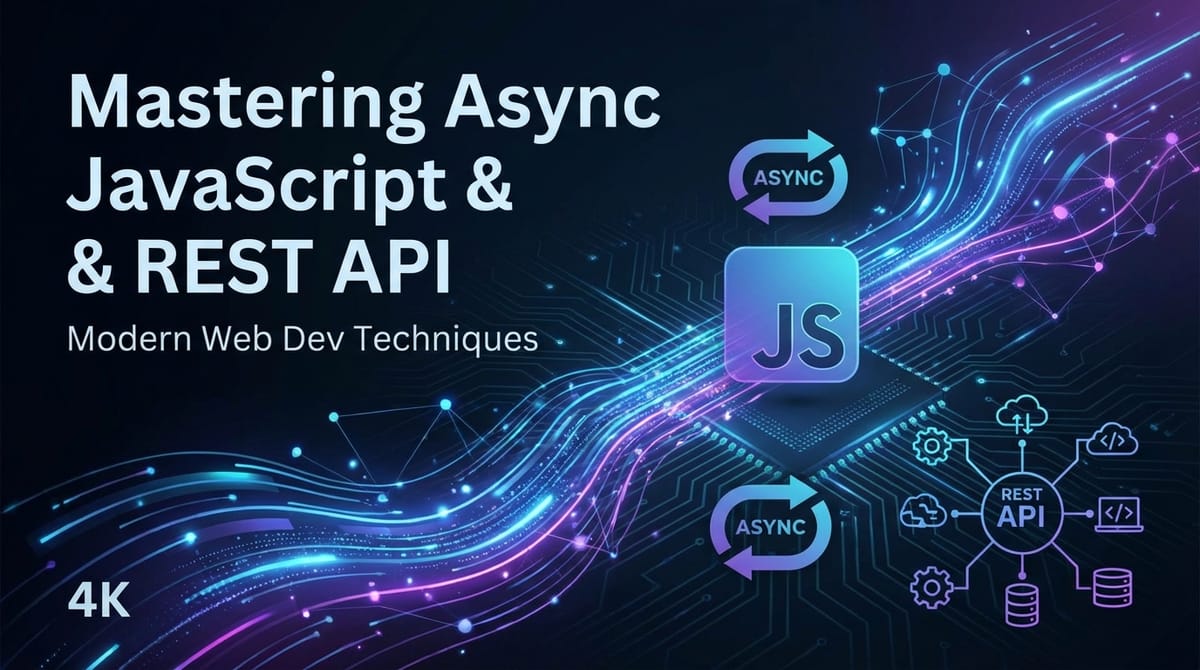


In the dynamic landscape of modern web development, creating applications that are not only visually appealing but also highly responsive, efficient, and scalable is paramount. The backbone of such applications often lies in their ability to communicate seamlessly with various services and handle data operations without freezing the user interface. This critical capability is primarily driven by a deep understanding and skillful application of Asynchronous JavaScript and the principles of RESTful APIs. This comprehensive guide delves into these two fundamental pillars, equipping you with the knowledge and practical insights to build sophisticated, high-performance web applications that stand out.
From the intricate dance of the JavaScript event loop to the structured elegance of REST principles, we will journey through the evolution of asynchronous patterns, explore the anatomy of robust APIs, and uncover advanced techniques that empower developers to tackle complex challenges with confidence. Whether you're fetching data from a remote server, orchestrating multiple concurrent operations, or designing your own interoperable services, mastering these concepts is not merely an advantage—it is an absolute necessity for any aspiring or seasoned web developer.
Part 1: The Asynchronous Nature of JavaScript – Unlocking Non-Blocking Execution
JavaScript, at its core, is a single-threaded language. This means it can only execute one task at a time. If a long-running operation were to execute synchronously, it would block the main thread, causing the entire application to become unresponsive, leading to a frustrating user experience. Imagine clicking a button and having your browser freeze for several seconds while data loads; this is precisely the scenario asynchronous programming aims to prevent. By deferring certain tasks to be executed later, without blocking the main thread, JavaScript maintains a fluid and responsive user interface, enhancing the overall user experience significantly.
What is Asynchronous Programming? Blocking vs. Non-blocking
To truly grasp asynchronous JavaScript, it's essential to understand the distinction between blocking and non-blocking operations.
Blocking (Synchronous) Operations: When a JavaScript engine encounters a synchronous operation, it must complete that operation entirely before moving on to the next line of code. If this operation is time-consuming, such as performing complex calculations, reading a large file from disk, or making a network request that takes a long time to respond, the entire application will pause. The user interface will become unresponsive, animations will stop, and any user interactions will be delayed until the blocking task finishes. This tight coupling of tasks can severely degrade user experience, making applications feel sluggish and unprofessional. For instance, a simple alert() call is a blocking operation; the browser tab cannot be interacted with until the user dismisses the alert.
Non-blocking (Asynchronous) Operations: In contrast, asynchronous operations allow the JavaScript engine to initiate a task and then immediately move on to the next task without waiting for the first one to complete. Once the asynchronous task finishes (e.g., data arrives from a server, a timer expires, a file finishes loading), a predefined callback function or promise handler is executed. This mechanism ensures that the main thread remains free to handle other crucial tasks like rendering UI updates, responding to user input, and maintaining overall application responsiveness. Network requests, timers (setTimeout, setInterval), and reading files are common examples of operations that benefit immensely from an asynchronous approach, enabling web applications to remain interactive and dynamic even while heavy data operations are underway.
Historical Context: Callbacks – The Dawn of Asynchronicity
The earliest and most fundamental way to handle asynchronous operations in JavaScript was through callbacks. A callback function is essentially a function passed as an argument to another function, intended to be executed after the first function has completed its operation. This pattern became the bedrock for handling events, timers, and initial network requests in JavaScript.
Consider a simple example: using setTimeout to delay an action.
console.log("Start of script");

setTimeout(function() {
    console.log("This message appears after 2 seconds.");
}, 2000);

console.log("End of script");
// Expected output:
// Start of script
// End of script
// (2 seconds later)
// This message appears after 2 seconds.
In this snippet, setTimeout is a non-blocking function. It schedules the anonymous function to run after 2000 milliseconds but immediately allows the console.log("End of script") line to execute. This demonstrates the core principle: the main thread continues its execution without waiting for the delayed task.
Callback Hell: The Problem
While callbacks were foundational, they quickly led to a significant problem in complex asynchronous workflows known as "Callback Hell" or the "Pyramid of Doom." This occurs when multiple nested asynchronous operations depend on the results of previous ones, leading to deeply indented, hard-to-read, and even harder-to-maintain code.
Imagine a scenario where you first fetch a user, then fetch their posts using the user's ID, and finally fetch comments for one of those posts. Each step requires a successful completion of the previous one, leading to nested callbacks:
function getUser(id, callback) {
    // Simulate network request
    setTimeout(() => {
        console.log('Fetching user...');
        const user = { id: id, name: 'Alice' };
        callback(null, user); // null for no error
    }, 1000);
}

function getPostsByUser(userId, callback) {
    // Simulate network request
    setTimeout(() => {
        console.log(`Fetching posts for user ${userId}...`);
        const posts = [
            { id: 101, userId: userId, title: 'My First Post' },
            { id: 102, userId: userId, title: 'Another Post' }
        ];
        callback(null, posts);
    }, 1200);
}

function getCommentsByPost(postId, callback) {
    // Simulate network request
    setTimeout(() => {
        console.log(`Fetching comments for post ${postId}...`);
        const comments = [
            { id: 1001, postId: postId, text: 'Great post!' },
            { id: 1002, postId: postId, text: 'Very insightful.' }
        ];
        callback(null, comments);
    }, 800);
}

// The Callback Hell scenario:
getUser(1, (error, user) => {
    if (error) {
        console.error('Error getting user:', error);
        return;
    }
    console.log('User:', user);
    getPostsByUser(user.id, (error, posts) => {
        if (error) {
            console.error('Error getting posts:', error);
            return;
        }
        console.log('Posts:', posts);
        if (posts.length > 0) {
            getCommentsByPost(posts[0].id, (error, comments) => {
                if (error) {
                    console.error('Error getting comments:', error);
                    return;
                }
                console.log('Comments for first post:', comments);
            });
        }
    });
});
The deeply nested structure makes error handling cumbersome (repeated if (error) checks), readability poor, and debugging a nightmare. This complexity spurred the search for more elegant solutions.
Promises: The Evolution Towards Cleaner Asynchronicity
To mitigate the issues of Callback Hell, Promises were introduced in ES6 (ECMAScript 2015). A Promise is an object representing the eventual completion or failure of an asynchronous operation and its resulting value. Instead of immediately returning the final value, an asynchronous function returns a promise that will "promise" to give you the value when it's ready, or an error if something goes wrong.
A Promise can be in one of three states: 1. Pending: Initial state, neither fulfilled nor rejected. 2. Fulfilled (Resolved): The operation completed successfully, and the promise has a resulting value. 3. Rejected: The operation failed, and the promise has a reason for the failure (an error).
Promises allow you to chain asynchronous operations in a more readable, flat structure using .then() for successful outcomes and .catch() for errors.
Let's refactor the previous example using Promises:
function getUserPromise(id) {
    return new Promise((resolve, reject) => {
        setTimeout(() => {
            console.log('Fetching user (Promise)...');
            const user = { id: id, name: 'Alice' };
            if (id === 1) { // Simulate success
                resolve(user);
            } else { // Simulate failure
                reject(new Error('User not found.'));
            }
        }, 1000);
    });
}

function getPostsByUserPromise(userId) {
    return new Promise((resolve, reject) => {
        setTimeout(() => {
            console.log(`Fetching posts for user ${userId} (Promise)...`);
            const posts = [
                { id: 101, userId: userId, title: 'My First Post' },
                { id: 102, userId: userId, title: 'Another Post' }
            ];
            if (userId === 1) { // Simulate success
                resolve(posts);
            } else { // Simulate failure
                reject(new Error('User has no posts.'));
            }
        }, 1200);
    });
}

function getCommentsByPostPromise(postId) {
    return new Promise((resolve, reject) => {
        setTimeout(() => {
            console.log(`Fetching comments for post ${postId} (Promise)...`);
            const comments = [
                { id: 1001, postId: postId, text: 'Great post!' },
                { id: 1002, postId: postId, text: 'Very insightful.' }
            ];
            if (postId === 101) { // Simulate success
                resolve(comments);
            } else { // Simulate failure
                reject(new Error('No comments found for post.'));
            }
        }, 800);
    });
}

// Chaining Promises:
getUserPromise(1)
    .then(user => {
        console.log('User (Promise):', user);
        return getPostsByUserPromise(user.id);
    })
    .then(posts => {
        console.log('Posts (Promise):', posts);
        if (posts.length > 0) {
            return getCommentsByPostPromise(posts[0].id);
        } else {
            return Promise.resolve([]); // Return an empty array if no posts
        }
    })
    .then(comments => {
        console.log('Comments for first post (Promise):', comments);
    })
    .catch(error => {
        console.error('An error occurred during the promise chain:', error.message);
    });
This promise-based code is significantly flatter and easier to read. Error handling is centralized in a single .catch() block, which can gracefully handle errors from any point in the chain.
fetch() API with Promises
The fetch() API is the modern, promise-based way to make network requests in the browser. It replaces the older XMLHttpRequest and provides a much more powerful and flexible feature set.
// Example using fetch to get data from a public API
fetch('https://jsonplaceholder.typicode.com/todos/1')
    .then(response => {
        if (!response.ok) {
            throw new Error(`HTTP error! status: ${response.status}`);
        }
        return response.json(); // Parse the JSON body
    })
    .then(data => {
        console.log('Fetched todo:', data);
    })
    .catch(error => {
        console.error('There was a problem with the fetch operation:', error);
    });
It's crucial to note that fetch() itself only rejects if a network error occurs (e.g., no internet connection). It does not reject for HTTP error status codes like 404 Not Found or 500 Internal Server Error. For these, you must explicitly check response.ok (which is true for 2xx status codes) and throw an error if needed, as shown above.
Promise Combinators
Promises offer several static methods to handle multiple promises concurrently:
Promise.all(iterable): Waits for all promises in the iterable to fulfill. If all fulfill, it returns an array of their resolved values. If any promise rejects,Promise.allimmediately rejects with the reason of the first promise that rejected. This is ideal when you need to fetch multiple independent pieces of data and only proceed when all are available.```javascript const promise1 = Promise.resolve(3); const promise2 = 42; // Non-promise values are treated as resolved promises const promise3 = new Promise((resolve, reject) => { setTimeout(resolve, 100, 'foo'); });Promise.all([promise1, promise2, promise3]) .then(values => { console.log('Promise.all values:', values); // [3, 42, "foo"] }) .catch(error => { console.error('Promise.all error:', error); }); ```Promise.race(iterable): Returns a promise that fulfills or rejects as soon as one of the promises in the iterable fulfills or rejects, with the value or reason from that promise. It's useful for scenarios where you want to respond to the fastest operation (e.g., fetching data from multiple sources and taking the first response).```javascript const p1 = new Promise(resolve => setTimeout(() => resolve('one'), 500)); const p2 = new Promise(resolve => setTimeout(() => resolve('two'), 100)); const p3 = new Promise(resolve => setTimeout(() => resolve('three'), 300));Promise.race([p1, p2, p3]) .then(value => { console.log('Promise.race value:', value); // "two" (after ~100ms) }) .catch(error => { console.error('Promise.race error:', error); }); ```Promise.allSettled(iterable): Returns a promise that fulfills after all of the given promises have either fulfilled or rejected, with an array of objects describing the outcome of each promise. This is valuable when you want to execute multiple promises and get the result of each, regardless of whether they succeeded or failed.```javascript const p_res = Promise.resolve('Success'); const p_rej = Promise.reject('Failure');Promise.allSettled([p_res, p_rej]) .then(results => { console.log('Promise.allSettled results:', results); // Output: // [ // { status: 'fulfilled', value: 'Success' }, // { status: 'rejected', reason: 'Failure' } // ] }); ```Promise.any(iterable): (ES2021) Returns a single promise that fulfills with the value of the first promise in the iterable to fulfill. If all of the promises in the iterable reject, then the returned promise rejects with anAggregateErrorcontaining an array of rejection reasons. This is useful when you need at least one success from multiple operations.```javascript const pFail1 = Promise.reject('Error 1'); const pFail2 = Promise.reject('Error 2'); const pSuccess = Promise.resolve('First success!');Promise.any([pFail1, pFail2, pSuccess]) .then(value => { console.log('Promise.any value:', value); // "First success!" }) .catch(error => { console.error('Promise.any error:', error); // Will only catch if ALL fail }); ```
async/await: The Modern Approach to Asynchronicity
While Promises significantly improved asynchronous code, the introduction of async/await in ES2017 brought an even more intuitive and synchronous-looking syntax for working with Promises. async/await is essentially syntactic sugar built on top of Promises, making asynchronous code as easy to read and write as synchronous code.
- An
asyncfunction always returns a Promise. If the function returns a non-Promise value, JavaScript automatically wraps it in a resolved Promise. - The
awaitkeyword can only be used inside anasyncfunction. It pauses the execution of theasyncfunction until the Promise it's waiting for settles (either fulfills or rejects).
Let's revisit the chained promise example using async/await:
async function fetchUserPostsAndComments(userId) {
    try {
        console.log('Starting async/await fetch...');
        const user = await getUserPromise(userId);
        console.log('User (async/await):', user);

        const posts = await getPostsByUserPromise(user.id);
        console.log('Posts (async/await):', posts);

        let comments = [];
        if (posts.length > 0) {
            comments = await getCommentsByPostPromise(posts[0].id);
        }
        console.log('Comments for first post (async/await):', comments);
        return { user, posts, comments };
    } catch (error) {
        console.error('An error occurred during async/await fetch:', error.message);
        throw error; // Re-throw to propagate the error if needed
    }
}

fetchUserPostsAndComments(1)
    .then(data => console.log('All data fetched successfully:', data))
    .catch(err => console.error('Overall error:', err.message));

// Example with error:
fetchUserPostsAndComments(99) // User 99 will cause a rejection in getUserPromise
    .catch(err => console.error('Overall error with invalid user:', err.message));
The async/await version dramatically improves readability, making complex asynchronous flows appear sequential and linear. Error handling is gracefully managed using standard try...catch blocks, familiar to developers from synchronous programming. This combination of conciseness and clarity makes async/await the preferred pattern for modern asynchronous JavaScript.
When dealing with multiple independent asynchronous operations that can run in parallel, you can combine async/await with Promise.all:
async function fetchMultipleResources() {
    try {
        const [userData, postsData] = await Promise.all([
            getUserPromise(1),
            getPostsByUserPromise(1)
        ]);
        console.log('User data:', userData);
        console.log('Posts data:', postsData);
    } catch (error) {
        console.error('Error fetching multiple resources:', error);
    }
}

fetchMultipleResources();
This pattern leverages the parallel execution capabilities of Promise.all while maintaining the clean syntax of async/await for processing the results.
The JavaScript Event Loop: How Asynchronicity Truly Works
To fully grasp why asynchronous operations don't block the main thread, one must understand the JavaScript Event Loop, a fundamental concept in how JavaScript executes code. The Event Loop is not part of the JavaScript engine itself but rather an external mechanism provided by the runtime environment (like a browser or Node.js).
The key components involved are: 1. Call Stack: This is where the JavaScript engine keeps track of function calls. When a function is called, it's pushed onto the stack. When it returns, it's popped off. JavaScript is single-threaded, so it has only one call stack. 2. Heap: This is where objects are allocated in memory. 3. Web APIs (Browser) / C++ APIs (Node.js): These are functionalities provided by the host environment, not by the JavaScript engine itself. Examples include setTimeout, DOM events, fetch(), XMLHttpRequest, file system access, etc. These APIs handle the asynchronous tasks. 4. Callback Queue (or Task Queue / Macrotask Queue): When an asynchronous operation (like a setTimeout callback or a network response) completes, its associated callback function is placed into this queue. 5. Microtask Queue: A higher-priority queue for certain asynchronous tasks, notably Promise callbacks (.then(), .catch(), .finally()) and async/await continuations. Microtasks are processed before the next macrotask from the callback queue. 6. Event Loop: This continuous process constantly monitors the Call Stack and the Callback/Microtask Queues. Its primary job is to push tasks from the queues onto the Call Stack only when the Call Stack is empty.
The Flow: 1. Synchronous code executes on the Call Stack. 2. When an asynchronous operation (e.g., fetch(), setTimeout) is encountered, it's initiated by a Web API (or Node.js API). The fetch() or setTimeout function itself is popped off the Call Stack, and the JavaScript engine continues executing the next synchronous code. 3. The Web API handles the asynchronous task in the background. 4. Once the asynchronous task completes (e.g., data arrives, timer expires), its associated callback function (or Promise fulfillment/rejection handler) is placed into the appropriate queue (Microtask or Callback Queue). 5. The Event Loop continuously checks if the Call Stack is empty. 6. If the Call Stack is empty, the Event Loop first checks the Microtask Queue. It dequeues and pushes all microtasks onto the Call Stack until the Microtask Queue is empty. 7. After the Microtask Queue is empty, the Event Loop then checks the Callback Queue. It dequeues the first macrotask and pushes it onto the Call Stack. 8. This process repeats, ensuring that the main thread remains free for synchronous operations and UI updates, while asynchronous tasks are handled efficiently without blocking.
Understanding the Event Loop is crucial for debugging complex asynchronous interactions and predicting the execution order of your code, especially when mixing setTimeout with Promises.
Web Workers: Offloading Heavy Computation
Even with asynchronous operations, JavaScript's single-threaded nature means that computationally intensive synchronous tasks can still block the main thread. Imagine processing a huge image, encrypting a large file, or running a complex simulation. These operations, if performed on the main thread, would render the UI unresponsive.
Web Workers provide a solution by allowing you to run scripts in a background thread, separate from the main execution thread of a web page. This means you can perform long-running computations without interfering with the responsiveness of the user interface.
Key characteristics of Web Workers: * Parallelism: They run in isolated global contexts, distinct from the main thread. * Communication: They communicate with the main thread via message passing (postMessage() and onmessage event listener). * Limited Access: Workers do not have access to the DOM, global variables of the main thread, or certain browser APIs like alert() or confirm(). They have access to XMLHttpRequest, fetch(), setTimeout, setInterval, and the navigator object, among others.
Example of a Web Worker:
main.js (on the main thread):
if (window.Worker) {
    const myWorker = new Worker('worker.js');

    document.getElementById('startCalculation').addEventListener('click', () => {
        const num = document.getElementById('numberInput').value;
        console.log('Main thread: Sending message to worker...');
        myWorker.postMessage(num); // Send data to worker
    });

    myWorker.onmessage = function(e) {
        console.log('Main thread: Received message from worker');
        document.getElementById('result').textContent = `Result: ${e.data}`;
    };

    myWorker.onerror = function(error) {
        console.error('Main thread: Worker error:', error);
    };

    // Demonstrate main thread remains responsive
    let count = 0;
    setInterval(() => {
        document.getElementById('mainThreadCounter').textContent = `Main thread counter: ${count++}`;
    }, 100);

} else {
    console.log('Your browser doesn\'t support Web Workers.');
}
worker.js (the worker script):
onmessage = function(e) {
    console.log('Worker: Received message from main thread:', e.data);
    const num = parseInt(e.data);
    let result = 0;
    // Simulate a heavy calculation (e.g., finding prime numbers up to num)
    for (let i = 0; i <= num; i++) {
        result += i; // A simple sum for demonstration
    }
    console.log('Worker: Calculation complete, sending result back.');
    postMessage(result); // Send result back to main thread
};
By offloading heavy computations to Web Workers, developers can ensure that the main thread remains dedicated to rendering and user interaction, leading to significantly smoother and more responsive web applications, even when dealing with computationally intensive tasks.
Part 2: Understanding REST APIs for Web Development – The Language of the Web
While asynchronous JavaScript provides the mechanisms for non-blocking data operations, it's the REST API that defines how web services communicate and exchange that data. In essence, an api (Application Programming Interface) is a set of rules and protocols that allows different software applications to communicate with each other. REST (Representational State Transfer) is an architectural style for designing networked applications, and it has become the de facto standard for building web services due to its simplicity, scalability, and statelessness.
What is an API?
An api acts as a contract between different software components. It defines the operations that a system can perform, the inputs it accepts, and the outputs it produces. Think of an api like a menu in a restaurant: it tells you what you can order (requests), how to order it (parameters), and what you can expect to receive (responses). You don't need to know how the kitchen prepares the food; you just need to know how to interact with the menu.
In web development, APIs allow your frontend application (e.g., a React, Angular, or Vue app) to interact with a backend server (e.g., Node.js, Python, Java) to fetch data, submit forms, or trigger complex processes. They are the invisible bridges that connect disparate parts of an application ecosystem, enabling modern, distributed architectures.
Introduction to REST (Representational State Transfer)
REST was defined by Roy Fielding in his 2000 doctoral dissertation. It's an architectural style, not a protocol, that leverages existing widely adopted internet protocols and technologies, most notably HTTP. The core idea behind REST is to treat all data and functionality as resources that can be accessed and manipulated using a uniform, stateless interface.
Core Principles of REST
To be considered RESTful, an api should adhere to several architectural constraints:
- Client-Server Architecture: Separation of concerns between the client (frontend UI, mobile app) and the server (backend logic, data storage). Each can evolve independently.
- Statelessness: Each request from client to server must contain all the information necessary to understand the request. The server should not store any client context between requests. This simplifies server design, improves scalability, and enhances reliability.
- Cacheability: Responses must implicitly or explicitly define themselves as cacheable or non-cacheable to prevent clients from reusing stale or inappropriate data. This improves performance and scalability.
- Uniform Interface: This is the most crucial principle, simplifying the overall system architecture by making it consistent and discoverable. It has four sub-constraints:
- Resource Identification in Requests: Individual resources are identified in requests, for example, using URIs.
- Resource Manipulation Through Representations: Clients manipulate resources using representations (e.g., JSON, XML) in the request body, and servers send representations in responses.
- Self-descriptive Messages: Each message includes enough information to describe how to process the message. For example, HTTP headers indicate content type.
- Hypermedia as the Engine of Application State (HATEOAS): This constraint suggests that a client should be able to interact with a server entirely through hypermedia provided dynamically by the server. While a fundamental part of Fielding's definition, it's often the least strictly adhered to in practical REST
apiimplementations.
- Layered System: A client cannot ordinarily tell whether it is connected directly to the end server, or to an intermediary along the way (e.g., load balancer, proxy, or
api gateway). This promotes scalability and security. - Code-on-Demand (Optional): Servers can temporarily extend or customize client functionality by transferring executable code (e.g., JavaScript applets). This is the only optional constraint.
Resources and URIs
In REST, everything is a resource. A resource is an abstract concept that can represent any type of object, data, or service. Examples include users, products, orders, or even individual comments. Each resource is identified by a unique Uniform Resource Identifier (URI).
URI examples: * /users (collection of users) * /users/123 (a specific user with ID 123) * /products/electronics/laptops (a collection of laptops) * /orders/ABC-123/items/456 (a specific item within an order)
RESTful URIs should be noun-based, descriptive, and reflect the resource hierarchy, avoiding verbs (which are handled by HTTP methods).
HTTP Methods: The Verbs of REST
REST leverages standard HTTP methods (verbs) to perform operations on resources. These methods are typically idempotent (multiple identical requests have the same effect as a single one) where appropriate.
GET(Read): Retrieves a representation of a resource or a collection of resources. It should be safe (no side effects on the server) and idempotent.- Example:
GET /users(get all users),GET /users/123(get user with ID 123).
- Example:
POST(Create): Creates a new resource. The request body typically contains the data for the new resource.POSTrequests are generally not idempotent.- Example:
POST /users(create a new user with data in the request body).
- Example:
PUT(Update/Replace): Replaces an existing resource entirely with the data provided in the request body. If the resource does not exist,PUTcan sometimes create it (upsert semantics), but it's more strictly defined as a full replacement.PUTis idempotent.- Example:
PUT /users/123(replace user 123 with data in the request body).
- Example:
DELETE(Delete): Removes a resource identified by the URI.DELETEis idempotent.- Example:
DELETE /users/123(delete user with ID 123).
- Example:
PATCH(Partial Update): (Less common but important) Applies partial modifications to a resource. Only the specified fields in the request body are updated.PATCHis not necessarily idempotent.- Example:
PATCH /users/123(update only the 'email' field of user 123).
- Example:
HTTP Status Codes: The Server's Response
After processing a client's request, the server responds with an HTTP status code, indicating the outcome of the request. These codes are categorized into ranges:
- 1xx (Informational): Request received, continuing process. (Rarely seen by clients)
- 2xx (Success): The action was successfully received, understood, and accepted.
200 OK: Standard success forGET,PUT,PATCH,DELETE.201 Created: Resource successfully created (typically forPOST). The response often includes the URI of the new resource.204 No Content: The server successfully processed the request, but there is no content to send back (e.g., successfulDELETE).
- 3xx (Redirection): Further action needs to be taken by the user agent to fulfill the request.
301 Moved Permanently: The resource has been permanently moved.304 Not Modified: The resource has not been modified since the last request (used for caching).
- 4xx (Client Error): The request contains bad syntax or cannot be fulfilled.
400 Bad Request: General client error, often due to invalid syntax in the request body or parameters.401 Unauthorized: Authentication is required and has failed or has not yet been provided.403 Forbidden: The server understood the request but refuses to authorize it. (Authentication succeeded, but authorization failed).404 Not Found: The requested resource could not be found.405 Method Not Allowed: The HTTP method used is not supported for the requested resource.409 Conflict: The request could not be completed due to a conflict with the current state of the resource (e.g., trying to create a resource that already exists).429 Too Many Requests: The user has sent too many requests in a given amount of time (rate limiting).
- 5xx (Server Error): The server failed to fulfill an apparently valid request.
500 Internal Server Error: A generic error message, given when an unexpected condition was encountered.502 Bad Gateway: The server, while acting as a gateway or proxy, received an invalid response from an upstream server.503 Service Unavailable: The server is currently unable to handle the request due to temporary overloading or maintenance.
Data Formats: JSON vs. XML
While REST is agnostic to the data format, JSON (JavaScript Object Notation) has become the overwhelmingly dominant choice for api communication. JSON is lightweight, human-readable, and maps directly to JavaScript objects, making it incredibly convenient for web applications.
XML (Extensible Markup Language) was previously common but is now mostly replaced by JSON due to JSON's simpler syntax and smaller payload size.
JSON Example:
{
    "id": 123,
    "name": "Jane Doe",
    "email": "jane.doe@example.com",
    "isActive": true,
    "roles": ["admin", "editor"],
    "address": {
        "street": "123 Main St",
        "city": "Anytown",
        "zipCode": "12345"
    }
}
Designing RESTful APIs: Best Practices
Designing a good RESTful api is crucial for its usability, maintainability, and scalability.
- Use Nouns for Resources, Not Verbs: As mentioned, URIs should represent resources (nouns) and HTTP methods should represent actions (verbs).
- Bad:
/getAllUsers,/createUser - Good:
GET /users,POST /users
- Bad:
- Resource Nesting for Relationships: Reflect relationships between resources through nested URIs.
GET /users/123/posts(get all posts for user 123)GET /users/123/posts/456(get post 456 for user 123)
- Use Plural Nouns: Always use plural nouns for collection resources.
- Bad:
/user,/product - Good:
/users,/products
- Bad:
- Versioning: APIs evolve, and breaking changes can occur. Versioning allows clients to continue using older
apiversions while new clients adopt the latest.- URI Versioning:
GET /v1/users,GET /v2/users(common, but violates pure REST URI principles) - Header Versioning:
Accept: application/vnd.myapi.v1+json(more RESTful, but less visible)
- URI Versioning:
- Filtering, Sorting, and Pagination: For large collections, provide query parameters to allow clients to filter, sort, and paginate results.
GET /products?category=electronics&minPrice=100&sortBy=price&order=asc&page=1&limit=10
- Authentication and Authorization: Secure your
api.- Authentication: Verify the identity of the user/client. Common methods include API Keys, Basic Auth, OAuth 2.0 (for third-party access), and JWT (JSON Web Tokens) for stateless authentication.
- Authorization: Determine what an authenticated user/client is permitted to do. This typically involves roles and permissions.
- Error Handling: Provide clear, consistent, and informative error responses. Include an HTTP status code and a JSON body with details about the error.
- Example 400 Bad Request response:
json { "status": 400, "error": "Bad Request", "message": "Validation failed", "details": { "email": "Email format is invalid", "password": "Password must be at least 8 characters" } }
- Example 400 Bad Request response:
- HATEOAS (Hypermedia as the Engine of Application State): Include links to related resources in your responses to guide clients on possible next actions. While often overlooked, it's a key REST principle for true discoverability.
Consuming REST APIs in JavaScript
We've already seen fetch() in action with Promises and async/await. Now, let's explore it more deeply from the perspective of interacting with REST APIs for various operations.
Basic GET Request
To retrieve data, you simply make a GET request.
async function getPosts() {
    try {
        const response = await fetch('https://jsonplaceholder.typicode.com/posts');
        if (!response.ok) {
            throw new Error(`HTTP error! status: ${response.status}`);
        }
        const posts = await response.json();
        console.log('All posts:', posts.slice(0, 5)); // Log first 5 posts
    } catch (error) {
        console.error('Error fetching posts:', error);
    }
}
getPosts();
POST Request (Creating Data)
To create a new resource, use the POST method and send data in the request body, usually as JSON. You also need to set the Content-Type header.
async function createPost(title, body, userId) {
    try {
        const response = await fetch('https://jsonplaceholder.typicode.com/posts', {
            method: 'POST',
            headers: {
                'Content-Type': 'application/json',
                'Accept': 'application/json' // Often good practice to include
            },
            body: JSON.stringify({
                title: title,
                body: body,
                userId: userId,
            }),
        });
        if (!response.ok) {
            throw new Error(`HTTP error! status: ${response.status}`);
        }
        const newPost = await response.json();
        console.log('New post created:', newPost); // Will often return the created resource with an ID
    } catch (error) {
        console.error('Error creating post:', error);
    }
}
createPost('My New Async/Await Post', 'This is the content of my new post.', 1);
PUT Request (Updating Data - Full Replacement)
PUT is used to update an entire resource. The request body should contain the complete new state of the resource.
async function updatePost(postId, newTitle, newBody) {
    try {
        const response = await fetch(`https://jsonplaceholder.typicode.com/posts/${postId}`, {
            method: 'PUT',
            headers: {
                'Content-Type': 'application/json',
            },
            body: JSON.stringify({
                id: postId, // Typically, the ID is also sent in the body for PUT
                title: newTitle,
                body: newBody,
                userId: 1, // Placeholder, usually you'd retrieve or pass this
            }),
        });
        if (!response.ok) {
            throw new Error(`HTTP error! status: ${response.status}`);
        }
        const updatedPost = await response.json();
        console.log('Post updated (PUT):', updatedPost);
    } catch (error) {
        console.error('Error updating post with PUT:', error);
    }
}
updatePost(1, 'Updated Post Title with PUT', 'This content entirely replaces the old one.');
PATCH Request (Updating Data - Partial)
PATCH is used for partial updates. Only the fields you want to change are sent in the request body.
async function patchPost(postId, updates) { // updates is an object like { title: 'New Title' }
    try {
        const response = await fetch(`https://jsonplaceholder.typicode.com/posts/${postId}`, {
            method: 'PATCH',
            headers: {
                'Content-Type': 'application/json',
            },
            body: JSON.stringify(updates),
        });
        if (!response.ok) {
            throw new Error(`HTTP error! status: ${response.status}`);
        }
        const patchedPost = await response.json();
        console.log('Post updated (PATCH):', patchedPost);
    } catch (error) {
        console.error('Error updating post with PATCH:', error);
    }
}
patchPost(1, { title: 'Partially Updated Title', author: 'New Author (via PATCH)' });
DELETE Request (Deleting Data)
Deleting a resource is straightforward with the DELETE method. Often, no request body is needed, and the server might respond with 204 No Content.
async function deletePost(postId) {
    try {
        const response = await fetch(`https://jsonplaceholder.typicode.com/posts/${postId}`, {
            method: 'DELETE',
        });
        // A 204 No Content response is typically successful for DELETE
        if (!response.ok && response.status !== 204) {
            throw new Error(`HTTP error! status: ${response.status}`);
        }
        console.log(`Post ${postId} deleted successfully.`);
    } catch (error) {
        console.error('Error deleting post:', error);
    }
}
deletePost(1); // Note: JSONPlaceholder simulates deletion, but doesn't actually remove the resource.
By consistently applying these HTTP methods, you can build a robust client-side api consumption layer that interacts effectively with any RESTful backend.
Part 3: Advanced Concepts and Best Practices – Elevating Your Web Development Prowess
Beyond the foundational understanding of asynchronous JavaScript and REST APIs, there's a myriad of advanced concepts and best practices that can significantly elevate the security, maintainability, and performance of your web applications. These techniques address real-world challenges, from securing sensitive data to streamlining API management across large teams and complex systems.
API Security: Safeguarding Your Data
Security is paramount when dealing with apis, as they often expose sensitive data and critical functionalities. Neglecting api security can lead to data breaches, unauthorized access, and system compromise.
- CORS (Cross-Origin Resource Sharing): A browser security mechanism that restricts web pages from making requests to a different domain than the one that served the web page. This is a fundamental layer of security to prevent malicious cross-site requests. If your frontend (
http://my-app.com) tries to call anapion a different domain (http://api.my-backend.com), the browser will block the request unless theapiserver explicitly allows it using CORS headers (e.g.,Access-Control-Allow-Origin). Developers often encounter CORS errors during development when frontend and backend run on different ports or domains. - Rate Limiting: Protects your
apifrom abuse, denial-of-service (DoS) attacks, and ensures fair usage by limiting the number of requests a client can make within a specified timeframe (e.g., 100 requests per minute per IP address). When a client exceeds the limit, theapiresponds with a429 Too Many Requestsstatus code. This is crucial for maintainingapistability and preventing resource exhaustion. - Input Validation: Never trust client-side input. All data sent to your
api(query parameters, request body, headers) must be rigorously validated on the server-side before processing or storing. This prevents common vulnerabilities like SQL injection, cross-site scripting (XSS), and buffer overflows. Validation should check data types, formats, lengths, and acceptable values. - Protecting Sensitive Data:
- HTTPS: Always use HTTPS (HTTP Secure) for all
apicommunication. This encrypts data in transit, protecting it from eavesdropping and man-in-the-middle attacks. - Authentication & Authorization: As discussed, ensure robust mechanisms for identifying users and controlling their access to specific resources and actions.
- Data Encryption at Rest: Sensitive data stored in databases should be encrypted.
- Token Security: If using JWTs or
apikeys, ensure they are stored securely (e.g., HTTP-only cookies for JWTs to prevent XSS access, environment variables forapikeys on the server) and transmitted over HTTPS. Avoid exposingapikeys directly in client-side code unless explicitly designed for public access.
- HTTPS: Always use HTTPS (HTTP Secure) for all
API Documentation: The Blueprint for Success
Even the most well-designed api is useless without clear, accurate, and up-to-date documentation. Good documentation is the blueprint that enables developers to understand, integrate, and effectively use your api. It reduces friction, improves developer experience, and accelerates adoption.
Key elements of excellent api documentation include: * Overview: What the api does, its purpose, and core concepts. * Authentication: How to authenticate requests (API keys, OAuth, etc.). * Endpoints: A comprehensive list of all available endpoints, including their URIs, HTTP methods, expected request parameters (query, path, header, body), and example request bodies. * Responses: Expected success and error responses, including HTTP status codes and example response bodies for each endpoint. * Data Models/Schemas: Definitions of the data structures used in requests and responses. * Code Examples: Snippets in popular languages (e.g., JavaScript, Python, cURL) demonstrating how to interact with the api. * Versioning Strategy: How api versions are managed and how to migrate between them.
Introducing OpenAPI Specification (formerly Swagger)
The OpenAPI Specification (OAS) is a language-agnostic, human-readable, and machine-readable interface description language for RESTful apis. It allows you to describe the structure of your entire api in a standardized JSON or YAML format.
Benefits of OpenAPI: * Clear Documentation: Tools like Swagger UI can automatically generate beautiful, interactive api documentation from an OpenAPI definition. This ensures your documentation is always consistent with your api's implementation. * Code Generation: From an OpenAPI definition, you can automatically generate client SDKs (Software Development Kits) in various programming languages, reducing the effort for consumers to integrate with your api. You can also generate server stubs, accelerating backend development. * API Design First: OpenAPI encourages an api-first design approach, where you design your api interface before writing any code. This leads to more consistent and well-thought-out apis. * Testing: It can be used to generate api test cases and integrate with testing tools. * Discovery & Management: OpenAPI definitions can be used by api gateways, api management platforms, and other tools for automated discovery, routing, policy enforcement, and monitoring.
An OpenAPI definition describes endpoints, HTTP methods, request parameters, response structures, authentication schemes, and data models (schemas). It's an indispensable tool for api development in any serious project.
API Gateways: The Central Nervous System for APIs
As applications grow and adopt microservices architectures, managing a multitude of individual apis becomes increasingly complex. This is where an API Gateway comes into play. An api gateway acts as a single entry point for all client requests, routing them to the appropriate backend services. It sits between the client and the collection of backend services.
Benefits of an API Gateway
An api gateway centralizes many cross-cutting concerns that would otherwise need to be implemented in each individual service, providing significant benefits:
- Security & Authentication: An
api gatewaycan handle client authentication (e.g., validatingapikeys, JWTs, OAuth tokens) and pass authenticated requests to backend services. This offloads security logic from individual services. - Rate Limiting: Enforces
apiusage limits to protect backend services from overload and abuse. - Traffic Management:
- Routing: Directs requests to the correct backend service based on the request path or other criteria.
- Load Balancing: Distributes incoming traffic across multiple instances of backend services for improved performance and availability.
- Circuit Breaker: Prevents cascading failures by stopping requests to services that are unhealthy or overloaded.
- Monitoring & Analytics: Collects logs and metrics for all
apicalls, providing insights intoapiperformance, usage, and errors. - Request/Response Transformation: Can modify incoming requests (e.g., add headers, transform data formats) before forwarding them to backend services, and similarly transform responses before sending them back to clients.
- API Composition: Can aggregate calls to multiple backend services into a single response, simplifying client-side logic.
- Developer Portal: Many
api gatewaysolutions come with developer portals that make it easy forapiconsumers to discover, learn about, and subscribe toapis.
APIPark: An Open Source AI Gateway & API Management Platform
In the context of robust api management and the burgeoning field of AI integration, a solution like APIPark stands out. APIPark is an all-in-one open-source api gateway and api developer portal designed to streamline the management, integration, and deployment of both AI and REST services. It addresses the complexities of modern api ecosystems by centralizing core functionalities.
Key Features of APIPark relevant to API Gateways:
- End-to-End API Lifecycle Management: APIPark assists with managing the entire lifecycle of APIs, from design and publication to invocation and decommissioning. It helps regulate API management processes, manage traffic forwarding, load balancing, and versioning of published APIs. This directly aligns with the
api gateway's role in traffic management and version control. - API Service Sharing within Teams: The platform allows for the centralized display of all API services, making it easy for different departments and teams to find and use the required API services. This fosters collaboration and
apidiscoverability, a common feature integrated with advancedapi gatewaysolutions. - API Resource Access Requires Approval: APIPark allows for the activation of subscription approval features, ensuring that callers must subscribe to an
apiand await administrator approval before they can invoke it, preventing unauthorizedapicalls and potential data breaches. This is a crucial security feature typically handled at theapi gatewaylevel. - Performance Rivaling Nginx: With just an 8-core CPU and 8GB of memory, APIPark can achieve over 20,000 TPS, supporting cluster deployment to handle large-scale traffic. High performance is a critical characteristic of any effective
api gatewaythat needs to handle high throughput. - Detailed API Call Logging & Powerful Data Analysis: APIPark provides comprehensive logging capabilities, recording every detail of each API call. It then analyzes historical call data to display long-term trends and performance changes. This monitoring and analytics capability is a core function of an
api gateway, providing vital operational intelligence.
While APIPark offers specialized features for AI models, its robust api gateway and api management capabilities are equally valuable for traditional REST APIs, making it a powerful tool for developers looking to manage their services efficiently and securely. Its open-source nature further enhances its appeal, providing transparency and flexibility.
Error Handling Strategies (Comprehensive)
Effective error handling is crucial for building resilient web applications. It involves gracefully managing both client-side and server-side issues.
- Client-side Error Handling:
- Network Errors:
fetch()requests can fail due to network connectivity issues. These errors typically reject the promise, so a.catch()block will capture them. - Parsing Errors: If a server returns malformed JSON,
response.json()will throw an error, whichtry/catchor.catch()can handle. - Application Logic Errors: Errors within your JavaScript code (e.g., trying to access a property of an undefined object) should be handled with
try/catchblocks around specific operations or through global error handlers (window.onerror,unhandledrejection). - User Feedback: Always provide meaningful feedback to the user when an error occurs (e.g., "Failed to load data, please try again," or a specific error message from the
api).
- Network Errors:
- Server-side Error Handling (API Responses):
- As discussed, always check
response.okorresponse.statuswhen usingfetch()to interpretapiresponses. - Design your
apito return consistent error formats (e.g., a JSON object withcode,message,details) for all 4xx and 5xx status codes, making client-side error parsing predictable.
- As discussed, always check
- Retries and Exponential Backoff: For transient network errors or server-side issues (e.g.,
503 Service Unavailable,429 Too Many Requests), implementing a retry mechanism can improve reliability. Exponential backoff is a strategy where you progressively increase the delay between retries (e.g., 1s, 2s, 4s, 8s) to avoid overwhelming the server and allow it time to recover. This should be combined with a maximum number of retries.``javascript async function fetchWithRetry(url, options = {}, retries = 3, delay = 1000) { for (let i = 0; i < retries; i++) { try { const response = await fetch(url, options); if (response.status === 429 || response.status >= 500) { console.warn(Request failed with status ${response.status}. Retrying in ${delay}ms...); await new Promise(resolve => setTimeout(resolve, delay)); delay *= 2; // Exponential backoff continue; // Try again } if (!response.ok) { throw new Error(HTTP error! status: ${response.status}); } return response; } catch (error) { if (i < retries - 1 && error.message.includes('Failed to fetch')) { // Network error console.warn(Network error. Retrying in ${delay}ms...`); await new Promise(resolve => setTimeout(resolve, delay)); delay *= 2; continue; } throw error; // Re-throw if it's the last retry or a non-retryable error } } throw new Error('Max retries exceeded.'); }// Usage: fetchWithRetry('https://api.example.com/data', {}, 5, 500) .then(response => response.json()) .then(data => console.log('Fetched data:', data)) .catch(err => console.error('Failed to fetch after multiple retries:', err)); ```
Performance Optimization for API Calls
Optimizing api calls is vital for a smooth user experience, especially in data-intensive applications.
- Debouncing and Throttling Requests:
- Debouncing: Delays function execution until after a certain period of inactivity. Useful for input fields (e.g., search bars) where you don't want to make an
apicall on every keystroke, but only when the user has stopped typing for a moment. - Throttling: Limits the rate at which a function can be called. Useful for events that fire rapidly (e.g., window resize, scroll events) to prevent making too many
apicalls.
- Debouncing: Delays function execution until after a certain period of inactivity. Useful for input fields (e.g., search bars) where you don't want to make an
- Caching Strategies: Reduce redundant
apicalls and improve load times.- Client-side Caching (Browser Cache, Service Workers): Browsers automatically cache
GETrequests based on HTTP cache headers (e.g.,Cache-Control,Expires,ETag). Service Workers offer more granular control, allowing you to intercept network requests and serve cached content offline or with specific caching policies. - Server-side Caching (Redis, Memcached): Backend servers can cache frequently accessed data to avoid repeatedly querying databases or performing expensive computations. An
api gatewaycan also implement caching at the edge.
- Client-side Caching (Browser Cache, Service Workers): Browsers automatically cache
- Pagination and Filtering: Instead of fetching all records at once (which can be massive), provide mechanisms for clients to request data in smaller, manageable chunks (pagination) and apply specific filters to retrieve only relevant data. This reduces payload size and improves
apiresponse times. - Conditional Requests (
If-None-Match,If-Modified-Since): Clients can send these headers to the server, which can respond with304 Not Modifiedif the resource hasn't changed, saving bandwidth by not sending the full resource again.
Testing Asynchronous Code and APIs
Testing asynchronous operations and api interactions requires specific strategies to ensure reliability and correctness.
- Unit Testing (Mocks, Stubs):
- For testing individual functions that make
apicalls, you'll want to mock thefetch()apiorXMLHttpRequestobject. This involves replacing the actual network request with a controlled, simulated response. Libraries like Jest'sjest.mock()or tools likemsw(Mock Service Worker) are excellent for this. Mocks allow you to test your component's logic without actually hitting a remote server, making tests fast and reliable. - Stubs are simplified mocks that provide specific behavior (e.g., always returning a predefined success response).
- For testing individual functions that make
- Integration Testing:
- Tests the interaction between your code and the actual
apiendpoint. These tests are slower and require a runningapibackend (which might be a test environment or a local mock server). They verify that your client code correctly sends requests and processes responses, and that theapibehaves as expected.
- Tests the interaction between your code and the actual
- End-to-End (E2E) Testing:
- Simulates a real user's flow through your application, including interactions with the frontend and backend
apis. Tools like Cypress or Playwright are used for E2E tests. These tests are the most comprehensive but also the slowest and most fragile, typically used for critical user journeys.
- Simulates a real user's flow through your application, including interactions with the frontend and backend
A balanced testing strategy involves a mix of unit, integration, and E2E tests, focusing on different layers of your application to ensure overall stability and functionality.
APIPark is a high-performance AI gateway that allows you to securely access the most comprehensive LLM APIs globally on the APIPark platform, including OpenAI, Anthropic, Mistral, Llama2, Google Gemini, and more.Try APIPark now! 👇👇👇
Part 4: Real-World Application and Project Example – Building an Interactive Dashboard
To solidify our understanding, let's conceptualize a real-world application that combines asynchronous JavaScript and REST APIs: an interactive dashboard displaying user profiles and their associated tasks from a hypothetical task management system. We will fetch user data, then their tasks, and display them.
Imagine a simple web page with two sections: "User Profile" and "User Tasks." When a user ID is entered and submitted, the dashboard should: 1. Fetch the user's basic profile information. 2. Concurrently fetch a list of tasks assigned to that user. 3. Display both pieces of information, handling loading states and potential errors gracefully.
We'll use a public placeholder api like JSONPlaceholder to simulate our backend.
<!DOCTYPE html>
<html lang="en">
<head>
    <meta charset="UTF-8">
    <meta name="viewport" content="width=device-width, initial-scale=1.0">
    <title>User Dashboard</title>
    <style>
        body { font-family: Arial, sans-serif; line-height: 1.6; margin: 20px; background-color: #f4f4f4; color: #333; }
        .container { max-width: 900px; margin: auto; background: #fff; padding: 30px; border-radius: 8px; box-shadow: 0 2px 10px rgba(0,0,0,0.1); }
        h1, h2 { color: #0056b3; }
        input[type="number"], button { padding: 10px 15px; margin-right: 10px; border: 1px solid #ccc; border-radius: 4px; font-size: 1rem; }
        button { background-color: #007bff; color: white; cursor: pointer; border: none; transition: background-color 0.3s ease; }
        button:hover { background-color: #0056b3; }
        .data-section { background-color: #e9ecef; padding: 20px; border-radius: 6px; margin-top: 20px; }
        .loading { text-align: center; color: #6c757d; font-style: italic; }
        .error { color: #dc3545; font-weight: bold; }
        .user-info p, .task-list li { margin-bottom: 8px; }
        .task-list ul { list-style-type: none; padding: 0; }
        .task-list li { background-color: #f8f9fa; border: 1px solid #dee2e6; padding: 10px; border-radius: 4px; margin-bottom: 5px; display: flex; justify-content: space-between; align-items: center; }
        .task-list li.completed { background-color: #d4edda; color: #155724; border-color: #c3e6cb; }
        .task-list li span.status { font-weight: bold; padding: 3px 8px; border-radius: 3px; font-size: 0.85em; }
        .task-list li.completed span.status { background-color: #28a745; color: white; }
        .task-list li:not(.completed) span.status { background-color: #ffc107; color: #343a40; }
    </style>
</head>
<body>
    <div class="container">
        <h1>User Dashboard</h1>

        <div class="input-section">
            <label for="userIdInput">Enter User ID (1-10):</label>
            <input type="number" id="userIdInput" value="1" min="1" max="10">
            <button id="fetchDataBtn">Load User Data</button>
        </div>

        <div id="loadingMessage" class="loading" style="display: none;">Loading data...</div>
        <div id="errorMessage" class="error" style="display: none;"></div>

        <div id="userProfile" class="data-section" style="display: none;">
            <h2>User Profile</h2>
            <div class="user-info">
                <p><strong>ID:</strong> <span id="profileId"></span></p>
                <p><strong>Name:</strong> <span id="profileName"></span></p>
                <p><strong>Username:</strong> <span id="profileUsername"></span></p>
                <p><strong>Email:</strong> <span id="profileEmail"></span></p>
                <p><strong>Website:</strong> <span id="profileWebsite"></span></p>
            </div>
        </div>

        <div id="userTasks" class="data-section" style="display: none;">
            <h2>User Tasks</h2>
            <div class="task-list">
                <ul id="taskList">
                    <!-- Tasks will be inserted here -->
                </ul>
            </div>
        </div>
    </div>

    <script>
        const userIdInput = document.getElementById('userIdInput');
        const fetchDataBtn = document.getElementById('fetchDataBtn');
        const loadingMessage = document.getElementById('loadingMessage');
        const errorMessage = document.getElementById('errorMessage');

        const userProfileDiv = document.getElementById('userProfile');
        const profileId = document.getElementById('profileId');
        const profileName = document.getElementById('profileName');
        const profileUsername = document.getElementById('profileUsername');
        const profileEmail = document.getElementById('profileEmail');
        const profileWebsite = document.getElementById('profileWebsite');

        const userTasksDiv = document.getElementById('userTasks');
        const taskList = document.getElementById('taskList');

        async function fetchUserData(userId) {
            try {
                // Show loading state and clear previous data
                userProfileDiv.style.display = 'none';
                userTasksDiv.style.display = 'none';
                errorMessage.style.display = 'none';
                loadingMessage.style.display = 'block';

                // Fetch user and tasks concurrently using Promise.all
                const [userResponse, tasksResponse] = await Promise.all([
                    fetch(`https://jsonplaceholder.typicode.com/users/${userId}`),
                    fetch(`https://jsonplaceholder.typicode.com/todos?userId=${userId}`)
                ]);

                // Handle HTTP errors for both responses
                if (!userResponse.ok) {
                    throw new Error(`Failed to fetch user data: HTTP status ${userResponse.status}`);
                }
                if (!tasksResponse.ok) {
                    throw new Error(`Failed to fetch tasks: HTTP status ${tasksResponse.status}`);
                }

                const user = await userResponse.json();
                const tasks = await tasksResponse.json();

                // Check if user exists (jsonplaceholder returns an empty object for non-existent users)
                if (Object.keys(user).length === 0) {
                    throw new Error(`User with ID ${userId} not found.`);
                }

                displayUserProfile(user);
                displayUserTasks(tasks);

            } catch (error) {
                console.error('Error fetching dashboard data:', error);
                displayError(error.message);
            } finally {
                loadingMessage.style.display = 'none'; // Always hide loading message
            }
        }

        function displayUserProfile(user) {
            profileId.textContent = user.id;
            profileName.textContent = user.name;
            profileUsername.textContent = user.username;
            profileEmail.textContent = user.email;
            profileWebsite.textContent = user.website;
            userProfileDiv.style.display = 'block';
        }

        function displayUserTasks(tasks) {
            taskList.innerHTML = ''; // Clear previous tasks
            if (tasks.length === 0) {
                const li = document.createElement('li');
                li.textContent = 'No tasks found for this user.';
                taskList.appendChild(li);
            } else {
                tasks.forEach(task => {
                    const li = document.createElement('li');
                    li.classList.add(task.completed ? 'completed' : 'pending');
                    li.innerHTML = `
                        <span>${task.title}</span>
                        <span class="status">${task.completed ? 'Completed' : 'Pending'}</span>
                    `;
                    taskList.appendChild(li);
                });
            }
            userTasksDiv.style.display = 'block';
        }

        function displayError(message) {
            errorMessage.textContent = `Error: ${message}`;
            errorMessage.style.display = 'block';
            userProfileDiv.style.display = 'none';
            userTasksDiv.style.display = 'none';
        }

        fetchDataBtn.addEventListener('click', () => {
            const userId = parseInt(userIdInput.value);
            if (userId >= 1 && userId <= 10) {
                fetchUserData(userId);
            } else {
                displayError('Please enter a User ID between 1 and 10.');
            }
        });

        // Load data for initial user on page load
        fetchUserData(parseInt(userIdInput.value));
    </script>
</body>
</html>
This example demonstrates several key concepts: * async/await: For clean, sequential-looking asynchronous code. * Promise.all: To concurrently fetch user data and tasks, improving efficiency by not waiting for one api call to finish before starting the next. * fetch() API: For making HTTP GET requests to a RESTful api. * Error Handling: Using try...catch to gracefully handle network issues or api response errors. * Loading States: Providing visual feedback to the user while data is being fetched. * DOM Manipulation: Dynamically updating the page content based on the fetched data.
This simple dashboard showcases how combining asynchronous JavaScript with REST api interactions creates dynamic, responsive web applications that effectively communicate with backend services.
Conclusion: The Synergy of Async JavaScript and REST APIs
Mastering asynchronous JavaScript and REST APIs is not just about understanding individual concepts; it's about appreciating their powerful synergy in building the modern web. Asynchronous JavaScript, through its evolution from callbacks to Promises and the elegant async/await syntax, provides the foundational mechanism for non-blocking operations, ensuring that your web applications remain responsive and user-friendly, even when interacting with external services. The JavaScript Event Loop acts as the silent conductor, orchestrating these operations behind the scenes, while Web Workers offer a powerful escape valve for computationally intensive tasks, preserving the fluidity of the user experience.
Complementing this, REST APIs provide the structured language for client-server communication. By adhering to principles of statelessness, resource-based interactions, and standard HTTP methods, REST APIs enable developers to build scalable, maintainable, and interoperable web services. Understanding how to design, consume, and secure these APIs is paramount for crafting robust backend and frontend interactions. From clear OpenAPI documentation that serves as a universal blueprint to the strategic deployment of an api gateway like APIPark for centralized management, security, and performance, every aspect of api development contributes to the overall success of a project.
The journey through api security, performance optimization techniques like caching and debouncing, and rigorous testing strategies underscores the commitment required to build resilient applications. In a world increasingly reliant on interconnected services and real-time data, the ability to deftly navigate asynchronous patterns and skillfully interact with RESTful interfaces is no longer an advanced skill—it is a core competency for every web developer. By embracing these principles and tools, you are not just coding; you are engineering the future of the web, one responsive, secure, and data-rich application at a time. The landscape will continue to evolve, with new paradigms like GraphQL and advanced api management solutions emerging, but the fundamental concepts explored here will remain the bedrock of powerful web development for years to come.
Comparison Table: Asynchronous JavaScript Patterns
| Feature | Callbacks (ES5) | Promises (ES6/ES2015) | Async/Await (ES2017) |
|---|---|---|---|
| Syntax | Nested functions, deeply indented | Chained .then(), .catch(), .finally() |
Linear, synchronous-looking with await |
| Readability | Poor (Callback Hell) | Improved, flatter structure | Excellent, highly intuitive |
| Error Handling | Manual, often repeated if(error) checks |
Centralized .catch() block |
Standard try...catch blocks |
| Composability | Difficult with multiple parallel operations | Promise.all(), Promise.race() for composition |
Combines well with Promise.all() and Promise.race() |
| Maintainability | Low, hard to debug | Moderate to High | High, easy to follow and debug |
| Reactivity | Not directly reactive, fires once | Represents eventual value, can be passed around | Pauses execution until promise settles |
| Learning Curve | Low initial, high for complex flows | Moderate | Relatively low if Promises are understood |
| Underlying Mech. | Function passed as argument | Object representing future value | Syntactic sugar over Promises |
Frequently Asked Questions (FAQs)
1. What is the fundamental difference between synchronous and asynchronous JavaScript, and why is asynchronicity so important for web development?
Synchronous JavaScript executes tasks sequentially, blocking the main thread until each operation completes. This means if a long-running task occurs, the user interface freezes, leading to a poor user experience. Asynchronous JavaScript, conversely, allows the program to initiate a task (like fetching data from an API) and then continue executing other code without waiting for that task to finish. Once the asynchronous task completes, a callback or promise handler is triggered. This non-blocking behavior is crucial for web development because it keeps the UI responsive, enables smooth animations, and allows applications to fetch and display data in the background, providing a fluid and dynamic user experience without perceived delays.
2. How do async/await improve upon Promises, and when should I use one over the other?
async/await is essentially syntactic sugar built on top of Promises. async functions always return a Promise, and the await keyword can only be used inside an async function to pause its execution until a Promise settles (resolves or rejects). They improve Promises by providing a more synchronous-looking, linear syntax that is significantly easier to read, write, and debug, especially for complex sequential asynchronous operations. Error handling becomes more familiar with standard try...catch blocks. You should generally prefer async/await for most asynchronous workflows due to its readability. However, for parallel execution of independent Promises, Promise.all() (often combined with async/await to capture results) is still the preferred method. In very simple, single asynchronous operations, a direct Promise chain might occasionally be adequate, but async/await is generally the modern default.
3. What is a REST API, and what are its core principles for designing web services?
A REST (api - Representational State Transfer) api is an architectural style for designing networked applications that leverages standard HTTP protocols. It treats all data and functionality as "resources" identifiable by unique URIs. Its core principles include: 1. Client-Server: Decoupling client from server. 2. Statelessness: Each request contains all necessary information; server holds no client context between requests. 3. Cacheability: Responses define if they can be cached. 4. Uniform Interface: Consistent interaction via standard HTTP methods (GET, POST, PUT, DELETE) on resources. 5. Layered System: Allows for proxies, load balancers, and api gateways. These principles promote simplicity, scalability, and maintainability in web services, making REST the dominant api standard.
4. Why is API documentation, especially using OpenAPI, so critical for modern development teams?
API documentation is critical because it serves as the definitive guide for developers on how to understand, integrate, and use an api. Without clear documentation, integrating with an api becomes a frustrating, time-consuming, and error-prone process. The OpenAPI Specification (formerly Swagger) takes this a step further by providing a language-agnostic, machine-readable format (JSON or YAML) to describe RESTful apis. This enables: * Automatic Documentation Generation: Tools like Swagger UI create interactive api docs from the OpenAPI file, ensuring consistency. * Code Generation: Automatically generate client SDKs and server stubs, accelerating development. * API-First Design: Encourages designing the api interface before implementation, leading to better-structured apis. * Enhanced Collaboration: Provides a single source of truth for both frontend and backend teams, as well as external consumers.
5. What role does an API Gateway play in a microservices architecture, and how does it relate to API management platforms like APIPark?
In a microservices architecture, an api gateway acts as a single entry point for all client requests, abstracting the complexity of multiple backend services. Instead of clients calling individual services directly, they interact with the api gateway, which then routes requests to the appropriate service. Its role includes: * Authentication and Authorization: Centralized security. * Rate Limiting: Protecting services from overload. * Traffic Management: Routing, load balancing, and circuit breaking. * Monitoring and Logging: Centralized observability. * Request/Response Transformation: Modifying data on the fly. API management platforms like APIPark build upon the api gateway concept by providing a broader suite of tools for the entire api lifecycle. APIPark, for instance, offers features like end-to-end api lifecycle management, service sharing, subscription approval workflows, high-performance capabilities, detailed logging, and data analysis. It essentially bundles the core api gateway functionalities with additional features to create a comprehensive api developer portal and management solution, particularly for handling a mix of traditional REST and AI services.
🚀You can securely and efficiently call the OpenAI API on APIPark in just two steps:
Step 1: Deploy the APIPark AI gateway in 5 minutes.
APIPark is developed based on Golang, offering strong product performance and low development and maintenance costs. You can deploy APIPark with a single command line.
curl -sSO https://download.apipark.com/install/quick-start.sh; bash quick-start.sh

In my experience, you can see the successful deployment interface within 5 to 10 minutes. Then, you can log in to APIPark using your account.

Step 2: Call the OpenAI API.