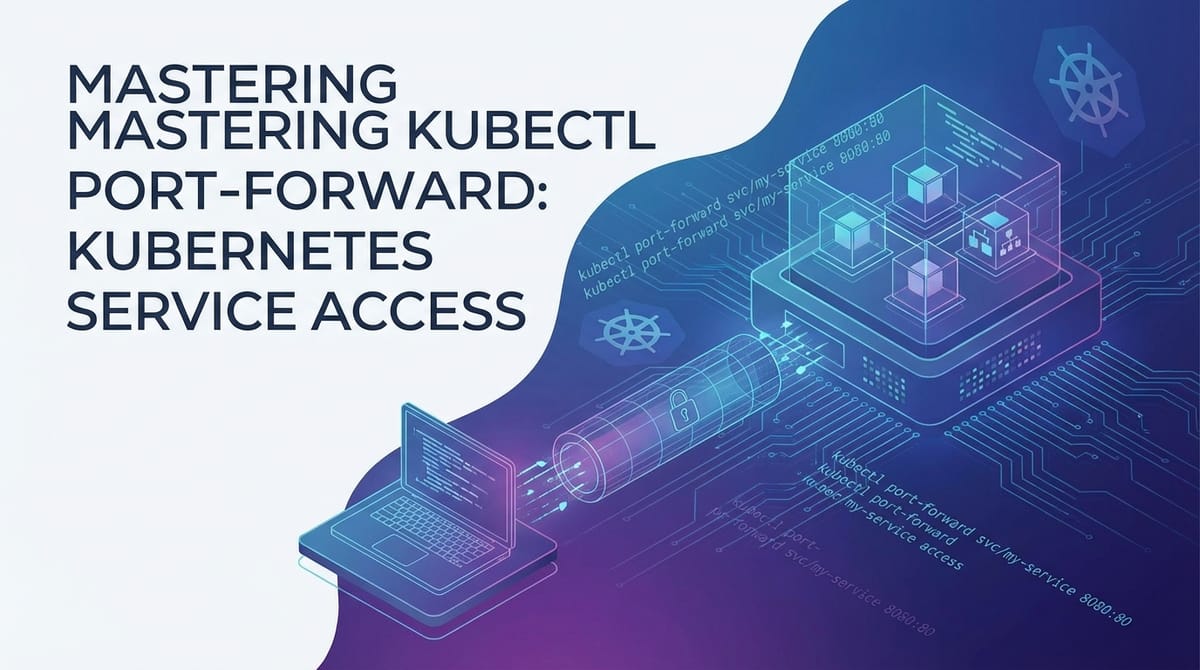
Mastering kubectl port-forward: Kubernetes Service Access


In the sprawling, often intricate landscape of modern application deployment, Kubernetes has emerged as the de facto standard for orchestrating containerized workloads. It provides unparalleled scalability, resilience, and declarative configuration, yet it also introduces new paradigms for networking and service accessibility. Developers and operations teams, accustomed to direct server access, often find themselves grappling with the inherent isolation of containers and the sophisticated abstraction layers of Kubernetes. While this isolation is a cornerstone of its robustness and security, it frequently presents a pragmatic challenge: how does one quickly, securely, and temporarily access a specific service or application component running deep within the cluster for debugging, development, or inspection?
Enter kubectl port-forward, a deceptively simple yet profoundly powerful command-line utility that serves as an indispensable bridge between your local workstation and the heart of your Kubernetes cluster. It carves out a secure, temporary tunnel, allowing you to establish a direct connection to a specific Pod or Service, bypassing the complexities of external load balancers, Ingress controllers, or elaborate network configurations. This capability is not merely a convenience; it is a critical enabler for efficient development workflows, rapid troubleshooting, and granular service inspection within the Kubernetes ecosystem. Imagine needing to connect a local database client to a PostgreSQL instance running as a Pod, or perhaps hooking your IDE's debugger into a specific application container without exposing that service to the entire world. kubectl port-forward makes these scenarios not just possible, but effortlessly achievable.
This comprehensive guide will embark on an extensive journey to demystify kubectl port-forward. We will delve into the foundational Kubernetes networking concepts that necessitate such a tool, unravel its core mechanisms, explore a myriad of practical use cases ranging from local development to advanced troubleshooting, and dissect its advanced techniques and crucial security considerations. Furthermore, we will strategically place kubectl port-forward within the broader context of Kubernetes service exposure, contrasting its temporary, direct access with the more permanent, managed solutions like API gateways. By the end of this exploration, you will not only understand how to wield this potent command but also appreciate its nuanced role in a holistic Kubernetes access strategy, thereby mastering a skill that is fundamental to productive engagement with containerized applications.
Understanding Kubernetes Networking Fundamentals: The Labyrinth Beneath
Before we can truly appreciate the utility and mechanics of kubectl port-forward, it is imperative to establish a solid understanding of the intricate networking model upon which Kubernetes operates. Unlike traditional environments where applications might reside directly on a VM with a readily accessible IP address, Kubernetes introduces layers of abstraction designed for scalability, resilience, and isolation. This architecture, while powerful, inherently makes direct access to individual application instances a non-trivial affair.
At its core, Kubernetes adheres to a strict networking model where every Pod receives its own unique IP address. This IP address is not merely a logical construct; it is a full-fledged IP address within a flat, shared network space. This design ensures that Pods can communicate with each other directly, without the need for Network Address Translation (NAT) and regardless of which node they reside on. The implementation of this Pod network is typically handled by a Container Network Interface (CNI) plugin, such as Calico, Flannel, or Cilium, which establishes the necessary routing rules and overlay networks to enable seamless Pod-to-Pod communication across the cluster. While this flat network model simplifies inter-Pod communication, it also means that Pod IPs are ephemeral and internal to the cluster. When a Pod restarts or is rescheduled, it typically receives a new IP address, rendering any direct, hardcoded IP-based access futile and impractical.
To address the ephemeral nature of Pods and provide a stable point of access, Kubernetes introduces the concept of a "Service." A Service acts as a persistent, logical abstraction over a group of Pods, providing a stable IP address (ClusterIP) and DNS name through which these Pods can be accessed. Services come in various types, each designed for different access patterns:
- ClusterIP: This is the default Service type. It exposes the Service on an internal IP address within the cluster, making it only reachable from other Pods or nodes within the cluster. It’s ideal for internal communication between microservices.
- NodePort: This type exposes the Service on a static port on each Node's IP address in the cluster. Kubernetes then routes external traffic coming into that NodePort to the appropriate Pods. While it allows external access, it's often considered less suitable for production due to the arbitrary port numbers and reliance on node IPs.
- LoadBalancer: Available only in cloud provider environments, this Service type provisions an external load balancer (e.g., AWS ELB, GCP Load Balancer) that directs external traffic to the Service's Pods. It provides a stable, external IP address and often integrates with cloud-specific features.
- ExternalName: This type maps a Service to an arbitrary DNS name, acting more as a CNAME alias. It's used for services that live outside the Kubernetes cluster.
While these Service types provide various mechanisms for access, they primarily focus on establishing persistent and managed access patterns, often for other services within the cluster or for external clients. What they don't natively offer is a quick, ad-hoc, secure, and temporary way for a developer's local machine to directly interact with a specific application instance or api endpoint within a Pod, without the overhead of configuring external exposure. For instance, if your application exposes an internal api endpoint on port 8080 within its Pod, and you want to test it with curl from your laptop, none of the standard Service types provide this direct tunnel without potentially exposing the api more broadly than intended.
Beyond Services, Kubernetes also offers Ingress for managing external access, particularly for HTTP/S traffic. Ingress acts as a routing layer, allowing you to define rules that direct incoming HTTP/S requests to specific Services based on hostnames or URL paths. It typically integrates with an Ingress controller (e.g., Nginx Ingress Controller, Traefik) which provisions an external gateway for HTTP traffic. While incredibly powerful for managing public-facing apis and web applications, Ingress is also a higher-level abstraction, primarily focused on HTTP/S routing and often overkill for simple debugging or local development tasks that require direct TCP access.
The limitations of these direct access methods become evident when considering the developer's workflow. Directly sshing into a Pod is generally not supported or recommended; Pods are designed to be immutable and ephemeral. Pod IPs change. Exposing every internal debugging api or database port via a NodePort or LoadBalancer is a security and operational nightmare. This is precisely where kubectl port-forward carves out its niche. It acknowledges the inherent isolation and ephemeral nature of Kubernetes resources and provides a targeted, secure egress point, allowing a local machine to temporarily puncture the cluster's network barrier and establish a direct connection to a specific application port inside a Pod or Service, without altering the cluster's permanent networking configuration. It's a precise scalpel in a toolkit of broader network solutions, designed for immediate, focused interaction.
The Core Mechanism of kubectl port-forward: How the Tunnel is Forged
kubectl port-forward is more than just a simple command; it's an elegant solution to a fundamental problem of access within a highly isolated, distributed system. At its heart, it establishes a secure, temporary, bidirectional tunnel that allows traffic from a specified local port on your workstation to be forwarded to a specific port on a Pod or Service within your Kubernetes cluster. This capability is invaluable for debugging, development, and direct interaction with services that are otherwise inaccessible from outside the cluster.
Let's dissect exactly how this tunnel is forged and maintained. The process primarily involves three key components: your local kubectl client, the Kubernetes API server, and the Kubelet agent running on the node hosting the target Pod.
- Initiation by the
kubectlClient: When you execute a command likekubectl port-forward my-app-pod 8080:80, yourkubectlclient initiates a request to the Kubernetes API server. This request specifies the target resource (e.g., a Pod namedmy-app-pod), the local port you wish to use (8080), and the remote port on the target resource (80). - API Server as a Secure Proxy: The Kubernetes API server plays a crucial role as an intermediary and a secure
gateway. It authenticates and authorizes yourkubectlclient based on your configured credentials and RBAC (Role-Based Access Control) policies. If you have the necessary permissions (specifically,portforwardpermissions on the target resource), the API server accepts the request. Instead of directly connecting your client to the Pod, which might be in a private network segment, the API server acts as a proxy. It establishes a secure connection (typically over HTTPS with mutual TLS) to the Kubelet agent running on the node where the target Pod resides. - Kubelet's Role in Tunneling: The Kubelet, which is the agent that runs on each node in the Kubernetes cluster, is responsible for managing Pods and their containers. When the API server forwards the
port-forwardrequest to the Kubelet, the Kubelet then establishes a connection to the specified port inside the target container within the Pod. This connection is typically a stream-based connection, facilitating the bidirectional flow of data. - The Bidirectional Data Flow: Once these connections are established – your
kubectlclient to the API server, and the API server to the Kubelet, and the Kubelet to the Pod's container port – a transparent tunnel is effectively created. Any traffic sent from your local machine tolocalhost:<local-port>(e.g.,localhost:8080) is securely encapsulated and sent through this chain:kubectlclient -> API server -> Kubelet -> Pod. Conversely, any response from the application within the Pod at<remote-port>is sent back through the same chain to your local machine.
It's important to understand the underlying protocols and security implications. The connection between your kubectl client and the API server, and between the API server and the Kubelet, is typically secured with TLS, ensuring that the control plane communication is encrypted and authenticated. However, the data stream within the port-forward tunnel itself is simply raw TCP traffic. kubectl port-forward does not add encryption or security headers to the application data being forwarded. This means if the application inside the Pod is not itself using a secure protocol (e.g., HTTPS for an api, TLS for a database), the data being forwarded, once it reaches your local machine, is not encrypted by port-forward. The security primarily lies in the authenticated and authorized establishment of the tunnel and the fact that it's a direct, temporary connection, not a publicly exposed endpoint.
Targeting Resources:
kubectl port-forward is versatile and can target different Kubernetes resources:
- Pod-level Forwarding: This is the most granular and common use case. You target a specific Pod by its name.
bash kubectl port-forward <pod-name> <local-port>:<remote-port> # Example: kubectl port-forward my-app-pod-12345-abcde 8080:80This directs traffic to port80within the container(s) ofmy-app-pod-12345-abcde, making it accessible onlocalhost:8080on your machine. If a Pod has multiple containers,port-forwardwill default to the first container that exposes theremote-port. You can specify a particular container using the-cflag. - Service-level Forwarding: You can also target a Kubernetes Service.
bash kubectl port-forward service/<service-name> <local-port>:<remote-port> # Example: kubectl port-forward service/my-app-service 8080:80When forwarding to a Service,kubectlwill identify the Pods backing that Service and pick one of them to establish the tunnel. It effectively bypasses the Service's ClusterIP and directly tunnels to one of the backend Pods. This is useful when you want to access any instance of a Service, rather than a specific one. However, it's important to remember that it will only forward to one Pod chosen by the Service's selector, not all of them. - Deployment or ReplicaSet Forwarding: You can even target higher-level controllers like Deployments or ReplicaSets.
bash kubectl port-forward deployment/<deployment-name> <local-port>:<remote-port> # Example: kubectl port-forward deployment/my-app-deployment 8080:80Similar to Service forwarding, when targeting a Deployment or ReplicaSet,kubectlwill first identify a healthy Pod managed by that controller and then establish theport-forwardtunnel to that specific Pod. This simplifies the command as you don't need to look up a specific Pod name, especially when Pod names are dynamically generated.
In essence, kubectl port-forward establishes a meticulously crafted, temporary pathway through the Kubernetes network fabric. It leverages the API server's secure gateway capabilities and the Kubelet's node-level control to provide a direct, logical connection, enabling developers to interact with their containerized applications as if they were running locally, all while respecting the isolation principles of Kubernetes.
Practical Use Cases for kubectl port-forward: Bridging the Gap
The power of kubectl port-forward truly shines in its diverse array of practical applications, significantly enhancing developer productivity and streamlining troubleshooting processes within Kubernetes environments. It acts as a versatile bridge, making internal services accessible on a local machine for tasks that would otherwise be cumbersome, insecure, or even impossible without significant configuration changes. Let's delve into the most common and impactful use cases.
Local Development and Debugging: Accelerating the Development Cycle
One of the most profound benefits of kubectl port-forward is its ability to seamlessly integrate Kubernetes-deployed services with local development workflows. Modern applications often comprise multiple microservices, some of which might be under active development locally, while others are stable and running in the cluster. port-forward allows developers to selectively connect their local components to remote ones, fostering a highly efficient hybrid development environment.
- Connecting a Local IDE Debugger to an Application Pod: Imagine you're developing a Java or Python application and have deployed a new version to a development Kubernetes cluster. A bug emerges that's hard to reproduce locally. With
port-forward, you can instruct your local IDE (e.g., IntelliJ IDEA, VS Code) to attach a remote debugger to your application running inside a specific Pod. For instance, if your Java application exposes a debugger port (e.g., 5005), you can runkubectl port-forward my-java-app-pod 5005:5005. Your IDE can then connect tolocalhost:5005, and you can step through the code running in the Pod as if it were local, setting breakpoints and inspecting variables in real-time. This eliminates the need for repeated deployments and log inspections, drastically accelerating the debugging process. - Accessing a Database within the Cluster from a Local Client: Many applications rely on internal database services (PostgreSQL, MySQL, Redis, MongoDB) that are deployed within the Kubernetes cluster and are not exposed externally for security reasons. A developer might need to query the database, inspect its schema, or perform manual data manipulations using a local GUI client (e.g., DBeaver, MySQL Workbench, Redis Desktop Manager).
kubectl port-forwardprovides the perfect temporary solution. By runningkubectl port-forward my-database-pod 5432:5432(for PostgreSQL), you can configure your local database client to connect tolocalhost:5432, effectively tunneling your local client's traffic directly to the database instance inside the Pod. This offers secure and direct access without exposing the database to the public internet or configuring complex VPNs for temporary needs. - Testing Local Changes Against a Backend Service Running in Kubernetes: Consider a scenario where you're working on a new feature for a frontend application locally, but this frontend depends on a backend
apiservice that's already deployed and stable in the cluster. Instead of deploying your frontend to the cluster for every small change, you can usekubectl port-forwardto make the cluster's backendapiaccessible on your local machine. If the backendapiruns on port 8080 in the Pod,kubectl port-forward my-backend-api-service 8080:8080allows your local frontend to make requests tohttp://localhost:8080, effectively testing your local frontend code against a live, consistent backend environment. This "local frontend, remote backend" pattern is incredibly powerful for iterative development. - Inspecting Network Traffic to a Specific Pod: For advanced network troubleshooting, tools like Wireshark or
tcpdumpmight be invaluable. Whilekubectl execcan runtcpdumpinside a Pod, sometimes you need to capture traffic as it enters or leaves the Pod's network interface, or you want to use a more sophisticated local tool.port-forwardallows you to direct traffic to the Pod and then use local network monitoring tools to observe the interaction, although this is more about observing the traffic between your local machine and the Pod, rather than internal Pod traffic.
Troubleshooting: Pinpointing Issues with Precision
When things go wrong in a Kubernetes cluster, kubectl port-forward becomes an indispensable tool for diagnosing and resolving issues. Its ability to provide direct, isolated access to internal services bypasses external networking complexities, allowing for focused investigation.
- Verifying Service Functionality Without External Exposure: A Service might be misconfigured, or its Ingress rules might be incorrect, preventing external access. Before diving into complex external networking debugging, you can use
kubectl port-forwardto verify if the application within the Pod is even responding correctly to requests. If your applicationapiis expected to be on/healthzon port 80,kubectl port-forward my-app-pod 8080:80allows you tocurl http://localhost:8080/healthzdirectly from your machine. If it works, the problem lies in the external exposure (Service, Ingress, LoadBalancer); if it doesn't, the issue is within the application or Pod itself. - Accessing Internal Metrics Endpoints (Prometheus Targets): Many applications expose
/metricsendpoints for monitoring tools like Prometheus. These endpoints are typically not exposed publicly but are scraped by internal Prometheus instances. If Prometheus isn't scraping correctly, or you want to inspect raw metrics data manually,kubectl port-forwardis perfect. For an application exposing metrics on port 9090,kubectl port-forward my-app-pod 9090:9090allows you to browsehttp://localhost:9090/metricsdirectly, verifying the metrics output. - Connecting to Admin Interfaces: Some services, like Kafka, RabbitMQ, or message brokers, provide web-based admin interfaces or management
apis that are typically only accessible within the cluster. For temporary administrative tasks or quick checks, exposing these publicly is not ideal.kubectl port-forward my-rabbitmq-pod 15672:15672(for RabbitMQ Management UI) allows you to accesshttp://localhost:15672in your browser, enabling you to manage queues, inspect connections, or troubleshoot message flow directly from your workstation. - Bypassing Ingress or Service Configurations for Quick Checks: When troubleshooting complex routing issues involving Ingress controllers or Service configurations, it can be beneficial to eliminate those layers temporarily.
port-forwardallows you to directly access the backend Pod, isolating whether the problem is with the application itself or with the routing mechanisms upstream. If a request works throughport-forwardbut fails via Ingress, you know to focus your investigation on the Ingress controller and its rules.
One-off Administrative Tasks: Streamlining Operations
Beyond development and debugging, kubectl port-forward also proves invaluable for occasional administrative duties that require direct, temporary access to cluster resources.
- Database Migrations or Seed Operations from a Local Machine: While most database operations should be automated, sometimes a specific, one-time data migration or seeding operation needs to be executed from a local script or tool.
port-forwardcan temporarily provide the necessary connectivity to a database Pod within the cluster, allowing the local script to execute its tasks. - Uploading/Downloading Files Using Tools that Require Direct Access: Although
kubectl cpis the primary tool for copying files to/from Pods, some legacy tools or specific utilities might require a direct network connection for file transfer.port-forwardcan establish this tunnel, allowing such tools to operate as if the Pod were locally accessible.
In all these scenarios, kubectl port-forward stands out because it offers a secure, ephemeral, and direct pathway, avoiding the complexities and security risks associated with permanently exposing internal services. It respects the isolation of Kubernetes while simultaneously empowering developers and operators with the direct access they need, precisely when and where they need it.
Step-by-Step Guide: How to Use kubectl port-forward Effectively
Using kubectl port-forward is straightforward once you understand its basic syntax and common patterns. This section will walk you through the essential steps, from prerequisites to targeting different resource types, ensuring you can confidently establish and manage your port-forwarding tunnels.
Prerequisites
Before you can use kubectl port-forward, ensure you have:
kubectlinstalled and configured: You need thekubectlcommand-line tool installed on your local machine and configured to connect to your target Kubernetes cluster. This typically involves having akubeconfigfile with the necessary cluster details and user credentials.- Access to the Kubernetes Cluster: Your user account (defined in
kubeconfig) must have the necessary Role-Based Access Control (RBAC) permissions to performport-forwardoperations on the target Pods or Services. Specifically, you generally needget,list, andportforwardpermissions on thepods/portforwardresource.
Finding Your Target Resources
The first step is always to identify the specific Pod or Service you want to connect to.
- Listing Pods: To find the names of Pods, use
kubectl get pods. You might need to specify a namespace using the-nflag if your Pods are not in the default namespace.bash kubectl get pods -n my-namespaceThis will output a list of Pods, their statuses, and their names (e.g.,my-app-pod-12345-abcde). - Listing Services: To find the names of Services, use
kubectl get services. Again, specify the namespace if needed.bash kubectl get services -n my-namespaceThis will show Services likemy-app-service,my-database-service, etc., along with their ClusterIPs and ports. - Finding Container Ports: Once you have a Pod name, you might need to know which port the application inside the Pod is listening on. You can inspect the Pod's definition:
bash kubectl describe pod <pod-name> -n my-namespaceLook for the "Containers" section, which lists each container and itsContainer Portfield. This is theremote-portyou'll use in yourport-forwardcommand. If the application itself doesn't explicitly expose acontainerPortin the Pod definition, it's still listening on some port inside the container, and you can still forward to that port if you know it.
Basic Pod Forwarding
The most common and fundamental use of kubectl port-forward is to tunnel to a specific Pod.
kubectl port-forward <pod-name> <local-port>:<remote-port>
pod-name: Replace this with the actual name of the Pod you found usingkubectl get pods.local-port: This is the port on your local machine that you want to listen on. When you accesslocalhost:<local-port>, your traffic will be sent through the tunnel.remote-port: This is the port on the target Pod's container that the application is listening on.
Example: Let's say you have an application Pod named my-web-app-8675309-abcd that listens on port 80 inside its container, and you want to access it from localhost:8080 on your machine.
kubectl port-forward my-web-app-8675309-abcd 8080:80
Once executed, kubectl will display a message indicating that the forwarding is active:
Forwarding from 127.0.0.1:8080 -> 80
Forwarding from [::1]:8080 -> 80
This means any traffic sent to localhost:8080 or 127.0.0.1:8080 (IPv4) or [::1]:8080 (IPv6) on your machine will be forwarded to port 80 of the my-web-app-8675309-abcd Pod. You can now open your browser to http://localhost:8080 or use curl http://localhost:8080.
Backgrounding the Process: kubectl port-forward runs in the foreground by default, blocking your terminal. For longer-running sessions, you often want to run it in the background.
- Using
&(Unix/Linux/macOS):bash kubectl port-forward my-web-app-8675309-abcd 8080:80 &This will immediately put the process in the background, returning control to your terminal. You'll see a job number (e.g.,[1] 12345). To bring it back to the foreground, usefg. To kill it, usekill %<job-number>orkill <PID>. - Using
nohup(Unix/Linux/macOS):nohupallows the command to continue running even if you close your terminal session.bash nohup kubectl port-forward my-web-app-8675309-abcd 8080:80 > /dev/null 2>&1 &This redirects all output to/dev/nulland runs it in the background. You'll need to find its process ID (PID) usingps aux | grep 'kubectl port-forward'to kill it later. - Using
screenortmux: These terminal multiplexers are excellent for managing multiple terminal sessions, including backgrounding processes. You can start ascreenortmuxsession, runkubectl port-forward, and then detach the session, allowing it to run independently. Reattach later to manage it.
Specifying Multiple Ports: You can forward multiple ports in a single command:
kubectl port-forward my-app-pod 8080:80 9090:9090
This will forward local port 8080 to remote port 80, and local port 9090 to remote port 9090, simultaneously.
Service Forwarding
Forwarding to a Service is often more convenient than finding a specific Pod name, especially when your application has multiple replica Pods.
kubectl port-forward service/<service-name> <local-port>:<remote-port>
Example: If you have a Service named my-app-service that routes to Pods listening on port 80, and you want to access it from localhost:8080:
kubectl port-forward service/my-app-service 8080:80
kubectl will automatically select one of the healthy Pods behind my-app-service and establish the tunnel to it. This is useful when you don't care about a specific Pod instance, just any healthy instance of the service.
Deployment/ReplicaSet Forwarding
Similar to Service forwarding, you can target a Deployment or ReplicaSet. kubectl will find one of the Pods managed by that controller and forward to it.
kubectl port-forward deployment/<deployment-name> <local-port>:<remote-port>
# Example: kubectl port-forward deployment/my-app-deployment 8080:80

kubectl port-forward replicaset/<replicaset-name> <local-port>:<remote-port>
This is particularly helpful when you know the name of your application's Deployment but don't want to bother looking up the ephemeral Pod names.
Handling Port Conflicts and Availability
- Local Port Conflicts: If your chosen
local-port(e.g.,8080) is already in use on your machine,kubectl port-forwardwill fail with an error like "listen tcp 127.0.0.1:8080: bind: address already in use". In this case, simply choose a different available local port. - Remote Port Availability: Ensure the
remote-portyou specify is actually the port the application inside the target Pod is listening on. If not, the connection will likely succeed but you won't get a response from the application, or you might connect to the wrong service if multiple processes are listening on different ports within the same container. Usekubectl describe podto confirm container ports. - Pod Readiness:
port-forwardwill only work with running and ready Pods. If the Pod is still pending, initializing, or crash-looping, the command will either hang or fail. Ensure your target Pod is in aRunningstate andReady.
By following these steps, you can confidently establish and manage kubectl port-forward tunnels, unlocking direct access to your Kubernetes services for a myriad of development and troubleshooting tasks. Remember to terminate your tunnels when no longer needed to free up local ports and reduce resource consumption.
APIPark is a high-performance AI gateway that allows you to securely access the most comprehensive LLM APIs globally on the APIPark platform, including OpenAI, Anthropic, Mistral, Llama2, Google Gemini, and more.Try APIPark now! 👇👇👇
Advanced kubectl port-forward Techniques and Considerations
While the basic usage of kubectl port-forward is powerful, there are several advanced techniques and important considerations that can further enhance your workflow, improve security, and provide more robust solutions for managing access to your Kubernetes services.
Scripting port-forward for Automation and Management
For repetitive tasks or complex debugging scenarios, manually starting and stopping port-forward can become cumbersome. Scripting offers a way to automate these processes.
Automating with Shell Scripts for Specific Tasks: You might have a multi-step debugging process that involves forwarding to a database, then an api service, running some local tests, and then tearing down. A shell script can orchestrate this entire flow. ```bash #!/bin/bashNAMESPACE="my-dev-ns" APP_DEPLOYMENT="my-app-backend" DB_DEPLOYMENT="my-db-service"echo "Starting port-forward for DB..." kubectl port-forward deployment/$DB_DEPLOYMENT -n $NAMESPACE 5432:5432 > /dev/null 2>&1 & DB_PID=$! echo "DB port-forward PID: $DB_PID"echo "Starting port-forward for App API..." kubectl port-forward deployment/$APP_DEPLOYMENT -n $NAMESPACE 8080:80 > /dev/null 2>&1 & APP_PID=$! echo "App API port-forward PID: $APP_PID"echo "Waiting a few seconds for tunnels to establish..." sleep 5echo "Running local tests..."
Execute your local test suite, e.g.,
python my_tests.py
curl http://localhost:8080/healthz psql -h localhost -p 5432 -U user -d mydb -c "SELECT version();"echo "Tests complete. Cleaning up..." kill $DB_PID kill $APP_PID echo "Port-forwards terminated." ``` Such scripts significantly reduce manual effort and potential for error in complex local setups.
Managing Background Processes: When you run port-forward in the background (e.g., using &), you often need a way to reliably kill it later. ```bash # Start port-forward in background kubectl port-forward deployment/my-app-deployment 8080:80 > /dev/null 2>&1 & PID=$! # Store the Process ID echo "Port-forward started with PID: $PID"
... do some work ...
Later, to kill it:
echo "Killing port-forward process with PID: $PID" kill $PID `` This simple shell script snippet allows you to manage the PID explicitly. For more robust solutions, consider creating a smallbashfunction or a Python script that encapsulates this logic, perhaps searching for thekubectl port-forwardprocess by name usingpgrep` if the PID isn't explicitly stored.
Dynamic Port Allocation
If you don't care about the specific local port and just need any available port, you can let kubectl choose one for you.
kubectl port-forward my-app-pod :80
In this command, omitting the local-port (or providing just a colon) tells kubectl to find an available local port automatically. It will then print which local port it chose, for example:
Forwarding from 127.0.0.1:49873 -> 80
This is useful when you're writing scripts or don't want to deal with potential port conflicts.
Persistent port-forward Solutions
While kubectl port-forward is inherently temporary, there are scenarios where you might need a more persistent tunnel, perhaps across reboots or for teams.
- Using
systemdServices: On Linux systems, you can create asystemdservice unit that runs yourkubectl port-forwardcommand and ensures it restarts if it fails or after a system reboot. This is particularly useful for dedicated developer workstations or jump boxes that always need access to specific cluster services. TheExecStartcommand in your.servicefile would include thekubectl port-forwardcommand, potentially wrapped in a script for more robust process management. - Leveraging Tools like
kubefwd: For more robust and network-level forwarding of multiple services, tools likekubefwdoffer a powerful alternative.kubefwdwatches Kubernetes services and forwards their cluster IPs and ports to your local machine, updating your/etc/hostsfile. This allows you to access services by their actual Kubernetes DNS names (e.g.,my-service.my-namespace.svc.cluster.local) directly from your local machine, bypassingport-forwardfor each individual service. It's often preferred for full-stack local development against an entire cluster namespace.
Security Best Practices
kubectl port-forward provides powerful access, which inherently carries security implications. Responsible usage is paramount.
- RBAC: Limiting Who Can Use
port-forward: The most critical security measure is to implement stringent RBAC policies. Only users or service accounts that absolutely requireport-forwardaccess should be granted theportforwardpermission onpods/portforward. This permission is typically granted as part of broader "developer" or "troubleshooter" roles, but it should be reviewed carefully. - Using Ephemeral Containers for Debugging: Kubernetes 1.25+ introduced Ephemeral Containers, which are temporary containers that can be injected into an existing Pod for debugging purposes. While not directly related to
port-forward's tunneling, they represent a more secure and isolated way to run debugging tools inside the Pod's network namespace, potentially reducing the need forport-forwardfor certain kinds of in-Pod analysis. - Auditing
kubectlCommands: Ensure your Kubernetes cluster has auditing enabled. This allows administrators to track who executedkubectl port-forwardcommands, when, and against which resources, providing a crucial trail for security investigations. - Importance of Terminating Tunnels: Always terminate
port-forwardtunnels when they are no longer needed. Leaving tunnels open can consume local resources and, more importantly, create a potential, albeit narrow, attack vector if your local machine's security is compromised. Backgrounded processes should be explicitly killed.
Performance Implications
While kubectl port-forward is incredibly convenient, it's essential to understand its performance characteristics.
- Overhead of the API Server Proxy: Every piece of data transferred through
port-forwardmust traverse yourkubectlclient, the Kubernetes API server, and the Kubelet. This introduces latency and a processing overhead compared to direct network connections. For high-throughput or low-latency applications,port-forwardmight not be suitable for performance testing or sustained high-volume data transfers. - Latency Considerations: The latency added by
port-forwarddepends on the network distance to your API server and the overall load on the API server. For most development and debugging tasks, this overhead is negligible, but it's a factor to consider for sensitive applications.
Alternatives and When to Use Them
kubectl port-forward is a specialized tool. It's crucial to know when to use it and when other Kubernetes access mechanisms are more appropriate.
kubectl execfor Simple In-Pod Commands: For quick command execution inside a container (e.g., checking configuration files, running diagnostic scripts),kubectl execis the preferred tool. It's simpler and doesn't involve port mapping.- NodePort, LoadBalancer, Ingress for Persistent External Access: When you need to expose a service permanently and reliably to external clients, these Service types are the correct solutions.
NodePortis for exposing on node IPs,LoadBalancerintegrates with cloud providers for external IPs and load balancing, andIngressprovides advanced HTTP/S routing andAPI gatewayfunctionality.port-forwardis not a substitute for these. - VPNs for Secure Network-Level Access: For development or operations teams that require broad, secure network access to the entire cluster network (not just specific ports), a VPN or a dedicated secure tunnel to the cluster's network is often the most appropriate solution. This provides network-level access, allowing tools and applications to discover and connect to services as if they were on the same network.
- Service Meshes (Istio, Linkerd) for Advanced Traffic Management and Observability: Service meshes provide sophisticated features like traffic routing, load balancing, resiliency, security (mTLS), and rich observability within the cluster. They are not direct access mechanisms but enhance the internal service communication capabilities, making services more robust and observable. While
port-forwardmight still be used to connect a local client to an application in a mesh, the mesh itself doesn't replaceport-forward's direct tunneling use case.
By understanding these advanced aspects, you can move beyond basic port-forward usage to integrate it more deeply into your development and operational workflows, ensuring efficient, secure, and robust access to your Kubernetes services.
API Gateways, APIs, and the Broader Context of Service Exposure: Complementing kubectl port-forward
While kubectl port-forward provides an indispensable tool for direct, temporary access to individual services for development and debugging, a holistic strategy for exposing and managing services – especially for external consumption – invariably involves a robust API Gateway. This is particularly true when dealing with a multitude of backend APIs, microservices, or even complex AI models that need to be presented as coherent, managed APIs to consumers. The landscape of modern application architecture is fundamentally built upon APIs, serving as the connective tissue that allows disparate services, applications, and even entire organizations to communicate and exchange data.
The Broader API Landscape: The Foundation of Modern Applications
An API (Application Programming Interface) defines the rules and protocols by which different software components interact. In a microservices architecture, individual services often expose their functionality through well-defined APIs. These can be RESTful APIs, GraphQL APIs, or even gRPC services. These APIs are the building blocks of modern software, enabling modularity, scalability, and reusability. Developers use kubectl port-forward to interact with these raw service APIs directly during development or troubleshooting. For instance, testing a /users endpoint on a backend service from localhost:8080 via port-forward is a common scenario.
However, exposing these internal, granular service APIs directly to external clients comes with significant challenges:
- Security: How do you authenticate and authorize external users? How do you protect against common web vulnerabilities?
- Traffic Management: How do you handle fluctuating load, rate limit excessive requests, or route traffic to different versions of a service?
- Observability: How do you monitor usage, performance, and errors across a multitude of services?
- Transformation and Aggregation: External consumers often need a simplified, aggregated view of data from multiple backend services, or data might need transformation before being sent to the client.
- Lifecycle Management: How do you manage the entire lifecycle of an API, from design to deprecation?
The Critical Role of API Gateways
This is precisely where an API Gateway comes into play. An API Gateway acts as a single entry point, a centralized gateway, for all external API consumers. It stands between your backend services and the clients, handling a multitude of cross-cutting concerns that would otherwise need to be implemented in each individual service. In a Kubernetes environment, API Gateways are often deployed as dedicated services or integrated as part of an Ingress controller, acting as the intelligent front door to your cluster.
Key functionalities of an API Gateway include:
- Authentication and Authorization: Verifying client identity and permissions before forwarding requests to backend services.
- Rate Limiting and Throttling: Preventing abuse and ensuring fair usage of API resources.
- Routing and Load Balancing: Directing incoming requests to the correct backend service instances, often balancing the load across multiple Pods.
- Caching: Storing responses to reduce the load on backend services and improve response times.
- Request/Response Transformation: Modifying headers, payloads, or query parameters to adapt between client expectations and backend API requirements.
- Logging and Monitoring: Centralized collection of API call data for analytics, auditing, and performance tracking.
- Microservice Aggregation: Combining responses from multiple backend services into a single response for the client.
The distinction is clear: kubectl port-forward is about internal, temporary, and direct access for development and debugging, whereas an API Gateway is about external, persistent, and managed access for consumers. You might use port-forward to debug an individual api endpoint behind an API Gateway, but the API Gateway itself is what makes that api discoverable, secure, and manageable for external use.
Introducing APIPark: Streamlining AI and API Management
For organizations seeking to streamline the management of their APIs, particularly those incorporating AI capabilities, platforms like APIPark offer a comprehensive solution. APIPark is an open-source AI gateway and API management platform designed to simplify the integration, deployment, and management of both AI and REST services. It directly addresses the challenges of exposing and managing a sophisticated array of APIs, extending beyond basic routing to specialized features for AI models.
APIPark complements kubectl port-forward by addressing the persistent, scalable, and secure external exposure of services, transforming internal service endpoints into discoverable and manageable products. While you might use port-forward to debug a specific AI inference service running in a Pod, APIPark steps in to manage how that AI service is exposed as a unified, versioned, and secure API for broader consumption.
Let's highlight how APIPark's features specifically align with the needs of a robust API Gateway and API management platform in the context of Kubernetes and AI:
- Quick Integration of 100+ AI Models & Unified API Format for AI Invocation: This is a crucial distinction. Instead of
port-forwarding to individual AI model endpoints, APIPark acts as a smartgatewaythat abstracts away the underlying AI model complexities. It standardizes the request data format, meaning your applications can interact with diverse AI models (like GPT, Claude, Llama, etc.) through a single, consistent API endpoint provided by APIPark, without worrying about model-specific nuances. This dramatically simplifies AI usage and maintenance. - Prompt Encapsulation into REST API: APIPark allows users to combine AI models with custom prompts to create new, specialized APIs (e.g., a sentiment analysis API or a translation API). This transforms raw AI model access (which might be initially debugged via
port-forward) into productized, consumable REST APIs, managed and exposed through thegateway. - End-to-End API Lifecycle Management: Beyond just routing, APIPark assists with managing the entire lifecycle of APIs, including design, publication, invocation, and decommission. This helps regulate API management processes, traffic forwarding, load balancing, and versioning – all functions that extend far beyond
kubectl port-forward's temporary tunneling capabilities. - API Service Sharing within Teams & Independent API and Access Permissions for Each Tenant: APIPark provides a centralized platform for displaying and sharing API services, facilitating collaboration. Its multi-tenancy capabilities ensure that different teams or tenants can have independent applications, data, and security policies while sharing the underlying infrastructure. This is critical for large organizations, providing a managed gateway for internal API consumption, in contrast to the ad-hoc, individual access provided by
port-forward. - API Resource Access Requires Approval: For sensitive APIs, APIPark allows for subscription approval features, ensuring that callers must subscribe to an API and await administrator approval. This is a vital security feature for external API exposure, preventing unauthorized calls and data breaches, a level of control completely absent in
port-forward. - Performance Rivaling Nginx & Detailed API Call Logging: APIPark is built for high performance, capable of handling over 20,000 TPS, and offers cluster deployment for large-scale traffic. It also provides comprehensive logging and data analysis, recording every detail of each API call. These are hallmarks of a robust, production-grade
gatewaysolution, offering the reliability and observability needed for external APIs, unlike the simple data stream ofport-forward.
In essence, kubectl port-forward is a developer's precise, personal tool for direct interaction with a service's raw api within the cluster. It's like having a temporary key to a specific door in a large building. APIPark, on the other hand, is the entire building's secure, intelligent, and managed main entrance, a sophisticated gateway that orchestrates all traffic, security, and governance for a multitude of internal services, transforming them into valuable, consumable API products for a wider audience, especially in the evolving realm of AI-powered applications. The two tools serve distinct but complementary purposes in a comprehensive Kubernetes and API management strategy.
Security and Operational Best Practices in Kubernetes Service Access
Navigating Kubernetes service access effectively demands not only a grasp of technical commands like kubectl port-forward but also a firm commitment to security and operational best practices. The goal is always to balance developer agility and troubleshooting speed with the imperative of maintaining a secure, stable, and observable production environment. Kubernetes, by design, offers powerful primitives for achieving this balance, but they require careful implementation and ongoing vigilance.
Layered Security: A Multi-faceted Defense
A robust security posture for Kubernetes service access relies on a defense-in-depth strategy, layering multiple security controls to protect your workloads from various attack vectors.
- Role-Based Access Control (RBAC): This is the foundational layer. As discussed, limit who can execute
kubectl port-forwardand against which resources. Grant the principle of least privilege: users or service accounts should only have the minimum permissions necessary to perform their tasks. For example, a developer might haveportforwardaccess to Pods in their development namespace but not in production, or only to specificapior database Pods, not critical control plane components. Regular audits of RBAC policies are essential to ensure they remain appropriate and do not accumulate unnecessary permissions. - Network Policies: Kubernetes Network Policies provide a powerful way to define how Pods communicate with each other and with external endpoints. While
port-forwardbypasses these policies for local machine access to a single Pod, Network Policies are crucial for restricting internal Pod-to-Pod communication. For instance, you can ensure that only your frontend Pods can talk to your backendapiPods, and database Pods are only accessible from backend services, not directly from other random Pods in the cluster. This prevents lateral movement within the cluster if a Pod is compromised. - Pod Security Standards/Admission Controllers: Implement Pod Security Standards or custom admission controllers to enforce security policies at the Pod creation level. This can prevent the deployment of Pods that run as root, use host networking, or mount sensitive host paths, reducing the attack surface.
- Secrets Management: Never hardcode sensitive credentials (database passwords,
APIkeys) directly into container images or configuration files. Use Kubernetes Secrets, external Secret management solutions (like HashiCorp Vault, AWS Secrets Manager), and integrate them with your applications securely, for instance, through service mesh identity or projected volumes. - TLS/SSL Everywhere: Encrypt communication between services within the cluster using mutual TLS (mTLS), often provided by a service mesh. For external access, ensure all public-facing
APIs and web applications are served over HTTPS, with robust certificate management. Whilekubectl port-forwarditself doesn't encrypt the application data, ensuring the application itself uses TLS where appropriate (e.g., secure database connections, HTTPSapis) adds an important layer of security. - Image Security: Use trusted, regularly scanned container images. Integrate image scanning into your CI/CD pipeline to detect vulnerabilities early.
Observability: Seeing Inside the Black Box
You cannot secure or operate what you cannot see. Comprehensive observability is critical for understanding the health, performance, and security of your Kubernetes services.
- Logging: Centralize all container logs. Tools like Fluentd, Logstash, and Filebeat can collect logs and forward them to a centralized logging platform (Elasticsearch, Loki, Splunk). Ensure application logs are well-structured and include contextual information (e.g., request IDs, user IDs) to facilitate troubleshooting.
kubectl port-forwardcan help access specific log endpoints or internal loggingapis that are not publicly exposed. - Monitoring: Implement robust monitoring for your Kubernetes cluster and applications. Collect metrics from nodes, Pods, containers, and applications using Prometheus and Grafana. Monitor resource utilization, network traffic,
APIlatencies, error rates, and custom application metrics. Set up alerts for anomalies.port-forwardis excellent for quickly checking internal/metricsendpoints if a monitoring system is misbehaving or if you need to perform a quick, ad-hoc check. - Tracing: For complex microservices architectures, distributed tracing (e.g., Jaeger, Zipkin, OpenTelemetry) is invaluable. It allows you to visualize the flow of requests across multiple services, helping to pinpoint latency bottlenecks or failures within a request's journey.
- Auditing: As mentioned previously, Kubernetes auditing provides a detailed, chronological record of API server requests. This includes
kubectl port-forwardrequests, which is critical for security investigations and compliance.
Automation: Reducing Human Error and Enhancing Reliability
Automation is a cornerstone of modern DevOps practices and significantly contributes to both security and operational efficiency.
- CI/CD for Deployments: Automate the entire application deployment pipeline using Continuous Integration/Continuous Delivery (CI/CD). This ensures consistent, repeatable deployments and reduces the need for manual intervention, which can introduce human error.
- Infrastructure as Code (IaC): Manage your Kubernetes resources (Deployments, Services, Network Policies, RBAC rules) using declarative configuration files (YAML, Helm charts, Kustomize) stored in version control. This provides an auditable history of changes and enables consistent environment provisioning.
- Minimizing Manual Access: While
kubectl port-forwardis a developer's lifeline, the goal should be to minimize its use in production environments for routine operations. Automated tools, scheduled jobs, and well-definedAPIendpoints (often fronted by anAPI Gateway) should handle most operational tasks.port-forwardshould be reserved for true debugging and investigation where other automated means have failed or are insufficient.
Documentation: The Guidebook to Your Cluster
Comprehensive and up-to-date documentation is often overlooked but is crucial for successful Kubernetes operations.
- Service Catalog: Maintain a catalog of all deployed services, including their purpose, maintainers, exposed ports, dependencies, and how they are typically accessed (internal
API, Ingress,port-forwardfor debugging, etc.). - Access Guidelines: Document clear guidelines and procedures for accessing services, especially for
kubectl port-forward. Include security best practices, when to use it, and how to terminate tunnels. - Troubleshooting Runbooks: Create runbooks for common issues, outlining diagnostic steps and remediation strategies. These can often include
port-forwardas a diagnostic tool.
In conclusion, kubectl port-forward is a powerful tool designed for temporary, targeted access. It is not a general solution for exposing services. Its utility is maximized when integrated into a broader strategy that prioritizes layered security, comprehensive observability, extensive automation, and clear documentation. By combining the precision of port-forward with the robustness of production-grade API Gateways and other Kubernetes access mechanisms, organizations can achieve an optimal balance between agility and enterprise-grade reliability and security.
Comparative Table of Kubernetes Service Access Methods
To further contextualize kubectl port-forward, let's compare it with other common Kubernetes service access methods. This table highlights their primary use cases, exposure levels, persistence, security considerations, and relative complexity. This understanding helps in choosing the right tool for the right job, ensuring that applications are accessed securely and efficiently based on their specific requirements.
| Access Method | Primary Use Case | Exposure Level | Persistence | Security Considerations | Overhead/Complexity | When to Use |
|---|---|---|---|---|---|---|
kubectl port-forward |
Local debugging, temporary access to internal services, ad-hoc inspection | Local machine only | Temporary | RBAC on port-forward access. Direct tunnel to one pod/service. Application data within tunnel not encrypted by port-forward. |
Low for basic use, medium for scripting and process management. | Debugging specific pods, connecting local tools (IDE, DB client) to cluster services, verifying internal service health without external exposure. |
| ClusterIP Service | Internal service-to-service communication | Within cluster | Persistent | No external exposure by default. Relies on Network Policies for internal access control. | Low | Default for internal services that other services within the cluster need to consume. |
| NodePort Service | Exposing service on each node's IP and a static port. Limited external access. | Cluster nodes (via node IPs and a specific port) | Persistent | Node firewalling, network security. Exposed to anyone with network access to the cluster nodes. Port range constraints (30000-32767). | Medium (port conflicts, no load balancing or advanced routing provided by Kubernetes itself). | Development/testing, on-premise clusters where an external LoadBalancer isn't available, or when direct access to a specific node is acceptable. |
| LoadBalancer Service | Exposing service externally via a cloud provider's managed Load Balancer. | External IP (Cloud LB) | Persistent | Cloud provider's security features (e.g., WAF, network access control lists). Potentially costly. | High (Cloud resource provisioning, potential cost for the LB, configuration). | Production environments requiring scalable, highly available external access to services, often for web applications or public apis. |
| Ingress | HTTP/S routing, host-based routing, path-based routing, TLS termination, advanced traffic management. | External HTTP/S | Persistent | Ingress controller security (e.g., Nginx, Traefik, Istio Ingress gateway). WAF integrations, TLS certificate management. |
High (Ingress controller deployment, complex rule configuration, TLS certificate management). | Complex HTTP/S routing scenarios, exposing multiple services under a single IP, hostname-based routing, managing TLS termination for web applications and apis. |
| VPN/Tunnel to Cluster | Network-level access to the entire cluster network or specific subnets. | Remote network (via VPN client) | Persistent | VPN server security, user authentication, network segmentation within the VPN. | High (VPN server setup and maintenance, client configuration across team members). | Providing secure, broad access for development/operations teams that need to interact with multiple services or internal networks at a network level. |
| API Gateway (e.g., APIPark) | Centralized API management, exposure, security, monetization, transformation, AI integration. | External API endpoints | Persistent | Robust authentication, authorization, rate limiting, traffic management, API lifecycle governance. | Very High (Deployment, extensive configuration, ongoing management, integration with backend services). | Exposing managed APIs to external consumers, microservice aggregation, AI model exposure as structured APIs, API monetization, and comprehensive API governance. |
This table clearly illustrates that kubectl port-forward occupies a distinct niche, providing agility and direct access where other methods offer persistence, scalability, or advanced management features. Each method plays a vital role in a well-architected Kubernetes environment, and understanding their strengths and weaknesses is key to effective service access.
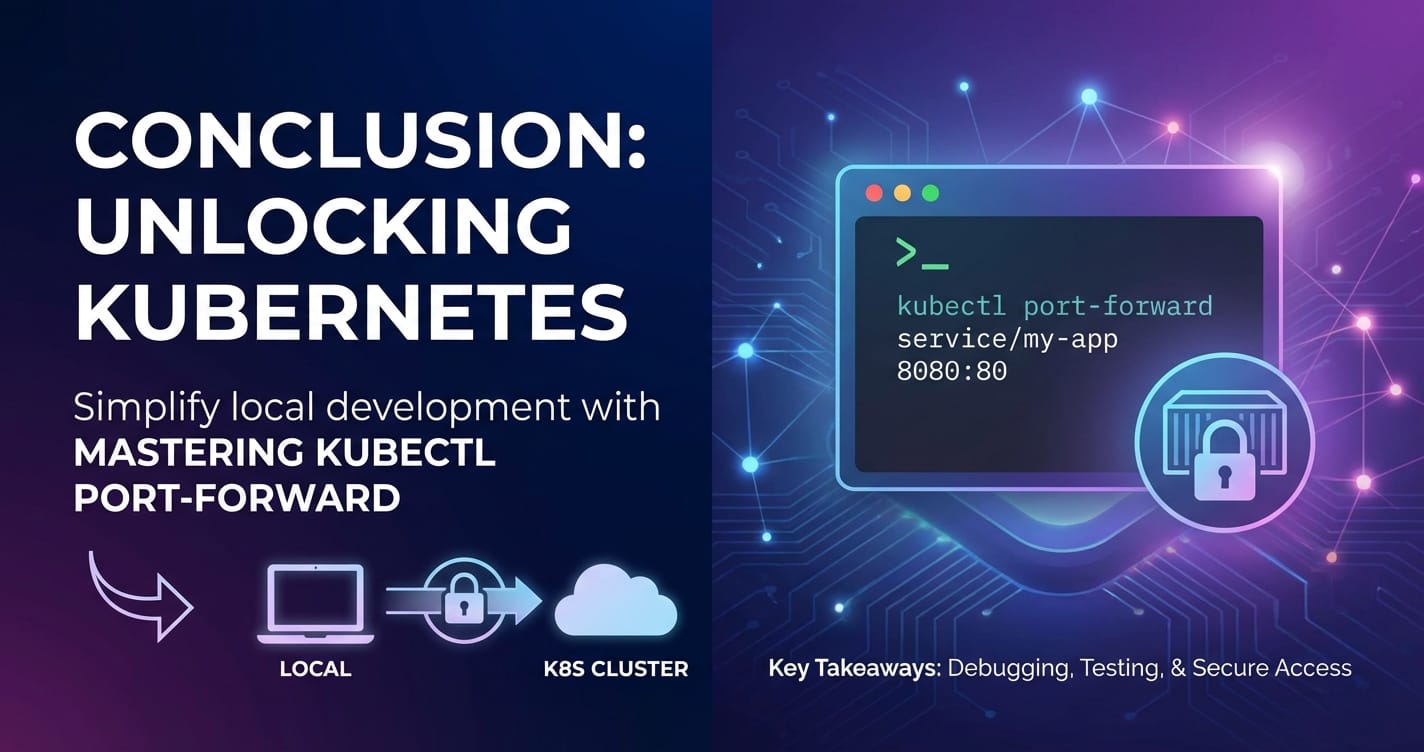
Conclusion: Orchestrating Access in the Kubernetes Universe
The journey through kubectl port-forward has illuminated its profound importance as an essential tool in the Kubernetes ecosystem. We've explored how this command acts as a precise scalpel, carving out temporary, secure tunnels from your local machine directly into the heart of your cluster. Its utility spans from accelerating local development and debugging cycles – enabling seamless integration of local IDEs with remote applications or connecting local database clients to in-cluster data stores – to providing critical insights during troubleshooting, allowing direct validation of service functionality or inspection of internal metrics.
We've delved into its underlying mechanics, understanding how it leverages the Kubernetes API server and Kubelet to establish and maintain these tunnels, and walked through step-by-step guides for targeting various resources like Pods, Services, and Deployments. Furthermore, we've unpacked advanced techniques, from scripting port-forward commands for automation to considering more persistent solutions like kubefwd, alongside crucial security best practices like RBAC enforcement and responsible tunnel termination.
Crucially, this exploration has positioned kubectl port-forward within the broader context of Kubernetes service access. It is a powerful, albeit specialized, tool that excels in scenarios demanding direct, ephemeral access. However, it is not a panacea for all access needs. For persistent, scalable, and secure external exposure of services, particularly when dealing with a multitude of backend APIs or integrating complex AI models, a robust API Gateway solution becomes indispensable. Platforms like APIPark exemplify this necessity, transforming raw service endpoints into managed, secure, and discoverable API products, complete with advanced features for AI invocation, API lifecycle management, and comprehensive observability.
In mastering kubectl port-forward, you gain an invaluable skill that significantly enhances your productivity and problem-solving capabilities within Kubernetes. It empowers you to navigate the isolated confines of your clusters with confidence and precision. However, true mastery lies not just in wielding individual tools, but in understanding how they fit into a cohesive strategy. By effectively combining the agility of kubectl port-forward for targeted internal interactions with the comprehensive governance and external exposure capabilities of a sophisticated API Gateway, you build a resilient, secure, and highly efficient framework for managing all your services in the dynamic and ever-evolving Kubernetes universe.
Frequently Asked Questions (FAQs)
1. What is the primary purpose of kubectl port-forward? kubectl port-forward creates a secure, temporary tunnel from your local machine to a specific Pod or Service within your Kubernetes cluster. Its primary purpose is to allow developers and operators to access internal cluster services (like applications, databases, or debugging interfaces) directly from their local workstation for development, debugging, and troubleshooting, without exposing these services externally to the internet.
2. Is kubectl port-forward a secure way to access services? Yes, it is generally considered secure for its intended use case (temporary, direct access from an authenticated user). The connection between your kubectl client, the Kubernetes API server, and the Kubelet is typically secured with TLS. However, kubectl port-forward itself does not add encryption to the application data being forwarded. The security largely relies on your RBAC permissions within the cluster and the security of your local workstation. It is not intended for permanent external exposure of services.
3. What is the difference between kubectl port-forward and a Kubernetes Service of type LoadBalancer or Ingress? kubectl port-forward provides temporary, direct access from your local machine to a specific Pod or Service instance for debugging. It bypasses cluster networking services. In contrast, LoadBalancer and Ingress are permanent, cluster-wide solutions designed to expose services externally to the internet or other external clients. A LoadBalancer provisions a cloud provider's load balancer for TCP/UDP traffic, while Ingress provides advanced HTTP/S routing, often acting as an API gateway for web traffic, complete with host-based routing, path-based routing, and TLS termination.
4. Can I run kubectl port-forward in the background? Yes, you can run kubectl port-forward in the background. On Unix-like systems (Linux, macOS), you can append & to the command (e.g., kubectl port-forward my-pod 8080:80 &). For more persistent backgrounding or to ensure it continues even if you close your terminal, you can use nohup or terminal multiplexers like screen or tmux. Remember to manage these background processes (e.g., kill them by PID) when they are no longer needed.
5. When should I consider using an API Gateway like APIPark instead of kubectl port-forward? You should use an API Gateway like APIPark when you need to expose your services (including AI models) permanently, securely, and manageably to external consumers or other internal teams. API Gateways provide critical features such as centralized authentication and authorization, rate limiting, traffic routing, request/response transformation, API lifecycle management, and comprehensive observability. kubectl port-forward is for individual, ad-hoc, internal debugging; an API Gateway is for productizing and governing your APIs for broader, systematic consumption.
🚀You can securely and efficiently call the OpenAI API on APIPark in just two steps:
Step 1: Deploy the APIPark AI gateway in 5 minutes.
APIPark is developed based on Golang, offering strong product performance and low development and maintenance costs. You can deploy APIPark with a single command line.
curl -sSO https://download.apipark.com/install/quick-start.sh; bash quick-start.sh

In my experience, you can see the successful deployment interface within 5 to 10 minutes. Then, you can log in to APIPark using your account.

Step 2: Call the OpenAI API.