Mastering `kubectl port-forward`: Your Essential Guide
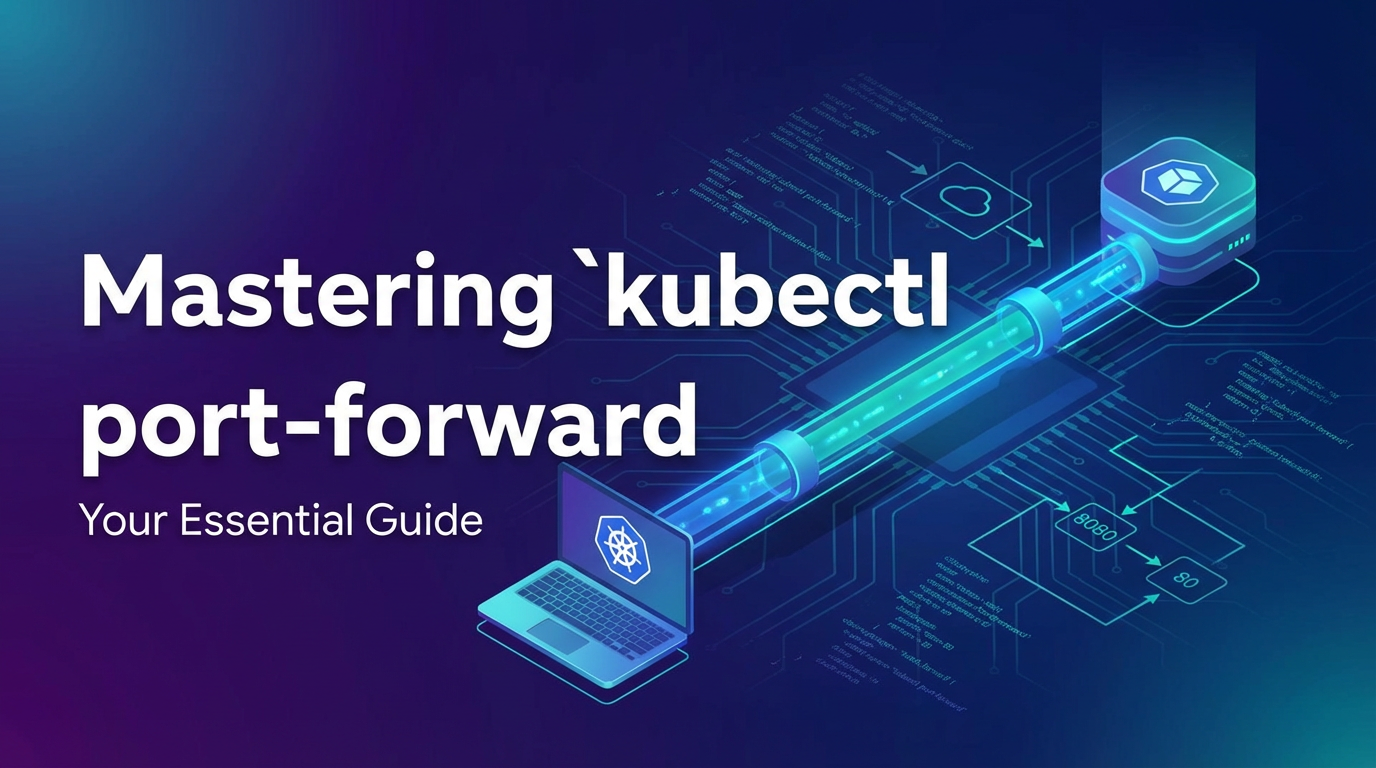


In the rapidly evolving landscape of cloud-native development, Kubernetes has emerged as the de facto standard for orchestrating containerized applications. Its powerful abstractions and robust features enable developers to deploy, scale, and manage complex systems with unprecedented efficiency. However, the very isolation that makes Kubernetes so resilient can, at times, present unique challenges for local development, debugging, and direct interaction with services running within the cluster. This is precisely where the humble yet incredibly powerful kubectl port-forward command steps in, acting as an indispensable bridge between your local machine and the intricate world residing inside your Kubernetes cluster.
For many developers, navigating the network intricacies of a Kubernetes cluster can feel like peering into a black box. Applications are encapsulated within pods, hidden behind layers of services, network policies, and virtual networks. While robust api gateways and sophisticated ingress controllers handle external traffic for production applications, developers often need a more direct, surgical approach for their day-to-day tasks. Whether you're trying to debug a newly deployed microservice, inspect data in a remote database instance, or simply test an internal api endpoint without exposing it publicly, kubectl port-forward provides a secure, temporary, and highly flexible tunnel. It allows you to forward network traffic from a local port on your machine directly to a specific port on a pod, deployment, or service within your Kubernetes cluster, making it appear as though the remote resource is running right on your localhost.
This comprehensive guide will delve deep into the intricacies of kubectl port-forward, moving beyond basic syntax to explore its underlying mechanics, diverse applications, advanced techniques, and crucial best practices. We will dissect common use cases, troubleshoot potential pitfalls, and understand how this command fits into the broader context of Kubernetes network management, ultimately empowering you to wield this essential tool with mastery and confidence. By the end of this journey, you will not only understand how to use kubectl port-forward effectively but also appreciate its strategic importance in enhancing your development workflow and troubleshooting capabilities within any Kubernetes environment.
Understanding the Core Problem: Why kubectl port-forward Exists
To truly appreciate the utility of kubectl port-forward, it's vital to first grasp the fundamental networking model of Kubernetes and the inherent isolation it provides. Kubernetes is designed to isolate workloads, ensuring that pods can communicate with each other efficiently while largely remaining shielded from direct external access unless explicitly configured otherwise. This isolation is a cornerstone of its security, stability, and multi-tenancy capabilities, but it also creates a challenge for developers who need immediate, local access to their applications.
At its core, Kubernetes assigns each pod its own unique IP address within a flat network space. Pods can communicate with other pods without needing Network Address Translation (NAT), a principle crucial for microservices architectures. However, these pod IPs are internal to the cluster and typically not routable from outside. To provide a stable endpoint for a dynamic set of pods (which might be scaled up or down, or rescheduled on different nodes), Kubernetes introduces the concept of Services. A Service acts as an abstraction layer, providing a stable IP address and DNS name that routes traffic to a set of pods matching a specific label selector.
While Services offer stability, they also come in different types, each catering to distinct exposure requirements:
- ClusterIP: This is the default Service type. It exposes the Service on an internal IP address within the cluster. Services are only reachable from within the cluster, making them ideal for internal communication between microservices.
- NodePort: This type exposes the Service on a static port on each Node's IP. This means that by accessing
<NodeIP>:<NodePort>, you can reach your Service from outside the cluster. However, NodePorts use a high, often randomly assigned port (30000-32767) and expose the service on all nodes, which might not be desirable for security or management reasons. It's often used for development or testing within a restricted network. - LoadBalancer: This Service type is typically used in cloud environments. It provisions an external load balancer (if supported by the cloud provider) which then routes external traffic to your Service. This is suitable for public-facing applications but incurs cost and takes time to provision.
- ExternalName: This type maps the Service to the contents of the
externalNamefield (e.g.,my.database.example.com), by returning aCNAMErecord. It's used for services that live outside the cluster.
For external access to HTTP/HTTPS services, Kubernetes offers Ingress. An Ingress object manages external access to services within a cluster, typically HTTP. It provides HTTP and HTTPS routing to services based on hostnames or URL paths, acting as an api entry point and often sitting in front of an Ingress Controller which implements the actual routing logic. Ingress is powerful for managing public api access, SSL termination, and host-based routing.
So, why isn't one of these methods sufficient for every scenario? Imagine you're a developer working on a new feature. You've deployed your microservice into a development Kubernetes cluster, but it's not ready for public exposure via an Ingress or a LoadBalancer. You need to debug it locally, attach your IDE's debugger, or simply test an internal api endpoint from your browser or a curl command on your workstation.
- ClusterIP is too restrictive; you can't reach it from outside.
- NodePort exposes the service on a high, shared port across all nodes, which might be inconvenient or even insecure for temporary, developer-specific access. You might not even know the Node IPs, especially in dynamic cloud environments.
- LoadBalancer is overkill for local debugging and incurs unnecessary costs and provisioning time.
- Ingress is designed for HTTP/HTTPS routing and public exposure, not for direct TCP/UDP port forwarding to arbitrary services or debugging specific pods.
This is the exact void that kubectl port-forward fills. It provides a highly targeted, secure, and temporary "tunnel" or a localized "gateway" specifically designed for your machine to access a designated resource within the cluster. It bypasses the need for public IP addresses, DNS entries, or complex ingress configurations for ad-hoc, internal access. Unlike a full-fledged api gateway that manages ingress traffic for production systems, port-forward is a surgical tool, creating a dedicated, direct channel for a single user to a specific backend component, making it an indispensable part of a Kubernetes developer's toolkit. It empowers you to interact with your containerized applications as if they were running locally, significantly streamlining the development and debugging feedback loop.
The Mechanics of kubectl port-forward: How It Works
The kubectl port-forward command, while appearing simple on the surface, orchestrates a sophisticated dance between your local machine, the Kubernetes API server, and the Kubelet agent running on the node hosting your target pod. Understanding this underlying mechanism is crucial for effectively leveraging the command and troubleshooting any issues that may arise.
The basic syntax for kubectl port-forward is straightforward:
kubectl port-forward <resource_type>/<resource_name> <local_port>:<remote_port> [options]
Let's break down each component:
<resource_type>: This specifies the type of Kubernetes resource you want to target. The most common types arepod,deployment, andservice. Each resource type has slightly different implications for how the port forward behaves.<resource_name>: This is the specific name of the pod, deployment, or service you wish to access.<local_port>: This is the port on your local machine that you want to open. Any traffic directed to this local port will be forwarded to the remote resource.<remote_port>: This is the port inside the target pod or service that you want to expose. It's crucial that this port corresponds to the port your application within the container is actually listening on.[options]: Various optional flags can be used, such as-n <namespace>to specify the Kubernetes namespace, or--addressto bind the local port to a specific IP address (e.g.,127.0.0.1for local-only,0.0.0.0for wider access from other machines on your local network).
The Role of the Kubernetes API Server:
When you execute kubectl port-forward, your kubectl client doesn't directly connect to the pod or the node. Instead, it initiates a request to the Kubernetes API server. This request is an authenticated and authorized call to establish a port-forwarding session. The API server acts as the central control plane, mediating all interactions within the cluster.
Establishing the Connection (The Tunnel):
- Client Request: Your
kubectlclient sends a WebSocket upgrade request (or similar stream-based protocol) to the Kubernetes API server, indicating its intention to port-forward to a specific resource. - Authentication and Authorization: The API server first authenticates your
kubectlclient (typically using your Kubeconfig credentials) and then authorizes the request based on your Role-Based Access Control (RBAC) permissions. To perform aport-forward, your user or service account must have permissions toportforwardon thepodsresource in the target namespace. - API Server to Kubelet: Once authorized, the API server instructs the Kubelet agent running on the node where the target pod resides to open a secure channel (usually another WebSocket connection) to the specific container within that pod and the specified
remote_port. - Kubelet to Container: The Kubelet, being responsible for managing pods on its node, then establishes a connection to the process listening on the
remote_portwithin the target pod's container. - Data Stream: A bidirectional data stream is then established:
- Local to Remote: Any data sent to
<local_port>on your machine is packaged by thekubectlclient, sent through the secure connection to the API server, then forwarded to the Kubelet, and finally delivered to theremote_portof the application within the pod. - Remote to Local: Conversely, any response from the application on the
remote_porttravels back through the Kubelet, API server, andkubectlclient to your<local_port>.
- Local to Remote: Any data sent to
This entire process creates a secure, encrypted TCP tunnel. It's important to note that this tunnel is direct from your machine to the specified pod/port. It bypasses any Service load balancing, Ingress routing, or network policies that might typically apply to traffic entering the cluster from outside. This directness is both its strength (for debugging) and something to be mindful of regarding cluster network segmentation.
The lifetime of the port-forward is tied to the kubectl process itself. As long as the kubectl port-forward command is running in your terminal, the tunnel remains active. Once you terminate the command (e.g., by pressing Ctrl+C), the connection is gracefully closed.
Example: Forwarding a Redis Pod
Let's say you have a Redis pod named my-redis-784f97659-abcde listening on port 6379 within your default namespace. You want to access it from your local machine on port 6379.
kubectl port-forward pod/my-redis-784f97659-abcde 6379:6379
After executing this command, you can use a local Redis client (like redis-cli) to connect to localhost:6379, and it will behave as if you're directly connected to the Redis instance running inside your Kubernetes cluster.
redis-cli -h 127.0.0.1 -p 6379
127.0.0.1:6379> PING
PONG
This seamless interaction, made possible by the secure tunnel, highlights the elegance and utility of kubectl port-forward. It provides a developer-friendly "backdoor" into the cluster, allowing for immediate feedback and deep inspection without the overhead of public exposure.
Practical Applications and Use Cases
kubectl port-forward is not just a theoretical tool; it's a workhorse in the daily lives of Kubernetes developers and operators. Its versatility allows for a myriad of practical applications, significantly streamlining workflows that would otherwise be cumbersome or impossible without public exposure.
Local Development and Debugging
Perhaps the most common and impactful use case for kubectl port-forward is facilitating local development and debugging. Modern microservices architectures often involve many interconnected services, some running locally and others within the cluster.
- Connecting Local IDE to Remote Debugger: Imagine you're developing a Java application that's deployed as a microservice in Kubernetes. You want to step through the code line by line with your local IDE's debugger. Many programming languages (Java, Python, Node.js, Go) offer remote debugging capabilities where a debugger client (your IDE) connects to a debugging server running within the application process.
kubectl port-forwardcan create the necessary tunnel:bash kubectl port-forward deployment/my-java-app 5005:5005Here,5005is the remote debugging port exposed by your Java application. Now, your local IDE can connect tolocalhost:5005to initiate a debugging session, allowing you to set breakpoints, inspect variables, and follow execution flow as if the application were running on your machine. - Running Local Tests Against Cluster Resources: Your local integration tests might depend on a database, a message queue (like Kafka or RabbitMQ), or another microservice that only exists within your Kubernetes development cluster. Instead of spinning up local instances (which might be resource-intensive or difficult to maintain consistency with the cluster environment), you can use
port-forwardto connect your local test suite directly:bash # Forward the database kubectl port-forward service/postgres-db 5432:5432 & # Forward the message queue kubectl port-forward service/kafka 9092:9092 &With these tunnels established, your local application or test runner can connect tolocalhost:5432andlocalhost:9092respectively, interacting with the actual cluster resources. This ensures your local testing environment closely mirrors the deployed environment without the complexity of full cluster replication. - Iterative Development without Redeployment: When making small changes to an API or UI layer, constantly rebuilding and redeploying a container to the cluster for every tweak can be slow.
port-forwardallows you to rapidly iterate. For example, if your local UI application needs to consume a backendapiservice running in the cluster, you can forward thatapiservice's port to your local machine:bash kubectl port-forward service/my-backend-api 8080:8080Your local UI can now makeapicalls tolocalhost:8080, and these calls will be routed to the cluster. This significantly accelerates the development cycle, as you only redeploy the component being actively changed, while relying onport-forwardfor cluster-resident dependencies.
Database Access and Administration
Accessing databases running inside Kubernetes is another prime application. While it's generally ill-advised to expose production databases publicly, developers and DBAs often need direct access for administration, data inspection, or query execution.
- Securely Accessing Cluster Databases: Instead of creating a
LoadBalancerorNodePortfor your database (which could be a security risk),port-forwardprovides a secure, temporary, and authenticated channel.bash # For a PostgreSQL database service kubectl port-forward service/my-postgres 5432:5432 # Then use psql locally psql -h localhost -p 5432 -U myuser -d mydbThis allows you to connect with your local database tools (psql, DBeaver, MySQL Workbench) to the cluster-resident database, inspect schemas, run queries, or manage users, all without exposing the database to the wider network. - Data Migration and Backup: For temporary tasks like migrating data, performing ad-hoc backups, or restoring snapshots directly from your machine,
port-forwardoffers a convenient and secure conduit.
Accessing Internal Tools and Dashboards
Many operational tools and dashboards are designed to run within the cluster and are not meant for public exposure. These might include monitoring systems, tracing tools, or custom administration interfaces.
- Monitoring and Observability Tools:
- Prometheus: If you have a Prometheus server running in your cluster that aggregates metrics, you can access its UI:
bash kubectl port-forward service/prometheus-server 9090:9090Then openhttp://localhost:9090in your browser. - Grafana: Similarly, for Grafana dashboards:
bash kubectl port-forward service/grafana 3000:3000Access athttp://localhost:3000. - Jaeger (Distributed Tracing): For tracing UIs:
bash kubectl port-forward service/jaeger-query 16686:16686Access athttp://localhost:16686.
- Prometheus: If you have a Prometheus server running in your cluster that aggregates metrics, you can access its UI:
- Custom Admin Panels: Any custom web
apior dashboard deployed internally for cluster administration can be temporarily accessed usingport-forward, providing developers and operations teams with essential insights without compromising security.
Testing New Services and API Endpoints
Before deploying a new service or a new version of an api publicly via Ingress or a LoadBalancer, you often need to perform initial functional tests.
- Rapid Functional Testing: Deploy your new service with a
ClusterIPService. Then, useport-forwardto access it directly from your local machine:bash kubectl port-forward service/my-new-api-v2 8081:8080You can then usecurl, Postman, or your browser to hithttp://localhost:8081/your-new-endpoint, verifying its functionality before rolling it out to a broader audience. This allows for quick, isolated testing without affecting existingapigatewayconfigurations or public routes.
Troubleshooting and Diagnostics
When something goes wrong in the cluster, kubectl port-forward becomes an invaluable diagnostic tool.
- Direct Access to Problematic Pods: If a specific pod is misbehaving and you suspect network issues or an unresponsive service, you can forward its port directly to bypass any service or ingress layer issues and test connectivity to the pod itself:
bash kubectl port-forward pod/my-flaky-app-xyz12 8080:8080Now, you cancurl http://localhost:8080to see if the application responds, even if its service or ingress is not working correctly. This helps isolate the problem to the pod itself versus the networking layers above it. - Capturing Traffic: By forwarding a port, you can use local network analysis tools (like Wireshark) to capture traffic flowing to and from the pod's specific port, which can be critical for diagnosing complex network interactions or
apiissues.
In all these scenarios, kubectl port-forward offers a critical blend of security, flexibility, and directness. It avoids the complexities and security implications of permanent network exposures, providing a temporary, authenticated gateway for developers to directly interact with their Kubernetes workloads.
APIPark is a high-performance AI gateway that allows you to securely access the most comprehensive LLM APIs globally on the APIPark platform, including OpenAI, Anthropic, Mistral, Llama2, Google Gemini, and more.Try APIPark now! 👇👇👇
Advanced Techniques and Best Practices
While the basic usage of kubectl port-forward is straightforward, mastering its nuances involves understanding advanced targeting options, managing long-running sessions, and adhering to best practices for security and efficiency. These techniques can significantly enhance your productivity and troubleshooting capabilities within Kubernetes.
Targeting Different Resources: Pods, Deployments, and Services
The kubectl port-forward command can target various Kubernetes resources, each with slightly different behaviors:
- Targeting a Pod (e.g.,
kubectl port-forward pod/my-pod-xyz 8080:8080):- This is the most direct method. You explicitly name a specific pod.
- Use Case: Ideal when you need to interact with a particular instance of an application, perhaps for debugging a pod that's exhibiting unique issues, or when a service has multiple replicas and you want to ensure you're hitting a specific one.
- Caveat: If the targeted pod is recreated (e.g., due to a crash, node failure, or deployment update), your
port-forwardsession will break, as the pod's IP and potentially its name will change. You'll need to restart the command with the new pod name.
- Targeting a Deployment (e.g.,
kubectl port-forward deployment/my-app 8080:8080):- When you target a Deployment,
kubectlautomatically selects one of the healthy pods managed by that Deployment to establish the tunnel. - Use Case: Convenient for general debugging or development where you don't care which specific pod replica you hit, as long as it's a healthy one. If the chosen pod dies,
kubectlwill automatically attempt to reconnect to another healthy pod from the Deployment, making it more resilient than targeting a single pod by name. - Caveat: You might not always hit the same pod if the original one goes down and a new connection is established. This is usually fine for stateless applications but can be a concern for stateful ones where session affinity is important (though
port-forwardisn't typically used for managing sessions across multiple pods).
- When you target a Deployment,
- Targeting a Service (e.g.,
kubectl port-forward service/my-service 8080:8080):- When targeting a Service,
kubectlfirst resolves the Service to one of its backing pods. It then establishes the port forward to that specific pod. - Use Case: Similar to targeting a Deployment in convenience, it allows you to connect to a service via its stable name. If the initially chosen pod becomes unavailable,
kubectlwill not automatically switch to another pod like it does for Deployments. Theport-forwardwill break, and you'll need to restart it. - Distinction: While a Service normally load-balances traffic across multiple pods,
port-forwardto a Service does not load balance. It picks one pod and establishes a direct tunnel to it. This is a critical distinction for understanding its behavior.
- When targeting a Service,
Always remember to specify the namespace if your resource is not in the default namespace using the -n flag: kubectl port-forward -n my-namespace deployment/my-app 8080:8080.
Backgrounding port-forward Sessions
Keeping a kubectl port-forward command running in the foreground can tie up your terminal. For longer sessions or when you need to run multiple port-forward commands, backgrounding is essential.
- Unix-like Systems (
&): The simplest way to run a command in the background is to append an ampersand (&):bash kubectl port-forward service/my-db 5432:5432 & [1] 12345 # Process IDYou'll get a job number and process ID. You can then usefg %1(where1is the job number) to bring it back to the foreground orkill 12345to terminate it. nohupordisown: For more robust backgrounding that persists even if you close your terminal session, usenohup:bash nohup kubectl port-forward service/my-db 5432:5432 > /dev/null 2>&1 &This detaches the process from your terminal. You'll need to find its PID withps aux | grep "kubectl port-forward"andkillit manually later.- Terminal Multiplexers (
screen,tmux): For managing multiple, persistent background sessions,screenortmuxare excellent tools. You can create a new session, run yourport-forwardcommand, and then detach the session, allowing it to run independently. You can later reattach to manage it.
Multiple Port Forwards
You can run multiple kubectl port-forward commands concurrently to access different services or pods. Just ensure that each command uses a unique local port. The remote port can be the same across different forwards if they're targeting different cluster resources.
# Forward application API
kubectl port-forward deployment/my-app 8080:8080 &

# Forward database
kubectl port-forward service/my-db 5432:5432 &

# Forward internal metrics dashboard
kubectl port-forward service/grafana 3000:3000 &
This allows you to simulate a more complete application environment locally.
Selecting Specific Pods or Ports
Sometimes you need more granular control than just targeting a Deployment or Service.
- Targeting a Specific Pod by Name: As discussed,
pod/<pod-name>is the most precise. - Targeting Multiple Ports from One Pod: You can forward multiple ports from the same pod in a single command:
bash kubectl port-forward pod/my-multi-port-app-xyz 80:80 443:443 8080:8080This is useful if a single pod exposes multipleapis or services on different ports. - Using Labels to Select Pods (via
selector): While not directly supported byport-forwardfor initial pod selection, you can combinekubectl get podswith label selectors andjqorawkto dynamically select a pod:bash POD_NAME=$(kubectl get pods -l app=my-app,env=dev -o jsonpath='{.items[0].metadata.name}') kubectl port-forward $POD_NAME 8080:8080This offers more programmatic control over which pod gets targeted.
Error Handling and Common Pitfalls
Understanding common errors can save significant debugging time.
error: unable to listen on any of the requested ports: [8080]: The local port8080is already in use by another process on your machine.- Solution: Choose a different local port (e.g.,
8081:8080) or identify and terminate the process using8080(lsof -i :8080on Linux/macOS,netstat -ano | findstr :8080on Windows).
- Solution: Choose a different local port (e.g.,
error: Pod "my-pod" not found/error: service "my-service" not found: The specified resource name or type is incorrect, or it's in a different namespace.- Solution: Double-check the resource name and type. Ensure you're in the correct namespace or use
-n <namespace>.
- Solution: Double-check the resource name and type. Ensure you're in the correct namespace or use
error: Port 8080 is not exposed in pod my-pod: The remote port you specified (8080) is not actually listening within the target pod's container.- Solution: Verify the application's listening port inside the container. You might need to check the Dockerfile, application configuration, or logs.
error: error forwarding port 8080 to 8080: exit status 1: ...: Generic error often indicating a problem establishing the tunnel or connecting to the Kubelet.- Solution: Check
kubectlcontext, network connectivity to the cluster API server, and the health of the target pod and node. Ensure your user hasportforwardpermissions.
- Solution: Check
error: unable to connect to the server: ...: Problem connecting to the Kubernetes API server itself.- Solution: Check your
kubeconfigfile, network connectivity to the cluster, and if the API server is running.
- Solution: Check your
Integrating with Local Development Workflows
- Editor/IDE Configuration: Many modern IDEs have Kubernetes integrations that can wrap
kubectl port-forward(e.g., VS Code's Kubernetes extension). Learn to use these features for seamless debugging. - Scripting Common Forwards: Create simple shell scripts or
Makefiletargets to automate your most frequent port-forwarding needs. ```bash # Makefile example .PHONY: forward-db forward-appforward-db: kubectl port-forward service/my-db 5432:5432 -n dev &forward-app: kubectl port-forward deployment/my-app 8080:8080 -n dev &forward-all: forward-db forward-app ``` This makes it easy to spin up your entire local development environment with one command.
Security and Authorization
kubectl port-forward provides a direct, unencrypted tunnel (though the communication channel from client to API server to Kubelet is typically secured with TLS). While it's convenient, it's crucial to consider its security implications:
- RBAC Permissions: To use
port-forward, your user or service account must have thepods/portforwardpermission in the target namespace. Best practice dictates using the principle of least privilege – grant this permission only to users who genuinely need it and only in the namespaces where it's required. - Bypassing Network Policies: A
port-forwardsession bypasses most Kubernetes NetworkPolicies, Ingress rules, and Service load balancing. This means you can potentially access a port on a pod that would otherwise be blocked by network policies from other pods within the cluster. Be aware of this direct access capability. - Session Duration: Keep
port-forwardsessions as short as possible. Terminate them immediately after you're done debugging or accessing the resource. Long-running, unsupervisedport-forwardtunnels can present a security risk if your local machine is compromised. --addressFlag: By default,kubectl port-forwardbinds the local port to127.0.0.1(localhost), meaning only processes on your local machine can access it. If you need to expose it to other machines on your local network (e.g., for a colleague to access your forwarded service), you can use--address 0.0.0.0. However, this significantly broadens access and should be used with extreme caution and only in trusted network environments.bash kubectl port-forward service/my-app 8080:8080 --address 0.0.0.0
Comparison to VPNs and Proxies
It's important to distinguish kubectl port-forward from broader network access solutions like VPNs or more comprehensive proxy tools.
kubectl port-forward:- Scope: Application-layer (TCP/UDP) forwarding to specific ports on specific pods/services.
- Purpose: Direct, temporary, user-centric access for debugging and development.
- Granularity: Very fine-grained, targetting individual services or pods.
- Network Access: Does not provide full network access to the cluster's internal network. You can't, for example,
pingother pods directly from your machine just because you have a port forward open.
- VPN (Virtual Private Network):
- Scope: Network-layer access, extending your local machine's network interface into the cluster's network.
- Purpose: Allows your local machine to appear as if it's directly inside the cluster's network for all traffic.
- Granularity: Broad, providing access to potentially all reachable IPs/ports within the cluster's network segment.
- Network Access: Enables full network-layer connectivity, allowing
ping,traceroute, and direct IP-based connections to any resource accessible within the cluster's internal network.
While kubectl port-forward is focused on providing a simple api access point for a specific application, VPNs are for more extensive network integration. Both have their place, but port-forward offers a simpler, less intrusive solution for many common developer needs, especially when you only need to interact with a handful of specific endpoints. In modern cloud-native architectures, the concept of an api is central. kubectl port-forward serves as a developer's ad-hoc api access tool, providing a direct channel to test, debug, and interact with the granular apis exposed by services within the cluster.
| Feature / Method | kubectl port-forward |
NodePort | LoadBalancer | Ingress |
|---|---|---|---|---|
| Purpose | Local debugging, direct internal access | Expose service on all nodes for internal/limited external access | Expose service publicly via cloud load balancer | HTTP/HTTPS routing for external access, api gateway |
| Exposure Level | Localhost only (by default), temporary | Cluster-wide on specific node ports | Publicly exposed via dedicated IP/hostname | Publicly exposed via HTTP/HTTPS routes |
| Network Layer | Application (TCP/UDP tunnel) | Transport (TCP/UDP) | Network/Transport (TCP/UDP) | Application (HTTP/HTTPS) |
| Security | Authenticated via kubectl RBAC, direct to pod/service |
Less secure due to exposure on all nodes, high port | Standard cloud load balancer security | Enhanced security via api gateway, WAF, SSL termination |
| Cost | None | None | Cloud provider costs for LB | Ingress controller resource cost, potential external LB cost |
| Ease of Use (Dev) | Very easy for ad-hoc access | Simple, but requires Node IP | Requires cloud provider config | Requires Ingress controller and rules |
| Resilience to Pod Change | Breaks if targeted Pod/Service changes (auto-reconnect for Deployments) | Service IP is stable, handles pod changes | Service IP is stable, handles pod changes | Service IP is stable, handles pod changes |
| Traffic Control | Minimal, direct tunnel | Basic forwarding | Load balancing, basic routing | Advanced routing, SSL, authentication, api management |
This table clearly illustrates that while kubectl port-forward is unparalleled for its specific niche, it operates at a fundamentally different level and serves a distinct purpose compared to other Kubernetes exposure mechanisms. It is a tool for the individual developer, offering a personalized gateway into the cluster's inner workings.
The Bigger Picture: API Management and Gateways
While kubectl port-forward provides an indispensable tool for individual developers to peer into their Kubernetes clusters, particularly during local development and debugging, the needs of a production environment are vastly different. Here, robust API management and a sophisticated API gateway become critical. For instance, when dealing with complex microservices or AI models deployed across various environments, managing their exposure, securing access, and ensuring performance is paramount. This is precisely where solutions like APIPark shine.
APIPark acts as an open-source AI gateway and API developer portal, designed to streamline the integration, management, and deployment of both AI and REST services. While kubectl port-forward offers a localized, temporary gateway for a single connection, an enterprise-grade API gateway like APIPark provides a centralized, secure, and highly performant entry point for all external (and often internal) api traffic.
Let's consider the stark contrast in responsibilities:
kubectl port-forward's role: A personal, temporary tunnel for a developer to interact directly with an individual component inside the cluster. It's about direct access for specific, often debugging-related tasks.- An
API gateway's role (like APIPark): To manage and secure the entireapilandscape for an organization. It's about exposingapis reliably, at scale, and with enterprise-grade features.
A full-fledged API gateway performs a multitude of crucial functions that kubectl port-forward is simply not designed for:
- Traffic Management: An
API gatewayhandles intelligent routing, load balancing across multiple service instances, and traffic shaping. This ensures high availability and efficient resource utilization forapis consumed by potentially thousands or millions of users. APIPark, for example, boasts performance rivaling Nginx, capable of over 20,000 TPS with modest resources, and supports cluster deployment for large-scale traffic. - Security and Access Control: This is paramount for production
apis. Gateways provide centralized authentication (e.g., OAuth2, JWT), authorization, rate limiting to prevent abuse, IP blacklisting/whitelisting, and robustapikey management. APIPark offers features like independent API and access permissions for each tenant and the ability to require approval for API resource access, preventing unauthorized API calls and potential data breaches. - API Lifecycle Management: From design and publication to versioning, monitoring, and eventual deprecation, an
API gatewayhelps manage the entire lifecycle. APIPark specifically assists with regulating API management processes, managing traffic forwarding, load balancing, and versioning of published APIs. - Monitoring and Analytics: Gateways provide comprehensive logging of all
apicalls, collecting metrics on performance, errors, and usage patterns. This data is critical for operational intelligence, troubleshooting, and business insights. APIPark provides detailed API call logging, recording every detail, and offers powerful data analysis to display long-term trends and performance changes. - Request/Response Transformation:
API gateways can modifyapirequests and responses on the fly, translating data formats, enriching payloads, or applying custom logic without altering the backend services. - Developer Portal: A key aspect of an
API gatewayis often a developer portal, providing documentation, SDKs, and a self-service interface for developers to discover, subscribe to, and testapis. APIPark, as an API developer portal, allows for the centralized display of all API services, making it easy for different departments and teams to find and use the required API services.
APIPark extends these general API gateway capabilities specifically to the realm of AI. It addresses the unique challenges of integrating and managing AI models:
- Quick Integration of 100+ AI Models: It offers the capability to integrate a variety of AI models with a unified management system for authentication and cost tracking, which is a complex task without a specialized
gateway. - Unified API Format for AI Invocation: It standardizes the request data format across all AI models, ensuring that changes in AI models or prompts do not affect the application or microservices, thereby simplifying AI usage and maintenance costs. This is a powerful abstraction for managing diverse AI backends.
- Prompt Encapsulation into REST API: Users can quickly combine AI models with custom prompts to create new
apis, such as sentiment analysis, translation, or data analysisapis, further enhancing reusability and accessibility.
In essence, while kubectl port-forward provides an essential direct link for development and debugging, APIPark offers the robust, scalable, and secure infrastructure required to expose, manage, and consume both traditional REST and cutting-edge AI apis in a production setting. It handles the "front door" for your applications, ensuring that all api traffic is handled efficiently, securely, and observably, something that a developer's temporary tunnel simply cannot achieve. The two tools serve entirely different, yet complementary, purposes within the broader Kubernetes and cloud-native ecosystem.
Conclusion
The kubectl port-forward command stands as a cornerstone utility for anyone deeply engaged with Kubernetes. In an environment renowned for its robust isolation and intricate networking, this simple yet powerful command provides an elegant solution to a recurring developer pain point: the need for direct, temporary access to applications running deep within the cluster. We've journeyed through its core purpose, understanding that it acts as a personal, secure gateway, bridging the gap between your local workstation and remote pod-resident services without the overhead or security implications of public exposure.
From enabling seamless local debugging sessions with remote applications to facilitating secure database access and providing a window into internal operational dashboards, kubectl port-forward enhances developer productivity and accelerates the feedback loop. Its ability to create an ad-hoc, authenticated tunnel transforms the remote cluster into an extension of your local development environment, allowing you to interact with services as if they were running on localhost. This capability is particularly invaluable for iterative development, troubleshooting elusive bugs, and testing new api endpoints before their official rollout.
We've explored its mechanics, detailing the dance between your kubectl client, the API server, and the Kubelet, which collectively weave the secure TCP tunnel. The practical applications are numerous, ranging from attaching remote debuggers and running local integration tests against cluster-resident databases to accessing internal monitoring tools like Prometheus and Grafana. Furthermore, we delved into advanced techniques, understanding the nuances of targeting pods, deployments, and services, and equipping you with strategies for backgrounding sessions, managing multiple forwards, and gracefully handling common errors. Critical best practices, especially concerning security and RBAC permissions, were emphasized, underscoring the importance of using this powerful tool responsibly.
It's crucial to remember the distinct role kubectl port-forward plays compared to other Kubernetes exposure mechanisms or enterprise API gateway solutions like APIPark. While port-forward is a surgical instrument for individual developers' immediate needs, full-fledged api gateways are the robust, scalable front doors for production apis, offering comprehensive management, security, and performance. Both are essential, but they serve different phases and scales of the application lifecycle.
In summary, mastering kubectl port-forward is not merely about memorizing a command; it's about gaining a deeper understanding of Kubernetes networking and empowering yourself with a versatile tool that will consistently save you time, reduce frustration, and enhance your ability to interact with your cloud-native applications. Keep this command close in your terminal history; it is truly an essential guide to unlocking the full potential of your Kubernetes development experience. Embrace its simplicity, respect its power, and let it streamline your journey through the complex world of container orchestration.
Frequently Asked Questions (FAQs)
1. What is the fundamental difference between kubectl port-forward and a NodePort Service?
kubectl port-forward creates a temporary, direct, and authenticated TCP tunnel from your local machine to a specific pod or service within the cluster. It's primarily for individual developer access, debugging, and temporary interaction, appearing on your localhost. NodePort is a Service type that permanently exposes a Kubernetes Service on a specific, high-numbered port on every node's IP address in the cluster. It allows external traffic from any machine that can reach the node's IP to access the service. NodePort is designed for broader, though still often limited, external exposure, whereas port-forward is a targeted, user-specific debugging tool.
2. Can I use kubectl port-forward to access a service from another machine on my network, not just my local machine?
By default, kubectl port-forward binds the local port to 127.0.0.1 (localhost), meaning only processes on the machine where the command is executed can access it. However, you can use the --address 0.0.0.0 flag to bind the local port to all network interfaces on your machine. This would allow other machines on your local network to access the forwarded port (e.g., http://<your_machine_ip>:8080). Exercise caution when using --address 0.0.0.0 as it broadens access to the forwarded port and should only be used in trusted, controlled network environments.
3. What should I do if my chosen local port for port-forward is already in use?
If you encounter an error like error: unable to listen on any of the requested ports: [8080], it means the local port you've specified (e.g., 8080) is already being used by another application on your machine. The simplest solution is to choose a different local port. For example, if you wanted to forward remote port 8080, you could try kubectl port-forward deployment/my-app 8081:8080. Alternatively, you can identify and terminate the process currently using that port (e.g., lsof -i :8080 on Linux/macOS or netstat -ano | findstr :8080 on Windows, followed by kill <PID>).
4. Is kubectl port-forward secure enough for production access or for exposing sensitive services?
No, kubectl port-forward is generally not recommended for production access or for exposing sensitive services on a sustained basis. While the channel from your kubectl client to the Kubernetes API server and Kubelet is typically secured with TLS, the fundamental design of port-forward is for direct, temporary, and authenticated developer access. It bypasses many crucial API gateway features like authentication, authorization, rate limiting, traffic management, and network policies that are essential for securing production apis. For production exposure, always rely on robust solutions like Ingress, LoadBalancer Services, or dedicated API gateway platforms such as APIPark, which are designed for enterprise-grade security, scalability, and observability.
5. How do I stop a kubectl port-forward process?
If kubectl port-forward is running in the foreground of your terminal, you can simply press Ctrl+C to terminate the command and close the tunnel. If you've run the command in the background (e.g., using & or nohup), you'll need to find its process ID (PID) and then use the kill command. * To find the PID: ps aux | grep "kubectl port-forward" (on Linux/macOS) * To kill the process: kill <PID> (replace <PID> with the actual process ID you found). If it doesn't terminate gracefully, you might need to use kill -9 <PID> for a forceful termination.
🚀You can securely and efficiently call the OpenAI API on APIPark in just two steps:
Step 1: Deploy the APIPark AI gateway in 5 minutes.
APIPark is developed based on Golang, offering strong product performance and low development and maintenance costs. You can deploy APIPark with a single command line.
curl -sSO https://download.apipark.com/install/quick-start.sh; bash quick-start.sh

In my experience, you can see the successful deployment interface within 5 to 10 minutes. Then, you can log in to APIPark using your account.

Step 2: Call the OpenAI API.