Streamline Your Workflow: Pass Config into Accelerate
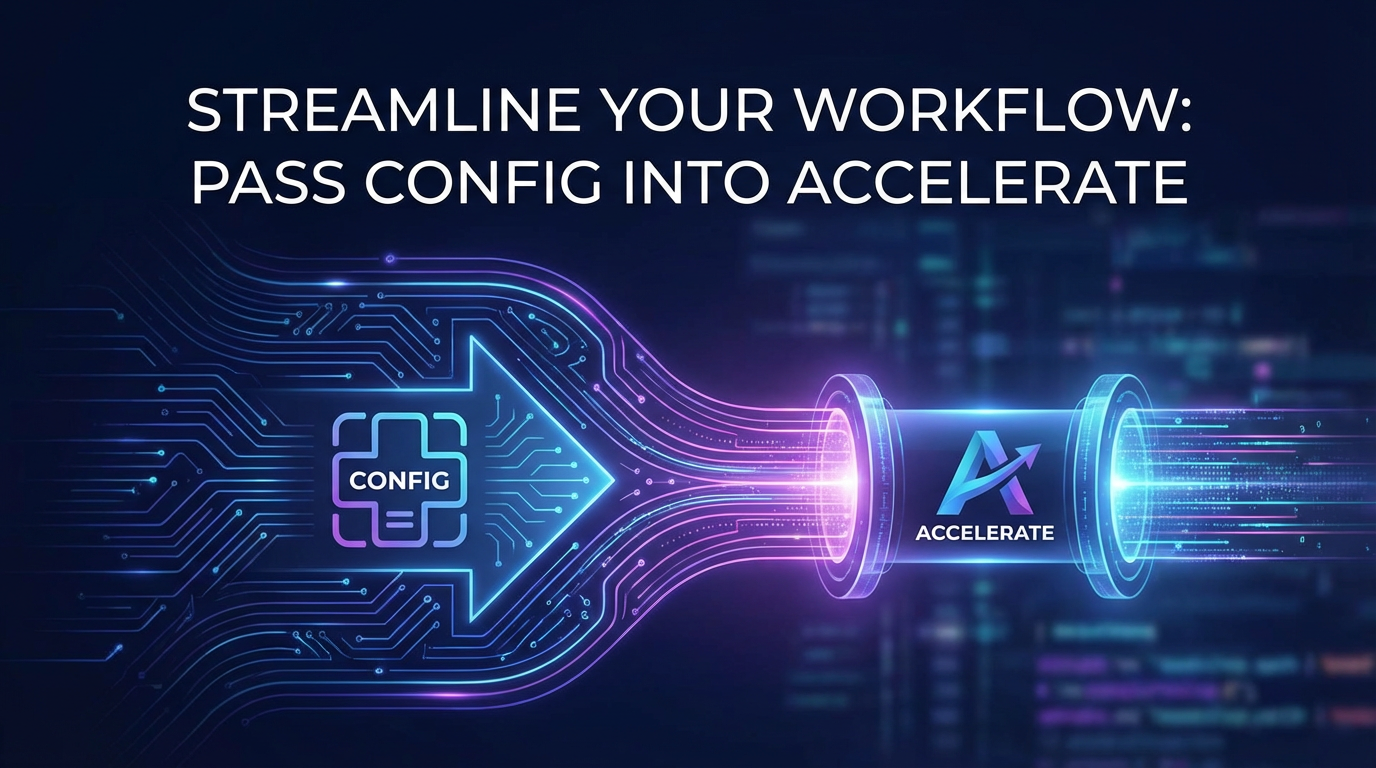


The journey from a nascent AI concept to a fully operational, high-performing model in production is often fraught with complexities. As artificial intelligence models grow exponentially in size and computational demand, particularly with the advent of Large Language Models (LLMs), developers and MLOps engineers face an ever-increasing challenge in managing their training, fine-tuning, and deployment. The sheer scale of parameters, the intricacies of distributed computing, and the diverse hardware landscapes necessitate a robust and methodical approach to workflow management. In this intricate ecosystem, Hugging Face Accelerate emerges as a pivotal tool, abstracting away much of the distributed training boilerplate and allowing developers to focus on the core logic of their models. However, the true power of Accelerate is unlocked not merely by its use, but by the strategic and systematic way in which configurations are passed into it, transforming complex, ad-hoc setups into streamlined, reproducible, and scalable workflows.
This comprehensive exploration delves into the critical importance of effectively passing configurations into Accelerate, examining how this practice forms the bedrock of efficient AI development. We will dissect the various methods of configuration, scrutinize their impact on performance and reproducibility, and illustrate how this foundational step reverberates through the entire AI lifecycle, from initial experimentation to robust production deployment. Furthermore, we will connect this fundamental practice to the broader MLOps landscape, exploring its symbiotic relationship with crucial infrastructure components such as an AI Gateway and a specialized LLM Gateway. We will also introduce the conceptual framework of a Model Context Protocol, highlighting how well-defined configurations contribute to a coherent understanding and management of model behavior across different system layers. By mastering the art of configuration with Accelerate, developers can not only accelerate their development cycles but also lay a solid groundwork for secure, scalable, and highly performant AI applications, ultimately driving innovation and business value.
The Landscape of Modern AI Workflows and the Need for Acceleration
The field of artificial intelligence has undergone a breathtaking transformation in recent years, evolving from niche academic pursuits to a foundational technology permeating nearly every industry. This evolution is characterized by several key trends: an explosion in model complexity, the demand for increasingly vast datasets, and the imperative for real-time inference and deployment. Gone are the days when a simple logistic regression or decision tree model could satisfy most business needs; today, enterprises grapple with sophisticated deep learning architectures, convolutional neural networks for vision, recurrent neural networks for sequence data, and, most notably, the revolutionary transformer-based architectures that power Large Language Models (LLMs). These models, often comprising billions or even trillions of parameters, have redefined the boundaries of what AI can achieve, from generating coherent human-like text to solving complex mathematical problems and translating languages with unprecedented fluency.
However, this immense power comes at a significant cost: computational demands. Training these behemoth models requires an extraordinary amount of processing power, memory, and time. A single GPU, once sufficient for many deep learning tasks, is often woefully inadequate for state-of-the-art models. This necessitates the adoption of distributed training strategies, where the computational workload is intelligently partitioned across multiple GPUs, multiple machines, or even entire clusters of specialized hardware accelerators like TPUs. Managing such distributed environments is inherently complex. Developers must contend with data parallelism, model parallelism, gradient accumulation, mixed-precision training, and sophisticated communication protocols to synchronize weights and gradients across devices. Each of these components introduces its own set of challenges, ranging from ensuring efficient data transfer to preventing deadlocks and managing memory footprints effectively.
Adding another layer of complexity is the sheer heterogeneity of hardware and software environments. A developer might begin training on a local workstation with a single GPU, migrate to a cloud-based instance with several powerful GPUs, and then deploy the fine-tuned model on an edge device with constrained resources. Each transition often requires adjustments to the training script, optimizer settings, and even the model architecture itself, demanding meticulous attention to detail and a high degree of adaptability. Without a standardized and abstract layer to handle these variations, the development cycle can become bogged down in boilerplate code, manual configuration tweaks, and frustrating debugging sessions, severely impeding progress and innovation.
This is precisely where Hugging Face Accelerate steps in, addressing a critical need in the modern AI workflow. Accelerate is a powerful library designed to simplify the complexities of distributed training and inference for PyTorch models. Its core philosophy is to enable developers to write standard PyTorch training loops that can then be seamlessly scaled across various hardware configurations—be it a single CPU, multiple GPUs on one machine, or multi-node distributed setups—with minimal code changes. It acts as an abstraction layer, intelligently handling the intricacies of backend communication, device placement, and mixed-precision settings. By providing a unified interface, Accelerate liberates developers from the burden of writing device-specific code or managing complex torch.distributed primitives directly. This means a developer can focus on the pedagogical aspects of their model, on refining architectures, tuning hyperparameters, and engineering features, rather than getting entangled in the minutiae of distributed system programming.
The ability to "pass config" into Accelerate is not merely a convenient feature; it is an indispensable necessity for robust, reproducible, and scalable AI workflows. It transforms what could be a chaotic, environment-dependent scripting process into a disciplined, parameterized, and manageable one. By externalizing configuration parameters—such as the number of GPUs, the choice of distributed backend (e.g., Data Parallel, Fully Sharded Data Parallel, DeepSpeed), mixed-precision settings (fp16, bf16), and even specific DeepSpeed configurations—developers gain granular control over their experiments without modifying the core training logic. This externalization allows for rapid iteration, systematic hyperparameter tuning, and seamless migration across different computational resources. It enables MLOps teams to define standardized deployment profiles, ensuring that models behave consistently from development to staging to production. In essence, passing configuration to Accelerate lays the groundwork for true workflow agility, ensuring that the computational demands of cutting-edge AI do not become an insurmountable barrier to progress. It means less time spent wrestling with infrastructure and more time innovating at the forefront of AI research and application.
Deep Dive into Hugging Face Accelerate Configuration
Understanding how to effectively configure Hugging Face Accelerate is paramount for anyone venturing into scalable deep learning. This configuration dictates how your model and data interact with the underlying hardware, influencing everything from training speed and memory consumption to the stability and convergence of your optimization process. Accelerate offers a versatile array of methods for specifying these crucial parameters, catering to different workflow preferences and deployment scenarios.
Methods of Configuration
- The
accelerate configCommand (Interactive Setup): For newcomers or those setting up an environment for the first time, theaccelerate configcommand-line utility provides an intuitive, interactive walkthrough. When executed in your terminal, it prompts you with a series of questions regarding your desired setup: the number of GPUs you want to use, whether you're running on a single machine or multiple, your preferred distributed strategy (e.g.,DDPfor PyTorch's DistributedDataParallel,FSDPfor Fully Sharded Data Parallel, or specialized frameworks likeDeepSpeed), the choice of mixed precision (e.g.,fp16for half-precision floats,bf16for bfloat16), and other environment-specific details. Once all questions are answered, Accelerate intelligently generates a default configuration file (typicallydefault_config.yamlor.accelerate/default_config.yaml) in your user directory. This method is excellent for initial setup, ensuring that essential parameters are covered and correctly formatted without manual YAML editing. The generated configuration then automatically applies to subsequentaccelerate launchcommands. - Configuration Files (YAML/JSON): The most robust and reproducible way to manage Accelerate settings is through dedicated configuration files, predominantly in YAML format, though JSON is also supported. This approach is highly recommended for project-specific configurations, version control, and team collaboration. A configuration file provides a clear, human-readable structure for all parameters. For instance, you can define a
config.yamlfile at the root of your project, specifying details like:yaml compute_environment: LOCAL_MACHINE distributed_type: FSDP num_processes: 4 num_machines: 1 mixed_precision: fp16 fsdp_config: fsdp_auto_wrap_policy: TRANSFORMER_LAYER_WRAP fsdp_sharding_strategy: FULL_SHARD fsdp_offload_params: true fsdp_cpu_ram_eager_load: false fsdp_backward_prefetch: BACKWARD_PRE fsdp_forward_prefetch: false fsdp_state_dict_type: FULL_STATE_DICT fsdp_sync_module_states: true fsdp_use_orig_params: false downcast_bf16: 'no' machine_rank: 0 main_training_function: main dynamo_backend: 'no'This approach allows for precise control over distributed strategies like FSDP (Fully Sharded Data Parallel) and DeepSpeed, where intricate sub-configurations are often required. By saving these configurations with your project, you ensure that anyone picking up the code can replicate the exact training environment by simply pointingaccelerate launchto the correct config file using--config_file path/to/config.yaml. - Environment Variables: For quick overrides or dynamic adjustments in CI/CD pipelines and containerized environments, Accelerate allows many of its parameters to be controlled via environment variables. These variables typically follow a pattern like
ACCELERATE_NUM_PROCESSES,ACCELERATE_MIXED_PRECISION,ACCELERATE_DISTRIBUTED_TYPE, etc. For example, settingACCELERATE_NUM_PROCESSES=8before launching your script withaccelerate launchwill instruct Accelerate to use eight processes, overriding any default or file-based settings. This method is particularly useful for scripting automated experiments where specific parameters need to be toggled without modifying static configuration files. - Programmatic Configuration: While less common for the entire Accelerate setup, certain aspects can be configured programmatically within your Python script. The
Acceleratorclass itself allows for initialization with parameters likemixed_precision,gradient_accumulation_steps, and even a customlog_withstrategy. This is primarily used for finer-grained control over training loop behavior or for integrating Accelerate into existing custom training frameworks where full CLI control might be less desirable. However, for core distributed setup, external configuration files remain the preferred method for clarity and separation of concerns.
Key Configuration Parameters Explained and Their Impact
num_processes: This is perhaps one of the most fundamental parameters, defining the total number of distinct processes (and typically GPUs) that Accelerate should utilize for training. For single-machine multi-GPU setups, this will be the number of available GPUs. For multi-node setups, it refers to the total processes across all machines. A highernum_processesgenerally means faster training due to increased parallelism, assuming the model and data can be efficiently distributed.num_machines: Relevant for multi-node distributed training, this specifies how many physical machines (nodes) are involved in the training cluster. Accelerate uses this to coordinate communication across nodes.mixed_precision: A crucial optimization for deep learning,mixed_precisionallows parts of the model to be computed using lower-precision floating-point numbers (e.g.,fp16orbf16) while maintaining full precision for critical operations like weight updates.fp16(half-precision): Offers significant memory savings and speedups on compatible hardware (e.g., NVIDIA Tensor Cores) but requires careful handling of numerical stability (e.g., loss scaling).bf16(bfloat16): Provides a wider dynamic range thanfp16(similar tofp32) and is often more numerically stable, making it a popular choice for LLMs, especially on TPUs and newer NVIDIA GPUs. Proper configuration here can drastically reduce GPU memory usage, allowing larger models or batch sizes, and accelerate training times.
distributed_type: This parameter dictates the strategy Accelerate employs for distributing your model and data.DDP(DistributedDataParallel): PyTorch's standard data parallelism, where each process gets a full copy of the model and a shard of the data. Gradients are averaged across processes.FSDP(Fully Sharded Data Parallel): A more advanced strategy that shards not only the data but also the model parameters, gradients, and optimizer states across GPUs. This significantly reduces the memory footprint per GPU, enabling the training of much larger models that would otherwise exceed single-GPU memory limits. FSDP requires intricate sub-configurations, such asfsdp_auto_wrap_policy(how layers are sharded) andfsdp_sharding_strategy(e.g.,FULL_SHARD,SHARD_GRAD_OP). Correctly tuning FSDP parameters is critical for optimal performance and memory efficiency with very large models.DeepSpeed: A powerful optimization library developed by Microsoft that offers various techniques like ZeRO (Zero Redundancy Optimizer) for memory optimization, pipeline parallelism, and efficient communication. DeepSpeed integrates seamlessly with Accelerate, and its specific configurations (e.g., ZeRO stage, gradient accumulation, activation checkpointing) are passed via a dedicateddeepspeed_configblock in the YAML file. DeepSpeed is particularly potent for training extremely large models (e.g., models with hundreds of billions of parameters) where FSDP alone might still be insufficient.
gradient_accumulation_steps: Not directly a distributed strategy but often used in conjunction with them, this parameter allows for effectively simulating a larger batch size than what would fit in GPU memory. Gradients are accumulated over several mini-batches before an optimizer step is performed. This is crucial for models requiring large effective batch sizes for stable training (common with LLMs) while being constrained by physical GPU memory.project_dir: Specifies a directory where Accelerate should store logs, configuration files, and potentially model checkpoints. Essential for organizing experiments and ensuring proper tracking.
The impact of these configurations cannot be overstated. A misconfigured mixed_precision can lead to numerical instability, loss spikes, and non-convergence. An incorrectly chosen distributed_type or sub-optimal FSDP or DeepSpeed settings can result in underutilized GPUs, excessive communication overhead, or out-of-memory errors, effectively stalling the training process. Conversely, a thoughtfully crafted configuration, leveraging the right number of processes, an appropriate distributed strategy, and optimal precision settings, can unlock unprecedented training speeds and enable the development of models previously deemed intractable due to hardware limitations. It is this granular control, exposed through flexible configuration mechanisms, that makes Accelerate an indispensable tool for advanced AI development, ensuring that computational resources are harnessed to their fullest potential.
Bridging Training/Inference with Deployment: The Role of AI Gateway
The journey of an AI model doesn't conclude when its training epoch ends. In fact, that's often just the beginning of its practical life. Once a model is trained and fine-tuned—a process greatly streamlined by tools like Hugging Face Accelerate with its robust configuration capabilities—it must transition from the development environment to a production setting where it can serve real-world applications. This transition, often referred to as deployment, introduces a new set of challenges that are distinct from, yet intimately connected with, the training phase.
The Transition from Local to Production
Deploying an AI model for inference is far more complex than simply running a Python script. In a production environment, models must handle concurrent requests from multiple users or applications, maintain high availability, ensure low latency, and operate within strict security protocols. Considerations such as model versioning, rollback capabilities, resource allocation (CPU, GPU, memory), load balancing across multiple instances, and comprehensive monitoring become paramount. Furthermore, production environments are often disconnected from the development and training infrastructure, requiring models to be packaged, containerized, and made accessible via standardized interfaces. The configurations that were critical during Accelerate-driven training—such as the specific mixed-precision settings used, the model's exact architecture, or the expected input format—must now be meticulously preserved and communicated to the deployment infrastructure to ensure consistent and optimal performance.
Introducing AI Gateway
This is precisely where an AI Gateway becomes an indispensable component of the MLOps stack. An AI Gateway acts as a central entry point for all API requests targeting AI models, abstracting away the underlying complexity of the inference infrastructure. It functions as a sophisticated intermediary between client applications and the deployed AI services, providing a layer of control, security, and optimization. Imagine it as the air traffic controller for your AI models, directing requests, enforcing rules, and ensuring smooth operation.
The core functions of an AI Gateway typically include:
- Security and Authentication: Protecting sensitive AI models and data by enforcing access controls, API keys, OAuth, or other authentication mechanisms.
- Routing and Load Balancing: Directing incoming requests to the most appropriate or least-loaded model instance, ensuring high availability and distributing traffic efficiently.
- Traffic Management: Implementing rate limiting, throttling, and circuit breakers to prevent abuse and ensure system stability under heavy loads.
- Monitoring and Logging: Capturing detailed metrics on API calls, latency, error rates, and resource utilization, which are crucial for performance analysis and troubleshooting.
- Version Management: Allowing multiple versions of a model to run concurrently and enabling seamless traffic shifting between them for A/B testing or gradual rollouts.
- Data Transformation: Standardizing input and output formats across different models, simplifying client-side integration.
- Cost Management: Tracking usage and resource consumption for different models and users, enabling efficient billing and resource allocation.
Connection to Accelerate Config
The configurations passed into Accelerate during training and inference preparation have a profound, albeit often indirect, influence on how an AI Gateway manages the deployed model. The gateway needs to understand the operational characteristics of the model it's serving, and many of these characteristics are defined or influenced by the Accelerate configuration.
For instance:
- Resource Allocation and Scaling: An Accelerate configuration might specify that a model was trained with
bf16precision and relies onFSDPfor memory efficiency. An AI Gateway, when deploying this model, needs to understand that it requires hardware capable ofbf16operations and might recommend or enforce specific GPU types or memory limits. The knowledge that a model was optimized for certain distributed configurations helps the gateway determine the optimal number of instances or the type of compute resources to allocate for inference, ensuring efficient scaling without over-provisioning or under-performing. - Batching Strategies: While Accelerate handles batching during training, the effective batch size for inference, which significantly impacts throughput and latency, can be informed by the model's training characteristics. An AI Gateway can leverage insights from the training config to implement intelligent request batching strategies at the inference endpoint, grouping multiple incoming requests into a single batch for the model to process, thereby optimizing GPU utilization.
- Model Versioning and Compatibility: If a new model version was fine-tuned using a drastically different Accelerate configuration (e.g., switching from
fp16tobf16, or using a new DeepSpeed optimization), the AI Gateway needs to be aware of these changes. This allows it to ensure compatibility with client applications, perhaps by transforming requests or routing them to the correct version of the model, preventing inference errors. - Performance Expectations: The
mixed_precisionand distributed strategies configured in Accelerate directly impact the expected performance profile of the model. An AI Gateway's monitoring systems can use these expectations as baselines to detect performance degradations in production, indicating potential issues with the underlying infrastructure or the model itself.
For enterprises aiming for robust and scalable AI deployments, an open-source solution like APIPark stands out. It functions as a comprehensive AI Gateway and API management platform, designed to streamline the integration, deployment, and management of both AI and REST services. APIPark's ability to quickly integrate 100+ AI models and offer a unified API format for AI invocation directly addresses the complexities arising from diverse model configurations. By standardizing the request data format, APIPark ensures that changes in how a model was configured or trained (e.g., specific Accelerate settings that influence its input/output interpretation) do not cascade into application-level changes, simplifying maintenance and reducing operational costs. Its end-to-end API lifecycle management, including traffic forwarding, load balancing, and versioning, makes it an ideal complement to models meticulously prepared with Accelerate, ensuring that their optimized performance characteristics are fully realized in production. The platform's powerful data analysis and detailed API call logging further provide crucial feedback, allowing teams to monitor how their Accelerate-configured models perform in the wild and identify areas for further optimization.
In essence, while Accelerate empowers developers to train and fine-tune models efficiently at scale, an AI Gateway like APIPark takes these well-configured models and makes them accessible, secure, and performant in a production environment. The synergy between a carefully constructed Accelerate configuration and a robust AI Gateway is what truly bridges the gap between cutting-edge AI research and real-world impact, ensuring that sophisticated models deliver consistent value.
APIPark is a high-performance AI gateway that allows you to securely access the most comprehensive LLM APIs globally on the APIPark platform, including OpenAI, Anthropic, Mistral, Llama2, Google Gemini, and more.Try APIPark now! 👇👇👇
The Specialized World of LLMs and the LLM Gateway
The advent of Large Language Models (LLMs) has marked a new era in artificial intelligence, pushing the boundaries of what machines can understand and generate. These models, exemplified by architectures like GPT, LLaMA, and Falcon, possess an unprecedented ability to perform a wide array of language tasks, from creative writing and sophisticated summarization to complex reasoning and code generation. However, their immense power is intrinsically linked to their colossal size, which in turn introduces a unique set of challenges in terms of training, fine-tuning, and deployment.
LLM Challenges
The scale of LLMs often means:
- Enormous Size: Models with billions or even trillions of parameters demand extraordinary computational resources for both training and inference. Even loading these models into memory can be a significant hurdle.
- Context Window Management: LLMs operate within a "context window," a fixed number of tokens they can consider at any given time. Managing this context for long conversations or documents, ensuring relevant information persists, and intelligently truncating or summarizing older context is a complex task.
- Tokenization: Converting raw text into numerical tokens and vice versa is fundamental. Different tokenizers and their vocabularies can significantly impact model performance and the effective length of a context window.
- Inference Latency: Despite their power, generating responses from LLMs can be computationally intensive, leading to noticeable latency, especially for longer outputs or complex queries.
- Memory Footprint: The sheer number of parameters means LLMs consume vast amounts of GPU memory, making efficient memory management crucial.
- Safety and Alignment: Ensuring LLMs generate helpful, harmless, and unbiased content requires careful fine-tuning and oversight.
Accelerate's Role with LLMs
Hugging Face Accelerate is an indispensable tool for navigating these LLM-specific challenges. Its primary value lies in its ability to democratize access to distributed computing strategies, allowing researchers and developers to work with models that would otherwise be beyond the capabilities of a single GPU.
The configuration features of Accelerate become particularly critical when dealing with LLMs:
- Efficient Fine-tuning: Accelerate enables fine-tuning LLMs on custom datasets by transparently handling data parallelism (DDP), Fully Sharded Data Parallelism (FSDP), or DeepSpeed. For instance, configuring
distributed_type: FSDPwith an appropriatefsdp_auto_wrap_policy(e.g.,TRANSFORMER_LAYER_WRAP) allows the sharding of individual transformer blocks across multiple GPUs, drastically reducing the memory footprint per GPU and enabling larger LLMs to be trained on more modest hardware setups. - Quantization and Low-Precision Inference: Accelerate facilitates the use of techniques like quantization (e.g.,
load_in_8bitviabitsandbytesintegration) to reduce the memory footprint of LLMs during inference without significant performance degradation. Themixed_precisionconfig (e.g.,fp16orbf16) is vital for both training and inference, offering speedups and memory savings. For LLMs,bf16is often preferred overfp16due to its wider dynamic range and better numerical stability, particularly when training from scratch or fine-tuning. - Gradient Accumulation: Due to the large memory requirements of LLMs, it's often impossible to use a large batch size that is beneficial for stable training. Accelerate's
gradient_accumulation_stepsallows simulating a larger effective batch size by accumulating gradients over several smaller mini-batches before an optimization step, crucial for optimizing LLMs efficiently. - DeepSpeed Integration: For truly colossal LLMs, DeepSpeed's ZeRO (Zero Redundancy Optimizer) stages, especially ZeRO-3, are often essential. Accelerate seamlessly integrates with DeepSpeed, allowing developers to define complex DeepSpeed configurations (e.g., offloading optimizer states and parameters to CPU/NVMe) via the
deepspeed_configblock in their YAML file, pushing the boundaries of what can be trained on a given set of hardware.
Introducing LLM Gateway
Given the specialized nature and unique demands of LLMs, a general AI Gateway can be further specialized into an LLM Gateway. This specialized gateway builds upon the foundational capabilities of an AI Gateway but adds features specifically tailored to address the intricacies of LLM inference and context management.
An LLM Gateway provides:
- Advanced Context Management: Intelligently handling long conversation histories, ensuring relevant context is passed to the LLM, managing token limits, and potentially implementing retrieval-augmented generation (RAG) strategies.
- Prompt Engineering Tools: Offering features for dynamic prompt construction, template management, and prompt optimization.
- Tokenizer Management: Abstracting away tokenizer-specific details, ensuring consistent tokenization across different LLMs and client applications.
- Streaming Support: Optimizing for real-time text generation, delivering tokens as they are produced rather than waiting for the entire response.
- Cost Optimization for Tokens: Monitoring token usage, implementing pricing tiers, and optimizing the number of tokens processed.
- Safety and Moderation: Integrating content filtering and safety checks to prevent the generation of harmful or inappropriate content.
Model Context Protocol (Conceptual Definition)
In the realm of LLMs, where the interplay between input history, ongoing conversation, and model state is paramount, a concept we might refer to as the "Model Context Protocol" becomes critically important. This protocol encapsulates the conventions and mechanisms by which conversational history, user preferences, and internal model states are managed and communicated across different layers of an AI system. It's not a rigid, standardized network protocol like HTTP, but rather a set of agreed-upon rules, data structures, and operational procedures that ensure the LLM receives and maintains the necessary contextual information to generate coherent, relevant, and consistent responses.
Key elements of a conceptual Model Context Protocol would include:
- Input Formatting: Standardized ways to package user queries, previous turns of dialogue, and any auxiliary information (e.g., system instructions, persona definitions) into a single prompt for the LLM.
- Context Window Management: Rules for how much past conversation history to include, strategies for summarization or truncation when the context window is exceeded, and mechanisms for retrieving external knowledge (RAG).
- State Management: How temporary session-specific information, user preferences, or ongoing task states are stored and retrieved between API calls to maintain continuity.
- Output Interpretation: Conventions for parsing the LLM's raw output to extract structured information, identify function calls, or process streaming responses.
- Safety and Moderation Flags: The inclusion of metadata within the context that indicates content safety checks or policy enforcement.
How Accelerate Config and LLM Gateway Interact with Model Context Protocol
The configuration passed into Accelerate, particularly for LLMs, directly influences the efficiency and correctness of this context management, forming a foundational layer for any subsequent Model Context Protocol implementation.
- Accelerate Config's Influence:
- Max Sequence Length: The
max_sequence_lengthorcontext_windowparameter, often configured implicitly or explicitly during Accelerate-driven fine-tuning, sets the fundamental limit for how much context an LLM can process. This value directly informs the Model Context Protocol's rules for truncating or managing long inputs. - Training on Specific Context Handling: If an LLM was fine-tuned using Accelerate with a specific strategy for handling long documents (e.g., chunking, sliding window attention), the Model Context Protocol in the LLM Gateway should ideally mirror or complement this strategy to ensure consistent behavior between training and inference.
- Precision and Performance: The
mixed_precisionsetting configured in Accelerate affects the inference speed and memory footprint, which in turn influences the latency constraints an LLM Gateway must manage. If a model was trained withbf16, the gateway should ensure it's served with compatible precision to maintain expected performance, which is a facet of the "protocol" for model interaction.
- Max Sequence Length: The
- LLM Gateway's Role in Protocol Enforcement:
- The LLM Gateway explicitly implements and enforces the Model Context Protocol. It takes the raw user input, consults the conversational history stored in its state management layer, and constructs the optimized prompt based on the protocol's rules (e.g., summarization, truncation, tokenization) before forwarding it to the underlying LLM.
- It ensures that the token budget is respected, preventing prompts that exceed the model's configured context window (as defined during Accelerate preparation).
- It might also implement caching for common prompts or context elements to reduce latency, a practical application of the protocol.
APIPark, as an open-source AI Gateway (and implicitly, an LLM Gateway when dealing with language models), significantly simplifies interacting with LLMs and managing their context effectively. Its unified API format for AI invocation means that whether an LLM was trained with DeepSpeed ZeRO-3 via Accelerate or fine-tuned with FSDP, the application interfacing with it doesn't need to change its data format. This standardization is a practical embodiment of parts of a Model Context Protocol, ensuring consistency. Furthermore, APIPark's prompt encapsulation into REST API feature allows users to quickly combine LLMs with custom prompts to create new, specialized APIs. This means a complex context management strategy (e.g., "summarize previous turns and add new user query") can be encapsulated within a single API endpoint managed by APIPark, abstracting the intricate details of the Model Context Protocol from the end-user application. By centralizing API lifecycle management and providing detailed logging, APIPark ensures that LLMs, configured with Accelerate for peak performance, are not only easily accessible but also securely and efficiently managed throughout their operational lifespan. This synergy ensures that the complex configurations defined during training translate seamlessly into robust, production-ready LLM services.
Best Practices for Passing Configuration and Ensuring Reproducibility
The power of systematic configuration in Hugging Face Accelerate, particularly when dealing with complex AI workflows involving LLMs and distributed training, lies not just in enabling advanced features but also in fostering reproducibility and maintainability. Without a disciplined approach to configuration management, even the most meticulously designed experiments can become black boxes, making it difficult to understand, replicate, or debug past results. Establishing best practices ensures that your configurations are clear, versioned, and easily adaptable.
1. Version Control for Config Files: Treat Them as Code
Just as source code is managed under version control (e.g., Git), configuration files for Accelerate should be treated with the same rigor. Each config.yaml or deepspeed_config.json file is an integral part of your experiment or deployment setup and should be committed to your repository. This practice offers several critical advantages:
- Reproducibility: Anyone can check out a specific commit and run the
accelerate launchcommand with the associated config file, guaranteeing that the exact environment and parameters are used. This is invaluable for validating results, comparing model performance across different versions, and debugging. - Auditability: A clear history of changes to your configurations allows you to trace why a particular experiment behaved in a certain way or when a specific optimization was introduced.
- Collaboration: Teams can share and synchronize configuration changes, preventing conflicts and ensuring everyone is working with the same setup.
- Rollback Capability: If a configuration change introduces issues, you can easily revert to a previous, stable version.
It's advisable to store Accelerate configuration files within your project directory, perhaps in a dedicated configs/accelerate subfolder, rather than relying solely on the global ~/.accelerate/default_config.yaml. This keeps project-specific configurations self-contained and prevents unintended interference with other projects or global settings.
2. Parameterization: Leveraging Environment Variables and Command-Line Arguments
While static configuration files are excellent for defining the baseline setup, certain parameters might need to be frequently adjusted without creating a new config file for every slight variation. This is where parameterization shines, allowing you to override or introduce values dynamically.
- Environment Variables: For common, high-level parameters like
ACCELERATE_NUM_PROCESSES,ACCELERATE_MIXED_PRECISION, or cloud-specific credentials, environment variables are a clean way to provide values. They are particularly useful in CI/CD pipelines, container orchestration systems (like Kubernetes), or scripting automated experiments where the environment provides the necessary values. - Command-Line Arguments: Accelerate's
accelerate launchcommand itself supports various command-line arguments (e.g.,--num_processes,--mixed_precision). For custom script parameters, libraries likeargparsein Python or dedicated configuration management tools (see below) allow you to define command-line interfaces that can directly override values specified in config files. This flexibility is crucial for hyperparameter tuning, where you might want to quickly test different learning rates or batch sizes without altering a static YAML file.
The key is to define a clear hierarchy: values from command-line arguments should typically override environment variables, which in turn override values from configuration files, which override any internal defaults.
3. Modularity: Breaking Down Complex Configurations
As AI projects grow, configuration files can become unwieldy, especially with complex distributed strategies like DeepSpeed or FSDP, which have many nested parameters. Adopting a modular approach can significantly improve readability and manageability.
Instead of one monolithic config.yaml, consider:
- Base Configs: A general
base_accelerate_config.yamlthat defines common parameters applicable across most experiments (e.g.,compute_environment,num_machines). - Strategy-Specific Overrides: Separate configuration files for different distributed strategies, e.g.,
fsdp_config.yamlordeepspeed_zero3_config.yaml. - Experiment-Specific Overrides: For a particular research experiment or fine-tuning run, you might have
experiment_llama_7b_ft.yamlthat imports or inherits from a base config and then specifies experiment-specific parameters (e.g., learning rate, dataset path).
Tools like Hydra or OmegaConf (often used in conjunction) are purpose-built for this kind of modular, composable configuration. They allow you to define configuration schemas, inherit from base configs, and compose multiple configuration files, significantly reducing redundancy and improving organization for large-scale projects.
4. Documentation: Explaining Config Parameters and Their Rationale
A configuration file, no matter how well-structured, can still be opaque to someone unfamiliar with the project's specifics. Thorough documentation is vital.
- In-file Comments: Use comments within your YAML/JSON files to explain the purpose of non-obvious parameters, their acceptable values, and any specific rationale behind their selection. For example, why
bf16was chosen overfp16for a particular LLM. - Project README: Your project's
README.mdshould include a section on how to run experiments, detailing which configuration files are available, how to use them, and what key parameters mean. - Experiment Tracking: When using tools like MLflow, Weights & Biases, or TensorBoard, ensure that all Accelerate configuration parameters are logged alongside your experiment metrics. This creates a complete record, making it easy to analyze results in context and understand how different configurations impacted performance.
5. The Feedback Loop: Informing Configuration Improvements from Deployment Data
The best practices for configuration don't end once the model is trained and deployed. There's a crucial feedback loop between deployment monitoring (often via an AI Gateway like APIPark) and subsequent configuration choices for training and fine-tuning.
- Performance Monitoring: An AI Gateway's detailed API call logging and powerful data analysis features (as seen in APIPark) provide real-time insights into model latency, throughput, error rates, and resource utilization in production.
- Identifying Bottlenecks: If the gateway reveals that inference latency is consistently high, or that GPU memory is frequently maxing out, this data can inform changes to Accelerate configurations for the next training or fine-tuning iteration. For example, if memory is an issue, the team might decide to use a more aggressive FSDP sharding strategy, explore more quantization techniques (
load_in_4bitwith DeepSpeed via Accelerate), or opt forbf16instead offp16if stability is an issue. - Cost Optimization: Performance data from the gateway can also highlight areas for cost optimization. If a model is consistently under-utilizing expensive GPU resources, perhaps a smaller
num_processesor a different distributed strategy during training could yield a more memory-efficient model that requires fewer resources in production, impacting operational costs. - Security and Stability: Errors logged by the gateway, especially those related to unexpected model behavior or resource exhaustion, can trigger investigations into the Accelerate configuration that led to the deployed model. This ensures that any vulnerabilities or instabilities are addressed at the source.
By systematically applying these best practices for passing configurations into Accelerate, teams can move beyond ad-hoc scripting to create truly robust, reproducible, and highly efficient AI development and deployment pipelines. The synergy with production-grade tools like an AI Gateway ensures that the careful configuration choices made during development translate into stable, performant, and cost-effective AI services in the real world.
Configuration for LLM Training with Accelerate: A Practical Overview
To illustrate how various configurations for Accelerate tie into LLM training, consider the following table which highlights common parameters and their impact, especially when training or fine-tuning large language models. This demonstrates the granular control and strategic decisions required to optimize LLM workflows.
| Accelerate Parameter/Configuration | Example Value(s) | Impact on LLM Training/Fine-tuning | Related LLM Challenges Addressed |
|---|---|---|---|
distributed_type |
FSDP, DeepSpeed |
FSDP: Shards model parameters, gradients, and optimizer states across GPUs, enabling training of models (e.g., 70B+ parameters) that wouldn't fit in a single GPU's memory. Significantly reduces memory footprint per device. DeepSpeed (ZeRO-3): Provides even more aggressive memory partitioning, offloading to CPU/NVMe, allowing for multi-trillion parameter models. Critical for scaling. | Enormous Size, Memory Footprint |
num_processes |
8, 16, 32 |
Specifies the number of GPUs to use. More processes generally lead to faster training due to increased parallelism, but also increase communication overhead. Optimal scaling is crucial for LLMs. | Enormous Size, Inference Latency (during training) |
mixed_precision |
bf16, fp16 |
bf16: Preferred for LLMs due to wider dynamic range, offering better numerical stability than fp16 while reducing memory usage and speeding up computations on compatible hardware. Allows larger models or batch sizes. fp16: Also reduces memory and speeds up computation but may require loss scaling for stability with certain models. |
Memory Footprint, Inference Latency |
gradient_accumulation_steps |
8, 16, 32 |
Allows simulating a larger effective batch size when the true batch size is limited by GPU memory. Gradients are accumulated over N steps before an optimizer update. Crucial for LLMs that benefit from larger batch sizes for stable convergence. |
Memory Footprint, Training Stability |
deepspeed_config.zero_stage |
3 |
When distributed_type: DeepSpeed, zero_stage: 3 shards optimizer states, gradients, and model parameters. This is the most memory-efficient ZeRO stage, essential for training extremely large LLMs that exceed the capabilities of FSDP alone. |
Enormous Size, Memory Footprint |
deepspeed_config.offload_optimizer_params_to_cpu |
true |
Offloads optimizer states to the CPU memory, freeing up GPU memory. Can significantly increase the trainable model size, though it introduces CPU-GPU communication overhead. | Memory Footprint |
fsdp_config.fsdp_auto_wrap_policy |
TRANSFORMER_LAYER_WRAP |
When distributed_type: FSDP, this defines how model layers are grouped for sharding. TRANSFORMER_LAYER_WRAP is common for LLMs, grouping entire transformer blocks to minimize communication overhead. |
Enormous Size, Memory Footprint |
fsdp_config.fsdp_sharding_strategy |
FULL_SHARD |
Specifies the sharding strategy. FULL_SHARD (corresponds to ZeRO-2) shards all model parameters and gradients. Other options exist, balancing memory savings with communication costs. |
Enormous Size, Memory Footprint |
deepspeed_config.gradient_checkpointing |
true |
Recomputes activations during the backward pass instead of storing them, trading compute for memory. Essential for training very deep and wide LLMs to reduce activation memory. | Memory Footprint |
This table provides a glimpse into the depth of configuration possibilities within Accelerate, specifically tailored for the demanding environment of LLMs. Each parameter plays a role in optimizing resource utilization, improving training efficiency, and enabling the development of cutting-edge language models.
Conclusion
In the rapidly evolving landscape of artificial intelligence, where model complexity, especially with Large Language Models, continues to escalate, the meticulous management of computational workflows has become an indispensable requirement. The journey from an innovative idea to a performant, production-ready AI application is a multifaceted one, demanding not only sophisticated algorithms but also robust infrastructure and streamlined operational practices. At the heart of efficiently navigating this journey lies the strategic utilization of tools like Hugging Face Accelerate, and critically, the disciplined approach to passing configurations into it.
We have explored how Accelerate empowers developers by abstracting away the formidable complexities of distributed training and inference. Its diverse configuration mechanisms—from interactive commands and static YAML files to environment variables and programmatic overrides—offer unparalleled flexibility and control over how models interact with heterogeneous hardware environments. Parameters such as num_processes, mixed_precision, and the choice between FSDP or DeepSpeed are not mere settings; they are levers that, when correctly pulled, can unlock massive memory savings, accelerate training times, and enable the development of models previously deemed intractable. The ability to version control these configurations, parameterize them for dynamic adjustments, and document them thoroughly forms the bedrock of reproducible AI research and development, fostering collaboration and ensuring experimental integrity.
Beyond the training phase, the configurations established within Accelerate have a profound, symbiotic relationship with the broader MLOps ecosystem. The transition of a model from a controlled development environment to a dynamic production setting necessitates a robust AI Gateway, acting as the crucial intermediary that manages access, security, routing, and monitoring. An AI Gateway, and particularly a specialized LLM Gateway, leverages insights derived from Accelerate's configurations to optimize resource allocation, fine-tune batching strategies, and ensure seamless version compatibility for deployed models. For instance, knowing a model was optimized with bf16 precision and FSDP via Accelerate directly informs the gateway about the necessary hardware capabilities and scaling strategies.
Furthermore, we introduced the conceptual framework of a Model Context Protocol, highlighting how well-defined configurations contribute to a coherent understanding and management of model behavior across different system layers, especially for LLMs. The maximum sequence length or context handling strategies specified during Accelerate-driven fine-tuning directly dictate the boundaries and rules within an LLM Gateway's context management, ensuring that the model receives the information it needs in the expected format.
In this synergistic environment, open-source solutions like APIPark emerge as pivotal enablers. As a comprehensive AI Gateway and API management platform, APIPark seamlessly integrates with models meticulously prepared using Accelerate. Its unified API format, prompt encapsulation, and end-to-end API lifecycle management streamline the deployment and operation of complex AI services. APIPark’s robust performance, detailed logging, and powerful data analysis capabilities provide the critical feedback loop necessary to continually refine Accelerate configurations, ensuring that development insights translate into optimal production performance and cost efficiency.
Ultimately, mastering the art of passing configurations into Accelerate is more than a technical skill; it is a strategic imperative. It empowers developers to build, train, and deploy cutting-edge AI models with unprecedented efficiency, reproducibility, and scalability. Coupled with the robust capabilities of an AI Gateway, this systematic approach transforms the daunting complexity of modern AI workflows into a streamlined, agile, and impactful pipeline, propelling innovation and delivering tangible value in an AI-driven world. The future of AI development hinges on this intricate dance between powerful tools and intelligent configuration, a dance that promises to unlock even greater potential in the years to come.
Frequently Asked Questions (FAQs)
1. What is Hugging Face Accelerate, and why is passing configuration important for it? Hugging Face Accelerate is a library designed to simplify distributed training and inference for PyTorch models, allowing developers to scale their code from a single device to multi-GPU or multi-node setups with minimal changes. Passing configuration into Accelerate is crucial because it externalizes and standardizes how your model utilizes hardware resources (e.g., number of GPUs, mixed precision, distributed strategy like FSDP or DeepSpeed). This ensures reproducibility, enables systematic hyperparameter tuning, and allows for seamless migration across different computational environments without altering the core training script, thus streamlining the entire workflow.
2. What are the common methods for passing configurations into Accelerate? Accelerate offers several versatile methods: * accelerate config command: An interactive command-line utility for initial setup, generating a default configuration file. * Configuration files (YAML/JSON): The most robust method, allowing you to define detailed, project-specific parameters (e.g., num_processes, mixed_precision, fsdp_config) in a version-controllable file. * Environment variables: Useful for quick overrides or dynamic adjustments in automated scripts and CI/CD pipelines (e.g., ACCELERATE_NUM_PROCESSES). * Programmatic configuration: Less common for core setup but allows for fine-grained control over certain parameters within your Python script during Accelerator initialization.
3. How does an AI Gateway relate to models configured with Accelerate? An AI Gateway (like APIPark) acts as an intermediary for deployed AI models, managing API requests, security, load balancing, and monitoring. The configurations defined during Accelerate training (e.g., mixed_precision, memory footprint due to FSDP or DeepSpeed) directly inform the AI Gateway on how to optimally deploy and serve these models. The gateway uses this understanding for efficient resource allocation, smart routing, and consistent performance, bridging the gap between an Accelerate-optimized training environment and a robust production inference system.
4. What is an LLM Gateway, and how does it handle the Model Context Protocol? An LLM Gateway is a specialized AI Gateway designed specifically for Large Language Models, addressing their unique challenges such as vast size, context window management, and inference latency. It enhances a standard AI Gateway with features like advanced context handling, prompt engineering tools, and tokenizer management. The "Model Context Protocol" (a conceptual framework) refers to the rules and mechanisms by which conversational history, user preferences, and internal model states are managed and communicated. An LLM Gateway implements and enforces this protocol, ensuring that the LLM receives the correct and complete contextual information, often influenced by the max_sequence_length or context strategies defined during Accelerate-driven fine-tuning.
5. What are some best practices for ensuring reproducibility and managing Accelerate configurations? Key best practices include: * Version Control Config Files: Treat configuration files (e.g., config.yaml) as code and manage them in Git to track changes, ensure reproducibility, and facilitate collaboration. * Parameterization: Use environment variables and command-line arguments for dynamic adjustments and overrides without modifying static files. * Modularity: Break down complex configurations into smaller, composable files (e.g., using tools like Hydra) to improve readability and maintainability. * Documentation: Add in-file comments, update project READMEs, and log configurations with experiment tracking tools to explain parameters and their rationale. * Feedback Loop: Use production performance data from AI Gateways (e.g., APIPark's analytics) to inform and refine future Accelerate configurations for better efficiency and stability.
🚀You can securely and efficiently call the OpenAI API on APIPark in just two steps:
Step 1: Deploy the APIPark AI gateway in 5 minutes.
APIPark is developed based on Golang, offering strong product performance and low development and maintenance costs. You can deploy APIPark with a single command line.
curl -sSO https://download.apipark.com/install/quick-start.sh; bash quick-start.sh

In my experience, you can see the successful deployment interface within 5 to 10 minutes. Then, you can log in to APIPark using your account.

Step 2: Call the OpenAI API.