Mastering RDS Rotate Key: Essential Security Practices
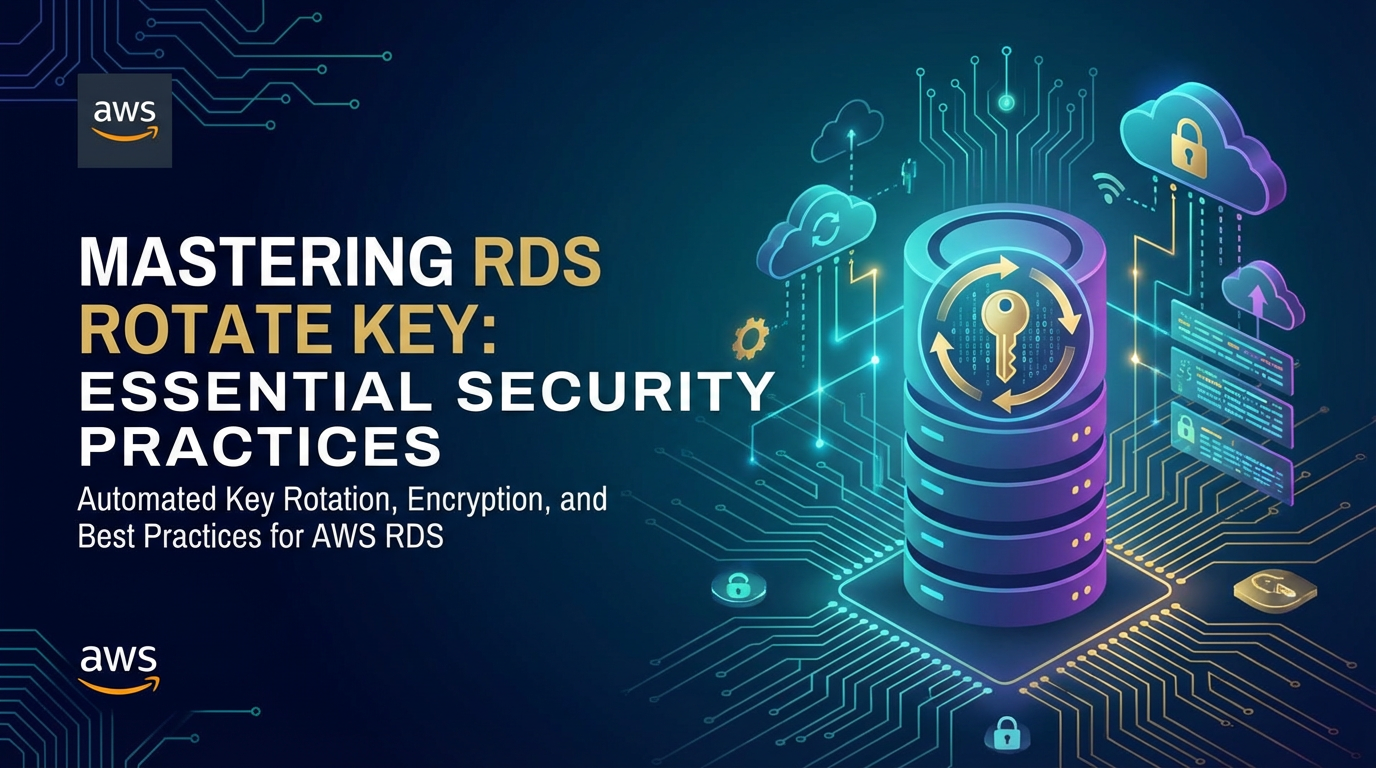


The digital landscape is a vast, interconnected tapestry where data is the most valuable thread. For organizations worldwide, managing and securing this data isn't merely a technical task; it's a foundational pillar of trust, compliance, and sustained operation. Within this critical domain, Amazon Relational Database Service (RDS) stands as a prominent and widely adopted platform, offering scalable, managed relational databases across various engines. Yet, the convenience and power of RDS come with an immutable responsibility: safeguarding the sensitive information it hosts. Encryption is the first line of defense, transforming raw data into an unreadable cipher. But even the strongest encryption relies on its key, and just like physical keys, cryptographic keys can be compromised, lost, or become stale. This is where the practice of key rotation emerges as an indispensable security measure, a proactive ritual that dramatically enhances the resilience of your data against evolving threats.
This comprehensive guide, "Mastering RDS Rotate Key: Essential Security Practices," delves deep into the nuances of key rotation within AWS RDS. We will dissect why it's crucial, how it works, and the meticulous steps involved in implementing it effectively. From understanding the underlying cryptographic principles to navigating AWS Key Management Service (KMS), and from crafting robust rotation policies to integrating them seamlessly into your operational workflows, we aim to equip you with the knowledge and actionable strategies required to elevate your RDS security posture. We will explore the various types of keys involved, the methods available for rotation—both automated and manual—and the critical best practices that transform a good security measure into an impermeable defense. This isn't just about ticking a compliance box; it's about embedding a culture of proactive security, ensuring that your valuable data remains protected against the most sophisticated threats in an ever-changing threat landscape.
Understanding Data Security in AWS RDS: A Foundation of Trust
Before we plunge into the specifics of key rotation, it's paramount to establish a firm understanding of the broader data security framework within AWS RDS. AWS employs a multi-layered approach to security, with the Shared Responsibility Model forming its bedrock. Under this model, AWS is responsible for the security of the cloud – protecting the infrastructure that runs all of the services offered in the AWS Cloud. This includes the physical facilities, network infrastructure, hardware, and software that power AWS services. However, the customer is responsible for security in the cloud – configuring and managing their data, applications, identity and access management, operating systems, network configurations, and client-side data encryption. For RDS, this means AWS secures the underlying service, but you are responsible for how you configure your database instance, including encryption, network access, and user management.
Encryption at Rest: Securing Data Storage
One of the most critical aspects of securing data in RDS is encryption at rest. This mechanism ensures that your data, while stored on disk, is unintelligible to anyone without the appropriate decryption key. For RDS, encryption at rest is primarily achieved through AWS Key Management Service (KMS) integration. When you enable encryption for an RDS instance, AWS automatically encrypts the data at rest with an AWS KMS encryption key. This applies to:
- The underlying storage for your database instances.
- Automated backups.
- Read replicas.
- Snapshots.
The encryption is transparent to the application accessing the database; once configured, you don't need to modify your application code to handle encryption or decryption. This seamless integration provides robust protection, ensuring that even if physical storage media were to be compromised, the data stored on it would remain secure. The choice of encryption key is crucial here. You can either use an AWS-owned key (which AWS manages entirely), an AWS-managed key (a KMS key created and managed by AWS for a specific service on your behalf), or a Customer Managed Key (CMK), which gives you full control over the key's creation, permissions, and, crucially, its rotation schedule. Using CMKs is highly recommended for sensitive data as it provides greater granular control and auditability, aligning better with enterprise security policies and compliance requirements.
Encryption in Transit: Protecting Data on the Move
While data at rest encryption protects stored information, data is often most vulnerable when it's moving between systems. Encryption in transit addresses this by securing communication channels. For RDS, this is typically achieved using SSL/TLS (Secure Sockets Layer/Transport Layer Security) protocols. When your application connects to an RDS instance, you can configure it to use SSL/TLS, ensuring that all data exchanged between your application and the database is encrypted. This prevents eavesdropping, tampering, and message forgery during transmission over potentially untrusted networks. AWS RDS provides SSL certificates that can be downloaded and used by client applications to establish secure connections, verifying the identity of the database server and encrypting the communication payload. Implementing SSL/TLS is a mandatory best practice, especially for applications handling sensitive customer data or operating over public networks, as it creates a secure tunnel for all database interactions.
The Role of AWS Key Management Service (KMS)
At the heart of RDS encryption and key rotation capabilities lies AWS Key Management Service (KMS). KMS is a managed service that makes it easy for you to create and control the encryption keys used to encrypt your data. KMS is integrated with most other AWS services, including RDS, EBS, S3, and many more, providing a centralized, highly available, and secure mechanism for key management.
KMS ensures:
- Secure Key Storage: Keys are stored in FIPS 140-2 validated hardware security modules (HSMs).
- Access Control: Fine-grained IAM policies govern who can use, administer, or delete keys.
- Auditability: CloudTrail logs all API calls made to KMS, providing a complete audit trail of key usage.
- Integration: Seamlessly integrates with other AWS services for encryption and decryption operations.
For RDS, when you enable encryption, you specify a KMS key. This key (specifically, a Customer Managed Key or CMK) is then used by RDS to encrypt the data encryption keys (DEKs) that actually encrypt your database data blocks. This concept, known as envelope encryption, is fundamental. KMS manages the master key (the CMK), which encrypts other keys. These encrypted data keys are stored alongside your data. When your database needs to access data, the encrypted DEK is sent to KMS, which decrypts it using the CMK. The decrypted DEK then decrypts your data. This architecture ensures that the highly sensitive CMK never leaves the secure boundaries of KMS, enhancing the overall security posture. KMS's capabilities are foundational to implementing robust key rotation strategies, as we will explore in subsequent sections.
The "Why" of Key Rotation: Mitigating Risk and Ensuring Compliance
Key rotation is not a superfluous security step; it is a critical practice driven by both proactive risk mitigation and stringent compliance mandates. Understanding the fundamental reasons behind this practice is essential for appreciating its value and implementing it effectively.
Minimizing Risk Exposure from Compromised Keys
The primary driver for key rotation is to reduce the window of opportunity for attackers should an encryption key ever be compromised. Imagine a scenario where a cryptographic key is accidentally exposed, perhaps through a misconfigured service, a malicious insider, or a sophisticated cyberattack. If that key remains static indefinitely, any data encrypted with it, past or future, remains vulnerable to decryption for as long as the key is compromised.
Key rotation mitigates this risk by:
- Limiting Data Exposure: By regularly generating new keys, you ensure that even if an old key is compromised, it can only decrypt data encrypted with that specific key during its active period. All data encrypted with newer, rotated keys remains secure. This significantly reduces the scope and impact of a potential breach.
- Invalidating Stale Keys: Rotation effectively retires older keys, rendering them less useful to an attacker over time. While historical data may still be decryptable by an old key (unless you re-encrypt it with a new one, a more involved process), new data will be protected by a fresh, uncompromised key.
- Proactive Defense: It's a proactive defense mechanism, assuming that over an extended period, the probability of a key compromise, however small, increases. Regular rotation acts as a reset button, cycling out keys before they can become significant liabilities.
Compliance Requirements: Meeting Industry Standards and Regulations
Beyond general security best practices, key rotation is often a mandatory requirement for various industry standards and regulatory compliance frameworks. Organizations operating in regulated sectors must adhere to these guidelines to avoid hefty fines, reputational damage, and legal repercussions.
Key frameworks that often mandate or strongly recommend key rotation include:
- PCI DSS (Payment Card Industry Data Security Standard): Specifically for entities processing, storing, or transmitting credit card data, PCI DSS often requires cryptographic key rotation at defined intervals. This ensures that sensitive cardholder data remains protected according to rigorous standards.
- HIPAA (Health Insurance Portability and Accountability Act): While HIPAA doesn't explicitly mandate key rotation, its broad requirements for protecting Electronic Protected Health Information (ePHI) imply the necessity of strong cryptographic controls, which includes key lifecycle management and regular updates to security mechanisms. Organizations handling healthcare data often implement key rotation as part of their overall HIPAA compliance strategy.
- GDPR (General Data Protection Regulation): For organizations dealing with the personal data of EU citizens, GDPR emphasizes "data protection by design and by default." This includes implementing appropriate technical and organizational measures to ensure the security of personal data, which logically extends to robust encryption and key management practices like rotation.
- SOC 2 (Service Organization Control 2): For service organizations that store customer data in the cloud, SOC 2 reports provide assurance about the security, availability, processing integrity, confidentiality, and privacy of data. Strong cryptographic controls, including key rotation, are vital for achieving and maintaining SOC 2 compliance.
- NIST SP 800-57 (Recommendations for Key Management): The National Institute of Standards and Technology (NIST) provides comprehensive guidelines for cryptographic key management, strongly recommending key rotation as a fundamental practice. These guidelines are widely adopted and serve as a benchmark for robust security implementations.
By implementing regular key rotation, organizations not only bolster their security but also demonstrate due diligence and a commitment to protecting sensitive data, satisfying the mandates of these critical compliance frameworks.
Best Practice for Cryptographic Hygiene
Beyond specific threats or regulations, key rotation is simply good "cryptographic hygiene." It reflects a mature security posture that acknowledges the dynamic nature of threats and the inherent decay of cryptographic strength over time. Even if a key isn't explicitly compromised, maintaining a cycle of new keys ensures that your encryption strategy remains fresh and robust. It's akin to regularly changing passwords for user accounts – a fundamental practice that reduces exposure over time.
This constant refresh also provides an opportunity to review and strengthen other aspects of your key management practices, ensuring that access controls, audit trails, and recovery procedures are always up to date. It fosters a proactive security mindset rather than a reactive one, making your systems more resilient against future, as-yet-unknown vulnerabilities.
Defense-in-Depth Strategy
Finally, key rotation is an integral component of a broader defense-in-depth strategy. This security philosophy advocates for multiple layers of security controls, so that if one layer fails, others are still in place to protect the asset. While encryption at rest is one layer, network segmentation another, and strong authentication a third, key rotation adds another vital layer. It provides an additional failsafe, ensuring that even if other controls are breached and a key is exposed, its utility to an attacker is significantly curtailed due to its limited lifespan. This layered approach creates a formidable barrier against adversaries, significantly increasing the effort and sophistication required to compromise your data.
The "What" of RDS Key Rotation: Distinguishing Between Key Types
To effectively implement key rotation in RDS, it's crucial to understand precisely which keys we are referring to and how they interact within the AWS KMS and RDS ecosystem. There isn't just one "key" being rotated; rather, it involves a hierarchy of keys, each playing a specific role.
AWS KMS Customer Master Keys (CMKs)
At the highest level of control, especially when using Customer Managed Keys (CMKs), is the AWS KMS Customer Master Key. This is the key that you create and manage within AWS KMS. It's a logical key entity that represents the master key material, which never leaves the secure FIPS 140-2 validated hardware security modules (HSMs) of KMS.
When we talk about "KMS key rotation," we are primarily referring to the rotation of these CMKs. KMS offers an automatic key rotation feature for CMKs. When enabled, KMS automatically generates new cryptographic material for the CMK every year (approximately 365 days). The previous key material is retained so that data encrypted with it can still be decrypted. All new encryption operations using that CMK will use the new key material. This is a seamless, transparent process managed entirely by KMS, requiring no action on your part after initial activation. It's important to note that this rotation creates new cryptographic material for the same logical CMK. The Amazon Resource Name (ARN) and Key ID of the CMK do not change.
Key characteristics of CMK rotation:
- Seamless for New Data: New data encrypted with the CMK will automatically use the latest key material.
- Backward Compatibility: Old data encrypted with previous key material can still be decrypted by the same logical CMK. KMS automatically uses the correct version of the key material based on the encryption context.
- Automatic and Transparent: Once enabled, it runs automatically without user intervention.
- Frequency: Once every 365 days by default.
For RDS instances encrypted with a CMK that has automatic rotation enabled, any new data blocks written to the database will be encrypted using data keys protected by the latest version of the CMK's cryptographic material. This is the simplest and most recommended form of "key rotation" from a management perspective, as it is largely hands-off.
Data Encryption Keys (DEKs) / Data Keys
Below the CMK in the hierarchy are Data Encryption Keys (DEKs), often simply referred to as "data keys." These are the keys that actually encrypt your RDS database data blocks and logs. DEKs are typically symmetric keys generated by KMS (upon request from RDS) and are used directly by the database engine to encrypt the vast amounts of data. To protect these DEKs, they are themselves encrypted by the CMK before being stored alongside the encrypted data. This is the envelope encryption model we discussed earlier.
Unlike CMKs, there is no automatic, transparent rotation mechanism for the DEKs that encrypt an existing, running RDS instance's data. When an RDS instance is encrypted with a specific KMS key, that KMS key (or rather, the DEKs it protects) is used for the entire lifespan of that instance's encrypted data. If you want to "rotate" the DEK for an existing encrypted RDS instance (meaning, have all its stored data re-encrypted with a new DEK protected by a new or different KMS CMK), it requires a more involved process. This is because the DEK is intrinsically tied to the encrypted data blocks. Changing the DEK fundamentally means re-encrypting the data.
Key characteristics of DEKs:
- Encrypt Actual Data: These are the keys directly used by the database engine.
- Protected by CMK: Encrypted using a CMK (envelope encryption).
- No Automatic In-Place Rotation for RDS Data: For an existing RDS instance, changing the DEK for all its data effectively means re-encrypting the database with a new KMS key. This is a manual process involving snapshots and restoration.
Distinction: RDS Instance Encryption Key vs. KMS Customer Master Key (CMK)
It's crucial to differentiate between two concepts that can sometimes cause confusion:
- The KMS Customer Master Key (CMK): This is the master key residing in KMS. When you enable KMS automatic key rotation for a CMK, you're rotating the cryptographic material of this master key. This is transparent for services like RDS that use the CMK. Any new DEKs requested by RDS from KMS (e.g., for new data blocks) will be encrypted by the latest CMK material. This does not mean that all your existing RDS data is automatically re-encrypted with new DEKs.
- The underlying Data Encryption Key (DEK) that encrypts the RDS instance's storage: This is the key that actually encrypts the data blocks on your RDS volume. To effectively "rotate" this DEK for an entire existing database to be protected by a new KMS key (and thus new DEKs), you must perform a snapshot, copy that snapshot while specifying a new or different KMS CMK, and then restore a new RDS instance from that copied snapshot. This is the only way to re-encrypt an entire existing RDS database with a different KMS key or new DEKs protected by a new KMS key.
Therefore, when you enable automatic key rotation for your CMK in KMS, it ensures that future encryption operations (e.g., when new DEKs are needed) use updated key material. However, if your security or compliance posture demands that all existing data be re-encrypted with a new, distinct KMS key (not just new material for the same CMK), then a more involved snapshot-and-restore process is required. This distinction is vital for planning your key rotation strategy, as the effort and impact vary significantly depending on which "key rotation" you intend to perform.
Implementing RDS Key Rotation - Methods and Mechanics
Effectively implementing key rotation for AWS RDS instances requires understanding both the automated features provided by AWS KMS and the manual processes necessary for specific scenarios, particularly when re-encrypting existing data with a new Customer Managed Key (CMK).
Automated Rotation with AWS KMS for CMKs
This is the simplest and most highly recommended method for managing the rotation of your Customer Managed Keys (CMKs) in AWS KMS. When you enable automatic key rotation for a CMK, AWS KMS handles the entire process transparently, ensuring a continuous refresh of your master key's cryptographic material.
How KMS Automates CMK Rotation:
- Enable Rotation: When creating a new CMK, you have the option to enable automatic key rotation. For existing CMKs, you can enable it via the AWS Management Console, AWS CLI, or SDKs.
- Annual Rotation: Approximately every 365 days from the enable date, KMS automatically generates new cryptographic material for the CMK. This new material becomes the primary material used for all future encryption operations with that CMK.
- Previous Material Retention: The previous cryptographic material is not deleted. KMS securely stores all historical key material versions associated with the CMK. This is crucial for decrypting data that was encrypted with older versions of the key. When a decryption request comes in for data encrypted by this CMK, KMS intelligently uses the correct version of the key material to decrypt it.
- No Impact on RDS: For an RDS instance encrypted with a CMK that has automatic rotation enabled, the process is entirely transparent and has virtually no impact on the running database. RDS continues to request DEKs from KMS as needed. These DEKs will be encrypted by the latest CMK material. There is no downtime, no re-encryption of existing data by RDS in place, and no configuration changes required for the RDS instance itself.
Setting Up KMS CMK Rotation:
- AWS Management Console:
- Navigate to the KMS service.
- Select "Customer managed keys" from the left navigation pane.
- Choose the CMK you want to rotate (or create a new one).
- In the "Key rotation" tab, check the box next to "Automatically rotate this KMS key every year."
- Save your changes.
- AWS CLI:
bash aws kms enable-key-rotation --key-id arn:aws:kms:region:account-id:key/key-idReplacearn:aws:kms:region:account-id:key/key-idwith the actual ARN or ID of your CMK.
Understanding the Envelope Encryption Model in Context: With automatic CMK rotation, the fundamental envelope encryption model remains the same. The CMK (with its evolving cryptographic material) protects the DEKs. When RDS writes new data or accesses data that needs decryption, it interacts with KMS. If new DEKs are generated for new data, they will be encrypted by the latest CMK material. For existing data encrypted with older DEKs (which were, in turn, encrypted by older CMK material), KMS's internal mechanisms automatically identify the correct CMK material version to decrypt the DEK, which then decrypts the data. This robust design provides strong security without operational overhead for CMK material rotation.
Manual Rotation: Re-encrypting Existing RDS Data with a New KMS Key
While KMS automatic rotation is excellent for the CMK's cryptographic material, it does not re-encrypt all your existing RDS data with a completely new and distinct KMS key or new DEKs protected by a new CMK. If your compliance requirements or security policies mandate the periodic replacement of the entire KMS key used to encrypt your RDS instance (not just its internal material), or if you need to migrate an unencrypted instance to an encrypted one, you must perform a manual process. This process inherently involves creating a new RDS instance.
This manual process is typically required for: 1. Migrating an unencrypted RDS instance to an encrypted one. 2. Changing the KMS key associated with an already encrypted RDS instance. (e.g., moving from an old CMK to a brand new one, or from an AWS-managed key to a CMK). 3. "Rotating" the Data Encryption Key (DEK) for all data on an existing instance. This is achieved by essentially re-encrypting the entire dataset with a new KMS key.
The core steps involve using snapshots and restoration, which unfortunately results in downtime for the original instance or a period of dual-running while you migrate applications.
Steps for Re-encrypting an Existing Encrypted RDS Instance with a New KMS Key:
- Take a Manual Snapshot of Your Current RDS Instance:
- Go to the RDS console, select your instance, and choose "Actions" -> "Take snapshot."
- Provide a descriptive snapshot name. This snapshot will be encrypted with the original KMS key.
- Copy the Snapshot and Specify a New KMS Key:
- Go to the RDS console, select "Snapshots" from the left navigation pane.
- Find your newly created manual snapshot.
- Choose "Actions" -> "Copy Snapshot."
- In the "Copy DB Snapshot" dialogue:
- Provide a new "New DB Snapshot Identifier."
- Crucially, under "Encryption," select "Enable Encryption."
- Choose your new target KMS key from the "Master Key" dropdown. This can be a newly created CMK or an existing one you wish to use.
- Click "Copy Snapshot." This process will create a new snapshot that is encrypted with the specified new KMS key. This step involves cryptographic operations and can take time depending on the size of your database.
- Restore a New RDS Instance from the Copied, Newly Encrypted Snapshot:
- Once the copied snapshot (encrypted with the new KMS key) is available, select it.
- Choose "Actions" -> "Restore Snapshot."
- Configure the new RDS instance (DB instance identifier, instance class, VPC, security groups, etc.). Ensure all settings match your original instance as closely as possible, or apply desired upgrades.
- Launch the new instance. This new RDS instance will be fully encrypted with the new KMS key you specified during the snapshot copy.
- Update Application Endpoints and Monitor:
- Once the new RDS instance is running and validated, update your applications to point to the endpoint of this new instance.
- Thoroughly test your applications to ensure full functionality and data integrity.
- Monitor the performance and stability of the new instance.
- Decommission the Old Instance (After Validation):
- After you are completely confident that the new instance is stable, your applications are running correctly, and all data is accounted for, you can delete the old RDS instance and its associated original snapshots.
Considerations for Manual Rotation:
- Downtime: This process involves creating a new instance. There will be a period of downtime or a complex cutover strategy if you cannot afford downtime. For minimal downtime, consider setting up the new instance as a read replica, promoting it, or using advanced replication techniques (e.g., logical replication for certain engines) to synchronize data before the final cutover.
- Testing: Rigorous testing in a staging environment is critical before performing this operation in production.
- Backups: Ensure you have recent backups before starting.
- Rollback Plan: Have a clear rollback plan in case of issues.
- Identifier Change: The new instance will have a different endpoint, which means application configuration changes are unavoidable.
Table: Comparison of Key Rotation Strategies
| Feature | AWS KMS Automated CMK Rotation | Manual Snapshot & Restore (to re-encrypt with new KMS Key) |
|---|---|---|
| Purpose | Rotates cryptographic material of a single logical CMK. Limits exposure if CMK material is compromised. | Re-encrypts all existing data with a new and distinct KMS key. Changes the underlying DEK protection. |
| Key Type Affected | KMS Customer Master Key (CMK) cryptographic material. | Effectively rotates the KMS key protecting Data Encryption Keys (DEKs) for an entire instance. |
| Operational Impact | Zero downtime, transparent. Completely handled by KMS. | Requires downtime or complex cutover. Creates a new RDS instance. |
| Application Changes | None. Applications continue to use the same logical CMK. | Requires updating application endpoints to point to the new RDS instance. |
| Frequency | Automatically every ~365 days (when enabled). | Manually initiated, driven by compliance or security policies (e.g., annually, biennially). |
| Cost Implications | Minimal, associated with KMS API calls and key storage. | Temporary cost of running two RDS instances, storage for duplicate snapshots. |
| Complexity | Low (set and forget). | Medium to High (planning, execution, testing, cutover). |
| Compliance Benefit | Meets most compliance requirements for CMK material rotation. | Addresses stricter compliance requiring complete key replacement for data. |
| Data Re-encryption | No in-place re-encryption of existing data. New data uses new CMK material. | All data on the new instance is encrypted with the new KMS key/DEKs. |
Choosing the right strategy depends on your specific security and compliance needs. For most scenarios, enabling automatic KMS CMK rotation is sufficient and provides robust protection. However, for the most stringent compliance or specific security postures requiring complete key replacement, the manual snapshot-and-restore method, despite its operational overhead, becomes necessary.
APIPark is a high-performance AI gateway that allows you to securely access the most comprehensive LLM APIs globally on the APIPark platform, including OpenAI, Anthropic, Mistral, Llama2, Google Gemini, and more.Try APIPark now! 👇👇👇
Key Considerations and Best Practices for RDS Key Rotation
Implementing key rotation is more than just executing a command; it's a strategic process that requires careful planning, adherence to best practices, and continuous monitoring. Overlooking these aspects can lead to operational disruptions, security gaps, or non-compliance.
Planning and Preparation: The Foundation of Success
Thorough planning is the bedrock of any successful security operation, especially when dealing with critical database systems.
- Inventory Your Databases: Before any action, gain a clear understanding of all your RDS instances. Document their encryption status (encrypted/unencrypted), the KMS keys they use (if encrypted), their criticality, and any associated applications. Identify which instances require which type of key rotation (CMK material rotation vs. full instance re-encryption).
- Identify Dependencies: Map out all applications, services, and users that connect to your RDS instances. Understand their connection methods, credentials, and how they would be affected by an instance endpoint change (in the case of manual re-encryption). Identify any read replicas or cross-region replication that might need separate handling.
- Communicate Broadly: Inform all relevant stakeholders (application owners, DevOps teams, security teams, business users) about upcoming changes, potential impacts, and timelines. Clear communication minimizes surprises and ensures coordinated efforts.
- Define Rotation Policy: Establish clear policies for key rotation frequency based on your organization's risk tolerance, compliance requirements, and data sensitivity. Document these policies.
- Resource Allocation: Ensure you have adequate resources (CPU, memory, storage) during the manual re-encryption process, as you might temporarily run two instances or need additional snapshot storage.
Downtime Management: Minimizing Disruption
If you're performing a manual re-encryption by restoring from a new snapshot, downtime is an inevitable consideration.
- Schedule Maintenance Window: Perform manual rotations during scheduled maintenance windows when traffic is lowest.
- Implement Read Replicas for Minimal Downtime: For heavily trafficked databases, consider using read replicas. You can create a new read replica from the newly encrypted snapshot, synchronize it, and then promote it to be the new primary instance. This significantly reduces the cutover time, minimizing downtime to the brief period of promotion and application endpoint update.
- Test Failover Procedures: Ensure your applications are resilient to database failovers and can quickly reconnect to a new endpoint.
- Automate Cutover (if possible): For complex environments, scripting the application endpoint update and DNS changes can further reduce the cutover window and human error.
Testing and Validation: Trust, But Verify
Never deploy a key rotation strategy to production without rigorous testing.
- Use Non-Production Environments: Perform the entire rotation process (especially manual re-encryption) in development, staging, or UAT environments first.
- Validate Data Integrity: After rotation, perform comprehensive data integrity checks to ensure no data loss or corruption occurred. Run your application test suites against the newly rotated database.
- Performance Benchmarking: Test the performance of the new instance to ensure it meets expected SLAs. Sometimes, instance class changes or subtle configuration differences can impact performance.
- Rollback Procedures: Test your rollback plan. What happens if the new instance fails or has issues? How quickly can you revert to the original instance?
Monitoring and Alerting: Staying Informed
Post-rotation, and indeed, continuously, robust monitoring is essential to ensure security and operational health.
- CloudWatch Alarms: Set up CloudWatch alarms for key KMS metrics, such as
Decrypt/Encrypt calls,Key material expiration, orKey deletion events. Monitor RDS instance health, CPU utilization, I/O operations, and free storage space. - CloudTrail Logs: Continuously review AWS CloudTrail logs for all KMS and RDS API calls. Look for unauthorized key usage, key deletion attempts, or unexpected configuration changes. CloudTrail provides a comprehensive audit trail of all actions performed on your keys and RDS instances.
- Automated Key Policy Audits: Regularly audit your KMS key policies to ensure they adhere to the principle of least privilege and haven't been inadvertently relaxed.
- Integrate with SIEM: Forward CloudTrail logs and other relevant security logs to a Security Information and Event Management (SIEM) system for centralized analysis and threat detection.
IAM Policies: Enforcing Least Privilege for Key Access
Properly configured Identity and Access Management (IAM) policies are paramount for KMS keys.
- Principle of Least Privilege: Grant only the necessary permissions for key usage. For instance, an application role should only have
kms:Decryptandkms:GenerateDataKeypermissions for the specific KMS key, notkms:DeleteKeyorkms:ScheduleKeyDeletion. - Resource-Specific Permissions: Always specify the exact KMS key ARN in your IAM policy
Resourceelement to prevent accidental broad access. - Conditional Policies: Use IAM conditions (e.g.,
aws:SourceVpce) to restrict key usage to specific VPC endpoints or IP addresses, adding another layer of security. - Separate Admin and Usage Roles: Have distinct IAM roles for KMS key administrators (who can manage and rotate keys) and key users (who can only encrypt/decrypt data).
Key Policy Management: Who Controls the Keys?
Beyond IAM, KMS keys also have a Key Policy, which is the primary access control mechanism for the key itself.
- Grant Access to IAM Identities: The key policy defines which IAM users, roles, and AWS accounts can use and manage the CMK.
- Prevent Accidental Deletion: Ensure your key policy does not allow unauthorized deletion of the CMK. Use strong conditions or explicitly deny
kms:DeleteKeyfor most users. - Cross-Account Access: If you need to share a CMK across AWS accounts (e.g., for cross-account read replicas), the key policy must explicitly grant permissions to the other account.
Key Deletion Schedule: Secure Lifecycle Management
While key rotation keeps your keys fresh, key deletion is the final step in a secure key lifecycle, ensuring old, unused keys are permanently removed.
- Schedule Deletion Carefully: KMS allows you to schedule key deletion with a minimum waiting period of 7 days (up to 30 days). This waiting period is a safety net, allowing you to cancel deletion if you discover the key is still needed.
- Impact of Deletion: Deleting a KMS key is irreversible. Any data encrypted by that key (and not subsequently re-encrypted by another key) will become permanently inaccessible. Ensure all associated RDS instances and snapshots have been migrated or decommissioned before deleting a key.
- Audit Before Deletion: Before scheduling deletion, audit CloudTrail logs to confirm the key is no longer actively being used by any service.
Compliance Integration: Demonstrating Due Diligence
Key rotation is often a checkmark on compliance audit lists.
- Document Everything: Maintain detailed records of your key rotation policies, schedules, and execution logs. This documentation is invaluable during audits.
- Regular Audits: Conduct internal audits of your key management practices to ensure ongoing adherence to policies and compliance requirements.
- Automated Reporting: Generate reports on key rotation status and key usage for compliance officers.
Broader Security Posture and Secure API Access
While key rotation focuses on data at rest, a holistic security strategy encompasses all aspects of data interaction. When applications communicate with your RDS database, they often do so through APIs or other service interfaces. Securing these pathways is just as crucial. For organizations managing a plethora of APIs, including those that interact with sensitive backend databases or leverage AI models, a robust API management solution becomes indispensable.
This is where platforms like APIPark come into play. APIPark, an open-source AI gateway and API management platform, allows you to centralize the management, security, and deployment of your AI and REST services. While RDS key rotation safeguards your data at rest, APIPark complements this by securing the ingress and egress points for your applications. It provides features like unified API formats, prompt encapsulation into REST APIs, and end-to-end API lifecycle management, ensuring that access to your database-driven services is controlled, monitored, and compliant. For instance, APIPark's ability to enforce access permissions and subscription approvals for API resources can prevent unauthorized calls that might ultimately attempt to access your RDS data, providing an additional layer of defense that works in tandem with your database encryption and key rotation strategies. Strong database security practices, combined with secure and well-managed API access, form a comprehensive defense-in-depth approach for your entire data ecosystem.
Advanced Scenarios and Troubleshooting
While the core principles of key rotation remain consistent, real-world deployments often present unique challenges and require advanced considerations. Understanding these can prevent common pitfalls and facilitate smoother operations.
Cross-Region and Cross-Account Key Rotation
In complex enterprise environments, RDS instances and KMS keys might span multiple AWS regions or accounts, necessitating careful planning for key rotation.
- Cross-Region Replication: If you have RDS read replicas in different regions, each replica will use a KMS key from its respective region. When performing a manual re-encryption (snapshot, copy, restore) for a primary instance, you'll need to create a new read replica from the newly encrypted primary in each target region, ensuring the new replica uses a KMS key native to its region. This ensures regional redundancy with updated encryption. Remember that KMS keys are regional resources, so you cannot use a key from one region to encrypt resources in another.
- Cross-Account Access: If an RDS instance in one account is encrypted by a KMS key in another account (e.g., a central security account manages all keys), the key policy of the CMK must explicitly grant permission to the RDS service role and the user/role performing the snapshot/restore operation in the consuming account. When performing a snapshot copy, the destination account must have permissions to use the new target KMS key in its own account. The
kms:CreateGrantpermission is often needed for cross-account scenarios to allow the service to generate its own data keys.
Handling Large Databases
The manual snapshot, copy, and restore process can be time-consuming for extremely large RDS databases, potentially extending downtime.
- Consider Database Migrations Tools: For very large databases where downtime must be minimal, consider using AWS Database Migration Service (DMS). DMS can perform a full load of your data to a newly encrypted target RDS instance while simultaneously replicating ongoing changes (Change Data Capture - CDC). This allows you to perform the key rotation with near-zero downtime, as you only need a brief cutover window to switch your applications to the new instance. This approach is significantly more complex but offers high availability.
- Storage Optimization: Ensure your source instance has sufficient provisioned IOPS during snapshot operations to avoid performance degradation. The copy operation can be resource-intensive.
- Incremental Backups: While full snapshots are required for key rotation, leverage continuous automated backups provided by RDS to ensure you always have a recent recovery point during the process.
Troubleshooting Common Issues
Despite meticulous planning, issues can arise. Knowing common problems and their solutions can save significant time.
- Permission Denied Errors:
- Symptom: "Access denied" when taking a snapshot, copying it, or restoring an instance.
- Cause: The IAM user/role performing the action lacks the necessary
kms:permissions (e.g.,kms:CreateGrant,kms:Encrypt,kms:Decrypt,kms:GenerateDataKey,kms:DescribeKey) orrds:permissions (e.g.,rds:CreateDBSnapshot,rds:CopyDBSnapshot,rds:RestoreDBInstanceFromDBSnapshot). Also, check the KMS key policy itself to ensure the IAM entity is granted access. - Resolution: Review and update both the IAM policy and the KMS key policy to grant appropriate permissions.
- KMS Key State Issues:
- Symptom: RDS operations fail because the KMS key is in a
PendingDeletion,Disabled, orUnavailablestate. - Cause: The key was scheduled for deletion, manually disabled, or is experiencing a temporary service issue.
- Resolution: If
PendingDeletion, cancel deletion (if within the waiting period). IfDisabled, enable the key. IfUnavailable, check AWS Health Dashboard for service outages.
- Symptom: RDS operations fail because the KMS key is in a
- Snapshot Copy Fails Due to Key Policy:
- Symptom: When copying a snapshot and specifying a new KMS key, the copy operation fails.
- Cause: The target KMS key's policy does not grant permission to the service principal
rds.amazonaws.comor to the IAM user/role copying the snapshot to use the key. Specifically,kms:CreateGranton the target key is often required. - Resolution: Ensure the target KMS key policy explicitly grants
kms:CreateGrantto the RDS service principal and necessarykms:permissions to the IAM entity performing the copy.
- Performance Degradation After Restore:
- Symptom: The newly restored RDS instance performs worse than the original.
- Cause: Could be due to a change in instance type, storage configuration (e.g., IOPS), database parameters not being correctly transferred, or issues during data re-encryption.
- Resolution: Compare the new instance's configuration meticulously with the old one. Review CloudWatch metrics for I/O, CPU, memory, and database connections. Tune database parameters if necessary.
Integrating with Infrastructure as Code (IaC)
For modern cloud environments, managing resources through Infrastructure as Code (IaC) tools like AWS CloudFormation, Terraform, or Pulumi is standard practice. Integrating key rotation into your IaC templates can automate and standardize the process.
- KMS CMK Rotation in IaC: When defining a KMS CMK in your IaC templates, ensure you include the property to enable automatic key rotation (e.g.,
EnableKeyRotation: truein CloudFormation). - Automating Manual Rotation (Partial): Full automation of the snapshot-copy-restore process for existing instances is complex with pure IaC due to the stateful nature of the database and endpoint changes. However, you can:
- Use IaC to define the new KMS key and the new RDS instance configuration.
- Use scripting (e.g., Python with Boto3) alongside IaC to orchestrate the snapshot, copy, and restore steps, including updating application configurations.
- Leverage IaC to manage DNS records, allowing for a programmatic switch of CNAMEs to point to the new RDS endpoint, abstracting the change from applications.
- Parameter Store/Secrets Manager Integration: Store database credentials and new instance endpoints in AWS Systems Manager Parameter Store or AWS Secrets Manager. Update these centrally during the cutover, and have applications retrieve them dynamically, making endpoint updates seamless.
By embracing these advanced considerations and troubleshooting techniques, you can navigate the complexities of RDS key rotation more effectively, ensuring both robust security and operational stability for your critical data assets.
The Broader Security Posture: Beyond Encryption
While RDS key rotation is a cornerstone of data-at-rest security, it is but one vital component within a comprehensive, multi-layered security strategy. True data protection extends far beyond encryption to encompass every aspect of database access, network configuration, and operational management. A defense-in-depth approach ensures that even if one security control is bypassed, others are in place to prevent or detect unauthorized access to your sensitive data.
Network Isolation (VPC) and Security Groups: Controlling Access Points
The very first line of defense for your RDS instances is network access control.
- Virtual Private Cloud (VPC): Deploy your RDS instances within a private subnet of an Amazon Virtual Private Cloud (VPC). VPCs allow you to provision a logically isolated section of the AWS Cloud where you can launch AWS resources in a virtual network that you define. This isolates your database from the public internet by default.
- Security Groups: Use AWS Security Groups as virtual firewalls to control inbound and outbound traffic to your RDS instances. Configure security groups to allow traffic only from specific IP addresses, other security groups (e.g., those associated with your application servers), or VPC endpoints. Never expose your RDS instance directly to the public internet unless absolutely necessary and with extremely restrictive IP whitelisting. Default to a "deny all" posture and explicitly allow only the minimum required ports and sources.
Authentication and Authorization: Who Can Access What?
Even within a secure network, it's critical to control who can connect to the database and what actions they can perform.
- IAM Database Authentication: For MySQL and PostgreSQL, leverage AWS IAM database authentication. This allows you to authenticate to your database using AWS IAM credentials, providing temporary, role-based access without managing traditional database user passwords. This integrates database authentication with your existing AWS IAM policies and auditing via CloudTrail.
- Strong Database User Management: For traditional authentication, enforce strong password policies for database users. Regularly review and rotate these passwords. Grant database users only the absolute minimum necessary privileges (least privilege principle) within the database itself (e.g., read-only access for reporting tools, write access for specific application users, no
DROP TABLEfor most). - Audit Database Activity: Utilize database audit logs (e.g., for MySQL, PostgreSQL, SQL Server) to record successful and failed login attempts, DDL changes, and DML operations. These logs are crucial for security monitoring and forensic analysis.
Patching and Updates: Staying Ahead of Vulnerabilities
Software vulnerabilities are a constant threat. Keeping your database engine and underlying operating system patched is non-negotiable.
- RDS Automated Patching: AWS RDS provides automated patching for the underlying operating system and database engine. Schedule these maintenance windows to occur at times of low activity.
- Monitor for Security Bulletins: Stay informed about AWS security bulletins and database engine-specific vulnerability disclosures. While RDS manages most of this, being aware helps you plan for potential impacts or necessary manual interventions.
- Custom Parameter Groups: Manage database parameters using custom parameter groups. Regularly review these to ensure they align with security best practices (e.g., disabling unnecessary features, enforcing secure communication settings).
Auditing and Logging: The Eyes and Ears of Security
Comprehensive logging and auditing are essential for detecting suspicious activity, investigating incidents, and proving compliance.
- AWS CloudTrail: CloudTrail logs all API calls made to AWS services, including RDS and KMS. This provides an audit trail of who did what, when, and from where, allowing you to track configuration changes, security-related events, and key usage.
- Amazon CloudWatch Logs: Integrate database logs (error logs, slow query logs, general logs, audit logs) with Amazon CloudWatch Logs. This centralizes logging, allowing for easier analysis, alerting, and long-term retention.
- Security Hub & GuardDuty: Leverage AWS Security Hub to aggregate security findings from various AWS services (including GuardDuty for threat detection, IAM Access Analyzer for permission reviews) and third-party security products. GuardDuty provides intelligent threat detection by monitoring AWS accounts and workloads for malicious activity and unauthorized behavior.
Data Masking and Tokenization: Protecting Sensitive Fields
For extremely sensitive data fields (e.g., credit card numbers, social security numbers), encryption at rest might not be enough when the data is in use.
- Data Masking: For non-production environments, use data masking to replace sensitive data with realistic, but fake, data. This allows development and testing without exposing real sensitive information.
- Tokenization: In production, consider tokenization, where sensitive data is replaced with a non-sensitive equivalent (a "token") that retains all necessary information without compromising the actual data. The original sensitive data is stored in a separate, highly secure vault. This reduces the scope of PCI DSS or other compliance requirements on your main database.
By integrating these broader security measures with robust RDS key rotation practices, organizations can construct a formidable defense-in-depth strategy that protects their data at every stage of its lifecycle, from rest to transit to usage. Security is not a one-time configuration; it's a continuous journey of vigilance, adaptation, and improvement.
Conclusion
The journey to mastering RDS key rotation is a testament to an organization's commitment to robust data security. In an era where data breaches are not just possible but increasingly inevitable, proactive and sophisticated defense mechanisms are not merely optional extras but fundamental necessities. AWS RDS provides a powerful and flexible platform for managing relational databases, and its integration with AWS Key Management Service (KMS) empowers users with the tools to implement world-class encryption and key management practices.
We have delved into the crucial reasons behind key rotation, highlighting its role in mitigating risk exposure, ensuring compliance with stringent regulatory frameworks like PCI DSS and GDPR, and promoting overall cryptographic hygiene. Understanding the distinction between the automated rotation of KMS Customer Managed Key (CMK) cryptographic material and the more involved manual process of re-encrypting an entire RDS instance with a new, distinct KMS key is critical for choosing the right strategy for your specific needs. While KMS provides seamless, hands-off rotation of CMK material, stricter compliance demands or the desire to completely change the underlying encryption key protecting your data necessitate the meticulous snapshot-copy-restore dance, which, though more complex, offers unparalleled control over your data's cryptographic lifecycle.
Beyond the mechanics, we emphasized the importance of comprehensive planning, rigorous testing, and continuous monitoring through CloudWatch and CloudTrail. Adhering to the principle of least privilege through finely tuned IAM and KMS key policies is paramount, as is the disciplined management of key deletion. Furthermore, we touched upon how these database-level security practices seamlessly integrate with broader security postures, including network isolation, strong authentication, regular patching, and a robust API management strategy, such as that offered by APIPark, which protects the pathways through which applications interact with your secured database.
In essence, mastering RDS key rotation is not just about executing technical steps; it's about embedding a security-first mindset into your operational DNA. It demands vigilance, foresight, and a continuous commitment to adapting to an evolving threat landscape. By diligently implementing these essential security practices, organizations can build an impenetrable fortress around their most valuable digital assets, safeguarding trust, ensuring compliance, and securing their future in the digital age.
FAQ (Frequently Asked Questions)
1. Why is key rotation necessary for AWS RDS, even with encryption enabled? Key rotation is necessary because it minimizes the risk exposure associated with a single encryption key. If a key is compromised, rotation limits the amount of data and the time frame during which that data could be vulnerable. It's a proactive security measure that ensures even if an old key is exposed, new data (and potentially re-encrypted old data) remains protected by a fresh, uncompromised key. It also helps meet various compliance requirements (e.g., PCI DSS, HIPAA, GDPR) and is considered a cryptographic best practice, contributing to a defense-in-depth security strategy.
2. What is the difference between AWS KMS automatic key rotation and "rotating" an RDS instance's encryption key? AWS KMS automatic key rotation refers to the process where AWS KMS automatically generates new cryptographic material for a Customer Managed Key (CMK) every 365 days. The logical CMK's ARN remains the same, and this process is transparent to RDS, affecting only new encryption operations that use the CMK's latest material. It does not re-encrypt existing data on your RDS instance. "Rotating" an RDS instance's encryption key, on the other hand, typically means replacing the entire KMS key (or the underlying Data Encryption Keys it protects) that encrypts all the data on an existing encrypted RDS instance. This is a manual process involving taking a snapshot, copying it while specifying a new KMS key, and then restoring a new RDS instance from that newly encrypted snapshot. This effectively re-encrypts all your data with a different, new KMS key.
3. Does key rotation in RDS cause downtime? It depends on the method. If you enable AWS KMS automatic key rotation for your CMK, this process is entirely managed by KMS and is transparent, causing zero downtime for your RDS instance. However, if you need to "rotate" the KMS key for an existing RDS instance by re-encrypting all its data with a new KMS key (the snapshot-copy-restore method), this process typically does involve downtime. You are essentially creating a new database instance and must migrate your applications to its new endpoint, which will result in a cutover period. Strategies like using read replicas and promoting them can minimize this downtime significantly.
4. How often should I rotate my RDS encryption keys? For AWS KMS Customer Managed Keys (CMKs), you can enable AWS KMS automatic key rotation, which rotates the cryptographic material approximately every 365 days. This is generally sufficient for most compliance and security requirements. For the more involved process of re-encrypting an entire RDS instance with a new and distinct KMS key, the frequency depends heavily on your organization's specific compliance mandates, risk tolerance, and internal security policies. Some regulations may require this level of key replacement annually, biennially, or on a less frequent schedule. Always consult your compliance requirements and security team to determine the appropriate interval.
5. What happens if I delete the KMS key used to encrypt my RDS instance? Deleting a KMS key is a permanent and irreversible action. If you delete the KMS key that encrypts your RDS instance (or any of its backups/snapshots), all data encrypted by that key will become permanently inaccessible. You will not be able to decrypt your database, restore from snapshots, or recover your data. AWS KMS implements a mandatory waiting period (7 to 30 days) before actual deletion to provide a safety net, allowing you to cancel the deletion if the key is still in use. It is absolutely crucial to ensure that no active RDS instances, backups, or snapshots depend on a KMS key before scheduling it for deletion.
🚀You can securely and efficiently call the OpenAI API on APIPark in just two steps:
Step 1: Deploy the APIPark AI gateway in 5 minutes.
APIPark is developed based on Golang, offering strong product performance and low development and maintenance costs. You can deploy APIPark with a single command line.
curl -sSO https://download.apipark.com/install/quick-start.sh; bash quick-start.sh

In my experience, you can see the successful deployment interface within 5 to 10 minutes. Then, you can log in to APIPark using your account.

Step 2: Call the OpenAI API.