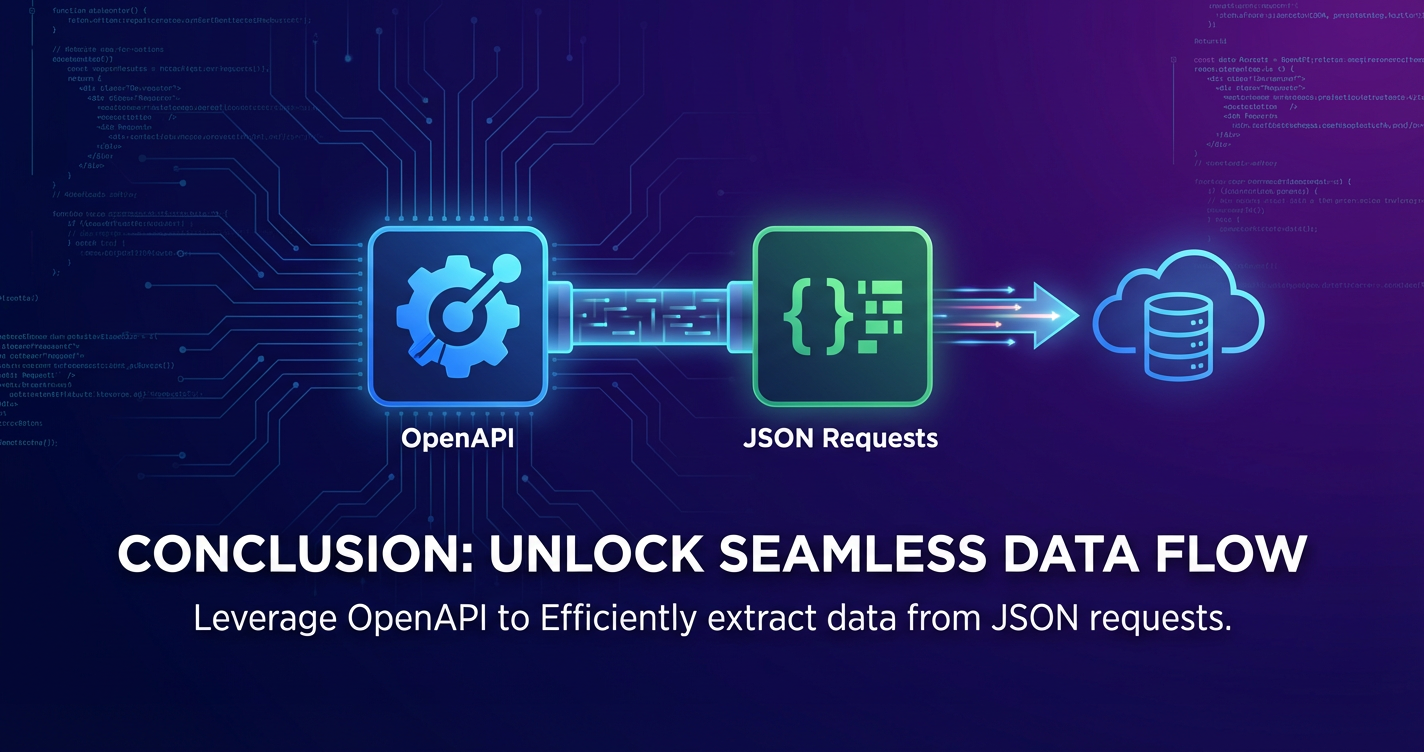
OpenAPI: How to Get Data from JSON Requests



In the intricate tapestry of modern software development, Application Programming Interfaces (APIs) serve as the fundamental threads that connect disparate systems, enabling seamless communication and data exchange. Whether it's a mobile application fetching real-time stock prices, a web service integrating with a third-party payment gateway, or an internal microservice architecture communicating across different components, the ability to efficiently retrieve and process data is paramount. At the heart of this data exchange, two technologies stand out: OpenAPI, a powerful specification for describing APIs, and JSON (JavaScript Object Notation), the ubiquitous data format that powers much of the web's communication. This comprehensive guide will delve deep into the mechanics of using OpenAPI-defined services to extract valuable data from JSON responses, equipping developers with the knowledge and tools to navigate this critical aspect of contemporary programming.
The proliferation of digital services has exponentially increased the reliance on well-defined and easily consumable apis. Developers constantly interact with various endpoints, each promising a specific piece of information or functionality. Without a standardized way to understand these apis, the development process would be fraught with manual deciphering, prone to errors, and significantly slower. This is where OpenAPI steps in, providing a language-agnostic, human-readable, and machine-readable interface to describe the capabilities of a RESTful api. It acts as a blueprint, detailing everything from available endpoints and their operations to the expected request parameters and, crucially for our discussion, the precise structure of the JSON responses they return.
Simultaneously, JSON has solidified its position as the de facto standard for data interchange over the internet. Its lightweight, human-readable format, coupled with its ease of parsing by machines, makes it an ideal choice for the vast majority of api communications. From simple key-value pairs to complex nested objects and arrays, JSON offers the flexibility to represent almost any data structure encountered in real-world applications. The challenge, then, lies not just in receiving a JSON payload, but in effectively navigating its structure, validating its content against the api's contract, and extracting the specific pieces of data required for an application's logic.
This article aims to be the definitive resource for understanding this crucial intersection. We will begin by exploring OpenAPI's foundational concepts and how it meticulously defines the api contract, particularly focusing on response schemas. Subsequently, we will unravel the intricacies of JSON, dissecting its structure and various data types. The journey will then lead us through the practical aspects of making api requests using a variety of tools and programming languages, demonstrating how to send and receive JSON data. The core of our exploration will then shift to the art and science of parsing JSON responses, showing how to robustly extract desired data elements, handle potential errors, and ensure data integrity. Finally, we will discuss advanced topics such as automated client generation, the role of an api gateway in streamlining api interactions, and best practices for developing resilient api clients. By the end of this journey, you will possess a robust understanding of how to confidently and efficiently get data from JSON requests when interacting with OpenAPI-defined apis, thereby empowering you to build more sophisticated and reliable applications.
Understanding OpenAPI and its Role in API Contracts
The journey to efficiently extract data from JSON responses begins with a thorough understanding of the API's contract, and for many modern RESTful services, this contract is meticulously defined by OpenAPI. Formerly known as Swagger, the OpenAPI Specification (OAS) has evolved into a powerful, language-agnostic standard for describing, producing, consuming, and visualizing RESTful web services. It's more than just documentation; it's a machine-readable declaration of an API's capabilities, acting as a single source of truth for developers, tools, and api gateways alike.
What is OpenAPI? The API Blueprint
At its core, OpenAPI is a specification for building a standard, language-agnostic interface description for REST apis. It allows both humans and machines to discover and understand the capabilities of a service without access to source code, documentation, or network traffic inspection. An OpenAPI document, typically written in YAML or JSON format, details every aspect of an api, including:
- Endpoints: The various URLs (
/users,/products/{id}, etc.) that anapiexposes. - Operations: The HTTP methods (GET, POST, PUT, DELETE) supported by each endpoint, along with their purpose.
- Parameters: The inputs required for each operation, specifying whether they are path, query, header, or body parameters, their data types, and whether they are optional or required.
- Request Bodies: The structure and data types of the JSON payloads expected by operations like POST or PUT.
- Responses: The various HTTP status codes an operation can return (e.g., 200 OK, 400 Bad Request, 500 Internal Server Error), and for each status code, the structure and data types of the JSON response body.
- Authentication Methods: How clients can authenticate themselves to access protected endpoints (e.g., API keys, OAuth 2.0, Bearer Tokens).
The transition from Swagger to OpenAPI was a significant step towards community-driven standardization, making it a more robust and widely adopted specification. This move underscored its importance in fostering interoperability and accelerating api development across diverse ecosystems. For anyone integrating with an api, the OpenAPI document becomes the primary reference point, providing an unambiguous guide to interaction.
The Structure of an OpenAPI Document: Focusing on Responses
To effectively get data from JSON requests, our primary focus within an OpenAPI document will be on the paths and components/schemas sections, particularly how they define expected responses. Let's break down the key parts of an OpenAPI document:
openapi(Version): Specifies the version of the OpenAPI Specification being used (e.g.,3.0.0,3.1.0). This dictates the syntax and features available within the document.info(Metadata): Contains general information about theapi, such as itstitle,version,description, and contact information. This helps human readers quickly understand the API's purpose.servers(Base URLs): Defines the base URLs for theapi. Anapimight have different environments (development, staging, production), each with its own base URL. Clients use this to construct the full endpoint URL.paths(Endpoints and Operations): This is the core of the API definition. It lists all available endpoints, each mapped to a specific path (e.g.,/users,/products). Under each path, different HTTP methods (GET, POST, PUT, DELETE) are defined as "operations."- For each operation, you'll find details like
summary,description,parameters,requestBody, andresponses. - The
responsesobject is critical for our goal. It maps HTTP status codes (e.g.,200,400,404) to their respective response definitions. - Within each response, the
contentobject specifies the media types (e.g.,application/json) and their associatedschema.
- For each operation, you'll find details like
components(Reusable Definitions): This section is where reusableschemadefinitions, parameters, security schemes, and responses are stored. Theschemasobject withincomponentsis incredibly important for defining the structure of JSON data.- A
schemadefines the shape of a JSON object or an individual data type. It uses a subset of JSON Schema to describe properties, their types (string, number, boolean, array, object), required fields, and even validation rules (e.g.,minLength,maxLength,pattern,enum). - By referencing these schemas (e.g.,
"$ref": "#/components/schemas/User"), different parts of the OpenAPI document can consistently describe complex data structures without duplication.
- A
Consider a simple example from an OpenAPI definition for retrieving a user:
paths:
  /users/{userId}:
    get:
      summary: Get a user by ID
      operationId: getUserById
      parameters:
        - name: userId
          in: path
          required: true
          schema:
            type: integer
            format: int64
          description: ID of the user to retrieve
      responses:
        '200':
          description: User data retrieved successfully
          content:
            application/json:
              schema:
                $ref: '#/components/schemas/User'
        '404':
          description: User not found
          content:
            application/json:
              schema:
                $ref: '#/components/schemas/Error'
components:
  schemas:
    User:
      type: object
      properties:
        id:
          type: integer
          format: int64
          description: Unique identifier for the user
        username:
          type: string
          description: User's chosen username
        email:
          type: string
          format: email
          description: User's email address
        firstName:
          type: string
          description: User's first name
        lastName:
          type: string
          description: User's last name
        status:
          type: string
          enum: [ "active", "inactive", "pending" ]
          default: "pending"
          description: Current status of the user
      required:
        - id
        - username
        - email
    Error:
      type: object
      properties:
        code:
          type: integer
          format: int32
        message:
          type: string
      required:
        - code
        - message
In this snippet, the GET /users/{userId} operation clearly specifies that upon a successful 200 response, the content type will be application/json, and its structure will conform to the User schema defined under components/schemas. This schema then details that a User object will have properties like id, username, email, firstName, lastName, and status, along with their respective data types and whether they are required.
OpenAPI for Data Retrieval: Predicting Response Structures
The immense value of OpenAPI in data retrieval lies in its predictive power. Before even making an api call, a developer can consult the OpenAPI document to:
- Understand Expected Data: Know precisely what fields to expect in the JSON response, their data types, and their relationships (e.g., nested objects, arrays).
- Anticipate Potential Errors: Identify the different error codes (e.g.,
404,500) and the structure of their error messages, allowing for robust error handling. - Validate Data: The schema definitions can be used to validate incoming JSON payloads, ensuring that the
apiis returning data in the expected format. This is crucial for data integrity and preventing unexpected application behavior. - Generate Code: As we'll see later, OpenAPI documents can be used to automatically generate client libraries, which abstract away the complexities of HTTP requests and JSON parsing, providing type-safe objects to work with.
By providing this comprehensive blueprint, OpenAPI significantly simplifies the process of interacting with apis, making data extraction from JSON responses a more predictable, efficient, and less error-prone task. It transforms the often-ambiguous world of api integration into a clearly defined landscape, enabling developers to focus on application logic rather than wrestling with undocumented api intricacies. This foundation is essential for any developer looking to master the art of api consumption.
JSON: The Universal Language of API Data
Having established OpenAPI as the definitive contract for an api, we now turn our attention to JSON (JavaScript Object Notation), the ubiquitous data format that carries the actual data payload across the wire. Its widespread adoption is no accident; JSON strikes a perfect balance between human readability and machine parsability, making it the preferred choice for api communication, configuration files, and data interchange in general. Understanding JSON's fundamental structure and its various data types is crucial for effectively interpreting and extracting information from api responses.
What is JSON? Simplicity and Versatility
JSON is a lightweight data-interchange format. It is completely language independent but uses conventions that are familiar to programmers of the C-family of languages, including C, C++, C#, Java, JavaScript, Perl, Python, and many others. This property makes JSON an ideal data-interchange language. Its design principles emphasize simplicity and conciseness, allowing for quick creation and consumption.
Unlike its verbose predecessor, XML, which relies on a tag-based structure that can often be cumbersome for simple data representation, JSON uses a more minimalist approach centered around key-value pairs and ordered lists of values. This significantly reduces the overhead in terms of file size and parsing complexity, leading to faster data transmission and processing. For an api operating at scale, where millions of requests might be handled daily, these efficiencies translate into substantial performance gains and reduced operational costs. The ease with which virtually every modern programming language can parse and serialize JSON data further cements its status as the de facto standard for web apis.
Basic JSON Structure: Objects, Arrays, and Data Types
JSON is built upon two basic structures:
- Objects: A collection of unordered key/value pairs. An object begins and ends with curly braces
{}. Each key is a string (enclosed in double quotes), followed by a colon:, and then its value. Key/value pairs are separated by commas,.- Example:
{"name": "Alice", "age": 30, "city": "New York"}
- Example:
- Arrays: An ordered list of values. An array begins and ends with square brackets
[]. Values are separated by commas,. An array can contain values of different types, including other objects or arrays.- Example:
["apple", "banana", "cherry"]or[{"id": 1}, {"id": 2}]
- Example:
Within these structures, JSON supports six primitive data types for values:
- Strings: Sequence of Unicode characters enclosed in double quotes. Example:
"hello world","123" - Numbers: Integers or floating-point numbers. JSON does not distinguish between different numeric types (like int, float, double); it just treats them as numbers. Example:
42,3.14,-10 - Booleans: Either
trueorfalse. - Null: Represents an empty or non-existent value.
- Objects: As described above, a nested set of key-value pairs.
- Arrays: As described above, an ordered list of values.
These simple building blocks allow for the representation of highly complex and deeply nested data structures, mirroring almost any data model required by an application.
Practical Examples of JSON Responses
Let's illustrate these structures with a few practical examples of api responses you might encounter:
Example 1: Simple User Profile (Flat Object)
{
  "id": "usr_001",
  "name": "John Doe",
  "email": "john.doe@example.com",
  "isActive": true
}
Here, we have a single JSON object representing a user, with basic string, boolean, and string (for ID and email) values.
Example 2: Product with Nested Details (Object with Nested Object)
{
  "productId": "prod_123",
  "productName": "Wireless Bluetooth Earbuds",
  "price": 79.99,
  "currency": "USD",
  "details": {
    "manufacturer": "TechCo",
    "weightGrams": 50,
    "color": "Black",
    "features": ["Noise Cancellation", "Waterproof"]
  },
  "inStock": true
}
This example shows a product object that contains a nested details object, which itself has a features array. This demonstrates how JSON can represent hierarchical relationships.
Example 3: List of Orders (Object with an Array of Objects)
{
  "totalOrders": 2,
  "orders": [
    {
      "orderId": "ORD_2023_001",
      "customerId": "cust_abc",
      "orderDate": "2023-10-26T10:00:00Z",
      "items": [
        {"itemId": "item_X", "quantity": 1, "price": 50.00},
        {"itemId": "item_Y", "quantity": 2, "price": 10.00}
      ],
      "status": "shipped"
    },
    {
      "orderId": "ORD_2023_002",
      "customerId": "cust_xyz",
      "orderDate": "2023-10-26T11:30:00Z",
      "items": [
        {"itemId": "item_Z", "quantity": 1, "price": 120.00}
      ],
      "status": "pending"
    }
  ]
}
This common pattern involves an outer object containing metadata (like totalOrders) and an orders array, where each element is another complex order object, each with its own items array. This structure is very common for apis returning collections of resources.
Example 4: Error Response
{
  "errorCode": "INVALID_REQUEST",
  "message": "The 'productId' parameter is missing or invalid.",
  "details": {
    "field": "productId",
    "providedValue": null,
    "expectedFormat": "string"
  }
}
Even error messages are typically conveyed in JSON, providing structured feedback that clients can parse to display user-friendly messages or implement specific error handling logic. OpenAPI schemas are excellent for defining these error structures, too.
Why JSON is Preferred in API Communications
The dominance of JSON in api communications stems from several key advantages:
- Readability: For humans, JSON is much easier to read and understand compared to XML, especially for complex or nested data. The absence of closing tags and reduced verbosity simplifies visual parsing.
- Simplicity: Its structure is straightforward and intuitive, consisting only of objects and arrays. This simplicity makes it easier for developers to work with.
- Efficiency: Being lightweight, JSON requires less bandwidth for transmission and less processing power for parsing, which is critical for mobile applications and high-traffic
apis. - Widespread Support: Nearly every modern programming language has built-in or readily available libraries for parsing and generating JSON. This universal support minimizes integration effort.
- Direct Mapping to Data Structures: JSON maps almost directly to native data structures in many programming languages (e.g., objects to dictionaries/hash maps, arrays to lists/arrays), making conversion seamless.
The combination of OpenAPI's precise api contract definitions and JSON's efficient, flexible data representation creates a powerful synergy. OpenAPI tells you what to expect, and JSON is the how it's delivered. Mastering both is indispensable for anyone working with modern web apis.
Making JSON Requests: Tools and Methods
Once you understand the OpenAPI definition of an api and the structure of JSON data, the next practical step is to actually make requests to the api endpoints and receive JSON responses. This involves choosing the right HTTP method, setting appropriate headers, and using various tools or programming language constructs to send and retrieve data. The method you choose often depends on your development environment, testing needs, and the specific programming language you are using for your client application.
HTTP Methods and JSON: The Right Verb for the Job
The Hypertext Transfer Protocol (HTTP) defines several request methods (verbs) to indicate the desired action to be performed on the identified resource. When dealing with JSON data, the most common methods are:
- GET: Used to request data from a specified resource. GET requests should only retrieve data and should have no other effect on the data. For GET requests, JSON data is typically not sent in the request body. Instead, parameters are usually sent as query parameters in the URL (e.g.,
api.example.com/users?status=active). - POST: Used to submit an entity to the specified resource, often causing a change in state or side effects on the server. POST requests typically send JSON data in the request body to create a new resource or perform an action that isn't idempotent.
- PUT: Used to replace all current representations of the target resource with the request payload. PUT requests are often used to update an existing resource by sending its complete, updated JSON representation in the body.
- PATCH: Used to apply partial modifications to a resource. Unlike PUT, PATCH sends only the changes to be applied, typically as a JSON document specifying those changes.
- DELETE: Used to delete the specified resource. While less common, a DELETE request can theoretically send a JSON body to specify criteria for deletion, though it's more typical for the resource to be identified by its URL path.
For any api request that sends JSON data in the body (POST, PUT, PATCH), it is crucial to set the Content-Type HTTP header to application/json. This header informs the server that the body of the request contains JSON data, allowing the server to parse it correctly. Similarly, when expecting a JSON response, clients often send an Accept header with application/json to indicate their preferred response format, though most apis default to JSON anyway.
Client-Side Tools for Making Requests
Before diving into programming, several tools are invaluable for testing apis and examining JSON responses.
1. Command Line: curl
curl is a powerful, versatile command-line tool for making network requests. It's available on virtually all Unix-like systems and Windows, making it a go-to for quick api tests.
GET Request Example: To retrieve a list of users:
curl -X GET "https://api.example.com/users" \
     -H "Accept: application/json" \
     -H "Authorization: Bearer YOUR_API_TOKEN"
This command sends a GET request to /users, specifies that it expects a JSON response, and includes an authorization token.
POST Request with JSON Body Example: To create a new user:
curl -X POST "https://api.example.com/users" \
     -H "Content-Type: application/json" \
     -H "Accept: application/json" \
     -H "Authorization: Bearer YOUR_API_TOKEN" \
     -d '{
           "username": "newuser",
           "email": "newuser@example.com",
           "password": "securepassword123"
         }'
Here, -d specifies the request body as a JSON string, and Content-Type: application/json is essential to inform the server about the data format.
2. Desktop Clients: Postman, Insomnia
Tools like Postman and Insomnia provide a user-friendly graphical interface for making api requests. They simplify the process of constructing requests, managing headers, setting authentication, and viewing formatted JSON responses. These are excellent for detailed api exploration, debugging, and collaboration within teams. They also allow saving requests, creating collections, and even generating code snippets in various languages.
3. Browser-based Tools (for Web Applications)
In web browsers, JavaScript provides built-in mechanisms for making api requests:
- Fetch API: The modern, promise-based standard for making network requests.
``javascript fetch('https://api.example.com/products/123', { method: 'GET', headers: { 'Accept': 'application/json', 'Authorization': 'Bearer YOUR_API_TOKEN' } }) .then(response => { if (!response.ok) { throw new Error(HTTP error! status: ${response.status}`); } return response.json(); // Parses the JSON response body }) .then(data => console.log(data)) .catch(error => console.error('Error:', error));// POST request example fetch('https://api.example.com/products', { method: 'POST', headers: { 'Content-Type': 'application/json', 'Accept': 'application/json', 'Authorization': 'Bearer YOUR_API_TOKEN' }, body: JSON.stringify({ name: 'New Gadget', price: 99.99 }) }) .then(response => response.json()) .then(data => console.log('Product created:', data)) .catch(error => console.error('Error:', error)); ``` - XMLHttpRequest (XHR): An older but still widely supported API for making HTTP requests. While still functional,
fetchis generally preferred for new development due to its cleaner, promise-based syntax.
Programming Languages: Robust Client Implementations
For production applications, api requests are typically made programmatically within your chosen programming language.
1. Python (requests library)
Python's requests library is renowned for its simplicity and power in making HTTP requests.
import requests
import json

api_url = "https://api.example.com/users"
headers = {
    "Accept": "application/json",
    "Authorization": "Bearer YOUR_API_TOKEN"
}

# GET Request
try:
    response = requests.get(api_url, headers=headers)
    response.raise_for_status() # Raise an exception for HTTP errors
    users_data = response.json() # Parse JSON response
    print("Users:", users_data)
except requests.exceptions.HTTPError as err:
    print(f"HTTP error occurred: {err}")
except Exception as err:
    print(f"An error occurred: {err}")

# POST Request
new_user_payload = {
    "username": "pythonuser",
    "email": "pythonuser@example.com",
    "password": "securepassword456"
}
post_headers = {
    "Content-Type": "application/json",
    "Accept": "application/json",
    "Authorization": "Bearer YOUR_API_TOKEN"
}

try:
    response = requests.post(api_url, headers=post_headers, data=json.dumps(new_user_payload))
    response.raise_for_status()
    created_user = response.json()
    print("Created user:", created_user)
except requests.exceptions.HTTPError as err:
    print(f"HTTP error occurred: {err}")
    print(f"Response body: {response.text}") # Print raw response body for debugging
except Exception as err:
    print(f"An error occurred: {err}")
2. JavaScript (Node.js - axios, node-fetch)
In Node.js environments, axios is a popular promise-based HTTP client, or node-fetch can bring the browser's Fetch API to Node.js.
// Using Axios
const axios = require('axios');

async function getUsers() {
    try {
        const response = await axios.get('https://api.example.com/users', {
            headers: {
                'Accept': 'application/json',
                'Authorization': 'Bearer YOUR_API_TOKEN'
            }
        });
        console.log('Users:', response.data);
    } catch (error) {
        console.error('Error fetching users:', error.response ? error.response.data : error.message);
    }
}

async function createUser() {
    const newUser = {
        username: 'nodeuser',
        email: 'nodeuser@example.com',
        password: 'securepassword789'
    };
    try {
        const response = await axios.post('https://api.example.com/users', newUser, {
            headers: {
                'Content-Type': 'application/json',
                'Accept': 'application/json',
                'Authorization': 'Bearer YOUR_API_TOKEN'
            }
        });
        console.log('Created user:', response.data);
    } catch (error) {
        console.error('Error creating user:', error.response ? error.response.data : error.message);
    }
}

getUsers();
createUser();
3. Java (HttpClient)
Modern Java (Java 11+) has a built-in HttpClient.
import java.net.URI;
import java.net.http.HttpClient;
import java.net.http.HttpRequest;
import java.net.http.HttpResponse;
import com.fasterxml.jackson.databind.ObjectMapper; // For JSON parsing

public class ApiClient {

    private static final HttpClient client = HttpClient.newBuilder().build();
    private static final ObjectMapper mapper = new ObjectMapper(); // Jackson library

    public static void main(String[] args) throws Exception {
        String apiToken = "YOUR_API_TOKEN";

        // GET Request
        HttpRequest getRequest = HttpRequest.newBuilder()
                .uri(new URI("https://api.example.com/users"))
                .header("Accept", "application/json")
                .header("Authorization", "Bearer " + apiToken)
                .GET()
                .build();

        HttpResponse<String> getResponse = client.send(getRequest, HttpResponse.BodyHandlers.ofString());
        if (getResponse.statusCode() == 200) {
            String jsonResponse = getResponse.body();
            // Parse JSON here, e.g., using Jackson
            System.out.println("Users: " + jsonResponse);
        } else {
            System.err.println("GET failed with status: " + getResponse.statusCode() + " Body: " + getResponse.body());
        }

        // POST Request
        String newUserPayload = mapper.writeValueAsString(new User("javauser", "javauser@example.com", "securepasswordabc")); // Assume User class
        HttpRequest postRequest = HttpRequest.newBuilder()
                .uri(new URI("https://api.example.com/users"))
                .header("Content-Type", "application/json")
                .header("Accept", "application/json")
                .header("Authorization", "Bearer " + apiToken)
                .POST(HttpRequest.BodyPublishers.ofString(newUserPayload))
                .build();

        HttpResponse<String> postResponse = client.send(postRequest, HttpResponse.BodyHandlers.ofString());
        if (postResponse.statusCode() == 201) { // 201 Created
            System.out.println("Created User: " + postResponse.body());
        } else {
            System.err.println("POST failed with status: " + postResponse.statusCode() + " Body: " + postResponse.body());
        }
    }
    // Dummy User class for demonstration
    static class User {
        public String username;
        public String email;
        public String password;
        public User(String username, String email, String password) {
            this.username = username;
            this.email = email;
            this.password = password;
        }
    }
}
4. C# (HttpClient)
C# applications typically use the HttpClient class.
using System;
using System.Net.Http;
using System.Net.Http.Headers;
using System.Text;
using System.Threading.Tasks;
using Newtonsoft.Json; // Or System.Text.Json

public class ApiClient
{
    private static readonly HttpClient client = new HttpClient();

    public static async Task Main(string[] args)
    {
        string apiToken = "YOUR_API_TOKEN";
        client.DefaultRequestHeaders.Accept.Clear();
        client.DefaultRequestHeaders.Accept.Add(new MediaTypeWithQualityHeaderValue("application/json"));
        client.DefaultRequestHeaders.Authorization = new AuthenticationHeaderValue("Bearer", apiToken);

        // GET Request
        try
        {
            HttpResponseMessage response = await client.GetAsync("https://api.example.com/users");
            response.EnsureSuccessStatusCode(); // Throws exception for 4xx or 5xx status codes
            string jsonResponse = await response.Content.ReadAsStringAsync();
            Console.WriteLine($"Users: {jsonResponse}");
            // Deserialize JSON here
        }
        catch (HttpRequestException e)
        {
            Console.WriteLine($"GET request failed: {e.Message}");
        }

        // POST Request
        var newUser = new { username = "csharpuser", email = "csharpuser@example.com", password = "securepasswordxyz" };
        string jsonPayload = JsonConvert.SerializeObject(newUser);
        StringContent content = new StringContent(jsonPayload, Encoding.UTF8, "application/json");

        try
        {
            HttpResponseMessage response = await client.PostAsync("https://api.example.com/users", content);
            response.EnsureSuccessStatusCode();
            string jsonResponse = await response.Content.ReadAsStringAsync();
            Console.WriteLine($"Created User: {jsonResponse}");
            // Deserialize JSON here
        }
        catch (HttpRequestException e)
        {
            Console.WriteLine($"POST request failed: {e.Message}");
        }
    }
}
Authentication and Authorization
Most real-world apis require authentication and authorization to protect resources. Common methods include:
- API Keys: A unique string often sent as a query parameter or, more securely, in a custom HTTP header (e.g.,
X-API-Key). - Bearer Tokens (JWT): A common pattern where an authentication token (often a JSON Web Token) is sent in the
Authorizationheader with theBearerscheme (e.g.,Authorization: Bearer <token>). - OAuth 2.0: A more complex framework for delegated authorization, where an application obtains an access token on behalf of a user. The resulting access token is then typically used as a Bearer Token.
It's crucial to securely manage these credentials and include them correctly in your api requests, especially when dealing with sensitive data. The OpenAPI specification clearly defines the securitySchemes and how they apply to different operations, guiding developers on the required authentication method for each api endpoint.
By understanding these tools and programming constructs, you are well-equipped to initiate api requests and successfully receive JSON responses. The next critical step is to then make sense of that JSON data and extract the information your application needs.
APIPark is a high-performance AI gateway that allows you to securely access the most comprehensive LLM APIs globally on the APIPark platform, including OpenAI, Anthropic, Mistral, Llama2, Google Gemini, and more.Try APIPark now! 👇👇👇
Parsing and Extracting Data from JSON Responses
Receiving a JSON response from an api is only half the battle; the true challenge lies in effectively navigating its often complex structure to extract the precise pieces of data required by your application. This process, known as JSON parsing or deserialization, involves converting the raw JSON string into native data structures (like objects, dictionaries, or lists) that your programming language can easily manipulate. The approach to parsing varies significantly across languages, but the underlying principles of traversing nested structures remain consistent.
The Core Challenge: Navigating the JSON Structure
JSON's hierarchical nature, with its nested objects and arrays, can make direct access to deeply embedded data challenging. For instance, if you receive a response containing a list of orders, where each order has items, and each item has a product with its own details, you need a systematic way to drill down to, say, the manufacturer of a specific item in a particular order.
The key to successful parsing is to understand the path to the data you need and to account for variations such as missing fields or different data types. This is where the OpenAPI specification proves invaluable, as it provides the explicit schema for the expected JSON response, allowing you to anticipate the structure and plan your parsing logic accordingly.
Language-Specific Parsing: A Deep Dive
Let's explore how different popular programming languages handle JSON parsing and data extraction.
1. JavaScript
JavaScript has native support for JSON, making it particularly straightforward.
JSON.parse(): Converts a JSON string into a JavaScript object.- Dot Notation (
.): Access properties of an object (e.g.,data.user.name). - Bracket Notation (
[]): Access properties using a string variable or access elements of an array by index (e.g.,data.user['email'],data.orders[0]). - Array Methods:
map,filter,forEach,reduceare essential for processing arrays of objects.
const jsonString = `
{
  "status": "success",
  "data": {
    "user": {
      "id": "u123",
      "username": "coder_js",
      "email": "coder@example.com",
      "address": {
        "street": "123 Dev Lane",
        "city": "Codeville",
        "zip": "90210"
      },
      "preferences": ["dark_mode", "notifications"]
    },
    "orders": [
      {"orderId": "ORD001", "total": 150.00, "itemsCount": 2},
      {"orderId": "ORD002", "total": 50.00, "itemsCount": 1}
    ]
  }
}
`;

try {
  const data = JSON.parse(jsonString);

  // Extract simple fields
  console.log(`Status: ${data.status}`); // success

  // Access nested objects
  const user = data.data.user;
  console.log(`Username: ${user.username}`); // coder_js
  console.log(`User Email: ${user.email}`); // coder@example.com

  // Access deeply nested properties
  console.log(`User City: ${user.address.city}`); // Codeville

  // Access array elements
  const firstPreference = user.preferences[0];
  console.log(`First Preference: ${firstPreference}`); // dark_mode

  // Iterate through an array of objects
  console.log("Orders:");
  data.data.orders.forEach(order => {
    console.log(`  Order ID: ${order.orderId}, Total: ${order.total}`);
  });

  // Using optional chaining (ES2020+) for safer access
  const nonExistentField = data.data?.user?.profile?.age; // Returns undefined, no error
  console.log(`Non-existent field: ${nonExistentField}`);

} catch (e) {
  console.error("Error parsing JSON:", e);
}
2. Python
Python's json module provides methods for working with JSON. JSON objects are parsed into Python dictionaries, and JSON arrays become Python lists.
json.loads(): Converts a JSON string to a Python dictionary or list.- Dictionary Access: Use bracket notation
[]with keys (strings) to access values (e.g.,data['data']['user']['username']). - List Access: Use bracket notation
[]with integer indices to access elements (e.g.,data['data']['orders'][0]). - List Comprehensions: Powerful for concisely processing lists.
import json

json_string = """
{
  "status": "success",
  "data": {
    "user": {
      "id": "u123",
      "username": "coder_py",
      "email": "coder@example.com",
      "address": {
        "street": "123 Dev Lane",
        "city": "Codeville",
        "zip": "90210"
      },
      "preferences": ["dark_mode", "notifications"]
    },
    "orders": [
      {"orderId": "ORD001", "total": 150.00, "itemsCount": 2},
      {"orderId": "ORD002", "total": 50.00, "itemsCount": 1}
    ]
  }
}
"""

try:
    data = json.loads(json_string)

    # Extract simple fields
    print(f"Status: {data['status']}") # success

    # Access nested dictionaries
    user = data['data']['user']
    print(f"Username: {user['username']}") # coder_py
    print(f"User Email: {user['email']}") # coder@example.com

    # Access deeply nested properties
    print(f"User City: {user['address']['city']}") # Codeville

    # Access list elements
    first_preference = user['preferences'][0]
    print(f"First Preference: {first_preference}") # dark_mode

    # Iterate through a list of dictionaries
    print("Orders:")
    for order in data['data']['orders']:
        print(f"  Order ID: {order['orderId']}, Total: {order['total']}")

    # Using .get() for safer access, providing a default value if key is missing
    non_existent_field = data.get('nonExistentKey', 'N/A')
    print(f"Non-existent field: {non_existent_field}")
    user_profile_age = data.get('data', {}).get('user', {}).get('profile', {}).get('age', 'Unknown')
    print(f"User profile age (safe access): {user_profile_age}")

except json.JSONDecodeError as e:
    print(f"Error parsing JSON: {e}")
except KeyError as e:
    print(f"Missing key in JSON: {e}")
except Exception as e:
    print(f"An unexpected error occurred: {e}")
3. Java
Java requires external libraries like Jackson or GSON for robust JSON parsing. These libraries can parse JSON into generic JsonNode (Jackson) or JsonObject/JsonArray (GSON), or directly map JSON to Plain Old Java Objects (POJOs). Mapping to POJOs is generally preferred for type safety and maintainability.
Using Jackson (Recommended):
import com.fasterxml.jackson.databind.JsonNode;
import com.fasterxml.jackson.databind.ObjectMapper;
import com.fasterxml.jackson.annotation.JsonProperty;
import java.util.List;

// Define POJOs that mirror the JSON structure (matching OpenAPI schema)
class ApiResponse {
    public String status;
    public Data data;
}

class Data {
    public User user;
    public List<Order> orders;
}

class User {
    public String id;
    public String username;
    public String email;
    public Address address;
    public List<String> preferences;
}

class Address {
    public String street;
    public String city;
    public String zip;
}

class Order {
    public String orderId;
    public double total;
    public int itemsCount;
}

public class JsonParsingJava {
    public static void main(String[] args) {
        String jsonString = """
        {
          "status": "success",
          "data": {
            "user": {
              "id": "u123",
              "username": "coder_java",
              "email": "coder@example.com",
              "address": {
                "street": "123 Dev Lane",
                "city": "Codeville",
                "zip": "90210"
              },
              "preferences": ["dark_mode", "notifications"]
            },
            "orders": [
              {"orderId": "ORD001", "total": 150.00, "itemsCount": 2},
              {"orderId": "ORD002", "total": 50.00, "itemsCount": 1}
            ]
          }
        }
        """;

        ObjectMapper mapper = new ObjectMapper();
        try {
            // Option 1: Parse to JsonNode (generic tree model)
            JsonNode rootNode = mapper.readTree(jsonString);
            System.out.println("Status (JsonNode): " + rootNode.get("status").asText());
            System.out.println("User City (JsonNode): " + rootNode.get("data").get("user").get("address").get("city").asText());

            // Option 2: Deserialize directly to POJOs (type-safe, recommended)
            ApiResponse apiResponse = mapper.readValue(jsonString, ApiResponse.class);
            System.out.println("Status (POJO): " + apiResponse.status);
            System.out.println("Username (POJO): " + apiResponse.data.user.username);
            System.out.println("User Email (POJO): " + apiResponse.data.user.email);
            System.out.println("User City (POJO): " + apiResponse.data.user.address.city);
            System.out.println("First Preference (POJO): " + apiResponse.data.user.preferences.get(0));

            System.out.println("Orders (POJO):");
            for (Order order : apiResponse.data.orders) {
                System.out.println("  Order ID: " + order.orderId + ", Total: " + order.total);
            }

        } catch (Exception e) {
            e.printStackTrace();
        }
    }
}
4. C
C# uses libraries like Newtonsoft.Json (Json.NET) or the built-in System.Text.Json (modern .NET). Deserializing to Plain Old C# Objects (POCOs) is the most common and robust approach.
Using System.Text.Json (Recommended for modern .NET):
using System;
using System.Collections.Generic;
using System.Text.Json;
using System.Text.Json.Serialization; // For annotations

// Define POCOs that mirror the JSON structure (matching OpenAPI schema)
public class ApiResponse
{
    public string Status { get; set; }
    public Data Data { get; set; }
}

public class Data
{
    public User User { get; set; }
    public List<Order> Orders { get; set; }
}

public class User
{
    public string Id { get; set; }
    public string Username { get; set; }
    public string Email { get; set; }
    public Address Address { get; set; }
    public List<string> Preferences { get; set; }
}

public class Address
{
    public string Street { get; set; }
    public string City { get; set; }
    public string Zip { get; set; }
}

public class Order
{
    public string OrderId { get; set; }
    public double Total { get; set; }
    public int ItemsCount { get; set; }
}

public class JsonParsingCsharp
{
    public static void Main(string[] args)
    {
        string jsonString = @"
        {
          ""status"": ""success"",
          ""data"": {
            ""user"": {
              ""id"": ""u123"",
              ""username"": ""coder_csharp"",
              ""email"": ""coder@example.com"",
              ""address"": {
                ""street"": ""123 Dev Lane"",
                ""city"": ""Codeville"",
                ""zip"": ""90210""
              },
              ""preferences"": [""dark_mode"", ""notifications""]
            },
            ""orders"": [
              {""orderId"": ""ORD001"", ""total"": 150.00, ""itemsCount"": 2},
              {""orderId"": ""ORD002"", ""total"": 50.00, ""itemsCount"": 1}
            ]
          }
        }";

        try
        {
            // Deserialize directly to POCOs
            ApiResponse apiResponse = JsonSerializer.Deserialize<ApiResponse>(jsonString, new JsonSerializerOptions { PropertyNameCaseInsensitive = true });

            Console.WriteLine($"Status: {apiResponse.Status}");
            Console.WriteLine($"Username: {apiResponse.Data.User.Username}");
            Console.WriteLine($"User Email: {apiResponse.Data.User.Email}");
            Console.WriteLine($"User City: {apiResponse.Data.User.Address.City}");
            Console.WriteLine($"First Preference: {apiResponse.Data.User.Preferences[0]}");

            Console.WriteLine("Orders:");
            foreach (var order in apiResponse.Data.Orders)
            {
                Console.WriteLine($"  Order ID: {order.OrderId}, Total: {order.Total}");
            }
        }
        catch (JsonException ex)
        {
            Console.WriteLine($"JSON Deserialization Error: {ex.Message}");
        }
        catch (Exception ex)
        {
            Console.WriteLine($"An unexpected error occurred: {ex.Message}");
        }
    }
}
Notice PropertyNameCaseInsensitive = true in C# to handle potential case differences between JSON (often camelCase) and C# properties (often PascalCase).
Error Handling and Robustness
Robust parsing isn't just about extracting data; it's also about anticipating and gracefully handling potential issues:
- Missing Keys/Properties: What if a field you expect is not present in the JSON response?
- JavaScript: Accessing
data.nonExistentreturnsundefined. Use optional chaining (?.) or check fornull/undefined. - Python: Accessing
data['nonExistent']raises aKeyError. Usedata.get('key', defaultValue)for safe access. - Java/C# (POJO mapping): The corresponding field in the POJO will typically be
nullfor objects/strings,0for numbers, or an empty list for collections. Ensure your code handles thesenull/default values.
- JavaScript: Accessing
- Incorrect Data Types: If the
apireturns a string where you expect a number, or an object where you expect an array, it can cause runtime errors.- Dynamic languages (JS, Python): Data types are usually checked at runtime. Explicit type checks or validation might be necessary.
- Strongly typed languages (Java, C#): Deserialization will likely fail or throw an exception if the JSON structure doesn't match the POJO's types. This is a benefit, as it enforces the API contract.
- Malformed JSON: If the
apireturns a non-JSON string or invalid JSON, parsing will fail.- Always wrap JSON parsing in
try-catchblocks to gracefully handleJsonParseException(Java),json.JSONDecodeError(Python), orJsonException(C#).
- Always wrap JSON parsing in
- HTTP Status Codes: Before even attempting to parse JSON, always check the HTTP status code. A 2xx code generally indicates success, while 4xx or 5xx codes indicate errors. The JSON response for an error might have a different structure, as defined in the OpenAPI spec.
Table: Comparison of JSON Parsing Approaches
| Feature / Language | JavaScript (Native) | Python (json module) |
Java (Jackson) | C# (System.Text.Json) |
|---|---|---|---|---|
| Parsing Method | JSON.parse() |
json.loads() |
mapper.readValue(), mapper.readTree() |
JsonSerializer.Deserialize<T>() |
| Output Data Structure | JavaScript Objects/Arrays | Python Dictionaries/Lists | POJOs (recommended), JsonNode |
POCOs (recommended), JsonElement |
| Accessing Object Properties | Dot notation (.), bracket notation ([]) |
Bracket notation ([]) |
POJO fields, JsonNode.get().asText() |
POCO properties |
| Accessing Array Elements | Bracket notation ([index]) |
Bracket notation ([index]) |
POJO List get(index), JsonNode.get(index) |
POCO List [index] |
| Handling Missing Keys | undefined, optional chaining (?.) |
.get('key', default_val'), KeyError |
null in POJO field; null for JsonNode.get() |
null in POCO property |
| Error Handling | try...catch for SyntaxError |
try...except json.JSONDecodeError, KeyError |
try...catch JsonProcessingException |
try...catch JsonException |
| Serialization | JSON.stringify() |
json.dumps() |
mapper.writeValueAsString() |
JsonSerializer.Serialize() |
| Type Safety | Dynamic | Dynamic | High (with POJOs) | High (with POCOs) |
Advanced Techniques (Briefly)
- JSONPath: A query language for JSON, similar to XPath for XML. It allows you to select specific nodes within a JSON document regardless of their depth. While not native to most languages, libraries exist (e.g.,
jsonpath-rwin Python,json-pathin Java). - JSON Schema Validation: The OpenAPI specification uses a subset of JSON Schema to define the structure and validation rules for JSON data. You can use JSON Schema validators in your client application to programmatically verify that the received JSON conforms to the expected structure before processing it, adding another layer of robustness.
By employing these parsing strategies and incorporating robust error handling, developers can reliably extract the necessary data from JSON responses, turning raw api payloads into usable information for their applications. This methodical approach is critical for building stable and resilient software that interacts with diverse apis.
Leveraging OpenAPI for Enhanced Data Retrieval and Management
The power of OpenAPI extends far beyond merely documenting an api. Its machine-readable nature unlocks a suite of advanced tools and practices that significantly enhance the efficiency, reliability, and security of data retrieval and api management. From automated code generation to the strategic deployment of api gateways, OpenAPI serves as the linchpin for a streamlined api ecosystem.
Automated Client Generation: Streamlining Data Interaction
One of the most impactful benefits of having a well-defined OpenAPI document is the ability to automatically generate client code. Tools like OpenAPI Generator can take an OpenAPI specification (in YAML or JSON format) and produce fully functional client libraries in a multitude of programming languages (e.g., Python, Java, C#, JavaScript, Go, Ruby, Swift, TypeScript, etc.).
How it works:
- Input: The OpenAPI Generator tool consumes the OpenAPI document.
- Templates: It uses pre-defined templates for various languages and frameworks.
- Output: It generates:
- Data Models: Classes or structs that directly map to the JSON schemas defined in the OpenAPI document (e.g.,
Userclass,Productstruct). These models are type-safe and reflect the exact structure of theapi's request and response bodies. - API Clients: Classes with methods corresponding to each
apioperation (e.g.,UsersApi.getUserById(userId),ProductsApi.createProduct(productPayload)). These methods handle the underlying HTTP requests, URL construction, parameter serialization, and crucially, the JSON parsing and deserialization into the generated data models. - Configuration and Authentication: Boilerplate code for setting up the
apiclient, including handling authentication (API keys, OAuth2, etc.) as defined in the OpenAPI spec.
- Data Models: Classes or structs that directly map to the JSON schemas defined in the OpenAPI document (e.g.,
Benefits of Automated Client Generation:
- Type Safety: Generated clients provide strongly typed objects. Instead of working with raw dictionaries or
JsonNodes, developers interact withUserobjects that haveid,username, andemailproperties, significantly reducing runtime errors and improving code maintainability. - Reduced Boilerplate: Developers no longer need to manually write HTTP request logic, JSON serialization/deserialization code, or even error handling for common
apiresponses. This drastically cuts down development time and effort. - Consistency: All generated clients, regardless of the target language, adhere strictly to the
apicontract defined in the OpenAPI document, ensuring consistentapiinteractions across different applications. - Up-to-Date Clients: When the
apichanges, updating the OpenAPI document and regenerating the client is often faster and less error-prone than manually updating client code. - Improved Developer Experience: Developers can immediately start interacting with the
apiusing familiar language constructs, focusing on business logic rather thanapimechanics. This leads to faster integration and easier onboarding for new team members.
For a developer looking to get data from JSON requests efficiently, a generated client is a powerful ally. It abstracts away the complexities of the HTTP layer and the nuances of JSON parsing, presenting the api's data directly as native objects that are ready for use.
API Gateways and Their Role in API Management
While OpenAPI defines what an api does, an api gateway manages how an api is consumed and secured. An api gateway acts as a single entry point for all api requests, sitting in front of a collection of backend services. It centralizes common api management tasks, offloading them from individual backend services and providing a robust, scalable layer for api interactions.
Key functions of an api gateway:
- Request Routing: Directing incoming requests to the appropriate backend service based on the request path or other criteria.
- Authentication and Authorization: Centralizing security checks, ensuring only authorized clients can access protected resources. This is particularly relevant when retrieving sensitive JSON data.
- Rate Limiting and Throttling: Preventing
apiabuse and ensuring fair usage by controlling the number of requests a client can make within a given period. - Traffic Management: Load balancing across multiple instances of a service, handling retries, and circuit breaking to enhance resilience.
- Caching: Storing
apiresponses to reduce latency and load on backend services, especially for frequently accessed, static JSON data. - Transformation: Modifying request and response payloads, potentially translating data formats or enriching responses before sending them to the client. This can be used to standardize JSON output across different backend services.
- Monitoring and Logging: Collecting metrics and logs for
apiusage, performance, and errors, which is crucial for troubleshooting data retrieval issues.
How an api gateway complements OpenAPI-defined services:
An api gateway often uses the OpenAPI specification as a foundational component. It can ingest OpenAPI documents to: * Automatically Configure Routing: Based on the paths and operations defined in the spec. * Enforce API Contracts: Validate incoming requests and outgoing responses against the defined schemas, ensuring data integrity and preventing malformed JSON from reaching backend services or clients. * Generate Documentation and Developer Portals: api gateways often include developer portals that dynamically generate interactive documentation from OpenAPI specs, making it easier for api consumers to understand how to get data.
This synergy ensures that the api contract defined by OpenAPI is not just documentation, but an actively enforced standard throughout the api lifecycle, from initial request to final data delivery.
Introducing APIPark: An Open Source AI Gateway & API Management Platform
In the realm of api gateway solutions, APIPark stands out as an all-in-one AI gateway and API developer portal. Open-sourced under the Apache 2.0 license, APIPark is specifically designed to help developers and enterprises manage, integrate, and deploy AI and REST services with ease, making it a powerful tool for streamlining how you get data from JSON requests and manage your apis.
APIPark complements the principles of OpenAPI by providing a robust platform for the full API lifecycle. For instance, when you're dealing with diverse apis, some of which might be AI models, APIPark helps unify their invocation format. This means that even if the underlying AI model changes, the application consuming it via APIPark doesn't need to alter its JSON request or parsing logic, simplifying maintenance and ensuring consistent data flow. Imagine defining your AI apis with OpenAPI, and then using APIPark to manage their exposure, authentication, and performance—it creates a highly efficient and standardized environment.
Key features of APIPark that enhance data retrieval and management:
- Unified API Format for AI Invocation: APIPark standardizes request data formats across various AI models. This is particularly valuable when
apis might otherwise return slightly different JSON structures depending on the specific AI service. By normalizing the output, APIPark ensures predictable JSON responses, simplifying the data extraction process for consuming applications. - End-to-End API Lifecycle Management: From design to publication, invocation, and decommission, APIPark assists with managing the entire lifecycle of
apis. This includes traffic forwarding, load balancing, and versioning, all of which contribute to stable and predictableapiresponses, critical for reliable JSON data retrieval. - Detailed API Call Logging: APIPark provides comprehensive logging capabilities, recording every detail of each
apicall. This feature is invaluable for tracing and troubleshooting issues inapicalls, helping to pinpoint exactly where data retrieval might have failed or been malformed within a JSON payload. This level of visibility ensures system stability and data security. - Powerful Data Analysis: Analyzing historical call data, APIPark displays long-term trends and performance changes. This predictive capability helps businesses with preventive maintenance, identifying potential
apiperformance bottlenecks or data consistency issues before they impact data retrieval processes. - Performance Rivaling Nginx: With just an 8-core CPU and 8GB of memory, APIPark can achieve over 20,000 TPS, supporting cluster deployment to handle large-scale traffic. This high performance ensures that your
apis can deliver JSON data quickly and reliably, even under heavy load.
By integrating apis through a platform like ApiPark, enterprises can leverage OpenAPI's descriptive power with a powerful, centralized management system. This ensures that the data you get from JSON requests is not only correctly structured as per the OpenAPI spec but also delivered securely, efficiently, and consistently, backed by robust monitoring and analytical capabilities. APIPark thus empowers developers to build more resilient and scalable api-driven applications by simplifying the complexities of api governance and integration.
Monitoring and Analytics
The synergy between OpenAPI-defined apis and an api gateway platform like APIPark significantly elevates the quality of monitoring and analytics. Each api call, especially those involving complex JSON data exchanges, generates valuable telemetry.
- Real-time Insights:
api gateways capture data on request volume, latency, error rates, and response sizes. For data retrieval, this helps identify slow endpoints,apis returning unexpectedly large JSON payloads, or those frequently failing to deliver correct data. - Troubleshooting Data Issues: Detailed logs, as provided by APIPark, record request and response headers, body payloads (potentially masked for sensitive data), and timestamps. If a client application receives malformed JSON or unexpected data, these logs are indispensable for recreating the exact
apiinteraction and diagnosing the root cause. This could reveal an issue in the backend service, a misconfiguredapi gatewaytransformation, or even an incorrect client request. - Performance Optimization: Analytics tools can highlight
apis that are underperforming in terms of data delivery speed. This might prompt optimizations in the backend service, adjustments to caching strategies within theapi gateway, or even a review of the JSON schema for unnecessary complexity. - Security Auditing: Monitoring
apiaccess patterns helps detect unusual data retrieval attempts or potential breaches. Anomaly detection can flag sudden spikes in data requests from a single client or requests for data that an authorized client typically doesn't access, enabling rapid response to security threats.
The holistic view offered by an api gateway platform, especially one as comprehensive as APIPark, transforms raw api interactions into actionable intelligence. This intelligence is crucial not just for maintaining api health but also for continuously optimizing the process of getting data from JSON requests, ensuring reliability and efficiency at scale.
Best Practices for Working with OpenAPI and JSON Data
Effectively interacting with OpenAPI-defined apis and handling JSON data requires more than just understanding the syntax; it demands adherence to best practices that ensure reliability, security, maintainability, and a positive developer experience. By integrating these practices into your development workflow, you can build applications that are robust, scalable, and resilient to the dynamic nature of apis.
1. Clear OpenAPI Definitions: Your API's North Star
The foundation of robust api interaction is a precise and unambiguous OpenAPI document.
- Accuracy is Paramount: Ensure that your OpenAPI specification accurately reflects the
api's current behavior, including all endpoints, HTTP methods, request parameters, and especially the complete structure and data types of all JSON request bodies and responses. Any discrepancy between the documentation and the actualapiimplementation will lead to integration headaches. - Detailed Schemas: Define your JSON schemas with sufficient detail. Use appropriate data types (string, number, boolean, array, object), specify
format(e.g.,email,date-time,uuid) where applicable, markrequiredfields, and utilizeenums for fixed sets of values. This clarity is invaluable for client-side validation and code generation. - Meaningful Descriptions: Add clear and concise
summaryanddescriptionfields for operations, parameters, and schema properties. Good descriptions help developers understand the purpose and constraints of eachapielement and the meaning of the JSON data they are retrieving. - Example Payloads: Include
examplefields in your schemas and responses. This provides concrete JSON examples that developers can use for quick understanding and testing, aligning expectations with actual data formats.
2. Robust Error Handling: Anticipate the Unexpected
Even the most perfectly designed apis can encounter errors. Your client application must be prepared to handle them gracefully.
- Check HTTP Status Codes First: Before attempting to parse any JSON, always check the HTTP status code of the response. A 2xx code generally indicates success. 4xx codes (
400 Bad Request,401 Unauthorized,403 Forbidden,404 Not Found,429 Too Many Requests) indicate client-side errors. 5xx codes (500 Internal Server Error,503 Service Unavailable) indicate server-side issues. - Parse Error JSON: The OpenAPI specification should define distinct JSON schemas for different error responses. Your client should parse these error payloads to extract meaningful error codes and messages, which can then be displayed to the user or used for programmatic error recovery.
- Network Errors: Handle network connectivity issues (timeouts, no internet connection) that prevent the request from reaching the
apior the response from being received. - Retry Mechanisms: For transient errors (e.g.,
503 Service Unavailable,429 Too Many Requests), implement retry logic with exponential backoff to automatically re-attempt the request after a short delay, without overwhelming theapi.
3. Data Validation: Trust, But Verify
Even if an api promises a certain JSON structure, it's prudent for clients to validate incoming data, especially in critical applications.
- Client-Side Schema Validation: Use a JSON Schema validator library in your client application to validate the received JSON response against the schema defined in the OpenAPI document. This catches unexpected data formats or missing required fields early, before they cause issues in your application logic.
- Type Coercion and Sanitization: Be aware of potential type mismatches (e.g., a number sent as a string) and implement logic to coerce types if necessary, or reject invalid data. Sanitize any received string data before displaying it or processing it further to prevent injection attacks (e.g., XSS).
- Data Integrity Checks: For critical data, consider adding checksums or cryptographic signatures to the JSON payload (if the
apisupports it) to ensure data hasn't been tampered with in transit.
4. Pagination and Filtering: Efficient Data Retrieval
For apis that return large collections of data, efficient retrieval is key.
- Implement Pagination: Most
apis for lists of resources will offer pagination (e.g.,page,per_page,offset,limitparameters). Always use these to retrieve data in manageable chunks rather than attempting to fetch all records in a single, potentially massive, JSON response. - Leverage Filtering and Sorting: If the
apisupports query parameters for filtering (e.g.,status=active,category=electronics) and sorting (e.g.,sort_by=price&order=asc), use them to retrieve only the relevant data. This reduces bandwidth, processing on both client and server, and simplifies JSON parsing. - Conditional Requests: Utilize HTTP headers like
If-None-Match(ETag) andIf-Modified-Sinceto make conditional requests. If the resource hasn't changed, theapican respond with a304 Not Modifiedstatus, preventing unnecessary data transfer and processing.
5. Security: Protect Your Data and Access
Security should be a paramount concern when making api requests and handling JSON data.
- Always Use HTTPS: Ensure all
apicommunication occurs over HTTPS to encrypt data in transit and prevent eavesdropping and man-in-the-middle attacks. - Secure API Keys/Tokens: Never hardcode sensitive credentials (API keys, secret tokens) directly into your client-side code, especially for public-facing applications. Use environment variables, secure configuration management systems, or token exchange mechanisms. Store tokens securely (e.g., HTTP-only cookies, local storage with caution, secure vaults).
- Least Privilege: Configure your
apikeys or authentication tokens with the minimum necessary permissions. If a client only needs to read data, it shouldn't have write access. - Input Validation on Request Bodies: When sending JSON data in requests (POST, PUT), always validate and sanitize user input before constructing the JSON payload to prevent malicious data from reaching the backend.
6. Version Control: Manage API Evolution
apis evolve over time, and managing these changes is crucial.
- API Versioning:
apiproviders should implement versioning (e.g.,v1,v2in the URL, or viaAcceptheaders). Client applications should target specificapiversions to ensure stable interactions. - OpenAPI Document Versioning: Treat your OpenAPI document like code and keep it under version control. This provides a history of your
api's contract, making it easier to track changes and communicate them to consumers. - Deprecation Strategy: When making breaking changes, communicate them clearly and provide a deprecation schedule to give client developers ample time to adapt their data retrieval logic.
7. Documentation and Communication: Keep Everyone Informed
Clear and accessible documentation is vital for api consumers.
- Up-to-Date OpenAPI Spec: The OpenAPI document itself is your primary documentation. Ensure it is always current.
- Developer Portal: Provide a developer portal (often integrated with an
api gatewaylike APIPark) where developers can easily find the OpenAPI specification, interactive documentation (like Swagger UI), usage examples, and support resources. - Release Notes: Publish detailed release notes for
apichanges, particularly focusing on how changes impact request parameters, JSON response structures, and data retrieval methods.
By diligently applying these best practices, developers can significantly improve their experience of interacting with apis and enhance the reliability, security, and performance of their applications that rely on getting data from JSON requests. It creates a more stable and predictable environment for both the api provider and the api consumer.
Conclusion
In the ever-expanding landscape of interconnected software, the ability to efficiently and reliably get data from JSON requests through OpenAPI-defined apis is not just a technical skill—it's a foundational competency for any modern developer. We have embarked on a comprehensive journey, dissecting the core components that enable this crucial interaction, from the abstract definition of an api contract to the granular details of data parsing.
Our exploration began with OpenAPI, recognizing it as more than just a documentation format but a precise, machine-readable blueprint of an api's capabilities. It meticulously details every endpoint, operation, parameter, and, most importantly for our pursuit, the exact structure of the JSON responses. Understanding the schemas within an OpenAPI document provides an invaluable pre-flight check, allowing developers to anticipate the shape of incoming data and architect their parsing logic with confidence, thus minimizing surprises and enhancing predictability in data retrieval.
Subsequently, we delved into JSON, the universal lingua franca of api data exchange. Its lightweight, human-readable format, built upon simple objects and arrays, makes it the ideal carrier for information across diverse systems. We examined its fundamental structures and data types, understanding how complex real-world entities are elegantly represented in its concise syntax. The ubiquity and simplicity of JSON ensure that the data payload is both efficient to transmit and straightforward for machines to process, making it central to effective api communication.
The practical aspects of making api requests were then covered, demonstrating how various tools—from the command-line versatility of curl to the graphical interfaces of Postman and the programmatic robustness of language-specific HTTP clients like Python's requests or JavaScript's fetch—can be employed to send and receive JSON data. We emphasized the importance of correct HTTP methods, appropriate Content-Type headers, and secure authentication mechanisms, all critical prerequisites for successful data acquisition.
The heart of our discussion revolved around the art and science of parsing and extracting data from JSON responses. We explored language-specific techniques for JavaScript, Python, Java, and C#, illustrating how raw JSON strings are transformed into native data structures, enabling developers to navigate nested objects and arrays to pinpoint the exact data points they need. Crucially, we underscored the necessity of robust error handling, advocating for strategies to cope with missing fields, unexpected data types, and malformed JSON, ensuring applications remain stable even when api responses deviate from expectations.
Beyond the mechanics, we investigated how leveraging OpenAPI with advanced tools and platforms can significantly enhance the api consumption experience. Automated client generation, driven by the OpenAPI specification, revolutionizes development by providing type-safe api wrappers, reducing boilerplate code, and accelerating integration. Furthermore, the strategic deployment of an api gateway, such as APIPark, emerges as a critical layer for centralized api management. APIPark, with its open-source nature and powerful features like unified API formats, end-to-end lifecycle management, and detailed call logging, not only streamlines api governance but also directly contributes to more consistent, secure, and monitorable data retrieval from JSON responses. This integrated approach transforms api interaction from a series of isolated calls into a cohesive, managed ecosystem.
Finally, we outlined essential best practices, covering everything from maintaining clear OpenAPI definitions and implementing comprehensive error handling to enforcing data validation, optimizing for large datasets with pagination, bolstering security, managing api versions, and providing clear documentation. Adhering to these guidelines ensures that your interactions with apis are not only functional but also resilient, scalable, and secure.
In conclusion, the journey to master getting data from JSON requests through OpenAPI is a testament to the structured and methodical approach required in modern software development. By understanding the contract, sending the right request, and expertly parsing the response, developers are empowered to unlock the vast potential of apis. As the digital world continues to evolve, the proficiency in these areas will remain an indispensable asset, enabling the creation of dynamic, data-driven applications that stand the test of time and change. The future of api interaction lies in embracing these standards and tools, allowing innovation to flourish on a foundation of clarity and efficiency.
Frequently Asked Questions (FAQs)
1. What is the primary benefit of using OpenAPI when consuming an API?
The primary benefit of using OpenAPI is that it provides a standardized, machine-readable, and human-readable contract for an API. This contract details every aspect of the API, including endpoints, HTTP methods, parameters, request bodies, and response structures (JSON schemas). This clarity eliminates ambiguity, reduces development time by serving as precise documentation, enables automated client code generation, and facilitates integration with API management tools and gateways. It acts as a single source of truth, ensuring consistent understanding and interaction with the API.
2. Why is JSON the preferred data format for most REST APIs?
JSON (JavaScript Object Notation) is preferred for most REST APIs due to its lightweight nature, human readability, and ease of parsing by machines. Its simple structure of key-value pairs and arrays maps directly to common data structures in most programming languages, simplifying serialization and deserialization. Compared to XML, JSON is less verbose, leading to smaller payload sizes and faster data transmission, which is crucial for performance and bandwidth efficiency in web and mobile applications. Its widespread support across virtually all programming languages further solidifies its position as the de facto standard.
3. What are the common challenges when parsing JSON responses, and how can they be addressed?
Common challenges include navigating deeply nested JSON structures, handling missing keys or unexpected null values, dealing with incorrect data types, and recovering from malformed JSON. These can be addressed by: * Using appropriate parsing methods: Employing language-native object/dictionary access, object mapping (POJOs/POCOs), or tree traversal methods. * Implementing robust error handling: Wrapping parsing logic in try-catch blocks to catch JsonParseException or KeyError exceptions. * Safe access techniques: Using methods like .get() with default values in Python, optional chaining (?.) in JavaScript, or ensuring POJO/POCO fields are nullable in strongly typed languages. * Schema validation: Using JSON Schema validators to programmatically verify that the received JSON conforms to the expected structure defined in the OpenAPI specification, proactively catching data integrity issues.
4. How does an API Gateway enhance data retrieval from JSON requests?
An API Gateway enhances data retrieval by acting as a central entry point for all API requests. It provides centralized services like authentication, authorization, rate limiting, and caching, offloading these concerns from individual backend services. For data retrieval, this means more consistent security policies, improved performance through caching frequently accessed JSON data, and robust traffic management to ensure reliable response delivery. Platforms like APIPark further enhance this by offering detailed API call logging and data analysis, which are invaluable for troubleshooting data retrieval issues, optimizing performance, and ensuring data consistency across different APIs, especially in a microservices or AI-driven architecture.
5. Is it better to manually write API client code or use an OpenAPI Generator?
While manually writing API client code offers complete control and flexibility, using an OpenAPI Generator is generally better for most projects, especially when dealing with complex APIs or multiple consumers. Benefits of OpenAPI Generator: * Type Safety: Generates strongly-typed data models, reducing runtime errors and improving code readability. * Reduced Boilerplate: Automates tedious tasks like HTTP request handling, URL construction, and JSON serialization/deserialization. * Consistency: Ensures the client strictly adheres to the API contract defined in the OpenAPI specification. * Faster Development: Accelerates integration by providing ready-to-use API methods. * Easier Maintenance: Simplifies updates when the API evolves, as regenerating the client is often quicker than manual adjustments. While there might be a learning curve for the generator itself, the long-term benefits in terms of efficiency, maintainability, and reliability are substantial.
🚀You can securely and efficiently call the OpenAI API on APIPark in just two steps:
Step 1: Deploy the APIPark AI gateway in 5 minutes.
APIPark is developed based on Golang, offering strong product performance and low development and maintenance costs. You can deploy APIPark with a single command line.
curl -sSO https://download.apipark.com/install/quick-start.sh; bash quick-start.sh

In my experience, you can see the successful deployment interface within 5 to 10 minutes. Then, you can log in to APIPark using your account.

Step 2: Call the OpenAI API.