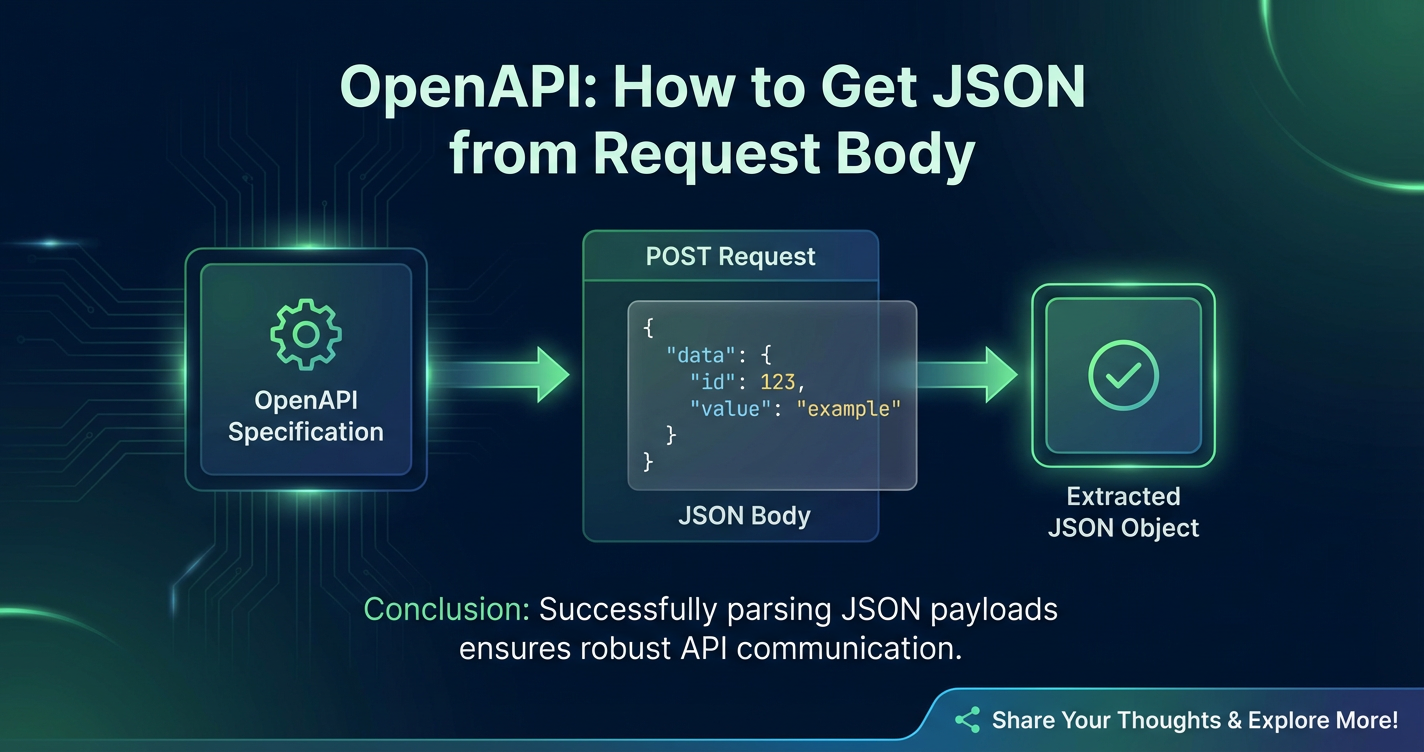
OpenAPI: How to Get JSON from Request Body



In the intricate world of modern software development, Application Programming Interfaces (APIs) serve as the fundamental connective tissue, enabling disparate systems to communicate, share data, and collaborate seamlessly. From powering mobile applications to integrating enterprise systems and driving microservices architectures, APIs are the invisible backbone of the digital economy. At the heart of most web APIs lies the ubiquitous JSON (JavaScript Object Notation) format, a lightweight and human-readable data interchange format that has become the de facto standard for transmitting structured data.
However, merely understanding that APIs use JSON isn't enough. For developers building or consuming these services, a deep comprehension of how data, particularly JSON, is encapsulated within an API request's body and subsequently extracted is paramount. This process is not only crucial for the functionality of an API but also for its security, robustness, and ease of use. This is where the OpenAPI Specification enters the picture, providing a standardized, language-agnostic way to describe RESTful APIs, including the precise structure and content expected within their request bodies.
This comprehensive guide will embark on a detailed exploration of how to effectively retrieve JSON data from request bodies within the context of OpenAPI. We will dissect the OpenAPI Specification to understand how request bodies are defined, delve into the server-side implementations across various popular programming languages and frameworks, and examine best practices for handling, validating, and securing this critical data. Furthermore, we will touch upon the broader ecosystem, including the vital role of an api gateway in managing and securing API interactions, ensuring that data flows smoothly and securely between clients and servers. Our journey will equip developers with the knowledge and tools necessary to master JSON request body processing, enhancing the reliability and efficiency of their API development endeavors.
The Foundation: Understanding OpenAPI Specification and Request Bodies
Before we dive into the mechanics of extracting JSON, it's essential to lay a solid foundation by understanding the OpenAPI Specification (OAS) and its definition of a request body.
What is the OpenAPI Specification?
The OpenAPI Specification (OAS) is a powerful, language-agnostic standard for describing RESTful APIs. It allows both humans and machines to understand the capabilities of a service without access to source code, documentation, or network traffic inspection. Born from the Swagger Specification, OpenAPI has evolved into a robust framework that facilitates the design, documentation, and consumption of APIs. By providing a clear contract for how an api should behave, it fosters interoperability and reduces development friction. An OpenAPI document, typically written in YAML or JSON, details every aspect of an API, from available endpoints and their operations to parameters, authentication methods, and, crucially, the structure of request and response bodies.
The primary goal of OpenAPI is to create a machine-readable description of an API. This description can then be used by various tools to: * Generate interactive documentation: Tools like Swagger UI can render the OpenAPI document into beautiful, interactive API documentation. * Generate client SDKs: Code generators can automatically create client libraries in various programming languages, simplifying API consumption. * Generate server stubs: Developers can kickstart their server-side implementation with auto-generated code that adheres to the API contract. * Automate testing: Test frameworks can validate API requests and responses against the defined schema. * Enable API gateways and management platforms: These platforms can leverage the OpenAPI definition for validation, routing, and policy enforcement, a topic we will revisit later.
The Anatomy of an API Request
An HTTP request, the backbone of RESTful APIs, is composed of several key parts: * Method (Verb): Indicates the desired action for the resource (e.g., GET, POST, PUT, DELETE, PATCH). * URI (Uniform Resource Identifier): Specifies the resource on which to perform the action. * Headers: Provide metadata about the request, such as Content-Type, Authorization, Accept, etc. * Request Body: An optional component that contains the data payload to be sent to the server. This is where JSON data typically resides for operations that create or update resources.
For operations like POST (creating a new resource) or PUT/PATCH (updating an existing resource), the request body is indispensable. It's the vessel through which the client sends structured data that the server needs to process. While GET requests can theoretically have a body, it's generally discouraged and often ignored by servers, as GET parameters are typically passed via query strings. Therefore, our focus will primarily be on methods where the request body is a standard and expected part of the interaction.
Defining Request Bodies in OpenAPI: The requestBody Object
The OpenAPI Specification provides a dedicated requestBody object to meticulously describe the data that an operation expects in its request body. This object is nested within an operation object (e.g., post, put, patch) for a specific path.
Let's break down the structure of the requestBody object:
paths:
  /users:
    post:
      summary: Create a new user
      requestBody:
        description: User object to be created
        required: true
        content:
          application/json:
            schema:
              $ref: '#/components/schemas/User'
            examples:
              newUserExample:
                summary: An example of a new user
                value:
                  id: 123
                  name: Jane Doe
                  email: jane.doe@example.com
                  isActive: true
          application/xml:
            schema:
              $ref: '#/components/schemas/UserXML'
Key properties of the requestBody object include:
description(Optional): A brief explanation of the request body's purpose. This text is crucial for human readers of the documentation, providing context and clarity. A well-written description can significantly improve the usability of the API documentation, guiding developers on what data to send. For example, "A JSON object containing the new user's details, including name, email, and password."required(Optional): A boolean value indicating whether the request body is mandatory for the operation. If set totrue, the server expects a body, and its absence should result in an error (e.g., HTTP 400 Bad Request). Iffalse(the default), the body is optional. Clearly marking a request body asrequiredhelps client developers understand the contract and prevents common errors related to missing payloads.content(Required): This is the most critical part of therequestBodyobject. It's a map of media types (e.g.,application/json,application/xml,application/x-www-form-urlencoded) to their respectiveMediaTypeobjects. EachMediaTypeobject describes the schema and examples for a specific content type.- Media Type: The keys in the
contentmap are standard media type strings. For JSON,application/jsonis the standard. This header tells the server how to interpret the data in the request body. If a client sends data withContent-Type: application/json, the server knows to parse it as JSON. schema: Within eachMediaTypeobject, theschemaproperty defines the structure of the data payload for that specific media type. Thisschemauses a subset of JSON Schema to describe the data's shape, types, and constraints. This is where you specify that the body should be a JSON object, what properties it should have, their data types (string, number, boolean, array, object), whether they are required, and any format constraints (e.g.,email,date-time).$ref: Often, schemas are defined separately in thecomponents/schemassection of the OpenAPI document and then referenced using$ref. This promotes reusability and keeps the document organized.- Inline Schema: Alternatively, a schema can be defined directly inline within the
contentobject, though this is less common for complex or reused schemas.
exampleandexamples(Optional): These properties provide illustrative examples of what the request body should look like for a given media type.example: A single, literal example value.examples: A map of named examples, each with asummaryandvalue(or an external value reference). Providing good examples is incredibly helpful for developers consuming theapi, as it offers concrete instances of valid request bodies.
- Media Type: The keys in the
Deep Dive into JSON Schema for Request Bodies
When application/json is specified as a media type, the schema property describes the expected JSON structure. This schema is critical for both documentation and validation.
Consider a User schema defined in components/schemas:
components:
  schemas:
    User:
      type: object
      required:
        - name
        - email
      properties:
        id:
          type: integer
          format: int64
          readOnly: true # indicates this is typically generated by the server
          description: Unique identifier for the user
        name:
          type: string
          description: Full name of the user
          example: John Doe
        email:
          type: string
          format: email
          description: Email address of the user
          example: john.doe@example.com
        password:
          type: string
          writeOnly: true # indicates this should not be returned in responses
          minLength: 8
          maxLength: 64
          description: User's password
        age:
          type: integer
          minimum: 18
          maximum: 120
          description: Age of the user
        roles:
          type: array
          items:
            type: string
            enum: [admin, editor, viewer]
          description: List of roles assigned to the user
      example:
        name: "Jane Doe"
        email: "jane.doe@example.com"
        password: "SecurePassword123!"
In this schema: * type: object: The request body is expected to be a JSON object. * required: [name, email]: The name and email properties are mandatory. If a client sends a request body without these, it should be considered invalid. * properties: Defines the expected keys (properties) within the JSON object and their corresponding types and constraints. * type: Specifies the data type (e.g., string, integer, boolean, array, object). * format: Provides additional semantic meaning (e.g., email, date-time, int64). * minLength, maxLength, minimum, maximum: Value constraints. * enum: A fixed list of allowed values. * readOnly/writeOnly: Hints for client/server behavior, indicating if a property is only for output or input, respectively. This is particularly useful for passwords (writeOnly) or IDs (readOnly) that the server generates.
By defining these schemas meticulously, the OpenAPI document becomes a comprehensive contract, leaving no ambiguity about the expected JSON request body structure. This level of detail is invaluable for both generating accurate documentation and for enabling robust validation mechanisms on the server side.
Server-Side Implementation: Extracting JSON from the Request Body
Once the OpenAPI document defines what the JSON request body should look like, the server-side application is responsible for receiving the HTTP request, extracting the raw body content, and then parsing it into a usable data structure (like an object or dictionary) within the programming language. This process typically involves reading the incoming stream of data and then using a JSON parser to deserialize the string into a native data type.
The specifics vary significantly across different programming languages and web frameworks, but the underlying principle remains the same.
General Steps for Server-Side JSON Extraction
- Read the Request Stream: The incoming HTTP request body is essentially a stream of bytes. The server-side framework first needs to read this stream completely.
- Verify Content-Type Header: Before attempting to parse, it's good practice to check the
Content-Typeheader of the incoming request. If it's notapplication/json(or a variant likeapplication/vnd.api+json), the server should typically respond with an HTTP 415 Unsupported Media Type error. - Parse the JSON String: Once the raw body (as a string) is obtained, a JSON parsing library is used to deserialize it into a language-specific data structure.
- Error Handling: Robust error handling is crucial. This includes catching
JsonParseErrorsfor malformed JSON, handling cases where required fields are missing, or data types are incorrect.
Language and Framework Specific Examples
Let's explore how this process unfolds in popular server-side environments.
Node.js (Express.js)
Express.js is a minimalist web framework for Node.js. It doesn't include body parsing middleware by default but provides easy integration.
const express = require('express');
const app = express();
const port = 3000;

// Middleware to parse JSON request bodies
// This middleware will populate `req.body` with the parsed JSON object
app.use(express.json());

// A route that expects a JSON request body
app.post('/users', (req, res) => {
  // Check if req.body is defined (i.e., JSON was parsed successfully)
  if (!req.body || Object.keys(req.body).length === 0) {
    return res.status(400).json({ message: 'Request body cannot be empty' });
  }

  const { name, email, password } = req.body;

  // Basic validation (more robust validation should use a library like Joi or Zod)
  if (!name || !email || !password) {
    return res.status(400).json({ message: 'Name, email, and password are required' });
  }

  // In a real application, you would save this user to a database
  const newUser = { id: Date.now(), name, email, password };
  console.log('Received new user:', newUser);

  res.status(201).json({ message: 'User created successfully', user: newUser });
});

// Example of handling non-JSON content type or malformed JSON
app.use((err, req, res, next) => {
  if (err instanceof SyntaxError && err.status === 400 && 'body' in err) {
    console.error('Bad JSON:', err.message);
    return res.status(400).json({ message: 'Malformed JSON in request body' });
  }
  next(); // Pass other errors to the default error handler
});


app.listen(port, () => {
  console.log(`Server listening at http://localhost:${port}`);
});
Explanation: * express.json(): This is a built-in middleware in Express. It parses incoming requests with JSON payloads and populates the req.body property with the parsed JavaScript object. It automatically handles the Content-Type: application/json header and gracefully manages malformed JSON by throwing an error that can be caught by an error-handling middleware. * req.body: After express.json() runs, the JSON data from the request body is available as a JavaScript object on req.body. * Error Handling: The custom error handling middleware specifically catches SyntaxError with a status of 400 (which express.json() throws for invalid JSON) to return a more user-friendly error message.
Python (Flask)
Flask is a lightweight micro-framework for Python. It provides direct access to the request object.
from flask import Flask, request, jsonify

app = Flask(__name__)

@app.route('/users', methods=['POST'])
def create_user():
    # Check if the Content-Type is application/json
    if not request.is_json:
        return jsonify({"message": "Content-Type must be application/json"}), 415 # Unsupported Media Type

    try:
        data = request.get_json()
    except Exception as e:
        return jsonify({"message": f"Malformed JSON in request body: {e}"}), 400 # Bad Request

    # Basic validation
    if not data:
        return jsonify({"message": "Request body cannot be empty"}), 400

    name = data.get('name')
    email = data.get('email')
    password = data.get('password')

    if not name or not email or not password:
        return jsonify({"message": "Name, email, and password are required"}), 400

    # In a real application, save to DB
    new_user = {
        'id': id(data), # Simple unique ID for example
        'name': name,
        'email': email,
        'password': password # In production, hash passwords!
    }
    print(f"Received new user: {new_user}")

    return jsonify({"message": "User created successfully", "user": new_user}), 201

if __name__ == '__main__':
    app.run(debug=True)
Explanation: * request.is_json: A convenient property in Flask's request object to check if the incoming request has a Content-Type header indicating JSON (e.g., application/json). * request.get_json(): This method attempts to parse the request body as JSON. If the parsing fails (e.g., malformed JSON), it raises an error. If the body is empty or not JSON, it returns None or raises an error depending on arguments. * try-except block: Essential for catching JsonParseErrors if the client sends invalid JSON. * data.get('key'): Safely retrieves values from the parsed JSON dictionary, returning None if the key is not present, which helps prevent KeyError.
Java (Spring Boot)
Spring Boot, leveraging the Spring Framework, simplifies JSON handling significantly using annotations. It typically uses Jackson for JSON serialization/deserialization.
import org.springframework.http.HttpStatus;
import org.springframework.http.ResponseEntity;
import org.springframework.web.bind.annotation.*;
import javax.validation.Valid;
import javax.validation.constraints.Email;
import javax.validation.constraints.NotBlank;
import javax.validation.constraints.Size;

// DTO (Data Transfer Object) representing the expected JSON structure
class UserRequest {
    // Using Jakarta Bean Validation for automatic schema validation
    @NotBlank(message = "Name cannot be empty")
    private String name;

    @NotBlank(message = "Email cannot be empty")
    @Email(message = "Email should be valid")
    private String email;

    @NotBlank(message = "Password cannot be empty")
    @Size(min = 8, max = 64, message = "Password must be between 8 and 64 characters")
    private String password;

    // Getters and Setters (omitted for brevity)
    public String getName() { return name; }
    public void setName(String name) { this.name = name; }
    public String getEmail() { return email; }
    public void setEmail(String email) { this.email = email; }
    public String getPassword() { return password; }
    public void setPassword(String password) { this.password = password; }

    @Override
    public String toString() {
        return "UserRequest{" +
               "name='" + name + '\'' +
               ", email='" + email + '\'' +
               // Never log password in real apps!
               '}';
    }
}

@RestController
@RequestMapping("/techblog/en/api/users")
public class UserController {

    @PostMapping
    public ResponseEntity<String> createUser(@Valid @RequestBody UserRequest userRequest) {
        // If validation fails, Spring will automatically throw MethodArgumentNotValidException
        // which can be caught by a global exception handler.

        System.out.println("Received user creation request: " + userRequest.toString());

        // In a real application, process userRequest (e.g., save to database)
        // For simplicity, we just return a success message.
        return new ResponseEntity<>("User created successfully: " + userRequest.getName(), HttpStatus.CREATED);
    }

    // Example of a global exception handler for validation errors
    @ExceptionHandler(org.springframework.web.bind.MethodArgumentNotValidException.class)
    public ResponseEntity<String> handleValidationExceptions(org.springframework.web.bind.MethodArgumentNotValidException ex) {
        StringBuilder errors = new StringBuilder();
        ex.getBindingResult().getAllErrors().forEach((error) -> {
            String errorMessage = error.getDefaultMessage();
            errors.append(errorMessage).append("; ");
        });
        return new ResponseEntity<>(errors.toString(), HttpStatus.BAD_REQUEST);
    }

    // Example of a global exception handler for malformed JSON
    @ExceptionHandler(org.springframework.http.converter.HttpMessageNotReadableException.class)
    public ResponseEntity<String> handleHttpMessageNotReadableException(org.springframework.http.converter.HttpMessageNotReadableException ex) {
        return new ResponseEntity<>("Malformed JSON in request body: " + ex.getMessage(), HttpStatus.BAD_REQUEST);
    }
}
Explanation: * @RequestBody: This annotation tells Spring to automatically bind the incoming HTTP request body to the userRequest object. Spring (using Jackson by default) automatically deserializes the JSON string from the request body into an instance of UserRequest. It also automatically checks the Content-Type header. * @Valid: When used with @RequestBody, this annotation triggers validation of the UserRequest object based on annotations (e.g., @NotBlank, @Email, @Size) defined in the UserRequest class. If validation fails, a MethodArgumentNotValidException is thrown. * DTO (Data Transfer Object): UserRequest serves as a DTO, mapping directly to the expected JSON structure. This is a best practice for strong typing and clearer API contracts. * @ExceptionHandler: Spring's mechanism for handling specific exceptions globally or per controller. This allows for centralized error handling for validation failures and malformed JSON, returning appropriate HTTP status codes and messages.
Go (Gin Framework)
Go's standard library provides JSON parsing capabilities, and frameworks like Gin simplify this further.
package main

import (
    "log"
    "net/http"

    "github.com/gin-gonic/gin"
)

// UserRequest represents the expected JSON structure for user creation
type UserRequest struct {
    Name     string `json:"name" binding:"required"`
    Email    string `json:"email" binding:"required,email"`
    Password string `json:"password" binding:"required,min=8,max=64"`
}

func main() {
    router := gin.Default()

    router.POST("/techblog/en/users", func(c *gin.Context) {
        var userReq UserRequest
        // c.ShouldBindJSON attempts to bind the request body to the struct
        // It handles Content-Type: application/json check, JSON parsing, and validation
        if err := c.ShouldBindJSON(&userReq); err != nil {
            // Gin's ShouldBindJSON returns specific errors for validation failures or malformed JSON
            log.Printf("Error binding JSON: %v", err)
            c.JSON(http.StatusBadRequest, gin.H{"message": "Invalid request payload", "error": err.Error()})
            return
        }

        log.Printf("Received user creation request: Name=%s, Email=%s", userReq.Name, userReq.Email)

        // In a real application, you would save this user to a database
        c.JSON(http.StatusCreated, gin.H{"message": "User created successfully", "user": userReq})
    })

    router.Run(":8080") // listen and serve on 0.0.0.0:8080
}
Explanation: * UserRequest struct: Defines the structure of the incoming JSON. The json:"tag" is used for mapping JSON keys to struct fields. * binding:"required": Gin's validation tags (from go-playground/validator) can be added to struct fields to specify validation rules (e.g., required, email, min, max). * c.ShouldBindJSON(&userReq): This powerful Gin method does several things: 1. Checks the Content-Type header to ensure it's application/json. 2. Reads the request body. 3. Parses the JSON into the userReq struct. 4. Performs validation based on the binding tags in the struct. If any of these steps fail, it returns an error, which can then be handled by the application to return an appropriate HTTP 400 response.
Security Considerations for Handling Request Bodies
Retrieving JSON from request bodies isn't just about parsing; it's also about security. * Payload Size Limits: Unlimited request body size can lead to Denial of Service (DoS) attacks. Implement limits (e.g., 1MB, 10MB) on the maximum allowed body size. Most frameworks offer configuration options for this. * Malformed JSON Handling: Robustly handle malformed JSON to prevent server crashes or unexpected behavior. Return clear HTTP 400 (Bad Request) errors. * Deserialization Vulnerabilities: Be aware of potential deserialization vulnerabilities, especially when using complex object mappers that might instantiate arbitrary classes. Ensure that the types being deserialized are strictly controlled and expected. * Input Sanitization: Even after parsing, all input data should be treated as untrusted. Sanitize and validate data to prevent injection attacks (SQL injection, XSS) before using it in database queries or displaying it in UI. * Sensitive Data: If the request body contains sensitive information (passwords, PII, financial data), ensure it's handled securely: * Encryption in Transit: Use HTTPS (TLS) for all API communication. * No Logging of Sensitive Data: Avoid logging raw request bodies, especially those containing sensitive data, in production environments. * Hashing: Hash passwords before storing them.
The Role of an API Gateway
An api gateway sits between client applications and backend api services. It acts as a single entry point for all API calls, intercepting requests and routing them to the appropriate backend service. API gateways play a crucial role in handling request bodies even before they reach the backend service.
Common functions of an api gateway related to request bodies include: * Request Validation: An api gateway can perform initial validation of the incoming request body against the OpenAPI schema. If the JSON is malformed or doesn't conform to the defined schema, the gateway can reject the request early, reducing load on backend services and enhancing security. This pre-validation step is incredibly valuable. * Content-Type Enforcement: It can enforce that the Content-Type header matches the expected type for a given endpoint. * Payload Size Limiting: Gateways are often configured to enforce maximum request body sizes, preventing large payload DoS attacks. * Request Transformation: In some scenarios, a gateway might transform the request body from one format to another or modify its structure before forwarding it to the backend service. This can be useful for integrating legacy systems or standardizing api interfaces. * Security Policies: Beyond validation, an api gateway can apply Web Application Firewall (WAF) rules to inspect request bodies for malicious patterns or threats, further bolstering security.
For enterprises looking to streamline API management, especially concerning AI models and diverse API formats, an advanced api gateway like APIPark becomes indispensable. APIPark offers capabilities like unified API format for AI invocation, prompt encapsulation into REST API, and end-to-end API lifecycle management, which inherently involve robust handling and validation of request bodies, including JSON payloads. Its ability to quickly integrate 100+ AI models and standardize their invocation format means that the platform must excel at interpreting and transforming diverse JSON inputs into a consistent structure for AI services. This pre-processing and validation at the gateway level are critical for maintaining the integrity and security of calls to sensitive AI endpoints. APIPark's powerful features simplify these complex api interactions, ensuring that developers can focus on application logic rather than the intricacies of request body management.
Client-Side Implementation: Sending JSON in a Request Body
Equally important to understanding how to receive JSON is knowing how to construct and send it from the client side. The client application needs to structure the data, serialize it into a JSON string, and set the appropriate Content-Type header.
General Steps for Client-Side JSON Sending
- Structure the Data: Create a data structure (object, dictionary, struct) in the client's programming language that matches the OpenAPI schema for the
requestBody. - Serialize to JSON String: Convert this data structure into a JSON-formatted string.
- Set
Content-TypeHeader: Crucially, set theContent-TypeHTTP header toapplication/jsonto inform the server that the body contains JSON data. - Send the Request: Make the HTTP request (typically POST, PUT, or PATCH) with the JSON string as the request body.
Language and Framework Specific Examples
JavaScript (Fetch API)
The Fetch API is the modern, promise-based way to make HTTP requests in web browsers and Node.js.
async function createUser(userData) {
  try {
    const response = await fetch('http://localhost:3000/users', {
      method: 'POST',
      headers: {
        'Content-Type': 'application/json',
        'Accept': 'application/json' // Optionally, inform the server that we accept JSON responses
      },
      body: JSON.stringify(userData) // Serialize the JavaScript object to a JSON string
    });

    if (!response.ok) {
      const errorData = await response.json();
      throw new Error(`HTTP error! status: ${response.status}, message: ${errorData.message}`);
    }

    const data = await response.json();
    console.log('User created successfully:', data);
    return data;
  } catch (error) {
    console.error('There was a problem with the fetch operation:', error);
    throw error;
  }
}

// Example usage:
const newUser = {
  name: 'Alice Wonderland',
  email: 'alice@example.com',
  password: 'MySecretPassword123!'
};

createUser(newUser);
Explanation: * JSON.stringify(userData): Converts the JavaScript object userData into a JSON string. This is the standard way to serialize data for JSON request bodies in JavaScript. * 'Content-Type': 'application/json': This header is absolutely essential. Without it, the server might not correctly interpret the request body or might even reject the request with a 415 error. * fetch(): The function that initiates the HTTP request.
Python (requests library)
The requests library is the de facto standard for making HTTP requests in Python.
import requests
import json

def create_user(user_data):
    url = 'http://localhost:5000/users' # Flask example runs on port 5000
    headers = {
        'Content-Type': 'application/json',
        'Accept': 'application/json'
    }

    try:
        # The 'json' parameter in requests library automatically handles:
        # 1. Serializing the Python dictionary to a JSON string.
        # 2. Setting the 'Content-Type: application/json' header.
        response = requests.post(url, json=user_data, headers=headers)

        response.raise_for_status() # Raises an HTTPError for bad responses (4xx or 5xx)

        print('User created successfully:', response.json())
        return response.json()
    except requests.exceptions.HTTPError as errh:
        print("Http Error:", errh)
        print("Response:", errh.response.json())
    except requests.exceptions.ConnectionError as errc:
        print("Error Connecting:", errc)
    except requests.exceptions.Timeout as errt:
        print("Timeout Error:", errt)
    except requests.exceptions.RequestException as err:
        print("OOps: Something Else", err)

# Example usage:
new_user = {
    'name': 'Bob The Builder',
    'email': 'bob@example.com',
    'password': 'StrongPassword456!'
}

create_user(new_user)
Explanation: * requests.post(url, json=user_data, headers=headers): The json parameter is a highly convenient feature of the requests library. When provided with a Python dictionary, requests automatically converts it to a JSON string and sets the Content-Type header to application/json. This simplifies the client-side code significantly. If you were sending a pre-serialized string, you would use the data parameter instead. * response.raise_for_status(): A simple way to check if the request was successful (status code 2xx). If not, it raises an HTTPError.
cURL (Command Line)
cURL is a command-line tool for making HTTP requests, often used for testing APIs.
# Example for a POST request with JSON body
curl -X POST \
  -H "Content-Type: application/json" \
  -d '{
    "name": "Charlie Chaplin",
    "email": "charlie@example.com",
    "password": "FunnyPassword789!"
  }' \
  http://localhost:8080/users # Go example runs on port 8080
Explanation: * -X POST: Specifies the HTTP method as POST. * -H "Content-Type: application/json": Sets the Content-Type header. * -d '{...}': Provides the request body. The string following -d is sent as the body. For JSON, ensure it's a valid JSON string. Using single quotes for the entire body string and double quotes for JSON keys/values is common to avoid shell interpretation issues.
Debugging Client-Side Requests
When things go wrong on the client side, here are common debugging steps: * Check Network Tab (Browser DevTools): Inspect the request headers and payload sent by the browser. Verify Content-Type and the JSON structure. * Print/Log Request Details: In your client-side code, print the URL, headers, and the stringified JSON body just before sending the request. * Use cURL: Reproduce the request using cURL to isolate whether the issue is with your client code or the server. If cURL works, the problem is likely in your client implementation. * Server Logs: Check the server logs for errors related to parsing or validation. The server's error messages can often pinpoint the exact issue.
Validating JSON Request Bodies: Ensuring Data Integrity
Validation is a cornerstone of robust API design and implementation. It ensures that the data received from the client conforms to the expected structure, types, and constraints, thereby preventing data corruption, security vulnerabilities, and application errors. The OpenAPI Specification plays a critical role in defining the contract for validation, which then needs to be enforced on the server side.
Why is Validation Crucial?
- Data Integrity: Guarantees that only valid, well-formed data enters your system, maintaining the quality and consistency of your database.
- Security: Prevents malicious or malformed input from exploiting vulnerabilities (e.g., buffer overflows, SQL injection, XSS if the data is later rendered).
- Error Prevention: Catches errors early in the request lifecycle, before they can cause cascading failures in business logic or data storage.
- Improved User Experience: Provides clear, actionable error messages to API consumers, helping them correct their requests quickly.
- API Contract Enforcement: Ensures that both client and server adhere to the agreed-upon API contract defined by OpenAPI.
OpenAPI's Role in Validation: The Contract
The OpenAPI schema for a requestBody serves as the formal contract for validation. It specifies: * Data Types: string, integer, boolean, array, object. * Formats: email, date-time, uuid, ipv4, int64. * Required Fields: Which properties must be present. * Value Constraints: minLength, maxLength, pattern (for strings), minimum, maximum (for numbers). * Array Constraints: minItems, maxItems, uniqueItems. * Object Constraints: minProperties, maxProperties, additionalProperties.
This detailed schema allows for both structural validation (Is it a JSON object? Does it have the right properties?) and semantic validation (Is the email property a valid email format? Is age within a reasonable range?).
Server-Side Validation Approaches
While OpenAPI defines the rules, the server-side application (or an api gateway) is responsible for enforcing them.
- Manual Validation:
- Pros: Full control, no external dependencies.
- Cons: Tedious, error-prone, violates DRY (Don't Repeat Yourself) principle as validation logic is often repeated. Not scalable for complex schemas.
- Example (Python):
python def validate_user_data(data): if not isinstance(data, dict): raise ValueError("Payload must be a JSON object") if 'name' not in data or not isinstance(data['name'], str): raise ValueError("Name is required and must be a string") if 'email' not in data or not isinstance(data['email'], str) or '@' not in data['email']: raise ValueError("Email is required and must be a valid email string") # ... and so on for all fields and constraints return True
- Using Schema Validation Libraries:
- Pros: Automates validation against a JSON Schema, ensures consistency with OpenAPI definition (if OpenAPI is converted to JSON Schema).
- Cons: Requires maintaining the schema (can be derived from OpenAPI), might need custom error message handling.
- Examples:
- Python:
jsonschemalibrary. - Node.js:
ajv(Another JSON Schema Validator). - Java:
everit-json-schemaornetworknt/json-schema-validator.
- Python:
- Integrated Framework Validation:
- Pros: Seamless integration with the web framework, often uses annotations or declarative syntax, generates clear error responses.
- Cons: Can be framework-specific, might require learning a new validation DSL.
- Examples:
- Spring Boot (Java): As shown above, using Jakarta Bean Validation (
@Valid,@NotBlank,@Email, etc.) with DTOs and@RequestBody. - Django REST Framework (Python):
serializers.Serializerorserializers.ModelSerializerdefine fields and validation rules, automatically handling input validation. - Gin (Go): Using
bindingtags in structs (as shown above) that integrate withgo-playground/validator.
- Spring Boot (Java): As shown above, using Jakarta Bean Validation (
Example (Python with jsonschema): ```python from jsonschema import validate, ValidationError import jsonuser_schema = { "type": "object", "required": ["name", "email", "password"], "properties": { "name": {"type": "string", "minLength": 1}, "email": {"type": "string", "format": "email"}, "password": {"type": "string", "minLength": 8} } }
... in your Flask route ...
try: data = request.get_json() validate(instance=data, schema=user_schema) # Data is valid except ValidationError as e: return jsonify({"message": f"Validation error: {e.message}"}), 400 except Exception as e: # Handle malformed JSON return jsonify({"message": f"Malformed JSON: {e}"}), 400 ```
This is often the preferred approach as it deeply integrates with the framework's data binding and error handling mechanisms, leading to cleaner code and consistent responses.
Client-Side Validation (Pre-emptive)
While server-side validation is non-negotiable, performing client-side validation (e.g., in a web form using JavaScript) can significantly improve user experience by providing immediate feedback. This pre-validation can catch common errors before a request is even sent to the server, reducing unnecessary network traffic and server load. However, client-side validation must never be a substitute for server-side validation, as client-side checks can be easily bypassed.
API Gateways and Validation: A Strategic Layer
As discussed, an api gateway is uniquely positioned to enforce validation rules at the edge of your network.
Table 1: Validation Responsibilities Across API Layers
| Aspect | Client-Side Validation | API Gateway Validation | Backend Service Validation |
|---|---|---|---|
| Purpose | UX, immediate feedback | Edge protection, early rejection | Core business logic protection |
| Bypassability | Easily bypassable | Harder to bypass, but possible | Must be comprehensive |
| Schema Source | Code logic, OpenAPI client | OpenAPI definition, configuration | DTOs, domain models, code logic |
| Payload Scope | Full request body | Full request body | Full request body |
| Error Handling | UI feedback, client alerts | Standardized API errors (400, 415) | Detailed internal logs, API errors |
| Performance Impact | Improves client response time | Adds latency, but offloads backend | Essential for data integrity |
| Security Impact | Low | High (reduces attack surface) | High (prevents core data issues) |
An api gateway that supports OpenAPI schema validation can significantly enhance the security and reliability of your APIs. By integrating directly with the OpenAPI document, it ensures that every incoming request body, before being forwarded to your backend services, adheres to the defined contract. If the request body is malformed, missing required fields, or contains invalid data types, the gateway can immediately reject it, returning an appropriate HTTP 400 Bad Request or 415 Unsupported Media Type error. This early rejection mechanism reduces the load on your backend services, prevents potentially harmful payloads from reaching your application logic, and ensures a consistent API contract. For platforms like APIPark, which manages a multitude of APIs, including complex AI models with specific JSON input requirements, this gateway-level validation is fundamental to maintaining performance and security across the entire API ecosystem. It acts as the first line of defense, streamlining API traffic and safeguarding backend resources.
APIPark is a high-performance AI gateway that allows you to securely access the most comprehensive LLM APIs globally on the APIPark platform, including OpenAI, Anthropic, Mistral, Llama2, Google Gemini, and more.Try APIPark now! 👇👇👇
Advanced Topics and Best Practices for JSON Request Body Handling
Mastering the basics of getting JSON from request bodies is a great start, but several advanced topics and best practices can elevate your API design and implementation to a professional level.
Versioning APIs and Request Body Changes
APIs evolve. New features emerge, data models change, and sometimes, the structure of a request body needs to be modified. How do you manage these changes without breaking existing clients? API versioning is the answer.
- URL Versioning (
/v1/users,/v2/users): The simplest and most explicit method. Each version gets its own path, allowing for entirely different request body schemas between versions. - Header Versioning (
Accept: application/vnd.myapi.v1+json): Uses customAcceptheaders to indicate the desired API version. This allows a single URL to support multiple versions, but can be less discoverable. - Query Parameter Versioning (
/users?api-version=1): Less common for REST, as it mixes resource identification with versioning, but can be used.
When request bodies change: * Backward Compatibility: Strive to make changes backward-compatible whenever possible (e.g., adding optional fields, adding new endpoints instead of modifying existing ones). * Deprecation Strategy: Clearly communicate deprecated fields or schemas in your OpenAPI documentation. Provide ample notice before removing old versions. * Migration Guides: Offer clear migration guides for clients to transition to newer API versions, detailing how request bodies might need to be adjusted. * API Gateways: An api gateway can assist with versioning by routing requests based on version identifiers or even performing request body transformations between different API versions, providing a facade over evolving backend services.
Handling Large Payloads
What if your JSON request body is very large, potentially megabytes or even gigabytes? * Streaming: Instead of loading the entire body into memory, process it as a stream. This is more complex to implement but reduces memory footprint for very large payloads. Most frameworks handle this for smaller bodies, but for truly massive ones, specialized streaming parsers might be needed. * Chunking: For extremely large file uploads that aren't strictly JSON, consider breaking the data into smaller chunks and uploading them sequentially, then reassembling on the server. * Asynchronous Processing: For operations involving large request bodies that require significant server-side processing, return an immediate 202 Accepted status and process the payload asynchronously in a background job. The client can then poll an endpoint for the status of the operation. * Alternative Formats: For very large binary data, it's often more efficient to send it as multipart/form-data or a direct file upload, with metadata (including JSON) sent as separate fields.
Idempotency
Idempotency in APIs means that making the same request multiple times has the same effect as making it once. This is particularly important for operations that modify data, like POST, PUT, and PATCH. * POST (Non-Idempotent by default): A typical POST to /users creates a new user each time. To make it idempotent, clients can send an Idempotency-Key header (a unique UUID). The server then checks this key: if it has seen it before for that operation and the operation was successful, it returns the previous response instead of re-executing. * PUT (Idempotent): PUT /users/{id} is inherently idempotent because it replaces the entire resource at a given ID. Sending the same PUT request multiple times will just replace the resource with the same data. * PATCH (Often Non-Idempotent): A PATCH can be non-idempotent if it applies a delta (e.g., "increment a counter by 1"). To make it idempotent, the payload should describe the desired state rather than an action.
For JSON request bodies, designing them to enable idempotency often means including unique identifiers or providing a full representation of the desired state.
Content Negotiation
While our focus is on application/json, APIs can support multiple content types. Content negotiation allows clients to specify the format of the response they prefer (using the Accept header) and the format of the request body they are sending (using the Content-Type header). Your server-side logic should be able to: * Read Accept header: To determine the response format. * Read Content-Type header: To correctly parse the request body.
This is why OpenAPI defines the content map within requestBody to allow for multiple media types, though application/json is by far the most common for JSON payloads.
Security Best Practices for Request Bodies
Beyond basic validation, advanced security measures are crucial: * Input Sanitization: After parsing, specifically sanitize any user-provided string data that will be stored or displayed. This involves escaping special characters to prevent XSS (Cross-Site Scripting) or other injection attacks. Do not rely solely on client-side sanitization. * Rate Limiting: Implement rate limiting, often at the api gateway level, to prevent a single client from overwhelming your api with excessive requests, potentially with large or complex request bodies. APIPark can provide robust rate limiting capabilities, protecting your backend services from abuse. * Authentication and Authorization: Ensure that only authenticated and authorized users can send specific types of request bodies to specific endpoints. For instance, only an administrator should be able to update certain sensitive fields in a user profile. An api gateway can enforce these policies centrally. * Data Encryption (End-to-End): Always use HTTPS for all API communication to encrypt data in transit. For extremely sensitive data at rest, consider field-level encryption within your database. * Schema Enforcement at Runtime: Beyond just validation, ensure that any properties received in the request body that are not defined in your OpenAPI schema are either explicitly rejected or safely ignored, rather than silently processed in a way that could lead to unexpected behavior or security issues.
Documenting Examples in OpenAPI
The example and examples fields within the OpenAPI requestBody definition are invaluable. Good examples: * Clarify Expectations: Show developers exactly what kind of JSON structure and values are expected. * Reduce Trial and Error: Clients can copy-paste examples to quickly test their integration. * Generate Mock Servers: Tools can use examples to create mock API responses, allowing clients to develop against the api before the backend is fully implemented.
Take the time to craft realistic and comprehensive examples for each significant requestBody definition.
The Indispensable Role of an API Gateway in Request Body Management
While backend services are ultimately responsible for processing JSON request bodies, the api gateway serves as a critical intermediary, offering a layer of abstraction, control, and security that significantly impacts how these bodies are handled. An api gateway is a single entry point for a group of microservices. It's akin to a traffic controller for your APIs, managing requests from clients and routing them to the appropriate backend services.
Key Functions of an API Gateway Related to Request Bodies
- Unified Entry Point: All incoming requests, including their JSON bodies, first hit the
api gateway. This centralizes the point of control and allows for consistent application of policies. - Request Validation (Schema Enforcement):
- One of the most powerful features of an
api gatewayis its ability to validate incoming request bodies against predefined OpenAPI (or JSON Schema) definitions. - Before a request even reaches your backend service, the gateway can check if the JSON body is well-formed, if all required fields are present, and if data types and formats match the schema.
- Benefit: This pre-validation offloads the backend services, allowing them to focus solely on business logic. It also acts as an early warning system, rejecting invalid or potentially malicious requests at the perimeter, significantly enhancing security and reducing the attack surface.
- One of the most powerful features of an
- Payload Transformation:
- In complex environments, clients might send request bodies in a format slightly different from what the backend service expects, or vice-versa for responses. An
api gatewaycan perform transformations on the JSON request body (e.g., mapping field names, restructuring objects) before forwarding it. - Benefit: This enables backward compatibility for clients, simplifies backend integration with legacy systems, or allows for standardization across diverse microservices without modifying each service.
- In complex environments, clients might send request bodies in a format slightly different from what the backend service expects, or vice-versa for responses. An
- Security Enhancement:
- Rate Limiting: Protects backend services from being overwhelmed by too many requests (and their potentially large JSON bodies) from a single client.
- Authentication and Authorization: The gateway can authenticate clients and authorize their access to specific API endpoints, potentially inspecting the request body to ensure the client is authorized to perform the requested operation on the data within.
- Web Application Firewall (WAF) Integration: Many API gateways offer WAF capabilities, inspecting request bodies for common attack patterns (SQL injection, XSS payloads) and blocking them.
- Payload Size Limits: Gateways are the ideal place to enforce maximum request body sizes, preventing resource exhaustion attacks.
- Logging and Monitoring:
- An
api gatewaycan log details about every incoming request, including (carefully, for sensitive data) aspects of the request body. This provides valuable data for auditing, troubleshooting, and performance analysis. - Benefit: Centralized logging offers a single pane of glass for monitoring
apitraffic and quickly identifying issues related to malformed or unexpected request bodies.
- An
- Caching:
- For idempotent
GETrequests with complex query parameters (which can sometimes mimic request bodies in GraphQL-like APIs), orPOSTrequests that create resources where the response is predictable, anapi gatewaycan cache responses. - Benefit: Reduces load on backend services and improves response times for clients by serving cached responses when appropriate.
- For idempotent
APIPark: Empowering API Management with Robust Request Body Handling
This is where a platform like APIPark demonstrates its significant value. As an open-source AI gateway and API management platform, APIPark is designed to tackle the complexities of API governance, including the intricate details of request body processing. Its comprehensive features directly address the challenges developers and enterprises face when integrating and deploying services, especially those involving diverse JSON structures.
Here’s how APIPark’s features relate to the efficient and secure handling of JSON request bodies:
- Unified API Format for AI Invocation: APIPark's ability to standardize the request data format across various AI models is a game-changer. Imagine sending different JSON structures to various AI APIs (e.g., one for a sentiment analysis model, another for a translation model). APIPark acts as an intelligent intermediary, capable of taking a consistent client-facing JSON request body and transforming it into the specific JSON format required by the underlying AI model. This abstraction simplifies client development and significantly reduces maintenance costs when AI models or their input requirements change.
- Prompt Encapsulation into REST API: This feature directly involves JSON request bodies. Users can combine AI models with custom prompts (which are essentially structured data, often in JSON) to create new APIs. For example, a "Summarize Document" API might accept a JSON request body containing
{"document_text": "..."}and a{"summary_length": "..."}. APIPark facilitates defining these custom API endpoints, validating the incoming JSON prompt, and passing it appropriately to the AI model. This capability relies heavily on robustrequestBodydefinition and parsing. - End-to-End API Lifecycle Management: From design to publication and invocation, APIPark helps regulate API management processes. This includes defining and enforcing API contracts (like OpenAPI schemas for request bodies) throughout the lifecycle. It ensures that the
requestBodydefinitions are consistent, properly documented, and validated at every stage. - Performance Rivaling Nginx: With its high-performance architecture, APIPark can achieve over 20,000 TPS. This is crucial when dealing with high volumes of API calls, each potentially carrying a JSON request body that needs parsing, validation, and routing. An inefficient gateway would become a bottleneck; APIPark's performance ensures that request body processing does not impede overall API responsiveness.
- Detailed API Call Logging: APIPark provides comprehensive logging capabilities, recording every detail of each API call. This includes carefully logging relevant (non-sensitive) aspects of the request body. Such detailed logs are invaluable for debugging issues related to malformed JSON, incorrect data, or unexpected API behavior, allowing businesses to quickly trace and troubleshoot problems.
- API Resource Access Requires Approval: By allowing activation of subscription approval features, APIPark ensures that callers must subscribe to an API and await administrator approval before invocation. This access control can be granular, ensuring that only authorized applications can send specific types of JSON data to sensitive endpoints, preventing unauthorized data submissions or manipulation.
In essence, APIPark elevates api gateway functionality to meet the demands of modern, AI-integrated API ecosystems. Its focus on robust management, consistent formatting, and strong performance, particularly in handling the nuances of JSON request bodies, makes it a powerful tool for developers and enterprises seeking to build secure, scalable, and efficient APIs.
Common Pitfalls and Troubleshooting When Getting JSON from Request Bodies
Even with a thorough understanding, developers often encounter common issues when dealing with JSON request bodies. Knowing these pitfalls and how to troubleshoot them can save significant time.
- Incorrect
Content-TypeHeader:- Pitfall: The client sends a JSON body but forgets to set
Content-Type: application/json, or sets an incorrect value (e.g.,text/plain,application/x-www-form-urlencoded). - Troubleshooting:
- Client Side: Double-check your HTTP client code to ensure the
Content-Typeheader is explicitly set toapplication/json. - Server Side: Your server should check this header. If it's missing or incorrect, return an HTTP
415 Unsupported Media Typestatus. Many frameworks (like Expressexpress.json(), Flaskrequest.is_json, Spring@RequestBody) automatically handle this, but you should verify their default behavior.
- Client Side: Double-check your HTTP client code to ensure the
- Pitfall: The client sends a JSON body but forgets to set
- Malformed JSON:
- Pitfall: The JSON string sent in the request body is syntactically incorrect (e.g., missing commas, unclosed braces, invalid escape characters, single quotes instead of double quotes for keys/values).
- Troubleshooting:
- Client Side: Use
JSON.stringify()(JavaScript) or equivalent functions to ensure correct serialization. Use a JSON linter/formatter on the raw string before sending it, especially when manually constructing requests. - Server Side: Wrap your JSON parsing logic in a
try-catchblock (or rely on framework-level error handling) to catch parsing errors. Return an HTTP400 Bad Requestwith a clear message indicating malformed JSON.
- Client Side: Use
- Missing Required Fields:
- Pitfall: The client omits a field that the OpenAPI schema (and your backend logic) has marked as
required. - Troubleshooting:
- Client Side: Refer to the API documentation (generated from OpenAPI) to ensure all
requiredfields are included in the request body. - Server Side: Implement robust validation (using schema validators or framework features like Spring's
@Valid) that checks for the presence of required fields. Return HTTP400 Bad Requestwith specific messages detailing which fields are missing.
- Client Side: Refer to the API documentation (generated from OpenAPI) to ensure all
- Pitfall: The client omits a field that the OpenAPI schema (and your backend logic) has marked as
- Incorrect Data Types or Formats:
- Pitfall: A field's value doesn't match the expected data type or format (e.g., sending a
stringwhere anintegeris expected, or an invalid email string for aformat: emailfield). - Troubleshooting:
- Client Side: Again, consult the API documentation. Ensure your client-side data types align with the schema.
- Server Side: Your validation logic (whether manual, schema-based, or framework-integrated) should explicitly check data types and formats. Return HTTP
400 Bad Requestwith messages specifying the type/format mismatch.
- Pitfall: A field's value doesn't match the expected data type or format (e.g., sending a
- Empty Request Body Where One is Expected:
- Pitfall: The client sends an empty body (or no body at all) to an endpoint that expects a
required: truerequest body. - Troubleshooting:
- Client Side: Ensure you always send an appropriate JSON object if the API contract dictates a required body.
- Server Side: Check if the parsed
req.body(or equivalent) is empty ornullbefore processing. Return HTTP400 Bad Request.
- Pitfall: The client sends an empty body (or no body at all) to an endpoint that expects a
- Encoding Issues:
- Pitfall: The client or server mishandles character encoding, leading to corrupted non-ASCII characters in the JSON body.
- Troubleshooting:
- Ensure UTF-8: JSON should always be UTF-8 encoded. Explicitly ensure your client serializes to UTF-8 and your server parses with UTF-8. The
Content-Typeheader can optionally includecharset=utf-8(e.g.,application/json; charset=utf-8), though UTF-8 is the de facto standard for JSON.
- Ensure UTF-8: JSON should always be UTF-8 encoded. Explicitly ensure your client serializes to UTF-8 and your server parses with UTF-8. The
- Large Payload Timeouts or Memory Issues:
- Pitfall: Sending very large JSON bodies can lead to network timeouts on the client or server, or memory exhaustion on the server if the entire body is loaded into memory without limits.
- Troubleshooting:
- Client Side: Implement retry mechanisms with exponential backoff for network issues. Consider sending smaller payloads if possible.
- Server Side: Configure your web server and framework to impose reasonable limits on request body size. For extremely large data, consider streaming or alternative upload mechanisms (e.g.,
multipart/form-datafor files).
By systematically checking these points, developers can efficiently diagnose and resolve issues related to JSON request bodies, leading to more robust and reliable API interactions.
Future Trends in API Design and Request Body Handling
The landscape of API development is constantly evolving. While REST with JSON request bodies remains dominant, several trends are shaping the future, influencing how data payloads are designed and processed.
- GraphQL:
- Concept: GraphQL is a query language for your API, and a runtime for fulfilling those queries with your existing data. It allows clients to request exactly the data they need, no more, no less.
- Request Bodies: Unlike REST's resource-oriented approach, GraphQL typically uses a single
/graphqlendpoint for all operations. The request body for a GraphQLPOSTrequest contains the query string (or mutation) and any variables, all usually within a JSON object (e.g.,{"query": "...", "variables": {...}}). - Implication for OpenAPI: While OpenAPI is primarily for REST, efforts exist to describe GraphQL APIs using OpenAPI or to use tools like Apollo Federation for GraphQL schema governance. The shift is from resource-specific JSON bodies to a single, structured JSON query body.
- gRPC and Protocol Buffers (Protobuf):
- Concept: gRPC is a high-performance RPC (Remote Procedure Call) framework that can run in any environment. It uses Protocol Buffers (Protobuf) as its Interface Definition Language (IDL) and for message serialization.
- Request Bodies: Instead of human-readable JSON, gRPC/Protobuf serializes data into a compact, efficient binary format. This drastically reduces payload size and parsing overhead, making it ideal for high-performance, inter-service communication within microservices architectures.
- Implication for OpenAPI: OpenAPI does not directly support gRPC/Protobuf as it's designed for HTTP-based REST. However, for APIs that need extreme efficiency, gRPC is an attractive alternative, fundamentally changing the nature of the "request body" from JSON to binary.
- Event-Driven Architectures and Webhooks:
- Concept: Instead of clients constantly polling an API, event-driven systems allow services to communicate by publishing and subscribing to events. Webhooks are a common mechanism where an
api(the producer) makes an HTTPPOSTrequest to a client-defined URL (the consumer) when a specific event occurs. - Request Bodies: Webhook payloads are typically JSON, describing the event that just happened. The "request body" here is from the producer's perspective, acting as a "response" from an event.
- Implication for OpenAPI: OpenAPI can be used to describe the schema of these webhook payloads, ensuring consumers understand the event data they will receive. Standards like AsyncAPI are also emerging for describing event-driven APIs.
- Concept: Instead of clients constantly polling an API, event-driven systems allow services to communicate by publishing and subscribing to events. Webhooks are a common mechanism where an
- AI-Driven API Design and Consumption:
- Concept: As AI becomes more integrated into development, we see AI assisting in API design, generating OpenAPI specifications, and even consuming APIs. AI agents might dynamically construct JSON request bodies based on natural language instructions or observed data patterns.
- Implication for Request Bodies: The complexity of JSON request bodies might increase as AI systems interact with them, requiring even more robust schema definitions and validation. Tools like APIPark are already at the forefront of this trend, unifying AI model invocations and encapsulating prompts into REST APIs, directly leveraging sophisticated JSON request body handling to bridge AI capabilities with traditional API interfaces. The ability of such platforms to standardize and abstract these interactions will be crucial.
These trends highlight a diverse future for API communication, where JSON request bodies will continue to be prominent for external-facing RESTful APIs, while binary formats gain traction for internal microservices, and event-driven patterns handle asynchronous communication. Regardless of the underlying technology, the principles of clear contract definition (often via OpenAPI), robust parsing, and rigorous validation will remain paramount for all forms of data payloads.
Conclusion
The journey through "OpenAPI: How to Get JSON from Request Body" has illuminated a critical aspect of modern API development. We've traversed from the foundational concepts of the OpenAPI Specification and its meticulous definition of request bodies, through the practicalities of server-side JSON extraction in diverse programming environments, and into the client-side mechanics of crafting and sending these JSON payloads.
Our exploration underscored the indispensable role of robust validation—both against the OpenAPI schema and through integrated framework features—to ensure data integrity, prevent errors, and safeguard against security vulnerabilities. We delved into advanced topics like API versioning, handling large payloads, and the crucial concept of idempotency, offering insights into building more resilient and user-friendly APIs.
Crucially, we've highlighted the strategic importance of an api gateway in orchestrating this entire process. An api gateway acts as the vigilant gatekeeper, enforcing validation, applying security policies, and even transforming request bodies before they reach your backend services. Platforms like APIPark exemplify how an advanced api gateway can centralize API management, standardize diverse api interactions (including those with complex AI models), and provide the performance and logging capabilities essential for a thriving API ecosystem. Its ability to simplify AI model integration by unifying API formats directly impacts how JSON request bodies are consumed and interpreted, solidifying its place as a powerful tool in modern API governance.
In an increasingly interconnected world, where data flows are the lifeblood of applications, mastering the art of handling JSON request bodies is no longer just a technical skill—it's a strategic imperative. By adhering to the principles outlined in this guide—meticulous OpenAPI definitions, diligent server-side implementation, secure client-side practices, and leveraging the power of api gateway solutions—developers can build APIs that are not only functional but also secure, scalable, and a pleasure to consume. The future of APIs is dynamic, but the core tenets of clear communication and robust data handling, anchored by standards like OpenAPI, will undoubtedly endure.
Frequently Asked Questions (FAQ)
1. What is the OpenAPI Specification, and how does it relate to JSON request bodies?
The OpenAPI Specification (OAS) is a language-agnostic standard for describing RESTful APIs in a machine-readable format (typically YAML or JSON). It defines every aspect of an API, including endpoints, operations, parameters, and crucial for our topic, the structure of request and response bodies. For JSON request bodies, OpenAPI uses a subset of JSON Schema to precisely define the expected data types, properties, required fields, and value constraints within the requestBody object. This creates a clear contract for both clients sending JSON data and servers receiving it, aiding in documentation, validation, and code generation.
2. Why is it important to set the Content-Type: application/json header when sending JSON in a request body?
The Content-Type HTTP header informs the server about the media type of the data enclosed in the request body. When sending JSON data, setting Content-Type: application/json is critical because it tells the server that the body contains a JSON string that needs to be parsed as such. Without this header, or with an incorrect one, the server might not attempt to parse the body as JSON, potentially treating it as plain text or another format, leading to parsing errors (e.g., HTTP 415 Unsupported Media Type or HTTP 400 Bad Request). Most server-side frameworks and api gateways rely on this header to correctly process incoming payloads.
3. What are the common challenges when getting JSON from a request body on the server side?
Common challenges include: * Malformed JSON: The client sends syntactically incorrect JSON, leading to parsing errors. * Missing Content-Type Header: The server doesn't know the body is JSON and fails to parse it. * Missing Required Fields: The client omits fields that are mandatory according to the API contract. * Incorrect Data Types/Formats: Values in the JSON body don't match the expected types (e.g., string instead of integer) or formats (e.g., invalid email format). * Large Payloads: Very large JSON bodies can cause timeouts, memory exhaustion, or performance issues on the server. * Security Concerns: Untrusted input can lead to injection attacks or deserialization vulnerabilities if not properly validated and sanitized.
4. How can an API Gateway, like APIPark, help with handling JSON request bodies?
An api gateway plays a pivotal role in managing JSON request bodies by acting as an intelligent intermediary. It can perform crucial functions before the request even reaches backend services:
- Request Validation: The gateway can validate incoming JSON request bodies against predefined OpenAPI schemas, rejecting malformed or non-compliant payloads early, which offloads backend services and enhances security.
- Payload Size Limiting: It can enforce maximum request body sizes to prevent denial-of-service attacks.
- Request Transformation: An `api gateway` can transform JSON request bodies (e.g., map field names, restructure data) to standardize formats or adapt to different backend service requirements.
- Security Policies: It applies authentication, authorization, and WAF rules, inspecting JSON bodies for malicious content.
- Unified AI Invocation: For platforms like APIPark, it standardizes JSON input formats for diverse AI models, simplifying integration and reducing client-side complexity.
5. What are some best practices for ensuring the security of JSON data in request bodies?
Securing JSON request bodies involves multiple layers of defense: * Use HTTPS (TLS): Always encrypt data in transit to protect against eavesdropping and tampering. * Input Validation: Rigorously validate all incoming JSON data against a defined schema (e.g., OpenAPI schema) for data types, formats, required fields, and constraints. * Input Sanitization: Sanitize any user-provided string data to prevent injection attacks (XSS, SQL injection) before storing or displaying it. * Payload Size Limits: Implement maximum limits on request body size at the api gateway and server level to prevent DoS attacks. * Authentication and Authorization: Ensure that only authenticated and authorized users can submit specific types of data to sensitive API endpoints. * Avoid Logging Sensitive Data: Do not log raw request bodies containing sensitive information (passwords, PII) in production environments. * Error Handling: Implement robust error handling for malformed JSON or validation failures, returning generic error messages to avoid revealing internal server details.
🚀You can securely and efficiently call the OpenAI API on APIPark in just two steps:
Step 1: Deploy the APIPark AI gateway in 5 minutes.
APIPark is developed based on Golang, offering strong product performance and low development and maintenance costs. You can deploy APIPark with a single command line.
curl -sSO https://download.apipark.com/install/quick-start.sh; bash quick-start.sh

In my experience, you can see the successful deployment interface within 5 to 10 minutes. Then, you can log in to APIPark using your account.

Step 2: Call the OpenAI API.