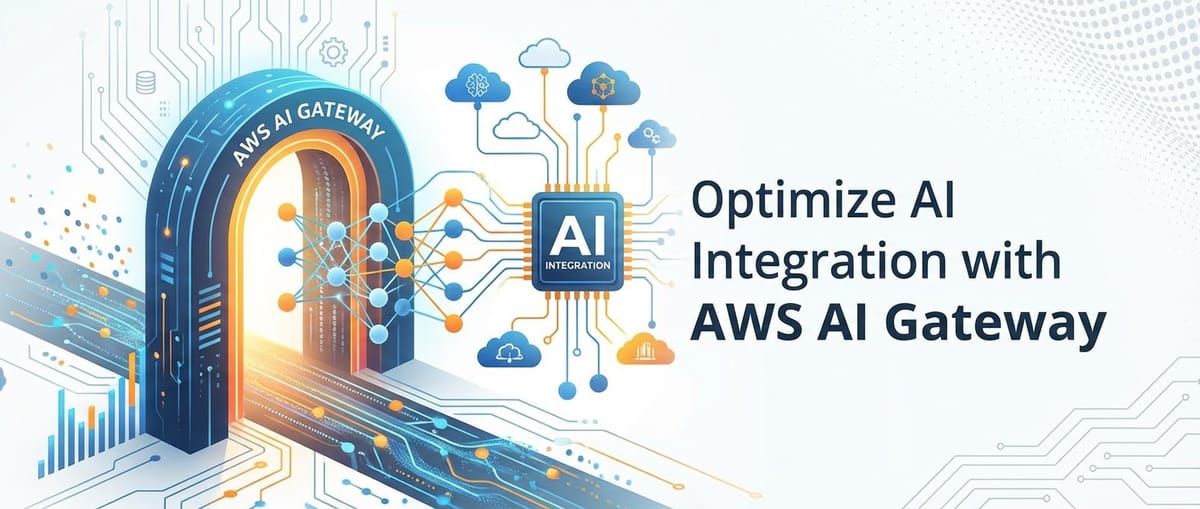
Optimize AI Integration with AWS AI Gateway


The proliferation of Artificial Intelligence (AI) across industries has ushered in an era of unprecedented innovation and transformative potential. From sophisticated natural language processing models that can understand and generate human-like text to intricate computer vision systems capable of real-time object detection, AI is rapidly becoming an indispensable component of modern applications. However, the journey from conceptualizing an AI-powered solution to its seamless, secure, and scalable integration into existing enterprise architectures is fraught with challenges. Developers and organizations often grapple with a myriad of complexities, including diverse model APIs, varying authentication mechanisms, stringent security requirements, performance optimization, and the ever-present need for cost efficiency.
This intricate landscape necessitates a robust, adaptable, and intelligent integration layer. Enter the AI Gateway – a critical architectural component that serves as the strategic nexus for all AI-related interactions. When implemented within the powerful and expansive ecosystem of Amazon Web Services (AWS), specifically leveraging AWS API Gateway as its foundation, the concept of an AI Gateway transcends mere connectivity. It transforms into a comprehensive management plane, capable of orchestrating complex AI workflows, enforcing governance, and delivering unparalleled operational excellence. This article delves deep into how organizations can strategically optimize AI integration by architecting and deploying a sophisticated AI Gateway using AWS services, paying particular attention to the nuances of building an effective LLM Gateway for large language models, ensuring that every AI interaction is secure, scalable, and supremely performant.
The AI Revolution and the Nuances of Integration
The current technological landscape is undeniably dominated by the advancements in Artificial Intelligence, particularly the explosive growth of Generative AI and Large Language Models (LLMs). These models, capable of tasks ranging from sophisticated content creation and intricate code generation to complex data analysis and human-like conversational interfaces, are redefining what’s possible in digital experiences and enterprise operations. Yet, integrating these powerful AI capabilities into existing software systems, microservices architectures, and business workflows is far from a trivial undertaking. It introduces a fresh set of challenges that traditional API integration patterns may not adequately address.
One of the primary complexities stems from the inherent diversity of AI models. Whether an organization is utilizing pre-trained models from third-party providers, deploying custom models trained on proprietary data through platforms like AWS SageMaker, or leveraging foundational models via services like AWS Bedrock, each model often comes with its own unique API, data input/output formats, authentication schemes, and performance characteristics. Directly integrating each of these models into every consuming application can quickly lead to a tangled web of dependencies, increasing development overhead, making maintenance a nightmare, and hindering agility. Imagine an application that needs to perform sentiment analysis, image recognition, and text summarization. Without an intermediary layer, the application would need to manage distinct API calls, error handling, and data transformations for each AI service. This not only bloats the application codebase but also introduces significant technical debt.
Scalability is another formidable hurdle. AI models, especially those used for real-time inference or high-throughput batch processing, can be incredibly resource-intensive. Applications that directly invoke AI models must be designed to handle fluctuating loads, manage concurrent requests, and ensure consistent response times. Without an intelligent layer to absorb traffic spikes, distribute load, and potentially queue requests, the underlying AI services can become overwhelmed, leading to degraded performance, increased latency, and even service outages. Furthermore, managing the lifecycle of AI models—from training and deployment to versioning and retirement—adds another layer of complexity. As models are updated or improved, applications need to seamlessly transition to new versions without disruption, requiring careful orchestration and backward compatibility considerations.
Security is paramount, particularly when dealing with sensitive data that AI models often process. Exposing AI model endpoints directly to client applications or internal services without proper authentication, authorization, and input validation is an open invitation for security vulnerabilities. Data in transit must be encrypted, access to AI services must be tightly controlled based on the principle of least privilege, and robust mechanisms must be in place to detect and prevent malicious inputs or prompt injections, which are especially pertinent for LLMs. Data privacy regulations, such as GDPR and CCPA, further complicate matters, mandating strict controls over how data is handled and processed by AI systems. Ensuring compliance across a diverse set of AI models and integration points requires a centralized approach to security policy enforcement.
Cost management, often an afterthought, can quickly spiral out of control in AI deployments. Many AI services are billed based on usage, such as the number of inference requests, the amount of data processed, or the computational resources consumed. Without a centralized vantage point to monitor and control this usage, organizations can face unexpectedly high bills. Tracking costs per application, per team, or per model becomes incredibly challenging without an aggregation layer that can provide granular insights into consumption patterns. Moreover, optimizing for cost often involves selecting the right model for the right task (e.g., a smaller, cheaper model for simple queries versus a larger, more expensive one for complex generation), a decision that an intelligent integration layer can facilitate.
Latency and performance are critical for user experience, especially in real-time applications. Direct integration often means applications have limited control over network hops, data serialization/deserialization overhead, and the inherent processing time of the AI model itself. Caching strategies, request throttling, and load balancing become essential for maintaining responsiveness under varying loads. Furthermore, monitoring and logging are indispensable for understanding the health and performance of AI integrations. When an AI model misbehaves or returns unexpected results, comprehensive logs and metrics are crucial for debugging, auditing, and ensuring accountability. Without a centralized logging mechanism, correlating events across multiple AI services and applications becomes an arduous task.
Finally, the unique characteristics of LLMs introduce specific challenges. Prompt engineering—the art and science of crafting effective inputs to guide LLMs—can be highly iterative and requires careful management. Different applications might require slightly different prompts for the same underlying LLM, leading to prompt sprawl if not centralized. The responses from LLMs can also be unstructured, requiring post-processing to fit application needs or to filter out undesirable content. Implementing content moderation and guardrails to prevent harmful or biased outputs is a critical ethical and practical consideration for any LLM-powered application. These specialized needs highlight the growing demand for an LLM Gateway that can abstract away these complexities and provide a consistent, managed interface for interacting with foundational models. Overcoming these integration hurdles requires a strategic, layered approach, with the AI Gateway standing as the cornerstone of such an architecture.
Understanding AI Gateway and API Gateway Concepts
To fully appreciate the architectural advantages of an AI Gateway built on AWS, it's essential to first establish a clear understanding of its foundational components and the evolution from a traditional api gateway to its specialized AI counterpart.
What is a Traditional API Gateway?
At its core, an api gateway is a management tool that sits at the edge of an organization's internal systems, acting as a single entry point for all API requests. In the context of microservices architectures, where applications are composed of many loosely coupled, independently deployable services, the api gateway becomes an indispensable component. Its primary role is to simplify client interactions with these complex backend services, abstracting away the intricacies of the underlying architecture.
A traditional api gateway typically offers a range of critical functionalities:
- Request Routing: It directs incoming API requests to the appropriate backend service based on defined rules (e.g., path, HTTP method). This allows clients to interact with a single endpoint, while the gateway handles the complexity of service discovery and load balancing across multiple microservices.
- Authentication and Authorization: The gateway can authenticate API consumers (e.g., using API keys, JWTs, OAuth tokens) and authorize their access to specific resources before forwarding requests to backend services. This offloads security concerns from individual services.
- Traffic Management: It enforces policies such as rate limiting and throttling to protect backend services from being overwhelmed by excessive requests, ensuring fair usage and system stability. It can also manage burst quotas to allow temporary spikes in traffic.
- Caching: The api gateway can cache responses from backend services, reducing the load on those services and improving response times for frequently accessed data. This is particularly beneficial for read-heavy operations.
- Request/Response Transformation: It can modify request payloads before forwarding them to backend services or transform responses before sending them back to clients. This allows clients to use a consistent API format, even if backend services have different interfaces.
- Monitoring and Logging: The gateway centralizes logging of API requests and responses, providing valuable insights into API usage, performance, and error rates. It can integrate with monitoring tools to provide real-time dashboards and alerts.
- Version Management: It can manage different versions of APIs, allowing clients to continue using older versions while new versions are deployed, facilitating smoother transitions and reducing disruption.
- Security Policies: Beyond authentication, it can apply security policies like input validation, WAF (Web Application Firewall) rules, and DDoS protection, acting as a first line of defense against various cyber threats.
By centralizing these cross-cutting concerns, an api gateway not only simplifies client applications but also empowers developers of backend services to focus solely on business logic, accelerating development cycles and improving overall system resilience.
Evolving to an AI Gateway: Specialized Needs for AI Models
While a traditional api gateway provides an excellent foundation, the unique characteristics and operational requirements of AI models, especially LLMs, necessitate an evolution to an AI Gateway. An AI Gateway extends the functionalities of a standard api gateway with specialized capabilities tailored to the nuances of AI integration. It acts as an intelligent intermediary designed specifically to manage, orchestrate, and secure interactions with various AI and Machine Learning (ML) models.
The distinct needs for an AI Gateway include:
- Model Routing and Orchestration: Beyond simple service routing, an AI Gateway needs to intelligently route requests to specific AI models based on the request's context, the type of AI task required (e.g., sentiment, translation, summarization), model availability, performance characteristics, or even cost considerations. It might also orchestrate calls to multiple AI models in sequence or parallel for composite AI tasks.
- Prompt Management and Transformation: For generative AI models, particularly LLMs, prompts are critical. An AI Gateway can centralize prompt templates, allowing developers to define and version prompts independently of the consuming applications. It can dynamically inject context into prompts, perform prompt engineering (e.g., few-shot examples, chain-of-thought), and transform prompts to match the specific input format required by different LLMs.
- Response Transformation and Normalization: AI model responses can vary significantly in structure and content. An AI Gateway can normalize these responses into a consistent format that consuming applications expect, reducing the complexity on the client side. This includes extracting specific entities, reformatting output (e.g., JSON, XML), or even summarizing lengthy LLM outputs.
- Cost Tracking and Optimization: This is a crucial feature for AI workloads. An AI Gateway can track token usage, inference calls, and data processed per model, per application, or per user. This granular tracking enables accurate cost attribution and helps organizations optimize expenditures by routing requests to the most cost-effective models for a given task, or implementing quotas based on budget.
- Content Moderation and Ethical AI Guardrails: For generative AI, preventing the generation of harmful, biased, or inappropriate content is paramount. An AI Gateway can integrate content moderation services (e.g., text filters, image analysis) both on the input prompts and the output responses, acting as a crucial safety layer. It can also implement ethical AI policies, such as disclaimers or usage restrictions.
- Model Fallback Strategies: To enhance reliability and resilience, an AI Gateway can implement fallback logic. If a primary AI model or service fails or experiences high latency, the gateway can automatically route the request to a secondary, alternative model or provider, ensuring continuity of service.
- Version Control and A/B Testing for Models: Similar to API versioning, an AI Gateway can manage different versions of AI models, allowing for seamless updates and even facilitating A/B testing of new models against existing ones to evaluate performance and quality without impacting all users.
- Specialized Authentication for AI Endpoints: While general API authentication is important, AI models might have specific token-based authentication (e.g., for commercial LLMs) or require integration with ML-specific security mechanisms. The AI Gateway centralizes and manages these.
The Significance of an LLM Gateway
Within the broader category of an AI Gateway, the concept of an LLM Gateway has emerged as a specialized requirement due to the unique characteristics and immense popularity of Large Language Models. An LLM Gateway is specifically designed to manage interactions with foundational models like GPT, Claude, Llama, and others available through services like AWS Bedrock.
Key functionalities of an LLM Gateway include:
- Advanced Prompt Templating and Versioning: Managing complex and evolving prompt strategies for different LLMs, allowing for reusable, version-controlled templates that can be dynamically populated.
- Token Usage Tracking and Cost Attribution: Crucial for LLMs, as billing is often based on input/output tokens. An LLM Gateway provides granular visibility into token consumption for each request, enabling precise cost management.
- Model Selection and Routing: Dynamically choosing the best LLM for a given task based on factors like cost, performance, specific capabilities (e.g., code generation vs. creative writing), or even fine-tuning versions.
- Response Filtering and Extraction: Post-processing LLM outputs to extract structured data (e.g., JSON from free-form text), filter out irrelevant information, or summarize lengthy responses.
- Guardrails and Content Moderation: Implementing sophisticated safety mechanisms specifically for generative text, including toxicity detection, PII filtering, and adherence to specific ethical guidelines to prevent harmful outputs or prompt injections.
- Context Management for Conversational AI: For chat applications, maintaining conversational context across multiple turns is vital. An LLM Gateway can facilitate this by managing session data or integrating with external state management services.
In essence, an LLM Gateway provides a unified, secure, and optimized interface to the diverse world of Large Language Models, abstracting away vendor-specific APIs and complexities, empowering developers to integrate powerful generative AI capabilities with greater ease and confidence. The evolution from a general api gateway to an AI Gateway and then further specializing into an LLM Gateway reflects the increasing maturity and specific demands of AI integration in modern software ecosystems.
AWS AI Gateway – Architecting for Success
Building a robust and scalable AI Gateway on AWS involves leveraging a suite of services that together create a powerful, flexible, and secure integration layer. AWS API Gateway forms the bedrock of this architecture, but it's the strategic combination with other AWS services that truly transforms it into a full-fledged AI Gateway, capable of handling the unique demands of AI and especially an LLM Gateway workload.
AWS API Gateway as the Foundation
AWS API Gateway is a fully managed service that makes it easy for developers to create, publish, maintain, monitor, and secure APIs at any scale. It acts as the "front door" for applications to access data, business logic, or functionality from your backend services. In the context of an AI Gateway, AWS API Gateway provides the essential functionalities of a traditional api gateway, allowing you to:
- Route Requests: Define custom endpoints that map to your various AI models or orchestration logic. This enables a single, unified API interface for your consuming applications, regardless of how many AI services are running behind the scenes.
- Handle Authentication and Authorization: Integrate with AWS IAM for granular access control, AWS Cognito for user authentication, or custom Lambda authorizers for complex, policy-based authorization logic. This ensures only authorized users and applications can invoke your AI endpoints.
- Enforce Throttling and Quotas: Protect your backend AI services from being overwhelmed by setting rate limits and burst quotas. You can also define usage plans to meter API consumption, which is crucial for cost management and for potentially monetizing your AI services.
- Cache Responses: Improve performance and reduce latency for frequently accessed AI inferences by configuring caching at the API Gateway level. This can significantly reduce the load on your AI models, especially for requests that produce idempotent results.
- Transform Requests and Responses: Modify incoming request payloads or outgoing responses using mapping templates (VTL - Velocity Template Language). This is incredibly powerful for normalizing data formats, injecting common parameters, or stripping sensitive information before or after AI processing.
- Monitor and Log: API Gateway integrates seamlessly with AWS CloudWatch, providing detailed metrics on API calls, latency, error rates, and data transfer. Request and response logging can be configured for auditing and troubleshooting purposes.
Core Components and Services for an AWS AI Gateway
To elevate AWS API Gateway into a comprehensive AI Gateway, several other AWS services are brought into play, each contributing a specialized role:
- AWS Lambda (Serverless Compute): Lambda is arguably the most critical component for injecting custom logic into your AI Gateway. It serves as the compute layer where you can:
- Invoke AI Models: Write code to call various AWS AI services (e.g., SageMaker endpoints, Bedrock, Rekognition, Comprehend, Translate) or external third-party AI APIs.
- Data Transformation: Perform complex pre-processing on input data before sending it to an AI model (e.g., resizing images, tokenizing text, enriching data) and post-processing on AI model outputs (e.g., extracting specific entities, formatting responses, content moderation).
- Prompt Engineering: Dynamically construct prompts for LLMs based on request parameters, user preferences, or contextual information. Lambda can manage prompt templates, inject variables, and apply conditional logic to refine prompts.
- Model Orchestration: Combine multiple AI services in a sequence or parallel to achieve more complex AI tasks. For instance, translate text, then perform sentiment analysis, then summarize the sentiment.
- Cost Optimization Logic: Implement logic to route requests to the most cost-effective AI model based on the input complexity, desired accuracy, or current load.
- Custom Authorization: Use Lambda as a custom authorizer for API Gateway to implement highly granular access control policies that might depend on application-specific user roles or data context.
- AWS SageMaker (Machine Learning Service): SageMaker provides the capabilities to build, train, and deploy custom machine learning models at scale. When used with an AI Gateway:
- Custom Model Hosting: Deploy your own fine-tuned or custom-built ML models as SageMaker endpoints. The AI Gateway can then proxy requests to these endpoints via Lambda, providing a secure and managed interface.
- Model Management: SageMaker assists with managing model versions, A/B testing different model deployments, and scaling endpoints to handle varying inference loads.
- AWS Bedrock (Foundation Models as a Service): Bedrock is a fully managed service that offers access to a variety of high-performing foundational models (FMs) from Amazon and leading AI startups via a single API. This service is foundational for building an LLM Gateway on AWS:
- Unified LLM Access: Provides a standardized API interface to invoke different LLMs (e.g., Claude, Llama, Titan). This is a game-changer for LLM Gateway development, as it abstracts away provider-specific API differences.
- Model Switching: Facilitates easy switching between LLMs, allowing developers to experiment with different models or implement dynamic model selection based on cost, performance, or specific task requirements.
- Managed Infrastructure: Bedrock handles the underlying infrastructure for FMs, so you don't have to manage servers or scale inference endpoints, significantly simplifying the operational burden of LLM deployment.
- Guardrails for Amazon Bedrock: Provides built-in capabilities to implement safety and compliance policies, helping to protect against harmful or undesirable content in LLM interactions.
- AWS WAF (Web Application Firewall) & AWS Shield (DDoS Protection): These services provide critical security layers at the edge:
- WAF: Protects your AI Gateway and underlying AI services from common web exploits and bots by allowing you to define custom rules to filter malicious traffic based on IP addresses, HTTP headers, body, or URI strings. This is vital for preventing prompt injections or other API abuse.
- Shield: Provides managed Distributed Denial of Service (DDoS) protection against common and sophisticated attacks, ensuring the availability of your AI Gateway.
- AWS CloudWatch & AWS X-Ray (Monitoring, Logging, Tracing): Essential for operational visibility:
- CloudWatch: Collects and tracks metrics, collects and monitors log files, and sets alarms. For an AI Gateway, it provides insights into API invocation counts, latency, error rates, and detailed logs from Lambda functions and API Gateway itself.
- X-Ray: Helps analyze and debug distributed applications built with microservices. It provides a visual service map showing the request flow and performance of each component, which is invaluable for identifying bottlenecks in complex AI orchestration workflows.
- AWS Secrets Manager (Secure Credential Storage): Securely stores and manages sensitive information such as API keys for third-party AI services, database credentials, or access tokens. Lambda functions can retrieve these secrets at runtime, ensuring that credentials are not hardcoded or exposed.
- AWS Step Functions (Serverless Workflow Orchestration): For complex, multi-step AI workflows, Step Functions can orchestrate Lambda functions, SageMaker jobs, and other AWS services. This is particularly useful for asynchronous AI tasks that involve multiple stages, retries, and error handling, providing a visual and auditable workflow.
Architectural Patterns for AI Integration
Leveraging these AWS services, several powerful architectural patterns emerge for building an AI Gateway:
- Proxying to SageMaker Endpoints:
- Pattern: API Gateway -> Lambda (simple proxy logic) -> SageMaker Endpoint.
- Description: For custom ML models deployed on SageMaker, Lambda can act as a lightweight intermediary to invoke the SageMaker endpoint. The Lambda function handles authentication with SageMaker and formats the request/response payloads if necessary. API Gateway manages the public interface, security, and throttling.
- Use Case: Exposing a proprietary image classification model or a custom recommendation engine.
- Orchestrating Calls to Multiple AI Services via Lambda:
- Pattern: API Gateway -> Lambda (orchestration logic) -> Multiple AWS AI Services (e.g., Rekognition, Comprehend, Translate).
- Description: A single API Gateway endpoint triggers a Lambda function that orchestrates calls to several distinct AWS AI services. For example, a "process document" endpoint might trigger a Lambda that first uses Amazon Textract to extract text, then Amazon Comprehend for sentiment analysis, and finally Amazon Translate if the document needs to be translated.
- Use Case: Building a composite AI service like document intelligence or a multi-modal content analysis platform.
- Building an LLM Gateway with Bedrock and Lambda:
- Pattern: API Gateway -> Lambda (LLM orchestration, prompt engineering, content moderation) -> AWS Bedrock.
- Description: This is the quintessential LLM Gateway pattern. API Gateway provides the external interface. A Lambda function encapsulates all the LLM-specific logic: constructing dynamic prompts, selecting the appropriate Bedrock model (e.g., Anthropic Claude for creative writing, Amazon Titan for summarization), invoking Bedrock, and then post-processing the LLM's response (e.g., filtering, extracting structured data, applying guardrails).
- Use Case: Powering a conversational AI chatbot, generating marketing copy, or providing an internal knowledge base Q&A system.
- Asynchronous Patterns for Long-Running AI Tasks:
- Pattern: API Gateway -> Lambda (initiator) -> SQS/SNS -> Lambda (processor) -> AI Service.
- Description: For AI tasks that are computationally intensive or take a long time to complete (e.g., large-scale image processing, video analysis, complex report generation), an asynchronous pattern is ideal. The initial API request quickly returns a job ID. A Lambda function publishes the job details to an SQS queue or SNS topic. Another Lambda function subscribes to this queue/topic, processes the AI task, and stores the results (e.g., in S3 or DynamoDB). The client can then poll for the results using the job ID.
- Use Case: Batch processing of medical images, generating comprehensive financial reports, or video transcription and analysis.
By strategically combining these AWS services and adopting suitable architectural patterns, organizations can build a robust, scalable, and secure AI Gateway that not only streamlines AI integration but also provides fine-grained control and observability over their entire AI landscape. This foundation is crucial for moving beyond simple point-to-point integrations to a governed, enterprise-grade AI strategy.
Key Optimizations for AI Integration with AWS AI Gateway
Once the foundational architecture of an AI Gateway on AWS is in place, the next crucial step is to optimize its performance, security, cost-efficiency, and developer experience. These optimizations are not merely enhancements; they are fundamental to ensuring that your AI integrations are reliable, scalable, and provide tangible business value.
Performance and Latency
Minimizing latency and maximizing throughput are critical for many AI applications, especially those that interact with users in real-time.
- Caching Strategies:
- API Gateway Caching: Enable caching directly on API Gateway for responses from your backend Lambda functions or AI services. This is most effective for idempotent AI requests (e.g., sentiment analysis of a specific, unchanging text) where the result doesn't change frequently. You can configure cache capacity, time-to-live (TTL), and specify parameters that contribute to the cache key. This drastically reduces the number of calls to downstream services and significantly improves response times for repeated requests.
- Lambda-level Caching: Implement caching within your Lambda functions using in-memory caches or external services like Amazon ElastiCache (Redis/Memcached). This is useful for caching frequently used data, model parameters, or prompt templates that don't change often, preventing repeated fetches from data stores.
- Client-Side Caching: Encourage consuming applications to implement their own caching mechanisms where appropriate, further reducing the load on your AI Gateway.
- Optimizing Lambda Cold Starts: Lambda cold starts (the time it takes for a new execution environment to spin up) can introduce latency, especially for infrequently invoked functions.
- Provisioned Concurrency: Configure provisioned concurrency for critical Lambda functions that back your AI Gateway. This pre-initializes a requested number of execution environments, keeping them warm and ready to respond immediately, eliminating cold start latency.
- Appropriate Memory Allocation: Allocate sufficient memory to your Lambda functions. More memory often translates to more CPU, which can speed up execution and reduce cold start times. Profile your functions to find the optimal memory setting.
- Smaller Deployment Packages: Minimize the size of your Lambda deployment package. Smaller packages download and initialize faster, contributing to quicker cold starts. Include only necessary dependencies.
- Regional Considerations and Edge Optimization:
- Geographical Proximity: Deploy your AI Gateway in an AWS region geographically closest to your primary user base or consuming applications. This reduces network latency between the client and the gateway.
- Amazon CloudFront: Use Amazon CloudFront, AWS's Content Delivery Network (CDN), in front of your API Gateway. CloudFront caches static content and can route requests to the closest edge location, reducing latency for dynamic content (including API calls) by leveraging optimized network paths. It also provides an additional layer of DDoS protection.
- Payload Optimization:
- Minimize Request/Response Size: Design your API to exchange only the necessary data. Large payloads increase network transfer time and processing overhead. Use efficient data formats (e.g., compressed JSON) where possible.
- Compression: Configure API Gateway to enable GZIP compression for responses, reducing data transfer size over the network, which is particularly beneficial for verbose LLM outputs.
Security and Access Control
Security is non-negotiable for an AI Gateway, especially when dealing with sensitive data and intellectual property embedded in AI models or prompts.
- IAM Roles and Policies for Granular Access:
- Least Privilege: Configure IAM roles for your Lambda functions with the absolute minimum permissions required to access other AWS services (e.g., SageMaker endpoints, Bedrock, S3, Secrets Manager). This limits the blast radius in case of a compromise.
- API Gateway Resource Policies: Use API Gateway resource policies to specify which IAM users or roles can invoke specific API Gateway endpoints. This provides a robust layer of authorization.
- Cognito for User Authentication:
- User Pools: Integrate API Gateway with Amazon Cognito User Pools for managing user sign-up, sign-in, and access control for your consumer-facing AI applications. Cognito provides a scalable and secure user directory.
- Identity Pools: For applications requiring access to AWS services (e.g., direct S3 access after AI processing), Cognito Identity Pools can grant temporary, limited-privilege AWS credentials to authenticated users.
- Custom Authorizers for Complex Logic:
- Lambda Authorizers: For highly customized authorization requirements (e.g., multi-tenant authorization, integrating with existing identity providers, or validating application-specific tokens), use Lambda authorizers. These functions inspect incoming requests and return an IAM policy that grants or denies access, allowing for dynamic and fine-grained control based on arbitrary logic.
- VPC Endpoints for Private Access:
- Enhanced Security: When your AI models or Lambda functions are in a Virtual Private Cloud (VPC), use VPC Endpoints to connect privately to other AWS services (like SageMaker, Bedrock, S3, Secrets Manager) without traversing the public internet. This significantly reduces the attack surface and enhances data security.
- Input/Output Validation:
- Schema Validation: Define request and response schemas in API Gateway to validate input data before it reaches your Lambda functions or AI models. This prevents malformed requests and helps guard against common vulnerabilities like SQL injection or prompt injection by ensuring inputs conform to expected formats.
- Sanitization: Implement sanitization logic in Lambda to clean and validate input prompts for LLMs, removing potentially harmful characters or scripts.
- Content Moderation (Critical for LLMs):
- Pre- and Post-processing: Integrate content moderation services (e.g., AWS Comprehend for PII detection, custom rules, or AWS Bedrock Guardrails) within your Lambda functions. Scan incoming prompts for sensitive information or malicious intent before sending them to an LLM. Scan LLM responses for harmful, biased, or inappropriate content before returning them to the client. This is crucial for maintaining ethical AI practices and regulatory compliance.
Cost Management and Monitoring
Effective cost management and robust monitoring are vital for the sustained success of your AI Gateway.
- Usage Plans and Throttling:
- Rate Limits and Quotas: Define usage plans in API Gateway with specific rate limits and quotas (e.g., 100 requests per second, 10,000 requests per month) for different API keys or client applications. This helps control costs by preventing excessive usage and allows for differentiation of service tiers.
- Soft Limits: Implement soft limits within your Lambda functions for token usage or specific AI model invocations, alerting administrators before hard limits are reached.
- Detailed Logging with CloudWatch:
- Access Logs: Configure API Gateway to send detailed access logs to CloudWatch Logs. These logs capture request and response metadata, latency, and error codes, providing valuable auditing trails.
- Lambda Logs: Ensure your Lambda functions log comprehensively to CloudWatch Logs. Include details about AI model invocations, input prompts, key output parameters, and any errors. Use structured logging (e.g., JSON) for easier analysis.
- Monitoring API Metrics:
- CloudWatch Metrics: Leverage CloudWatch metrics generated by API Gateway and Lambda (e.g.,
Count,Latency,4xxError,5xxError,`Invocations). Create custom dashboards to visualize the health and performance of your AI Gateway in real-time. - Custom Metrics for AI: Implement custom CloudWatch metrics within your Lambda functions to track AI-specific dimensions, such as the number of tokens processed by an LLM, the specific AI model invoked, or the success rate of complex AI orchestrations.
- CloudWatch Metrics: Leverage CloudWatch metrics generated by API Gateway and Lambda (e.g.,
- Cost Explorer for Tracking Expenses:
- Tagging: Implement a robust tagging strategy for all your AWS resources (API Gateway, Lambda, SageMaker, Bedrock, etc.) involved in your AI Gateway. Tag resources by application, team, project, or cost center.
- Cost Explorer Analysis: Use AWS Cost Explorer with your tags to gain granular insights into where your AI-related spending is going. Identify trends, forecast future costs, and pinpoint areas for optimization. This is crucial for justifying AI investments and managing budgets.
- Budget Alerts: Set up AWS Budgets to receive alerts when your spending approaches or exceeds predefined thresholds for AI services.
- Token Usage Tracking for LLMs:
- Granular Metrics: For an LLM Gateway, specifically track input and output token counts for each LLM invocation. Store this data (e.g., in DynamoDB or a data warehouse) and use it to attribute costs, analyze usage patterns, and optimize prompt design to reduce token consumption.
Scalability and Reliability
An effective AI Gateway must be inherently scalable and resilient to handle fluctuating demands and potential service disruptions.
- Auto-scaling Lambda:
- Event-Driven Scaling: Lambda automatically scales its execution environments in response to incoming requests, handling bursts of traffic seamlessly. No manual intervention is needed for scaling compute resources.
- Concurrency Limits: While Lambda scales automatically, set appropriate concurrency limits for your functions to prevent unintended resource exhaustion or overwhelming downstream AI services.
- High Availability Inherent in API Gateway:
- Multi-AZ Architecture: API Gateway is a highly available, fault-tolerant service that operates across multiple Availability Zones (AZs) within a region. This built-in redundancy ensures that your AI Gateway remains accessible even if an AZ experiences an outage.
- Rate Limiting and Burst Quotas:
- Service Protection: As mentioned under cost, these features also serve as a critical reliability mechanism, preventing a single client or application from monopolizing resources and ensuring fair access for all consumers, thus protecting the stability of your AI services.
- Error Handling and Retries:
- Lambda Error Handling: Implement robust error handling within your Lambda functions, including
try-catchblocks and specific handling for AI service errors. - Retry Mechanisms: Configure retry policies for invoking downstream AI services. Use exponential backoff and jitter to prevent overwhelming a failing service with repeated requests. For asynchronous patterns, SQS and Step Functions have built-in retry mechanisms.
- Dead-letter Queues (DLQ): Configure DLQs for your Lambda functions and SQS queues. Failed messages or function invocations can be sent to a DLQ for later investigation and reprocessing, preventing data loss and allowing for asynchronous error recovery.
- Lambda Error Handling: Implement robust error handling within your Lambda functions, including
Developer Experience and Governance
A well-designed AI Gateway should also enhance developer productivity and enforce strong governance.
- API Documentation (OpenAPI/Swagger):
- Auto-generated SDKs: Use API Gateway's capabilities to generate OpenAPI (Swagger) definitions for your AI Gateway endpoints. This allows for automated generation of client SDKs in various programming languages, simplifying integration for consuming applications.
- Developer Portal: Publish your OpenAPI definitions and usage instructions on a developer portal (either custom-built or using a service like AWS Marketplace for APIs) to provide a single source of truth for API consumers.
- Version Management (API Gateway Stages):
- Independent Deployments: Utilize API Gateway stages (e.g.,
dev,test,prod) to manage different versions or environments of your AI Gateway. Each stage can have its own configuration, usage plans, and custom domain names. This enables independent deployments and testing without affecting production. - Model Versioning: Integrate API Gateway stages or specific path parameters with model versioning capabilities in SageMaker or Bedrock. This allows applications to specify which version of an AI model they wish to use.
- Independent Deployments: Utilize API Gateway stages (e.g.,
- Auditing and Compliance:
- AWS CloudTrail: CloudTrail logs all API calls made to AWS services, including API Gateway, Lambda, and SageMaker. This provides an audit trail for governance, compliance, and security analysis.
- Config Rules: Use AWS Config rules to assess, audit, and evaluate the configurations of your AWS resources, ensuring they comply with your internal policies and industry regulations.
By meticulously applying these optimization strategies, organizations can transform their AWS AI Gateway into a highly efficient, secure, cost-effective, and developer-friendly platform, ready to meet the evolving demands of the AI-powered future.
APIPark is a high-performance AI gateway that allows you to securely access the most comprehensive LLM APIs globally on the APIPark platform, including OpenAI, Anthropic, Mistral, Llama2, Google Gemini, and more.Try APIPark now! 👇👇👇
Advanced LLM Gateway Features with AWS AI Gateway
The rise of Large Language Models (LLMs) has introduced a new paradigm in AI, but also a unique set of challenges that warrant specialized functionalities within an AI Gateway. When specifically tailored to LLMs, the AI Gateway evolves into an LLM Gateway, offering sophisticated features that manage prompts, orchestrate model interactions, and ensure safe, relevant outputs. Leveraging AWS services, particularly AWS Bedrock and Lambda, enables the construction of a powerful LLM Gateway that goes beyond basic proxying.
Prompt Engineering Management
Prompt engineering is the art and science of crafting effective inputs to guide LLMs towards desired outputs. As LLMs become central to applications, managing these prompts becomes a critical task. An LLM Gateway can centralize and streamline this process.
- Storing Prompts in Centralized Stores:
- AWS Systems Manager Parameter Store: Store prompt templates, specific prompt fragments, or configuration variables for prompts in Parameter Store. This allows prompt engineers to update prompts without code changes, promoting agility. Parameters can be versioned and secured.
- Amazon S3: For more complex prompt templates or large prompt libraries, S3 can serve as a scalable and cost-effective storage solution. Lambda functions can retrieve these templates dynamically at runtime.
- DynamoDB: For dynamic, context-aware prompts associated with specific users or sessions, DynamoDB can store and retrieve prompt variations with low latency.
- Version Control for Prompts: Whichever storage method is chosen, it's crucial to implement version control for prompts. This allows for A/B testing of different prompt versions, rolling back to previous versions if performance degrades, and maintaining an audit trail of prompt evolution.
- Lambda for Dynamic Prompt Construction:
- Template Engines: Within your Lambda function, use templating engines (e.g., Jinja2 for Python, Handlebars for Node.js) to dynamically construct prompts. This allows for injecting variables (user input, context from a database, prior conversation history) into pre-defined prompt templates.
- Conditional Logic: Implement conditional logic in Lambda to select different prompt templates or add/remove prompt elements based on the incoming request's parameters, the user's role, or specific business rules. For example, a prompt for generating a product description might vary if the product is for a B2B versus a B2C audience.
- Few-Shot Examples Management: Store and retrieve few-shot examples (demonstrative input-output pairs) to guide the LLM's behavior. Lambda can dynamically select and inject relevant examples into the prompt based on the task at hand.
Model Routing and Fallback
With a growing ecosystem of LLMs, intelligently routing requests and ensuring resilience through fallback mechanisms are key capabilities of an advanced LLM Gateway.
- Dynamically Selecting LLM Providers/Models:
- Context-Based Routing: Implement logic in Lambda to route requests to different LLM providers or specific models within AWS Bedrock based on factors like:
- Cost: Route low-complexity, high-volume requests to a more cost-effective model, while reserving premium models for critical, complex tasks.
- Performance: Choose models known for lower latency for real-time applications, and potentially a different model for asynchronous batch processing.
- Specific Capabilities: Route creative writing tasks to a model excelling in generative text (e.g., Anthropic Claude), and code generation tasks to a model optimized for coding (e.g., Amazon Titan Code).
- User Preferences/Tiers: Allow users or applications to specify a preferred model, or route requests based on their subscription tier (e.g., premium users get access to the latest, most powerful models).
- Real-time Monitoring Integration: Integrate with CloudWatch metrics to monitor the health and performance of different LLM endpoints. If a specific model is experiencing high latency or error rates, the LLM Gateway can dynamically reroute traffic to an alternative healthy model.
- Context-Based Routing: Implement logic in Lambda to route requests to different LLM providers or specific models within AWS Bedrock based on factors like:
- Implementing Fallback Logic:
- Resilience and High Availability: Design fallback strategies in Lambda. If the primary LLM model fails to respond, returns an error, or exceeds a predefined latency threshold, the LLM Gateway can automatically retry the request with a secondary model, potentially from a different provider or a smaller, more robust alternative.
- Graceful Degradation: In scenarios where a full fallback isn't possible, the gateway can return a pre-defined generic response, an error message, or route to a simpler, less resource-intensive AI service (e.g., a rule-based system) to maintain some level of service, rather than a complete outage.
- A/B Testing and Canary Deployments: Use the routing capabilities to conduct A/B testing of new LLMs or prompt versions. Route a small percentage of traffic to the new model and monitor its performance before rolling it out to all users.
Response Post-processing
LLM outputs are often free-form text. An LLM Gateway needs to transform these raw outputs into a format suitable for downstream applications and ensure their quality.
- Filtering Sensitive Information:
- PII (Personally Identifiable Information) Detection: Use services like Amazon Comprehend PII detection, or custom regex patterns within Lambda, to scan LLM responses for sensitive data (e.g., names, addresses, credit card numbers, email addresses). Filter out or mask this information before it reaches the end user, ensuring data privacy and compliance.
- Security Guardrails: Implement rules to filter out any potentially harmful or inappropriate content that might have slipped past initial moderation steps.
- Formatting Output for Specific Application Needs:
- Structured Data Extraction: If an LLM is asked to generate structured data (e.g., a JSON object of product attributes), Lambda can parse the free-form text response and attempt to extract and validate the desired structured format. This might involve using regular expressions, string parsing, or even another, smaller ML model trained for entity extraction.
- Summarization and Truncation: For verbose LLM outputs, Lambda can summarize the response using another summarization model (if available) or truncate it to fit character limits of the consuming application, indicating that the response has been shortened.
- Language Translation: If the consuming application expects a response in a different language, Lambda can use Amazon Translate to convert the LLM's output.
- Extracting Structured Data from Free-Form Text:
- Semantic Parsing: For highly complex extractions, integrate with purpose-built services or models that can perform semantic parsing, turning unstructured text into structured, queryable data (e.g., extracting intent and entities from a natural language query).
Content Moderation and Guardrails
The ethical and practical imperative to prevent harmful or undesirable LLM outputs cannot be overstated. An LLM Gateway is the ideal place to enforce these crucial guardrails.
- Integrating with AWS Comprehend and Rekognition:
- Text Analysis: Use Amazon Comprehend to detect sentiment, key phrases, entities, and PII in both prompts and responses. This can inform moderation decisions.
- Image/Video Analysis: While LLMs are text-based, if they are part of a multi-modal application, Amazon Rekognition can analyze associated images or videos for inappropriate content, facial recognition, or object detection.
- Implementing Safety Checks (Pre-prompt and Post-response):
- Prompt Filtering: Before sending a user's prompt to an LLM, a Lambda function can apply a set of rules, blacklists, or even a smaller, specialized ML model to detect and block inappropriate, malicious, or sensitive prompts (e.g., prompt injections, hate speech).
- Response Filtering: After receiving a response from the LLM, the Lambda function can perform similar checks. If the response violates predefined safety policies, it can be redacted, replaced with a disclaimer, or an error can be returned to the client, preventing harmful content from reaching the end user.
- AWS Bedrock Guardrails: Leverage the built-in Guardrails for Amazon Bedrock feature. This allows you to define safety policies directly within Bedrock, covering categories like hate speech, insults, sexual content, and violence. The LLM Gateway's Lambda function would simply configure and invoke Bedrock with these guardrails enabled, offloading some of the custom moderation logic.
- Ethical AI Considerations and Audit Trails:
- Bias Detection: While difficult to implement fully at the gateway level, the LLM Gateway can log prompts and responses for later offline analysis to detect and mitigate systemic biases in LLM outputs.
- Transparency and Disclaimers: For generative AI, it's often good practice to add disclaimers (e.g., "Content generated by AI") to outputs. The gateway can automatically inject these headers or footers.
- Comprehensive Logging for Auditing: Log all moderation decisions, blocked prompts, and filtered responses. This creates an auditable trail, which is essential for compliance, debugging, and continually improving the safety mechanisms of the LLM Gateway.
By meticulously implementing these advanced features within an AWS-based LLM Gateway, organizations can unlock the full potential of Large Language Models while maintaining stringent control over security, cost, performance, and ethical considerations. This level of sophistication transforms LLM integration from a risky endeavor into a well-managed, resilient, and highly valuable capability.
Real-world Scenarios and Best Practices
To solidify the understanding of an AI Gateway on AWS, let's explore a few real-world scenarios and then distill some overarching best practices. These examples demonstrate the practical application of the concepts discussed, highlighting how different AWS services coalesce to solve common AI integration challenges.
Scenario 1: Building a Multi-Model AI Assistant
Imagine a corporate AI assistant designed to help employees with various tasks, from answering HR questions to translating documents and summarizing meeting notes. This assistant needs to seamlessly integrate multiple AI capabilities.
Challenge: How to provide a single, unified interface for disparate AI models (Q&A LLM, Translation, Summarization) while managing their unique APIs, ensuring security, and optimizing costs?
AI Gateway Solution:
- API Gateway as the Unified Front Door: Create a single API Gateway endpoint, for example,
/ai-assistant/{action}. - Lambda for Orchestration and Routing: A central Lambda function is triggered by the API Gateway. This Lambda function receives the
actionparameter (e.g., "answer", "translate", "summarize") and the user's input. - Model Selection and Invocation:
- If
actionis "answer": The Lambda function formulates a prompt and invokes AWS Bedrock (e.g., Anthropic Claude or Amazon Titan Text) to answer a question based on an internal knowledge base (context retrieved from a database or search service). - If
actionis "translate": The Lambda function calls Amazon Translate to convert the input text into the target language. - If
actionis "summarize": The Lambda function sends the document content to another Bedrock model or a custom SageMaker endpoint specialized in summarization.
- If
- Prompt Management: The Lambda function retrieves pre-defined prompt templates for each AI task from AWS Systems Manager Parameter Store, dynamically injecting user input and context.
- Security and Cost Management:
- Authentication: API Gateway uses AWS Cognito User Pools to authenticate employees accessing the assistant.
- Throttling: API Gateway enforces rate limits to prevent abuse and control costs.
- Token Tracking: The Lambda function tracks token usage for Bedrock calls, logging to CloudWatch for cost attribution.
- Response Handling: The Lambda normalizes responses from different AI services into a consistent JSON format before returning them to the client application. It also applies content moderation checks to LLM outputs.
This AI Gateway pattern abstracts away the underlying complexity, allowing the AI assistant front-end to interact with a single, well-defined API, regardless of which AI model is invoked.
Scenario 2: Securely Exposing a Custom LLM
A data science team has fine-tuned a powerful open-source LLM on proprietary company data using AWS SageMaker. They need to expose this model as a secure, scalable API for internal applications.
Challenge: How to provide secure access to a custom SageMaker LLM endpoint, manage access permissions, ensure data privacy, and monitor its performance?
AI Gateway Solution:
- API Gateway and Private Integration: The API Gateway is configured with a VPC Link to privately integrate with an internal Application Load Balancer (ALB) that distributes traffic to the SageMaker endpoint (or directly through a Lambda proxy in the VPC). This ensures that requests to the LLM do not traverse the public internet.
- Lambda for Proxying and Pre/Post-processing: A Lambda function, deployed within the same VPC, acts as a thin proxy between API Gateway and the SageMaker endpoint. This Lambda is responsible for:
- Authentication: Using IAM roles to securely invoke the SageMaker endpoint.
- Data Transformation: Ensuring the incoming request from API Gateway is in the exact format required by the SageMaker model and transforming the model's output back to a consumer-friendly format.
- Input Validation: Validating the input prompt against a predefined schema to prevent malformed requests and potential prompt injection attacks.
- Logging: Capturing detailed logs of model invocations, input prompts, and response characteristics in CloudWatch Logs.
- IAM and Custom Authorizers:
- IAM Policies: Granular IAM policies are attached to the API Gateway endpoint, restricting access to specific internal applications or teams.
- Custom Authorizer: A Lambda custom authorizer is implemented to validate internal application-specific API keys or JWTs, providing an additional layer of authorization beyond basic IAM.
- Security and Monitoring:
- AWS WAF: Configured in front of API Gateway to protect against common web exploits, including attempts at prompt injection or other API misuse.
- CloudWatch Alarms: Set up on SageMaker endpoint metrics (e.g., invocation errors, model latency) and Lambda errors to proactively detect and alert on performance issues.
- Secrets Manager: The SageMaker endpoint's API key (if applicable) or any other sensitive credentials needed by the Lambda proxy are stored in AWS Secrets Manager.
This setup ensures that the custom, sensitive LLM is exposed securely, with tightly controlled access and robust monitoring, functioning as a dedicated LLM Gateway for the proprietary model.
Scenario 3: Cost-Optimized LLM Routing
An organization uses LLMs for various tasks but wants to optimize costs by dynamically choosing the most appropriate model based on the complexity of the query.
Challenge: How to automatically route LLM requests to different models (e.g., a cheaper, faster model for simple queries and a more expensive, powerful model for complex ones) to manage costs effectively?
AI Gateway Solution:
- API Gateway with Single Endpoint: A single API Gateway endpoint, e.g.,
/llm-query, receives all LLM requests. - Lambda for Intelligent Routing: A Lambda function is triggered, which contains the core routing logic:
- Query Complexity Analysis: The Lambda first analyzes the incoming user query. This could involve:
- Length: Shorter queries might be simpler.
- Keyword Detection: Presence of complex keywords or technical terms.
- Pre-trained Classifier: A small, fast ML model (e.g., a simple sentiment classifier or topic model running within Lambda) to categorize the query's complexity or intent.
- Dynamic Model Selection: Based on the complexity analysis, the Lambda dynamically selects the target LLM from AWS Bedrock (e.g., a smaller, more cost-effective Amazon Titan Lite for simple Q&A, or Anthropic Claude 3 Opus for complex reasoning tasks).
- Prompt Customization: The prompt sent to the chosen LLM might also be customized based on the model's specific strengths or preferred input format.
- Query Complexity Analysis: The Lambda first analyzes the incoming user query. This could involve:
- Cost Tracking: The Lambda function records which LLM was invoked and the token usage for each request, logging this data to CloudWatch or storing it in DynamoDB for detailed cost analysis and attribution.
- Fallback Mechanism: If the primary selected LLM fails or is unavailable, the Lambda implements a fallback to a general-purpose, reliable LLM to ensure service continuity.
- Monitoring and Alerting: CloudWatch dashboards visualize the usage of each LLM and alert if costs exceed a certain threshold or if specific models are under/over-utilized.
This LLM Gateway architecture intelligently manages model selection, ensuring that the organization pays only for the necessary level of LLM capability for each specific query, significantly optimizing expenditure without sacrificing performance where it truly matters.
Best Practices Recap
Through these scenarios and the preceding detailed discussions, several best practices for optimizing AI integration with an AWS AI Gateway emerge:
- Centralize AI Access: Always funnel AI model invocations through a dedicated AI Gateway. This provides a single point of control for security, observability, and management, simplifying integration for consuming applications.
- Leverage Serverless Power: Maximize the use of AWS Lambda for custom logic, orchestration, prompt engineering, and data transformation. Its serverless nature ensures automatic scaling and cost-effectiveness.
- Prioritize Security: Implement robust authentication (IAM, Cognito), authorization (Lambda authorizers, resource policies), and network security (VPC Links, WAF) from the outset. Data in transit and at rest must be encrypted.
- Build for Resilience: Design for failure by implementing fallback strategies, retry mechanisms with exponential backoff, and dead-letter queues. Aim for high availability by leveraging AWS's multi-AZ architecture.
- Monitor Everything: Utilize CloudWatch and X-Ray for comprehensive logging, metrics collection, and distributed tracing. Define custom metrics for AI-specific parameters (e.g., token usage, model accuracy). Proactive monitoring helps identify issues before they impact users.
- Manage Costs Actively: Implement tagging, usage plans, throttling, and detailed cost tracking (especially for token-based LLM billing) to maintain control over AI expenditure. Regularly review AWS Cost Explorer reports.
- Optimize for Performance: Employ caching at multiple levels (API Gateway, Lambda), optimize Lambda function configurations (memory, provisioned concurrency), and consider CDN integration (CloudFront) to minimize latency.
- Ensure Ethical AI: Integrate content moderation and safety guardrails (especially for LLMs) for both prompts and responses. Log moderation decisions for auditability and continuous improvement.
- Streamline Developer Experience: Provide clear API documentation (OpenAPI), versioning strategies (API Gateway stages), and potentially SDK generation to make it easy for developers to consume your AI services.
- Start Simple, Iterate Complex: Begin with a basic AI Gateway proxying to a single model, then incrementally add advanced features like prompt management, dynamic routing, and sophisticated post-processing as your AI integration needs evolve.
Beyond AWS – Complementary Tools and Open Source Solutions
While AWS provides an incredibly robust and comprehensive suite of services for building an AI Gateway, offering flexibility, scalability, and deep integration with its extensive ecosystem, the broader technology landscape also offers specialized tools that can complement or even provide alternative approaches for managing AI integration. Enterprises often look for solutions that simplify operational overhead, provide a unified control plane across multiple cloud providers, or offer specific features out-of-the-box that might require custom development on cloud primitives. This is where dedicated AI Gateway or LLM Gateway products, particularly open-source ones, can play a significant role.
For those seeking an all-in-one, open-source AI Gateway and API management platform that streamlines the integration of 100+ AI models, offers unified API formats, prompt encapsulation, and end-to-end API lifecycle management, consider exploring APIPark. APIPark provides a powerful, high-performance solution for managing AI and REST services, enabling quick deployment and robust governance, enhancing efficiency, security, and data optimization for developers and businesses alike.
Dedicated AI Gateway solutions, whether commercial or open-source like APIPark, often aim to abstract away even more of the underlying complexity associated with integrating diverse AI models. They might offer features such as:
- Unified Model Interface: A single API to interact with various LLMs (e.g., OpenAI, Anthropic, Google Gemini, local models) without needing to adapt to each provider's specific API. This simplifies client-side code and allows for easier model switching.
- Built-in Prompt Management: Centralized UI for defining, versioning, and testing prompts, often with visual editors and dynamic variable injection.
- Out-of-the-Box Routing and Fallback: Pre-configured rules for routing based on cost, latency, or model capability, and automated fallback mechanisms without requiring custom Lambda code for every scenario.
- Enhanced Cost Tracking: Granular token usage tracking and cost allocation features that can span multiple AI providers.
- Developer Portal: A ready-to-use portal for API discovery, documentation, and subscription management.
- Cross-Cloud Agnosticism: The ability to manage AI models deployed on different cloud platforms or even on-premises, providing a consistent management layer.
These specialized tools can accelerate development, reduce the burden of building custom integration logic, and provide a holistic view of AI service consumption across an organization, even when leveraging foundational services from AWS. While AWS offers the building blocks, complementary solutions can provide a higher-level abstraction, focusing on the specific challenges of managing the AI ecosystem itself, rather than just the underlying infrastructure. Organizations may choose to use a dedicated AI Gateway like APIPark in conjunction with AWS services, where APIPark manages the AI model interactions and lifecycle, while AWS still provides the core compute (e.g., hosting the APIPark instance, running custom models on SageMaker, or providing managed LLMs via Bedrock). This hybrid approach allows businesses to benefit from both the robust infrastructure of AWS and the specialized capabilities of dedicated AI management platforms.
Conclusion
The journey to integrate AI effectively into modern applications is both challenging and incredibly rewarding. As AI models, particularly Large Language Models, continue to evolve at a dizzying pace, the need for a sophisticated, agile, and secure integration layer becomes paramount. The AI Gateway stands as this critical architectural component, providing the strategic nexus for all AI-related interactions.
By leveraging the powerful and expansive ecosystem of Amazon Web Services, organizations can construct a highly optimized AI Gateway that addresses the multifaceted demands of modern AI integration. AWS API Gateway provides the essential front-door functionalities, while services like AWS Lambda enable custom logic and orchestration. AWS Bedrock simplifies access to foundational LLMs, transforming the AI Gateway into an indispensable LLM Gateway capable of intelligent prompt management, dynamic model routing, and robust content moderation. Furthermore, a suite of supporting services—including SageMaker, WAF, CloudWatch, and Secrets Manager—ensures the highest standards of performance, security, cost efficiency, and operational observability.
The optimization strategies detailed in this article—ranging from sophisticated caching and Lambda cold start mitigation to granular access control, comprehensive cost tracking, and resilient error handling—are not merely optional enhancements. They are fundamental building blocks for an AI Gateway that is not only functional but also future-proof. By adhering to best practices and strategically combining AWS services, businesses can transition from fragmented AI integrations to a unified, governed, and highly efficient AI-powered architecture.
As AI continues to embed itself deeper into the fabric of enterprise operations, the role of a well-architected AI Gateway will only grow in significance. It empowers developers with agility, provides business leaders with crucial insights and cost controls, and ensures that the transformative power of AI is harnessed securely and reliably. Whether building from cloud primitives or augmenting with specialized open-source platforms like APIPark, the ultimate goal remains the same: to unlock innovation, accelerate digital transformation, and deliver exceptional value through intelligent AI integration.
FAQ
Q1: What is the primary difference between a traditional API Gateway and an AI Gateway? A1: A traditional api gateway primarily focuses on routing, authentication, throttling, and monitoring for general REST APIs. An AI Gateway extends these functionalities with specialized capabilities tailored for AI models, such as intelligent model routing based on AI task or cost, prompt management, response transformation specific to AI outputs, content moderation for generative AI, and detailed token usage tracking, especially crucial for an LLM Gateway. It acts as an intelligent intermediary understanding the nuances of AI model interactions.
Q2: Which AWS services are essential for building an AI Gateway, and what role does each play? A2: Key AWS services include: * AWS API Gateway: Acts as the public entry point, handling routing, authentication, throttling, and caching. * AWS Lambda: Provides serverless compute for custom logic, AI model orchestration, prompt engineering, data transformation, and content moderation. * AWS Bedrock: Offers a unified API for accessing foundational LLMs, essential for an LLM Gateway. * AWS SageMaker: For hosting and deploying custom machine learning models. * AWS IAM/Cognito: For robust authentication and authorization. * AWS WAF: For protecting against web exploits and prompt injections. * AWS CloudWatch/X-Ray: For comprehensive monitoring, logging, and distributed tracing. These services collectively form a powerful, scalable, and secure AI Gateway architecture.
Q3: How does an LLM Gateway specifically address challenges related to Large Language Models? A3: An LLM Gateway provides specialized features for LLMs by centralizing prompt engineering management (templating, versioning, dynamic injection), enabling intelligent model routing and fallback strategies (based on cost, performance, capability), performing response post-processing (filtering, structured data extraction, summarization), and implementing robust content moderation and safety guardrails to prevent harmful or biased outputs. It effectively abstracts away the complexities of interacting with diverse LLM providers and models.
Q4: What are the key strategies for optimizing cost when integrating AI with an AWS AI Gateway? A4: Cost optimization strategies include: 1. Usage Plans & Throttling: Define API Gateway usage plans and rate limits to control API consumption. 2. Intelligent Model Routing: Implement Lambda logic to dynamically select the most cost-effective AI model for a given task (e.g., cheaper models for simpler queries). 3. Token Usage Tracking: For LLMs, meticulously track input/output token counts to understand and attribute costs, optimizing prompt design to reduce tokens. 4. Lambda Optimizations: Use appropriate memory allocation and provisioned concurrency only when necessary to manage Lambda costs. 5. Tagging & Cost Explorer: Implement robust AWS resource tagging and use AWS Cost Explorer to analyze and monitor AI-related spending, setting budgets and alerts.
Q5: Can an AI Gateway manage AI models from multiple providers (e.g., AWS Bedrock, OpenAI, Google AI)? A5: Yes, absolutely. A well-architected AI Gateway on AWS, particularly using AWS Lambda as the orchestration layer, can invoke AI models from various providers. Lambda functions can be programmed to call AWS Bedrock, SageMaker endpoints, or external APIs like OpenAI and Google AI. This allows the AI Gateway to serve as a unified abstraction layer, providing your applications with a single, consistent API endpoint regardless of the underlying AI service provider. Dedicated open-source solutions like APIPark are also specifically designed to simplify this multi-provider integration even further.
🚀You can securely and efficiently call the OpenAI API on APIPark in just two steps:
Step 1: Deploy the APIPark AI gateway in 5 minutes.
APIPark is developed based on Golang, offering strong product performance and low development and maintenance costs. You can deploy APIPark with a single command line.
curl -sSO https://download.apipark.com/install/quick-start.sh; bash quick-start.sh

In my experience, you can see the successful deployment interface within 5 to 10 minutes. Then, you can log in to APIPark using your account.

Step 2: Call the OpenAI API.