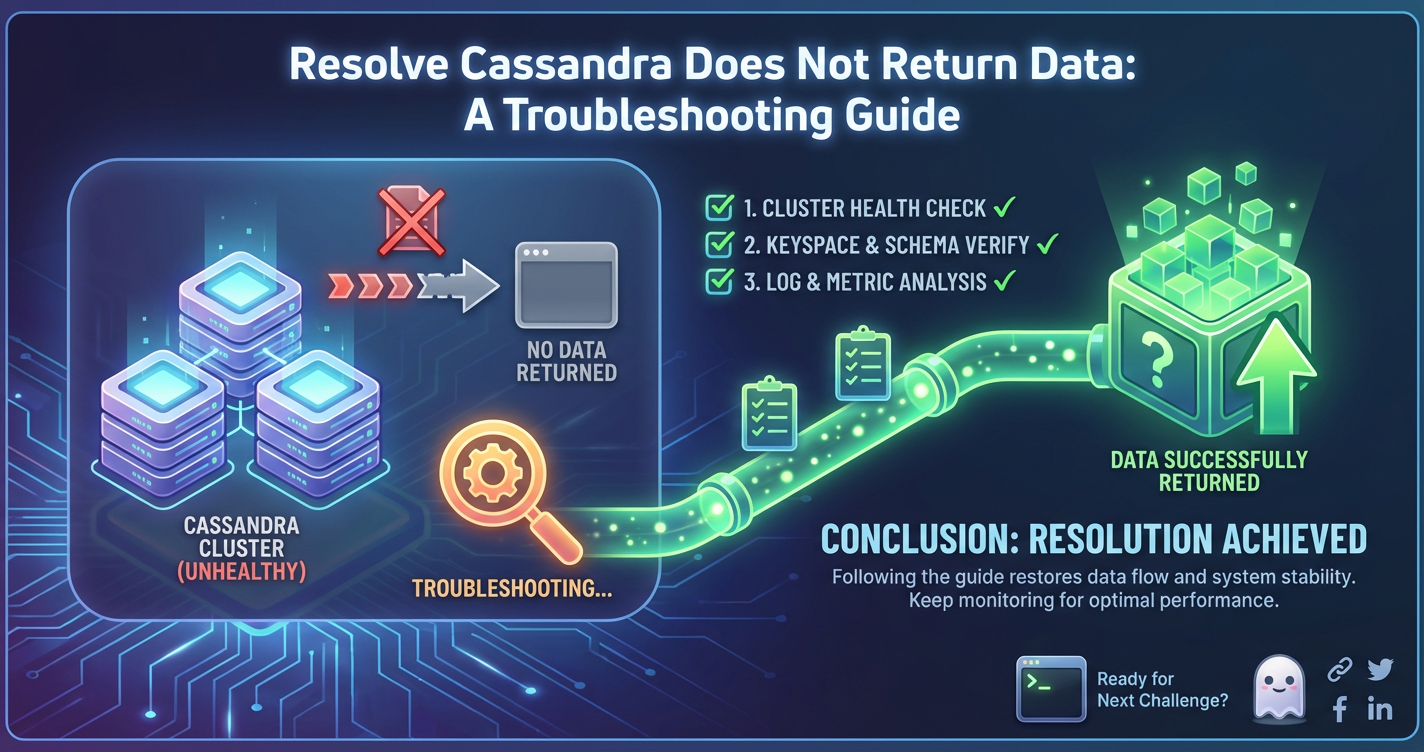
Resolve Cassandra Does Not Return Data: A Troubleshooting Guide


In the intricate world of distributed systems, Cassandra stands as a formidable NoSQL database, renowned for its unparalleled scalability, high availability, and fault tolerance. Designed to handle massive amounts of data across numerous commodity servers, it's a cornerstone for applications demanding always-on performance and robust data storage. However, even the most resilient systems can present bewildering symptoms, and among the most perplexing for a Cassandra administrator or developer is the scenario where, despite all indications, Cassandra "does not return data." This isn't merely a minor glitch; it can halt critical operations, render applications inert, and undermine trust in data integrity.
The phrase "does not return data" is a broad umbrella, encompassing a spectrum of underlying issues. It could mean anything from a complete failure to connect to the database, to a query that consistently yields an empty result set even when data is expected, or perhaps even timeouts that prevent any response from reaching the client. Understanding the nuances of this symptom is the first crucial step in effective troubleshooting. Is the connection failing outright? Are queries returning an empty set? Is the system timing out before a response can be delivered? Each of these scenarios points to distinct areas of investigation, demanding a systematic and patient approach to diagnosis.
This comprehensive guide is meticulously crafted to walk you through the labyrinth of Cassandra troubleshooting, offering a structured methodology to diagnose and resolve instances where your queries are met with silence. From the foundational checks of network connectivity and service status to the intricate details of data modeling, consistency levels, and cluster health, we will delve deep into the common pitfalls and subtle complexities that can lead to this vexing problem. Our aim is to equip you with the knowledge and tools necessary to not only identify the root cause but also to implement effective solutions, ensuring your Cassandra cluster operates with the reliability and data availability it was designed for. We will explore how Cassandra, as an Open Platform, empowers users with various diagnostic tools, and how understanding its distributed nature is paramount to success.
Understanding the "No Data" Symptom: Decoding Cassandra's Silence
Before diving into specific troubleshooting steps, it's vital to precisely define what "does not return data" means in your specific context. This symptom can manifest in several ways, each signaling a different class of problem:
- Connection Failure: The client application or
cqlshcannot establish a connection to any Cassandra node. This is often an immediate and obvious error, indicating fundamental communication breakdowns. The error message typically refers to connection refused, host unreachable, or timeout during connection establishment. In this scenario, Cassandra isn't "not returning data" as much as it's "not available to be asked for data." - Query Timeouts: A connection is established, but queries take excessively long to execute, eventually timing out before any results can be returned. This suggests performance bottlenecks, resource contention, large data scans, or high latency within the cluster. The application receives a timeout exception rather than an empty result set.
- Empty Result Sets for Expected Data: Queries execute successfully and return a response, but the result set contains zero rows, despite the expectation that relevant data exists. This points towards issues with data modeling, incorrect query conditions, consistency levels not being met, data deletion/tombstone issues, or even data not being written correctly in the first place.
- Partial Data Return: In some complex queries or scenarios, only a subset of expected data might be returned, leading to the perception of "missing" data. This could be due to pagination limits, specific filtering conditions, or inconsistencies across replicated data.
Precisely identifying which of these scenarios you're facing is paramount. For instance, a connection refusal error immediately tells you to investigate network and service status, whereas an empty result set directs your attention towards data presence, query logic, and consistency. This initial diagnostic step significantly narrows down the scope of subsequent investigations, making your troubleshooting efforts far more efficient.
Phase 1: Initial Checks and Establishing Connectivity Foundations
The first line of defense against any database issue involves verifying the most fundamental components: network reachability and service operational status. Many seemingly complex "no data" problems trace back to simple connectivity or service availability issues.
1. Network Connectivity: Bridging the Communication Gap
Cassandra's distributed nature makes network health utterly non-negotiable. It's the lifeblood of inter-node communication and client-to-node interaction.
- Firewall Rules and Security Groups: Often overlooked, firewalls (both operating system-level like
iptablesorfirewalld, and cloud provider security groups) are a primary culprit for connection failures. Ensure that the necessary ports are open for both internal cluster communication and external client access.- Default Cassandra Ports:
- 7000 (inter-node communication)
- 7001 (SSL inter-node communication)
- 7199 (JMX -
nodetoolaccess) - 9042 (CQL client access - the most common one for applications)
- 9160 (Thrift client access - deprecated but might be present in older setups)
- Verification:
- On the Cassandra node, use
netstat -tulnp | grep 9042to confirm Cassandra is listening on the correct IP and port. It should typically bind to0.0.0.0or the node's specific IP. - From the client machine, attempt to
telnet <Cassandra_IP> 9042. A successful connection means the port is open and reachable. If it hangs or refuses, a firewall is highly suspect. - Review cloud security group rules (AWS Security Groups, Azure Network Security Groups, GCP Firewall Rules) to ensure ingress rules permit traffic from your client's IP range to the Cassandra node's relevant ports.
- Check
/etc/iptables/rules.v4orfirewall-cmd --list-allon Linux servers for OS-level firewall configurations.
- On the Cassandra node, use
- Default Cassandra Ports:
- DNS Resolution: If you're using hostnames instead of IP addresses, verify that DNS resolution is working correctly from the client machine to the Cassandra nodes. Use
digornslookupto confirm the hostnames resolve to the expected IPs. - Routing Issues: In complex network topologies, ensure there are no routing issues preventing packets from reaching the Cassandra nodes. A simple
ping <Cassandra_IP>can confirm basic IP reachability, though it doesn't guarantee port availability.
2. Cassandra Service Status: Is It Even Running?
It sounds elementary, but sometimes the Cassandra daemon simply isn't running or has crashed.
- Check Service Status:
- On systems using
systemd(most modern Linux distributions):sudo systemctl status cassandra - On older
init.dsystems:sudo service cassandra status - Look for "active (running)" or similar indications. If it's "inactive" or "failed," investigate the service logs immediately (usually
/var/log/cassandra/system.logorjournalctl -xefor systemd errors).
- On systems using
- Node Tool Status (
nodetool status): This command is indispensable for checking the health of the entire cluster from the perspective of one node.- Run
nodetool statusfrom any Cassandra node. - Look for "UN" (Up, Normal) next to all expected nodes. If a node is "DN" (Down, Normal) or "UJ" (Up, Joining), it's either not participating in the cluster or in a transient state. If the node you're querying is showing anything other than "UN", it won't be returning data reliably.
- Ensure the data centers and racks are as expected. Any anomalies here can point to misconfigurations or network segmentation.
- Run
3. Client Driver Configuration: The Application's Lens
Your application's ability to connect to Cassandra hinges on its client driver configuration. Misconfigurations here are a frequent cause of "no data" symptoms.
- Contact Points: Ensure the list of initial contact points (seed nodes or any other nodes) provided to the driver is correct and reachable. Even if only one contact point is provided, the driver will typically discover the rest of the cluster topology from that node.
- Port: Confirm the client is attempting to connect to the correct CQL port (default 9042).
- Keyspace: Verify that the application is connecting to the correct keyspace. If the keyspace specified doesn't exist or is misspelled, queries will fail or appear to return no data.
- Authentication: If authentication is enabled in Cassandra (
authenticatorincassandra.yaml), ensure the client is providing correct usernames and passwords. An authentication failure will prevent any data access. - SSL/TLS: If Cassandra is configured for SSL/TLS, the client driver must also be configured to use SSL/TLS with the appropriate certificates. Mismatched SSL configurations will lead to connection failures.
- Driver Version Compatibility: Using a client driver that is significantly older or newer than your Cassandra version can lead to unexpected behavior or outright connection failures. Always consult the driver documentation for compatibility matrices.
These initial checks lay the groundwork. If connectivity is not fully established or the Cassandra service itself is not healthy, no amount of data modeling or query tuning will solve the "no data" problem.
Phase 2: Data Existence, Accessibility, and Consistency
Once basic connectivity is established and the Cassandra service is confirmed to be running, the next phase focuses on verifying that the data actually exists, is accessible by your queries, and adheres to the cluster's consistency model. Many "empty result set" scenarios fall into this category.
1. Keyspace and Table Existence: Schema Validation
A simple yet critical check is to ensure that the keyspace and table you're querying actually exist in the Cassandra schema.
- Using
cqlsh: Thecqlshcommand-line tool is your direct interface to Cassandra.DESCRIBE KEYSPACES;to list all available keyspaces.USE <your_keyspace>;to switch to your keyspace.DESCRIBE TABLES;to list all tables within the selected keyspace.DESCRIBE TABLE <your_table>;to view the schema of a specific table, including primary key, columns, and indexes.
- Spelling and Case Sensitivity: Cassandra keyspace and table names are case-sensitive if they were created with double quotes (e.g.,
"MyKeyspace"). If created without quotes (e.g.,mykeyspace), they are implicitly lowercased and case-insensitive. Ensure your application's queries match the exact case.
2. Data Insertion Verification: Was Data Ever Written?
It's entirely possible that the data you expect to retrieve was never successfully written to Cassandra in the first place, or that the write operation encountered an issue.
- Simple Count Query:
SELECT COUNT(*) FROM <your_keyspace>.<your_table>;- A count of zero confirms no data exists in the table. If you expect data, investigate your write paths.
- Sample Data Query:
SELECT * FROM <your_keyspace>.<your_table> LIMIT 1;(orLIMIT Nfor a few rows).- This can quickly confirm the presence of any data. If it returns zero rows but
COUNT(*)returns a number, it might indicate issues withLIMIT, filters, or very specific data distribution.
- Examine Write Path Logs: Check application logs for errors during data insertion. Look for
WriteTimeoutException,UnavailableException, or other persistence-related errors. - Tracing Writes: If using the Cassandra client driver, enable tracing for write operations during testing to see the path of the write and identify any potential issues or failures at the database level.
3. Data Model Review: The Core of Cassandra Queries
Cassandra is highly opinionated about how data is accessed. Its design is write-optimized, and read performance is heavily dependent on an effective data model, specifically the definition of the primary key. If your queries do not align with your data model, you will often get empty results or very slow responses.
- Primary Key Structure: The primary key consists of a partition key and optional clustering columns.
- Partition Key: Determines which node (or nodes, in a vnode cluster) a row belongs to. Queries must include the full partition key (or a subset for
INclauses on multi-column partition keys) to retrieve data efficiently. Queries without the partition key are full table scans, which are generally forbidden or extremely slow, leading to timeouts or empty results. - Clustering Columns: Define the order of data within a partition. You can query using part or all of the clustering columns with equality or range conditions (e.g.,
>,<,>=,<=) if the partition key is fully specified.
- Partition Key: Determines which node (or nodes, in a vnode cluster) a row belongs to. Queries must include the full partition key (or a subset for
- Example:
CREATE TABLE users (user_id UUID PRIMARY KEY, name text, email text);(Partition key:user_id)SELECT * FROM users WHERE user_id = ...;(Valid)SELECT * FROM users WHERE name = 'John Doe';(Invalid without a secondary index, will often result in "no data" or an error).
- Querying Secondary Indexes: If you are relying on secondary indexes (which are often created on non-primary key columns to allow querying by those columns), understand their limitations. Secondary indexes are best for low-cardinality columns or when specific queries are infrequent. They can be inefficient for high-cardinality columns, range queries, or large result sets, potentially leading to timeouts or errors. Verify the index exists:
CREATE INDEX IF NOT EXISTS ON users (name);.
4. Consistency Level: The Visibility of Writes
Cassandra's tunable consistency allows you to prioritize availability, consistency, or latency. The consistency level chosen for a read operation directly impacts which nodes are queried and how many must respond for the read to be considered successful. If the consistency level is too high, or data hasn't yet replicated, you might not "see" the data.
- Read Consistency Levels:
ONE: Reads from the closest replica. Fast, but might return stale data if other replicas have newer writes that haven't propagated yet.LOCAL_ONE/QUORUM: Reads from one replica in the local datacenter / a quorum of replicas across datacenters. Good balance.LOCAL_QUORUM: Reads from a quorum of replicas in the local datacenter. Most common for typical operations to ensure local datacenter consistency without cross-datacenter latency.EACH_QUORUM: Reads from a quorum of replicas in each datacenter. Highest consistency, but slowest.ALL: Reads from all replicas. Highest consistency, but highly susceptible to single node failures.
- Scenario: You write data at
LOCAL_UMand immediately try to read it atONEfrom a node that hasn't received the write yet. The read might return "no data" even though the write was successful. - Troubleshooting:
- Temporarily try lowering the read consistency level to
ONE(for diagnostic purposes only, not for production if strong consistency is required) to see if data appears. - If you're reading at
QUORUMorLOCAL_QUORUMand a replica is down or slow, the read might fail or time out, leading to "no data." Checknodetool statusfor unavailable replicas. - Review
system.logfor consistency-related warnings or errors.
- Temporarily try lowering the read consistency level to
5. Replication Factor: Where is the Data Stored?
The replication factor (RF) for a keyspace determines how many copies of each row are stored across the cluster. If the data you're trying to read isn't replicated to the node you're querying (and your consistency level requires it), or if the relevant replicas are down, you won't get data.
- Check Keyspace Replication Strategy:
DESCRIBE KEYSPACE <your_keyspace>;will show thereplication strategyandreplication_factor(forSimpleStrategy) ordatacenter_replication_factors(forNetworkTopologyStrategy).
- Verify Replica Placement:
nodetool getendpoints <your_keyspace> <your_table> <partition_key_value>- This command tells you which nodes hold replicas for a specific partition key. Ensure the nodes that should have the data are up and healthy.
- If you're querying a node that doesn't hold a replica for the desired data, and your consistency level implicitly or explicitly requires a response from that node (unlikely for typical configurations but possible in edge cases), or if the coordinator node cannot reach enough replicas, it could lead to "no data."
By meticulously going through these steps, you can often pinpoint whether the issue is truly about data not being present, or merely not being accessible given the query, data model, and consistency requirements.
Phase 3: Query Logic, Performance, and Data Lifecycle Implications
Even with a healthy cluster and confirmed data existence, faulty query logic, performance bottlenecks, or specific data lifecycle events (like deletions) can lead to the perceived absence of data. This phase delves into these more subtle issues.
1. Incorrect Query Syntax or Conditions: The Devil in the Details
A common source of empty result sets is simply having a WHERE clause that is too restrictive or based on incorrect assumptions about the data.
- Mistyped Values: A simple typo in a string literal (
'value'vs.'valeu') or an incorrect numeric value in aWHEREclause will yield no results. - Case Sensitivity: For text columns, if not explicitly handled by a function (e.g.,
LOWER()), string comparisons are case-sensitive.WHERE name = 'john'will not match a row wherenameis'John'. - Time Zones and Timestamps: When querying time series data, be extremely careful with time zone conversions and timestamp units (milliseconds, microseconds, seconds). A mismatch can easily cause queries to miss the intended time range.
ALLOW FILTERING: If your query usesWHEREclauses on columns that are not part of the primary key and no secondary index exists, Cassandra will refuse to execute it withoutALLOW FILTERING. WhileALLOW FILTERINGcan force the query, it is a full partition scan (or even full table scan if no partition key is specified) and should be avoided in production due to severe performance implications, often leading to timeouts or resource exhaustion instead of "no data."
2. Large Partitions / Hot Partitions: Performance Choking Points
Cassandra excels at handling many small partitions, but it struggles with very large partitions (often exceeding 100MB or 100,000 rows, though specific limits depend on hardware and configuration). A "hot partition" is one that experiences disproportionately high read or write traffic.
- Symptoms: Queries targeting a large or hot partition will be slow, potentially timing out, and appearing to return "no data." Writes to hot partitions can also fail or experience high latency.
- Diagnosis:
nodetool cfstats: Provides statistics per table, includingSpace used (live)andNumber of partitions (live). While not directly showing partition size, a very highAvg partition sizeorMax partition sizecould indicate a problem.SELECT * FROM <table_name> WHERE <partition_key> = <value> LIMIT 1000000 ALLOW FILTERING;: (Use with extreme caution on a non-production cluster!) Attempting to retrieve a large number of rows from a single partition usingcqlshmight expose the issue through extreme slowness or timeouts.- Monitoring: Tools like Prometheus/Grafana or Datadog can show per-partition read/write latency if properly instrumented.
- Resolution: Redesign your data model to break down large partitions into smaller, more manageable ones. This often involves adding more columns to your partition key to increase cardinality.
3. Tombstones and Deletions: The Silent Killers
Cassandra handles deletions by writing a "tombstone" marker rather than immediately removing data. These tombstones remain for a configurable period (gc_grace_seconds) to facilitate read repair and reconciliation during node outages.
- Impact:
- Read Performance: Queries that scan many tombstones within a partition can become extremely slow, leading to timeouts. Cassandra has a
read_request_timeout_in_msand atombstone_warn_threshold(default 1000) andtombstone_failure_threshold(default 100000). If a query encounters more tombstones than the failure threshold, it will abort with aReadTimeoutExceptionorUnavailableException, effectively returning "no data." - Perceived Missing Data: If a delete was issued, even if you query for the data, you'll receive no results because the tombstone acts as a marker that the data no longer exists.
- Read Performance: Queries that scan many tombstones within a partition can become extremely slow, leading to timeouts. Cassandra has a
- Causes:
- Frequent deletions of individual cells or rows.
- Updates that effectively replace an entire row (if some columns are not updated, old column data effectively becomes tombstones if not overwritten).
- Dropping tables or truncating tables (these also create tombstones, but for the entire table).
- Diagnosis:
nodetool tablestats <keyspace>.<table_name>: Look forNumber of tombstones. A high number relative to live rows is a red flag.- Logs: Cassandra logs will often show warnings (
Read 1000 live and 1000 tombstones...) if tombstone thresholds are approached. - Tracing: Tracing a query can reveal if it's hitting many tombstones.
- Resolution:
- Run
nodetool repair: This helps propagate deletions and remove tombstones aftergc_grace_seconds. - Adjust
gc_grace_seconds: For highly volatile data, a shortergc_grace_secondsmight be appropriate, but be very cautious as it impacts read repair safety after node failures. - Redesign for logical deletions: Instead of physical deletes, consider a status column (e.g.,
is_active boolean) that you update tofalsefor "deleted" items. Periodically, you can then garbage collect truly inactive data. - Compaction: Compactions are crucial for tombstone cleanup. Ensure they are running efficiently.
- Run
4. Compaction Strategy and Load: The Engine of Data Maintenance
Compaction is Cassandra's background process for merging SSTables (Sorted String Tables, where data is actually stored on disk). It's essential for performance, disk space reclamation, and tombstone cleanup. If compactions fall behind, it can severely impact read performance.
- Impact: Too many SSTables can mean reads have to check multiple files on disk to find data, leading to higher latency and increased likelihood of timeouts, resulting in "no data."
- Diagnosis:
nodetool compactionstats: Shows the status of ongoing and pending compactions. IfPending tasksis consistently high or increasing, compactions are falling behind.nodetool cfstats: ShowsSSTable count. A very high number (e.g., hundreds or thousands) is a sign that compaction is struggling.- Disk I/O: High disk I/O activity that correlates with poor read performance might indicate compaction contention.
- Resolution:
- Tune compaction strategy: Depending on your workload (write-heavy, read-heavy, time series), choose an appropriate strategy (e.g.,
LeveledCompactionStrategyfor read-heavy,TimeWindowCompactionStrategyfor time series). - Increase compaction throughput: Adjust
compaction_throughput_mb_per_secincassandra.yaml(default 16MB/s) to allow more resources for compaction, especially during off-peak hours. - Add nodes: If your cluster is consistently overloaded, adding more nodes can distribute the compaction burden.
- Tune compaction strategy: Depending on your workload (write-heavy, read-heavy, time series), choose an appropriate strategy (e.g.,
This phase addresses the nuances of how data is queried and managed within Cassandra. Answering the question of "why no data" often requires looking beyond simple presence and delving into the intricacies of its distributed data management.
APIPark is a high-performance AI gateway that allows you to securely access the most comprehensive LLM APIs globally on the APIPark platform, including OpenAI, Anthropic, Mistral, Llama2, Google Gemini, and more.Try APIPark now! 👇👇👇
Phase 4: Cluster Health and System Resources
A Cassandra cluster is a living, breathing organism. Its ability to serve data reliably is intrinsically linked to the health of its individual nodes and the underlying system resources. Issues at this level can lead to widespread "no data" problems, affecting multiple queries and applications.
1. Node Status and Health: Are All Participants Present?
While nodetool status provides a high-level overview, a deeper dive into individual node health is crucial.
nodetool cfstats: Provides detailed statistics for each table, including read/write latency, partition counts, and disk space usage. High read latency or numerous read timeouts across multiple tables could indicate a general node health issue.nodetool tpstats: Shows thread pool statistics. Look for congested internal thread pools (e.g.,ReadStage,MutationStage,CounterMutationStage,RequestResponseStage) which might indicate a bottleneck preventing requests from being processed promptly. High active tasks or pending tasks in these stages are warning signs.nodetool netstats: Provides network statistics, including information about pending streams (data transfers during repair, bootstrap, or decommission). A large number of pending streams can indicate network issues or nodes struggling to keep up.nodetool gossipinfo: Shows the detailed state of the gossip protocol for each node. Discrepancies here can indicate network partitions or nodes that are not properly communicating their state.
2. Disk Space Exhaustion: Nowhere Left to Store
Cassandra will stop accepting writes if a node's data disk is full. More critically, if there's no space for new SSTables or even temporary compaction files, reads can also be severely impacted or fail.
- Diagnosis:
df -hon Linux to check disk usage for Cassandra data directories (usually/var/lib/cassandra/data).nodetool cfstatsalso providesSpace used (live)andSpace used (total)per table.
- Resolution:
- Add more disk space.
- Delete old snapshots (
nodetool clearsnapshot). - Increase
compaction_throughput_mb_per_secto speed up tombstone cleanup (which reclaims space). - Consider adding more nodes to distribute the data.
3. Memory and CPU Resource Exhaustion: The Performance Bottlenecks
Cassandra is memory-hungry, especially for caching and heap operations. CPU is critical for compactions, query processing, and cryptographic operations.
- Symptoms: High latency, timeouts, and
OutOfMemoryErrorin logs. - Diagnosis:
top,htop: Monitor CPU and memory usage on the Cassandra nodes. Consistently high CPU usage (especiallyiowait) or full memory indicates resource contention.- JVM Monitoring: Tools like
jstat -gcorjvisualvmcan provide insights into JVM heap usage, garbage collection pauses, and memory pools. Long GC pauses (many seconds) can make a node appear unresponsive, leading to timeouts. - Logs:
system.logwill containOutOfMemoryErrormessages if the JVM heap is exhausted.
- Resolution:
- Increase JVM heap size (configured in
conf/jvm.optionsorcassandra-env.sh). Ensure it doesn't exceed 50% of physical RAM to leave room for OS page cache. - Upgrade server hardware (more RAM, faster CPUs).
- Add more nodes to the cluster to distribute the workload.
- Optimize data models to reduce memory footprint (e.g., smaller column names, efficient data types).
- Increase JVM heap size (configured in
4. Cassandra Logs: The Unfiltered Truth
Cassandra's logs are an invaluable source of truth, offering insights into internal operations, errors, and warnings. The system.log (typically located in /var/log/cassandra/) is your primary diagnostic tool.
- What to Look For:
- Errors/Exceptions:
ERROR,WARN,ReadTimeoutException,WriteTimeoutException,UnavailableException,OutOfMemoryError,InvalidRequestException(often fromcqlshif a query is malformed). - Tombstone Warnings: Warnings related to exceeding
tombstone_warn_threshold. - Compaction Issues: Messages about compactions failing or falling behind.
- Gossip Issues: Warnings about nodes not communicating correctly.
- Startup Failures: Any messages indicating why the Cassandra service failed to start or subsequently crashed.
- Errors/Exceptions:
- Log Levels: Temporarily increasing the log level (e.g., to
DEBUGorTRACEfor specific categories) inconf/logback.xmlcan provide more detailed information during troubleshooting, but remember to revert it to avoid excessive log generation in production.
5. Clock Skew: The Silent Data Disruptor
While not as common a direct cause of "no data," significant clock skew between nodes in a Cassandra cluster can lead to subtle data inconsistencies, especially when dealing with timestamp-sensitive operations or LAST_WRITE_TIME.
- Impact: Data written to one node might appear "newer" than data written to another, leading to inconsistent reads, especially if not all replicas are queried or repaired.
- Diagnosis: Use
ntpstatortimedatectl statuson each node to check NTP synchronization. Ensure all nodes are synchronized to a reliable time source. - Resolution: Implement and enforce NTP synchronization across all nodes in the cluster.
6. JVM Issues and Garbage Collection: The Pause that Refreshes (or Kills)
Cassandra runs on the Java Virtual Machine (JVM). Poor JVM tuning or excessive garbage collection (GC) activity can cause the Cassandra process to pause for extended periods, making the node unresponsive to client requests and leading to timeouts.
- Symptoms:
nodetool tpstatsshowing increasing pending tasks,nodetool cfstatsshowing spiking read latencies, and long pauses insystem.logrelated to GC. - Diagnosis:
- Analyze GC logs (if enabled in
jvm.options). Look for "full GC" events and their duration. - Use JMX tools (like
jconsoleorjvisualvmornodetool gcstats) to monitor heap usage and GC activity in real-time.
- Analyze GC logs (if enabled in
- Resolution:
- Tune JVM arguments in
conf/jvm.options. Ensure an appropriate garbage collector is chosen (G1GC is common for modern Cassandra versions). - Adjust heap size (as discussed earlier).
- Reduce data model complexity or partition sizes to lower memory pressure.
- Tune JVM arguments in
Addressing cluster-wide health and resource issues is paramount for any distributed database. A single unhealthy node can impact the entire cluster's ability to return data reliably, even if other nodes are performing optimally.
Phase 5: Client-Side Considerations and Application Layer Interactions
While much of the focus is often on the database itself, the client application's interaction with Cassandra can frequently be the source of "no data" issues. This includes how the application uses the driver, manages connections, and processes the retrieved data. In a broader enterprise context, how data from Cassandra is exposed through various services and managed by an API layer also plays a crucial role.
1. Driver Version Compatibility and Configuration (Revisited)
We touched upon this in Phase 1, but it's worth re-emphasizing the importance of a correctly configured and compatible client driver.
- Connection Pooling: Client drivers manage connection pools to Cassandra. If the pool is too small, your application might exhaust available connections under heavy load, leading to
NoHostAvailableExceptionor connection timeouts, making it appear as if no data is returned.- Ensure the connection pool size is appropriate for your application's concurrency needs, allowing for both current and anticipated peak loads.
- Retry Policies: Client drivers implement retry policies to handle transient network issues or temporary node unavailability. A poorly configured retry policy (e.g., too aggressive, or too passive) can exacerbate "no data" symptoms.
- Review the driver's default retry policy. Often, you might need to implement a custom policy that better suits your application's requirements for idempotency and error tolerance.
- Load Balancing Policies: Cassandra drivers use load balancing policies to decide which node to send a query to. Ensure your policy (e.g.,
DCAwareRoundRobinPolicy) is configured correctly, especially in multi-datacenter setups, to prioritize local nodes and avoid unnecessary cross-datacenter traffic. Incorrect policies can lead to higher latencies and perceived data unavailability.
2. Application Logic Errors: Processing the Response
Sometimes, Cassandra does return data, but the application's logic fails to process it correctly, leading to the perception of "no data."
- Incorrect Deserialization: The application might be attempting to deserialize the data into the wrong object type or encountering issues with data format, leading to runtime errors or empty objects.
- Post-Query Filtering: The application might be performing additional filtering or business logic after the query, inadvertently discarding results that were legitimately returned by Cassandra.
- Pagination Issues: If queries are paginated, ensure the application correctly handles iterating through all pages to retrieve the complete result set. A logic error here could mean only the first page is processed, leading to partial data.
- Asynchronous Processing: In asynchronous programming models, ensure all callbacks and futures are correctly handled and not silently failing or discarding results.
3. API Interactions: Beyond the Database
In modern microservices architectures, applications often expose data through an api layer, which might be fronted by an API gateway. While the API gateway doesn't directly query Cassandra, it sits between your client applications and the services that do interact with Cassandra. This introduces another layer where data might be "lost" or appear unavailable.
- Gateway Configuration: An
API gatewaymight have its own set of timeouts, rate limits, or routing rules. If the gateway times out before the underlying service can query Cassandra and return a response, the client receives an error from the gateway, not directly from the database, leading to a "no data" experience. - Service Layer Faults: The service itself, sitting behind the
API gatewayand interacting with Cassandra, could have bugs, unhandled exceptions, or its own performance issues that prevent it from retrieving data correctly. - Observability: Just as you need to monitor Cassandra, comprehensive observability of your entire application stack, including the
API gatewayand backend services, is critical. This end-to-end visibility helps pinpoint whether the "no data" problem originates at the database, service, orapilayer.
For enterprises and development teams managing complex api ecosystems, robust api management is key. Platforms like APIPark, an Open Platform for AI gateway and API management, offer capabilities to quickly integrate and manage hundreds of APIs, standardize API formats, and provide end-to-end API lifecycle management. While APIPark doesn't directly troubleshoot Cassandra, it plays a vital role in ensuring that the application's external interfaces are secure, performant, and reliable. If your application's services are exposing data from Cassandra via APIs, APIPark could manage the governance, security, and traffic for those APIs, ensuring that any "no data" issues at the api layer are easily traceable through its detailed API call logging and powerful data analysis features, distinct from database-level problems. It provides a centralized view of API services, essential for team collaboration and independent tenant management.
By expanding the scope of investigation to include the client-side application and the broader api ecosystem, you gain a more complete picture of where the data might be getting lost or obscured on its journey from the database to the end-user.
Advanced Diagnostics and Preventive Measures
Once the immediate "no data" crisis is averted, focusing on advanced diagnostic tools and implementing preventive measures is crucial for long-term stability and performance. Cassandra, being an Open Platform, offers a rich set of tools and best practices to achieve this.
1. Advanced Diagnostics Tools
cqlshTracing: Beyond simple queries,cqlshallows you to trace the execution of any CQL statement.TRACING ON;followed by your query (SELECT ...,INSERT ...).- This will provide a detailed breakdown of the query's journey across the cluster, including which nodes were contacted, how long each stage took, and potential bottlenecks. It's invaluable for understanding consistency issues, slow queries, and identifying tombstone-heavy partitions.
- JMX Monitoring: Cassandra exposes a wealth of metrics via JMX.
nodetoolcommands are built on JMX.- Tools like
JConsole,JVisualVM, or integrating with monitoring systems (e.g., Prometheus withjmx_exporter, Datadog) can provide real-time dashboards of hundreds of metrics: read/write latencies, pending compactions, thread pool statistics, cache hit rates, garbage collection activity, and more. Proactive monitoring of these metrics can help detect issues before they escalate to "no data" scenarios.
- Cassandra Audit Logs: For security-conscious environments, enabling audit logging (if supported by your Cassandra version/distribution) can track all executed queries, providing forensic data to identify unauthorized data access or problematic query patterns.
- Network Packet Capture (
tcpdump): In rare, intractable network issues, usingtcpdumpor Wireshark to capture traffic between the client and Cassandra, or between Cassandra nodes, can reveal low-level communication failures or unexpected packet drops. This is a last resort but can be extremely powerful.
2. Preventive Measures and Best Practices
Preventing "no data" scenarios is far more efficient than constantly reacting to them.
- Robust Data Modeling: This is the single most critical factor for Cassandra performance and reliability.
- Query-First Approach: Design your tables around the queries you intend to run, ensuring your primary key efficiently supports those access patterns.
- Avoid Anti-Patterns: Steer clear of large partitions, wide rows that constantly grow, and queries that require
ALLOW FILTERING. - De-normalization: Embrace de-normalization to optimize read performance. Store data redundantly in multiple tables if it simplifies query patterns.
- Comprehensive Monitoring and Alerting:
- Proactive Alerts: Set up alerts for critical metrics: node down, high read/write latency, high CPU/memory usage, disk space approaching thresholds, increasing pending compactions, high tombstone counts, and
UnavailableExceptionorTimeoutExceptionrates in application logs. - Dashboarding: Create dashboards to visualize cluster health, key performance indicators, and resource utilization.
- Proactive Alerts: Set up alerts for critical metrics: node down, high read/write latency, high CPU/memory usage, disk space approaching thresholds, increasing pending compactions, high tombstone counts, and
- Regular Maintenance and Operational Tasks:
nodetool repair: Run repairs regularly (e.g., weekly) to ensure data consistency across replicas. This is vital for eventually removing tombstones aftergc_grace_seconds.- Snapshot Management: Regularly back up your data using snapshots. While not directly preventing "no data," backups are crucial for recovery from data loss scenarios.
- Version Upgrades: Stay reasonably up-to-date with Cassandra versions. Newer versions often include performance improvements, bug fixes, and better operational tooling.
- Capacity Planning and Scaling:
- Resource Forecasting: Continuously monitor your cluster's growth and anticipate future capacity needs for CPU, memory, disk, and network I/O.
- Proactive Scaling: Add nodes before your existing cluster is overloaded, rather than waiting for performance degradation or outages.
- Developer Education and Documentation:
- Data Model Guidelines: Provide clear guidelines and examples for data modeling to developers.
- Query Best Practices: Educate developers on efficient CQL query patterns and the pitfalls of inefficient queries.
- Driver Usage: Document recommended client driver configurations, including connection pooling, retry policies, and consistency levels.
- Runbooks: Create clear runbooks for common troubleshooting scenarios, enabling rapid response to issues.
- Consistency Level Discipline: Understand the trade-offs of each consistency level and choose them deliberately for each read and write operation based on your application's requirements. Avoid blindly using
ONEfor all reads if your application requires stronger consistency guarantees. - Leveraging Open Source and Community: As an
Open Platform, Cassandra benefits from a vast and active community. Engage with forums, mailing lists, and documentation. Many obscure issues have been encountered and solved by others.
| Symptom Category | Specific Symptoms | Potential Causes | Initial Troubleshooting Steps |
|---|---|---|---|
| Connectivity & Service | Connection refused, Host unreachable, NoHostAvailableException |
Cassandra service not running, Firewalls blocking ports, Incorrect IP/port in client, Network routing issues | 1. sudo systemctl status cassandra on node. 2. netstat -tulnp | grep 9042 on node. 3. telnet <Cassandra_IP> 9042 from client. 4. Check server/client firewalls (iptables, security groups). 5. Verify client driver config (contact points, port). |
| Query Timeouts | ReadTimeoutException, UnavailableException, very slow queries |
Large partitions, High tombstone count, Overloaded node resources (CPU/Mem/Disk), Compactions falling behind, High network latency, Too many SSTables, Inefficient query (e.g., ALLOW FILTERING), Insufficient consistency level for read availability |
1. nodetool cfstats (check Max partition size, SSTable count, Number of tombstones). 2. nodetool tpstats (check ReadStage pending/blocked). 3. nodetool compactionstats (check Pending tasks). 4. Check top/htop for CPU/Mem/Disk I/O. 5. Review system.log for timeout or tombstone warnings. 6. Use TRACING ON in cqlsh for the problematic query. 7. Verify consistency level (e.g., LOCAL_QUORUM vs ONE). |
| Empty Result Sets | Query returns 0 rows when data is expected | Data never written, Incorrect query conditions (WHERE clause), Incorrect keyspace/table name, Data model mismatch (query not using partition key), High consistency level for read that data hasn't replicated to yet, Deletions/Tombstones. |
1. cqlsh to USE <keyspace>; DESCRIBE TABLES; DESCRIBE TABLE <table_name>;. 2. SELECT COUNT(*) FROM <table_name>; and SELECT * FROM <table_name> LIMIT 1;. 3. Carefully review query WHERE clauses for typos, case sensitivity, logic. 4. Verify partition key usage in query. 5. Check nodetool getendpoints for data replicas. 6. Temporarily try CL=ONE for read. 7. Check nodetool tablestats for Number of tombstones. |
| Application-Side Errors | Application reports errors after receiving data or processes nothing | Incorrect deserialization, Post-query filtering errors, Pagination logic errors, Client driver configuration issues (e.g., connection pool exhaustion, incorrect retry policy), API gateway timeouts, Service layer issues. |
1. Review application logs for deserialization errors, exceptions. 2. Debug application logic to verify data processing. 3. Check client driver connection pool metrics/configuration. 4. Review API gateway logs for timeouts or errors if applicable. 5. Verify service layer logs if an api layer is present. |
| Cluster Health Degradation | Multiple nodes "Down", Slow operations across cluster | Disk full, JVM OutOfMemoryError, Excessive GC pauses, Network partitions, Clock skew |
1. nodetool status. 2. df -h on data directories. 3. Check system.log for OutOfMemoryError or GC warnings. 4. top/htop for overall node resource usage. 5. ntpstat to check clock sync. 6. nodetool gossipinfo for network partition indications. |
By adopting a structured troubleshooting methodology and investing in proactive monitoring and robust data modeling, you can significantly reduce the occurrences of Cassandra "not returning data" and ensure your distributed database remains a reliable workhorse for your applications.
Conclusion
The challenge of Cassandra "not returning data" can be daunting, spanning a broad spectrum of potential issues from fundamental connectivity failures to intricate data modeling flaws, performance bottlenecks, and consistency nuances. What might appear as a simple absence of information from the database is often a symptom of deeper architectural, operational, or application-level complexities. However, by adopting a systematic and thorough troubleshooting approach, guided by the principles outlined in this comprehensive guide, you can effectively navigate these complexities and pinpoint the root cause of the problem.
We began by emphasizing the critical first step: clearly defining what "no data" truly signifies in your context – whether it's a connection failure, a timeout, or an empty result set. This initial diagnostic decision dictates the entire trajectory of your investigation. From there, we meticulously walked through the foundational checks of network and service status, ensuring the very pipeline for data flow is intact. We then delved into the core of Cassandra's data management, exploring schema validation, data presence, the indispensable role of a well-designed data model, and the critical impact of consistency levels and replication. Subsequent phases addressed the subtleties of query logic, the often-silent perils of large partitions and tombstones, and the crucial implications of cluster health and system resources. Finally, we broadened our scope to include client-side application considerations and the broader api ecosystem, acknowledging that sometimes the issue lies outside the database itself, within the application's interaction layer or even the API gateway managing its exposure.
Cassandra, as a powerful Open Platform, provides an extensive suite of tools and configurations, from cqlsh tracing to nodetool commands and JMX metrics, all designed to offer deep insights into its internal workings. Leveraging these tools, coupled with a commitment to best practices in data modeling, comprehensive monitoring, and regular maintenance, is not just about resolving immediate crises; it's about fostering a resilient, high-performing data infrastructure that consistently meets the demands of modern applications. By understanding Cassandra's distributed architecture and its underlying mechanisms, you empower yourself to not only resolve instances where it "does not return data" but also to proactively prevent them, ensuring the continued integrity and availability of your critical information.
Frequently Asked Questions (FAQ)
Q1: What's the first thing I should check if Cassandra is not returning any data? A1: Start with the most fundamental checks: 1. Network Connectivity: Use telnet <Cassandra_IP> 9042 from your client to ensure the Cassandra port is reachable. Check firewall rules (OS-level and cloud security groups). 2. Cassandra Service Status: On the Cassandra node, run sudo systemctl status cassandra (or equivalent) and nodetool status to confirm the service is running and the node is "Up, Normal" (UN) in the cluster. Many issues are simply connection or service unavailability.
Q2: My query returns an empty result set, but I'm sure data exists. What could be wrong? A2: This often points to issues with data access or query logic: 1. Schema Check: Verify the keyspace and table names are correct and exist using cqlsh (DESCRIBE KEYSPACES; DESCRIBE TABLE <table_name>;). 2. Data Presence: Confirm data is actually in the table with SELECT COUNT(*) FROM <table_name>;. 3. Query Conditions: Carefully review your WHERE clause for typos, incorrect values, or case sensitivity issues. 4. Data Model: Ensure your query uses the table's partition key. Queries without the partition key are generally inefficient or forbidden. 5. Consistency Level: Check if your read consistency level is too high for the current replication state of the data. Temporarily trying CL=ONE can diagnose this.
Q3: What role do tombstones play in Cassandra not returning data or causing timeouts? A3: Tombstones are markers for deleted data. While essential for distributed consistency, a high number of tombstones within a partition can significantly degrade read performance. Queries scanning many tombstones can become very slow and eventually timeout, leading to a "no data" experience. Cassandra has thresholds (tombstone_warn_threshold, tombstone_failure_threshold) where it will warn or abort queries that encounter too many tombstones. Regular nodetool repair and appropriate compaction strategies help clean up tombstones.
Q4: How can APIPark help, given it's an API management platform and not directly a database tool? A4: While APIPark does not directly troubleshoot Cassandra, it plays a critical role in the broader application ecosystem. If your application exposes data from Cassandra via an api layer, APIPark manages these APIs, providing features like: 1. API Gateway: It can manage the external api calls to your services that query Cassandra. If there are timeouts or errors at the api layer, APIPark's detailed logging and analysis can quickly differentiate between an API issue and a backend database problem. 2. Unified Management: It helps manage the entire API lifecycle, ensuring robust and performant interfaces for your data, making it easier to identify if "no data" is an api exposure issue rather than a database issue. 3. Monitoring: APIPark's powerful data analysis for API calls can provide insights into the health and performance of the services interacting with Cassandra, complementing your database monitoring efforts.
Q5: My Cassandra queries are very slow, often leading to timeouts. What are common causes and solutions? A5: Slow queries leading to timeouts are often due to performance bottlenecks: 1. Large/Hot Partitions: Queries on partitions with excessive data will be slow. Redesign your data model to create smaller, more evenly distributed partitions. 2. Tombstones: High tombstone counts increase read latency. Ensure regular nodetool repair and efficient compaction. 3. Resource Exhaustion: Nodes might be struggling with CPU, memory, or disk I/O. Check top/htop and nodetool tpstats for signs of overload. Consider adding more nodes or upgrading hardware. 4. Compactions Falling Behind: If nodetool compactionstats shows many pending tasks, compactions might be impacting read performance. Tune your compaction strategy and throughput. 5. Inefficient Queries: Queries using ALLOW FILTERING or not leveraging the primary key effectively can cause full scans and significant slowdowns. Optimize your queries and data model.
🚀You can securely and efficiently call the OpenAI API on APIPark in just two steps:
Step 1: Deploy the APIPark AI gateway in 5 minutes.
APIPark is developed based on Golang, offering strong product performance and low development and maintenance costs. You can deploy APIPark with a single command line.
curl -sSO https://download.apipark.com/install/quick-start.sh; bash quick-start.sh

In my experience, you can see the successful deployment interface within 5 to 10 minutes. Then, you can log in to APIPark using your account.

Step 2: Call the OpenAI API.