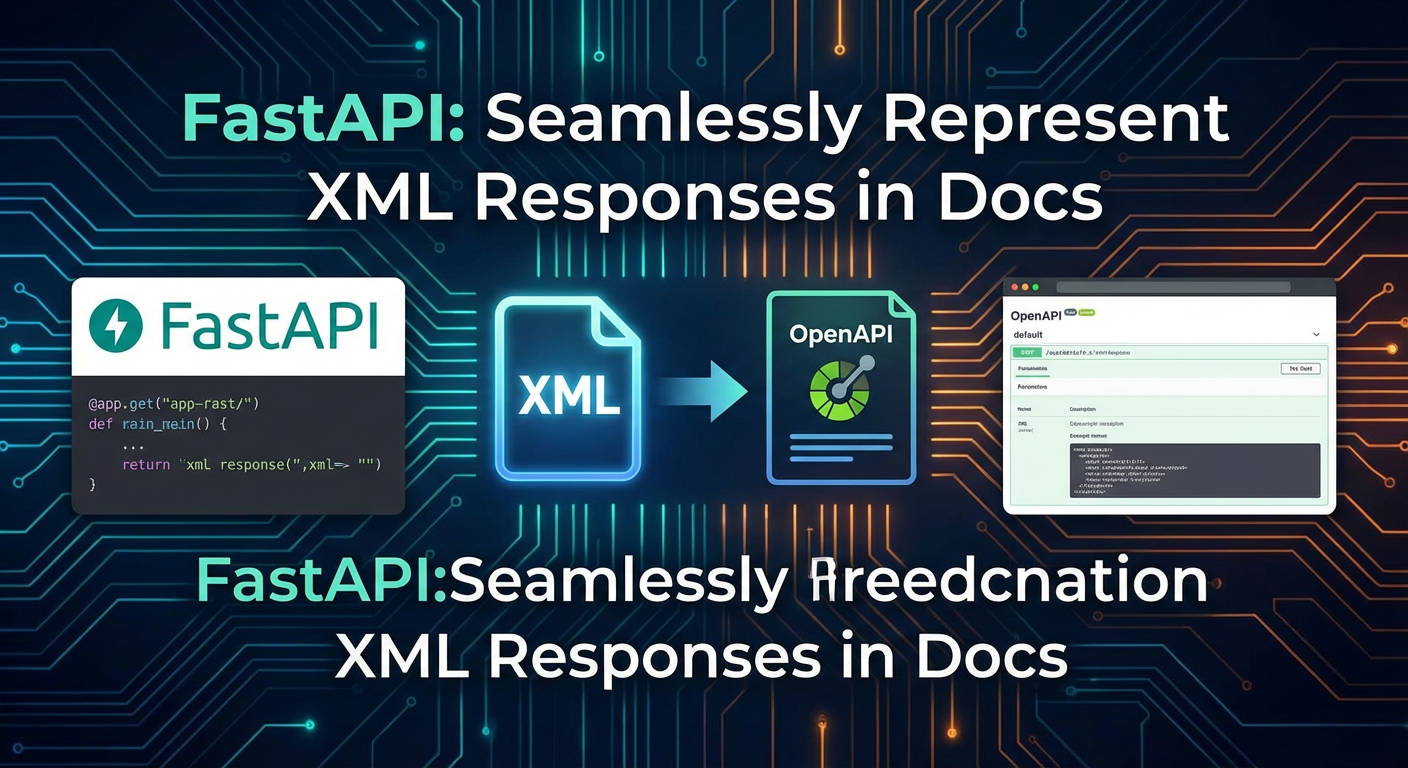
FastAPI: Seamlessly Represent XML Responses in Docs


The landscape of modern web development is undeniably dominated by Application Programming Interfaces (APIs), acting as the fundamental connective tissue between disparate software systems. In this vibrant ecosystem, JSON (JavaScript Object Notation) has ascended to become the lingua franca for data exchange, lauded for its lightweight nature, human readability, and seamless integration with web browsers and JavaScript environments. However, beneath the surface of JSON's ubiquitous reign, XML (Extensible Markup Language) continues to hold significant sway, particularly within established enterprise architectures, financial services, healthcare, and governmental sectors where legacy systems, stringent industry standards, and complex data hierarchies necessitate its structured and extensible nature.
Enter FastAPI, a modern, fast (high-performance), web framework for building APIs with Python 3.7+ based on standard Python type hints. Its appeal lies not only in its speed and ease of use but also in its unparalleled capability to automatically generate interactive API documentation, powered by OpenAPI (formerly Swagger), directly from your code. This automatic documentation is a game-changer for developer experience, allowing consumers of your API to understand endpoints, request formats, and response structures without needing external specifications. Yet, while FastAPI gracefully handles JSON responses by default, the challenge arises when your API must serve XML. How do you ensure that your carefully crafted XML responses are not only correctly generated by your FastAPI application but also seamlessly represented within its OpenAPI documentation? This is not merely a technical hurdle but a critical aspect of API usability and maintainability.
This comprehensive article will meticulously explore the methods for crafting, validating, and, most importantly, accurately documenting XML responses within FastAPI. We will delve into the reasons behind XML's continued relevance, dissect FastAPI's automatic documentation mechanism, and provide practical, detailed examples to illustrate how you can explicitly define and display your XML response structures in the interactive Swagger UI. The goal is to empower developers to build robust FastAPI services that cater to diverse client requirements, ensuring that even when XML is the chosen format, the developer experience remains as intuitive and transparent as if it were JSON, thereby significantly reducing integration friction and enhancing overall API management.
The Enduring Relevance of XML in Modern API Ecosystems
While JSON has become the darling of modern web APIs, particularly in microservices architectures and client-side web applications, it would be a significant oversight to declare XML obsolete. Its continued prevalence, often misunderstood or underestimated by developers accustomed solely to JSON, stems from several key factors deeply embedded in the history and evolution of enterprise software.
A Legacy of Robustness and Structure
XML emerged as a W3C standard in the late 1990s, evolving from SGML, and quickly became the bedrock for structured data exchange across a multitude of domains. Its emphasis on self-describing data, where tags define the meaning and hierarchy of content, offered a robust mechanism for representing complex information. Unlike JSON, which is primarily a data interchange format, XML was designed with extensibility, validation, and document-centric processing in mind. This design philosophy led to the development of powerful companion technologies:
- XML Schema Definition (XSD): This is perhaps XML's most defining feature. XSDs allow for the rigorous definition of the structure, content, and semantics of an XML document. They act as blueprints, ensuring that every XML instance conforms to a predefined set of rules, including data types, element order, and cardinality. This strong typing and validation capability is indispensable in environments where data integrity and consistency are paramount, such as financial transactions, legal documents, and healthcare records. The ability to programmatically validate against an XSD ensures that data exchanged between systems is precisely as expected, reducing errors and integration headaches.
- XSLT (Extensible Stylesheet Language Transformations): XSLT provides a powerful, declarative language for transforming XML documents into other XML documents, HTML, plain text, or any other format. This transformation capability is crucial for integrating disparate systems that might use different XML vocabularies or for presenting XML data in various formats for different consumers.
- XPath and XQuery: These languages offer sophisticated mechanisms for navigating and querying XML documents, enabling developers to extract specific pieces of information from complex structures efficiently.
These complementary technologies built around XML created a comprehensive ecosystem for data management that, for many years, had no equivalent in the JSON world.
Industry-Specific Standards and Enterprise Integrations
Many established industries have built their digital infrastructures upon XML-based standards, and migrating away from these is often cost-prohibitive, complex, and unnecessary. Examples abound:
- Financial Services: Standards like FIXML (Financial Information eXchange Markup Language) for trading, FpML (Financial products Markup Language) for derivatives, and XBRL (eXtensible Business Reporting Language) for financial reporting leverage XML's strict schemas to ensure compliance, accuracy, and interoperability across global markets. Banks, investment firms, and regulatory bodies rely on these XML formats for mission-critical operations.
- Healthcare: HL7 (Health Level Seven) and DICOM (Digital Imaging and Communications in Medicine) are widely adopted XML-based standards that facilitate the exchange of clinical and administrative data between healthcare providers and systems. The need for precise, unambiguous data representation in patient records, laboratory results, and imaging reports makes XML a suitable choice.
- Supply Chain and Logistics: Standards like ebXML (electronic business XML) provide frameworks for B2B e-commerce, enabling automated exchange of purchase orders, invoices, and shipping notices between trading partners.
- Telecommunications: Network configuration and management often involve XML-based protocols due to their need for complex, hierarchical data structures.
- SOAP Web Services: Although newer RESTful APIs often favor JSON, older and very robust SOAP (Simple Object Access Protocol) web services predominantly use XML for their message format. Many large enterprises, especially those with existing Service-Oriented Architectures (SOAs) dating back to the early 2000s, continue to expose critical functionalities via SOAP. Integrating with these systems necessitates handling XML.
In these contexts, adopting JSON purely for the sake of modernity might introduce unnecessary complexity, require extensive data transformations, or even violate established compliance requirements. A modern API gateway or management platform like APIPark understands the necessity of managing diverse API formats. It’s designed to handle various service types, allowing enterprises to integrate and deploy both AI and REST services, which can include those still communicating via XML, all within a unified management system. This ensures that even as you build new, fast Python APIs, you can still seamlessly integrate with your existing XML-dependent infrastructure.
XML vs. JSON: A Brief Comparison
To further contextualize XML's role, a quick comparison with JSON highlights their fundamental differences:
| Feature | JSON (JavaScript Object Notation) | XML (Extensible Markup Language) |
|---|---|---|
| Primary Use | Data interchange (especially for web/mobile apps) | Document markup, data interchange, configuration |
| Syntax | Key-value pairs, arrays, objects. More concise. | Tags, attributes, elements. More verbose. |
| Readability | Generally higher for simple data structures. | Can be verbose, but self-describing tags aid understanding. |
| Data Types | String, Number, Object, Array, Boolean, Null. | All data is text within elements/attributes. Types defined by XSD. |
| Schema/Validation | JSON Schema (external standard, not native). | XSD (native, powerful, strict validation). |
| Transformation | Custom code, libraries. | XSLT (dedicated standard for transformation). |
| Tooling | Abundant in modern web frameworks. | Robust for parsing, validation, transformation (e.g., lxml). |
| Comments | Not natively supported. | Supported (<!-- comment -->). |
| Namespace Support | No native support; relies on conventions. | Native and robust (XML Namespaces). |
This comparison underscores that neither format is inherently "better" but rather "different" and suited for different purposes. For FastAPI developers, the pragmatic approach is to acknowledge XML's continued significance and equip their APIs to handle it gracefully, especially when integrating with existing enterprise systems. This means not just generating XML, but also ensuring its precise representation in the OpenAPI documentation.
FastAPI's Core Strength: Automatic OpenAPI Documentation
One of FastAPI's most celebrated features is its automatic generation of interactive API documentation. This capability is not merely a convenience; it is a fundamental shift in how APIs are designed, developed, and consumed. By leveraging modern Python type hints and the Pydantic library, FastAPI automatically constructs an OpenAPI (formerly Swagger) specification for your API. This specification is then used to render the familiar Swagger UI and ReDoc interfaces, providing a live, interactive, and always up-to-date representation of your API.
The Power of Type Hints and Pydantic
At the heart of FastAPI's documentation magic are Python type hints and Pydantic models.
- Python Type Hints: Introduced in Python 3.5 (PEP 484), type hints allow developers to declare the expected types of function arguments and return values. FastAPI leverages these hints to understand the data types involved in your API endpoints. For example,
def read_item(item_id: int):tells FastAPI thatitem_idshould be an integer. - Pydantic: This data validation and settings management library uses Python type hints to define data schemas. When you define a Pydantic model, FastAPI uses it to:
- Validate incoming request data: Ensuring that query parameters, path parameters, request bodies (JSON by default), and form data conform to the expected types and structures.
- Serialize outgoing response data: Converting Python objects into the appropriate response format (JSON by default).
- Generate OpenAPI schemas: The Pydantic model's structure, along with its field types, descriptions, and examples, is directly translated into OpenAPI schema definitions, which are then rendered in the documentation.
How FastAPI Generates OpenAPI Spec
When you define a FastAPI application and its routes, the framework systematically inspects your code:
- Path Operations: For each
@app.get(),@app.post(), etc., FastAPI identifies the HTTP method and the URL path. - Path and Query Parameters: It extracts parameter names and their type hints (e.g.,
item_id: int,q: Optional[str] = None) to define them in the OpenAPIparameterssection. - Request Body: If you define a Pydantic model as a parameter (e.g.,
item: Item), FastAPI recognizes it as the request body and generates an OpenAPIrequestBodydefinition, complete with its schema. - Response Models (
response_model): This is crucial for documentation. Theresponse_modelparameter in a path operation decorator (@app.get(..., response_model=MyPydanticModel)) tells FastAPI what the successful response data structure looks like. FastAPI then generates the200(OK) response schema in OpenAPI, assumingapplication/jsonas the media type by default. - Additional Responses (
responsesparameter): Beyond theresponse_model, FastAPI allows for defining multiple, custom responses using theresponsesparameter. This is an extremely powerful feature for documenting error responses (e.g.,404 Not Found,400 Bad Request), custom status codes, or alternative successful response formats. It takes a dictionary where keys are HTTP status codes (or "default") and values are dictionaries describing the response, including itsdescription, and critically, itscontenttypes and examples.
The Default JSON Behavior
By default, when you use response_model with a Pydantic model, FastAPI assumes your API will return JSON. This is reflected in the generated OpenAPI documentation, where the 200 response will show a schema with application/json as its mediaType. For example:
from fastapi import FastAPI
from pydantic import BaseModel

app = FastAPI()

class Item(BaseModel):
    name: str
    description: str | None = None
    price: float
    tax: float | None = None

@app.get("/techblog/en/items/{item_id}", response_model=Item)
async def read_item(item_id: int):
    return {"name": "Foo", "description": "A very nice item", "price": 12.0, "tax": 0.5}
In the Swagger UI, read_item will clearly show a JSON schema for its 200 OK response. This is straightforward and works perfectly for the majority of modern APIs.
The XML Documentation Challenge
The challenge arises when you explicitly return XML using Response or XMLResponse classes. While FastAPI will correctly send the XML content, it does not automatically infer an XML schema from your Python code for the OpenAPI documentation. The response_model mechanism is primarily designed for Pydantic models that serialize to JSON. If you return an XMLResponse without further guidance, the OpenAPI spec might simply indicate a 200 response with application/xml but without a detailed schema or example, leaving API consumers in the dark about the expected XML structure.
This is the central problem we aim to solve: how to tell FastAPI's OpenAPI generator precisely what your XML responses look like, ensuring that your documentation is as rich and helpful for XML consumers as it is for JSON consumers. The answer lies in judicious use of the responses parameter, augmented with specific content types and descriptive example values.
Crafting XML Responses in FastAPI
Before we can document XML responses, we must first learn how to effectively generate them within a FastAPI application. There are several approaches, ranging from returning simple XML strings to dynamically generating complex XML structures from Python objects, each with its own trade-offs.
Method 1: Returning Raw XML String using Response
The most basic way to send XML from FastAPI is to construct the XML content as a string and return it using FastAPI's generic Response class, explicitly setting the media_type.
from fastapi import FastAPI, Response
from starlette.responses import PlainTextResponse

app = FastAPI()

@app.get("/techblog/en/item/simple-xml", response_class=PlainTextResponse)
async def get_simple_xml_item():
    xml_content = """
    <item>
        <id>123</id>
        <name>Sample Item</name>
        <description>This is a simple XML response.</description>
        <price>19.99</price>
    </item>
    """
    return Response(content=xml_content, media_type="application/xml")
Explanation:
- We import
Responsefromfastapi. - The
xml_contentvariable holds a multi-line string representing our desired XML. - We instantiate
Response, passing thexml_contentto thecontentargument and explicitly settingmedia_type="application/xml". - Note the
response_class=PlainTextResponsein the decorator. WhileResponseitself allows any content type, specifyingPlainTextResponsemight hint at a string return, though for XML,Response(media_type="application/xml")is the definitive part.
Discussion: This method is straightforward for static or very simple XML responses. However, it quickly becomes unwieldy for complex, dynamic, or large XML structures. Manually concatenating strings or using f-strings for XML can lead to errors (e.g., improper escaping, malformed XML) and is difficult to maintain. It also offers no inherent validation.
Method 2: Leveraging XMLResponse
FastAPI (via Starlette, its underlying ASGI framework) provides a dedicated XMLResponse class, which is a specialized subclass of Response that automatically sets the media_type to application/xml. This cleans up the code slightly.
from fastapi import FastAPI
from starlette.responses import XMLResponse # XMLResponse is part of Starlette

app = FastAPI()

@app.get("/techblog/en/item/xml-response", response_class=XMLResponse)
async def get_xml_response_item():
    xml_content = """
    <product>
        <id>P456</id>
        <title>Deluxe Widget</title>
        <category>Gadgets</category>
        <price>49.99</price>
        <availability>In Stock</availability>
    </product>
    """
    return XMLResponse(content=xml_content)
Explanation:
- We import
XMLResponsefromstarlette.responses. - The
contentis still a string, but we no longer need to explicitly setmedia_type.XMLResponsehandles that for us. response_class=XMLResponsein the decorator further informs FastAPI (and potentially OpenAPI) that this endpoint is designed to return XML.
Discussion: This is an improvement over the generic Response class, making the intent clearer. However, it still relies on manually constructed XML strings. For dynamically generated XML, we need a more programmatic approach.
Method 3: Pydantic with Custom Encoders/Serializers for XML (Using lxml)
This is the most robust and recommended approach for generating complex, dynamic XML from structured Python data. While Pydantic excels at converting Python objects to JSON, it doesn't have native XML serialization. We bridge this gap by converting Pydantic models (or any Python object) into a format suitable for an XML serialization library, typically lxml.
lxml is a high-performance, feature-rich XML toolkit for Python, providing Pythonic access to the powerful libxml2 and libxslt libraries. It's excellent for building, parsing, and transforming XML documents.
Let's define a Pydantic model and then convert its instance into an lxml ElementTree object, which is then serialized to an XML string.
from fastapi import FastAPI, Response
from pydantic import BaseModel, Field
from lxml import etree # For robust XML creation
from typing import List, Optional

app = FastAPI()

class Author(BaseModel):
    name: str = Field(..., description="Name of the author")
    email: Optional[str] = Field(None, description="Email of the author")

class Book(BaseModel):
    title: str = Field(..., description="Title of the book")
    isbn: str = Field(..., description="ISBN of the book")
    publication_year: int = Field(..., description="Year of publication")
    authors: List[Author] = Field(..., description="List of authors")
    genre: Optional[str] = Field("Fiction", description="Genre of the book")

# Helper function to convert a Book Pydantic model to an XML string
def book_to_xml(book_data: Book) -> str:
    # Create the root element
    root = etree.Element("book", isbn=book_data.isbn)

    # Add child elements
    etree.SubElement(root, "title").text = book_data.title
    etree.SubElement(root, "publication_year").text = str(book_data.publication_year)
    etree.SubElement(root, "genre").text = book_data.genre

    # Add authors
    authors_element = etree.SubElement(root, "authors")
    for author in book_data.authors:
        author_element = etree.SubElement(authors_element, "author")
        etree.SubElement(author_element, "name").text = author.name
        if author.email:
            etree.SubElement(author_element, "email").text = author.email

    # Return the XML string, pretty printed for readability
    return etree.tostring(root, pretty_print=True, encoding='UTF-8', xml_declaration=True).decode('utf-8')

@app.get("/techblog/en/books/{book_isbn}", response_class=Response)
async def get_book_xml(book_isbn: str):
    # In a real application, you'd fetch this from a database
    if book_isbn == "978-0321765723":
        book_instance = Book(
            title="The Pythonic Guide",
            isbn="978-0321765723",
            publication_year=2021,
            authors=[
                Author(name="Alice Programmer", email="alice@example.com"),
                Author(name="Bob Coder")
            ],
            genre="Programming"
        )
        xml_content = book_to_xml(book_instance)
        return Response(content=xml_content, media_type="application/xml")
    else:
        return Response(content="<error>Book not found</error>", status_code=404, media_type="application/xml")
Explanation:
- Pydantic Models: We define
AuthorandBookmodels, mirroring the structure we want in our XML. This gives us strong type-checking and validation for our Python objects. book_to_xmlHelper: This function is the core of our XML generation:- It takes a
Bookinstance. - It uses
etree.Element()to create the root element (<book>) and sets an attribute (isbn). etree.SubElement()is used to add child elements, and.textassigns their content.- It iterates through the
authorslist, creating nested<author>elements. - Finally,
etree.tostring()converts theElementTreeobject into a byte string. Wedecode('utf-8')to get a Python string, andpretty_print=Truemakes the output readable.xml_declaration=Trueadds<?xml version="1.0" encoding="UTF-8"?>.
- It takes a
- FastAPI Endpoint: The
@app.getendpoint:- Receives
book_isbn. - Creates a
Bookinstance (or fetches it). - Calls
book_to_xmlto get the XML string. - Returns a
Responseobject withcontent=xml_contentandmedia_type="application/xml". - Includes basic error handling with an XML error response.
- Receives
Discussion: This approach provides the best of both worlds: data validation and structure definition with Pydantic, combined with the power and correctness of lxml for XML generation. It makes your XML responses dynamic, less error-prone, and easier to manage, especially for complex structures. This is the foundation upon which we can build excellent OpenAPI documentation for XML.
The Crux: Representing XML Responses in FastAPI's OpenAPI Docs
Now we arrive at the most critical aspect: how to make FastAPI's automatically generated OpenAPI documentation accurately reflect the XML responses your API is designed to serve. As established, response_model defaults to JSON schemas. When you return XMLResponse or Response with application/xml, FastAPI doesn't automatically infer an XML schema from your Python code for the documentation. This is where we need to explicitly guide the OpenAPI specification.
The primary mechanism for this guidance is the responses parameter within your path operation decorator (@app.get(), @app.post(), etc.). This parameter allows you to define custom responses for various HTTP status codes and media types, providing detailed descriptions and, crucially, concrete examples.
The Problem Revisited: Default XML Documentation
Let's consider our get_book_xml example from Method 3 in the previous section:
# ... (Pydantic models and book_to_xml function) ...

@app.get("/techblog/en/books/{book_isbn}", response_class=Response) # response_class=Response is too generic for OpenAPI to infer details
async def get_book_xml(book_isbn: str):
    # ... (logic to generate xml_content) ...
    return Response(content=xml_content, media_type="application/xml")
If you run this and navigate to /docs, you might find that the 200 OK response for /books/{book_isbn} only shows a generic description: "Successful Response" and possibly mediaType: "application/xml" but no detailed schema or example of what the XML actually looks like. This is insufficient for API consumers who need to integrate with your XML-based service. They would have to resort to external documentation or trial-and-error, defeating the purpose of automatic OpenAPI docs.
Solution 1: Manual responses Parameter with example and content Types
This is the most practical and widely used approach for clearly documenting XML responses in FastAPI's OpenAPI specification. You use the responses parameter to explicitly define the 200 (or any other status code) response, specify application/xml as the media type, and provide a concrete XML string as an example.
Let's enhance our get_book_xml endpoint:
from fastapi import FastAPI, Response
from pydantic import BaseModel, Field
from lxml import etree # For robust XML creation
from typing import List, Optional

app = FastAPI()

class Author(BaseModel):
    name: str = Field(..., description="Name of the author")
    email: Optional[str] = Field(None, description="Email of the author")

class Book(BaseModel):
    title: str = Field(..., description="Title of the book")
    isbn: str = Field(..., description="ISBN of the book")
    publication_year: int = Field(..., description="Year of publication")
    authors: List[Author] = Field(..., description="List of authors")
    genre: Optional[str] = Field("Fiction", description="Genre of the book")

# Helper function to convert a Book Pydantic model to an XML string
def book_to_xml(book_data: Book) -> str:
    # Create the root element
    root = etree.Element("book", isbn=book_data.isbn)

    # Add child elements
    etree.SubElement(root, "title").text = book_data.title
    etree.SubElement(root, "publication_year").text = str(book_data.publication_year)
    etree.SubElement(root, "genre").text = book_data.genre

    # Add authors
    authors_element = etree.SubElement(root, "authors")
    for author in book_data.authors:
        author_element = etree.SubElement(authors_element, "author")
        etree.SubElement(author_element, "name").text = author.name
        if author.email:
            etree.SubElement(author_element, "email").text = author.email

    # Return the XML string, pretty printed for readability
    return etree.tostring(root, pretty_print=True, encoding='UTF-8', xml_declaration=True).decode('utf-8')

# Define an example XML response string for the documentation
EXAMPLE_BOOK_XML = """<?xml version='1.0' encoding='UTF-8'?>
<book isbn="978-0321765723">
  <title>The Pythonic Guide</title>
  <publication_year>2021</publication_year>
  <genre>Programming</genre>
  <authors>
    <author>
      <name>Alice Programmer</name>
      <email>alice@example.com</email>
    </author>
    <author>
      <name>Bob Coder</name>
    </author>
  </authors>
</book>"""

# Define an example XML error response for the documentation
EXAMPLE_ERROR_XML = """<?xml version='1.0' encoding='UTF-8'?>
<error>
  <message>Book with ISBN 999-9999999999 not found.</message>
  <code status="404">NOT_FOUND</code>
</error>"""


@app.get(
    "/techblog/en/books/{book_isbn}",
    response_class=Response, # Still return generic Response, as content is dynamic
    responses={
        200: {
            "description": "Successful retrieval of book details in XML format.",
            "content": {
                "application/xml": {
                    "example": EXAMPLE_BOOK_XML
                }
            },
        },
        404: {
            "description": "Book not found.",
            "content": {
                "application/xml": {
                    "example": EXAMPLE_ERROR_XML
                }
            },
        },
    },
    summary="Retrieve book details by ISBN in XML",
    description="This endpoint fetches details for a specific book using its ISBN and returns the data formatted as XML. Useful for systems requiring XML integration."
)
async def get_book_xml_documented(book_isbn: str):
    # In a real application, you'd fetch this from a database
    if book_isbn == "978-0321765723":
        book_instance = Book(
            title="The Pythonic Guide",
            isbn="978-0321765723",
            publication_year=2021,
            authors=[
                Author(name="Alice Programmer", email="alice@example.com"),
                Author(name="Bob Coder")
            ],
            genre="Programming"
        )
        xml_content = book_to_xml(book_instance)
        return Response(content=xml_content, media_type="application/xml")
    else:
        # Generate an error XML dynamically as well for consistency
        error_xml_content = f"""<?xml version='1.0' encoding='UTF-8'?>
<error>
  <message>Book with ISBN {book_isbn} not found.</message>
  <code status="404">NOT_FOUND</code>
</error>"""
        return Response(content=error_xml_content, status_code=404, media_type="application/xml")
Detailed Explanation of responses Parameter:
The responses parameter takes a dictionary where:
- Keys are HTTP status codes (e.g.,
200,404) or "default".200: Describes the successful response.404: Describes the response when a book is not found.
- Values are dictionaries describing each response:
"description": A human-readable text explaining what this response signifies. This is displayed prominently in the Swagger UI."content": This is the crucial part. It's another dictionary where keys are media types (e.g.,"application/xml","application/json") and values define the schema or example for that media type."application/xml": We explicitly declare that this response type will return XML."example": This is where you provide a full, valid XML string that represents the expected structure of your response. The Swagger UI will render this example directly, making it incredibly easy for API consumers to understand the format. It's recommended to make this example as realistic as possible.
Key Insight: By manually defining the content for application/xml and providing a detailed example, we are directly instructing the OpenAPI specification how to represent our XML responses. FastAPI then incorporates this into the paths section of its generated openapi.json file, which Swagger UI uses to render the interactive documentation.
Benefits:
- Clarity for Consumers: API consumers see the exact XML structure they can expect, including elements, attributes, and nesting.
- Reduced Integration Time: Developers can copy and paste the example XML directly into their client applications for testing or mocking.
- Self-Documenting: The documentation is kept alongside the code, reducing the chance of outdated external documentation.
- Supports Complex XML: Even if your XML is highly complex, providing a well-structured example makes it understandable.
Drawbacks:
- Manual Maintenance: If your XML structure changes, you must update the
examplestring in theresponsesparameter. This can be a source of discrepancy if not diligently managed. - Verbosity: For very large APIs with many XML endpoints, these example strings can make the decorator quite long. Using separate constants (like
EXAMPLE_BOOK_XML) helps.
Solution 2: Describing XML Schema (XSD) within OpenAPI (Conceptual/Best Practice for Reference)
While OpenAPI 3.0 has robust schema definitions (primarily JSON Schema based), it doesn't natively embed XSD files for validation directly into its schema definitions in the same way it does for JSON Schema. However, you can still reference an XSD and use OpenAPI's schema keyword to provide a general description of the XML, or point to an external definition.
The schema object in OpenAPI can take a type: string and sometimes a format: xml (though format: xml doesn't enforce schema validation but might hint at content). The most practical way to incorporate XSD knowledge is through the description or by pointing to an external resource.
# ... (Previous code for Pydantic models, book_to_xml, and example XML strings) ...

# Assume you have an XSD file available externally, e.g., at /static/book_schema.xsd
# Or you can embed a descriptive text here.

@app.get(
    "/techblog/en/books-with-xsd-ref/{book_isbn}",
    response_class=Response,
    responses={
        200: {
            "description": "Successful retrieval of book details in XML format. Conforms to the XSD schema available at: `/static/book_schema.xsd`",
            "content": {
                "application/xml": {
                    "schema": {
                        "type": "string",
                        "format": "xml",
                        "description": "The XML response follows a specific schema for book data. See example below for structure. For full validation, refer to the XSD: `http://yourdomain.com/static/book_schema.xsd`",
                        "example": EXAMPLE_BOOK_XML
                    }
                }
            },
        },
        # ... (404 response similar to above) ...
    },
    summary="Retrieve book details with XSD reference in docs",
    description="This endpoint returns book details as XML, with documentation referencing an external XSD for validation."
)
async def get_book_xml_with_xsd_ref(book_isbn: str):
    # ... (Same implementation as get_book_xml_documented) ...
    if book_isbn == "978-0321765723":
        book_instance = Book(
            title="The Pythonic Guide to FastAPI",
            isbn="978-0321765723",
            publication_year=2021,
            authors=[
                Author(name="Alice Programmer", email="alice@example.com"),
                Author(name="Bob Coder")
            ],
            genre="Programming"
        )
        xml_content = book_to_xml(book_instance)
        return Response(content=xml_content, media_type="application/xml")
    else:
        error_xml_content = f"""<?xml version='1.0' encoding='UTF-8'?>
<error>
  <message>Book with ISBN {book_isbn} not found.</message>
  <code status="404">NOT_FOUND</code>
</error>"""
        return Response(content=error_xml_content, status_code=404, media_type="application/xml")
Explanation:
- Within the
contentforapplication/xml, instead of justexample, we provide aschemaobject. "type": "string"indicates the response is a string."format": "xml"is a hint that the string content is XML. It's not a validation mechanism but helps clients.- Crucially, the
descriptionfield within theschemaobject is used to link to the external XSD file. - The
examplefield is still vital, as it provides a concrete instance even when an XSD is referenced.
Discussion: This method is a hybrid approach. It still relies on the example for direct visual representation in the Swagger UI but formally points API consumers to an XSD for rigorous validation. This is a very common and effective strategy for enterprise-grade APIs that use XML, as it leverages the best of both worlds: human-readable examples and machine-readable schemas.
Best Practice for Representing XML in Docs
The most practical and effective strategy generally involves a combination of:
- Generate XML Robustly: Use a library like
lxmlto create correct and well-formed XML responses from your Python data structures. - Provide Detailed
exampleinresponses: Always include a concrete, realistic XML example string within thecontentdefinition forapplication/xmlin yourresponsesparameter. This is the single most important step for clear documentation. - Use
descriptionfor Schema Reference: If an XSD exists, use thedescriptionfield (either at theresponseslevel or within theschemaobject) to explicitly state that the XML conforms to a specific XSD and provide a URL to where that XSD can be found. This offers both immediate visual clarity and a pathway to strict validation.
This approach ensures that your FastAPI's OpenAPI documentation serves its purpose comprehensively for both JSON-savvy developers and those working with XML-centric systems.
APIPark is a high-performance AI gateway that allows you to securely access the most comprehensive LLM APIs globally on the APIPark platform, including OpenAI, Anthropic, Mistral, Llama2, Google Gemini, and more.Try APIPark now! 👇👇👇
Advanced XML Scenarios and Best Practices
Beyond simply generating and documenting XML, real-world APIs often encounter more complex requirements. Handling these advanced scenarios gracefully ensures your FastAPI application is robust and flexible.
XML Validation: Ensuring Outgoing XML Conformance
While generating XML from structured data using libraries like lxml reduces the risk of malformed XML, it doesn't automatically guarantee that the generated XML conforms to a specific XSD. In highly regulated environments (e.g., finance, healthcare), validating outgoing XML against a predefined XSD is a non-negotiable requirement. This prevents sending invalid data to downstream systems, which could lead to errors, data corruption, or compliance breaches.
You can integrate XSD validation into your FastAPI application using lxml:
from lxml import etree
from lxml.etree import XMLSchema, XMLSchemaParseError

# Assume book_schema.xsd is located in a 'schemas' directory relative to your app
XSD_FILE_PATH = "schemas/book_schema.xsd"

# Function to load and parse the XSD schema once
def load_xsd_schema(xsd_path: str) -> XMLSchema:
    try:
        with open(xsd_path, 'rb') as f:
            xsd_root = etree.parse(f)
        return XMLSchema(xsd_root)
    except Exception as e:
        print(f"Error loading XSD schema from {xsd_path}: {e}")
        # In a real app, you might want to log this or raise a more specific exception
        raise

# Load the schema globally or on app startup
try:
    book_schema = load_xsd_schema(XSD_FILE_PATH)
except Exception:
    book_schema = None # Or handle more robustly, e.g., exit if schema is critical

# Modify the book_to_xml function to include validation
def book_to_xml_with_validation(book_data: Book) -> str:
    root = etree.Element("book", isbn=book_data.isbn)
    # ... (populate XML as before) ...

    xml_bytes = etree.tostring(root, pretty_print=True, encoding='UTF-8', xml_declaration=True)

    if book_schema:
        try:
            # Parse the generated XML to validate it
            parsed_xml = etree.fromstring(xml_bytes)
            book_schema.assertValid(parsed_xml) # This will raise an exception if invalid
            print("Generated XML is valid against XSD.")
        except XMLSchemaParseError as e:
            print(f"Generated XML is INVALID against XSD: {e.error_log}")
            # Depending on policy, you might raise an HTTP 500 or log and proceed cautiously
            # For this example, we'll let it pass but log the error.
        except Exception as e:
            print(f"An unexpected error occurred during XML validation: {e}")

    return xml_bytes.decode('utf-8')

# Your FastAPI endpoint would then call book_to_xml_with_validation
# For production, ensure XSD loading is robust and error handling for invalid XML is appropriate.
Steps for XML Validation:
- Load XSD: Parse your XSD file into an
lxml.etree.XMLSchemaobject. This should ideally be done once when your FastAPI application starts, to avoid redundant I/O and parsing overhead for every request. - Generate XML: Create your XML using
lxmlas previously discussed. - Validate: Before returning the XML, use
book_schema.assertValid(parsed_xml)(after parsing the generated XML string back into an ElementTree object). If the XML is invalid,assertValidwill raise anXMLSchemaParseError. You can catch this error and handle it appropriately, perhaps by returning a500 Internal Server Errorwith details about the validation failure, or by logging the error and taking corrective action.
Content Negotiation: Handling Both JSON and XML
A truly flexible API might need to serve both JSON and XML responses (and sometimes even accept both in requests) based on client preferences. This is achieved through HTTP Content Negotiation, primarily using the Accept header (for responses) and Content-Type header (for requests).
from fastapi import FastAPI, Request, Response, HTTPException
from starlette.responses import JSONResponse, PlainTextResponse # for fallback

# ... (Book Pydantic model, book_to_xml, and example XML/JSON strings) ...
# Assume EXAMPLE_BOOK_JSON is defined as a string or dict for JSON example

# Example JSON representation of a book
EXAMPLE_BOOK_JSON = {
    "title": "The Pythonic Guide",
    "isbn": "978-0321765723",
    "publication_year": 2021,
    "authors": [
        {"name": "Alice Programmer", "email": "alice@example.com"},
        {"name": "Bob Coder"}
    ],
    "genre": "Programming"
}

@app.get(
    "/techblog/en/books-negotiate/{book_isbn}",
    responses={
        200: {
            "description": "Successful retrieval of book details in either XML or JSON format, based on Accept header.",
            "content": {
                "application/xml": {
                    "example": EXAMPLE_BOOK_XML,
                    "schema": {
                        "type": "string",
                        "format": "xml",
                        "description": "XML structure conforming to XSD."
                    }
                },
                "application/json": {
                    "example": EXAMPLE_BOOK_JSON
                }
            },
        },
        404: {
            "description": "Book not found.",
            "content": {
                "application/xml": {"example": EXAMPLE_ERROR_XML},
                "application/json": {"example": {"message": "Book not found."}}
            }
        },
    },
    summary="Retrieve book details with content negotiation",
    description="This endpoint supports content negotiation, returning book details in either XML or JSON based on the client's Accept header preference. If no specific preference or an unsupported one is provided, it defaults to JSON."
)
async def get_book_negotiated(book_isbn: str, request: Request):
    # Simulate fetching data
    if book_isbn != "978-0321765723":
        # Handle 404 for both XML and JSON
        accept_header = request.headers.get("Accept", "application/json")
        if "application/xml" in accept_header:
            error_xml_content = f"""<?xml version='1.0' encoding='UTF-8'?>
<error>
  <message>Book with ISBN {book_isbn} not found.</message>
  <code status="404">NOT_FOUND</code>
</error>"""
            return Response(content=error_xml_content, status_code=404, media_type="application/xml")
        else: # Default to JSON for error if XML not explicitly requested
            raise HTTPException(status_code=404, detail="Book not found.")

    book_data = Book(
        title="The Pythonic Guide to Negotiation",
        isbn="978-0321765723",
        publication_year=2022,
        authors=[Author(name="Charlie Developer")],
        genre="Technical"
    )

    accept_header = request.headers.get("Accept", "application/json") # Default to JSON

    if "application/xml" in accept_header:
        xml_content = book_to_xml(book_data)
        return Response(content=xml_content, media_type="application/xml")
    elif "application/json" in accept_header or "text/html" in accept_header or "*/*" in accept_header:
        # FastAPI will handle Pydantic model to JSON conversion automatically
        return JSONResponse(content=book_data.model_dump(), media_type="application/json")
    else:
        # If an unsupported Accept header is provided, return 406 Not Acceptable
        raise HTTPException(status_code=406, detail="Not Acceptable: Supported media types are application/json and application/xml.")
Explanation:
- Request
AcceptHeader: We access theAcceptheader from theRequestobject (injected by FastAPI). - Conditional Logic: Based on the
Acceptheader, we determine whether to return JSON or XML.- If
application/xmlis present, generate and returnResponsewithapplication/xml. - If
application/json(or common defaults like*/*ortext/htmlwhich clients might send) is present, returnJSONResponseor let FastAPI convert the Pydantic model to JSON automatically. - If an unsupported
Acceptheader is sent, return406 Not Acceptable.
- If
- Documentation: The
responsesparameter is extended to include bothapplication/xmlandapplication/jsonfor the200and404status codes, each with its respectiveexample. This tells the OpenAPI UI that the endpoint supports both formats.
Error Handling for XML: Returning Structured XML Error Messages
Just as you'd return structured JSON error messages, it's good practice to return structured XML error messages when your API expects XML responses. This provides clients with consistent and parsable error information. Our example EXAMPLE_ERROR_XML already demonstrates this, and the get_book_xml_documented endpoint returns a dynamically generated XML error.
Key considerations for XML error responses:
- Consistent Structure: Define a standard XML structure for errors (e.g.,
<error><message>...</message><code>...</code></error>). - Clear Status Codes: Use appropriate HTTP status codes (4xx for client errors, 5xx for server errors).
- Detailed Messages: Provide enough detail for clients to understand and potentially resolve the issue.
# Helper to generate XML error responses
def generate_xml_error(message: str, status_code: int, error_code: str) -> Response:
    error_xml = f"""<?xml version='1.0' encoding='UTF-8'?>
<error>
  <message>{message}</message>
  <code status="{status_code}">{error_code}</code>
</error>"""
    return Response(content=error_xml, status_code=status_code, media_type="application/xml")

# Example usage in an endpoint:
@app.get("/techblog/en/some-xml-endpoint")
async def get_something_with_xml_error():
    # Simulate an error condition
    if True: # Always raise for this example
        return generate_xml_error("Invalid input parameter.", 400, "BAD_REQUEST")
    # ... successful logic ...
API Design Considerations: When to Use XML vs. JSON
The decision to use XML, JSON, or both, should be a conscious design choice, not just a default.
- Choose XML when:
- Integrating with legacy enterprise systems or industry-specific standards that mandate XML.
- Strong schema validation (XSD) is a non-negotiable requirement for data integrity.
- Document-centric processing (e.g., transformations with XSLT) is a core part of the workflow.
- Namespaces are required to avoid element name collisions from different vocabularies.
- Choose JSON when:
- Building modern web or mobile applications where client-side JavaScript is dominant.
- A lightweight, less verbose format is preferred for performance and simpler parsing.
- Data structures are relatively flat or easily represented as key-value pairs and arrays.
- Loose coupling and rapid development are higher priorities than strict schema validation (though JSON Schema exists).
- Offer both (Content Negotiation) when:
- Your API serves a diverse range of clients, some requiring XML and others preferring JSON. This maximizes client compatibility and market reach.
By understanding these nuances and equipping your FastAPI APIs with the ability to manage diverse data formats, you create more versatile and robust services.
Streamlining API Development and Management with APIPark
Developing and managing APIs, especially those that need to support multiple data formats like XML and JSON, can introduce significant complexity. Beyond the core logic of your FastAPI application, you need to consider aspects like authentication, rate limiting, logging, analytics, versioning, and developer onboarding. This is where a robust API management platform becomes invaluable.
Consider APIPark, an open-source AI gateway and API management platform designed to simplify the entire API lifecycle, from design and deployment to monitoring and deprecation. For developers building FastAPI APIs that serve XML responses, APIPark offers crucial capabilities that enhance efficiency, security, and scalability.
APIPark's Benefits for Diverse API Landscapes (including XML):
- Unified API Management: Whether your APIs return JSON, XML, or integrate with AI models, APIPark provides a single pane of glass for managing all your services. This is particularly useful when you have a mix of modern JSON APIs and legacy XML-based integrations. It helps standardize how these diverse APIs are exposed and consumed.
- End-to-End API Lifecycle Management: From initial design to eventual deprecation, APIPark assists with every stage. This means you can regulate API management processes, manage traffic forwarding, load balancing, and versioning of published APIs, even those with specific XML response requirements.
- Enhanced Security: When dealing with sensitive XML data (e.g., financial or healthcare information), security is paramount. APIPark allows for the activation of subscription approval features, ensuring that callers must subscribe to an API and await administrator approval. This prevents unauthorized API calls and potential data breaches, adding a crucial layer of protection over your XML endpoints.
- Detailed API Call Logging: Regardless of the data format, understanding API usage and performance is critical. APIPark provides comprehensive logging capabilities, recording every detail of each API call. This feature is invaluable for tracing and troubleshooting issues in API calls, ensuring system stability and data security, especially when debugging complex XML parsing or validation errors.
- Powerful Data Analysis: By analyzing historical call data, APIPark displays long-term trends and performance changes. This predictive insight helps businesses with preventive maintenance before issues occur, optimizing the performance of even your XML-heavy API integrations.
- Developer Portal and Sharing: APIPark centralizes the display of all API services, making it easy for different departments and teams to find and use the required API services. Even if an API returns XML, clear documentation and discoverability through a developer portal drastically improve integration.
By leveraging a platform like APIPark, you can offload many cross-cutting concerns from your FastAPI application, allowing your development team to focus on the core business logic and efficient XML generation. It complements FastAPI's strengths by providing the overarching infrastructure needed for robust and scalable API operations, simplifying the complexity inherent in managing a diverse API portfolio that might include both modern JSON and essential XML endpoints.
Practical Demonstration: A Comprehensive Example
Let's consolidate the knowledge into a single, runnable FastAPI application that fully demonstrates how to generate, serve, and meticulously document XML responses in OpenAPI UI.
First, ensure you have the necessary libraries installed: pip install fastapi uvicorn lxml pydantic
Next, save the following code as main.py:
# main.py
from fastapi import FastAPI, Request, Response, HTTPException, status
from pydantic import BaseModel, Field
from lxml import etree
from lxml.etree import XMLSchema, XMLSchemaParseError
from typing import List, Optional, Dict, Any
import os
import json # For JSON error examples

app = FastAPI(
    title="FastAPI XML API Demo",
    description="A demonstration of generating, serving, and documenting XML responses in FastAPI, including content negotiation and XSD validation.",
    version="1.0.0",
    docs_url="/techblog/en/docs",
    redoc_url="/techblog/en/redoc"
)

# --- Pydantic Models ---
class Author(BaseModel):
    name: str = Field(..., description="Name of the author")
    email: Optional[str] = Field(None, description="Email of the author")

class Book(BaseModel):
    title: str = Field(..., description="Title of the book")
    isbn: str = Field(..., description="ISBN of the book", example="978-0321765723")
    publication_year: int = Field(..., description="Year of publication", example=2021)
    authors: List[Author] = Field(..., description="List of authors")
    genre: Optional[str] = Field("Fiction", description="Genre of the book", example="Programming")

# --- XML Generation Helper ---
def book_to_xml(book_data: Book) -> etree._Element:
    """Converts a Book Pydantic model into an lxml ElementTree object."""
    root = etree.Element("book", isbn=book_data.isbn)

    etree.SubElement(root, "title").text = book_data.title
    etree.SubElement(root, "publication_year").text = str(book_data.publication_year)
    if book_data.genre:
        etree.SubElement(root, "genre").text = book_data.genre

    authors_element = etree.SubElement(root, "authors")
    for author in book_data.authors:
        author_element = etree.SubElement(authors_element, "author")
        etree.SubElement(author_element, "name").text = author.name
        if author.email:
            etree.SubElement(author_element, "email").text = author.email
    return root

# --- XML Validation Setup (requires book_schema.xsd) ---
# Create a dummy XSD file for demonstration purposes.
# In a real app, this would be a real, potentially complex XSD.
XSD_SCHEMA_CONTENT = """<?xml version="1.0" encoding="UTF-8"?>
<xs:schema xmlns:xs="http://www.w3.org/2001/XMLSchema" elementFormDefault="qualified">
  <xs:element name="book">
    <xs:complexType>
      <xs:sequence>
        <xs:element name="title" type="xs:string"/techblog/en/>
        <xs:element name="publication_year" type="xs:integer"/techblog/en/>
        <xs:element name="genre" type="xs:string" minOccurs="0"/techblog/en/>
        <xs:element name="authors">
          <xs:complexType>
            <xs:sequence>
              <xs:element name="author" maxOccurs="unbounded">
                <xs:complexType>
                  <xs:sequence>
                    <xs:element name="name" type="xs:string"/techblog/en/>
                    <xs:element name="email" type="xs:string" minOccurs="0"/techblog/en/>
                  </xs:sequence>
                </xs:complexType>
              </xs:element>
            </xs:sequence>
          </xs:complexType>
        </xs:element>
      </xs:sequence>
      <xs:attribute name="isbn" type="xs:string" use="required"/techblog/en/>
    </xs:complexType>
  </xs:element>
  <xs:element name="error">
    <xs:complexType>
      <xs:sequence>
        <xs:element name="message" type="xs:string"/techblog/en/>
        <xs:element name="code">
          <xs:complexType>
            <xs:simpleContent>
              <xs:extension base="xs:string">
                <xs:attribute name="status" type="xs:integer" use="required"/techblog/en/>
              </xs:extension>
            </xs:simpleContent>
          </xs:complexType>
        </xs:element>
      </xs:sequence>
    </xs:complexType>
  </xs:element>
</xs:schema>
"""

# Save the XSD content to a file for lxml to load
XSD_FILE_NAME = "book_schema.xsd"
with open(XSD_FILE_NAME, "w") as f:
    f.write(XSD_SCHEMA_CONTENT)

book_schema_validator: Optional[XMLSchema] = None
try:
    with open(XSD_FILE_NAME, 'rb') as f:
        xsd_root = etree.parse(f)
    book_schema_validator = XMLSchema(xsd_root)
    print(f"Successfully loaded XSD schema from {XSD_FILE_NAME}")
except Exception as e:
    print(f"ERROR: Could not load XSD schema from {XSD_FILE_NAME}: {e}")
    print("XML validation will be skipped.")

def validate_xml_against_xsd(xml_element: etree._Element, validator: XMLSchema) -> None:
    """Validates an lxml Element against a given XMLSchema."""
    if validator:
        try:
            validator.assertValid(xml_element)
            print("Generated XML passed XSD validation.")
        except XMLSchemaParseError as e:
            error_message = f"XML validation failed: {e.error_log}"
            print(error_message)
            raise HTTPException(
                status_code=status.HTTP_500_INTERNAL_SERVER_ERROR,
                detail=f"Internal Server Error: Generated XML is invalid. {error_message}"
            )
        except Exception as e:
            print(f"An unexpected error occurred during XML validation: {e}")
            raise HTTPException(
                status_code=status.HTTP_500_INTERNAL_SERVER_ERROR,
                detail=f"Internal Server Error during XML validation: {e}"
            )
    else:
        print("XSD validator not available, skipping validation.")


# --- Example Data and Documentation Strings ---
sample_book_data = Book(
    title="The FastAPI XML Handbook",
    isbn="978-1234567890",
    publication_year=2023,
    authors=[
        Author(name="Jane Doe", email="jane@example.com"),
        Author(name="John Smith")
    ],
    genre="Programming"
)

# Generate example XML from the sample_book_data
# We do this once to ensure our example XML is valid and consistent with our model
EXAMPLE_BOOK_XML_ELEMENT = book_to_xml(sample_book_data)
EXAMPLE_BOOK_XML = etree.tostring(
    EXAMPLE_BOOK_XML_ELEMENT,
    pretty_print=True,
    encoding='UTF-8',
    xml_declaration=True
).decode('utf-8')

EXAMPLE_ERROR_XML = """<?xml version='1.0' encoding='UTF-8'?>
<error>
  <message>The requested resource was not found. Please check the ISBN.</message>
  <code status="404">NOT_FOUND</code>
</error>"""

EXAMPLE_ERROR_JSON = json.dumps({"detail": "The requested resource was not found. Please check the ISBN."}, indent=2)


# --- API Endpoints ---

@app.get(
    "/techblog/en/books/{book_isbn}",
    response_class=Response, # Indicates that the content type can be explicitly set
    responses={
        status.HTTP_200_OK: {
            "description": "Successful retrieval of book details. The response format (XML or JSON) depends on the 'Accept' header.",
            "content": {
                "application/xml": {
                    "example": EXAMPLE_BOOK_XML,
                    "schema": {
                        "type": "string",
                        "format": "xml",
                        "description": f"The XML response structure for a book. Conforms to XSD: /{XSD_FILE_NAME}"
                    }
                },
                "application/json": {
                    "example": sample_book_data.model_dump_json(indent=2) # Pydantic model_dump_json is great for examples
                }
            },
        },
        status.HTTP_404_NOT_FOUND: {
            "description": "Book not found.",
            "content": {
                "application/xml": {
                    "example": EXAMPLE_ERROR_XML,
                    "schema": {
                        "type": "string",
                        "format": "xml",
                        "description": f"XML error response. Conforms to XSD: /{XSD_FILE_NAME}"
                    }
                },
                "application/json": {
                    "example": EXAMPLE_ERROR_JSON
                }
            },
        },
        status.HTTP_406_NOT_ACCEPTABLE: {
            "description": "Client requested an unsupported media type.",
            "content": {
                "text/plain": {
                    "example": "Not Acceptable: Supported media types are application/json and application/xml."
                }
            }
        },
        status.HTTP_500_INTERNAL_SERVER_ERROR: {
            "description": "Internal server error, possibly due to invalid XML generation.",
            "content": {
                "application/xml": {
                    "example": "<error><message>Internal Server Error: Generated XML is invalid.</message><code>INTERNAL_ERROR</code></error>",
                    "schema": {
                        "type": "string",
                        "format": "xml",
                        "description": "XML error response in case of server-side issues."
                    }
                },
                "application/json": {
                    "example": '{"detail": "Internal Server Error: Generated XML is invalid."}'
                }
            }
        }
    },
    summary="Retrieve book details with content negotiation (XML/JSON)",
    description="Fetches details for a specific book by its ISBN. The response format is determined by the client's 'Accept' header. Supports 'application/xml' and 'application/json'. Also includes XSD validation for generated XML.",
    tags=["Books"]
)
async def get_book_by_isbn(book_isbn: str, request: Request):
    if book_isbn == sample_book_data.isbn:
        book_instance = sample_book_data
    else:
        # For demonstration, only one book exists
        accept_header = request.headers.get("Accept", "application/json")
        if "application/xml" in accept_header:
            error_xml = etree.tostring(etree.fromstring(EXAMPLE_ERROR_XML), xml_declaration=True, encoding='UTF-8').decode('utf-8')
            return Response(content=error_xml, status_code=status.HTTP_404_NOT_FOUND, media_type="application/xml")
        else:
            raise HTTPException(status_code=status.HTTP_404_NOT_FOUND, detail="The requested resource was not found. Please check the ISBN.")

    accept_header = request.headers.get("Accept", "application/json")

    if "application/xml" in accept_header:
        xml_element = book_to_xml(book_instance)
        # Validate XML before sending it
        if book_schema_validator:
            validate_xml_against_xsd(xml_element, book_schema_validator)

        xml_content = etree.tostring(xml_element, pretty_print=True, encoding='UTF-8', xml_declaration=True).decode('utf-8')
        return Response(content=xml_content, media_type="application/xml")
    elif "application/json" in accept_header or "*/*" in accept_header:
        return book_instance # FastAPI will automatically convert Pydantic model to JSONResponse
    else:
        raise HTTPException(
            status_code=status.HTTP_406_NOT_ACCEPTABLE,
            detail="Not Acceptable: Supported media types are application/json and application/xml."
        )

@app.get("/techblog/en/health", response_class=Response, summary="Health Check", tags=["System"])
async def health_check():
    """Returns a simple XML health check response."""
    response_xml = """<?xml version='1.0' encoding='UTF-8'?>
<health>
  <status>OK</status>
  <timestamp>2023-10-27T10:00:00Z</timestamp>
</health>"""
    return Response(content=response_xml, media_type="application/xml")

# This is where we simply mention APIPark, connecting it naturally
@app.get("/techblog/en/api-management-info", summary="API Management Platform Information", tags=["System"])
async def api_management_info():
    """Provides information about an API management platform that can complement FastAPI for complex deployments."""
    info = {
        "platform": "APIPark",
        "description": "APIPark is an open-source AI gateway and API management platform that helps manage, integrate, and deploy AI and REST services. It streamlines API lifecycle management, enhances security, and provides detailed analytics.",
        "website": "https://apipark.com/?ref=techblog&utm_source=techblog&utm_content=/techblog/en/fastapi-seamlessly-represent-xml-responses-in-docs/"
    }
    return info

# Clean up the dummy XSD file on application shutdown
@app.on_event("shutdown")
async def shutdown_event():
    if os.path.exists(XSD_FILE_NAME):
        os.remove(XSD_FILE_NAME)
        print(f"Cleaned up dummy XSD file: {XSD_FILE_NAME}")
To run this example:
- Save the code as
main.py. - Run your FastAPI application using Uvicorn:
uvicorn main:app --reload - Open your browser and navigate to
http://127.0.0.1:8000/docs.
Observe in Swagger UI:
/books/{book_isbn}: You will see the detailed documentation for this endpoint.- Under "Responses", you'll find entries for
200 OK,404 Not Found,406 Not Acceptable, and500 Internal Server Error. - For
200 OK, click onapplication/xmlandapplication/json. You'll see the exact example XML and JSON structures, making it incredibly clear to any API consumer what to expect. The XML section will also show theschemadescription, including the reference tobook_schema.xsd. - The
404response will similarly show both XML and JSON error examples.
- Under "Responses", you'll find entries for
/health: This simple endpoint demonstrates returning a fixed XML response, which is also documented (though withoutexamplefor brevity here, it would be a good addition)./api-management-info: This endpoint naturally introduces APIPark, providing context on its role in a broader API ecosystem.
This comprehensive example showcases how FastAPI, combined with strategic use of OpenAPI documentation features and robust XML handling, can build powerful and developer-friendly APIs, regardless of the data format requirements.
The Broader Impact: Developer Experience and Maintainability
The meticulous effort invested in seamlessly representing XML responses within FastAPI's OpenAPI documentation extends far beyond mere technical compliance; it profoundly impacts the developer experience (DX) and the long-term maintainability of your APIs. In an increasingly interconnected digital world, an API is only as good as its documentation, and this holds true irrespective of whether it speaks JSON or XML.
Elevating Developer Experience (DX)
For an API consumer, the initial interaction is often with the documentation. When this documentation is clear, accurate, and comprehensive, it drastically improves the "getting started" experience, a critical component of positive DX.
- Reduced Integration Effort: Imagine a developer needing to integrate with an enterprise system that demands XML. If your FastAPI API provides an endpoint returning XML but only documents it as a generic
stringorapplication/xmlwithout a schema or example, that developer is immediately faced with ambiguity. They must resort to:- Guessing the XML structure.
- Making test calls and reverse-engineering the response.
- Consulting outdated external specifications or asking for clarification, leading to delays and frustration.
- In contrast, when the Swagger UI clearly displays the expected XML structure, complete with element names, attributes, and nesting, the developer can confidently construct their XML parsing logic. They can copy the example directly, adapt it, and proceed with integration far more swiftly. This drastically cuts down on guesswork and integration cycles.
- Trust and Reliability: Well-documented APIs signal professionalism and reliability. Developers are more likely to trust an API whose behavior is transparent and predictable. This trust is invaluable for fostering adoption and building a community around your services.
- Self-Service and Autonomy: The beauty of OpenAPI documentation is its interactive, self-service nature. Developers can explore endpoints, try out requests, and understand responses without needing to contact the API provider. This autonomy empowers them to work more efficiently and reduces the support burden on your team. This is especially pertinent for XML, where developers might be less familiar with the specific vocabulary used in your API.
Enhancing Long-Term Maintainability
The benefits of robust XML documentation extend well beyond initial integration:
- Consistency and Standards Adherence: By explicitly defining XML structures in your OpenAPI specification, you enforce a de facto standard for your API's XML interfaces. This consistency is crucial for complex enterprise environments where multiple teams and systems interact with the same API. Any changes to the XML structure must be reflected in the documentation, providing a built-in mechanism for keeping specifications up-to-date.
- Onboarding New Team Members: When new developers join your team, comprehensive and accurate documentation significantly accelerates their onboarding process. They can quickly grasp the intricacies of XML-based APIs, understand the expected inputs and outputs, and contribute effectively without extensive hand-holding.
- Reduced Technical Debt: Poor or absent documentation is a significant contributor to technical debt. It leads to tribal knowledge, makes refactoring dangerous, and complicates system evolution. By formalizing XML response documentation, you reduce this debt, making your APIs easier to evolve, debug, and maintain over their lifecycle.
- Bridging Format Differences: The OpenAPI specification acts as a universal descriptor, capable of abstracting away the underlying data format. Whether it's JSON or XML, the documentation layer provides a consistent interface for understanding the API. This allows your API to cater to a broader range of clients without compromising clarity or developer experience. Tools can even generate client SDKs from the OpenAPI spec, which will automatically handle the XML parsing if the spec correctly describes it.
In essence, by treating XML responses with the same documentation rigor as JSON responses in FastAPI's OpenAPI UI, you are not just ticking a box; you are strategically investing in a superior developer experience and a more sustainable API ecosystem. This approach reinforces FastAPI's strengths, showcasing its versatility and making your APIs truly accessible and robust for all consumers, regardless of their preferred data format.
Conclusion
The journey through FastAPI's capabilities for handling and, crucially, documenting XML responses underscores a vital principle in API development: adaptability and thoroughness are paramount. While JSON has, for good reason, become the predominant data interchange format in modern web APIs, the reality of enterprise integration, legacy systems, and industry-specific standards ensures XML maintains its significant, often indispensable, role. Dismissing XML as a relic would be to overlook a substantial segment of the digital landscape.
FastAPI, with its asynchronous prowess and automatic OpenAPI documentation generation, offers an incredibly powerful and developer-friendly framework. We've seen how its default JSON-centric behavior can be meticulously extended to embrace XML. By leveraging Python's lxml library for robust XML generation, and meticulously employing FastAPI's responses parameter with application/xml content types and explicit example strings, developers can ensure that their XML responses are not only correctly served but also seamlessly represented within the interactive Swagger UI. This meticulous documentation, optionally complemented by references to external XSDs for stringent validation, transforms a potentially opaque XML interface into a transparent, easily consumable API.
Furthermore, we explored advanced scenarios such as comprehensive XML validation against XSDs, intelligent content negotiation to serve both JSON and XML based on client preferences, and structured XML error handling. These practices elevate an API from merely functional to truly robust and adaptable, catering to a wider array of client needs and integration environments.
Finally, we briefly touched upon how an API management platform like APIPark complements FastAPI's strengths by providing an overarching framework for the entire API lifecycle. Such platforms become critical when managing diverse APIs, including those serving XML, offering features like unified management, security, detailed logging, and analytics that streamline operations and enhance developer experience.
In closing, the ability to robustly generate and clearly document XML responses within FastAPI's OpenAPI framework is not merely a technical detail; it is a strategic advantage. It demonstrates an API provider's commitment to interoperability, reduces integration friction for consumers, and contributes significantly to the long-term maintainability and success of the API ecosystem. As industries continue to evolve, the demand for APIs that elegantly bridge technological divides, supporting both the bleeding edge and established foundations, will only grow. FastAPI, equipped with the techniques outlined here, is perfectly positioned to meet that demand.
Frequently Asked Questions (FAQs)
1. Why would I still need to use XML in a modern FastAPI application when JSON is so prevalent? While JSON is dominant for new web and mobile applications, XML remains crucial for integrating with legacy enterprise systems, adhering to strict industry-specific standards (e.g., in finance, healthcare, government) that mandate XML formats, or communicating with SOAP web services. FastAPI's flexibility allows developers to cater to these essential, XML-dependent use cases without needing to use a separate framework.
2. How does FastAPI automatically generate documentation, and why doesn't it do it for XML by default? FastAPI uses Python type hints and Pydantic models to automatically generate an OpenAPI (Swagger) specification. It excels at inferring JSON schemas from Pydantic models because Pydantic is inherently JSON-schema-compatible. For XML, there isn't a direct one-to-one mapping from Pydantic models to an XML schema (like XSD) that FastAPI can automatically translate into the OpenAPI spec. Therefore, you need to explicitly tell OpenAPI what your XML response structure looks like, primarily by providing an example XML string.
3. What is the most effective way to show XML response structures in FastAPI's Swagger UI? The most effective way is to use the responses parameter in your path operation decorator (@app.get(), @app.post(), etc.). Within the responses dictionary, for the relevant HTTP status code (e.g., 200), define the content for application/xml and provide a concrete, well-formed XML string in the example field. This XML string will be rendered directly in the Swagger UI, giving API consumers a clear visual representation of the expected data structure.
4. Can I enforce XML validation (e.g., using an XSD) for my FastAPI responses? Yes, you can. While FastAPI itself doesn't have built-in XSD validation for responses, you can integrate a powerful XML library like lxml. After generating your XML content from Python objects, you can parse it back into an lxml.etree.Element object and validate it against an lxml.etree.XMLSchema (loaded from your XSD file) before sending the response. If validation fails, you can raise an HTTPException (e.g., a 500 Internal Server Error).
5. How does an API Management Platform like APIPark help with FastAPI APIs that serve XML? An API management platform like APIPark provides a comprehensive solution for managing the entire lifecycle of your APIs, regardless of their data format. For FastAPI APIs serving XML, APIPark can offer centralized authentication, rate limiting, traffic management, versioning, detailed logging of XML requests/responses, and analytics. It helps standardize the exposure of diverse APIs (including XML and JSON) through a developer portal, enhancing security, scalability, and overall operational efficiency, allowing your FastAPI application to focus purely on the business logic and data format generation.
🚀You can securely and efficiently call the OpenAI API on APIPark in just two steps:
Step 1: Deploy the APIPark AI gateway in 5 minutes.
APIPark is developed based on Golang, offering strong product performance and low development and maintenance costs. You can deploy APIPark with a single command line.
curl -sSO https://download.apipark.com/install/quick-start.sh; bash quick-start.sh

In my experience, you can see the successful deployment interface within 5 to 10 minutes. Then, you can log in to APIPark using your account.

Step 2: Call the OpenAI API.