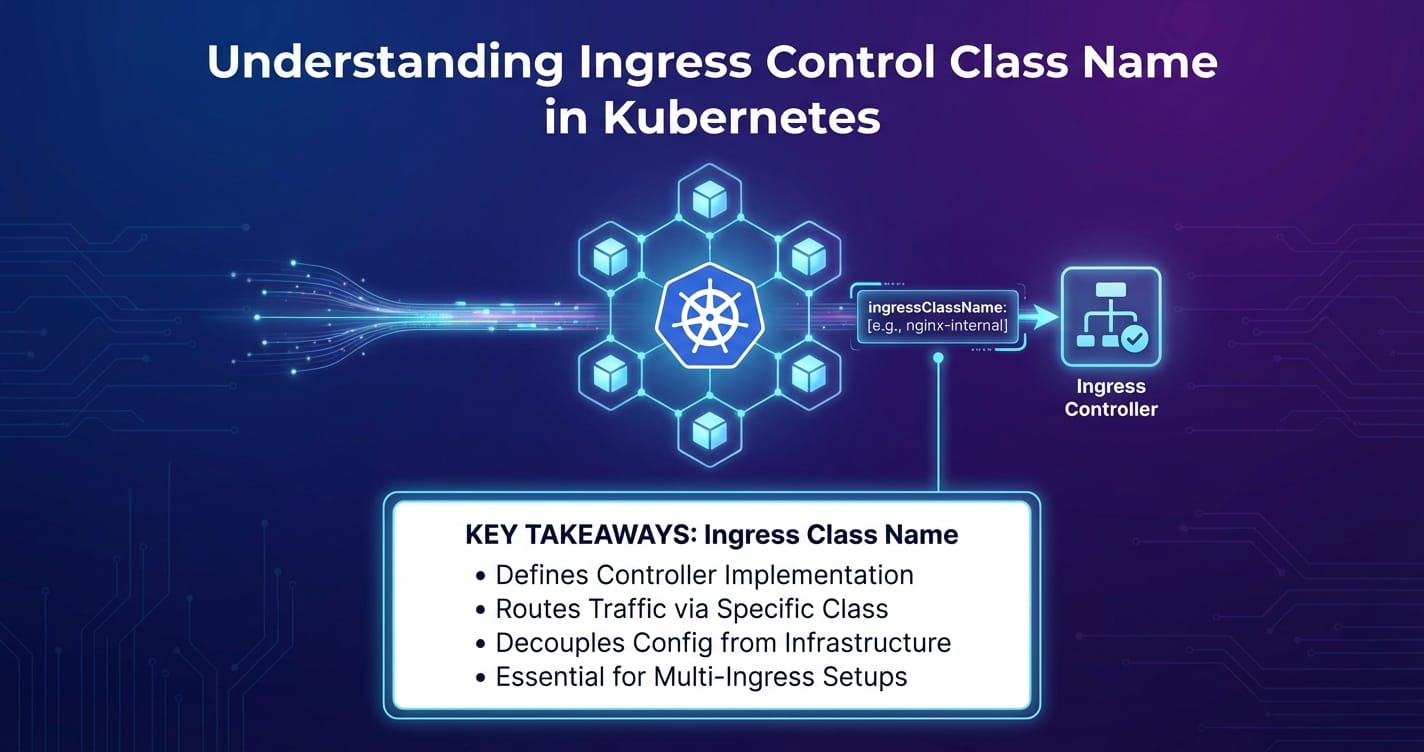
Understanding Ingress Control Class Name in Kubernetes


In the dynamic and often intricate world of cloud-native computing, Kubernetes has firmly established itself as the de facto standard for orchestrating containerized applications. A cornerstone of its immense utility lies in its robust networking capabilities, allowing applications within a cluster to communicate seamlessly and, crucially, enabling external users to access these applications. While Kubernetes Services provide essential abstractions for internal communication and basic load balancing, they often fall short when it comes to the sophisticated requirements of exposing web applications and APIs to the wider internet. This is where Kubernetes Ingress steps in, acting as the intelligent gateway for external traffic, routing it efficiently to the appropriate services within your cluster.
However, the power of Ingress is not monolithic. Kubernetes, in its wisdom, does not dictate a single, opinionated implementation for Ingress but rather provides an extensible API specification. This flexibility allows for a multitude of Ingress controllers, each offering unique features, performance characteristics, and integration points with different infrastructure providers. Managing these diverse controllers, especially in complex environments where multiple types might coexist, introduces a critical requirement: how does Kubernetes distinguish which Ingress resource should be handled by which controller? The answer, central to modern Kubernetes networking, lies in the Ingress Control Class Name.
This comprehensive article embarks on a deep exploration of the Ingress Control Class Name. We will meticulously unpack its purpose, trace its evolution from a simple annotation to a first-class API field, and elucidate its profound impact on configuring and managing external access in Kubernetes. We will delve into the underlying IngressClass resource, examine practical configuration examples, discuss advanced deployment patterns involving multiple controllers, and offer best practices for leveraging this powerful mechanism. Furthermore, we will draw a crucial distinction between the core functionalities of Kubernetes Ingress and the more specialized capabilities of dedicated API gateways, illustrating how they complement each other to form a resilient and feature-rich application delivery ecosystem, naturally introducing how platforms like APIPark fit into this broader architecture. By the end of this journey, you will possess a profound understanding of how ingressClassName empowers granular control over your cluster's external traffic, ensuring both flexibility and stability in your cloud-native deployments.
The Foundation: Kubernetes Networking and the Need for Ingress
To truly appreciate the significance of ingressClassName, it is imperative to first establish a solid understanding of Kubernetes' networking model and the challenges it addresses. At its core, Kubernetes is designed to provide a flat, interconnected network where every Pod has its own IP address, enabling direct communication without NAT. This is achieved through the Container Network Interface (CNI), which allows various network plugins (like Calico, Flannel, Cilium) to integrate with Kubernetes and implement the underlying network.
However, individual Pods are ephemeral; they can be created, destroyed, and rescheduled, meaning their IP addresses are not stable. This impermanence necessitates an abstraction layer for service discovery and load balancing, which Kubernetes addresses with Services.
Kubernetes Services:
A Service is an abstract way to expose an application running on a set of Pods as a network service. Kubernetes defines several types of Services:
- ClusterIP: Exposes the Service on an internal IP in the cluster. This type makes the Service only reachable from within the cluster. It’s perfect for internal microservice communication.
- NodePort: Exposes the Service on each Node's IP at a static port (the NodePort). A ClusterIP Service is automatically created, and the NodePort Service routes to it. This allows external traffic to reach the Service by hitting any Node's IP at the specified NodePort. However, NodePorts are often in the high range (30000-32767), making them unsuitable for public-facing services due to port conflicts and management overhead.
- LoadBalancer: This type builds upon NodePort and is typically used in cloud environments. It provisions an external cloud load balancer (e.g., AWS ELB, GCP Load Balancer) that routes traffic to the NodePorts of your Services. While convenient, each LoadBalancer Service typically incurs a cost and is limited to Layer 4 (TCP/UDP) load balancing. This means it can distribute traffic based on IP address and port, but lacks awareness of HTTP headers, hostnames, or URL paths.
- ExternalName: A special type of Service that maps a Service to a DNS name, rather than to a selector.
While LoadBalancer Services facilitate external access, they primarily operate at Layer 4 of the OSI model. Modern web applications and microservice architectures demand more sophisticated traffic management capabilities, such as:
- Host-based Routing: Directing traffic to different backend services based on the hostname in the HTTP request (e.g.,
api.example.comto one service,blog.example.comto another). - Path-based Routing: Routing requests to different services based on the URL path (e.g.,
/api/v1to theapi-v1service,/webto thefrontendservice). - SSL/TLS Termination: Handling encryption and decryption of traffic at the edge of the cluster, offloading this burden from backend services.
- Virtual Hosts: Serving multiple websites or applications from a single IP address.
- Name-based Virtual Hosting: Serving different domains from the same IP, where the Ingress controller inspects the
Hostheader. - URL Rewriting and Advanced Traffic Policies: More complex manipulations of incoming requests.
These advanced Layer 7 features are beyond the scope of a standard Kubernetes Service. This is precisely the void that Kubernetes Ingress fills, providing a powerful and flexible solution for managing external HTTP and HTTPS access to services within the cluster.
Diving Deep into Kubernetes Ingress
Kubernetes Ingress is not a service or a load balancer itself, but rather an API object that defines rules for external access to services in a cluster. Think of it as a set of instructions or a declarative configuration for how inbound connections should be handled. It serves as an entry point for HTTP and HTTPS traffic, routing it based on rules you define.
The Ingress Resource: A Declarative Specification
At its heart, Ingress is a resource object in Kubernetes, defined in YAML or JSON, that specifies routing rules. An Ingress resource typically includes:
apiVersionandkind: Standard Kubernetes API object identifiers (networking.k8s.io/v1,Ingress).metadata: Standard Kubernetes metadata likenameandnamespace.spec: The core of the Ingress definition, containing the routing rules and configuration.
Let's break down the key components within the spec:
rules: A list of routing rules. Each rule can specify ahost(e.g.,example.com) and a series ofhttppaths.host: The hostname for which the rule applies. If omitted, the rule applies to all incoming hosts (often referred to as a "default backend" or "catch-all" Ingress).httppaths: Within a rule, a list of paths. Each path defines:path: The URL path prefix (e.g.,/api,/).pathType: Specifies how the path should be matched. Common types arePrefix(matches URL path prefixes),Exact(matches the URL path exactly), andImplementationSpecific(matching logic depends on the Ingress controller).backend: The target for the traffic. It specifies theservicename andportwhere the traffic should be forwarded.
tls: A list of TLS certificates to be used for secure communication. Each entry specifies ahost(or hosts) and asecretNamereferencing a Kubernetes Secret that contains the TLS certificate and private key.defaultBackend: An optional backend that catches all requests that don't match any of the defined rules.
Here's a simplified example of an Ingress resource:
apiVersion: networking.k8s.io/v1
kind: Ingress
metadata:
  name: my-app-ingress
  annotations:
    # Controller-specific annotations can still be used for fine-tuning
    nginx.ingress.kubernetes.io/rewrite-target: /
spec:
  ingressClassName: nginx # This is where the class name comes into play
  rules:
  - host: api.example.com
    http:
      paths:
      - path: /v1
        pathType: Prefix
        backend:
          service:
            name: api-service-v1
            port:
              number: 80
      - path: /v2
        pathType: Prefix
        backend:
          service:
            name: api-service-v2
            port:
              number: 80
  - host: www.example.com
    http:
      paths:
      - path: /
        pathType: Prefix
        backend:
          service:
            name: web-frontend
            port:
              number: 80
  tls:
  - hosts:
    - api.example.com
    - www.example.com
    secretName: example-com-tls # Secret containing TLS certificate for example.com
This Ingress resource defines rules to route traffic for api.example.com and www.example.com to different services within the cluster, and also specifies TLS termination using a Kubernetes Secret.
How Ingress Works: The Controller's Role
It's crucial to understand that the Ingress resource itself does not perform any routing or load balancing. It is merely a declarative specification. To make Ingress functional, a separate component, known as an Ingress controller, is required.
An Ingress controller is an application that runs within the Kubernetes cluster and continuously watches the Kubernetes API server for Ingress resources. When it detects a new Ingress resource or changes to an existing one, it reads the rules defined in the spec and configures a reverse proxy or load balancer to fulfill those rules. For example:
- A user creates or updates an
Ingressresource viakubectl apply -f my-ingress.yaml. - The Kubernetes API server stores this resource.
- The Ingress controller, constantly monitoring the API server, detects the change.
- The controller then translates the
Ingressrules into its own specific configuration format. - It then applies this configuration to its underlying proxy engine (e.g., Nginx, Envoy, HAProxy, or a cloud provider's load balancer API).
- External traffic destined for the cluster first hits this configured proxy, which then routes it to the correct backend Service and Pods based on the Ingress rules.
Without an Ingress controller running and properly configured, Ingress resources are just inert declarations. They won't magically route traffic. This brings us to a key challenge: given the variety of Ingress controllers available, how does Kubernetes know which controller should be responsible for a particular Ingress resource? This is precisely where the ingressClassName steps in, providing the necessary glue.
The Role of Ingress Controllers: Diverse Implementations
The beauty and complexity of Kubernetes Ingress stem from its pluggable architecture for controllers. This approach allows different controllers to cater to specific needs, environments, or feature sets. Here are some of the most popular Ingress controllers:
- Nginx Ingress Controller: One of the most widely adopted controllers, it leverages the battle-tested Nginx proxy server. It's known for its high performance, rich feature set, and extensive annotation support for fine-grained control. It's often the default choice for on-premises and general cloud deployments.
- Traefik Ingress Controller: A modern HTTP reverse proxy and load balancer written in Go. Traefik is known for its dynamic configuration capabilities, lightweight footprint, and seamless integration with Kubernetes, automatically discovering services and updating its routing rules.
- HAProxy Ingress Controller: Utilizes the HAProxy load balancer, renowned for its stability, high performance, and advanced load balancing algorithms.
- Cloud Provider Specific Controllers:
- AWS ALB Ingress Controller (now AWS Load Balancer Controller): Integrates with Amazon Web Services' Application Load Balancer (ALB), provisioning and configuring ALBs based on Ingress resources. This allows users to leverage native AWS features like WAF integration and Cognito authentication directly from Kubernetes.
- GCE L7 Load Balancer Ingress Controller: For Google Cloud Platform, this controller provisions and configures Google's native Layer 7 HTTP(S) Load Balancers.
- Azure Application Gateway Ingress Controller: Integrates with Azure Application Gateway, providing similar native cloud integration for Azure users.
- Istio Gateway: While Istio is a full-fledged service mesh, its
Gatewayresource often functions as an Ingress controller, providing advanced traffic management, security, and observability at the edge of the mesh.
Each of these controllers has its strengths and weaknesses, and they implement the Ingress API specification in their own ways. They might support different sets of annotations, configuration options, or underlying proxy technologies. In a simple setup, with only one Ingress controller deployed in the cluster, all Ingress resources are typically handled by that single controller. However, as environments grow in complexity, or when specific requirements necessitate different controllers for different applications, a mechanism is needed to explicitly tie an Ingress resource to its intended controller.
Understanding the Ingress Control Class Name: Bridging the Gap
The fundamental problem that ingressClassName solves is one of unambiguous delegation. In a Kubernetes cluster that might host multiple Ingress controllers (e.g., an Nginx controller for general web applications and an AWS ALB controller for specific microservices requiring native AWS integration), how does the system know which controller should process a particular Ingress resource?
The Evolution: From Annotation to Field
Initially, before Kubernetes v1.18, the association between an Ingress resource and its controller was made through a special annotation: kubernetes.io/ingress.class. An Ingress resource would specify this annotation, and an Ingress controller would be configured to watch for Ingresses with a matching annotation value. For example:
apiVersion: networking.k8s.io/v1beta1 # Old API version
kind: Ingress
metadata:
  name: my-legacy-ingress
  annotations:
    kubernetes.io/ingress.class: nginx # Using the annotation
spec:
  rules:
  # ... routing rules ...
While functional, annotations have some drawbacks when used for such a critical API-level distinction:
- Lack of Strong Typing: Annotations are free-form strings. There's no inherent validation or schema enforcement. A typo in the annotation value could lead to an Ingress being ignored or misconfigured without immediate feedback from the API server.
- Ambiguity: If multiple controllers claim the same
ingress.classannotation value, or if an Ingress resource specifies a class that no controller is configured to handle, the behavior can be undefined or lead to unexpected outcomes. - No First-Class API Object: The "class" concept was not a distinct Kubernetes API object, making it harder to manage, inspect, or define global parameters for Ingress controllers.
To address these limitations and provide a more robust, standardized, and extensible mechanism, Kubernetes introduced the ingressClassName field in the networking.k8s.io/v1 Ingress API, along with a new first-class API resource: IngressClass. This change was promoted to stable in Kubernetes v1.19.
The IngressClass Resource: A New Abstraction
The IngressClass resource (v1.networking.k8s.io/IngressClass) is a cluster-scoped API object that provides metadata about a specific Ingress controller and its configuration. It serves as the definitive declaration of an Ingress controller's existence and capabilities within the cluster.
An IngressClass resource typically defines:
apiVersionandkind:networking.k8s.io/v1,IngressClass.metadata.name: This is the name of the Ingress class that will be referenced by theingressClassNamefield inIngressresources. It's often descriptive, likenginxortraefik.spec: The core configuration for the Ingress class.controller: This required field is a string that identifies the specific Ingress controller implementation that handles this class. It usually follows a convention likek8s.io/ingress-nginxfor the Nginx Ingress Controller orexample.com/traefikfor Traefik. This value helps operators and tools understand which software is behind the IngressClass.parameters: An optional field that points to an object (e.g., aConfigMapor a custom resource) containing controller-specific configuration that applies globally to this Ingress class. This allows for centralized management of controller settings without resorting to annotations on individual Ingresses.scope: Can beNamespaceorCluster. Indicates if the parameters object is namespace-scoped or cluster-scoped.apiGroup: The API group of the parameters object.kind: The kind of the parameters object (e.g.,ConfigMap,IngressControllerParameters).name: The name of the parameters object.
isDefaultClass: An optional boolean flag. If set totrue, thisIngressClasswill be used for anyIngressresource that does not explicitly specify aningressClassName. Only oneIngressClasscan be marked as default across the entire cluster.
Here's an example of an IngressClass for the Nginx Ingress Controller:
apiVersion: networking.k8s.io/v1
kind: IngressClass
metadata:
  name: nginx # This name will be referenced by Ingress resources
spec:
  controller: k8s.io/ingress-nginx # Identifier for the Nginx controller
  # No parameters specified for this example, but they could be defined here
  # parameters:
  #   apiGroup: example.com
  #   kind: NginxParameters
  #   name: global-nginx-params
  #   scope: Cluster
  isDefaultClass: true # This IngressClass will be used by default if not specified
And one for a Traefik Ingress Controller:
apiVersion: networking.k8s.io/v1
kind: IngressClass
metadata:
  name: traefik # This name will be referenced by Ingress resources
spec:
  controller: traefik.io/ingress-controller # Identifier for the Traefik controller
  # isDefaultClass: false # Not set as default, must be explicitly referenced
How ingressClassName Binds to IngressClass and Controller
The workflow with ingressClassName and IngressClass is much more structured:
- Define IngressClass: First, an
IngressClassresource is created, which declares the existence of a specific Ingress controller (identified by itscontrollerfield, e.g.,k8s.io/ingress-nginx) and assigns it a logical name (e.g.,nginx). - Deploy Controller: The actual Ingress controller (e.g., the Nginx Ingress Controller deployment) is launched. It is configured to watch for
Ingressresources that reference its designatedIngressClass(typically by filtering based on theingressClassNamefield). - Create Ingress Resource: When a developer creates an
Ingressresource, they specify theingressClassNamefield, whose value must match themetadata.nameof an existingIngressClassresource.
When an Ingress resource is created or updated, the Kubernetes API server validates its ingressClassName against existing IngressClass objects. The designated Ingress controller then identifies Ingress resources that specify its class name and configures its proxy accordingly. This provides a clear, strongly typed, and centralized way to manage multiple Ingress controllers and their respective Ingress configurations within a single cluster.
APIPark is a high-performance AI gateway that allows you to securely access the most comprehensive LLM APIs globally on the APIPark platform, including OpenAI, Anthropic, Mistral, Llama2, Google Gemini, and more.Try APIPark now! 👇👇👇
Configuring and Using ingressClassName
Implementing ingressClassName correctly is crucial for effective external traffic management in Kubernetes. Let's walk through the practical steps and considerations.
Defining an IngressClass Resource
Before you can use an ingressClassName in your Ingress resources, you must define the corresponding IngressClass resource. This is typically done as part of the Ingress controller's deployment process, or it can be managed separately.
Example: IngressClass for Nginx Ingress Controller
Assuming you've deployed the Nginx Ingress Controller (e.g., via Helm or official manifests), you'll likely have an IngressClass similar to this:
# nginx-ingress-class.yaml
apiVersion: networking.k8s.io/v1
kind: IngressClass
metadata:
  name: nginx # The name referenced by Ingress resources
  labels:
    app.kubernetes.io/component: controller
    app.kubernetes.io/instance: ingress-nginx
    app.kubernetes.io/name: ingress-nginx
spec:
  controller: k8s.io/ingress-nginx # Identifier for the Nginx Ingress Controller
  # parameters: # Optional: reference to a resource for controller-wide settings
  #   apiGroup: k8s.example.com
  #   kind: NginxParameters
  #   name: my-nginx-params
  #   scope: Cluster
  isDefaultClass: true # Makes this the default IngressClass for Ingresses without a specified class
To apply this: kubectl apply -f nginx-ingress-class.yaml
The controller field k8s.io/ingress-nginx is a convention used by the official Nginx Ingress Controller. If you're using a different variant or a community-driven fork, its controller string might differ. It's important that the deployed controller is configured to recognize and respond to this specific controller string.
Example: IngressClass for Traefik Ingress Controller
Similarly, for a Traefik Ingress Controller, you might define an IngressClass like this:
# traefik-ingress-class.yaml
apiVersion: networking.k8s.io/v1
kind: IngressClass
metadata:
  name: traefik # The name referenced by Ingress resources
spec:
  controller: traefik.io/ingress-controller # Identifier for the Traefik Ingress Controller
  # This one is not set as default, so Ingresses must explicitly refer to it.
To apply this: kubectl apply -f traefik-ingress-class.yaml
Referencing ingressClassName in an Ingress Resource
Once your IngressClass resources are defined, you can instruct a specific Ingress to use a particular controller by setting its ingressClassName field.
Example: Ingress using the nginx class
# my-nginx-ingress.yaml
apiVersion: networking.k8s.io/v1
kind: Ingress
metadata:
  name: my-web-app-nginx
spec:
  ingressClassName: nginx # Explicitly use the IngressClass named 'nginx'
  rules:
  - host: www.mywebapp.com
    http:
      paths:
      - path: /
        pathType: Prefix
        backend:
          service:
            name: web-app-service
            port:
              number: 80
  tls:
  - hosts:
    - www.mywebapp.com
    secretName: my-webapp-tls
To apply this: kubectl apply -f my-nginx-ingress.yaml
This Ingress will only be processed by the Ingress controller that is configured to handle the nginx IngressClass.
Example: Ingress using the traefik class
If you have another application requiring specific Traefik features, you could define:
# my-api-traefik-ingress.yaml
apiVersion: networking.k8s.io/v1
kind: Ingress
metadata:
  name: my-api-service-traefik
  # Traefik-specific annotations can still be added here if needed
  # traefik.ingress.kubernetes.io/router.entrypoints: websecure
spec:
  ingressClassName: traefik # Explicitly use the IngressClass named 'traefik'
  rules:
  - host: api.mycompany.com
    http:
      paths:
      - path: /
        pathType: Prefix
        backend:
          service:
            name: api-service
            port:
              number: 8080
  tls:
  - hosts:
    - api.mycompany.com
    secretName: my-api-tls
To apply this: kubectl apply -f my-api-traefik-ingress.yaml
This setup clearly segregates the responsibilities of different Ingress controllers, allowing you to run multiple controllers concurrently and assign Ingress resources to them on a per-resource basis.
Setting a Default Ingress Class
In many scenarios, you might have a primary Ingress controller that you want to use for most (or all) of your Ingress resources unless explicitly specified otherwise. The isDefaultClass: true field in an IngressClass resource addresses this need.
When an Ingress resource is created without an ingressClassName specified, Kubernetes will attempt to use the IngressClass that has isDefaultClass: true. If there are multiple IngressClass resources marked as default, or if no default is specified and an Ingress resource lacks ingressClassName, the behavior can be undefined or lead to the Ingress being ignored. Therefore, it is best practice to either:
- Explicitly set
ingressClassNamefor allIngressresources. - Designate exactly one
IngressClassas the default in your cluster.
This ensures that Ingress resources are always handled by an active controller, preventing unrouted traffic.
Troubleshooting ingressClassName Issues
Misconfigurations related to ingressClassName can lead to Ingress resources not working as expected. Here are common issues and troubleshooting steps:
- Ingress Not Being Processed:
- Check
ingressClassNamevalue: Ensure theingressClassNamein yourIngressresource exactly matches themetadata.nameof anIngressClassresource. Typographical errors are common. - Verify
IngressClassexists: Runkubectl get ingressclassto confirm theIngressClassresource exists and its name matches. - Check controller status: Is the Ingress controller (e.g., Nginx deployment, Traefik deployment) actually running and healthy? Check its Pods and logs (
kubectl get pods -n <ingress-namespace>,kubectl logs <ingress-controller-pod> -n <ingress-namespace>). - Controller configured to watch: Ensure the Ingress controller deployment itself is configured to watch for the correct
IngressClassname. For example, the Nginx Ingress controller usually has a--ingress-classor--controller-classflag in its deployment arguments. - No default class, no explicit class: If an Ingress has no
ingressClassNameand noIngressClassis marked as default, the Ingress will be ignored.
- Check
- Incorrect Controller Handling Ingress:
- This typically happens if multiple controllers are configured to watch for the same
ingressClassName(which should be avoided by design as thecontrollerfield is meant to be unique to an implementation) or if a default class is unexpectedly picking up an Ingress meant for another. - Review all
IngressClassdefinitions (kubectl get ingressclass -o yaml) and ensure only one is markedisDefaultClass: true.
- This typically happens if multiple controllers are configured to watch for the same
- Missing
IngressClassorcontrollerfield:- If you're creating
IngressClassresources manually, ensure thespec.controllerfield is present and correctly identifies the Ingress controller implementation. This is a required field.
- If you're creating
By meticulously checking these points, you can quickly diagnose and resolve most issues related to ingressClassName configurations.
Advanced Scenarios and Best Practices
The flexibility offered by ingressClassName opens up a realm of advanced scenarios and necessitates certain best practices for robust and scalable Kubernetes deployments.
Multiple Ingress Controllers in a Single Cluster
One of the most powerful use cases for ingressClassName is the ability to run multiple Ingress controllers within the same Kubernetes cluster. Why would you want to do this?
- Feature Specialization: Different applications might require different features. For example, some might need the advanced traffic routing of Istio Gateway, while others benefit from the cost-effectiveness and simplicity of Nginx. Specific cloud integrations (e.g., AWS ALB for WAF integration) might be needed for certain services.
- Security Segregation: For highly sensitive applications, you might want to isolate their Ingress traffic from less critical applications, potentially using a dedicated Ingress controller with stricter access controls and monitoring.
- A/B Testing or Canary Deployments at the Edge: While Ingress controllers can do some canary routing, using specialized controllers or custom logic for highly controlled traffic splitting might be a requirement.
- Performance Isolation: A busy Ingress controller can become a bottleneck. By splitting traffic across multiple controllers (e.g., one for internal APIs, another for public web traffic), you can isolate performance impacts.
- Multi-Tenancy: In a multi-tenant cluster, each tenant or team might prefer (or be allocated) their own Ingress controller to manage their ingress rules independently, preventing interference and ensuring resource guarantees.
When running multiple controllers, each controller (or set of controllers if you're horizontally scaling a single type) should be associated with a unique IngressClass resource. Your Ingress resources then explicitly declare which class they intend to use.
Example Scenario: Nginx and AWS ALB Ingress Controllers Coexisting
Consider a cluster where: * General web applications use the Nginx Ingress Controller for its rich features and performance. This is defined by an IngressClass named nginx. * A specific set of microservices needs to integrate with AWS WAF for advanced security, so they use the AWS Load Balancer Controller (ALB) via an IngressClass named alb.
Your IngressClass definitions would look like:
# Nginx IngressClass
apiVersion: networking.k8s.io/v1
kind: IngressClass
metadata:
  name: nginx
spec:
  controller: k8s.io/ingress-nginx
  isDefaultClass: true # Nginx is the default
---
# AWS ALB IngressClass
apiVersion: networking.k8s.io/v1
kind: IngressClass
metadata:
  name: alb
spec:
  controller: ingress.k8s.aws/alb # Specific controller identifier for AWS ALB
  parameters: # ALB-specific parameters could be defined here
    apiGroup: elbv2.k8s.aws
    kind: IngressClassParams
    name: alb-ingress-params
    scope: Cluster
And your Ingress resources would specify:
# Ingress for a general web application, handled by Nginx
apiVersion: networking.k8s.io/v1
kind: Ingress
metadata:
  name: my-webapp
spec:
  ingressClassName: nginx # Explicitly use Nginx
  rules:
  # ...
---
# Ingress for an API requiring AWS WAF, handled by ALB
apiVersion: networking.k8s.io/v1
kind: Ingress
metadata:
  name: my-secure-api
  annotations:
    # ALB-specific annotations for WAF integration, etc.
    alb.ingress.kubernetes.io/wafv2-acl-arn: arn:aws:wafv2:...
spec:
  ingressClassName: alb # Explicitly use ALB
  rules:
  # ...
This setup allows each application to leverage the optimal Ingress controller for its specific needs, all within the same Kubernetes cluster.
Controller-Specific Configurations and Annotations
While the IngressClass resource provides a formal way to define controller types and even global parameters, most Ingress controllers also heavily rely on annotations for fine-grained, Ingress-specific configuration. These annotations are applied directly to the metadata of an individual Ingress resource.
For example, the Nginx Ingress Controller has hundreds of annotations to control everything from rewrite rules (nginx.ingress.kubernetes.io/rewrite-target), request timeouts (nginx.ingress.kubernetes.io/proxy-read-timeout), to authentication (nginx.ingress.kubernetes.io/auth-url).
apiVersion: networking.k8s.io/v1
kind: Ingress
metadata:
  name: my-app-custom-nginx
  annotations:
    ingress.kubernetes.io/ssl-redirect: "false" # Turn off default SSL redirect
    nginx.ingress.kubernetes.io/affinity: cookie # Enable sticky sessions
    nginx.ingress.kubernetes.io/affinity-mode: persistent
    nginx.ingress.kubernetes.io/session-cookie-name: MYAPPCOOKIE
    nginx.ingress.kubernetes.io/session-cookie-hash: sha1
spec:
  ingressClassName: nginx
  rules:
  # ...
It's important to remember that annotations are controller-specific. An annotation for the Nginx Ingress Controller will be ignored by the Traefik Ingress Controller, and vice-versa. The ingressClassName ensures that an Ingress resource is only processed by the controller that understands its specific annotations and parameters.
Security Considerations
Managing external access is inherently a security-critical task. ingressClassName helps in improving security posture in several ways:
- Clear Ownership: By explicitly assigning an Ingress to a class, it becomes clear which controller (and thus which team or infrastructure provider) is responsible for routing that traffic.
- RBAC for IngressClass: You can use Kubernetes Role-Based Access Control (RBAC) to control who can create or modify
IngressClassresources. This is important because a maliciousIngressClasscould potentially misdirect traffic. - Segregation of Control: If you have multiple Ingress controllers for different security zones (e.g., public vs. internal APIs),
ingressClassNameensures that a misconfigured Ingress for one zone doesn't inadvertently expose resources from another. - Secure Defaults: The
isDefaultClassflag should be used judiciously. The default IngressClass should be well-secured and meet the general security requirements of your cluster. If an application inadvertently creates an Ingress without specifying a class, it will fall back to this default.
Performance and Scalability
The choice of Ingress controller and its configuration can significantly impact the performance and scalability of your applications.
- Controller Selection: Some controllers (like Nginx) are known for raw performance, while others (like cloud-native load balancers) excel at integrating with surrounding cloud services for scaling and feature sets. Your
ingressClassNamestrategy should reflect these performance characteristics. - Horizontal Scaling: Most Ingress controllers can be horizontally scaled by deploying multiple replicas of the controller Pods behind a
LoadBalancerService. This distributes the load of configuring the proxy and handling inbound traffic. - Monitoring: Comprehensive monitoring of your Ingress controllers (CPU, memory, request rates, error rates) is vital to identify bottlenecks and ensure stable operation. Tools like Prometheus and Grafana are commonly used for this.
Ingress vs. API Gateways: A Complementary Relationship
While Kubernetes Ingress provides essential Layer 7 routing and traffic management at the edge of the cluster, it's crucial to understand that it serves a fundamentally different purpose from a dedicated API gateway. These two components, while both involved in managing inbound traffic, operate at different levels of abstraction and offer distinct feature sets. They are not mutually exclusive; rather, they often complement each other to form a robust application delivery architecture.
Kubernetes Ingress: The Cluster's Front Door
As we've discussed, Kubernetes Ingress acts as the primary entry point for external HTTP/HTTPS traffic into the cluster. Its core functionalities revolve around:
- Basic Layer 7 Routing: Directing traffic to different backend services based on hostnames (virtual hosts) and URL paths.
- SSL/TLS Termination: Handling encryption and decryption, offloading this from backend applications.
- Simple Load Balancing: Distributing requests across multiple Pods of a Service.
- URL Rewriting: Modifying incoming URL paths before forwarding to backends.
Ingress is designed to be a generic traffic router, effectively the "front door" of your Kubernetes cluster. It provides the foundational layer for getting external requests to the right service. For many simple web applications or internal tools, Ingress alone might suffice.
API Gateways: The Intelligent API Traffic Manager
An API gateway, on the other hand, is a specialized component that sits in front of one or more APIs and acts as a single entry point for a group of microservices. It's designed to handle the intricacies of API management and traffic flow, offering a richer set of features tailored specifically for APIs. While Ingress gets the traffic into the cluster, an API gateway is concerned with what happens to that traffic before it hits the actual API backend.
Key features of a dedicated API Gateway include:
- Authentication and Authorization: Enforcing security policies, validating API keys, JWTs, OAuth2 tokens, and integrating with identity providers. This is far more sophisticated than basic TLS.
- Rate Limiting and Throttling: Protecting backend services from overload by controlling the number of requests clients can make within a certain timeframe.
- Request/Response Transformation: Modifying headers, payload, or query parameters of incoming requests or outgoing responses to meet specific API versions or client requirements.
- Caching: Storing API responses to reduce load on backend services and improve response times for frequently requested data.
- Logging, Monitoring, and Analytics: Providing deep insights into API usage, performance, and errors.
- Version Management: Routing requests to different versions of an API, facilitating seamless upgrades and A/B testing.
- Circuit Breaking and Retries: Enhancing resilience by gracefully handling failures in backend services.
- Developer Portal: Providing a self-service platform for developers to discover, subscribe to, and test APIs.
The Complementary Relationship: Ingress Routing to an API Gateway
In a typical modern architecture, especially one involving a complex ecosystem of microservices and APIs, Kubernetes Ingress and an API Gateway work in tandem.
- Ingress as the Edge Router: External traffic first hits the Kubernetes Ingress controller. The Ingress's
ingressClassNameensures that this traffic is handled by the appropriate edge proxy (e.g., Nginx). - Routing to the API Gateway: The Ingress is configured to route all API-related traffic (e.g.,
api.example.com/*or/api/*) to the Kubernetes Service that exposes the API Gateway. The API Gateway itself is deployed as a set of Pods within the cluster, exposed via aClusterIPService. - API Gateway Takes Over: Once the traffic reaches the API Gateway Service, the API Gateway applies its advanced policies: authenticating the caller, rate-limiting the request, transforming the payload, and finally routing the request to the specific backend microservice responsible for that API endpoint.
This layered approach offers significant advantages:
- Clear Separation of Concerns: Ingress handles basic Layer 7 entry, while the API Gateway focuses purely on API management logic.
- Scalability: Each component can be scaled independently based on its specific load profile.
- Flexibility: You can swap out Ingress controllers or API Gateway implementations without impacting the other layer significantly, as long as the interface (Service endpoint) remains consistent.
For organizations dealing with a high volume of APIs, especially in the burgeoning AI landscape, dedicated solutions become indispensable. Platforms like APIPark, an open-source AI gateway and API management platform, provide crucial functionalities that extend far beyond what a standard Kubernetes Ingress controller offers. APIPark excels in integrating and managing diverse AI models, unifying API formats, and offering comprehensive lifecycle management for APIs, effectively acting as an intelligent gateway for all your AI and REST services. This allows teams to efficiently manage hundreds of AI models with unified authentication and cost tracking, and even encapsulate prompts into new REST APIs, truly transforming how developers interact with complex AI backends. Such specialized API gateway solutions complement Kubernetes Ingress by providing that deeper layer of intelligence and control specifically for API traffic. While Ingress ensures external connectivity, APIPark provides the sophisticated orchestration and governance layer necessary for modern API gateway needs, particularly those involving large language models and other AI services.
Key Differences at a Glance
To summarize the distinction and complementary nature of Ingress and API Gateways:
| Feature/Component | Kubernetes Ingress | Dedicated API Gateway |
|---|---|---|
| Primary Role | Edge routing, basic L7 traffic distribution | API orchestration, governance, and advanced traffic management |
| Layer of Operation | Cluster edge (L7 for HTTP/HTTPS) | Application/API layer (L7+) |
| Core Capabilities | Host/path routing, TLS termination, simple load balancing | Auth/AuthZ, rate limiting, caching, transformation, analytics, versioning, developer portal |
| Deployment Location | Typically at the cluster edge (often exposed via LoadBalancer Service) | As a service within the cluster, behind Ingress |
| Complexity | Relatively simple for basic setups | High, due to extensive features and policies |
| Integration with AI | None directly; routes traffic to AI services | Specialized features for AI model integration, prompt encapsulation, unified AI API format (e.g., APIPark) |
| Use Case | Exposing general web apps, internal services | Managing public/internal APIs, microservices, AI services, monetized APIs |
Handles ingressClassName |
Yes, crucial for controller selection | No, not directly. It is a backend service to Ingress. |
This table clearly illustrates that while Ingress handles the initial entry and basic routing to your cluster, an API Gateway provides the deep, API-specific functionalities required for secure, performant, and manageable API ecosystems. The choice to use one, both, or neither depends entirely on the complexity and requirements of your application landscape.
Conclusion
The ingressClassName field in Kubernetes is a seemingly small detail that carries immense significance for managing external traffic in a flexible, scalable, and resilient manner. It represents a mature evolution in Kubernetes networking, moving from ambiguous annotations to a strongly typed, first-class API construct with the IngressClass resource. By explicitly linking an Ingress resource to a specific Ingress controller, ingressClassName empowers operators to:
- Run multiple Ingress controllers concurrently within a single cluster, each specialized for different workloads or environments.
- Achieve greater clarity and predictability in traffic routing by eliminating ambiguity in controller assignment.
- Enhance security through clear ownership and segregation of ingress responsibilities.
- Improve manageability by centralizing the definition of controller types and optional global parameters.
Understanding and correctly implementing ingressClassName is no longer merely a best practice; it is a fundamental requirement for anyone operating Kubernetes clusters at scale or seeking to leverage the full power of diverse Ingress controller ecosystems. As cloud-native architectures continue to evolve, with increasing demands for sophisticated traffic management, robust security, and seamless integration with specialized components like API gateways (such as APIPark for advanced AI and API management), the ability to precisely control ingress behavior through ingressClassName will remain an indispensable tool in the Kubernetes administrator's arsenal. By mastering this concept, you unlock a new level of control over your cluster's external entry points, ensuring that your applications are not only accessible but also secure, performant, and adaptable to future demands.
Frequently Asked Questions (FAQs)
1. What is the primary purpose of ingressClassName in Kubernetes?
The primary purpose of ingressClassName is to explicitly associate an Ingress resource with a specific IngressClass resource, which in turn identifies the particular Ingress controller responsible for fulfilling the routing rules defined in that Ingress. This allows Kubernetes to run multiple Ingress controllers in the same cluster and delegate Ingress resources to them unambiguously, preventing conflicts and enabling specialized routing behaviors.
2. What is the difference between ingressClassName and the deprecated kubernetes.io/ingress.class annotation?
The ingressClassName is a first-class field in the networking.k8s.io/v1 Ingress API, introduced to provide a more structured and strongly typed way to specify the Ingress class. It references an IngressClass API object. In contrast, kubernetes.io/ingress.class was an annotation (a key-value pair in the metadata), which was less formal and lacked validation, leading to potential ambiguities and errors. The ingressClassName field is the recommended and standard approach for all modern Kubernetes deployments.
3. Can I run multiple Ingress controllers in a single Kubernetes cluster? How does ingressClassName help with this?
Yes, you absolutely can run multiple Ingress controllers (e.g., Nginx, Traefik, AWS ALB) in a single Kubernetes cluster. The ingressClassName field is precisely designed for this scenario. Each Ingress controller (or group of controllers) should have its own corresponding IngressClass resource with a unique metadata.name. Then, each Ingress resource specifies the ingressClassName field to indicate which specific controller should process its rules. This clearly segregates the responsibilities and configurations of different controllers.
4. What happens if an Ingress resource does not specify an ingressClassName?
If an Ingress resource does not specify an ingressClassName, Kubernetes will look for an IngressClass resource that has the isDefaultClass: true field set. If exactly one IngressClass is marked as default, that IngressClass (and its associated controller) will handle the Ingress. If there are multiple default IngressClass resources, or if no default is defined, the Ingress resource might be ignored by all controllers, leading to unrouted traffic. It's best practice to either explicitly specify ingressClassName for all Ingresses or ensure there's a single, well-defined default.
5. How does Kubernetes Ingress relate to a dedicated API Gateway like APIPark? Are they interchangeable?
Kubernetes Ingress and dedicated API Gateways (like APIPark) are not interchangeable but are often complementary. Ingress acts as the cluster's edge router, handling basic Layer 7 traffic distribution (host/path-based routing, TLS termination) to bring external traffic into the cluster. A dedicated API Gateway, on the other hand, provides a more specialized and feature-rich layer for managing APIs once the traffic is inside the cluster. API Gateways offer advanced features like authentication, rate limiting, caching, transformation, analytics, and versioning—capabilities that go far beyond standard Ingress. In a typical setup, Ingress routes incoming API traffic to the API Gateway service, which then applies its specialized policies before forwarding requests to backend microservices.
🚀You can securely and efficiently call the OpenAI API on APIPark in just two steps:
Step 1: Deploy the APIPark AI gateway in 5 minutes.
APIPark is developed based on Golang, offering strong product performance and low development and maintenance costs. You can deploy APIPark with a single command line.
curl -sSO https://download.apipark.com/install/quick-start.sh; bash quick-start.sh

In my experience, you can see the successful deployment interface within 5 to 10 minutes. Then, you can log in to APIPark using your account.

Step 2: Call the OpenAI API.