Unexpected EOF: Fix Your JSON Parse Errors Today
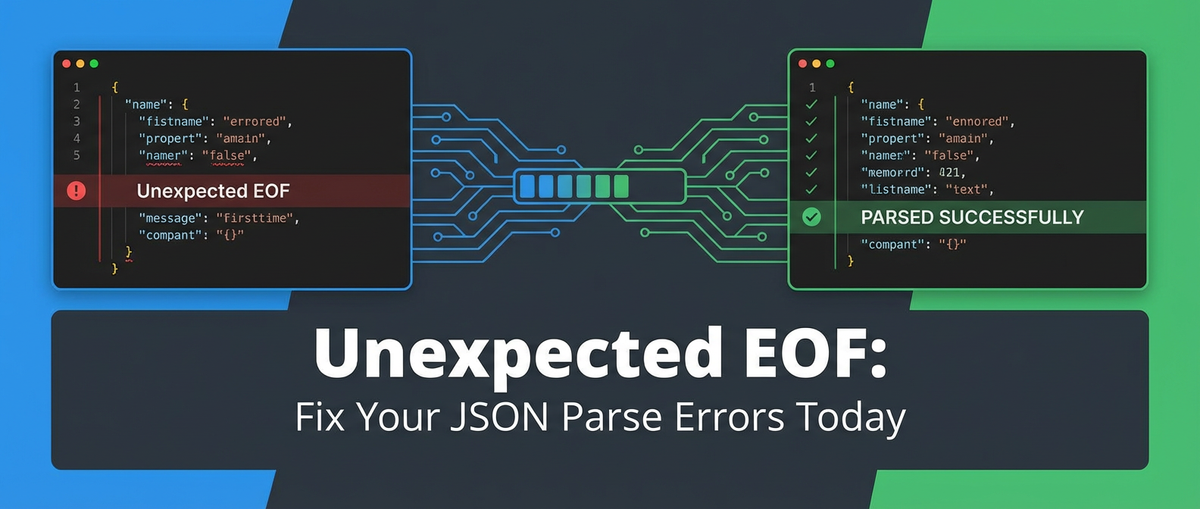


The digital world we inhabit is powered by data, and a vast portion of that data is exchanged in the form of JSON (JavaScript Object Notation). From mobile applications communicating with backend servers to microservices exchanging critical information, JSON is the lingua franca of modern web development. Its simplicity, human readability, and language independence have made it an indispensable format for data serialization. However, with its ubiquitous presence comes a common, often perplexing, error: "Unexpected EOF" – or "Unexpected End Of File." This seemingly cryptic message can halt data processing, break applications, and leave developers scratching their heads. It signals that a JSON parser encountered the end of its input stream prematurely, expecting more data to complete a valid JSON structure.
This comprehensive guide is designed to demystify "Unexpected EOF" errors, delving deep into their root causes and equipping you with a robust arsenal of diagnostic tools and preventive strategies. We will explore the intricacies of JSON syntax, dissect common scenarios that lead to these errors, and provide actionable steps to troubleshoot and fix them. Beyond just reactive fixes, we will also emphasize proactive measures, including the critical role of robust API design and the unparalleled benefits of an API gateway in ensuring the integrity and reliability of your data exchanges. By the end of this journey, you’ll not only be able to confidently resolve existing JSON parsing issues but also build more resilient systems that proactively prevent them, ensuring smoother data flow across all your applications and services.
What is JSON? A Foundational Understanding
Before we can effectively troubleshoot errors, it's crucial to have a solid grasp of the technology itself. JSON, or JavaScript Object Notation, is a lightweight data-interchange format that is easy for humans to read and write and easy for machines to parse and generate. It is built on two structures:
- A collection of name/value pairs: In various languages, this is realized as an object, record, struct, dictionary, hash table, keyed list, or associative array. In JSON, these are objects, enclosed in curly braces
{}. Each pair consists of a field name (a string) and a value, separated by a colon:, with pairs separated by commas,. For example:"name": "Alice". - An ordered list of values: In most languages, this is realized as an array, vector, list, or sequence. In JSON, these are arrays, enclosed in square brackets
[]. Values within an array are separated by commas. For example:[1, 2, 3].
Values in JSON can be strings (double-quoted), numbers, booleans (true or false), null, objects, or arrays. This hierarchical and flexible structure allows for the representation of complex data types in a simple, standardized way. The primary reason for its widespread adoption lies in its inherent simplicity and its ability to represent structured data in a way that is easily consumable by virtually any programming language. This universality makes it ideal for api communications, where diverse systems need to exchange data reliably. The human-readable format aids developers in debugging and understanding the data structure at a glance, significantly reducing development friction compared to more verbose formats like XML.
The strict yet simple syntax rules of JSON are what make it both powerful and, at times, problematic. Every string must be enclosed in double quotes, object keys must be strings, and proper delimiters (commas, colons, braces, brackets) are non-negotiable. Deviations from these rules, even minor ones like a missing comma or an unclosed brace, can lead to parsing failures, with "Unexpected EOF" being one of the most common manifestations when the parser runs out of input before finding the expected closing element. Understanding these fundamentals is the first step towards mastering JSON parsing and error resolution, paving the way for more robust and reliable data exchange in your applications.
Understanding "Unexpected EOF": The Root Cause
The "Unexpected EOF" error message is a direct signal from your JSON parser. EOF stands for "End Of File," and in this context, it refers to the end of the input stream that the parser is attempting to process. When the error message states "Unexpected EOF," it means the parser reached the absolute end of the data it was given, but, critically, it was still expecting to find more characters to complete a valid JSON structure. Essentially, the parser ran out of text to read before it could finish building a complete object or array, indicating an incomplete or malformed JSON payload.
Imagine you're reading a sentence, and you expect it to end with a period. If the text suddenly stops mid-word, or at the end of a word but without the period, you'd be "unexpectedly at the end of the file" before the sentence was structurally complete. JSON parsers operate similarly; they have a finite state machine that expects specific characters (like closing braces } or brackets ]) to signify the completion of an object or array. If these characters are missing, and the input stream concludes, the parser has no choice but to throw an "Unexpected EOF" error. This is not merely a syntax error in the traditional sense of an invalid character being present, but rather a structural integrity error where the overall JSON document is fundamentally incomplete.
Common scenarios that lead to this error are diverse and can originate from various points in your data's journey:
- Incomplete JSON Structure: The most straightforward cause. A server might accidentally send a partial JSON string, perhaps due to a bug in its serialization logic, a premature termination of a loop, or a simple programming oversight that omits a closing brace or bracket. For instance, if you expect an object
{"key": "value"}but only receive{"key": "value", the parser will hit EOF while still waiting for the final}. - Truncated Responses: This often stems from network issues. Data might be sent correctly by the server but gets cut off mid-transmission due to network instability, packet loss, or an intermediary gateway prematurely closing the connection. The client-side parser then receives only a portion of the expected JSON. This can also happen if server-side or client-side buffers overflow or if timeouts occur before the full response can be written or read.
- Server-Side Errors Returning Non-JSON: A common trap. When a backend server encounters an internal error (e.g., a 500 Internal Server Error), it might, by default, return an HTML error page, a plain text message, or even just an empty response body, instead of a properly formatted JSON error object. If your client-side code blindly attempts to parse this non-JSON content as JSON, it will inevitably fail. An empty string, for example, is not valid JSON, and parsing it will yield an "Unexpected EOF" error.
- Encoding Issues: While less frequent for "Unexpected EOF," incorrect character encodings can sometimes lead to malformed bytes being interpreted, which might cause a parser to misinterpret the end of the stream or encounter an invalid character that causes it to stop processing prematurely, appearing as an EOF. For example, if a multi-byte character is truncated.
- Resource Limits: In scenarios involving extremely large JSON payloads, client-side or server-side memory limits, or processing time limits, might lead to the data stream being cut short before it can be fully processed or even transmitted. While more likely to manifest as an "out of memory" error, it can sometimes result in a partial, unparseable JSON string that then triggers an EOF.
Understanding these underlying mechanisms is paramount. It allows you to move beyond simply seeing the error message and begin strategically investigating the various layers – from application code to network infrastructure – that could be contributing to the problem.
Common Causes & Detailed Troubleshooting Strategies
Pinpointing the exact cause of an "Unexpected EOF" error requires a systematic approach, as the issue can originate from various points in the data lifecycle. Here, we delve into the most prevalent causes and provide detailed, actionable strategies for diagnosis and resolution.
1. Incomplete JSON Structure
This is perhaps the most direct cause: the JSON string itself is malformed or incomplete at its origin.
Detailed Causes: * Missing Closing Delimiters: The most common culprit is a missing } for an object or ] for an array. This can happen due to manual typing errors, programmatic string concatenation issues, or a bug in the serialization logic. * Example of bad JSON: {"name": "John Doe", "age": 30, "city": "New York" (missing }) * Example of bad JSON: ["item1", "item2", "item3" (missing ]) * Unmatched Quotes: All string values and object keys in JSON must be enclosed in double quotes. A missing closing quote will cause the parser to continue reading until it finds one, or until it hits EOF. * Example of bad JSON: {"product": "Laptop, "price": 1200} (missing closing quote for "Laptop") * Trailing Commas (Strict JSON vs. JSON5): While some JavaScript engines and more lenient parsers (like those for JSON5) might tolerate trailing commas (e.g., [1, 2, 3,]), strict JSON parsers will treat them as a syntax error. Depending on where the parser stops, this could sometimes lead to an EOF error if the parser gets stuck expecting another element after the trailing comma and finds the end of the input instead. * Example of bad JSON (for strict parsers): {"a": 1, "b": 2,} * Malformed Numbers or Booleans: JSON has specific rules for numbers (no leading zeros, decimals without trailing periods) and booleans (true, false) and null must be lowercase. Using True, False, Null, or improperly formatted numbers will lead to parsing errors. While usually a distinct "invalid token" error, in some complex contexts, it could prevent the parser from reaching a valid closing state before EOF. * Control Characters or Invalid Unicode: Unescaped control characters (like newline \n or tab \t within a string literal) or invalid Unicode sequences can confuse parsers. JSON requires specific escaping for these characters (e.g., \n for newline).
Troubleshooting Strategies: * JSON Validators/Linters: The first line of defense. Online tools like JSONLint or integrated IDE features (e.g., VS Code's built-in JSON validation) can instantly highlight syntax errors and missing delimiters. Paste the problematic JSON string into a validator. * IDE Support: Modern IDEs often provide excellent JSON formatting and validation. If you're working with a JSON file, simply opening it in an IDE like VS Code or IntelliJ will often reveal syntax errors with clear red squiggles. * Manual Inspection (for smaller payloads): Carefully review the JSON string, paying close attention to every brace, bracket, quote, and comma. Look for balance: every { should have a }, and every [ should have a ]. * Source Code Review: If the JSON is programmatically generated, examine the code responsible for serialization. Look for conditional logic that might sometimes skip writing a closing character or for string concatenation errors.
2. Truncated API Responses
This is a very common scenario, often independent of the server's intent to send valid JSON. The data simply doesn't arrive complete at the client.
Detailed Causes: * Network Timeouts: * Client-side Timeout: Your application might have a configured timeout for API requests. If the server takes too long to respond, the client may close the connection and attempt to parse an incomplete response. * Server-side Timeout: The server itself might have a timeout for serving a response. If generating the JSON payload takes too long, the server might cut off the connection prematurely, sending only part of the data. * Proxy/Load Balancer Timeout: Intermediary network devices like a load balancer or an api gateway might have their own timeouts. If the backend service is slow, the gateway might close the connection to the client before the full response is received from the backend, forwarding a partial response or an error page. * Connection Drops/Reset: Network instability, Wi-Fi signal loss, mobile network fluctuations, or even aggressive firewall rules can cause the TCP connection to drop mid-stream, resulting in an incomplete JSON payload reaching the client. * Buffer Overflows/Limits: Less common in modern systems but possible. If data buffers on either the client or server side are too small, they might not be able to hold the entire JSON response, leading to truncation. * HTTP/HTTPS Protocol Issues: While HTTP and TCP are robust, misconfigured web servers or low-level network issues can sometimes lead to connections being reset or closed before the full Content-Length of the response has been transmitted.
Troubleshooting Strategies: * Check Content-Length Header: When making an api call, inspect the Content-Length header in the HTTP response. This header indicates the expected size of the response body in bytes. Compare this value to the actual number of bytes received by your client. A mismatch is a strong indicator of truncation. * Use curl or Postman for Raw Inspection: * curl: curl -v <your_api_endpoint> will show you the request and response headers, including Content-Length, and the raw response body. You can often see if the response suddenly cuts off. * Postman/Insomnia: These api testing tools allow you to easily inspect raw responses, response sizes, and timings. You can quickly see if the received data looks incomplete. * Browser Developer Tools (Network Tab): For web applications, the network tab in your browser's developer tools (F12) is invaluable. It displays the full request/response cycle, including headers, timings, and the raw response body. Look for incomplete responses or unusually long loading times that coincide with the error. * Increase Timeouts: Temporarily increase client-side request timeouts to see if the problem persists. If it resolves, then the issue was likely related to a slow server response or network latency. Investigate the server-side performance. * Server-Side Logging: Examine server logs for any errors related to response generation or network write failures. Look for signs that the server stopped writing the response before it was complete. * Network Packet Capture: For truly elusive issues, tools like Wireshark can capture network traffic at a low level, allowing you to see the exact bytes transmitted and received, and identify if truncation occurs at the network layer.
3. Server-Side Errors & Non-JSON Responses
One of the most insidious causes is when your server, instead of returning valid JSON, sends back something entirely different, usually an error page or a plain text message.
Detailed Causes: * Internal Server Error (HTTP 500): A common scenario. If your backend application crashes or throws an uncaught exception, many web frameworks default to serving an HTML error page (e.g., "Something went wrong") rather than a structured JSON error response. * Not Found (HTTP 404): If an api endpoint is not found, the server might return an HTML 404 page instead of a JSON response indicating the resource is missing. * Unauthorized/Forbidden (HTTP 401/403): Similar to 500/404, security errors might also result in an HTML page or a simple plain text message, particularly if the client requests were not properly configured with an Accept: application/json header. * Misconfigured Content-Type Header: The server might be sending JSON data, but if it fails to set the Content-Type header to application/json (or a variant like application/vnd.api+json), some client-side parsers or libraries might treat it as plain text or try to guess the type, leading to unexpected parsing failures. * Empty Response Body: In some error conditions, the server might send an HTTP status code (e.g., 204 No Content, or even a 500) but with an entirely empty response body. Attempting to parse an empty string as JSON will always result in an "Unexpected EOF" error.
Troubleshooting Strategies: * Check HTTP Status Code: Before attempting to parse the response body, always check the HTTP status code (e.g., response.status in JavaScript's fetch, response.getStatusCode() in Java). If it's not a success code (2xx), or a known redirect/client error (3xx/4xx) that you expect to handle with specific JSON, assume the body might not be JSON. * Inspect Content-Type Header: Verify that the Content-Type header of the response is application/json. If it's text/html, text/plain, or missing, then you know you're not dealing with JSON. * Raw Response Inspection: Use curl, Postman, or browser developer tools to view the raw response body. You'll often immediately spot HTML tags or plain text messages instead of [ or {. * Server-Side Debugging: If the HTTP status code indicates a server error (5xx), dive into your server's application logs. The logs will likely contain the stack trace or error message that led to the non-JSON response being generated. Configure your server to consistently return JSON error objects for all API errors. * Client-Side try-catch: Always wrap your JSON parsing logic in try-catch blocks. This prevents your application from crashing and allows you to gracefully handle the parsing failure, perhaps by logging the raw response body for later analysis.
4. Encoding Issues
While less direct, encoding problems can sometimes masquerade as EOF errors, especially when dealing with non-ASCII characters or malformed byte sequences.
Detailed Causes: * Mismatched Encodings: Data might be written in one encoding (e.g., UTF-8) but read by a parser expecting another (e.g., ISO-8859-1). This can lead to incorrect byte interpretation, effectively corrupting the JSON structure. * Truncated Multi-byte Characters: If a multi-byte character (common in UTF-8 for non-English languages) is truncated at the end of the stream, the parser might interpret the incomplete bytes as an invalid sequence, which could manifest as an EOF if the parser gives up on the stream entirely. * Byte Order Mark (BOM): Some text editors add a BOM to the beginning of UTF-8 files. While many JSON parsers are robust enough to handle BOMs, some stricter or older parsers might get confused, especially if they are not explicitly configured to strip it, causing parsing to fail at the very beginning of the file, which could be misreported.
Troubleshooting Strategies: * Ensure Consistent UTF-8: The best practice for web apis and data interchange is to use UTF-8 encoding universally. Ensure your server sends data as UTF-8, and your client expects UTF-8. Set the Content-Type header to include charset=utf-8 (e.g., Content-Type: application/json; charset=utf-8). * Inspect Raw Bytes: If you suspect encoding issues, look at the raw byte stream of the response (using tools like Wireshark or by saving the response to a binary file and inspecting with a hex editor). This can reveal if multi-byte characters are truncated or if unexpected bytes are present. * Test with Pure ASCII Data: Temporarily replace any non-ASCII characters in your JSON with pure ASCII equivalents (e.g., replace é with e). If the error disappears, encoding is a strong suspect.
5. Network Intermediaries (Proxies, Load Balancers, Firewalls)
The path between your client and server is rarely direct. Intermediary devices can inadvertently cause truncation or modification of JSON payloads.
Detailed Causes: * Proxy/Reverse Proxy Misconfiguration: A reverse proxy or load balancer (gateway) might have its own buffer sizes, timeouts, or even rewrite rules that inadvertently truncate the response or corrupt the JSON. Some proxies might try to "optimize" or filter content, leading to data loss. * Firewall Intervention: Aggressive firewall rules or deep packet inspection systems might sometimes cut off connections or filter out parts of the response, especially if the content is deemed suspicious or too large. * CDN Caching Issues: If a Content Delivery Network (CDN) is in front of your api, a cached invalid or incomplete JSON response might be served repeatedly. * API Gateway Features: While a robust API gateway like APIPark is designed to enhance reliability, a misconfigured gateway could also theoretically introduce issues. For example, if response body transformations are incorrectly applied, or if very tight timeout settings are in place without proper error handling for upstream services, it could result in truncated or malformed JSON reaching the client.
Troubleshooting Strategies: * Bypass Intermediaries (if possible): Temporarily configure your client to directly access the backend server, bypassing any proxies, load balancers, or CDNs. If the error disappears, the issue lies with one of the intermediary devices. * Check Intermediary Logs: If you have access, examine the logs of your load balancers, proxies, or api gateway. They often log connection resets, timeouts, or errors that occur on their end. * Configuration Review: Review the configuration of all intermediary devices for any settings that might affect response size, timeouts, or content modification. * Test Environment Parity: Ensure your development, staging, and production environments have similar api gateway and network configurations to catch these issues earlier.
6. Client-Side Misconfiguration or Misuse
Sometimes, the issue isn't with the data itself or the network, but with how the client application handles it.
Detailed Causes: * Attempting to Parse Non-JSON: The client application might be configured to expect JSON from an endpoint, but for various reasons (e.g., a new api version, a backend change, or an error condition), that endpoint now returns non-JSON. The client then blindly tries to JSON.parse() it. * Asynchronous Race Conditions: In complex asynchronous code, it's possible for the JSON parsing logic to execute before the entire response body has been received, leading to an attempt to parse an incomplete string. * Incorrect Content-Type on Request: While usually leading to server-side errors, if a client sends an api request with an incorrect Content-Type header (e.g., sending application/xml instead of application/json when the server expects JSON), the server might reject the request or process it incorrectly, returning a malformed response that the client then attempts to parse as JSON.
Troubleshooting Strategies: * Client-Side Validation: Implement checks on the client side before parsing. Verify the Content-Type header and the HTTP status code. Only attempt JSON.parse() if these checks pass. * Robust try-catch Blocks: Always wrap JSON.parse() calls in try-catch to gracefully handle parsing errors. Inside the catch block, log the raw response body received by the client. This is crucial for debugging, as it allows you to see exactly what the parser failed on. * Await Full Response: For asynchronous operations, ensure that the entire response stream has been awaited or fully read before passing it to the JSON parser. Modern fetch APIs in JavaScript, for example, often handle this automatically with response.json(), but if you're reading raw text streams, you must ensure completion.
7. Large JSON Payloads & Resource Constraints
Extremely large JSON files or api responses can strain system resources, leading to failures that might manifest as "Unexpected EOF."
Detailed Causes: * Memory Limits: On either the client or server, if the JSON payload is too large to fit into available memory, the process might crash or truncate the data before it can be fully processed. This is especially relevant in environments with limited RAM, such as IoT devices, mobile phones, or containers with strict memory limits. * Disk Space Issues (for streamed processing): If the JSON is being streamed to a temporary file for processing, running out of disk space could lead to the file being incomplete, and subsequent parsing failures. * Processing Time Limits: Serializing or deserializing very large JSON structures can be CPU-intensive. If there's a time limit for a request (e.g., a serverless function timeout) or a client-side script execution timeout, the process might be killed before completion.
Troubleshooting Strategies: * Paginating api Responses: If your api is returning hundreds of thousands or millions of records in a single JSON payload, implement pagination on the server side. This limits the size of each response, making it more manageable for both the network and client. * Stream Processing: For truly massive datasets that cannot be paginated, consider using JSON stream parsers. These parsers process the JSON data chunk by chunk, without needing to load the entire document into memory, thus reducing memory footprint and the risk of EOF due to resource limits. Libraries like json-stream in Node.js or Jackson with streaming API in Java can help. * Increase Resource Allocations: If working in a containerized environment (Docker, Kubernetes) or serverless platform (AWS Lambda, Azure Functions), review and increase the memory and CPU allocated to the service or function processing the JSON. * Consider Alternative Data Formats: For extremely large analytical datasets, JSON might not be the most efficient format. Consider alternatives like Parquet, ORC, or CSV, which are better suited for large-scale data processing and often come with built-in streaming capabilities.
By methodically going through these detailed causes and applying the corresponding troubleshooting strategies, you can significantly narrow down the source of your "Unexpected EOF" errors and implement effective, lasting solutions.
Practical Tools and Techniques for Diagnosis
Effectively diagnosing "Unexpected EOF" errors requires more than just understanding the causes; it demands proficiency with a range of diagnostic tools. These tools allow you to inspect the raw data, analyze network traffic, and validate JSON structures, providing the crucial insights needed to pinpoint the problem.
1. JSON Validators and Linters
These are your first line of defense for verifying the structural integrity of a JSON string. * Online Validators (e.g., JSONLint, JSON Validator): Websites like jsonlint.com or similar tools are incredibly useful for quick checks. You simply paste your JSON string, and they immediately tell you if it's valid, highlighting any syntax errors, missing characters, or structural inconsistencies. This is particularly effective for catching incomplete structures or mismatched delimiters. If the validator reports an error and you suspect EOF, it tells you the problem is with the JSON string itself, not necessarily network truncation. * IDE Extensions: Most modern Integrated Development Environments (IDEs) and code editors (like VS Code, Sublime Text, IntelliJ IDEA) offer built-in JSON validation and formatting. As you type or open a .json file, these tools provide real-time feedback, marking errors with red underlines and often suggesting fixes. This makes it effortless to spot structural issues during development. * Command-Line Tools: For scripting or automated checks, tools like jq (a lightweight and flexible command-line JSON processor) can be used to validate JSON. Running echo '{"key": "value"' | jq . would fail if the JSON is incomplete, providing an error message.
2. Browser Developer Tools (Network Tab)
For web applications, your browser's developer tools (accessed by pressing F12 or right-clicking and selecting "Inspect") are indispensable. * Network Tab: This tab provides a waterfall view of all network requests made by your application. * Inspect Request/Response: Click on the specific API request that's failing. You can then view the request headers, response headers, and most importantly, the Response and Preview tabs. * Raw Response: The "Response" tab shows the raw, unparsed response body. This is critical for identifying if the server is returning HTML, plain text, or an incomplete JSON string. If you see HTML, it means your server returned an error page. If the JSON abruptly ends, it's likely truncation. * Headers: Check the Content-Type header (should be application/json) and the Content-Length header (to compare with the actual received data size). * Timing: The "Timing" tab can reveal if the request took an unusually long time, potentially indicating a timeout issue that led to a truncated response.
3. Command-Line Tools (curl, wget)
These utilities are essential for interacting with apis directly from the terminal, bypassing any client-side application logic or browser caching. * curl: * curl -v <URL>: The -v (verbose) flag shows the full request and response headers, including the HTTP status code, Content-Type, and Content-Length. This is excellent for seeing if the server is sending the correct headers. * curl <URL>: By default, curl prints the raw response body to standard output. You can then pipe this output to a validator or simply inspect it visually for truncation or non-JSON content. * curl -o output.json <URL>: Saves the response to a file, allowing you to inspect it with an IDE or a dedicated text editor. * wget: Similar to curl, wget can retrieve files from the web. wget -S <URL> will show headers, and wget <URL> will save the content to a file.
4. API Testing Tools (Postman, Insomnia)
These applications are designed for making and testing api requests, offering a more structured and feature-rich environment than curl. * Structured Requests: Easily construct complex api requests with headers, authentication, and body payloads. * Response Inspection: They display the raw response body, headers, status codes, and response times in a clean, organized manner. You can often toggle between "Pretty" (formatted JSON) and "Raw" views. The "Raw" view is crucial for spotting truncation. * Response Size & Time: These tools typically show the exact size of the received response body and the total time taken for the request, aiding in detecting truncation or timeout-related issues.
5. Logging and Debugging
Robust logging and effective debugging are perhaps the most powerful tools in your arsenal. * Client-Side Logging: * Raw Response Body: Crucially, always log the raw string of the api response before attempting to parse it as JSON. This is your definitive source of truth. If JSON.parse() fails, having the raw string in your logs (or even in a temporary variable during debugging) immediately shows you what the parser was trying to process. * HTTP Status Code and Headers: Log these as well. They provide context about the server's response before the body is even touched. * Server-Side Logging: * Request/Response Payloads: If possible and safe (without logging sensitive data), log the JSON payloads your server sends out. This helps confirm if the server is indeed generating a complete and valid JSON string before it leaves its process. * Error Logs: Examine server application logs for any errors, exceptions, or warnings that coincide with the "Unexpected EOF" occurrences on the client side. A 5xx error on the server often correlates to a non-JSON response being sent. * Network Errors: Server-side infrastructure logs (web server, api gateway logs) can reveal issues like network write failures, socket closures, or timeouts that might occur during the response transmission. * Interactive Debugging: Use your IDE's debugger (e.g., Chrome DevTools debugger for JavaScript, Python's pdb, Java's debugger). Set breakpoints at the point where you receive the api response and just before the JSON.parse() call. Inspect the raw response variable. Step through the parsing logic to observe exactly where it fails. This is invaluable for understanding the state of your application and the data it's handling at the moment of failure.
By combining these tools and techniques, you can adopt a systematic diagnostic approach. Start by validating the JSON received, then check network characteristics, and finally, dive into server and client-side application logic and logs. This layered approach ensures no stone is left unturned in your quest to resolve "Unexpected EOF" errors.
APIPark is a high-performance AI gateway that allows you to securely access the most comprehensive LLM APIs globally on the APIPark platform, including OpenAI, Anthropic, Mistral, Llama2, Google Gemini, and more.Try APIPark now! 👇👇👇
Prevention is Better Than Cure: Best Practices
While knowing how to troubleshoot is vital, proactively preventing "Unexpected EOF" errors from occurring in the first place is the hallmark of robust system design. This involves best practices across your entire api ecosystem, from server-side implementation to client-side resilience, and leveraging the capabilities of powerful intermediaries like API Gateways.
1. Robust Server-Side API Design
The server is often the source of the JSON, so its design and implementation are paramount.
- Consistent JSON Serialization:
- Always use a reliable and well-tested JSON serialization library provided by your framework (e.g.,
Jacksonin Java,serde_jsonin Rust,jsonmodule in Python,JSON.stringifyin Node.js). Avoid manual string concatenation for JSON generation, as it's highly error-prone. - Ensure all data types are correctly mapped to JSON equivalents. For instance, dates should be serialized into a standard string format (e.g., ISO 8601), and binary data should be Base64 encoded.
- Always use a reliable and well-tested JSON serialization library provided by your framework (e.g.,
- Proper Error Handling and JSON Error Responses:
- Never return raw HTML error pages, plain text, or empty bodies for API errors. Every
apierror, regardless of its HTTP status code (4xx or 5xx), should return a consistent, structured JSON error object. - This error object should include at least an
error_code, amessage(human-readable), and optionally more details (e.g.,details,field_errors). - Example Error JSON:
{"code": "INTERNAL_SERVER_ERROR", "message": "An unexpected error occurred. Please try again later.", "timestamp": "2023-10-27T10:00:00Z"}. - This allows the client to always attempt to parse JSON, and then check the
error_codewithin the JSON.
- Never return raw HTML error pages, plain text, or empty bodies for API errors. Every
- Setting
Content-Type: application/jsonConsistently:- Explicitly set the
Content-Typeheader toapplication/json; charset=utf-8for all JSON responses. This clearly signals to the client (and any intermediaries) that the body contains JSON and what encoding to expect. Without this header, client-side parsers might guess or default totext/plain, leading to parsing issues.
- Explicitly set the
- Implementing Timeouts Gracefully:
- Configure reasonable timeouts for your server-side
apiendpoints. If an operation takes too long, return a504 Gateway Timeoutor500 Internal Server Errorwith a proper JSON error response, rather than letting the connection hang or send a partial response. - For long-running operations, consider an asynchronous pattern (e.g., return an
Accepted202 status with a job ID, and let the client poll a separate statusapi).
- Configure reasonable timeouts for your server-side
2. The Critical Role of an API Gateway
An API gateway acts as a single entry point for multiple apis, sitting between client applications and backend services. It plays a pivotal role in standardizing api interactions and bolstering resilience against common errors, including "Unexpected EOF." This is where a solution like APIPark shines.
- Standardized Responses: A well-configured gateway can enforce consistent response formats. If a backend service mistakenly returns HTML, the gateway can intercept it and transform it into a standardized JSON error response before it reaches the client. APIPark helps achieve this by offering a "Unified API Format for AI Invocation" which extends to general API responses, ensuring consistency across various services.
- Schema Validation: Many api gateway solutions allow for JSON Schema validation. The gateway can validate incoming request payloads and outgoing response payloads against a predefined schema. If a response from a backend service deviates from the expected JSON structure (e.g., missing a required field or having an incorrect type), the gateway can detect this and prevent the malformed JSON from reaching the client, instead returning a clear validation error.
- Centralized Timeouts and Retries: An api gateway can manage timeouts for upstream services. If a backend service is slow, the gateway can prevent the client from waiting indefinitely. Furthermore, some gateways can be configured to retry failed requests to upstream services, masking transient network issues or service instabilities from the client.
- Traffic Management and Load Balancing: By intelligently routing traffic and performing load balancing, a gateway ensures that requests are distributed efficiently across healthy backend instances, preventing single points of failure that could lead to incomplete responses.
- Detailed Monitoring and Logging: A robust api gateway provides centralized logging and monitoring for all
apicalls. This is invaluable for troubleshooting. APIPark, for example, offers "Detailed API Call Logging" and "Powerful Data Analysis." This allows businesses to record every detail of eachapicall, making it easy to trace and troubleshoot issues like truncated responses or malformed JSON payloads originating from specific backend services or network conditions. This centralized visibility helps identify patterns and proactively address issues before they become widespread. - Security and Throttling: While not directly preventing EOF, features like rate limiting and authentication/authorization, also offered by APIPark, prevent malicious or excessive calls that could overload backend services and indirectly lead to response truncation or server errors.
- Response Caching: By caching responses, an api gateway can reduce the load on backend services and ensure faster, more consistent delivery of data, reducing the likelihood of timeouts or partial responses due to backend slowness.
In essence, an api gateway acts as a powerful guardian at the entrance of your backend services, ensuring that only valid requests pass through and that responses are consistently well-formed and reliably delivered. This makes it an indispensable component in mitigating "Unexpected EOF" errors.
3. Client-Side Resiliency
The client application must be prepared to handle imperfections and errors gracefully.
try-catchBlocks for JSON Parsing: This is non-negotiable. Always wrap yourJSON.parse()(or equivalent library call) in atry-catchblock. This prevents your entire application from crashing if it receives malformed JSON and allows you to implement fallback logic.- Example (JavaScript):
javascript try { const data = JSON.parse(responseText); // Process data } catch (error) { console.error("Failed to parse JSON:", error); console.error("Raw response:", responseText); // Log the raw response for debugging // Implement fallback: display user-friendly error, use default data, retry, etc. }
- Example (JavaScript):
- Checking
Content-Typeand HTTP Status Code: Before even attempting to parse JSON, always verify:- The HTTP status code is a success (2xx) or a known error code that returns JSON.
- The
Content-Typeheader isapplication/json. - If these checks fail, treat the response body as potentially non-JSON and handle it accordingly (e.g., display a generic error message, log the raw response).
- Implementing Retries with Exponential Backoff: For transient network issues or temporary server glitches (which can lead to truncated responses), implement a retry mechanism for your
apicalls. Exponential backoff (waiting longer between retries) prevents overwhelming the server and allows it to recover. - Client-Side Schema Validation: For critical data, consider performing client-side validation against a simplified JSON Schema. This can catch structural errors immediately, before processing the data, and provide faster feedback to the user or developer.
- Display User-Friendly Errors: When a JSON parsing error occurs, don't just show a technical error message to the end-user. Instead, present a clear, concise, and helpful message (e.g., "Could not load data. Please try again later.") while logging the technical details for debugging.
By integrating these best practices throughout your api design and development lifecycle, you can build systems that are significantly more resilient to "Unexpected EOF" and other data-related parsing issues, leading to a much more stable and reliable user experience.
4. Schema Validation
JSON Schema provides a powerful way to describe the structure and data types of your JSON data. * Define Strict Schemas: Create comprehensive JSON schemas for both api requests and responses. This specifies what fields are required, their data types, formats, and any constraints (e.g., minimum/maximum length, regex patterns). * Automated Validation: Integrate schema validation into your development pipeline: * Pre-commit Hooks/CI/CD: Validate generated JSON payloads against schemas before deployment. * Runtime Validation: Use schema validation libraries on both the server and client to programmatically check incoming and outgoing JSON. This helps catch discrepancies immediately. * API Gateway Integration: As mentioned, an api gateway can perform schema validation, acting as a crucial enforcement point. * Benefits: Schema validation ensures consistency. If a backend service produces JSON that doesn't conform to the schema (e.g., a missing closing bracket might make it invalid against the schema), the validation will fail, providing an earlier warning than a simple JSON.parse() error. This can prevent malformed data from ever reaching the client or being processed incorrectly.
5. Version Control for APIs
Managing api changes is critical to prevent unexpected data formats. * Semantic Versioning: Implement semantic versioning for your apis (e.g., v1, v2). This communicates breaking changes clearly. * Backward Compatibility: Strive for backward compatibility as much as possible. When making non-backward compatible changes, deploy a new api version rather than altering an existing one. * Deprecation Strategy: Have a clear deprecation strategy for old api versions, giving clients ample time to migrate. * Documentation: Maintain up-to-date and comprehensive api documentation, including expected request/response formats and schemas. This helps developers consume your api correctly and anticipate changes.
By adopting these preventative measures, you move from a reactive error-fixing paradigm to a proactive system-building one. A well-designed api with robust error handling, backed by a powerful api gateway like APIPark for enforcement and monitoring, and consumed by a resilient client, will dramatically reduce the occurrence of "Unexpected EOF" errors and contribute to a more stable and reliable application ecosystem.
Deep Dive into API and API Gateway for Reliability
The modern software landscape is characterized by distributed systems, microservices, and a heavy reliance on the exchange of data through Application Programming Interfaces (APIs). The term API itself refers to a set of rules and protocols for building and interacting with software applications. In essence, APIs allow different software components to communicate and share data, forming the backbone of virtually all digital services today. From fetching user data for a mobile app to orchestrating complex transactions across multiple microservices, apis are the crucial communication channels.
Given this reliance, the reliability of these apis is paramount. An "Unexpected EOF" error, as we've discussed, highlights a fundamental breakdown in this communication – an incomplete message, a garbled transmission, or a misunderstanding between sender and receiver. This is precisely where the concept of an API gateway becomes not just a convenience, but a critical architectural component for ensuring the robust and reliable operation of your entire api ecosystem.
What is an API Gateway?
An API gateway serves as a single entry point for all client requests into your backend services. Instead of clients calling individual microservices directly, they route all requests through the gateway. This architecture provides a centralized point where common tasks can be handled before requests are forwarded to the appropriate backend service. Think of it as a central control tower for all your api traffic, managing incoming requests and outgoing responses.
How an API Gateway Enhances Reliability and Prevents "Unexpected EOF"
The strategic placement of an api gateway offers numerous benefits that directly contribute to preventing and mitigating JSON parsing errors like "Unexpected EOF":
- Unified and Consistent Response Handling:
- Problem: Different backend services might return inconsistent error formats (HTML, plain text, different JSON structures) or truncated responses due to their own internal issues.
- Gateway Solution: An api gateway can enforce a standardized response structure. If a backend service returns an HTML error page, the gateway can intercept it, transform it into a pre-defined JSON error object, and then send that consistent JSON to the client. This means the client always receives JSON, even in error scenarios, drastically reducing "Unexpected EOF" errors that arise from attempting to parse non-JSON content. APIPark, for example, explicitly highlights its "Unified API Format for AI Invocation," which can be extended to ensure consistency across all your API responses, regardless of the underlying service's specific implementation.
- Robust Request/Response Transformation and Validation:
- Problem: Malformed requests from clients or malformed responses from backend services can lead to parsing errors.
- Gateway Solution: The gateway can perform real-time validation of both incoming requests and outgoing responses against predefined JSON schemas. If an outgoing response from a backend service is incomplete or doesn't conform to the expected JSON structure (e.g., missing a closing brace), the gateway can detect this, block the malformed response, and return a clear validation error to the client, preventing the client from encountering an "Unexpected EOF." This active validation ensures data integrity at the gateway level.
- Centralized Timeout Management:
- Problem: Client-side and server-side timeouts can lead to truncated responses if a service is slow or the network is latent.
- Gateway Solution: An api gateway centralizes timeout configurations. It can have a shorter timeout for the client-facing request than for the backend service. If a backend service exceeds its processing time, the gateway can cut off the connection to the backend and immediately return a
504 Gateway Timeout(with a JSON error) to the client, rather than forwarding a partial response. This prevents clients from hanging indefinitely or trying to parse incomplete data.
- Load Balancing and High Availability:
- Problem: An overloaded or crashed backend service might return no response, an empty response, or partial data.
- Gateway Solution: By distributing requests across multiple instances of a backend service, an api gateway ensures that if one instance fails or becomes unresponsive, requests are routed to healthy ones. This significantly improves the overall availability of your
apis and reduces the chances of clients receiving incomplete responses due to backend service failures.
- Circuit Breaking and Retries:
- Problem: A persistently failing backend service can cause a cascading failure throughout your system and repeatedly send malformed or truncated responses.
- Gateway Solution: An api gateway can implement circuit breakers. If a backend service starts failing consistently, the gateway can "open the circuit," temporarily stopping requests to that service and returning a predefined fallback response (e.g., a cached response or a generic error JSON) directly to the client. This prevents the client from hitting the failing service and encountering "Unexpected EOF" errors. Some gateways also support automatic retries to backend services for transient failures, further improving reliability.
- Detailed Monitoring and Logging:
- Problem: Diagnosing "Unexpected EOF" requires visibility into the raw request and response data, network timings, and server-side errors.
- Gateway Solution: An api gateway acts as a central observability point. It can log every single
apicall, including request/response headers, body payloads (with appropriate redaction for sensitive data), status codes, and latency metrics. This comprehensive logging, a key feature of APIPark (which offers "Detailed API Call Logging" and "Powerful Data Analysis"), is invaluable for identifying patterns, debugging intermittent "Unexpected EOF" errors, and quickly pinpointing which backend service or network condition is causing the truncation or malformation. The ability to analyze historical call data helps in preventive maintenance, addressing potential issues before they impact users.
- Authentication, Authorization, and Throttling:
- Problem: Uncontrolled access or excessive requests can overload backend services, leading to performance degradation and potentially partial responses.
- Gateway Solution: By centralizing authentication, authorization, and rate limiting (traffic throttling), an api gateway protects backend services from being overwhelmed. This ensures stable performance and reduces the likelihood of server-side errors or timeouts that could result in "Unexpected EOF." APIPark provides robust features for independent API and access permissions for each tenant and API resource access requiring approval, further enhancing security and controlled access.
In summary, while the core api logic resides in your backend services, the api gateway acts as a crucial layer of abstraction and enforcement. It not only streamlines api management but critically enhances the resilience and reliability of your entire distributed system. By leveraging the features of a powerful api gateway like APIPark, you can establish a robust front-door for your apis, ensuring that the JSON data flowing through your system is consistently valid, complete, and reliably delivered, effectively taming the "Unexpected EOF" beast.
Case Studies/Scenarios (Illustrative Examples)
To solidify our understanding, let's explore a few common scenarios where "Unexpected EOF" errors manifest and how the previously discussed troubleshooting and prevention strategies apply.
Scenario 1: The Frustrated Mobile App User
Problem: A popular mobile banking application frequently crashes or displays a generic "Could not load data" message when users try to view their account balance, especially when on a spotty public Wi-Fi network or in an area with poor cellular reception. Upon investigation, the crash logs consistently show "Unexpected EOF" during JSON parsing.
Analysis: 1. Symptom: "Unexpected EOF" during JSON parsing on the client (mobile app). 2. Context: Spotty network, poor reception. 3. Likely Cause: Network instability leading to truncated api responses. The mobile app makes an api call to fetch balance data, but due to packet loss or connection drops, only a portion of the JSON payload reaches the device. The app's JSON.parse() then fails because the input stream ends prematurely.
Troubleshooting & Resolution: * Client-side: * Implement robust try-catch blocks around JSON.parse() to prevent crashes. * Log the raw api response received by the app when an Unexpected EOF occurs. This would likely show an incomplete JSON string. * Implement an api retry mechanism with exponential backoff for transient network issues. If the first request fails due to truncation, a retry on a more stable connection might succeed. * Display a user-friendly message like "Network unstable, please try again." * Server-side (Prevention): * Ensure the backend service generating the balance data is performant and doesn't have its own serialization issues. * Place an api gateway like APIPark in front of the backend. The gateway can monitor response sizes and timings. While it can't fix a truly dropped connection, it can ensure that if it successfully receives a full response, it's valid JSON. Its detailed API call logging could show if the gateway itself sent a complete response but the client didn't receive it, helping to isolate the issue to the client's network.
Scenario 2: The Broken Web Frontend After a Backend Deployment
Problem: A web application's dashboard, which displays various metrics by aggregating data from several microservices, suddenly stops rendering after a new deployment of one specific microservice. The browser's developer console reports "Unexpected EOF" when trying to parse the response from the newly deployed service. Other parts of the dashboard, relying on different services, are unaffected.
Analysis: 1. Symptom: "Unexpected EOF" from a specific api endpoint. 2. Context: Recent deployment of a microservice. 3. Likely Cause: A server-side error in the newly deployed microservice, or a change in its behavior, resulting in a non-JSON response being sent. For example, the new code might have an unhandled exception that causes the web framework to return a default HTML error page (e.g., a 500 Internal Server Error page) instead of a structured JSON error.
Troubleshooting & Resolution: * Browser Developer Tools: * In the Network tab, inspect the failing api call. Look at the HTTP status code (likely a 5xx). * Crucially, examine the raw response body. It will almost certainly contain HTML (e.g., <!DOCTYPE html>...) or plain text, which the browser's JavaScript tried to JSON.parse(). * Check the Content-Type header – it would likely be text/html instead of application/json. * Server-side: * Access the logs of the newly deployed microservice. Find the stack trace or error message that corresponds to the 5xx status code. This will reveal the root cause of the server error. * Fix the bug in the microservice. * Prevention: Implement consistent error handling in the microservice to always return a JSON error object, even for 5xx errors, with Content-Type: application/json. * API Gateway (Prevention): If an api gateway like APIPark were in place, it could be configured to intercept any non-JSON responses from backend services (especially 5xx errors) and transform them into a standard JSON error object before forwarding to the client. This would prevent the "Unexpected EOF" on the client and instead provide a parseable JSON error.
Scenario 3: The Data Ingestion Pipeline Failure
Problem: An internal data ingestion pipeline, which processes large batches of JSON data from an external partner's api, consistently fails after processing a certain number of records. The error message is "Unexpected EOF" during JSON stream parsing. The partner claims their api is working fine and returning complete JSON.
Analysis: 1. Symptom: "Unexpected EOF" during stream parsing of large JSON. 2. Context: Large data batches, external partner api, stream parsing. 3. Likely Cause: Resource constraints or a subtle truncation at the network or api gateway level, possibly due to a timeout on a very large payload. Alternatively, the partner's api might have an intermittent bug where it sometimes truncates the last record if the batch size hits a specific boundary.
Troubleshooting & Resolution: * Client-side (Ingestion Pipeline): * Log the exact bytes/characters received at the point of failure. This might show a JSON record abruptly ending. * Monitor the memory usage of the ingestion process. If it's spiking or hitting limits, consider optimizing the stream parser or increasing allocated resources. * Implement retries for the api calls, but also consider breaking down very large requests into smaller, paginated calls if the partner api supports it. * curl / Postman: * Use curl or Postman to fetch the problematic data size/batch. Save the raw response to a file. * Inspect the Content-Length header. Does it match the actual file size? * Manually inspect the end of the file for truncation using a text editor or hex editor. * Network & Gateway: * Investigate any network proxies, firewalls, or api gateway solutions between your pipeline and the partner's api. Check their logs for timeouts or connection resets related to large data transfers. * If using an api gateway for your own internal ingestion or for managing external api access, review its timeout configurations for large payloads. APIPark's performance (rivaling Nginx) and cluster deployment capabilities ensure it can handle large-scale traffic without such truncation, provided it is configured correctly. Its detailed logging would be crucial here to see what the gateway received from the partner vs. what it forwarded. * Partner Communication: Share your findings (raw truncated JSON, Content-Length mismatch) with the partner. They might have a specific configuration or bug that only manifests with large payloads or specific data patterns.
These scenarios illustrate that "Unexpected EOF" is a multifaceted error, but with a systematic approach to diagnosis and the implementation of robust preventative measures, particularly leveraging the capabilities of an api gateway, these issues can be effectively resolved and avoided.
Conclusion
The "Unexpected EOF" error, while initially intimidating, is a clear signal: your JSON data stream ended prematurely, leaving the parser in an incomplete state. This comprehensive guide has traversed the intricate landscape of JSON parsing, from the fundamental structure of JSON to the diverse origins of this frustrating error. We've seen that the causes can range from simple syntax omissions in the originating JSON string, to complex network truncations, server-side misconfigurations, and even resource limitations.
Our exploration has emphasized that understanding the root cause is paramount. Whether it's a missing closing brace, a network timeout, a server returning an HTML error page, or an encoding mismatch, a systematic diagnostic approach using tools like JSON validators, browser developer tools, curl, Postman, and diligent logging will unveil the culprit.
Crucially, we've moved beyond reactive fixes to advocate for proactive prevention. Robust server-side api design, characterized by consistent JSON serialization, meticulous error handling with structured JSON responses, and proper Content-Type headers, forms the bedrock of reliable data exchange. Furthermore, client-side resilience, through the judicious use of try-catch blocks, pre-parsing checks, and intelligent retry mechanisms, acts as the final safety net.
Central to this preventative strategy is the pivotal role of an API gateway. As a unified gateway for all your api traffic, solutions like APIPark offer unparalleled benefits. By enforcing consistent response formats, performing schema validation, managing timeouts, distributing load, and providing comprehensive logging and monitoring, an api gateway acts as a crucial guardian. It ensures that only valid, complete, and reliably delivered JSON data flows between your services and clients, significantly reducing the occurrence of "Unexpected EOF" errors and fostering a more stable and efficient api ecosystem.
By internalizing these insights and implementing the recommended best practices, you empower your applications to handle data with greater integrity, leading to more resilient systems and a smoother, more reliable experience for your users. The "Unexpected EOF" need no longer be an unwelcome surprise, but rather a rare and easily conquerable anomaly in your well-governed api landscape.
Frequently Asked Questions (FAQ)
1. What exactly does "Unexpected EOF" mean in the context of JSON parsing?
"Unexpected EOF" (End Of File) means that the JSON parser reached the end of its input stream (the text it was trying to parse) before it expected to. The parser was still waiting for more characters, specifically a closing bracket ] or brace } or a complete value, to finish a valid JSON structure, but the data stream abruptly ended. This signifies an incomplete or malformed JSON payload.
2. Is "Unexpected EOF" always a syntax error in the JSON string itself?
Not always. While an incomplete JSON string (missing } or ]) is a common cause, "Unexpected EOF" can also result from network issues that truncate a valid JSON response mid-transmission, server-side errors that return non-JSON content (like HTML error pages), or resource limitations that cut off a large payload. The parser receives an incomplete string, even if the server intended to send valid JSON.
3. How can an API Gateway help prevent "Unexpected EOF" errors?
An API gateway like APIPark acts as a central control point that significantly enhances reliability. It can prevent "Unexpected EOF" by: 1. Standardizing Responses: Intercepting non-JSON error responses from backend services and transforming them into consistent JSON error objects. 2. Schema Validation: Validating outgoing JSON responses against defined schemas, preventing malformed or incomplete JSON from reaching clients. 3. Timeout Management: Centralizing timeouts, gracefully handling slow backend services by returning a proper error rather than a partial response. 4. Logging & Monitoring: Providing detailed logs of all api traffic, which is invaluable for diagnosing where and why truncation or malformation occurs.
4. What are the first steps I should take when I encounter an "Unexpected EOF" error?
- Inspect the Raw Response: Use browser developer tools (Network tab),
curl, or anapitesting tool like Postman to get the raw response body and HTTP headers. - Check HTTP Status Code &
Content-Type: Verify the HTTP status code (should ideally be 2xx for success) and that theContent-Typeheader isapplication/json. If it'stext/htmlor a 5xx status, your server likely returned an error page. - Validate the JSON: If the
Content-Typeisapplication/json, paste the raw response body into an online JSON validator (like JSONLint) to see if it identifies any structural errors or indicates truncation. These steps quickly help you determine if the issue is a malformed JSON string, a network truncation, or a non-JSON response from the server.
5. What are some best practices to avoid "Unexpected EOF" in my applications?
- Robust Server-Side JSON Generation: Always use serialization libraries, ensure complete JSON structures, and return consistent JSON error objects for all
apierrors. - Client-Side Resilience: Implement
try-catchblocks around all JSON parsing, checkContent-Typeand HTTP status codes before parsing, and consider retry mechanisms for transient network issues. - Implement an API Gateway: Utilize an API gateway (e.g., APIPark) to enforce response consistency, perform schema validation, manage timeouts, and centralize logging across all your
apis. - Schema Validation: Define and use JSON schemas for both request and response payloads to ensure structural integrity throughout your
apilifecycle. - Logging: Log raw
apiresponses on the client and detailed outgoing responses on the server (orapi gateway) to aid in debugging.
🚀You can securely and efficiently call the OpenAI API on APIPark in just two steps:
Step 1: Deploy the APIPark AI gateway in 5 minutes.
APIPark is developed based on Golang, offering strong product performance and low development and maintenance costs. You can deploy APIPark with a single command line.
curl -sSO https://download.apipark.com/install/quick-start.sh; bash quick-start.sh

In my experience, you can see the successful deployment interface within 5 to 10 minutes. Then, you can log in to APIPark using your account.

Step 2: Call the OpenAI API.