Unlock K8s Access: Master `kubectl port-forward`


Kubernetes has undeniably revolutionized the way we deploy, manage, and scale applications. Its robust orchestration capabilities provide an unparalleled environment for microservices, allowing for incredible resilience, scalability, and resource efficiency. However, this power comes with a certain degree of isolation. Services running within a Kubernetes cluster are typically encapsulated, communicating internally but not directly exposed to the outside world by default. This design, while excellent for security and internal network management, often presents a fundamental challenge for developers: how do you interact with these internal services, test their application programming interfaces (APIs), or debug them effectively from your local machine during development?
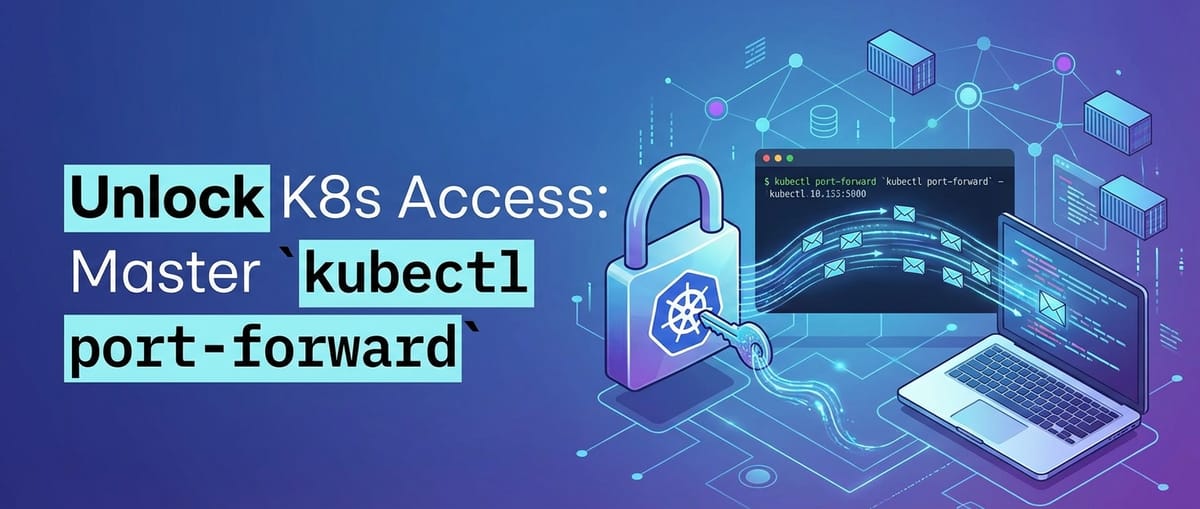
Enter kubectl port-forward – a seemingly simple command that is, in reality, one of the most indispensable tools in a Kubernetes developer's arsenal. It acts as a temporary, secure conduit, creating a direct tunnel from your local machine to a specific port on a pod, service, or deployment within your Kubernetes cluster. This capability transforms the isolated nature of Kubernetes into a developer-friendly playground, allowing you to use your familiar local tools – web browsers, database clients, API testing tools, or even debuggers – to connect directly to your applications running remotely in the cluster. Without needing to expose services publicly via Ingresses or LoadBalancers, port-forward empowers rapid iteration, accelerates debugging cycles, and provides invaluable insights into your application's behavior in a near-production environment.
This comprehensive guide will take you on an in-depth journey through kubectl port-forward. We will begin by demystifying its underlying mechanics, understanding how it establishes these crucial tunnels. We’ll then explore its basic and advanced usage patterns, illustrating with practical examples how to forward traffic to various Kubernetes resources and handle complex scenarios. Beyond just the mechanics, we will delve into the critical security considerations, common pitfalls, and effective troubleshooting techniques that every developer should master. Furthermore, we’ll contrast port-forward with other Kubernetes access methods, highlighting its strengths and limitations, and explore how it integrates seamlessly into modern development workflows. By the end of this article, you will not only understand how to use kubectl port-forward but will have truly mastered this essential utility, unlocking a new level of productivity and control over your Kubernetes-hosted applications and their APIs.
Deconstructing kubectl port-forward: What It Is and How It Works
At its core, kubectl port-forward is a network utility designed to bridge the gap between your local development environment and the isolated world of your Kubernetes cluster. It's not just a simple command; it's a sophisticated mechanism that leverages Kubernetes' internal architecture to create a secure, temporary connection. To truly appreciate its power, we must understand the fundamental concepts and the intricate journey of data when you invoke this command.
A. The Fundamental Concept: Local Access to Remote Services
The general concept of "port forwarding" isn't unique to Kubernetes. In networking, port forwarding involves redirecting a communication request from one address and port number combination to another while the packets are traversing a network gateway, firewall, or router. Think of it like a specialized mail redirection service: mail sent to a specific address (your local IP) and mailbox number (your local port) is secretly routed and delivered to a different address (the Kubernetes pod's IP) and mailbox (the container's port) within a secure tunnel.
kubectl port-forward applies this principle specifically to the Kubernetes environment. When you execute the command, it establishes a two-way connection: 1. Local Listen: It starts listening on a specified port on your local machine (e.g., localhost:8080). 2. Remote Connect: Simultaneously, it connects to a specified port on a target resource (a pod, service, or deployment) within the Kubernetes cluster (e.g., my-app-pod:3000).
Any traffic sent to your local port will then be securely forwarded through this tunnel directly to the remote resource's port, and vice-versa. This creates the illusion that the Kubernetes-hosted service is actually running directly on your local machine, allowing your local tools to interact with it as if it were a local process. Crucially, this tunnel is established over an authenticated and authorized connection to the Kubernetes API server, ensuring that only users with appropriate permissions can create such tunnels. It's a temporary solution, designed for focused debugging and development, not for exposing services to a broader audience or for production traffic.
B. The Mechanics Under the Hood: A Journey Through the K8s API Server
The magic of kubectl port-forward doesn't happen directly. It's orchestrated through a series of interactions involving several key Kubernetes components. Let's trace the data path step by step:
kubectlClient Initiation: When you typekubectl port-forward my-pod 8080:80, yourkubectlclient (running on your local machine) doesn't directly contact the pod. Instead, it makes an authenticated and authorized API request to the Kubernetes API server. This request is an instruction: "Establish a port-forwarding session to podmy-podon port80, and tunnel local traffic from8080."- Kubernetes API Server as the Orchestrator: The API server, the control plane's front door, receives this request. It verifies your authentication (who you are) and authorization (what you're allowed to do, specifically the
port-forwardverb on the specified resource). If successful, the API server acts as a proxy. It establishes a secure WebSocket connection (or a similar streaming protocol) with the Kubelet agent running on the node where the target pod (my-pod) resides. This is a critical step, as the API server doesn't "see" the pod directly in terms of network routing; it knows where the pod is scheduled. Theapikeyword here highlights that the entire operation hinges on interaction with the Kubernetesapi. - Kubelet as the Node Agent: The Kubelet is the agent that runs on each worker node in your Kubernetes cluster. Its responsibilities include managing pods, running containers, and executing commands within containers. When the API server proxies the
port-forwardrequest to the Kubelet, the Kubelet takes over. It receives instructions to establish a connection to a specific port within a specific container (or the first container if not specified) of the target pod. - Container-Level Connection (often via
socat): Within the node, the Kubelet needs a way to connect to the internal network namespace of the container. It typically achieves this by running a helper utility, most commonlysocat(Socket CAT), or similar low-level networking tools.socatcreates a direct, raw TCP connection from the Kubelet's process to the specified port inside the target container. This connection is then multiplexed back through the WebSocket tunnel established earlier, all the way to your localkubectlprocess.
The entire path looks like this: Local Client (e.g., browser) -> kubectl (local) --[HTTPS/WebSocket]--> K8s API Server --[WebSocket]--> Kubelet (on node) --[socat/raw TCP]--> Target Container (inside pod)
This multi-hop, proxied approach means that kubectl port-forward does not make any changes to your cluster's network policies, firewall rules, or service definitions. It's purely an application-layer tunnel. The data stream is encrypted as it traverses the public internet (if your kubectl is outside the cluster network) due to the HTTPS connection to the API server, providing a secure channel. This detailed understanding of the api interactions and underlying mechanics underscores the robustness and security of this powerful feature.
C. Key Benefits of Using port-forward
Understanding the mechanism reveals why kubectl port-forward is so beneficial:
- Enhanced Security: The most significant advantage is that
port-forwardallows you to access internal services without exposing them publicly. There's no need for an Ingress, LoadBalancer, or NodePort, which would make your services discoverable or directly accessible from the cluster's network perimeter. The connection is private to your local machine and authenticated against the Kubernetes API server. It's a temporary, on-demand tunnel that closes when you terminate thekubectlcommand. - Simplicity and Speed: Setting up
port-forwardis remarkably simple, often a single command. It requires minimal configuration compared to other exposure methods, making it incredibly fast to spin up access for quick debugging or testing sessions. This speed translates directly into faster development cycles. - Flexibility with Any TCP Port: Whether your application exposes an HTTP API on port 8080, a database listener on 5432, a gRPC service on 50051, or a custom protocol on an arbitrary port,
kubectl port-forwardcan tunnel any TCP traffic. This versatility makes it suitable for a wide array of application types and debugging scenarios. - Seamless Local Development Environment Synergy: With
port-forward, your local development environment becomes seamlessly integrated with your remote Kubernetes cluster. You can continue to use your preferred IDE, debugging tools, web browser, Postman for API testing, or any other local client directly against the services running in Kubernetes. This minimizes context switching and allows developers to leverage their existing toolchains efficiently. For instance, if you're developing a microservice that consumes an internalapifrom another service within Kubernetes, you canport-forwardthe downstreamapiand have your local microservice talk to it as if it were local, facilitating comprehensive integration testing before deployment.
These benefits highlight why kubectl port-forward is not just a niche tool, but a cornerstone for effective development and debugging in a Kubernetes-centric world, enabling developers to interact directly with their apis and services behind the cluster's protective layers.
Prerequisites and Basic Usage: Your First Tunnel
Before you can unlock the power of kubectl port-forward, you need to ensure a few foundational elements are in place. Once those are established, the basic usage of the command is remarkably straightforward, allowing you to quickly establish your first tunnel.
A. Setting the Stage: What You Need
To successfully use kubectl port-forward, you'll need the following:
- A Running Kubernetes Cluster: This can be any Kubernetes cluster – a local one like Minikube or kind, a development cluster hosted on a cloud provider (GKE, EKS, AKS, OpenShift), or an on-premises enterprise cluster. The key is that it must be operational and accessible.
kubectlConfigured and Authenticated: You need thekubectlcommand-line tool installed on your local machine, and it must be configured to connect to your target Kubernetes cluster. This typically involves having akubeconfigfile (usually located at~/.kube/config) that contains the necessary cluster details, user credentials, and context information. Yourkubectlmust be able to successfully interact with the cluster, for instance, by runningkubectl get nodeswithout errors.- A Running Pod, Service, or Deployment in the Cluster:
kubectl port-forwardneeds a target to connect to. This target is typically a pod, but for convenience, you can also target a service or a deployment, and Kubernetes will intelligently pick an appropriate pod. Ensure the application within the pod is actually running and listening on the port you intend to forward.
Let's assume you have a simple Nginx deployment running in your cluster. If not, you can create one with these commands:
kubectl create deployment nginx --image=nginx
kubectl expose deployment nginx --port=80 --type=ClusterIP
This creates a deployment named nginx with a single replica running the Nginx web server, and a ClusterIP service named nginx that exposes the pod's port 80 within the cluster.
B. The Simplest Form: Forwarding to a Pod
The most direct way to use kubectl port-forward is by targeting a specific pod. This is useful when you want to access a particular instance of your application, perhaps for targeted debugging or to test a specific deployment version.
Syntax:
kubectl port-forward <pod-name> <local-port>:<remote-port>
<pod-name>: The exact name of the pod you want to connect to. Pod names often include a unique suffix (e.g.,nginx-7f6c487d7b-xyz12).<local-port>: The port on your local machine that you wantkubectlto listen on. When you accesslocalhost:<local-port>, the traffic will be forwarded.<remote-port>: The port inside the target container within the pod that the application is listening on. This is usually the port your application exposes itsapior service.
Step-by-step example with our nginx pod:
- Find the Pod Name: First, you need to know the exact name of your Nginx pod.
bash kubectl get podsYou might see output like:NAME READY STATUS RESTARTS AGE nginx-7f6c487d7b-xyz12 1/1 Running 0 5mLet's say our pod name isnginx-7f6c487d7b-xyz12. - Establish the Port Forward: Nginx typically listens on port 80 inside its container. Let's forward it to local port 8080.
bash kubectl port-forward nginx-7f6c487d7b-xyz12 8080:80You will see output similar to:Forwarding from 127.0.0.1:8080 -> 80 Forwarding from [::1]:8080 -> 80This indicates thatkubectlis now listening on local port 8080 (both IPv4 and IPv6). - Access Locally: Open your web browser or use
curlto accesshttp://localhost:8080.bash curl http://localhost:8080You should see the default Nginx welcome page HTML, proving that your local machine is successfully communicating with the Nginx server running inside the Kubernetes pod. - Terminate the Tunnel: The
kubectl port-forwardcommand will run indefinitely until you stop it. To terminate the tunnel, simply pressCtrl+Cin the terminal where the command is running.
Explanation of local-port vs. remote-port: It's crucial to understand that local-port and remote-port do not have to be the same. You might forward localhost:8080 to a pod's remote-port:3000 to avoid conflicts on your local machine, or because you're working with multiple services and want to map them to distinct local ports. The remote-port must be the actual port the application inside the container is listening on.
C. Targeting Services and Deployments: Abstraction for Convenience
While forwarding to a pod is precise, pod names are ephemeral and change if a pod crashes or is rescheduled. For more robust and convenient access, kubectl port-forward allows you to target Services or Deployments. Kubernetes then handles the intelligent selection of a healthy pod for you.
Forwarding to a Service
When you target a service, kubectl port-forward uses the service's selector to find a healthy pod backing that service and establishes the tunnel to it. If the selected pod goes down, kubectl will automatically attempt to reconnect to another healthy pod associated with that service.
Syntax:
kubectl port-forward service/<service-name> <local-port>:<remote-port>
<service-name>: The name of your Kubernetes service (e.g.,nginx).
Example with our nginx service:
- Verify Service Name:
bash kubectl get servicesOutput might include:NAME TYPE CLUSTER-IP EXTERNAL-IP PORT(S) AGE kubernetes ClusterIP 10.96.0.1 <none> 443/TCP 10d nginx ClusterIP 10.101.123.145 <none> 80/TCP 7mOur service is namednginx. - Establish the Port Forward:
bash kubectl port-forward service/nginx 8080:80This will produce similar output to forwarding directly to a pod, and you can accesshttp://localhost:8080to confirm. The benefit here is resilience; if the current Nginx pod is terminated and a new one starts,kubectl port-forwardwill automatically discover and connect to the new pod without you needing to restart the command or find a new pod name.
Forwarding to a Deployment
Similar to services, you can also forward to a deployment. When targeting a deployment, kubectl selects one of the pods managed by that deployment. This is useful when you want to interact with any instance of your deployed application without worrying about individual pod names or service abstractions.
Syntax:
kubectl port-forward deployment/<deployment-name> <local-port>:<remote-port>
<deployment-name>: The name of your Kubernetes deployment (e.g.,nginx).
Example with our nginx deployment:
- Verify Deployment Name:
bash kubectl get deploymentsOutput might include:NAME READY UP-TO-DATE AVAILABLE AGE nginx 1/1 1 1 9mOur deployment is namednginx. - Establish the Port Forward:
bash kubectl port-forward deployment/nginx 8080:80Again, accesshttp://localhost:8080to confirm. This method provides similar resilience to forwarding to a service, in that it abstracts away the specific pod instance.
D. Common Flags and Their Power
kubectl port-forward offers several useful flags that extend its functionality and provide more control over the tunneling process.
-nor--namespace <namespace-name>: By default,kubectloperates in the namespace configured in your current context (oftendefault). If your pod, service, or deployment resides in a different namespace, you must specify it using the-nflag.bash kubectl port-forward -n my-app-namespace service/my-app-api 9090:8080This command forwards local port 9090 to port 8080 of themy-app-apiservice in themy-app-namespacenamespace. Without specifying the namespace,kubectlwould fail to find the service. This is critical when dealing with multi-tenant clusters or complex application deployments where different components reside in isolated namespaces, each potentially exposing its ownapi.--address <ip-address>: By default,kubectl port-forwardlistens onlocalhost(127.0.0.1 and ::1). If you need to bind the local port to a specific IP address on your machine (e.g., if you have multiple network interfaces, or if you want to make the forwarded port accessible to other machines on your local network without exposing it to the internet), you can use the--addressflag.bash kubectl port-forward pod/my-pod 8080:80 --address 0.0.0.0Using0.0.0.0will bind the port to all available network interfaces on your local machine. Be cautious with this, as it makes the forwarded port accessible from outside your local machine on your local network segment. This is a minor increase in local exposure but still not a production solution.--pod-running-timeout <duration>: When targeting a service or deployment,kubectlneeds to find a running pod. This flag allows you to specify how longkubectlshould wait for a running pod to become available before giving up. The default is 1 minute.bash kubectl port-forward service/my-app 8080:80 --pod-running-timeout=2mThis would wait up to 2 minutes for a healthy pod to be ready.- Running in Background (
&): Often, you'll wantport-forwardto run in the background so you can continue using your terminal. You can achieve this using your shell's backgrounding capabilities. For Bash/Zsh:bash kubectl port-forward service/my-app 8080:80 > /dev/null 2>&1 &To bring it back to the foreground (fg) or kill it (kill %1if it's job number 1, orkill <PID>), you'll need to manage your shell jobs. You can find the PID usingps aux | grep "kubectl port-forward". Be mindful that backgrounded processes don't always terminate cleanly if the parent shell exits, so it's good practice to explicitly kill them when done.> /dev/null: Redirects standard output to null, preventingkubectl's messages from cluttering your terminal.2>&1: Redirects standard error to standard output (which is then also redirected to null).&: Runs the command in the background.
Mastering these basic commands and flags provides a solid foundation for leveraging kubectl port-forward effectively, allowing you to quickly establish reliable connections to your Kubernetes applications and their internal APIs for development and debugging purposes.
Advanced port-forward Scenarios: Mastering the Tunnel
Beyond the basic use cases, kubectl port-forward offers a surprising depth of functionality that becomes invaluable in more complex development and debugging scenarios. Mastering these advanced techniques will further enhance your productivity and give you greater control over your Kubernetes environment.
A. Multiple Ports, Multiple Tunnels
It's common for applications, especially microservices, to expose more than one port. A web service might have an HTTP api on 8080 and a metrics endpoint on 9090. A database might have its primary listener on 5432 and a replication port on 5433. kubectl port-forward can handle these situations in a couple of ways.
- Forwarding Several Ports in a Single Command: You can specify multiple
local-port:remote-portpairs in a singlekubectl port-forwardcommand. This creates a single tunnel that multiplexes traffic for all specified ports. Syntax:bash kubectl port-forward <resource>/<name> <local1:remote1> <local2:remote2> ...Example: Let's imagine ourmy-apppod exposes its mainapion port 8080 and a Prometheus metrics endpoint on port 9090.bash kubectl port-forward deployment/my-app 8080:8080 9090:9090Now, you can accesshttp://localhost:8080for the mainapiandhttp://localhost:9090for metrics, both through the sameport-forwardprocess. This is efficient as it only establishes one underlying connection to the API server and Kubelet.
Running Multiple port-forward Commands for Different Services: In a microservices architecture, you might need to access several independent services simultaneously. For example, your frontend service, a backend api gateway, and a user authentication service. In such cases, you'd run a separate kubectl port-forward command for each service, typically in different terminal windows or backgrounded. Example: ```bash # Terminal 1: Forward frontend service kubectl port-forward service/frontend 3000:80
Terminal 2: Forward backend API gateway
kubectl port-forward service/api-gateway 8080:8080
Terminal 3: Forward authentication service
kubectl port-forward service/auth-service 9000:9000 `` This allows you to simulate a more complete system locally, where your local components can interact with specific remote microservices. Each command establishes its own tunnel, which can be managed independently. This scenario is particularly useful when you have a local client application that needs to interact with various remoteapi`s.
B. Targeting Specific Containers in Multi-Container Pods
Some Kubernetes pods are designed to run multiple containers within the same pod, known as a multi-container pod or a "sidecar" pattern. For instance, a main application container might have a logging agent, a metrics exporter, or a network proxy (like Envoy for a service mesh) running alongside it in the same pod. Each of these containers might expose its own set of ports.
By default, kubectl port-forward targets the first container defined in the pod's manifest. If you need to connect to a specific container other than the first one, you must use the -c or --container flag.
Syntax:
kubectl port-forward pod/<pod-name> <local-port>:<remote-port> -c <container-name>
Example: Imagine a pod my-app-with-sidecar that has two containers: main-app (listening on 8080 for its api) and metrics-sidecar (listening on 9091 for Prometheus metrics).
- Forward to the main application container:
bash kubectl port-forward pod/my-app-with-sidecar 8080:8080 -c main-appThis explicitly tellskubectlto establish the tunnel to themain-appcontainer. - Forward to the sidecar container:
bash kubectl port-forward pod/my-app-with-sidecar 9091:9091 -c metrics-sidecarThis allows you to access the metrics directly from your local machine, perhaps with a local Prometheus client or just acurlcommand to verify theapiendpoint. This granular control is essential for debugging specific components within a tightly coupled pod.
C. Dynamic Local Ports: Let kubectl Choose
Sometimes, you don't care about the specific local port, or you want to avoid potential port conflicts on your machine, especially when scripting or running multiple temporary port-forward sessions. In such cases, you can instruct kubectl to automatically choose an available local port.
How to Use: Specify 0 as the <local-port>.
Example:
kubectl port-forward service/my-app 0:8080
kubectl will then pick an ephemeral (high-numbered, unused) port on your local machine and report it back to you:
Forwarding from 127.0.0.1:49152 -> 8080
Forwarding from [::1]:49152 -> 8080
In this example, the service my-app's port 8080 is now accessible via http://localhost:49152.
Discovering the Assigned Port: If you background the command, or need to use the dynamically assigned port in another script, you can parse the output (if not redirected to /dev/null). For a more robust programmatic approach, you could initiate the port-forward in a script, capture its output, and then extract the assigned port. Some scripting languages or libraries for Kubernetes interaction might offer direct methods to retrieve this. This feature is particularly handy for automated testing scripts that need to spin up and tear down temporary access to services.
D. Debugging Database Connections
One of the most common and powerful uses of kubectl port-forward is to gain temporary access to databases running inside your Kubernetes cluster. If you have a PostgreSQL, MySQL, Redis, MongoDB, or any other database instance running as a pod, port-forward allows your local database clients and tools to connect directly to it. This is incredibly useful for:
- Inspecting Data: Using a local GUI tool like DBeaver, pgAdmin, MySQL Workbench, or Robo 3T to browse, query, and modify database contents directly.
- Running Migrations/Scripts: Executing local database migration tools or scripts against the remote database.
- Debugging Application Data Interactions: Observing your application's data layer behavior from your local machine.
Example: Connecting to a PostgreSQL Pod Assume you have a PostgreSQL database running in a pod, listening on its default port 5432.
- Find the PostgreSQL Pod or Service:
bash kubectl get pods -l app=postgresql # or kubectl get service postgresqlLet's say the pod ispostgresql-abcdeor the service ispostgresql. - Establish the Port Forward: Let's forward local port 5432 to the remote PostgreSQL port 5432.
bash kubectl port-forward service/postgresql 5432:5432 - Connect with a Local Client: Open your local PostgreSQL client (e.g.,
psqlcommand-line tool, DBeaver, pgAdmin) and configure it to connect to:You should now be able to connect and interact with your database running inside the cluster as if it were a local instance. This significantly simplifies database-related development and debugging tasks, without needing to expose the database over the public internet.- Host:
localhost - Port:
5432 - User/Password/Database: Use the credentials configured for your PostgreSQL instance in Kubernetes.
- Host:
Security Implications: While incredibly convenient, be mindful of the security implications. When you forward a database port, you're exposing that database (albeit only to your local machine) through a direct tunnel. Ensure your local machine is secure, and terminate the port-forward connection immediately after you're done.
E. Testing Internal APIs and Webhooks
Many modern applications are built around internal APIs. These APIs are not meant for public consumption but facilitate communication between different microservices within the cluster. During development, you might be building a new service that needs to consume an api exposed by an existing internal service. Similarly, you might need to test a webhook endpoint that your service provides, which is called by another internal service. kubectl port-forward is perfect for these scenarios.
Before formally exposing an api to other internal services or externally through an API Gateway, port-forward allows thorough local testing. You can use tools like Postman, Insomnia, or even curl on your local machine to send requests directly to the internal api endpoints. This allows you to validate request/response formats, test authentication mechanisms, and verify business logic without the overhead of deploying an Ingress or setting up complex internal routing.
Example: Testing an Internal REST API Suppose you have an order-service that exposes a REST api on port 8080, which is only accessible within the cluster. Your local frontend-dev application needs to call this api.
- Port-forward the
order-service:bash kubectl port-forward service/order-service 8080:8080 - Local Development: Now, your local
frontend-devapplication, running onlocalhost:3000, can makeAPIcalls tohttp://localhost:8080/api/ordersas if theorder-servicewas running locally. This makes integration testing seamless.
Testing Webhooks: If your service exposes a webhook endpoint (e.g., http://my-service/webhooks/payment-notification) that's only meant to be called by another internal service or a local simulation, you can port-forward your service's port and then use a local curl or a testing tool to simulate the webhook call.
Natural APIPark Integration Point 1: Once you've developed and debugged your service locally using kubectl port-forward, especially when building sophisticated backend APIs that might integrate AI capabilities, you'll eventually need a robust platform to manage their lifecycle. For seamlessly integrating and managing a multitude of APIs, particularly those involving AI models, platforms like APIPark offer comprehensive solutions, transforming prompts into accessible REST APIs and providing unified management. APIPark provides an elegant way to formalize and control these APIs once they move beyond the debugging stage, ensuring they are secure, discoverable, and performant for your entire enterprise.
These advanced port-forward techniques empower developers to handle a wide range of complex scenarios, from multi-port services and sidecar debugging to secure database access and internal API testing, significantly accelerating the development and debugging process in Kubernetes.
Beyond port-forward: When to Choose Other Access Methods
While kubectl port-forward is an indispensable tool for development and debugging, it's crucial to understand its limitations. It's designed for temporary, local, and direct access, not for exposing services broadly or for production traffic. For persistent, scalable, and publicly accessible services, Kubernetes offers a suite of other robust access methods. Understanding these alternatives and when to use them is key to building mature and production-ready applications.
A. Understanding the Limitations of port-forward
Before diving into alternatives, let's explicitly list why port-forward isn't suitable for production or general access:
- Temporary and Ephemeral: A
port-forwardtunnel exists only for the lifetime of thekubectl port-forwardcommand. When you stop the command or your terminal session closes, the tunnel is gone. It needs to be manually initiated each time. This makes it unsuitable for continuous access or for users who aren't developers. - Single-Client Focused: It's primarily designed for a single user/client on a single local machine. While you can bind to
0.0.0.0locally, it's still a point-to-point tunnel, not a scalable solution for multiple consumers or high traffic. - Requires
kubectland K8s Credentials: Anyone wanting to useport-forwardmust havekubectlinstalled, correctly configured, and possess the necessary RBAC permissions toport-forwardto the target resource. This is fine for developers but restrictive for end-users or other applications. - No Load Balancing or High Availability: When you
port-forwardto a service or deployment,kubectlpicks one healthy pod. If that pod goes down,kubectlmight reconnect to another, but it's not performing intelligent load balancing across all available replicas. There's no inherent high availability, and if thekubectlprocess itself fails, the connection is lost. - No Ingress Rules or URL Routing:
port-forwardsimply tunnels TCP traffic to a specific port. It doesn't understand HTTP headers, hostnames, path-based routing, or SSL/TLS termination – features crucial for modern web applications and APIs that are provided by Ingress. - No Network Policy Enforcement: While the initial connection is secure via the Kubernetes API server, once the tunnel is established, network policies within the cluster generally don't apply to this direct connection.
B. Alternative Kubernetes Service Exposure Types
Kubernetes offers built-in service types specifically designed for different exposure scenarios:
NodePort
- Concept: A
NodePortservice exposes a service on a static port on each node's IP address within the cluster. Kubernetes reserves a port from a specific range (default: 30000-32767) on all nodes. Any traffic sent to<NodeIP>:<NodePort>will be routed to your service. - Pros:
- Simple to set up for basic external access.
- Works in any Kubernetes environment, even those without cloud-provider integrations.
- Good for development clusters, demos, or accessing internal tools from within the same private network as the nodes.
- Cons:
- Uses a high, often random, port from the reserved range, which isn't user-friendly.
- Exposes the service on all nodes, potentially consuming resources or creating security concerns if not managed.
- No intelligent load balancing at the network edge (you typically need an external load balancer in front of the nodes).
- Not suitable for production public-facing APIs or applications due to port and scalability limitations.
- Use Cases: Quick external access for internal dashboards, testing in environments where external LoadBalancer/Ingress aren't available, basic demonstration purposes.
LoadBalancer
- Concept: A
LoadBalancerservice type is a cloud-provider specific feature. When you create aLoadBalancerservice, the cloud provider automatically provisions an external network load balancer that gets a stable, publicly accessible IP address. This load balancer then distributes incoming traffic to the pods backing your service. - Pros:
- Provides a stable external IP address.
- Offers true load balancing across all healthy pods for your service.
- Handles high traffic volumes and provides fault tolerance.
- Standard way to expose production-grade network services and APIs.
- Cons:
- Expensive, as cloud providers charge for external load balancers.
- Cloud-provider dependent (requires a cloud environment like AWS, GCP, Azure).
- Primarily for Layer 4 (TCP/UDP) load balancing; less suited for complex Layer 7 (HTTP/HTTPS) routing based on hostnames or paths, though some cloud LBs offer L7 features.
- Use Cases: Exposing public-facing applications, highly available database endpoints, or any service that requires a stable external IP and robust load balancing.
Ingress
- Concept:
Ingressis a Kubernetes API object that manages external access to services within a cluster, typically HTTP and HTTPS. AnIngressresource acts as a collection of rules for routing external traffic to internal services. To make Ingress work, you need an Ingress Controller (e.g., Nginx Ingress, Traefik, GCE Ingress, AWS ALB Ingress) running in your cluster, which actually implements these rules by configuring a proxy. - Pros:
- Layer 7 Routing: Supports path-based routing (
example.com/apito service A,example.com/dashboardto service B), hostname-based routing (api.example.comto service A,admin.example.comto service B), and virtual hosting. This is crucial for microservices exposing various APIs under a single domain. - SSL/TLS Termination: Can handle SSL certificate management and termination, offloading encryption/decryption from your application pods.
- Cost-Effective: A single Ingress Controller (often backed by one LoadBalancer) can manage routing for multiple services, reducing the number of external load balancers required.
- API-driven configuration: Ingress resources are configured via Kubernetes API, enabling GitOps and declarative management. The underlying Ingress controller watches the Kubernetes
apiforIngressresources and updates its configuration accordingly.
- Layer 7 Routing: Supports path-based routing (
- Cons:
- Requires an Ingress Controller to be deployed and managed.
- More complex to set up than
NodePortorLoadBalancerfor simple cases. - Primarily for HTTP/HTTPS traffic.
- Use Cases: Exposing multiple web applications or API endpoints under a single domain, complex routing scenarios, centralizing SSL management, establishing an API Gateway for your services.
ExternalName
- Concept: An
ExternalNameservice is a special type of service that maps a service to an arbitrary DNS name, rather than to pods within the cluster. It's used to provide an internal alias for an external service. - Pros:
- Allows services within your cluster to consume external services (e.g., a SaaS
apior a legacy database outside K8s) using a Kubernetes service name, providing a consistent internal naming convention. - No proxying involved; it's a DNS CNAME record.
- Allows services within your cluster to consume external services (e.g., a SaaS
- Cons:
- Doesn't proxy traffic or provide load balancing to the external endpoint.
- Only works for DNS-based external services.
- Use Cases: Integrating with external third-party APIs, legacy systems, or databases that reside outside the Kubernetes cluster but need to be referenced by applications inside the cluster with a familiar service abstraction.
C. Other Access Strategies
Beyond Kubernetes service types, other strategies exist for more permanent or specialized access:
- VPNs/Bastion Hosts: For secure, permanent internal access to your entire cluster network, many organizations implement VPNs or dedicated bastion hosts. A VPN connection places your local machine directly onto the cluster's internal network, allowing you to access any internal service as if you were inside the cluster. Bastion hosts (jump servers) act as an intermediary, requiring you to SSH into them first, and then from there, you can access internal resources. These provide robust security but add operational overhead.
- Service Mesh (e.g., Istio, Linkerd): Service meshes provide advanced traffic management, observability, and security features for microservices. They can manage inbound and outbound traffic, facilitate complex routing (e.g., A/B testing, canary deployments), enforce mutual TLS, and provide detailed telemetry. While not primarily for external access, they significantly enhance internal API communication and might integrate with Ingress controllers (like Istio's Gateway) for external exposure.
- Kube-proxy Alternatives: Kube-proxy is responsible for implementing Kubernetes service abstraction using iptables or IPVS. Advanced networking solutions like Cilium or Calico can replace Kube-proxy, offering more performant and feature-rich networking capabilities, including advanced network policies and direct service load balancing at the kernel level. While not a direct access method, they underpin how services are exposed internally and can affect the performance of
port-forwardif their network configuration is unusual.
Natural APIPark Integration Point 2: While kubectl port-forward provides invaluable immediate access for development and debugging, a mature application deployment strategy requires more robust and scalable API exposure. This is where dedicated API management platforms excel. APIPark, for example, stands out as an open-source AI gateway and API management solution, offering end-to-end API lifecycle management, team sharing, and detailed API call logging, all while rivaling Nginx in performance. It transforms the ad-hoc access of port-forward into a governed, secure, and performant API ecosystem for enterprises. APIPark simplifies the entire API lifecycle, from the initial prompt encapsulation into a REST API during development to the eventual publication, versioning, and decommissioning of production APIs, providing the security and performance that port-forward is not designed for.
Choosing the right access method depends on your specific requirements: port-forward for local dev/debug, NodePort for simple internal exposure, LoadBalancer for external Layer 4, and Ingress for complex external Layer 7 routing and comprehensive API management. These choices represent a progression from temporary, local access to permanent, scalable, and secure production-grade API exposure.
APIPark is a high-performance AI gateway that allows you to securely access the most comprehensive LLM APIs globally on the APIPark platform, including OpenAI, Anthropic, Mistral, Llama2, Google Gemini, and more.Try APIPark now! 👇👇👇
Security Considerations and Best Practices
While kubectl port-forward is a powerful and convenient tool, its very nature of bridging an isolated cluster service to your local machine necessitates a careful consideration of security. Misuse or negligence can open potential vulnerabilities. Understanding these risks and adhering to best practices is paramount to maintaining the integrity of your Kubernetes environment and the data your applications handle.
A. Who Can port-forward? RBAC Matters.
The first line of defense is Kubernetes' Role-Based Access Control (RBAC). kubectl port-forward is not an inherently privileged operation, but it does require specific permissions.
- The
port-forwardVerb: To usekubectl port-forward, a user or service account must have theport-forwardverb granted for the target resource type (pods).- Example Role granting
port-forwardfor all pods in a namespace: ```yaml apiVersion: rbac.authorization.k8s.io/v1 kind: Role metadata: name: developer-pod-access namespace: default rules:- apiGroups: [""] resources: ["pods"] verbs: ["get", "list", "watch", "exec", "port-forward"] # 'port-forward' verb is crucial ```
- This Role would then be bound to a User or ServiceAccount via a RoleBinding.
- Example Role granting
- Least Privilege Principle: Adhere strictly to the principle of least privilege. Grant
port-forwardpermissions only to users or service accounts that genuinely need it, and ideally, limit it to specific namespaces or even specific pods if possible. Avoid grantingport-forwardaccess cluster-wide or to sensitive pods (like those running core Kubernetes components or critical security services) unnecessarily. Developers working on a specific application should only haveport-forwardaccess to pods related to their application.
B. Data Exposure Risks
Even though port-forward doesn't expose services publicly, it creates a direct conduit from a cluster resource to your local machine, which introduces a different set of risks:
- Local Machine Compromise: If your local development machine is compromised, an attacker could potentially leverage your active
port-forwardtunnels to gain access to internal Kubernetes services and their APIs. This is a significant risk, as it bypasses many cluster-level network defenses. Always ensure your local machine is secure, patched, and running up-to-date antivirus/anti-malware software. - Accessing Sensitive Data: If you
port-forwardto a database or a service that handles sensitive API data (PII, financial information, authentication tokens), that data will traverse your local network interface and potentially be stored in local client tools. Be extremely cautious when handling sensitive data and ensure your local tools are secure. - Using over Untrusted Networks: Avoid using
kubectl port-forwardover untrusted public Wi-Fi networks unless you are absolutely certain of the security of your local machine and the tunnel's encryption (which is provided by HTTPS to the API server, but local network interception is still a concern). A VPN for your local machine is highly recommended if working remotely.
C. When NOT to Use port-forward
To reiterate and emphasize:
- Production Environments: Never use
kubectl port-forwardas a means to expose services for production traffic. It lacks scalability, reliability, monitoring, and security features (like WAFs, DDoS protection, advanced authentication) necessary for production APIs. UseLoadBalancer,Ingress, or a dedicated API Gateway for production. - Long-Term Access Solutions: If you need persistent access to an internal service from outside the cluster,
port-forwardis not the solution. Consider a VPN, a bastion host, or a more permanent internal Ingress setup. - Public-Facing Services: Any service intended for public consumption must use
LoadBalancerorIngresswith appropriate security measures (WAF, rate limiting, authentication, authorization).port-forwardis inherently local and temporary.
D. Enhancing Security
Beyond RBAC and understanding risks, proactive measures can further enhance security:
- Use Strong K8s Credentials: Ensure your
kubeconfigfile uses strong, regularly rotated credentials (e.g., short-lived tokens, client certificates, or integration with identity providers). Avoid sharingkubeconfigfiles. - Monitor
kubectlUsage Logs: If your cluster's API server audit logs are enabled, they will recordport-forwardrequests. Regularly review these logs to detect any unauthorized or suspicious activity. An unusually high number ofport-forwardrequests or requests from unfamiliar users could indicate a security incident. - Regularly Terminate Tunnels: Make it a habit to stop
kubectl port-forwardcommands as soon as you are done with your debugging or development task. Running unnecessary tunnels increases the window of opportunity for potential exploitation. - Be Mindful of What Services You Are Exposing: Always double-check the target pod/service and port you are forwarding. Accidentally forwarding a sensitive administrative API or an unprotected internal service could lead to unintended exposure on your local machine.
By integrating these security considerations and best practices into your workflow, you can leverage the immense power of kubectl port-forward for development and debugging without inadvertently creating security vulnerabilities in your Kubernetes environment. It's about responsible and informed usage of a powerful tool, especially when dealing with access to internal APIs and sensitive services.
Troubleshooting Common port-forward Issues
Even for seasoned Kubernetes users, kubectl port-forward can sometimes be temperamental. When a tunnel fails to establish or connect, it can be frustrating. Knowing how to diagnose and resolve common issues quickly is crucial for maintaining productivity. This section will outline the most frequent problems you might encounter and provide clear steps for troubleshooting them.
A. Port Already in Use
This is perhaps the most common issue. * Error Message: You'll typically see an error like E0720 10:30:45.000000 12345 portforward.go:xxx] Unable to listen on port 8080: Listeners failed to create with the following errors: [unable to create listener: Error listen tcp4 127.0.0.1:8080: bind: address already in use] * Cause: The local port you specified (e.g., 8080) is already being used by another process on your local machine. This could be another kubectl port-forward command you forgot to stop, a local web server, or any other application. * Resolution: 1. Choose a Different Local Port: The simplest solution is to pick an unused local port. For example, if 8080 is in use, try 8081: kubectl port-forward service/my-app 8081:8080. 2. Identify and Kill the Conflicting Process: * Linux/macOS: Use lsof -i :<port> (e.g., lsof -i :8080) to find the process ID (PID) listening on that port, then kill <PID>. * Windows: Use netstat -ano | findstr :<port> to find the PID, then taskkill /PID <PID> /F. 3. Use Dynamic Port Allocation: If you don't care about the specific local port, use 0 as the local port (kubectl port-forward service/my-app 0:8080).
B. Pod/Service Not Found
- Error Message:
error: services "my-service" not foundorerror: pods "my-pod" not found - Cause:
- Incorrect Name: You've misspelled the name of the pod, service, or deployment.
- Wrong Namespace: The resource exists, but not in the namespace
kubectlis currently targeting (usuallydefault). - Resource Doesn't Exist: The resource genuinely doesn't exist or isn't running.
- Resolution:
- Verify Name and Type: Use
kubectl get pods,kubectl get services,kubectl get deploymentsto list available resources and their exact names. - Specify Namespace: If the resource is in a different namespace, use the
-nor--namespaceflag:kubectl port-forward -n my-app-namespace service/my-service 8080:80. - Check Resource Status: Ensure the pod is actually
Runningand healthy (kubectl get pod <pod-name> -o wide).
- Verify Name and Type: Use
C. Connection Refused/No Route to Host (Local Access)
This happens after kubectl port-forward has successfully started, but your local client (browser, curl) cannot connect. * Error Message: Your local client reports "Connection refused", "No route to host", or a similar network error when trying to access localhost:<local-port>. * Cause: 1. Incorrect Remote Port: The remote-port you specified in the kubectl port-forward command does not match the port the application inside the container is actually listening on. 2. Application Not Listening: The application inside the target container is not running, has crashed, or is not listening on the expected port (remote-port). 3. Firewall on Local Machine: Your local machine's firewall might be blocking outbound connections to localhost or specific ports, or inbound connections to the kubectl process. * Resolution: 1. Verify Application Port: * Check the pod's container image documentation. * Inspect the pod's manifest: kubectl describe pod <pod-name> and look under Containers.Ports. * Check application logs: kubectl logs <pod-name> to see if it reports what port it's listening on. 2. Check Pod/Container Status: Ensure the pod is Running and the specific container is Ready. Look at kubectl describe pod <pod-name> for events or recent restarts. 3. Check Local Firewall: Temporarily disable your local firewall (if safe to do so) to rule it out, or add an exception for kubectl or the specific local port.
D. Permissions Issues
- Error Message:
Error from server (Forbidden): User "your-user" cannot portforward pods in namespace "default" - Cause: Your Kubernetes user (or service account) lacks the necessary RBAC permissions (
port-forwardverb) to perform the operation on the specified resource or in the specified namespace. - Resolution:
- Check Your Permissions: Use
kubectl auth can-i port-forward pod/<pod-name> -n <namespace-name>. This will tell you if you have the permission. - Request Permissions: If you lack permissions, you'll need to contact your cluster administrator to have the appropriate
RoleandRoleBindingcreated or modified to grant you theport-forwardverb for the target resources.
- Check Your Permissions: Use
E. "Error dialing backend: dial tcp..."
- Error Message:
E0720 10:30:45.000000 12345 portforward.go:xxx] error dialing backend: dial tcp 10.x.x.x:yyyy: connect: connection refused - Cause: This error indicates that the Kubernetes API server successfully received your request and proxied it to the Kubelet on the target node, but the Kubelet itself couldn't establish a connection to the specific port inside the container. This typically means:
- Pod Crashing/Not Ready: The pod you're targeting might be in a
CrashLoopBackOffstate,Pending, or simply notReady. - Network Issues within Cluster: Less common, but there could be network problems between the Kubelet and the container's network namespace.
- Incorrect Container Port: Similar to "Connection Refused" above, the remote port specified might not be open within the container or the application isn't listening on it.
- Pod Crashing/Not Ready: The pod you're targeting might be in a
- Resolution:
- Check Pod Status and Logs:
kubectl get pod <pod-name> -o wide: Look atSTATUS,RESTARTS.kubectl describe pod <pod-name>: CheckEventssection for errors.kubectl logs <pod-name>: Review application logs for startup errors or crashes.- If it's a multi-container pod, remember to specify the container name:
kubectl logs <pod-name> -c <container-name>.
- Verify Container's Exposed Port: Double-check the container image's exposed port or the application configuration within the container.
- Check Pod Status and Logs:
F. Table: Common kubectl port-forward Troubleshooting Guide
| Issue Category | Symptom | Potential Cause(s) | Resolution(s) |
|---|---|---|---|
| Port Conflict | address already in use |
Local port is already occupied by another process. | Choose a different local port (e.g., 8081:80), or identify and kill the conflicting process (lsof -i :<port> on Linux/macOS, netstat -ano on Windows). |
| Resource Not Found | error: services "my-service" not found |
Incorrect service/pod/deployment name or wrong namespace. | Verify names (kubectl get svc/pod/deploy -n <namespace>), specify correct namespace (-n <namespace>). |
| Connection Refused | connection refused on local access |
Remote port is incorrect, or application inside container isn't listening on that port; Local firewall blocking. | Double-check the container's exposed port in pod manifest/logs. Ensure application is running. Check local firewall settings. |
| Permissions Error | Error from server (Forbidden) |
Insufficient RBAC permissions to port-forward or access the resource. |
Check your user's RBAC roles (kubectl auth can-i). Request necessary port-forward verb permissions from cluster admin. |
| Pod Issues | Error dialing backend |
Targeted pod is not running, crashing, or unhealthy. | Check pod status (kubectl get pod <pod-name> -o wide). Review pod logs (kubectl logs). Verify pod is in a Running and Ready state. |
| Network Issues | Slow or intermittent connection | Underlying network problems between kubectl client and K8s API server/node. |
Check network connectivity. Review K8s cluster logs for networking component issues. Try a different node if possible. |
| Container Not Ready | forwarding failed: ... refused |
The target container within the pod is not yet ready or listening. | Wait for the container to fully initialize. Check container readiness/liveness probes (kubectl describe pod). Review container startup logs. |
| K8s API Down | Unable to connect to the server |
Kubernetes API server is unreachable or down. | Check your kubeconfig. Verify cluster health. kubectl cluster-info. |
By systematically going through these troubleshooting steps, you can quickly pinpoint and resolve most issues encountered with kubectl port-forward, allowing you to get back to interacting with your Kubernetes-hosted applications and their APIs efficiently.
Integrating port-forward into Your Development Workflow
The true power of kubectl port-forward shines brightest when it's seamlessly integrated into your daily development workflow. It bridges the gap between the isolated Kubernetes environment and your local development tools, fostering a highly efficient and iterative development experience.
A. IDE Integration
Modern Integrated Development Environments (IDEs) are powerful hubs for coding, debugging, and testing. Many IDEs offer direct or plugin-based integrations that can leverage kubectl port-forward to enhance the developer experience.
- Remote Debugging with Visual Studio Code (VS Code): VS Code, with its Kubernetes extension, can often help manage
port-forwardsessions. For applications written in languages like Node.js, Python, or Java, you can configure your debugger to connect to a process running inside a Kubernetes pod.- First, ensure your application in the pod is running in debug mode and listening on a specific port.
- Then, use
kubectl port-forwardto tunnel that debug port (e.g.,9229for Node.js,5005for Java) from the pod to your local machine. - Configure your VS Code
launch.jsonfile to attach to a remote process onlocalhost:<local-debug-port>. This allows you to set breakpoints in your local code, step through execution, and inspect variables as if the application were running locally, but it's actually running within your Kubernetes cluster. This is an incredibly powerful capability for diagnosing complex issues that only manifest in the cluster environment.
- IntelliJ IDEA and Other JetBrains IDEs: Similar to VS Code, JetBrains IDEs (IntelliJ IDEA, PyCharm, GoLand, etc.) have robust remote debugging capabilities. You can configure a "Remote JVM Debug" or similar configuration type, specifying
localhostand thelocal-portforwarded bykubectl. The IDE will then connect through the tunnel, allowing full debugging control. - Automating Setup with Tasks/Scripts: Instead of manually running
kubectl port-forwardevery time, you can integrate it into your IDE's task runner. For example, in VS Code, you can create atasks.jsonentry that starts theport-forwardprocess. This makes it a one-click operation to establish the necessary tunnels before you start debugging or testing. You can also create simple shell scripts that encapsulate multipleport-forwardcommands, making it easy to bring up a full development environment.
B. Scripting for Automation
Manual port-forward commands can become repetitive, especially when dealing with multiple services or frequent restarts. Scripting provides a robust way to automate this.
- Integrating into CI/CD (for pre-deployment testing): While
port-forwardisn't for production, it can be useful in specific CI/CD pipeline stages. For example, during a pre-deployment integration test, your pipeline might spin up a temporary instance of your service in a test cluster. To run a suite of integration tests locally or in a separate runner that needs to connect to an internalapiexposed by that temporary service,port-forwardcan establish the necessary ephemeral connection for the test runner. This ensures that tests are run against the actual service in a cluster environment, identifying any cluster-specific issues before full deployment.
Shell Scripts for Environment Setup: You can create a shell script (e.g., dev-env-up.sh) that starts all necessary port-forward tunnels for your development session. ```bash #!/bin/bashNAMESPACE="my-app-dev"echo "Starting port-forward for my-api-service..." kubectl port-forward service/my-api-service 8080:8080 -n $NAMESPACE > /tmp/my-api-service.log 2>&1 & MY_API_PID=$! echo "My API Service forwarded to localhost:8080 (PID: $MY_API_PID)"echo "Starting port-forward for my-db-service..." kubectl port-forward service/my-db-service 5432:5432 -n $NAMESPACE > /tmp/my-db-service.log 2>&1 & MY_DB_PID=$! echo "My DB Service forwarded to localhost:5432 (PID: $MY_DB_PID)"
Add more services as needed
echo "Development environment setup complete. Press Ctrl+C to stop all tunnels."
Keep the script running so tunnels persist, then kill on Ctrl+C
trap "kill $MY_API_PID $MY_DB_PID; echo 'Tunnels stopped.'; exit" INT TERM wait # Wait for background processes, or keep script alive `` This script starts tunnels in the background, logs their output, and includes atrap` to cleanly kill them when the script is stopped. This transforms a tedious setup into a single command.
C. The Developer Experience (DevEx) Advantage
The careful integration of kubectl port-forward into your workflow significantly boosts the Developer Experience (DevEx):
- Rapid Iteration and Immediate Feedback: Developers can make changes locally, quickly rebuild, and immediately test against a live service in Kubernetes via
port-forward. This tight feedback loop is crucial for agile development. Instead of waiting for a full deployment cycle (which can take minutes or longer), you get near-instant results. This is especially true for local UI development that depends on a backendapirunning in the cluster. - Minimizing Context Switching: By allowing developers to stay in their familiar local environment with their preferred tools,
port-forwardminimizes the cognitive load of switching between local and remote environments. This means less time figuring out how to connect to a remoteapiand more time focused on writing code. - Facilitating Collaboration:
port-forwardcan facilitate collaboration. If a team member needs to quickly inspect a service running in another team's development cluster, a temporaryport-forwardcan provide that access without requiring complex network configurations or shared credentials. While not a secure long-term sharing solution, it's perfect for ad-hoc, authenticated, and temporary collaboration.
By consciously embedding kubectl port-forward into the fabric of your development process, from IDE integration to scripting and thoughtful workflow design, you transform it from a mere command-line utility into a cornerstone of an efficient and enjoyable Kubernetes development experience, especially when building and interacting with various APIs.
The Future of Kubernetes Access and API Management
As Kubernetes continues to evolve and become the de facto standard for container orchestration, the methods for accessing and managing applications within it are also advancing. kubectl port-forward, while foundational and incredibly useful, represents just one piece of a much larger, increasingly complex puzzle of service interaction and API governance. The future demands more sophisticated solutions that can manage the entire lifecycle of APIs, from internal development to external consumption.
port-forward fits into this broader ecosystem as a vital, low-level tool for direct, developer-centric access. It addresses the immediate need for debugging and local integration, allowing engineers to peel back the layers of abstraction and interact directly with their running code. However, as applications scale and become more distributed, the need transitions from individual developer access to comprehensive API management – a structured approach to designing, publishing, documenting, securing, and analyzing the APIs that power modern software. This transition is especially pronounced with the rise of AI-driven applications, where managing access to models and orchestrating diverse AI APIs becomes a new challenge.
As organizations move towards more sophisticated, api-driven architectures, including the integration of AI models, the need for comprehensive API lifecycle management becomes paramount. While kubectl port-forward remains a vital tool for immediate, direct access, the long-term vision involves platforms that can manage, secure, and scale these APIs efficiently. This is precisely the domain of APIPark – an open-source AI gateway designed to streamline everything from prompt encapsulation into REST APIs to end-to-end API lifecycle governance. It provides a strategic layer for formalizing how your services expose their APIs, offering capabilities far beyond temporary debugging access. APIPark enables businesses to manage hundreds of AI models with a unified API format, control access through approval workflows, gain deep insights from detailed call logs, and ensure performance rivaling Nginx. It's about taking the individual apis that a developer might debug with port-forward and elevating them into a well-managed, secure, and scalable enterprise asset. The future of Kubernetes access for production scenarios and large-scale API consumption will undoubtedly lie with robust platforms like APIPark that can handle the complexity, security, and performance demands of modern, API-centric applications.
Conclusion: Empowering Your Kubernetes Journey
kubectl port-forward is far more than just another command-line utility; it is a testament to Kubernetes' thoughtful design, empowering developers with direct, uninhibited access to their applications within the cluster. Throughout this extensive guide, we've dissected its inner workings, understanding how it masterfully crafts a secure, temporary tunnel from your local machine to the heart of your Kubernetes-hosted services. We've explored its fundamental applications, from forwarding to a specific pod to leveraging the resilience of services and deployments, and delved into advanced scenarios that unlock its full potential for multi-port applications, sidecar debugging, and seamless interaction with databases and internal APIs.
We’ve also critically examined its limitations, emphasizing that while it is a hero for development and debugging, it is unequivocally not a solution for production exposure. This led us to explore the robust suite of alternative Kubernetes service types – NodePort, LoadBalancer, and Ingress – each meticulously designed to address specific needs for exposing APIs and services with varying degrees of permanence, scalability, and routing intelligence. The comprehensive troubleshooting guide provided practical solutions to common pitfalls, ensuring that you can quickly overcome obstacles and maintain your development velocity. Finally, we saw how port-forward integrates into modern development workflows, supercharging remote debugging, streamlining automation through scripting, and significantly enhancing the overall developer experience.
Mastering kubectl port-forward is not merely about memorizing a command; it's about understanding a fundamental principle of Kubernetes interaction and leveraging it to its fullest. It empowers you to break through the isolation of your cluster, fostering rapid iteration, efficient debugging, and seamless integration between your local development environment and your remote Kubernetes applications. As your applications mature and their APIs become central to your enterprise, remember that port-forward provides the immediate developer access, while platforms like APIPark offer the comprehensive API management, security, and scalability needed for production. Embrace kubectl port-forward as your trusted companion on your Kubernetes journey, and you'll unlock unparalleled productivity and control over your containerized world.
5 FAQs
1. What is kubectl port-forward and why is it useful?
kubectl port-forward is a Kubernetes command-line utility that creates a secure, temporary tunnel from a specific port on your local machine to a port on a pod, service, or deployment within your Kubernetes cluster. It's incredibly useful for development and debugging because it allows you to access internal cluster services and their APIs (e.g., a web application, a database, a microservice API) directly from your local machine using local tools (browsers, database clients, Postman, IDE debuggers) without exposing the service publicly. This speeds up development cycles and simplifies troubleshooting.
2. Is kubectl port-forward suitable for production use?
No, kubectl port-forward is explicitly not suitable for production use. It is a temporary, single-client focused tool designed for local development and debugging. It lacks essential production features such as scalability, high availability, load balancing, advanced security (like WAF or DDoS protection), monitoring, and persistent access. For production-grade exposure of APIs and services, you should use Kubernetes Service types like LoadBalancer or Ingress, or a dedicated API management platform like APIPark.
3. How do I forward to a specific container in a multi-container pod?
By default, kubectl port-forward connects to the first container defined in the pod's manifest. To forward to a specific container within a multi-container pod, you must use the -c or --container flag followed by the container's name. For example: kubectl port-forward pod/my-multi-container-pod 8080:80 -c my-specific-container. This allows you to target individual components within a shared pod.
4. What are the main security considerations when using kubectl port-forward?
While port-forward connections are authenticated and authorized via the Kubernetes API server, several security considerations are important: * RBAC Permissions: Ensure only authorized users/service accounts have port-forward permissions to specific resources. * Local Machine Security: A compromised local machine can provide a direct gateway into your cluster's services. Keep your local environment secure. * Data Exposure: Be cautious when forwarding ports to sensitive services (like databases) as data will traverse your local machine. * Temporary Nature: Always terminate port-forward tunnels when not in active use to minimize exposure windows. It's vital to remember that port-forward is about providing direct access to internal APIs, and thus careful handling is crucial.
5. What are the alternatives to kubectl port-forward for exposing services in Kubernetes?
For production or more permanent access, Kubernetes offers several service exposure types: * NodePort: Exposes a service on a static port across all nodes, good for basic internal access or demos. * LoadBalancer: Cloud-provider specific, provisions an external network load balancer with a stable public IP, ideal for production Layer 4 traffic. * Ingress: Provides Layer 7 (HTTP/HTTPS) routing, host-based routing, path-based routing, and SSL termination through an Ingress Controller, best for exposing multiple web applications and APIs under a single domain. Additionally, for comprehensive API management, platforms like APIPark offer end-to-end solutions for API lifecycle, security, and performance.
🚀You can securely and efficiently call the OpenAI API on APIPark in just two steps:
Step 1: Deploy the APIPark AI gateway in 5 minutes.
APIPark is developed based on Golang, offering strong product performance and low development and maintenance costs. You can deploy APIPark with a single command line.
curl -sSO https://download.apipark.com/install/quick-start.sh; bash quick-start.sh

In my experience, you can see the successful deployment interface within 5 to 10 minutes. Then, you can log in to APIPark using your account.

Step 2: Call the OpenAI API.