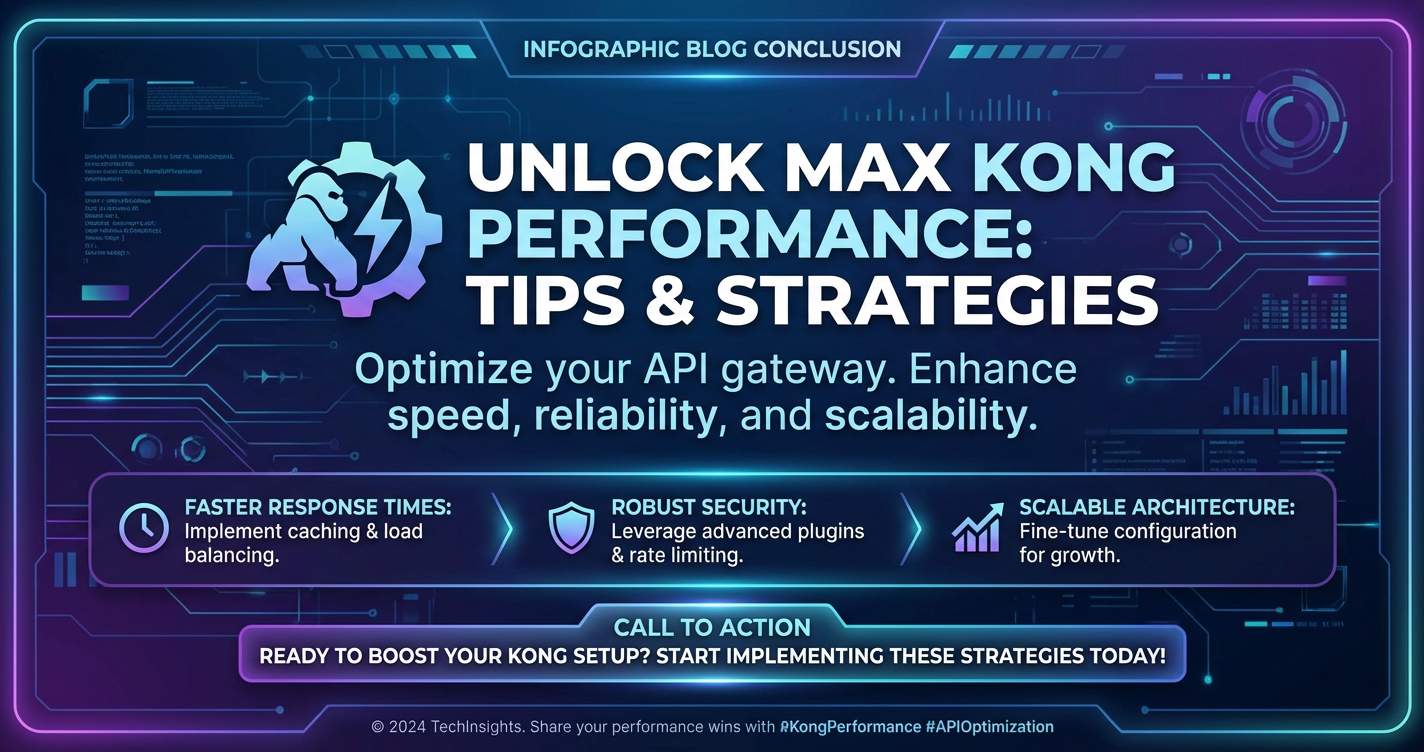
Unlock Max Kong Performance: Tips & Strategies



In the relentless pursuit of digital excellence, businesses today are defined by the speed, reliability, and scalability of their Application Programming Interfaces (APIs). APIs are the lifeblood of modern applications, facilitating data exchange, integrating services, and powering user experiences across an increasingly interconnected ecosystem. At the heart of managing and securing these critical conduits often lies an api gateway – a crucial component that acts as a single entry point for all API requests, providing capabilities like routing, load balancing, authentication, rate limiting, and analytics. Among the leading api gateway solutions, Kong Gateway stands out for its robust architecture, flexibility, and extensibility, built on top of Nginx and OpenResty. However, merely deploying Kong is not enough; to truly leverage its power and handle the demanding traffic of a global, always-on environment, organizations must actively optimize its performance. Unlocking maximum Kong performance is not just about raw speed; it's about ensuring resilience, minimizing latency, maximizing throughput, and ultimately, delivering a superior experience for both developers consuming your APIs and end-users interacting with your applications.
This comprehensive guide delves deep into the multifaceted strategies and intricate tips necessary to fine-tune your Kong gateway deployment. We will explore everything from foundational infrastructure choices and operating system tweaks to advanced Kong-specific configurations, plugin optimizations, and indispensable monitoring practices. By adopting a holistic approach, encompassing every layer of your api gateway stack, you can transform Kong from a capable traffic manager into a high-performance powerhouse, ready to meet the most stringent demands of modern api infrastructure. The journey to a truly optimized Kong gateway is an iterative one, demanding careful consideration, rigorous testing, and continuous refinement, but the rewards—in terms of stability, efficiency, and user satisfaction—are unequivocally substantial.
Section 1: Understanding Kong Gateway Architecture and Performance Bottlenecks
Before embarking on any optimization journey, it's paramount to possess a thorough understanding of the system's internal workings and its inherent points of potential slowdown. Kong Gateway, at its core, leverages a powerful and highly performant stack. It is primarily built on Nginx, a widely acclaimed web server known for its efficiency and capability to handle a massive number of concurrent connections. Nginx is extended with OpenResty, a web platform that bundles standard Nginx with LuaJIT, a Just-In-Time compiler for the Lua programming language. This combination allows Kong to execute custom Lua code at various stages of the request/response cycle, providing its extensive plugin ecosystem and flexible routing logic. For its persistent data storage, Kong typically relies on either PostgreSQL or Cassandra, where all its configurations, routes, services, consumers, and plugins are stored.
This architectural choice offers significant advantages, including Nginx's non-blocking I/O model and OpenResty's high-performance Lua scripting. However, it also introduces several potential performance bottlenecks that must be carefully managed.
- Database Latency: Every time Kong needs to retrieve configuration (e.g., route rules, consumer credentials, plugin settings) that isn't cached, it queries its underlying database. If the database is slow, overloaded, or geographically distant, this latency directly impacts the
api gateway's response time. A non-optimized database can become the primary choke point, regardless of how well Nginx itself is tuned. - Lua Script Execution: While LuaJIT is exceptionally fast, poorly written or computationally intensive Lua plugins can consume significant CPU cycles. Custom plugins or complex transformations implemented in Lua, if not optimized, can introduce noticeable delays in the request processing pipeline. Every microsecond added by Lua execution accumulates under high load.
- Network I/O: The
api gatewayacts as a proxy, meaning every request involves two network legs: client-to-Kong and Kong-to-upstream service. High network latency or insufficient bandwidth between Kong and its upstream services, or between clients and Kong, can degrade performance. Furthermore, inefficient handling of persistent connections can lead to excessive TCP handshake overhead. - Plugin Overhead: Kong's strength lies in its extensible plugin architecture, but each activated plugin adds a certain amount of processing overhead. Some plugins, like those performing complex transformations, external authentication lookups, or extensive logging, can be particularly resource-intensive. Running too many unnecessary plugins or configuring them inefficiently can significantly impact the
gateway's throughput. - Configuration Complexity and Reloads: While Kong Enterprise offers declarative configuration via the Admin API or GitOps workflows, frequent or large configuration changes, especially in older versions, could sometimes necessitate reloads or introduce minor disruptions. In environments with many routes and services, the overhead of parsing and applying complex configurations can also be a factor.
- Resource Contention: If Kong is deployed on systems with insufficient CPU, memory, or disk I/O, it will struggle under load. This is particularly true for shared environments where the
api gatewaymight be competing for resources with other critical applications.
Understanding these potential bottlenecks is the first step towards systematic optimization. Performance, in the context of an api gateway, translates directly to user experience, system scalability, and operational costs. A slow gateway means frustrated users, potentially higher infrastructure costs due to over-provisioning to compensate for inefficiencies, and a higher risk of service degradation or outages during peak traffic. Therefore, meticulous attention to performance tuning is not merely an option but a necessity for any organization relying on a robust api infrastructure.
Section 2: Foundation - Optimal Infrastructure & System Configuration
The performance of your Kong gateway is inextricably linked to the underlying infrastructure and operating system it runs on. A poorly optimized foundation will inherently limit even the most meticulously tuned Kong configurations. Building a high-performance api gateway begins with selecting appropriate hardware and meticulously configuring the operating system to support high-throughput, low-latency operations.
Hardware Considerations
The hardware resources allocated to your Kong instances play a critical role in determining its maximum capacity.
- CPU: Kong is CPU-intensive, especially when handling TLS termination, executing Lua scripts (plugins), and performing network packet processing. More CPU cores generally allow Nginx to spin up more worker processes, each capable of handling numerous concurrent connections. Prioritize CPUs with good single-core performance and a sufficient number of cores. For most production deployments, an 8-core CPU or higher is a good starting point, but this must be scaled based on traffic profiles and plugin usage.
- RAM: While Kong itself is relatively memory-efficient per connection, a substantial amount of RAM is crucial for caching, both at the operating system level (for file I/O) and within Kong (e.g., Lua shared dictionaries, Nginx proxy cache). Sufficient RAM prevents excessive swapping to disk, which is a major performance killer. Aim for at least 8GB of RAM, scaling upwards with the number of connections and the size of cached data.
- Disk I/O: Although Kong typically caches configurations in memory, it still relies on disk for logging and potentially for database operations if the database is co-located. For the database layer, especially if using PostgreSQL, high-performance SSDs (Solid State Drives) are virtually mandatory. SSDs significantly reduce I/O latency compared to traditional HDDs, directly impacting database query times and thus Kong's overall responsiveness. For logging, ensure the log destination can handle the write volume without becoming a bottleneck.
- Network Interface Cards (NICs): High-speed NICs (10Gbps or higher) are essential for handling high volumes of network traffic. Ensure that your network stack is properly configured and that the physical NICs are not saturated. Consider using multiple NICs and bonding them for redundancy and increased bandwidth.
Operating System Tuning
The operating system's kernel parameters and resource limits often have default values that are conservative and not optimized for high-performance network applications like an api gateway. Adjusting these settings can dramatically improve throughput and connection handling capabilities. Most of these adjustments are made in /etc/sysctl.conf and /etc/security/limits.conf.
Kernel Parameters (sysctl.conf)
Here’s a table outlining critical sysctl.conf parameters and their importance for Kong performance:
| Parameter | Recommended Value (Example) | Description & Impact on Kong Gateway Performance |
|---|---|---|
net.core.somaxconn |
65535 |
Socket Listen Backlog: Controls the maximum number of pending connections that can be queued by the operating system for a listening socket. A higher value prevents connection refusals under heavy load, ensuring that incoming client connections are not dropped before Nginx can accept them. Crucial for high-traffic scenarios. |
net.core.netdev_max_backlog |
65536 |
Network Device Input Queue: The maximum number of packets allowed to queue on the input of a network device. If this queue overflows, packets are dropped, leading to retransmissions and degraded performance. Increasing this value helps absorb bursts of incoming traffic. |
net.ipv4.tcp_tw_reuse |
1 |
Time-Wait Socket Reuse: Allows the reuse of TIME_WAIT sockets for new outgoing connections. This is especially useful for client-side applications (like upstream connections from Kong to your services) that make many short-lived connections, preventing exhaustion of local ports. Note: Generally not recommended for servers that only accept incoming connections due to potential data corruption. Kong is both client and server. |
net.ipv4.tcp_fin_timeout |
30 |
FIN-Wait Timeout: Defines how long sockets stay in FIN-WAIT-2 state. Reducing this can free up resources faster, but be cautious as too low a value might prematurely close connections. |
net.ipv4.tcp_max_syn_backlog |
65535 |
SYN Queue Size: The maximum number of SYN requests allowed to queue for an inactive connection. This protects against SYN flood attacks and ensures legitimate connection requests are not dropped during high connection rates. A larger value helps prevent connection rejections under heavy load. |
net.ipv4.ip_local_port_range |
1024 65535 |
Ephemeral Port Range: Specifies the range of local ports that can be used for outgoing connections. A wider range ensures more available ports for Kong to connect to upstream services, preventing "Cannot assign requested address" errors under extreme load. |
net.ipv4.tcp_keepalive_time |
60 |
TCP Keepalive Time: How long a connection must be idle before TCP begins sending keepalive probes. Shorter times can help detect dead connections faster and free up resources. |
net.ipv4.tcp_keepalive_probes |
5 |
TCP Keepalive Probes: How many keepalive probes to send before concluding that the connection is dead. |
net.ipv4.tcp_keepalive_intvl |
15 |
TCP Keepalive Interval: The interval between individual keepalive probes. |
fs.file-max |
1000000 |
Maximum File Descriptors: The maximum number of file handles the kernel can allocate. Nginx/Kong uses file descriptors for every connection, open file, and socket. A high value is crucial to prevent "Too many open files" errors under heavy concurrent load. |
vm.overcommit_memory |
1 |
Memory Overcommit: Controls the kernel's behavior regarding memory allocation. Setting it to 1 (always overcommit) allows processes to request more memory than physically available, which can be useful for applications that might not use all allocated memory immediately. |
vm.swappiness |
10 |
Swappiness: Controls how aggressively the kernel swaps memory pages to disk. A lower value (e.g., 10-20) reduces swapping, which is generally desirable for performance-critical applications like Kong, as disk I/O is much slower than RAM access. Setting it to 0 effectively disables swapping in many Linux distributions but is often discouraged. |
After modifying /etc/sysctl.conf, apply the changes with sudo sysctl -p.
User Limits (/etc/security/limits.conf)
These settings control the maximum resources a user or process can consume. Kong typically runs as a non-root user (e.g., kong).
nofile(Number of Open Files): This is perhaps the most critical setting. Nginx and Kong require a large number of file descriptors to handle concurrent connections. You should set this to a very high value, matching or exceedingfs.file-maxfromsysctl.conf. ```- soft nofile 65536
- hard nofile 65536 root soft nofile 65536 root hard nofile 65536
`` (Replace*with thekong` user if running as a dedicated user).
nproc(Number of Processes): Defines the maximum number of processes or threads a user can create. While Kong primarily uses Nginx worker processes, other background tasks or plugins might spawn threads. A sufficiently high value ensures no resource exhaustion. ```- soft nproc 65536
- hard nproc 65536 ``` These changes require a reboot or logging out and back in for them to take effect for relevant users/processes.
Containerization (Docker/Kubernetes)
When deploying Kong in containerized environments, these underlying OS tunings are still relevant, but you also need to ensure the container runtime and orchestration platform are configured correctly.
- Resource Limits: Explicitly define CPU and memory limits for your Kong containers (
requestsandlimitsin Kubernetes). This prevents resource starvation for other services and also prevents a rogue Kong instance from consuming all host resources. However, be careful not to set limits too low, as this can throttle Kong's performance. - Network Modes: In Docker,
hostnetwork mode can offer slightly better performance by removing the overhead of Docker's network bridge, but it comes at the cost of network isolation. In Kubernetes, services and ingress typically handle this abstraction effectively. - Persistent Storage: For Kong's database (PostgreSQL/Cassandra), always use persistent volumes. For Kong's own logging, ensure logs are directed to stdout/stderr and collected by a logging agent, rather than writing directly to the container's ephemeral filesystem.
- Pod Anti-Affinity/Node Selection: In Kubernetes, use anti-affinity rules to ensure Kong pods are distributed across different nodes for high availability and to prevent a single node failure from taking down multiple
gatewayinstances. Consider node selection policies to place Kong on nodes with optimal hardware.
Database Optimization (PostgreSQL/Cassandra)
The performance of your Kong api gateway is heavily dependent on the responsiveness of its configuration database.
PostgreSQL Optimization
- Connection Pooling: Configure PostgreSQL for efficient connection handling. Use a connection pooler like PgBouncer for applications that frequently open and close connections, reducing overhead. Kong itself manages its connections but ensure the database is ready for concurrent connections from multiple Kong nodes.
shared_buffers: Increaseshared_buffersinpostgresql.confto allocate more RAM for caching database data. This is crucial for frequently accessed configuration data.work_mem: Adjustwork_memfor queries that perform sorting or hashing.max_connections: Setmax_connectionshigh enough to accommodate all Kong instances and other administrative tools.- Indexing: Ensure all relevant columns used in Kong's configuration lookups are indexed. Kong manages its own schema, but periodic
VACUUM ANALYZEoperations are important for maintaining index efficiency and query planner accuracy. - Replication: For high availability and read scalability, use PostgreSQL streaming replication. Kong nodes can connect to read replicas, distributing the read load.
Cassandra Optimization
- Data Model: Kong's Cassandra schema is optimized for its use case. Ensure your Cassandra cluster is properly sized for your data volume and query load.
- Read/Write Consistency: Configure appropriate consistency levels for your Kong cluster. Stronger consistency levels (
QUORUM,ALL) offer higher data integrity but can introduce latency. For typical Kong operations,QUORUMis a good balance. - Node Sizing & Replication Factor: Ensure your Cassandra nodes have sufficient CPU, RAM, and especially fast SSDs. Configure a replication factor (e.g., 3) to ensure data durability and availability across multiple nodes and data centers.
- Compaction & Caching: Tune Cassandra's compaction strategies and caching mechanisms (row cache, key cache) to optimize read performance.
- Connection Pooling: Kong's Cassandra driver will manage its own connection pool. Ensure network latency between Kong nodes and Cassandra nodes is minimal.
By laying a strong foundation with optimized hardware, a finely-tuned operating system, and a robust, performant database, you create the ideal environment for your Kong gateway to thrive and deliver peak performance, serving as an unyielding front-door for all your api interactions.
Section 3: Kong Gateway Configuration for Performance
Once the underlying infrastructure is robustly optimized, the next critical phase involves fine-tuning Kong Gateway's own configuration. Kong provides a myriad of settings that can significantly impact its performance characteristics, from how it manages worker processes to how it handles plugin execution and caching. Mastering these configurations is key to maximizing your api gateway's throughput and minimizing latency.
Nginx Worker Processes and Connections
Kong inherits many performance parameters from its Nginx core. Two fundamental settings directly control how Nginx handles connections:
nginx_worker_processes: This parameter determines the number of Nginx worker processes Kong will spawn. A common best practice is to set this to the number of CPU cores available on your server. Each worker process is single-threaded and non-blocking, meaning it can handle thousands of concurrent connections. Spreading the load across multiple workers allows for better utilization of multi-core CPUs. For example, on an 8-core machine, settingnginx_worker_processes: 8in your Kong configuration (orKONG_NGINX_WORKER_PROCESSES=8as an environment variable) is a good starting point. Setting it toautowill automatically detect the number of CPU cores.nginx_worker_connections: This defines the maximum number of simultaneous connections that a single worker process can open. This value should be carefully chosen, considering your server'snofilelimit (fromlimits.conf). A common recommendation is65536or higher, allowing each worker to handle a substantial number of client and upstream connections. Remember that each request consumes at least two file descriptors (one for the client, one for the upstream service).
These settings are crucial for scaling Kong vertically on a single instance.
LuaJIT Optimization
Kong's extensibility relies heavily on LuaJIT. While LuaJIT is extremely fast, its performance can still be influenced by how Lua code is structured and executed.
- JIT Compilation: LuaJIT performs Just-In-Time compilation. Ensure your Lua code (especially custom plugins) is structured in a way that allows LuaJIT to optimize it effectively. Avoid constructs that inhibit JIT compilation.
- Lua Path Caching: Kong provides mechanisms to cache Lua modules, reducing the overhead of loading scripts from disk. This is usually handled efficiently by Kong internally, but for custom Lua code, ensure it's loaded and cached appropriately.
- Efficient Lua Code: When writing custom Lua plugins or scripts, prioritize efficiency. Avoid unnecessary computations, minimize global variable usage, and utilize LuaJIT-specific optimizations where possible. Profile your Lua code if you suspect it's a bottleneck.
Disabling Unused Plugins
This is one of the most impactful and often overlooked optimization strategies. Kong's plugin ecosystem is powerful, but every active plugin, even if it performs a simple function, adds overhead to each request.
- Audit Your Plugins: Regularly review which plugins are enabled globally, per service, or per route. Disable any plugin that is not absolutely essential for the functionality or security of that specific API endpoint.
- Identify Resource-Intensive Plugins: Some plugins inherently require more resources. For example:
- Transformation Plugins:
Response Transformer,Request Transformer(especially with complex JSON manipulations). - Logging Plugins:
File Log,HTTP Log,TCP Log(especially if logging large payloads or to a distant endpoint). - External Integration Plugins: Plugins that make external calls for authorization, analytics, or data enrichment can introduce significant network latency.
Zipkin/OpenTracing: While invaluable for observability, tracing adds overhead to each request. Use sampling strategies for high-volume APIs rather than tracing every request.
- Transformation Plugins:
- Granular Plugin Control: Leverage Kong's ability to enable plugins on specific services or routes. Don't enable a plugin globally if it's only needed for a subset of your APIs.
By ruthlessly pruning unnecessary plugins, you can dramatically reduce the processing path length for each request, leading to lower latency and higher throughput.
Plugin Configuration Best Practices
For the plugins you do need, configure them intelligently to minimize their performance impact.
- Caching Plugins:
- Proxy Cache: Utilize the
Proxy Cacheplugin to cache responses from upstream services. This is incredibly effective for static or infrequently changing content, drastically reducing load on upstream services and improving client response times. Configure appropriate cache keys and expiration times. - Response Transformer: While it can be heavy, if you need to modify responses, ensure transformations are as simple as possible. Consider pre-processing data upstream if complex transformations are needed.
- Proxy Cache: Utilize the
- Rate Limiting Strategies:
- In-Memory Rate Limiting: For less critical or bursty scenarios, Kong's default
Rate Limitingplugin can use an in-memory store, offering the lowest latency. However, it's not synchronized across a cluster, meaning limits are per Kong node. - Redis/Database Backed: For accurate, cluster-wide rate limiting, use Redis or Kong's database as the backing store. While introducing slight network latency to the data store, this provides consistent limits. Ensure your Redis/DB cluster is highly available and performant.
- In-Memory Rate Limiting: For less critical or bursty scenarios, Kong's default
- Authentication Methods:
- JWT (JSON Web Token): Generally offers better performance than other token-based authentication methods, as it's self-contained. Kong only needs to validate the token's signature and expiration, typically without an external call (unless for revocation lists).
- OAuth 2.0 / Key Auth: These often require a database lookup (for access tokens or API keys) for every request, introducing database latency. Optimize your database and ensure efficient indexing for consumer lookup.
- Authentication Caching: Explore mechanisms to cache authentication results to reduce repeated database queries. Kong might cache some consumer data internally, but its effectiveness depends on your load and churn rate.
Routing Optimization
Efficient routing ensures requests are matched and forwarded with minimal delay.
- Specific Routes First: Order your routes from most specific to most general. Kong processes routes in a defined order (or by internal priority if not explicitly ordered) and stops at the first match. More specific matches should happen faster.
- Avoid Overuse of Regex: While powerful, regular expressions for route matching are computationally more expensive than simple path or host matches. Use them sparingly and only when necessary. If possible, use simpler prefix matching or exact path matching.
- Minimal Routes: Only define routes that are actively needed. A large number of complex routes can increase the overhead of route matching, especially if many routes need to be evaluated before a match is found.
Load Balancing Strategies
Kong effectively acts as a load balancer for your upstream services.
- DNS Resolution Caching: Configure Nginx's
resolverwith avalidtime in Kong's configuration to cache DNS lookups for upstream service hostnames. This reduces repeated DNS queries, which can be a significant source of latency, especially with dynamic service discovery.yaml # In kong.conf or KONG_NGINX_RESOLVER nginx_resolver: "8.8.8.8, 8.8.4.4" # Or your internal DNS servers nginx_resolver_valid: 30s # Cache DNS records for 30 seconds - Upstream Connection Pooling: Configure
keepalivesettings for upstream connections. This allows Kong to reuse existing TCP connections to your upstream services instead of establishing a new one for every request. This dramatically reduces the overhead of TCP handshakes and TLS negotiation.yaml # In kong.conf or KONG_UPSTREAM_KEEPALIVE upstream_keepalive_pool_size: 100 # Number of idle keepalive connections per upstream upstream_keepalive_timeout: 60s # How long an idle keepalive connection can persist - Load Balancing Algorithms:
- Round-Robin (Default): Distributes requests sequentially among upstream targets. Simple and effective for homogeneous services.
- Least Connections: Sends requests to the target with the fewest active connections. Good for services with varying processing times.
- Consistent Hashing: Distributes requests based on a hash of a client IP, header, or cookie. Useful for maintaining session stickiness to specific upstream instances.
- Choose the algorithm that best suits your upstream service characteristics.
Health Checks
- Active vs. Passive: Implement both active and passive health checks. Passive checks react to connection failures or timeouts, while active checks periodically probe upstream targets.
- Interval Tuning: Tune the interval of active health checks. Too frequent checks can add overhead, while too infrequent checks might mean Kong continues sending traffic to a failed upstream for too long. Balance responsiveness with resource consumption.
Kong Cache Settings
Kong leverages various caching mechanisms to minimize database lookups and improve response times.
- Memory Cache Size: Kong uses an in-memory cache for configuration data (routes, services, plugins, consumers). The
memory_cache_sizesetting controls the maximum size of this cache. A sufficiently large cache reduces reliance on the database for frequently accessed configurations.yaml # In kong.conf or KONG_MEMORY_CACHE_SIZE memory_cache_size: 128m # Example: 128 megabytes - Proxy Cache (Nginx): As mentioned earlier, Nginx's proxy cache can be configured to store responses from upstream services on disk or in memory. This is handled by specific Nginx directives and is typically configured via Kong's
Proxy Cacheplugin. - DNS Cache: Configured via
nginx_resolver_valid, this caches DNS lookups for upstream hostnames.
By meticulously configuring these aspects of your Kong gateway, you empower it to handle traffic more efficiently, reduce its reliance on external dependencies (like the database), and ultimately deliver a higher-performing api experience.
Section 4: Advanced Performance Tuning Techniques
Beyond the fundamental infrastructure and core Kong configurations, several advanced techniques can further refine your api gateway's performance, pushing its capabilities to the absolute limit. These strategies often involve architectural considerations, protocol optimizations, and sophisticated coding practices.
CDN Integration
Content Delivery Networks (CDNs) are not just for static website assets; they can significantly offload your api gateway and reduce latency for geographically dispersed users.
- Offload Static Content: If your
apiserves any static content (e.g., images, CSS, JavaScript bundled with an API portal), route these assets through a CDN. This reduces the load on Kong and serves content from edge locations closer to the user. - Caching Dynamic API Responses: Some CDNs can cache dynamic
apiresponses (with appropriateCache-Controlheaders). For idempotent, non-sensitive GET requests that don't change frequently, caching at the CDN level can drastically reduce the number of requests hitting your Konggateway, saving valuable processing cycles and backend resources. This also serves as a critical defense against common attack patterns by absorbing some of the load before it reaches your core infrastructure.
HTTP/2 and gRPC Support
Modern protocols offer inherent performance advantages over traditional HTTP/1.x.
- HTTP/2: HTTP/2 offers multiplexing over a single TCP connection, header compression, and server push. For clients supporting HTTP/2 (most modern browsers and
apiclients), this can significantly reduce latency and improve resource utilization compared to HTTP/1.x, which often requires multiple TCP connections for concurrent requests. Kong supports HTTP/2, and enabling it can yield performance benefits, especially for clients making many concurrent requests to the samegateway. - gRPC: For microservices communication, gRPC, built on HTTP/2 and Protocol Buffers, offers high performance, efficient serialization, and built-in streaming. If your internal services communicate via gRPC, Kong's ability to proxy gRPC traffic efficiently means it can serve as a unified
gatewayfor both REST and gRPCapis, avoiding the need for separate infrastructure. While this primarily benefits internal service-to-service communication through thegateway, it reflects Kong's versatility in handling diverse high-performance protocols.
Connection Pooling (Upstream)
As briefly touched upon in Section 3, proper upstream connection pooling is paramount for reducing per-request overhead.
keepaliveDirectives: Nginx'skeepalivedirectives (configured via Kong'supstream_keepalive_pool_sizeandupstream_keepalive_timeoutparameters) tell Kong to maintain a pool of idle, open connections to upstream services. Reusing these connections avoids the overhead of establishing new TCP connections and performing TLS handshakes for every singleapicall. This is particularly crucial for services that handle a high volume of requests to the same backend.- Idle Connection Management: Regularly review your upstream connection pooling metrics. If too many connections are idle for too long, they consume resources unnecessarily. Conversely, if the pool size is too small, Kong might still frequently open new connections, negating the benefits. Tune
upstream_keepalive_pool_sizebased on the number of upstream targets and expected traffic.
Request/Response Transformations
While powerful, transformations can be resource-intensive.
- Minimize Complexity: Evaluate whether complex request or response transformations (e.g., adding/removing headers, modifying JSON payloads) can be offloaded to upstream services or simplified. The less work Kong has to do per request, the faster it will perform.
- Prioritize Light Operations: If transformations are necessary, prioritize light operations like adding/removing simple headers over complex regex-based body manipulations or external lookups.
- Lua vs. Plugin: For very specific, performance-critical transformations, writing a lean, optimized custom Lua plugin might outperform a generic, configurable transformation plugin, provided the Lua code is well-written and tested.
OpenTracing / Metrics Integration
Observability is crucial for performance tuning, but its implementation can introduce overhead.
- Sampling: For high-volume production environments, consider implementing intelligent sampling strategies for distributed tracing (e.g., Zipkin, Jaeger via Kong's plugins). Instead of tracing every request, trace a representative subset (e.g., 1 in 100 or 1 in 1000 requests). This provides valuable insights without overwhelming the tracing infrastructure or significantly impacting
gatewayperformance. - Batching Metrics: Ensure your metrics collection (e.g., Prometheus, Datadog) is efficient. Batching metrics and sending them asynchronously can reduce the performance impact compared to sending individual metrics synchronously.
- Choose Efficient Exporters: When using metrics exporters (e.g., Prometheus exporter for Kong), ensure they are optimized for minimal resource consumption.
Custom Lua Plugins
For specific use cases not covered by existing plugins, custom Lua plugins offer immense flexibility. However, they demand careful development.
- Non-Blocking Operations: Always write non-blocking Lua code within Kong. Blocking operations will halt the Nginx worker process, preventing it from serving other connections and drastically reducing throughput. Use
ngx.threadorngx.socket.tcpwith non-blocking modes for any I/O operations (e.g., external API calls, database queries). - Minimize External Dependencies: Avoid introducing heavy Lua libraries that might increase memory footprint or execution time.
- Profile and Test: Rigorously profile and load test any custom Lua plugins to identify and eliminate performance bottlenecks. Use LuaJIT's built-in profiler if available.
- Caching within Lua: Implement caching mechanisms within your Lua plugins for frequently accessed data that doesn't change often, reducing repeated computations or external calls. Utilize
ngx.shared.DICTfor shared memory dictionaries between worker processes.
Offloading TLS Termination
TLS (Transport Layer Security) encryption and decryption is a CPU-intensive operation.
- Dedicated Load Balancers/Hardware: For extreme performance requirements, consider offloading TLS termination to dedicated hardware load balancers (e.g., F5, A10 Networks) or specialized software proxies (e.g., HAProxy, Nginx Plus instances specifically configured for TLS termination) placed in front of Kong. These systems are often highly optimized for cryptographic operations.
- Optimize Cipher Suites: Configure Kong (Nginx) to use modern, performant cipher suites. Avoid outdated or computationally expensive cipher suites. Prioritize cipher suites that support hardware acceleration if your CPU supports AES-NI instructions.
- TLS Session Caching: Enable TLS session caching in Nginx. This allows clients to resume previous TLS sessions without a full handshake, reducing CPU overhead and latency for subsequent connections. Kong exposes Nginx's
ssl_session_cacheandssl_session_timeoutfor this purpose.
By strategically implementing these advanced techniques, you can squeeze even more performance out of your Kong gateway, ensuring it can withstand the most demanding traffic patterns and provide a highly responsive api experience. This level of optimization requires a deep understanding of the entire stack and a commitment to continuous measurement and refinement.
APIPark is a high-performance AI gateway that allows you to securely access the most comprehensive LLM APIs globally on the APIPark platform, including OpenAI, Anthropic, Mistral, Llama2, Google Gemini, and more.Try APIPark now! 👇👇👇
Section 5: Monitoring, Testing & Iteration
Even the most meticulously configured api gateway can succumb to unforeseen issues or changes in traffic patterns without a robust system for monitoring, testing, and continuous iteration. Performance optimization is not a one-time task; it's an ongoing cycle of measurement, analysis, adjustment, and validation. Without proper visibility into Kong's operational health and performance metrics, identifying bottlenecks and verifying the impact of optimizations becomes impossible.
Key Metrics to Monitor
Effective monitoring starts with knowing what to measure. For a high-performance api gateway like Kong, several key metrics provide critical insights:
- Latency:
- P95/P99 Latency: Crucial for understanding the user experience. These metrics indicate that 95% or 99% of requests complete within a certain time, revealing tail latencies that can frustrate users.
- Kong Processing Latency: The time Kong spends processing a request internally (plugins, routing, Lua execution).
- Upstream Latency: The time it takes for the upstream service to respond to Kong.
- Total Latency: End-to-end time from client request to client response.
- Throughput (TPS):
- Requests Per Second (RPS) / Transactions Per Second (TPS): The total number of requests Kong is handling per second. This measures the
gateway's capacity.
- Requests Per Second (RPS) / Transactions Per Second (TPS): The total number of requests Kong is handling per second. This measures the
- Error Rates:
- HTTP 4xx/5xx Errors: Monitor client and server error rates. Spikes indicate issues with API contracts, client misbehavior, or upstream service failures.
- Connection Errors: Errors related to establishing or maintaining connections to upstream services or the database.
- System Resource Utilization:
- CPU Usage: High CPU utilization can indicate a bottleneck in processing power, especially if accompanied by high latency.
- Memory Usage: Track memory consumption to detect leaks or insufficient RAM, which can lead to swapping and performance degradation.
- Disk I/O: Especially relevant for logging or if the database is co-located. High disk I/O can be a bottleneck.
- Network I/O: Monitor network bandwidth usage to ensure NICs are not saturated.
- Database Metrics:
- Connection Count: Number of active connections from Kong to its database.
- Query Latency: How long database queries are taking.
- Cache Hit Rate: For PostgreSQL, how often data is served from shared buffers.
- Plugin-Specific Metrics: If available, monitor metrics exposed by specific Kong plugins, such as
Rate Limiting(blocked requests),Proxy Cache(hit/miss rates), orAuthentication(successful/failed authentications).
Tools for Monitoring
Leveraging the right tools is essential for gathering and visualizing these metrics.
- Prometheus & Grafana: A popular open-source stack. Prometheus collects metrics (Kong provides a Prometheus plugin or exposes metrics via its Admin API), and Grafana is used for powerful dashboards and alerts. This combination offers deep insights into Kong's performance and underlying system health.
- Datadog, New Relic, Dynatrace: Commercial APM (Application Performance Monitoring) solutions that offer comprehensive monitoring, distributed tracing, and AI-driven anomaly detection. They often provide Kong-specific integrations or agents.
- ELK Stack (Elasticsearch, Logstash, Kibana): For detailed logging and log analysis. Kong can be configured to send logs to a log aggregation system, allowing for searching, filtering, and visualizing API call patterns, errors, and performance details.
- Kong Manager/Admin API: Kong's own interface and API provide basic operational insights and plugin status.
Load Testing & Stress Testing
Theoretical optimizations are meaningless without practical validation. Load testing is crucial for understanding how your Kong gateway behaves under anticipated traffic, while stress testing pushes it beyond its limits to find breaking points.
- Tools:
- Apache JMeter: A versatile, open-source tool for performance testing of various services.
- k6: A modern, developer-centric load testing tool with scriptable tests in JavaScript. Highly efficient.
- Locust: An open-source, Python-based load testing tool that allows you to define user behavior with Python code.
- Gatling: A high-performance, Scala-based load testing tool that offers powerful scenarios and reporting.
- Realistic Scenarios: Design test scenarios that accurately reflect real-world user behavior and
apicall patterns. This includes varying request types (GET, POST), payload sizes, authentication mechanisms, and concurrent user numbers. - Identify Breaking Points: Gradually increase load until performance degrades or errors occur. This helps determine the
gateway's maximum sustainable throughput and identify bottlenecks before they impact production. - Test with Plugins: Include tests that specifically target routes or services with a high number of active plugins to measure their individual and cumulative impact on performance.
- Simulate Failures: Test how Kong responds when upstream services become slow or unavailable. Does it properly failover or circuit break?
A/B Testing & Canary Deployments
When introducing significant configuration changes or new plugins, a cautious deployment strategy is vital to avoid negatively impacting production traffic.
- A/B Testing: Direct a small percentage of live traffic to Kong instances running the new configuration (
B) while the majority continues to use the existing configuration (A). Monitor the performance metrics of both groups closely. IfBperforms better, gradually increase its traffic share. - Canary Deployments: A similar approach where a new version of Kong is deployed to a small subset of servers (the "canary" group). Once its stability and performance are validated, the deployment is rolled out to the rest of the fleet.
- Rollback Strategy: Always have a clear and quick rollback plan in case an optimization or new feature introduces unexpected performance regressions.
Continuous Improvement Loop
Performance tuning is not a destination but an ongoing process. Embrace a continuous improvement loop:
- Monitor: Continuously collect and analyze performance metrics.
- Analyze: Identify trends, anomalies, and potential bottlenecks. Correlate performance dips with configuration changes, deployments, or traffic spikes.
- Optimize: Based on analysis, implement specific optimizations (e.g., adjust a Kong setting, disable a plugin, scale infrastructure).
- Test: Validate the impact of optimizations through load testing and A/B testing in non-production and controlled production environments.
- Deploy: Roll out validated changes to production, ideally using canary deployments.
- Repeat: Return to monitoring and continue the cycle.
This iterative approach, supported by robust monitoring and diligent testing, ensures that your Kong gateway not only achieves peak performance but also maintains it consistently as your api landscape and traffic patterns evolve.
Section 6: The Broader API Management Landscape and APIPark
While optimizing your Kong gateway for raw performance is undeniably crucial for handling high-volume traffic and ensuring responsiveness, performance is just one facet of a comprehensive api gateway strategy. An api gateway sits at the nexus of all api interactions, making it a pivotal component for not only traffic management but also security, governance, and the overall developer experience. A truly effective api gateway solution must address the entire api lifecycle, from initial design and publication to ongoing invocation, monitoring, and eventual decommissioning. This broader perspective often leads organizations to consider all-in-one api management platforms that can complement and extend the capabilities of a high-performance gateway.
For organizations seeking to streamline their entire api operations and accelerate their digital transformation, a comprehensive api gateway solution like APIPark offers an all-in-one platform for managing the entire API lifecycle. APIPark integrates seamlessly with existing infrastructures and provides advanced capabilities, including sophisticated AI api integration, which is increasingly vital in today's intelligent application landscape. It provides a holistic approach to API governance, going beyond just routing and basic security to encompass advanced features that ensure efficiency, security, and powerful data analysis for all stakeholders involved in the API ecosystem.
APIPark, being an open-source AI gateway and api management platform, builds upon the foundational strengths of gateway technology while adding layers of intelligence and developer-centric features. For instance, while Kong excels at throughput, platforms like APIPark focus on extending that efficiency into the realms of:
- Unified AI Model Integration: APIPark provides the capability to quickly integrate over 100+ AI models, offering a unified management system for authentication and cost tracking. This means that if your
api gatewayis also serving AI-drivenapis, APIPark can standardize their invocation and management, simplifying what could otherwise be a complex integration challenge across various AI providers. - Simplified AI Usage: It standardizes the request data format across all AI models, ensuring that changes in AI models or prompts do not affect the application or microservices. This is a game-changer for maintainability and reduces the overhead often associated with adopting new AI technologies, allowing your
apis to evolve without breaking existing consumers. - End-to-End API Lifecycle Management: Beyond just the
gatewayfunction, APIPark assists with managing the entire lifecycle of APIs, including design, publication, invocation, and decommission. It helps regulate API management processes, manage traffic forwarding, load balancing, and versioning of published APIs—critical aspects that complement the raw performance of the underlyinggateway. For operations personnel, this means less manual intervention and more automated, policy-driven management. - Performance Rivaling Nginx: Notably, APIPark itself boasts impressive performance metrics. With just an 8-core CPU and 8GB of memory, it can achieve over 20,000 TPS, supporting cluster deployment to handle large-scale traffic. This highlights that a holistic API management platform doesn't have to sacrifice the high-throughput capabilities expected from a robust
api gateway. This is a crucial consideration for enterprises that cannot compromise on speed while seeking comprehensive management. - Detailed API Call Logging and Data Analysis: For every API call, APIPark provides comprehensive logging capabilities, recording every detail. This is invaluable for quickly tracing and troubleshooting issues, ensuring system stability and data security. Furthermore, APIPark analyzes historical call data to display long-term trends and performance changes, helping businesses with preventive maintenance before issues occur. This powerful data analysis complements the raw performance by providing the insights needed for continuous optimization and strategic decision-making.
- API Service Sharing and Tenant Management: APIPark facilitates the centralized display of all API services, fostering easier discovery and reuse within teams. It also supports independent API and access permissions for each tenant, enabling multi-team environments with isolated configurations and security policies, while still sharing underlying infrastructure to reduce operational costs. This enhances organizational efficiency and security posture.
In essence, while the strategies discussed in previous sections are vital for pushing the performance limits of your Kong gateway at a technical level, solutions like APIPark address the broader operational and strategic demands of modern api ecosystems. They transform the api gateway from a standalone high-performance proxy into a fully integrated, intelligent platform that drives business value, enhances security, and empowers developers to build and deploy innovative applications with greater speed and reliability. Whether you're a startup needing basic API resource management or a large enterprise requiring advanced features and commercial support, considering the full scope of api management alongside gateway performance is key to long-term success.
Section 7: Case Studies / Real-World Scenarios
To illustrate the tangible impact of the optimization strategies discussed, let's consider a few hypothetical, yet common, real-world scenarios where precise tuning led to significant performance gains for an api gateway powered by Kong. These scenarios underscore the iterative nature of performance tuning and the importance of a data-driven approach.
Scenario 1: Taming Plugin Overhead in a Microservices Environment
A fast-growing e-commerce platform utilized Kong Gateway as its central api gateway for hundreds of microservices. Over time, as new features were added, more and more plugins were enabled globally or per service/route. The platform experienced increasing P99 latency, especially during peak sales events, leading to user complaints about slow page loads and checkout failures.
Initial Diagnosis: Monitoring revealed high CPU utilization on Kong nodes and significant internal gateway processing latency (time spent within Kong before forwarding to upstream). Load tests showed a rapid degradation in performance beyond 5,000 TPS, far below the expected capacity.
Optimization Strategy: 1. Plugin Audit: A detailed audit of all enabled plugins was conducted. It was discovered that numerous logging plugins (e.g., HTTP Log, File Log) were configured to send full request/response bodies for every API call, even for high-volume, low-value informational apis. Additionally, a complex Request Transformer plugin with multiple regex-based body modifications was applied to a critical path api that actually only needed simple header manipulation. 2. Granular Plugin Application: * Logging plugins were reconfigured to be applied only to specific apis requiring detailed auditing, and for high-volume apis, they were configured to only log metadata or smaller subsets of data. For global logging, an asynchronous logging solution was implemented. * The complex Request Transformer was replaced with a more efficient, custom Lua plugin specifically designed for the required header modifications, avoiding costly regex operations. * Several unused authentication plugins (for legacy systems no longer in production) were completely disabled.
Results: After these changes, the P99 latency during peak load dropped by 40%, and the gateway's sustainable throughput increased by over 70% to more than 8,500 TPS. The CPU utilization on Kong nodes decreased significantly, providing more headroom for future growth. This case highlights how seemingly small plugin overheads accumulate under scale.
Scenario 2: Resolving Database Bottlenecks for Consumer Authentication
A financial technology company used Kong to secure its apis, relying heavily on the Key Auth plugin for consumer authentication. As their user base grew, their api gateway started experiencing intermittent timeouts and high latencies specifically for authenticated requests, while unauthenticated requests remained fast.
Initial Diagnosis: Kong's own monitoring showed normal CPU and network usage, but Prometheus metrics for the Key Auth plugin indicated high latency in database lookups. The PostgreSQL database (co-located on a shared instance) was showing high active connections and slow query execution times for consumer lookup queries.
Optimization Strategy: 1. Database Relocation and Scaling: The PostgreSQL database was migrated to a dedicated, highly optimized instance with fast SSDs and increased RAM. shared_buffers and max_connections were significantly increased in postgresql.conf. 2. Connection Pooling: PgBouncer was deployed in front of PostgreSQL to manage connections more efficiently, reducing the overhead of frequent new connections from multiple Kong nodes. 3. Indexing Verification: Although Kong manages its schema, an EXPLAIN ANALYZE on a typical consumer lookup query revealed that an index was not being optimally used due to data type mismatch in a specific predicate in a custom plugin. Correcting this predicate allowed the database to use an existing index effectively. 4. Consumer Caching (Conceptual): While Kong has internal caching, the company also explored a conceptual architectural shift where frequently accessed consumer keys could be pre-loaded into a distributed, low-latency cache like Redis, reducing the burden on PostgreSQL for every single authentication request, though this specific implementation was complex and considered for a later phase.
Results: The database query latency for Key Auth consumer lookups dropped by 80%, leading to a 30% reduction in overall P95 latency for authenticated api calls. The api gateway could now handle peak authentication loads without degradation, ensuring a smooth and secure user experience.
Scenario 3: Maximizing Upstream Efficiency with Keepalives and DNS Caching
A gaming platform with a highly dynamic microservices architecture experienced erratic upstream service latencies through Kong. Sometimes requests were fast, other times they were inexplicably slow, despite the upstream services themselves reporting healthy response times.
Initial Diagnosis: Analysis of network traces between Kong and upstream services revealed a high number of new TCP connection establishments and frequent TLS handshakes for every api call, even to the same upstream service. DNS lookups for upstream service hostnames were also happening too frequently, adding milliseconds to each request.
Optimization Strategy: 1. Upstream Keepalive Configuration: The upstream_keepalive_pool_size and upstream_keepalive_timeout parameters in Kong were configured to maintain a pool of persistent connections to each upstream service. This drastically reduced the overhead of establishing new TCP connections for every request. 2. DNS Resolver and Caching: Kong's nginx_resolver was explicitly configured to point to a high-performance, local DNS server, and nginx_resolver_valid was set to 30s. This ensured that DNS lookups for upstream hostnames were cached by Nginx, minimizing repeated external DNS queries. 3. Service Discovery Integration: For the highly dynamic microservices, an integration with their service mesh's discovery mechanism (which Kong can leverage via its balancer module) was tightened to ensure Kong had the most up-to-date and performant list of upstream targets.
Results: The "Kong to Upstream" latency consistently improved by 25-30% across the board. The number of active TCP connections from Kong to upstream services became more stable, and the overall variability in api response times was significantly reduced. This ensured that the performance gains achieved by individual microservices were not lost at the api gateway layer due to inefficient networking.
These case studies highlight that maximum Kong performance is achieved through a combination of understanding its architecture, tuning the entire stack from the OS up, being judicious with plugin usage, and continuously monitoring and iterating. There's no single magic bullet; instead, it's a systematic approach to identifying and alleviating bottlenecks at every layer.
Conclusion
Achieving maximum performance from your Kong Gateway is a critical endeavor in today's API-driven world, directly impacting user experience, operational costs, and the overall agility of your digital infrastructure. This journey is far from a simplistic "set it and forget it" task; rather, it demands a deep understanding of Kong's architecture, meticulous attention to underlying infrastructure, astute configuration choices, and a commitment to continuous monitoring and iterative refinement. From optimizing operating system kernel parameters and hardware selection to fine-tuning Kong's Nginx worker processes, judiciously managing plugins, and implementing advanced techniques like HTTP/2 and upstream connection pooling, every layer of your api gateway stack presents an opportunity for improvement.
The strategies outlined in this extensive guide, ranging from foundational system tweaks to advanced architectural considerations, underscore a holistic philosophy towards performance. We've seen how disabling unused plugins can dramatically reduce request processing overhead, how a well-optimized database ensures rapid configuration lookups, and how clever caching strategies can offload significant burden from your gateway and upstream services. Furthermore, the imperative of robust monitoring, comprehensive load testing, and cautious deployment methodologies like canary releases cannot be overstated. These practices form the bedrock of a resilient and high-performing api ecosystem, allowing you to validate changes, identify bottlenecks proactively, and maintain peak performance even as your api traffic scales.
Ultimately, a high-performance api gateway like Kong doesn't just process requests faster; it acts as a strategic asset, empowering developers, securing digital assets, and ensuring a seamless, responsive experience for every user interaction. The pursuit of maximum Kong performance is an investment in the future stability, scalability, and success of your entire digital enterprise, ensuring your APIs remain the reliable, high-speed conduits that drive innovation and connectivity. By adopting these comprehensive tips and strategies, you can unlock the full potential of your Kong gateway, transforming it into an unyielding powerhouse ready to meet the most demanding challenges of modern api infrastructure.
5 FAQs about Kong Gateway Performance
1. What are the most common performance bottlenecks in Kong Gateway deployments?
The most common bottlenecks often stem from inefficient database interactions (slow queries, insufficient caching of configuration), excessive or poorly configured plugins (especially those performing complex transformations or external calls), insufficient hardware resources (CPU/RAM), unoptimized operating system settings (low file descriptor limits), and inefficient upstream connection handling (lack of keepalive connections). High network latency between Kong and upstream services or the database can also significantly degrade performance.
2. How can I effectively monitor Kong Gateway's performance?
Effective monitoring involves tracking key metrics such as P95/P99 latency (overall, Kong internal, and upstream), requests per second (TPS), error rates (4xx/5xx), CPU and memory utilization on Kong nodes, and database query latency. Tools like Prometheus and Grafana (using Kong's Prometheus plugin), commercial APM solutions (Datadog, New Relic), and log aggregation systems (ELK stack) are essential for collecting, visualizing, and analyzing these metrics to identify performance issues.
3. Is it always better to disable unused plugins for performance?
Yes, almost always. Every active plugin, regardless of its function, adds a certain amount of processing overhead to each request that passes through it. Even if a plugin performs a simple operation, these micro-delays accumulate under high load. Disabling plugins that are not actively contributing to a specific API's functionality or security significantly reduces the request processing path length, leading to lower latency and higher throughput. It's best practice to audit your plugins regularly and only enable them globally, per service, or per route where they are strictly necessary.
4. How does the underlying database (PostgreSQL/Cassandra) impact Kong's performance, and what can be done to optimize it?
The database stores all of Kong's configuration (routes, services, consumers, plugins). Kong frequently queries this database to retrieve and validate this configuration, especially if internal caching is not fully effective or configurations change often. A slow or unoptimized database can become a major bottleneck, directly impacting api gateway latency. Optimization strategies include: * Database Scaling: Use dedicated, powerful instances with fast SSDs and ample RAM. * Configuration Tuning: Adjust database-specific parameters (e.g., shared_buffers, max_connections for PostgreSQL; compaction/caching for Cassandra). * Connection Pooling: Implement connection poolers (e.g., PgBouncer for PostgreSQL) to manage database connections more efficiently. * Indexing: Ensure optimal indexing on columns frequently queried by Kong. * Replication: Use database replication for high availability and read scalability.
5. What is the role of load testing in optimizing Kong Gateway performance?
Load testing is absolutely crucial for validating any performance optimizations and understanding your Kong gateway's real-world capabilities. It involves simulating anticipated and peak traffic levels to measure throughput, latency, and resource utilization under stress. Load testing helps you: * Identify Bottlenecks: Pinpoint specific components (plugins, database, CPU) that become saturated under load. * Validate Optimizations: Verify that your configuration changes or infrastructure upgrades actually result in measurable performance improvements. * Determine Capacity: Establish the maximum sustainable TPS your gateway can handle before degradation. * Uncover Edge Cases: Reveal issues that only manifest under high concurrency or specific traffic patterns. Tools like JMeter, k6, Locust, or Gatling are commonly used for this purpose, with realistic test scenarios being key to effective results.
🚀You can securely and efficiently call the OpenAI API on APIPark in just two steps:
Step 1: Deploy the APIPark AI gateway in 5 minutes.
APIPark is developed based on Golang, offering strong product performance and low development and maintenance costs. You can deploy APIPark with a single command line.
curl -sSO https://download.apipark.com/install/quick-start.sh; bash quick-start.sh

In my experience, you can see the successful deployment interface within 5 to 10 minutes. Then, you can log in to APIPark using your account.

Step 2: Call the OpenAI API.