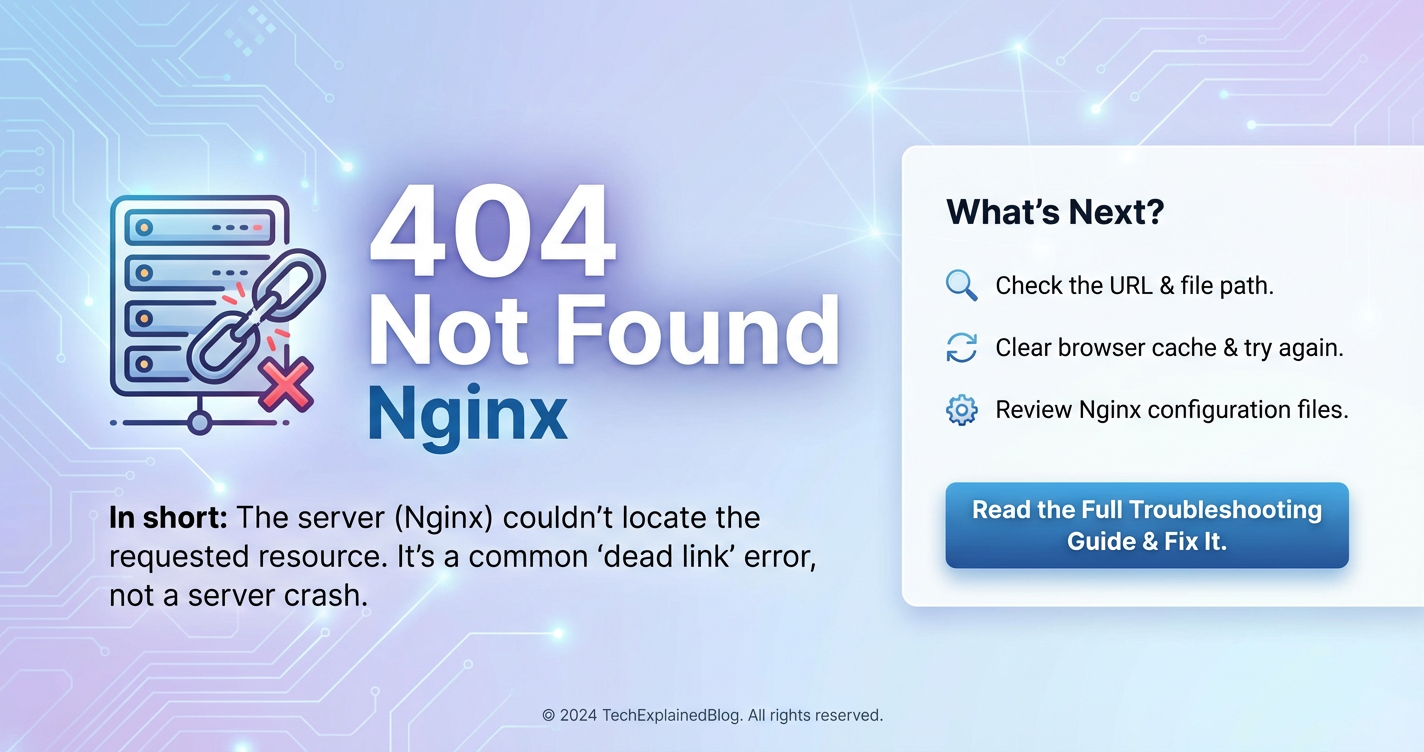
What Does 404 Not Found Nginx Mean? Explained Simply



The digital landscape is rife with intricate protocols and subtle cues that dictate the flow of information across the internet. Among the myriad signals exchanged between web browsers and servers, one stands out for its ubiquitous yet often misunderstood nature: the "404 Not Found" error. When this message appears, it signifies a specific communication breakdown, indicating that the requested resource could not be located on the server. For users, it's a dead end; for developers and system administrators, it's a puzzle to solve. This error becomes particularly significant when encountered in the context of Nginx, one of the most powerful and widely used web servers in the world. Understanding "404 Not Found Nginx" isn't merely about recognizing an error code; it's about delving into the fundamental mechanics of web serving, resource management, and the sophisticated configurations that underpin modern internet infrastructure.
This comprehensive guide aims to demystify the 404 Not Found error, specifically when served by an Nginx server. We will embark on a detailed exploration, starting with the foundational principles of HTTP status codes, transitioning into the architecture and operational prowess of Nginx, and culminating in a systematic approach to diagnosing, troubleshooting, and preventing these errors. Our journey will cover everything from common misconfigurations and file system issues to the profound impact 404s can have on user experience and search engine optimization (SEO), providing insights that extend far beyond a simple error message. By the end, readers will possess a deep, actionable understanding of what "404 Not Found Nginx" truly means and how to effectively navigate this common challenge in web management.
The HTTP Status Code 404: A Deep Dive into Digital Dead Ends
To truly grasp the essence of a "404 Not Found Nginx" error, one must first understand the fundamental language of the web: HTTP status codes. These three-digit numbers are the server's way of responding to a client's request, providing critical information about the request's outcome. They are standardized by the Internet Engineering Task Force (IETF) and categorized into five classes, each signifying a different type of response.
Understanding HTTP Status Code Classes
The HTTP protocol defines a structured set of status codes, each belonging to one of five distinct classes, identifiable by their first digit:
- 1xx (Informational): These codes indicate that the request has been received and understood. They are provisional responses, consisting only of the Status-Line and optional headers, and are terminated by an empty line. Examples include
100 Continueand101 Switching Protocols. While not commonly seen by end-users, they are crucial in the background for optimizing connection management. - 2xx (Success): These codes signify that the client's request was successfully received, understood, and accepted. This is the ideal outcome for any web interaction. The most common success code is
200 OK, indicating that the requested resource was found and returned successfully. Other examples include201 Created(for successful resource creation) and204 No Content(for successful requests with no content to return). - 3xx (Redirection): These codes indicate that further action needs to be taken by the client to complete the request. This typically involves redirecting the browser to a new URL.
301 Moved Permanentlyis critical for SEO, indicating a permanent shift of content.302 Found(often used as a temporary redirect) and307 Temporary Redirectare also frequently encountered, guiding users and search engines to alternative locations for resources. - 4xx (Client Error): This class of codes is perhaps the most familiar to everyday internet users, as they indicate that the request contained bad syntax or could not be fulfilled by the server due to a client-side issue.
404 Not Foundis the quintessential example here. Others include400 Bad Request,401 Unauthorized,403 Forbidden(access denied), and429 Too Many Requests(rate limiting). These errors are typically the client's responsibility to correct. - 5xx (Server Error): These codes indicate that the server failed to fulfill an apparently valid request. This means the problem lies with the server, not the client.
500 Internal Server Erroris a generic catch-all for unexpected server conditions.502 Bad Gateway(often seen when a proxy server receives an invalid response from an upstream server) and503 Service Unavailable(server is temporarily overloaded or down for maintenance) are also common and signify issues requiring server-side intervention.
The Specific Meaning of 404 Not Found
Within the client error class, 404 Not Found holds a unique and frequently encountered position. It is defined as: "The server has not found anything matching the Request-URI. No indication is given of whether the condition is temporary or permanent. The 410 (Gone) status code SHOULD be used if the server knows, through some internally configurable mechanism, that an old resource is permanently unavailable and has no forwarding address."
In simpler terms, a 404 error means the web server could not locate the resource (a webpage, image, file, or api endpoint) that the browser requested using the provided URL. It doesn't necessarily mean the server itself is down or broken; rather, it indicates that the specific path or name for the requested item doesn't exist at the server's specified location. This distinction is crucial, as it differentiates a file that was deleted or never existed from a server that is entirely unresponsive.
Why 404 Isn't Always a "Bad" Thing
While frequently perceived negatively, a 404 error isn't always detrimental. In certain scenarios, it's the correct and expected response:
- Deleted Content: If content has been intentionally removed and there's no suitable replacement or redirect, a 404 is the appropriate response, signaling its absence.
- Expired Promotions/Events: For time-sensitive content that is no longer relevant, a 404 (or preferably a 410 Gone) is a clean way to indicate its unavailability.
- Typographical Errors: Users often mistype URLs. A 404 in such cases correctly informs them that their specific, incorrect request cannot be fulfilled.
- Security by Obscurity (Limited): While not a primary security measure, a 404 response for deliberately unexposed or non-existent paths can prevent attackers from easily enumerating server resources.
However, a high volume of unexpected 404 errors, especially for content that should exist, can severely impact user experience and search engine optimization. It suggests broken links, mismanaged content, or server configuration issues that require immediate attention. Properly understanding when a 404 is an intentional signal versus an indicator of a problem is the first step in effective web administration.
Nginx: The Web Server Behind the Error
Having established the foundational understanding of HTTP status codes, particularly the 404, our focus now shifts to Nginx, the technology frequently responsible for serving this error. Nginx (pronounced "engine-x") is far more than just a web server; it's a powerful and versatile piece of software that plays a critical role in the architecture of countless modern websites and applications.
What is Nginx? History, Popularity, and Key Features
Nginx was initially developed by Igor Sysoev in 2004 to address the "C10k problem" – the challenge of handling 10,000 concurrent connections on a single server. Traditional, process-per-connection servers struggled with this scalability, leading to performance bottlenecks. Nginx's innovative event-driven, asynchronous architecture allows it to efficiently manage a massive number of simultaneous connections with minimal memory footprint, making it incredibly fast and reliable.
Its superior performance and stability quickly led to widespread adoption. Today, Nginx powers a significant portion of the world's busiest websites, including giants like Netflix, WordPress, and Adobe. Its popularity stems from its ability to excel in several key roles:
- Web Server: Nginx can directly serve static files (HTML, CSS, JavaScript, images) with exceptional speed, making it an excellent choice for content delivery.
- Reverse Proxy: This is one of Nginx's most powerful capabilities. It can sit in front of one or more backend application servers (like Node.js, Python/Django, PHP/FPM, Java/Tomcat) and forward client requests to them. This provides an additional layer of security, allows for load balancing, and enables seamless integration of different technologies.
- Load Balancer: By distributing incoming client requests across multiple backend servers, Nginx ensures high availability and responsiveness, preventing any single server from becoming a bottleneck. This is crucial for scaling applications.
- HTTP Cache: Nginx can cache responses from backend servers, reducing the load on those servers and speeding up delivery for subsequent requests.
- Mail Proxy: Less commonly known, Nginx can also proxy IMAP, POP3, and SMTP traffic.
Its modular design and rich set of directives allow for highly customizable configurations, making it adaptable to a vast array of deployment scenarios, from simple static sites to complex, high-traffic distributed systems.
How Nginx Processes Requests
To understand how Nginx might generate a 404 error, it's essential to visualize its request processing lifecycle. When a client (e.g., a web browser) sends an HTTP request to an Nginx server, Nginx undertakes a series of steps to determine how to respond:
- Listen for Connections: Nginx constantly listens on specified ports (typically 80 for HTTP and 443 for HTTPS) for incoming client connections.
- Receive Request: Upon receiving a connection, Nginx reads the client's HTTP request, parsing the request method (GET, POST, etc.), the requested URI (Uniform Resource Identifier), and HTTP headers.
- Server Block Matching: Nginx evaluates the
Hostheader in the client's request against its configuredserverblocks. Eachserverblock typically corresponds to a virtual host or a specific domain name. Nginx selects the best-matchingserverblock to handle the request. - Location Block Matching: Once a
serverblock is selected, Nginx then attempts to match the request URI against itslocationblocks within thatserverblock.locationblocks define how Nginx should handle requests for specific URLs or URL patterns. This is where crucial directives likeroot,alias,try_files, andproxy_passcome into play. Nginx has a specific order of precedence for matchinglocationblocks (exact match, longest prefix match, regex matches). - Action Execution: Based on the matched
locationblock, Nginx performs the specified action:- Serving Static Files: If
rootoraliasis defined, Nginx attempts to find the requested file in the specified directory on the file system. - Proxying to a Backend: If
proxy_passis used, Nginx forwards the request to an upstream application server and waits for its response. - Rewriting URLs:
rewritedirectives can alter the request URI before further processing. - Returning Specific Responses:
returndirectives can directly send an HTTP status code and body.
- Serving Static Files: If
- Response Generation: After processing, Nginx constructs an HTTP response, including the appropriate status code (e.g.,
200 OK,404 Not Found,500 Internal Server Error) and the requested content (if found), then sends it back to the client.
This intricate process highlights how a misstep at any stage—from an incorrect root path to a poorly defined location block or an unresponsive backend—can lead to an unintended outcome, most notably a 404 Not Found error.
How Nginx Generates a 404 Error
Understanding Nginx's request processing flow is the key to comprehending how it determines that a resource is "not found." There are two primary scenarios in which Nginx will serve a 404 Not Found error: either Nginx itself cannot locate the requested file on its local file system, or it acts as a proxy and relays a 404 error that originated from an upstream backend server.
Scenario 1: Nginx Cannot Find the Resource Itself
This is the most direct cause of a "404 Not Found Nginx" error. When Nginx is configured to serve static files (HTML, CSS, images, etc.) or to act as a fallback for missing dynamic content, it will search its local file system. If it cannot find a file corresponding to the requested URI, it will respond with a 404.
Common configuration directives involved in this scenario include:
root directive: This specifies the document root for a server or location block. Nginx appends the URI to this root path to form the full file system path. If the resulting path does not point to an existing file, a 404 is likely. ```nginx server { listen 80; server_name example.com; root /var/www/html; # Nginx looks for files here
location / {
    # Requests for /index.html will look for /var/www/html/index.html
    # Requests for /nonexistent.html will return 404 if not found
}
} * **`alias` directive:** Similar to `root`, but `alias` specifies a replacement path for a part of the URI. It's often used when the URI path structure doesn't directly map to the file system path. Misconfiguring `alias` can easily lead to Nginx looking in the wrong place.nginx location /static/ { alias /opt/app/static_files/; # Request for /static/img.png looks for /opt/app/static_files/img.png } * **`try_files` directive:** This powerful directive instructs Nginx to try finding files or directories in a specified order before resorting to a fallback. It's commonly used to serve static files if they exist, otherwise pass the request to an application server, or finally return a 404.nginx location / { try_files $uri $uri/ =404; # Try file, then directory, then return 404 } `` In this example, Nginx first attempts to find a file matching the URI ($uri). If not found, it tries to find a directory matching the URI ($uri/). If neither exists, it explicitly returns a 404 status code. Iftry_filespoints to a non-existent internal@named_location` or a backend that returns 404, it effectively becomes the source of the 404.
Example of Nginx directly returning 404: If a request comes for http://example.com/nonexistent.html and the root is /var/www/html, Nginx will check for /var/www/html/nonexistent.html. If that file does not exist, Nginx, if configured with try_files $uri =404; or simply without other fallback mechanisms, will serve a 404.
Scenario 2: Nginx Proxies a 404 from an Upstream Server
Nginx frequently acts as a reverse proxy, forwarding client requests to backend application servers (e.g., Node.js, Python, PHP-FPM, Java). In this setup, Nginx itself might successfully forward the request, but the backend application fails to find the requested resource and responds with its own 404 status code. Nginx then simply relays this 404 back to the client.
This scenario is common in dynamic web applications or when Nginx is used as an api gateway. For example:
- A client requests
http://api.example.com/users/123. - Nginx, configured with
proxy_pass http://backend_app_server;, forwards this request to the backend. - The backend application queries its database or internal routing, but finds no user with ID
123, or the/users/123endpoint simply doesn't exist in its routing table. - The backend application generates a 404 response.
- Nginx receives this 404 from the backend and passes it through to the client.
Here, Nginx isn't the origin of the "not found" condition; it's merely an intermediary. Distinguishing between an Nginx-generated 404 and a proxied 404 is crucial for effective troubleshooting, as the root cause lies in different parts of the system.
Customizing 404 Pages in Nginx (error_page directive)
Regardless of whether Nginx directly issues the 404 or proxies it, you can customize the page displayed to the user using the error_page directive. This improves user experience and provides helpful information.
server {
    listen 80;
    server_name example.com;
    root /var/www/html;

    # Custom 404 page
    error_page 404 /404.html;
    location = /404.html {
        internal; # Prevents direct access to the error page
        root /var/www/html/errors; # Location of your custom 404.html
    }

    location / {
        try_files $uri $uri/ =404;
    }

    # Example for proxied applications:
    # error_page 404 /custom_proxied_404.html;
    # location @backend {
    #     proxy_pass http://my_backend_app;
    #     proxy_intercept_errors on; # Crucial to allow Nginx to intercept backend errors
    # }
}
The error_page 404 /404.html; directive tells Nginx that whenever it needs to return a 404 status, it should instead serve the content of /404.html. The location = /404.html { internal; ... } block ensures that /404.html can only be served internally by Nginx (e.g., via error_page) and not directly by a user typing example.com/404.html. For proxied applications, proxy_intercept_errors on; is sometimes necessary for Nginx to catch backend 404s and serve its own error_page. This customization is a best practice for maintaining a professional and user-friendly website.
Common Scenarios Leading to Nginx 404 Errors
The appearance of a "404 Not Found Nginx" error message is a symptom, not the root cause. Pinpointing the exact reason requires understanding the common scenarios that lead to this problem. These scenarios can broadly be categorized into client-side issues, Nginx configuration problems, file system issues, and backend application failures.
1. Incorrect URLs: The Human Element
Often, the simplest explanation is the correct one. Many 404 errors stem from incorrect URLs:
- Typographical Errors: Users (or even developers) can mistype a URL in the browser, a link, or a configuration file. A single incorrect character, a misplaced slash, or incorrect capitalization can lead Nginx to search for a non-existent resource. Remember that URLs on Linux-based servers (where Nginx commonly runs) are case-sensitive.
image.JPGis different fromimage.jpg. - Outdated/Broken Links: Content moves, gets deleted, or URLs are restructured. If an external website or an internal link points to an old URL that no longer exists, it will result in a 404. This is a common problem on larger, older websites that haven't implemented proper redirects (
301 Moved Permanently) after content migration. - Missing URL Parameters/Segments: For dynamic applications, URLs often include parameters or segments that define the resource. If these are missing or malformed (e.g.,
example.com/products/instead ofexample.com/products/123), the application, and subsequently Nginx, might return a 404.
2. Missing Files or Resources: The Silent Disappearance
This category directly relates to Nginx's ability to locate a file on the server's file system:
- File Deleted or Moved: The most straightforward reason. A file that was once at
/var/www/html/my-page.htmlhas been accidentally deleted, manually moved to another directory, or renamed without updating the corresponding link or Nginx configuration. - File Never Existed: The requested resource was simply never placed on the server in the first place, or it was part of a development branch that never made it to production.
- Incorrect Deployment: During deployment, files might not be copied to the correct location, or a critical build step might have failed, leaving static assets or application code missing from the expected paths.
3. Misconfigured Nginx: The Architectural Glitch
Nginx configuration files are powerful but can be complex. Even a small error can disrupt resource lookup:
- Incorrect
rootDirective: Therootdirective tells Nginx the base directory for serving files. If it points to the wrong location (e.g.,/var/www/appinstead of/var/www/html), Nginx will fail to find files that exist in the correcthtmldirectory.nginx # Incorrect root root /var/www/app; # File actually at /var/www/html/index.html # Request for /index.html will result in 404 locationBlock Issues:- No Matching
locationBlock: If a request URI doesn't match any of the definedlocationblocks, Nginx might fall back to a default behavior (oftentry_filesleading to a 404) or handle it unexpectedly. - Incorrect
locationRegex/Order: Regular expressions inlocationblocks can be tricky. If a regex is too restrictive or if the order oflocationblocks (especiallyprefixvs.regex) is incorrect, a request might bypass the intendedlocationand thus not find its resource. aliasMisconfiguration: As discussed,aliasdirectives need careful pairing with thelocationblock path. If thealiaspath is wrong or doesn't correctly strip the URI prefix, Nginx will look in the wrong directory.
- No Matching
try_filesDirective Problems:- Incorrect Fallback: The order of arguments in
try_filesis critical. Iftry_files $uri $uri/ /index.php?$query_string;is used for a PHP application, but/index.phpitself is missing or misconfigured, it could lead to 404s for dynamic content. If the final fallback is=404, any request not matching previous attempts will result in a 404. - Missing Named Location: If
try_filesrefers to a@named_locationthat doesn't exist, Nginx will return a 404.
- Incorrect Fallback: The order of arguments in
- Missing or Incorrect
includeStatements: Nginx configurations are often split into multiple files. If anincludedirective is missing or points to the wrong path, critical parts of the configuration (likelocationblocks orserverblocks for specific sites) won't be loaded, leading to Nginx not knowing how to handle requests for those resources.
4. Backend Application Issues: The Upstream Problem
When Nginx acts as a reverse proxy to an application server, the 404 can originate from the backend:
- Application Not Running/Unresponsive: If the backend application server (e.g., a Python Flask app, a Node.js server, a Java Spring Boot application) is not running, has crashed, or is not listening on the expected port, Nginx might return a
502 Bad Gatewayinitially. However, if Nginx is configured to handle specific backend errors or if the backend partially responds before crashing, a 404 could still be a symptom. More commonly, aproxy_passto a non-existent api endpoint within the backend will result in a 404 from the backend itself. - Application-Specific Routing Errors: The backend application's internal routing (e.g., Express.js routes, Django URLs, Ruby on Rails routes) might not have an endpoint defined for the requested URI. This is the most common source of proxied 404s. For instance, if a client requests
/api/v1/nonexistent-resourceand the backend api server doesn't have a route fornonexistent-resource, it will return a 404. - Database or Internal Service Failures: For dynamic content, an application might attempt to retrieve data from a database or another internal service. If that data isn't found, or the service is down, the application itself might be programmed to return a 404 to the client.
5. DNS/Proxy Caching Issues: The Stale Information
Sometimes, the underlying content is correct, but an intermediary system holds stale information:
- DNS Cache: If a domain's DNS records were updated to point to a new server, but an old DNS resolver or the client's local DNS cache still holds the old IP address, requests might go to the wrong server, potentially leading to 404s if the old server no longer hosts the content.
- CDN Cache (Content Delivery Network): If you're using a CDN, it caches content at edge locations. If you update content on your origin server but don't purge or refresh the CDN's cache, users might still receive older (or non-existent) versions of files, leading to 404s.
- Browser Cache: Less common for a full 404, but a browser might cache an old, broken link or page, leading to repeated 404s even after the server-side issue is resolved. Clearing the browser cache can sometimes resolve this.
6. Permissions Problems: The Access Denied Barrier
Even if a file exists and Nginx is configured correctly, operating system permissions can prevent access:
- Incorrect File/Directory Permissions: The Nginx worker process runs under a specific user (often
nginxorwww-data). If this user does not have read permissions for the requested file or execute permissions for its parent directories, Nginx will be unable to access it and will report a 404 (though sometimes it might log an "access denied" error).- Files need at least read (
r) permission for the Nginx user. - Directories in the path to the file need at least execute (
x) permission for the Nginx user, allowing traversal.
- Files need at least read (
Understanding these varied scenarios is the first critical step in effective troubleshooting. Each one points to a different area of investigation, from checking URLs to scrutinizing Nginx configuration, inspecting file systems, or debugging backend applications.
Troubleshooting Nginx 404 Errors: A Systematic Approach
When faced with a "404 Not Found Nginx" error, a systematic and methodical approach is crucial for efficient diagnosis and resolution. Randomly trying solutions can waste time and potentially introduce new problems. Here's a step-by-step troubleshooting guide:
Step 1: Verify the URL and Client-Side Factors
Begin with the simplest checks, as human error is a frequent culprit.
- Check for Typos: Carefully re-enter the URL, paying close attention to spelling, capitalization (Nginx on Linux is case-sensitive!), and special characters. Even a single character can make a difference.
- Test with Different Browsers/Incognito Mode: Rule out browser caching issues. Try accessing the URL in an incognito/private browsing window or a completely different web browser.
- Check for External Links: If you clicked an external link, try to verify if the original source of the link is correct or if the resource might have been moved.
- Confirm Expected Resource Name: Double-check with the content owner or developer what the exact expected URL and file name should be. This helps identify if the request itself is for a non-existent item.
Step 2: Examine Nginx Configuration Files
This is often the core of Nginx-specific 404s. You'll primarily be looking at nginx.conf and any site-specific configuration files (often found in /etc/nginx/sites-available/ or /etc/nginx/conf.d/).
- Locate the Relevant
serverBlock: Identify theserverblock that should be handling the domain and port for the request. - Inspect
rootandaliasDirectives:- Verify the
rootdirective points to the correct base directory for your web content. - If
aliasis used, ensure the path mapping is correct for thelocationblock. - Example: If
root /var/www/html;and the request is/images/pic.jpg, Nginx will look for/var/www/html/images/pic.jpg.
- Verify the
- Review
locationBlocks:- Does a
locationblock exist that is intended to handle the requested URI? - Is the matching pattern (prefix, exact, regex) correct and specific enough without being overly restrictive?
- Check for conflicting
locationblocks and understand Nginx'slocationprecedence rules. - Are there any
rewriterules that might be inadvertently changing the URI to something incorrect?
- Does a
- Analyze
try_filesDirectives:- This is a common source of 404s. Understand the order of arguments.
- Example:
try_files $uri $uri/ /index.php?$query_string;- Does
$uri(the requested file) exist? - Does
$uri/(the requested directory, e.g., forindex.html) exist? - Is the final fallback (e.g.,
/index.phpor@backend) correctly specified and does it exist?
- Does
- If the last argument is
=404, Nginx will explicitly return a 404 if no previoustry_filesoption matches.
- Check for
includeDirectives: Ensure all necessary configuration snippets are included and that the paths inincludedirectives are correct. - Validate Nginx Configuration Syntax: Before reloading or restarting Nginx, always test the configuration for syntax errors:
bash sudo nginx -tIf it reports "test is successful," then reload Nginx:bash sudo systemctl reload nginx # Or, if using an older system or direct init scripts: # sudo service nginx reloadIfnginx -treports errors, fix them based on the output.
Step 3: Examine File System and Permissions
Even with perfect Nginx configuration, missing files or incorrect permissions will lead to 404s.
- Verify File Existence: Based on your
rootoraliasdirectives, manually check if the requested file or directory actually exists on the server at the expected path. Usels -l /path/to/expected/fileortree /path/to/root_directory. - Check File and Directory Permissions: The Nginx worker process needs read access to files and execute access to all directories in the path leading to those files.
- Find the Nginx user: Look for the
userdirective innginx.conf(e.g.,user www-data;oruser nginx;). - Check permissions:
bash ls -l /path/to/file_or_directoryEnsure the Nginx user (or its group) has read (r) permission for files and read (r) and execute (x) permission for directories. For example,rwxr-xr-x(755) for directories andrw-r--r--(644) for files are common safe permissions. - Check the entire path: Use
namei -om /path/to/fileto see the permissions and ownership for every component in the file's path. This is extremely helpful for diagnosing permission issues in parent directories. - Adjust permissions if necessary:
bash sudo chmod 644 /path/to/file.html sudo chmod 755 /path/to/directory sudo chown -R www-data:www-data /var/www/html # Example for changing ownership recursively
- Find the Nginx user: Look for the
Step 4: Analyze Nginx Logs
Nginx logs are invaluable diagnostic tools. They record every request and any errors Nginx encounters.
- Access Log (
access.log): This log (typically/var/log/nginx/access.log) records every request served by Nginx. Look for the requested URL and the status code Nginx returned.bash tail -f /var/log/nginx/access.log | grep " 404 "This command will show real-time requests that resulted in a 404. Look at the full line for the problematic request:192.168.1.10 - - [10/Oct/2023:14:30:00 +0000] "GET /nonexistent-page.html HTTP/1.1" 404 153 "-" "Mozilla/5.0 (...)"This tells you exactly what URL was requested, the IP, and that Nginx returned a404. - Error Log (
error.log): This log (typically/var/log/nginx/error.log) is critical for understanding why Nginx returned an error. It provides more detailed messages than the access log.bash tail -f /var/log/nginx/error.logLook for messages related tofile not found,permission denied, or issues withproxy_pass.- Example:
[error] 1234#1234: *5 open() "/techblog/en/var/www/html/nonexistent.html" failed (2: No such file or directory)– This clearly indicates Nginx couldn't find the file. - Example:
[error] 1234#1234: *6 open() "/techblog/en/var/www/html/secret_file.html" failed (13: Permission denied)– This points directly to a permissions issue. - Example for proxied content: If Nginx is proxying and the backend returns a 404, Nginx's error log might not show the "file not found" message directly, but it might indicate issues connecting to the backend if the backend itself is down.
- Example:
Step 5: Test Backend Application (if proxying)
If Nginx is configured as a reverse proxy, the 404 might originate from the upstream application server.
- Bypass Nginx: Try to access the backend application directly, if possible (e.g., if it's listening on a private IP and port like
http://127.0.0.1:8080/path/to/api). This helps isolate whether the 404 is from Nginx or the backend. If the backend also returns a 404, the problem lies there. - Check Backend Application Logs: Consult the logs of your application server (e.g., Node.js console output, Python web framework logs, PHP-FPM logs, Java server logs). These logs will often provide specific reasons why the application itself couldn't find a resource or api endpoint. Look for messages like "Route not found," "Resource not found," or database query failures.
- Verify Backend Application Status: Ensure the backend application is running and healthy. Check its process status (
sudo systemctl status my-app) and listen ports (sudo netstat -tulnp | grep 8080).
Step 6: Network and DNS Checks (Less common for 404 but good practice)
While more likely to cause connection errors (DNS errors, timeouts), they can sometimes indirectly lead to 404s.
- DNS Resolution: Use
digornslookupto ensure your domain resolves to the correct IP address of your Nginx server.bash dig example.com - Connectivity: Use
curlorwgetfrom a different machine or the server itself to test basic connectivity and receive the HTTP status code.bash curl -I http://example.com/nonexistent.html # -I flag fetches headers only, showing status code quicklyThis can reveal if the response is actually coming from your Nginx server or another unexpected server.
Step 7: Clear Caches (Browser, CDN, Proxy)
Stale cached content can occasionally manifest as persistent 404 errors.
- Browser Cache: Advise users (or clear your own) browser cache.
- CDN Cache: If using a Content Delivery Network, check its management console for options to purge or invalidate cached content.
- Nginx Proxy Cache (if configured): If Nginx itself is caching responses from backend servers (
proxy_cache), you might need to clear its cache directory or restart Nginx to ensure it fetches fresh content.
By systematically working through these steps, you can effectively narrow down the cause of almost any "404 Not Found Nginx" error, leading to a swift and accurate resolution.
APIPark is a high-performance AI gateway that allows you to securely access the most comprehensive LLM APIs globally on the APIPark platform, including OpenAI, Anthropic, Mistral, Llama2, Google Gemini, and more.Try APIPark now! 👇👇👇
The Impact of 404 Errors on SEO and User Experience
While a 404 error might seem like a minor technical glitch, its prevalence and mishandling can have significant negative repercussions, particularly for user experience and search engine optimization (SEO). Understanding these impacts is crucial for any website administrator or content creator, as it underscores the importance of proactive 404 management.
User Experience: The Frustration and Abandonment Factor
For the end-user, encountering a 404 page is almost always a negative experience. It signifies a broken promise—they clicked a link expecting to find specific information or functionality, only to be met with a digital dead end. This leads to several adverse outcomes:
- Frustration and Annoyance: Users expect a seamless browsing experience. A 404 page, especially a generic, unhelpful one, can be irritating and disrupt their flow.
- Reduced Trust: Repeatedly encountering 404s on a website can erode user trust, making the site seem poorly maintained, unreliable, or unprofessional.
- Increased Bounce Rate: When users hit a 404, they are highly likely to immediately leave the site (bounce). This high bounce rate is a strong signal to search engines that the site might not be providing value, even if the issue is isolated to a few broken links.
- Lost Conversions: For e-commerce sites or those with specific calls to action, a 404 page means a lost opportunity for a sale, lead generation, or subscription. The user who landed on a broken product page will likely go elsewhere.
- Damaged Brand Reputation: A website riddled with broken links reflects poorly on the brand it represents. It suggests a lack of attention to detail and a disregard for the user's journey.
A well-designed custom 404 page can mitigate some of this damage. It should be on-brand, polite, explain the situation, and, crucially, provide helpful navigation options (e.g., a search bar, links to the homepage, popular categories, or a sitemap) to guide the user back into the site.
SEO: Crawl Budget, Ranking, and Indexing Challenges
From an SEO perspective, 404 errors can have a more insidious and long-term impact on a website's visibility and search engine rankings. Search engine crawlers (like Googlebot) are constantly exploring the web, and how they interact with 404s influences your site's performance.
- Wasted Crawl Budget: Search engines allocate a "crawl budget" to each website, which is the number of pages they will crawl within a given timeframe. When crawlers repeatedly encounter 404 errors, they spend their valuable crawl budget on non-existent pages instead of discovering and indexing new or updated valuable content. This means your important pages might be crawled less frequently, delaying their indexing or updates in search results.
- Impact on Ranking: While a single 404 for a page that legitimately doesn't exist won't necessarily harm your overall site ranking, a large number of internal 404s (broken links within your own site) can be detrimental. It signals to search engines that your site might be poorly structured or neglected, which can indirectly affect your site's authority and ranking potential. For pages that should exist and receive external backlinks, a 404 means you're losing the "link juice" and authority passed from those backlinks, effectively negating their SEO benefit.
- De-indexing of Valuable Content: If a valuable page (one that was previously ranking well) starts returning a 404, search engines will eventually de-index it from their results. This results in a direct loss of organic traffic. While this is the correct behavior for genuinely removed content, it's disastrous for inadvertently broken pages.
- Soft 404s vs. Hard 404s: This distinction is critical for SEO:
- Hard 404: This is a page that returns an actual
404 Not FoundHTTP status code. Search engines correctly interpret this as "this page does not exist" and will eventually remove it from their index. This is the desired behavior for truly gone content. - Soft 404: This occurs when a server returns a
200 OK(success) status code for a page that appears to be a 404 page (e.g., a custom error page that doesn't properly send a 404 status, or a page with minimal content that doesn't match the original intent). Search engines might spend crawl budget on these pages, try to index them (despite their lack of value), or simply become confused about the true status of the page. Google explicitly states that soft 404s waste crawl budget and can negatively impact a site's overall quality perception. It's crucial that genuinely non-existent pages return a proper404status.
- Hard 404: This is a page that returns an actual
Handling 404s Gracefully and Strategically
Proactive management of 404 errors is a cornerstone of good web administration and SEO:
- Custom 404 Pages: As mentioned, design a user-friendly custom 404 page that maintains branding, explains the error politely, and provides navigational assistance (search bar, links to popular content, sitemap). This converts a dead end into a helpful redirection point.
- Implement 301 Redirects: For content that has moved permanently to a new URL, implement a
301 Moved Permanentlyredirect. This passes the vast majority of link equity (SEO value) from the old URL to the new one and seamlessly guides both users and search engines to the correct location. This is crucial during site migrations or URL restructuring. - Use 410 Gone for Permanently Removed Content: If a resource is permanently and intentionally removed with no equivalent replacement, a
410 Gonestatus code is preferable to a 404. It explicitly tells search engines that the content is gone forever, prompting faster de-indexing and potentially saving crawl budget compared to a 404, which suggests the absence might be temporary. - Regularly Monitor for Broken Links: Use webmaster tools (like Google Search Console), site audit tools, or specialized link checkers to identify 404 errors on your site. Address internal broken links immediately and consider reaching out to external sites that link to your broken pages to update their links.
- Review
error_pageConfiguration in Nginx: Ensure yourerror_pagedirectives correctly return the desired HTTP status code and serve a helpful custom page for 404s.
By diligently managing 404 errors, administrators can significantly enhance user experience, preserve SEO value, and ensure that valuable crawl budget is spent on content that truly matters.
Advanced Nginx Configurations Related to 404s
Beyond the basic root, try_files, and error_page directives, Nginx offers a sophisticated array of configuration options that can influence how 404 errors are handled, particularly in complex scenarios involving dynamic content, api endpoints, or multiple backend services. Mastering these advanced techniques allows for more granular control over error responses and improved resilience.
Conditional error_page Directives
The error_page directive isn't limited to a single global setting. It can be applied within server blocks, location blocks, and even conditionally based on the type of error.
- Handling Specific Response Codes from Upstreams: When Nginx acts as a reverse proxy or api gateway, it can be configured to respond differently based on the HTTP status codes received from upstream servers. The
proxy_intercept_errors on;directive is crucial here, as it tells Nginx to process backend error responses rather than simply passing them through directly.nginx location /api/ { proxy_pass http://backend_api; proxy_intercept_errors on; # Nginx will handle backend errors error_page 404 400 500 /api_error_handler.html; # Catch multiple error types # Or even proxy specific error pages to another location # error_page 404 = @custom_404_api_location; }This allows Nginx to replace generic backend error pages with branded, helpful ones, even for different types of client (4xx) or server (5xx) errors.
Location-Specific Error Pages: You can define different 404 pages for different sections of your website or for different api endpoints. This is useful for providing context-specific help. ```nginx server { listen 80; server_name example.com;
root /var/www/html;
error_page 404 /global_404.html; # Global fallback

location /app1/ {
    root /var/www/app1;
    error_page 404 /app1_404.html; # Specific 404 for /app1/
    try_files $uri $uri/ =404;
}

location /app2/api/ {
    proxy_pass http://backend_api_server;
    proxy_intercept_errors on; # Nginx intercepts backend 404s
    error_page 404 /api_404.html; # Specific 404 for API
}
} `` In this example, a request for/app1/nonexistentwould get/app1_404.html, while/app2/api/nonexistentwould get/api_404.html`, assuming the backend returns a 404.
Using rewrite for Specific Cases
While try_files is generally preferred for simple file existence checks, the rewrite directive can be powerful for more complex URL manipulation that might preempt or modify requests that would otherwise result in a 404.
- Permanent Redirects (301) for Moved Content: Instead of just letting a page 404, if content has moved, a
rewritewithpermanentflag can issue a301 Moved Permanentlyredirect, preserving SEO value.nginx # Redirect old product URLs to new format location ~ ^/old-products/(.*)$ { rewrite ^/old-products/(.*)$ /new-products/$1 permanent; } - Clean URLs or Trailing Slash Handling:
rewritecan ensure consistent URL structures, preventing accidental 404s due to variations.nginx # Add trailing slash for directories (important for try_files $uri/) rewrite ^/(.*[^/])$ /$1/ permanent;However,try_files $uri $uri/typically handles this gracefully without explicit rewrites. Over-reliance onrewritecan complicate configurations and potentially impact performance; use it judiciously.
Named Locations for Error Handling and Internal Redirects
Nginx allows you to define "named locations" (e.g., @my_handler), which are internal-only locations that cannot be accessed directly by clients. They are incredibly useful as targets for try_files, error_page, or rewrite directives, providing a clean way to define fallback behaviors or error handlers.
server {
    listen 80;
    server_name example.com;

    root /var/www/html;

    location / {
        try_files $uri $uri/ @fallback_app; # If file/directory not found, go to @fallback_app
    }

    # Internal named location for application processing
    location @fallback_app {
        proxy_pass http://my_backend_application;
        proxy_set_header Host $host;
    }

    error_page 404 = @custom_404_page; # If Nginx returns 404, go to @custom_404_page

    # Internal named location for custom 404 page content
    location @custom_404_page {
        root /var/www/errors;
        internal; # Cannot be accessed directly
        index custom_404.html; # Serve this file
    }
}
This structure clearly separates the logic: try_files determines if content exists statically, error_page handles Nginx-generated 404s, and both can elegantly route to named locations for further processing (like proxying to an application or serving a custom error document).
Combining try_files with Proxying and Error Handling
One of the most powerful and common Nginx patterns is combining try_files with proxy_pass for dynamic applications while still providing robust error handling.
server {
    listen 80;
    server_name example.com;
    root /var/www/html; # Static files are in this directory

    # Nginx will first try to find a static file, then pass to the application if not found
    location / {
        try_files $uri $uri/ @backend_app;
    }

    # Named location for the backend application
    location @backend_app {
        proxy_pass http://127.0.0.1:8000; # Address of your application server
        proxy_set_header Host $host;
        proxy_set_header X-Real-IP $remote_addr;
        proxy_set_header X-Forwarded-For $proxy_add_x_forwarded_for;
        proxy_intercept_errors on; # Allow Nginx to handle 4xx/5xx from backend

        error_page 404 400 500 502 503 504 /custom_error_page.html;
    }

    # Location for custom error page (served by Nginx)
    location = /custom_error_page.html {
        internal;
        root /etc/nginx/errors; # Custom error pages stored here
    }
}
In this setup, Nginx first attempts to serve the request as a static file from /var/www/html. If it doesn't find the file, it hands the request over to the @backend_app named location, which proxies it to the actual application server. If the backend application returns a 404 (or any other specified error), Nginx intercepts it and serves its own /custom_error_page.html. This ensures a consistent user experience even when the backend reports an error.
These advanced configurations highlight Nginx's flexibility in managing complex web environments. By leveraging these directives, administrators can create highly resilient and user-friendly systems that effectively handle "not found" scenarios, whether they originate from missing static files or misrouted api requests.
Beyond Basic Proxying: The Role of API Gateways in 404 Management
Nginx's capabilities as a reverse proxy are fundamental to modern web architecture, enabling it to efficiently route traffic to backend services, including those providing APIs. However, as the complexity and number of APIs within an ecosystem grow, the need for more specialized tools emerges. This is where dedicated API Gateways come into play, offering advanced management features that go far beyond what a simple Nginx configuration can provide, especially concerning the prevention and diagnosis of 404 errors for API endpoints.
Nginx as a Basic API Proxy
In many simpler setups, Nginx serves as a perfectly capable api proxy. It can handle basic routing, load balancing, and even some authentication for requests directed to backend APIs. For example:
location /my_api/ {
    proxy_pass http://my_api_backend_server;
    proxy_set_header Host $host;
    # ... other proxy settings ...
}
Here, Nginx intercepts all requests to /my_api/ and forwards them to my_api_backend_server. If my_api_backend_server doesn't have an endpoint for, say, /my_api/v1/users/123 or if user 123 doesn't exist, the backend will return a 404, which Nginx then faithfully passes back to the client. Nginx's robust logging (as discussed in troubleshooting) would record this 404, indicating that the backend API was the source of the "not found" error.
While Nginx excels at this, its inherent design is as a high-performance web server and reverse proxy, not a full-fledged api gateway designed for the intricate lifecycle management of dozens or hundreds of APIs.
Limitations for Complex API Ecosystems
For organizations managing a large number of diverse APIs, Nginx's capabilities alone begin to show limitations:
- Unified API Management: Nginx configurations can become sprawling and difficult to manage across many API endpoints with differing authentication, rate limiting, and access policies. Each API might require its own custom configuration.
- Authentication and Authorization: Implementing sophisticated authentication (e.g., OAuth, JWT validation) and fine-grained authorization policies for each API endpoint directly in Nginx can be cumbersome and error-prone.
- Rate Limiting and Throttling: While Nginx offers basic rate limiting, an API Gateway provides more advanced, API-specific controls for managing traffic.
- Analytics and Monitoring: Nginx logs provide raw data, but extracting meaningful API usage analytics, performance metrics, and error rates (including specific 404 patterns) requires additional tooling and complex parsing.
- Developer Portal: Nginx doesn't offer a built-in developer portal for publishing APIs, documentation, and facilitating self-service API consumption.
- API Versioning and Lifecycle: Managing different versions of APIs and their entire lifecycle (design, publish, deprecate, decommission) is not a native Nginx feature.
The Rise of Dedicated API Gateways
Dedicated API Gateways emerge as a solution to these challenges, providing a centralized platform for managing all aspects of API traffic. An API Gateway sits between clients and a collection of backend services (APIs), acting as a single entry point. It handles common tasks like:
- Traffic Management: Routing, load balancing, caching, rate limiting.
- Security: Authentication, authorization, threat protection.
- Policy Enforcement: Applying transformations, logging, monitoring.
- Lifecycle Management: Managing API versions, deprecation.
- Developer Experience: Providing documentation and self-service access via a developer portal.
In an API Gateway context, 404 errors can manifest in several ways:
- Missing API Definition at the Gateway: The requested API endpoint might not be defined or published in the API Gateway itself. The gateway cannot route the request because it doesn't know where to send it.
- Upstream API Not Found: The gateway successfully routes the request to a backend API, but the API server itself (for reasons like missing resources, incorrect routing within the API, or database issues) returns a 404. The gateway then relays this 404.
- Invalid Access/Permissions: While often resulting in 401 or 403, a misconfigured gateway might sometimes return a generic 404 if it cannot even identify the API based on the caller's credentials or access rights, or if an internal policy prevents the lookup.
These API Gateway-level 404s require specific debugging within the gateway's configuration and operational logs.
APIPark: An Open Source AI Gateway & API Management Platform
For organizations seeking a robust solution that extends beyond Nginx's basic proxying capabilities, platforms like APIPark offer a comprehensive approach to API and AI model management. APIPark is an open-source AI gateway and API management platform designed to simplify the integration, deployment, and governance of both traditional REST APIs and modern AI services.
The platform directly addresses many of the challenges associated with 404 errors in complex API environments through its core features:
- End-to-End API Lifecycle Management: APIPark assists with managing the entire lifecycle of APIs, from design and publication to invocation and decommission. By providing structured processes, it helps regulate API management, ensuring that API endpoints are correctly defined, versioned, and routed. This proactive management significantly reduces the likelihood of API-related 404 errors caused by misconfigurations or forgotten APIs.
- Quick Integration of 100+ AI Models & Unified API Format: For AI-specific APIs, APIPark standardizes the request data format across various AI models. This unified approach minimizes the chance of 404s arising from incompatible API calls or incorrect model invocation routes, as the gateway ensures requests conform to expected structures before forwarding them.
- Prompt Encapsulation into REST API: Users can quickly combine AI models with custom prompts to create new APIs (e.g., sentiment analysis). This structured approach to API creation, managed centrally by APIPark, helps prevent scenarios where such dynamically created APIs might inadvertently become unavailable or return 404s due to ad-hoc configurations.
- Detailed API Call Logging: APIPark provides comprehensive logging capabilities, recording every detail of each API call. This feature is invaluable for troubleshooting 404 errors originating from API requests. Businesses can quickly trace and pinpoint issues, identifying whether the 404 was due to a client's malformed request, a missing API definition in APIPark, or a backend API server's specific error, ensuring system stability and data security.
- Powerful Data Analysis: By analyzing historical call data, APIPark displays long-term trends and performance changes. This predictive insight can help businesses identify patterns of recurring 404s for certain APIs or endpoints, enabling preventive maintenance before issues escalate and affect a wider user base.
- Performance Rivaling Nginx: Notably, APIPark boasts performance rivaling Nginx, capable of achieving over 20,000 TPS with an 8-core CPU and 8GB of memory, and supports cluster deployment for large-scale traffic. This high performance ensures that the gateway itself doesn't become a bottleneck or a source of errors under heavy load, accurately processing and, if necessary, diagnosing issues that could lead to 404s.
In essence, while Nginx provides the foundational performance for handling HTTP traffic, a platform like APIPark offers the specialized layer of intelligence and management required for complex API ecosystems. By centralizing API governance, enforcing consistency, and providing advanced logging and analytics, APIPark significantly reduces the occurrence of 404 errors for API consumers and empowers developers to rapidly diagnose and resolve them when they do occur, ensuring a more reliable and efficient api gateway infrastructure.
Preventive Measures and Best Practices for Minimizing 404 Errors
Proactive measures are far more effective than reactive troubleshooting when it comes to managing 404 errors. By implementing a set of best practices, you can significantly reduce the occurrence of "Not Found" errors, enhancing user experience and preserving your website's SEO health.
1. Regular Configuration Review and Validation
- Version Control for Nginx Configs: Treat your Nginx configuration files (
.conf) as code. Store them in a version control system (like Git). This allows you to track changes, revert to previous working versions, and collaborate with teams, preventing accidental misconfigurations from going live. - Automated Configuration Linting/Validation: Beyond
nginx -t, consider using configuration linters or automated checks as part of your deployment pipeline. These tools can identify common mistakes or deviations from best practices before changes are pushed to production. - Modular Configurations: Break down large
nginx.conffiles into smaller, manageable, and logically grouped snippets (e.g., one file per site insites-available, separate files for common proxy settings, SSL settings, etc.). This makes configurations easier to read, maintain, and less prone to errors. - Document Configurations: Maintain clear documentation for complex Nginx configurations, especially for
locationblocks,rewriterules, andproxy_passdirectives. This is invaluable for future troubleshooting and team collaboration.
2. Automated Testing for Links and API Endpoints
- Broken Link Checkers: Regularly run automated broken link checkers on your entire website. Many SEO tools (e.g., Ahrefs, SEMrush, Screaming Frog) offer this functionality. Identify both internal and external broken links and address them promptly.
- API Monitoring and Health Checks: For API endpoints, implement continuous monitoring and synthetic health checks. Tools like Postman monitors, UptimeRobot, or dedicated API management platforms (like APIPark) can periodically hit your API endpoints and alert you if they return unexpected status codes (like 404). This allows for immediate detection of API route failures.
- Integration and End-to-End Testing: As part of your software development lifecycle, include tests that verify all critical URLs and API endpoints are returning the correct HTTP status codes (200 OK for existing content, 404 for genuinely non-existent content, 301 for redirects).
3. Robust Monitoring and Alerting
- Nginx Log Monitoring: Don't just
tail -fyour logs; implement centralized log management (e.g., ELK Stack, Splunk, Graylog, Datadog) to aggregate and analyze Nginxaccess.loganderror.logdata. Set up alerts for an unusual spike in 404 errors (e.g., "more than 100 404s in 5 minutes"). This can quickly flag problems like a mass content deletion or a misconfiguredtry_filesrule. - Application-Level Monitoring: For proxied applications, ensure you have comprehensive application performance monitoring (APM) in place. This can pinpoint internal application errors (like database connection failures or missing resources within the application's logic) that result in proxied 404s.
- HTTP Status Code Monitoring: Tools that specifically track HTTP status codes across your site can provide an aggregated view of 404 trends over time, helping you identify systemic issues.
4. Implement Robust Redirection Strategies
- 301 Permanent Redirects for Moved Content: Whenever you move a page, restructure URLs, or change domains, use a
301 Moved Permanentlyredirect. This is crucial for retaining SEO value (link equity) and guiding both users and search engines to the new location.- In Nginx:
rewrite ^/old-path/(.*)$ /new-path/$1 permanent;orreturn 301 /new-url;
- In Nginx:
- 410 Gone for Permanently Removed Content: For content that is truly gone and will not return, and for which there is no equivalent new content, use a
410 Gonestatus code. This signals to search engines that the page should be de-indexed more quickly than a 404, freeing up crawl budget.- In Nginx:
return 410;orerror_page 410 = /410.html;
- In Nginx:
- Review Old Redirect Chains: Over time, redirects can chain (e.g., A -> B -> C), which can slow down page loading and dilute SEO value. Regularly review and flatten redirect chains.
5. Content Management System (CMS) Best Practices
If you're using a CMS (like WordPress, Drupal, Joomla!):
- Slug Management: Be mindful when changing page slugs (the URL part). Update any internal links immediately.
- Redirect Plugins: Leverage CMS plugins that manage redirects, simplifying the process of setting up 301s when content moves.
- Publishing Workflow: Ensure that content is published correctly and that unpublishing content properly handles redirects or sends 410s where appropriate.
6. File System and Permissions Hygiene
- Standardized Deployment: Implement automated deployment processes that ensure files are consistently placed in the correct directories on the server.
- Consistent Permissions: Establish and enforce a consistent permission scheme for web content, ensuring the Nginx user (
www-dataornginx) always has the necessary read and execute permissions.sudo chown -R www-data:www-data /var/www/html(Set owner/group)sudo find /var/www/html -type d -exec chmod 755 {} \;(Set directory permissions)sudo find /var/www/html -type f -exec chmod 644 {} \;(Set file permissions)
- SELinux/AppArmor: If using security modules like SELinux or AppArmor, ensure they are configured to allow Nginx access to the necessary web content directories. These can silently block access, leading to 404s even with correct file permissions.
By embedding these preventive measures and best practices into your development, deployment, and operational workflows, you can proactively minimize the occurrence of "404 Not Found Nginx" errors, creating a more stable, user-friendly, and SEO-healthy online presence.
Conclusion: Mastering the Nginx 404
The "404 Not Found Nginx" error, while a common occurrence in the vast and intricate landscape of the internet, is far more than just a simple message indicating a missing webpage. It's a critical signal, a diagnostic clue, and a performance indicator that speaks volumes about the health and configuration of a web server and the content it serves. From the foundational understanding of HTTP status codes that categorize web responses to the nuanced architecture of Nginx, every piece of the puzzle contributes to deciphering this ubiquitous error.
We've explored how Nginx, a powerhouse of web serving and reverse proxying, meticulously processes incoming requests, and how a misstep at any stage—be it an incorrect root directive, a flawed try_files statement, or a misconfigured location block—can lead to Nginx itself declaring a resource "not found." Furthermore, we delved into scenarios where Nginx acts as a conduit, faithfully relaying a 404 error that originated from an upstream backend application or a misrouted api call.
The impact of these errors, often underestimated, extends significantly to both user experience and search engine optimization. A barrage of 404s can frustrate users, diminish trust, and drastically increase bounce rates, while simultaneously wasting valuable crawl budget for search engines, potentially leading to de-indexing and a decline in search rankings. This underscores the paramount importance of not just resolving 404s, but managing them gracefully with custom error pages and strategic 301/410 redirects.
Our systematic troubleshooting guide, covering everything from basic URL verification and Nginx log analysis to deep dives into file permissions and backend application debugging, provides a robust framework for identifying and rectifying the root causes of these errors. We also ventured into advanced Nginx configurations, demonstrating how conditional error_page directives, rewrite rules, and named locations can craft highly resilient and responsive error handling mechanisms, particularly vital in complex environments serving diverse content and api endpoints.
Crucially, in an era where APIs are the backbone of interconnected services, we recognized the limitations of Nginx as a standalone api gateway for highly complex ecosystems. This led us to explore the role of dedicated API management platforms like APIPark. Such platforms, with their comprehensive API lifecycle management, detailed call logging, powerful data analysis, and performance rivaling Nginx, are instrumental in preventing, diagnosing, and mitigating 404 errors for API consumers, ensuring stability and efficiency at the api gateway level.
Ultimately, mastering the Nginx 404 is about embracing a holistic approach to web administration. It demands diligence in configuration, vigilance in monitoring, and a commitment to continuous improvement. By understanding "What Does 404 Not Found Nginx Mean?" in its entirety—from its technical definition to its profound implications and the advanced tools available for its management—web professionals can ensure their digital presence remains robust, reliable, and user-friendly, transforming potential dead ends into pathways of continued engagement and success.
Frequently Asked Questions (FAQs)
1. What exactly does a "404 Not Found" error mean, and why is Nginx mentioned specifically?
A "404 Not Found" error is an HTTP status code indicating that the server could not find the requested resource (e.g., a webpage, image, or api endpoint) at the given URL. It doesn't mean the server is down, but rather that the specific item requested is absent. Nginx is mentioned specifically because it is a widely used web server and reverse proxy. When you see "404 Not Found Nginx," it means the Nginx server is the one that processed your request and determined that the resource could not be located, either because it couldn't find the file on its local disk or it received a 404 from a backend application it was proxying to.
2. What are the most common causes of a "404 Not Found Nginx" error?
The most common causes include: * Incorrect URLs: Typos in the URL, outdated or broken links. * Missing Files: The requested file or resource has been deleted, moved, or was never placed on the server. * Nginx Configuration Errors: Mistakes in root directories, location blocks, try_files directives, or missing include statements in your Nginx configuration files. * Backend Application Issues: If Nginx is proxying to an application server, the backend itself might be returning the 404 because its internal routing can't find the requested api endpoint or resource. * Permissions Problems: The Nginx user lacks read permissions for the requested file or execute permissions for its containing directories.
3. How can I troubleshoot a "404 Not Found Nginx" error systematically?
A systematic approach involves: 1. Verify the URL: Check for typos and try in incognito mode. 2. Examine Nginx Configuration: Check nginx.conf and site-specific files for correct root, location, try_files, and proxy_pass directives. Use sudo nginx -t to validate syntax. 3. Check File System & Permissions: Ensure the file exists at the expected path and that the Nginx user has appropriate read/execute permissions. 4. Analyze Nginx Logs: Review access.log for the specific request and error.log for detailed messages like "file not found" or "permission denied." 5. Test Backend Application: If proxying, try accessing the backend directly and check its logs for errors. 6. Clear Caches: Flush browser, CDN, or Nginx proxy caches if applicable.
4. What is the impact of 404 errors on my website's SEO and user experience?
- User Experience: Frequent 404s lead to frustration, increased bounce rates, loss of user trust, and potential abandonment of your site, resulting in lost conversions.
- SEO: 404s waste search engine crawl budget on non-existent pages, prevent the passing of link equity (SEO value) from external backlinks, and can lead to valuable content being de-indexed. A high number of unexpected 404s can signal a poorly maintained site to search engines, potentially impacting overall rankings. It's crucial to distinguish between a "hard 404" (correctly returning a 404 status) and a "soft 404" (returning 200 OK for a non-existent page), as soft 404s are particularly detrimental.
5. How can platforms like APIPark help manage and prevent 404 errors, especially in an API context?
While Nginx excels at basic proxying, dedicated API management platforms like APIPark offer advanced capabilities for complex API ecosystems. APIPark helps manage 404s by: * API Lifecycle Management: Ensures API endpoints are properly defined, versioned, and retired, preventing forgotten or misconfigured APIs. * Unified API Format: Standardizes API calls, reducing 404s from malformed API requests. * Detailed API Call Logging: Provides comprehensive logs to quickly trace and diagnose whether a 404 originated from a client, the api gateway, or the backend API server. * Powerful Data Analysis: Analyzes trends in API errors (including 404s) to predict and prevent future issues. * Centralized Control: Offers a single platform to manage api routing, policies, and access, reducing configuration errors that lead to 404s.
By providing these features, APIPark enhances the reliability of API infrastructure, minimizing the occurrence and expediting the resolution of 404 errors within an API ecosystem.
🚀You can securely and efficiently call the OpenAI API on APIPark in just two steps:
Step 1: Deploy the APIPark AI gateway in 5 minutes.
APIPark is developed based on Golang, offering strong product performance and low development and maintenance costs. You can deploy APIPark with a single command line.
curl -sSO https://download.apipark.com/install/quick-start.sh; bash quick-start.sh

In my experience, you can see the successful deployment interface within 5 to 10 minutes. Then, you can log in to APIPark using your account.

Step 2: Call the OpenAI API.