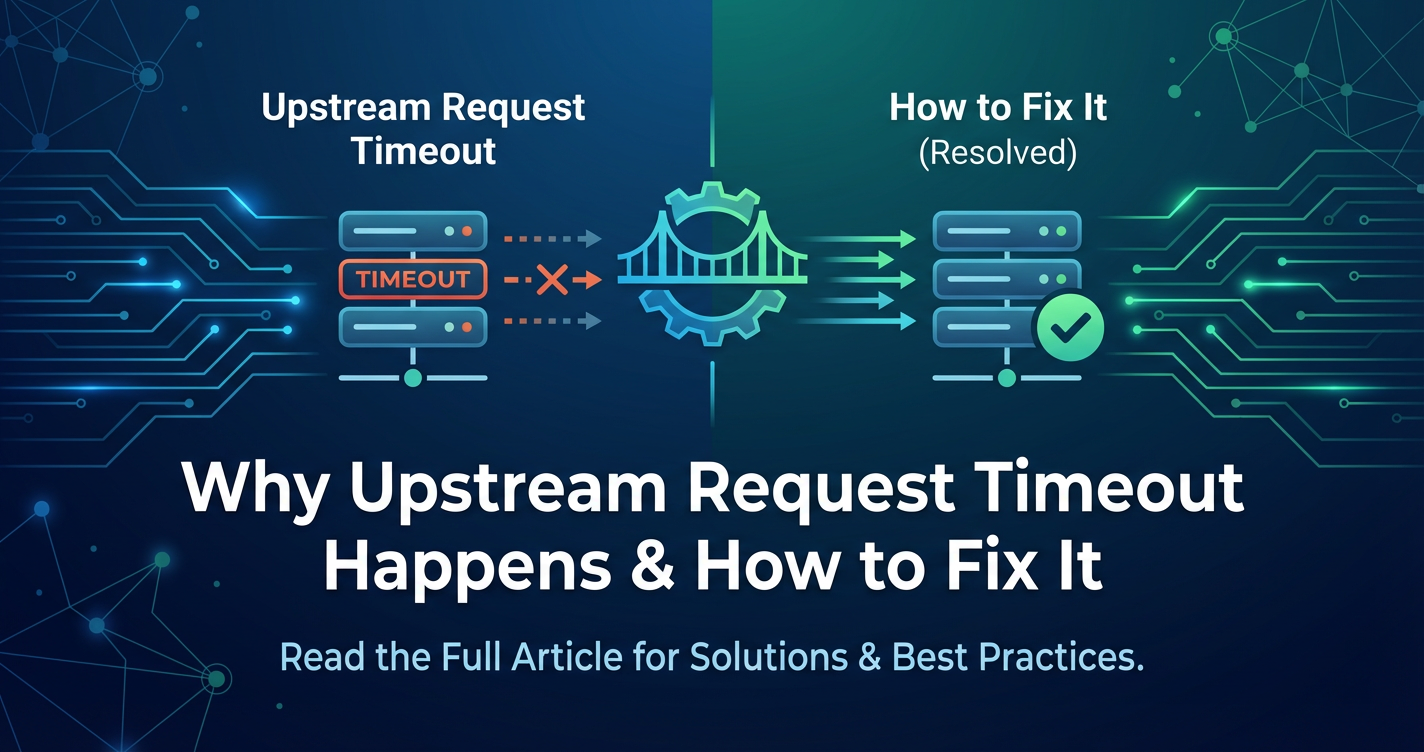
Why Upstream Request Timeout Happens & How to Fix It


In the intricate tapestry of modern distributed systems, where services communicate over networks to deliver seamless digital experiences, the upstream request timeout stands as a formidable adversary. It is a silent killer of user experience, a harbinger of system instability, and a common source of operational headaches. At its core, an upstream request timeout occurs when a client, often an api gateway, sends a request to a backend service – referred to as an "upstream" service – and fails to receive a response within a predefined period. This seemingly simple event can cascade into a myriad of problems, affecting everything from application performance to business continuity.
Understanding the root causes of these timeouts and implementing robust strategies to prevent and resolve them is paramount for any organization striving for high availability and performance in its api-driven landscape. This comprehensive guide will delve into the anatomy of upstream request timeouts, dissecting why they occur, exploring their profound impact, and outlining a structured approach to not just mitigate but proactively prevent them, with a keen focus on the pivotal role of the api gateway in this critical endeavor.
The Foundation: What Exactly is an Upstream Request Timeout?
To truly grasp the implications and solutions for upstream request timeouts, we must first establish a clear definition. Imagine a scenario where a user interacts with a web application. This application, in turn, makes an api call to a gateway. The gateway then forwards this request to a specific microservice in the backend, let's say a user profile service. An upstream request timeout occurs if that user profile service does not respond to the gateway within a specified duration. The gateway, having waited patiently for too long, then aborts its wait and typically returns an error to the original client, often a HTTP 504 Gateway Timeout status code.
This concept extends beyond just the api gateway. Any component in a request chain that makes a call to another component can experience an upstream timeout if the subsequent component fails to respond promptly. For instance, the user profile service itself might make an upstream call to a database or an external identity provider. If that database query or external service call takes too long, the user profile service might time out while waiting, and in turn, the api gateway might time out waiting for the user profile service, creating a chain of failures.
The timeout threshold is a configurable parameter, a crucial setting that dictates how long a client (be it an application, an api gateway, or a microservice) is willing to wait for a response from its downstream dependency. Setting this value too low can lead to premature timeouts for legitimate, albeit slow, operations. Setting it too high can result in unresponsive applications, wasted resources, and a poor user experience as clients wait indefinitely for operations that may never complete. The art and science of managing these timeouts are central to building resilient and performant systems.
The Architecture of Request Flow: Identifying Timeout Hotspots
Before we delve into the "why," it's essential to visualize the journey of a typical request in a modern application architecture. This mental map helps pinpoint the numerous points where an upstream request timeout can rear its head.
- Client-Side (User Browser/Mobile App): The journey begins here. The client initiates a request to the application's entry point. While less commonly referred to as "upstream" from the client's perspective, a client can itself time out waiting for a response from the
api gatewayor load balancer. - Load Balancer: Often the first point of contact after the client, a load balancer distributes incoming network traffic across a group of backend servers. It can also impose its own timeouts. If a backend server doesn't respond to the load balancer in time, the load balancer might issue a timeout.
- API Gateway: This is a critical component in many modern architectures, acting as a single entry point for all
apirequests. Anapi gatewayoften handles routing, authentication, authorization, rate limiting, and caching before forwarding requests to the appropriate upstream microservice. It is precisely at this juncture—where theapi gatewaycommunicates with an upstream service—that "upstream request timeout" is most frequently discussed and experienced. Thegatewayawaits a response from the microservice. If it doesn't receive one within its configured timeout, it aborts the request. API gateways are designed to centralize and streamline API management, but they also introduce an additional layer where timeouts can be configured and managed. - Upstream Microservice/Backend Service: This is the actual business logic executor. It receives the request from the
api gateway(or load balancer) and processes it. This processing might involve:- Executing complex computations.
- Making calls to other internal services (downstream services relative to this service).
- Interacting with a database.
- Communicating with external third-party
apis. Each of these internal or external calls within the microservice itself is a potential point for a timeout. If the microservice times out on one of its own dependencies, it might then fail to respond to theapi gatewayin time, leading to an upstream timeout at thegatewaylevel.
- Database/External Service: The final common dependency in the chain. Slow database queries, network issues connecting to the database, or unresponsive external
apis can bottleneck the entire process, leading to timeouts at higher levels.
Understanding this flow reveals that an upstream timeout observed at the api gateway might be merely a symptom of a deeper problem further down the chain. Effective troubleshooting requires navigating this architectural map to pinpoint the true source of the delay.
Common Causes of Upstream Request Timeout: Unraveling the "Why"
Upstream request timeouts are rarely due to a single, isolated factor. More often, they are a confluence of issues stemming from misconfigurations, resource constraints, inefficient code, or network anomalies. A detailed understanding of these causes is the first step towards robust prevention and resolution.
1. Backend Service Overload and Resource Exhaustion
One of the most frequent culprits behind upstream timeouts is an overloaded or resource-constrained backend service. When a service receives more requests than it can handle efficiently, its processing capacity diminishes, leading to increased latency.
- CPU Saturation: If a service's CPU usage consistently hits 100%, it cannot process new requests or even complete existing ones in a timely manner. This can happen due to computationally intensive tasks, inefficient algorithms, or simply an insufficient number of CPU cores for the workload. Each request takes longer to process, leading to a backlog, and eventually, requests time out while waiting for CPU cycles.
- Memory Exhaustion: Services require memory to store data, manage connections, and execute code. If a service consumes all available RAM, it might start swapping data to disk (if configured), which is significantly slower, or even crash. Memory leaks, large data structures, or an excessive number of concurrent connections can lead to memory exhaustion, bringing processing to a crawl.
- I/O Bottlenecks: Disk I/O operations (reading from or writing to storage) can be slow, especially with traditional spinning hard drives or inefficient file system usage. If a service frequently accesses disk for logging, caching, or data persistence, and the disk subsystem cannot keep up, it becomes an I/O bottleneck, delaying all dependent operations. Network I/O can also be a bottleneck if the service is sending or receiving large amounts of data over a constrained network interface.
- Thread Pool Exhaustion: Many application servers and frameworks use thread pools to handle concurrent requests. If all threads in the pool are occupied by long-running or blocked requests, new incoming requests must wait for an available thread. If the wait time exceeds the configured timeout, an upstream timeout occurs. This is a common issue with synchronous
apicalls to slow external services. - Connection Pool Exhaustion: Similar to thread pools, connection pools (e.g., for databases, message queues, or other microservices) limit the number of simultaneous connections a service can make. If all connections in the pool are in use, subsequent requests needing a connection will block until one becomes available. If this wait is too long, the operation times out.
2. Slow Database Queries or External Service Dependencies
Modern applications often rely heavily on databases and third-party services. Performance issues in these external dependencies can directly propagate upstream.
- Inefficient Database Queries: Unoptimized SQL queries lacking proper indexing, executing full table scans, or involving complex joins on large datasets can take an exorbitant amount of time to execute. This directly translates to the backend service waiting longer for database responses, eventually leading to timeouts.
- Database Overload: The database server itself might be struggling under heavy load, experiencing its own CPU, memory, or I/O bottlenecks. Slow replication, deadlocks, or excessive contention can also degrade database performance.
- Slow Third-Party APIs: When a backend service makes calls to external
apis (e.g., payment gateways, identity providers, mapping services), the responsiveness of these third-party services is beyond your direct control. If an externalapiis experiencing downtime, high latency, or rate limiting, your service will be left waiting, leading to timeouts. - Network Latency to Dependencies: Even if the database or external service is performant, network latency between your backend service and its dependencies can add significant delays. Long-distance connections, congested networks, or misconfigured firewalls can contribute to this.
3. Network Latency and Infrastructure Issues
The network is the lifeblood of distributed systems. Any degradation in network performance can directly cause timeouts.
- High Network Latency: The time it takes for data packets to travel between the
api gatewayand the upstream service (or between any two components) can be substantial. This can be due to geographical distance, inefficient routing, or network congestion. Even small, consistent delays can accumulate, pushing total request times beyond timeout thresholds. - Packet Loss and Retransmissions: If packets are lost during transit, TCP (Transmission Control Protocol) will initiate retransmissions. This process adds significant delay as segments of data have to be resent, potentially multiple times, before the complete response can be reconstructed.
- DNS Resolution Issues: Slow or failing DNS (Domain Name System) lookups can delay the initial connection setup to an upstream service. If the
api gatewaycannot resolve the IP address of the upstream service quickly, the connection attempt might time out before a request can even be sent. - Firewall and Security Group Misconfigurations: Overly restrictive firewalls or security groups can block traffic or introduce delays during connection establishment, particularly if stateful inspection is involved. Incorrectly configured NAT (Network Address Translation) rules can also be a culprit.
- Load Balancer Configuration Issues: While load balancers distribute traffic, misconfigurations like incorrect health checks leading to traffic being sent to unhealthy instances, or an imbalance in distribution, can cause specific upstream services to be overwhelmed and time out.
4. Misconfigured Timeout Settings
This is often one of the simpler causes to diagnose but can be incredibly frustrating if overlooked. Timeouts need to be configured consistently and logically across all layers of the application stack.
- Inconsistent Timeout Values: If the
api gatewayhas a timeout of 10 seconds, but the backend service it calls has an internal timeout of 5 seconds for a database query, then theapi gatewaymight never explicitly time out on that specific operation; rather, it will receive an error from the backend service. Conversely, if thegatewaytimeout is 5 seconds and the backend service's expected processing time for a complex operation is 7 seconds, thegatewaywill consistently time out even if the backend is working correctly. - Too Short Timeout Values: Aggressive timeout settings, while seemingly good for responsiveness, can prematurely cut off legitimate long-running operations. This often occurs when a new feature or complex report is introduced, requiring more processing time than the existing timeout allows.
- Default Timeout Values: Many frameworks and libraries come with default timeout values that may not be suitable for your specific application's needs. Relying solely on these defaults without custom configuration is a common pitfall.
5. Long-Running Processes and Blocking Operations
Some business operations inherently take a long time. If these are handled synchronously, they are prime candidates for causing timeouts.
- Synchronous Processing of Asynchronous Tasks: Trying to process a background task (like generating a large report, sending multiple emails, or processing a batch upload) synchronously within an
apirequest handler is a recipe for timeouts. The client is forced to wait for the entire process to complete. - Blocking I/O: Using blocking I/O operations in a single-threaded or limited-thread environment can halt the processing of other requests. While modern systems increasingly use non-blocking I/O, older codebases or specific library implementations might still use blocking calls.
- Distributed Transactions: Complex transactions spanning multiple services can introduce significant latency due to coordination overhead (e.g., two-phase commit protocols), increasing the window for timeouts.
6. Deadlocks and Race Conditions
These are insidious problems where processes or threads get stuck waiting for each other, often indefinitely, or produce incorrect results due to interleaved access to shared resources.
- Resource Deadlocks: Two or more processes or threads become permanently blocked, waiting for each other to release a resource. For example, Thread A holds Resource 1 and waits for Resource 2, while Thread B holds Resource 2 and waits for Resource 1. This can cause the entire service to hang for specific requests, leading to timeouts.
- Race Conditions: Multiple threads or processes attempt to access and modify shared data simultaneously, leading to unpredictable results and potential application freezes or crashes. While not a direct cause of "timeout" in the sense of waiting, a service stuck in a race condition might become unresponsive and thus time out from the perspective of the
gateway.
7. Code Bugs and Inefficiencies
Software bugs are an inescapable part of development, and some can directly lead to timeouts.
- Infinite Loops: A bug that causes a code path to enter an infinite loop will prevent the request from ever completing, guaranteed to result in a timeout.
- Resource Leaks: Bugs can lead to unclosed database connections, open file handles, or unreleased memory, gradually exhausting system resources over time and eventually causing the service to become unresponsive.
- Inefficient Algorithms: Using algorithms with poor time complexity (e.g., O(n^2) or O(n!) for large inputs) can cause processing times to skyrocket as data volumes increase, pushing requests beyond timeout limits.
- Uncaught Exceptions/Unhandled Errors: While not always leading to a timeout, an unhandled exception might cause a request handler to halt prematurely without sending a response, leaving the client to time out.
8. Cascading Failures
In microservices architectures, a failure in one service can rapidly propagate to others.
- Dependency Chain Reaction: If Service A calls Service B, and Service B calls Service C, a timeout in Service C can cause Service B to time out, which then causes Service A to time out. This chain reaction can quickly overwhelm an entire system.
- Resource Contention: When one service struggles, it might consume more resources (e.g., database connections, network bandwidth) than usual, starving other services that depend on those shared resources, leading to more widespread timeouts.
Understanding these multifaceted causes is crucial. It allows for a holistic approach to prevention and troubleshooting, moving beyond just tweaking timeout values to addressing the underlying systemic issues.
APIPark is a high-performance AI gateway that allows you to securely access the most comprehensive LLM APIs globally on the APIPark platform, including OpenAI, Anthropic, Mistral, Llama2, Google Gemini, and more.Try APIPark now! 👇👇👇
The Impact of Upstream Request Timeouts: More Than Just an Error Message
The consequences of upstream request timeouts extend far beyond a simple HTTP 504 error. They can have significant ramifications for user experience, system stability, and ultimately, business operations.
- Degraded User Experience: This is the most immediate and visible impact. Users encountering slow responses or error messages quickly become frustrated, leading to abandonment, reduced engagement, and a tarnished brand reputation. In e-commerce, a timeout during checkout can directly translate to lost revenue.
- Service Unavailability and System Instability: Frequent timeouts can render critical features or even entire applications unusable. If a core service repeatedly times out, it can bring down dependent services and lead to a cascading failure across the entire system. This erodes trust in the reliability of the platform.
- Resource Waste: When an
api gatewayor client times out, the upstream service might still be processing the request. This means CPU, memory, and network resources on the upstream service are being consumed for a request whose response will ultimately be ignored. This wasteful consumption can exacerbate the overload problem. - Data Inconsistencies: In some scenarios, a timeout might occur after a partial operation has been committed. For example, a payment transaction might be processed by the payment
api, but the response times out before reaching theapi gatewayand the client. The client might retry the payment, leading to duplicate transactions or an inconsistent state where the user thinks the payment failed but it actually succeeded. This necessitates robust idempotency and transactional mechanisms. - Increased Operational Load: Developers and operations teams spend significant time investigating and resolving timeout issues. This often involves sifting through logs, analyzing metrics, and performing complex debugging, diverting resources from feature development and innovation.
- Monitoring Alert Fatigue: If timeouts are frequent, monitoring systems will constantly trigger alerts. This can lead to "alert fatigue," where operations teams become desensitized to warnings, potentially missing critical issues amidst the noise.
- Business Impact and Revenue Loss: For critical business processes like order placement, user registration, or data synchronization, timeouts can directly lead to lost sales, frustrated customers, and damaged business relationships. This can have a tangible negative impact on a company's bottom line.
Given these far-reaching consequences, treating upstream request timeouts as a priority is not merely a technical concern but a fundamental business imperative.
Strategies to Prevent and Fix Upstream Request Timeouts: A Multi-Layered Approach
Addressing upstream request timeouts requires a holistic, multi-layered strategy encompassing architectural design, code optimization, robust infrastructure, and intelligent monitoring. It's not about a single magic bullet but a combination of best practices applied consistently across the entire system.
A. Proactive Measures: Building Resilient Systems
Prevention is always better than cure. By incorporating these strategies during design and development, you can significantly reduce the likelihood of timeouts.
1. Robust Service Design and Architecture
- Embrace Asynchronous Processing: For operations that inherently take a long time (e.g., generating large reports, sending bulk emails, complex data processing), decouple the request from the response. Instead of blocking the client, have the initial
apicall trigger a background job (e.g., using message queues like Kafka, RabbitMQ, or SQS). The client can then poll a separateapiendpoint for the status of the job or receive a callback when it's complete. This immediately frees up theapirequest handler and prevents timeouts. - Implement Circuit Breakers: A circuit breaker is a design pattern that prevents an application from repeatedly trying to invoke a service that is likely to fail. When a service experiences a certain number of failures (including timeouts) within a defined period, the circuit "trips," and subsequent requests to that service are immediately rejected (fail-fast) without even attempting the call. This gives the failing service time to recover and prevents cascading failures. After a configurable "half-open" state, a few test requests are allowed through to see if the service has recovered.
- Utilize Bulkheads: Inspired by ship compartments, bulkheads isolate failures. By partitioning resources (e.g., thread pools, connection pools) for different services or types of requests, a failure or slowdown in one service cannot exhaust resources needed by another. For example, dedicate separate thread pools for calls to a critical payment service versus a less critical logging service.
- Idempotency for Retries: Design
apis to be idempotent, meaning that multiple identical requests have the same effect as a single request. This is crucial when implementing retry mechanisms, as it prevents unintended side effects like duplicate payments if a timeout occurs. - Sensible Timeout Configuration: Establish clear guidelines for setting timeouts at different layers (client,
api gateway, service-to-service, database driver). These values should be chosen carefully, considering typical latency, expected processing times, and potential for temporary spikes. Theapi gatewaytimeout should generally be slightly longer than the sum of all downstream timeouts to allow the backend services sufficient time to respond before thegatewaygives up.
2. Performance Optimization
- Code Optimization: Profile your application code to identify performance bottlenecks. Optimize algorithms, reduce redundant computations, minimize memory allocations, and ensure efficient data structures. For example, replace O(n^2) operations with O(n log n) or O(n) where possible.
- Database Query Optimization: This is often a goldmine for performance improvements.
- Indexing: Ensure appropriate indexes are on columns used in
WHERE,JOIN, andORDER BYclauses. - Query Analysis: Use
EXPLAIN(or similar tools) to analyze query plans and identify slow parts. - Denormalization/Materialized Views: For read-heavy workloads, consider denormalizing data or using materialized views to pre-compute complex aggregations, reducing query time.
- Connection Pooling: Properly configure database connection pools to reuse connections efficiently, reducing the overhead of establishing new connections.
- Indexing: Ensure appropriate indexes are on columns used in
- Caching Strategies:
- Application-Level Caching: Cache frequently accessed data (e.g., user profiles, product catalogs) in memory or a local cache (like Redis or Memcached) to avoid repeatedly hitting the database or other services.
- CDN (Content Delivery Network): For static assets and even some dynamic content, use a CDN to serve content closer to the user, reducing load on your backend and improving perceived performance.
- Gateway Caching: An
api gatewaycan cache responses forGETrequests, especially for immutable or slowly changing data. This significantly reduces the load on upstream services and improves response times for subsequent identical requests.
3. Scalability and Load Balancing
- Horizontal Scaling: Design services to be stateless and easily scalable horizontally. When load increases, simply add more instances of the service. Load balancers then distribute traffic across these instances.
- Auto-Scaling: Leverage cloud provider auto-scaling groups or container orchestration platforms (like Kubernetes) to automatically scale services up or down based on predefined metrics (CPU usage, request queue length, memory).
- Effective Load Balancing: Configure load balancers to use intelligent algorithms (e.g., least connection, round robin with weighting) and robust health checks. Health checks should accurately reflect the service's ability to process requests, removing unhealthy instances from the rotation promptly.
4. Resource Management
- Connection Pooling: Beyond databases, ensure connection pools are properly configured for all external dependencies (other microservices, message queues). Insufficient pool sizes or misconfigurations can lead to connection starvation and timeouts.
- Thread Pool Management: Configure thread pools in application servers and frameworks (e.g., Jetty, Tomcat, Netty) to match expected workload characteristics. Over-provisioning threads can waste memory; under-provisioning can lead to starvation.
- Resource Quotas: In containerized environments, set CPU and memory limits for containers to prevent a single misbehaving service from consuming all resources on a host.
5. Comprehensive Monitoring and Alerting
- Key Metrics Collection: Continuously collect and monitor critical metrics for all services:
- Latency/Response Time: Track average, p90, p95, p99 latencies for all
apicalls. Spikes in these indicate performance degradation. - Error Rates: Monitor the percentage of requests returning error codes (5xx for timeouts).
- Resource Utilization: Track CPU, memory, disk I/O, and network I/O for each service instance.
- Queue Lengths: Monitor internal queues (e.g., request queues, message queues) to detect backlogs.
- Connection Pool Usage: Track how many connections are active versus available.
- Latency/Response Time: Track average, p90, p95, p99 latencies for all
- Intelligent Alerting: Configure alerts based on deviations from normal baselines for these metrics. Alerts should be actionable and notify the right teams promptly. Avoid excessive alerting that leads to fatigue. For example, alert on P95 latency exceeding a threshold for 5 minutes, or a sudden spike in 5xx errors.
- Distributed Tracing: Implement distributed tracing (e.g., OpenTelemetry, Jaeger, Zipkin) to visualize the end-to-end flow of a request across multiple services. This is invaluable for pinpointing exactly which service in a call chain is introducing latency or timing out.
- Detailed Logging: Ensure services produce comprehensive, structured logs with correlation IDs (trace IDs) that link all log entries for a single request. This is crucial for debugging after an incident.
- APIPark's Role in Monitoring: This is where solutions like ApiPark become invaluable. APIPark offers "Detailed API Call Logging," recording every aspect of each API invocation. This provides the granular data needed to trace and troubleshoot issues quickly, ensuring system stability. Furthermore, its "Powerful Data Analysis" capabilities analyze historical call data to display long-term trends and performance changes, enabling businesses to perform preventive maintenance before issues escalate into full-blown outages. Its end-to-end API lifecycle management helps regulate API management processes, including monitoring.
6. Stress Testing and Load Testing
- Proactive Discovery: Before deploying to production, subject your system to realistic load and stress tests. This helps identify performance bottlenecks, breaking points, and timeout scenarios under anticipated and peak traffic conditions.
- Identify Bottlenecks: Use these tests to determine the maximum capacity of your services and
api gatewayand to pinpoint which components fail first under pressure. This allows for targeted optimization and scaling efforts.
B. Reactive Measures: Troubleshooting and Fixing Timeouts
Despite the best proactive measures, timeouts will inevitably occur. Having a structured approach to troubleshooting is vital for quick resolution.
1. Analyze Monitoring Metrics
- Immediate Check: When a timeout alert fires, first consult your monitoring dashboards.
- Is there a spike in 5xx errors specifically indicating gateway timeouts (e.g., 504 Gateway Timeout)?
- Has the P99 latency for the affected
apior service suddenly increased? - Are the CPU, memory, or network I/O of the upstream service instances maxed out?
- Are database connection pools exhausted or is database CPU/latency high? These metrics often quickly point to the area of the system experiencing distress.
2. Log Analysis
- Correlation IDs: Use the correlation ID (trace ID) from the failed request (if available from the client or
api gatewaylogs) to trace the request through all relevant service logs. This helps reconstruct the request's journey and identify where it stalled or failed. - Error Messages: Look for specific error messages, warnings, or exceptions in the upstream service's logs that might indicate the cause of the delay or failure.
- Time Stamps: Compare timestamps across different service logs to understand the exact duration spent at each hop in the request chain.
3. Distributed Tracing
- Visualizing the Flow: If you have distributed tracing implemented, use its visualization tools to see the entire call graph for the timed-out request. This clearly shows which span (service call, database query, external
apicall) took an excessively long time. This is arguably the single most effective tool for diagnosing timeout root causes in complex microservices architectures.
4. Network Diagnostics
- Connectivity Tests: Use
ping,traceroute, ormtrto check network connectivity and latency between theapi gatewayand the upstream service. - Port Accessibility: Verify that necessary ports are open and accessible (e.g., using
telnetornc). - DNS Resolution: Confirm that DNS resolution for the upstream service is fast and correct.
- Network Packet Capture: In extreme cases, a
tcpdumpor Wireshark capture can help analyze network traffic at a low level to identify packet loss, retransmissions, or slow handshake issues.
5. Identify and Address Bottlenecks
- Deep Dive: Once monitoring, logs, and tracing point to a specific service or dependency, conduct a deeper investigation:
- Code Review: Examine the code of the problematic service for inefficient algorithms, blocking calls, or resource leaks.
- Database Query Tuning: If the database is the bottleneck, work with DBAs to tune slow queries, add indexes, or optimize schema.
- External Service SLAs: If a third-party
apiis consistently slow, review its SLAs and consider alternative providers or implementing robust fallback mechanisms.
- Scalability Adjustments: If the issue is pure overload, consider immediately scaling up (add more resources to existing instances) or scaling out (add more instances) the affected service.
- Configuration Review: Double-check timeout settings, connection pool sizes, thread pool configurations, and garbage collection settings for the affected service.
C. The Central Role of the API Gateway in Timeout Management
The api gateway is a critical control point for managing upstream request timeouts. Its capabilities can either exacerbate or significantly mitigate these issues.
- Centralized Timeout Configuration: An
api gatewayallows you to set consistent timeout policies for all upstream services from a single point. This simplifies management and reduces the risk of inconsistent configurations across disparate microservices. - Circuit Breaking and Retries: Many advanced
api gateways provide built-in circuit breaker implementations. When an upstream service starts failing or timing out, thegatewaycan "open the circuit," preventing further requests from reaching the struggling service and failing fast. It can also be configured with retry mechanisms (often with exponential backoff) for transient errors, but this must be used carefully with idempotentapis. - Load Balancing: The
gatewayintelligently distributes incoming requests across multiple instances of an upstream service. This prevents any single instance from becoming a bottleneck and ensures that traffic is directed to healthy, available instances based on health checks. - Health Checks:
API gateways continuously monitor the health of upstream services. If a service instance becomes unhealthy (e.g., fails to respond to health check pings, returns error codes), thegatewaycan temporarily remove it from the load balancing pool, preventing requests from being sent to a failing service. - Rate Limiting: To prevent services from being overwhelmed, an
api gatewaycan enforce rate limits, controlling the number of requests a client or a specificapican receive within a given timeframe. This helps prevent denial-of-service attacks and protects upstream services from being flooded. - Traffic Management and Routing:
API gateways provide advanced traffic management capabilities, allowing for canary deployments, A/B testing, and fine-grained routing based on various criteria. This helps in safely deploying new versions and routing requests away from problematic services.
Leveraging Advanced API Gateway Solutions Like APIPark
For organizations serious about api reliability and performance, an open-source, feature-rich api gateway and management platform like ApiPark offers a robust solution. APIPark is designed to manage, integrate, and deploy AI and REST services with ease, and many of its core features directly address the challenges of upstream request timeouts:
- End-to-End API Lifecycle Management: APIPark assists with managing the entire lifecycle of APIs, including design, publication, invocation, and decommission. This governance helps regulate API management processes, including how traffic forwarding, load balancing, and versioning are handled, all of which are crucial for preventing and managing timeouts.
- Performance Rivaling Nginx: With its high-performance architecture, APIPark can achieve over 20,000 TPS with modest hardware, supporting cluster deployment. This ensures that the
gatewayitself does not become a bottleneck, which is critical for preventing timeouts at thegatewaylayer due to its own overload. - Detailed API Call Logging and Powerful Data Analysis: As mentioned previously, these features are indispensable for troubleshooting. APIPark's comprehensive logging means that when a timeout occurs, you have the data needed to quickly trace and diagnose the issue. Its data analysis capabilities help identify long-term performance trends, allowing for proactive intervention before minor delays escalate into major timeout incidents.
- API Service Sharing within Teams and Independent API/Access Permissions: While not directly preventing timeouts, these features foster better
apigovernance and discoverability, which indirectly leads to more robustapiconsumption and reduced misconfigurations that could contribute to timeouts. - Unified API Format for AI Invocation & Prompt Encapsulation into REST API: For organizations integrating AI models, APIPark standardizes invocation, reducing complexity. This standardization can lead to more predictable performance and reduce the chances of errors or inefficiencies that might cause AI service calls to time out.
By centralizing api management and providing powerful performance, monitoring, and traffic control features, APIPark empowers developers and operations teams to build and maintain highly reliable api ecosystems, significantly reducing the occurrence and impact of upstream request timeouts.
D. Best Practices for Timeout Configuration
Configuring timeouts effectively is a delicate balancing act. Here are some best practices:
- Layered Approach: Implement timeouts at every layer:
- Client (Browser/Mobile App): Should have the longest timeout.
- Load Balancer: Shorter than the client, but longer than the
API Gateway. - API Gateway: Shorter than the load balancer, but longer than the upstream service.
- Upstream Service (for its dependencies): Shorter than the
API Gateway. - Database/External API Clients: The shortest, as these are the deepest dependencies. This "timeout cascade" ensures that the outermost layers are patient enough to wait for inner layers, but no layer waits indefinitely.
- Default Values are a Starting Point: Never rely solely on default timeout values. Always review and adjust them based on the expected performance characteristics of your application and its dependencies.
- Monitor and Iterate: Timeouts are not "set-it-and-forget-it." Continuously monitor latency and error rates. If you observe legitimate operations consistently hitting timeouts, it's a sign that either the operation needs optimization, or the timeout needs a slight adjustment. Conversely, if services are unresponsive for long periods before timing out, the timeout might be too lenient.
- Consider Different Operations: Not all
apicalls are equal. A simpleGETrequest for a small data item should have a much shorter timeout than a complexPOSTrequest that triggers multiple backend processes. Where possible, configure different timeouts for differentapiendpoints. - Grace Periods: Allow for small buffer times. For example, if a database query typically takes 2 seconds and the upstream service has a 3-second timeout for that query, the
api gatewaymight have a 4-second timeout. This accounts for small network fluctuations or minor processing delays without premature timeouts. - Avoid Infinite Timeouts: Never set timeouts to infinite (or extremely large values) in production. This can lead to resource starvation, hanging connections, and ultimately, system instability.
Below is a conceptual table illustrating timeout configuration across different layers. Note that actual values depend heavily on specific application requirements and network conditions.
| Layer | Typical Timeout Range (Seconds) | Rationale | Key Configuration Points |
|---|---|---|---|
| Client (Browser/App) | 10 - 60+ | User patience varies; allows for full end-to-end processing. Too short impacts UX. | JavaScript fetch API timeout, HTTP client libraries (e.g., OkHttp, Axios), browser settings. |
| Load Balancer | 15 - 120 | Must be longer than API Gateway but not excessively long to prevent holding connections. |
AWS ELB/ALB idle timeout, Nginx proxy_read_timeout, HAProxy timeout connect, timeout client, timeout server. |
| API Gateway | 5 - 60 | Main control point. Must be longer than upstream service execution but not too long to free gateway resources. |
Kong, Tyk, ApiPark (and others) upstream_timeout, proxy_read_timeout, connect_timeout. Often configurable per API/route. |
| Upstream Service | 3 - 30 | Time for business logic + internal dependencies. Often composite of multiple internal timeouts. | Application server (e.g., Tomcat connectionTimeout), framework-specific timeouts (e.g., Spring WebClient responseTimeout), custom code logic. |
| Database Driver | 1 - 10 | Time for query execution and network round-trip to DB. Critical to be responsive. | JDBC queryTimeout, connectionTimeout, ORM (e.g., Hibernate hibernate.c3p0.timeout), NoSQL driver configuration (e.g., MongoDB socketTimeoutMS). |
| External API Client | 3 - 15 | Time to connect and receive response from third-party. Often needs retries/circuit breakers. | HTTP client libraries (e.g., Apache HttpClient connectionRequestTimeout, connectTimeout, socketTimeout), microservice framework client configuration. |
This table provides a generalized guideline. The specific values should be determined through load testing, performance monitoring, and an understanding of your application's unique latency characteristics.
Conclusion: A Continuous Pursuit of Reliability
Upstream request timeouts are an inherent challenge in the world of distributed systems, a subtle yet potent indicator of underlying architectural, performance, or operational issues. They erode user trust, destabilize systems, and can directly impact an organization's bottom line. By understanding the multifaceted causes—from service overload and inefficient code to network woes and misconfigured settings—and by adopting a proactive, multi-layered approach to prevention and resolution, organizations can significantly enhance the reliability and performance of their api-driven applications.
The api gateway stands as a crucial pivot point in this endeavor, acting as a traffic cop, a bouncer, and a reporter all rolled into one. Leveraging advanced platforms like ApiPark empowers development and operations teams with the tools necessary for comprehensive API lifecycle management, robust traffic control, detailed monitoring, and powerful analytics. This allows for not just reactively fixing timeouts, but proactively identifying potential issues, optimizing performance, and building resilient api ecosystems that can withstand the rigors of modern digital demands. Ultimately, the continuous pursuit of reliability through vigilant monitoring, thoughtful design, and iterative optimization is not just a technical task, but a strategic imperative for sustained success in today's interconnected digital landscape.
Frequently Asked Questions (FAQs)
Q1: What is the difference between a connection timeout and a read timeout?
A1: A connection timeout refers to the maximum amount of time a client (e.g., an api gateway) will wait to establish a connection with a server. If the connection cannot be established within this period (due to network issues, firewall blocks, or the server not being available/listening), the connection attempt times out. A read timeout (also known as a socket timeout or response timeout) refers to the maximum amount of time a client will wait for data to be received over an already established connection. This timeout triggers if the server stops sending data for a specified duration after the connection has been made, often indicating that the server is stuck processing, is overloaded, or has crashed after accepting the connection. Both are crucial for preventing indefinite waits.
Q2: How does an API Gateway help manage upstream timeouts?
A2: An api gateway is a central control point for managing upstream timeouts through several mechanisms: 1. Centralized Configuration: It allows for consistent timeout settings for all apis from a single location. 2. Circuit Breaking: It can detect failing upstream services (including those that time out) and "open the circuit" to prevent further requests, giving the service time to recover and preventing cascading failures. 3. Load Balancing: It distributes requests across multiple healthy instances of an upstream service, preventing any single instance from becoming a bottleneck and timing out. 4. Health Checks: It continuously monitors the health of upstream services and removes unhealthy ones from the rotation, ensuring requests are only sent to responsive services. 5. Rate Limiting: It can protect upstream services from being overwhelmed by too many requests, which could lead to timeouts. 6. Monitoring & Logging: Advanced gateways like APIPark provide detailed logging and analytics, crucial for identifying and troubleshooting the root causes of timeouts.
Q3: What HTTP status code typically indicates an upstream timeout at the API Gateway?
A3: The most common HTTP status code indicating an upstream timeout at the api gateway is 504 Gateway Timeout. This code specifically means that the gateway (or proxy) did not receive a timely response from an upstream server that it needed to access to complete the request. Other 5xx errors like 503 Service Unavailable might sometimes imply a timeout if the service is unreachable due to excessive load, but 504 is the definitive timeout indicator for a gateway.
Q4: What are some common monitoring metrics for detecting upstream timeouts?
A4: To effectively detect upstream timeouts, you should monitor a combination of metrics: 1. Error Rates (specifically 504s): A sudden spike in 504 Gateway Timeout errors is the most direct indicator. 2. Latency/Response Time: Monitor average, p90, p95, and p99 (99th percentile) latencies for your api endpoints. A significant increase in these values, especially p99, often precedes or accompanies timeouts. 3. Upstream Service Resource Utilization: Track CPU, memory, and I/O usage of the backend services. Maxed-out resources are a common cause of slow responses and timeouts. 4. Connection Pool/Thread Pool Usage: Monitor the utilization and saturation of connection pools (e.g., database connections) and thread pools. Exhaustion of these resources often leads to requests blocking and timing out. 5. Queue Lengths: High message queue lengths or request queue lengths indicate a backlog and potential for timeouts.
Q5: Should I set my API Gateway timeout shorter or longer than my upstream service's processing time?
A5: Your api gateway timeout should generally be longer than the expected maximum processing time of your upstream service, but not excessively long. The gateway needs to give the upstream service sufficient time to process the request and send back a response. If the gateway timeout is too short, it will prematurely cut off legitimate, albeit long-running, requests even when the upstream service is diligently working. A good practice is to set the api gateway timeout slightly longer than the sum of the upstream service's expected processing time and any internal timeouts it might have (e.g., for database calls), plus a small buffer for network latency. This creates a cascading timeout where inner layers fail first, allowing the gateway to report a timeout only if the entire chain takes too long.
🚀You can securely and efficiently call the OpenAI API on APIPark in just two steps:
Step 1: Deploy the APIPark AI gateway in 5 minutes.
APIPark is developed based on Golang, offering strong product performance and low development and maintenance costs. You can deploy APIPark with a single command line.
curl -sSO https://download.apipark.com/install/quick-start.sh; bash quick-start.sh

In my experience, you can see the successful deployment interface within 5 to 10 minutes. Then, you can log in to APIPark using your account.

Step 2: Call the OpenAI API.