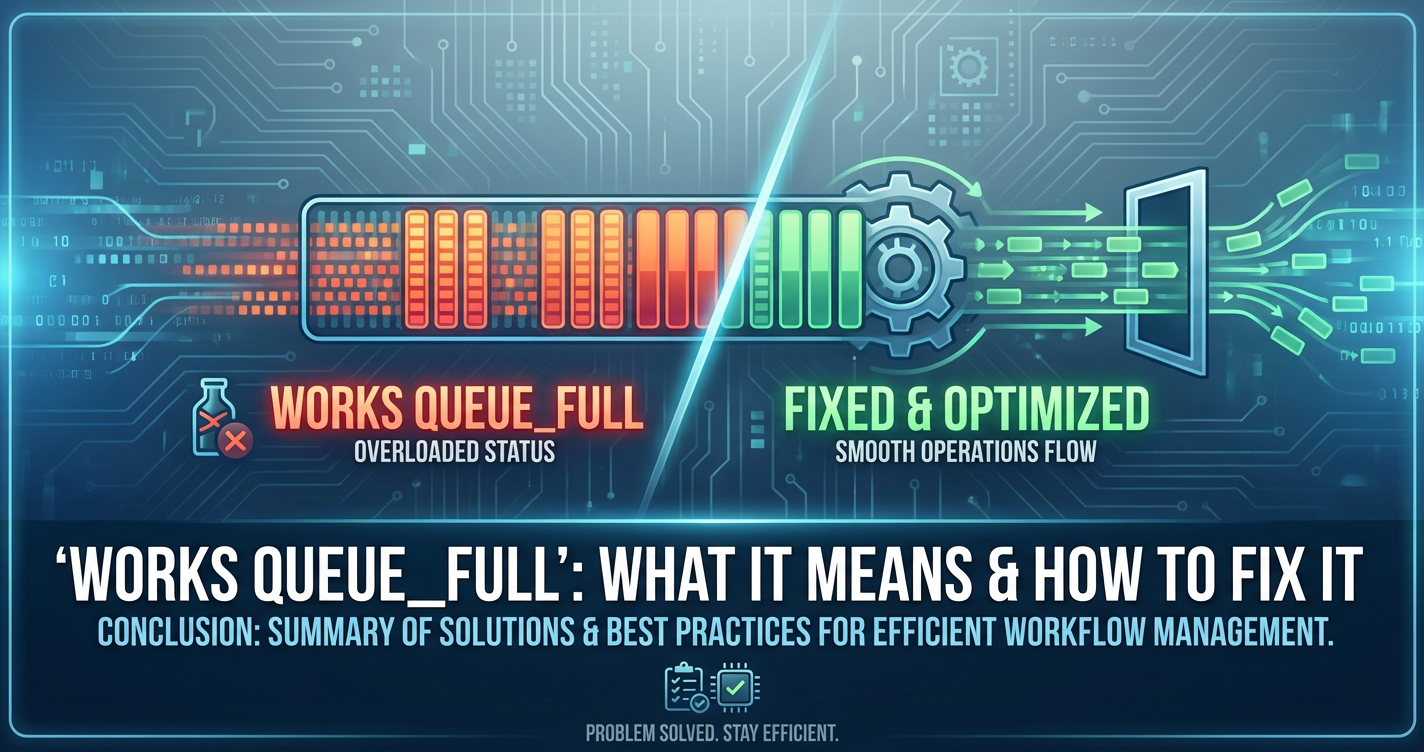
'Works Queue_Full': What It Means & How to Fix It


In the intricate tapestry of modern software systems, where countless tasks, requests, and data packets flow ceaselessly, the concept of a "works queue" stands as a foundational pillar of stability and performance. It acts as a critical buffer, a digital waiting room for tasks awaiting processing, ensuring that a system isn't overwhelmed by sudden surges of demand or held hostage by transient bottlenecks. However, like any crucial component, a works queue is susceptible to becoming a point of failure, particularly when it signals an alarming state: 'Works Queue_Full'. This seemingly simple message carries profound implications, signaling potential system instability, performance degradation, and even service outages. Understanding its true meaning, diligently diagnosing its root causes, and implementing robust solutions are paramount for any system architect, developer, or operations professional striving for resilient and high-performing applications.
This comprehensive guide will meticulously unravel the complexities surrounding the 'Works Queue_Full' error. We will begin by exploring the fundamental role of works queues in system architecture, then delve into the precise meaning and varied manifestations of a full queue. Crucially, we will dissect the myriad underlying causes, ranging from resource contention and inefficient code to misconfigurations and the unique challenges posed by modern AI workloads, where concepts like model context protocol (MCP) become vital. The far-reaching impact of this error on user experience, system stability, and business operations will be thoroughly examined. Subsequently, we will lay out a systematic troubleshooting methodology, equipping you with the tools and techniques to effectively diagnose the problem. Finally, we will present an exhaustive array of immediate mitigation strategies and long-term architectural and software solutions, including how sophisticated API management platforms can play a pivotal role, ultimately guiding you towards preventing future occurrences and fostering a more robust and responsive system landscape.
Part 1: Understanding the Foundation – What is a Works Queue?
To fully appreciate the gravity of a 'Works Queue_Full' error, one must first grasp the fundamental principles and indispensable role of works queues in contemporary computing. They are not merely abstract concepts but tangible mechanisms that underpin the responsiveness, efficiency, and scalability of nearly every software application we interact with daily.
1.1 The Crucial Role of Queues in Modern Systems
At its core, a queue in computing is analogous to a waiting line in the physical world – imagine customers waiting for a barista, cars at a toll booth, or documents in an in-tray. It's a data structure designed to temporarily hold a collection of elements (tasks, messages, requests, data packets) before they are processed by a specific component or service. The defining characteristic of most queues is their adherence to a "First-In, First-Out" (FIFO) principle, ensuring fairness and order in processing. However, more advanced queues might prioritize tasks based on specific criteria.
The necessity of queues arises from a fundamental imbalance: the inherent unpredictability and variability of incoming demand versus the often fixed or slower processing capacity of a system's components. Without queues, a sudden burst of requests could instantly overwhelm a processor, leading to dropped requests, errors, and an immediate system crash.
Queues serve several critical functions in modern distributed and concurrent systems:
- Decoupling Components: Queues act as a buffer between different parts of a system, allowing producers (components generating tasks) and consumers (components processing tasks) to operate independently at their own paces. A producer can continue submitting tasks even if the consumer is temporarily slow or unavailable, and vice versa. This loose coupling enhances modularity, fault tolerance, and simplifies development.
- Load Leveling (Buffering): They smooth out intermittent spikes in demand. Instead of being directly subjected to peak loads, processing components can draw tasks from a queue at a more steady, manageable rate. This prevents immediate overload and allows the system to gracefully handle temporary surges by absorbing them into the queue.
- Asynchronous Processing: Many operations don't require an immediate response. By placing such tasks in a queue, the initiating component can immediately move on to other work without waiting for the task's completion. This vastly improves perceived responsiveness and overall system throughput. Examples include sending emails, generating reports, processing images, or updating caches.
- Fault Tolerance: If a processing component fails, tasks can remain safely in the queue, awaiting the component's recovery or transfer to another healthy worker. This prevents data loss and ensures eventual processing.
- Work Distribution: In systems with multiple workers or service instances, a queue can efficiently distribute incoming tasks among available processors, enabling parallel processing and maximizing resource utilization.
Common types of works queues encountered in software architectures include:
- Message Queues: Often external services (e.g., Kafka, RabbitMQ, SQS) used for inter-service communication in microservice architectures, event streaming, and asynchronous task processing.
- Thread Pools: Internal application mechanisms where a fixed or dynamic number of threads are maintained to execute incoming tasks, preventing the overhead of creating new threads for each task.
- Job Queues: Specific queues for batch jobs, background tasks, or long-running computations that don't require immediate user interaction.
- Event Queues: In GUI applications or operating systems, these queues handle user input events or system notifications, ensuring they are processed in order.
1.2 Anatomy of a Works Queue
While the specific implementation details of a works queue can vary widely, its fundamental anatomy typically involves a few key components and operations:
- Enqueueing (Adding Tasks): This is the operation by which a producer adds a new task, message, or request to the queue. When a task is enqueued, it typically waits its turn to be processed. The efficiency of this operation (e.g., constant time O(1)) is crucial to avoid bottlenecking the producers.
- Dequeueing (Processing Tasks): This is the operation by which a consumer (or worker) retrieves a task from the front of the queue to process it. Once a task is dequeued, it is typically removed from the queue, though some message queues allow for "visibility timeouts" where a message is temporarily hidden until acknowledged or re-queued if processing fails.
- Capacity Limits: Almost all works queues have a defined capacity – a maximum number of tasks they can hold at any given time. This limit is critical for preventing unbounded resource consumption and for signaling back pressure when the system is under strain. Without a limit, a queue could consume all available memory, leading to a system crash.
- Producer-Consumer Model: This is the inherent design pattern that works queues facilitate. Producers are entities that generate tasks and place them into the queue. Consumers (also known as workers or processors) are entities that retrieve tasks from the queue and execute them. The queue acts as the mediator, ensuring producers and consumers operate independently and asynchronously.
- In-Memory vs. Persistent Queues:
- In-Memory Queues: These queues reside entirely in the application's RAM. They offer extremely high performance and low latency but are volatile – if the application crashes or restarts, all queued tasks are lost. They are suitable for transient tasks where occasional loss is acceptable or for short-lived, high-throughput buffering.
- Persistent Queues: These queues write their contents to disk storage, either periodically or synchronously. While slower due to disk I/O, they offer durability – tasks are preserved even if the system crashes. They are essential for critical tasks where data loss is unacceptable (e.g., financial transactions, order processing). External message brokers (like Kafka or RabbitMQ) typically offer strong persistence guarantees.
Understanding these foundational elements is crucial because the 'Works Queue_Full' error directly relates to the concept of capacity limits and the dynamic interplay between producers and consumers. When the rate of enqueueing consistently exceeds the rate of dequeueing, and the queue's capacity is reached, the system enters a state of distress, manifesting as the dreaded 'Works Queue_Full' error.
Part 2: Deconstructing 'Works Queue_Full' – Meaning and Manifestation
When a system reports 'Works Queue_Full', it's not merely a benign status update; it's a critical alert signifying a breach in the system's ability to cope with its workload. This section will elaborate on what "full" truly implies in this context and how this distressing state manifests across various dimensions of a software system.
2.1 The Core Meaning of 'Full'
The 'Works Queue_Full' message indicates that the designated buffer, designed to absorb incoming tasks, has reached its maximum configured capacity and cannot accept any new items. This saturation is a direct result of an imbalance: the rate at which tasks are being added to the queue (enqueue rate) significantly and persistently exceeds the rate at which they are being removed and processed (dequeue rate).
However, "full" implies more than just a lack of space. It signifies:
- Back Pressure Activation: When a queue becomes full, it can no longer passively accept new tasks. Instead, it must exert "back pressure" on its producers. This means that attempts to enqueue new tasks will fail, often resulting in an exception, a rejected request, or a blocking call that pauses the producer until space becomes available. This back pressure is a vital self-preservation mechanism, preventing the system from collapsing under an unmanageable load, but it inevitably impacts upstream services.
- Impending Resource Saturation: A full queue is often a symptom, not the root cause, of deeper resource saturation issues. The reason tasks aren't being processed quickly enough is typically due to the underlying workers or processing units being overwhelmed. This could mean they are CPU-bound, memory-starved, I/O-constrained, or simply too few in number to handle the current workload. The full queue is a visible indicator that these processing resources are hitting their limits.
- Degraded Service and Potential Outages: A sustained 'Works Queue_Full' state directly translates to requests not being processed, or being processed with significant delays. This inevitably leads to degraded user experience, increased error rates for clients, and, if unresolved, can cascade into complete service outages as upstream components time out or exhaust their own resources waiting for the clogged queue to clear.
- Loss of Data/Requests (if not handled gracefully): In systems without robust error handling or persistence, tasks attempting to be enqueued into a full queue might simply be dropped. This leads to silent data loss or missed requests, which can have severe business implications depending on the criticality of the tasks.
2.2 Symptoms and Early Warning Signs
Recognizing a full works queue often requires vigilant monitoring and an understanding of how system distress manifests. The symptoms can vary from explicit error messages to subtle performance degradation.
- Error Logs and Specific Messages: This is often the most direct and undeniable sign. System logs will explicitly contain messages like 'Works Queue_Full', 'QueueCapacityExceededException', 'TooManyRequests', or similar indicators that the queue has rejected an incoming task. The frequency and volume of these log entries are crucial indicators of severity.
- Application Responsiveness:
- UI Freezes/Slowdowns: For user-facing applications, users might experience significant delays when performing actions, applications becoming unresponsive, or even outright crashes.
- Increased Latency: API endpoints or service calls that typically respond within milliseconds might start taking seconds, minutes, or even timing out entirely. This is because incoming requests are stuck in the full queue or are being rejected by the upstream system.
- Timeouts: Upstream services or clients waiting for a response from the bottlenecked component will start timing out, leading to errors on their side and potentially cascading failures throughout the system.
- Performance Metrics (Monitoring Dashboards):
- Queue Depth: Monitoring dashboards will show the queue's size rapidly approaching and then hitting its maximum capacity. This is the most direct metric.
- Processing Rates: The rate at which items are being dequeued (processed) will likely be stagnant or declining, while the enqueue rate might remain high or even increase. This widening gap is the core problem.
- Throughput Drops: The overall number of successful operations per second (throughput) handled by the affected service will significantly decrease.
- Error Rates: The number of errors (e.g., HTTP 5xx responses, application exceptions) originating from the affected service will spike dramatically.
- Resource Utilization:
- CPU Overload: The CPU usage of the processing nodes might be consistently at 90-100%, indicating that the workers are struggling to keep up.
- Memory Exhaustion: While the queue itself might not be consuming excessive memory (if capacity-limited), the workers trying to process items might be experiencing memory leaks or high garbage collection activity, contributing to slowdowns.
- Disk I/O Bottlenecks: If the workers are heavily reliant on disk operations (e.g., writing logs, accessing databases, storing temporary files), increased I/O wait times can signify a bottleneck.
- Network Activity: High network latency to external dependencies, or a saturated network interface on the processing nodes, can also contribute to slow processing.
- Cascading Failures in Dependent Services: The back pressure from the full queue doesn't stop at the immediate producer. If that producer is itself a service in a microservice architecture, its own queues might begin to fill, or its clients might start timing out. This can lead to a domino effect, bringing down entire chains of interconnected services. For example, if a payment processing service's queue is full, the order placement service might start backing up, which then affects the customer-facing e-commerce front-end.
Vigilant monitoring of these symptoms, coupled with well-configured alerts, is crucial for early detection and proactive intervention, transforming a potential catastrophe into a manageable incident.
Part 3: Pinpointing the Culprits – Root Causes of a Full Works Queue
A 'Works Queue_Full' error is rarely the primary problem; it's almost always a symptom of deeper underlying issues. Diagnosing the root cause requires a methodical investigation into various aspects of the system, from resource availability to application logic and external dependencies. Understanding these different categories of causes is the first step towards an effective resolution.
3.1 Insufficient Processing Capacity
The most straightforward reason for a queue to fill is that the consumers or workers responsible for processing tasks simply lack the capacity to keep up with the incoming rate. This can manifest in several ways related to fundamental computing resources.
- CPU Overload: If the tasks being processed are computationally intensive (e.g., complex calculations, data transformations, encryption/decryption, image processing, AI inference), and the CPU cores allocated to the workers are consistently saturated, tasks will inevitably back up. High CPU utilization often leads to increased context switching overhead, where the operating system spends more time managing threads than executing actual work, further degrading performance. Busy loops, inefficient algorithms, or excessive logging can all contribute to CPU contention.
- Memory Exhaustion: While the queue itself might have a fixed memory footprint, the workers processing tasks might suffer from memory constraints. This could be due to:
- Memory Leaks: Applications that fail to release memory after use can gradually consume all available RAM, leading to OutOfMemoryErrors or forcing the operating system to swap actively used memory to disk, severely degrading performance.
- Excessive Object Creation: In languages like Java or Go, creating too many short-lived objects can put immense pressure on the garbage collector (GC), leading to frequent and potentially long GC pauses during which application threads are halted, effectively stopping processing.
- Large Data Payloads: Processing tasks that involve manipulating very large datasets or complex data structures can quickly consume available heap space.
- Disk I/O Bottlenecks: If the workers frequently read from or write to disk (e.g., storing persistent messages, logging extensively, interacting with a local database, reading large files), slow or overloaded storage can become the bottleneck. This is particularly true for traditional spinning hard drives, but even SSDs can be saturated by extremely high I/O operations per second (IOPS) or throughput demands. Contention for disk resources from other processes on the same machine can also play a role.
- Network Latency/Bandwidth: In distributed systems, workers often need to communicate with other services, databases, or external APIs over the network.
- High Latency: If these network calls are slow to return, the workers will spend an inordinate amount of time waiting, rather than processing the next task. This is common with geographically distant services or overloaded network infrastructure.
- Insufficient Bandwidth: If the volume of data being transferred is high, and the network interface or overall network fabric lacks sufficient bandwidth, data transfer can become a bottleneck, slowing down workers.
3.2 Application-Level Bottlenecks
Beyond raw resource capacity, the design and implementation of the application logic itself can introduce significant bottlenecks, causing workers to process tasks inefficiently.
- Inefficient Code: Poorly optimized algorithms can dramatically increase the time required to process a single task. This could involve:
- N-squared operations: Loops within loops that scale quadratically with input size.
- Expensive Database Queries: Unindexed queries, N+1 query problems, or excessively complex joins that cause databases to become slow or unresponsive.
- Blocking I/O Operations: Performing synchronous I/O operations (e.g., file reads, network calls) in a single-threaded or limited-thread environment can halt processing until the I/O completes, even if the CPU is idle.
- Thread Contention and Deadlocks: In multi-threaded applications, workers often need to access shared resources (e.g., data structures, database connections, caches). If not properly synchronized, multiple threads attempting to acquire locks on the same resource can lead to contention, where threads spend significant time waiting for each other. In severe cases, this can result in deadlocks, where threads are perpetually waiting for resources held by other waiting threads, effectively halting processing.
- External Service Dependencies: Most modern applications rely on a myriad of external services: databases, caching layers (Redis, Memcached), third-party APIs (payment gateways, notification services), or other microservices. If any of these dependencies become slow, unresponsive, or experience their own internal
Works Queue_Fullissues, they can directly impact the performance of the consumer workers, causing tasks to back up in the queue. - Long-Running Tasks: If some tasks in the queue are exceptionally time-consuming to complete (e.g., generating a large report, processing a massive video file, complex machine learning training jobs), they can monopolize worker threads or processes for extended periods, preventing other tasks from being processed and causing the queue to grow.
3.3 Configuration Mismanagement
Even with ample resources and efficient code, improper configuration of the queue itself or its associated worker pools can inadvertently lead to a full queue state.
- Undersized Queues: If the maximum capacity of the works queue is set too low relative to the expected burstiness of incoming demand or the average processing time of tasks, it will fill up quickly during peak periods. While a small queue can provide faster feedback on overload, an overly small queue can be too brittle.
- Insufficient Worker Threads/Processes: The number of worker threads in a thread pool or the number of processes configured to consume from the queue might be too low to match the system's actual processing capacity or the average incoming task rate. For instance, if a system can realistically process 100 tasks per second but only has 5 worker threads, each taking 100ms, the queue will inevitably fill if the incoming rate exceeds 50 tasks per second.
- Incorrect Timeouts: Misconfigured timeouts can exacerbate queue issues. If upstream producers have very short timeouts when trying to enqueue tasks, they might repeatedly fail to add tasks to a temporarily full queue, leading to high error rates. Conversely, if downstream workers have overly long timeouts for external dependencies, they can block for extended periods, reducing effective throughput.
3.4 Sudden Surges in Demand
Sometimes, the system's baseline capacity and configuration might be perfectly adequate for normal operation, but unexpected or unprecedented spikes in workload can overwhelm even well-tuned systems.
- Traffic Spikes: Events like viral marketing campaigns, flash sales, news coverage, or even malicious Distributed Denial of Service (DDoS) attacks can generate an instantaneous and massive influx of requests, far exceeding the system's design capacity.
- Batch Processing Overlaps: In systems with scheduled jobs, if multiple resource-intensive batch processes (e.g., data imports, report generation, nightly backups) are configured to run concurrently or overlap, their combined demand can temporarily exceed the system's processing capabilities, leading to queue buildups.
3.5 Specialized Context: AI Model Inference and the model context protocol (MCP)
The advent of Artificial Intelligence and Large Language Models (LLMs) introduces a unique set of challenges that can contribute to 'Works Queue_Full' errors, particularly in inference services or AI gateways. Here, the concept of a model context protocol (MCP) becomes exceptionally relevant.
- Challenge of AI Workloads: AI model inference, especially for LLMs, is inherently computationally intensive.
- High Computational Demands: Each request to an LLM might involve billions of parameters, requiring significant CPU, GPU, and memory resources. Parallel processing capabilities are often stretched to their limits.
- Large Data Volumes: Input prompts and output responses for LLMs can be very large, involving hundreds or thousands of tokens, which translates to considerable data transfer and processing overhead.
- Latency Variability: The time it takes for an LLM to generate a response can vary widely based on the complexity of the prompt, the length of the desired response, and the current load on the inference server. This variability makes capacity planning more complex.
- Context Management in LLMs: A critical aspect of interacting with LLMs, especially in conversational or stateful applications, is "context management." This refers to how the model remembers or is provided with the history of a conversation or relevant background information.
- Prompt Engineering: The quality and structure of the prompt directly influence the
model's processing time. Overly long, poorly structured, or ambiguous prompts can lead to longer inference times. - Context Window Limits: LLMs have a finite "context window" – the maximum number of tokens they can process at once. Managing this window, ensuring relevant historical context is included without exceeding the limit, is crucial. If context is inefficiently managed, unnecessary tokens might be sent, or the model might struggle to integrate new information with old, leading to slower processing.
- Prompt Engineering: The quality and structure of the prompt directly influence the
- How
model context protocol(MCP) Helps: Amodel context protocol(MCP) is a defined standard or set of conventions for how context (e.g., conversation history, user state, system prompts, specific model instructions) should be structured, passed, and managed when interacting with an AI model.- Standardized Context Handling: An
mcpensures that context is provided to themodelin an efficient, consistent, and optimized format. This reduces parsing overhead and helps themodelquickly integrate new information. - Managing Token Limits: A well-defined
mcpcan include strategies for summarizing, truncating, or intelligently selecting the most relevant parts of the history to fit within themodel's context window, preventing performance degradation from excessively long inputs. - Efficient State Serialization/Deserialization: In applications requiring stateful interactions, the
mcpcan dictate how conversational state is serialized, stored, and then deserialized to be re-injected into subsequent requests, minimizing overhead and ensuring consistency.
- Standardized Context Handling: An
Claude MCPas an example: While specific details of aClaude MCPmight be proprietary or emerge as best practices, the general idea for a model like Claude would involve optimizing how conversation turns, system prompts, and user messages are packaged into the API request payload to maximize the efficiency of Claude's processing. This might involve specific JSON structures, tokenization strategies, or even pre-processing hints to guide Claude's inference engine. If a system fails to adhere to an efficientmodel context protocolwhen interacting with Claude (or any LLM), it might send suboptimal prompts, leading to longer inference times per request. When many such suboptimal requests hit an inference service, its "Works Queue" will quickly fill up.- APIPark's Role: This is where an advanced AI gateway and API management platform like ApiPark becomes invaluable. APIPark, designed for quick integration of 100+ AI models, addresses these very challenges. It offers a Unified API Format for AI Invocation, standardizing request data formats across diverse AI models. This means even if the underlying
model(e.g., Claude) requires specific context formatting, APIPark can encapsulate this complexity, ensuring that application changes in AI models or prompts do not affect the application or microservices. By standardizing and potentially optimizing prompts, APIPark can help reduce the processing burden on the downstream AImodels, thereby mitigating the risk of their internal works queues becoming full. Moreover, its End-to-End API Lifecycle Management and Detailed API Call Logging features allow developers and operators to monitor AI API performance, identify bottlenecks, and troubleshoot issues related tomodelinference latency before they lead to aWorks Queue_Fullscenario. Efficiently managing AI invocations through APIPark can dramatically improve overall system responsiveness and resource utilization. - Impact of Inefficient MCP: Without an efficient
model context protocol, each AI inference request might take longer than necessary. This increased per-request processing time directly reduces the effective throughput of the AI inference service. If the incoming rate of AI requests remains constant or increases, while the processing rate per request slows down due to inefficient context handling ormodeloverload, the internal 'Works Queue' of the AI inference service or the AI gateway will inevitably become full, leading to rejected requests and degraded performance for AI-powered applications.
In summary, a full works queue is a red flag, signaling that the system is struggling. The root cause can be complex, often involving a combination of resource limitations, application inefficiencies, configuration errors, unexpected load, and in specialized domains like AI, the intricacies of model context protocol and inference optimization. A thorough investigation across these dimensions is essential for effective diagnosis and resolution.
Part 4: The Ripple Effect – Impact of a Full Works Queue
The consequences of a 'Works Queue_Full' error are rarely confined to the immediate component reporting the issue. Instead, they propagate through the entire system, affecting various stakeholders, from end-users to business operations. Understanding this ripple effect underscores the criticality of addressing such issues promptly and effectively.
4.1 User Experience Degradation
The most immediate and visible impact of a full works queue is on the end-user experience. When requests are delayed or rejected, users directly perceive a broken or unresponsive system.
- Increased Latency and Timeouts: Users will experience significant delays between performing an action (e.g., clicking a button, submitting a form) and receiving a response. Operations that typically complete in milliseconds might take seconds or even minutes. Eventually, client-side or server-side timeouts will kick in, resulting in error messages. Imagine trying to make an online purchase only to have the payment gateway hang indefinitely or report a timeout error.
- Failed Requests and Error Messages: Instead of a successful operation, users will be confronted with generic or specific error messages (e.g., "Service Unavailable," "Request Timed Out," "Payment Failed," "Internal Server Error"). This breaks the user's workflow and prevents them from completing their intended tasks.
- Frustration and Abandonment: Repeated delays and errors lead to user frustration. In today's fast-paced digital world, users have little patience for slow or unreliable services. This often results in users abandoning their tasks, switching to a competitor, or developing a negative perception of the service. For an e-commerce platform, this means lost sales; for a critical business application, it means decreased productivity.
4.2 System Instability and Outages
While user experience is the human-centric impact, a full works queue simultaneously erodes the technical stability of the entire system, potentially leading to widespread outages.
- Cascading Failures: As discussed earlier, a full queue exerts back pressure on its producers. If these producers are other services, their own queues might start filling up, or their internal resources (e.g., database connections, memory, CPU) might be exhausted waiting for the bottlenecked service to respond. This "domino effect" can bring down entire chains of interconnected services. A single overloaded component can trigger a systemic collapse.
- Resource Exhaustion Leading to Crashes: When a queue is full and its workers are struggling, other resources on the same host or in the same application instance can also become saturated. CPU might be at 100%, memory might be depleted due to pending tasks or garbage collection issues, and network connections might be exhausted. This resource starvation can cause the affected service or even the entire server to become unresponsive, crash, or enter an unrecoverable state, requiring manual intervention or automatic restarts.
- Unresponsive Services and Inability to Recover: Once a service becomes unresponsive, it can no longer process requests, including health checks or administrative commands. This makes it difficult to diagnose and recover the service automatically. Manual restarts might be required, leading to longer recovery times and further service disruption.
4.3 Data Integrity and Loss
In critical applications, a full works queue can have severe implications for data integrity and even lead to data loss.
- Dropped Messages/Unprocessed Events: If the system is designed to drop new tasks when a queue is full (to prevent further overload), those tasks are simply lost. This means events are not processed, data updates are missed, or notifications are not sent. For example, a customer's order might not be logged, or a critical security alert might not be delivered.
- Inconsistent State Across Distributed Systems: In systems where multiple components collaborate to achieve a consistent state (e.g., a distributed transaction), if one component's queue is full and it fails to process messages, the system can enter an inconsistent state. For instance, a payment might be debited from a user's account but the corresponding order might not be created due to a full order processing queue. Rectifying such inconsistencies can be a complex and time-consuming task, often requiring manual reconciliation.
- Delayed Data Processing: Even if tasks are not dropped, they are significantly delayed. This can impact real-time analytics, reporting, and business processes that rely on up-to-date information. For example, inventory levels might be out of sync, or fraud detection systems might be slow to react.
4.4 Business and Reputational Damage
Ultimately, the technical and user-facing impacts of a full works queue translate directly into tangible business consequences.
- Lost Revenue and Missed Opportunities: For e-commerce sites, a full payment or order processing queue means direct loss of sales. For subscription services, it can mean failed sign-ups. For advertising platforms, it means missed ad impressions. Any revenue stream tied to the affected service is at risk.
- Reputational Damage and Loss of Trust: Consistent unreliability erodes customer trust. Users will perceive the brand as unprofessional, unreliable, or incapable. Negative reviews, social media complaints, and word-of-mouth can severely damage a company's reputation, which is incredibly difficult and expensive to rebuild.
- Compliance and Regulatory Issues: In regulated industries (e.g., finance, healthcare), delays or loss of data due to system outages can lead to non-compliance with regulations, resulting in hefty fines, legal repercussions, and increased scrutiny from regulatory bodies.
- Operational Overheads: Investigating, fixing, and recovering from 'Works Queue_Full' incidents consumes significant engineering and operational resources. This diverts valuable personnel from developing new features or improving the product, leading to increased operational costs and reduced innovation velocity.
In conclusion, a 'Works Queue_Full' error is far more than a technical glitch. It's a critical indicator of system stress that, if left unaddressed, can lead to a cascade of negative effects impacting users, system stability, data integrity, and ultimately, the business's bottom line and reputation. Proactive monitoring and a swift, systematic approach to resolution are therefore not just good practice, but an absolute necessity.
APIPark is a high-performance AI gateway that allows you to securely access the most comprehensive LLM APIs globally on the APIPark platform, including OpenAI, Anthropic, Mistral, Llama2, Google Gemini, and more.Try APIPark now! 👇👇👇
Part 5: A Systematic Approach – Troubleshooting 'Works Queue_Full'
Diagnosing the precise cause of a 'Works Queue_Full' error requires more than just observing the symptom. It demands a systematic, data-driven approach, moving from general observations to granular details. This section outlines a robust troubleshooting methodology to pinpoint the root cause efficiently.
5.1 Establish a Baseline
Before you can identify what's wrong, you need to know what "normal" looks like. Without a performance baseline, it's difficult to distinguish between expected system behavior and anomalous activity.
- Understand Normal Operating Conditions: What are the typical throughput rates, latency profiles, CPU/memory utilization, and queue depths during regular operation?
- Document Baseline Metrics: Maintain historical data for key performance indicators (KPIs) during periods of stable performance. This allows for comparison when an incident occurs.
- Identify Peak vs. Off-Peak Behavior: Understand how your system naturally behaves under different load conditions. A queue that fills briefly during a known peak hour might be acceptable, whereas a full queue during off-peak hours is a definite anomaly.
5.2 Monitoring and Alerting
Comprehensive monitoring is your first line of defense and your most powerful diagnostic tool. Without proper instrumentation, you're flying blind.
- Key Metrics:
- Queue Depth and Size: The absolute number of items in the queue and its proximity to the maximum configured capacity. This is the primary metric for
Works Queue_Full. - Enqueue and Dequeue Rates: The rate at which items are being added to and removed from the queue. A persistent divergence (enqueue rate > dequeue rate) indicates a problem.
- Worker Utilization: How busy are the worker threads or processes consuming from the queue? Are they idle, partially busy, or constantly saturated (e.g., CPU > 90%)?
- Resource Usage (CPU, Memory, Disk I/O, Network): Monitor these at the host, container, or process level for the services involved in queue processing. Look for spikes or sustained high utilization coinciding with the queue filling.
- Latency Metrics: The average and percentile (e.g., p95, p99) latency of tasks being processed. A sudden increase indicates slowdowns.
- Error Rates: Number of exceptions, HTTP 5xx errors, or application-specific error conditions generated by the processing service.
- Queue Depth and Size: The absolute number of items in the queue and its proximity to the maximum configured capacity. This is the primary metric for
- Log Analysis:
- Error Patterns: Search logs for explicit
Works Queue_Fullmessages,OutOfMemoryError,TimeoutException,ConnectionError, or other relevant exceptions. - Time Correlation: Use timestamps to correlate events. Did the queue start filling after a specific code deployment, an infrastructure change, an external dependency slowdown, or a sudden traffic surge?
- Contextual Information: Logs often contain valuable context like transaction IDs, user IDs, or specific task details that can help narrow down the problem.
- Error Patterns: Search logs for explicit
- Distributed Tracing: In microservice architectures, a single user request might traverse dozens of services. Distributed tracing tools (e.g., Jaeger, Zipkin, OpenTelemetry) allow you to visualize the entire path of a request, including the time spent in each service and any inter-service calls. This is invaluable for identifying where latency is accumulating and which specific service is bottlenecking the overall flow. If a trace shows a request spending an inordinate amount of time waiting for a response from a service that consumes from a full queue, you've found a critical link.
5.3 Reproduce and Isolate
Once monitoring has identified an issue, the next step is often to attempt to reproduce it in a controlled environment and isolate the problematic component or code path.
- Reproducibility: Can the issue be reliably triggered under specific conditions (e.g., certain load levels, specific types of requests, specific data inputs)? If so, this greatly aids in debugging.
- Isolating Components: If the system is distributed, try to isolate the suspected component. Can you test it in isolation with simulated inputs to see if its queue still fills? This helps rule out issues in upstream or downstream dependencies.
- A/B Testing (if applicable): If a recent change is suspected, can you roll back or test the old version against the new in a controlled environment?
5.4 Profiling and Debugging
For deep-dive investigations into application-level bottlenecks, profiling and debugging tools are indispensable.
- CPU Profilers: Tools like
perf(Linux), Java Flight Recorder (JFR),pprof(Go), or specialized APM (Application Performance Monitoring) tools can identify which functions, methods, or lines of code are consuming the most CPU time. This helps pinpoint inefficient algorithms or busy-wait loops. - Memory Analyzers: Tools like
jmap,Eclipse MAT(for Java), or memory profilers in IDEs can analyze heap dumps to identify memory leaks, excessively large objects, or areas of high object churn that are stressing the garbage collector. - I/O Monitoring Tools: Utilities like
iostat,atop, or cloud provider monitoring dashboards can track disk read/write rates, IOPS, and I/O wait times to identify storage bottlenecks. Similarly, network monitoring tools can reveal bandwidth saturation or high latency. - Thread Dumps: In multi-threaded applications, a thread dump (e.g.,
jstackfor Java) provides a snapshot of what every thread in the application is doing at a given moment. Analyzing these dumps can reveal:- Deadlocks: Threads waiting indefinitely for each other.
- Blocked Threads: Threads stuck on I/O operations or waiting to acquire locks.
- Long-Running Tasks: Threads that have been executing a single task for an unusually long time.
- Taking multiple thread dumps over a short period can show patterns of thread behavior.
- Debugging with a Debugger: For specific code paths, stepping through the code with a debugger can provide granular insight into variable states, function calls, and execution flow, helping to identify logical errors or unexpected behavior that contributes to slowdowns.
By following this systematic approach, combining high-level monitoring with deep-dive analysis, you can effectively diagnose the underlying causes of a 'Works Queue_Full' error, paving the way for targeted and effective solutions.
Part 6: From Diagnosis to Resolution – How to Fix a Full Works Queue
Once the root cause of a 'Works Queue_Full' error has been identified, the next critical step is to implement effective solutions. These can range from immediate, tactical mitigations to long-term, strategic architectural overhauls. A balanced approach often involves applying quick fixes to restore service, followed by more robust solutions to prevent recurrence.
6.1 Immediate Mitigation Strategies
When a works queue is full, the primary goal is often to restore service stability as quickly as possible. These strategies are typically reactive and temporary, designed to alleviate pressure.
- Restart Services: A straightforward, albeit often blunt, solution is to restart the affected service or application instance. This can clear memory, reset internal states, and break transient deadlocks or resource contention. However, it's a temporary fix that doesn't address the root cause and can cause a brief service interruption. Use with caution and only if the impact of a brief restart is acceptable.
- Scale Up Resources (Vertical Scaling): If the bottleneck is clearly resource-related (e.g., CPU, RAM exhaustion), a quick fix can be to vertically scale the instances – assign more CPU cores, increase RAM, or provision faster local storage to the affected server or container. This provides more raw processing power to handle the backlog. This is often an option in cloud environments where resource allocation can be changed dynamically.
- Shedding Load/Traffic Shaping: If the system is truly overwhelmed, temporarily reducing the incoming load can give the queue a chance to drain.
- Rate Limiting: Implement or tighten rate limits at the API Gateway or load balancer level to throttle incoming requests.
- Prioritizing Requests: If applicable, shed less critical traffic while prioritizing essential operations.
- Maintenance Page: For severe, intractable issues, temporarily redirecting all traffic to a static "maintenance mode" page can stop the bleeding and prevent users from encountering errors, allowing engineers to work on the fix without further load.
- Temporary Configuration Adjustments (with caution): In some cases, a very slightly larger queue size might buy some time, but this should be approached with extreme caution. Increasing queue size without addressing the underlying processing bottleneck only delays the inevitable and consumes more memory, potentially exacerbating issues. It's only viable if the "full" state is very transient and barely exceeds the current limit, indicating a slight mismatch rather than a severe backlog.
6.2 Long-Term Architectural and Software Solutions
Sustainable solutions require addressing the fundamental causes. These often involve more significant changes to infrastructure, architecture, and application code.
6.2.1 Capacity Planning and Auto-Scaling
- Predictive Analytics: Analyze historical load patterns (daily, weekly, seasonal) to predict future demand. Provision resources proactively to meet anticipated peaks.
- Dynamic Resource Allocation (Auto-Scaling): Implement auto-scaling groups in cloud environments (e.g., AWS Auto Scaling, Kubernetes HPA). This allows the system to automatically add or remove worker instances based on real-time metrics like queue depth, CPU utilization, or request latency. This is a highly effective way to handle fluctuating loads.
- Vertical vs. Horizontal Scaling: Understand when to scale vertically (more powerful instances) versus horizontally (more instances of the same power). Horizontal scaling is generally preferred for resilience and fault tolerance, as it distributes the load across multiple independent nodes.
6.2.2 Performance Optimization at the Application Layer
This is often the most impactful area for fixing a full queue caused by inefficient processing.
- Code Review and Algorithm Optimization: Conduct thorough code reviews to identify inefficient algorithms, excessive data copying, or unnecessary computations. Refactor critical paths to use more performant algorithms (e.g., O(n log n) instead of O(n^2)).
- Database Indexing and Query Optimization: Analyze slow queries using database profiling tools. Add appropriate indexes to frequently queried columns. Refactor complex queries into simpler, more efficient ones. Utilize connection pooling to efficiently manage database connections.
- Caching Strategies: Introduce caching for frequently accessed, slowly changing data.
- In-Memory Caches: (e.g., Guava Cache, ConcurrentHashMap) for data that can reside within the application instance.
- Distributed Caches: (e.g., Redis, Memcached) for sharing cached data across multiple application instances. Caching reduces the load on backend databases and external services, improving worker throughput.
- Reducing I/O Operations: Minimize synchronous file I/O or network calls within critical processing paths. Batch I/O operations where possible.
- Asynchronous Programming: For operations that involve waiting (e.g., network calls, database lookups), use asynchronous patterns (e.g., non-blocking I/O,
async/await, reactive programming) to allow worker threads to process other tasks while waiting, rather than blocking.
6.2.3 Configuration Tuning and Resource Management
- Optimizing Queue Sizes and Worker Thread Pools: Based on performance testing and real-world observations, carefully tune the maximum capacity of your works queues and the size of your worker thread pools. Too small, and they fill quickly; too large, and they consume excessive memory or mask underlying performance issues. The goal is to find a balance that provides sufficient buffering without masking problems.
- Implementing Timeouts and Retry Mechanisms: Configure appropriate timeouts for all external service calls and critical operations within your workers. This prevents workers from indefinitely blocking on a slow dependency. Implement sensible retry mechanisms (e.g., with exponential backoff and jitter) for transient failures, but avoid aggressive retries that could exacerbate an overloaded system.
- Batch Processing vs. Real-time: Identify tasks that don't require immediate processing and can be grouped into batches. Processing tasks in batches can often be more efficient due to reduced overhead (e.g., fewer database transactions, less network chattiness).
6.2.4 Decoupling with Asynchronous Processing and Message Queues
- Introduction of Dedicated Message Brokers: For significant decoupling and robust asynchronous processing, integrate dedicated message queuing systems like Apache Kafka, RabbitMQ, Amazon SQS, or Google Pub/Sub. These platforms are designed for high throughput, durability, and scalability, providing a reliable buffer between producers and consumers.
- Back Pressure Mechanisms: Message brokers often have built-in back pressure capabilities. For instance, consumers can indicate when they are overwhelmed, allowing the broker to slow down message delivery or signal producers to pause.
- Event-Driven Architectures: Embrace event-driven patterns where components communicate by emitting and reacting to events via a message broker. This fundamentally decouples services, making them more resilient to individual component failures or slowdowns.
6.2.5 Load Balancing and Distributed Architectures
- Distributing Requests Evenly: Use load balancers (e.g., Nginx, HAProxy, cloud load balancers) to distribute incoming requests evenly across multiple instances of your processing service. This prevents any single instance from becoming a bottleneck.
- Microservices Pattern: If not already adopted, consider breaking down monolithic applications into smaller, independent microservices. This allows individual services to be scaled, deployed, and managed independently. A problem in one microservice is less likely to bring down the entire system, and specific services experiencing high load can be scaled more precisely.
6.2.6 Garbage Collection Tuning (for JVM-based systems)
For applications running on the Java Virtual Machine (JVM), 'Works Queue_Full' can often be related to excessive garbage collection (GC) pauses that halt application threads, effectively stopping queue processing.
- Understanding GC Algorithms: Learn about different GC algorithms (e.g., G1GC, ParallelGC, ZGC, Shenandoah) and choose the one best suited for your application's workload and latency requirements.
- Heap Sizing: Tune the JVM heap size (
-Xmx,-Xms) to provide enough memory without being excessively large (which can lead to long GC pauses) or too small (leading to frequent GCs). - Minimizing Object Churn: Optimize code to reduce the creation of short-lived objects, thereby reducing the workload on the garbage collector.
6.3 The Role of model context protocol (MCP) in Sustainable AI Scaling
Revisiting the specific challenge of AI workloads, especially with large language models, the implementation and adherence to an efficient model context protocol (mcp) can be a crucial long-term solution for preventing 'Works Queue_Full' in AI inference pipelines.
- Efficient
model context protocol(MCP) for Optimized AI Inference: A well-definedmcpensures that interactions with AImodels are as efficient as possible. This means:- Context Optimization: Structuring prompts and conversational history to be concise yet complete, minimizing unnecessary token transfer and processing.
- Intelligent Token Management: Implementing logic to intelligently summarize, truncate, or select the most relevant parts of a conversation to fit within the
model's context window, reducing the computational load for each inference request. - Standardized Payload: Ensuring that the data format sent to the
modelis consistent and optimized for themodel's internal architecture, reducing parsing overhead. - Example with Claude MCP: For a model like Claude, an effective
Claude MCPwould guide how user input, system instructions, and previous turns are packaged into the API call to maximize Claude's ability to process the request quickly and accurately, without extraneous information that could slow it down.
- Contribution to Preventing
Works Queue_Fullin AI Systems: When each AI request is processed more efficiently due to an optimizedmodel context protocol, the overall throughput of the AI inference service increases. This directly means that the service can handle more requests per unit of time, reducing the likelihood of its internal "Works Queue" building up and becoming full. It effectively increases the "dequeue rate" for AI tasks. - Leveraging Platforms like APIPark: Platforms like ApiPark are specifically designed to manage AI workloads, offering features that directly support
model context protocoloptimization. By integrating over 100 AI models with a Unified API Format for AI Invocation, APIPark abstracts away the complexities of differentmodels' specificmcprequirements. It allows developers to define prompts and manage contexts centrally, potentially applying optimizations before requests hit the actual AImodel. This not only simplifies AI usage but also standardizes and optimizes the input payloads, thereby reducing the processing burden on the downstream AI services. Moreover, APIPark's Performance Rivaling Nginx and Detailed API Call Logging provide the necessary infrastructure and visibility to ensure AI requests are handled with low latency and to identify any performance bottlenecks related tomodelinteraction before they lead to queue overflows. APIPark empowers enterprises to manage, integrate, and deploy AI services efficiently, directly contributing to the prevention ofWorks Queue_Fullerrors in AI-driven applications by streamlining and optimizing themodelinvocation process.
Part 7: Proactive Prevention – Avoiding Future 'Works Queue_Full' Incidents
While troubleshooting and fixing a 'Works Queue_Full' error is essential, the ultimate goal is to build systems that inherently resist such failures. Proactive measures, deeply embedded in the system's lifecycle, are key to fostering resilience and maintaining high availability.
7.1 Robust Monitoring and Alerting Systems
An ounce of prevention is worth a pound of cure, and in system operations, that prevention comes largely from comprehensive monitoring.
- Comprehensive Dashboards: Create intuitive dashboards that display key metrics in real-time. These should include not just queue depth and resource utilization but also end-to-end latency, error rates, and throughput. Visualizing trends helps in identifying potential issues before they escalate.
- Real-time Alerts: Configure granular alerts for critical thresholds. Don't just alert when a queue is full; alert when its depth exceeds 50% or 75% of capacity, or when the enqueue rate significantly outpaces the dequeue rate for a sustained period. Use different severity levels for warnings and critical alerts.
- Predictive Analytics for Resource Exhaustion: Beyond threshold-based alerts, leverage machine learning-driven anomaly detection or trend analysis to predict potential resource exhaustion or queue saturation based on historical patterns and current trajectory. This allows for proactive scaling or mitigation before any actual service impact.
- End-to-End Observability: Beyond basic metrics, implement distributed tracing, structured logging, and application performance monitoring (APM) tools. This full stack observability provides the context needed to understand why a queue is filling, tracing the problem back to its origin across complex distributed systems.
7.2 Regular Performance and Load Testing
Understanding how your system behaves under stress is paramount for preventing overload.
- Simulating Peak Loads: Regularly conduct load tests that simulate your system's expected peak traffic. This helps identify bottlenecks in queues, databases, or application logic before they manifest in production.
- Stress Testing: Push your system beyond its expected peak capacity to find its breaking point. This helps determine maximum throughput and capacity limits, informing scaling strategies.
- Resilience Testing (Chaos Engineering): Intentionally introduce failures (e.g., slow down a dependency, reduce CPU on a worker, fill a queue) in a controlled environment to see how the system reacts and recovers. This helps uncover unforeseen weaknesses and validates your fault-tolerance mechanisms.
- Automated Performance Regression Testing: Integrate performance tests into your continuous integration/continuous deployment (CI/CD) pipeline. This ensures that new code changes don't inadvertently introduce performance regressions that could lead to queue buildups.
7.3 Adopting Best Practices and Code Reviews
Architectural and coding best practices significantly contribute to system resilience.
- Defensive Programming: Write code that anticipates and gracefully handles errors, timeouts, and resource limitations. Implement circuit breakers, bulkheads, and retries with backoff to prevent cascading failures.
- Efficient Code Design: Continuously strive for efficient algorithms, optimized data structures, and minimal resource consumption in application code. Prioritize performance for critical paths.
- Peer Reviews for Performance Anti-Patterns: Incorporate performance considerations into code reviews. Train developers to identify common anti-patterns that can lead to bottlenecks, such as N+1 queries, synchronous blocking I/O in high-throughput paths, or excessive object creation.
- Resource Awareness: Encourage developers to be aware of the resources their code consumes (CPU, memory, I/O, network) and to design with resource efficiency in mind, especially when interacting with shared queues.
7.4 Architectural Resilience and Redundancy
Build systems that are inherently designed to withstand failures and heavy loads.
- Fault Tolerance: Design components to continue operating even if other parts of the system fail. This often involves redundancy (e.g., multiple instances of services, replicated databases), failover mechanisms, and graceful degradation strategies.
- Circuit Breakers: Implement circuit breaker patterns to prevent a failing or slow service from overwhelming downstream components. When a service consistently fails, the circuit breaker "trips," short-circuiting calls to that service and returning an immediate error or fallback response, giving the failing service time to recover.
- Bulkheads: Use bulkhead patterns (e.g., separate thread pools or resource limits for different types of requests or dependencies) to isolate failures. A failure in one part of the system doesn't consume all resources, thereby protecting other, healthier parts.
- Disaster Recovery (DR) and Business Continuity Planning (BCP): Develop comprehensive plans for recovering from major outages. This includes regular backups, multi-region deployments, and defined recovery time objectives (RTO) and recovery point objectives (RPO). While not directly preventing a queue from filling, robust DR/BCP ensures that even if a catastrophic failure occurs, the business can quickly resume operations.
By diligently implementing these proactive measures, organizations can significantly reduce the likelihood and impact of 'Works Queue_Full' incidents, building more robust, scalable, and reliable software systems that consistently deliver value to users and the business.
Part 8: Conclusion
The 'Works Queue_Full' error, far from being a mere technical glitch, serves as a critical distress signal within the complex ecosystems of modern software. It illuminates an imbalance between incoming demand and processing capacity, acting as a gateway to degraded performance, system instability, and profound business repercussions. From frustrating user experiences to cascading outages and potential data loss, the ripple effects of an unaddressed full queue are far-reaching and costly.
Our exploration has traversed the fundamental role of queues in system architecture, detailing their anatomy and the vital functions they perform in decoupling, load leveling, and asynchronous processing. We then meticulously dissected the multifaceted meaning of a 'full' queue, moving beyond simple capacity limits to understand its implications for back pressure, resource saturation, and impending system collapse. Crucially, we journeyed through the diverse landscape of root causes, identifying culprits ranging from insufficient computing resources and application-level bottlenecks to configuration missteps and unforeseen demand surges. In the specialized realm of AI, we highlighted the unique challenges posed by computationally intensive model inference and underscored the indispensable role of an efficient model context protocol (MCP) in managing AI workloads and preventing queue overloads, illustrating how platforms like ApiPark provide essential tools for optimizing and monitoring these critical interactions.
The path to resolution, as we have seen, is both immediate and strategic. While quick mitigations like restarts and temporary scaling can provide breathing room, sustainable fixes demand a deep dive into capacity planning, performance optimization at the application layer, meticulous configuration tuning, and the strategic adoption of asynchronous architectures and robust load balancing. Above all, the emphasis must shift from reactive firefighting to proactive prevention. This entails establishing robust monitoring and alerting systems, conducting rigorous performance and load testing, adhering to best practices in code and architecture, and building inherently resilient, fault-tolerant systems.
In an era where software reliability directly translates to business success, mastering the intricacies of works queues and proactively safeguarding against the 'Works Queue_Full' error is not merely a technical endeavor; it is a strategic imperative. By understanding its warnings, systematically diagnosing its causes, and implementing comprehensive solutions, developers and operations teams can forge systems that are not only powerful and efficient but also resilient and trustworthy, capable of navigating the unpredictable currents of digital demand with unwavering stability.
Frequently Asked Questions (FAQ)
1. What exactly does 'Works Queue_Full' mean, and why is it a problem? 'Works Queue_Full' means that a designated buffer (a queue) within a software system has reached its maximum capacity and can no longer accept new tasks or requests. It signifies that the rate at which tasks are being added to the queue far exceeds the rate at which they are being processed. This is a critical problem because it prevents new tasks from being handled, leading to increased latency, error messages for users, potential data loss (if tasks are dropped), and can cause a cascading failure throughout the entire system as upstream components struggle to submit their work.
2. What are the most common root causes of a 'Works Queue_Full' error? The causes are diverse but generally fall into several categories: * Insufficient Processing Capacity: The workers consuming from the queue might be bottlenecked by CPU, memory, disk I/O, or network bandwidth. * Application-Level Bottlenecks: Inefficient code, slow database queries, excessive thread contention, or long-running tasks can prevent workers from processing quickly. * Configuration Mismanagement: The queue's maximum size or the number of worker threads might be set too low for the expected workload. * Sudden Surges in Demand: Unexpected traffic spikes or concurrent batch jobs can temporarily overwhelm the system. * External Service Dependencies: Slow responses from databases, third-party APIs, or other microservices can cause workers to block and slow down. * AI-specific challenges: For AI models, inefficient model context protocol (MCP) or an overloaded inference service can lead to longer processing times per request, backing up the queue.
3. How can monitoring help me detect and diagnose a 'Works Queue_Full' issue? Effective monitoring is crucial. You should track: * Queue Depth: The current number of items in the queue relative to its maximum capacity. * Enqueue and Dequeue Rates: The speed at which items are entering and leaving the queue. * Resource Utilization: CPU, memory, disk I/O, and network activity of the processing services. * Application Metrics: Latency, throughput, and error rates of the service consuming from the queue. * Logs: Look for explicit 'Works Queue_Full' messages or related exceptions. By observing these metrics, you can often identify a divergence in enqueue/dequeue rates, resource saturation, or specific error patterns that correlate with the queue filling up, helping pinpoint the bottleneck.
4. What are some immediate steps I can take to fix a 'Works Queue_Full' problem? For immediate relief, consider: * Restarting the affected service: This can clear transient issues and reset states. * Scaling up resources: Temporarily add more CPU, RAM, or faster storage to the processing instances. * Shedding load: Implement or tighten rate limits on incoming requests, or temporarily redirect traffic to a maintenance page if the situation is critical. * Temporary configuration adjustments: Cautiously increase the queue size slightly if the bottleneck is transient and minor (this should not be a long-term solution). These are often temporary measures, and the root cause still needs to be addressed for a permanent fix.
5. How does a model context protocol (MCP) relate to 'Works Queue_Full' in AI systems, and how can APIPark help? In AI systems, especially with large language models, the model context protocol (MCP) defines how conversational history, prompts, and other contextual information are structured and managed when interacting with an AI model. An inefficient mcp can lead to sending overly long, unoptimized, or poorly structured prompts to the AI model, which increases the processing time for each individual inference request. If each request takes longer, the AI inference service's processing rate slows down, causing its internal "Works Queue" to fill up.
ApiPark can help by providing a Unified API Format for AI Invocation that standardizes and optimizes how requests (including context) are sent to various AI models. This platform can abstract away the complexities of different models' context requirements, ensuring that prompts are efficiently formatted before reaching the AI model. By streamlining and optimizing these AI interactions, APIPark effectively helps to increase the processing efficiency of the AI models, thereby reducing the likelihood of their internal works queues becoming full and preventing 'Works Queue_Full' errors in AI-driven applications. Its robust API management features also offer detailed logging and performance monitoring to proactively identify and address AI-related bottlenecks.
🚀You can securely and efficiently call the OpenAI API on APIPark in just two steps:
Step 1: Deploy the APIPark AI gateway in 5 minutes.
APIPark is developed based on Golang, offering strong product performance and low development and maintenance costs. You can deploy APIPark with a single command line.
curl -sSO https://download.apipark.com/install/quick-start.sh; bash quick-start.sh

In my experience, you can see the successful deployment interface within 5 to 10 minutes. Then, you can log in to APIPark using your account.

Step 2: Call the OpenAI API.