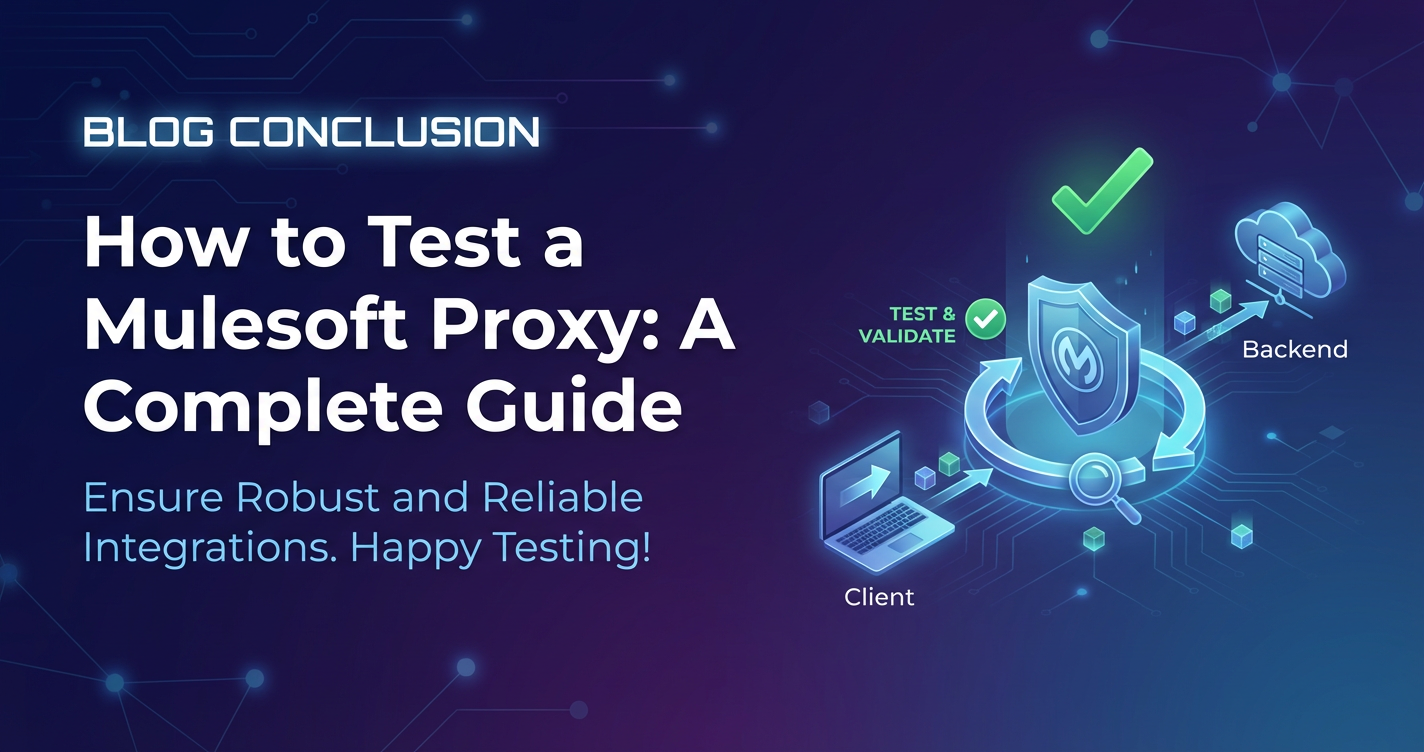
How to Test a Mulesoft Proxy: A Complete Guide


The modern digital landscape is characterized by an intricate web of interconnected services, constantly communicating and exchanging data. At the heart of this dynamic ecosystem often lies the Application Programming Interface (API), serving as the fundamental conduit for interaction between disparate systems. As organizations increasingly adopt microservices architectures and leverage cloud-native technologies, the sheer volume and complexity of API traffic surge exponentially. This evolution necessitates not just robust API implementations, but equally resilient and intelligently managed API infrastructure. Within the MuleSoft ecosystem, a Mulesoft Proxy stands as a critical component, acting as the frontline for backend services, mediating interactions, and enforcing policies before requests ever reach their ultimate destination.
However, merely deploying a Mulesoft Proxy is insufficient; its effectiveness, reliability, and security hinge entirely on the rigor of its testing. A poorly tested proxy can become a significant vulnerability, a performance bottleneck, or a source of incessant operational headaches, undermining the very benefits it was intended to provide. From ensuring correct routing and robust security to guaranteeing optimal performance under duress, every facet of a Mulesoft Proxy must be meticulously scrutinized. This comprehensive guide aims to illuminate the intricate world of Mulesoft Proxy testing, providing a detailed roadmap for developers, QA engineers, and architects to navigate its complexities and ensure their API infrastructure is not just functional, but truly resilient, scalable, and secure. We will delve into the various testing methodologies, crucial tools, best practices, and common challenges, equipping you with the knowledge to build a testing strategy that stands up to the demands of today's fast-paced digital environment, safeguarding your valuable APIs and the services they expose.
Understanding the Mulesoft Proxy Landscape: Architecture and Function
To effectively test a Mulesoft Proxy, one must first possess a profound understanding of its architectural placement and inherent functionalities within the broader MuleSoft Anypoint Platform. A Mulesoft Proxy, fundamentally, is an API implementation deployed in MuleSoft’s runtime environment (such as CloudHub, Runtime Fabric, or customer-hosted Mule instances) that acts as an intermediary, or a facade, for a backend API. It sits at the forefront of your backend services, intercepting all inbound requests before they reach the actual service implementation. This strategic positioning is what grants the proxy its immense power and flexibility in managing API traffic.
At its core, a Mulesoft Proxy is more than just a simple pass-through mechanism. It’s a sophisticated piece of software that operates as an integral part of an API gateway architecture. In this context, the proxy functions as a customizable gateway layer, allowing organizations to apply a myriad of policies and functionalities without altering the backend API code itself. When an API is proxied through Anypoint Platform's API Manager, MuleSoft automatically generates a proxy application (often a JAR file for deployment) that includes a basic flow designed to receive requests, apply policies, and then forward those requests to the target backend API. This proxy application then acts as the runtime representation of the API definition managed within Anypoint Platform.
The key components and functionalities that define a Mulesoft Proxy and its role within an API gateway include:
- API Manager Integration: The proxy's lifecycle is tightly integrated with Anypoint API Manager. API Manager is where you define your API specifications (using RAML, OAS/Swagger), apply policies (like rate limiting, security policies, caching), and monitor API analytics. When you configure an API to be proxied, API Manager essentially instructs a Mule runtime to deploy the generated proxy application, which then adheres to the policies defined in the manager. This central management console provides a single pane of glass for governing your APIs, making it a critical aspect to consider during testing.
- Policy Enforcement: This is arguably the most powerful aspect of a Mulesoft Proxy. Policies are modular, reusable components that can be applied to an API to enforce various behaviors. These can range from security policies (e.g., OAuth 2.0 Token Enforcement, Client ID Enforcement, IP Whitelisting), to quality of service policies (e.g., Rate Limiting, Throttling, Caching), and even transformation policies (e.g., XML to JSON, header manipulation). The proxy ensures that these policies are executed for every request before it’s routed to the backend, offloading these cross-cutting concerns from the backend service itself. Testing these policies comprehensively is paramount to ensuring the security, performance, and reliability of your APIs.
- Traffic Management: Proxies are instrumental in managing and routing API traffic. They can handle load balancing across multiple instances of a backend service, implement routing rules based on request parameters or headers, and even perform URL rewriting. This allows for greater flexibility in deploying and scaling backend services, and enables seamless migrations without impacting API consumers.
- Security Layer: By sitting in front of backend APIs, the proxy provides a crucial layer of security. It can filter malicious requests, enforce authentication and authorization mechanisms, protect against common web vulnerabilities (like SQL injection or cross-site scripting through specialized policies), and shield the backend from direct exposure to the public internet. This protective barrier is a fundamental pillar of any robust API gateway implementation.
- Data Transformation and Mediation: While not always the primary function for a simple pass-through proxy, Mulesoft proxies, being full Mule applications, can perform complex data transformations. This means they can convert message formats (e.g., XML to JSON), enrich requests with additional data, or filter out sensitive information before forwarding requests to the backend or responses back to the client. This mediation capability makes the proxy highly adaptable to varying consumer and producer requirements.
- Monitoring and Analytics: The proxy acts as a choke point where all API traffic flows. This provides an ideal location for collecting valuable metrics and logs about API usage, performance, and errors. Anypoint Platform's API Manager leverages this to offer extensive monitoring and analytics capabilities, providing insights into API consumption patterns, latency, and operational health. Testing must ensure that these monitoring capabilities are correctly capturing and reporting data.
In essence, a Mulesoft Proxy elevates a simple API endpoint into a managed, secure, and resilient API gateway resource. It decouples the concerns of API consumers from those of API providers, enabling independent evolution and deployment. Understanding this deep integration and the multifaceted roles a proxy plays is the foundational step towards designing an effective and comprehensive testing strategy. Without this knowledge, testing efforts might remain superficial, failing to uncover critical vulnerabilities or functional discrepancies that could severely impact the stability and trustworthiness of your entire API ecosystem. Every test case, every methodology, and every tool selection must be informed by this architectural appreciation to truly validate the proxy's behavior under all conceivable conditions.
The Indispensable Value of Thorough Proxy Testing: Ensuring Robustness and Reliability
In the fast-evolving world of digital services, where APIs form the backbone of almost every modern application, the reliability and resilience of your API infrastructure are paramount. A Mulesoft Proxy, as a central component of an API gateway, is tasked with critical responsibilities: routing traffic, enforcing security, applying policies, and potentially transforming data. Given these multifaceted roles, the value of thorough testing cannot be overstated. Neglecting comprehensive testing is akin to building a skyscraper on a shaky foundation – it’s only a matter of time before structural integrity is compromised.
The imperative for rigorous testing of Mulesoft proxies stems from several critical factors, each contributing to the overall health and success of your API ecosystem:
- Preventing Production Issues: Stability and Uptime: The most immediate and tangible benefit of comprehensive testing is the prevention of production outages and service disruptions. An untested or inadequately tested proxy is a ticking time bomb. It could misroute requests, fail to apply critical policies, or simply crash under unexpected load. Each of these scenarios translates directly into downtime for your applications and services, leading to lost revenue, diminished customer trust, and significant operational costs for incident response and remediation. Thorough testing identifies these flaws pre-production, ensuring a stable and continuously available API experience for consumers.
- Ensuring Data Integrity and Security: Proxies are the first line of defense for your backend APIs. They are responsible for enforcing security policies such as authentication, authorization, and threat protection. Inadequate testing of these policies can leave gaping security holes, exposing sensitive data to unauthorized access, injection attacks, or denial-of-service vulnerabilities. For instance, if a Client ID Enforcement policy is misconfigured or not properly tested, unauthorized applications could access your APIs, leading to data breaches. Similarly, transformation policies must be tested to ensure they don't corrupt data or expose internal system details. A robust testing regimen validates that your proxy acts as an impenetrable shield, safeguarding your valuable data and maintaining compliance with privacy regulations.
- Meeting Performance Service Level Agreements (SLAs): Modern applications demand swift responses. APIs are expected to perform under varying loads, often with strict latency requirements. A Mulesoft Proxy, while providing significant benefits, also introduces an additional hop in the request-response cycle. If not optimized and thoroughly tested for performance, it can become a bottleneck, leading to unacceptable response times and degraded user experience. Performance testing ensures that the proxy can handle expected and peak traffic volumes without compromising latency or throughput. This includes validating that policies like rate limiting behave as expected without introducing excessive overhead, and that caching mechanisms effectively reduce the load on backend systems, ultimately helping meet stipulated SLAs.
- Compliance and Governance: Many industries operate under stringent regulatory frameworks (e.g., GDPR, HIPAA, PCI DSS). API governance, particularly around data access, security, and auditing, is a critical component of compliance. Mulesoft proxies, through their policy enforcement and logging capabilities, play a significant role in adhering to these regulations. Testing confirms that these governance policies are correctly implemented and enforced, providing an auditable trail of adherence. For example, validating that sensitive data is masked or encrypted by a transformation policy ensures compliance with data privacy laws.
- Enhanced Developer and Consumer Experience: A well-tested API proxy offers a consistent and predictable experience for API consumers. This predictability fosters trust and simplifies integration efforts for developers building applications on top of your APIs. Conversely, an unstable or error-prone proxy creates frustration, increases integration time, and can deter developers from utilizing your services. By ensuring the proxy behaves as documented and expected, testing contributes directly to a positive developer experience, encouraging wider adoption and innovation. Furthermore, for internal teams, a robust proxy simplifies troubleshooting and maintenance, as issues are less frequent and easier to diagnose.
- Cost Efficiency and Resource Optimization: Identifying defects early in the development lifecycle is significantly cheaper than fixing them in production. A bug found during unit or integration testing of a Mulesoft Proxy might take hours to resolve, whereas the same bug in production could take days of frantic effort, involving multiple teams, extensive debugging, and potential customer impact, incurring substantial costs. Moreover, performance testing can help optimize proxy configurations and resource allocation, preventing over-provisioning or under-provisioning of infrastructure, leading to more efficient resource utilization and reduced operational expenditure.
In summation, comprehensive testing of your Mulesoft Proxy is not merely a technical exercise; it's a strategic imperative. It's an investment in the stability, security, performance, and overall success of your entire digital offering. By meticulously validating every aspect of the proxy's behavior – from its core routing functions to the intricate details of policy enforcement – organizations can confidently deploy their APIs, knowing they are built on a robust, reliable, and secure API gateway foundation that can withstand the rigors of production traffic and evolving business demands. The effort expended in thorough testing is always dwarfed by the potential costs and reputational damage incurred by a preventable failure in a critical API.
A Taxonomy of Testing for Mulesoft Proxies: From Unit to End-to-End
Testing a Mulesoft Proxy requires a multi-faceted approach, encompassing various types of tests designed to scrutinize different layers and aspects of its functionality. Just as a complex software application requires a blend of testing strategies, so too does a critical component like an API gateway proxy. Each testing type serves a unique purpose, contributing to a holistic validation strategy that ensures robustness, reliability, and security across the board.
4.1. Unit Testing: Granular Validation of Proxy Components
Unit testing is the foundational layer of any robust testing strategy, and Mulesoft proxies are no exception. The focus here is on isolating and validating the smallest testable units of code within the proxy application. In the context of a Mule application, this typically means individual flows, sub-flows, custom policies, or DataWeave transformations. The goal is to ensure that each component functions correctly in isolation, producing the expected output for a given input, free from external dependencies.
Methodologies for Unit Testing: When unit testing Mulesoft proxies, the primary methodology involves mocking external dependencies. Since a proxy often interacts with external services (the backend API, identity providers, databases for policy lookups), these dependencies are replaced with controlled, simulated versions during unit tests. This isolation allows developers to pinpoint errors precisely within the unit under test, without external factors influencing the outcome. For instance, if a flow is responsible for transforming a request payload, a unit test would mock the inbound HTTP listener and any outbound calls, focusing solely on the transformation logic.
Tools for Unit Testing: MuleSoft provides MUnit, its dedicated testing framework, which is indispensable for unit testing Mule applications, including proxies. MUnit allows developers to: * Create Test Suites and Test Cases: Organize tests logically. * Mock Message Processors: Simulate the behavior of connectors, operations, or custom components within a flow. This is crucial for isolating the unit under test. * Spy on Message Processors: Observe how a processor is invoked and what data it processes, without altering its behavior. * Assert Expected Outcomes: Use MUnit’s rich assertion capabilities to validate payload content, variable values, attributes, and flow execution. * Coverage Reports: Understand which parts of the code are covered by tests, helping identify areas that need more attention.
By thoroughly unit testing proxy components, developers can catch a significant number of bugs early in the development cycle, reducing the cost and effort of fixing them later.
4.2. Integration Testing: Verifying Interconnections and Data Flow
Once individual components are verified, the next logical step is integration testing. This type of testing focuses on validating the interactions between different units within the proxy, and more importantly, between the proxy and its external dependencies, such as the actual backend API, external authentication providers, databases, or message queues. The primary goal is to ensure that these integrated components work together seamlessly, passing data correctly and respecting established contracts.
Focus Areas for Integration Testing: * Proxy-Backend API Interaction: This is perhaps the most critical aspect. Integration tests must confirm that the proxy correctly forwards requests to the backend API, handles responses appropriately, and that any transformations (headers, payload) between the proxy and backend are successful. This also includes testing error scenarios where the backend might return specific error codes or malformed responses. * Proxy-Policy Enforcement Points: Validating how the proxy integrates with the policies defined in Anypoint API Manager. This means ensuring that policies like Client ID enforcement or OAuth 2.0 validation correctly interact with their respective identity providers and that their decisions are correctly enforced by the proxy. * Proxy-External Systems: If the proxy retrieves data from a database for routing decisions, or publishes events to a message queue for auditing, integration tests confirm these interactions are functional and data integrity is maintained.
Challenges in Integration Testing: * Environment Setup: Integration tests often require access to real or representative external systems, making environment setup more complex than unit testing. * Data Synchronization: Ensuring consistent test data across integrated systems can be challenging. * Non-Determinism: External systems might introduce variability, making tests less deterministic. * Cost and Time: Integration tests typically take longer to execute and debug compared to unit tests.
Despite these challenges, integration testing is indispensable for verifying the end-to-end data flow and interactions that define the proxy's real-world behavior.
4.3. Functional Testing: Confirming Business Logic and Requirements
Functional testing validates the proxy’s behavior against its functional requirements and specifications. This is where you test the "what" – what the proxy is supposed to do from an external perspective. It ensures that the proxy behaves as expected from the perspective of an API consumer, without delving into the internal implementation details (black-box testing).
Focus Areas for Functional Testing: * Correct Routing: Does a request to GET /api/users correctly route to the users backend service, or does POST /api/orders route to the orders service? * Policy Application: Verify that policies such as rate limiting, caching, and security (e.g., Client ID enforcement, OAuth token validation) are correctly applied and that the proxy responds appropriately (e.g., 429 Too Many Requests, 401 Unauthorized). This includes testing both positive scenarios (valid requests adhering to policies) and negative scenarios (invalid requests violating policies). * Data Transformation: If the proxy performs any payload or header transformations, functional tests confirm that the output format matches the expected schema and content. * Error Handling: Testing how the proxy responds to various error conditions from the backend or due to policy violations. This includes verifying custom error messages, appropriate HTTP status codes, and proper logging. * Scenario-Based Testing: Creating real-world scenarios that mimic how API consumers will interact with the proxy, covering common use cases and edge cases.
Functional testing provides confidence that the proxy fulfills its intended purpose and meets the needs of its consumers.
4.4. Performance Testing: Assessing Scalability and Responsiveness
A Mulesoft Proxy sits in the critical path of API requests, making its performance a direct determinant of the overall application's responsiveness and scalability. Performance testing is crucial to ensure the API gateway can handle expected and peak loads without degrading user experience.
Types of Performance Tests: * Load Testing: Simulates an expected number of concurrent users or requests over a period to assess the proxy's behavior under normal operating conditions. This helps identify if the proxy can sustain its performance under typical load. * Stress Testing: Pushes the proxy beyond its normal operational limits to determine its breaking point. The goal is to identify capacity limits, robustness, and how it recovers from overload conditions. * Scalability Testing: Evaluates the proxy's ability to scale up or out to handle increasing loads. This involves gradually increasing the load and observing how the proxy (and its underlying infrastructure) performs and scales. * Soak Testing (Endurance Testing): Runs a moderate load over a prolonged period (e.g., 24-72 hours) to detect memory leaks, resource exhaustion, or other degradation issues that manifest over time.
Key Metrics for Performance Testing: * Transactions Per Second (TPS): The number of requests processed by the proxy per second. * Latency/Response Time: The time taken for the proxy to respond to a request. This should be measured end-to-end (client to proxy to backend to proxy to client) and also just the proxy's overhead. * Error Rates: The percentage of requests resulting in errors. * Resource Utilization: CPU, memory, network I/O of the Mule runtime instances hosting the proxy.
Keywords: api gateway, api
4.5. Security Testing: Fortifying the Proxy's Defenses
Given that the Mulesoft Proxy often acts as the primary access point for your backend services, security testing is non-negotiable. It aims to uncover vulnerabilities that attackers could exploit.
Focus Areas for Security Testing: * Authentication and Authorization Testing: Verify that all authentication mechanisms (e.g., OAuth 2.0, JWT, Basic Auth) are correctly implemented and cannot be bypassed. Test for proper enforcement of scopes and roles for authorization. * Vulnerability Scanning: Use automated tools to scan for known vulnerabilities (e.g., OWASP Top 10 like injection flaws, broken authentication, sensitive data exposure, security misconfigurations). * Penetration Testing: Simulate real-world attacks to identify weaknesses in the proxy’s defenses, policies, and underlying infrastructure. This often involves manual ethical hacking techniques. * Data Encryption and Tampering Checks: Ensure sensitive data (both in transit and at rest, if applicable) is properly encrypted. Test for potential data tampering through header or payload manipulation. * Input Validation: Verify that the proxy properly validates all inbound inputs to prevent malicious payloads from reaching backend services. * Rate Limiting and DDoS Protection: Test if rate limiting policies effectively mitigate denial-of-service attacks.
Keywords: gateway, api
4.6. Regression Testing: Maintaining Stability Through Change
As APIs evolve, new features are added, existing functionalities are modified, and bugs are fixed. Regression testing ensures that these changes do not inadvertently introduce new defects or reintroduce old ones into previously working parts of the proxy.
Methodology: Regression testing typically involves re-running a suite of existing functional, integration, and even unit tests after every code change. The goal is to confirm that the proxy's core functionality and existing policies continue to operate as expected.
Automation's Role: Due to its repetitive nature, regression testing is an ideal candidate for automation. An automated regression test suite integrated into a CI/CD pipeline is crucial for maintaining a high level of confidence in the proxy's stability throughout its lifecycle. Without automation, the growing size of the test suite can make manual regression testing impractical and prone to human error.
4.7. Policy-Specific Testing: Deep Dive into Enforcement Mechanisms
Given the emphasis on policies in a Mulesoft Proxy as an API gateway, dedicated policy-specific testing is essential. This category of testing often overlaps with functional and security testing but focuses explicitly on the nuanced behaviors of individual policies.
Specific Policy Test Cases: * Client ID Enforcement: * Test with valid Client ID and Secret. * Test with missing Client ID/Secret. * Test with invalid Client ID/Secret. * Test with revoked Client ID. * Verify the correct error response (e.g., 401 Unauthorized, specific error messages). * Rate Limiting/Throttling: * Send requests below the limit – verify success. * Send requests exactly at the limit – verify success. * Send requests above the limit – verify 429 Too Many Requests response. * Test with burst limits and sustained rate limits. * Verify reset mechanisms after the quota expires. * IP Whitelisting/Blacklisting: * Test from an allowed IP address. * Test from a blocked IP address – verify 403 Forbidden. * Data Transformation: * Send input that requires transformation (e.g., XML to JSON). * Verify the output payload matches the expected transformed structure and content. * Test edge cases: missing fields, null values, large payloads. * Verify header transformations (adding, removing, modifying headers). * Caching Policy: * First request – expect a cache miss and backend invocation. * Subsequent requests (within TTL) – expect a cache hit and no backend invocation. * Request after TTL expiry – expect a cache miss and backend invocation. * Test cache invalidation mechanisms. * Test different caching strategies (e.g., client-specific, global). * SLA Tier Enforcement: * Test with an application subscribed to a low-tier SLA. * Test with an application subscribed to a high-tier SLA. * Verify that rate limits and other policies align with the subscribed SLA tier.
This detailed breakdown ensures that every aspect of the proxy's policy enforcement, which is central to its role as an API gateway, is thoroughly validated, preventing unexpected behaviors in production. The combination of these testing types forms a comprehensive validation strategy, ensuring the Mulesoft Proxy operates with the highest levels of functionality, performance, and security.
Establishing a Robust Testing Environment for Mulesoft Proxies
A well-configured testing environment is as critical as the test cases themselves. Without an appropriate setup, tests can become unreliable, difficult to execute, or fail to accurately reflect production conditions. For Mulesoft proxies, which bridge the gap between API consumers and backend services, the testing environment must carefully mimic the architectural landscape it will inhabit in production.
5.1. Local Development and Testing Environments
For initial development and rapid iterative testing, a local environment is indispensable. This allows developers to quickly test changes without deploying to shared environments or incurring cloud costs.
- Anypoint Studio: This is MuleSoft's Integrated Development Environment (IDE) based on Eclipse. Developers build and configure Mule applications, including proxies, within Studio. It provides a built-in Mule runtime for local execution and debugging.
- Local Mule Runtime: Running the proxy application directly within Anypoint Studio (or a standalone Mule runtime on a developer's machine) allows for quick deployment, hot-swapping of configurations, and real-time debugging. This is ideal for unit and initial integration tests.
- Debugging Capabilities: Anypoint Studio’s debugger is a powerful tool for stepping through proxy flows, inspecting message payloads, variables, and attributes at each stage of processing. This is invaluable for understanding how policies are being applied and where issues might arise.
- Mocking Backend APIs: Since the actual backend services might not be available or stable during early development, or to isolate the proxy for unit/integration testing, mocking is essential.
- Why Mocking?
- Isolation: Focus solely on the proxy's logic without dependency on external systems.
- Availability: Test even when backend services are under development or offline.
- Control: Simulate specific backend responses (success, error, delays) to test proxy error handling and resilience.
- Speed: Mocks are typically faster than real backend calls.
- Tools for Mocking:
- WireMock: A popular open-source tool for HTTP-based stubbing and mocking. It can run as a standalone server or embedded in Java tests.
- MockServer: Similar to WireMock, allowing for HTTP and HTTPS mocking.
- MUnit's Mock Message Processor: As mentioned in unit testing, MUnit allows mocking specific Mule message processors, including HTTP request connectors that call backend APIs. This means you can mock the response that the proxy receives from its backend call directly within your MUnit test.
- Local Backend Simulators: Simple Node.js, Python Flask, or Spring Boot applications can be quickly spun up locally to simulate backend services for more complex integration tests.
- Why Mocking?
The local environment, heavily reliant on Studio and mocking, enables developers to rapidly iterate, debug, and validate the core logic of the Mulesoft Proxy before promoting it to more formal testing stages.
5.2. Staging and Pre-Production Environments
As the proxy matures, it needs to be tested in environments that closely mirror production. Staging and pre-production environments are purpose-built for this, providing a higher fidelity testing ground.
- Mirroring Production as Closely as Possible:
- Infrastructure: The underlying infrastructure (e.g., CloudHub workers, Runtime Fabric nodes, customer-hosted servers) should be identical or very similar to production in terms of capacity, configuration, and network topology.
- Backend Services: The proxy should interact with actual, deployed backend services in these environments, not mocks. These backend services should also be representative of production in terms of data and performance.
- External Dependencies: Connectors to identity providers, databases, logging systems, monitoring tools, and other external systems should all be configured as they would be in production.
- Data Provisioning Strategies: It's crucial to have realistic, anonymized production-like data available in these environments. This ensures that the proxy's policies (e.g., those based on data content) and transformations behave as expected with real-world data patterns. Strategies include:
- Data Subsetting: Extracting a representative subset of production data.
- Data Masking/Anonymization: Obscuring sensitive information in production data for use in lower environments.
- Synthetic Data Generation: Creating realistic but artificial data.
These environments are where functional, integration (with real backends), performance, and security testing typically occur, providing a strong validation bridge to actual production deployment.
5.3. Cloud-Based Testing Considerations
When Mulesoft proxies are deployed to the Anypoint Platform, particularly CloudHub or Runtime Fabric (RTF), specific considerations arise for testing.
- Anypoint Platform Deployment Models:
- CloudHub: MuleSoft's fully managed cloud platform. Testing here means deploying to specific CloudHub environments (e.g.,
Dev,Test,Prod) and interacting with the deployed applications. Considerations include worker size, number of workers, and VPC configurations. - Runtime Fabric (RTF): A containerized environment (Kubernetes/OpenShift based) that can run on-premises or in private clouds. Testing on RTF requires understanding its scaling capabilities, resource isolation, and network policies.
- Customer-Hosted Mule: Deployments to on-premises servers or IaaS VMs require adherence to corporate IT policies, network configurations, and resource management strategies.
- CloudHub: MuleSoft's fully managed cloud platform. Testing here means deploying to specific CloudHub environments (e.g.,
- Resource Allocation and Scaling for Tests:
- During performance testing, ensure that the testing environment has sufficient resources allocated (e.g., enough CloudHub workers, adequate CPU/memory for RTF/on-premise) to realistically simulate production load.
- Test automatic scaling capabilities if configured.
- Monitor resource consumption during tests to identify potential bottlenecks or inefficient resource utilization.
- Networking and Connectivity: Pay close attention to network configurations in cloud environments, including VPCs, firewalls, and security groups. Ensure that the proxy can reach its backend services and external dependencies, and that test clients can reach the proxy.
5.4. Essential Testing Tools and Frameworks
Beyond MUnit and mocking tools, a diverse set of tools is necessary for comprehensive Mulesoft Proxy testing.
- MUnit (for Mulesoft-specific testing): Already discussed, but worth reiterating its importance for unit and some integration testing within the Mule application context.
- HTTP Clients (Postman, Insomnia, curl):
- Postman/Insomnia: GUI-based tools invaluable for manual functional testing, ad-hoc API calls, and organizing collections of test requests. They support environment variables, pre-request scripts, and test assertions, making them powerful for API validation.
- curl: A command-line tool for making HTTP requests. Essential for quick tests, scripting, and CI/CD pipelines.
- Load Testing Tools (JMeter, k6, LoadRunner):
- Apache JMeter: An open-source, Java-based tool for load and performance testing. It can simulate a heavy load on a server, group of servers, network or object to test its strength or to analyze overall performance under different load types. Highly configurable for HTTP, HTTPS, SOAP, REST, etc.
- k6: A modern, open-source load testing tool written in Go, offering a developer-centric approach with JavaScript APIs for scripting tests. It's performant and easily integrates into CI/CD pipelines.
- Micro Focus LoadRunner: A commercial, enterprise-grade performance testing solution. Offers extensive protocol support and sophisticated analysis capabilities.
- Security Scanners (OWASP ZAP, Burp Suite):
- OWASP ZAP (Zed Attack Proxy): A free, open-source web application security scanner. It's designed to be used by experienced security testers and by those new to application security. It can find a range of vulnerabilities in web applications.
- Burp Suite: A leading commercial platform for web security testing. It combines manual and automated penetration testing capabilities, offering a wide array of tools for reconnaissance, vulnerability analysis, and attack simulation.
- Mocking Tools (WireMock, MockServer): As mentioned, for simulating backend services or external dependencies.
By thoughtfully establishing and equipping your testing environments with the right tools, you lay the groundwork for a systematic and effective testing process, ensuring that your Mulesoft proxies are rigorously validated before they handle live traffic.
APIPark is a high-performance AI gateway that allows you to securely access the most comprehensive LLM APIs globally on the APIPark platform, including OpenAI, Anthropic, Mistral, Llama2, Google Gemini, and more.Try APIPark now! 👇👇👇
Step-by-Step Execution: Practical Guide to Testing Mulesoft Proxy Functionalities
Having laid the groundwork with an understanding of Mulesoft proxies, the value of testing, and the types of tests, we now delve into the practical execution of testing various functionalities. This section will provide a step-by-step guide for common testing scenarios, focusing on how to verify that your proxy behaves as expected.
6.1. Verifying Routing and Request Forwarding
The most fundamental function of a Mulesoft Proxy is to correctly route incoming API requests to the appropriate backend service. This seemingly simple task can have nuances, especially with path-based routing, header-based routing, or query parameter-based routing.
Scenario: A simple GET request GET /users comes into the Mulesoft Proxy, which then needs to forward it to a backend service at http://backend.example.com/api/v1/users.
Practical Steps: 1. Identify Proxy Endpoint: Determine the external URL of your Mulesoft Proxy (e.g., http://my-proxy.cloudhub.io/users). 2. Make a Request: Use an HTTP client (Postman, curl) to send a GET request to the proxy endpoint: bash curl -v http://my-proxy.cloudhub.io/users * The -v flag in curl will show the request and response headers, which can be useful for debugging. 3. Monitor Backend (if possible): If you have access to the backend service's logs or a monitoring tool, observe if the request was received by http://backend.example.com/api/v1/users. This is the most definitive proof of correct routing. 4. Verify Proxy Logs: Check the logs of the Mulesoft Proxy (e.g., in Anypoint Runtime Manager for CloudHub deployments, or local console for local runs). Look for messages indicating the request was received and forwarded, and importantly, for any errors during the forwarding process. 5. Validate Response: Ensure the response received by the client matches what the backend service would return. This includes: * HTTP Status Code: Should be the same as the backend's response (e.g., 200 OK). * Payload: The body of the response should be identical or correctly transformed if the proxy applies any transformations. * Headers: Ensure expected headers are present, and sensitive backend-specific headers are not exposed, unless intended.
Expected Outcome: The client receives a successful response (200 OK) with the correct data, and backend logs confirm the request was received and processed. Any transformations applied by the proxy should be evident in the response payload or headers.
6.2. Testing Core Policy Enforcement
Policy enforcement is where a Mulesoft Proxy truly shines as an API gateway. Each policy type requires specific test cases to ensure its correct application.
Client ID Enforcement:
This policy validates that API requests include a valid client ID and secret, usually associated with an application registered in Anypoint Exchange.
Practical Steps: 1. Obtain Valid Credentials: Get a valid Client ID and Client Secret for an application subscribed to the API. 2. Test with Valid Credentials (Positive Test): * Send a request with the correct client_id and client_secret headers (or query parameters, depending on configuration). * Expected Outcome: Request successfully processed and forwarded to the backend. 3. Test with Missing Credentials (Negative Test): * Send a request without client_id and client_secret. * Expected Outcome: Proxy returns 401 Unauthorized or 400 Bad Request with an appropriate error message (e.g., "Client ID required"). 4. Test with Invalid Credentials (Negative Test): * Send a request with incorrect client_id and/or client_secret. * Expected Outcome: Proxy returns 401 Unauthorized or 403 Forbidden with a message like "Invalid Client ID or Client Secret". 5. Test with Revoked/Inactive Client (Negative Test): * If possible, deactivate or revoke an application's access in Anypoint API Manager. * Send a request with the credentials of the revoked application. * Expected Outcome: Proxy returns 403 Forbidden or 401 Unauthorized.
Rate Limiting:
This policy limits the number of requests an application or client can make within a specified time period.
Practical Steps: 1. Identify Rate Limit: Determine the configured rate limit (e.g., 5 requests per minute). 2. Test Below Limit (Positive Test): * Send a series of requests (e.g., 3 requests) well within the time window. * Expected Outcome: All requests are successfully processed. 3. Test At Limit (Positive Test): * Send requests exactly up to the limit (e.g., 5 requests within 1 minute). * Expected Outcome: All requests are successfully processed. 4. Test Above Limit (Negative Test - Burst): * Send requests exceeding the limit within a short burst (e.g., 6 requests in 5 seconds). * Expected Outcome: The first 5 requests succeed, and the 6th request (and subsequent ones within the time window) receives a 429 Too Many Requests status code with a "Rate limit exceeded" message. Check Retry-After header if present. 5. Test Reset Mechanism: * Trigger the 429 error, then wait for the rate limit window to reset (e.g., wait 1 minute). * Send another request. * Expected Outcome: The request should now be processed successfully. 6. Test Different Tiers (if applicable): If you have different SLA tiers with varying rate limits, repeat these tests for each tier using respective client IDs.
Authentication & Authorization (e.g., OAuth 2.0 Token Enforcement):
This ensures only authorized users/applications with valid tokens can access the API.
Practical Steps: 1. Obtain Valid Token: Acquire a valid OAuth 2.0 access token with the necessary scopes. 2. Test with Valid Token (Positive Test): * Send a request with the Authorization: Bearer <token> header. * Expected Outcome: Request processed successfully. 3. Test with Missing Token (Negative Test): * Send a request without the Authorization header. * Expected Outcome: Proxy returns 401 Unauthorized or 403 Forbidden. 4. Test with Invalid Token (Negative Test): * Send a request with an expired, malformed, or invalid token. * Expected Outcome: Proxy returns 401 Unauthorized with a message indicating token invalidity. 5. Test with Insufficient Scope (Negative Test): * Acquire a valid token, but one that lacks the required scopes for the API resource. * Send a request with this token. * Expected Outcome: Proxy returns 403 Forbidden with a message like "Insufficient scope".
Data Transformation (e.g., XML to JSON, JSON to XML, Header Manipulation):
These policies modify the message payload or headers.
Practical Steps: 1. Identify Transformation Logic: Understand what transformation the proxy is supposed to perform (e.g., convert inbound XML to JSON for the backend, or add a correlation ID header). 2. Test Payload Transformation (Positive Test): * Send a request with the input format (e.g., XML payload). * Expected Outcome: The response received from the proxy (or observed in backend logs) confirms the transformation to the target format (e.g., JSON payload). Validate the structure and content of the transformed data. Use tools like jq (for JSON) or xmllint (for XML) for validation. 3. Test Header Manipulation (Positive Test): * Send a request. * Expected Outcome: Verify that expected headers are added/modified/removed in the request reaching the backend or the response returning to the client. 4. Test Edge Cases: * Send requests with missing mandatory fields in the input. * Send requests with null values. * Send very large payloads to test performance and memory handling during transformation. * Expected Outcome: Proper error handling or graceful transformation as defined by the policy.
Caching Policy:
This policy stores responses to frequently requested resources, reducing backend load and improving latency.
Practical Steps: 1. First Request (Cache Miss): * Send a GET request to an API endpoint protected by a caching policy. * Expected Outcome: The request should hit the backend. Record the response time. 2. Subsequent Request (Cache Hit - within TTL): * Immediately send the exact same GET request. * Expected Outcome: The request should NOT hit the backend (verify via backend logs/monitoring). The response should be returned from the cache. The response time should be significantly faster than the first request. 3. Request After TTL Expiry (Cache Miss): * Wait for the configured Time-To-Live (TTL) of the cache to expire. * Send the same GET request again. * Expected Outcome: The request should now hit the backend again. Response time should be similar to the first request. 4. Test Cache Invalidation (if applicable): If the cache can be programmatically invalidated, test this functionality and verify subsequent requests hit the backend. 5. Test Different Cache Keys: If the cache uses different keys (e.g., based on query parameters or headers), ensure that requests with different keys result in separate cache entries.
6.3. Handling Errors and Building Resilience
A robust Mulesoft Proxy must gracefully handle errors, whether they originate from the backend or due to internal policy violations.
Practical Steps: 1. Backend Service Unavailability: * Simulate: Shut down or make the backend service inaccessible. * Send Request: Make a request to the proxy. * Expected Outcome: If configured with a circuit breaker or fallback mechanism, the proxy should return a predefined error message, a 503 Service Unavailable, or invoke the fallback flow, without attempting to repeatedly call the unavailable backend. 2. Invalid Requests (Bad Input): * Send a request with a malformed payload (e.g., invalid JSON/XML syntax) or missing mandatory query parameters/headers that are validated by the proxy. * Expected Outcome: Proxy returns a 400 Bad Request with a clear, user-friendly error message indicating the input validation failure. 3. Timeout Scenarios: * Simulate: Configure the backend service to introduce an artificial delay longer than the proxy's configured timeout. * Send Request: Make a request to the proxy. * Expected Outcome: Proxy should return a 504 Gateway Timeout or 500 Internal Server Error (depending on configuration) and not wait indefinitely. 4. Verify Custom Error Responses: If the proxy has custom error handling logic to return specific error codes or formatted error payloads for different scenarios, test each of these.
6.4. Validating Logging, Monitoring, and Alerting
Even if the proxy functions correctly, its observability is crucial for operational health.
Practical Steps: 1. Generate Traffic: Send various types of requests (success, errors, policy violations) through the proxy. 2. Verify Correct Log Formats and Data Capture: * Access the Mulesoft Proxy logs (Anypoint Runtime Manager, Splunk, ELK stack). * Expected Outcome: Confirm that logs are generated for each request, containing relevant information like correlation IDs, request method/path, client IP, HTTP status code, response time, and any error messages. Ensure sensitive data is not logged in plain text. 3. Integration with Monitoring Dashboards: * Check if metrics (e.g., request count, average response time, error rate) are flowing into your monitoring system (Anypoint Monitoring, Prometheus, Grafana). * Expected Outcome: Dashboards should accurately reflect the traffic and performance characteristics observed during testing. 4. Triggering and Verifying Alerts: * Simulate: Create conditions that should trigger alerts (e.g., high error rate, sustained high latency, specific policy violations). For example, repeatedly send invalid requests to trigger a 401 error threshold. * Expected Outcome: Verify that the configured alerting system (e.g., email, PagerDuty, Slack) receives the alert notification with the correct severity and details.
By systematically executing these test cases, you can build a high degree of confidence in the functionality, reliability, and security of your Mulesoft Proxy.
TABLE: Example Test Cases for a Mulesoft Proxy
This table illustrates a subset of critical test cases, categorized by the aspect of the proxy being tested, along with expected outcomes.
| Test Type | Category | Test Case Description | Expected Outcome |
|---|---|---|---|
| Functional | Routing | GET /api/v1/users (valid path) | Proxy forwards to backend.com/users, returns 200 OK with user data. |
| GET /api/v1/nonexistent (invalid path) | Proxy returns 404 Not Found or configured error for invalid path. |
||
| Functional | Client ID Enforcement | Request with valid Client ID & Secret | Request successful, forwarded to backend. |
| Request with missing Client ID | Proxy returns 401 Unauthorized with "Client ID required" message. |
||
| Request with invalid Client Secret | Proxy returns 401 Unauthorized or 403 Forbidden with "Invalid Credentials". |
||
| Request with revoked Client ID | Proxy returns 403 Forbidden. |
||
| Functional | Rate Limiting | 5 requests in 1 minute (limit is 5/min) | All 5 requests succeed. |
| 6th request within 1 minute | Proxy returns 429 Too Many Requests. |
||
| Functional | OAuth 2.0 Enforcement | Request with valid access token and required scope | Request successful. |
| Request with expired access token | Proxy returns 401 Unauthorized with "Token expired". |
||
| Request with valid token but insufficient scope | Proxy returns 403 Forbidden with "Insufficient scope". |
||
| Functional | Data Transformation | POST /api/v1/data with XML payload, expects JSON | Backend receives JSON payload, client receives 200 OK with JSON or original XML depending on policy. |
| POST /api/v1/data with malformed XML payload | Proxy returns 400 Bad Request or specific error for transformation failure. |
||
| Functional | Caching Policy | 1st GET request | Request hits backend, response cached. |
| 2nd GET request (within TTL) | Request served from cache, backend not hit, faster response. | ||
| 3rd GET request (after TTL expiry) | Request hits backend again, cache refreshed. | ||
| Resilience | Backend Unavailability | Request when backend service is down | Proxy returns 503 Service Unavailable or invokes fallback, without erroring out internally. |
| Timeout Handling | Request to backend simulating delay > proxy timeout | Proxy returns 504 Gateway Timeout. |
|
| Security | Input Validation | POST /api/v1/items with SQL injection attempt in field | Proxy sanitizes input or rejects request with 400 Bad Request. |
| Observability | Logging | Any request (success or failure) | Detailed logs generated in Anypoint Manager/Splunk with request ID, status, latency. |
| Alerting | Sustained high error rate (e.g., 50% 4xx errors) | Configured alert triggered (e.g., email to ops team). | |
| Performance | Load Test | 1000 concurrent users for 5 minutes | Average response time < 200ms, Error Rate < 0.1%, CPU < 80%. |
Best Practices for an Optimized Mulesoft Proxy Testing Strategy
Developing a Mulesoft Proxy is only half the battle; ensuring its long-term stability, performance, and security requires a strategic and disciplined approach to testing. Adhering to industry best practices can transform your testing efforts from a reactive chore into a proactive enabler of quality and efficiency. These practices are not isolated steps but rather interconnected elements that, when combined, form a robust and sustainable testing framework for your API gateway.
Shift-Left Testing: Integrating Testing Early in the Lifecycle
The concept of "shift-left" means moving testing activities earlier into the software development lifecycle. For Mulesoft proxies, this implies that testing should not be an afterthought or a phase relegated solely to the end of development.
- Benefits:
- Early Defect Detection: The sooner a defect is found, the cheaper and easier it is to fix. Catching a misconfigured policy during local development is trivial compared to identifying it in production.
- Improved Quality: By integrating testing from the start, developers are more conscious of testability, leading to higher quality code and configurations.
- Reduced Rework: Fewer late-stage bug fixes mean less disruption to release cycles and less technical debt.
- Implementation:
- Developer-Led Testing: Encourage developers to write unit tests (using MUnit) as they code their proxy flows and policies.
- Peer Reviews: Incorporate design and code reviews that specifically scrutinize testability and potential failure points in the proxy configuration.
- API Contract First: Define the API contract (RAML/OAS) upfront and generate mock services from it, allowing early consumer-side testing against a simulated proxy.
Test Automation: The Cornerstone of Efficient and Reliable Testing
Manual testing, while sometimes necessary for exploratory scenarios, is neither scalable nor sustainable for the repetitive nature of proxy testing, especially for regression and performance. Test automation is paramount.
- Benefits:
- Speed: Automated tests execute significantly faster than manual tests.
- Accuracy: Eliminates human error and ensures consistency across test runs.
- Repeatability: Tests can be run consistently, anytime, anywhere.
- Regression Assurance: Provides quick feedback on whether new changes have broken existing functionality.
- Implementation:
- Automated Unit Tests: Leverage MUnit for comprehensive unit test suites.
- Automated Integration/Functional Tests: Utilize tools like Postman (with Newman CLI), JMeter, or custom scripts (Python, JavaScript with libraries like Supertest) to automate API calls and validate responses.
- Automated Performance Tests: Integrate JMeter, k6, or other load testing tools into your CI/CD pipeline.
- Automated Security Scans: Incorporate tools like OWASP ZAP into build pipelines for continuous vulnerability scanning.
Comprehensive Test Data Management: Realistic and Varied Data
The quality of your tests is often directly proportional to the quality of your test data. Using realistic and varied data is crucial, especially for policies sensitive to input.
- Challenges: Creating realistic data, managing sensitive information, ensuring data consistency across environments.
- Implementation:
- Representative Data: Use data that closely mirrors production data characteristics (e.g., data types, formats, volume, edge cases like nulls, empty strings, special characters).
- Anonymization/Masking: For sensitive production data, implement robust anonymization or masking techniques before using it in lower environments to maintain privacy and compliance.
- Data Generation: Use tools or scripts to generate synthetic data for scale and variety, particularly for performance and stress testing.
- Test Data Governance: Establish processes for creating, maintaining, and refreshing test data, ensuring it remains relevant and consistent across test runs and environments.
Version Control for Tests: Keeping Tests Aligned with Code
Just like your Mule application code, your test scripts and test data should be under version control (e.g., Git).
- Benefits:
- Traceability: Link test cases to specific code versions.
- Collaboration: Enable multiple testers/developers to work on tests concurrently.
- Consistency: Ensure that the correct version of tests is always run against the corresponding version of the proxy.
- Rollback Capability: Easily revert to previous versions of tests if needed.
- Implementation: Store MUnit tests within the Mule project, and external API test collections (Postman collections, JMeter test plans) in dedicated repositories alongside the proxy's source code, or in linked repositories.
CI/CD Integration: Automating the Test Pipeline
Integrating your automated test suites into a Continuous Integration/Continuous Delivery (CI/CD) pipeline is the pinnacle of modern software development practices.
- Benefits:
- Continuous Feedback: Developers receive immediate feedback on the impact of their changes.
- Reduced Risk: Automated tests run with every code commit, catching issues before they escalate.
- Faster Releases: Confident in the quality, teams can release more frequently and reliably.
- Consistent Deployments: Ensures that the proxy is built, tested, and deployed consistently across all environments.
- Implementation:
- Build Triggers: Configure your CI server (e.g., Jenkins, GitLab CI, Azure DevOps, GitHub Actions) to trigger a build and run unit/integration tests on every commit to the main branch.
- Automated Deployment: Upon successful test completion, automatically deploy the proxy to a staging environment.
- Automated End-to-End Tests: Execute more comprehensive functional, performance, and security tests against the deployed proxy in staging.
- Quality Gates: Define thresholds for code coverage, passed tests, and performance metrics as gates that must be met before promotion to the next environment or production.
Cross-Functional Collaboration: Dev, QA, Ops Working Together
Effective testing is a team sport. Breaking down silos between development, QA, and operations teams is crucial for building a high-quality API gateway.
- Benefits:
- Shared Understanding: All teams have a common understanding of requirements, risks, and quality goals.
- Faster Problem Resolution: Collaborative debugging and troubleshooting.
- Operational Readiness: QA and Ops teams provide valuable input on non-functional requirements and production operational concerns early on.
- Implementation:
- Shared Ownership: Developers take ownership of unit tests, QA engineers focus on integration and functional tests, and operations teams contribute to performance and resilience testing.
- Joint Planning: Involve all stakeholders in test planning, design, and review.
- Feedback Loops: Establish clear channels for feedback from testing to development.
Documentation: Clear Test Plans and Results
Comprehensive documentation is vital for the maintainability and transparency of your testing efforts.
- Benefits:
- Knowledge Transfer: Helps new team members quickly understand the testing strategy.
- Auditability: Provides a record of what was tested, how, and the results, crucial for compliance.
- Problem Diagnosis: Aids in debugging and troubleshooting by providing context for failures.
- Implementation:
- Test Plans: Document the overall testing strategy, scope, objectives, environments, and roles.
- Test Cases: Clearly define each test case, including preconditions, steps, expected results, and post-conditions.
- Test Reports: Generate automated reports that summarize test execution status, failures, and code coverage.
By embracing these best practices, organizations can establish a mature and efficient testing regime for their Mulesoft proxies, ensuring that their API gateway infrastructure is not only functional but also secure, performant, and resilient, capable of supporting the most demanding digital initiatives. This holistic approach to quality assurance translates directly into more reliable services, greater customer satisfaction, and a stronger competitive edge in the digital economy.
Beyond Mulesoft: Elevating API Management with APIPark
While Mulesoft provides a robust platform for building and managing proxies, the broader landscape of API gateway and API management solutions is constantly evolving, driven by new architectural patterns and emerging technologies like artificial intelligence. For organizations seeking to enhance their API governance, particularly in hybrid environments or when exploring open-source alternatives that offer advanced capabilities, platforms like APIPark present compelling options. APIPark, as an open-source AI Gateway & API Management Platform, offers a suite of features that can complement existing API gateway strategies or serve as a powerful standalone solution for end-to-end API lifecycle management, performance, and analytics, especially with a strong focus on AI integration.
APIPark - Open Source AI Gateway & API Management Platform is designed to help developers and enterprises manage, integrate, and deploy AI and REST services with ease. Its capabilities extend beyond typical proxy functions, providing a holistic approach to API governance that directly addresses many of the concerns raised in effective API testing and management.
One of the standout features of APIPark, crucial for any API gateway solution, is its performance rivaling Nginx, capable of achieving over 20,000 TPS with just an 8-core CPU and 8GB of memory. This level of performance is critical when discussing high-throughput API gateway deployments, ensuring that your APIs can handle massive traffic volumes without becoming a bottleneck. This directly contributes to the performance testing aspects we discussed earlier, ensuring that the underlying gateway infrastructure itself is not the limiting factor for your api solutions. Furthermore, its support for cluster deployment means it can gracefully handle even larger-scale traffic demands, offering reliability and scalability that is essential for enterprise-grade API management.
Beyond raw performance, APIPark significantly enhances api observability through its detailed API call logging. This feature records every single detail of each API invocation, which is invaluable for troubleshooting, security auditing, and understanding API usage patterns. In the context of testing Mulesoft proxies, having such comprehensive logging capabilities, whether directly in APIPark or through its integration with external logging systems, ensures that testers can precisely track requests, verify policy applications, and quickly diagnose issues. This granular visibility is a game-changer for debugging complex scenarios and ensuring that all aspects of your API gateway are functioning as intended. Coupled with powerful data analysis that displays long-term trends and performance changes, APIPark empowers businesses with preventive maintenance capabilities, allowing them to anticipate and address issues before they impact live services – a critical component of a robust API operations strategy.
APIPark also emphasizes end-to-end API lifecycle management, assisting with every stage from design and publication to invocation and decommissioning. This comprehensive approach helps regulate API management processes, offering features like traffic forwarding, load balancing, and versioning of published APIs. These functionalities are directly relevant to Mulesoft proxy testing, as they represent the very capabilities one would seek to test and manage within any API gateway. Whether you are managing APIs through Mulesoft or exploring alternatives, a unified platform that covers the entire lifecycle simplifies governance and ensures consistency across your api portfolio.
For organizations leveraging AI, APIPark offers unique advantages, such as quick integration of 100+ AI models and a unified API format for AI invocation. It even allows for prompt encapsulation into REST API, enabling users to quickly combine AI models with custom prompts to create new, specialized APIs. While Mulesoft proxies excel at traditional REST API management, APIPark's strong focus on AI integration positions it as a forward-looking gateway for future-proofing your api infrastructure to handle the growing trend of AI-powered services.
Security is another cornerstone of APIPark's design. Features like API resource access requiring approval ensure that callers must subscribe to an API and await administrator approval, preventing unauthorized calls. Furthermore, independent API and access permissions for each tenant allow for multi-tenancy with isolated applications, data, user configurations, and security policies, while still sharing underlying infrastructure for efficiency. These security mechanisms are vital for any gateway solution and align perfectly with the rigorous security testing discussed earlier for Mulesoft proxies. Ensuring that such access controls are correctly implemented and tested is crucial for protecting sensitive data and maintaining compliance.
APIPark also promotes API service sharing within teams by providing a centralized display of all API services, facilitating discovery and reuse across different departments. This developer portal functionality is key for fostering an internal API economy, improving productivity, and reducing redundancy.
In conclusion, while Mulesoft proxies are powerful for specific use cases within the Anypoint Platform, exploring open-source solutions like ApiPark offers distinct advantages for organizations looking to broaden their API gateway strategy, especially those needing high-performance, deep observability, comprehensive lifecycle management, and advanced AI integration capabilities. APIPark’s feature set provides a compelling option for those seeking to build a resilient, scalable, and future-proof api infrastructure that meets the evolving demands of the digital landscape. It stands as a testament to how robust api gateway solutions can extend the capabilities of traditional proxies, offering enhanced control, greater insight, and advanced functionalities for managing an increasingly complex array of APIs and services.
Common Challenges and Effective Troubleshooting in Proxy Testing
Even with a well-designed testing strategy and a robust environment, challenges are an inevitable part of the testing process. Mulesoft Proxy testing can present its own unique set of hurdles, ranging from connectivity issues to subtle policy misconfigurations. Understanding these common challenges and having effective troubleshooting strategies at hand is crucial for efficiently resolving issues and maintaining progress.
Connectivity Issues (Firewalls, Network Configurations)
One of the most frequent and frustrating challenges involves network connectivity. Because a Mulesoft Proxy acts as an intermediary, it needs to establish connections both with clients (API consumers) and with backend services.
- Challenge:
- Firewall Blocks: Corporate firewalls or cloud security groups might block inbound requests to the proxy or outbound requests from the proxy to backend services.
- DNS Resolution Issues: The proxy might not be able to resolve the hostname of the backend service.
- VPN/VPC Configuration: In complex hybrid or multi-cloud environments, incorrect VPN or Virtual Private Cloud (VPC) configurations can prevent traffic flow.
- Proxy-within-a-Proxy Scenarios: If the Mulesoft Proxy itself needs to go through another corporate proxy to reach the internet or specific backends, incorrect proxy settings can lead to connection failures.
- Troubleshooting:
- Check Firewall Rules: Verify that all necessary ports (typically 80/443) are open in both directions (inbound to proxy, outbound from proxy to backend) in corporate firewalls, security groups, and network ACLs.
curlfrom Proxy Host: If possible, execute acurlcommand directly from the host where the Mule runtime (running the proxy) is deployed to the backend service's URL. This isolates whether the issue is at the proxy application layer or the network layer.- Network Diagnostics Tools: Use
ping,traceroute,telnet(ornc/netcat) to test connectivity from the proxy's host to the backend. - MuleSoft Proxy Settings: If the proxy needs to use an upstream HTTP proxy, ensure the
http.proxyHost,http.proxyPort,http.nonProxyHostssystem properties are correctly configured in the Mule runtime. - DNS Configuration: Verify DNS servers are correctly configured for the proxy's host.
Policy Misconfigurations
Mulesoft policies are powerful, but subtle misconfigurations can lead to unexpected behavior or security gaps.
- Challenge:
- Incorrect Policy Order: The order in which policies are applied can significantly impact their behavior (e.g., authentication before rate limiting).
- Parameter Errors: Typos in policy parameters (e.g., incorrect API Key header name, wrong OAuth introspection URL).
- SLA Tier Conflicts: Different SLA tiers might have conflicting rate limits or security requirements, leading to unexpected access issues.
- Expression Language Mistakes: Errors in DataWeave expressions used within custom policies or policy conditions can cause runtime failures.
- Troubleshooting:
- Review Policy Configuration in API Manager: Carefully examine the policy configuration within Anypoint API Manager. Double-check all parameters, expressions, and conditions.
- Policy Order: Understand the execution order of policies. MuleSoft usually has a default order, but some policies allow reordering.
- Verbose Logging: Temporarily enable more verbose logging in the Mule runtime to see detailed policy execution steps and any associated errors.
- Test Specific Policies in Isolation: If possible, temporarily disable other policies to isolate the behavior of a single policy.
- MUnit for Custom Policies: For custom policies, unit tests with MUnit can catch logic errors early.
Data Discrepancies Between Environments
Differences in test data or even environment configurations can cause tests to pass in one environment but fail in another.
- Challenge:
- Missing or Inconsistent Data: Backend services in lower environments might not have the same data as production, leading to different API responses.
- Data Masking Issues: Data masking processes might inadvertently alter data in a way that breaks proxy logic (e.g., a regex pattern that relies on specific data formats).
- Environment Variables: Differences in environment-specific configurations (e.g., API keys, URLs, database credentials) between
dev,test,prodcan cause issues.
- Troubleshooting:
- Environment Checklists: Maintain a checklist of all environment-specific configurations and ensure they are correctly set for each environment.
- Test Data Strategy: Implement a robust test data management strategy to ensure consistent and realistic data across environments.
- Data Dumps and Comparison: For critical data, compare data dumps between environments to spot discrepancies.
- Configuration as Code: Use tools like Maven profiles or Anypoint Platform's property files to manage environment-specific configurations, reducing manual errors.
Performance Bottlenecks Identification
During performance testing, identifying the root cause of bottlenecks when the proxy is under load can be challenging.
- Challenge:
- Mule Runtime Resource Limits: The underlying CloudHub worker or RTF node might be CPU-bound, memory-bound, or experiencing I/O bottlenecks.
- Backend Bottlenecks: The bottleneck might not be the proxy, but the backend service it's calling.
- Network Latency: High network latency between the proxy and the backend can appear as a proxy performance issue.
- Inefficient DataWeave Transformations: Complex or poorly written DataWeave scripts can consume significant CPU.
- Caching Ineffectiveness: Caching policies not working as expected or configured improperly.
- Troubleshooting:
- Anypoint Monitoring: Use Anypoint Monitoring (for CloudHub/RTF) to observe CPU, memory, and network usage of the Mule runtime instances. Correlate spikes with performance test runs.
- Distributed Tracing: Implement distributed tracing (e.g., with Anypoint Monitoring's Transaction Tracing or external tools like OpenTelemetry) to pinpoint where latency is occurring (proxy internal, network hop, backend response).
- Profile Mule Application: Use profiling tools (e.g., Java Flight Recorder for JVM-based Mule runtimes) to identify CPU-intensive operations or memory leaks within the proxy application.
- Backend Monitoring: Collaborate with backend service owners to monitor their service's performance during proxy load tests.
- Analyze DataWeave: Review DataWeave scripts for efficiency; avoid redundant computations or large in-memory operations.
Debugging Strategies
Effective debugging is key to quickly resolving issues found during testing.
- Anypoint Studio Debugger: For local development and unit/integration testing, the Anypoint Studio debugger is invaluable.
- Steps: Set breakpoints in your proxy's flows, step through message processors, inspect
#[vars],#[payload],#[attributes]. This provides real-time visibility into the message flow and transformations.
- Steps: Set breakpoints in your proxy's flows, step through message processors, inspect
- CloudHub Logs/Runtime Manager Logs: For deployed applications, logs are your primary source of truth.
- Steps: Use Anypoint Runtime Manager's log viewer to filter, search, and analyze logs. Look for error messages, stack traces, and custom log statements.
- Correlation IDs: Ensure your proxy injects correlation IDs into requests and logs them, allowing you to trace a single request across multiple services and log entries.
- Log Levels: Adjust log levels (e.g., to
DEBUGorTRACE) for specific packages or the entire application to gather more granular information during debugging, but remember to revert them for production.
- External Logging Tools: Integrate with tools like Splunk, ELK Stack (Elasticsearch, Logstash, Kibana), or Sumo Logic for centralized log aggregation, searching, and analysis, especially in distributed environments.
- Postman/Insomnia/curl with Verbose Output: When making API calls, use flags like
-vincurlor the equivalent in GUI tools to view full request/response headers, which can often reveal subtle issues like incorrect content types or missing authorization headers.
By anticipating these common challenges and equipping your team with the right troubleshooting methodologies and tools, you can significantly streamline the testing process for Mulesoft proxies, leading to faster issue resolution and ultimately, more reliable API deployments. Continuous learning and adapting your strategies based on recurring issues are vital for maintaining a high-quality API gateway ecosystem.
Conclusion: Mastering Mulesoft Proxy Testing for a Resilient API Ecosystem
In the intricate tapestry of modern digital infrastructure, the Mulesoft Proxy stands as a critical and often indispensable component, acting as the intelligent facade for backend services and a linchpin in any robust API gateway strategy. Its multifaceted responsibilities — encompassing traffic management, security enforcement, policy application, and data mediation — underscore the profound importance of ensuring its flawless operation. As this comprehensive guide has detailed, merely deploying a Mulesoft Proxy is insufficient; its true value and reliability are unlocked only through a rigorous, systematic, and continuous testing regimen.
We have traversed the landscape of Mulesoft Proxy architecture, understanding its pivotal role within the API ecosystem and the imperative for meticulous validation. From the granular precision of unit testing, through the interdependencies validated by integration tests, to the user-centric verification of functional tests, each testing type plays a vital role. The guide further emphasized the crucial nature of performance testing to guarantee scalability under load, and the non-negotiable requirement for security testing to fortify defenses against ever-evolving threats. Regression testing ensures ongoing stability amidst change, while policy-specific testing delves into the nuances of how Mulesoft's powerful policy engine governs API behavior.
Establishing a well-configured testing environment, whether local for rapid development or mirroring production for high-fidelity validation, is the bedrock upon which effective testing rests. The strategic deployment of tools, from MUnit for internal Mule application testing to Postman, JMeter, and security scanners for external validation, empowers testers to execute comprehensive scenarios. Furthermore, embracing best practices such as shift-left testing, relentless test automation, meticulous test data management, and seamless CI/CD integration transforms testing from a mere phase into an intrinsic, continuous quality assurance process that fuels faster, more confident releases. Cross-functional collaboration and clear documentation further amplify these efforts, ensuring a shared commitment to quality across the development lifecycle.
While MuleSoft provides a powerful environment, the discussion also touched upon the evolving API management landscape and how solutions like APIPark offer advanced capabilities that complement or extend traditional API gateway functionalities. With its emphasis on high performance, detailed logging, end-to-end lifecycle management, and AI integration, APIPark exemplifies the cutting edge of API gateway technology, highlighting the ongoing innovation in this critical domain.
Finally, we explored common challenges inherent in proxy testing, from thorny network connectivity issues and subtle policy misconfigurations to elusive performance bottlenecks and environmental discrepancies. Crucially, we outlined practical troubleshooting strategies and the indispensable debugging tools that empower teams to swiftly diagnose and resolve these complexities, ensuring that potential roadblocks do not derail progress.
In conclusion, mastering Mulesoft Proxy testing is not merely a technical skill; it is a strategic imperative for any organization committed to building a resilient, secure, and high-performing API ecosystem. By embracing the methodologies, tools, best practices, and troubleshooting insights presented in this guide, developers, QA engineers, and architects can confidently build, test, and deploy Mulesoft Proxies that serve as robust, reliable, and intelligent API gateway entry points, ultimately safeguarding their digital assets and powering their journey into the future of connected services. The investment in comprehensive testing today is the strongest guarantee of stability and success tomorrow.
Frequently Asked Questions (FAQs)
1. What is a Mulesoft Proxy and why is it used?
A Mulesoft Proxy is an API implementation deployed within the MuleSoft Anypoint Platform that acts as an intermediary or facade for a backend API. It intercepts incoming API requests, applies various policies (like security, rate limiting, caching, data transformation) as configured in Anypoint API Manager, and then forwards the requests to the actual backend service. Its primary purpose is to provide a robust API gateway layer, offloading cross-cutting concerns from backend services, enhancing security, enabling centralized management, improving performance, and facilitating traffic control without modifying the underlying API code. It decouples API consumers from providers, allowing independent evolution and deployment of services.
2. What are the key differences between unit and integration testing for a Mulesoft Proxy?
Unit Testing focuses on validating the smallest individual testable components of the Mulesoft Proxy in isolation. This includes individual Mule flows, sub-flows, custom policies, or DataWeave transformations. External dependencies (like backend APIs or databases) are typically "mocked" or simulated to ensure the unit under test behaves correctly without external influence. Tools like MUnit are primarily used here.
Integration Testing, on the other hand, verifies the interactions and data flow between different components within the proxy, and more importantly, between the proxy and its external dependencies (e.g., the actual backend API, identity providers, external logging systems). It confirms that these integrated parts work together seamlessly, passing data correctly and adhering to contracts. While unit tests confirm internal logic, integration tests confirm the connections and external communications.
3. How can I effectively perform performance testing on my Mulesoft Proxy?
Effective performance testing on a Mulesoft Proxy involves several steps: 1. Define Goals: Establish clear performance objectives (e.g., target TPS, maximum latency, acceptable error rates). 2. Environment Setup: Use a dedicated performance testing environment that closely mirrors production in terms of infrastructure and data. 3. Tool Selection: Choose appropriate load testing tools like Apache JMeter, k6, or LoadRunner, which can simulate a high volume of concurrent requests. 4. Scenario Design: Create realistic test scenarios that mimic typical user behavior and expected load patterns, including peak loads and stress conditions. 5. Execution: Run various types of performance tests (load, stress, scalability, soak testing). 6. Monitoring: Closely monitor the proxy's resource utilization (CPU, memory, network) using Anypoint Monitoring or external APM tools, and also monitor the backend services. 7. Analysis: Analyze the results to identify bottlenecks, measure TPS, latency, and error rates, and compare them against your defined goals. Iteratively optimize the proxy configuration or underlying infrastructure based on findings.
4. What role does an API gateway play in securing Mulesoft APIs?
An API gateway, such as a Mulesoft Proxy, plays a crucial role in securing Mulesoft APIs by acting as the first line of defense. Its responsibilities include: * Authentication & Authorization: Enforcing policies like OAuth 2.0, JWT validation, or Client ID enforcement to ensure only legitimate applications and users can access APIs. * Threat Protection: Shielding backend services from direct exposure, applying policies to filter malicious requests (e.g., SQL injection, XML/JSON threat protection). * Access Control: Implementing IP whitelisting/blacklisting, subscription approvals, and granular access permissions for different consumers. * Traffic Management: Rate limiting and throttling to prevent Denial-of-Service (DoS) attacks. * Data Protection: Applying policies for data masking, encryption, or transformation to prevent sensitive data exposure. * Auditing & Logging: Centralizing API call logging for security audits and anomaly detection, as highlighted by products like APIPark. By offloading these security concerns from backend services, the API gateway centralizes security governance and provides a consistent protective layer.
5. How can I ensure my Mulesoft Proxy policies are working as intended?
Ensuring Mulesoft Proxy policies are working as intended requires a systematic approach to policy-specific testing: 1. Understand Each Policy: Thoroughly read the documentation for each policy you apply to understand its configuration options and expected behavior. 2. Create Specific Test Cases: Design dedicated test cases for each policy, covering both positive scenarios (where the request should pass) and negative scenarios (where the request should be blocked or altered). For example, for rate limiting, test requests below, at, and above the configured limit. For authentication, test with valid, invalid, and missing credentials. 3. Validate Responses: Verify that the HTTP status codes, error messages, and payload/header changes returned by the proxy match the expected outcome for each policy scenario. 4. Monitor Logs: Closely examine proxy logs during policy execution. MuleSoft often logs when policies are applied or violated, providing valuable debugging information. 5. Use Integration Testing: For policies that interact with external systems (e.g., OAuth policies interacting with an identity provider), conduct integration tests to ensure these external interactions are successful. 6. Automate Tests: Incorporate policy-specific tests into your automated test suite to ensure consistent validation with every change and during regression testing.
🚀You can securely and efficiently call the OpenAI API on APIPark in just two steps:
Step 1: Deploy the APIPark AI gateway in 5 minutes.
APIPark is developed based on Golang, offering strong product performance and low development and maintenance costs. You can deploy APIPark with a single command line.
curl -sSO https://download.apipark.com/install/quick-start.sh; bash quick-start.sh

In my experience, you can see the successful deployment interface within 5 to 10 minutes. Then, you can log in to APIPark using your account.

Step 2: Call the OpenAI API.