Mastering kubectl port-forward: Essential Tips
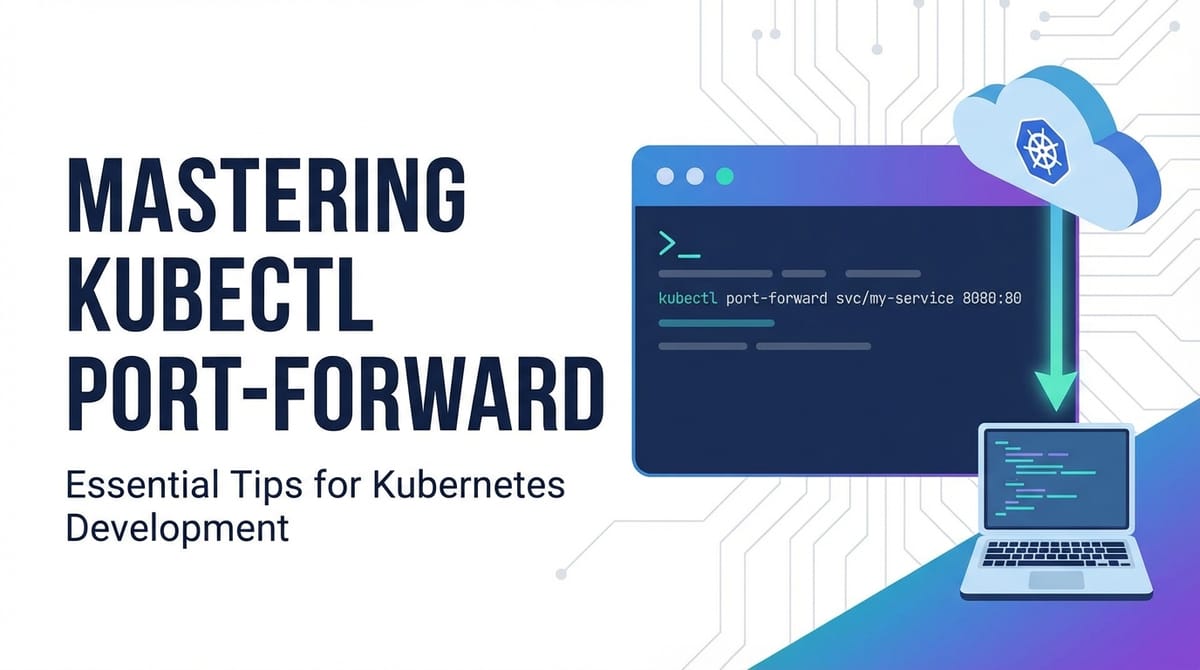


In the sprawling, intricate landscape of Kubernetes, where microservices dance across a cluster of nodes and communication often happens behind layers of abstraction, developers and operators frequently find themselves needing a direct, unfettered line to a specific service or application instance. This is precisely where kubectl port-forward emerges as an indispensable tool, a command-line utility that, in its deceptively simple syntax, unlocks a world of possibilities for debugging, local development, and direct access to internal cluster resources. It acts as a temporary, secure tunnel, bridging the gap between your local workstation and a specific pod, deployment, or service running within your Kubernetes cluster, effectively making a remote service appear as if it's running on your own machine.
The power of kubectl port-forward lies in its ability to bypass the complexities of network policies, ingress controllers, and load balancers, providing a direct TCP connection. This directness is invaluable for scenarios where you need to interact with a database that isn't publicly exposed, test a new feature of a microservice before it's routed through an API gateway, or simply inspect the behavior of an API endpoint in isolation. However, like any powerful tool, understanding its nuances, best practices, and potential pitfalls is crucial for harnessing its full potential without inadvertently creating security vulnerabilities or operational headaches.
This comprehensive guide will embark on a deep dive into kubectl port-forward, moving beyond its basic usage to explore advanced techniques, delve into critical security considerations, and provide robust troubleshooting strategies. We will examine how this command operates under the hood, illustrate its versatility across various Kubernetes resource types, and ultimately position it within the broader context of API management and secure gateway solutions, offering insights into when to use it and, equally important, when to consider more robust, production-grade alternatives. By the end of this journey, you will not only be proficient in kubectl port-forward but also possess a clearer understanding of its role in a mature Kubernetes ecosystem.
The Fundamentals of kubectl port-forward: Bridging Local and Remote
At its core, kubectl port-forward establishes a secure, local TCP tunnel from your workstation to a specific port on a pod within your Kubernetes cluster. This means any traffic directed to a specified local port will be securely relayed through the tunnel to a corresponding port on the target pod, and vice-versa. It's akin to having a dedicated, private network cable running directly from your machine to a container inside your cluster, allowing you to interact with that container as if it were running on localhost.
Basic Syntax and Operation
The most common form of the command targets a specific pod:
kubectl port-forward <pod-name> <local-port>:<remote-port>
Let's break down each component:
<pod-name>: This is the exact name of the pod you wish to connect to. You can find this usingkubectl get pods.<local-port>: This is the port on your local machine that you will use to access the remote service. For example, if you choose8080, you would then access the service viahttp://localhost:8080.<remote-port>: This is the port inside the pod where the service you want to access is listening.
For instance, if you have a pod named my-app-deployment-7f9b8c7d6-abcdef that runs a web server listening on port 80, and you want to access it from your local machine on port 8080, the command would be:
kubectl port-forward my-app-deployment-7f9b8c7d6-abcdef 8080:80
Once executed, kubectl will maintain this connection, displaying output indicating that forwarding is active. As long as this command is running, you can open your web browser or use a curl command to http://localhost:8080, and your requests will be directed to the web server inside the specified pod.
How It Works: The TCP Tunnel Mechanism
The mechanism behind kubectl port-forward involves several layers:
- Client-Side Connection: When you execute the command, your
kubectlclient connects to the Kubernetes API server. - API Server Proxying: The API server then acts as a secure proxy, establishing a connection to the kubelet agent running on the node where the target pod resides. This connection is typically authenticated and encrypted using TLS.
- Kubelet Interaction: The kubelet receives the request and, in turn, establishes a connection to the specified port inside the target pod's network namespace. This often involves using the
socatutility or similar network tools within the container runtime environment. - Bidirectional Tunnel: A bidirectional TCP tunnel is thus formed:
local-machine<->kubectl client<->API server<->kubelet<->pod. Data flowing intolocal-porton your machine travels through this tunnel toremote-portin the pod, and responses flow back along the same path.
This entire process happens without exposing the pod directly to the internet or requiring any changes to the pod's manifest, ingress rules, or service definitions. It's a temporary, on-demand connection primarily designed for a developer's local interaction. The traffic remains within the secure confines of the Kubernetes cluster's control plane, making it a relatively safe method for internal access during development and debugging phases.
Common Use Cases: Why port-forward is Essential
The versatility of kubectl port-forward makes it a cornerstone tool for anyone working with Kubernetes:
- Debugging Applications: When an application isn't behaving as expected,
port-forwardallows you to directly connect to its running instance, perhaps to hit an internal debugging endpoint, access its metrics server, or use a local debugger attached to the remote process. This bypasses any external load balancers or API gateways that might obscure the direct interaction you need. - Accessing Databases and Caches: It's common practice for databases (like PostgreSQL, MySQL, MongoDB) or caching services (like Redis) running within Kubernetes to not be exposed externally for security reasons.
port-forwardprovides a secure way for your local SQL client, IDE, or application to connect directly to these services for development, data inspection, or schema migration tasks. You can run a command likekubectl port-forward my-db-pod 5432:5432and then connect your localpsqlclient tolocalhost:5432. - Testing Internal Services: Before exposing a new microservice via an Ingress or a dedicated Kubernetes Service type (like
LoadBalancer), developers can useport-forwardto test its API endpoints locally. This allows for rapid iteration and validation without waiting for DNS propagation, external IP allocation, or complex gateway configurations. You can spin up a new service,port-forwardto it, and immediately start sending requests from your development tools. - Developing Against Cluster-Internal Services: Local development often requires interaction with services that only exist within the cluster, such as identity providers, message queues, or other foundational microservices. Instead of deploying your entire development environment to the cluster,
port-forwardenables your locally running application to consume these cluster-internal dependencies seamlessly, accelerating the development feedback loop. - Inspecting UI/Management Interfaces: Many Kubernetes applications, like monitoring tools (Prometheus, Grafana), message brokers (Kafka UI), or custom administrative dashboards, expose web interfaces on specific ports.
port-forwardallows you to temporarily access these interfaces from your local browser without setting up complex Ingress rules, which might be overkill for a one-off inspection.
Permissions Required
To use kubectl port-forward, your Kubernetes user or service account needs specific Role-Based Access Control (RBAC) permissions. Primarily, it requires:
getpermission onpods: To retrieve information about the target pod.portforwardpermission onpods/portforward: This is the specific permission that allows thekubectlclient to initiate the port-forwarding operation through the API server.
If you encounter Error from server (Forbidden): User "your-user" cannot portforward pods in namespace "your-namespace", it indicates a lack of these necessary RBAC permissions. An administrator would need to grant these permissions via a Role and RoleBinding.
Distinction from kubectl proxy
While both kubectl port-forward and kubectl proxy facilitate local access to cluster resources, they serve fundamentally different purposes:
kubectl port-forward: Creates a direct TCP tunnel to a specific pod or service port. It's designed for direct application-to-application communication, making a single remote service appear local. The connection is ephemeral and user-specific.kubectl proxy: Creates a local HTTP proxy server that exposes the Kubernetes API itself. You can then use this proxy to interact with any Kubernetes API resource (pods, services, deployments, etc.) via HTTP requests tohttp://localhost:8001/api/v1/.... It's more about interacting with the Kubernetes control plane programmatically or via browser-based dashboards that rely on the API, rather than directly accessing application services. It provides a shared proxy to the entire API, whereasport-forwardis a targeted tunnel to a specific application port.
In essence, port-forward is for application data, proxy is for Kubernetes control plane data. Understanding this distinction prevents misuse and ensures you choose the right tool for the job.
Advanced Techniques and Scenarios: Unleashing port-forward's Full Potential
Beyond its basic application, kubectl port-forward offers several advanced features and can be applied in more nuanced scenarios, extending its utility considerably. Mastering these techniques allows for greater flexibility and efficiency when interacting with your Kubernetes workloads.
Port-forwarding to Deployments, ReplicaSets, and Services
While the most direct form of port-forward targets a specific pod, kubectl also allows you to forward traffic to higher-level abstractions like Deployment, ReplicaSet, or Service. This is particularly useful when you don't care about a specific pod instance but rather want to connect to any healthy pod managed by that abstraction.
The syntax for a deployment is:
kubectl port-forward deployment/<deployment-name> <local-port>:<remote-port>
For example, to forward to a deployment named my-web-app:
kubectl port-forward deployment/my-web-app 8080:80
When you use a Deployment or ReplicaSet name, kubectl intelligently selects one of the available, healthy pods managed by that resource and establishes the tunnel to it. If the selected pod is terminated or becomes unhealthy, kubectl will typically try to re-establish the connection to another available pod if the command is left running, though this behavior can sometimes lead to temporary connection drops. This abstraction simplifies the process as you don't need to manually discover a specific pod's dynamic name.
Similarly, you can forward to a Service:
kubectl port-forward service/<service-name> <local-port>:<remote-port>
For example, connecting to a service named my-backend-service:
kubectl port-forward service/my-backend-service 9000:8080
When forwarding to a Service, kubectl will resolve the Service to one of its backing pods and establish the tunnel to that pod. This is particularly convenient because Service names are stable, unlike pod names which include unique identifiers. The Service abstraction handles load balancing among its pods, but port-forward will pick only one pod to establish a direct tunnel to, not load balance across them. This is a critical distinction: port-forward creates a single, point-to-point connection.
Specifying Namespace with -n
In multi-tenant or complex Kubernetes environments, resources are often segmented into different namespaces. To target a pod, deployment, or service in a specific namespace other than your current context's default, you must explicitly specify it using the -n or --namespace flag:
kubectl port-forward -n <namespace-name> <resource-type>/<resource-name> <local-port>:<remote-port>
Example: Forwarding to a pod in the development namespace:
kubectl port-forward -n development my-app-pod-xyz 8080:80
Forgetting to specify the namespace is a common source of "resource not found" errors, especially when rapidly switching between projects or environments.
Selecting Specific Pods (when multiple exist)
When you have multiple pods that match a deployment or service (e.g., several replicas), kubectl port-forward will arbitrarily pick one. However, there are times when you need to connect to a very specific pod, perhaps one that's exhibiting a particular bug, or has specific data.
In such cases, you first need to identify the exact pod name using kubectl get pods -n <namespace> -l app=<your-app-label> or kubectl get pods -n <namespace>. Once you have the full pod name, you can use the basic pod-specific syntax:
kubectl port-forward my-app-deployment-7f9b8c7d6-abcdef 8080:80
This ensures you are indeed connecting to the desired instance for targeted debugging or interaction.
Handling Multiple Port-forwards
It's not uncommon to need multiple port-forward tunnels simultaneously – perhaps one to a database, another to a backend API, and a third to a message queue. Running multiple kubectl port-forward commands in separate terminal windows is one straightforward approach. However, for more organized or automated scenarios, you can employ several strategies:
- Running in the Background: For simple cases, you can append
&to the command to run it in the background:bash kubectl port-forward service/my-db 5432:5432 & kubectl port-forward deployment/my-api 8080:8080 &Remember that background processes are still tied to your terminal session. If you close the terminal, theport-forwardprocesses will likely be terminated. You can usejobsto list background jobs andfg %<job-number>to bring one to the foreground. - Using
nohup: For more persistent background processes that survive terminal closure (though still tied to the machine's uptime),nohupcan be used:bash nohup kubectl port-forward service/my-db 5432:5432 > /dev/null 2>&1 &This detaches the process from the terminal. You would typically need to explicitly find and kill these processes later usingps aux | grep "kubectl port-forward"andkill <PID>. - Terminal Multiplexers (
tmuxorscreen): These tools are invaluable for managing multiple terminal sessions. You can create different panes or windows withintmuxorscreen, dedicating each to aport-forwardcommand. This keeps them organized and allows them to persist even if your SSH session disconnects (iftmux/screenis running on a remote server you're SSHing into). - Scripting: For complex setups with many forwards, a simple shell script can automate the process of starting and stopping them. You could define functions like
start_forwards()andstop_forwards()that iterate through a list of desired tunnels.
Forwarding UDP Ports (Limitations)
It's important to clarify a significant limitation: kubectl port-forward is designed exclusively for TCP connections. It does not natively support forwarding UDP traffic. The underlying API server and kubelet mechanisms that establish the tunnel are built upon TCP streams.
If you need to access a UDP service within your cluster, kubectl port-forward is not the tool. Alternatives typically involve:
- NodePort/LoadBalancer Services: Exposing the UDP service directly via a Kubernetes
Serviceof typeNodePortorLoadBalancer, if your cloud provider supports UDP load balancing. - VPN or Cluster IP Addressing: Establishing a VPN connection to your Kubernetes cluster's network, which would allow your local machine to directly address cluster IPs (though this is more involved).
- Application-Level Proxies: Running a sidecar container in your pod that acts as a TCP-to-UDP proxy, then
port-forwardto the TCP sidecar. This adds complexity to your application.
For the vast majority of application services that rely on TCP (HTTP/S, databases, message queues), kubectl port-forward remains perfectly suitable.
Automating Port-forwards and Alternative Tools
While scripting provides a degree of automation, the dynamic nature of pods (restarts, rescheduling) can make manually managed port-forward commands somewhat fragile. For more robust or integrated solutions, especially in a development environment, consider:
kubefwd: This is a powerful open-source tool that forwards traffic from services in a Kubernetes cluster to your local workstation. Instead of creating individualport-forwardtunnels,kubefwdupdates your/etc/hostsfile (or uses a local DNS proxy) to map Kubernetes service names to their respective cluster IPs, making them directly accessible by name from your local machine. This is excellent for developing a local application that needs to talk to many cluster services by their actual service names, not justlocalhost.stern: While primarily a multi-pod logging utility,sterncan sometimes be combined with scripts that identify pods and then initiateport-forwards, allowing you to monitor logs while a connection is active.- Development Environments Integrated with Kubernetes: Tools like Skaffold, Telepresence, or Tilt aim to streamline the inner development loop with Kubernetes. They often incorporate or abstract
port-forwardfunctionality, allowing your local code to seamlessly interact with in-cluster services, providing a hybrid development experience. These tools go far beyond simple port forwarding, offering features like live reloading and dependency management.
These advanced techniques and alternative tools underscore the importance of kubectl port-forward as a foundational building block. While it provides the raw capability, the ecosystem has evolved to offer more sophisticated solutions for common development workflows, often building upon the very principles that port-forward demonstrates.
Security Considerations and Best Practices: A Measured Approach
The direct and unmediated access provided by kubectl port-forward is its greatest strength, but it is also its most significant security concern. By creating a direct tunnel, you are effectively bypassing many layers of network segmentation, firewalls, and access controls that secure your Kubernetes cluster. Understanding these risks and implementing best practices is paramount to using port-forward responsibly.
Security Implications
When you establish a port-forward connection, several security implications arise:
- Bypassing Network Policies and Firewalls: Kubernetes Network Policies and external firewalls are designed to restrict traffic flow within and into the cluster.
port-forwardcircumvents these controls because the traffic is proxied through the API server and kubelet, which are typically privileged components. This means a service that is intentionally isolated within a private network segment can suddenly be directly accessed from your local machine, potentially exposing sensitive data or internal APIs. - Exposure of Internal Services to the Local Machine: Any service running on the remote pod's specified port becomes directly accessible on your local machine's specified port. If your local machine is compromised or if you have other applications listening on
localhostthat could mistakenly or maliciously interact with the forwarded port, you introduce a new attack vector. For instance, if you forward a database port and an unrelated local script scanslocalhostfor open database connections, it could potentially access your cluster's database. - Risk of Unauthorized Access if Local Machine is Compromised: The most significant risk comes if your local workstation, from which you initiate the
port-forward, is compromised. An attacker gaining control of your machine could then leverage your activeport-forwardconnections to directly access internal cluster services and data, effectively gaining a foothold inside your Kubernetes environment without needing to breach the cluster's external defenses. This is a critical concern, especially when dealing with sensitive API endpoints or databases. - Elevation of Privilege: The
kubectl port-forwardcommand itself requires specific RBAC permissions (pods/portforward). If an attacker manages to compromise a low-privilege service account that does haveport-forwardcapabilities, they could potentially use this to gain access to other services within the cluster that they wouldn't normally be able to reach, effectively escalating their privileges.
Principle of Least Privilege
To mitigate these risks, adhere strictly to the principle of least privilege:
- Granting
port-forwardPermissions Carefully: Only grantport-forwardpermissions to users or service accounts that absolutely require them, and only for the specific namespaces or resource types necessary. Avoid granting broadport-forwardpermissions across an entire cluster. For example, a developer might needport-forwardaccess only in their development namespace, not in production. - RBAC Roles for
port-forward: Define granular RBAC roles. ARolemight look like this:yaml apiVersion: rbac.authorization.k8s.io/v1 kind: Role metadata: namespace: development name: pod-forwarder rules: - apiGroups: [""] resources: ["pods", "pods/portforward"] verbs: ["get", "list", "portforward"]Then bind this role to a specific user or service account in thedevelopmentnamespace:yaml apiVersion: rbac.authorization.k8s.io/v1 kind: RoleBinding metadata: name: dev-pod-forwarder-binding namespace: development subjects: - kind: User name: developer-alice # Name of the user as configured in your Kubeconfig or IDP apiGroup: rbac.authorization.k8s.io roleRef: kind: Role name: pod-forwarder apiGroup: rbac.authorization.k8s.ioThis ensures thatdeveloper-alicecan only port-forward pods within thedevelopmentnamespace.
Ephemeral Nature: Use Only When Needed, Close Promptly
kubectl port-forward connections should always be treated as temporary and ephemeral.
- Initiate when necessary: Only start a
port-forwardwhen you actively need to interact with the remote service. - Terminate when finished: As soon as you are done debugging or developing, terminate the
port-forwardprocess. This means pressingCtrl+Cin the terminal running the command, or killing the background process. Leaving unnecessary tunnels open increases the window of opportunity for an attacker if your local machine is compromised. - Avoid Long-Lived Background Processes: Be cautious with
nohupor other methods that detach the process from your terminal. If you use them, make sure you have a clear process for monitoring and terminating these backgroundport-forwards when they are no longer needed.
Alternatives for Production and Controlled Access
kubectl port-forward is explicitly a development and debugging tool. It is never suitable for exposing services in a production environment or for providing generalized, controlled access to your cluster's internal APIs. For these scenarios, robust and secure alternatives are essential:
- Ingress/Load Balancers: For exposing HTTP/HTTPS services externally, Kubernetes Ingress resources combined with an Ingress controller (like Nginx Ingress, Traefik, or cloud provider-specific load balancers) are the standard solution. They provide features like host-based routing, path-based routing, TLS termination, and basic load balancing, all managed within Kubernetes.
- Service Mesh (e.g., Istio, Linkerd, Consul Connect): A service mesh provides advanced traffic management, observability, and security features for inter-service communication. It can enforce mTLS (mutual TLS) between services, implement fine-grained access policies, and provide sophisticated routing, making internal API communication highly secure and manageable. While a service mesh enhances internal security, it still typically works in conjunction with an Ingress for external access.
- Virtual Private Networks (VPNs): For granting secure access to an entire segment of your cluster's private network (e.g., for administrators or specific internal applications), a VPN gateway into your cluster's VPC is a common and secure approach. This allows users to directly address internal cluster IPs, similar to being on the same network.
- Dedicated API Gateways: For robust, scalable, and secure external exposure of your APIs, a dedicated API gateway is the gold standard. Solutions like Kong, Apigee, or, for the modern AI/REST service landscape, platforms like ApiPark, offer comprehensive API management capabilities. An API gateway acts as a single entry point for all API calls, providing crucial functionalities:APIPark, as an open-source AI gateway and API management platform, excels in these areas, particularly with its focus on integrating and standardizing access to AI models and REST services. It offers features like quick integration of 100+ AI models, unified API format for AI invocation, prompt encapsulation into REST APIs, and end-to-end API lifecycle management. Unlike
kubectl port-forwardwhich provides a temporary, unmanaged tunnel for a single user, APIPark provides a high-performance (over 20,000 TPS with 8-core CPU and 8GB memory), secure, and scalable solution for publishing, consuming, and governing APIs across an enterprise, including granular access permissions per tenant and required approval for API resource access. This is the distinction:port-forwardis a developer's utility for direct, ad-hoc access; an API gateway is an architectural component for controlled, secure, and managed external exposure and consumption of your APIs.- Authentication and Authorization: Enforcing security policies (OAuth, JWT validation, API keys).
- Rate Limiting and Throttling: Protecting backend services from abuse and ensuring fair usage.
- Traffic Management: Routing, load balancing, circuit breaking, and blue/green deployments for APIs.
- Monitoring and Analytics: Providing insights into API usage, performance, and errors.
- Developer Portal: Making APIs discoverable and easy for consumers to integrate.
By choosing the appropriate tool for the context – kubectl port-forward for local debugging, and an API gateway or Ingress for production-grade API exposure – you ensure both developer agility and enterprise-grade security and scalability.
APIPark is a high-performance AI gateway that allows you to securely access the most comprehensive LLM APIs globally on the APIPark platform, including OpenAI, Anthropic, Mistral, Llama2, Google Gemini, and more.Try APIPark now! 👇👇👇
Troubleshooting Common kubectl port-forward Issues: Getting Back on Track
Even for experienced Kubernetes users, kubectl port-forward can occasionally be temperamental. Understanding common error messages and having a systematic approach to troubleshooting can save significant time and frustration. Here, we'll cover the most frequently encountered issues and their solutions.
1. "Unable to listen on port X: listen tcp 127.0.0.1:X: bind: address already in use"
This is perhaps the most common error and is self-explanatory: the local port you've specified (<local-port>) is already being used by another process on your workstation.
- Cause: Another application (or a previous, lingering
port-forwardprocess) is occupying the desired local port. - Diagnosis:
- Linux/macOS: Use
lsof -i :<local-port>ornetstat -tuln | grep :<local-port>to identify the process using the port. - Windows: Use
netstat -ano | findstr :<local-port>to find the PID, thentasklist | findstr <PID>to identify the process.
- Linux/macOS: Use
- Solution:
- Choose a different local port: The simplest solution is to pick an alternative local port that is free. For example, if
8080is in use, try8081,9000, etc. - Terminate the conflicting process: If you identify the process and it's something you can safely stop (e.g., a development server, a defunct
port-forward), kill it. Forkubectl port-forwardprocesses, find their PID andkill <PID>.
- Choose a different local port: The simplest solution is to pick an alternative local port that is free. For example, if
2. "Error forwarding ports: error upgrading connection: container X not found in pod Y"
This error indicates that kubectl couldn't find a container with the specified name within the target pod.
- Cause: You are either explicitly passing a container name using the
-cflag which is incorrect, or the pod has multiple containers andkubectlis having trouble implicitly deciding which one to forward to (less common,kubectlusually picks the first or only container by default if not specified). - Diagnosis:
- Check container names: Use
kubectl describe pod <pod-name>to see the exact names of containers within the pod. Look for theContainers:section. - Review your command: Ensure you haven't mistakenly added an
-cflag with a wrong container name.
- Check container names: Use
- Solution:
- Remove the
-cflag: If the pod has only one container,kubectlshould automatically target it. - Specify the correct container: If the pod has multiple containers and you need a specific one, use
kubectl port-forward <pod-name> <local-port>:<remote-port> -c <correct-container-name>.
- Remove the
3. "Error forwarding ports: error upgrading connection: EOF" or "Error: lost connection to pod"
These errors usually signify that the connection to the pod or the service within the pod was unexpectedly terminated.
- Cause:
- Pod crashed or restarted: The target pod might have crashed, been evicted, or restarted due to a liveness/readiness probe failure or a deployment update.
- Service not running or listening: The application/service inside the pod might not be running on the specified
<remote-port>or might have stopped listening. - Network issue: A transient network problem between your
kubectlclient, the API server, or the node where the pod resides. - Connection timeout/idle: For very long-lived, idle connections, some network components might eventually drop the connection.
- Diagnosis:
- Check pod status: Run
kubectl get pod <pod-name>to see if the pod isRunningand healthy. - Check pod logs: Use
kubectl logs <pod-name>(orkubectl logs <pod-name> -c <container-name>) to check for application errors or crashes within the pod. - Describe the pod:
kubectl describe pod <pod-name>can reveal events related to pod restarts, evictions, or resource issues. - Verify service port: Ensure the application inside the pod is indeed listening on the
<remote-port>you specified. You might need to exec into the pod (kubectl exec -it <pod-name> -- bash) and usenetstat -tulnorss -tulnto check open ports.
- Check pod status: Run
- Solution:
- Restart the
port-forward: Often, simply stopping and restarting thekubectl port-forwardcommand will re-establish a healthy connection if the pod issue was transient. - Address pod issues: If the pod is crashing or unhealthy, you need to debug and resolve the underlying application or Kubernetes resource issues.
- Wait for pod readiness: If a deployment is rolling out, wait for the new pods to become ready before attempting to
port-forward.
- Restart the
4. "Pod not found" or "service not found"
This indicates kubectl cannot locate the resource you are trying to forward to.
- Cause:
- Typo: The most common reason is a simple misspelling of the pod, deployment, or service name.
- Wrong namespace: The resource exists, but in a different namespace than the one
kubectlis currently configured for or the one you specified. - Resource does not exist: The resource (pod, deployment, service) has been deleted or never existed.
- Diagnosis:
- Verify name: Double-check the spelling of the resource name.
- Verify namespace: Confirm the resource is in the current namespace (
kubectl config view --minify --output 'jsonpath={.contexts[0].context.namespace}') or explicitly specify the namespace using-n <namespace>. - List resources: Use
kubectl get pods -n <namespace>,kubectl get deployments -n <namespace>, orkubectl get services -n <namespace>to see available resources and their exact names.
- Solution:
- Correct name/namespace: Adjust your
kubectl port-forwardcommand with the accurate resource name and, if necessary, the correct namespace. - Create the resource: If the resource genuinely doesn't exist, you'll need to create it before you can forward to it.
- Correct name/namespace: Adjust your
5. "Service account forbidden" or "User cannot portforward pods"
These errors point to insufficient RBAC permissions for the user or service account initiating the port-forward command.
- Cause: The Kubernetes user or service account you are authenticated as lacks the necessary
portforwardverb on thepods/portforwardresource (and potentiallyget/liston pods themselves) within the target namespace. - Diagnosis:
- Check your current user:
kubectl config view --minify --output 'jsonpath={.users[0].name}' - Check RBAC permissions: This often requires an administrator. An admin can use
kubectl auth can-i portforward pods --namespace <namespace>orkubectl auth can-i get pods --namespace <namespace>for your user to verify permissions.
- Check your current user:
- Solution:
- Contact your administrator: Request the necessary
portforwardpermissions for the specific pods/namespaces you need access to. - Switch context/user: If you have access to a Kubernetes context with higher privileges or a different user with the required permissions, switch to that context/user using
kubectl config use-context <context-name>. - Review RBAC configuration: For administrators, ensure the
RoleandRoleBindingforportforwardpermissions are correctly defined and applied, grantingget,list, andportforwardverbs onpodsandpods/portforwardresources.
- Contact your administrator: Request the necessary
General Debugging Steps
When troubleshooting, remember these general principles:
- Check
kubectlversion: Ensure yourkubectlclient version is compatible with your cluster's API server version (ideally within one minor version difference). - Network connectivity: Verify basic network connectivity from your workstation to the Kubernetes API server.
- Cluster health: Use
kubectl get nodesandkubectl get pods --all-namespacesto quickly ascertain the overall health of your cluster. - Start simple: If a complex
port-forwardisn't working, try a simpler one (e.g., to a basicnginxpod) to rule out environment-specific issues.
By systematically approaching these common issues and employing the right diagnostic tools, you can quickly identify and resolve most kubectl port-forward problems, restoring your ability to interact directly with your cluster's internal services.
kubectl port-forward in the Broader API Management Context: When to Use, When to Evolve
Having explored the mechanics, advanced uses, and troubleshooting of kubectl port-forward, it's crucial to contextualize its role within the larger ecosystem of Kubernetes and API management. While an incredibly powerful and versatile tool for developers, port-forward has specific limitations that dictate its appropriate usage and highlight the necessity of more robust solutions for production environments and managed API exposure.
When is port-forward Appropriate?
kubectl port-forward shines brightly in several specific scenarios, primarily centered around local development and debugging:
- Local Development with Remote Dependencies: When building an application on your local machine that relies on a service (like a database, message queue, or another microservice's API) residing within your Kubernetes cluster,
port-forwardprovides an instant, low-overhead way to connect. Your local code can treat these cluster services as if they were running onlocalhost, streamlining the development process without requiring a full deployment to the cluster for every code change. - Ad-hoc Debugging: When a particular pod or application instance is misbehaving,
port-forwardoffers a surgical way to connect directly to it. This allows you to inspect logs, hit internal/healthor/metricsendpoints, attach a debugger, or perform direct API calls to isolate issues. It’s an invaluable tool for pinpointing problems that might be obscured by ingress controllers, load balancers, or other network layers. - Testing New Services/APIs: Before fully exposing a newly developed microservice API or a new version of an existing one through external mechanisms,
port-forwardenables rapid, private testing. Developers can ensure the API functions correctly and meets expectations locally before committing to broader rollout strategies. - Temporary Access to Internal Management Interfaces: For accessing web-based dashboards or administrative interfaces of cluster-internal tools (e.g., a Redis GUI, a Prometheus instance, or a custom internal admin portal),
port-forwardprovides a quick and secure (from an external exposure perspective) way to do so without configuring public routes.
In essence, port-forward is a developer's lifeline for direct, temporary, and localized interaction with cluster resources. It's about personal, one-to-one connectivity, bypassing the complexities of external networking.
When is port-forward Not Appropriate?
Despite its utility, kubectl port-forward is inherently unsuitable for several critical use cases, especially those involving production systems or broader API consumption:
- Production Exposure of Services/APIs: Never use
port-forwardto expose production services or APIs to external users or other internal applications. It is not designed for scalability, reliability, security, or management at an enterprise level. It's a single point of failure (tied to the user's local machine), lacks any inherent authentication or authorization mechanisms (beyond the initial RBAC for thekubectluser), and provides no traffic management, monitoring, or logging. - Widespread Service/API Sharing within Teams or Across Applications:
port-forwardis a personal tunnel. If multiple developers or applications need access to the same service, each would need to run their ownport-forwardcommand, leading to chaos, port conflicts, and a lack of centralized control. It doesn't facilitate API discovery or standardized access. - High Availability and Load Balancing:
port-forwardconnects to a single pod. If that pod fails or restarts, theport-forwardconnection breaks. It provides no load balancing across multiple replicas of a service, which is essential for resilient APIs. - Security for External API Consumption: Relying on
port-forwardfor external API access is a significant security risk. It lacks API key management, OAuth integration, rate limiting, IP whitelisting, and other crucial security features that protect APIs from abuse, unauthorized access, and DDoS attacks. - API Lifecycle Management:
port-forwardoffers no capabilities for versioning, deprecating, publishing, or documenting APIs – all essential aspects of a well-managed API program.
The Role of API Gateways (like APIPark) in Managing and Exposing Services
This is where dedicated API gateway solutions step in to fill the significant gaps left by kubectl port-forward. An API gateway serves as a centralized entry point for all incoming API requests, acting as a reverse proxy that sits in front of your microservices. It's specifically designed to handle the complexities of exposing, securing, managing, and optimizing API access at scale.
Consider ApiPark, an open-source AI gateway and API management platform. While kubectl port-forward helps you, the developer, poke at a single service, APIPark provides the robust infrastructure to present a unified, secure, and performant façade for all your APIs, especially those powered by AI models.
Here's how APIPark complements (and differs from) kubectl port-forward:
- Unified, Scalable API Exposure: Instead of fragmented
port-forwardtunnels, APIPark provides a single, highly available gateway endpoint for all your APIs. It handles traffic forwarding, load balancing, and can sustain over 20,000 TPS, ensuring your APIs are always accessible and performant. - Comprehensive API Lifecycle Management: APIPark assists with managing the entire lifecycle of APIs, from design and publication to invocation and decommissioning. This includes regulating management processes, versioning, and controlling how APIs are exposed and consumed.
port-forwardhas no concept of an API lifecycle; it's just a raw network tunnel. - Robust Security and Access Control: Where
port-forwardbypasses controls, APIPark enforces them. It offers independent API and access permissions for each tenant, enabling multi-tenancy with isolated configurations and security policies. It also supports subscription approval features, ensuring callers must subscribe to an API and await administrator approval, preventing unauthorized API calls and data breaches. This is far beyond whatport-forwardcan offer. - AI Model Integration and Standardization: APIPark excels in the emerging AI API landscape. It allows for quick integration of 100+ AI models with a unified management system for authentication and cost tracking. Critically, it standardizes the request data format across all AI models, ensuring application logic doesn't break when underlying AI models or prompts change. Furthermore, users can encapsulate custom prompts with AI models into new REST APIs, turning complex AI tasks into simple, consumable API endpoints.
- Developer Portal and Service Sharing: APIPark facilitates API discovery and consumption. It allows for the centralized display of all API services, making it easy for different departments and teams to find and use the required API services, fostering collaboration and reuse.
port-forwardoffers no such discoverability; you must know precisely what you're looking for. - Observability and Data Analysis: APIPark provides detailed API call logging, recording every detail of each invocation for quick tracing and troubleshooting. It also offers powerful data analysis capabilities, displaying long-term trends and performance changes, which is vital for proactive maintenance and business insights.
port-forwardsimply passes raw bytes and provides no such API-specific intelligence.
Comparing port-forward's Ad-Hoc Nature to an API Gateway's Structured Approach
To further highlight the distinction, consider the following table:
| Feature | kubectl port-forward |
Dedicated API Gateway (e.g., APIPark) |
|---|---|---|
| Purpose | Ad-hoc local development, debugging, temporary direct access. | Production-grade, secure, scalable exposure and management of APIs. |
| Target | Single pod, deployment, or service port. | Multiple backend services, microservices, AI models. |
| Access Type | Direct TCP tunnel to localhost. |
Unified HTTP/HTTPS endpoint with advanced routing. |
| Scalability | None (single connection, tied to local machine). | Highly scalable (cluster deployment, load balancing, high TPS). |
| Security | Bypasses network policies; relies on user RBAC and local machine security. | Enforces AuthN/AuthZ, rate limiting, IP whitelisting, mTLS, approval workflows. |
| Traffic Management | None. | Load balancing, routing, circuit breaking, versioning. |
| API Discovery | None (requires prior knowledge of target). | Centralized developer portal, service sharing across teams. |
| Monitoring/Analytics | Basic kubectl output; no dedicated API metrics. |
Detailed API call logging, performance analysis, business insights. |
| AI Integration | Raw access to AI model API if running in a pod. |
Unified format, prompt encapsulation, integration of 100+ AI models. |
| Lifecycle Management | None. | Full API lifecycle management (design, publish, version, deprecate). |
| Suitability | Developer workstation, internal testing. | Production environments, external partners, internal applications. |
The distinction is clear: kubectl port-forward is an indispensable individual tool for specific, narrow use cases. It enables agility and deep inspection during development. However, for anything resembling a managed, secure, and scalable API program – especially one incorporating advanced features like AI model integration and comprehensive lifecycle governance – an API gateway like APIPark is not just an alternative, but an essential architectural component. It's about evolving from ad-hoc access to structured, enterprise-ready API delivery.
Conclusion
kubectl port-forward stands as a testament to the power and flexibility embedded within the Kubernetes command-line interface. It is a fundamental utility that empowers developers and operators to pierce through layers of network abstraction, providing a direct, ephemeral conduit to services and applications running deep within their clusters. From debugging a nascent microservice API to inspecting a production database's contents in a sandboxed environment, its capability to make remote services feel local is an invaluable asset in the fast-paced world of containerized development. We have journeyed through its basic mechanics, explored advanced applications like forwarding to deployments and services, and delved into crucial security considerations, emphasizing the principle of least privilege and the importance of timely connection termination.
Yet, as with any potent tool, understanding its scope and limitations is paramount. While port-forward excels at localized, temporary interactions, it is categorically unsuited for the demands of production environments or broad API consumption. The need for scalability, robust security, centralized management, and comprehensive observability for your APIs necessitates a significant architectural shift towards dedicated solutions.
This is precisely where API gateway platforms, such as ApiPark, redefine the landscape of API exposure and governance. APIPark transcends the ad-hoc nature of port-forward by offering a secure, high-performance, and feature-rich platform for managing the entire lifecycle of your APIs – be they traditional REST services or the burgeoning wave of AI models. It provides the essential layer for authentication, authorization, traffic management, and analytics, ensuring your APIs are not only discoverable and easy to integrate but also resilient, compliant, and protected against evolving threats.
In mastering kubectl port-forward, you gain an indispensable skill for navigating the intricacies of Kubernetes development. But by recognizing its place within the larger API management ecosystem and embracing sophisticated gateway solutions for production-grade API delivery, you truly equip yourself to build, deploy, and govern scalable, secure, and intelligent applications in the modern cloud-native era. The journey from a simple port-forward to a fully managed API offering encapsulates the evolution of a service from a developer's local experiment to a global, enterprise-grade asset.
Frequently Asked Questions (FAQs)
1. What is the primary use case for kubectl port-forward?
The primary use case for kubectl port-forward is local development and debugging. It allows developers to create a temporary, secure TCP tunnel from their local workstation to a specific pod or service within a Kubernetes cluster. This enables direct access to internal services (like databases, message queues, or microservice APIs) as if they were running on localhost, bypassing external ingress controllers or load balancers for rapid testing, inspection, and development without public exposure.
2. Is kubectl port-forward secure enough for production traffic?
No, kubectl port-forward is explicitly not designed or secure enough for production traffic. It creates a single, user-specific tunnel, lacks built-in authentication beyond the initial Kubernetes RBAC, offers no traffic management (load balancing, routing, rate limiting), and provides no scalability or monitoring capabilities suitable for production API exposure. Using it for production would introduce significant security risks, reliability issues, and operational overhead.
3. How does kubectl port-forward differ from kubectl proxy?
kubectl port-forward creates a direct TCP tunnel to a specific application port within a pod or service, allowing direct interaction with that application's data stream (e.g., accessing a web server, database, or API endpoint). In contrast, kubectl proxy creates a local HTTP proxy server that exposes the Kubernetes API itself, allowing you to interact with Kubernetes resources (pods, services, deployments) via HTTP requests to localhost:8001. port-forward is for application data, proxy is for Kubernetes control plane data.
4. What are common alternatives to kubectl port-forward for exposing services in a controlled way?
For controlled and production-grade exposure of services and APIs, alternatives to kubectl port-forward include: * Kubernetes Ingress: For HTTP/HTTPS services, providing routing, TLS termination, and basic load balancing. * Kubernetes Services of type LoadBalancer or NodePort: For direct external exposure (often backed by cloud provider load balancers). * Virtual Private Networks (VPNs): For secure network-level access to the cluster's internal network. * Dedicated API Gateways (like APIPark): For robust API management, security (AuthN/AuthZ, rate limiting), traffic control, developer portals, and advanced features for API lifecycle management and AI model integration.
5. What kind of permissions do I need to use kubectl port-forward?
To use kubectl port-forward, your Kubernetes user or service account requires specific Role-Based Access Control (RBAC) permissions. Primarily, you need get and list permissions on pods and, crucially, the portforward permission on pods/portforward resources. These permissions should ideally be scoped to the specific namespaces or resources you intend to interact with, following the principle of least privilege, to minimize potential security risks.
🚀You can securely and efficiently call the OpenAI API on APIPark in just two steps:
Step 1: Deploy the APIPark AI gateway in 5 minutes.
APIPark is developed based on Golang, offering strong product performance and low development and maintenance costs. You can deploy APIPark with a single command line.
curl -sSO https://download.apipark.com/install/quick-start.sh; bash quick-start.sh

In my experience, you can see the successful deployment interface within 5 to 10 minutes. Then, you can log in to APIPark using your account.

Step 2: Call the OpenAI API.